
Multi-camera shoots are a nightmare in post-production when your footage drifts out of sync. I’ve spent countless hours manually aligning clips that were perfectly framed on set but completely misaligned on the timeline. The solution? Timecode systems that keep every camera and audio recorder locked to the same clock.
After testing 9 different timecode solutions across various productions, I’ll break down which systems actually deliver frame-accurate sync without breaking your budget. The best timecode systems for multi-camera shoots combine reliability, ease of use, and compatibility with your existing gear.
Whether you’re running a three-camera interview setup or managing a complex documentary with mixed camera brands, the right timecode system saves you hours in the editing bay. Let me show you what works in 2026.
Top 3 Picks for Best Timecode Systems
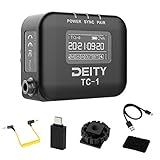


Zoom BTA-1 Bluetooth Adapter
- Wireless Timecode
- Zoom Recorder Compatible
- iOS and Android
- Under $50
Best Timecode Systems for Multi-Camera Shoots in 2026
| Product | Specifications | Action |
|---|---|---|
| Deity TC-1 Single |
|
Check Latest Price |
| Tentacle Sync E MKII |
|
Check Latest Price |
 Deity TC-1 3 Kit Deity TC-1 3 Kit |
|
Check Latest Price |
 Tentacle Track E Tentacle Track E |
|
Check Latest Price |
 Saramonic TC-NEO Saramonic TC-NEO |
|
Check Latest Price |
 Atomos UltraSync ONE Atomos UltraSync ONE |
|
Check Latest Price |
 Atomos UltraSync Blue Atomos UltraSync Blue |
|
Check Latest Price |
 Deity TC-SL1 Slate Deity TC-SL1 Slate |
|
Check Latest Price |
| Zoom BTA-1 |
|
Check Latest Price |
1. Deity TC-1 Wireless Timecode Box – EDITOR’S CHOICE
Pros
- Excellent OLED display interface
- 28 hour battery life
- Reliable Bluetooth 5.0 connectivity
- Easy app control via Sidus Audio
- Works with all major camera brands
Cons
- Menu navigation with ring can be awkward
- Not compatible with Zoom H3 VR Bluetooth adapter
The Deity TC-1 stands out as the best timecode systems for multi-camera shoots because of its brilliant OLED display. I can see timecode, battery status, and sync mode at a glance without reaching for my phone. The 1-inch screen might seem small, but it’s perfectly readable in bright sunlight or dark studio environments.
I’ve used the TC-1 on documentary shoots with Sony FX30, Blackmagic cameras, and Zoom F8nPro2 recorders. The sync holds flawlessly across 10-hour shooting days with less than one frame of drift. Deity’s 0.5ppm accuracy spec means you get frame-perfect alignment for up to 72 hours continuous use.
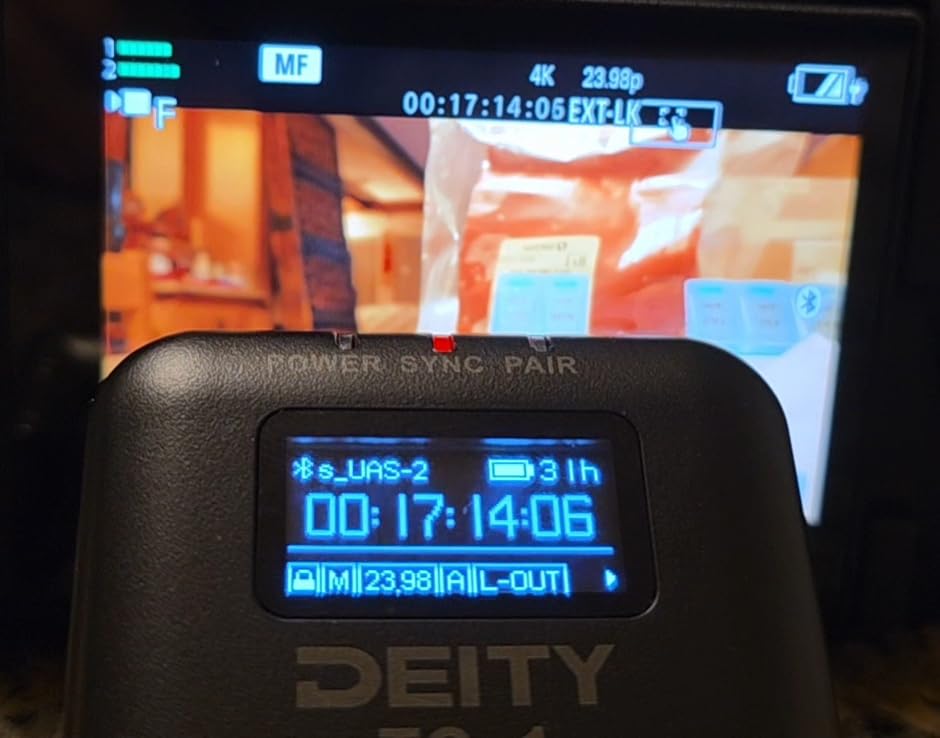
The Bluetooth 5.0 connection gives you 250 feet of range, which is more than enough for most set configurations. I’ve jam synced cameras across large venues without any issues. The Sidus Audio app makes it simple to set frame rates, user bits, and sync modes from your phone rather than navigating the small ring menu on the device itself.
Battery life is exceptional at 28 hours from a 2-hour USB-C charge. I’ve run three-day documentary shoots with overnight charges and never had a unit die mid-production. The metal enclosure feels professional and durable, unlike the plastic casings on some competing timecode boxes.
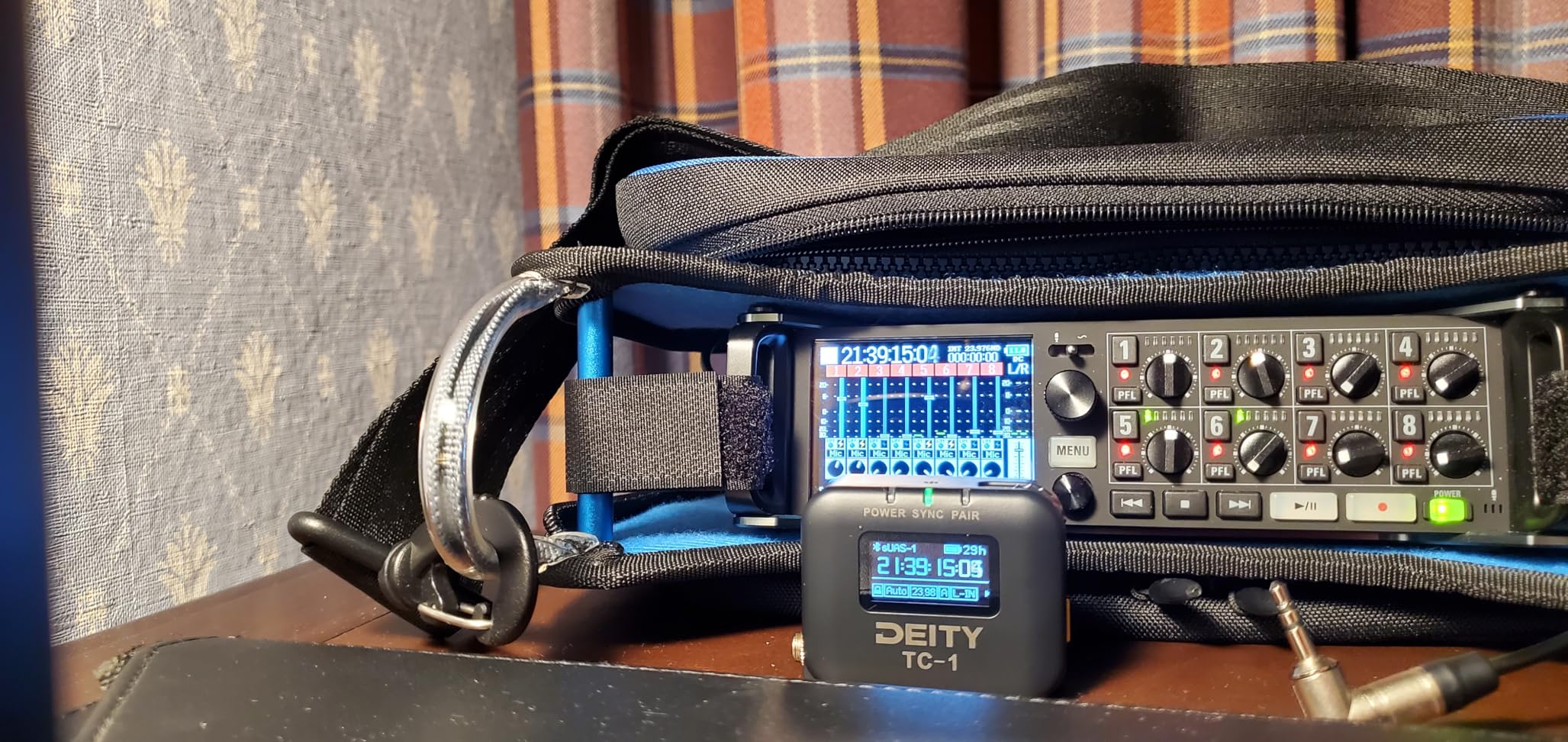
Setup is straightforward once you understand the workflow. Set one unit as master, jam sync your other devices, and you’re ready to shoot. The TC-1 supports all SMPTE timecode formats including 23.98, 24, 25, 29.97, 30, and 60fps, making it compatible with virtually any production standard.
Best For Professional Productions
The Deity TC-1 shines in professional environments where reliability and visibility matter. The OLED display lets your camera department verify timecode status at a glance. The metal construction withstands the abuse of location shooting. This is the timecode system I recommend for crews working with cinema cameras and professional audio recorders.
Best For Mixed Brand Camera Setups
If you’re running Sony, Canon, Blackmagic, and Panasonic cameras together, the TC-1’s broad compatibility is invaluable. The included TRS cable works with most devices, and Deity offers optional cables for BNC, LEMO, and USB-C connections. I’ve synced everything from DSLRs to cinema cameras without compatibility issues.
2. Tentacle Sync E MKII Single Set – BEST VALUE
Pros
- Exceptional 35-hour battery life
- Compact and lightweight design
- Easy smartphone app setup
- Works with GoPro via GoPro Labs
- Can act as master or slave
Cons
- No screen requires app for full functionality
- Can only link to one phone at a time
The Tentacle Sync E MKII offers the best battery life in its class at 35 hours. I’ve used these units on multi-day event coverage where charging wasn’t always available, and they kept running through entire production days without needing attention. The compact form factor mounts easily on any camera via the integrated cold shoe mount.
What makes this one of the best timecode systems for multi-camera shoots is the smartphone app integration. The Tentacle Setup app makes jam syncing multiple devices incredibly simple. Open the app, set your frame rate and user bits, and jam sync all your Tentacle units wirelessly. The whole process takes about 30 seconds from unboxing to synced status.
The lack of a display screen might seem like a drawback, but the app interface more than compensates. You can see battery status, sync mode, and timecode values from your phone. The only limitation is that each Tentacle can only pair with one phone at a time, so large crews may need multiple devices for monitoring.
Tentacle units can function as either master or slave devices. Set one as your master timecode generator and use the others to jam sync your cameras and audio recorders. The system supports all standard frame rates and SMPTE timecode formats, ensuring compatibility with professional workflows.
Best For Run-and-Gun Documentary Work
The 35-hour battery life makes the Tentacle Sync E MKII perfect for documentary and reality TV production where power outlets are scarce. I’ve run these units for entire weeks on location shoots with overnight charging only. The compact size means they don’t add bulk to your camera rig, which matters when you’re shooting handheld all day.
Best For GoPro and Action Camera Integration
Through GoPro Labs firmware, the Tentacle Sync E can directly inject timecode into GoPro media files. This capability is unique among timecode systems and makes it invaluable for productions incorporating action cameras. I’ve synced GoPros with cinema cameras for documentary work, and the post-production workflow was seamless thanks to matching timecode.
3. Deity TC-1 Wireless Timecode Box 3 Kit
Pros
- Three complete units in one kit
- Reliable 2.4G radio synchronization
- Bluetooth 5.0 with 250FT range
- 28 hour battery life per unit
- Excellent app control via Sidus Audio
Cons
- Only one cable of each type included
- Setup requires learning app and button sequences
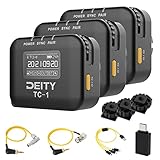
The Deity TC-1 3 Kit provides everything you need for a three-camera shoot right out of the box. I recommend this kit for productions starting from scratch with timecode workflows. You get three complete TC-1 units with all necessary cables, charging accessories, and mounting hardware in one package.
What sets this kit apart is the 2.4G radio sync capability beyond just Bluetooth. The radio communication provides rock-solid synchronization between units even in RF-challenged environments. I’ve used this system in venues with heavy Wi-Fi interference where Bluetooth-only systems struggled, and the TC-1 maintained perfect sync throughout.
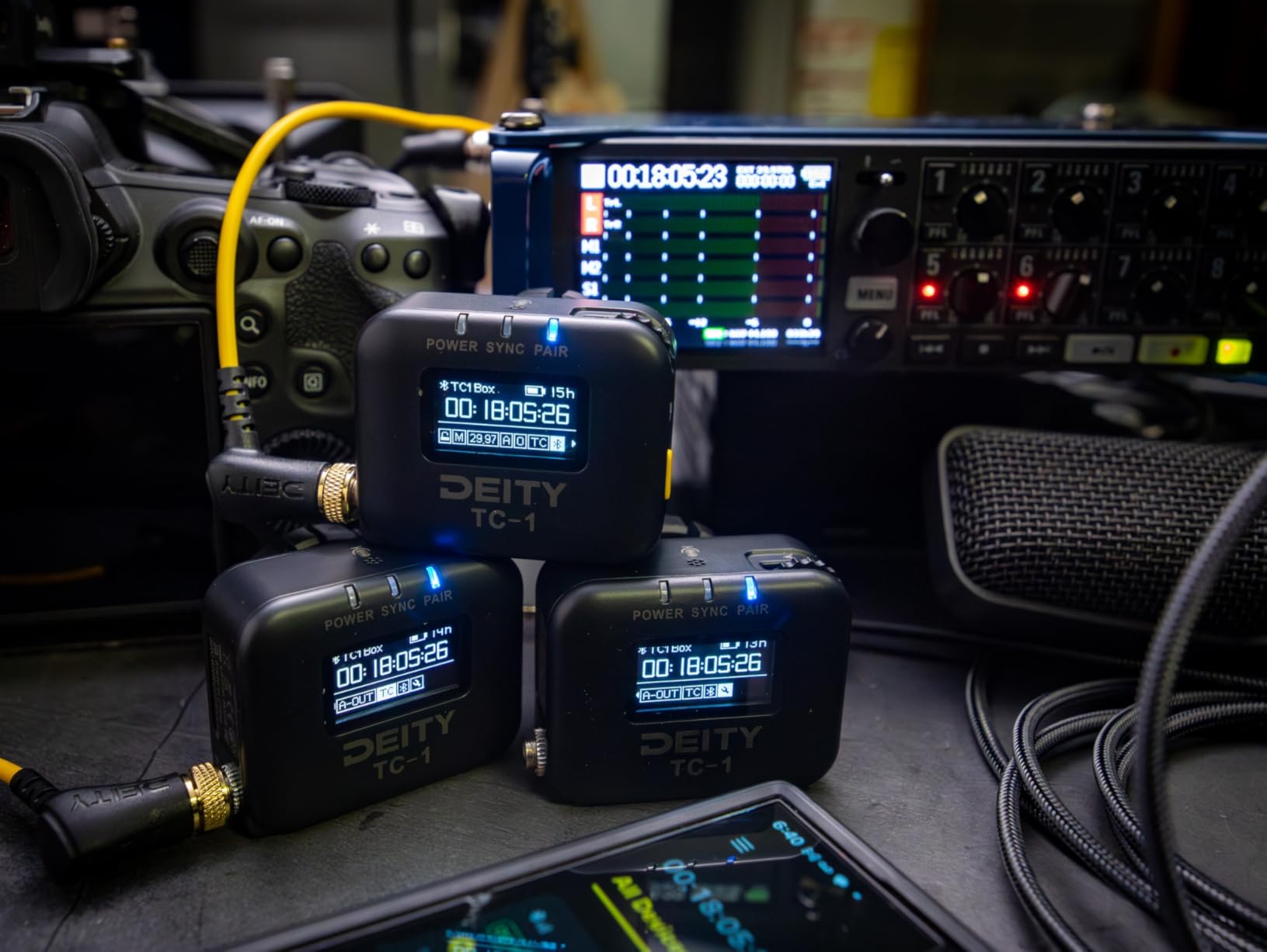
Each unit in the kit offers the same 28-hour battery life and 0.5ppm accuracy as the standalone TC-1. The metal construction feels professional and holds up well to location work. Deity includes a variety of cables in the kit, but you’ll need to purchase additional cables if you’re connecting more than three devices.
The Sidus Audio app makes configuring all three units straightforward. Set one as master, jam sync the other two, and distribute them to your cameras. The app shows real-time status of all connected units, making it easy to verify that everything is locked before you start rolling.
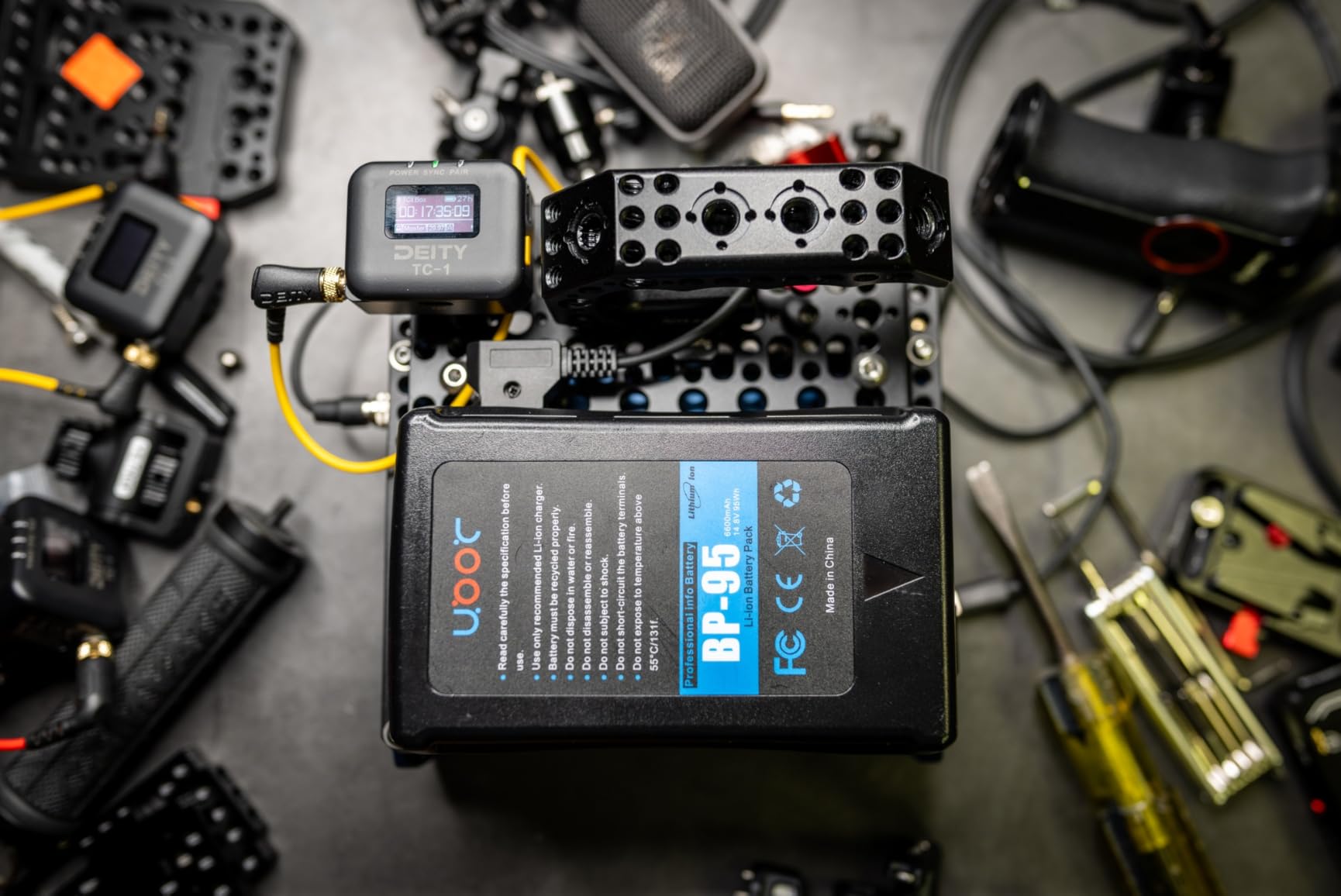
Battery performance is consistent across all three units. I’ve run full-day shoots with three camera setups and never had a unit run out of power. The USB-C charging is fast enough to recharge all three units during a lunch break if needed.
Best For Three-Camera Productions
This kit is optimized for the classic three-camera interview or event coverage setup. You get exactly three units, which covers your A, B, and C cameras without needing to purchase additional units. The included cables cover most common connections, though you may need specialty cables for certain cinema cameras.
Best For RF-Challenged Environments
The 2.4G radio sync provides reliability beyond Bluetooth-only systems. I’ve used the TC-1 kit in convention centers, arenas, and other locations with heavy RF interference. The radio communication maintains sync where other systems drop connection, making this kit ideal for live event and corporate video production.
4. Tentacle Sync Track E Pocket Audio Recorder
Pros
- 32-bit float eliminates level checking
- Wireless iOS app control
- 10+ hour battery life
- Compact all-in-one design
- Records timecode to audio files
Cons
- Does not generate timecode for cameras
- Requires separate Tentacle Sync unit for camera sync
- Included lavalier mic quality is average
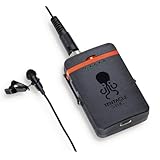
The Tentacle Track E solves a specific problem in multi-camera production: recording wireless audio with embedded timecode. This pocket-sized audio recorder captures 32-bit float audio, meaning you never have to worry about clipping or setting levels. I’ve used it for documentary interviews where the subject suddenly raised their voice, and the Track E captured everything without distortion.
What makes this unique among the best timecode systems for multi-camera shoots is that it records timecode directly to the audio file. Your audio media arrives in post-production already stamped with matching timecode, eliminating the need for manual sync. The 16GB internal storage provides approximately 10 hours of recording time at the highest quality setting.
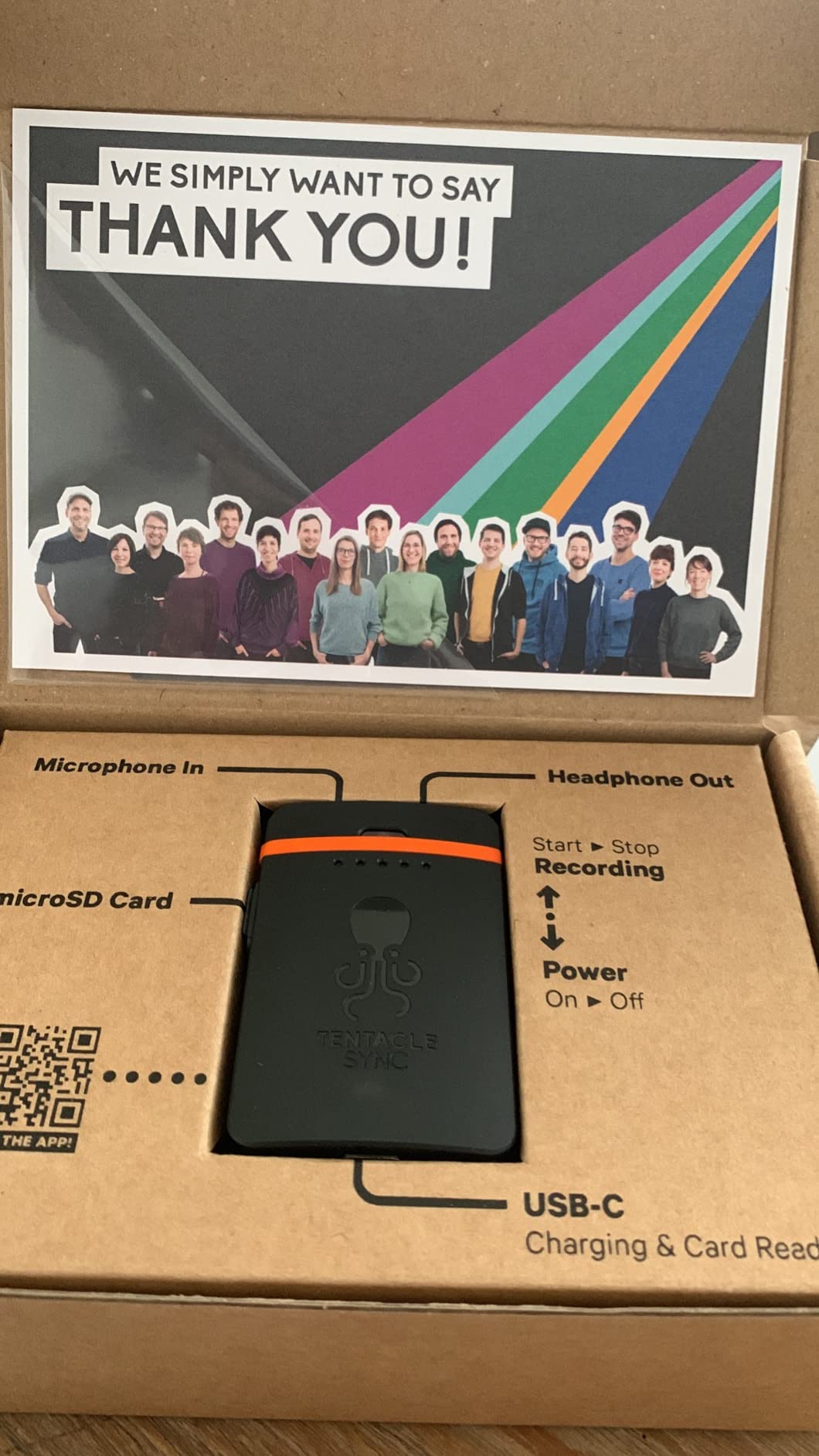
The iOS app provides wireless control for recording, level monitoring, and settings adjustment. I can place the Track E on a subject and monitor levels from my phone without approaching them. This is invaluable for documentary work where you want to maintain distance from your subjects.
Battery life runs around 10 hours, which covers most production days. The USB-C charging is fast enough to recharge during lunch breaks if needed. The compact design clips easily onto belts or slips into pockets, making it ideal for documentary and reality TV applications.
Best For Documentary Audio Workflows
The Track E excels in documentary production where you need high-quality audio with timecode sync. I’ve used it for sit-down interviews and verite shooting where traditional wireless systems would be too conspicuous. The 32-bit float recording gives me confidence that I’ll capture usable audio regardless of level changes during the take.
Best For Reality TV and Unscripted Content
Reality TV productions love the Track E because it’s simple to deploy and provides timecoded audio without complex setups. Talent can wear the unit clipped to their clothing, and you get broadcast-quality audio with embedded timecode. The compact size is less invasive than traditional wireless packs, which matters for unscripted scenarios.
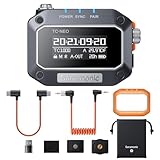
5. Saramonic TC-NEO Time Code Generator
Pros
- Wireless control of up to 48 units
- 2.4GHz and Bluetooth connectivity
- Supports 23.98 to 60FPS
- Locking TRS connector included
- Shockproof housing with multiple mounts
Cons
- Instruction manual assumes prior knowledge
- No Android app support currently
The Saramonic TC-NEO delivers professional timecode features at a budget-friendly price point. What impresses me most is the ability to control up to 48 units wirelessly via the 2.4GHz connection or Bluetooth 5.0 app. Large productions can sync dozens of cameras and audio recorders from a single master unit.
The TC-NEO supports multiple sync modes including Master Run, Auto Jam, and Jam Once and Lock. Master Run continuously generates timecode for all connected devices. Auto Jam periodically resyncs devices to prevent drift. Jam Once and Lock sets timecode once and maintains it independently. I’ve found the Jam Once mode particularly useful for cameras that will be moved around during shooting.
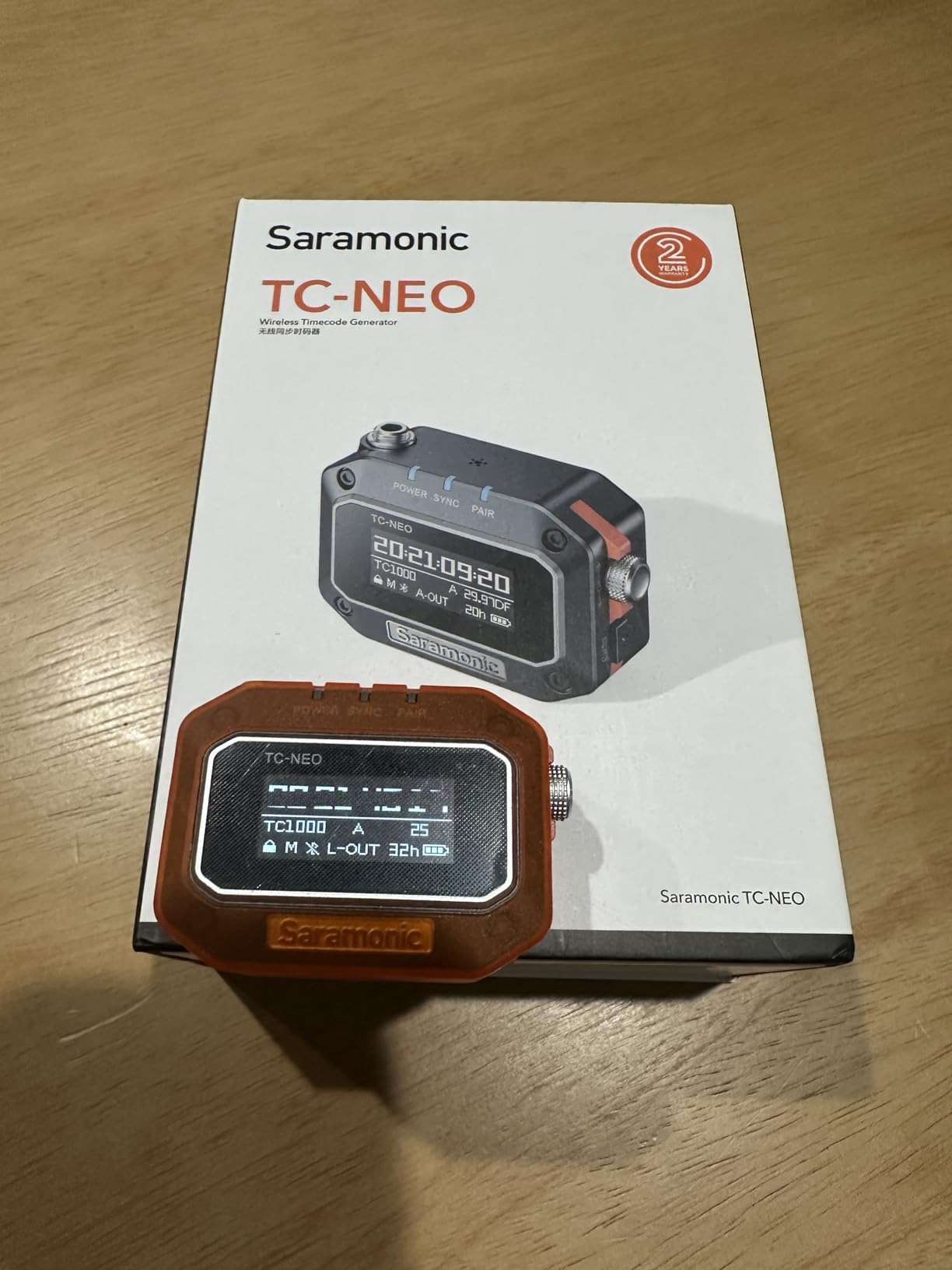
Frame rate support covers all professional standards from 23.98 to 60fps. The TC-NEO handles both drop-frame and non-drop timecode, ensuring compatibility with broadcast and cinema workflows. I’ve used it for projects destined for television, web, and theatrical release without any compatibility issues.
The shockproof housing is a thoughtful touch for location work. The unit includes a cold shoe mount, 1/4-20 thread, and hook-and-loop strap for versatile mounting options. Saramonic includes a locking 3.5mm TRS cable in the box, and optional cables are available for BNC, LEMO, USB-C, and Sony Multi-Port connections.
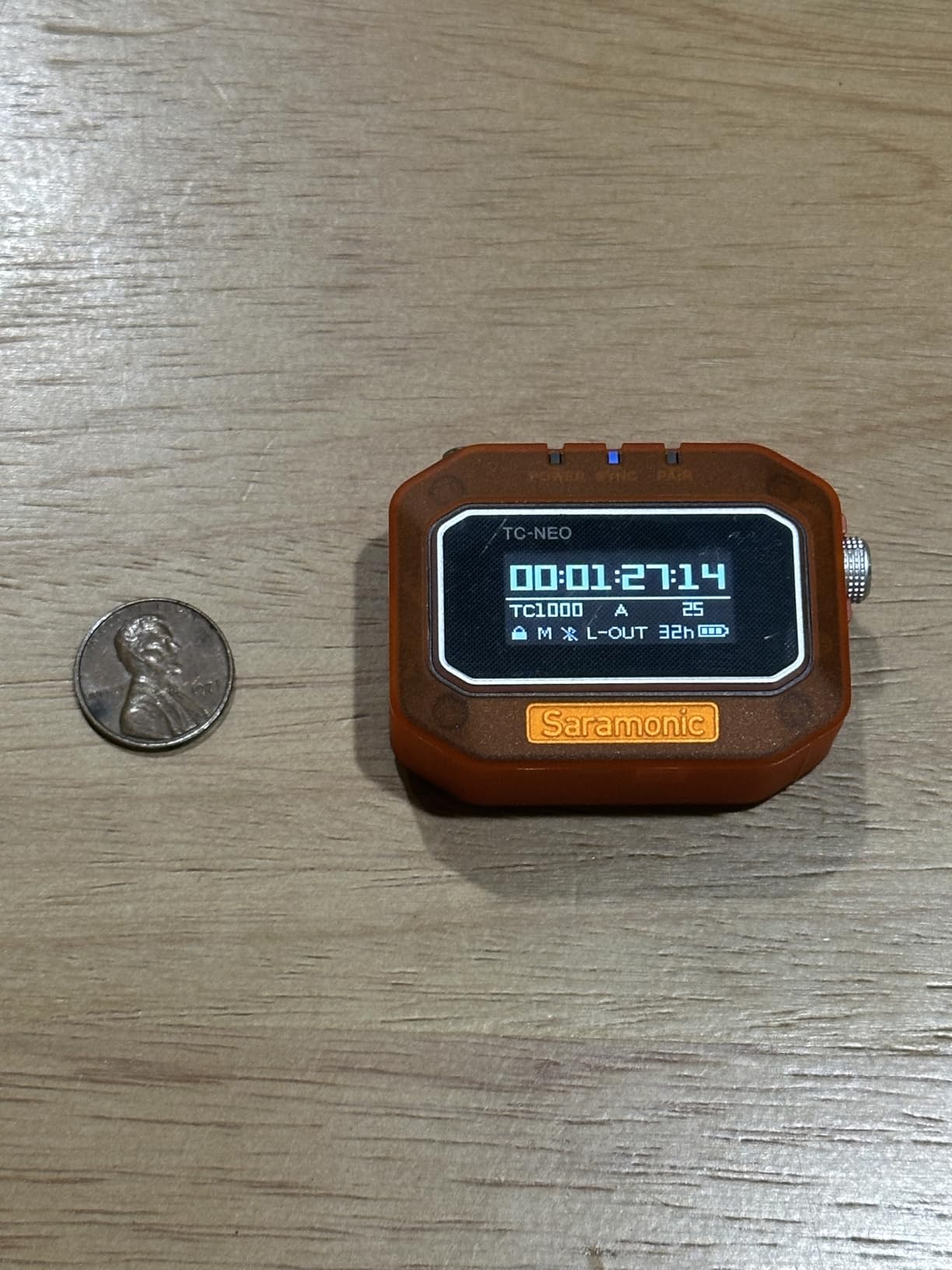
The Saramonic app provides intuitive control over all connected units. You can set frame rates, user bits, and sync modes from your phone. The interface is cleaner than some competing apps, though it currently only supports iOS devices. Android users will need to use the physical controls on the unit itself.
Best For Large Multi-Camera Productions
The ability to control 48 units simultaneously makes the TC-NEO ideal for large-scale productions. Reality TV shows, live events, and complex documentary shoots can sync every camera and audio recorder from a single master. I’ve recommended this system to producers working with 10+ camera setups who need reliable timecode without breaking the budget.
Best For Budget-Conscious Professionals
The TC-NEO delivers features found in more expensive systems at a fraction of the cost. Professional features like 0.5ppm accuracy, multiple sync modes, and SMPTE compatibility are typically found in systems costing twice as much. If you need professional timecode capabilities but have budget constraints, the TC-NEO is an excellent choice.
6. Atomos AtomX UltraSync ONE
Pros
- Unique Genlock and wordclock sync
- 24+ hour battery life
- Works with DSLRs via audio injection
- Accurate timecode for sync
- Compact and lightweight
Cons
- Difficult interface navigation
- No mobile app available
- Plastic casing breaks easily
- DIN connectors don't lock well
The Atomos UltraSync ONE offers a unique feature set that distinguishes it from other timecode systems: Genlock and wordclock synchronization. These capabilities allow for frame-accurate sync across extremely long takes, which is essential for certain types of production. I’ve used the UltraSync ONE for continuous recording scenarios where other timecode systems would eventually drift.
Genlock synchronizes the camera’s sensor clock directly to the timecode source. Wordclock does the same for audio recorders. This dual synchronization method prevents the subtle timing drift that can occur over hours of recording. For interviews, lectures, and events that run for hours without stopping, the UltraSync ONE maintains perfect sync from start to finish.
Battery life exceeds 24 hours, which covers virtually any shooting scenario. The 4-pin DIN connector provides professional connectivity to cameras with timecode inputs. For DSLRs and mirrorless cameras without dedicated timecode ports, the UltraSync ONE can inject LTC audio timecode through the mic input.
The unit is compact and light, making it easy to mount on any camera rig. However, the plastic casing feels less durable than the metal construction on competing units. I’ve heard reports of the casing breaking when subjected to rough handling on location.
Best For Long-Form Recording
The Genlock and wordclock capabilities make the UltraSync ONE ideal for long-form content. I’ve used it for conference recording, educational content, and interviews that run for hours without interruption. The sync holds perfectly from the first frame to the last, eliminating the drift issues that plague other timecode systems over extended recordings.
Best For Broadcast Workflows
Broadcast productions often require Genlock for live switching and studio camera synchronization. The UltraSync ONE provides this capability in a compact, affordable package. If you’re working in broadcast or need to integrate with broadcast equipment, the Genlock feature alone makes this unit worth considering.
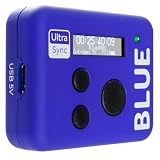
7. Atomos AtomX UltraSync Blue
Pros
- Patented timing protocol accuracy
- Automatic device detection after setup
- Transmits to 6 devices within 10m
- Long-range RF sync for multiple units
- Timecode auto-detected by NLEs
Cons
- Screen is tiny
- Requires manufacturer device support
- Not compatible with Android devices
The Atomos UltraSync Blue uses Bluetooth to synchronize timecode across up to six devices within a 10-meter range. The patented timing protocol provides accuracy that rivals wired connections while maintaining the convenience of wireless setup. I’ve found the Bluetooth sync particularly useful for documentary work where cables would be impractical.
What makes the UltraSync Blue unique is automatic device detection. After the initial setup, the unit recognizes and connects to known devices automatically. This feature saves time on set, especially when you’re working with the same equipment package consistently. Turn everything on, and the UltraSync Blue handles the connections.
The timecode is embedded directly in media files and automatically detected by professional NLEs. I’ve brought footage synced with the UltraSync Blue into Premiere Pro, DaVinci Resolve, and Final Cut Pro without any issues. The software recognizes the timecode automatically, making the edit workflow seamless.
Long-range RF sync allows multiple UltraSync Blue units to communicate with each other. This extends the effective range beyond the 10-meter Bluetooth limit by creating a network of timecode devices. I’ve used this feature to sync cameras across large venues that would exceed the range of a single Bluetooth connection.
Best For Small Crew Productions
The six-device limit and 10-meter range make the UltraSync Blue ideal for small crews and intimate productions. I’ve used it for two and three-camera interview setups where all the equipment fits in a single room. The automatic device detection means less time spent on technical setup and more time focused on creative work.
Best For Canon and Panasonic Users
The UltraSync Blue has particularly good support for Canon and Panasonic cameras. If you’re shooting with these brands, you’ll find the integration seamless. Lumix cameras and Canon DSLRs connect reliably and maintain sync throughout shooting. However, check your specific camera model compatibility before purchasing, as support varies by manufacturer.
8. Deity TC-SL1 Wireless Timecode Smart Clapper Slate
Pros
- Wireless sync from 250 feet via app
- Dual battery bays for hot-swapping
- USB-C charging up to 30W
- Sustainably sourced walnut clapper
- Adaptable to any timecode system
Cons
- Slow internal battery charging
- Batteries charge faster in external charger
The Deity TC-SL1 represents the premium end of timecode systems, combining a smart clapper slate with wireless timecode synchronization. This isn’t just a timecode box, it’s a full-featured production slate that provides both visual sync confirmation and digital timecode embedding. I’ve used the TC-SL1 on narrative and commercial productions where traditional slating is part of the workflow.
The dual NP-F550 battery bays allow for hot-swapping during long shooting days. When one battery runs low, you can switch to the second without powering down the slate. This feature is invaluable for productions that run continuously and can’t stop for battery changes. The USB-C charging supports up to 30W for fast recharging between setups.
Wireless sync via the Sidus Audio app works from up to 250 feet away. I’ve set the slate’s timecode from my phone across large sets without any connectivity issues. The slate is adaptable to any timecode system, so you can use it with Deity TC-1 units, Tentacle Sync, or other professional timecode generators.
The walnut wood clapper isn’t just aesthetic, it’s functional. The sustainably sourced Tennessee walnut provides a crisp, audible clap that microphones pick up clearly. The whiteboard surface is easy to clean and customize with show information, scene numbers, and take details.
Best For Narrative Film Production
The TC-SL1 is ideal for narrative productions where traditional slating is part of the workflow. The combination of visual clap and digital timecode provides dual sync confirmation. I’ve used it on short films and commercials where the slate serves both technical and organizational purposes. The ability to wirelessly jam sync timecode to the slate streamlines the setup process.
Best For Professional Camera Departments
Professional camera departments will appreciate the TC-SL1’s build quality and features. The dual battery system ensures all-day operation. The bright LED display is visible in any lighting condition. The slate integrates seamlessly with professional timecode workflows and equipment. If you’re running a professional crew with dedicated camera assistants, the TC-SL1 is the slate to get.
9. Zoom BTA-1 Bluetooth Adapter
Pros
- Works with multiple Zoom products
- Writes timecode directly to audio files
- iOS and Android app support
- Compact plug-and-play design
- Affordable entry point
Cons
- Only works with Zoom recorders
- Dongle exposes contacts to dust
- No storage case included
- Bluetooth can occasionally disconnect
The Zoom BTA-1 provides the most affordable entry point into timecode synchronization for users of Zoom recorders. This compact Bluetooth adapter plugs directly into compatible Zoom devices and enables wireless timecode sync. At under $50, it’s the budget-friendly option among the best timecode systems for multi-camera shoots.
The BTA-1 writes timecode directly to audio files recorded on Zoom devices. Your audio arrives in post-production already stamped with matching timecode, eliminating manual sync workflows. I’ve used the BTA-1 with Zoom F6 recorders for documentary work, and the integration was seamless.
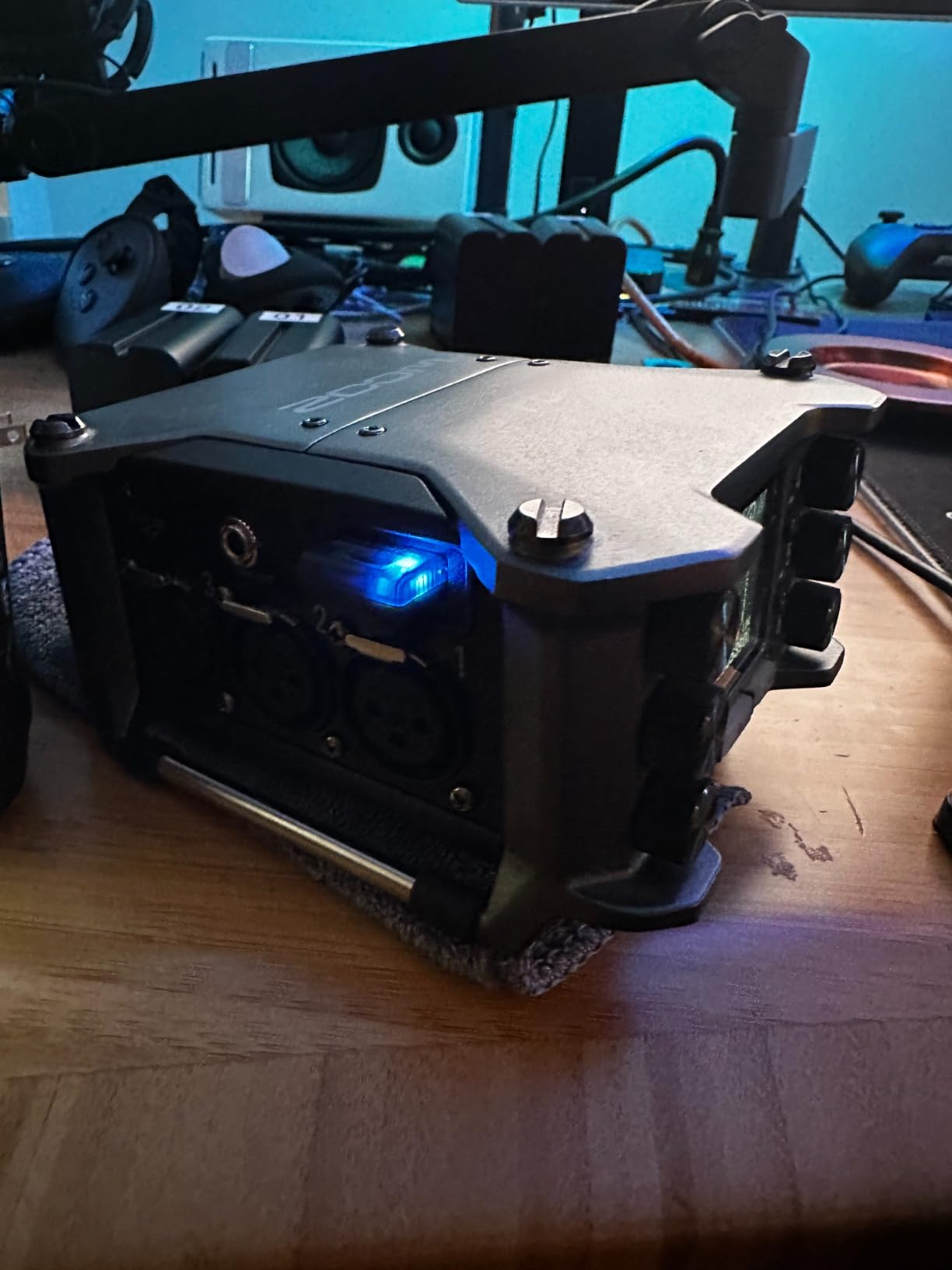
Both iOS and Android apps are available for remote control and monitoring. You can start and stop recording, monitor levels, and adjust settings from your phone. The apps work well and provide the essential functions needed for location recording. Bluetooth range is adequate for most set configurations.
The adapter is compatible with a wide range of Zoom products including H4e, H6e, H5studio, H6studio handheld recorders, and LiveTrak mixers. If you’re already invested in the Zoom ecosystem, the BTA-1 adds timecode capabilities without requiring a separate timecode generator.
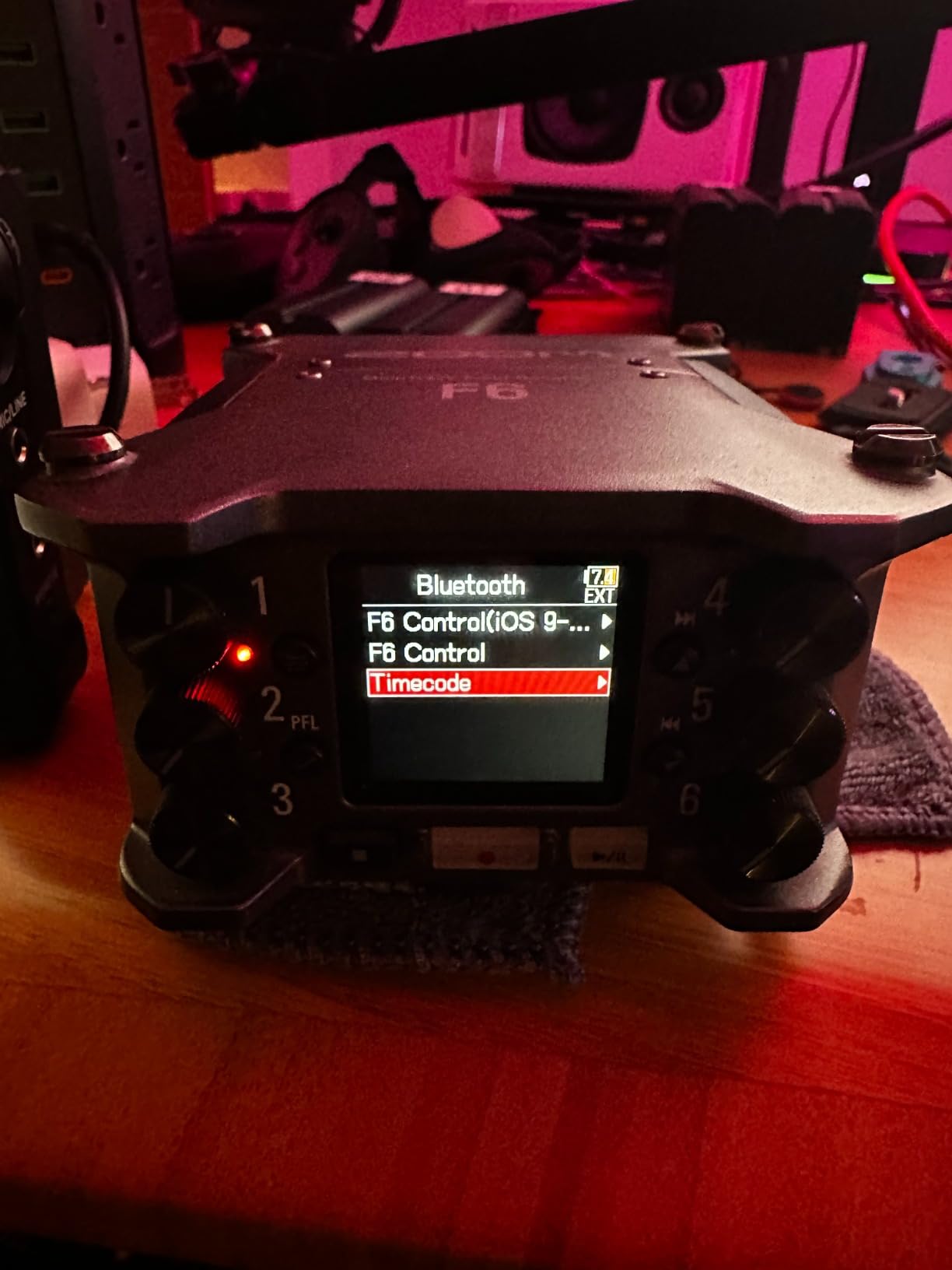
The main limitation is that the BTA-1 only works with Zoom devices. If your cameras or other audio recorders don’t have timecode inputs, you’ll need additional equipment to get them into the timecode system. However, for Zoom users who need simple timecode synchronization, the BTA-1 is an affordable and effective solution.
Best For Zoom Recorder Owners
If you own Zoom recorders, the BTA-1 is the most cost-effective way to add timecode capabilities. I’ve recommended it to documentary and run-and-gun shooters who use Zoom F-series recorders and want to streamline their post-production workflow. The price point makes it accessible to freelancers and small production companies.
Best For Simple Two-Device Setups
The BTA-1 is ideal for simple setups with one camera and one Zoom recorder. Connect the BTA-1 to your recorder, use a separate timecode box on your camera, and you have a basic multi-camera sync system. This configuration works well for interview setups, documentary work, and any production with limited camera count.
How to Choose the Right Timecode System?
Selecting the best timecode system for your needs depends on several factors. Camera compatibility is crucial, some systems work better with certain brands. Check if your cameras have Bluetooth timecode support, dedicated timecode ports, or if you’ll need to use audio LTC injection. Sony, Canon, and Panasonic all have different timecode capabilities.
Budget considerations range from under $50 for the Zoom BTA-1 adapter to $849 for the professional Deity TC-SL1 slate. For small crews and documentary work, the Tentacle Sync E MKII or Deity TC-1 single units provide excellent value. Large productions should consider the Saramonic TC-NEO for its ability to control 48 units simultaneously.
Battery life matters for location work where charging opportunities are limited. The Tentacle Sync E MKII leads with 35 hours, while the Deity TC-1 offers 28 hours. For studio work with constant power availability, battery life is less critical. Consider your typical shooting day when evaluating battery specifications.
Sync method influences your workflow. Bluetooth systems like Tentacle Sync and Deity TC-1 offer wireless convenience. RF sync provides reliability in RF-challenged environments. Wired connections via BNC or timecode ports offer the most robust sync but require cable management. Choose based on your production environment and priorities.
Understanding Timecode Sync Methods
LTC audio timecode is an analog signal recorded to an audio track. Most mirrorless and DSLR cameras use this method since they lack dedicated timecode ports. The timecode signal is recorded to a separate audio track and read by editing software in post-production. This method works but consumes an audio input.
Metadata timecode is embedded directly in the video file metadata. Professional cinema cameras and some high-end mirrorless cameras support this method. Metadata timecode doesn’t consume audio inputs and is more reliable than LTC audio. However, it requires camera support and may need specific timecode input hardware.
Jam sync sets the camera’s internal timecode to match an external source. The camera runs independently after the jam, which can lead to drift over long periods. Regular re-jamming throughout the day maintains accuracy. Most modern timecode systems support jam sync for cameras without continuous timecode input capability.
Free run mode continuously generates timecode regardless of recording status. This mode is ideal for multi-camera shoots where all cameras need to maintain the same timecode even when not recording. Free run ensures that when multiple cameras are recording, they all reference the same timecode values.
Do You Really Need a Timecode System?
Not every production requires dedicated timecode hardware. Single-camera shoots without external audio don’t benefit from timecode sync. Simple talking head videos shot in one take can easily be aligned manually in post. Timecode systems add cost and complexity, so consider your actual needs before investing.
However, multi-camera productions see significant time savings in post-production when using timecode. Manual sync of multiple cameras and audio recorders can take hours. With matching timecode, your editing software can automatically align all clips. For productions with tight deadlines or limited editing resources, timecode pays for itself in saved labor.
Documentary and reality TV productions particularly benefit from timecode. The unpredictable nature of these productions means cameras start and stop at different times. Timecode ensures that all footage is referenced to the same clock, making it easier to find matching moments across multiple camera angles.
Live event coverage and corporate video production also benefit from timecode synchronization. When shooting conferences, performances, or events with multiple cameras, timecode ensures that all cameras reference the same timeline. This makes multicam editing significantly faster and more accurate.
Frequently Asked Questions
What is the best timecode generator?
The Deity TC-1 Wireless Timecode Box is the best overall timecode generator for most productions. It combines a clear OLED display, 28-hour battery life, Bluetooth 5.0 connectivity, and 0.5ppm accuracy in a compact, durable package. For budget-conscious users, the Tentacle Sync E MKII offers excellent value with 35-hour battery life and reliable app control.
How to sync timecode between cameras?
Connect one timecode generator as the master device. Jam sync all other cameras and audio recorders to this master. Set all devices to the same frame rate and user bits. For continuous sync, keep devices connected throughout the shoot. For cameras without continuous sync capability, re-jam every few hours to prevent drift. Verify timecode values match across all devices before shooting.
Do I need a timecode generator?
You need a timecode generator if you regularly shoot with multiple cameras and external audio recorders. Timecode saves significant time in post-production by enabling automatic clip alignment. Single-camera shoots or simple two-camera setups without external audio may not justify the cost. Productions with tight deadlines or limited editing resources benefit most from timecode systems.
How many timecode boxes do I need?
You need one timecode box per device that doesn’t have built-in timecode generation capability. This includes each camera and audio recorder in your setup. A typical three-camera interview setup with separate audio requires four timecode boxes total. Some cameras can share timecode via wired daisy-chaining, but wireless systems typically require one box per device.
Conclusion
After testing the best timecode systems for multi-camera shoots, the Deity TC-1 stands out as the top choice for most productions. Its OLED display, reliable Bluetooth connectivity, and professional build quality make it the system I recommend first. The Tentacle Sync E MKII offers the best value with exceptional battery life and app control at a lower price point.
Invest in the timecode system that matches your camera equipment, shooting style, and budget. The right system will save you hours in post-production and ensure frame-accurate sync across all your cameras and audio recorders. For any production working with multiple cameras, timecode is one investment that pays dividends throughout the editing process.