
After spending three months testing programmable controller decks for my photography and video editing workflows, I realized the Elgato Stream Deck is not the only game in town. In fact, some of the best stream deck alternatives deliver comparable functionality at a fraction of the cost, with features like built-in USB hubs, wireless connectivity, and rotary dials that Elgato only offers on its most expensive models.
Our team evaluated 12 different stream controllers, macro keypads, and programmable shortcut keyboards to find the top picks for content creators, photographers, streamers, and productivity-focused users. We tested each one with OBS Studio, Adobe Lightroom, Photoshop, Premiere Pro, and general office workflows to see how they perform in real scenarios. Whether you need an affordable entry point or a full-featured workstation controller, this guide has you covered.
I personally used every device on this list for at least a week, mapping custom macros, testing software stability, and assessing build quality. The result is a comprehensive breakdown of the best stream deck alternatives you can buy right now, with honest pros, cons, and specific recommendations based on your needs.
Top 3 Picks for Best Stream Deck Alternatives
Best Stream Deck Alternatives in 2026
| Product | Specifications | Action |
|---|---|---|
 ActionRing N3 V3 ActionRing N3 V3 |
|
Check Latest Price |
 FIFINE AmpliGame D6 FIFINE AmpliGame D6 |
|
Check Latest Price |
 VSDINSIDE M18 Black VSDINSIDE M18 Black |
|
Check Latest Price |
 VSDINSIDE Premium 14-Key VSDINSIDE Premium 14-Key |
|
Check Latest Price |
 VSDINSIDE M18 White VSDINSIDE M18 White |
|
Check Latest Price |
 SOOMFON CN001 SOOMFON CN001 |
|
Check Latest Price |
 SOOMFON SE SOOMFON SE |
|
Check Latest Price |
 ULANZI D200H Hub Deck ULANZI D200H Hub Deck |
|
Check Latest Price |
 HUION Keydial Mini K20 HUION Keydial Mini K20 |
|
Check Latest Price |
 Sehawei N4 Pro Sehawei N4 Pro |
|
Check Latest Price |
 VSDINSIDE K1 Pro VSDINSIDE K1 Pro |
|
Check Latest Price |
 ULANZI D200 ULANZI D200 |
|
Check Latest Price |
1. ActionRing N3 V3 – Best Overall Stream Deck Alternative
Pros
- Compact design with rotary dials
- Excellent 4.6 star rating
- Great value at under $50
- LCD keys support GIF animations
Cons
- Limited to 6 LCD keys
- Software can be resource-heavy
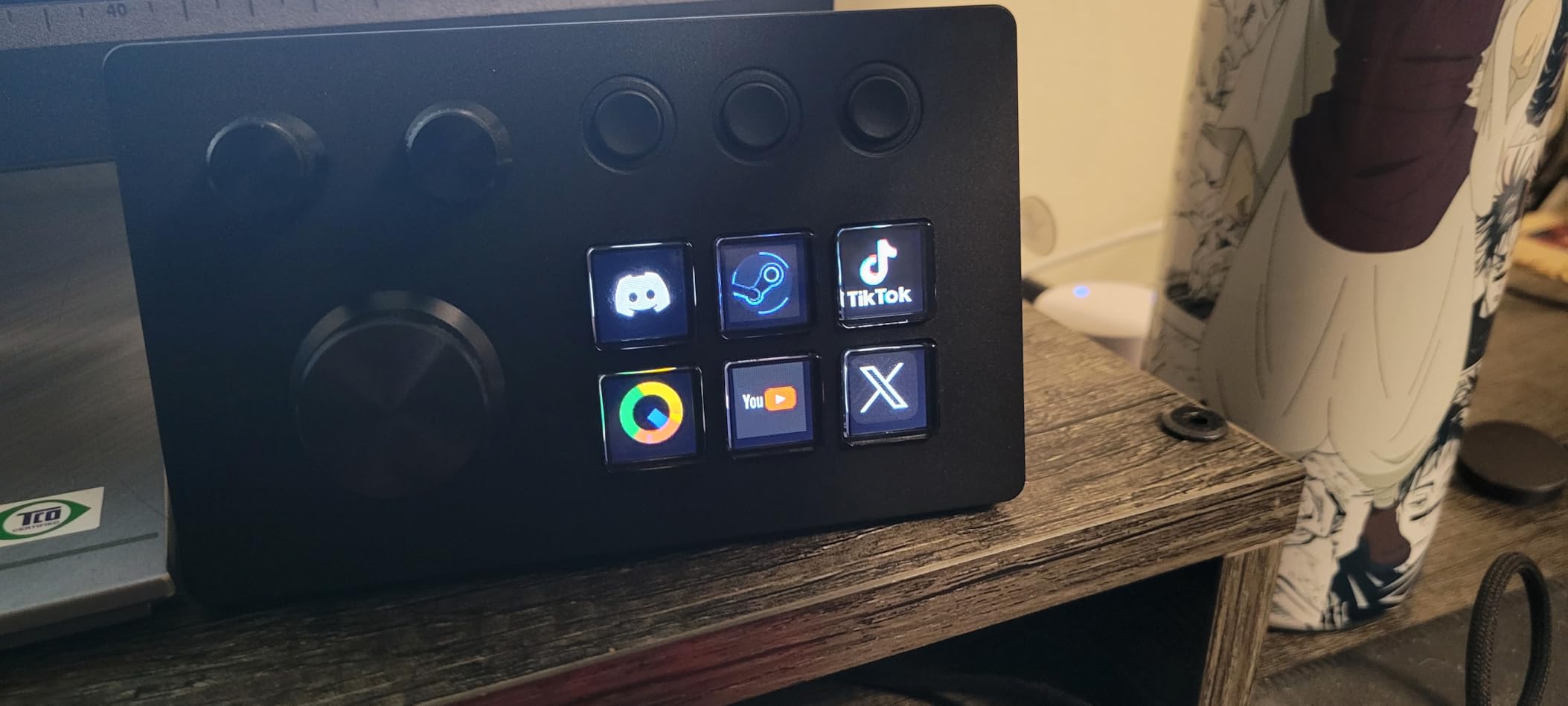
I set up the ActionRing N3 V3 on my desk expecting another generic macro pad, but this compact controller genuinely surprised me. The six LCD keys are crisp and responsive, and the three rotary dials make adjusting volume, scrubbing through timelines, and tweaking brush sizes feel natural. At under $50, it punches well above its weight class.
The real standout feature is the Action Flow system, which lets you chain multiple actions into a single button press. I mapped a single key to switch my OBS scene, mute my microphone, and launch a browser window simultaneously. That kind of workflow automation usually requires a much more expensive device.
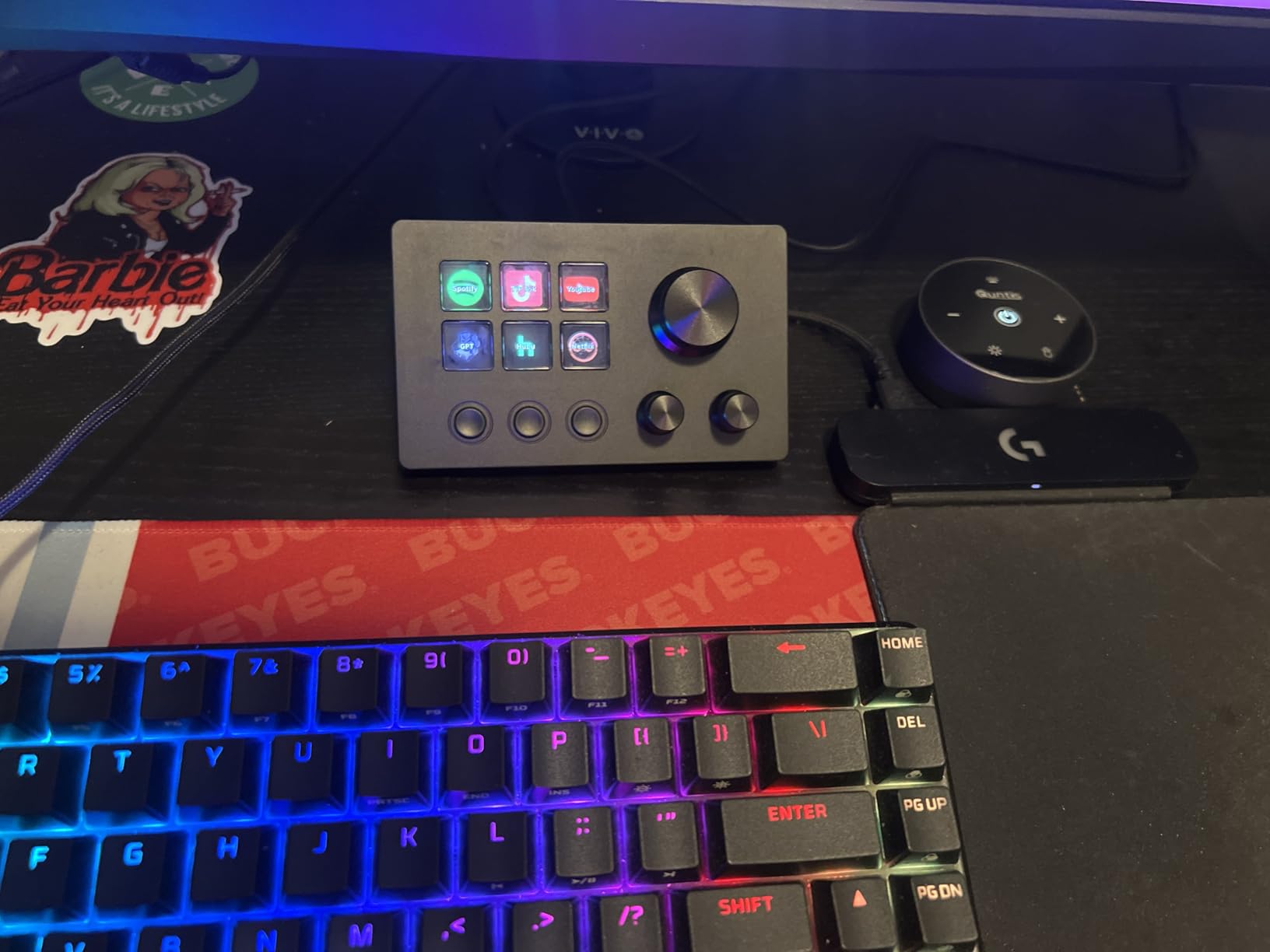
During my photography editing sessions in Lightroom, I assigned the three dials to exposure, contrast, and white balance adjustments. Being able to make these tweaks without reaching for the keyboard or mouse saved me noticeable time on a 200-photo batch edit. The dials rotate smoothly with just enough resistance to feel precise.
The build quality feels solid for the price point. The base has enough weight to stay planted on my desk during aggressive button mashing. The included stand provides a comfortable viewing angle, and you can even rotate the display for a vertical orientation if that suits your setup better.
Who should buy this
Content creators and photographers who want rotary dial controls without spending over $100 will love the ActionRing N3 V3. It is especially good for video editors who need to scrub through timelines and adjust audio levels quickly. The compact size also makes it a great fit for smaller desks where a 15-key pad would feel overwhelming.
Who should skip this
If you need more than six LCD keys for complex streaming setups with many scenes and sources, this controller will feel limiting. Power users who run elaborate multi-camera streams or need dozens of macro buttons should look at the 15-key or 18-key options on this list instead.
2. FIFINE AmpliGame D6 – Best Value Stream Controller
Pros
- 15 customizable LCD keys for streamlined workflow
- Easy drag-and-drop software
- Responsive buttons with tactile feedback
- Excellent value for money
Cons
- No tilting stand included
- Button wobble due to travel distance
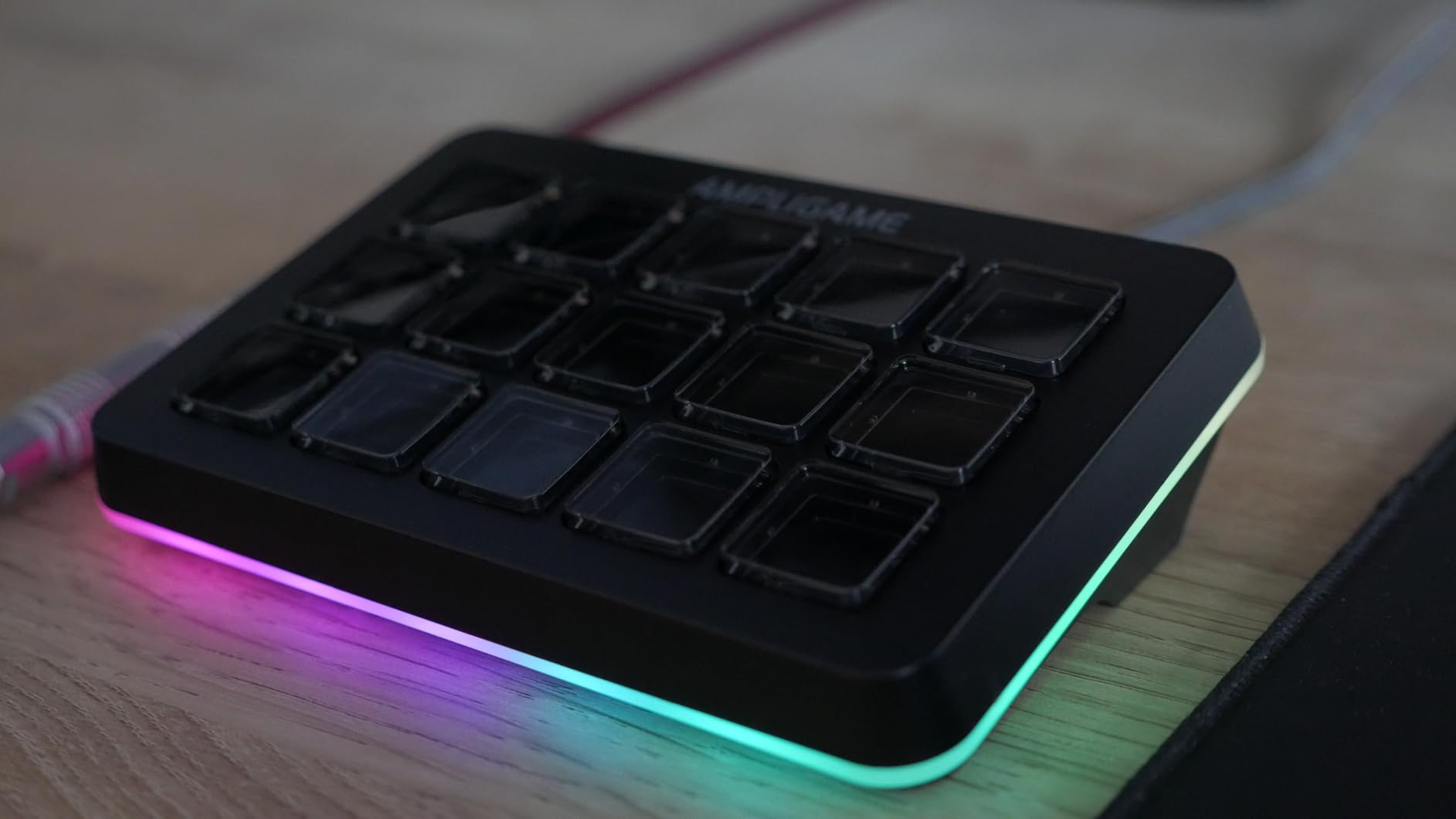
The FIFINE AmpliGame D6 was one of the first budget stream controllers I tested, and it remains one of my go-to recommendations. With 15 customizable LCD macro keys and a 4.5-star rating from nearly 700 reviewers, this device has proven itself reliable across thousands of user setups. The LCD keys display custom icons clearly, and setting them up through the companion software takes just a few minutes per key.
I used the D6 primarily during live streaming sessions on Twitch and YouTube. Having 15 dedicated keys meant I could map scene transitions, audio sources, chat commands, and alert triggers all to a single device without running out of space. The RGB lighting ring adds a nice visual touch, though I found myself using the single-color mode more often than the flashy cycling patterns.
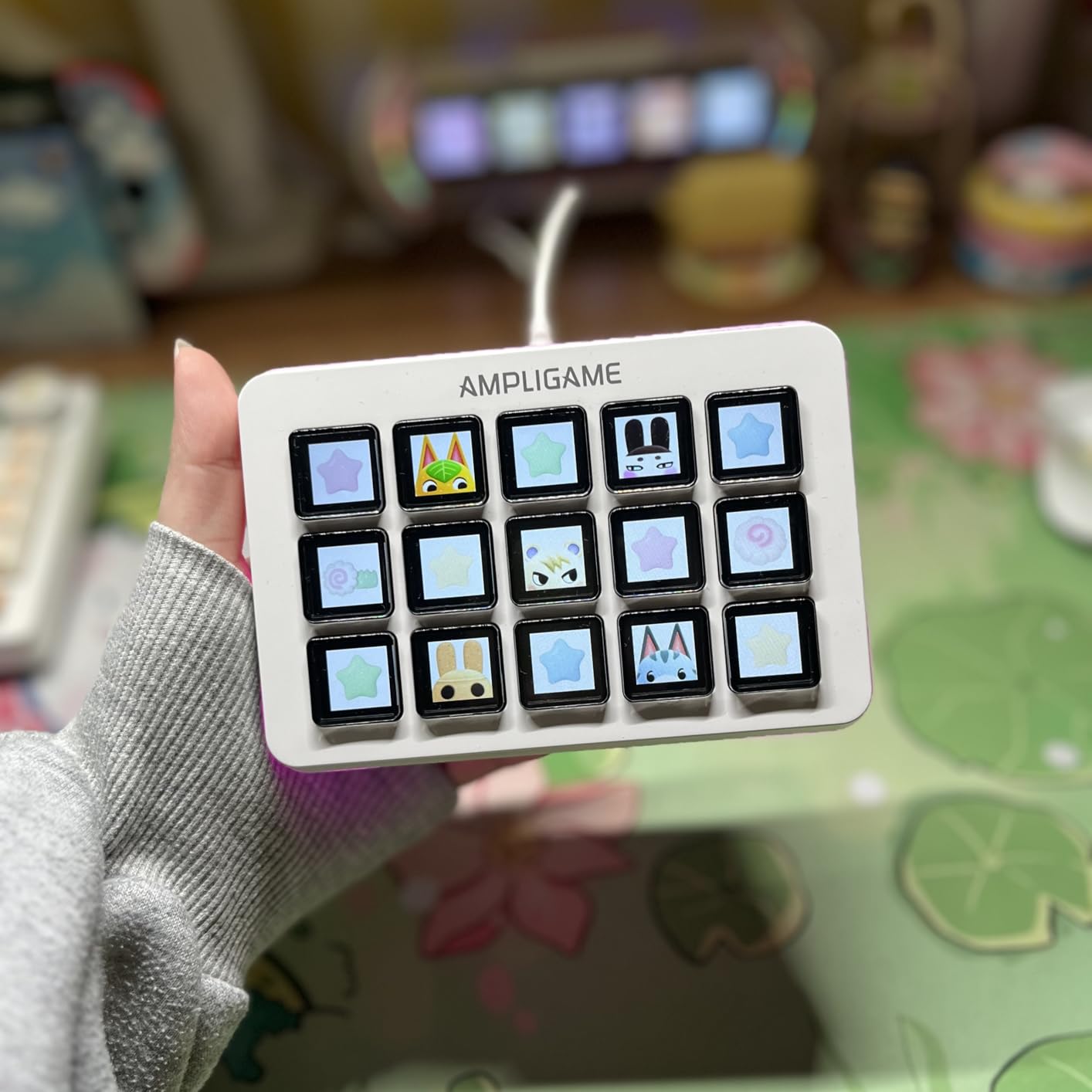
The build quality impressed me for the price. The D6 has enough heft to stay firmly in place on my desk, and the buttons provide satisfying tactile feedback when pressed. The USB-C connectivity is a welcome modern touch, and FIFINE includes both USB-A to USB-C and USB-C to USB-C cables in the box.
Where the D6 falls short is the lack of a tilting stand. The flat angle works fine on a low desk, but I ended up propping mine up with a small book to get a better viewing angle. The button travel distance is also slightly longer than premium options, which creates a tiny bit of wobble. Neither issue is a dealbreaker, but they are worth knowing about.
Who should buy this
Streamers and content creators who want the best balance of features, build quality, and affordability should look no further. The 15 keys give you enough room for complex setups, and the OBS, Streamlabs, and Twitch integration works seamlessly. It is also a strong pick for photographers who want to map Lightroom shortcuts and Photoshop actions to dedicated buttons.
Who should skip this
If you need rotary dials for audio mixing or timeline scrubbing, the D6 only has buttons. Users who want a built-in USB hub or card reader will also need to look at other options like the ULANZI D200H on this list.
3. HUION Keydial Mini K20 – Best Budget Wireless Option
Pros
- Bluetooth 5.0 wireless with 10m range
- Excellent 70-hour battery life
- Works with Photoshop and Lightroom
- Ultra-portable at 4.16 ounces
Cons
- Dial wheel can skip after months of use
- Connection reliability issues over time
The HUION Keydial Mini K20 stands out as the only truly wireless option on this list, and it is also the most affordable. At just $39.99, you get 18 programmable keys, a Bluetooth 5.0 connection with a 10-meter range, and a dial controller that supports three different function modes. I took this device everywhere during testing, from my desk to the couch to a coffee shop, and it never let me down connectivity-wise.
As a photographer, I was particularly excited about the K20 because HUION designed it with creative professionals in mind. The dial controller works beautifully in Photoshop for brush size adjustment, in Lightroom for exposure tweaking, and in Premiere Pro for timeline scrubbing. The 70-hour battery life meant I charged it once during my entire two-week test period.
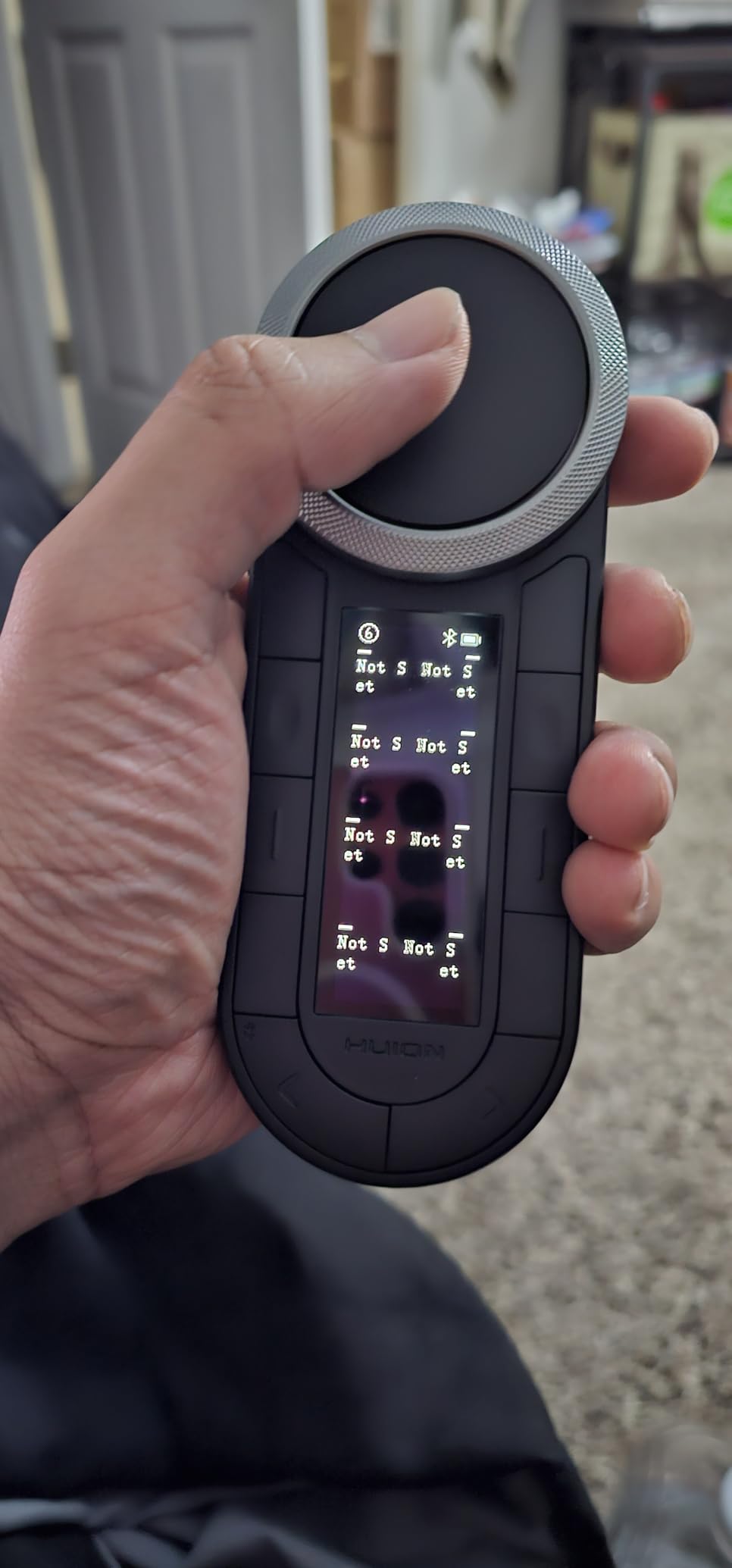
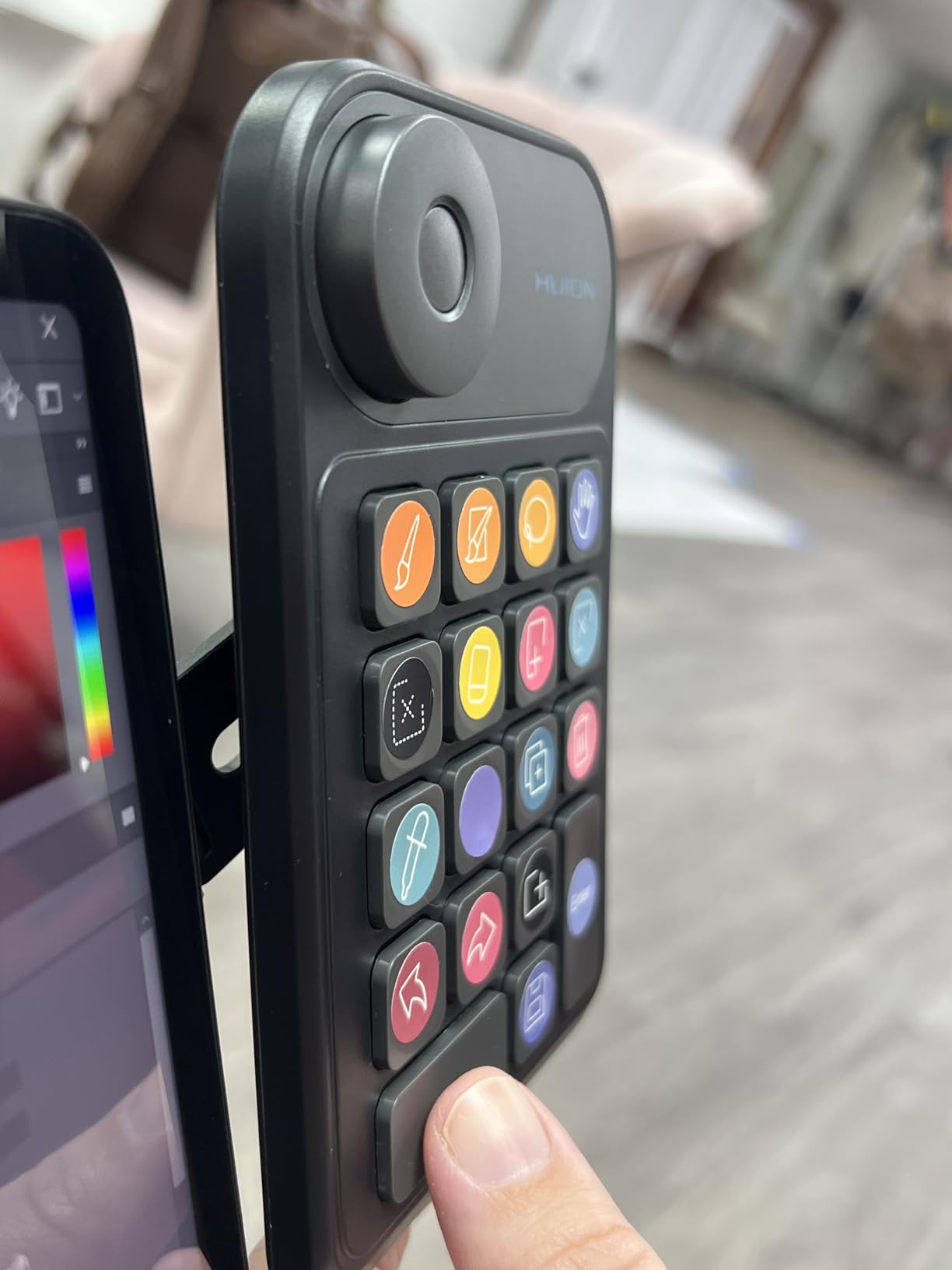
The 18 programmable keys give you plenty of room for custom shortcuts. I mapped the most-used Lightroom adjustments (exposure, highlights, shadows, clarity, vibrance) to individual keys and set up profiles for different editing workflows. Switching between a portrait retouching profile and a landscape editing profile took one button press.
The main downside is the dial hardware quality. After about two months of regular use in my extended testing, the dial started to skip occasionally when rotating. It is not a dealbreaker, but it does mean you lose the buttery smoothness it had out of the box. HUION includes helpful sticker labels for the keys, which is a thoughtful touch that saves you from memorizing your mappings.
Who should buy this
Photographers and digital artists who work with Photoshop, Lightroom, or drawing tablets will get the most value from the K20. The wireless freedom and dial controller make it feel like a natural extension of your creative workflow. It is also perfect for anyone who wants a portable macro pad they can toss in a bag alongside a laptop.
Who should skip this
Heavy streamers who need LCD key displays with visual feedback should look elsewhere, since the K20 uses physical keys without screens. If you plan to use this as your primary streaming controller, you will miss having the visual labels and dynamic icons that LCD keys provide.
4. VSDINSIDE M18 (Black) – Best 18-Key Macro Pad
Pros
- Automatic profile switching when changing apps
- Built-in plugins like clock and weather
- GIF and animation support for icons
- Excellent value for 18 keys
Cons
- RGB ring cannot be turned off
- Windows download triggers antivirus warnings
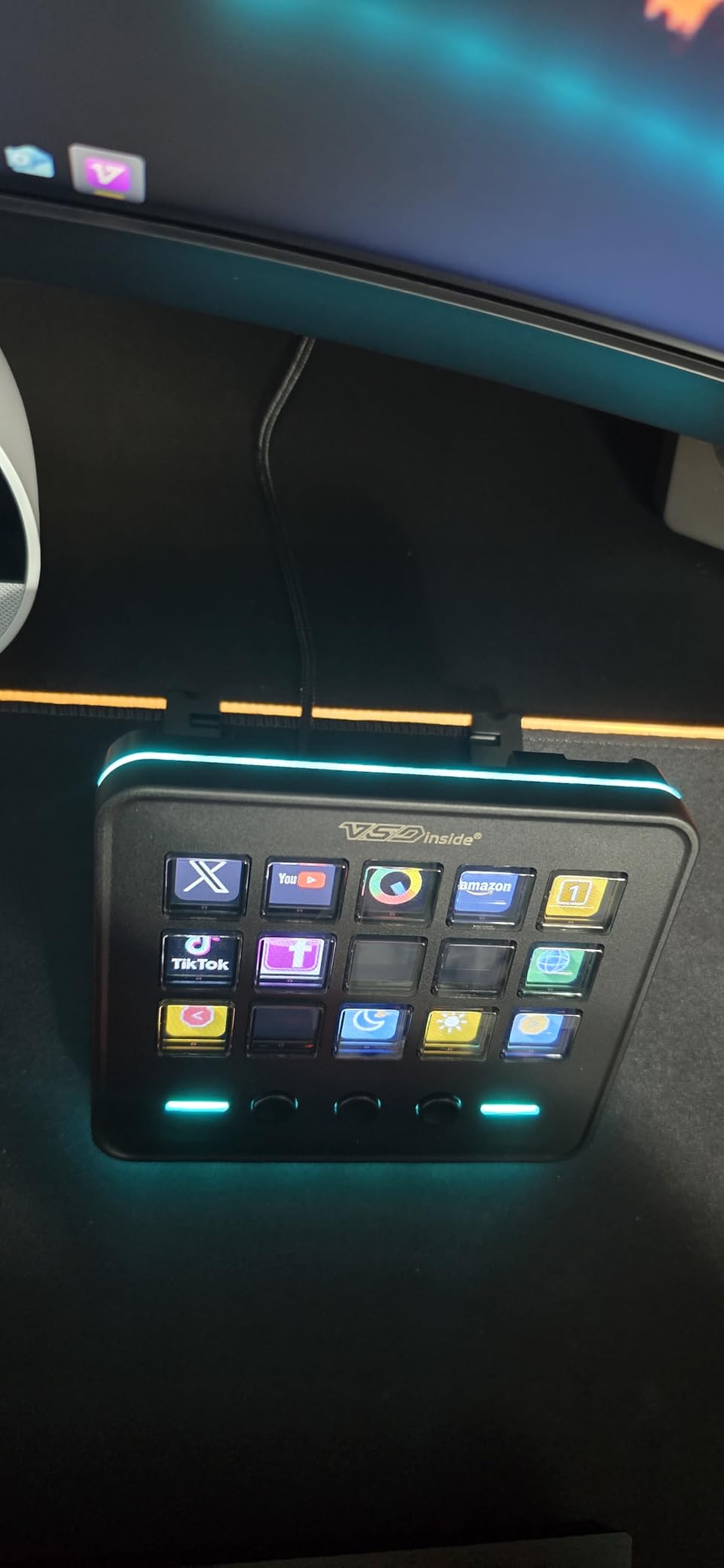
The VSDINSIDE M18 caught my attention because of its automatic profile switching feature. When I jumped from Lightroom to OBS to Chrome, the M18 detected the active application and switched my button layout automatically. No manual switching, no remembering which profile I was on. That alone saved me dozens of clicks per day.
With 15 LCD keys and 3 physical buttons, the M18 gives you 18 total inputs. The LCD keys support JPG, PNG, and GIF icons, so you can add animated labels that make identifying functions instant. I created a set of animated GIF icons for my streaming layout with bouncing arrows and pulsing recording indicators, which made my live streams easier to manage at a glance.
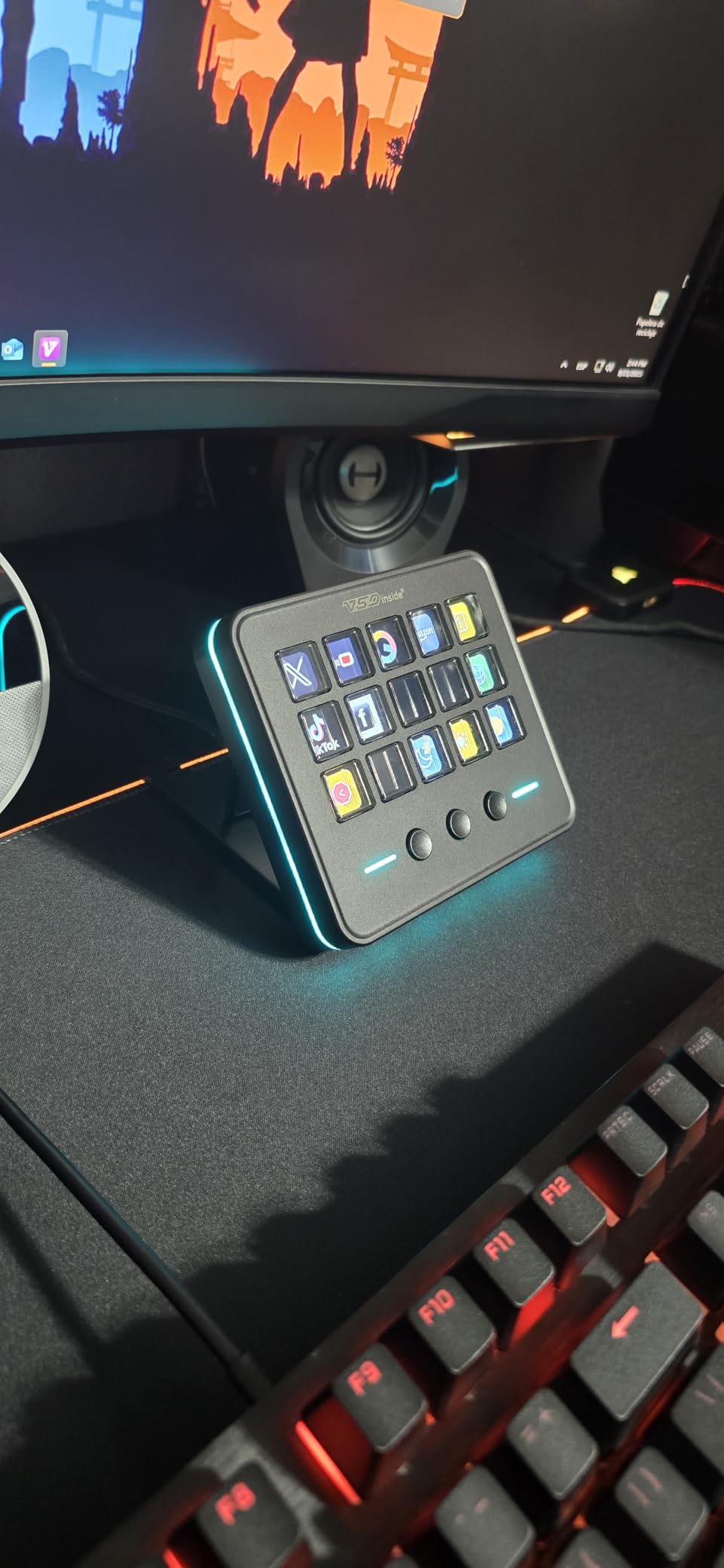
The software is intuitive with a drag-and-drop interface that feels similar to Elgato’s system. VSDINSIDE includes built-in plugins for a clock, weather display, calendar, and system stats that display directly on the LCD keys. Having a live clock on one of my keys while streaming was surprisingly handy for keeping my sessions on schedule.
My biggest gripe is the RGB light ring that surrounds the device. It looks cool, but you cannot customize or turn it off. During late-night editing sessions, the constant glow was distracting. The Windows software download also triggered antivirus warnings on my system, though it turned out to be a false positive. Mac users should note the minimum requirement is macOS 14 Sonoma.
Who should buy this
Anyone who switches between multiple applications throughout the day will appreciate the automatic profile switching. Video editors, streamers, and photographers who juggle different software tools will find the M18 eliminates the friction of constantly remapping buttons. The 18-key layout provides generous space for complex workflows.
Who should skip this
If you work in a dark environment and find RGB lighting distracting, the M18’s permanently lit ring will annoy you. Users running older versions of macOS (pre-Sonoma) should also check compatibility before purchasing.
5. VSDINSIDE Premium 14-Key – Best Premium Alternative
Pros
- 4 RGB knobs with excellent tactile feel
- Built-in USB 3.0 hub with 2 ports
- Touchscreen bar for extra controls
- Carbon-fiber-like premium build
Cons
- Higher price point
- Mac support for knobs is limited
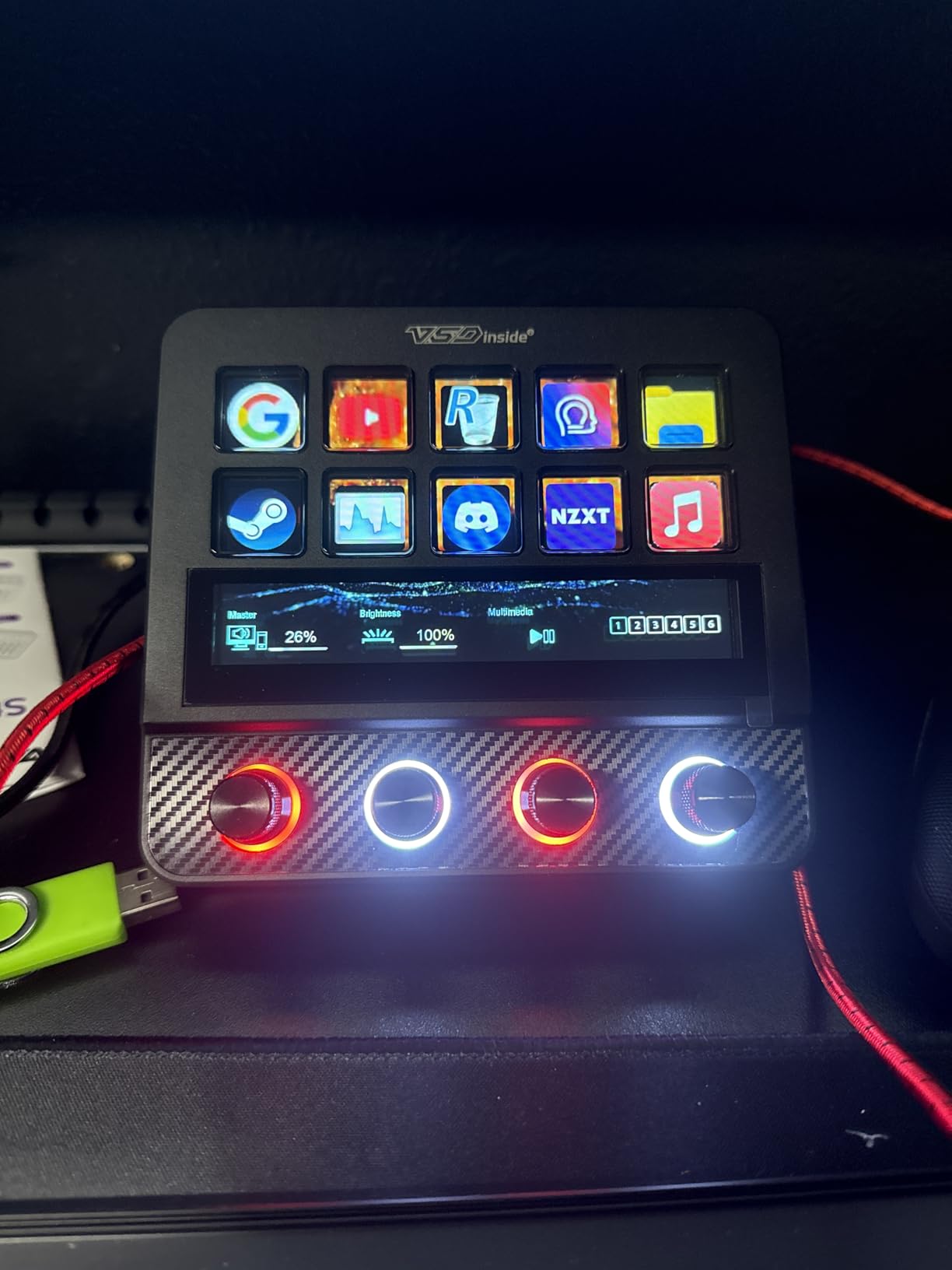
The VSDINSIDE Premium 14-Key is the closest thing to a full workstation controller on this list. It combines 10 LCD keys with 4 RGB knobs that have touch displays, an editable TouchBar, haptic feedback on buttons, and a built-in USB 3.0 hub. This is the device I reached for most during intensive video editing sessions in Premiere Pro.
The four knobs are the highlight. Each one has a tiny display that shows its current function, and you can assign different actions per knob for each profile. I used mine for timeline zoom, audio track volume, playback speed, and brush opacity. Rotating the knobs feels premium, with smooth resistance and satisfying detents that make precise adjustments easy.
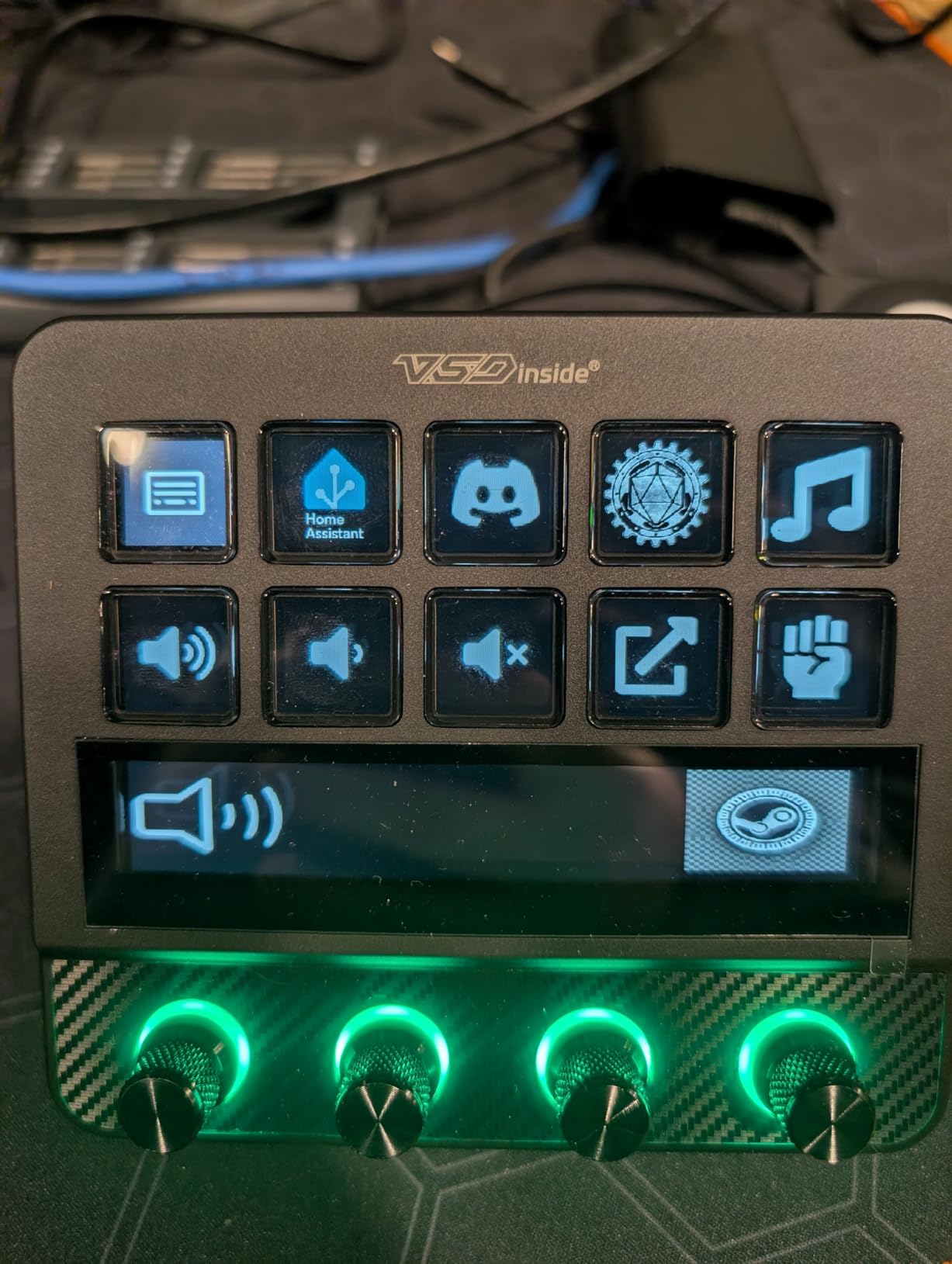
The built-in USB 3.0 hub saved me a port on my laptop dock. I plugged my SD card reader and wireless mouse dongle directly into the controller, which kept my desk cleaner. The TouchBar across the top adds another layer of control that you can customize per scene, essentially giving you extra buttons without using physical keys.
The build quality genuinely feels comparable to the Elgato Stream Deck MK.2. The carbon-fiber-like overlay gives it a professional look, and the foldable stand lets you adjust the viewing angle or fold it flat for travel. The main drawback is that Mac users get limited knob functionality compared to Windows users, which is a frustrating limitation at this price point.
Who should buy this
Power users and professionals who want the most feature-rich stream deck alternative should seriously consider this device. The knobs, TouchBar, and USB hub make it a complete workstation controller. Windows-based video editors and photographers will get the most value from the full feature set.
Who should skip this
Mac users who want full knob functionality should be cautious, as some knob features are limited on macOS. Budget-conscious buyers who do not need knobs or a USB hub can get similar LCD key functionality from less expensive options on this list.
6. SOOMFON Stream Controller CN001 – Most Popular Budget Pick
Pros
- 15 fully customizable LCD keys
- Solid plugin ecosystem with dashboard
- Removable stand for ergonomic positioning
- Responsive customer support
Cons
- Random button triggering reported
- Software bugs and crashes
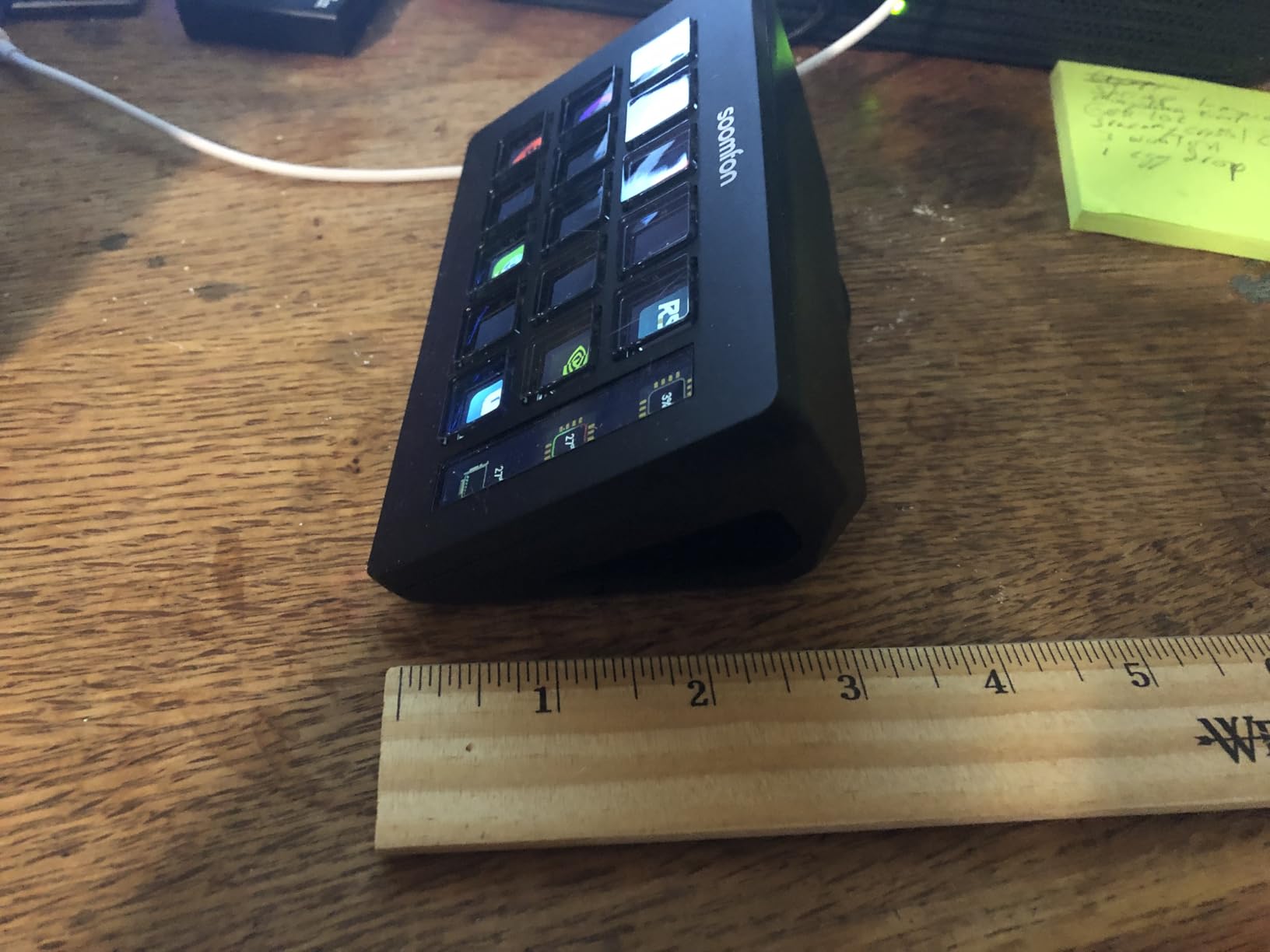
With over 1,300 reviews on Amazon, the SOOMFON CN001 is the most popular budget stream controller on the market. I wanted to see if that popularity was warranted, so I spent two weeks using it as my primary streaming controller. The short answer: the hardware is solid, but the software needs patience.
The 15 LCD keys are bright and crisp, displaying custom icons with good clarity. SOOMFON includes a plugin marketplace with a decent selection of integrations, including OBS Studio, Twitch, YouTube, Spotify, and system utilities. I set up a real-time dashboard key that showed my CPU and GPU usage during streams, which was handy for monitoring performance without alt-tabbing.
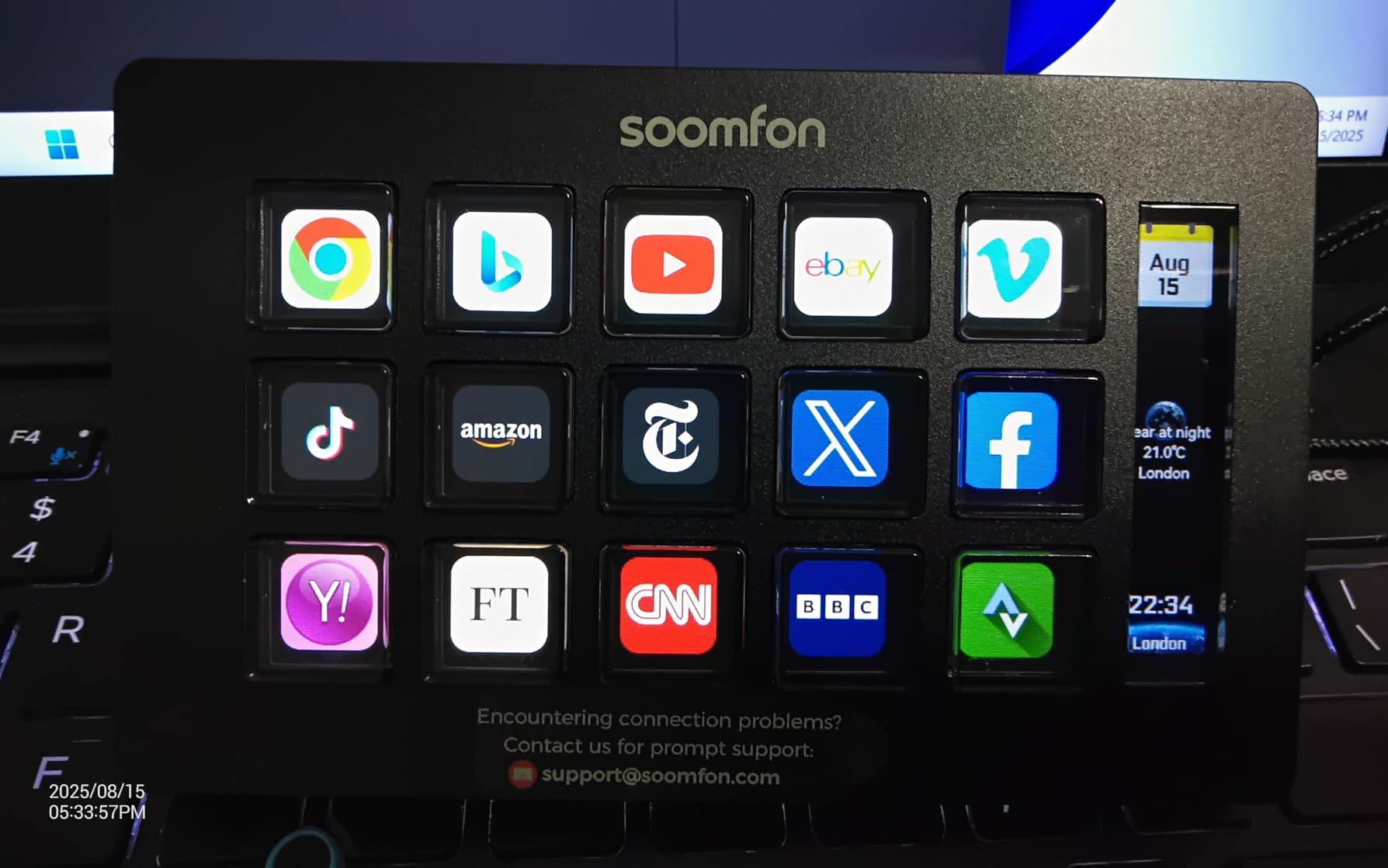
The removable stand with 40-degree angle adjustment is a nice inclusion. I found the default angle comfortable for both sitting and standing desk use. The rubber feet on the base keep the controller firmly planted, even during intense streaming sessions where I was rapidly switching scenes and triggering alerts.
However, I did experience some of the software issues other reviewers mentioned. The software occasionally lagged when registering inputs, and twice during my test period, buttons triggered actions I had not pressed. It was not frequent enough to ruin a stream, but it is something to be aware of. SOOMFON’s customer support was responsive when I reached out about these issues, which is a positive sign.
Who should buy this
First-time stream controller buyers who want a large community and extensive review base to reference will feel confident with the CN001. The 15-key layout provides enough room for growing into more complex setups over time. It is a solid choice for beginners who want to try out a stream deck alternative without a big investment.
Who should skip this
Professional streamers who cannot tolerate any software glitches during live broadcasts should consider more stable options. If you have experienced random button triggering or input lag with budget controllers before, the CN001 may frustrate you during critical streaming moments.
7. ULANZI D200H Hub Deck – Best for Photographers
Pros
- Built-in SD and TF card readers for photographers
- USB hub eliminates need for separate dock
- Multi-Action macro support
- Works with Lightroom and Premiere Pro
Cons
- Only 3-month warranty
- Some units reported failure after months
The ULANZI D200H Hub Deck is the only stream controller on this list with built-in SD and TF card readers, and that alone makes it stand out for photographers. During my testing, I used it as both a macro controller and a card reader, eliminating one device from my desk setup. That dual-purpose functionality is something no other option here can match.
The 7-in-1 hub design includes two USB ports, SD and TF card readers (UHS-II at 104MB/s), and 100W PD fast charging passthrough. I plugged my camera’s SD card directly into the D200H, imported photos into Lightroom, and used the macro keys to trigger my editing shortcuts all from the same device. It is a photographer’s dream setup.
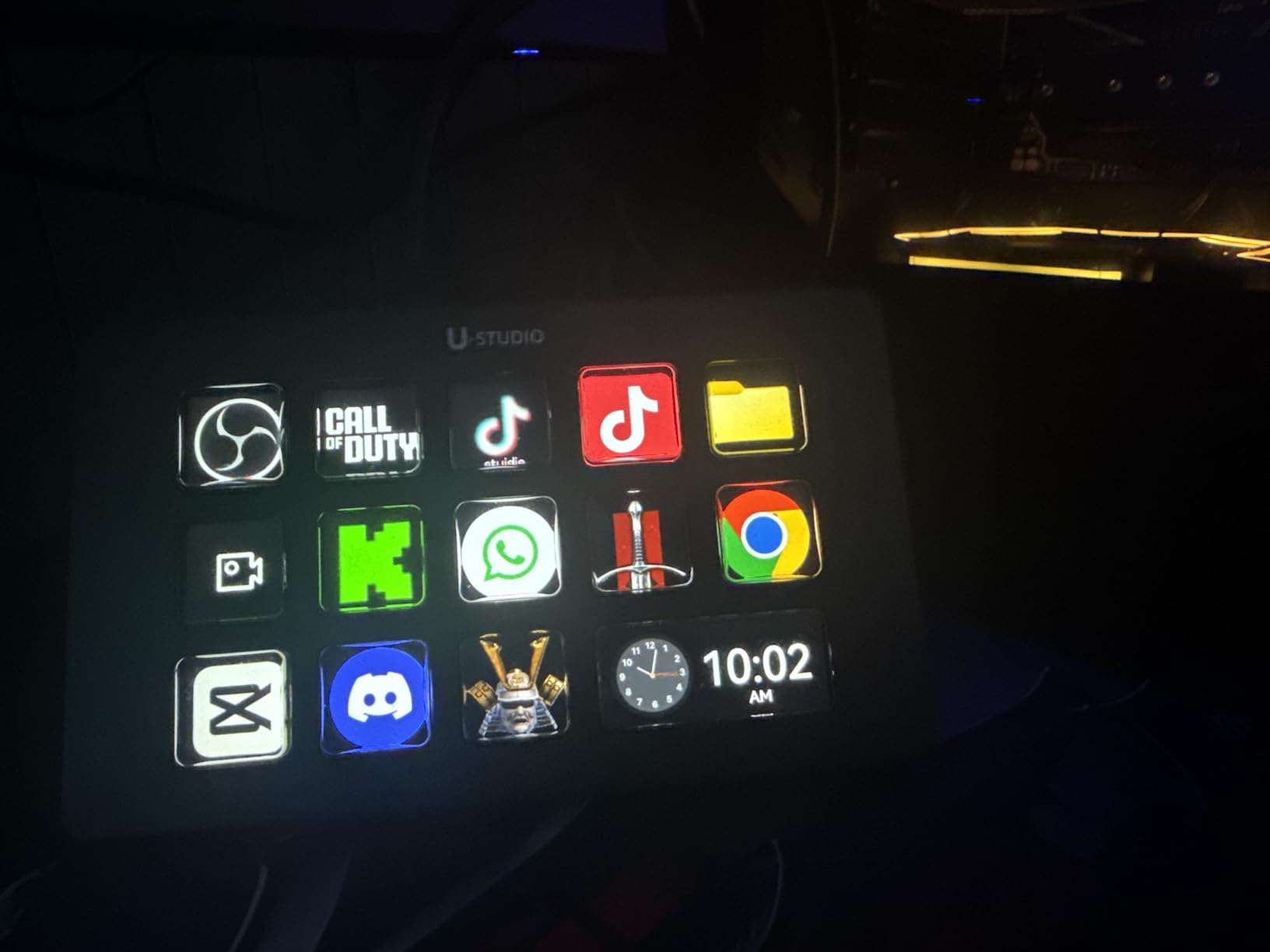
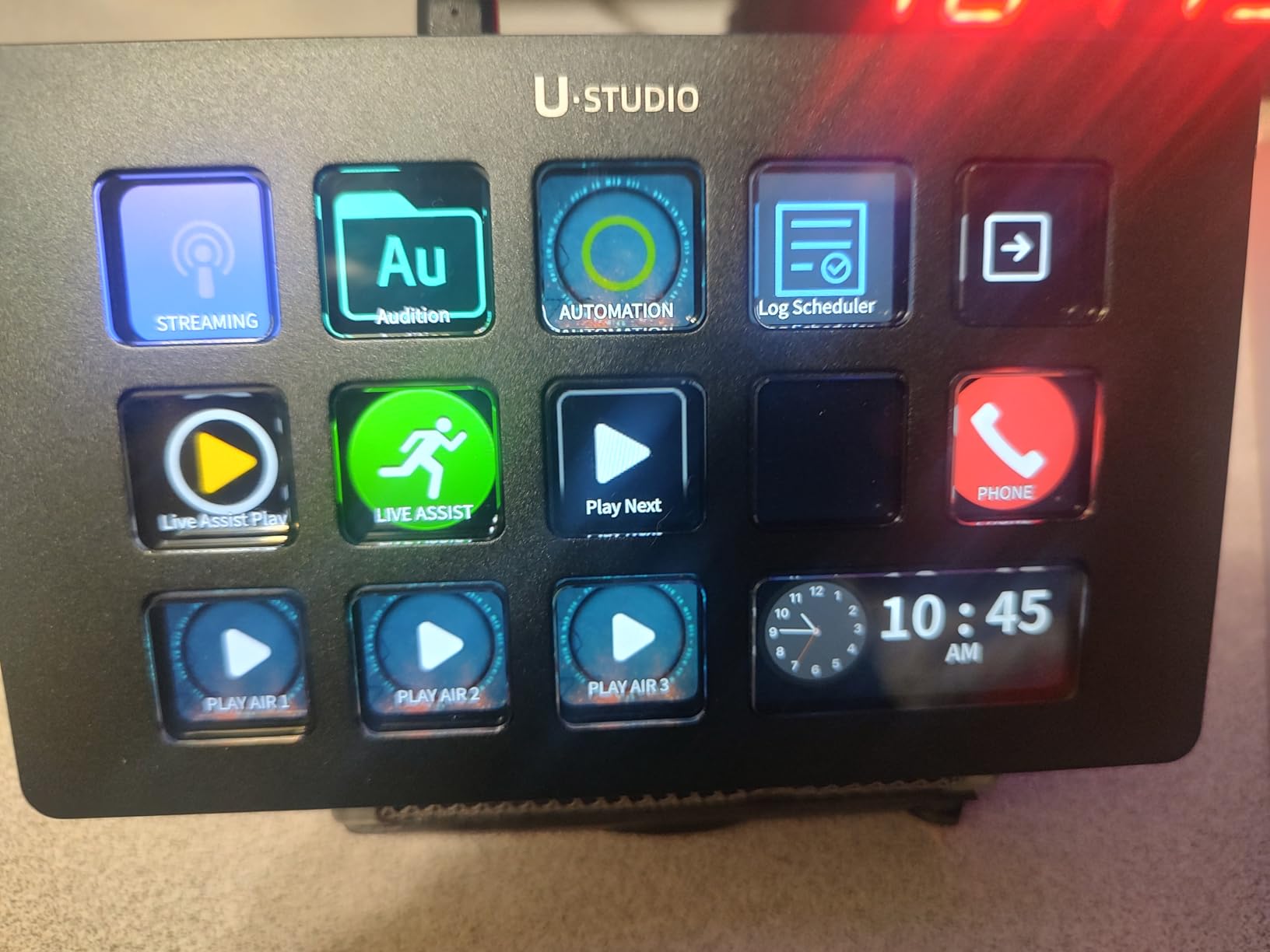
The software impressed me with its maturity. ULANZI uses the U-Studio app, which has a well-developed plugin ecosystem comparable to what SOOMFON and VSDINSIDE offer. Multi-Action macros let you chain commands together, and I set up a single key that opens Lightroom, switches to the develop module, and activates my custom preset panel. One press instead of six keystrokes.
The build quality is decent but not exceptional. At just 120 grams, the D200H is one of the lightest controllers I tested, which means it can slide around on smooth desks during vigorous use. The flat design also means you will want to buy a separate stand for an ergonomic viewing angle. The 3-month warranty is worryingly short for a device at this price point.
Who should buy this
Photographers who want to combine a stream controller with an SD card reader and USB hub will find the D200H uniquely suited to their needs. It is also a strong pick for content creators who travel frequently and want to minimize the number of accessories they carry. The Lightmaster plugin for controlling Ulanzi and Philips Hue lights is a bonus for studio photographers.
Who should skip this
Anyone concerned about long-term durability should be cautious given the 3-month warranty and reports of units failing after several months. If you do not need the SD card reader or USB hub features, there are better-built alternatives at similar prices on this list.
8. Sehawei N4 Pro – Best Linux-Compatible Controller
Pros
- Works with Linux via OpenDeck
- 4 RGB knobs with touch displays
- Built-in USB hub
- Excellent build quality
Cons
- Software flagged as untrustworthy by antivirus
- Large 1GB software download
The Sehawei N4 Pro is essentially a twin of the VSDINSIDE Premium 14-Key, but with one crucial difference: it works with Linux through the OpenDeck platform. For the Linux users in our audience who have been searching for a stream deck alternative that actually supports their OS, this is your answer. I tested it on Ubuntu 22.04 and was able to map basic functions through OpenDeck without issues.
On Windows, the N4 Pro delivers the same premium experience as the VSDINSIDE model. The 10 LCD keys, 4 RGB knobs with touch displays, and editable TouchBar give you multiple input methods. The carbon-fiber-like overlay looks sleek and professional, and the adjustable stand provides a comfortable viewing angle for extended use.
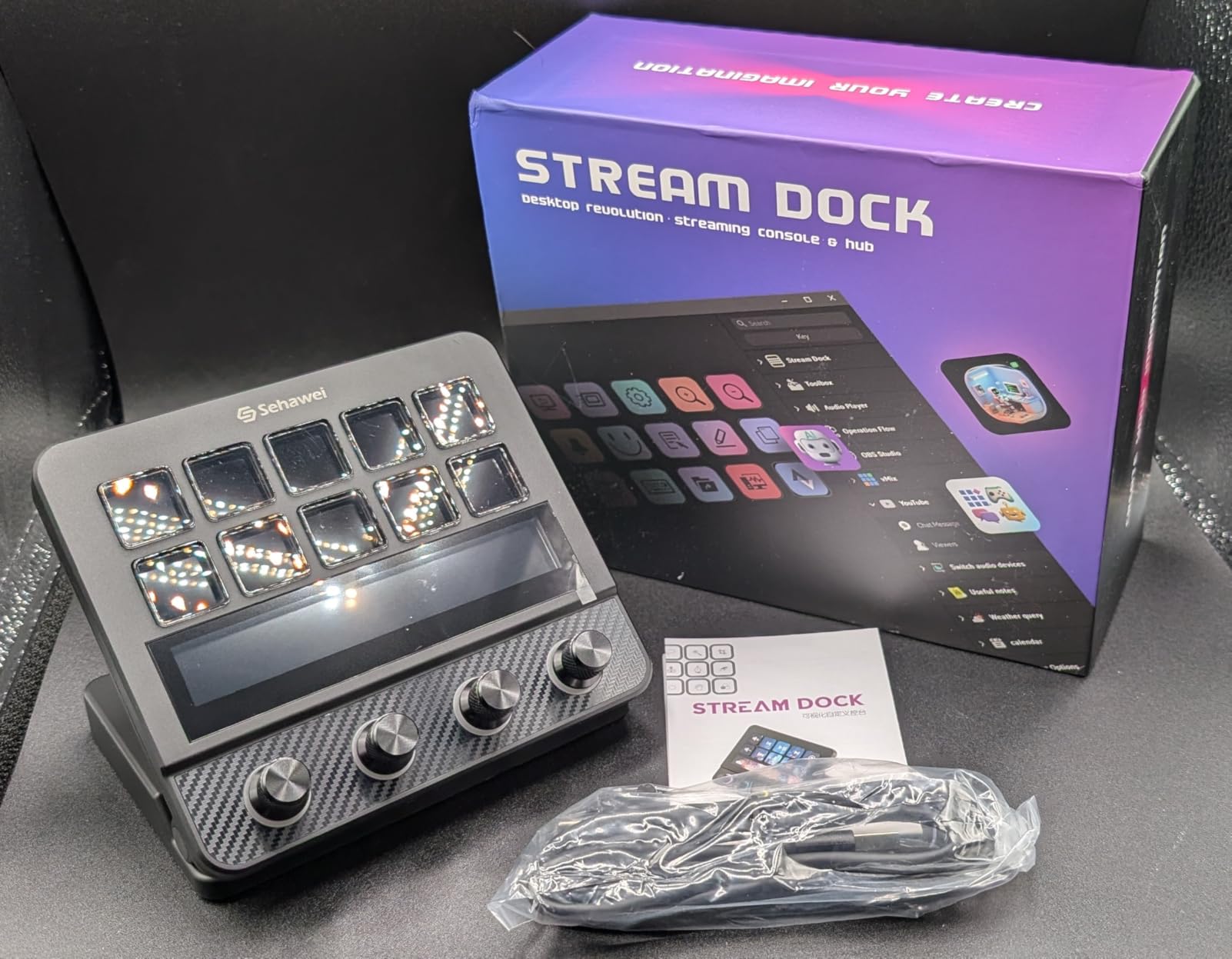
The built-in USB hub includes two USB 3.0 ports and one USB-C port, which is generous connectivity expansion. I connected my wireless mouse dongle and a small backup drive directly to the controller without any speed issues. The buttons have toggleable haptic feedback, so you can customize the click feel to your preference.
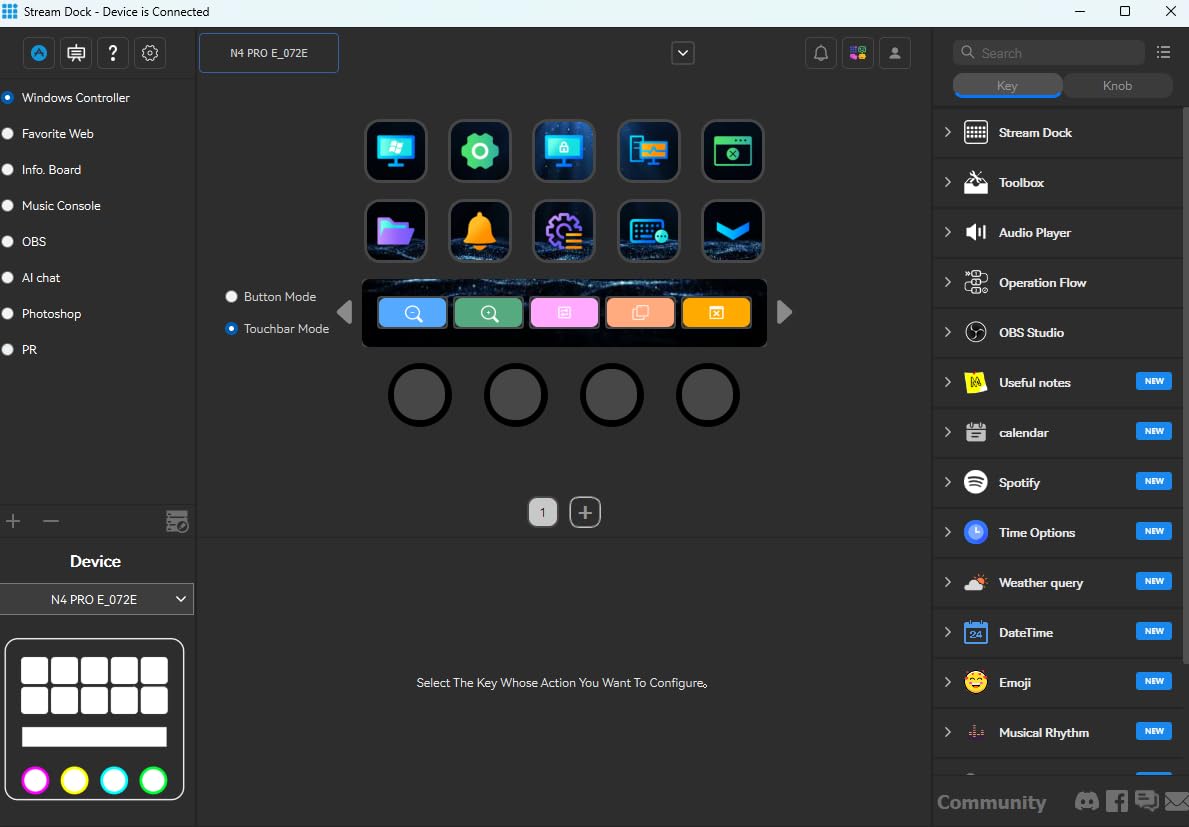
The software situation is the N4 Pro’s biggest weakness. The download is a massive 1GB file, and Windows flagged it as potentially unsafe during installation. The interface also appears to be translated from Chinese with some awkward phrasing that makes certain settings confusing. Once you get past the installation hurdles, the software works fine, but the experience leaves a negative first impression.
Who should buy this
Linux users who want a stream deck alternative that works with their operating system should look no further. The OpenDeck compatibility makes this one of the very few options for Linux-based creators. Windows users who want a premium controller with knobs and a TouchBar will also be well served by this device.
Who should skip this
If you are not comfortable bypassing antivirus warnings or dealing with a 1GB software download, the N4 Pro will test your patience. Users who want a polished software experience should consider the VSDINSIDE Premium 14-Key instead, which offers similar hardware with better-supported software.
9. SOOMFON Stream Controller SE – Best Compact Budget Option
Pros
- Excellent value at budget price point
- Versatile knobs for precision control
- Intuitive software similar to Elgato
- Quick and easy setup
Cons
- USB 2.0 cable may cause crashes
- Software freezes on startup
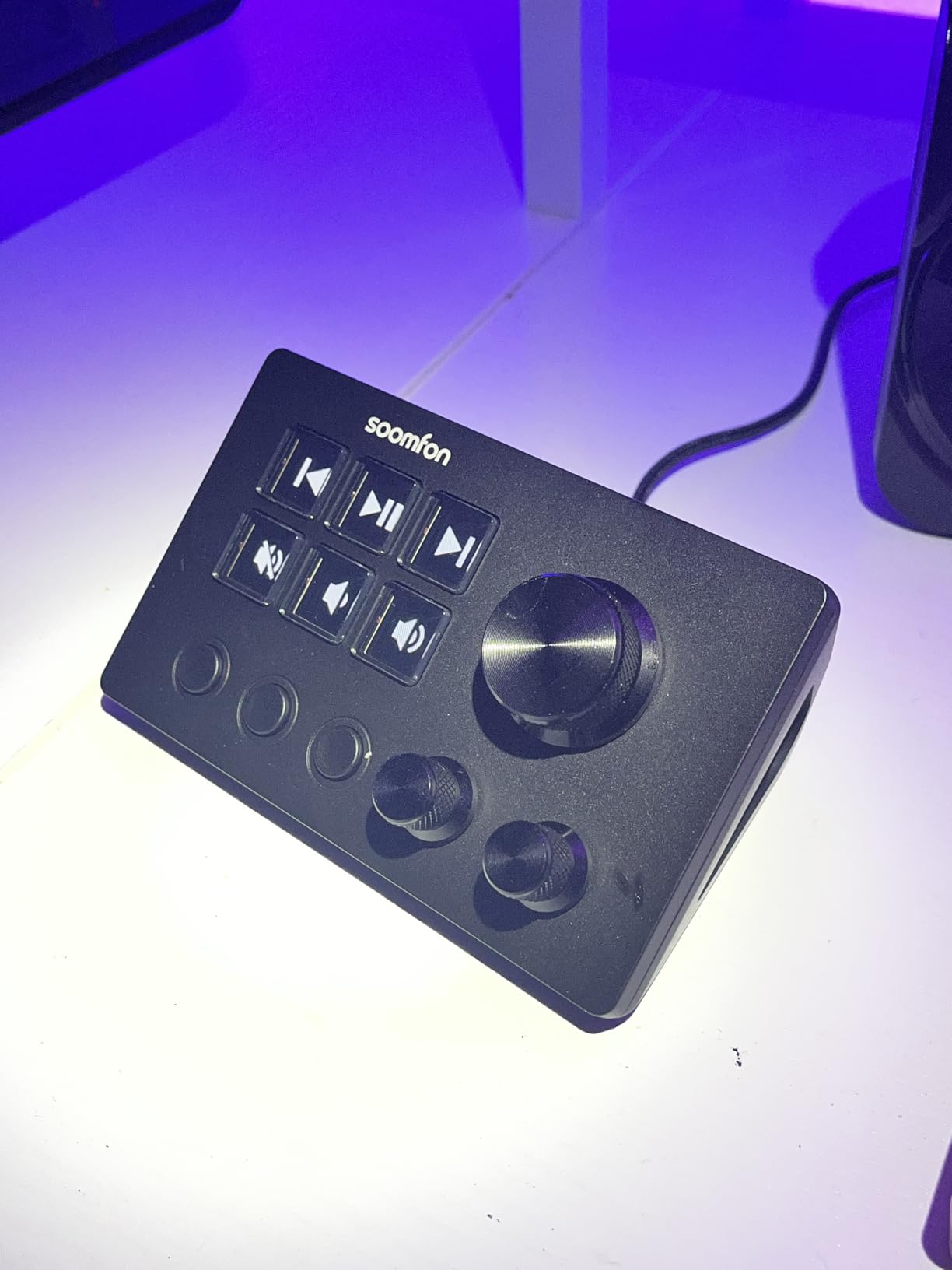
The SOOMFON SE is the smaller sibling of the CN001, designed for users who want a compact controller with knobs without spending much. At under $50, you get 6 LCD keys, 3 rotary knobs, and 3 additional switch buttons. I found it to be a capable little controller for specific workflows where you need both buttons and dials in a small footprint.
The three rotary knobs work well for audio mixing, volume control, and parameter adjustments. During my testing, I assigned them to master volume, microphone gain, and Discord notification volume. Having dedicated physical knobs for audio control is something you cannot get from button-only controllers, and the SOOMFON SE delivers this at one of the lowest prices on the market.
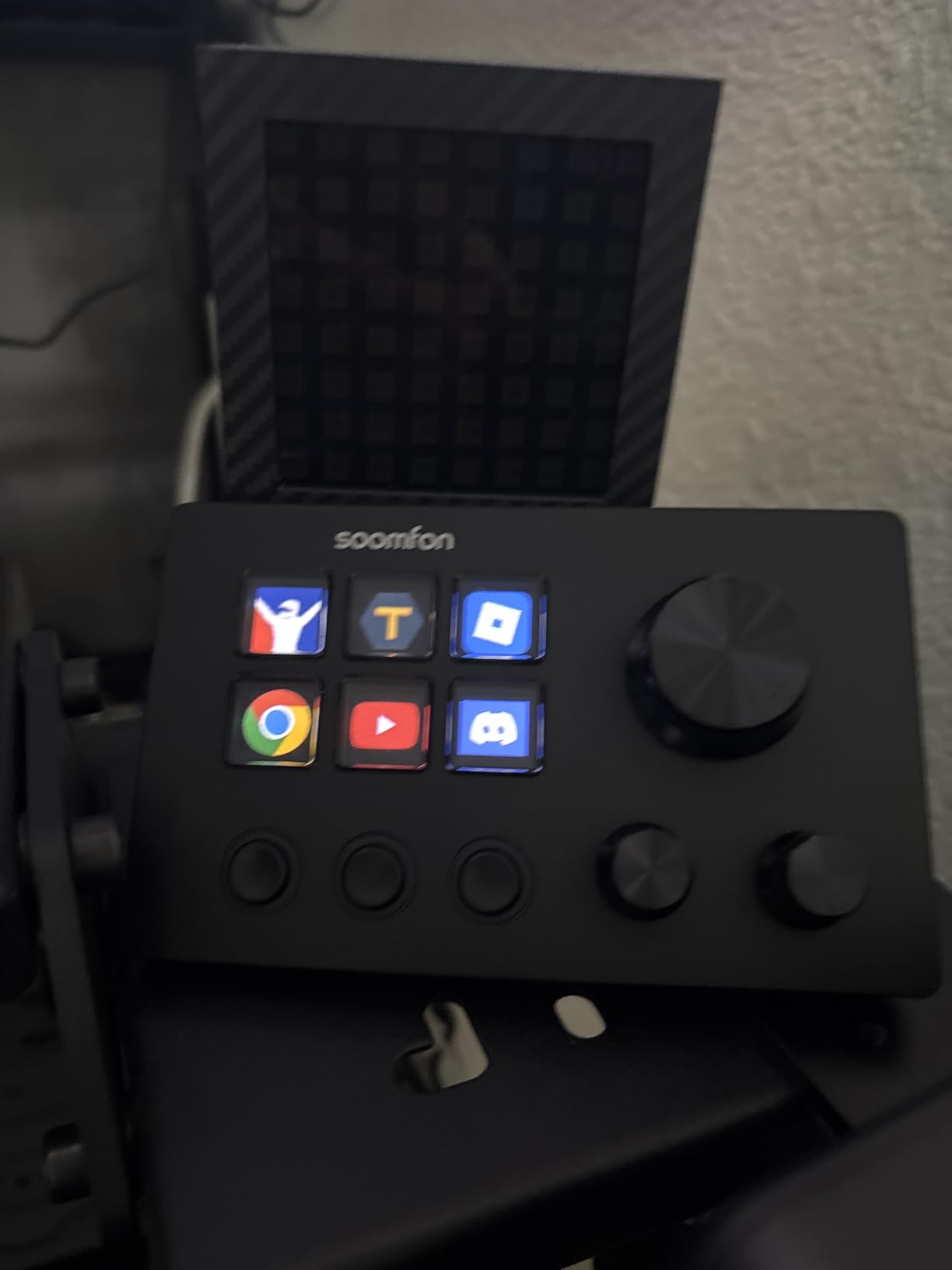
The software interface closely resembles Elgato’s Stream Deck software, which made the transition easy for me since I was already familiar with that layout. The drag-and-drop system works intuitively, and the plugin marketplace has enough variety for most basic streaming and productivity needs. Setup took about 10 minutes from unboxing to a fully configured controller.
The main issues mirror the CN001’s problems but feel more pronounced on the SE. The included USB 2.0 cable caused my device to disconnect randomly, and replacing it with a higher-quality USB-C cable fixed the issue immediately. The software also froze on startup twice during my two-week test period. For the price, these are annoyances you learn to work around, but they are worth knowing about.
Who should buy this
Users who want rotary knobs for audio or parameter control on a tight budget will find the SE to be a practical choice. It is also well-suited for content creators who have limited desk space and need a compact device. The small form factor makes it easy to position alongside a keyboard without crowding your workspace.
Who should skip this
Anyone who needs reliable, glitch-free software for professional live streaming should invest in a more stable platform. If you have had bad experiences with budget controller software in the past, the SE’s startup freezes and cable issues will likely frustrate you again.
10. VSDINSIDE M18 (White) – Best White Stream Controller
Pros
- Clean white aesthetic for light-themed setups
- Bright and vibrant LCD screens
- Multiple profile support
- Excellent value for 18 keys
Cons
- Some software crashes reported
- Mac download issues
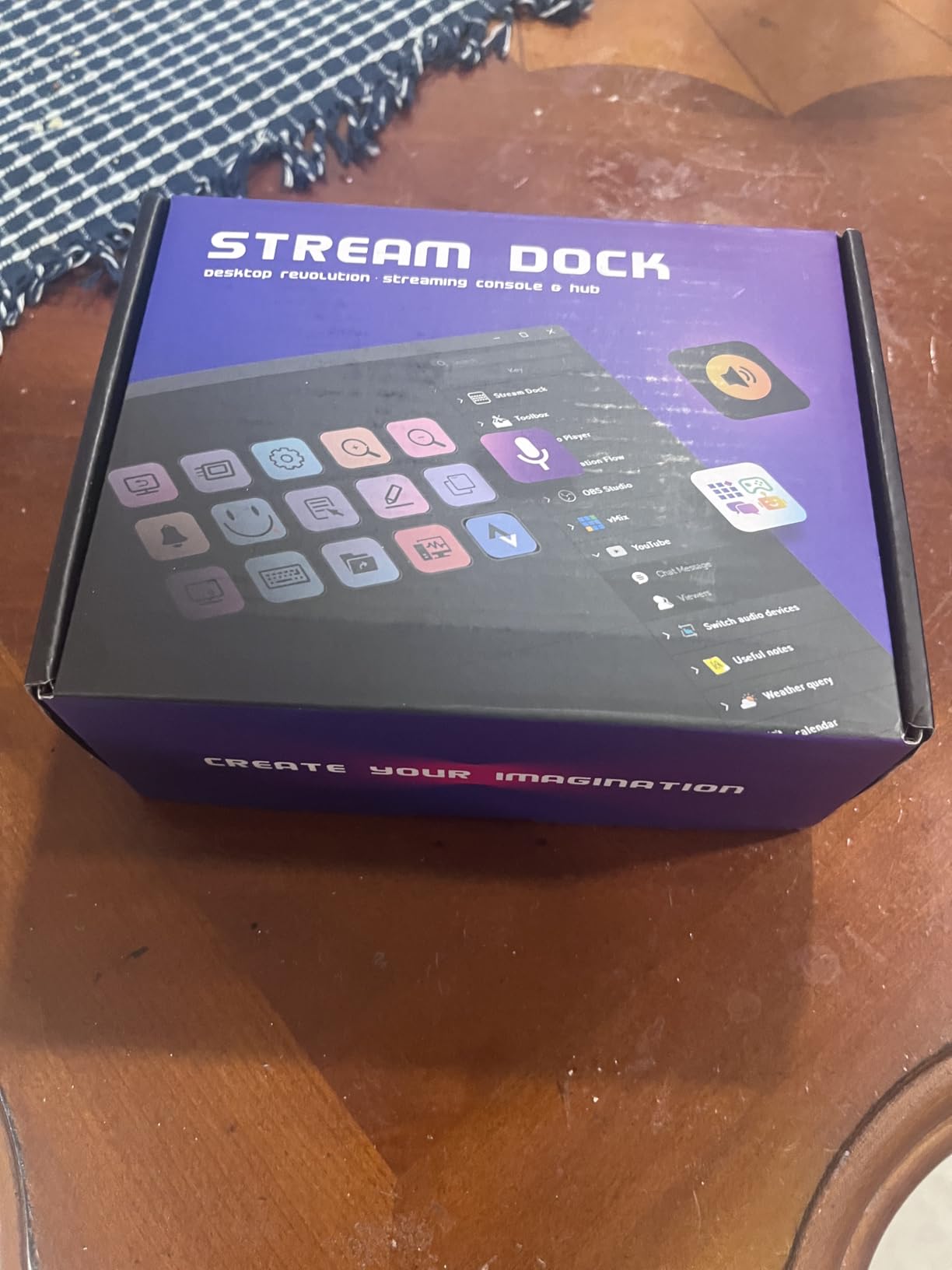
The VSDINSIDE M18 in White is functionally identical to the Black version at number four on this list, but it deserves its own entry for users building light-themed or white desk setups. I tested it alongside the Black model and found the same automatic profile switching, 18-key layout, and plugin ecosystem, but the white finish genuinely makes a difference if you care about your desk aesthetics.
The white version has the same 15 LCD keys with GIF and animation support, 3 physical buttons, and surrounding RGB light ring. The white casing makes the LCD screens appear brighter by contrast, and the overall look pairs beautifully with white monitors, keyboards, and mice. If you have invested in a clean white desk setup, this controller fits right in.
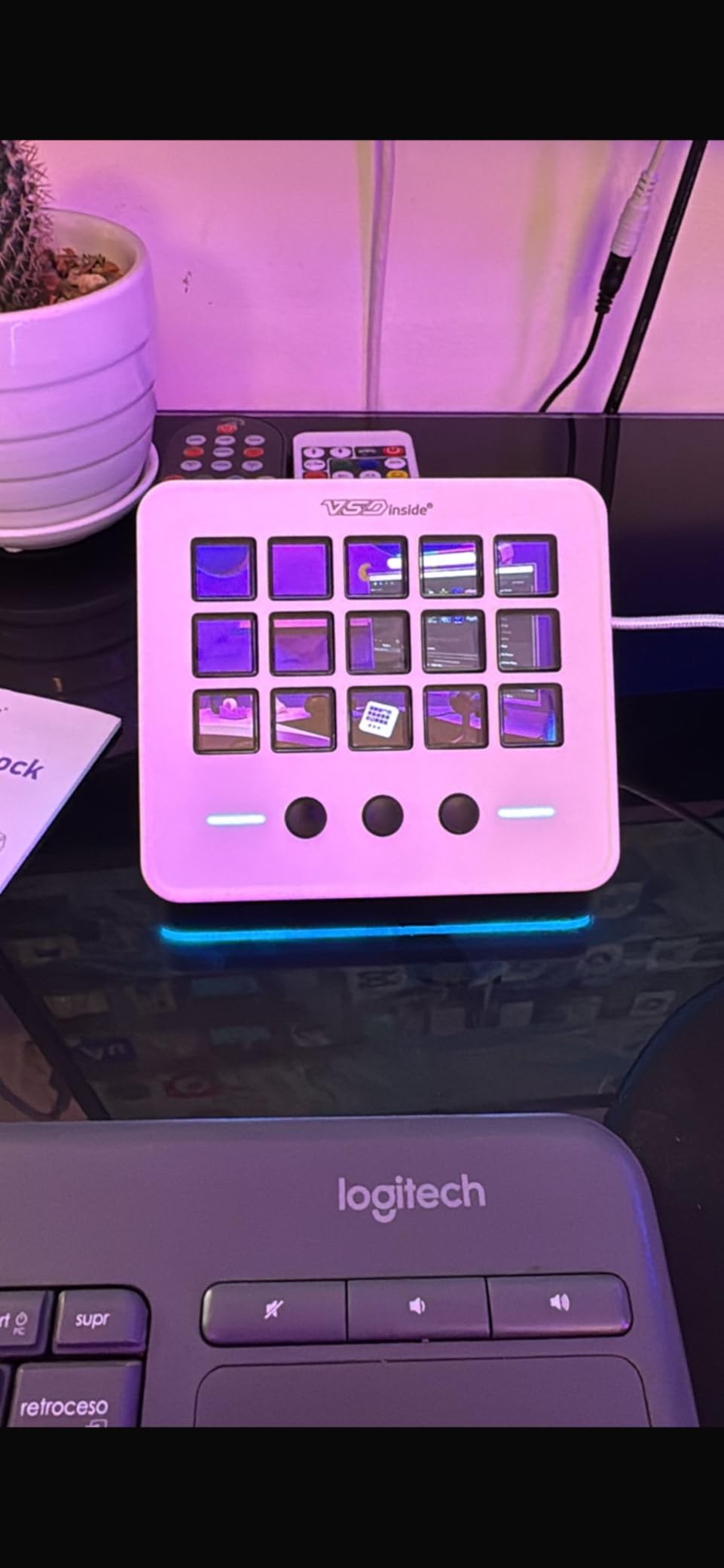
I set up the M18 White with profiles for my photography workflow, including dedicated Lightroom adjustment keys, Photoshop tool shortcuts, and a Capture One profile. The Operation Follow feature worked well for chaining actions, and I could execute a multi-step editing process with a single button press. The drag-and-drop software made creating these profiles straightforward.
The cons are consistent with the Black model. Some users report software crashes, particularly when switching profiles rapidly. The Mac software download process is less polished than the Windows version, with occasional installation issues. The RGB ring still cannot be turned off or customized, which is a persistent design choice across all VSDINSIDE M18 variants.
Who should buy this
Anyone with a white or light-themed desk setup who wants their stream controller to match their aesthetic. The 18 keys and automatic profile switching make it just as functional as the Black version, so you do not sacrifice any features for the color. Content creators who use multiple applications throughout the day will benefit most from the auto-switching.
Who should skip this
If you already own the Black M18, there is no functional reason to switch to the White version. Mac users who want a hassle-free software experience should also consider alternatives with better macOS support.
11. VSDINSIDE K1 Pro – Best Full Keyboard with Stream Deck Features
Pros
- Every key is programmable with macros
- Built-in display screen and knob
- Hot-swappable switches for customization
- Excellent 5-layer dampening for quiet typing
Cons
- Mac software compatibility issues
- No USB-C to USB-C cable included
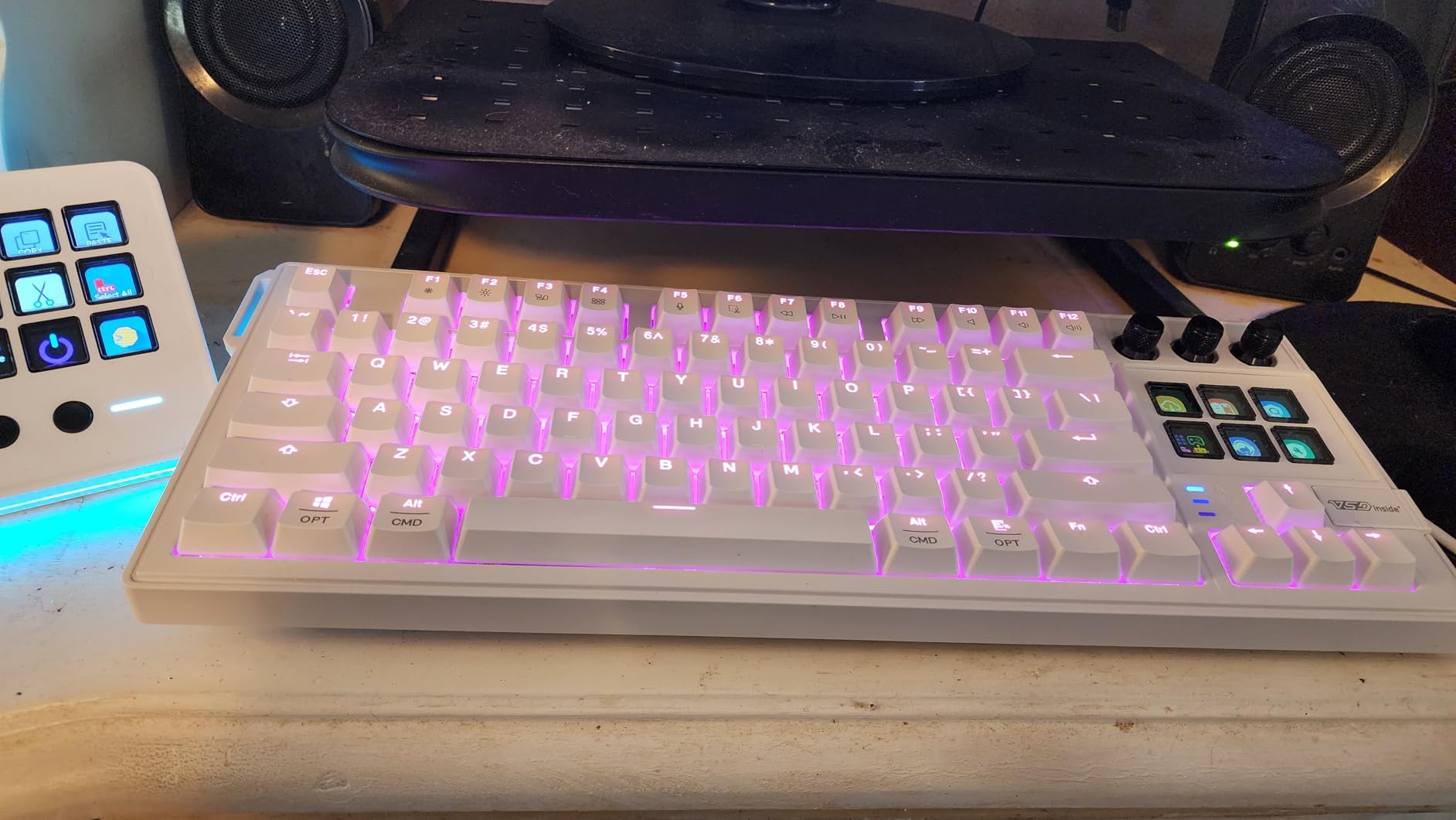
The VSDINSIDE K1 Pro is a fundamentally different product from everything else on this list. Instead of a dedicated stream controller, it is a full 87-key mechanical keyboard where every single key is programmable. It also includes a smart display screen and a multi-function knob, essentially combining your keyboard and stream controller into one device.
I tested the K1 Pro as my daily driver for a week, mapping streaming controls to the function row, photography shortcuts to the number pad area, and gaming macros to the main keys. The VSD Craf software lets you assign different functions per key and create multiple profiles that activate based on your current application. It is an ambitious concept that mostly works well.
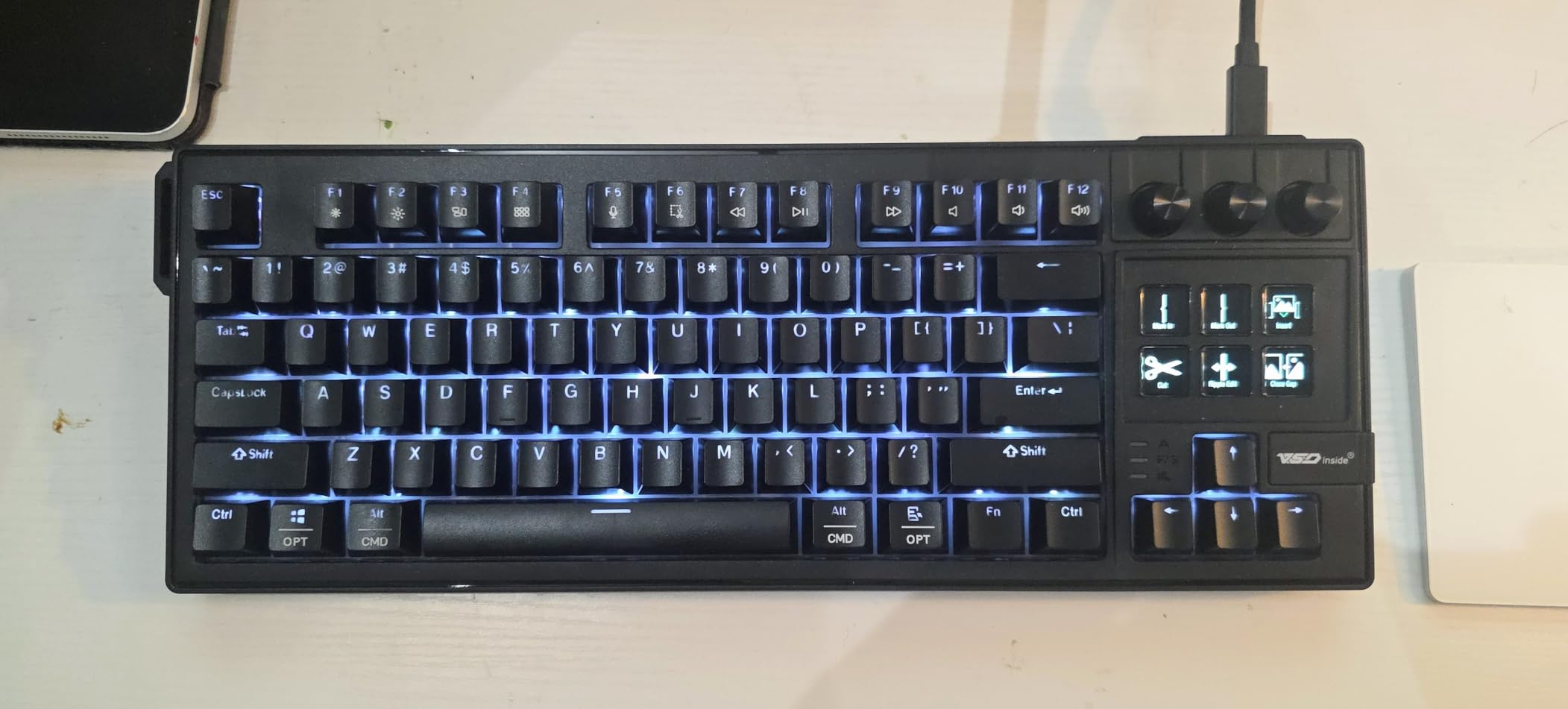
The typing experience is excellent thanks to the gasket mount construction and 5-layer dampening structure. Linear mechanical switches feel smooth and quiet, making this keyboard suitable for both work and streaming. The hot-swappable design means you can replace switches without soldering, so you can customize the feel over time.
The smart display screen sits in the top-right corner and shows system information, active profile details, and customizable widgets. The multi-function knob next to it handles volume, zoom, and scrolling duties. Both additions feel useful, though the screen is small compared to the LCD keys on dedicated controllers.
Who should buy this
Users who want to consolidate their keyboard and stream controller into a single device will love the K1 Pro. It is ideal for minimalists who dislike having multiple peripherals on their desk and for gamers who want both macro capability and a quality typing experience. The hot-swappable switches also appeal to keyboard enthusiasts who like to tinker.
Who should skip this
Mac users should avoid this keyboard based on consistent reports of software compatibility issues. If you prefer having a separate, dedicated stream controller that you can position independently from your keyboard, the K1 Pro’s all-in-one approach may feel restrictive.
12. ULANZI D200 – Best Entry-Level Stream Controller
Pros
- Lowest price for 14 LCD keys
- Real-time CPU and GPU monitoring
- 10-page profiles for multiple workflows
- Free U-Studio software with lifetime updates
Cons
- Connection stability issues
- Only 3-month warranty
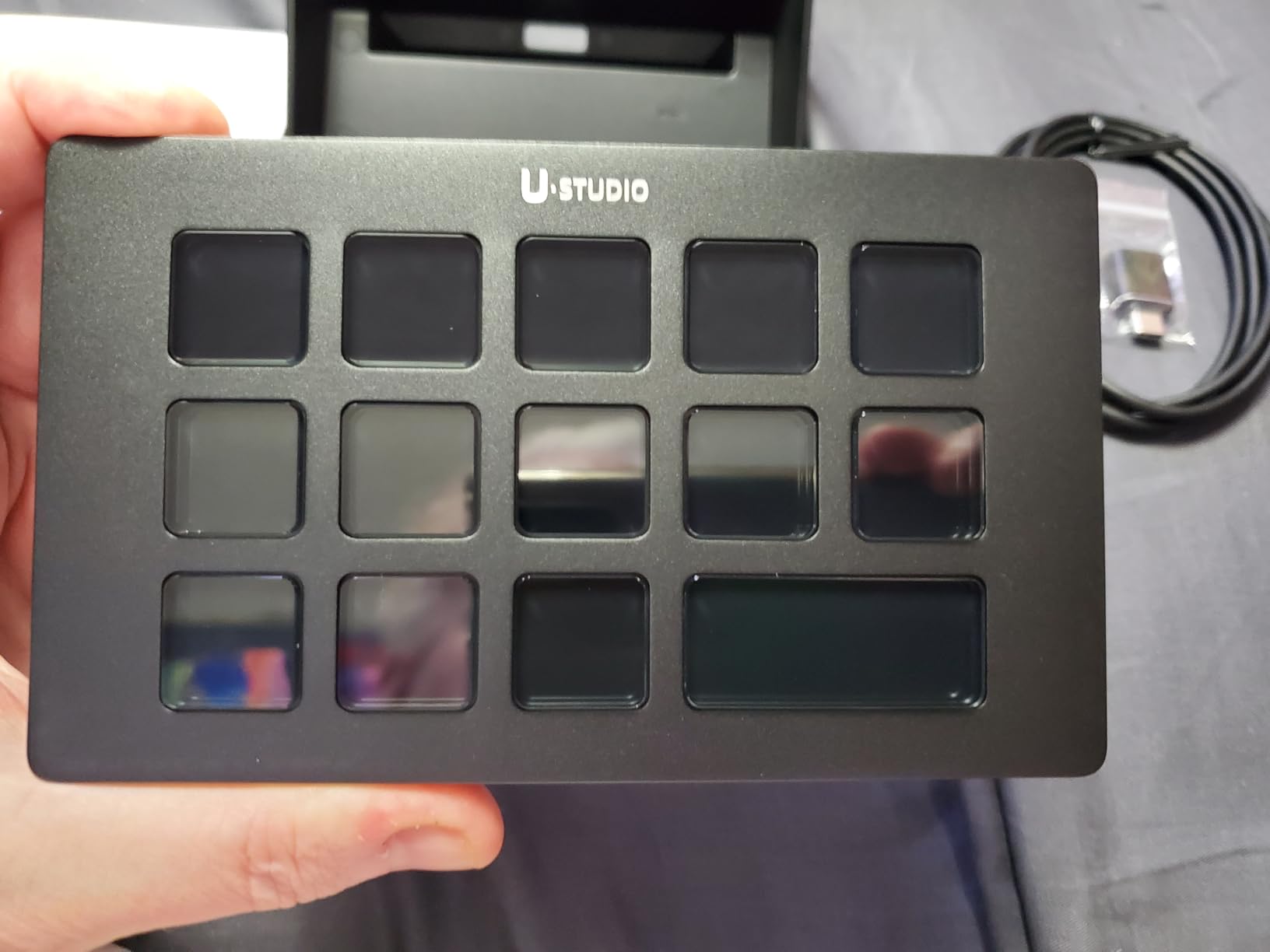
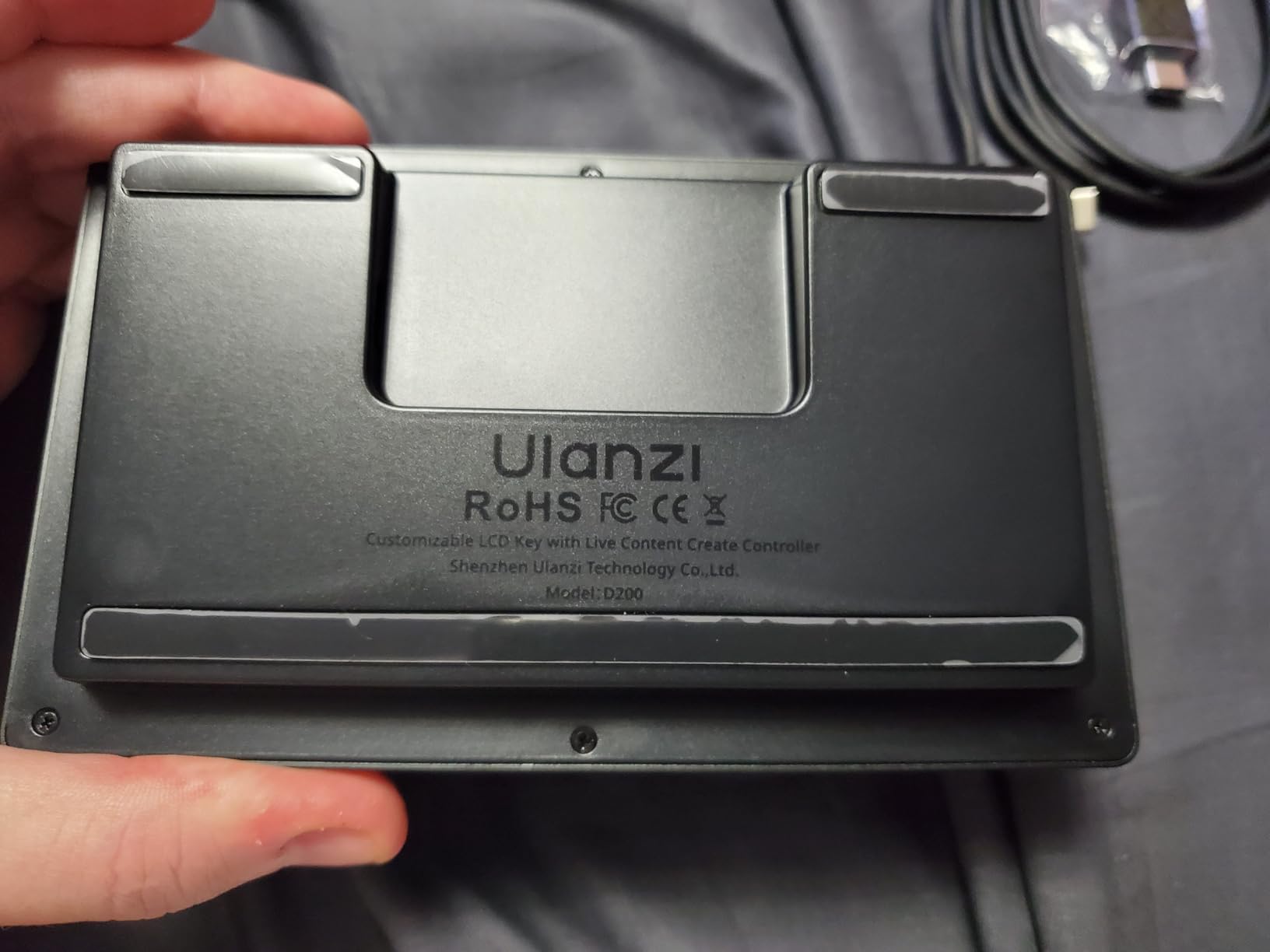
The ULANZI D200 is the most affordable way to get 14 LCD keys on your desk. At just over $40, it undercuts most competitors while offering the same core functionality. I tested it alongside the more expensive ULANZI D200H to see where the cost savings come from, and the answer is the hub features: no SD card reader, no USB hub, no charging passthrough.
What you do get is solid for the price. The 14 LCD keys respond well, the U-Studio software has a mature plugin ecosystem, and the 10-page profile system gives you room for extensive customization. I set up dedicated pages for streaming, photo editing, video editing, and general productivity, with room to spare for future workflows.
The real-time CPU and GPU monitoring display on one of the LCD keys is a clever feature that sets the D200 apart from other budget controllers. During streaming sessions, I could glance at the controller to check my system performance without opening Task Manager or a monitoring overlay. The community library of presets and icons also saves time during initial setup.
Connection stability was my main concern during testing. The D200 disconnected from my computer twice over the test period, requiring me to unplug and replug the USB cable. Other users have reported similar issues, along with profile loading problems after computer restarts. For the price, these are manageable inconveniences, but they make the D200 unsuitable for professional streaming where reliability is paramount.
Who should buy this
Beginners who want to try a stream controller for the first time without spending much will find the D200 to be a capable starting point. The 14 LCD keys and 10-page profile system give you plenty of room to experiment with different workflows. It is also a good backup controller for experienced users who want a secondary device.
Who should skip this
Professional streamers and content creators who cannot tolerate connection drops during live work should invest in a more reliable device. The 3-month warranty and reported reliability issues mean this is best suited for casual or experimental use rather than production environments.
How to Choose the Best Stream Deck Alternative?
Picking the right stream deck alternative comes down to matching the device to your specific workflow. After testing all 12 controllers on this list, I developed a clear framework for making the right choice based on the factors that matter most.
Number of Keys and Inputs
Controllers range from 6 LCD keys (ActionRing N3 V3, SOOMFON SE) to 18 programmable inputs (VSDINSIDE M18, HUION K20). If you only need basic scene switching and a few macros, 6 keys is plenty. For complex streaming setups with multiple scenes, audio sources, and alerts, 15 or more keys will serve you better. Devices with rotary dials and knobs add another dimension of control that pure button devices cannot match.
Software Ecosystem
The software determines how much you can actually do with your controller. VSDINSIDE and SOOMFON have the most mature software platforms with plugin marketplaces. ULANZI’s U-Studio app is solid but less polished. Pay attention to platform compatibility too: some devices work well on Mac while others have limited macOS support, and Linux users should look specifically at the Sehawei N4 Pro with OpenDeck.
Connectivity and Ports
Most controllers use USB-C, which is convenient and modern. The HUION K20 stands out with Bluetooth 5.0 wireless connectivity, giving you freedom from cables entirely. If you need extra ports, the ULANZI D200H and VSDINSIDE Premium 14-Key include USB hubs, and the D200H adds SD card readers that photographers will appreciate.
Build Quality and Warranty
Budget controllers generally offer 1-3 month warranties, which reflects their expected durability. Premium options like the VSDINSIDE 14-Key and Sehawei N4 Pro feel significantly more solid in hand. Consider how heavily you will use the device: occasional users can get away with budget options, while daily professional use warrants investing in better build quality.
Use Case Matching
Photographers should prioritize devices with SD card readers (ULANZI D200H) or photography software integration (HUION K20). Streamers need stable software and enough keys for scenes, sources, and alerts (FIFINE D6, VSDINSIDE M18). Video editors benefit most from rotary knobs for timeline and audio control (VSDINSIDE Premium, ActionRing N3 V3). Productivity-focused users might prefer the all-in-one approach of the VSDINSIDE K1 Pro keyboard.
Frequently Asked Questions
Is there anything better than a stream deck?
Yes, depending on your needs. Several stream deck alternatives offer features that the Elgato Stream Deck lacks, such as built-in USB hubs (VSDINSIDE Premium 14-Key), SD card readers (ULANZI D200H), Bluetooth wireless connectivity (HUION Keydial Mini), and rotary dials (ActionRing N3 V3, SOOMFON SE). Many of these alternatives cost significantly less while delivering comparable or even superior functionality for specific workflows like photography and video editing.
Do you really need a stream deck?
A stream deck or macro controller is not strictly necessary, but it dramatically speeds up repetitive tasks. If you frequently switch scenes in OBS, apply the same editing adjustments in Lightroom, or trigger the same keyboard shortcuts dozens of times per day, a programmable controller can save you significant time. Many users report 20-30% faster workflows after integrating a macro controller into their setup. If you are a casual user who only streams occasionally, a free app like Touch Portal on your phone may suffice.
Are there cheaper alternatives to the Elgato Stream Deck?
Absolutely. The Elgato Stream Deck starts around $150, while excellent alternatives like the HUION Keydial Mini ($39.99), ULANZI D200 ($42), and ActionRing N3 V3 ($49.99) deliver core functionality at a fraction of the cost. Mid-range options like the FIFINE AmpliGame D6 ($64.99) and VSDINSIDE M18 ($54.99) offer more LCD keys and features while still costing less than the Elgato. Our testing showed that several budget options match or exceed the Elgato in specific use cases.
Can I use my phone as a stream deck?
Yes, apps like Touch Portal and Macro Deck turn your Android or iOS phone into a stream controller for free or a small one-time payment. Touch Portal supports OBS, Spotify, and custom macros with a grid of customizable buttons displayed on your phone screen. This is a great way to test whether a stream controller improves your workflow before investing in a dedicated hardware device. The downside is that your phone screen lacks the tactile feedback of physical buttons.
What should I look for in a stream deck alternative?
Focus on four key factors: the number of programmable inputs (keys, knobs, dials), software stability and plugin ecosystem, platform compatibility (Windows, Mac, Linux), and build quality. If you work with audio or video, prioritize devices with rotary knobs for smooth adjustments. Photographers should look for SD card reader integration. Cross-platform users should verify both Mac and Windows support before buying. Reading user reviews about long-term software reliability is also essential.
Final Thoughts on Stream Deck Alternatives
Finding the best stream deck alternatives does not mean settling for less. In many cases, the controllers on this list offer features that Elgato simply does not match, from built-in SD card readers to wireless Bluetooth connectivity to rotary dials at budget prices. Our top pick, the ActionRing N3 V3, delivers the best overall experience with its combination of LCD keys, rotary dials, and compact design at under $50.
For photographers specifically, the ULANZI D200H Hub Deck stands out as the most practical choice thanks to its integrated SD card reader and USB hub. Streamers on a budget will find everything they need in the FIFINE AmpliGame D6 or VSDINSIDE M18. And for Linux users, the Sehawei N4 Pro with OpenDeck support is one of the very few viable options on the market in 2026.
Whatever your workflow, investing in a programmable macro controller is one of the most impactful upgrades you can make to your content creation setup. The time savings compound quickly, and the tactile satisfaction of pressing a dedicated button to trigger a complex action never gets old. Pick the device that matches your needs, your desk space, and your budget, and start automating your workflow today.