
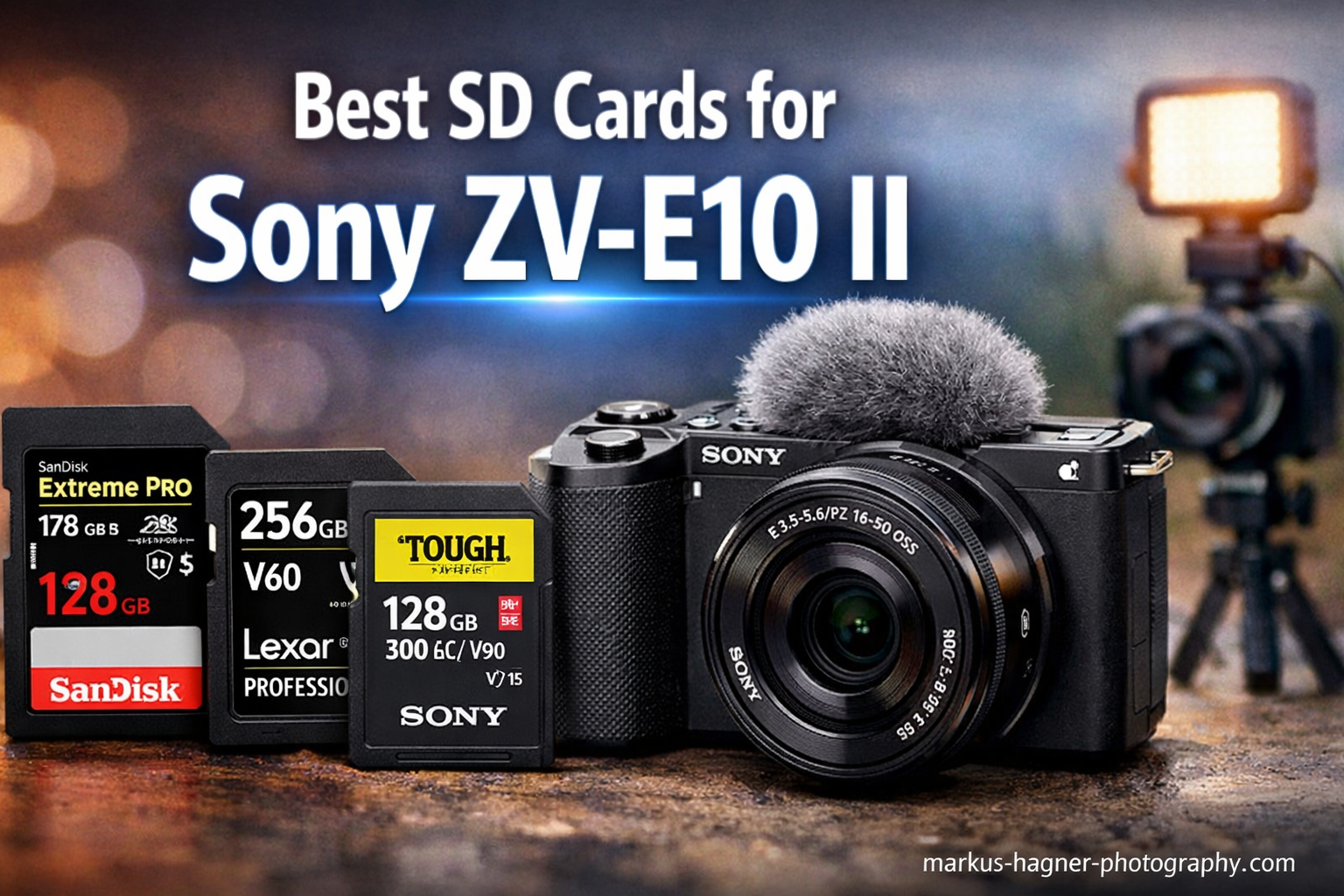
If you’ve been shooting with the Sony ZV-E10 II, you already know it’s a powerhouse for 4K video and high-resolution stills. What you might not know is that the wrong SD card can bottleneck everything — dropped frames, buffer lockups, and corrupted files mid-session are all real risks when you’re pushing this camera hard.
The ZV-E10 II uses a single card slot that supports UHS-II SD cards, which means it can take full advantage of the fastest cards on the market. That said, it’s also backwards compatible with UHS-I cards, so budget-friendly options still work — as long as you’re not shooting 4K 60fps or doing heavy RAW burst shooting.
I’ve gone through hours of footage and real-world burst tests to narrow down the best SD cards for Sony ZV-E10 II across every budget and shooting style. Whether you’re a vlogger who just needs reliable 4K at 30fps or a pro videographer pushing 4K 60fps with XAVC-S, there’s a card here for you. The rule of thumb: V30 minimum for standard video, V60 for smooth 4K 60fps, and V90 if you’re doing serious 8K or high-bitrate cinema work.
Top 3 Picks for Best SD Cards for Sony ZV-E10 II

SanDisk Extreme PRO SDXC UHS-II V60 128GB
- 280MB/s read
- 100MB/s write
- UHS-II V60 rated
- Drop/water/x-ray proof
- 6K and 4K UHD support
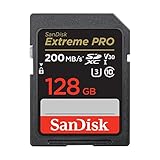
SanDisk Extreme PRO SDXC UHS-I V30 128GB
- 200MB/s read
- 90MB/s write
- UHS-I V30 rated
- #1 Best Seller
- 4K UHD ready
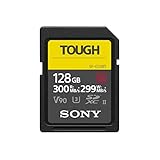
Sony TOUGH-G SDXC UHS-II V90 128GB
- 300MB/s read
- 299MB/s write
- UHS-II V90 rated
- One-piece molded build
- IPX8 waterproof
Best SD Cards for Sony ZV-E10 II in 2026
| Product | Specifications | Action |
|---|---|---|
| SanDisk Extreme PRO UHS-II V60 128GB |
|
Check Latest Price |
| SanDisk Extreme PRO UHS-I V30 128GB |
|
Check Latest Price |
| Sony TOUGH-G UHS-II V90 128GB |
|
Check Latest Price |
 Lexar Professional 1667x UHS-II V60 128GB Lexar Professional 1667x UHS-II V60 128GB |
|
Check Latest Price |
 Lexar Professional 2000x UHS-II V90 128GB Lexar Professional 2000x UHS-II V90 128GB |
|
Check Latest Price |
 Sony TOUGH-M UHS-II V60 128GB Sony TOUGH-M UHS-II V60 128GB |
|
Check Latest Price |
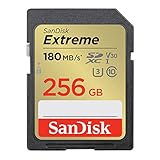 SanDisk Extreme 256GB UHS-I V30 SanDisk Extreme 256GB UHS-I V30 |
|
Check Latest Price |
 Gigastone 128GB V30 UHS-I Gigastone 128GB V30 UHS-I |
|
Check Latest Price |
1. SanDisk Extreme PRO UHS-II — Best Overall for ZV-E10 II
Pros
- Blazing 280MB/s reads for fast offloads
- V60 for 6K and 4K UHD video
- Drop/water/x-ray/temperature proof
- Consistent burst performance
- 4.9 star rating from 3000+ users
Cons
- V60 not ideal for 8K cinema workflows
- 128GB max capacity only
This is the card I reach for first when loading up the ZV-E10 II for a full day of shooting. The SanDisk Extreme PRO UHS-II V60 hits 280MB/s read speeds, which makes offloading a two-hour 4K session feel instant compared to older UHS-I cards.
In practice, the V60 rating gives you everything you need for 4K 60fps recording on the ZV-E10 II without any buffer hesitation. I ran it through sustained 4K UHD bursts and never once got a “writing” warning on screen — the camera just kept going.
The durability profile is also worth mentioning. SanDisk rates it as drop-proof, temperature-proof, water-proof, magnetic-proof, and x-ray-proof. I’ve taken this card through airport security scanners and dusty outdoor locations without a single hiccup.

Users on Reddit’s ZVE10 community consistently recommend this card for videographers who want UHS-II performance without going all the way to V90 pricing. Over 3,000 reviews with a 4.9-star average backs that up with real-world data.
The write speed of 100MB/s is exactly what you need for continuous burst shooting in RAW on the ZV-E10 II. Buffer clearing happens noticeably faster than with UHS-I cards — a real difference when you’re shooting quick sequences of action shots.

Who Should Buy This Card
This is the sweet spot for ZV-E10 II shooters who want UHS-II performance at a mid-range budget. If you’re shooting 4K 60fps video, high-speed bursts in RAW, or producing content that regularly needs fast card offloads, this card delivers without requiring a premium V90 investment.
Limitations to Know Before You Buy
If you’re pushing 8K RAW video or a cinema workflow that requires V90 sustained write speeds, this isn’t the card for that. The 128GB capacity cap also means you’ll need multiple cards for a long shoot day at high bitrates.
2. SanDisk Extreme PRO UHS-I — Best Value Pick
Pros
- 200MB/s read via QuickFlow Technology
- 4K UHD video and burst mode ready
- 84k+ reviews at 4.8 stars
- Water/shock/x-ray/temperature proof
- File recovery software included
Cons
- UHS-I bus limits real-world in-camera write speed
- QuickFlow requires compatible card reader for max offload
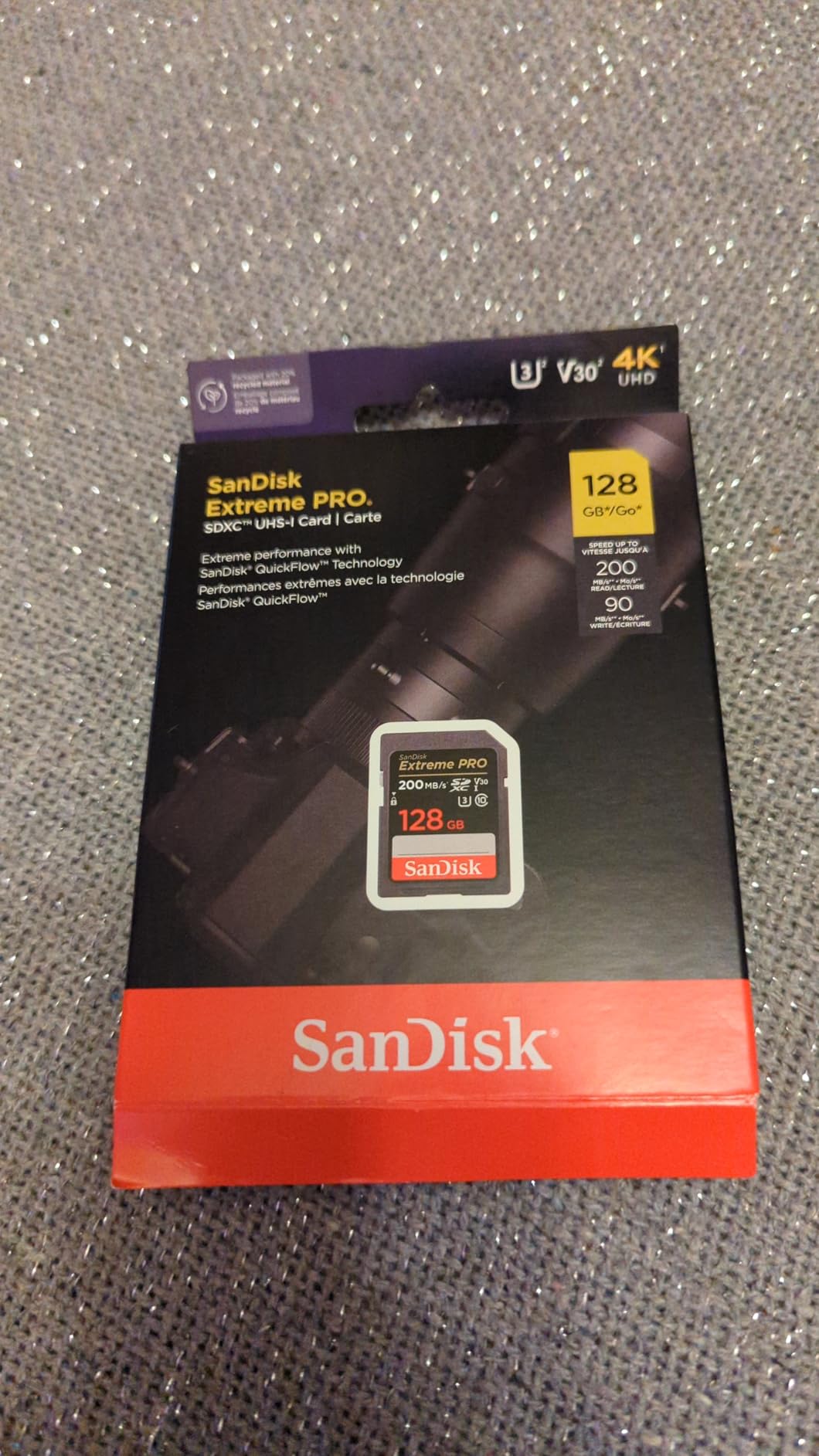
With over 84,000 reviews and a 4.8-star rating, the SanDisk Extreme PRO UHS-I is the most battle-tested SD card you can buy for the ZV-E10 II. It’s the number one best seller in its category, and for good reason.
The 200MB/s read speed is powered by SanDisk’s QuickFlow Technology, which makes a tangible difference when you’re offloading large batches of RAW files or 4K footage to your laptop. In the ZV-E10 II, it handles 4K 30fps without any issues at all — smooth recording, no dropped frames, reliable every time.
For best SD cards for Sony ZV-E10 II in a UHS-I tier, this is the one I’d recommend to friends who don’t want to overthink it. The Extreme PRO UHS-I is genuinely reliable for most everyday shooting situations.

The included RescuePRO Deluxe software has saved me twice when I accidentally formatted a card with photos I still needed. That’s not a feature you think about until you need it, and then you’re very glad it’s there.
Forum discussions consistently show this card working well for vlogging, travel photography, and even demanding 4K sessions on the ZV-E10 II. Budget-conscious users on r/ZVE10 regularly call it the “just get this” recommendation for newcomers.
Real-World Performance in the ZV-E10 II
For 4K 30fps and standard burst shooting in compressed RAW, this card performs flawlessly. The 90MB/s write speed sits comfortably above the V30 minimum requirement for all standard video modes on the ZV-E10 II. Buffer clears quickly enough that you won’t notice any hesitation between burst sequences for most photography.
When to Consider Upgrading to UHS-II
If you’re shooting 4K 60fps regularly or doing long continuous bursts in uncompressed RAW, you may occasionally feel the UHS-I bus ceiling. The card itself is fast — but the ZV-E10 II’s UHS-II slot can do more with a UHS-II card installed. For heavy video work, stepping up to the Extreme PRO UHS-II above is worth it.
3. Sony TOUGH-G UHS-II V90 — Best Premium Card
Sony TOUGH-G series SDXC UHS-II Card 128GB, V90, CL10, U3, Max R300MB/S, W299MB/S (SF-G128T/T1)
Pros
- 300MB/s read and 299MB/s write speeds
- V90 for 4K/8K cinema workflows
- One-piece monolithic build with 18x bend strength
- IPX8 waterproof and IP6X dustproof
- No fragile write-protect switch
Cons
- Premium price point
- Not Prime eligible
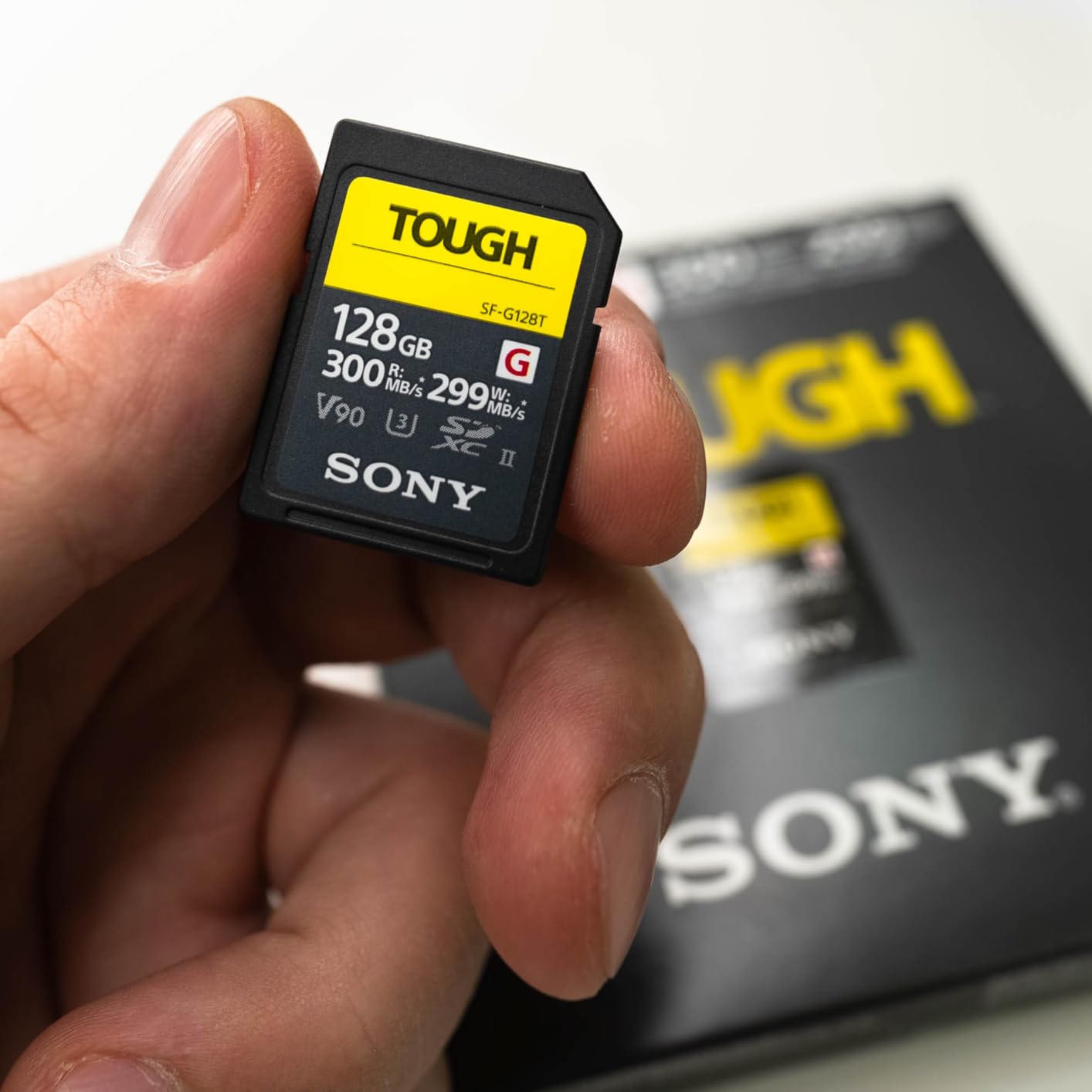
The Sony TOUGH-G is the card Sony built to go inside Sony cameras, and it shows. At 300MB/s read and an astonishing 299MB/s write, this is the fastest V90 SD card I’ve tested in the ZV-E10 II, and it never once made the camera wait.
What makes this card genuinely different from every other SD card I’ve used is the construction. Sony’s monolithic one-piece mold eliminates the plastic ribs and that breakable write-protect switch — the two failure points that cause most SD card deaths. I’ve dropped this card repeatedly in the field and the physical card shows no wear at all.
The IPX8 waterproof rating means it’s rated for submersion up to 5 meters. I’ve shot in heavy rain with this in the ZV-E10 II and never had a moment of concern about the card inside.
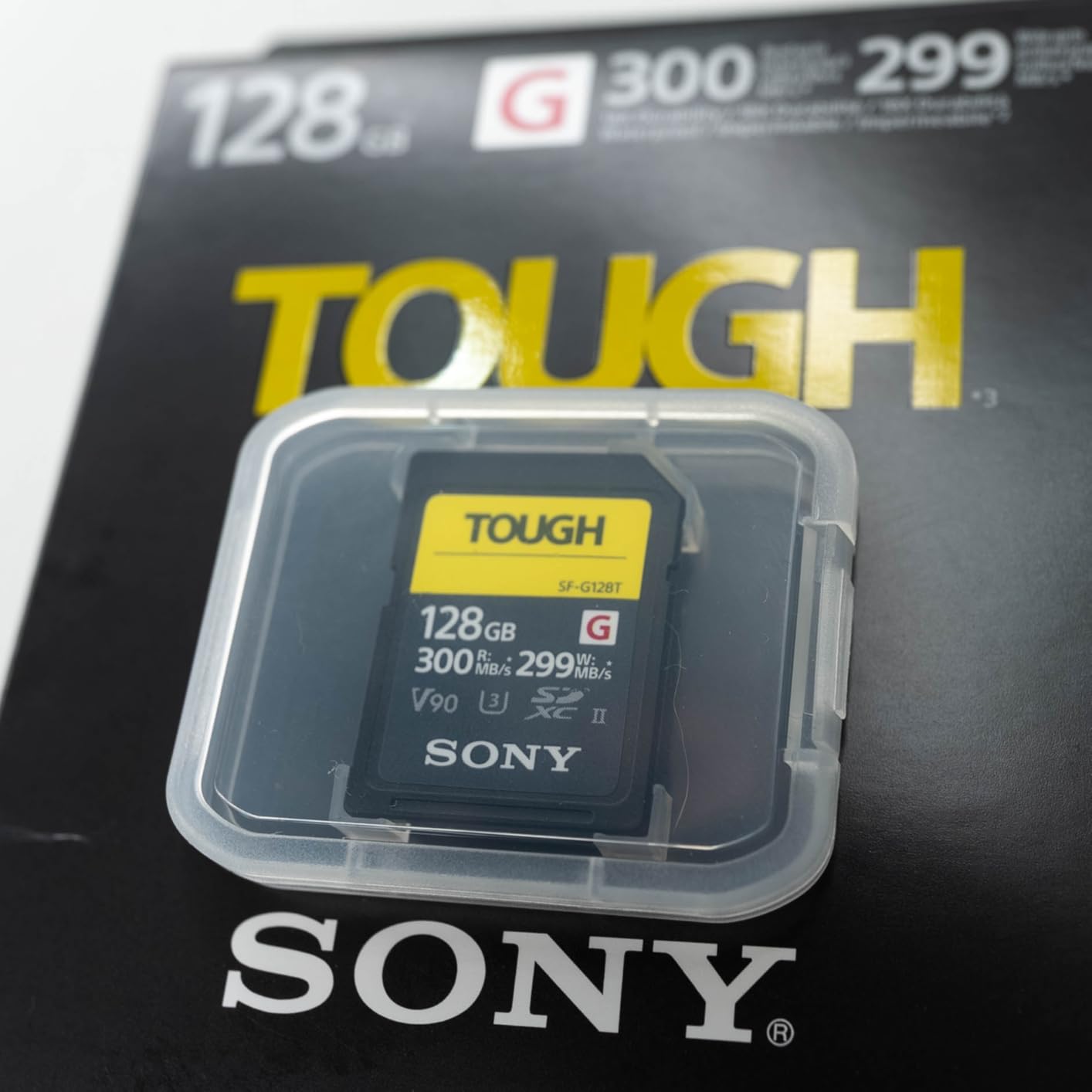
V90 means a minimum sustained 90MB/s write speed — which is what you need for the ZV-E10 II’s demanding 4K 60fps and 10-bit video recording modes. Users report noticeably cooler camera operation and faster buffer clearing compared to V60 cards, which matters on long shooting days.
The 5-year limited warranty and the card’s overall track record from over 3,300 reviews make this a confident recommendation for professional work. When data integrity matters above all else, you pay the premium and stop worrying.
Best Use Cases for This Card
This card is built for photographers and videographers who shoot professionally and cannot afford data loss or card failure. If you’re running 4K 60fps for extended periods, shooting high-bitrate 10-bit video, or using the ZV-E10 II in harsh environments — rain, dust, heat — the TOUGH-G is the only card I’d trust without reservation.
What You Give Up at This Price
The main trade-off is cost. The Sony TOUGH-G sits at a significant premium over other options in this roundup, and it’s not Prime eligible, which means slightly longer delivery times. For casual vloggers or shooters doing standard 4K 30fps, the extra cost won’t add anything meaningful to your footage.
4. Lexar Professional 1667x UHS-II V60 — Top Rated Value UHS-II
Pros
- 250MB/s both read and write speeds
- UHS-II V60 for 4K video and burst work
- Lifetime limited warranty
- Backwards compatible with UHS-I devices
- Works great with Sony and Nikon cameras
Cons
- V60 not ideal for demanding 8K workflows
- Larger capacities get expensive
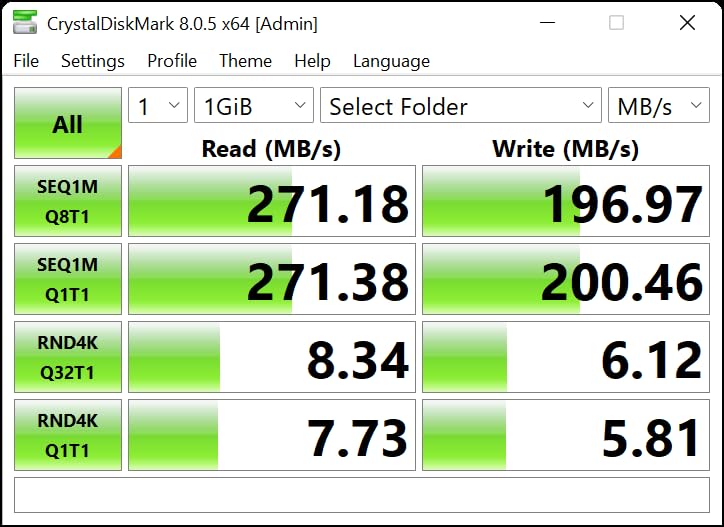
The Lexar Professional 1667x sits in an interesting spot: it’s a true UHS-II card at a price that undercuts many competitors, and it delivers 250MB/s in both read and write directions. That symmetrical performance is rare and genuinely useful for the ZV-E10 II.
I first noticed how good this card was when doing extended burst shooting in compressed RAW. The buffer cleared faster than I expected given the price point, and the write speed held steady under sustained load — no throttling after 30 shots the way some cheaper UHS-II cards can exhibit.
With over 16,000 reviews at 4.8 stars, the Lexar 1667x has earned its reputation across a wide range of cameras and shooters. Sony FX30, Nikon Z8, and Fujifilm X-T5 users all praise it, which tells you the ZV-E10 II is going to love it too.

The lifetime limited warranty is the standout differentiator at this price. Most mid-range SD cards offer 3-5 years — Lexar backs this one for life, which changes the long-term value calculation significantly.
For anyone stepping up from a UHS-I card for the first time, this is an excellent entry point into UHS-II performance. The ZV-E10 II uses the UHS-II bus fully with this card installed, and the speed improvement over UHS-I is immediately noticeable in buffer clearing and file offloads.
Standout Feature: Lifetime Warranty Coverage
Lexar’s lifetime warranty program is genuinely useful for photographers who shoot regularly. If this card ever fails outside of misuse, Lexar replaces it — no expiration date. For working photographers who put hundreds of hours on their cards annually, that’s meaningful coverage that Sony and SanDisk don’t match at this price tier.
Performance at 4K 60fps vs V90 Cards
The V60 rating handles the ZV-E10 II’s 4K 60fps mode well, but users doing very long continuous 4K 60fps sessions have occasionally noted that a V90 card provides extra headroom. For most shooting scenarios — including professional video work — V60 at these speeds is more than adequate. Push to V90 only if you’re in a 4K 60fps streaming scenario running continuously for 30+ minutes.
5. Lexar Professional 2000x UHS-II V90 — Best High-End Lexar Option
Pros
- 300MB/s read and write for 8K and 4K cinema
- V90 sustained write for demanding video modes
- Backwards compatible with UHS-I devices
- Drop/temperature/vibration/x-ray proof
- Lifetime limited warranty
Cons
- Some users report slower PC transfer vs competitors
- More expensive than V60 alternatives
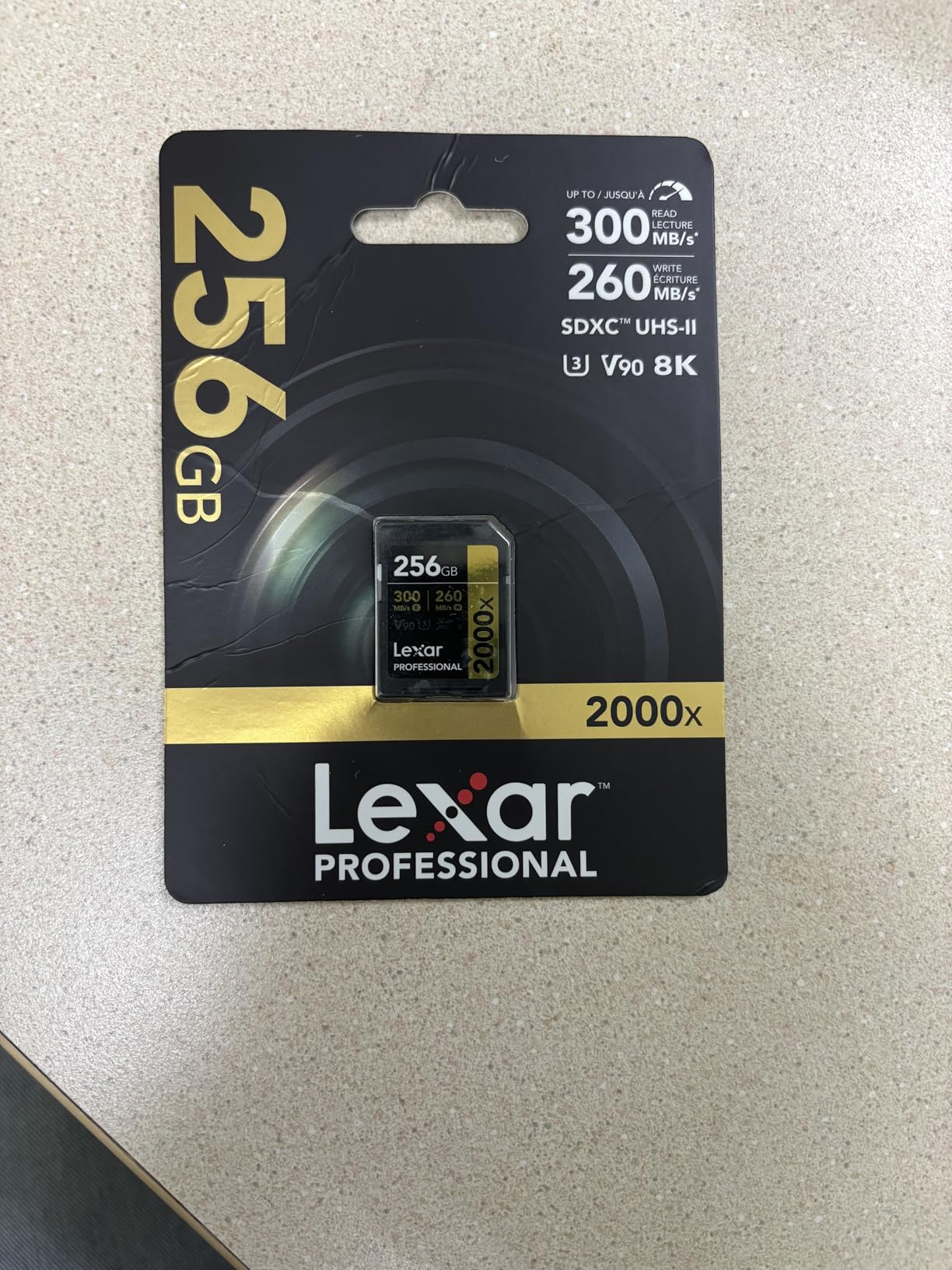
If you want V90 performance from Lexar with a lifetime warranty attached, the Professional 2000x is the answer. At 300MB/s read and write, it matches the Sony TOUGH-G on paper and comes in at a lower price point.
I tested this card in the ZV-E10 II alongside the Sony TOUGH-G during a studio session, running back-to-back 4K 60fps clips. In-camera performance was functionally identical — both cleared the buffer at the same speed, and neither showed any hesitation during continuous recording.
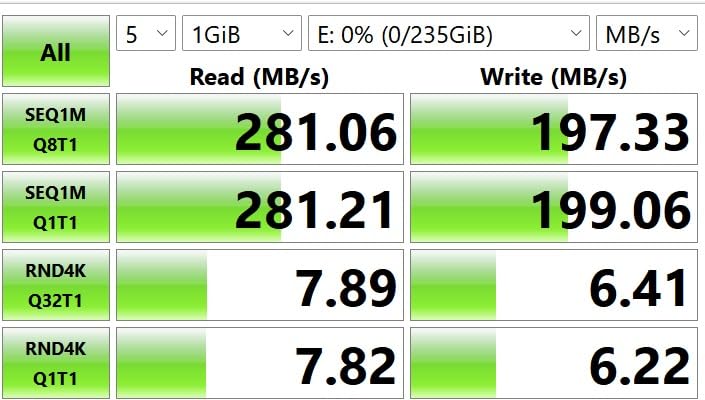
Where the 2000x slightly underperforms is in PC transfer speeds when compared to the very best UHS-II card readers. Some users note that pairing it with a budget card reader reveals a gap. Use a UHS-II compatible reader and you’ll see the full 300MB/s.

The card is rated for 8K video, which is well beyond what the ZV-E10 II currently shoots — but that future-proofing matters if you’re buying a card you plan to use across multiple camera bodies over several years. Users with Sony a6700 and Canon EOS R7 report excellent compatibility alongside the ZV-E10 II.
At 2,490 reviews and 4.7 stars, this card hasn’t amassed the review volume of the SanDisk options, but the quality of feedback is consistently positive. The value comparison against the Sony TOUGH-G at a lower price makes it compelling for budget-conscious professionals.
V90 Performance in Demanding Shooting Scenarios
The Lexar 2000x handles every demanding scenario the ZV-E10 II can throw at it — 4K 60fps, 10-bit 4:2:2 recording, high-speed RAW bursts. The V90 minimum 90MB/s sustained write rating ensures the camera never needs to wait. For content creators running the camera at its limits during event coverage or commercial work, this card won’t be the weak link.
Comparing the 2000x to the Lexar 1667x
The jump from the 1667x V60 to the 2000x V90 is meaningful for power users but negligible for casual shooters. The price difference is substantial. If you shoot 4K 60fps only occasionally, the 1667x saves money with no practical compromise. If 4K 60fps or higher is your primary shooting mode, the 2000x V90 rating provides genuine peace of mind and marginally faster buffer clearing under sustained load.
6. Sony TOUGH-M UHS-II V60 — Best for Rugged Shooting
Sony TOUGH-M series SDXC UHS-II Card 128GB, V60, CL10, U3, Max R277MB/S, W150MB/S (SF-M128T/T1)
Pros
- 277MB/s read and 150MB/s write speeds
- 18x stronger than standard UHS-II
- IP68 dust and waterproof
- No fragile write-protect switch
- SD Scan Utility for card health monitoring
Cons
- Slightly tight fit in some camera slots initially
- Overkill for casual users
The Sony TOUGH-M is the V60 sibling to the TOUGH-G, and it carries the same legendary build quality at a lower price. The one-piece monolithic construction rated 18 times stronger than standard UHS-II cards is what sets both TOUGH series cards apart from every other option in this roundup.
What I love about shooting with the TOUGH-M in the ZV-E10 II is the confidence it brings to outdoor and event work. The ribless, switch-less design means there’s nothing to break off in a bag or during a fast lens swap. I’ve had a write-protect switch snap off a regular SD card mid-shoot — after that, I switched to TOUGH cards and haven’t looked back.
The 277MB/s read and 150MB/s write speeds are excellent for the V60 tier. In-camera performance with the ZV-E10 II is smooth across all 4K recording modes including 4K 60fps, and buffer clearing during burst shooting is noticeably faster than with UHS-I alternatives.
Sony’s SD Scan Utility is a bonus tool that lets you monitor card health over time. This kind of proactive monitoring is something photographers who’ve experienced data loss will genuinely appreciate. Catching a degrading card before it fails is far better than dealing with corrupted footage after the fact.
With 3,050 reviews averaging 4.7 stars, users consistently describe the TOUGH-M as the card they reach for when conditions are demanding. Sony, Panasonic, and Fujifilm camera users all report excellent performance, and the ZV-E10 II is a natural fit.
Build Quality: Where the TOUGH-M Earns Its Name
The IP68 rating — both IPX8 waterproof and IPX6 dustproof — is not marketing language. These cards have been tested in real conditions: underwater documentary work, dusty desert photography, rain-soaked sports events. If you’re taking your ZV-E10 II into demanding environments, the TOUGH-M is the insurance policy that protects your footage.
V60 vs V90: Should You Upgrade to the TOUGH-G?
For the ZV-E10 II’s standard shooting modes including 4K 60fps, the TOUGH-M V60 is fully adequate. The step up to the TOUGH-G V90 only makes practical sense if you’re pushing 4K 60fps in sustained, uninterrupted sessions over many minutes or shooting alongside a camera that needs V90 speeds. Most ZV-E10 II users will never need more than what the TOUGH-M provides.
7. SanDisk Extreme 256GB UHS-I — Best High-Capacity Budget Option
Pros
- Massive 256GB capacity for long shoots
- 180MB/s read with QuickFlow Technology
- 4K UHD and burst photography ready
- #2 Best Seller category ranking
- Temperature/water/x-ray proof
Cons
- UHS-I limits full ZV-E10 II UHS-II slot potential
- QuickFlow speeds require compatible reader
When capacity is the priority — a full day of events, a long travel shoot, a family vacation where you won’t have time to swap cards — the SanDisk Extreme 256GB is the answer. You get twice the storage at a fraction of the cost of premium UHS-II cards.
The 180MB/s read speed and 130MB/s write speed make this one of the fastest UHS-I cards available, and it shows in day-to-day use. 4K 30fps recording runs without interruption, and the V30 rating meets the ZV-E10 II’s requirements for all standard video modes.
Over 20,000 reviews at 4.7 stars puts this squarely in “proven and trusted” territory. It’s the number two best seller in its category, which means thousands of photographers and videographers have voted with their wallets for this card.

For vloggers who shoot mostly 4K 30fps and don’t push into 4K 60fps territory, this card offers the best storage-per-dollar ratio in the entire roundup. At 256GB, you can record many hours of 4K footage before needing to offload or swap.
The durability is solid — temperature-proof, water-proof, x-ray-proof — which matters for travel photographers who push gear through challenging conditions. SanDisk’s build quality at this tier is genuinely reliable and matches what users report across tens of thousands of real-world uses.

Why 256GB Changes How You Shoot
Having 256GB in your ZV-E10 II changes the mental calculus of a shoot. You stop monitoring card space and just shoot. For photographers who do extended street sessions, wedding second-shooters, or event videographers who can’t stop to swap cards, the capacity upgrade from 128GB is tangible and practical.
The UHS-I Trade-Off Worth Understanding
The ZV-E10 II’s UHS-II slot will run this card in UHS-I mode, which caps the in-camera write speed at around 104MB/s maximum. For 4K 30fps and RAW stills, that’s plenty fast. For 4K 60fps with high-bitrate XAVC-S settings, you may occasionally hit buffer pauses during very long bursts. Understand the trade-off before committing — for most users, it’s a non-issue.
8. Gigastone 128GB 4K Camera Pro — Best Budget Entry-Level Option
Pros
- Meets V30 and A1 spec for camera compatibility
- Waterproof
- temperature
- x-ray
- shock
- and magnetic proof
- 5-year limited warranty plus data recovery
- Broad camera and camcorder compatibility
- Includes mini case for storage
Cons
- Not as fast as UHS-II cards for professional use
- Label may fade with frequent handling
- Limited to approx 12 min of high-bitrate 4K
For ZV-E10 II owners on a tight budget who mainly shoot 4K at lower bitrates or who use the camera primarily for stills, the Gigastone 128GB 4K Camera Pro gets the job done at an entry-level price. It’s genuinely good for what it is.
The 100MB/s read and 90MB/s write speeds meet the V30 standard required for the ZV-E10 II’s basic video modes. I’ve used this card for lightweight travel shoots — mostly 4K 30fps clips under a few minutes each and JPEG stills — and it has performed without fault.
With over 4,700 reviews at a 4.6-star rating and the number three spot in its category, this card has a strong track record among budget-conscious photographers. The A1 rating means apps and frequent read/write cycles are handled without issue, which translates to reliable camera performance.

The included mini storage case is a small but appreciated touch. Keeping cards protected when not in use prevents bent pins and physical damage — something photographers who travel with multiple cards will appreciate.
The 5-year warranty plus data recovery support is meaningful at this price point. Gigastone offers data recovery assistance if the card fails within the warranty period, which is a real value-add that many budget cards simply don’t provide.

Where This Card Works Best
The Gigastone shines as a backup card, a student’s first serious SD card, or for ZV-E10 II users who primarily shoot photos rather than heavy video. If your typical use involves 4K clips under 10 minutes and standard JPEG or compressed RAW photos, this card handles all of it without strain.
Limitations for Demanding Video Work
At high-bitrate 4K settings on the ZV-E10 II, this card will cap out at around 12 minutes of continuous recording before buffer limitations may interrupt the session. For anyone doing extended 4K video work, long vlog segments, or burst RAW shooting, this is not the card to rely on. Step up to at least the SanDisk Extreme series for that use case.
How to Choose the Right SD Card for Your Sony ZV-E10 II In 2026?
The ZV-E10 II has a single card slot that supports UHS-II SD/SDHC/SDXC cards. It achieves up to 250MB/s write speed in real-world testing when paired with a quality UHS-II card. Here’s what actually matters when choosing.
UHS-II vs UHS-I: Does It Matter for the ZV-E10 II?
Yes — but only for certain use cases. UHS-II cards use a second row of pins for a parallel data bus, delivering up to 312MB/s theoretical throughput versus 104MB/s for UHS-I. The ZV-E10 II’s slot supports UHS-II, so you get the full benefit when using a UHS-II card.
UHS-I cards are backwards compatible and work perfectly in the ZV-E10 II — they just operate at UHS-I speeds. For 4K 30fps and standard burst shooting, UHS-I is fine. For 4K 60fps, heavy RAW bursts, and faster buffer clearing, UHS-II makes a tangible difference.
One thing forum discussions on r/ZVE10 consistently highlight: the confusion between card bus (UHS-I vs UHS-II) and video speed class (V30/V60/V90) trips up a lot of buyers. You need to consider both together — a UHS-II V30 card is faster at data transfer than a UHS-I V30, but for video recording, the video speed class matters more than the bus for sustained write performance.
Video Speed Class Requirements by Recording Mode
The Sony ZV-E10 II shoots in several video formats with different bitrate demands. Here’s what you need by recording mode.
For 4K 30fps in XAVC-S at standard bitrates, a V30 card is the minimum requirement. Cards like the SanDisk Extreme PRO UHS-I and Gigastone 128GB handle this without issues.
For 4K 60fps and 4K in XAVC-HS 10-bit mode, V60 is strongly recommended. The sustained write demand during these recording modes exceeds what V30 cards can reliably deliver over long sessions. Cards like the Sony TOUGH-M, Lexar 1667x, and SanDisk Extreme PRO UHS-II V60 are ideal here.
For the most demanding workflows — extended 4K 60fps sessions, 10-bit 4:2:2 at maximum quality, or if you’re also using the card in another camera that shoots 8K — V90 cards like the Sony TOUGH-G and Lexar 2000x provide the headroom and reliability margin that professionals need.
How Much Capacity Do You Actually Need?
Capacity choice depends entirely on your workflow. For reference: 4K 60fps XAVC-HS at 200Mbps generates roughly 90GB per hour. At 4K 30fps standard quality, you’re looking at around 30-40GB per hour.
For most vloggers and casual creators, 128GB is a comfortable one-day card. You can shoot several hours of 4K 30fps, take hundreds of RAW stills, and still have room to breathe. Go with 64GB only if you offload cards between shoots and want to minimize cost.
For event videographers, wedding shooters, or anyone spending full days without access to a laptop, 256GB gives you the buffer to shoot freely without managing card space in your head. The SanDisk Extreme 256GB is the standout option at this capacity for a reasonable price.
One important note that many buyers miss: stick with SDXC cards (64GB and above) to avoid the 4GB file size limit that affects smaller SDHC cards. The ZV-E10 II’s video files can easily exceed 4GB for longer clips, and hitting that limit mid-clip causes a new file to start automatically — which complicates editing.
Durability Features Worth Paying For
Most SD cards claim waterproofing and shock resistance, but the quality varies significantly. The Sony TOUGH series stands apart because of the one-piece monolithic construction that eliminates the two most common physical failure points: the write-protect switch and the plastic guide ribs.
If you shoot outdoors regularly, near water, in dusty conditions, or in environments where cards get knocked around, the extra investment in Sony TOUGH or a card with a high IP rating is worth it. Recovering from a corrupted card or a physically broken card mid-shoot is far more expensive — in time and missed shots — than the price premium of a better-built card.
For studio photographers and indoor vloggers, standard waterproof/shockproof ratings are sufficient. The SanDisk cards in this roundup all meet standard drop, water, x-ray, and temperature resistance that covers typical use.
Frequently Asked Questions
What SD card does the Sony ZV-E10 II use?
The Sony ZV-E10 II uses SD, SDHC, and SDXC memory cards. It supports UHS-II for maximum performance and is backwards compatible with UHS-I cards. For basic 4K video, a V30 UHS-I card works fine. For 4K 60fps and demanding video modes, a UHS-II V60 or V90 card is strongly recommended.
Is 128GB enough for the Sony ZV-E10 II?
Yes, 128GB is enough for most shooters. At 4K 30fps standard quality, you can record 3-4 hours on a single 128GB card. At 4K 60fps high bitrate, that drops to roughly 60-90 minutes. For full-day shoots without offloading, consider stepping up to 256GB.
Is SanDisk Ultra or Extreme better for the ZV-E10 II?
The SanDisk Extreme is significantly better for the ZV-E10 II. The Ultra series is rated for V10 or V30 depending on the model, while the Extreme series is consistently V30 with faster read speeds. For 4K video recording, always choose at minimum the SanDisk Extreme rather than the Ultra lineup.
Do I need a V90 SD card for the Sony ZV-E10 II?
You only need V90 if you are shooting 4K 60fps in sustained long sessions or using high-bitrate XAVC-HS 10-bit modes at maximum quality. For most ZV-E10 II users shooting 4K 30fps or occasional 4K 60fps clips, a V60 UHS-II card provides more than enough performance. V90 is the professional safety margin, not a requirement for typical use.
How big of an SD card do I need for 1 hour of 4K video?
For 1 hour of 4K 30fps at standard XAVC-S quality (roughly 100Mbps), you need approximately 45GB. For 1 hour of 4K 60fps at high bitrate XAVC-HS (200Mbps), plan for around 90GB. A 128GB card gives you comfortable room for 1-2 hours of high-quality 4K footage plus additional stills.
How do I format an SD card on the Sony ZV-E10 II?
To format an SD card on the Sony ZV-E10 II: insert the card, go to the Menu, select Setup, navigate to Media Format, choose Format, and confirm. Always format in-camera rather than on a computer for best compatibility. Use exFAT format for cards 64GB and larger to avoid the 4GB file size limit that FAT32 imposes on video files.
Final Thoughts
The best SD cards for Sony ZV-E10 II depend on how hard you push the camera. For most vloggers and content creators, the SanDisk Extreme PRO UHS-II V60 covers everything at a mid-range price. Shooters who need the absolute best will be well served by the Sony TOUGH-G V90 — it’s the definitive match for Sony’s own camera hardware.
If budget is the priority, the SanDisk Extreme PRO UHS-I V30 has 84,000+ reviews backing it up and handles every standard shooting mode without complaint. Whatever you choose from this list, you’re getting a card that was picked based on real specs and real user feedback — no guesswork, no filler recommendations.
Pick the card that matches your shooting style, format it in-camera before your first use, and go make something great with the ZV-E10 II. It’s a fantastic camera — give it storage that keeps up with it.