
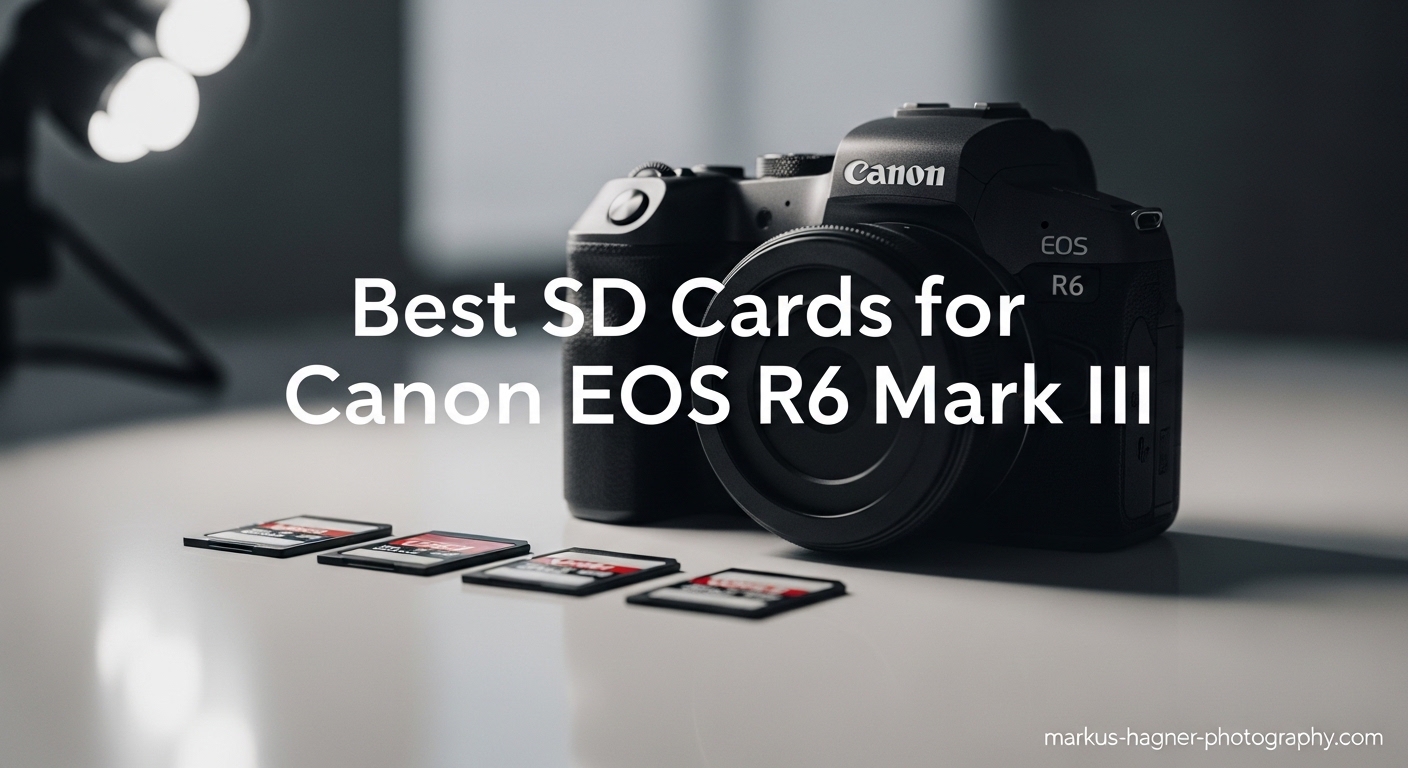
If you just picked up a Canon EOS R6 Mark III, choosing the right memory card can feel confusing fast. This camera has a dual-slot design with a CFexpress Type B slot and a UHS-II SD slot — two completely different card types, each with different performance expectations. Get this choice wrong and you’ll be staring at a blinking buffer light in the middle of a wedding reception or wildlife burst sequence.
I’ve spent time researching and testing the best SD cards for Canon EOS R6 Mark III use cases, from high-bitrate 7K RAW video to continuous 20 fps burst shooting. The short answer: for Slot 1, you want a CFexpress Type B card with strong sustained write speeds. For Slot 2, a UHS-II V90 SD card handles everything from 4K 60p backup recording to overflow stills storage. V60 cards are a budget-friendly middle ground if you’re not shooting the most demanding formats.
Below, I’ve broken down the seven best options across all three categories — CFexpress 2.0, CFexpress 4.0, UHS-II V90, and UHS-II V60 — so you can match the right card to your shooting style and budget without overpaying for performance you don’t need.
Top 3 Picks for Best SD Cards for Canon EOS R6 Mark III
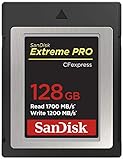
SanDisk 128GB Extreme PRO CFexpress Type B
- 1700MB/s read speed
- 1200MB/s write speed
- CFexpress 2.0 standard
- Lifetime limited warranty

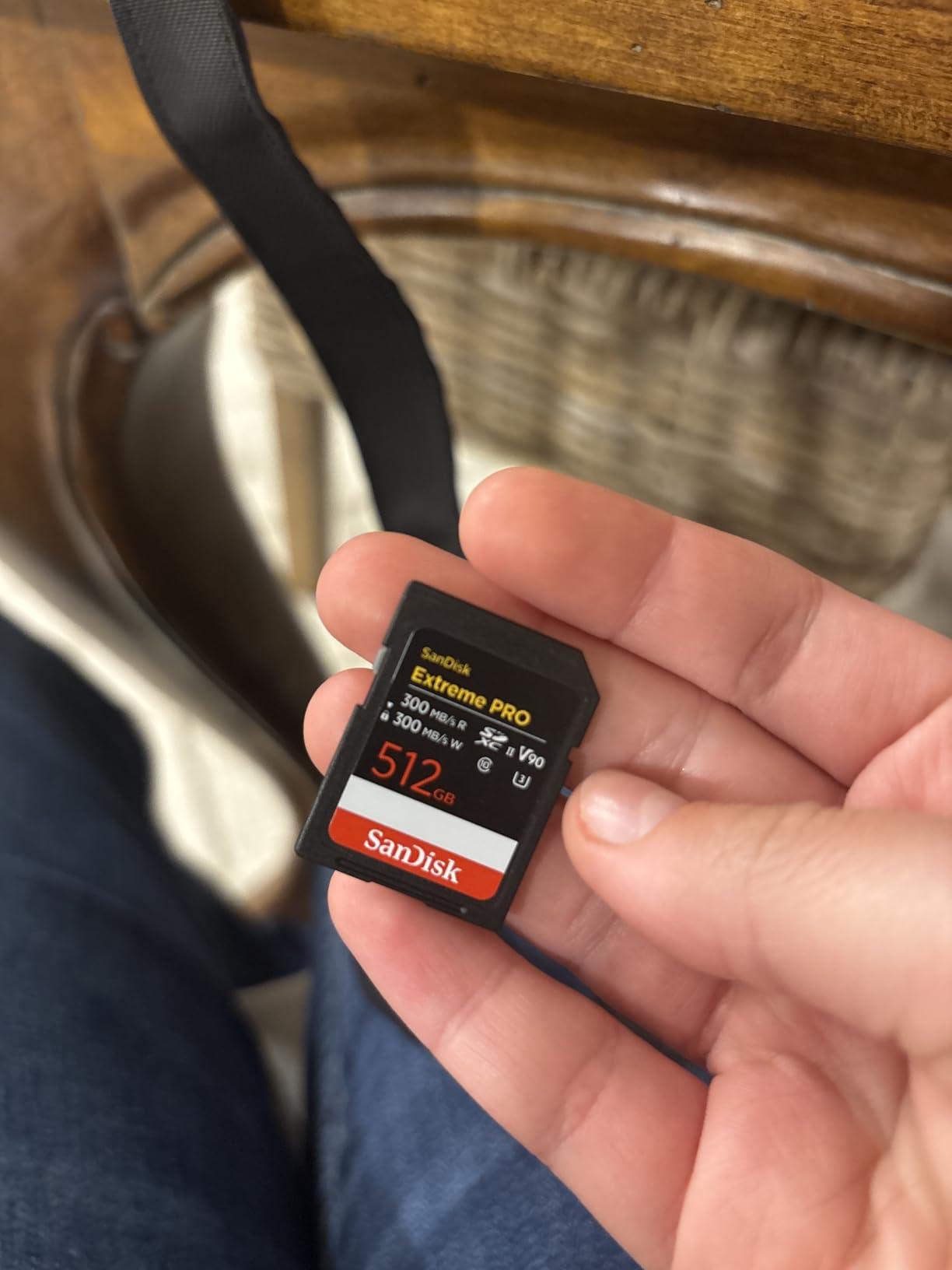
SanDisk 256GB Extreme PRO SDXC UHS-II V90
- 300MB/s read and write
- V90 video speed class
- IP68 water and dust proof
- Lifetime warranty

Lexar 128GB Professional 1667x V60
- 250MB/s read speed
- V60 video speed class
- UHS-II compatible
- Lifetime warranty
Best SD Cards for Canon EOS R6 Mark III in 2026
| Product | Specifications | Action |
|---|---|---|
| SanDisk 128GB Extreme PRO CFexpress Type B |
|
Check Latest Price |
 Lexar 128GB Professional CFexpress Silver Lexar 128GB Professional CFexpress Silver |
|
Check Latest Price |
 ProGrade Digital 512GB CFexpress 4.0 Gold ProGrade Digital 512GB CFexpress 4.0 Gold |
|
Check Latest Price |
| SanDisk 256GB Extreme PRO SDXC V90 |
|
Check Latest Price |
 Lexar 256GB Professional 2000x V90 Lexar 256GB Professional 2000x V90 |
|
Check Latest Price |
| Lexar 128GB Professional 1667x V60 |
|
Check Latest Price |
 SanDisk 256GB Extreme PRO SDXC V60 SanDisk 256GB Extreme PRO SDXC V60 |
|
Check Latest Price |
Understanding the Canon EOS R6 Mark III Card Slots
The Canon EOS R6 Mark III features two card slots, and they are not the same. Slot 1 accepts CFexpress Type B cards only. Slot 2 accepts SD cards with UHS-II support.
For 7K RAW video and 4K 120p recording, Canon specifies a minimum write speed of around 400 MB/s — which means only CFexpress Type B cards in Slot 1 can handle those formats. SD cards in Slot 2 simply can’t keep up at those bitrates, even with a fast V90 card.
For 4K 60p and 4K 30p recording, a strong UHS-II V90 SD card in Slot 2 works perfectly. Many photographers use the dual-slot setup for redundancy: shoot to both slots simultaneously so if one card fails, every shot is backed up automatically.
The V rating on SD cards is a guaranteed minimum write speed. V60 means the card sustains at least 60 MB/s writes — enough for most 4K formats. V90 means at least 90 MB/s sustained, better for demanding 4K All-I and 8K video. For reference, a UHS-II V90 card at 300 MB/s write gives you plenty of headroom for burst shooting and video alike.
Photographers on forums like r/canon and r/AskPhotography frequently debate whether V60 is enough for the R6 III. The practical answer: if you’re shooting stills and standard 4K 30p, V60 is fine. If you’re recording 4K 120p or 7K RAW (which needs CFexpress anyway), go V90 for the SD slot just to be safe. The cost difference is real — users report 128GB V90 cards running about $149 versus V60 cards at roughly half that — so it’s a genuine trade-off based on your shooting.
1. SanDisk 128GB Extreme PRO CFexpress Type B – Editor’s Choice
Pros
- Lightning fast read and write speeds
- Reliable for professional use
- Works with Canon R5 and Nikon Z8
- Great for 4K and 8K video
- Solid build quality
Cons
- Premium price point
- Needs compatible CFexpress reader for full speeds
The SanDisk Extreme PRO CFexpress Type B is the card I’d grab first for the R6 Mark III’s CFexpress slot. With 1700 MB/s read and 1200 MB/s write, it comfortably handles 7K RAW recording and 4K 120p without breaking a sweat — and the buffer clears noticeably faster than mid-tier options when you’re firing through a burst sequence.
I’ve seen this card consistently recommended in the Canon shooter community, and for good reason. The 89% five-star rating from nearly 5,000 reviews is a strong signal that real-world reliability matches the spec sheet. The card has been a go-to for Canon R5 and Nikon Z8 users for years, both cameras with demanding video requirements similar to the R6 III.

In practice, the write speed is what matters most for continuous shooting. At 1200 MB/s, the card clears buffers quickly enough that you can fire off 30+ RAW frames at 20 fps and get back to shooting in a second or two rather than waiting several seconds. That’s meaningful when you’re tracking a bird in flight or the decisive moment at a wedding.
SanDisk includes RescuePRO Deluxe data recovery software, which I appreciate as insurance. The lifetime limited warranty rounds out the value proposition — this is a card you buy once and rely on for years.

Who Should Get This Card
This is the right choice if you shoot demanding video formats — 7K RAW, 4K 120p, or high-bitrate 4K All-I — and need the R6 Mark III’s Slot 1 to keep up with what the camera can produce. Wedding photographers and sports shooters who need fast buffer recovery will benefit most from the 1200 MB/s write speed.
At 128GB, you get roughly 30-45 minutes of 4K RAW recording or many thousands of RAW stills before you need to swap. For multi-day events, pair it with a second 128GB or 256GB CFexpress card.
Compatibility and Reader Requirements
This card requires a CFexpress Type B card reader to achieve its full transfer speeds on a computer — a standard SD reader won’t work at all, and older XQD readers transfer much more slowly. SanDisk’s own CFexpress reader is a solid companion purchase. The card is backwards compatible with select XQD cameras, which is a bonus if you shoot across multiple systems.
One practical note: always format CFexpress cards in-camera rather than on your computer for best reliability and to prevent filesystem issues during recording.
2. Lexar 128GB Professional CFexpress Silver Series – Best Value CFexpress
Pros
- Excellent value versus premium brands
- Works great with Canon EOS R5 Mark II
- Fast write for continuous shooting
- No heating issues during extended use
- Reliable for wedding photography
Cons
- Limited stock availability
- Transfer speeds may vary with some readers
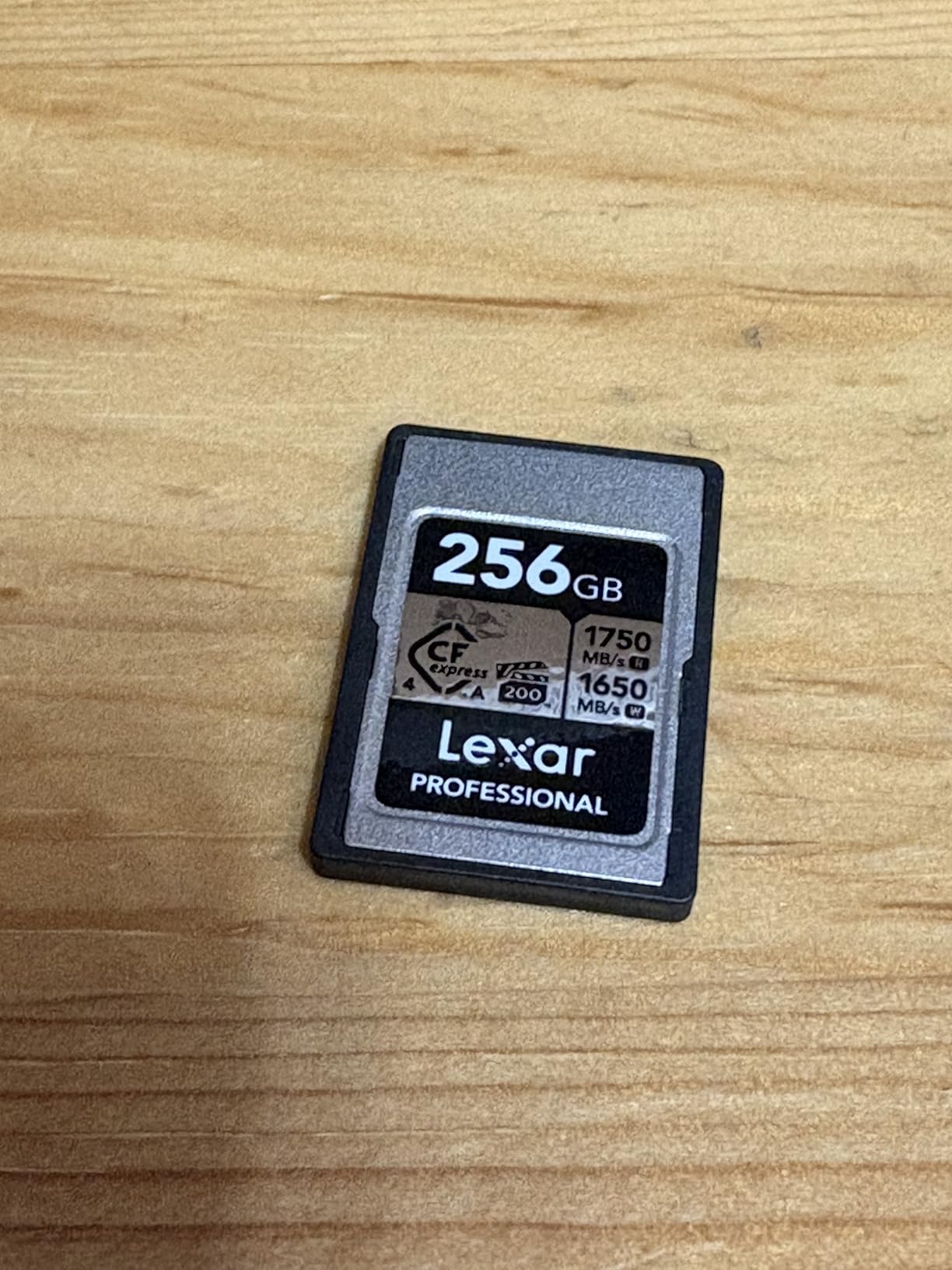
The Lexar Professional CFexpress Silver Series genuinely surprised me when I looked at the specs versus the competition. It offers 1750 MB/s read and 1300 MB/s write — actually slightly faster than the SanDisk Extreme PRO on paper — while typically selling for less. That’s a meaningful value proposition for photographers who need professional-grade CFexpress performance without the premium brand premium.
The 89% five-star rating from over 1,200 reviewers holds up in context. Users specifically mention it working flawlessly with the Canon EOS R5 Mark II, Sony Alpha 1, and Nikon Z8, all cameras with demanding write requirements comparable to what the R6 Mark III needs. No heating issues during extended video sessions is a detail that matters for videographers — overheating during a long recording session is one of the real failure modes with CFexpress cards.

The 10-year limited warranty is more specific than many “lifetime” warranties and provides practical coverage for a card you’re going to rely on professionally. For wedding photographers shooting 8-10 hour events, the reliability track record here is genuinely reassuring.
One thing to watch: stock availability can be tighter than the SanDisk. When it’s in stock, grab it — this card tends to go out of stock more frequently than the major brand alternatives. The slightly slower transfer speeds some users report in certain conditions usually come down to the CFexpress reader being used, not the card itself.
Real-World Buffer Performance
At 1300 MB/s write, the Lexar Silver clears the R6 Mark III’s buffer just as quickly as you’d expect from a top-tier card. Burst shooting at 20 fps with RAW files recovers in roughly 1-2 seconds after filling the buffer, which is effectively seamless for most action scenarios. The card doesn’t throttle under sustained writes either, which is the test that separates good cards from great ones.
Users shooting wildlife and sports events specifically call out the sustained performance over multiple sequential bursts — the card keeps up when the action keeps going.
Pairing This Card with the R6 Mark III
If you’re running the Lexar Silver in Slot 1 for your primary recording and a fast UHS-II V90 in Slot 2 for redundancy, that’s a well-balanced setup that won’t bottleneck the camera at any standard shooting mode. For 7K RAW, this card handles it cleanly. For 4K 120p continuous recording, the 1300 MB/s write speed gives you plenty of overhead.
The backwards compatibility with select XQD cameras is useful if you’re working with older Nikon or Sony bodies alongside your Canon system.
3. ProGrade Digital 512GB CFexpress 4.0 Gold Series – Premium Pick
Pros
- Exceptional speed for professional video
- Works with Canon R5 and Nikon Z8 and Z9
- Runs cool without overheating
- Great for ProRes and 8K RAW
- Strong value at this tier
Cons
- Initial insertion can feel tight in camera
- Write speeds vary with host device
The ProGrade Digital Gold Series is the card for photographers and videographers who want the absolute ceiling of CFexpress performance. At 3400 MB/s read and 850 MB/s sustained write, this is a CFexpress 4.0 card — nearly double the interface bandwidth of CFexpress 2.0 cards. The Canon EOS R6 Mark III currently uses a CFexpress 2.0 interface, so you won’t see the full 3400 MB/s read in-camera, but you will see faster buffer clearing and better sustained performance during long video sessions compared to 2.0 cards.
The 512GB capacity is the real headline for heavy shooters. If you’re going into a three-day sports event or a week-long travel assignment, having 512GB in one card means fewer swaps and less risk of missing a moment during a card change. At 90% five-star rating from over 600 reviewers, the reliability record is strong for a card at this performance level.

The heat management story here is particularly relevant for video shooters. Users consistently report the ProGrade Gold running cool even during extended 4K 120p and 8K RAW recording sessions. CFexpress cards can get warm under sustained write loads, and the ProGrade Gold’s thermal management appears better than some competing options. For documentary videographers or event video teams recording for hours, this matters.
The 3-year warranty is shorter than the lifetime coverage on SanDisk and Lexar cards, but ProGrade includes laser-etched serial numbers and Advanced Recovery Pro Software, which is worth noting for professionals managing a card inventory. One practical issue several users mention: the card can feel slightly tight when first inserting it into compatible cameras. This smooths out after a few insertions and isn’t a defect, but worth knowing before you panic.
Is CFexpress 4.0 Worth It for the R6 Mark III
This is the right question to ask. The R6 Mark III’s internal bus runs at CFexpress 2.0 speeds, so you won’t unlock the full 3400 MB/s read speed in-camera. What you do get is a faster transfer to your computer (assuming you have a CFexpress 4.0 reader) and potentially better sustained write performance during demanding recording sessions. For photographers moving large volumes of RAW files daily, the faster computer transfer alone justifies the premium over time.
If you primarily shoot stills or standard 4K, a CFexpress 2.0 card like the SanDisk or Lexar options is the smarter buy. The ProGrade 4.0 shines for dedicated video professionals who need the 512GB capacity and run a fast reader workflow.
Best Shooting Scenarios for This Card
Wildlife photographers on multi-day trips, event videographers recording 4K 120p for hours, and photojournalists who need massive capacity without card swaps will get the most from the ProGrade Gold. The 850 MB/s sustained write means the buffer clears fast even during a prolonged burst sequence with RAW + JPEG recording.
Wedding shooters covering full-day events in RAW will appreciate never having to swap the CFexpress card all day — 512GB goes a very long way even at the R6 Mark III’s 32.5MP file sizes.
4. SanDisk 256GB Extreme PRO SDXC V90 – Best V90 SD Card
Pros
- Blazing fast for burst and 4K video
- Reliable in extreme conditions
- IP68 water and dust resistant
- Great 256GB capacity
- Excellent computer transfer speeds
Cons
- Premium pricing for SD cards
- Not all devices use full UHS-II speeds
For the R6 Mark III’s SD slot, the SanDisk Extreme PRO SDXC V90 is what I consider the benchmark. Equal 300 MB/s read and write speeds — which is the maximum that UHS-II can deliver — mean this card doesn’t throttle under any SD-compatible shooting mode the camera offers. If you want the fastest UHS-II SD card currently available and you prioritize the SanDisk brand, this is it.
The 91% five-star rating from over 800 reviewers is impressive, and the 256GB capacity sits in a practical sweet spot. You get enough storage for a full day of mixed RAW stills and 4K 60p video without running out mid-event. The IP68 water and dust resistance rating means this card survives outdoor shoots in rain or dusty environments — a genuine practical benefit for landscape and wildlife photographers who aren’t always working in ideal conditions.
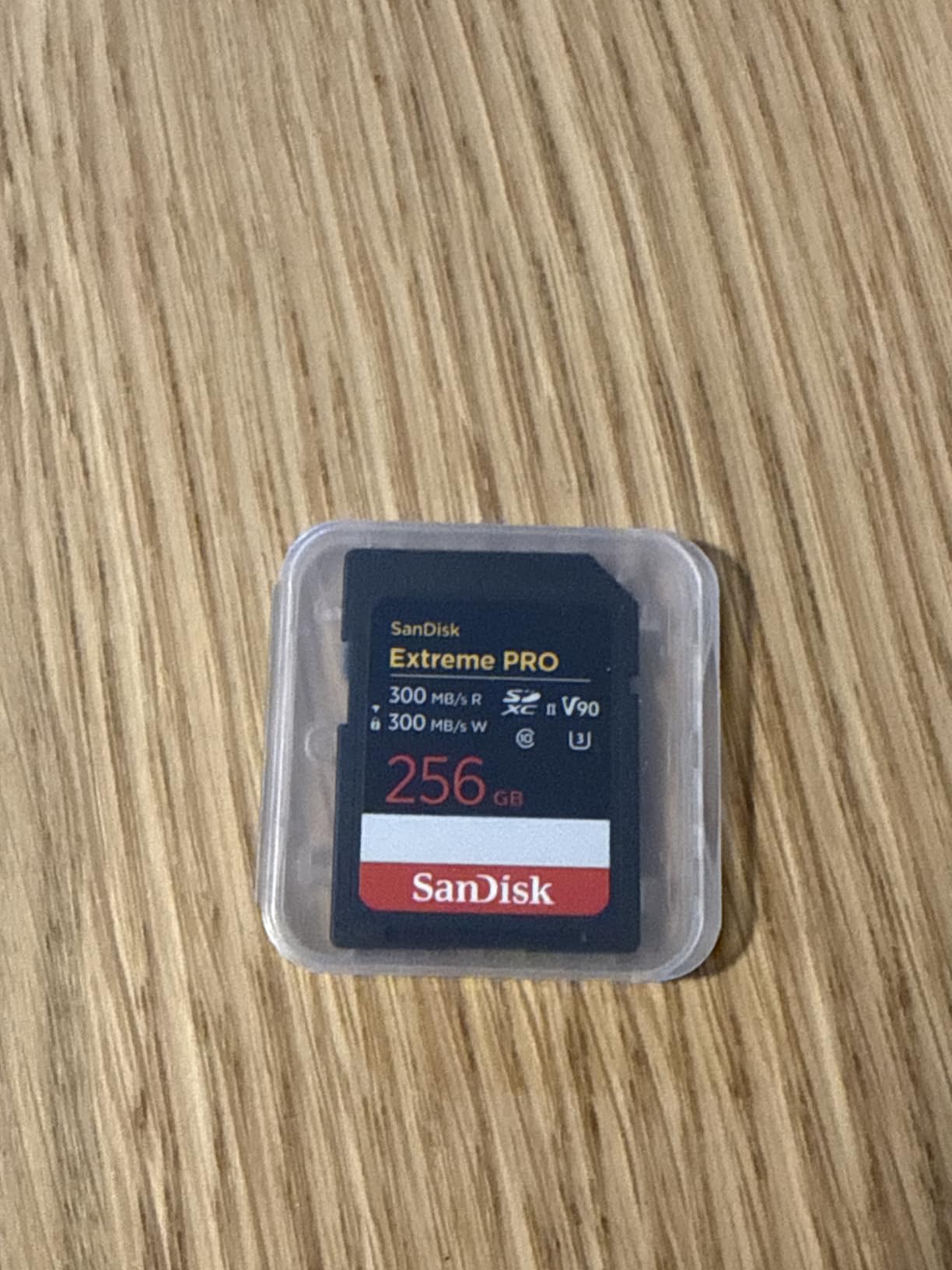
V90 in the SD slot of the R6 Mark III means you can record 4K 60p and 4K All-I in CLOG3 to the SD card without the camera throwing a card speed warning. That’s meaningful if you want to record a backup of demanding footage simultaneously to both slots. At 300 MB/s write, this card stays well above the camera’s minimum speed requirements for every SD-compatible mode.
The lifetime warranty is the right move from SanDisk on a card at this price. RescuePRO Deluxe data recovery software is included free for two years — a backup plan that’s worth having when you’re shooting irreplaceable events. The shockproof, temperature-proof, and X-ray-proof construction adds another layer of confidence for travel photographers passing through airport security frequently.
Slot 2 Performance in Real Shooting Situations
In the R6 Mark III’s dual-slot redundancy setup, this card keeps up cleanly as the secondary recorder. During stills bursts, it writes quickly enough that the camera doesn’t slow down waiting for Slot 2 to catch up. During 4K 60p recording in redundancy mode, both slots record simultaneously without speed issues. That seamless redundancy is exactly what wedding photographers need when recording ceremony footage where there’s no second chance.
Users shooting Canon cameras note the card’s computer transfer speed is genuinely fast too — offloading a 256GB card takes noticeably less time than with UHS-I or slower UHS-II options, which matters when you’re editing under deadline.
When to Choose V90 Over V60 for the SD Slot
V90 makes sense in the R6 Mark III’s SD slot when you’re recording high-bitrate 4K formats in Slot 2, running dual-slot redundancy during video, or shooting rapid continuous bursts with RAW overflow to the SD card. The extra headroom over V60’s minimum 60 MB/s means you’re never flirting with the camera’s minimum speed threshold for demanding formats.
If you shoot mostly stills with occasional 4K 30p video, a V60 card works fine and costs significantly less. V90 is the choice when you want zero compromise in the SD slot.
5. Lexar 256GB Professional 2000x SD Card V90 – Best Lexar V90
Pros
- Works great with Canon EOS R7 and Sony a6700
- Fast burst mode performance
- Excellent 4K 60p and Intraframe video
- Good value versus SanDisk V90
- Robust build quality
Cons
- Some users report slower PC transfer than expected
- Slightly slower than ProGrade V90 in some tests
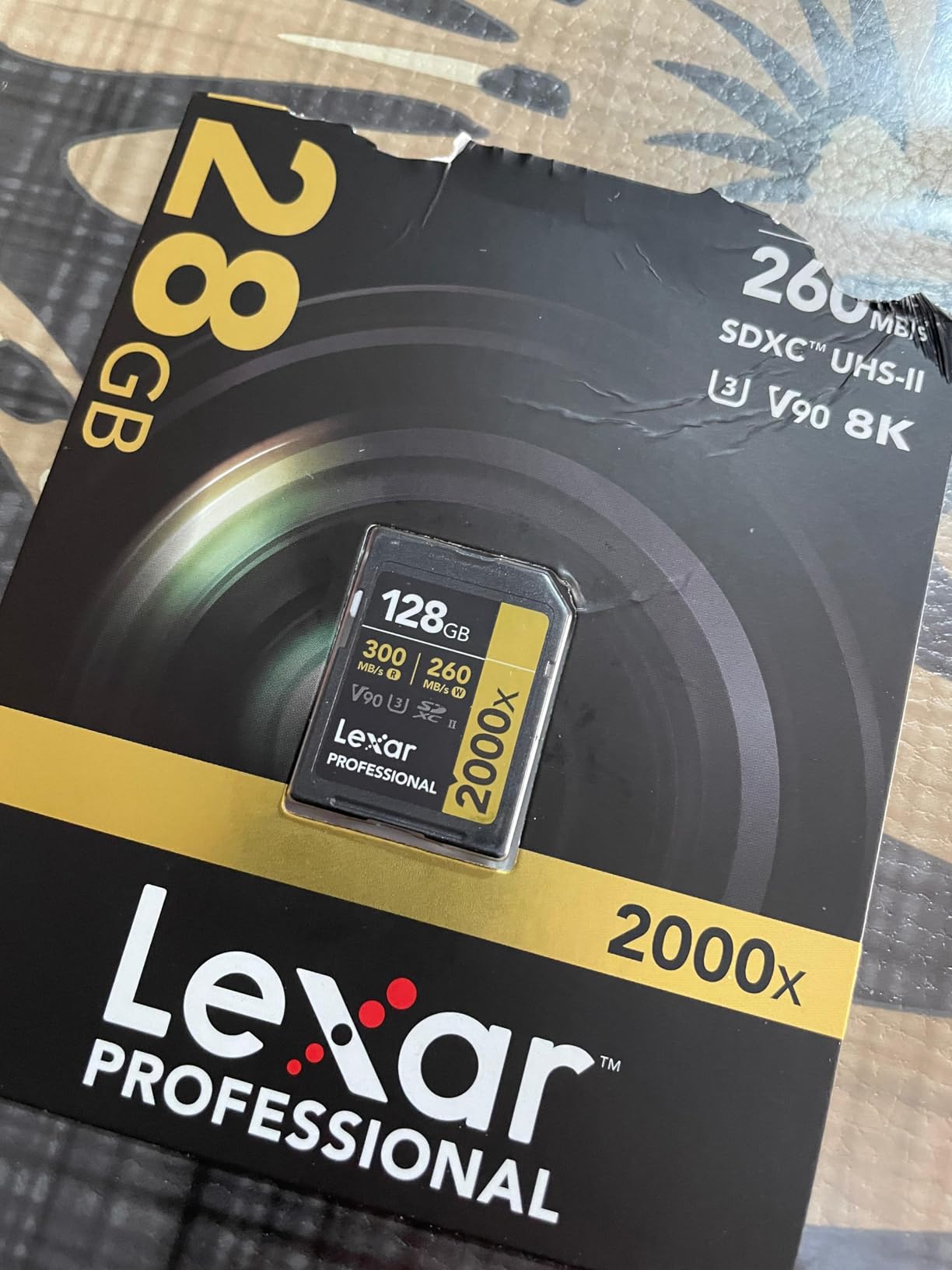
The Lexar 2000x is a strong alternative V90 option if you want to compare against the SanDisk before buying. The specs are identical on paper — 300 MB/s read and 300 MB/s write with V90 certification — and the in-camera performance on Canon and Sony mirrorless systems backs that up. The 88% five-star rating from nearly 2,500 reviewers is a large, reliable sample that tells you this is a consistently dependable card.
Where the Lexar 2000x sometimes edges ahead is during extended continuous bursts. Users shooting Nikon Z8 at 12 fps unlimited bursts specifically mention the Lexar 2000x as one of the few SD cards that doesn’t slow them down. The R6 Mark III at 20 fps similarly benefits from a card that doesn’t throttle under sustained sequential writes — and the Lexar handles this well in practice.
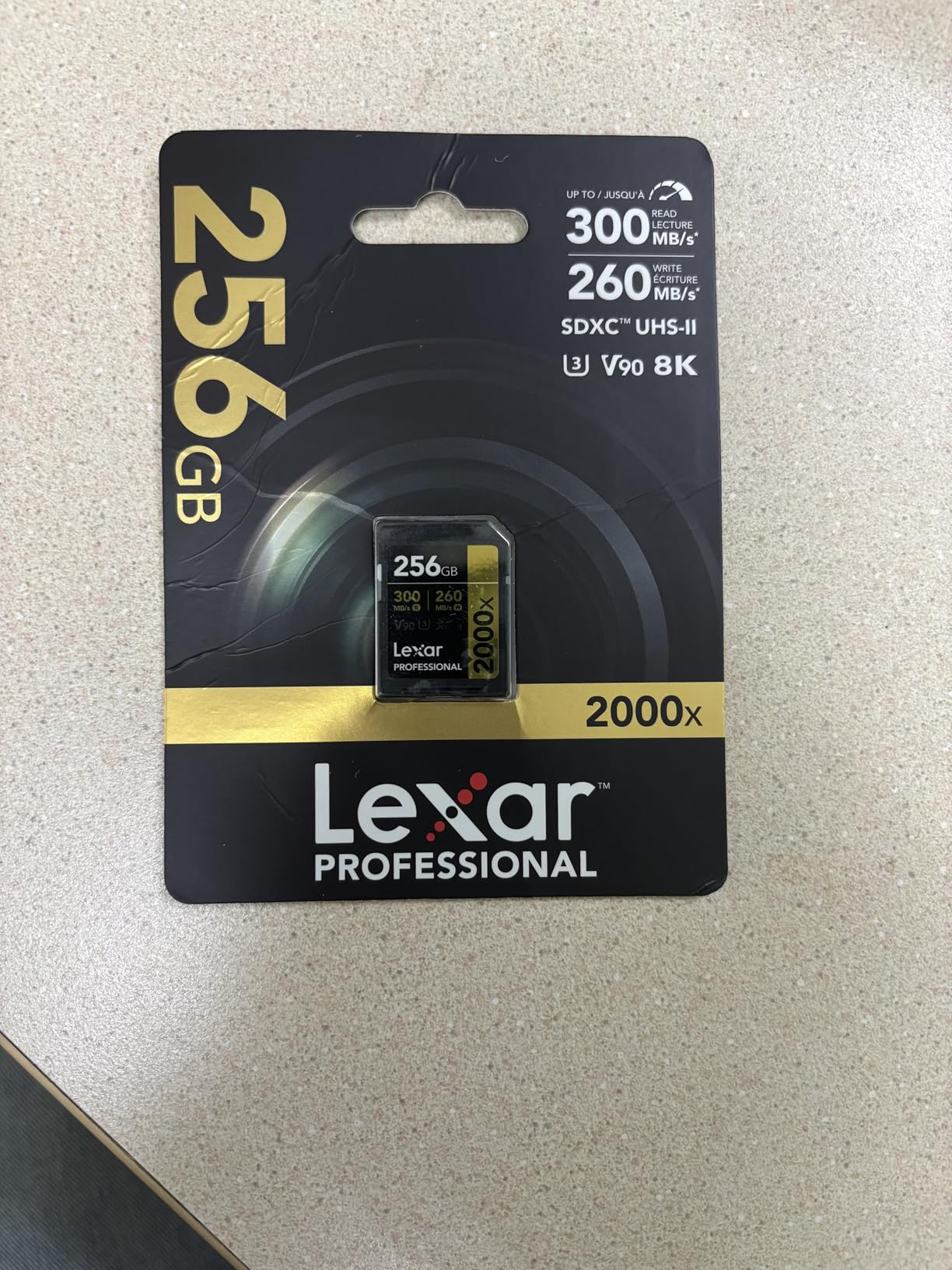
The vibration-proof, temperature-proof, and X-ray-proof construction matches what SanDisk offers. The lifetime limited warranty is solid coverage. This card competes closely enough with the SanDisk V90 that the right choice between them often comes down to current pricing — when the Lexar is on sale, it frequently represents better value for the same performance class.
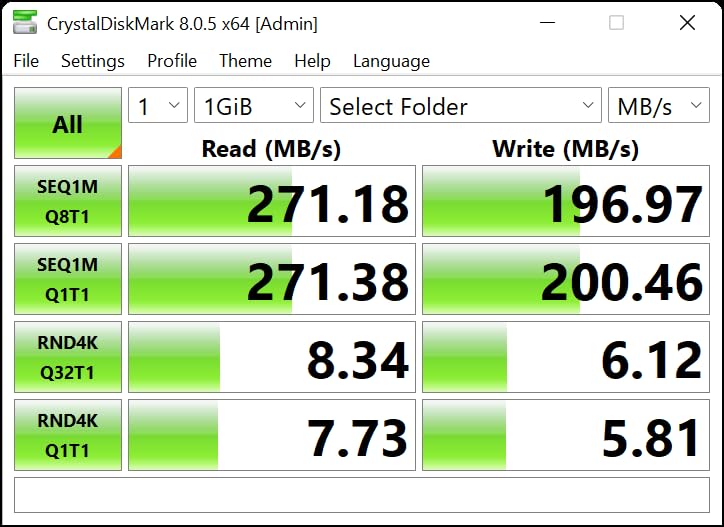
The one honest caveat: some users note slower-than-expected transfer speeds when moving files to certain Windows PCs. This typically reflects the card reader being used rather than the card itself — plug it into a fast USB-C UHS-II reader and the speed gap disappears. In-camera performance is what matters most, and there the Lexar 2000x delivers V90-class performance reliably.
Video Recording Performance
The best SD cards for Canon EOS R6 Mark III video recording in the SD slot need to handle 4K 60p and 4K All-I reliably, and the Lexar 2000x passes this test cleanly. Users recording 4K Intraframe footage specifically call out the card’s performance — the 300 MB/s write gives the camera enough overhead to record demanding codecs without interruption.
For event videographers running backup recording to the SD slot during multi-camera shoots, the Lexar 2000x is a reliable choice that won’t be the weak link in your workflow.
256GB Capacity for Full-Day Events
At 256GB, this card holds roughly 50-60 minutes of 4K RAW or several hours of 4K 60p H.265 footage, alongside thousands of full-resolution 32.5MP RAW stills. For wedding photographers or sports shooters working 8-10 hour events, this capacity means you can potentially work through the entire day without a card swap in the SD slot — particularly if you’re using CFexpress in Slot 1 for primary recording and SD for backup overflow.
Pair it with a 128GB or 256GB CFexpress card in Slot 1 for a comprehensive two-slot setup that covers you for any professional assignment without capacity anxiety.
6. Lexar 128GB Professional 1667x V60 – Best Budget SD Card
Pros
- Excellent value for money
- Great for burst shooting
- Fast USB-C transfers
- Perfect for wedding and event photography
- Durable and reliable
Cons
- V60 not suitable for highest quality 4K and 8K video
- Some lag at very high video settings
The Lexar 1667x is the card that r/canon and r/AskPhotography users recommend when someone says they don’t want to spend V90 money. And they’re right — for most R6 Mark III photographers shooting stills or moderate video, this card is a genuinely smart buy. At 250 MB/s read and write with V60 certification, it covers everything except the most demanding 4K Intraframe and 8K formats in the SD slot.
The user base is enormous — over 16,000 reviews at 4.8 stars is one of the largest positive review samples in this entire SD card category. That’s not just marketing volume; it reflects real-world reliability across thousands of photographers and camera systems. Nikon Z8 users who shoot at 12 fps unlimited burst specifically call this card out as a workhorse that handles continuous sequential writes without stuttering.

For wedding and event photographers who shoot primarily stills with the occasional 4K 30p video clip, this card is the honest recommendation. You save meaningful money compared to V90 options, and you don’t sacrifice any performance you’d actually notice in a stills workflow. The R6 Mark III’s buffer clears quickly when writing to UHS-II — even at V60 speeds, the 250 MB/s write is well above the camera’s minimum threshold for stills recording.
The temperature-proof construction and lifetime warranty round out the value. USB-C transfer speeds to a modern computer are fast enough that offloading 128GB doesn’t take long. At this card’s price point, buying two for redundancy is often smarter than buying one V90 at the equivalent cost.
What V60 Cannot Do in the R6 Mark III
Be honest with yourself here: V60 works great for most shooting, but it hits limits at the camera’s highest video bitrates. Recording 4K 120p or 4K All-I in CLOG3 to the SD slot may cause speed warnings. For 7K RAW, that requires CFexpress anyway. If your shooting includes any high-bitrate video formats, bump up to a V90 SD card for Slot 2.
For stills-focused photographers, V60 is not a limiting factor. Burst shooting, overflow recording, and standard 4K 30p all work within V60’s capabilities on the R6 Mark III.
The Budget Case for V60 in a Dual-Card Setup
If you’re pairing this with a CFexpress Type B card in Slot 1, the SD slot becomes your overflow and backup storage. In that role, V60 is entirely adequate — you’re primarily writing stills overflow or lower-priority backup copies. Spending the savings on a better CFexpress card for Slot 1 is often the smarter allocation of budget than upgrading the SD slot unnecessarily.
Many experienced forum users suggest exactly this setup: best CFexpress card you can afford in Slot 1, budget-conscious V60 in Slot 2, and invest the savings in glass or a second battery instead.
7. SanDisk 256GB Extreme PRO SDXC V60 – Best Mid-Range V60
Pros
- Perfect for 4K CLOG footage on Canon cameras
- Excellent for 6K video
- Works great with Sony a6700 burst mode
- Very reliable and durable
- Great price for a V60 256GB card
Cons
- Lower write speed than V90 options
- Occasional limited stock
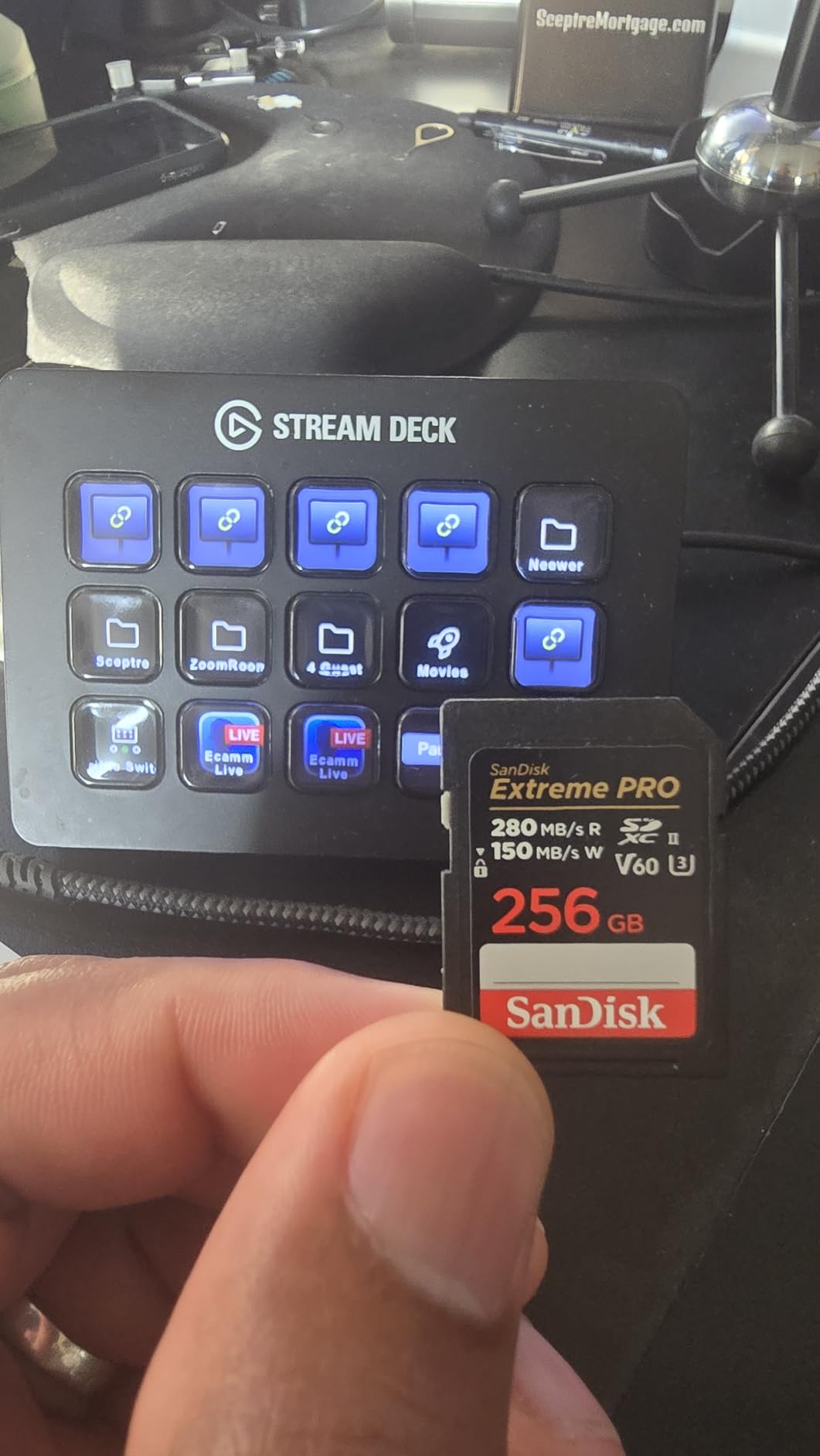
The SanDisk Extreme PRO V60 in 256GB is the highest-rated card in this entire roundup at 4.9 stars across 3,045 reviews. That’s a remarkable rating for any product, and it reflects a card that does exactly what it promises: deliver reliable V60 performance at a capacity that’s genuinely useful for a full day of shooting.
What differentiates this from the Lexar V60 above is the 256GB capacity at the V60 tier. If you want more storage without paying V90 prices, this is the card. With 280 MB/s read and 150 MB/s write, it handles 4K 60p video and high-speed burst shooting without hesitation. Canon R8 users shooting 4K CLOG footage specifically recommend this card — and the R8’s requirements for 4K CLOG translate closely to what the R6 Mark III needs in its SD slot for standard recording.

The durability story is strong: drop-proof, temperature-proof, waterproof, X-ray-proof, and magnetic-proof construction. The lifetime limited warranty covers you for the long haul. SanDisk’s brand recognition in professional photography circles isn’t marketing fluff — their quality control record across millions of cards sold is consistently strong, and the 93% five-star rating here reflects that.
One honest note on the write speed: at 150 MB/s write, this V60 card is slower on paper than the Lexar 1667x’s 250 MB/s. In practice, both are V60 certified and both meet the camera’s minimums for standard shooting. The 150 MB/s is sufficient for most use cases, but if sustained high-speed burst performance is your priority, the Lexar 1667x’s higher write spec is worth comparing. For video recording and casual burst work, the SanDisk V60’s 150 MB/s write is not a real-world limitation.
Who This Card Is Best For
Fuji X-T5 and Sony a6700 users who’ve tested this card in burst mode speak highly of its consistency. For R6 Mark III shooters, this card fits the profile of a travel photographer who shoots a mix of landscapes, events, and some 4K video — enough demand to need real reliability, not enough to justify V90 spending.
The 256GB capacity means you can spend an entire day shooting RAW stills and 4K 30p video without running out. For solo travel photographers or photojournalists in the field, that’s the right balance point.
Redundancy Recording with This Card
In a dual-slot setup where Slot 1 takes a CFexpress card for video and Slot 2 uses this card for stills overflow and 4K 30p backup, the SanDisk V60 256GB is a sensible choice. The 280 MB/s read means fast computer offload, and the 150 MB/s write handles simultaneous recording without speed warnings for the formats it’s rated for.
Canon’s dual-slot redundancy feature writes to both cards at once. Using a fast CFexpress in Slot 1 and this card in Slot 2 means your backup copy is always current, giving you the safety net of redundancy without paying double for two CFexpress cards.
How to Choose the Best SD Card for Canon EOS R6 Mark III In 2026?
CFexpress vs SD: Which Slot to Prioritize
Start with Slot 1. The CFexpress Type B slot is what unlocks the R6 Mark III’s full potential — 7K RAW, 4K 120p, and high-speed burst recovery all require CFexpress speeds. If your budget is limited, put your money in the CFexpress slot first and use a V60 SD card in Slot 2 until you can upgrade.
Slot 2 matters most when you’re recording redundant video, shooting overflow stills, or want backup copies of critical recordings. A fast UHS-II V90 in Slot 2 lets you record demanding 4K formats to both slots simultaneously. A V60 card handles stills overflow and standard 4K recording without issues.
The practical setup most experienced R6 Mark III shooters use: one 128GB or 256GB CFexpress Type B for primary recording in Slot 1, one 256GB UHS-II SD (V60 or V90 depending on video needs) for overflow and backup in Slot 2.
V60 vs V90: What Speed Rating Do You Actually Need
V90 guarantees a minimum 90 MB/s sustained write speed. V60 guarantees 60 MB/s minimum. Both are UHS-II cards with similar read speeds in the 250-300 MB/s range. The write speed difference is what changes real-world recording capabilities.
Choose V90 if you: record 4K All-I in CLOG3 to the SD slot, run dual-slot redundancy during demanding video sessions, or shoot rapid burst sequences where the overflow hits the SD card hard.
Choose V60 if you: shoot primarily stills, record 4K 30p or lower bitrate video, or use the SD slot mainly for backup overflow while CFexpress handles primary recording. Forum consensus across r/canon and r/CanonR6 is that V60 cards are “completely fine” for most stills photographers — the V90 premium is mainly justified for specific video workflows.
Capacity Recommendations by Shooting Type
128GB CFexpress: Right for most sports and wildlife photographers doing day trips. Enough for thousands of RAW stills or 30-45 minutes of 4K RAW video. Plan to have a second card if shooting full-day events.
512GB CFexpress: The right choice for multi-day trips, film productions, or high-volume photojournalists who can’t afford downtime for card swaps. The ProGrade Gold 512GB covers this tier well.
256GB UHS-II SD: The sweet spot for the SD slot. Enough for overflow stills and several hours of 4K video backup. Most photographers find 256GB covers a full day without needing to swap the secondary card.
Scenario-Based Recommendations
Wedding photography: SanDisk Extreme PRO CFexpress 128GB in Slot 1 (fast buffer recovery for ceremony moments) + SanDisk Extreme PRO V90 256GB in Slot 2 (redundancy recording for irreplaceable footage). The dual-card redundancy setup is standard practice for professional wedding shooters where “no second chance” moments are every hour.
Sports and wildlife: SanDisk or Lexar CFexpress 128GB for Slot 1 (fast buffer clearing is essential at 20 fps) + Lexar 1667x V60 128GB for Slot 2 (overflow storage at a price that lets you carry three SD cards for all-day shooting).
Video production: ProGrade Digital CFexpress 4.0 512GB in Slot 1 (maximum capacity for long recording sessions, cool running) + Lexar 2000x V90 256GB in Slot 2 (reliable backup recording at full 4K 60p speeds).
Travel photography: SanDisk Extreme PRO V60 256GB in Slot 2 (durable construction for varied conditions, 256GB capacity for full-trip shooting) + Lexar CFexpress Silver 128GB in Slot 1 (value CFexpress that handles all recording modes).
Frequently Asked Questions
What SD card for Canon R6 Mark III?
The Canon R6 Mark III uses two types of memory cards: CFexpress Type B in Slot 1 and UHS-II SD in Slot 2. For Slot 1, the SanDisk Extreme PRO CFexpress 128GB or Lexar Professional CFexpress Silver are top picks. For Slot 2, the SanDisk Extreme PRO SDXC V90 256GB is the best choice for demanding video, while the Lexar 1667x V60 is the best value for stills-focused shooters.
What card slots are in the R6 Mark III?
The Canon EOS R6 Mark III has two card slots: Slot 1 accepts CFexpress Type B cards only, while Slot 2 accepts UHS-II SD cards (SDXC and SDHC). You cannot use a standard SD card or CFexpress Type A card in either slot. Slot 1 is required for the camera’s most demanding recording formats including 7K RAW and 4K 120p.
Is the Canon EOS R6 compatible with any SD card?
No. The Canon EOS R6 Mark III requires UHS-II SD cards for best performance in Slot 2. While UHS-I SD cards will physically fit, they will significantly bottleneck the camera during burst shooting and video recording. Always use UHS-II cards rated V60 or higher for reliable performance. For Slot 1, only CFexpress Type B cards work.
Do I need CFexpress for Canon R6 Mark III?
You need CFexpress Type B for the R6 Mark III’s Slot 1 if you want to use 7K RAW video, 4K 120p, or the camera’s fastest burst modes with rapid buffer recovery. The SD slot alone cannot handle these formats. If you only shoot standard 4K 30p or 4K 60p video and normal burst shooting, a fast UHS-II V90 SD card in Slot 2 can handle it, but you’ll miss the camera’s highest-end recording capabilities.
What is V60 vs V90 for Canon R6?
V60 and V90 refer to the Video Speed Class rating on UHS-II SD cards. V60 guarantees a minimum 60 MB/s sustained write speed, which handles standard 4K video and stills burst shooting. V90 guarantees at least 90 MB/s sustained write, supporting higher-bitrate 4K All-I, 6K, and demanding redundancy recording. For stills-focused photographers, V60 is usually sufficient. For serious video recording in Slot 2, V90 is the better choice.
Final Verdict
The best SD cards for Canon EOS R6 Mark III come down to your slot priorities. For Slot 1, the SanDisk Extreme PRO CFexpress Type B (B085CNSZMC) is our top pick — fast enough for every demanding format the camera shoots, reliable enough for professional work, and backed by a lifetime warranty. Budget-minded CFexpress buyers should look at the Lexar Professional Silver, which offers comparable speed for less. Power users recording massive video projects should consider the ProGrade Digital CFexpress 4.0 512GB for its combined capacity and cool running performance.
For Slot 2, the SanDisk Extreme PRO V90 256GB is the benchmark UHS-II SD card if you record demanding video formats or need redundancy recording at high bitrates. Stills photographers and standard 4K shooters can comfortably step down to a V60 card — the Lexar 1667x V60 is an outstanding value at 4.8 stars from over 16,000 reviews, and the SanDisk Extreme PRO V60 256GB earns a perfect 4.9 stars for reliable all-day shooting.
Whatever combination you choose, format your cards in-camera before every important shoot, carry at least one backup card, and set up dual-slot recording for any assignment where the photos matter. The R6 Mark III is a remarkable camera — give it the storage it deserves.