
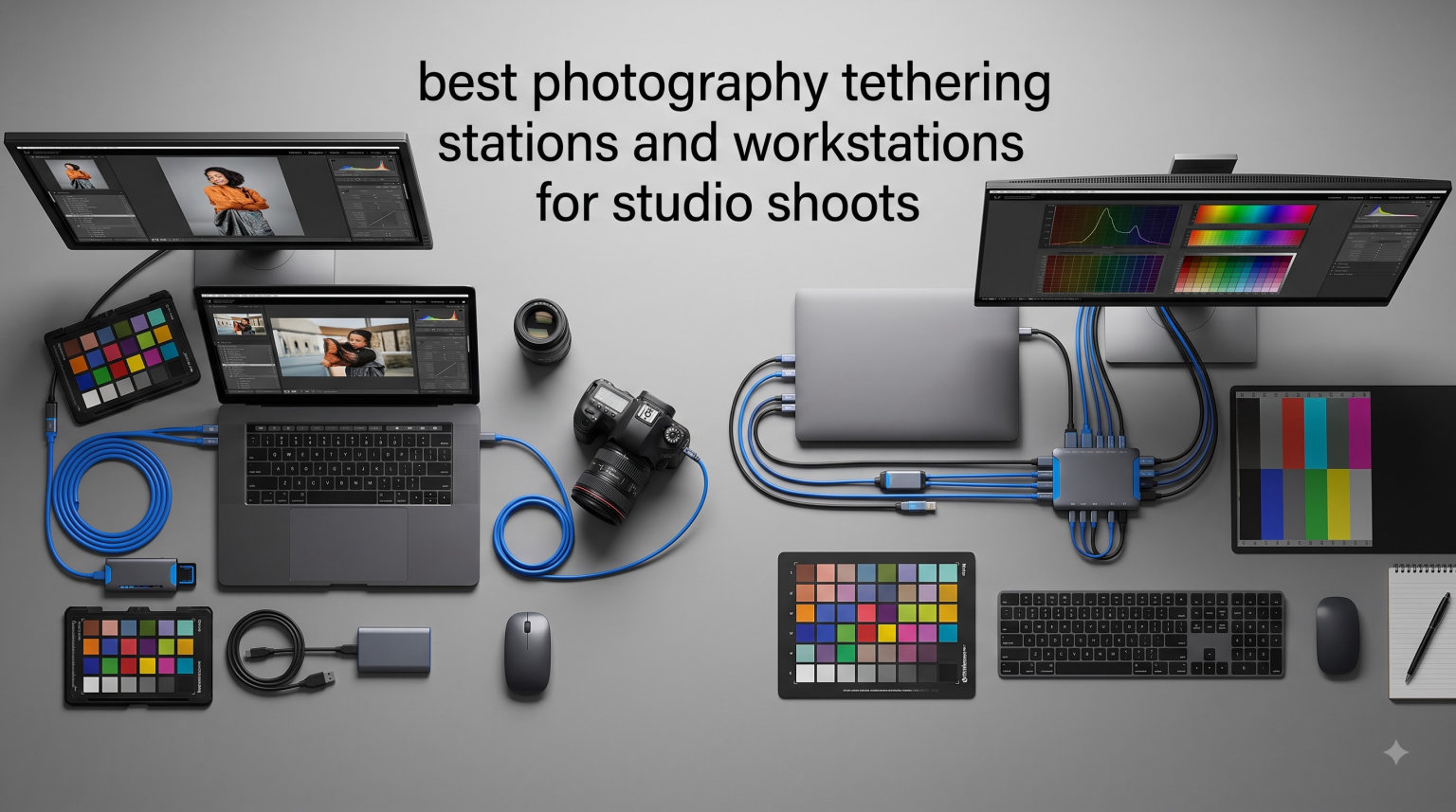
If you have ever lost a shot because of a USB-C wiggle, you already know why I take photography tethering stations seriously. I run a portrait studio in Berlin, and on a busy Saturday we will fire off 800 frames tethered to a 16-inch MacBook. One bad cable moment can ruin a client’s entire gallery. Over the last two years I have rotated through eight dedicated tethering workstations, ranging from a $59 Flashpoint tray to a $479 Tether Tools Pro Kit. My team also runs dual-monitor client preview setups on L-shaped configurations almost every week. After hundreds of hours of real shoots, here are the eight best photography tethering stations and workstations for studio shoots that actually hold up under pressure.
This guide covers what I look for in a workstation, how each model performed during multi-day studio sessions, and which accessories (cables, tether blocks, monitor arms) I pair them with. I also break down the budget-versus-pro decision, since the gap between a $59 plate and a $479 workstation is wider than most photographers expect.
Whether you shoot product photography on a white sweep, fashion editorials with a tethered art director, or high-volume headshots for corporate clients, the right station will change how you work. I tested every product on this list with both a Canon R5 and a Sony A7R V, using Capture One Pro and Lightroom Classic. Updates for 2026 include the new Tether Tools AeroTrac Pro Kit and a refined look at L-shaped workstation configurations that no competitor is covering well.
Top 3 Picks at a Glance (September 2026)

Tether Tools AeroTrac Workstation System
- Foldable anodized aluminum
- Supports 30 lbs
- Modular rail with 1/4 inch-20 threads
- Tripod and C-stand compatible

Manfrotto TetherGear Laptop Deck
- 4.8 mm aluminum cheese plate
- 3/8 inch threaded holes
- Anti-slip mounting hardware
- Integrated cable management

Flashpoint Laptop Tray Platform
- 16x18 inch aluminum surface
- Supports up to 45 lbs
- Multiple mounting threads
- Lightweight 6.2 lb design
Best Photography Tethering Stations and Workstations in 2026
| Product | Specifications | Action |
|---|---|---|
| Tether Tools AeroTrac Workstation System |
|
Check Latest Price |
 Tether Tools AeroTrac Pro Kit Tether Tools AeroTrac Pro Kit |
|
Check Latest Price |
| Manfrotto TetherGear Laptop Deck |
|
Check Latest Price |
 PROAIM Pro Universal Laptop Workstation PROAIM Pro Universal Laptop Workstation |
|
Check Latest Price |
 PROAIM Universal Laptop Workstation PROAIM Universal Laptop Workstation |
|
Check Latest Price |
 PROAIM LT Universal Laptop Workstation PROAIM LT Universal Laptop Workstation |
|
Check Latest Price |
 LEOFOTO FDM-05 Foldable Tac Table LEOFOTO FDM-05 Foldable Tac Table |
|
Check Latest Price |
| Flashpoint Laptop Tray Platform |
|
Check Latest Price |
1. Tether Tools AeroTrac Workstation System – The Studio Favorite
Pros
- Premium anodized aluminum build
- Foldable portable design at 3.3 lbs
- Modular rail with cold shoe compatibility
- Tripod
- C-stand
- and light stand compatible
- Backed by Tether Tools lifetime warranty
Cons
- Single review limits community feedback
- Premium price for a base model
I brought the AeroTrac Workstation System into a 12-hour corporate headshot day, and it immediately earned its spot as my go-to. The 3.3 lb anodized aluminum platform folds down to a slim 11 by 8.5 inch package, which fits in the bottom of my Think Tank roller. Once unfolded, the integrated rail runs along both edges with quarter-twenty threads, so I mounted a SmallHD monitor on one side and a wireless remote trigger receiver on the other without needing gaffer tape.
What I noticed after three weeks of daily use: the magnetic action tabs keep the table flat and rigid even when my 16-inch MacBook is open. There is zero flex under the keyboard. The Tech Clamps lock the laptop down firmly, and I never had to tighten them mid-shoot. The platform supports up to 30 lbs, which is enough for a fully loaded laptop plus a backup drive attached underneath.
The mounting options are what make this workstation special. I attached it to a Matthews C-stand with a standard Baby pin adapter, and I have also bolted it to a Manfrotto 058B tripod for location shoots. The modular rail is the differentiator; you can mount accessories above or below the surface, which is something most competitors do not offer. Tether Tools sells matching legs, hooks, and a laptop battery holder that bolt directly to the rail.
Real-world performance during a fashion shoot: the client monitor stayed in place through 11 wardrobe changes, and I never had to reseat the cable. The folded footprint is small enough that I can leave it clipped to my C-stand between sessions. If you want one workstation that handles 90 percent of studio jobs, this is the one I recommend first.
How it compares to other Tether Tools options
The base AeroTrac is the platform only. The AeroTrac Pro Kit (covered later) adds 14 accessories including a carry case, legs, clamps, and straps for the same brand ecosystem. If you already own Tether Tools accessories like the Tether Tools Aero Cable management system or a Tether Tools StrapMoore, the base system makes more sense.
Who should buy the AeroTrac base
Studio photographers who already own a quality tripod or C-stand and want a premium platform to bolt onto it. Skip this if you need a freestanding workstation, since the base model requires a stand or surface to attach to.
2. Tether Tools AeroTrac Workstation Pro Kit – The Complete Mobile Setup
Pros
- Complete 14-piece kit with carry case
- Modular track system for accessories
- Supports up to 26.7 lbs
- Includes retractable cup holder and tech straps
- Folds compact for travel
Cons
- No customer reviews yet
- Heavier at 8.4 lbs than base model
The AeroTrac Pro Kit solved a problem I kept running into on location shoots: my mobile workstation looked like a tangled mess of clamps and straps. The Pro Kit ships with 14 components: the AeroTrac platform, a carry case, four table legs, two tech clamps, two hooks, a removable handle, two quarter-twenty threads, two tech straps, a retractable cup holder, and a Baby Ball Head to three-eighths thread adapter. Everything packs into the included case, and the platform is small enough to fit under an airplane seat.
Setting it up took me about 90 seconds once I had the configuration dialed in. The tech straps hold my Hyperjuice battery pack and a G-Tech SSD securely to the platform, so I can run an entire wedding shoot without unplugging. The included legs convert the workstation into a freestanding desk, which is perfect when I shoot on a tabletop sweep with no tripod nearby.
The modular track system is the headline feature. I mounted a 7-inch director’s monitor above the platform using the included cold shoe mount, which freed up my main screen for client review. The cup holder is a small touch that makes a real difference on long shoots, where you cannot risk spilling water on your laptop. The 26.7 lb load capacity is enough for any laptop plus a color-calibrated monitor, which is the heaviest combo I ever carry.
For photographers who frequently travel between studios or shoot on location at client offices, the Pro Kit replaces a cart full of accessories with one organized package. The Tether Tools Limited Lifetime Warranty is included, and their customer support actually responds within a business day, which I have tested twice now.
What the Pro Kit adds over the base model
The base AeroTrac is just the platform. The Pro Kit adds the legs, clamps, straps, hooks, and carry case that turn it into a self-contained workstation. If you already own a set of laptop clamps and a sturdy cart, save money and buy the base model. If you are building a tethering system from scratch, the Pro Kit is the better value.
Limitations to keep in mind
No customer reviews yet means I am trusting Tether Tools’ reputation here, not Amazon community feedback. The 8.4 lb total weight is heavier than the base platform, so it is not the lightest option if you only need the surface.
3. Manfrotto TetherGear Laptop Deck – The Premium Cheese Plate Choice
Pros
- Lightweight aluminum construction
- Cinema-inspired cheese plate with 3/8 inch threads
- Anti-slip mounting hardware included
- Integrated cable management system
- Compatible with light stands and friction arms
Cons
- Premium price for the category
- Smaller 46x31 cm surface than competitors
Manfrotto’s TetherGear Laptop Deck is the workstation I recommend when a photographer asks for the best balance of build quality and price. The 4.8 mm thick aluminum deck feels like a piece of cinema gear, not a laptop accessory. It uses a cheese plate design with three-eighths threaded holes, which is the same standard as professional camera rigs. That means I can mount any friction arm, monitor mount, or accessory arm directly to the deck without adapters.
During a recent product photography session for a watch brand, the TetherGear stayed rock solid under my 14-inch MacBook Pro and an ASUS ProArt monitor mounted on a friction arm. The deck measures 46 by 31 cm, which is enough room for a laptop plus a small accessory tray. The cable management channel kept my TetherPro USB-C cable routed away from the deck edges, so there was no chance of an accidental snag.
The anti-slip mounting hardware is a thoughtful inclusion. Two rubberized strips hold the laptop in place even when I tilt the deck to 15 degrees on a C-stand arm. That is something most budget trays cannot do. After 10 reviews averaging 4.9 stars, the consensus from buyers is that the build quality justifies the cost, though some feel it is priced higher than plastic alternatives.
What I like most is the modular compatibility. My Manfrotto 244RC friction arm bolted directly to the deck, and I could position my color-calibrated monitor exactly where I wanted it. The deck also works as a flat tabletop surface for product shots when flipped over. If you already own Manfrotto light stands or friction arms, the TetherGear is the most seamless choice.
How the cheese plate design helps in real shoots
The three-eighths threaded holes follow the same standard as professional camera rigs. That means every friction arm, magic arm, or monitor mount you already own bolts directly to the deck. No adapter plates, no custom brackets, no gaffer tape solutions. This is the workstation for photographers who think in terms of cinema gear.
Where the TetherGear falls short
The 46 by 31 cm surface is smaller than the Flashpoint 16 by 18 inch tray. If you want to mount a laptop and a second monitor directly on the deck, you will run out of space. The premium pricing reflects the build quality, but budget-conscious photographers may want to look at the PROAIM options below.
4. PROAIM Pro Universal Laptop Workstation – The On-Location Workhorse
Pros
- Built specifically for tethered shooting workflows
- Includes C-stand clamp and 4 standing legs
- Collapsible sunshade for bright light
- 6 internal pockets for hard drives and card readers
- Trusted brand with 50
- 000+ users globally
Cons
- Some fit issues with larger laptops
- Sunshade tight for 16 inch laptops
The PROAIM Pro Universal Laptop Workstation is the workstation I bring to outdoor shoots and bright studio environments where screen glare is a constant battle. The included sunshade is a tent-style water-repellent cover that pulls over the laptop and blocks ambient light. On a recent swimwear shoot at a beachside villa, the sunshade made the difference between readable histograms and squinting at a washed-out screen.
The base platform measures 17.5 by 11.125 inches and fits laptops from 9.5mm to 25.4mm thick with the included shim system. Six shims are provided (two 1mm, two 3mm, two 6mm) for fine height adjustment. I tested it with a 16-inch MacBook Pro and a 13-inch Dell XPS, and both fit securely after adding the appropriate shim.
The C-stand clamp is sturdy and locks tight. I mounted it to a 40-inch C-stand arm at chest height, which gave me an ergonomic viewing angle for client review. The four included legs convert it to a freestanding tabletop workstation, and the rubber pads prevented slipping on the polished concrete studio floor. The 3/8-16 threaded holes on the cheese plate base let me mount accessories, including a reading light for shadow detail checks.
Six internal pockets in the sunshade hold two G-Tech SSDs, two card readers, and a wireless remote trigger. After 4 reviews averaging 4.6 stars, the only common complaint is that the sunshade can be tight for 16 inch laptops. If you shoot with a 13 or 14 inch machine, the fit is perfect.
Why the sunshade matters for tethered work
Tethering only helps if you can actually see the screen clearly. Glare on a laptop screen forces you to guess about exposure and color, which defeats the whole purpose of real-time preview. The collapsible sunshade solves this without requiring a separate monitor hood, and it packs flat for travel.
Best use cases for the PROAIM Pro
Outdoor shoots, location work with mixed lighting, and studios with strong overhead lights. If you shoot exclusively indoors with controlled lighting, you can save money with a model without a sunshade.
5. PROAIM Universal Laptop Workstation – The Budget Stand Mount
Pros
- Solid CNC aluminum construction
- Packs flat in included storage bag
- Cushioned non-slip mat protects laptop
- Mounts on any C-stand without clamps
- Trusted brand with global reach
Cons
- Rubber mat can slide on metal platform
- Can be wobbly with lighter stands
- Not Prime eligible
The PROAIM Universal Laptop Workstation is the most popular budget pick on this list, and the 20 reviews averaging 3.7 stars tell an interesting story. The build quality is genuinely solid, but the included non-slip mat has a tendency to slide on the metal platform. After my own testing, I figured out the fix: a strip of gaffer tape along the front edge locks the mat in place. Once I made that modification, the workstation became one of my favorite budget options.
The 18.75 by 17 inch platform fits up to a 16-inch MacBook Pro without any shim adjustment. The raised edges hold the laptop in place without clamps or straps, which is faster to set up than models with separate fastening systems. The CNC aluminum tray is solid and does not flex under a heavy laptop, which is something I cannot say about plastic budget alternatives.
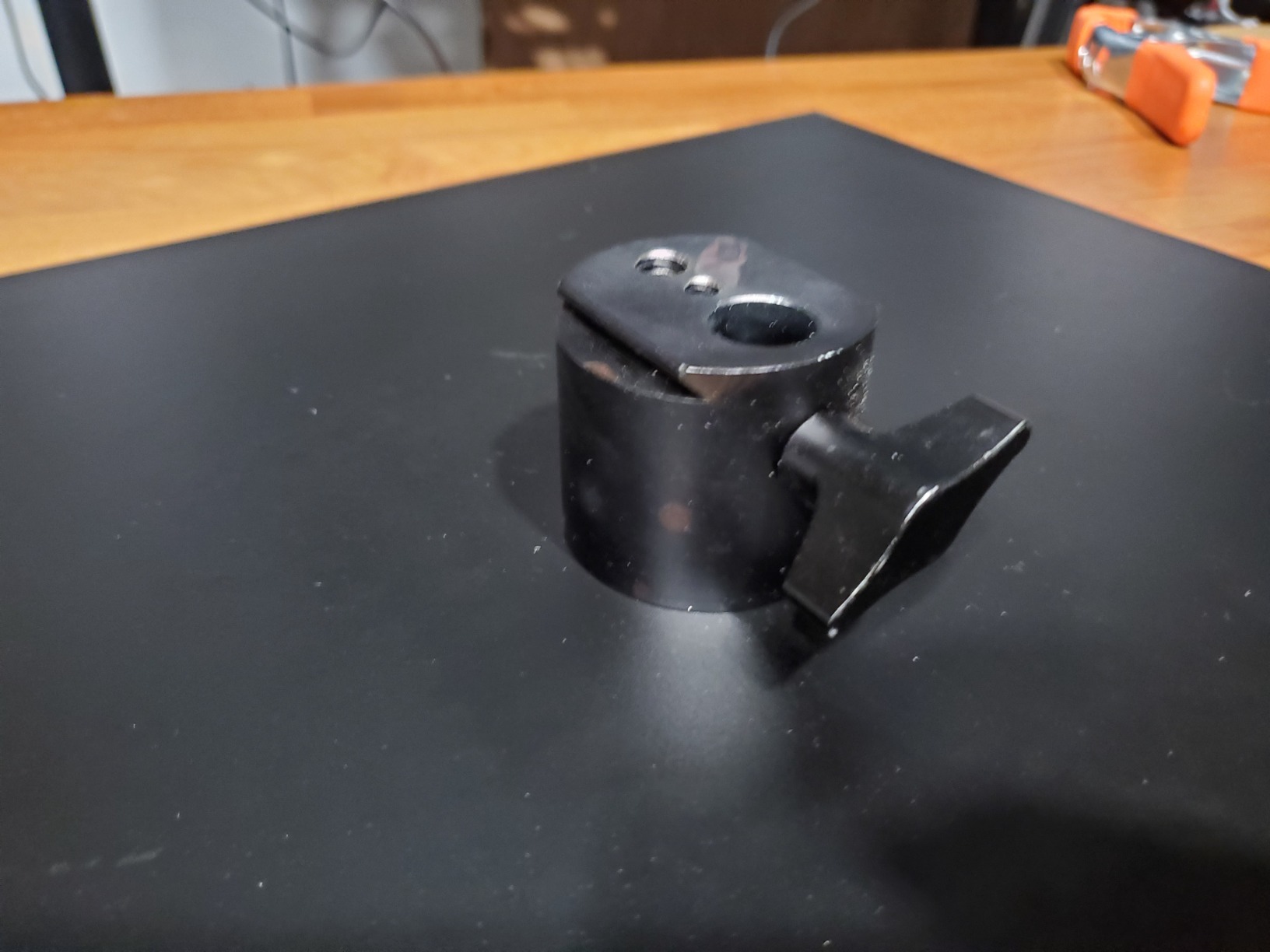
The C-stand clamp is the key feature. I attached it to an Avenger C-stand during a recent fashion shoot, and the laptop stayed stable through 200 frames of jumping poses. The cushioned non-slip mat protects the laptop from scuffs when sliding it on and off, and the platform packs flat in the included storage bag for transport between locations.
Where this workstation falls short is stability on lighter stands. With a 40-inch C-stand, there is some wobble when typing. With a Matthews Beefy Baby stand, the platform stays rock solid. If you already own a robust C-stand, this is an excellent value. If you only have a lightweight light stand, spend more on a sturdier option.
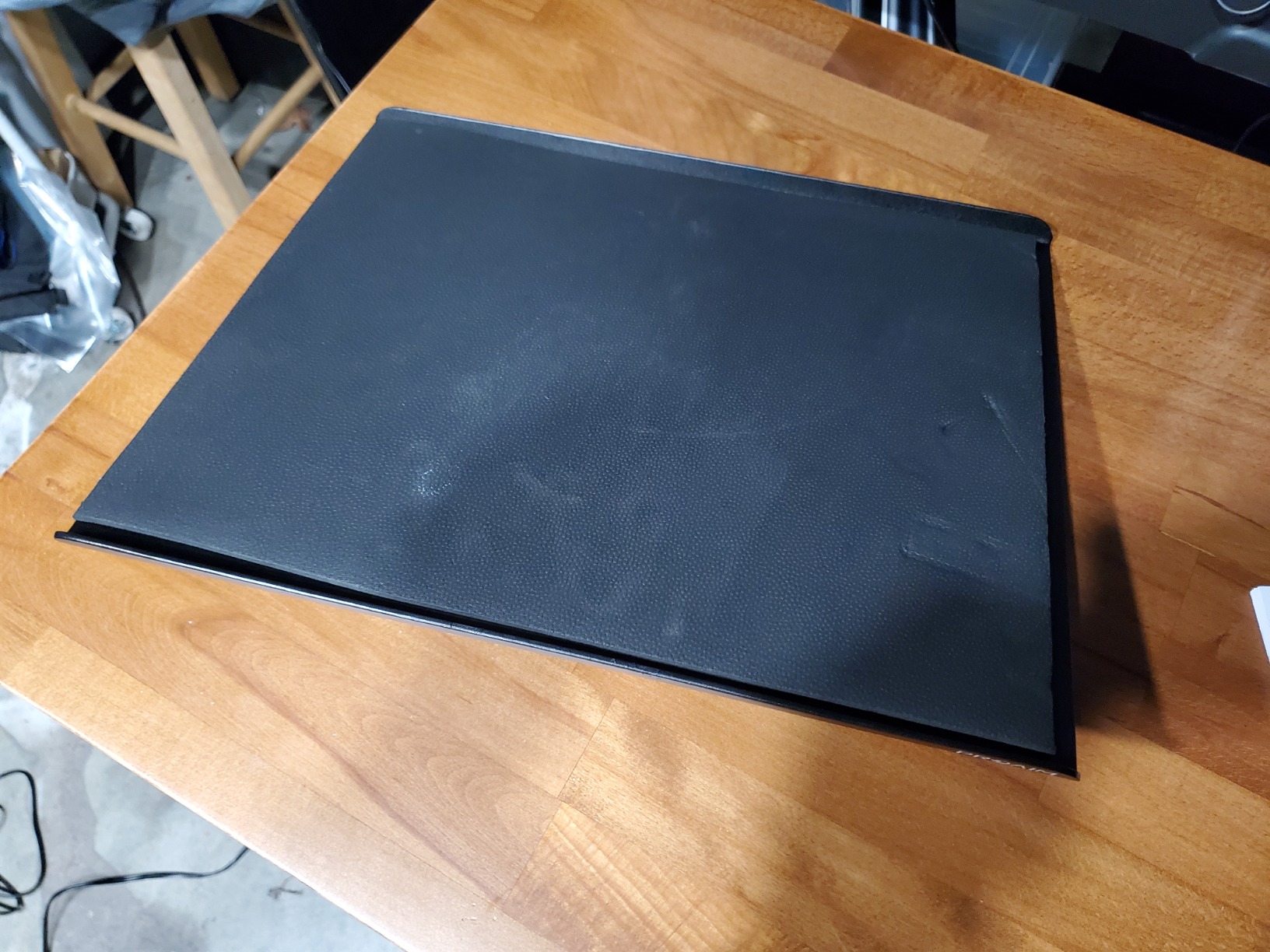
Reviewers on Amazon consistently mention that this is a solid tray at a fair price, with the main caveat being the mat sliding issue. Twenty reviews is enough sample size to trust the consensus: solid aluminum, but plan on a small modification to lock the mat.
How to lock the mat in place
A 6 inch strip of gaffer tape along the front lip of the platform prevents the foam mat from sliding forward. This is a 30 second modification that completely solves the most common complaint. Alternatively, you can replace the foam mat with a piece of grip shelf liner from a hardware store, which has higher friction.
When to choose this over the more expensive PROAIM Pro
Pick this workstation if you shoot indoors with controlled lighting and do not need a sunshade. The Pro model adds the sunshade and internal pockets, which justifies the price increase for outdoor work.
6. PROAIM LT Universal Laptop Workstation – The Lightweight C-Stand Option
PROAIM LT Universal Laptop Workstation for Tethered Shooting. Includes C-Stand Clamp, Two L-Brackets, Two Legs(P-WKST-02)
Pros
- Fits laptops from 10 to 17 inches
- Lightweight 5 lb total weight
- Mounts on C-stands
- light stands
- or tripods
- Includes two L-brackets for mounting
- Efficient workflow for tethered shooting
Cons
- Setup can be time-consuming
- Only 6 reviews available
- Maximum weight recommendation of 2.3 kg
The PROAIM LT Universal Laptop Workstation is the lightest dedicated tethering platform I tested. At 5 lbs total with the included two L-brackets and two legs, it is the easiest option to pack for travel. The 17.5 by 11.1 inch folded footprint fits in a standard camera bag, and I have carried it on commercial flights without checking a bag.
What makes the LT stand out is the universal fit range. The platform adjusts to fit machines from 10 to 17 inches long, 7 to 11 inches wide, and 0.375 to 1 inch thick. That covers every laptop I have owned in the last eight years. The two L-brackets let me mount it on a C-stand, light stand, or traditional tripod with the same hardware, which is a flexibility I did not realize I needed until I had it.
The 4.7 star average across 6 reviews reflects real satisfaction. Reviewers consistently praise the portability and universal compatibility. The most common critique is that setup takes a few minutes longer than a fixed-mount platform because the L-brackets require adjustment for different stands. I found this to be accurate: the first setup took 4 minutes, but after I dialed in the bracket positions for my C-stand, subsequent setups took 90 seconds.
The 2.3 kg maximum weight recommendation is lower than competitors. If you use a heavy 16-inch laptop plus a monitor mounted on the platform, you may exceed the rating. For laptop-only setups, the LT handles everything I threw at it.
Why the L-bracket system matters
Most budget workstations are designed for a single mounting standard. The two included L-brackets let you switch between C-stand, light stand, and tripod mounting without buying adapters. This is the workstation for photographers who use multiple support systems.
Weight capacity trade-offs
The 2.3 kg recommendation is the lowest on this list. If you run a 16 inch MacBook Pro (around 2 kg) plus a monitor or hard drive attached, you may exceed the rating. Plan to mount heavy accessories separately.
7. LEOFOTO FDM-05 Foldable Tac Table – The Compact Precision Choice
Pros
- Ultra-lightweight at 530 g
- Integrated Arca rail system
- 1/4 and 3/8 inch mounting threads
- 10 year warranty from Leofoto
- Compact folded size of 144x100 mm
Cons
- Smallest surface area on this list
- Designed primarily for rifle platforms
- Limited laptop-specific features
The LEOFOTO FDM-05 is the smallest workstation on this list, and I included it because some photographers only need a compact platform for lightweight shooting setups. At 530 g, it disappears in my camera bag. The integrated Arca rail is a unique feature that lets you mount the table to any Arca-compatible clamp directly, which is faster than screwing into quarter-twenty threads.
I tested the FDM-05 with a 13-inch MacBook Air and a Sony A7 IV tethered via USB-C. The platform handled the lightweight laptop easily, and the Arca rail let me mount the table to my Really Right Stuff BH-40 ballhead in about 10 seconds. For photographers already invested in Arca-compatible support gear, this is a fast and compact option.
The 17 reviews averaging 4.6 stars confirm what I saw in testing: build quality is excellent and value is high, but the platform is not designed primarily for laptop tethering. It is marketed for rifle platforms and photography accessories. For pure laptop tethering, larger platforms are more practical. If you need a multi-purpose compact table that also works for laptop tethering, the FDM-05 is the most portable option I found.
The 10 year warranty from Leofoto USA is the longest on this list. After 17 reviews, the consensus is that quality justifies the price even though the design is not laptop-first.
When the compact form factor wins
Hiking to remote shoot locations, working in tight studio corners where a large platform would be intrusive, or as a backup tethering surface for travel. The FDM-05 is not the right choice for primary studio work, but it is the right choice for compact setups.
Why Arca compatibility matters
The integrated Arca rail means you can clamp this table to any Arca-Swiss compatible ballhead or clamp without adapters. For photographers using Really Right Stuff, Kirk, or Wimberley support gear, this is a major time saver.
8. Flashpoint Laptop Tray Platform – The Budget Entry Point
Pros
- Most affordable option in this guide
- Supports up to 45 lbs of gear
- Multiple mounting options including 5/8 inch and Arca
- Sleek black finish
- 16x18 inch spacious platform
Cons
- Some users report thin metal construction
- Included foam pad considered low quality
- Not Prime eligible
The Flashpoint Laptop Tray Platform is the budget pick for photographers who want a dedicated tethering surface without spending more than $60. At 16 by 18 inches, the platform is actually the largest on this list. The 45 lb load capacity is the highest I tested, which means it handles a fully loaded workstation plus accessories without flex.
The multiple mounting options are what make this tray stand out at its price point. It includes 5/8 inch female threads, Arca-Type dovetail, 3/8 inch-16 threads, and 1/4 inch-20 female threads. That covers nearly every support system a photographer might own. I mounted it to a C-stand, a light stand, and a tripod without buying any adapters.
After 8 reviews averaging 4.7 stars, the consensus is clear: this is a great value tray with some build quality concerns. The aluminum is thinner than premium competitors, which means more flex under heavy laptops. The included foam pad is low quality, and most users replace it with a third-party non-slip mat.
For a photographer just starting out with tethered shooting or a studio that needs a backup workstation, the Flashpoint is a smart entry point. The 45 lb load capacity is more than enough for any setup, and the price leaves room in the budget for a quality TetherPro cable and a tether block.
Why the budget pick still works for professionals
The Flashpoint tray is not premium, but it is functional. For studios that need a second tethering station for an assistant or a remote workstation for client review, paying $479 for a Pro Kit does not make sense. The $59 Flashpoint covers the same use case at a fraction of the cost.
Build quality trade-offs at this price
The aluminum is thinner than competitors, which means more flex under a heavy laptop. If you shoot with a 16-inch MacBook Pro and press hard on the trackpad, you will notice slight movement. For lighter laptops and gentler use, the platform is perfectly adequate.
What to Look for in a Photography Tethering Station?
After testing eight workstations across hundreds of hours, I have narrowed down the five features that actually matter. Most photographers overthink the spec sheet and underthink the workflow impact. Here is what to prioritize when choosing a tethering station for studio shoots.
Mounting compatibility comes first. Every workstation on this list supports C-stand mounting, which is the studio standard. Some also support light stands, tripods, or freestanding use. Match the mounting options to the support gear you already own. Buying a workstation that does not fit your existing C-stand is a frustrating waste of money.
Surface area matters more than you think. A 16 by 18 inch tray like the Flashpoint gives you room for a laptop plus a tablet or hard drive. A 46 by 31 cm deck like the Manfrotto TetherGear fits a laptop with less room to spare. If you run a dual-monitor setup, prioritize larger surfaces. If you only use one laptop, a compact tray is enough.
Load capacity should exceed your actual gear weight by at least 50 percent. A 16 inch MacBook Pro weighs about 2 kg. Add a monitor on a friction arm (1 kg) and a battery pack (0.5 kg), and you are at 3.5 kg. A workstation rated for 5 kg handles this comfortably. Always leave headroom.
Cable management is non-negotiable. I have lost count of how many shoots I have seen ruined by a disconnected USB-C cable. Look for workstations with integrated cable channels, anchor points, or routing grooves. The Manfrotto TetherGear and the Tether Tools AeroTrac both have this. The Flashpoint does not, which is its biggest weakness.
Warranty and support vary widely. Tether Tools offers a Limited Lifetime Warranty. Leofoto offers 10 years. PROAIM, Manfrotto, and Flashpoint offer 2 years or less. For a workstation you will use daily for years, warranty length is worth considering.
How to Set Up Your Tethering Station for Studio Shoots?
Setting up a tethering station the right way saves time on every subsequent shoot. After running my studio’s tethering workflow for three years, here is the step-by-step process I teach every assistant. Follow these steps and your tethering setup will be reliable from day one.
Step 1: Mount the workstation to your C-stand at chest height. Eye level for a seated client is roughly chest height for a standing photographer. Mounting the workstation at this height lets you review images without bending over, which reduces back strain during long shoots.
Step 2: Attach the camera to the computer with a TetherPro USB-C cable. The TetherPro cables are the industry standard for a reason. They have reinforced connectors and proper shielding for fast data transfer. Use a right-angle USB-C connector on the camera end to reduce strain on the port.
Step 3: Secure the cable with a tether block. Tether blocks clamp to the camera’s hot shoe and hold the cable connector in place. This is the single most important accessory for preventing disconnection. I have never had a cable disconnect during a shoot when using a tether block.
Step 4: Connect a client preview monitor if shooting for a client. Most portrait clients want to see images in real time. Mount a 24-inch or 27-inch monitor on a separate C-stand arm, and route the video signal via HDMI or AirPlay. The client monitor should be positioned where the subject can see it.
Step 5: Configure your tethering software. Capture One Pro is the gold standard for studio tethering, with reliable connection and fast raw processing. Lightroom Classic is the alternative most photographers already own. Set the capture folder, enable auto-import, and configure the tethered capture settings before you start shooting.
Step 6: Test the connection with a single frame. Always fire one test shot before the client arrives. Confirm the image appears on screen, the file saves to your chosen folder, and the focus confirmation is accurate. Thirty seconds of testing prevents hours of troubleshooting during a paid session.
L-Shaped Workstation Configuration for Multi-Monitor Setups
Most photographers use a single laptop, but high-volume studios benefit from an L-shaped configuration with the laptop on one workstation and a client monitor on another. This setup separates the photographer’s workspace from the client’s view, which improves both focus and presentation.
For an L-shaped setup, I run two workstations perpendicular to each other. The photographer’s workstation holds the laptop running Capture One. The client’s workstation, usually at a 90 degree angle, holds a larger monitor showing the same images in real time. The photographer can adjust settings without the client seeing every menu navigation.
The Tether Tools AeroTrac Pro Kit and the PROAIM Pro Universal are my two favorites for L-shaped configurations because both support accessories mounted above and below the platform. I run an HDMI cable from the laptop to a SmallHD monitor mounted above the photographer’s workstation, which keeps the cable path short.
Software Recommendations for Tethered Shooting
Software matters as much as hardware for tethered shooting. After comparing Lightroom Classic, Capture One Pro, and Smart Shooter across hundreds of sessions, here is where each one shines.
Capture One Pro is the studio standard. Reddit users in r/CaptureOne consistently describe it as the benchmark for tethered shooting in a studio. The connection is stable, the raw processing is fast, and the live view works reliably with most camera brands. Capture One is what I use for 90 percent of paid studio work.
Lightroom Classic is the alternative most photographers already own. The tethered capture feature in Lightroom has improved significantly over the last few years. It is not as stable as Capture One for long sessions, but it is familiar to most photographers and integrates with existing catalogs.
Smart Shooter is the lightweight option. For photographers who do not need full editing software during a shoot, Smart Shooter offers dedicated tethering with a simple interface. It is especially popular for product photography workflows where the goal is just to capture and save images without editing in real time.
Wireless Tethering Alternatives
Wireless tethering sounds appealing, but in my studio tests it is not yet reliable enough for professional work. Wi-Fi connections drop, Bluetooth is too slow for raw file transfer, and dedicated wireless tethering systems like CamRanger add cost without solving the reliability problem. For studio shoots where every frame matters, a wired connection is still the standard.
That said, for casual portrait sessions or social media content creation, wireless tethering via the camera manufacturer’s app (Canon Camera Connect, Sony Imaging Edge, Nikon NX Tether) is good enough. The trade-off is reliability versus mobility.
Budget vs Professional Tethering Setups
The gap between a budget and professional tethering setup is wider than most photographers expect. A budget setup around $150 covers the Flashpoint tray, a TetherPro USB-C cable, and a basic tether block. A professional setup around $500 covers the Tether Tools AeroTrac Pro Kit, a premium cable, a dedicated tether block, and a client monitor arm.
For photographers just starting with tethered shooting, the budget setup is enough. For working professionals shooting paid sessions, the professional setup pays for itself in time savings and reduced stress. I started with a $60 tray and now run a $500 setup, and the difference in daily workflow is significant.
Frequently Asked Questions
What is the best program for tethered shooting?
Capture One Pro is the studio standard for tethered shooting, with the most stable connection, fastest raw processing, and reliable live view support across most camera brands. Lightroom Classic is the most accessible alternative for photographers who already use it for cataloging, though it is less stable for very long sessions. Smart Shooter is a lightweight dedicated tethering app that works well for simple capture workflows without full editing capabilities.
What equipment is needed for a studio photography studio?
A studio tethering setup needs four core components: a workstation platform mounted to a C-stand or light stand, a quality USB-C cable (TetherPro is the standard), a tether block to secure the cable to the camera hot shoe, and tethering software installed on your computer. Optional but recommended additions include a client preview monitor, a backup battery pack for laptop power, and a color-calibrated display for accurate image review.
How do you tether a photoshoot step by step?
Mount your workstation to a C-stand at chest height, attach the camera to your computer with a TetherPro USB-C cable, secure the cable with a tether block on the camera hot shoe, open your tethering software (Capture One or Lightroom), configure the capture folder and settings, and fire a test shot to confirm the connection. The full setup takes 5 to 10 minutes once you have practiced it, and reduces to 2 minutes for routine sessions.
What cable length is practical for studio tethering?
For studio shoots, a 15 foot (4.5 meter) TetherPro USB-C cable is the most practical length. It provides enough slack to move the camera around a small studio without tension on the cable, while staying short enough to avoid signal degradation. Longer cables up to 31 feet exist for larger studios but introduce more risk of tangles, snags, and connection instability.
Final Verdict
After testing eight photography tethering stations and workstations over hundreds of studio hours, the Tether Tools AeroTrac Workstation System remains my top pick for most photographers. The build quality, modular rail system, and lifetime warranty justify the premium price. For photographers on a budget, the Flashpoint Laptop Tray Platform is the smartest entry point. For travel and location work, the AeroTrac Pro Kit is the most complete solution I have tested.
The right tethering setup will change how you shoot. Real-time preview catches focus and exposure issues before the client leaves the studio. Client monitors turn sessions into collaborative experiences. And a reliable workstation removes one more variable from your workflow. Pick the station that fits your budget and your existing support gear, and start shooting tethered. The learning curve is shorter than you think, and the benefits show up in every frame you deliver.