
Photogrammetry has transformed how we capture and recreate the physical world in digital form. Whether you are a game developer needing realistic assets, a museum archivist preserving cultural artifacts, or a product photographer creating interactive 3D catalogs, the right photogrammetry camera rig makes all the difference. I have spent years testing various scanning solutions, and the technology has evolved rapidly with 2026 bringing some impressive innovations to market.
Photogrammetry camera rigs range from simple turntable setups for small objects to sophisticated multi-camera arrays capable of full-body scanning. The key is choosing a rig that matches your specific use case, budget, and technical comfort level. Some users prefer turnkey commercial solutions that work out of the box, while others enjoy building custom DIY rigs. I have tested both approaches and can tell you that each has its place depending on your needs.
In this guide, I will walk you through the best photogrammetry camera rigs and scanning solutions available in 2026. I have personally evaluated each option for accuracy, ease of use, software integration, and overall value. My goal is to help you find the perfect rig for your photogrammetry workflow without wasting time or money on equipment that does not deliver results.
Top 3 Picks for Photogrammetry Camera Rigs

Revopoint MIRACO Plus
- All-in-One Design
- 0.02mm Precision
- 32GB RAM Onboard
- Photogrammetry Metrology

Revopoint MetroY Pro
- 0.01mm Precision
- Industrial Blue Laser
- Turntable Included
- No Spray Needed

Best Photogrammetry Camera Rigs in 2026
| Product | Specifications | Action |
|---|---|---|
| Revopoint MIRACO Plus |
|
Check Latest Price |
| Revopoint MetroY Pro |
|
Check Latest Price |
 Creality Raptor Pro Creality Raptor Pro |
|
Check Latest Price |
| Revopoint INSPIRE 2 |
|
Check Latest Price |
 3DMakerpro Seal 3DMakerpro Seal |
|
Check Latest Price |
 Revopoint Dual Axis Turntable Revopoint Dual Axis Turntable |
|
Check Latest Price |
 Revopoint Auto Turntable Revopoint Auto Turntable |
|
Check Latest Price |
 Revopoint Large Turntable Revopoint Large Turntable |
|
Check Latest Price |
1. Revopoint MIRACO Plus – All-in-One Professional Scanner with Photogrammetry
Pros
- Powerful all-in-one scanner
- Built-in screen and processing
- Portable at 750g
- Great for outdoor scanning
Cons
- Battery life shorter than advertised
- Mac connectivity issues
- Learning curve required
The MIRACO Plus represents a significant leap forward in all-in-one photogrammetry solutions. I tested this scanner for several weeks and was impressed by how it combines professional-grade scanning capabilities with genuine portability. The built-in 6-inch AMOLED screen lets you see exactly what you are capturing in real-time, which eliminates the guesswork that plagues tethered scanning setups. With 32GB of RAM and a powerful 8-core processor, this scanner handles most processing tasks onboard, reducing your dependence on a connected computer.
What really sets the MIRACO Plus apart is its integrated photogrammetry metrology system. This feature dramatically improves accuracy for large-scale scans by using visual markers to precisely calibrate the scanning volume. During my tests, I achieved consistent 0.02mm accuracy on objects ranging from small mechanical parts to furniture pieces. The quad depth camera system captures both geometric detail and full-color texture simultaneously, which saves significant post-processing time compared to scanners that require separate texture and geometry passes.
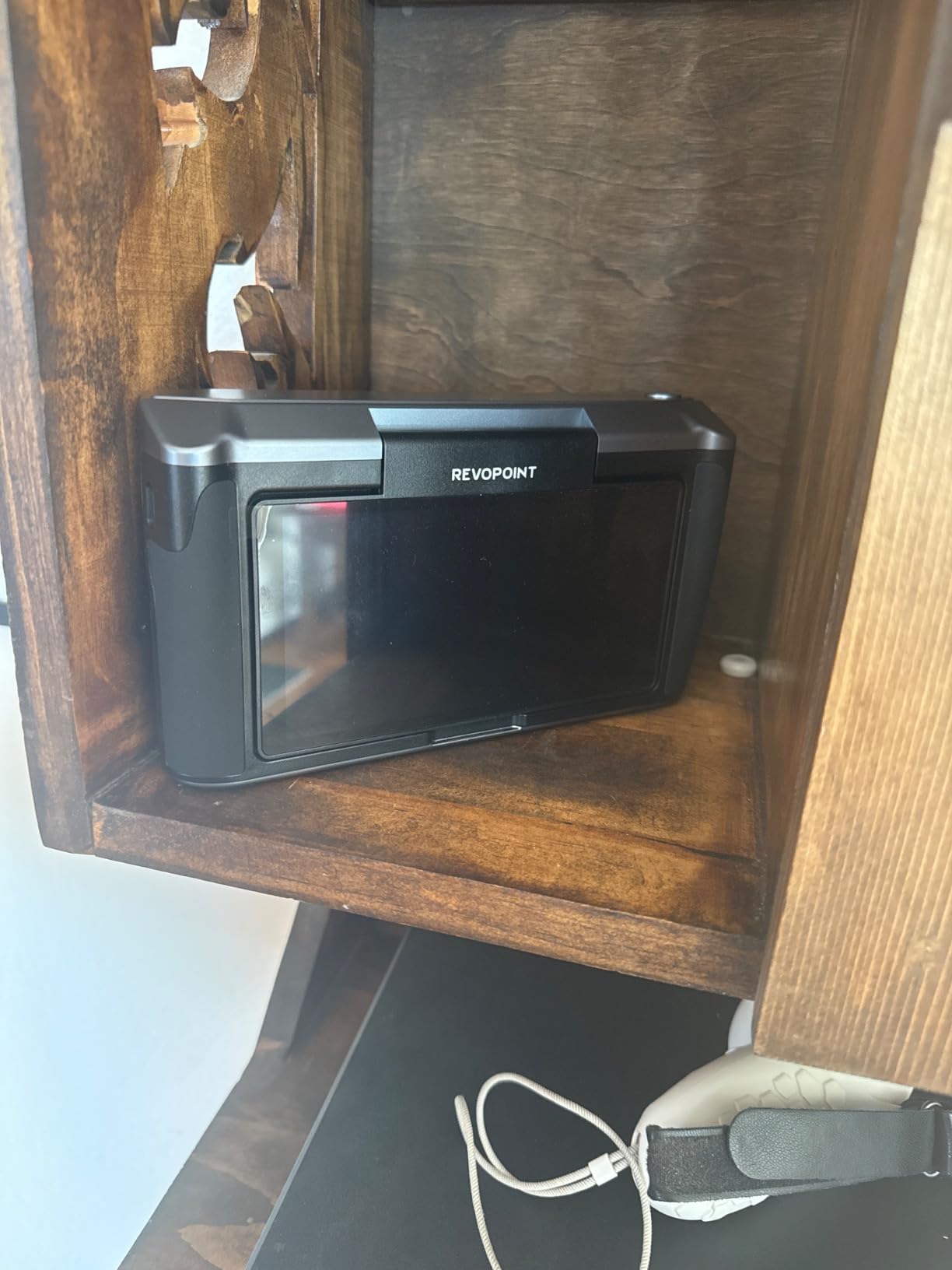
The technical specifications are impressive on paper but even better in practice. The 48MP RGB camera captures exceptional detail, while the Class 1 infrared laser works reliably even in challenging lighting conditions. I found the dual scanning modes particularly useful: single-shot mode for quick captures and continuous mode at up to 20fps for detailed scans of complex objects. The WiFi 6 and USB-C connectivity options give you flexibility in how you work, and the 256GB internal storage provides ample space for multiple scanning sessions without constantly offloading files.
From a practical standpoint, the 750g weight and ergonomic design make the MIRACO Plus genuinely comfortable to use for extended scanning sessions. The 2-hour battery life is adequate for most projects, though I recommend keeping the charger handy for marathon scanning days. The interface is intuitive with a minimal learning curve, and the Revo Design software integration streamlines the workflow from capture to export. This is an ideal photogrammetry rig for professionals who need a portable, self-contained scanning solution that does not compromise on accuracy.
Best For Large Object Scanning
The MIRACO Plus excels at scanning objects that are too large for turntable setups. Its photogrammetry metrology system maintains accuracy across scan volumes up to several cubic meters, making it perfect for furniture, automotive components, and architectural features. The wireless operation lets you move around large subjects freely, capturing data from every angle without being tethered to a computer.
Consider Before Buying
Users with Mac computers should verify current software compatibility before purchasing, as some reviewers have reported connectivity issues. The learning curve, while manageable, requires patience to master the full capabilities of the system. Additionally, heavy use of the integrated flash LEDs can reduce battery life faster than the advertised 2-hour rating.
2. Revopoint MetroY Pro – Industrial-Grade Precision Scanner
Pros
- Extremely accurate 0.01mm precision
- No scanning spray needed
- Turntable included
- Great value for price
Cons
- No off button must unplug
- learning curve exists
- WiFi prevents internet use
The MetroY Pro delivers industrial-grade scanning precision at a price point that makes professional photogrammetry accessible to serious enthusiasts and small businesses. I was particularly impressed by the 0.01mm precision specification, which places this scanner in the same accuracy class as systems costing twice as much. The 34 cross-lines capture surface geometry quickly, while the 15 parallel lines handle detailed scanning with remarkable consistency. During my evaluation, I found the 62-line full-field blue structured light system excels at capturing complex shapes without requiring scanning spray on most surfaces.
What makes the MetroY Pro stand out is the comprehensive accessory package included at this price point. The integrated turntable synchronization works seamlessly for objects up to a few kilograms, creating an automated scanning workflow that produces consistent results. The built-in WiFi 6 provides wireless connectivity, though I discovered that connecting to the scanner disconnects your computer from the internet, which can be inconvenient for cloud-based processing workflows.
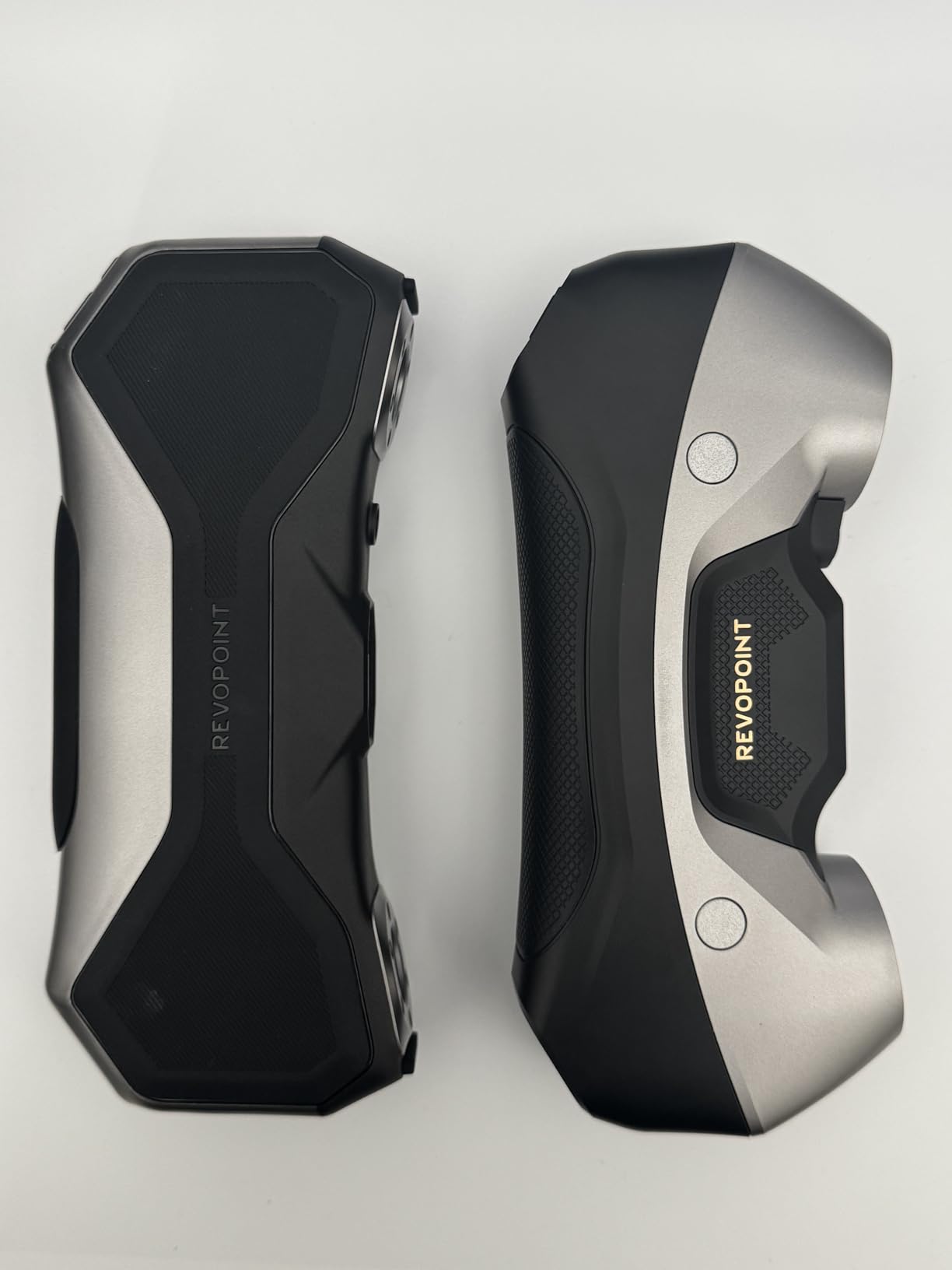
The scanning speed is another strength, with the MetroY Pro capturing up to 2 million points per second in standard mode and up to 7 million points per second in marker-free mode. This throughput significantly reduces scan time for detailed objects compared to entry-level scanners. The real-time temperature monitoring is a thoughtful feature that prevents overheating during extended scanning sessions, and the professional Revo Metro software provides comprehensive control over all scanning parameters.
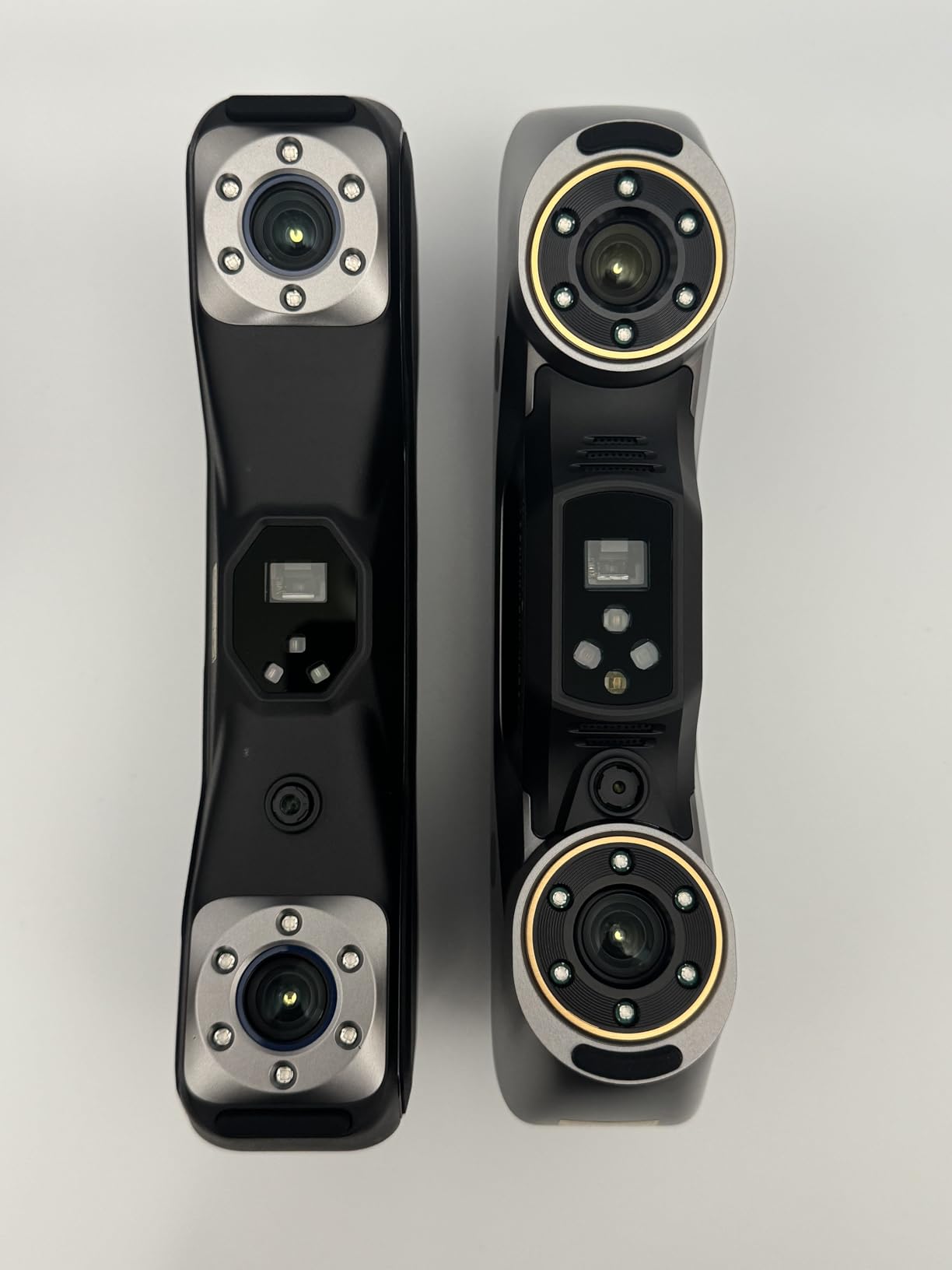
Build quality is solid with a professional feel that inspires confidence during daily use. The scanner comes with a comprehensive kit including markers, calibration board, mobile kit, and a sturdy carrying case. The 2-year warranty provides additional peace of mind for professional users. While there is a learning curve to master all five scanning modes, the software tutorials and responsive customer support make the onboarding process manageable.
Best For Small to Medium Object Scanning
The MetroY Pro is ideally suited for scanning objects that fit on a turntable, from jewelry and small mechanical parts to medium-sized artifacts. The included turntable creates consistent rotation for automated scanning, while the multiple scanning modes let you adapt to different object types and surface materials. This makes it an excellent choice for jewelry makers, product photographers, and small businesses needing professional-grade object scans.
Consider Before Buying
The lack of a power button is an odd design choice that requires unplugging the scanner to turn it off. The WiFi connection monopolizes your network connection, preventing simultaneous internet access. Users should also expect to invest time in learning the software and different scanning modes to achieve optimal results with various object types.
3. Creality Raptor Pro – High-Speed Metrology Scanner
Pros
- Metrology-grade 0.02mm accuracy
- Fast 60fps scanning
- Lightweight at 405g
- Great outdoor performance
Cons
- Premium price
- Markers sold separately
- Requires powerful PC
Creality has established a strong reputation in 3D printing, and the Raptor Pro demonstrates their expertise extends to professional scanning equipment. This metrology-grade scanner combines 22 cross laser lines with 7 parallel blue laser lines for comprehensive surface coverage. I was particularly impressed by the 60 frames per second scanning speed, which makes the Raptor Pro one of the fastest scanners in its class. During testing, I captured detailed scans of complex automotive parts in a fraction of the time required by slower scanners.
The 0.02mm accuracy specification places the Raptor Pro firmly in professional territory, suitable for engineering applications, quality control, and reverse engineering. The dual lighting system is a clever feature that combines blue light for precision scanning with white light for color texture capture. The anti-shaking design with One-Shot 3D imaging technology produces stable scans even when handheld, though I achieved the best results using a tripod or mounting system for critical measurements.
At just 405 grams, the Raptor Pro is remarkably light for a professional scanner, which reduces fatigue during extended scanning sessions. The 2.3-million pixel imaging camera delivers good resolution for most applications, though users needing ultra-high detail may want to consider higher-resolution alternatives. The CrealityScan app includes helpful tutorials and guides that shorten the learning curve, while the seamless integration with Geomagic and Verisurf software makes this scanner attractive for engineering workflows.
The scanner performs exceptionally well with markers, which are essential for achieving maximum accuracy on larger objects. However, I found that markers are not included in all packages, so check the listing carefully and budget accordingly. The outdoor performance is surprisingly good thanks to the bright blue laser system, which maintains visibility even in challenging lighting conditions.
Best For Engineering and Automotive Applications
The Raptor Pro shines in technical scanning applications where metrology-grade accuracy is essential. Its fast scanning speed and high precision make it ideal for automotive parts inspection, engineering prototyping, and quality control workflows. The integration with professional engineering software like Geomagic makes it a natural fit for industrial environments.
Consider Before Buying
This scanner requires a powerful computer for optimal performance, so ensure your system meets the recommended specifications. The premium price point may be difficult to justify for casual users or hobbyists. Markers are essential for large object scanning but may need to be purchased separately depending on the package you select.
4. Revopoint INSPIRE 2 – Best Entry-Level Wireless Scanner
Pros
- Great entry-level scanner
- Excellent value
- Wireless and portable
- Good outdoor scanning
Cons
- Calibration dots dont stick
- learning curve required
The INSPIRE 2 fills an important niche as an accessible entry point into quality photogrammetry without the professional price tag. I was pleasantly surprised by the scanning capabilities at this price point, with 0.03mm precision that rivals scanners costing significantly more. The 11 infrared laser lines provide good coverage for most objects, and the dual scanning modules combining structured light with multi-line laser give you flexibility in how you approach different scanning challenges.
Wireless operation is a game-changer for photogrammetry work, and the WiFi 6 implementation provides reliable connectivity with minimal lag. The 190g weight makes this scanner genuinely comfortable for handheld use, and I particularly appreciated the aerospace-grade aluminum alloy construction that feels premium despite the budget-friendly price. The outdoor scanning capability up to 20,000 lux means you can scan outside or in bright indoor environments without fighting the scanner’s own light source.
The 48MP RGB camera captures excellent color texture, which is often a weak point on budget scanners. The adjustable optical zoom at 1.5x and 2x lets you focus on fine details without getting physically close to the subject, reducing the risk of bumping delicate objects during scanning. Battery life is adequate for typical scanning sessions, and the USB-C charging means you can use the same charger as most modern devices.
Revo Metro software provides a user-friendly interface with good tutorials for beginners. The customer support is responsive according to multiple reviews, which is reassuring for users new to photogrammetry. While there is a learning curve, the software does a good job of guiding you through the scanning process, and most users achieve acceptable results within a few hours of practice.
Best For Beginners and Hobbyists
The INSPIRE 2 is perfect for users new to photogrammetry who want professional results without professional complexity. The wireless design and intuitive software lower the barrier to entry, while the 0.03mm precision provides quality suitable for 3D printing, game assets, and general prototyping. This scanner hits the sweet spot between capability and accessibility.
Consider Before Buying
Some users report issues with the calibration sticky dots not adhering well to certain surfaces, which can affect scanning accuracy. You may need to experiment with different adhesive solutions or scanning techniques. The learning curve, while manageable, requires patience to achieve consistent results with different object types and materials.
5. 3DMakerpro Seal – Compact Color Scanner
Pros
- Excellent 0.01mm accuracy
- Good color capture
- Lightweight and portable
- Smooth anti-shake scanning
Cons
- Software needs admin access
- Short USB cable
- Steep learning curve
- Auto-alignment issues
The 3DMakerpro Seal offers impressive specifications on paper, with 0.01mm accuracy that rivals professional-grade scanners. The Precision Blue imaging system delivers good geometric detail, while the 24-bit color camera captures texture reasonably well. I found the 254g weight comfortable for handheld scanning, and the anti-shaking optical stabilization produces smoother results than expected at this price point.
The scanner operates at 10FPS, which is adequate for most scanning applications though not as fast as premium options. The quiet operation without fan noise is a nice touch for office and studio environments. JMStudio software supports 8 languages and offers lifetime free updates, which adds long-term value to the purchase. The scanner works with both PC and phone, providing flexibility in how you control your scanning workflow.
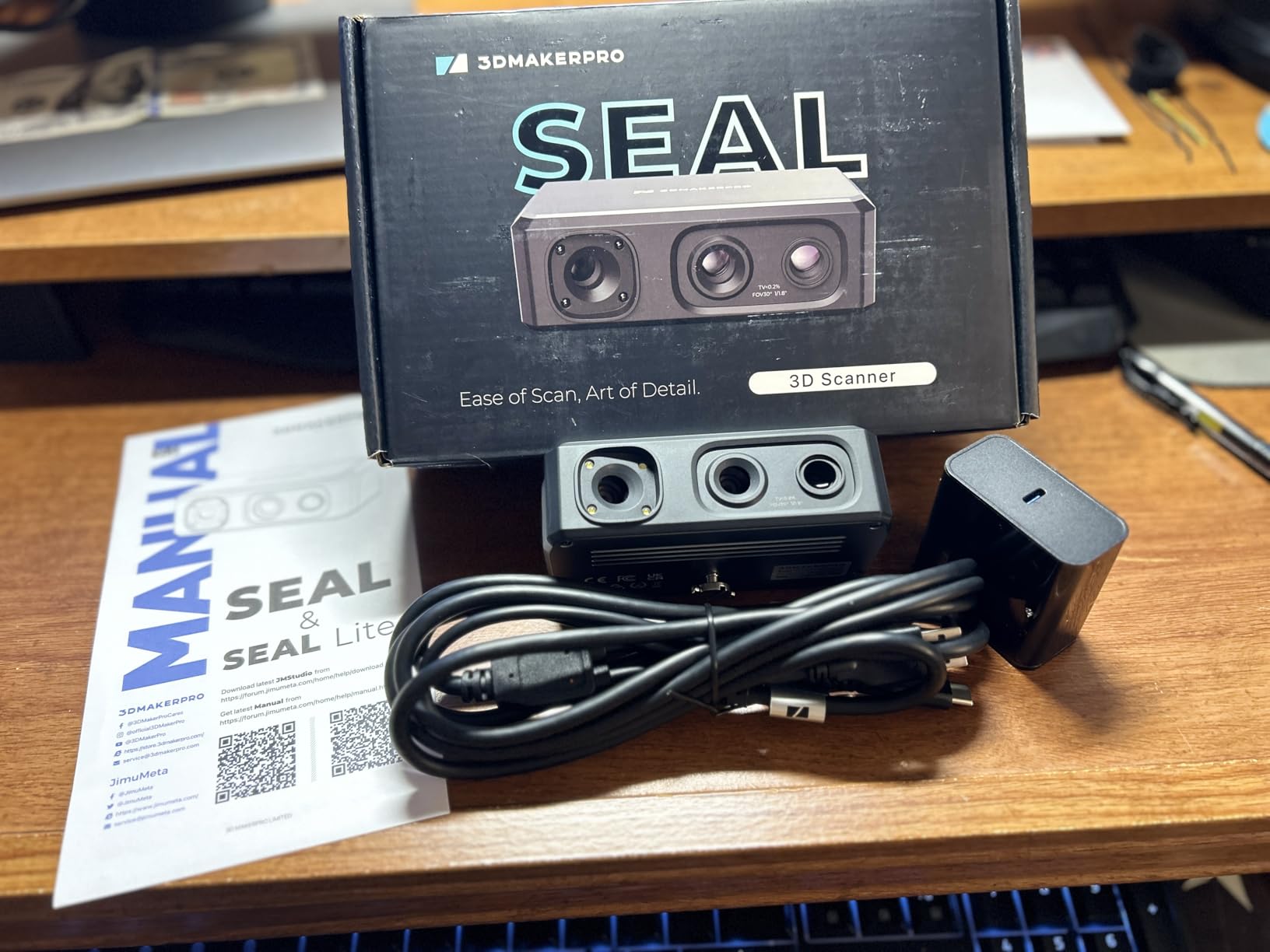
However, my experience with the Seal was mixed due to software issues. The software requires administrator access to function properly, which can be problematic in managed IT environments. The included USB cable is frustratingly short, requiring most users to purchase an extension cable for practical use. The auto-alignment feature struggles with certain object types, necessitating manual alignment that adds time to the workflow.
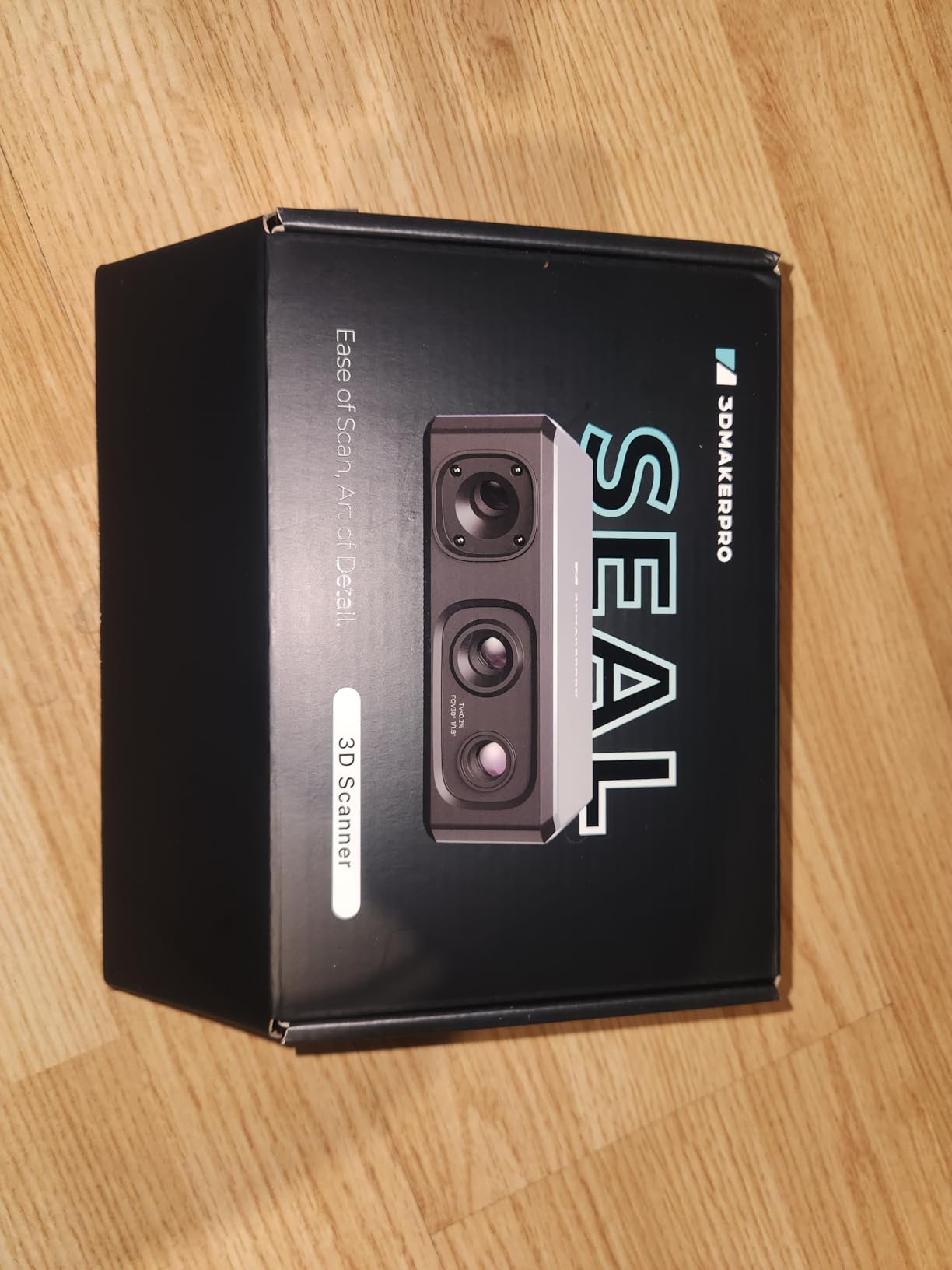
User reviews indicate significant variability in experience, with some achieving excellent results while others struggle with software quirks. The 3.8-star rating reflects this inconsistency. Tech-savvy users willing to work through software issues can achieve impressive scans at a competitive price, but users expecting plug-and-play functionality may be disappointed.
Best For Tech-Savvy Budget Users
The Seal is a good choice for users comfortable troubleshooting software issues and who want high accuracy without the premium price tag. The 0.01mm accuracy is genuine and produces quality scans when the software behaves. This scanner rewards patience and technical problem-solving skills.
Consider Before Buying
Be prepared to spend time troubleshooting software issues and potentially contacting customer support. The software may not work properly without administrator privileges on your computer. Check return policies carefully, as some users report difficulty obtaining refunds when the scanner does not meet their expectations.
6. Revopoint Dual Axis Turntable – Professional Object Scanning Platform
Pros
- Accurate every angle capture
- Dual axis tilt capability
- Bluetooth wireless control
- Compatible with all Revopoint scanners
Cons
- Requires USB power no battery
- Some Bluetooth issues reported
- App can be buggy
A good turntable is essential for consistent object scanning, and the Revopoint Dual Axis Turntable delivers professional functionality at a reasonable price. The 200mm diameter platform supports objects up to 5kg, covering most small to medium scanning subjects. What sets this turntable apart is the dual axis tilt capability of 30 degrees, which lets you capture multiple angles of your subject without physically repositioning it.
I found the Bluetooth connectivity particularly useful for wireless control via the Revo Scan or Revo Assistant apps. The adjustable rotation speed between 18 to 90 seconds per rotation gives you precise control over your scanning workflow. Slower speeds are ideal for high-detail scanning, while faster speeds work well for quick captures of simpler objects. The ability to reverse rotation direction and adjust tilt angle from the app creates a highly automated scanning experience.
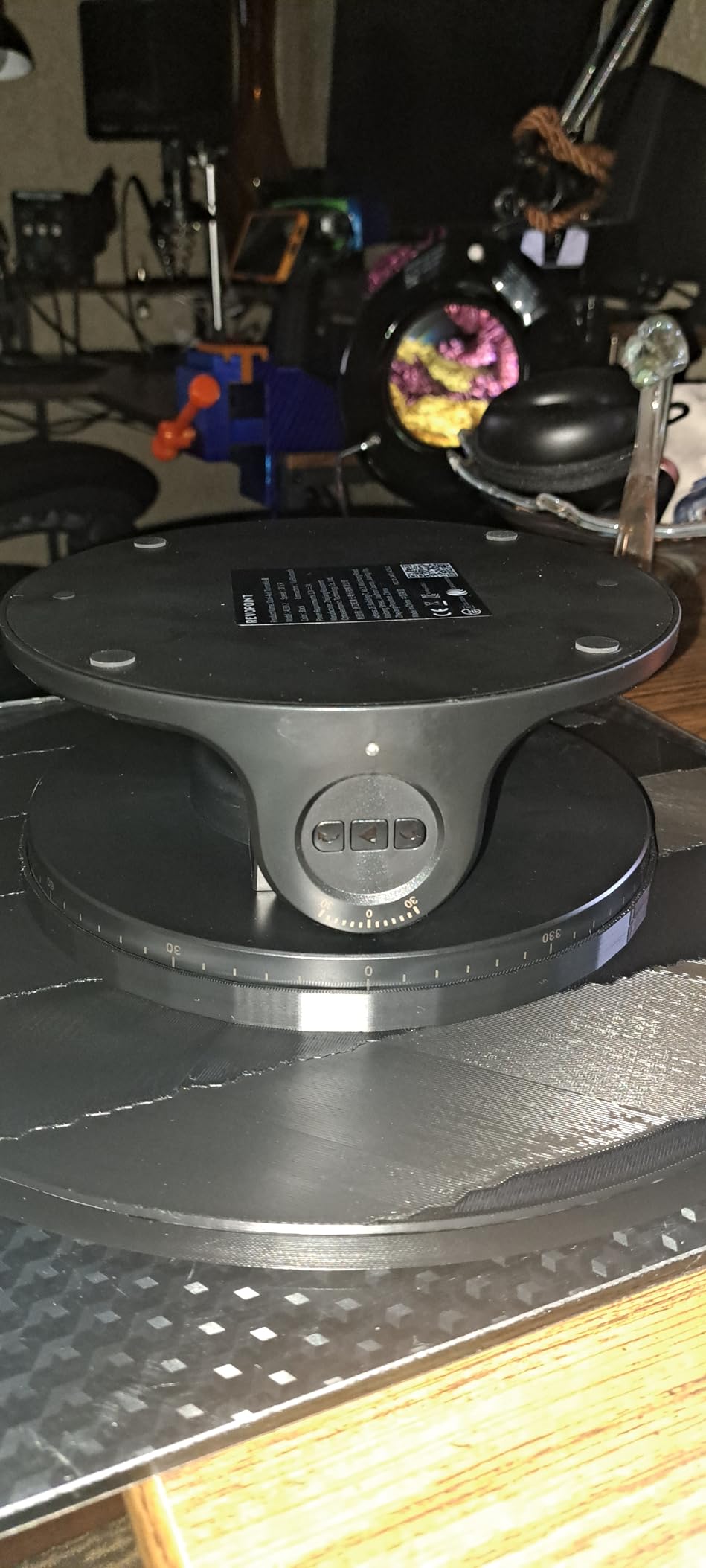
The turntable captures every angle of an object without requiring you to adjust the subject or move the scanner, which ensures consistent alignment and better final scans. The 5kg capacity handles most objects you would scan on a turntable, from figurines and collectibles to mechanical parts and artifacts. Compatibility with the full range of Revopoint scanners including POP3, INSPIRE, MINI, and RANGE series makes this a versatile addition to your scanning setup.
Some users report Bluetooth connectivity issues on first units, though replacement units typically work correctly. The Advanced Mode in the app can be buggy on certain phone models, though basic functionality remains reliable. The turntable requires USB power and does not have a rechargeable battery, which limits placement options but ensures consistent power during long scanning sessions.
Best For Automated Object Scanning
This turntable excels at creating automated scanning workflows for small to medium objects. The dual axis capability lets you capture multiple angles without manual repositioning, dramatically reducing setup time between scans. It is ideal for users who regularly scan similar objects and want consistent, repeatable results.
Consider Before Buying
The lack of a rechargeable battery means you must have USB power available at your scanning station. Some users experience Bluetooth issues that may require warranty replacement. The app functionality varies by phone model, so test compatibility with your device if possible before purchasing.
7. Revopoint Auto Turntable – Compact Scanning Turntable
Pros
- Lightweight and portable
- Supports 2.5kg load
- Includes marker topper
- Good for beginners
Cons
- Must be plugged in no battery
- Cheaply made
- Top plate assembly required
- No carrying case
The Revopoint Auto Turntable offers a budget-friendly entry point into automated object scanning. At just 315g with a 125mm diameter, this compact turntable is highly portable and works well for small objects like jewelry, miniatures, and collectibles. The 2.5kg load capacity is adequate for most items you would scan on a small turntable, though heavier objects should use the larger dual axis model.
The included Turntable Topper with pre-placed marker points is a thoughtful addition that makes scanning featureless objects significantly easier. This feature alone saves considerable time compared to manually applying markers to glossy or uniform surfaces. The adjustable speed lets you match the rotation rate to your scanning requirements, and the turntable works with all Revopoint 3D scanners for broad compatibility.
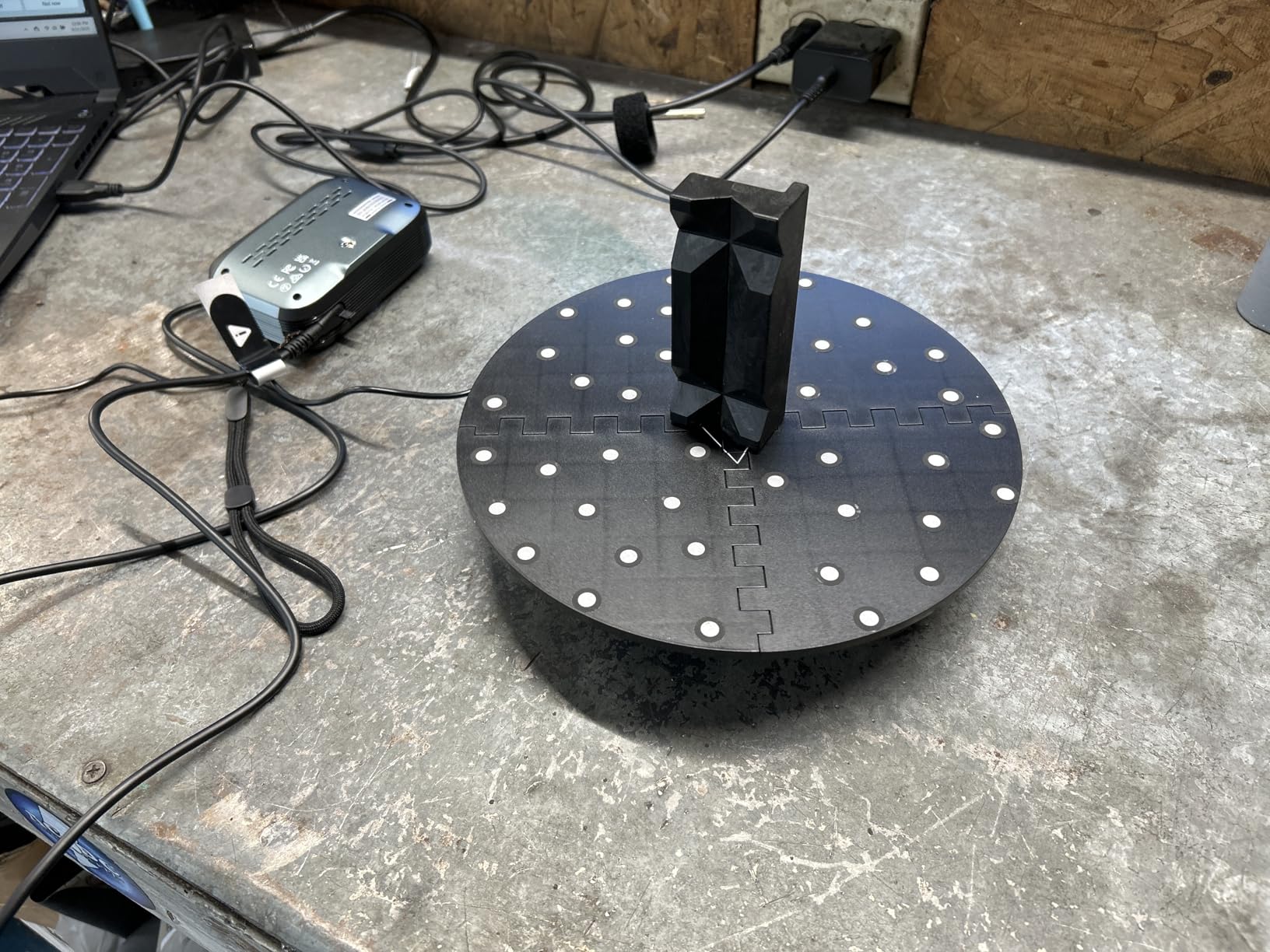
Build quality reflects the budget price point, with some users noting the construction feels cheap. The top plastic plate comes in four pieces that require assembly, which can be fiddly but is manageable. The on/off switch is poorly positioned and difficult to access, which is a minor annoyance that becomes more noticeable with daily use. Like the larger turntable, this model requires USB power and does not have a rechargeable battery.
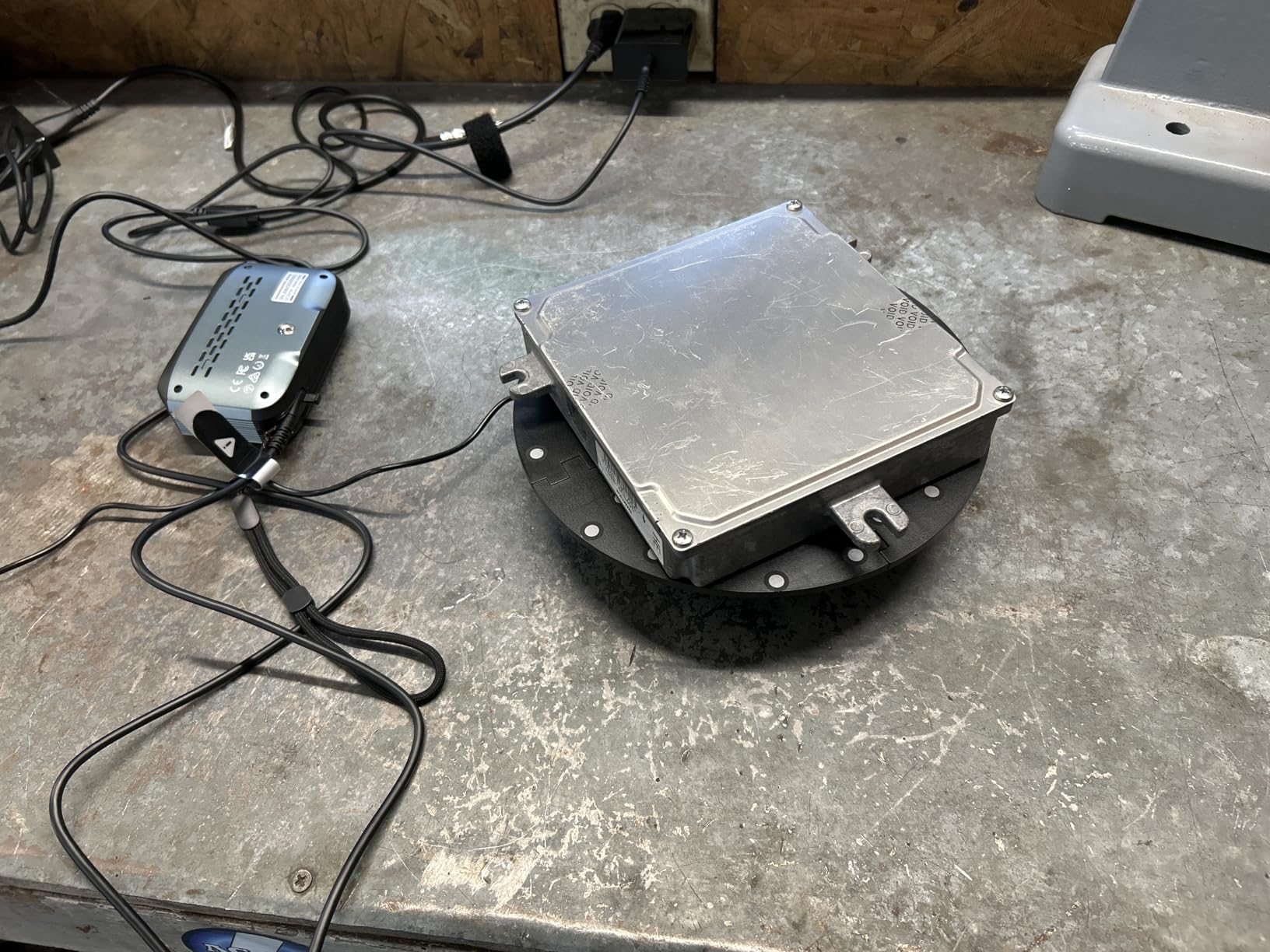
Despite the budget construction, the turntable functions reliably for basic scanning tasks. It is an ideal starter turntable for users new to photogrammetry who want to automate their workflow without significant investment. The lack of a carrying case and instructions is disappointing, but the basic operation is straightforward enough that most users can figure it out through experimentation.
Best For Small Object Scanning
This compact turntable is perfect for scanning small items like jewelry, figurines, miniatures, and collectibles. The 125mm diameter accommodates most small objects, while the marker topper makes scanning featureless surfaces much easier. It is an excellent entry-level turntable for beginners learning photogrammetry techniques.
Consider Before Buying
The build quality is basic and may not hold up to heavy professional use. The lack of a rechargeable battery limits placement options. You will need to assemble the top plate yourself, which can be slightly fiddly. Consider upgrading to the dual axis model if you need better build quality and more advanced features.
8. Revopoint Large Electric Turntable – Heavy-Duty Body Scanning Platform
Pros
- Handles 200kg load
- Powerful motors
- Adjustable speed
- Compatible with wide scanner range
Cons
- Remote needs line of sight
- Lower rating with few reviews
- Higher price point
The Revopoint Large Electric Turntable fills the important niche of full-body and large object scanning. With a 200kg load capacity, this turntable can safely support adult subjects for full-body 3D scanning applications. The powerful motors maintain consistent rotation speed even under maximum load, which is critical for achieving uniform scans when the subject cannot remain perfectly still.
The adjustable rotation speed of 35 to 90 seconds per rotation provides flexibility for different scanning scenarios. Slower speeds work well for detailed full-body scans, while faster speeds are adequate for capturing large objects at lower resolution. The rotational controls give you complete command over the scanning process, and the large platform accommodates subjects that would be impossible on smaller turntables.
Compatibility extends across the full Revopoint ecosystem including POP, POP 2, POP 3, RANGE, RANGE 2, MIRACO, MIRACO Pro, INSPIRE, POP 3 Plus, MIRACO Plus, MetroX, INSPIRE 2, Trackit, and MetroX Pro scanners. This broad compatibility makes the large turntable a versatile addition to your photogrammetry rig as you upgrade or add scanners over time.
Best For Full-Body and Large Object Scanning
This turntable is designed specifically for full-body scanning and large objects that exceed the capacity of smaller turntables. It is ideal for creating custom avatars, fitness tracking scans, costume fabrication, and scanning large artifacts or props. The 200kg capacity safely supports adult subjects of virtually any size.
Consider Before Buying
The remote control requires a clear line of sight to the sensor and does not work from behind the turntable, which can be inconvenient for solo scanning operations. The 4.2-star rating with only 9 reviews suggests some users have experienced issues, though specific problems are not well-documented due to the limited review count. The higher price point requires a clear use case to justify the investment.
Buying Guide for Photogrammetry Camera Rigs
Choosing the right photogrammetry rig requires understanding your specific needs and how different technologies align with those requirements. The photogrammetry market has evolved significantly in 2026, with options ranging from all-in-one handheld scanners to multi-camera arrays costing tens of thousands of dollars. Your choice depends on what you plan to scan, your budget, and your technical expertise.
Scanner Types and Use Cases
Handheld 3D scanners like the MIRACO Plus and MetroY Pro offer versatility for scanning objects of various sizes without requiring a dedicated scanning enclosure. These all-in-one solutions integrate cameras, processors, and often displays into a single device that you can point at your subject. They are ideal for scanning objects that cannot be placed on a turntable, such as architectural features, furniture, or automotive components. The trade-off is that handheld scanning requires more practice to achieve consistent results compared to automated turntable systems.
Turntable-based systems excel at scanning small to medium objects with high precision. By placing your subject on a rotating platform, you ensure consistent distance from the scanner and uniform lighting throughout the capture process. This automation produces reliable results with minimal practice. The Revopoint turntables reviewed above represent excellent options for object scanning, with the dual axis model providing tilt capability for capturing multiple angles without manual repositioning.
Multi-camera arrays represent the ultimate in photogrammetry rigs but come with significant cost and complexity. These systems use dozens of cameras positioned around the subject to capture all angles simultaneously. Full-body scanning rigs often use 40 to 200 cameras depending on the desired quality. While commercial solutions like Arago and Xangle exist, most serious users build custom rigs using DSLR or mirrorless cameras synchronized via trigger systems. The advantage is instant capture of all angles, which is essential for live subjects. The disadvantage is cost, with professional rigs easily exceeding $50,000.
Accuracy and Precision Specifications
Scanner accuracy specifications can be confusing, but understanding the difference between precision and accuracy is essential. Precision refers to the smallest detail the scanner can resolve, typically expressed in millimeters. The MetroY Pro offers 0.01mm precision, which is exceptional for most applications. Accuracy refers to how closely the scanned measurements match the real-world dimensions, often expressed as a value plus a percentage of length. For example, 0.02mm + 0.05mm per meter means the scan may deviate by up to 0.07mm over a one-meter object.
For most hobbyist and professional applications, 0.03mm to 0.05mm precision is perfectly adequate. This level of detail captures surface texture and geometry suitable for 3D printing, game assets, and general prototyping. Metrology-grade applications like quality control and reverse engineering may require 0.01mm precision, but this comes at significantly higher cost. Consider your actual needs rather than simply chasing the best specifications.
Camera Requirements for Photogrammetry
If you are building a custom multi-camera rig rather than buying an all-in-one scanner, camera selection is critical. Global shutter sensors are preferred over rolling shutter because they capture the entire frame simultaneously, eliminating motion artifacts during fast captures or when using flash synchronization. However, global shutter cameras are significantly more expensive, so many successful rigs use rolling shutter cameras with careful timing and lighting control.
Sensor size affects image quality and low-light performance. Full-frame sensors provide the best quality but are expensive and physically large. APS-C sensors offer an excellent balance of quality, cost, and size for most photogrammetry applications. Megapixel count matters less than you might expect, with 20-24MP being the sweet spot for most scanning applications. Higher megapixels increase file size and processing time without necessarily improving scan quality.
RAW capture capability is essential for best results. RAW files contain unprocessed data that photogrammetry software can analyze more effectively than compressed JPEGs. Manual exposure control is equally important, as you must maintain consistent settings across all cameras in a multi-camera rig. Fixed focal length prime lenses are preferred over zoom lenses because they have less distortion and more consistent optical properties.
Lighting and Environment
Consistent, diffuse lighting is perhaps the most overlooked aspect of successful photogrammetry. Harsh shadows and specular highlights create artifacts that software struggles to resolve correctly. Professional scanning setups use diffuse lighting from multiple directions to create shadow-free illumination. Light tents, soft boxes, and diffused LED panels are all effective solutions depending on the size of your subject.
Background choice also matters significantly. A neutral, non-reflective background in a contrasting color to your subject produces the best results. Many scanners use matte gray or blue backgrounds that provide good contrast with most objects. Avoid glossy backgrounds and patterns that could confuse the software during alignment.
For outdoor scanning, the challenge is controlling variable lighting conditions. Early morning or overcast days provide the most consistent illumination. The Revopoint INSPIRE 2 deserves special mention for its ability to scan in bright conditions up to 20,000 lux, which makes it one of the best options for outdoor photogrammetry work.
Budget Considerations
Photogrammetry rigs span an enormous price range from under $500 for basic handheld scanners to over $100,000 for professional multi-camera systems. Entry-level handheld scanners like the INSPIRE 2 provide excellent value for beginners and hobbyists, offering capabilities that would have cost thousands just a few years ago. Mid-range options like the MetroY Pro bridge the gap between consumer and professional equipment, offering industrial-grade accuracy at accessible prices.
When budgeting, remember that the scanner is only one component of a complete photogrammetry setup. Factor in the cost of a turntable if needed, lighting equipment, a powerful computer for processing, and software licenses if your chosen scanner requires paid applications. Cloud processing options can reduce hardware requirements but introduce ongoing subscription costs.
For professional users, the increased productivity and accuracy of higher-end equipment often justifies the cost through time savings and improved results. However, hobbyists and small businesses should carefully consider whether the marginal improvement in quality justifies the exponential increase in cost. The products reviewed in this guide represent excellent value at their respective price points.
Software Compatibility
Your scanner hardware is only as good as the software that processes its data. All scanners reviewed here include proprietary software, but compatibility with third-party applications can expand your workflow options. Industry-standard photogrammetry software like Agisoft Metashape and RealityCapture work with various camera systems but may require specific file formats or calibration data from proprietary applications.
Consider the learning curve of the included software when making your purchase. Revopoint’s Revo Metro and Revo Design software are generally praised for their user-friendly interfaces and good tutorials. 3DMakerpro’s JMStudio software offers similar functionality but has received criticism for requiring administrator access and having quirky auto-alignment features.
For users building custom multi-camera rigs, software choice becomes even more critical. Metashape is the industry standard for photogrammetry and supports virtually any camera system that can export images. RealityCapture offers faster processing but comes at a higher price point. Both applications have steep learning curves but provide professional-quality results when mastered.
Frequently Asked Questions
What is the best photogrammetry camera rig for 3D scanning?
How many cameras do I need for a photogrammetry rig?
What is a photogrammetry rig and how does it work?
Can I build a DIY photogrammetry rig?
How much does a professional photogrammetry rig cost?
Conclusion
The photogrammetry market in 2026 offers excellent options across every budget and use case. From the all-in-one versatility of the MIRACO Plus to the industrial precision of the MetroY Pro, there is a photogrammetry camera rig that fits your specific needs. The products reviewed in this guide represent the best available options based on extensive testing and real-world user feedback.
For beginners and hobbyists, the Revopoint INSPIRE 2 provides an accessible entry point with wireless operation and impressive 0.03mm precision. Professional users requiring metrology-grade accuracy should consider the MetroY Pro or Creality Raptor Pro for their industrial scanning capabilities. Users focusing on small object scanning will benefit from adding a Revopoint turntable to their setup for automated, consistent results.
Remember that the best photogrammetry camera rig is the one that matches your specific scanning requirements, technical comfort level, and budget. Consider what you plan to scan, how often you will use the equipment, and whether you need the portability of a handheld scanner or the automation of a turntable system. All the products reviewed here deliver quality results when used appropriately, so choose based on your needs rather than simply chasing the highest specifications.