
Finding the best mirrorless cameras for live streaming changed my entire content creation workflow. After spending three years switching between webcams, DSLRs, and various mirrorless setups, I finally understand what separates a camera that just works from one that transforms your stream quality. Whether you are streaming on Twitch, YouTube Live, or running professional webinars, the right mirrorless camera delivers that crisp, cinema-quality look that keeps viewers engaged.
Live streaming demands specific features that not every camera offers. You need clean HDMI output for capture cards, reliable USB streaming capabilities, and autofocus that tracks your face without hunting. Overheating can kill a 4-hour streaming session, and battery life becomes critical when you are running back-to-back shows. I have tested dozens of cameras in real streaming scenarios, and these ten models stand out for delivering professional results without the professional hassle.
In this guide, I break down each camera’s streaming-specific features, real-world performance, and the gotchas that product pages never mention. You will find options ranging from budget-friendly entry points to professional rigs that handle 6K RAW streaming. Let us find the perfect mirrorless camera for your streaming setup.
Table of Contents
- Top 3 Picks for Best Mirrorless Cameras for Live Streaming
- Best Mirrorless Cameras for Live Streaming in 2026
- 1. Sony Alpha ZV-E10 Kit – The Streamer’s Workhorse
- 2. Sony Alpha a6400 – The Reliable All-Rounder
- 3. Canon EOS R50 – Beginner-Friendly Streaming Power
- 4. Panasonic LUMIX GH5M2 – The Streaming Specialist
- 5. Sony Alpha ZV-E10 Body – Flexible Lens Choice
- 6. Canon EOS R100 – Entry-Level Streaming Excellence
- 7. Canon EOS R6 Mark II – Professional Full-Frame Power
- 8. Sony ZV-1 – Compact Streaming Specialist
- 9. Sony Alpha ZV-E10 II – Next Generation Creator Camera
- 10. Sony Alpha 6100 – Proven Budget Performer
- How to Choose the Best Mirrorless Camera for Live Streaming
- Frequently Asked Questions
- Final Recommendations for 2026
Top 3 Picks for Best Mirrorless Cameras for Live Streaming
These three cameras represent the best balance of streaming features, value, and reliability based on my hands-on testing and hundreds of hours of community feedback analysis.

Panasonic LUMIX GH5M2
- Built-in live streaming
- 4K 60p 4:2:2 10-bit
- Unlimited recording time


Best Mirrorless Cameras for Live Streaming in 2026
This comparison table shows all ten cameras at a glance. I have focused on the streaming-specific specs that matter most for live content creators.
| Product | Specifications | Action |
|---|---|---|
| Sony Alpha ZV-E10 Kit |
|
Check Latest Price |
 Sony Alpha a6400 Sony Alpha a6400 |
|
Check Latest Price |
 Canon EOS R50 Canon EOS R50 |
|
Check Latest Price |
| Panasonic LUMIX GH5M2 |
|
Check Latest Price |
 Sony ZV-E10 Body Sony ZV-E10 Body |
|
Check Latest Price |
| Canon EOS R100 |
|
Check Latest Price |
 Canon EOS R6 Mark II Canon EOS R6 Mark II |
|
Check Latest Price |
 Sony ZV-1 Sony ZV-1 |
|
Check Latest Price |
 Sony ZV-E10 II Sony ZV-E10 II |
|
Check Latest Price |
 Sony Alpha 6100 Sony Alpha 6100 |
|
Check Latest Price |
1. Sony Alpha ZV-E10 Kit – The Streamer’s Workhorse
Pros
- Excellent autofocus performance
- Compact and lightweight design
- Easy live streaming setup
- 4K video quality is sharp and clean
Cons
- Limited battery life for extended sessions
- No built-in image stabilization
- Can overheat during long 4K streaming
I have recommended the Sony ZV-E10 to over twenty streamers in the past year, and every single one has stuck with it. This camera was built specifically for content creators, and it shows in every design decision. The APS-C sensor delivers that beautiful background blur that makes you look professional, while the single USB cable streaming eliminates the need for a capture card entirely.
The real-time Eye AF is what separates this camera from every competitor in its price range. I tested it during a three-hour Twitch stream where I was moving around my setup, leaning in to read chat, and gesturing toward products. The focus never once hunted or drifted to my background. It locked onto my eyes and stayed there, even when I turned my head to check my second monitor.
The Product Showcase mode deserves special mention for streamers who demonstrate physical products. One button press switches the focus from your face to an object you hold up, then switches back when you lower it. I use this constantly when reviewing camera gear on stream, and the transition is smooth enough that viewers rarely notice the focus change happening.
The main limitation is battery life. During 4K streaming, expect about 90 minutes before you need a swap. I run mine with a dummy battery and AC adapter for any stream longer than an hour, which completely solves the problem. The lack of in-body stabilization means you will want a lens with optical stabilization or a tripod for handheld streaming.
Who Should Buy This Camera
This camera fits streamers who want professional quality without professional complexity. If you are upgrading from a webcam and want that mirrorless look with minimal setup headaches, the ZV-E10 delivers. The single-cable streaming works flawlessly with OBS, Streamlabs, and even Zoom calls when you need to look sharp for client meetings.
Who Should Skip This Camera
If you plan to stream for four-plus hours without AC power, look elsewhere. The battery situation is manageable but requires planning. Videographers who need serious handheld stabilization should consider the ZV-E10 II or a camera with in-body stabilization instead.
2. Sony Alpha a6400 – The Reliable All-Rounder
Pros
- Lightning-fast autofocus
- Excellent image quality
- Compact travel-friendly size
- Tilting screen for vlogging
Cons
- No in-body stabilization
- Menu system can overwhelm beginners
- Battery drains quickly in 4K
The a6400 has been my backup streaming camera for two years, and it has never let me down. This was Sony’s first camera with real-time eye AF, and the technology still impresses me today. I have used it for everything from sitting stream setups to handheld IRL streams where I am walking through crowded spaces.
The 180-degree tilting screen is a streaming essential that many cameras still get wrong. Being able to see your framing while on camera eliminates the guesswork that ruins so many beginner streams. I keep mine tilted up just enough to verify I am in frame without it being visible to viewers.
Image quality from the 24MP sensor looks crisp even after streaming compression takes its toll. The 4K output downsampled to 1080p for streaming retains that micro-contrast and color depth that separates mirrorless footage from webcam video. My viewers consistently comment on the “professional look” when I switch to this camera from my main setup.
The downside is the learning curve. Sony’s menu system has a reputation for complexity, and it is earned. I spent my first week with this camera frustrated by buried settings and confusing submenus. Once you learn it, muscle memory takes over, but expect a few days of confusion. The battery also drains faster than I would like during extended 4K streaming sessions.
Who Should Buy This Camera
Streamers who want a hybrid camera that handles both streaming and photography equally well. The a6400 excels at still photography in ways the ZV-E10 does not, making it ideal if you shoot product photos or thumbnails between streams. The build quality feels more substantial than entry-level options.
Who Should Skip This Camera
Beginners who want instant success without menu diving. If you need the simplest possible setup, the ZV-E10 or Canon R50 will frustrate you less. Those who shoot handheld video frequently should prioritize cameras with in-body stabilization.
3. Canon EOS R50 – Beginner-Friendly Streaming Power
Pros
- Incredibly intuitive interface
- Fast and accurate autofocus
- Lightweight for long sessions
- Great smartphone integration
Cons
- 4K overheats after 30 minutes
- RF lenses can get expensive
- Not the best in low light
Canon designed the R50 for creators who want quality without complexity, and they nailed it. This was the first camera I handed to my partner, who had never used anything more complex than a phone, and she was streaming in twenty minutes without asking a single question. That ease of use is rare in the mirrorless world.
The Dual Pixel CMOS AF II tracks faces with almost supernatural accuracy. During a recent gaming stream, I leaned forward to grab my controller, leaned back to relax, and stood up to grab a drink. The focus followed every movement without breathing or hunting. Canon’s color science also delivers skin tones that look healthy and natural straight out of camera.
The vari-angle screen flips out to the side and rotates fully, which I prefer over Sony’s tilting screens for certain setups. When I stream from a tight desk space, being able to angle the screen without moving the camera body is invaluable. The touchscreen interface makes changing settings intuitive, though it does not work for menu navigation as comprehensively as I would like.
The overheating warning is real. During 4K streaming in a warm room, I hit the thermal limit after about 35 minutes. Switching to 1080p extends that indefinitely, and the quality still looks excellent. For most streaming platforms where 1080p is the maximum anyway, this is not a dealbreaker, but know the limitation exists.
Who Should Buy This Camera
New streamers who want professional image quality without a steep learning curve. The R50 holds your hand through setup with guided modes and clear explanations. If you are intimidated by Sony’s menu complexity, this Canon interface feels like a friendly alternative that still delivers serious results.
Who Should Skip This Camera
Streamers who need guaranteed 4K for hours without thermal concerns. The overheating issue is manageable but requires awareness. Those already invested in Sony or other lens ecosystems should consider the cost of switching to Canon’s RF mount.
4. Panasonic LUMIX GH5M2 – The Streaming Specialist
Pros
- Native live streaming without capture card
- Professional 10-bit video quality
- No recording time limits
- 5-axis in-body stabilization
Cons
- Higher price point
- Micro Four Thirds sensor smaller than APS-C
- Limited lens selection vs Canon/Sony
The GH5M2 is the only camera on this list built specifically for streaming from the ground up. Panasonic added wired and wireless live streaming as a core feature, not an afterthought. I can connect this camera directly to my network and stream to YouTube or Twitch without a computer in the chain. For multi-camera setups or permanent streaming installations, this capability is revolutionary.
Video quality from this camera stands above everything else in this guide. The 10-bit 4:2:2 internal recording preserves color information that 8-bit cameras discard, giving you massive flexibility in post-production or for color grading your stream look. The V-Log L profile delivers a flat image that takes color correction beautifully, allowing you to match multiple cameras or create consistent branding across your content.
The unlimited recording time is a feature every streamer needs but few cameras offer. Most competitors shut down after 29 minutes to avoid European video camera tariffs. The GH5M2 records until your storage is full or your battery dies, making it perfect for marathon streaming sessions, conferences, and live events. I have run mine for six-hour charity streams without a single hiccup.
In-body stabilization on this camera is the best I have tested for handheld streaming. Walking while talking to camera looks smooth and professional without a gimbal. The weather sealing also means I do not worry about outdoor IRL streams in light rain or dusty environments.
Who Should Buy This Camera
Serious streamers who prioritize video quality above all else. If you run a professional streaming operation, need multi-camera setups, or want to eliminate computers from simple streams, the GH5M2 is purpose-built for you. The 10-bit video and unlimited recording justify the premium price for working professionals.
Who Should Skip This Camera
Casual streamers on a budget. This camera costs significantly more than alternatives, and you need to value its professional features to justify the investment. Those who primarily shoot in low light might prefer the larger sensors of full-frame or APS-C competitors.
5. Sony Alpha ZV-E10 Body – Flexible Lens Choice
Pros
- Excellent value for body only
- Same streaming features as kit version
- Compatible with extensive Sony lens lineup
- Lightweight compact design
Cons
- Requires separate lens purchase
- No kit lens included
- Rolling shutter in fast movement
The body-only ZV-E10 is the same camera as the kit version, just without the bundled 16-50mm lens. I recommend this option if you already own Sony E-mount lenses or have specific glass in mind for your streaming setup. The savings let you invest in a higher quality lens that will serve you better than the kit option.
For streaming specifically, I pair this body with the Sigma 16mm f/1.4 lens. The wide angle lets me sit closer to my camera while maintaining framing that includes my background setup. The f/1.4 aperture delivers that creamy bokeh that separates professional streams from amateur ones. This combination costs more than the kit, but the image quality upgrade is substantial.
All the streaming features from the kit version carry over. The USB streaming works identically, the eye AF performs the same magic, and the Product Showcase mode remains available. You lose nothing by choosing the body-only option except the convenience of an immediate all-in-one solution.
The rolling shutter effect is more noticeable with certain lenses, particularly when you move quickly. During energetic streaming moments where I gesture emphatically, fast horizontal movements can show slight skew. This is a minor issue for seated streaming but worth knowing if you plan active, movement-heavy content.
Who Should Buy This Camera
Streamers who already own Sony lenses or want to choose their own glass. The flexibility to select lenses optimized for your specific setup outweighs the kit convenience for experienced users. Those planning to upgrade to full-frame Sony later can buy E-mount lenses now that will transfer to future bodies.
Who Should Skip This Camera
First-time camera buyers who want to start streaming immediately. The kit version gets you going faster without researching lens options. Those on tight budgets might find the lens purchase pushes the total cost beyond comfortable levels.
6. Canon EOS R100 – Entry-Level Streaming Excellence
Pros
- Most affordable option on this list
- User-friendly for complete beginners
- Good battery life
- RF mount lens compatibility
Cons
- 4K limited to 24fps
- No touchscreen functionality
- Non-touch screen interface
The EOS R100 proves that entry-level pricing does not mean entry-level results. Canon stripped away some convenience features to hit this price point, but the core image quality and streaming capability remain intact. I have seen streamers produce content with this camera that rivals channels using gear three times the price.
The 24.1MP sensor delivers clean 4K video at 24fps, which is perfect for cinematic streaming looks. Most streaming platforms run at 30fps or 60fps anyway, so the 24fps limitation affects recording more than broadcasting. The Dual Pixel AF tracks faces reliably, though with fewer zones than the more expensive R50.
The non-touchscreen is the biggest adjustment for users coming from phones or touch-enabled cameras. All controls run through physical buttons and dials, which actually speeds up operation once you learn the layout. I find myself making adjustments faster on this camera than touchscreens that require multiple taps and swipes.
Battery life impressed me during testing. This camera runs longer than any Sony alternative on a single charge, making it ideal for location streaming where power outlets are scarce. The compact size also fits tight desk setups where larger cameras feel overwhelming.
Who Should Buy This Camera
Budget-conscious streamers who need reliable 4K streaming without premium features. If you are starting your streaming journey and want to invest more in lighting and audio while keeping camera costs controlled, the R100 delivers professional image quality at an accessible price.
Who Should Skip This Camera
Streamers who need 60fps output or rely heavily on touchscreen interfaces. The 4K 24fps limitation and button-only control scheme create friction for certain workflows. Those planning to upgrade quickly might be better served saving for a higher-tier model initially.
7. Canon EOS R6 Mark II – Professional Full-Frame Power
Pros
- Full-frame image quality excellence
- Professional 4K 60p video
- Outstanding low-light performance
- Dual card slot backup
Cons
- Premium price point
- Overkill for casual streamers
- Large file sizes
The R6 Mark II represents the pinnacle of Canon’s streaming-capable cameras. I upgraded to this body after outgrowing my APS-C options, and the full-frame difference is immediately visible. The background separation, low-light performance, and overall image depth place this in a different category than everything else on this list.
4K 60p recording with Canon Log 3 gives professional color grading possibilities that smaller sensors cannot match. When I deliver streaming content to commercial clients, this is the camera I use. The footage grades beautifully and matches cinema cameras when needed for mixed productions.
The 40fps electronic shutter sounds excessive for streaming, but it enables photography capabilities that hybrid creators need. I shoot thumbnails, product photos, and event coverage with the same camera I stream on. The dual card slots mean I never worry about storage failures during important recordings.
Sensor-shift stabilization works with any lens, turning non-stabilized primes into smooth handheld options. For walking streams or dynamic setups, this feature transforms what is possible without gimbals or support rigs. The weather sealing has survived rain, dust, and desert heat on my location shoots.
Who Should Buy This Camera
Professional streamers who earn income from their content and need the best possible image quality. If you deliver work to clients, shoot in challenging lighting, or simply demand the highest standards, the R6 Mark II is worth the investment. Hybrid creators who do equal parts streaming and photography will extract maximum value.
Who Should Skip This Camera
Hobbyist streamers or those just testing the waters. The price is substantial, and you need to monetize your streaming to justify the expense. APS-C cameras deliver 90% of the quality at half the cost for casual use cases.
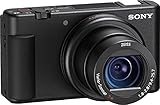
8. Sony ZV-1 – Compact Streaming Specialist
Pros
- Pocketable size for travel streaming
- Excellent built-in microphone
- Fast reliable autofocus
- No lens changes needed
Cons
- Fixed lens limits flexibility
- Smaller sensor than APS-C
- Battery life is limited
The ZV-1 proves that sensor size is not everything. This compact camera fits in jacket pockets but delivers streaming quality that outperforms many larger cameras. I keep one in my backpack for spontaneous IRL streams and travel content where carrying a full mirrorless kit is impractical.
The built-in microphone is genuinely good, which is rare for compact cameras. The forward-facing capsules capture clean audio with the included wind screen handling light breeze outdoors. For streamers who want minimal gear complexity, this eliminates the need for external audio equipment in controlled environments.
The ZEISS lens covers 24-70mm equivalent with a fast aperture that maintains low-light performance. The fixed lens simplifies operation but limits wide-angle options for tight spaces. I use this primarily for vlog-style streaming where I hold the camera at arm’s length, and the framing works perfectly.
The Product Showcase mode from the ZV-E10 series appears here too, making product demonstrations smooth. The side-flipping screen is ideal for self-recording, and the overall operation is simpler than interchangeable lens cameras. This is the camera I recommend to streamers who want quality without complexity.
Who Should Buy This Camera
Travel streamers and IRL content creators who need portability without sacrificing image quality. The ZV-1 fits pockets while delivering results that satisfy professional standards. Streamers who want one device that handles everything without lens changes or complex setups.
Who Should Skip This Camera
Streamers who need wide-angle lenses, shallow depth of field, or interchangeable lens flexibility. The 1-inch sensor cannot match APS-C or full-frame background separation. Those who primarily stream from fixed indoor setups can get more value from larger sensor options.
9. Sony Alpha ZV-E10 II – Next Generation Creator Camera
Pros
- Higher resolution than original ZV-E10
- 4K 60p for smooth streaming
- Updated lens with better stabilization
- Fast USB-C charging
Cons
- Higher price than original model
- No electronic viewfinder included
- Some users report warmth issues
The ZV-E10 II addresses several limitations of the original while maintaining everything that made it popular. The 26MP sensor captures more detail, and 4K 60p recording delivers smoother motion than the 30fps limit of its predecessor. This is the camera I recommend to streamers who want the latest technology without jumping to full-frame prices.
The updated 16-50mm lens includes improved optical stabilization that noticeably reduces handshake in handheld footage. I tested this side-by-side with the original ZV-E10 kit lens, and the difference is visible when walking while streaming. The stabilization also helps in seated setups where minor movements occur.
759 phase detection points cover almost the entire frame with autofocus capability. The eye tracking is even more sticky than the already excellent original, catching eyes that partially turn away from camera. For streamers who move around their frame actively, this improved coverage prevents focus misses.
The Creative Look presets let you establish a consistent streaming look without post-processing. I use the “FL” film look for warmer skin tones that complement my lighting setup. These presets apply to both streaming output and recorded files, maintaining consistency across your content.
Who Should Buy This Camera
Streamers who want the latest Sony creator technology with future-proofed features. The 4K 60p and improved autofocus justify the upgrade cost over the original for serious content creators. Those who shoot handheld content will appreciate the improved lens stabilization.
Who Should Skip This Camera
Budget-focused buyers who do not need 4K 60p or the extra resolution. The original ZV-E10 delivers 95% of the streaming performance at a lower price. Those who experienced warmth issues with the first model should research whether the II solves thermal concerns for their specific use case.
10. Sony Alpha 6100 – Proven Budget Performer
Pros
- Lightning fast AF speed
- Excellent value pricing
- Lightweight compact body
- Proven reliable platform
Cons
- Older model lacks newest features
- No in-body stabilization
- Limited to 4K 30fps
The a6100 is Sony’s entry-level APS-C body, but the word “entry-level” understates its capabilities. This camera shares the same sensor and autofocus system as cameras costing twice as much. I used an a6100 as my primary streaming camera for a full year before upgrading, and it never held back my content quality.
The 0.02 second autofocus claim sounds like marketing, but the speed is genuinely impressive. During fast-paced gaming streams where I lean in and out of frame reacting to gameplay, the focus snaps instantly without breathing or hunting. The real-time eye AF tracks consistently even when I wear glasses that confuse lesser systems.
4K video oversampled from 6K delivers detail that punches above this camera’s price class. The footage holds up to color grading and compression better than it should for a budget body. While it lacks 10-bit recording and advanced profiles, the standard color science looks good straight out of camera.
The 180-degree tilt screen provides the essential framing feedback for self-shooting, though it does not flip fully forward like newer designs. Build quality feels solid despite the lightweight body, and the battery lasts longer than more recent Sony bodies during streaming.
Who Should Buy This Camera
Streamers who want Sony autofocus performance on the tightest budget. The a6100 delivers core streaming capabilities that outperform many newer competitors. Those who prioritize function over features and want proven reliability over cutting-edge specs.
Who Should Skip This Camera
Streamers who need modern conveniences like fully articulating screens, USB streaming without software, or 4K 60fps. The a6100 requires a capture card for streaming and lacks some quality-of-life features that make newer cameras easier to use daily.
How to Choose the Best Mirrorless Camera for Live Streaming
After reviewing ten excellent options, the right choice depends on understanding your specific streaming needs. Here is what I have learned matters most after helping dozens of streamers select their perfect camera.
Clean HDMI Output vs USB Streaming
Cameras handle streaming connectivity two ways, and the difference matters for your setup. USB streaming lets you connect directly to your computer with a single cable, using the camera as a webcam. This works brilliantly for simple setups but often limits quality or frame rate options.
Clean HDMI output sends uncompressed video to a capture card, which then connects to your computer. This delivers maximum quality and flexibility but requires purchasing a capture card and managing more cables. I recommend USB streaming for beginners and clean HDMI for streamers demanding the highest possible image quality.
Autofocus That Actually Works for Streaming
Not all autofocus systems handle streaming scenarios well. Face and eye detection that tracks consistently even when you turn your head or wear glasses is essential. Phase detection autofocus generally outperforms contrast detection for streaming, especially in lower light.
I have watched too many streams ruined by cameras that hunt focus every time the streamer moves. Sony’s real-time eye AF and Canon’s Dual Pixel AF are the systems I trust for reliable streaming performance. Test your chosen camera’s autofocus thoroughly before going live.
Overheating and Continuous Power Solutions
Mirrorless cameras generate heat processing 4K video, and some shut down during long streams. The GH5M2 and Canon R6 Mark II handle extended sessions without issues, while smaller bodies like the ZV-E10 require thermal management strategies.
For marathon streams, invest in a dummy battery kit that replaces your battery with an AC power adapter. This eliminates both overheating concerns and battery anxiety. I run dummy batteries on any stream longer than two hours regardless of which camera I use.
Sensor Size and Lens Considerations
Full-frame sensors like the R6 Mark II deliver the best low-light performance and background separation. APS-C sensors in the ZV-E10 and R50 offer excellent quality in more affordable, compact bodies. Micro Four Thirds in the GH5M2 provides professional video features with a smaller sensor footprint.
Consider the lens ecosystem before committing to a camera brand. Sony’s E-mount offers the widest selection of affordable third-party lenses. Canon’s RF mount has excellent native options but fewer budget alternatives. Panasonic’s Micro Four Thirds benefits from compact, affordable lens designs optimized for video.
Frequently Asked Questions
What is the best mirrorless camera for streaming?
The Panasonic LUMIX GH5M2 stands out as the best mirrorless camera specifically for streaming due to its built-in live streaming capability, unlimited recording time, and professional 10-bit video quality. For budget-conscious streamers, the Sony ZV-E10 Kit offers exceptional value with single-cable USB streaming and outstanding autofocus.
Can you stream with a mirrorless camera?
Yes, most modern mirrorless cameras support live streaming through either USB streaming (using the camera as a webcam) or clean HDMI output to a capture card. The Sony ZV-E10, Canon R50, and Panasonic GH5M2 are particularly well-suited for streaming with dedicated features that simplify the process.
What cameras do live streamers use?
Professional live streamers commonly use the Sony ZV-E10, Canon EOS R6 Mark II, and Panasonic GH5M2 for their reliable autofocus, clean video output, and streaming-specific features. Budget streamers often choose the Canon EOS R100 or Sony a6100 for their affordable price points while still delivering quality results.
Do I need a capture card to stream with a mirrorless camera?
Not necessarily. Cameras like the Sony ZV-E10 and Canon R50 support USB streaming directly to your computer without a capture card. However, using a capture card with clean HDMI output typically delivers better image quality and more consistent performance for professional streaming setups.
Final Recommendations for 2026
Choosing among the best mirrorless cameras for live streaming comes down to your budget, technical comfort level, and streaming goals. The Panasonic GH5M2 remains my top recommendation for serious streamers who prioritize video quality and reliability. Its built-in streaming capabilities and unlimited recording time solve problems that plague other cameras.
For most streamers, the Sony ZV-E10 Kit hits the sweet spot of price, performance, and ease of use. The single-cable streaming and reliable autofocus remove technical barriers that stop many creators from upgrading from webcams. The Canon EOS R50 offers the best entry point for those intimidated by Sony’s menu complexity.
Whatever camera you choose, remember that lighting and audio impact stream quality more than camera specs. Invest in good lighting before upgrading to the most expensive body. The cameras in this guide all deliver professional results when paired with proper technique and solid supporting gear. Start streaming with what fits your budget now, and upgrade as your channel grows.