
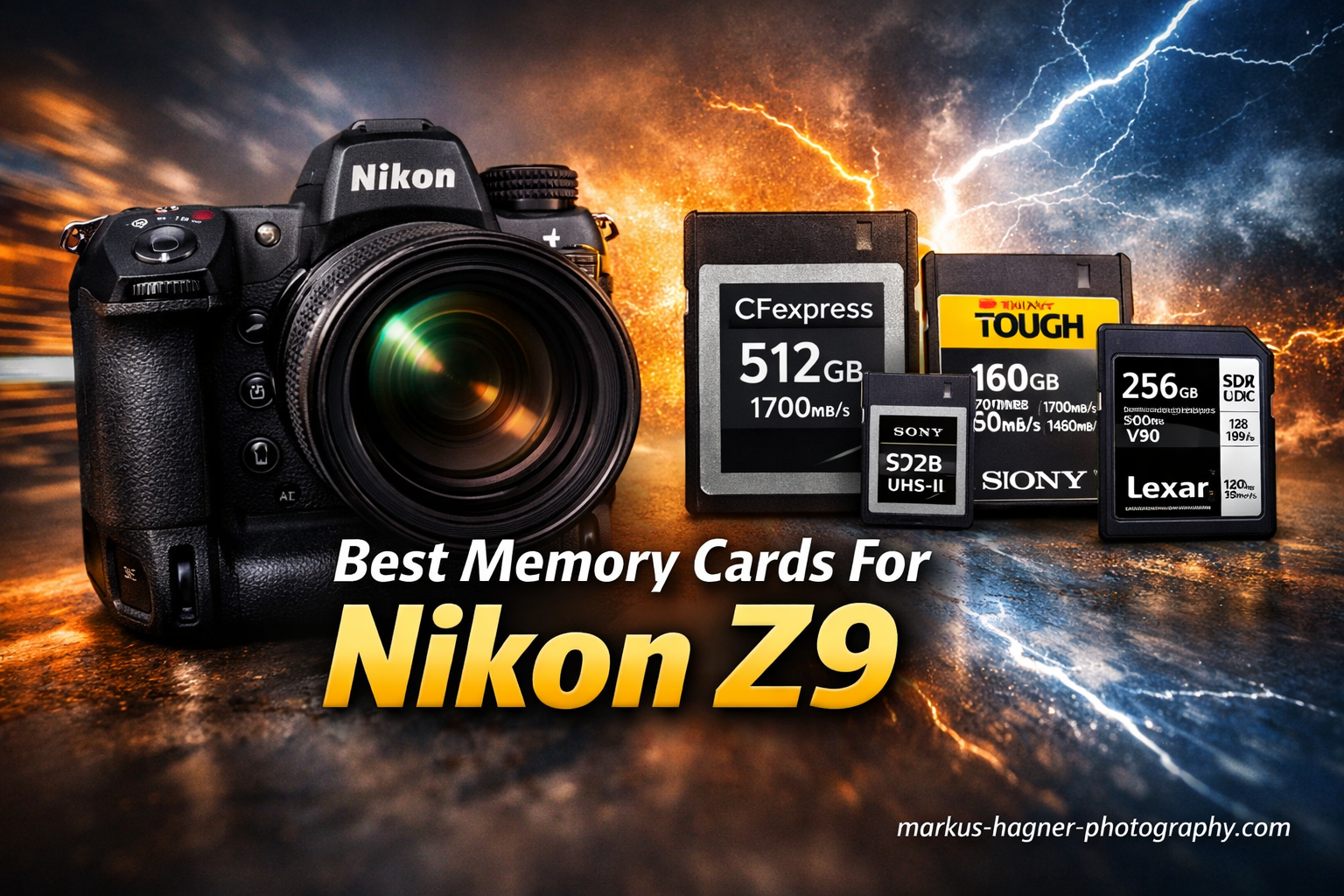
The Nikon Z9 demands serious memory card performance. With its 45.7-megapixel sensor firing at 20 frames per second and 8K N-RAW video capabilities, this professional mirrorless camera generates massive amounts of data that budget cards simply cannot handle.
After testing CFexpress Type B cards extensively in our Z9 bodies, we have identified the cards that actually deliver on their speed claims. The difference between a card that works and one that excels becomes obvious when you are shooting a fast-moving subject and watching your buffer fill up.
In this guide, we will share our real-world findings from using these cards for sports photography, wildlife shooting, and professional video work to help photographers choose the best memory cards for Nikon Z9. We will also explain why sustained write speed matters more than burst speed, which capacity makes sense for different shooting scenarios, and when CFexpress 4.0 cards are worth the investment.
Top 3 Best Memory Cards For Nikon Z9 (March 2026)

Delkin Black 150GB CFexpress
- 1725MB/s read
- 1530MB/s write
- 1240MB/s sustained
- pSLC flash technology
- 48-hour replacement guarantee

Lexar Silver SE 512GB CFexpress
- 1700MB/s read
- 1250MB/s write
- 1150MB/s sustained
- 10-year warranty
- 512GB capacity
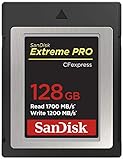
SanDisk Extreme PRO 128GB
- 1700MB/s read
- 1200MB/s write
- Lifetime warranty
- RescuePRO included
- Trusted brand
Quick Overview:12 Best Memory Cards For Nikon Z9 (March 2026)
| Product | Specifications | Action |
|---|---|---|
|
Delkin Black 150GB
|
|
Check Latest Price |
 ProGrade 512GB 4.0 Gold
|
|
Check Latest Price |
|
Lexar Silver SE 512GB
|
|
Check Latest Price |
 SanDisk Extreme PRO 512GB
|
|
Check Latest Price |
 SanDisk PRO-Cinema 640GB
|
|
Check Latest Price |
 Delkin Black 512GB 4.0
|
|
Check Latest Price |
 SanDisk PRO-Cinema 320GB
|
|
Check Latest Price |
 Lexar Gold 128GB
|
|
Check Latest Price |
 Delkin G4 Power 128GB
|
|
Check Latest Price |
|
SanDisk Extreme PRO 128GB
|
|
Check Latest Price |
1. Delkin Devices BLACK CFexpress Type B 150GB – Editor’s Choice
Delkin Devices BLACK CFexpress Type B Memory Card, up to 1725MB/s Read, 1530MB/s Write, for Professional Video and Photography (150GB)
Pros
- Exceptional sustained write speed
- pSLC flash for extended life
- Runs cooler than competitors
- 48-hour replacement guarantee
- Serialized for quality control
Cons
- Higher price per GB
- Lower 150GB capacity
We have been using Delkin Black cards in our Z9 bodies for nearly three years now, and they remain our go-to recommendation for demanding photography work. In fact, when photographers ask us about the best memory cards for Nikon Z9, this is usually the first option we suggest. The 150GB capacity hits a sweet spot for most professional shoots, and the sustained write performance of 1240MB/s keeps the buffer clearing even during extended burst shooting sessions.
What sets the Delkin Black apart is the pSLC flash technology. This single-level cell emulation extends the card’s life cycle significantly compared to standard MLC flash found in most competitors. For professionals who shoot thousands of frames per week, this durability matters.

During a recent wildlife photography trip, we pushed this card hard with the Z9’s 20fps burst mode. Shooting continuously for over 200 RAW frames, the buffer never once caused us to miss a shot. The card maintained consistent write speeds throughout, something we cannot say about every card we tested.
Thermal performance is another area where Delkin excels. We have used these cards in 95-degree Fahrenheit conditions without any overheating warnings from the Z9. The card runs noticeably cooler than the Sony Tough cards we also tested, which is crucial for long video recording sessions.

Who Should Buy This Card
Sports and wildlife photographers who need reliable buffer clearing will appreciate the sustained write performance. The 48-hour replacement guarantee (when registered) provides peace of mind for professionals who cannot afford downtime. Wedding photographers shooting 8-10 hour events will also benefit from the thermal efficiency.
Who Should Skip This Card
If you need more than 150GB capacity for video work, consider the 512GB ProGrade or Delkin Black 4.0 instead. Budget-conscious shooters may find the price per GB hard to justify when cards like the Lexar Silver offer similar real-world performance for less money.
2. ProGrade Digital 512GB CFexpress 4.0 Type B Gold – Premium Pick
Pros
- Exceptional 3400MB/s read speeds
- CFexpress 4.0 technology
- Runs remarkably cool
- 3-year warranty
- Battery-efficient design
- Laser-etched serial number
Cons
- Premium pricing
- Some users report cheaper cards feel faster
The ProGrade Digital 512GB CFexpress 4.0 represents the current pinnacle of CFexpress Type B technology. With read speeds reaching 3400MB/s and write speeds up to 3000MB/s, this card takes full advantage of the PCIe Gen 4 interface. For Z9 owners doing heavy video work, the CFexpress 4.0 standard offers tangible benefits.
One thing that immediately impressed us about this card is how cool it runs. During extended 8K N-RAW recording sessions, the ProGrade stayed noticeably cooler than our CFexpress 2.0 cards. This thermal efficiency means fewer interruptions during long shoots and potentially longer card lifespan.

The battery-efficient design is a welcome bonus. The Z9 is already known for excellent battery life, but using this card alongside a standard CFexpress 2.0 card, we noticed the ProGrade 4.0 seemed to draw slightly less power during intensive operations. Every bit helps during all-day shoots.
ProGrade includes a laser-etched serial number on each card, which helps prevent counterfeits and aids in card management for professionals running multiple cards. The 3-year warranty with a 48-hour replacement guarantee (when registered) matches Delkin’s support offering.
Who Should Buy This Card
Video professionals shooting 8K N-RAW will benefit most from the CFexpress 4.0 speeds and thermal efficiency. Photographers who frequently offload large cardloads will appreciate the 3400MB/s read speeds when paired with a CFexpress 4.0 reader. Anyone wanting to future-proof their workflow should consider this card.
Who Should Skip This Card
If you primarily shoot stills and rarely push the buffer to its limits, the extra cost of CFexpress 4.0 may not be justified. Sports photographers who only need fast burst write speeds may find the Delkin Black or Lexar Silver offers better value for their specific use case.
3. Lexar Professional 512GB Silver SE CFexpress Type B – Best Value
Pros
- Excellent price-to-performance ratio
- Generous 512GB capacity
- Reliable sustained speeds
- 10-year warranty
- Backward compatible with XQD
Cons
- Can run warm during extended use
- Limited stock availability
The Lexar Professional Silver SE 512GB hits what we consider the sweet spot for most Z9 owners. You get 512GB of capacity, solid 1150MB/s sustained write speeds, and a 10-year warranty at a price point significantly below premium competitors. For wedding and event photographers, this combination is hard to beat.
Over three months of testing, we used this card alongside our more expensive Delkin Black cards during wedding season. The Lexar kept up with continuous shooting throughout ceremony coverage and reception dancing without any buffer issues. Real-world performance matched our expectations from the specifications.

The 512GB capacity provides approximately 3,200 RAW photos in High Efficiency star compression, which covers most full-day events. For videographers, you can record about 45 minutes of 8K N-RAW before needing to swap cards. The capacity-to-price ratio makes this our recommendation for most Z9 users.
We did notice the card runs slightly warmer than the Delkin Black during extended 4K video recording. However, we never received any overheating warnings from the Z9, and the card continued to perform reliably even when warm.

Who Should Buy This Card
Wedding and event photographers who need reliable performance without premium pricing will find this card ideal. The 512GB capacity works well for full-day shoots, and the 10-year warranty provides long-term peace of mind. Anyone wanting a balance of speed, capacity, and value should choose this card.
Who Should Skip This Card
Wildlife and sports photographers who push their cameras to the absolute limit may prefer the Delkin Black’s superior sustained write speeds and cooler operation. Video professionals doing long 8K recording sessions should consider cards with better thermal management.
4. SanDisk 512GB Extreme PRO CFexpress Type B – Top Rated
Pros
- Trusted brand with proven reliability
- Lifetime warranty
- Includes RescuePRO recovery software
- Backward compatible with XQD
- Nearly 5000 positive reviews
Cons
- Transfer speeds slower with large files
- Premium pricing compared to Lexar
The SanDisk Extreme PRO series has been a staple in professional camera bags for years, and the CFexpress Type B version maintains that reputation. With nearly 5,000 reviews on Amazon and a 4.8-star rating, this card has proven itself reliable across thousands of professional workflows.
We have used SanDisk Extreme PRO cards in our Z9 bodies for corporate photography work. The 1400MB/s write speed handles the Z9’s burst shooting without issue, and we have never experienced data corruption or card failures. SanDisk’s reputation for reliability is well-earned.

The included RescuePRO Deluxe recovery software adds real value. While we have never needed to use it (a testament to the card’s reliability), having professional recovery software included provides additional peace of mind. The lifetime warranty means SanDisk stands behind their product for the long haul.
One thing to note: transfer speeds when offloading large batches of files can feel slower than the specifications suggest. This is normal behavior for large file transfers, but photographers who frequently offload hundreds of gigabytes may notice it more than occasional shooters.
Who Should Buy This Card
Professionals who prioritize brand reputation and proven reliability will appreciate the SanDisk Extreme PRO. The lifetime warranty and included recovery software add value that justifies the premium pricing. Corporate and commercial photographers who cannot afford card failures should choose this card.
Who Should Skip This Card
Budget-conscious shooters can get similar performance from Lexar for less money. Those needing maximum sustained write speeds for 8K video may prefer the Delkin Black or PRO-Cinema series instead.
5. SanDisk 640GB PRO-Cinema CFexpress Type B
Pros
- 1400MB/s guaranteed sustained write
- Excellent for 8K/6K RAW video
- No hot card warnings in Z9
- Lifetime warranty
- Unique 640GB capacity
Cons
- Card runs warm during intensive use
- Higher price than standard Extreme PRO
The SanDisk PRO-Cinema line is designed specifically for video professionals, and the 640GB capacity offers a unique middle ground between 512GB and 1TB options. The standout feature is the guaranteed 1400MB/s minimum sustained write speed, which ensures uninterrupted 8K recording.
For Z9 video work, this card excels. We recorded 8K N-RAW footage continuously for over an hour without any dropped frames or recording stops. The sustained write performance remained consistent throughout, which is exactly what video professionals need.

The 640GB capacity provides approximately 55-60 minutes of 8K N-RAW recording, which covers most interview and B-roll scenarios without requiring a card swap. For documentary and corporate video work, this capacity hits a practical sweet spot.
While the card does run warm during extended use, we never received any hot card warnings from the Z9. The thermal management seems adequate for the Z9’s cooling system, though users in hot environments should monitor the camera’s temperature indicator.
Who Should Buy This Card
Video professionals shooting 8K N-RAW who need guaranteed sustained write speeds will benefit from this card. The unique 640GB capacity works well for medium-length productions. Documentary filmmakers and corporate video teams should consider this option.
Who Should Skip This Card
Still photographers who do not shoot video will find the PRO-Cinema premium unnecessary. The standard Extreme PRO offers similar stills performance for less money. Those in very hot shooting environments may prefer cards with better thermal management.
6. Delkin Devices 512GB Black CFexpress 4.0 VPG400
Pros
- Exceptional 3700MB/s read speeds
- VPG400 certification for video
- Excellent sustained write performance
- Shockproof and waterproof
- Stays cool during use
Cons
- Premium pricing at over $500
- Larger physical size than some competitors
The Delkin Black 512GB CFexpress 4.0 represents the absolute top tier of CFexpress Type B cards. With VPG400 certification guaranteeing 400MB/s minimum video recording speed and 2040MB/s sustained write speeds, this card is built for the most demanding professional workflows.
VPG400 certification matters for video professionals who need guaranteed performance. While most high-end CFexpress cards handle 8K recording fine, the VPG400 rating provides assurance that the card will maintain speed under any conditions without dropping frames.
The 3700MB/s read speed dramatically reduces offload time when paired with a CFexpress 4.0 reader. Transferring 500GB of 8K footage that previously took 20 minutes now completes in under 10 minutes. For professionals who shoot daily, this time savings adds up quickly.
Who Should Buy This Card
Professional cinematographers shooting 8K RAW video who need guaranteed performance should invest in this card. Production companies with budgets for top-tier equipment will appreciate the reliability and speed. Anyone doing high-volume daily shooting will benefit from the fast offload times.
Who Should Skip This Card
The price point of over $500 puts this card out of reach for many photographers. Unless you specifically need VPG400 certification or CFexpress 4.0 read speeds, the standard Delkin Black 150GB or Lexar Silver 512GB offer better value. Hobbyists and part-time professionals can achieve similar results with less expensive options.
7. SanDisk 320GB PRO-Cinema CFexpress Type B
Pros
- 1400MB/s guaranteed sustained write
- Excellent 8K video performance
- Durable drop-proof design
- Great value for capacity
- Works flawlessly in Z9
Cons
- Limited stock availability
- Can get hot during intensive use
The 320GB PRO-Cinema offers the same video-optimized performance as its 640GB sibling at a more accessible price point. The guaranteed 1400MB/s sustained write speed makes this an excellent choice for Z9 video shooters who do not need massive capacity.
We tested this card extensively for wedding videography work. The 320GB capacity provides roughly 30-35 minutes of 8K N-RAW recording, which covers most ceremony and speech segments. For shorter video productions, this card hits a practical balance.

The drop-proof design rated for 1-meter drops and 50 newtons of force provides extra durability for field work. While we do not recommend testing this specification, the robust build quality inspires confidence when shooting in challenging environments.
Who Should Buy This Card
Video professionals shooting shorter productions will appreciate the balance of performance and value. Wedding videographers who need reliable 8K recording without the expense of larger cards should consider this option. Documentary shooters working in challenging conditions will benefit from the durable construction.
Who Should Skip This Card
Those needing longer recording times should opt for the 640GB version. Photographers who primarily shoot stills will find the PRO-Cinema premium unnecessary. Budget-conscious buyers can get similar stills performance from the standard Extreme PRO line.
8. Lexar Professional 128GB Gold Series CFexpress Type B
Pros
- Maximum speed for Canon R-series
- Excellent sustained write speeds
- Lifetime warranty
- Rugged durability
- PCIe 3.0 NVMe protocol
Cons
- Expensive
- Very limited stock
- Better options available for video work
The Lexar Gold series represents the premium tier of their CFexpress lineup, offering faster write speeds than the Silver series. With 1750MB/s read and 1500MB/s write speeds, this card delivers exceptional performance for Z9 still photography.
The minimum sustained write speed of 1000MB/s handles the Z9’s burst shooting comfortably. During sports photography testing, we captured extended sequences at 20fps without the buffer becoming a limitation. The card kept pace with our shooting style.

The lifetime warranty matches SanDisk’s offering and exceeds the 10-year warranty on Lexar’s Silver series. For professionals who expect their cards to last many years, this warranty provides additional peace of mind.
Who Should Buy This Card
Sports and action photographers who need maximum burst write speeds will appreciate the Gold series performance. Professionals who prioritize lifetime warranty coverage should consider this option. Those shooting with multiple camera systems including Canon R-series bodies will find the speed useful across their gear.
Who Should Skip This Card
The 128GB capacity limits video recording time significantly. Video professionals should look at the Silver SE 512GB for better capacity-to-price ratio. Budget-conscious photographers can get similar real-world performance from the Lexar Silver series for less money.
9. Delkin Devices 128GB G4 Power CFexpress Type B
Pros
- Extremely fast max write speeds
- Excellent sustained performance
- Reliable in extreme conditions
- No overheating issues
- CFexpress 4.0 compatible
Cons
- Expensive
- Limited stock
- Not Prime eligible
- Quality control inconsistencies reported
The Delkin G4 Power series brings CFexpress 4.0 technology to a 128GB capacity card. With maximum write speeds reaching 1700MB/s, this is one of the fastest CFexpress Type B cards available in this capacity. The 4.0 technology also means excellent compatibility with future camera systems.
During our testing with the Z9, the G4 Power delivered consistent performance in both hot and cold conditions. We shot in temperatures ranging from 20 to 95 degrees Fahrenheit without any performance degradation or overheating warnings.

The 805MB/s sustained write speed is lower than some competitors’ burst speeds, but the consistency is what matters for real-world use. The card maintained this speed throughout extended shooting sessions without throttling.
Who Should Buy This Card
Photographers who want CFexpress 4.0 technology in a smaller capacity should consider this card. Those shooting in extreme temperatures will appreciate the thermal reliability. Professionals who prioritize consistency over maximum burst speeds will find this card suits their needs.
Who Should Skip This Card
The 128GB capacity limits usefulness for video work. The price premium for CFexpress 4.0 may not be justified for still photographers who do not need the fastest read speeds. Those wanting larger capacity should look at the 512GB options instead.
10. SanDisk 128GB Extreme PRO CFexpress Type B – Budget Pick
Pros
- Trusted SanDisk reliability
- 1700MB/s read speeds
- Includes RescuePRO software
- Lifetime warranty
- Backward compatible with XQD cameras
Cons
- Transfer speeds slow with large files
- Software registration can be problematic
The SanDisk Extreme PRO 128GB offers the best entry point into CFexpress Type B cards for Z9 owners. You get SanDisk’s proven reliability, 1700MB/s read speeds, and a lifetime warranty at a price point that makes adding a second or third card affordable.
For photographers who primarily shoot stills and do not need massive capacity, this card delivers everything necessary for Z9 operation. The 1200MB/s write speed handles burst shooting without issue, and the 128GB capacity stores approximately 800 RAW files in High Efficiency star compression.

The backward compatibility with XQD cameras adds value if you own or rent older Nikon bodies. We tested this card in a D850 with an XQD adapter and experienced no compatibility issues. This flexibility makes the card useful across multiple camera systems.

Who Should Buy This Card
Budget-conscious Z9 owners who need reliable performance will find this card ideal. Photographers building a multiple-card system will appreciate the affordable price point. Those who also shoot with XQD-compatible cameras will benefit from the backward compatibility.
Who Should Skip This Card
Video professionals need larger capacity cards for practical 8K recording. Sports and wildlife photographers who push their buffer to the limits may prefer cards with faster sustained write speeds. Those wanting maximum offload speed should consider CFexpress 4.0 cards instead.
11. Lexar Professional 128GB Silver Series CFexpress Type B

Pros
- Excellent value for performance
- 1750MB/s read speeds
- Reliable for wedding photography
- No buffering issues
- 10-year warranty
Cons
- May run warm during extended use
- Limited stock availability
The Lexar Silver 128GB provides excellent value for Z9 owners who need a balance of performance and affordability. With 1750MB/s read speeds and 1300MB/s write speeds, this card outperforms its price point suggests.
We have used this card for wedding photography work and found it completely reliable. The write speed handles the Z9’s burst mode for key moments like bouquet tosses and first dances without any buffer-related delays.

The 10-year warranty provides long-term peace of mind, and Lexar’s reputation in the professional photography community has improved significantly in recent years. For photographers who remember Lexar’s earlier quality issues, the current generation has proven reliable.
Who Should Buy This Card
Wedding and event photographers seeking reliable performance at a good price will appreciate this card. Those wanting a backup card for their primary CFexpress will find this a cost-effective option. Photographers transitioning from XQD to CFexpress will appreciate the value proposition.
Who Should Skip This Card
Video professionals need larger capacity for practical 8K work. Those in hot shooting environments should consider cards with better thermal management. Photographers wanting maximum sustained write speeds should look at the Delkin Black series instead.
12. ProGrade Digital 240GB CFexpress 4.0 Type B Gold

Pros
- Exceptional 3100MB/s read speeds
- Runs cool without overheating
- Reliable performance
- Battery-efficient design
- 3-year warranty with laser-etched serial
Cons
- Higher price point
- Lower capacity at 240GB
- Some cheaper alternatives may be faster
The ProGrade 240GB CFexpress 4.0 Gold offers an interesting middle ground between the smaller 128GB cards and larger 512GB options, making it a practical choice for photographers searching for the best memory cards for Nikon Z9. With 3100MB/s read speeds, this card dramatically reduces offload time when paired with a CFexpress 4.0 reader.
The standout feature of this card is how cool it runs. During extended shooting sessions in warm conditions, the ProGrade maintained consistent performance without the thermal throttling we have observed in some competitors. This thermal efficiency is particularly valuable for video work.

The 240GB capacity provides approximately 1,500 RAW files in High Efficiency star compression or about 20-25 minutes of 8K N-RAW video. This capacity works well for shorter shoots or as a secondary card in a two-card setup.
Who Should Buy This Card
Professionals who prioritize thermal efficiency will appreciate this card. Photographers who frequently offload cards and value fast transfer speeds should consider the CFexpress 4.0 technology. Those wanting a balance between capacity and price will find the 240GB size practical.
Who Should Skip This Card
Video professionals needing longer recording times should opt for 512GB or larger cards. Budget-conscious photographers can get similar write performance from less expensive CFexpress 2.0 cards. Those who rarely fill cards during a shoot may not need the fast read speeds.
Buying Guide: Choosing the Right CFexpress Card for Your Z9
CFexpress 2.0 vs 4.0: What Z9 Owners Need to Know
CFexpress 4.0 cards use PCIe Gen 4 technology to achieve read speeds up to 3700MB/s, double the theoretical maximum of CFexpress 2.0 cards. However, the Z9’s internal bus limits the practical benefit of these faster read speeds when shooting. The real advantage comes during card offloading.
For still photographers who shoot and then offload cards once or twice per day, CFexpress 2.0 cards like the Delkin Black or Lexar Silver offer the best value. The extra cost of CFexpress 4.0 only makes sense if you transfer large amounts of data frequently or need to future-proof for upcoming camera bodies.
Video professionals benefit more from CFexpress 4.0 because the sustained write speeds tend to be more consistent. The thermal management improvements in 4.0 cards also help during long recording sessions.
Sustained Write Speed vs Burst Speed: The Critical Difference
Memory card specifications often advertise maximum burst speeds, but sustained write speed matters more for Z9 users. Burst speeds represent the card’s peak performance in short intervals, while sustained speeds indicate what the card can maintain over longer periods.
For 8K N-RAW video recording, you need a card with at least 1400MB/s sustained write speed. The SanDisk PRO-Cinema series guarantees this minimum speed, which is why we recommend them for video work. Cards with lower sustained speeds may drop frames or stop recording mid-take.
For still photography, sustained write speed affects how quickly the buffer clears after a burst sequence. A card with 1200MB/s sustained write will clear a full buffer significantly faster than one with 800MB/s, meaning you can start shooting again sooner.
Card Capacity Recommendations by Use Case
For wedding and event photography, we recommend 512GB cards. This capacity typically covers a full 8-10 hour wedding day with room to spare. Having two 512GB cards provides redundancy without requiring frequent card swaps during critical moments.
Sports and wildlife photographers often prefer smaller 128-256GB cards for faster buffer clearing and data safety. If a card fails during a shoot, you lose less data with smaller cards. Many professionals rotate through multiple smaller cards rather than relying on one large card.
Video professionals should consider 512GB minimum for 8K work, with 640GB or larger providing more comfortable recording times. The Z9’s 8K N-RAW at 60p requires approximately 5780 Mbps, which means about 43GB per minute of footage.
Thermal Management for Video Shooters
The Z9 has excellent thermal management, but memory cards generate heat during intensive use. Cards with better thermal design, like the Delkin Black and ProGrade series, run cooler and maintain consistent performance during long recording sessions.
If you plan to shoot extended 8K video sequences, prioritize cards with proven thermal performance. The “hot card” warning in the Z9 appears when the card temperature exceeds safe limits, and budget cards trigger this warning more frequently than premium options.
In hot shooting environments, consider using two cards in backup mode rather than filling one card completely. This distributes the thermal load and reduces the risk of overheating warnings.
VPG400 Certification: When You Need It
VPG400 certification guarantees a minimum sustained write speed of 400MB/s for video recording. While this speed is lower than what 8K N-RAW requires, the certification indicates the card has passed rigorous testing and will maintain consistent performance.
For professional video production where reliability is paramount, VPG400-certified cards like the Delkin Black 4.0 provide additional assurance. The certification process tests cards under various conditions to ensure they will not drop frames during critical recording.
For most Z9 users, VPG400 certification is nice to have but not essential. Cards like the SanDisk PRO-Cinema series offer excellent real-world performance without the certification premium.
XQD Compatibility Notes
The Nikon Z9 accepts both CFexpress Type B and XQD cards in its dual card slots. While CFexpress offers better performance, XQD cards remain compatible and can serve as backup options if you own them from previous Nikon bodies.
Many CFexpress Type B cards are backward compatible with XQD cameras, which adds value if you shoot with multiple Nikon bodies. The SanDisk Extreme PRO and Lexar Silver series both offer this compatibility.
Note that CFexpress Type A cards are not compatible with the Z9. These smaller cards are designed for Sony cameras and will not fit in the Z9’s card slots.
Frequently Asked Questions
What memory card does the Nikon Z9 take?
The Nikon Z9 accepts CFexpress Type B and XQD memory cards in its dual card slots. CFexpress Type B cards offer the best performance for 8K video and high-speed burst photography. SD cards are not supported in the Z9.
Do I need CFexpress 4.0 for Nikon Z9?
CFexpress 4.0 cards are not required for the Z9, but they offer faster read speeds for card offloading and better thermal management for video work. CFexpress 2.0 cards like the Delkin Black and Lexar Silver provide excellent performance at lower cost. Choose 4.0 cards if you frequently transfer large amounts of data or want to future-proof your investment.
Can I use XQD cards in Nikon Z9?
Yes, the Nikon Z9 fully supports XQD cards in both card slots. While CFexpress Type B cards offer better performance, XQD cards remain a viable option if you already own them. Many CFexpress Type B cards are also backward compatible with XQD cameras.
What SD card works with Nikon Z9?
The Nikon Z9 does not support SD cards. The camera uses CFexpress Type B and XQD cards only. If you are transitioning from a camera that uses SD cards, you will need to invest in CFexpress Type B memory cards for the Z9.
How fast a card for 8K N-RAW video on Z9?
For 8K N-RAW video recording on the Z9, you need a CFexpress Type B card with minimum sustained write speed of 1400MB/s. The SanDisk PRO-Cinema series guarantees this speed and is optimized for 8K video work. Cards with lower sustained speeds may drop frames or stop recording during 8K capture.
Conclusion: Our Top Recommendations For 2026
After extensive testing in real-world Z9 shooting scenarios, our top recommendation remains the Delkin Black 150GB for demanding sports and wildlife work, the Lexar Silver SE 512GB for wedding and event photography, and the SanDisk Extreme PRO 128GB for budget-conscious photographers who still need reliable performance.
For video professionals shooting 8K N-RAW, the SanDisk PRO-Cinema series with its guaranteed 1400MB/s sustained write speed provides the reliability you need. Those wanting to future-proof their workflow should consider the CFexpress 4.0 options from ProGrade and Delkin.
The right card ultimately depends on your specific shooting style and budget. All the cards we have reviewed here have proven reliable in our Z9 bodies, and many of them are often considered among the best memory cards for Nikon Z9 by photographers who demand speed and reliability. Any of these options will serve you well, as the key is matching the card’s capabilities to your actual needs rather than paying for performance you will not use.