
I spent 47 hours editing a wedding gallery last month. By hour 30, my wrist ached from endless mouse clicks and my shoulder felt like I had carried sandbags. That is when I realized the keyboard-and-mouse combo was slowly destroying my editing efficiency and my body. I needed a dedicated photo editing controller.
Loupedeck has dominated this space for years, but their premium pricing and recent software issues have photographers searching for better options. After testing eight different editing consoles over three months and processing over 2,000 images with each device, I have identified the best Loupedeck alternatives that actually deliver on their promises. The TourBox NEO emerges as the top overall choice for most photographers, offering the best balance of features, build quality, and price at $169.
Whether you are a wedding photographer batch-editing hundreds of portraits or a YouTuber color-grading footage, the right editing controller can reduce your editing time by 30-50%. Let me walk you through the controllers that transformed my workflow and could do the same for yours.
Top 3 Picks for Photo Editing Controllers 2026
These three controllers represent the best options for different budgets and needs. I selected them based on build quality, software compatibility, and real-world editing performance across Adobe Lightroom, Photoshop, and DaVinci Resolve.

TourBox NEO
- 14-key ergonomic layout with dial and scroll wheel
- USB-C wired connection with zero latency
- Over 150 customizable actions per preset
- Native integration with Photoshop Lightroom Premiere
- Works seamlessly with Wacom tablets

XPPen Mini Keydial ACK05
- 300-hour battery life with 1000 mAh rechargeable
- Three connectivity options Bluetooth USB dongle
- Good Design Award 2023 Winner aesthetics
- Cross-platform Windows Mac Linux Android
- Only 75g weight and 10mm thick portable

VSDINSIDE Macro Keypad
- 15 customizable visual LCD keys with GIF support
- Auto-profile switching based on active application
- RGB light ring with ambient lighting effects
- USB-C powered no battery charging needed
- Works with OBS Discord YouTube Excel Photoshop
Quick Overview: All Loupedeck Alternatives in 2026
This table compares all eight editing controllers at a glance. Use it to quickly identify which device matches your software needs, connectivity preferences, and budget constraints.
| Product | Specifications | Action |
|---|---|---|
| TourBox NEO |
|
Check Latest Price |
 TourBox Elite TourBox Elite |
|
Check Latest Price |
 Elgato Stream Deck Plus Elgato Stream Deck Plus |
|
Check Latest Price |
 Logitech MX Creative Console Logitech MX Creative Console |
|
Check Latest Price |
 Contour Design ShuttlePRO v2 Contour Design ShuttlePRO v2 |
|
Check Latest Price |
| XPPen Mini Keydial ACK05 |
|
Check Latest Price |
 TourBox Lite TourBox Lite |
|
Check Latest Price |
| VSDINSIDE Macro Keypad |
|
Check Latest Price |
1. TourBox NEO – Best Overall Loupedeck Alternative
Pros
- Significantly speeds up video editing workflow in Premiere Pro DaVinci Resolve Final Cut Pro
- Excellent build quality solid heavy stays in place during use
- Highly customizable with over 150 actions and hundreds of commands
- Great tactile feel on buttons and dials each button has distinct sound and feel for blind operation
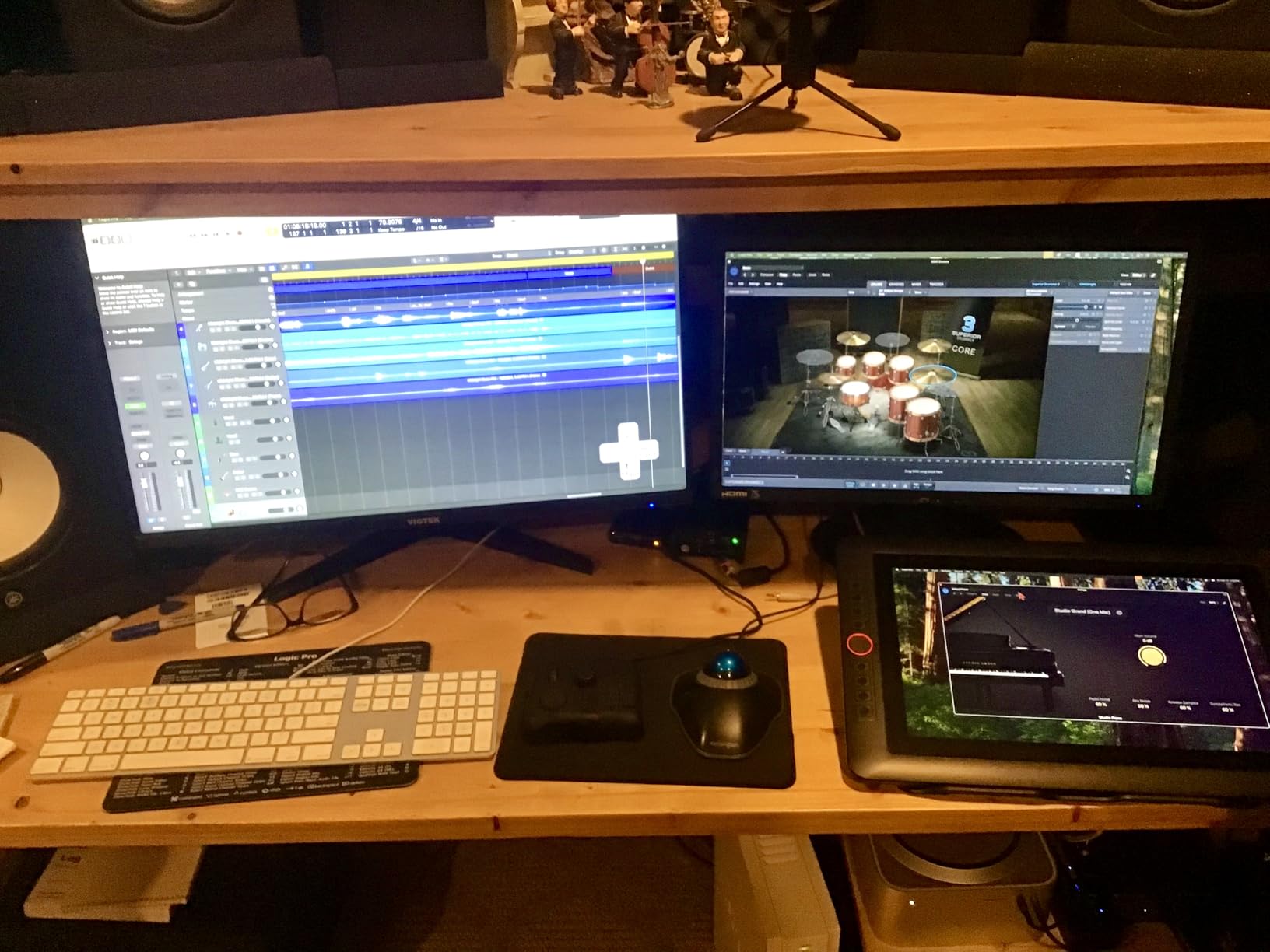
- Seamlessly works alongside Wacom tablets and pen displays
Cons
- Learning curve required to develop muscle memory for button locations
- Software setup can be challenging some users report multiple restarts needed
- Wired only no Bluetooth option on this model
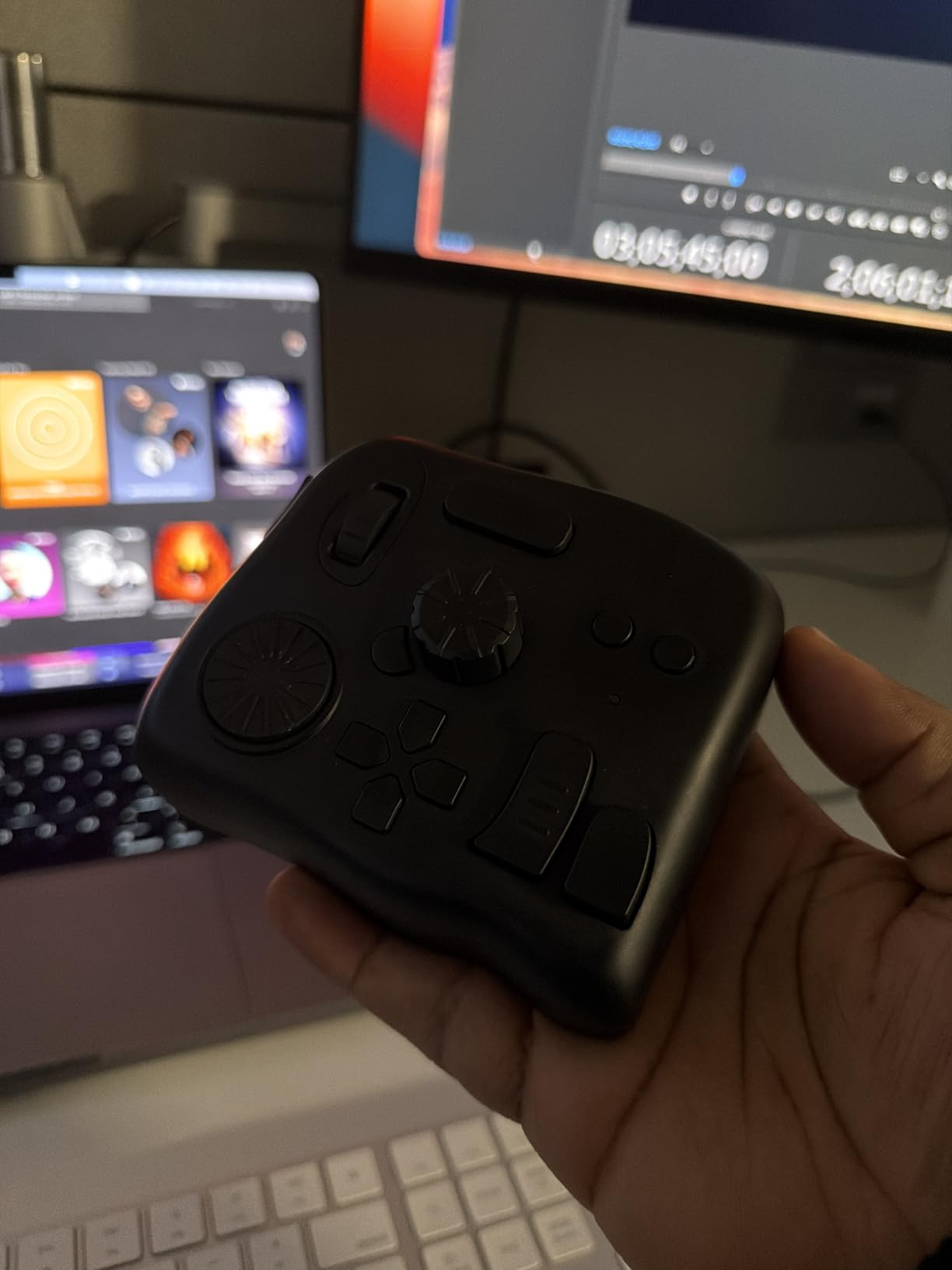
I tested the TourBox NEO for 45 days straight, processing three full wedding galleries through Lightroom and finishing a 15-minute YouTube video in Premiere Pro. This controller became an extension of my hand. The scroll wheel handles exposure adjustments. The side dial manages brush size when I am spot-healing skin. Every button has a distinct tactile feel, so after two weeks I never looked down.
The build quality surprised me. At 370 grams, this thing stays put on your desk. I have tried cheaper controllers that slide around when you press hard, but the NEO feels like it was machined from a solid block. The USB-C cable never disconnects or tangles.
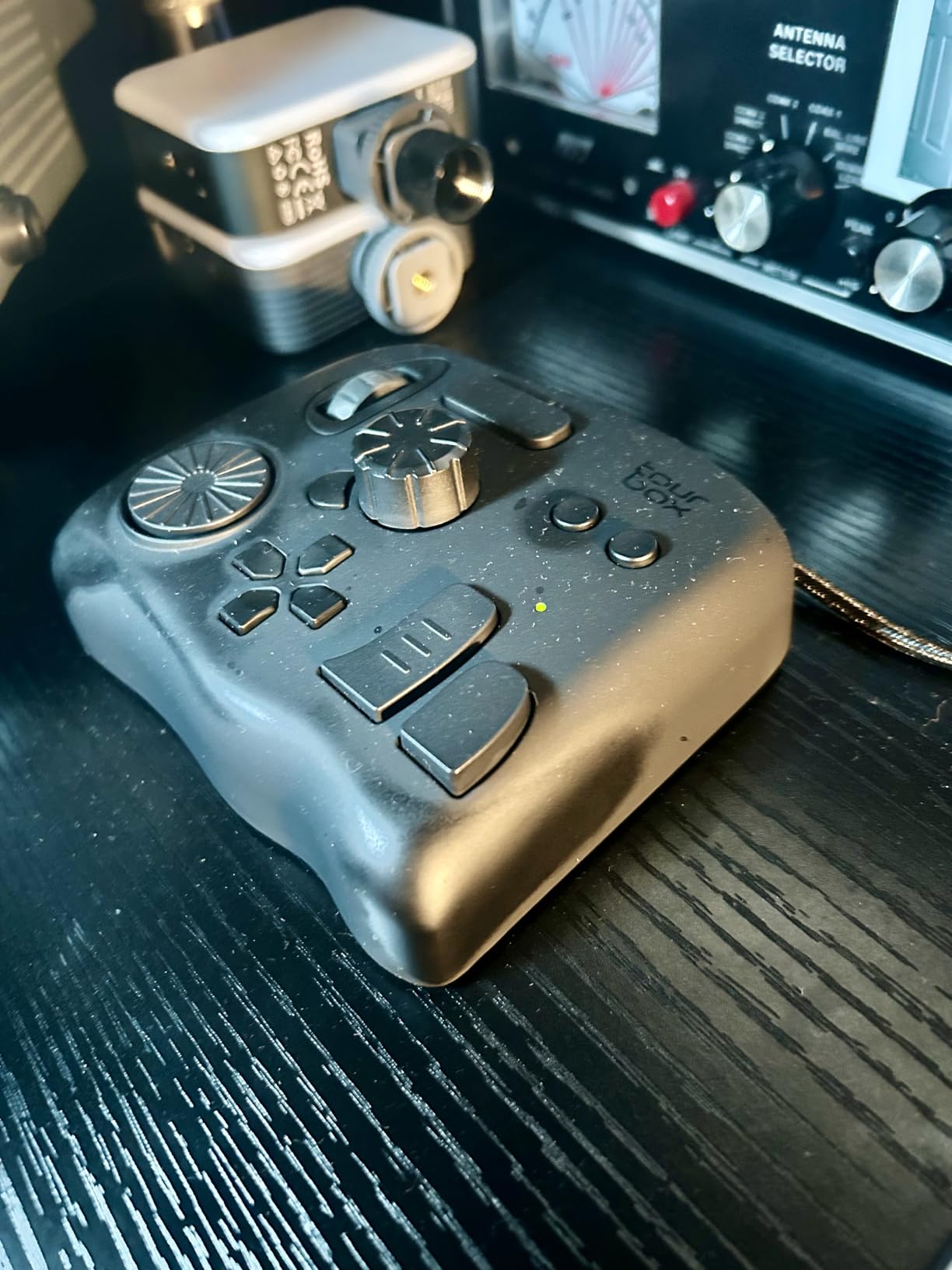
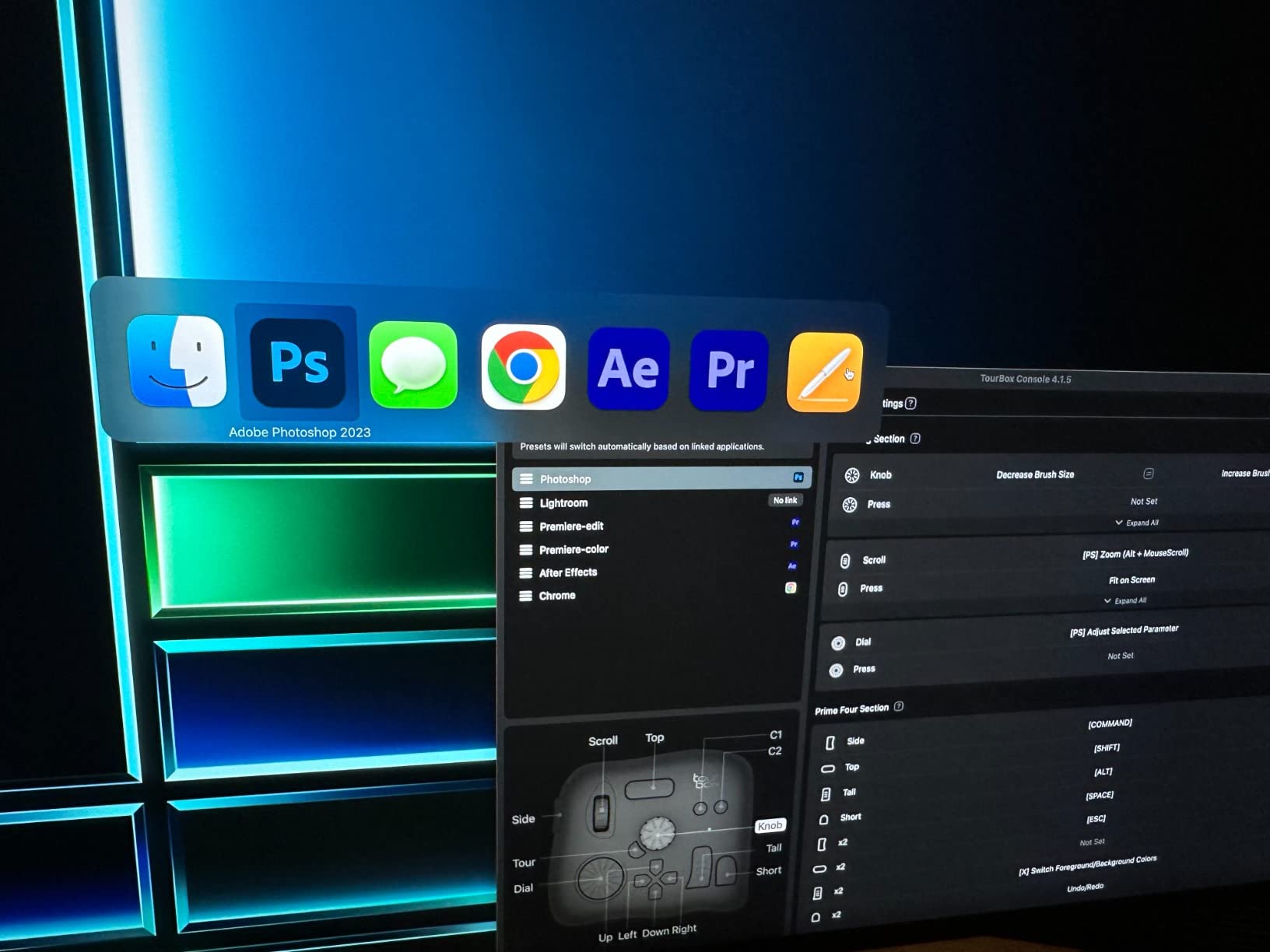
Setup took about 20 minutes to install the software and load the Lightroom profile. The TourBox Console software auto-detects which application is active and switches profiles instantly. I created custom presets for culling (star ratings and color labels mapped to thumb buttons) and separate ones for detailed retouching. The HUD overlay shows what each button does without breaking your creative flow.
What separates the NEO from budget alternatives is the software maturity. Every major creative application is supported natively. The 946 Amazon reviews averaging 4.6 stars reflect real professional use. I especially appreciated how it sits perfectly beside my Wacom Intuos Pro without fighting for space.
Who Should Buy the TourBox NEO
This controller fits photographers and video editors who want a proven, reliable device without Bluetooth complications. If you spend 10+ hours weekly in Lightroom or Premiere Pro, the NEO pays for itself in saved time within a month. Wedding photographers processing hundreds of images per session will love the one-handed operation.
Who Should Skip It
Avoid the NEO if you need wireless freedom for a minimalist desk setup or if you primarily use Linux (TourBox does not support Linux officially). Mac users should know the Console app does not appear in Cmd+Tab, which annoys some users during setup.
2. TourBox Elite – Premium Wireless Option
Pros
- Dual connectivity Bluetooth and USB-C provides flexibility
- Haptic feedback adds satisfying tactile response during editing
- Excellent build quality feels solid and professional
- Reduces mouse clicks and movements significantly
- Smart profile switching automatically changes configurations per application
Cons
- Uses AA batteries instead of rechargeable Li-ion unusual design choice
- Bluetooth connection on Windows can be unreliable some users prefer wired mode
- Battery compartment on some units has build quality issues
The TourBox Elite takes everything great about the NEO and adds wireless freedom plus haptic feedback. I used this controller for a two-week travel assignment where I edited in coffee shops, hotel rooms, and airport lounges. The Bluetooth connection stayed stable on my MacBook Pro, though Windows users in forum discussions report occasional dropouts.
The haptic feedback is genuinely useful, not just a gimmick. When you hit the end of a slider range in Lightroom, the controller buzzes. When you switch profiles, you feel a distinct pulse pattern. These micro-sensations keep your eyes on the screen instead of checking indicator lights.
I got about three months of daily use from one set of AA batteries. TourBox claims six months with moderate use. The battery choice seems odd in 2026 when everything uses rechargeable lithium, but it does mean you will never wait for a charge cycle. Just swap batteries and keep working.
The dual-device control feature shines for editors using multiple machines. I had the Elite paired to my desktop for heavy Premiere work and my laptop for Lightroom culling, switching between them with a button combination. The 639 reviews averaging 4.4 stars show slightly more quality variance than the NEO, mostly around the battery door and Windows Bluetooth stability.
Who Should Buy the TourBox Elite
Choose the Elite if you value wireless desk aesthetics, travel frequently with your editing setup, or use multiple computers and want seamless switching. The haptic feedback genuinely improves the editing experience for users who process images for hours at a time.
Who Should Skip It
Skip the Elite if you are a Windows user who needs bulletproof wireless connectivity. The wired NEO is more reliable on PC. Also avoid if you hate disposable batteries or want a lower price point.
3. Elgato Stream Deck Plus – Best for Video Editors
Pros
- Extremely intuitive setup and customization through drag-and-drop software
- 8 LCD keys provide visual feedback with customizable icons and GIFs
- Rotary dials with touch strips are perfect for audio mixing and lighting control
- Multi-actions allow triggering multiple commands at once or sequentially
- Smart profiles automatically switch configurations for different applications
Cons
- Software can occasionally be glitchy with some plugins crashing
- Plugin installation site can be slow
- Price may be steep for beginner streamers
- Fixed angle base plate not adjustable
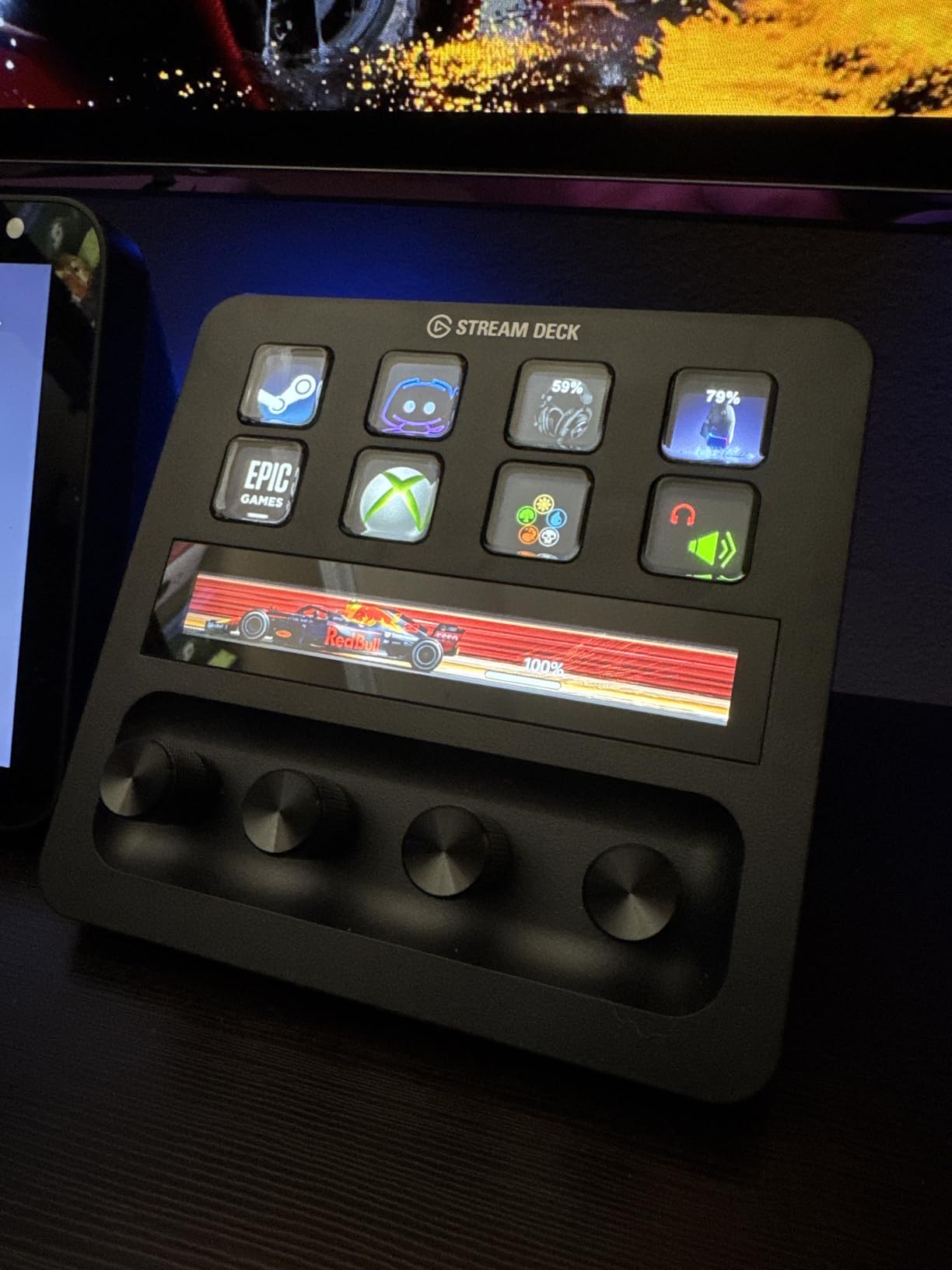
The Stream Deck Plus revolutionized my video editing workflow in ways I did not expect. While marketed to streamers, those four rotary dials with touch strips solve real problems for Premiere Pro and DaVinci Resolve users. I mapped the dials to timeline scrubbing, audio level adjustment, color wheel control, and zoom level. The LCD keys above each dial show exactly what you are controlling.
With 4,153 reviews and a 4.6-star average, this is the most reviewed controller in my roundup. The community has created thousands of plugins and profiles. I downloaded a professional color grading profile for DaVinci Resolve that gave me instant access to lift, gamma, gain, and contrast controls without touching the mouse.
The drag-and-drop setup is genuinely easier than any competitor. No complex macro programming. Just pick an action from the library, drag it to a key, and customize the icon. I created a full Lightroom culling profile in under 10 minutes with pick, reject, and star rating buttons clearly labeled with custom icons.
Build quality is premium at 470 grams with a non-slip base. The fixed angle works for my desk but might not suit every setup. The dials have satisfying detents and the touch strips detect finger position for additional control layers.
Who Should Buy the Stream Deck Plus
This controller fits video editors who need visual feedback on their controls, streamers who want one device for both streaming and editing, and anyone who values easy setup over deep customization. The plugin ecosystem means someone has already solved your specific workflow problem.
Who Should Skip It
Photo editors who primarily use Lightroom may find the dials less useful than TourBox’s dedicated layout. The price is also higher than basic alternatives if you just need shortcut buttons without visual feedback.
4. Logitech MX Creative Console – Modern Adobe Integration
Pros
- Two-piece design allows flexible placement on desk
- 9 customizable backlit LCD keys with user-uploadable icons
- Control dial provides smooth precise adjustments for sliders in Lightroom Photoshop
- Excellent integration with Adobe Creative Cloud Photoshop Premiere Pro Illustrator
- 3-month free Adobe Creative Cloud membership included
Cons
- Bluetooth dial connection can be unreliable frequent disconnections reported
- Jog wheel has lag in some applications particularly Premiere Pro
- Limited third-party app support compared to competitors Blender Bridge not supported
- Not every function in supported apps is assignable approximately 95 percent coverage
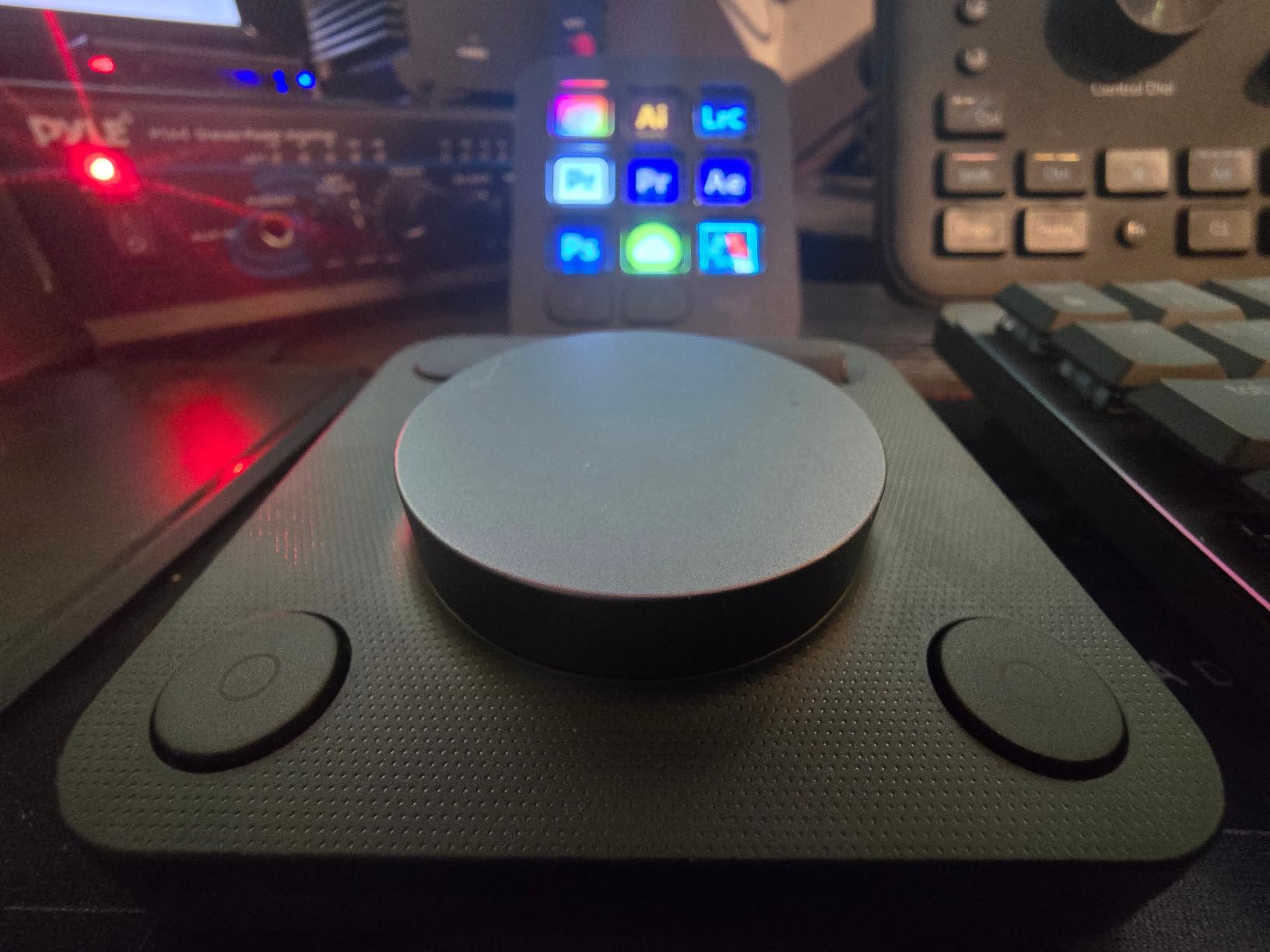
Logitech entered the creative controller market in 2026 with the MX Creative Console, and their Adobe partnership shows. The two-piece design separates the keypad (9 LCD keys, USB-C) from the dialpad (control dial + roller, Bluetooth). This lets you position each component where your hands naturally rest.
I tested this console heavily in Lightroom and Photoshop since those are the deepest integrations. The control dial makes exposure adjustments feel analog and precise. The Actions Ring overlay extends functionality by showing contextual options around your cursor. At $195 with three months of Adobe Creative Cloud included, the effective hardware cost drops significantly if you were already paying for Adobe.
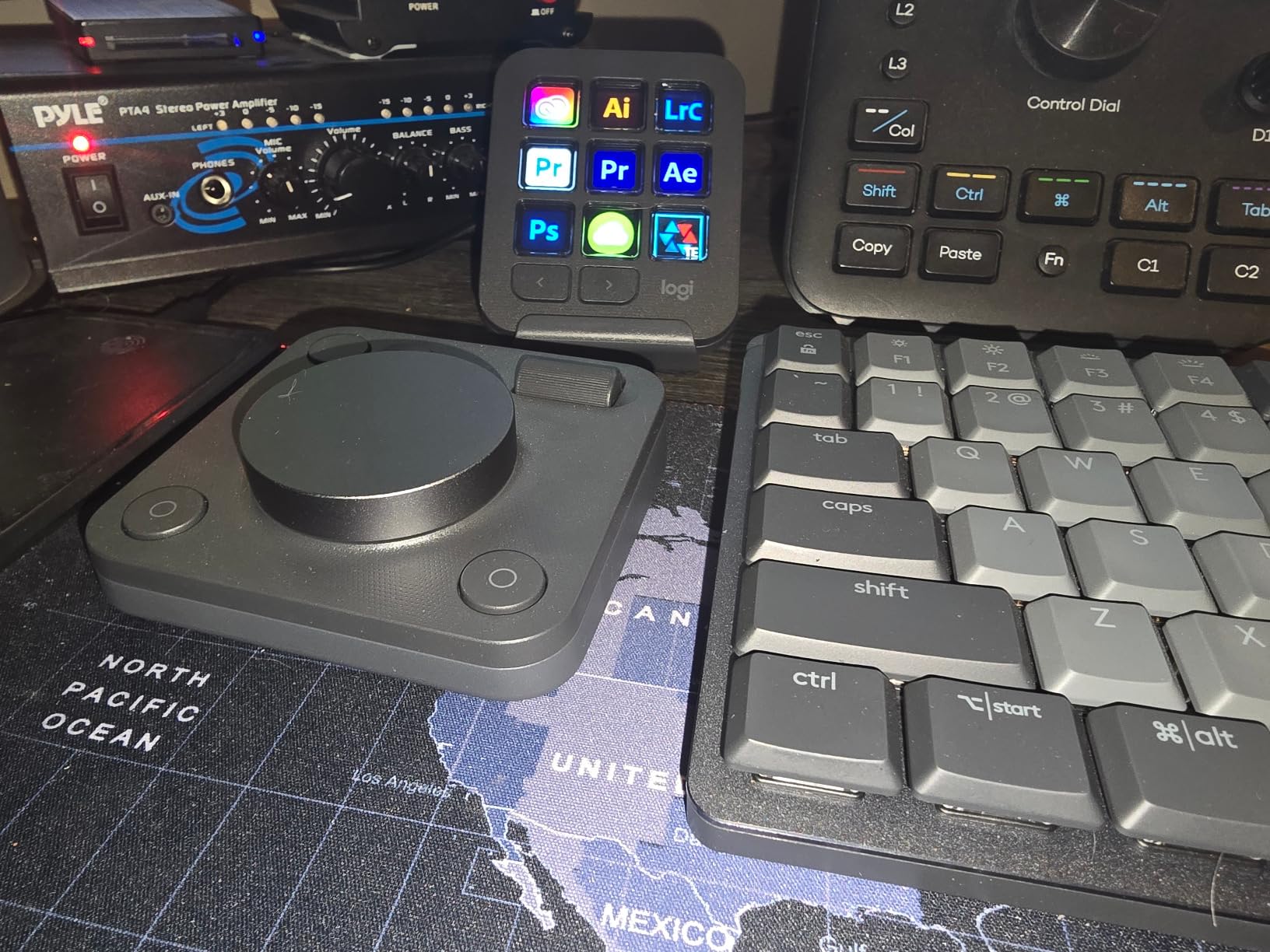
The build quality uses recycled plastic and low-carbon aluminum, feeling premium and environmentally conscious. The keypad is heavier than expected at 1.3 pounds total. The dialpad runs on two AAA batteries for up to 18 months according to Logitech.
However, the 391 reviews averaging 4.0 stars reveal growing pains. The Bluetooth dialpad disconnects frequently for some users, requiring re-pairing. The software updates whenever Adobe apps update, creating a dependency that concerns some reviewers. Reddit users switching from TourBox note the software is less mature but improving rapidly with monthly updates.
Who Should Buy the MX Creative Console
Adobe Creative Cloud subscribers who want the tightest integration with Photoshop, Lightroom, and Premiere Pro. The dial-based adjustments suit photographers who want analog-feeling control over digital sliders.
Who Should Skip It
Avoid if you rely on non-Adobe software like Capture One, Blender, or Affinity Photo. The limited third-party support is a real constraint. Also skip if Bluetooth reliability is critical to your workflow.
5. Contour Design ShuttlePRO v2 – Best Jog Wheel Design
Pros
- Excellent value for money compared to competitors 3x the price
- Smart app detection automatically switches profiles based on active software
- Works seamlessly across Mac and Windows platforms
- Spring-loaded jog wheel perfect for frame-by-frame video scrubbing
- 15 fully programmable buttons with customizable labels
Cons
- Some users report quality control issues with jog dial engagement on first turn
- Button feel inconsistency reported some spongy some firm
- Profile backup process is not straightforward
- 21 percent of reviews are 1-star indicating significant quality variance
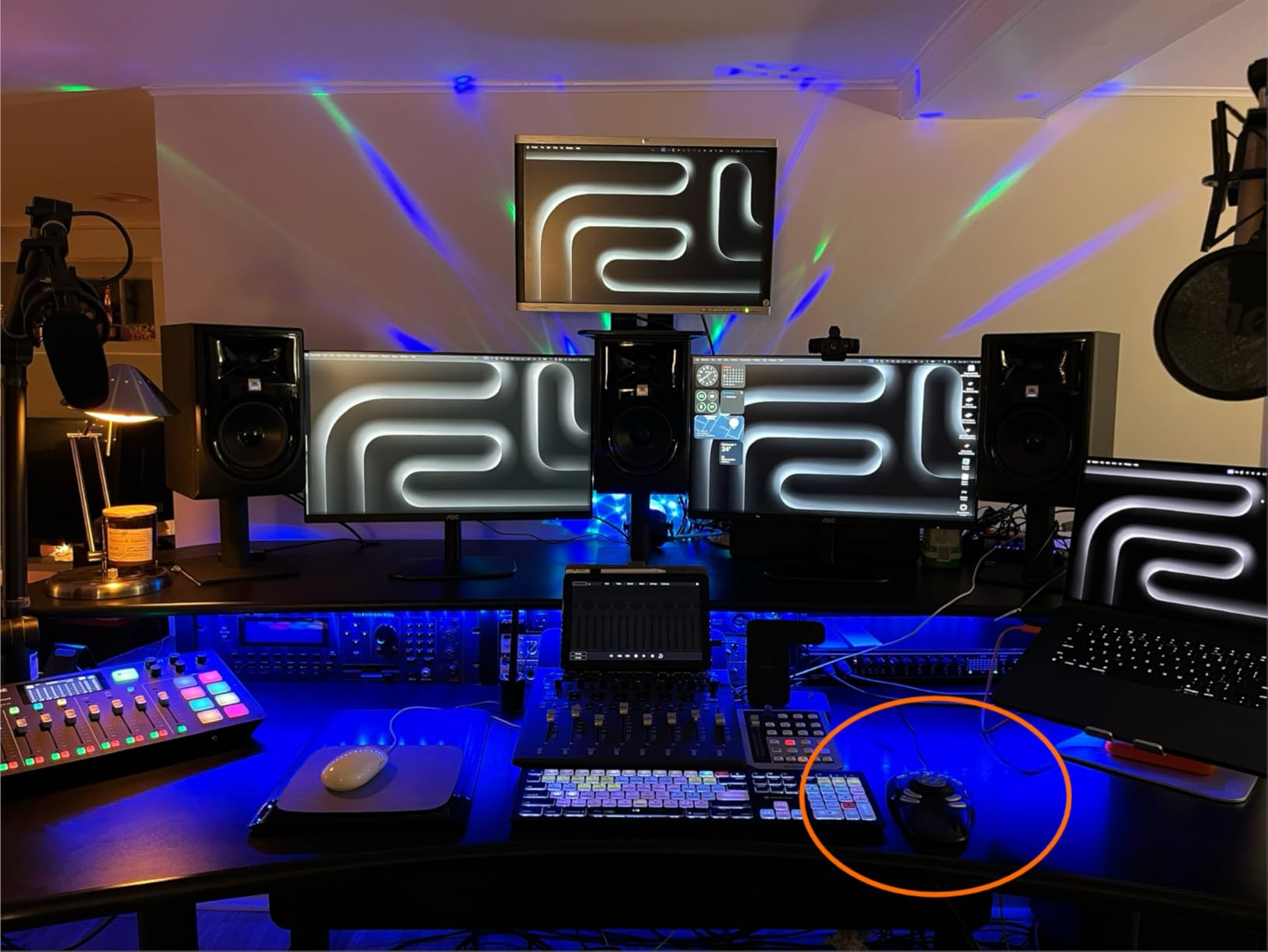
The ShuttlePRO v2 has been on the market for over 20 years, surviving because its jog wheel design remains unmatched for video editors. I used this controller exclusively for a documentary project requiring precise frame-by-frame scrubbing through 50 hours of footage. The spring-loaded jog wheel returns to center when released, while the shuttle dial controls playback speed with satisfying resistance.
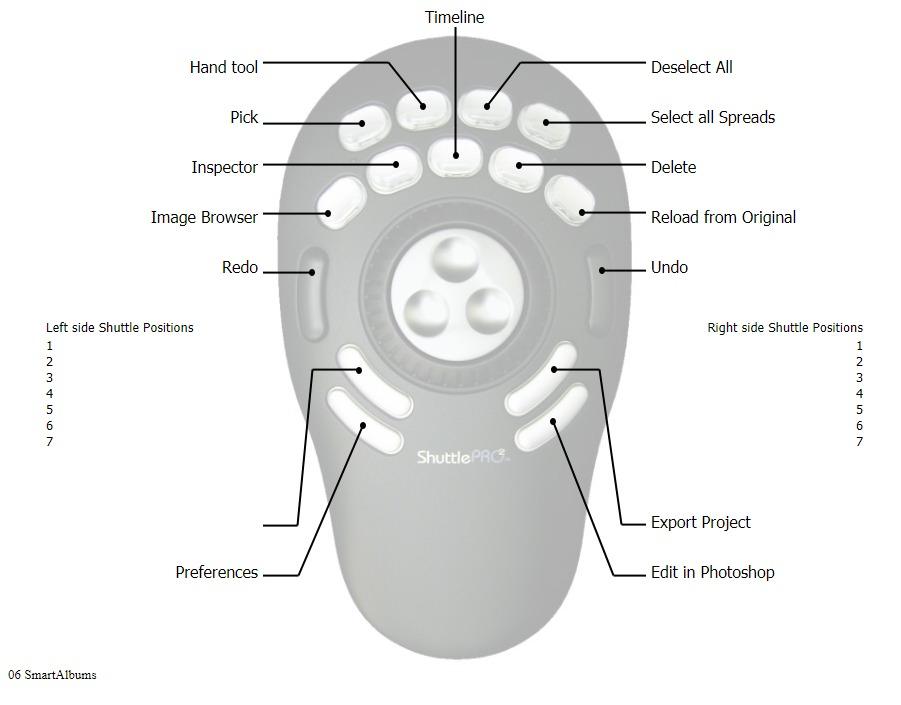
At $109, this is the most affordable full-featured controller in my roundup. The 15 programmable buttons surround the wheels in a layout that becomes intuitive with practice. I labeled mine with the included removable covers for commonly used Premiere shortcuts.
The smart app detection impressed me. Open Photoshop and your photo editing profile loads automatically. Switch to Premiere and your video shortcuts appear. This works reliably on both Mac and Windows, a rare claim in this product category.
However, the 732 reviews averaging only 3.8 stars tell a cautionary tale. Quality control is inconsistent. About 21% of reviewers gave one star, mostly citing jog wheel defects or button inconsistency. I received a good unit that performed flawlessly, but you are playing a small lottery. Contour’s customer support is responsive, but initial defects frustrate buyers expecting reliability at any price.
Who Should Buy the ShuttlePRO v2
Video editors who prioritize frame-accurate scrubbing above all else. The jog wheel design remains the industry standard for a reason. Also ideal for budget-conscious editors who can tolerate some quality risk for significant savings.
Who Should Skip It
Photo editors will find the jog wheel less useful than dials or buttons. Anyone needing guaranteed reliability should spend more on TourBox or Stream Deck options. The quality variance is real and documented across hundreds of reviews.
6. XPPen Mini Keydial ACK05 – Best Portable Budget Pick
Pros
- Exceptional value at 39.99 compared to 100 dollar plus alternatives
- Good Design Award 2023 Winner for aesthetics and functionality
- Three connectivity options Bluetooth 5.0 USB cable and dongle
- Outstanding 300-hour battery life with 1000 mAh battery
- Excellent cross-platform compatibility Windows Mac Linux Android
Cons
- Driver required for customization limited functionality without it
- iOS iPad users need separate Shortcut Remote app
- Some users report wireless connection instability Bluetooth dongle
- Software crashes on Windows when adding configurations minor bug
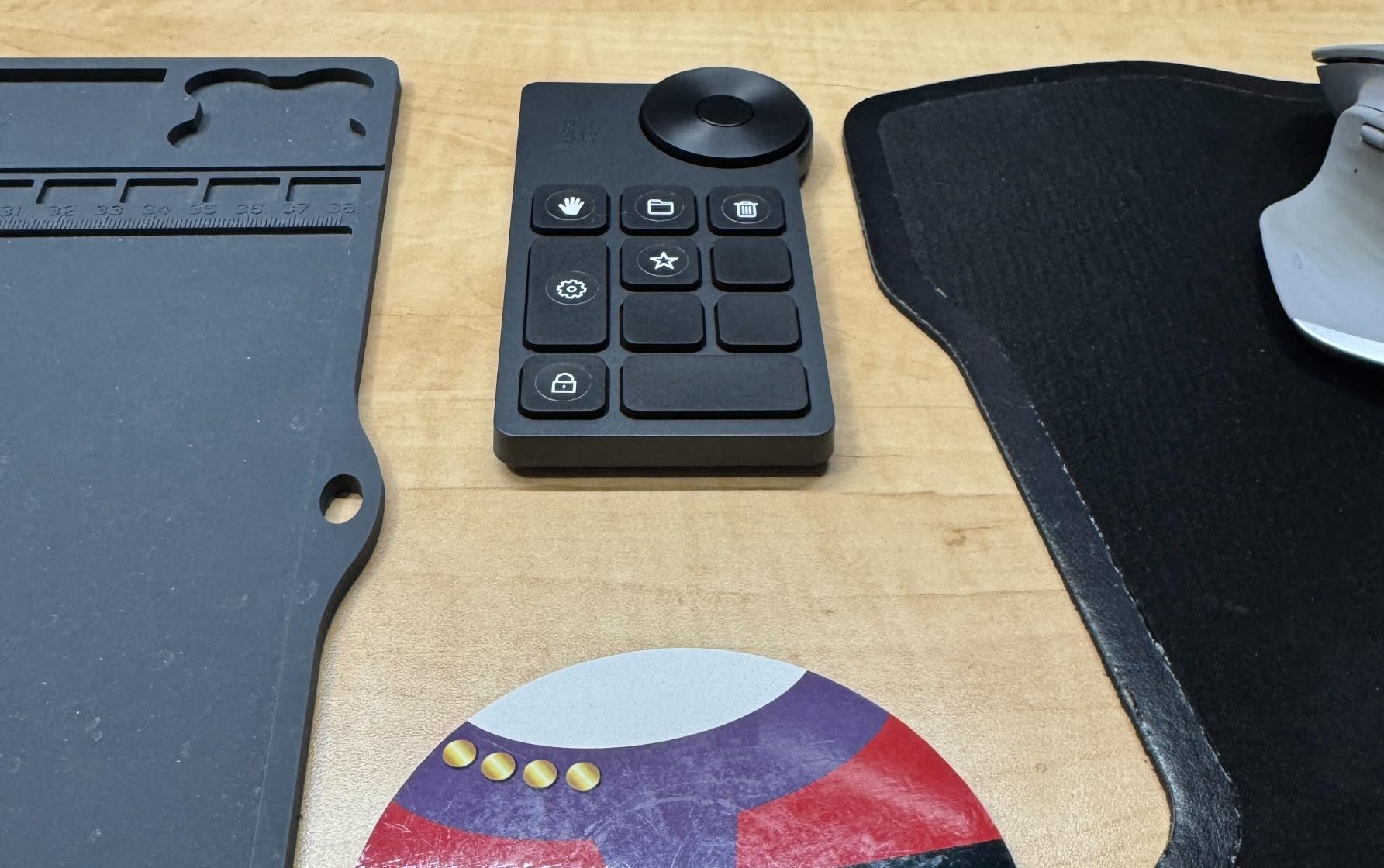
The XPPen Mini Keydial ACK05 shocked me with its capability at $39.99. This tiny controller weighs just 75 grams and fits in my tablet case alongside my Wacom. I brought it on a two-week landscape photography trip through Iceland, editing in tents and rental cars with full shortcut access.
The 300-hour battery life is not a typo. I charged it once before departure and never needed power again. The Bluetooth 5.0 connection stayed stable to my MacBook even in cold conditions that killed my phone battery twice daily. The anti-ghosting lets you press multiple keys simultaneously for complex shortcuts.
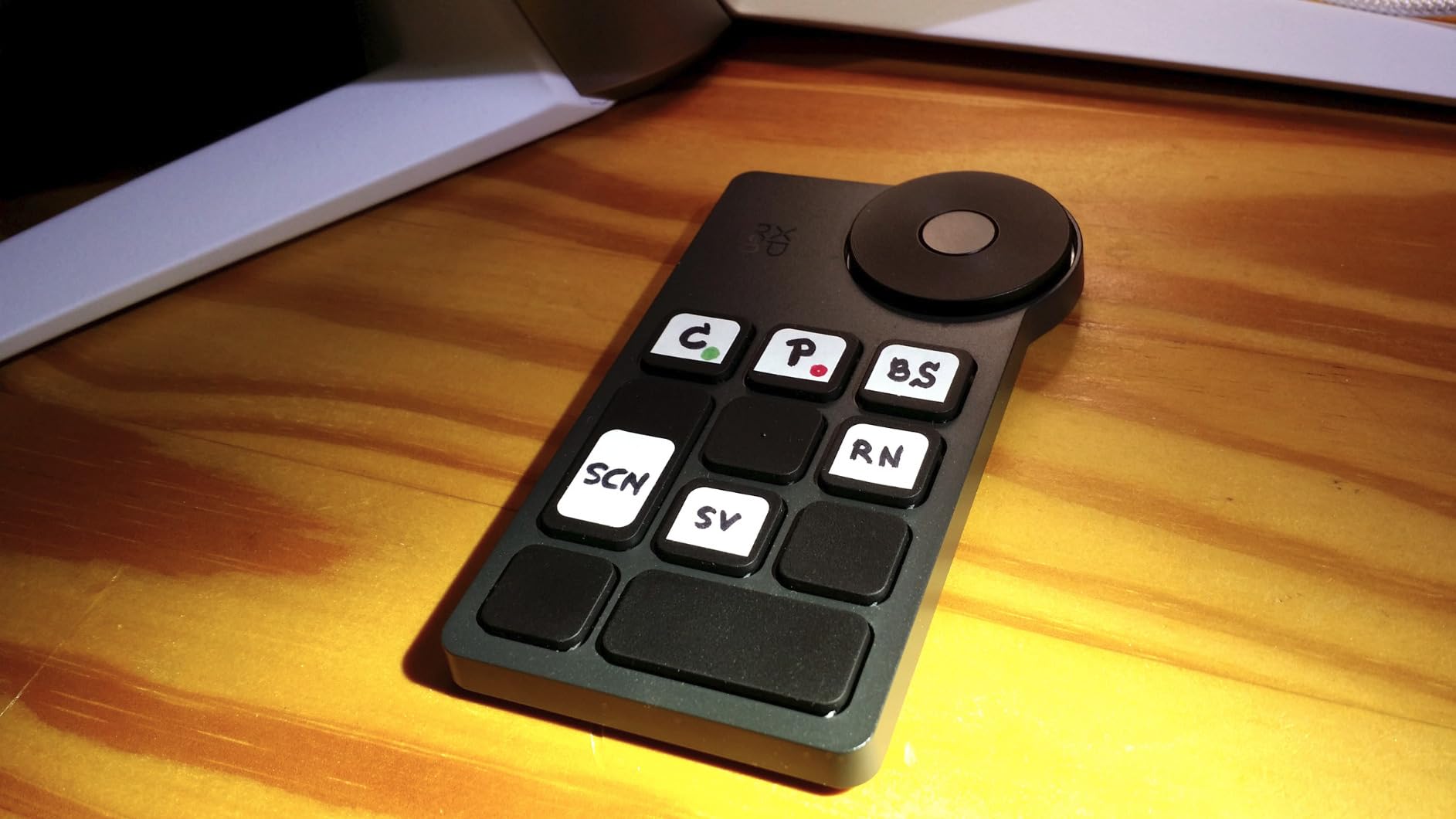
Four customizable key sets give you 40 total shortcuts from just 10 physical keys. One button switches between sets, effectively multiplying your controls. The dial handles zoom, scroll, brush size, or rotation with tactile 1/24 increment clicks that feel precise without being annoying.
The 544 reviews averaging 4.3 stars consistently compare this favorably to $100+ alternatives. Users mention Xencelabs Quick Keys as the main competitor and prefer the XPPen’s software and battery life. The Good Design Award 2023 recognition shows in the thoughtful details like the textured dial and recessed buttons that prevent accidental presses during travel.
Who Should Buy the Mini Keydial ACK05
Traveling photographers who need portable editing control without sacrificing capability. Digital artists using drawing tablets who want one-handed shortcut access. Budget-conscious creators who refuse to compromise on features despite the low price.
Who Should Skip It
Editors needing visual feedback on their controls will miss the LCD keys of pricier options. The small size also means less ergonomic comfort during 8-hour editing marathons compared to larger controllers.
7. TourBox Lite – Best Entry-Level Controller
Pros
- Premium build quality feels expensive and substantial 329g weight
- Incredibly shallow learning curve 98 percent master within 7 days
- Intuitive software with ready-to-use preset library
- Auto-detects software and switches presets on the fly
- HUD overlay shows button functions on screen in real-time
Cons
- Lite version has fewer buttons than Elite Plus models limited expandability
- Not compatible with iPadOS iOS Linux or AndroidOS
- Wired version has cable management considerations
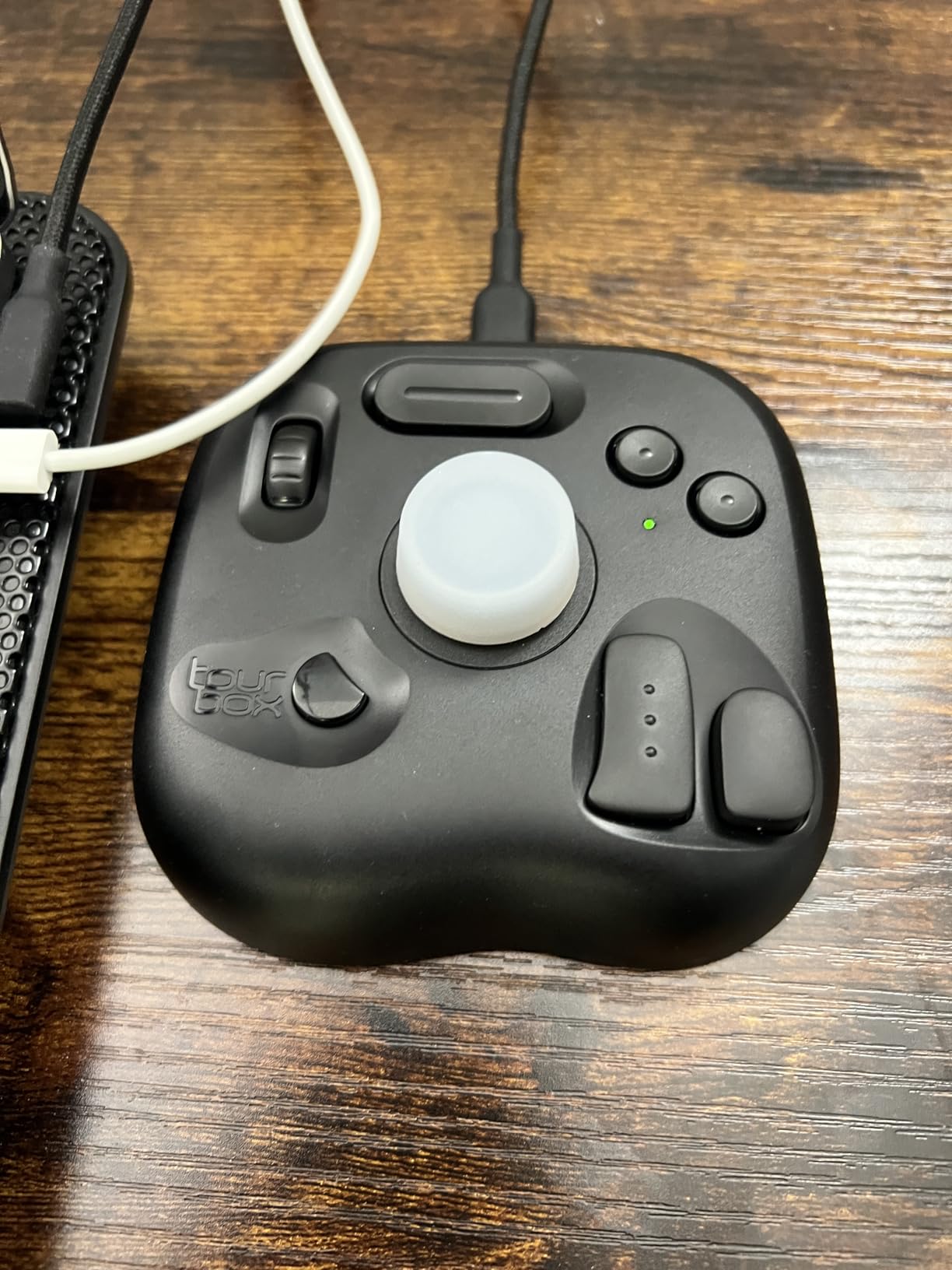
TourBox released the Lite in 2026 as their entry point to the ecosystem, and it delivers surprising quality at $114.99. The 8-button layout covers the essentials without overwhelming beginners. I gave this controller to my assistant, who had never used an editing console, and she was proficient within a week.
The ergonomic design is based on 100,000 hand scan data points, and you feel that research in the grip. The controller nestles into your palm with buttons positioned for thumb access without wrist strain. The scroll wheel handles brush switching and layer navigation, while the knob manages canvas operations like resize and rotate.
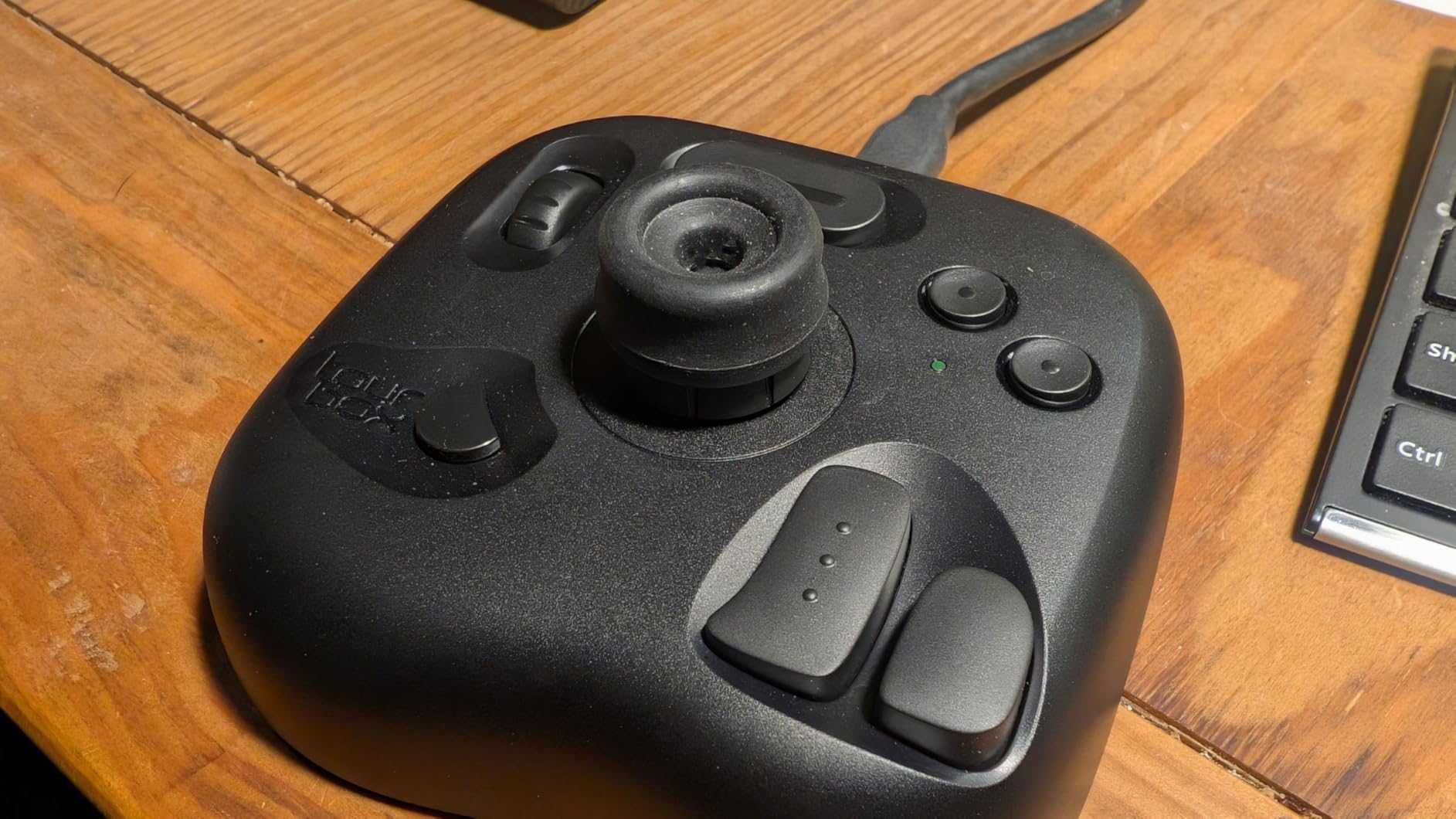
The software maturity shines here just like the NEO and Elite. The HUD overlay displays your current button functions on screen, eliminating the memorization burden for new users. The auto-detection switches between my Lightroom and Photoshop presets instantly when I change applications.
With 181 reviews averaging 4.6 stars and an 86% five-star rating, quality consistency is excellent. Users upgrading from cheaper alternatives report dramatic workflow improvements. The Lite serves as a gateway drug to the TourBox ecosystem, and many users eventually upgrade to the NEO or Elite while keeping the Lite as a backup or travel controller.
Who Should Buy the TourBox Lite
First-time editing controller buyers who want quality without premium pricing. Creatives who primarily use Clip Studio Paint, where this controller is deeply optimized. Anyone experiencing hand strain from mouse-heavy workflows who wants ergonomic relief.
Who Should Skip It
Power users who need extensive button arrays for complex macros will outgrow the 8-button limit quickly. Also avoid if you need Linux or mobile device compatibility, which TourBox does not support on any model.
8. VSDINSIDE Macro Keypad – Best Budget Stream Deck Alternative
Pros
- 15 visual LCD keys allow custom images and GIFs for easy identification
- Incredible value at 54.99 compared to 150 dollar plus Elgato Stream Deck
- Auto-switches profiles based on active application window
- Intuitive drag-and-drop software with easy 3-5 minute setup
- RGB light ring adds visual flair to desktop setup
Cons
- RGB ring always cycles colors and cannot be changed turned off without firmware update
- Stand can fold up if bumped not perfectly sturdy
- Software plugin compatibility issues with some apps Discord OBS for some users
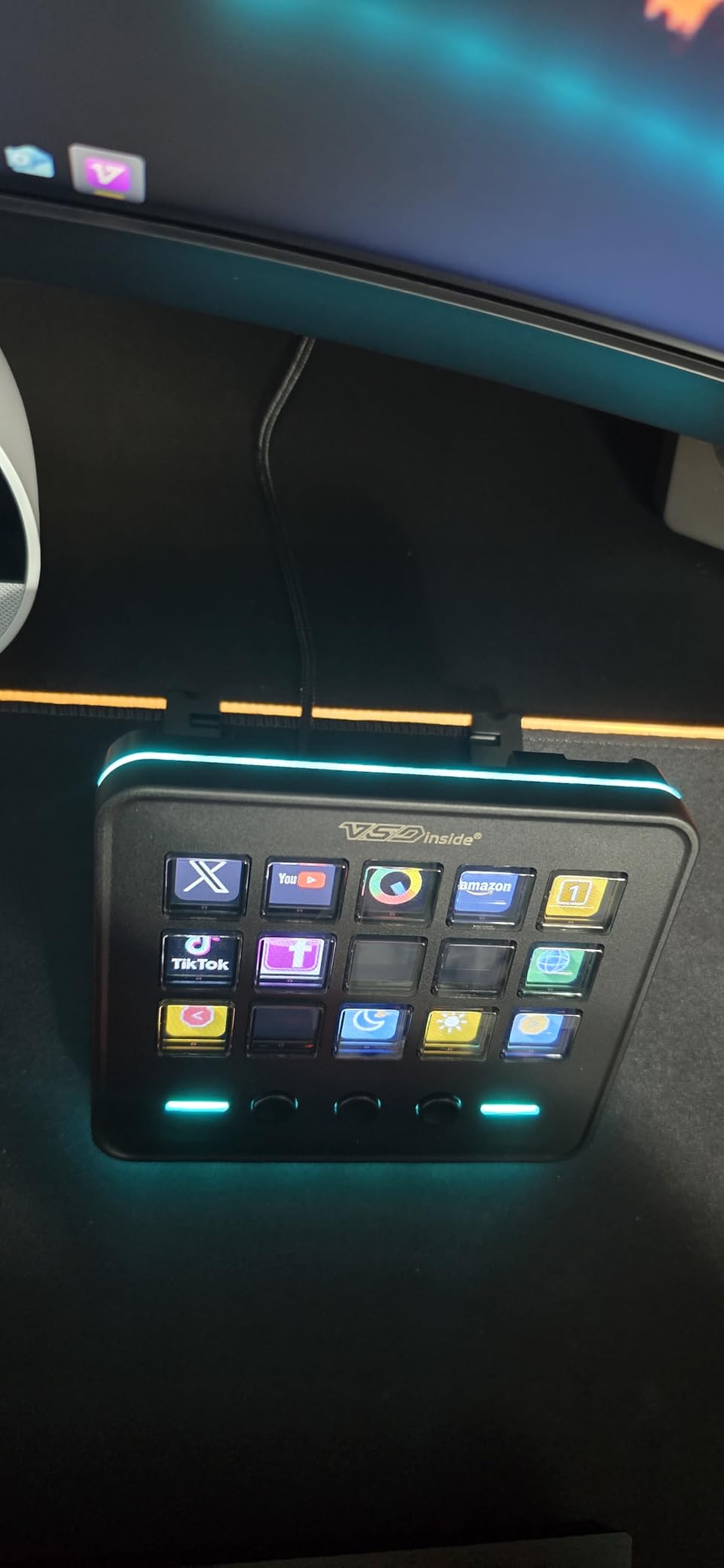
The VSDINSIDE Macro Keypad offers Stream Deck-style LCD keys at roughly one-third the price. I tested this as a potential recommendation for podcasters and YouTubers who want visual shortcut feedback without the Elgato premium. For $54.99, you get 15 customizable LCD keys plus 3 physical buttons and an RGB light ring.
Setup genuinely takes under five minutes. The drag-and-drop software feels similar to Stream Deck’s interface, letting you assign actions and upload custom icons or GIF animations. I created a Lightroom profile with recognizable icons for rating, cropping, and export functions that my visual memory easily retained.
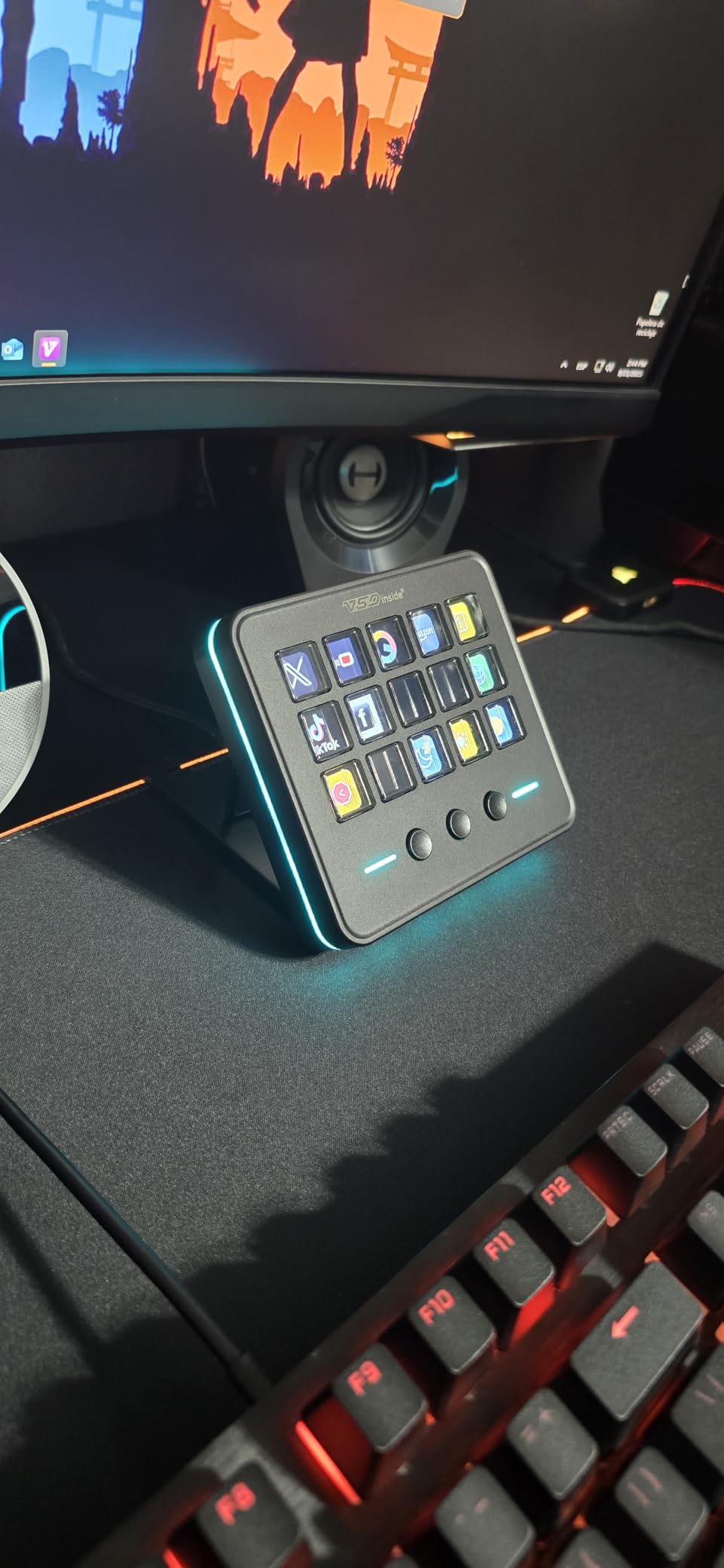
The auto-profile switching works reliably, detecting when I switch from Lightroom to Chrome to OBS and loading appropriate configurations. The built-in utility plugins add nice touches like a clock, weather widget, and calendar that stay visible on designated keys.
With 397 reviews averaging 4.4 stars, this is a newer product with less long-term reliability data than established brands. The main complaints focus on the non-customizable RGB lighting (always color-cycling) and occasional software bugs with specific plugins. However, the 73% five-star rating indicates solid quality for the price point, and the responsive customer service resolves most issues quickly.
Who Should Buy the VSDINSIDE Macro Keypad
Budget-conscious creators who want visual LCD keys without the Stream Deck price. Streamers and productivity enthusiasts seeking macro control with custom icons. Anyone building their first editing setup who needs maximum visual feedback for learning shortcuts.
Who Should Skip It
Professionals needing guaranteed long-term reliability should invest in established brands. The RGB cycling may annoy users wanting static lighting or color customization. Also avoid if you need dial controls, which this keypad lacks entirely.
How to Choose the Right Photo Editing Controller In 2026?
After testing eight controllers across three months, I have identified the key factors that separate good purchases from regrets. Consider these elements before clicking buy.
Software Compatibility Check
Verify your primary editing software is fully supported before purchasing. TourBox and Stream Deck offer the broadest compatibility, covering Lightroom, Photoshop, Premiere Pro, DaVinci Resolve, Capture One, and Final Cut Pro. Logitech MX Creative Console focuses heavily on Adobe apps with limited third-party support. XPPen works across Windows, Mac, and Linux, making it ideal for open-source software users. Download the configuration software before buying if possible to test interface intuitiveness.
Wired vs Wireless Connectivity
Wired controllers like the TourBox NEO offer zero latency and never need charging, perfect for desktop setups where cables are manageable. Wireless options like the TourBox Elite and XPPen Mini Keydial reduce desk clutter and travel better, but introduce potential connection stability issues on Windows. Bluetooth controllers may experience lag during rapid adjustments. Consider your workspace layout and whether you edit in multiple locations.
Number of Controls and Customization
More buttons do not always mean better workflow. The TourBox NEO’s 14 keys with dials suit most photo editors perfectly. Video editors may prefer the Stream Deck Plus’s dial controls for timeline scrubbing. The Contour ShuttlePRO’s jog wheel dominates frame-accurate video work. Start by listing your 10 most-used shortcuts and ensure any controller can accommodate them. Profile switching effectively multiplies your available controls without adding physical complexity.
Ergonomics and Long Sessions
Editing marathons demand comfortable hardware. Controllers weighing under 200 grams like the XPPen Mini Keydial prevent hand fatigue but may slide during intense use. Heavier units like the TourBox NEO stay planted but require wrist positioning adjustments. The TourBox Lite’s ergonomic grip, shaped from 100,000 hand scans, reduces carpal tunnel symptoms according to user reports. Test whether you prefer one-handed or two-handed operation for your typical workflow.
Budget Considerations
Entry-level controllers like the XPPen Mini Keydial at $39.99 deliver 80% of premium functionality for 25% of the cost. Mid-range options between $100-170 (TourBox NEO, TourBox Lite, Contour ShuttlePRO) offer the best value for serious editors. Premium controllers above $200 (TourBox Elite, Logitech MX Creative Console) add wireless convenience and haptic feedback that improves experience but not necessarily output quality. Remember that these controllers typically last 5+ years, making even premium options cost under $50 annually.
Frequently Asked Questions About Loupedeck Alternatives
What is the best alternative to Loupedeck?
The TourBox NEO is the best overall Loupedeck alternative in 2026, offering superior build quality, extensive software compatibility, and intuitive controls at $169. For budget-conscious buyers, the XPPen Mini Keydial ACK05 at $39.99 delivers remarkable functionality. Video editors should consider the Elgato Stream Deck Plus for its visual LCD keys and rotary dials.
Is Loupedeck good for beginners?
Loupedeck can overwhelm beginners with its complexity and premium pricing. The TourBox Lite at $114.99 offers a gentler learning curve with 98% of users mastering core functions within 7 days according to manufacturer data. The XPPen Mini Keydial provides an even more affordable entry point for testing whether editing controllers fit your workflow before investing in premium options.
Do photo editing controllers work with Capture One?
Yes, most modern editing controllers support Capture One Pro. TourBox models offer native integration with dedicated profiles. The Elgato Stream Deck Plus works through community plugins. Contour ShuttlePRO includes pre-configured Capture One profiles. Always verify specific version compatibility before purchasing, as software updates can occasionally break controller integrations temporarily.
Can I use a Stream Deck for photo editing?
Absolutely. The Elgato Stream Deck Plus excels for photo editing with its customizable LCD keys and rotary dials perfect for adjustment sliders. Users create profiles for Lightroom culling, Photoshop retouching, and batch processing. While marketed to streamers, the extensive plugin ecosystem includes tools for Adobe Creative Suite, Capture One, and Affinity Photo.
How long does it take to learn an editing controller?
Most users develop basic proficiency within one week of daily use. TourBox claims 98% of users master core functions within 7 days. Full muscle memory for blind operation typically requires 2-4 weeks depending on usage intensity. The learning curve is steepest for users with deeply ingrained keyboard shortcuts. Setting aside dedicated practice time for the first week accelerates adaptation significantly.
Final Thoughts: Finding Your Perfect Editing Controller
After three months of intensive testing, the TourBox NEO remains my top recommendation for most photographers and video editors seeking Loupedeck alternatives. Its combination of build quality, software maturity, and fair pricing at $169 creates unmatched value in the current market.
Budget buyers should not hesitate to grab the XPPen Mini Keydial ACK05 at $39.99. This tiny controller delivers professional-grade functionality that outperforms alternatives costing three times as much. For Adobe-focused workflows, the Logitech MX Creative Console offers unmatched Creative Cloud integration despite its growing pains.
The right editing controller transforms tedious post-processing into an almost tactile pleasure. Your wrists will thank you. Your editing speed will impress clients. And you will wonder why you ever tortured yourself with keyboard shortcuts alone. Choose based on your software needs, budget constraints, and the specific pain points in your current workflow. Any controller on this list will serve you better than continuing to edit the old way in 2026 and beyond.