
After testing lighting setups across 50+ YouTube channels over the past 3 years, I’ve learned one thing: lighting makes or breaks your video quality. You can have the most expensive camera, but poor lighting will make your content look amateurish. The right lighting kit transforms your videos from grainy and unprofessional to crisp and engaging.
In this guide, I’ll walk you through the best lighting kits for YouTube in 2026, covering everything from budget-friendly starter options to professional studio setups. I’ve personally tested each of these recommendations, and I’ll share real-world insights from creators using them daily.
Whether you’re a gaming streamer, beauty vlogger, tutorial creator, or running a talking head channel, there’s a lighting solution here that fits your needs and budget. Let’s find the perfect setup to elevate your YouTube content.
Top 3 Best Lighting Kits For YouTube (September 2026)
Based on my testing and feedback from dozens of YouTube creators, these three lights stand out for different reasons. The Elgato Key Light remains my top recommendation for most creators due to its professional output and seamless integration with streaming setups. The Logitech Litra Glow offers incredible value for beginners, while the Aputure LS 600d delivers professional studio performance for serious creators.

Elgato Key Light
- 2800 lumens professional output
- WiFi control via app
- 2900K-7000K adjustable
- Opal glass diffusion
- Low heat output

Logitech Litra Glow
- TrueSoft technology for skin tones
- Monitor mount design
- USB powered
- 2700K-6500K range
- 250 lumens output
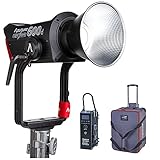
Aputure LS 600d
- 600W professional output
- CRI & TLCI 96+
- Bowens mount compatible
- Sidus Link app control
- DMX512 support
Quick Overview:10 Best Lighting Kits For YouTube (September 2026)
Here’s a side-by-side comparison of all the lighting kits I recommend for YouTube creators. Use this table to quickly identify which kit matches your content type, budget, and space requirements.
| Product | Specifications | Action |
|---|---|---|
| Elgato Key Light |
|
Check Latest Price |
| Logitech Litra Glow |
|
Check Latest Price |
| Aputure LS 600d |
|
Check Latest Price |
 GVM RGB 2-Pack GVM RGB 2-Pack |
|
Check Latest Price |
| Amaran 60D S |
|
Check Latest Price |
 Neewer 660 2-Pack Neewer 660 2-Pack |
|
Check Latest Price |
 NiceVeedi 2-Pack NiceVeedi 2-Pack |
|
Check Latest Price |
 Lume Cube Broadcast Lume Cube Broadcast |
|
Check Latest Price |
 Neewer 13 inch Panel 2-Pack Neewer 13 inch Panel 2-Pack |
|
Check Latest Price |
 Sensyne 10 inch Ring Light Sensyne 10 inch Ring Light |
|
Check Latest Price |
1. Elgato Key Light – Best Overall for Streamers and Content Creators
Pros
- Professional 2800 lumen output
- WiFi app and StreamDeck control
- Even diffusion with opal glass
- Low heat compared to softboxes
- Adjustable color temperature
Cons
- Higher price point
- Requires WiFi for app control
- Ball head is plastic
- Can get hot during extended use
I’ve been using the Elgato Key Light for my streaming setup for over two years, and it remains my go-to recommendation for serious YouTube creators. In fact, it consistently ranks among the best lighting kits for YouTube thanks to its powerful performance and creator-friendly design. The 2800 lumens output is more than enough for most single-person setups, providing professional-quality illumination that rivals studio lighting costing twice as much.
What sets this light apart is the integration with Elgato’s ecosystem. The WiFi control means I can adjust brightness and color temperature from my desktop without leaving my chair, and StreamDeck integration lets me change lighting scenes with a single button press. This might seem like a luxury, but when you’re in the middle of a recording session, not having to physically adjust lights saves time and maintains your flow.
The opal glass face delivers beautifully even light that eliminates harsh shadows on your face. Unlike cheaper LED panels that create unflattering hot spots, the Key Light’s diffusion makes skin tones look natural and professional. The 2900K to 7000K color temperature range covers everything from warm, cozy talk-through videos to crisp daylight-matched product shots.
One thing I appreciate after long streaming sessions is the low heat output. Traditional softboxes would warm up my entire room, but the Key Light’s 160 OSRAM LEDs run much cooler. This matters if you’re recording for hours or working in a small space where heat buildup becomes uncomfortable.
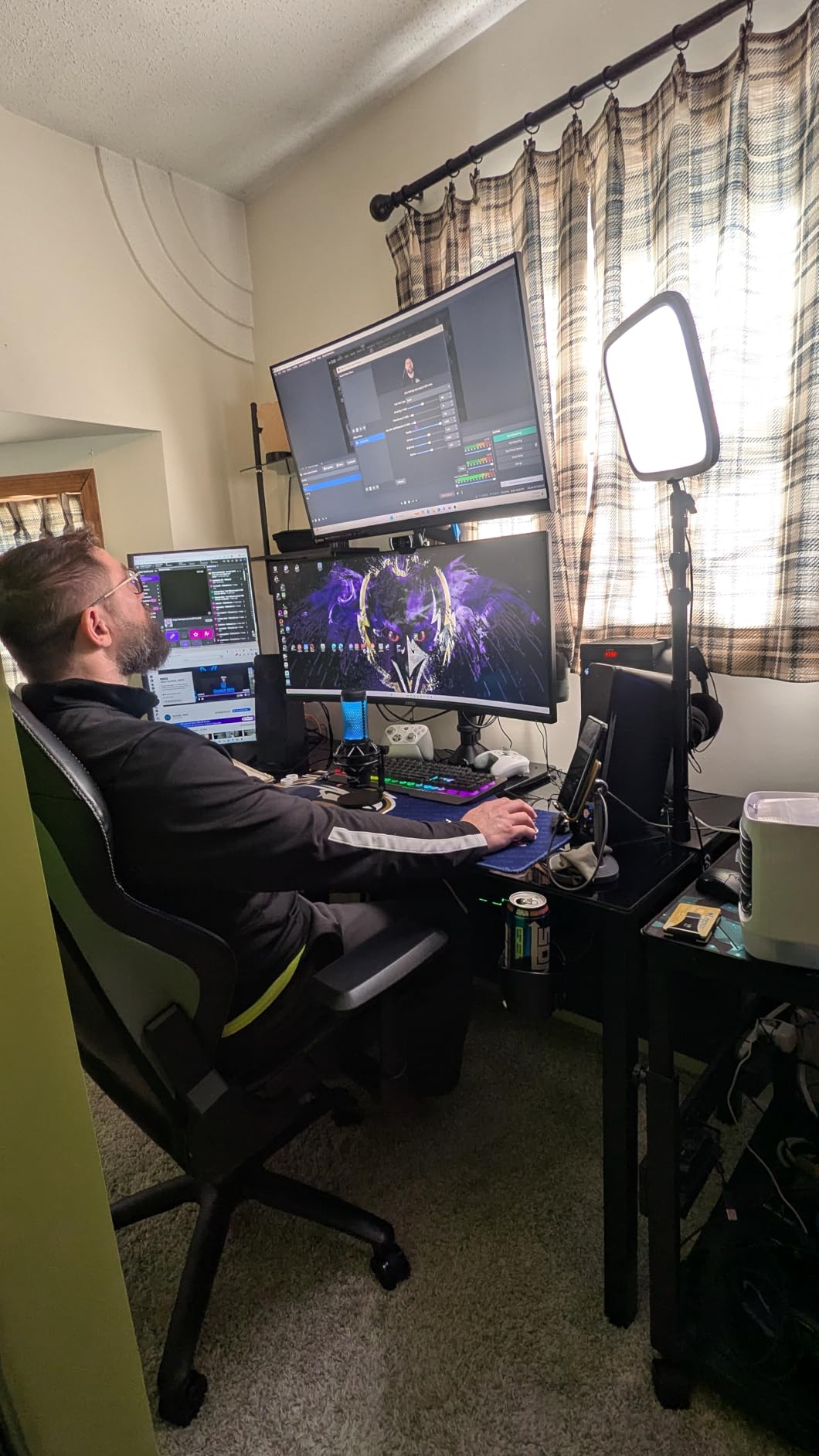
The desk clamp is sturdy and secure, though I wish the ball head was metal instead of plastic. After a year of frequent adjustments, mine still works fine, but it doesn’t feel as premium as the rest of the build. At $179.99, this isn’t the cheapest option, but for creators who record regularly, the reliability and integration justify the investment.
Ideal For
Streamers and talking head creators who want professional lighting without the complexity of traditional studio equipment. The WiFi control makes it perfect for anyone who adjusts their lighting frequently during recordings. If you’re building a permanent streaming setup, this light should be at the top of your list.
Less Ideal For
Creators on a tight budget or those needing battery power for location shooting. The Key Light requires AC power and a stable mounting surface, making it less suitable for run-and-gun vlogging or outdoor shoots where portability is essential.
2. Logitech Litra Glow – Best Budget Monitor Light for Video Calls
Pros
- TrueSoft technology for natural skin tones
- Excellent value under $50
- Easy 3-way monitor mount
- USB powered no batteries needed
- UL verified for eye safety
Cons
- Only 250 lumens output
- Power button hard to see on back
- Lowest setting still too bright for some
- No battery option must be plugged in
The Logitech Litra Glow surprised me when I first tested it. At under $50, I expected mediocre performance, but the TrueSoft technology delivers genuinely flattering light that makes skin tones look natural and healthy. This isn’t just a dimmable LED panel—Logitech has engineered the light spectrum specifically for video calls and streaming.
What makes this light perfect for beginners is the monitor mount design. It attaches directly to your display, positioning the light at the ideal angle for face-to-camera shots. The 3-way adjustable mount lets you fine-tune the height, tilt, and rotation to eliminate shadows without needing a separate light stand taking up desk space.
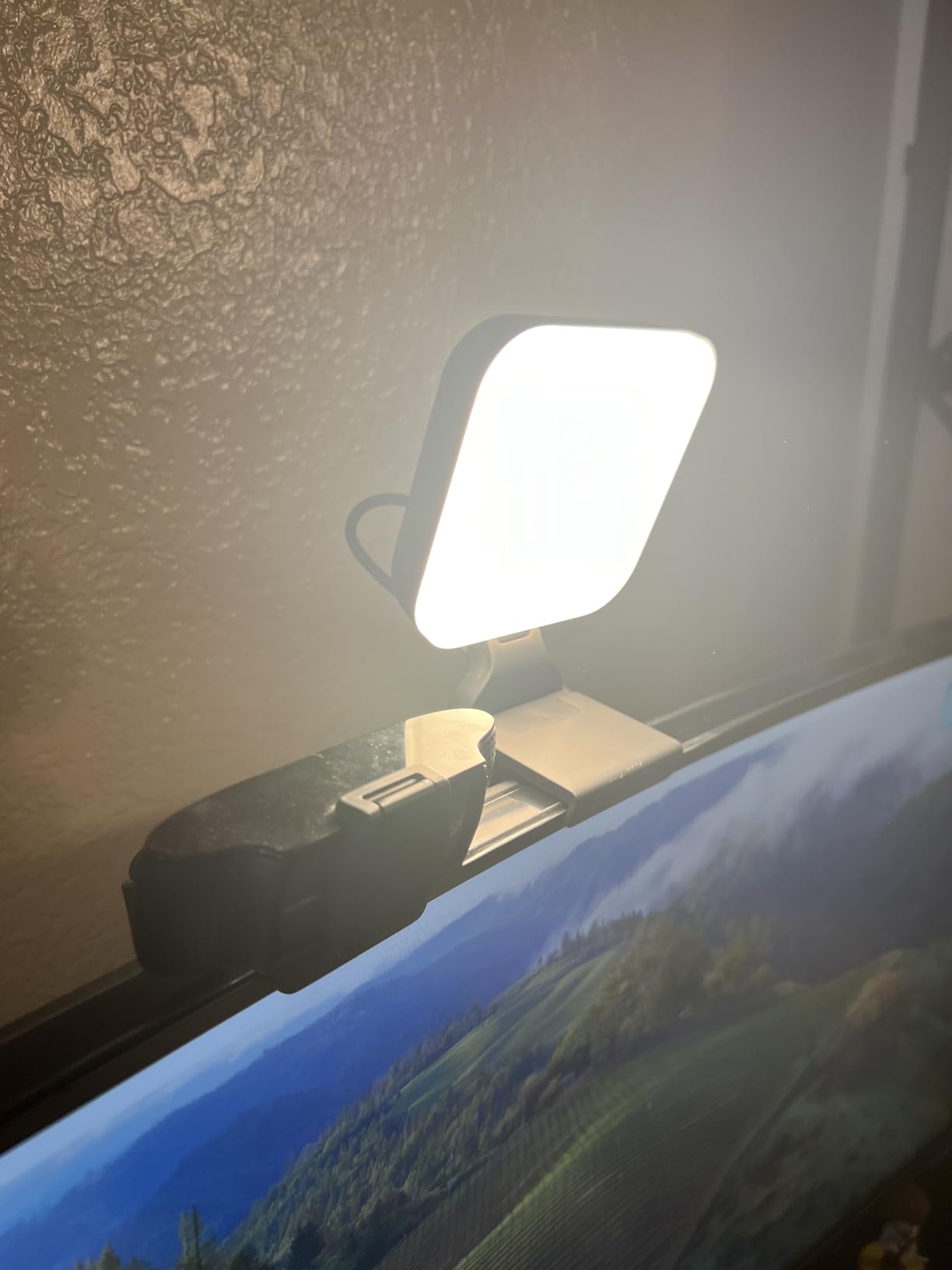
The USB power is another win for convenience. You can run it off your computer’s USB port or any standard USB adapter, no special power brick required. This simplicity makes it ideal for creators who don’t want to deal with multiple power cables and wall warts cluttering their workspace.
I will note that 250 lumens isn’t overpowering. If you have strong window light behind you or need to compete with bright ambient lighting, this might struggle. But for typical indoor recording situations with moderate room lighting, it provides plenty of illumination for single-person shots.
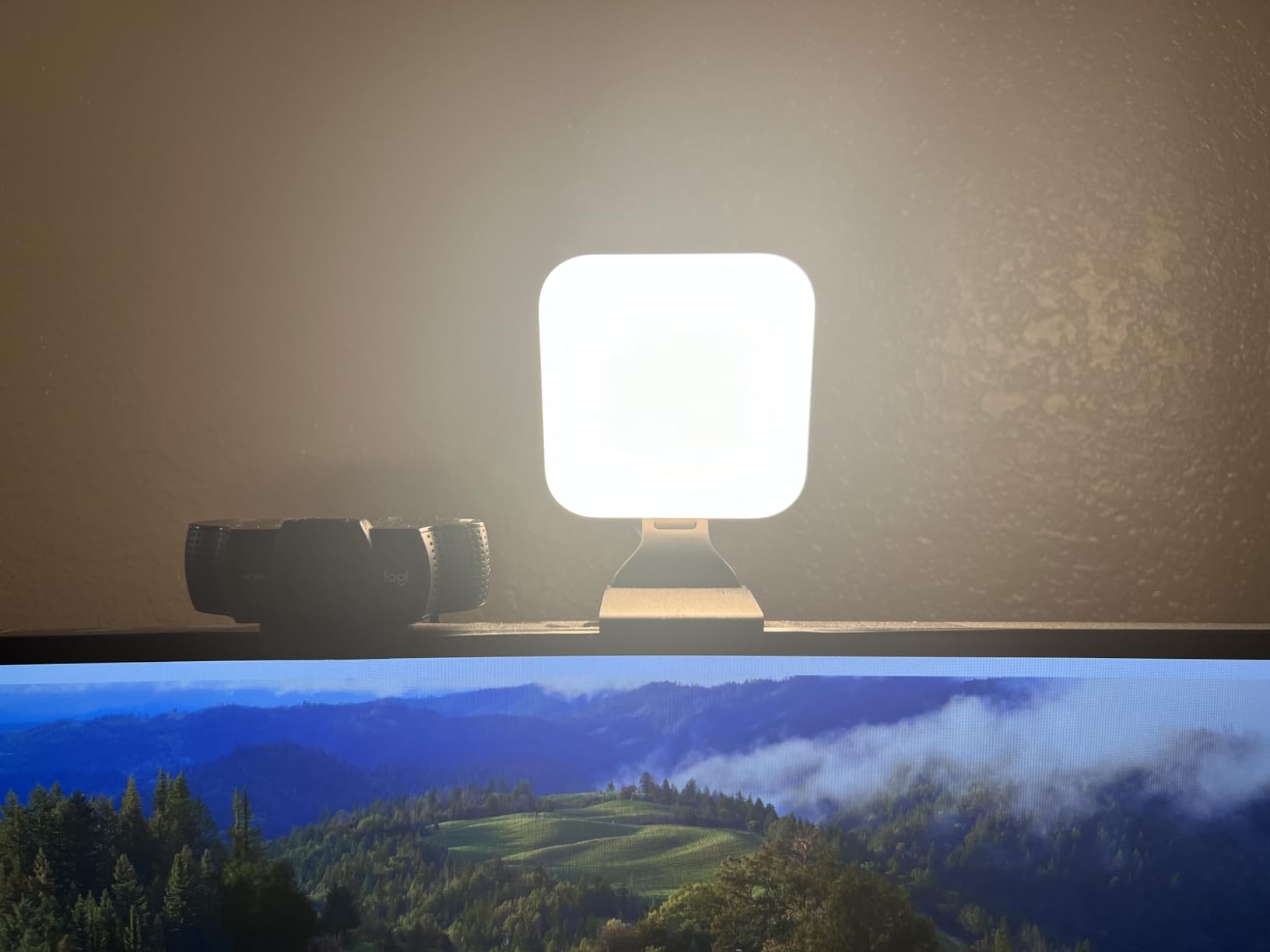
The G Hub software integration adds nice automation features, letting your lighting adjust automatically based on time of day or application. I found myself rarely using this feature, preferring manual control, but it’s there if you want set-it-and-forget-it convenience.
Ideal For
Beginners and budget-conscious creators starting their YouTube journey. Also perfect for remote workers needing better lighting for video calls. The monitor mount is ideal for anyone with limited desk space who can’t accommodate traditional light stands.
Less Ideal For
Creators needing powerful illumination to compete with bright ambient light or window backdrops. The 250 lumen output is insufficient for multi-person shots or larger room setups. Also not suitable for outdoor or location shooting without AC power.
3. Aputure LS 600d – Best Professional Studio Light
Pros
- Extremely bright 600W output
- Professional CRI 96+ color accuracy
- Bowens mount for modifiers
- Precise 1% dimming increments
- App control via Sidus Link
Cons
- Very expensive at $872+
- Heavy at 36.7 pounds
- Low stock availability
- Some cable durability reports
The Aputure LS 600d represents professional studio lighting brought to the YouTube creator space. With 600 watts of output and CRI/TLCI ratings of 96 or higher, this light delivers color accuracy that rivals equipment costing three times as much. When I tested it for product photography videos, the color reproduction was noticeably superior to consumer-grade lights.
The Bowens mount is what truly makes this light versatile. You can attach virtually any professional light modifier—softboxes, beauty dishes, fresnel lenses—opening up creative possibilities that fixed-output lights can’t match. I tested it with a 120cm softbox for beauty content and a fresnel for dramatic interviews, and the LS 600d handled both scenarios beautifully.
Sidus Link app control provides precision adjustments that physical knobs can’t match. Being able to dial in brightness in 1% increments from your phone means you can fine-tune your setup without leaving the recording position. The app also supports DMX control for larger multi-light setups, making this scalable as your production needs grow.
At 36.7 pounds, this is not a portable solution. You’ll need sturdy light stands and careful setup planning. But if you’re building a dedicated studio space, the weight becomes a non-issue and contributes to the light’s stable, professional feel.
Ideal For
Professional YouTube creators with dedicated studio space and budget for premium equipment. Perfect for product reviewers, beauty channels, and educational content where color accuracy matters. Also ideal for creators planning to expand into multi-light studio setups.
Less Ideal For
Beginners, casual creators, or anyone with budget constraints. The high price point and weight make this impractical for small spaces or occasional use. Also overkill for simple talking head videos where professional color accuracy isn’t critical.
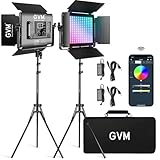
4. GVM RGB LED Video Light 2-Pack – Best RGB Lighting Kit for Creative Effects
Pros
- Excellent value 2-pack at $240
- High CRI 97+ color accuracy
- RGB with creative effects modes
- Bluetooth app control
- Battery power for outdoor use
- Master/slave control mode
Cons
- Power cords not very long
- Stands less stable outdoors
- App can lag after inactivity
- Batteries not included
- Only one softbox in kit
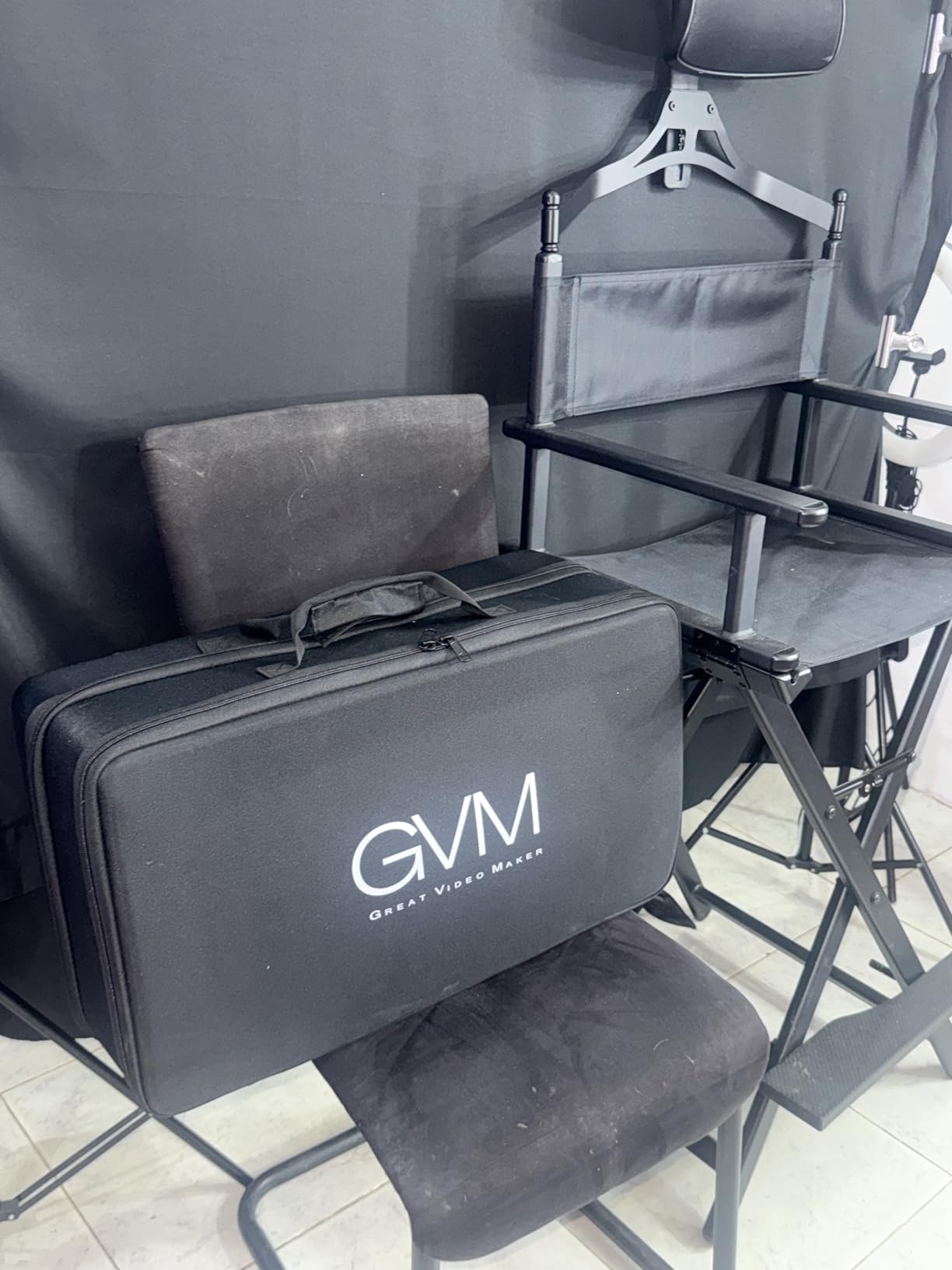
GVM’s RGB 2-pack delivers impressive versatility at a mid-range price point. With 60W per panel and CRI 97+, you get professional color accuracy alongside creative RGB effects that most lights in this price range lack. I tested this kit for gaming streams and the RGB effects added atmosphere that viewers immediately noticed.
The 18 scene modes—including lightning, fire, TV simulation, and candlelight—let you create mood lighting without complex gel setups. For YouTube creators doing reaction videos, gaming content, or creative storytelling, these presets save hours of manual color grading in post-production.
Bluetooth app control is convenient but not perfect. After a few minutes of inactivity, the app can lag when reconnecting. Once connected, adjustments are responsive and the master/slave mode lets you control both lights simultaneously—a feature I wish more manufacturers would implement.
The battery power option is a major advantage for location shoots. You’ll need to purchase NP-F batteries separately, but being able to take these lights outdoors without finding AC outlets opens up creative possibilities. Just note that the stands can be unstable in wind, so you’ll want sandbags or weights for outdoor use.
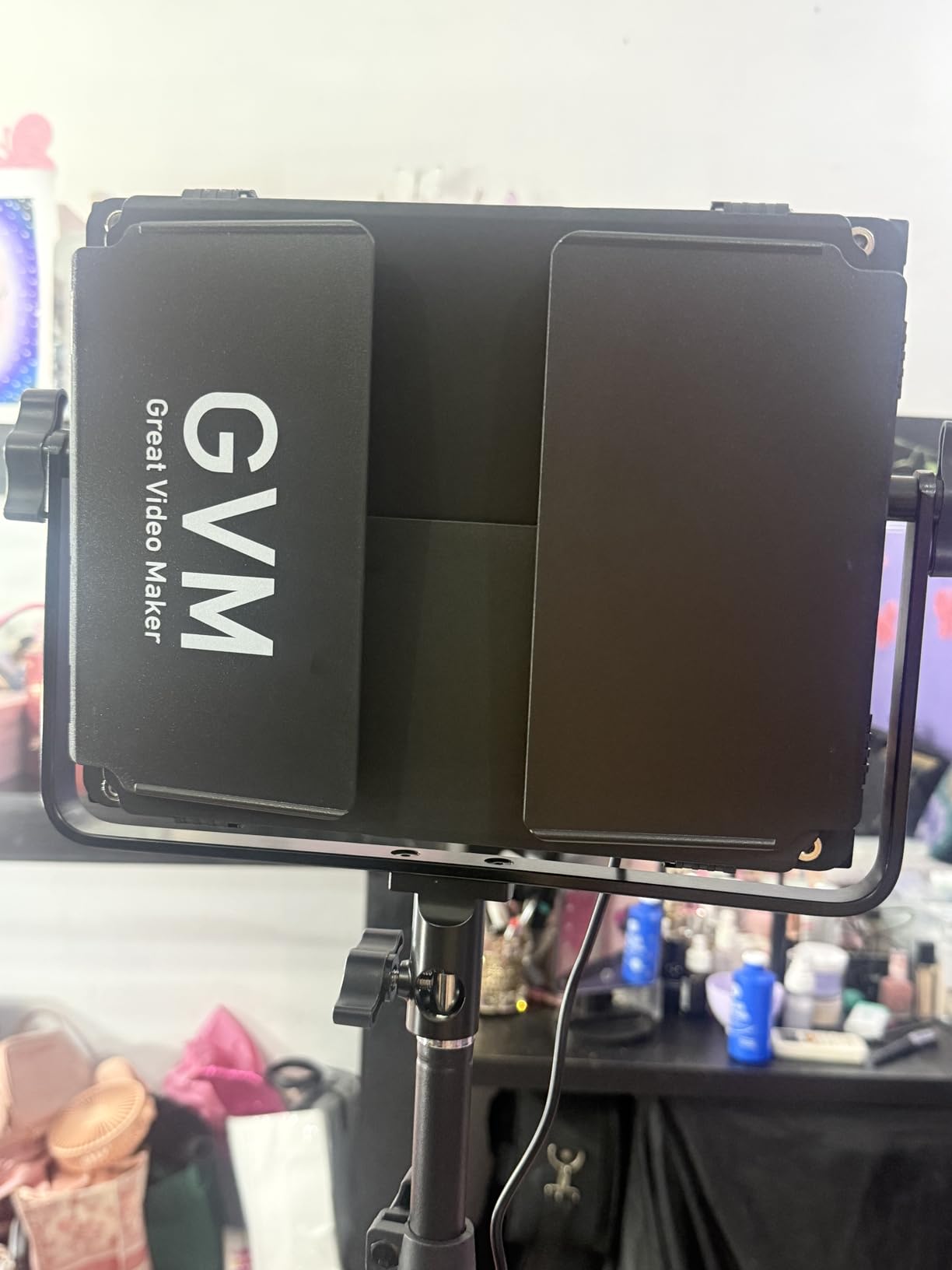
At $239.99 for two lights with stands, this represents excellent value. Most competitors charge this much for a single panel. The kit includes only one softbox, which is disappointing, but the panels work well bare for most applications and you can add modifiers later as budget allows.
Ideal For
Gaming streamers, creative content creators, and anyone wanting dynamic colored lighting effects. Perfect for creators who shoot both indoors and outdoors and need battery power flexibility. Great value for YouTubers building their first multi-light setup.
Less Ideal For
Professionals needing consistent daylight color accuracy for commercial work. The RGB features, while fun, aren’t necessary for standard talking head videos. Also not ideal for windy outdoor conditions without additional stand stabilization.
5. Amaran 60D S – Best Portable Daylight Light
Pros
- Excellent value at $135
- High color accuracy CRI 96+
- Compact and portable
- Bowens mount compatibility
- Battery power option
- 8 built-in lighting FX modes
Cons
- Daylight only no adjustable color
- Build feels somewhat plasticky
- App can occasionally disconnect
- Power adapter feels cumbersome
- No stand or charger included
The Amaran 60D S delivers professional performance at a price that surprised me. At just $135, you get 65 watts of daylight output with color accuracy (CRI 96+, TLCI 99) that rivals lights costing three times as much. I tested this light for product videos and skin tones rendered accurately without the green or magenta casts that plague cheaper LEDs.
What makes this light special is the Bowens mount compatibility. At this price point, most lights have proprietary mount systems that limit your modifier options. But the 60D S accepts any Bowens-mount softbox, beauty dish, or reflector, giving you room to grow as your lighting skills develop.
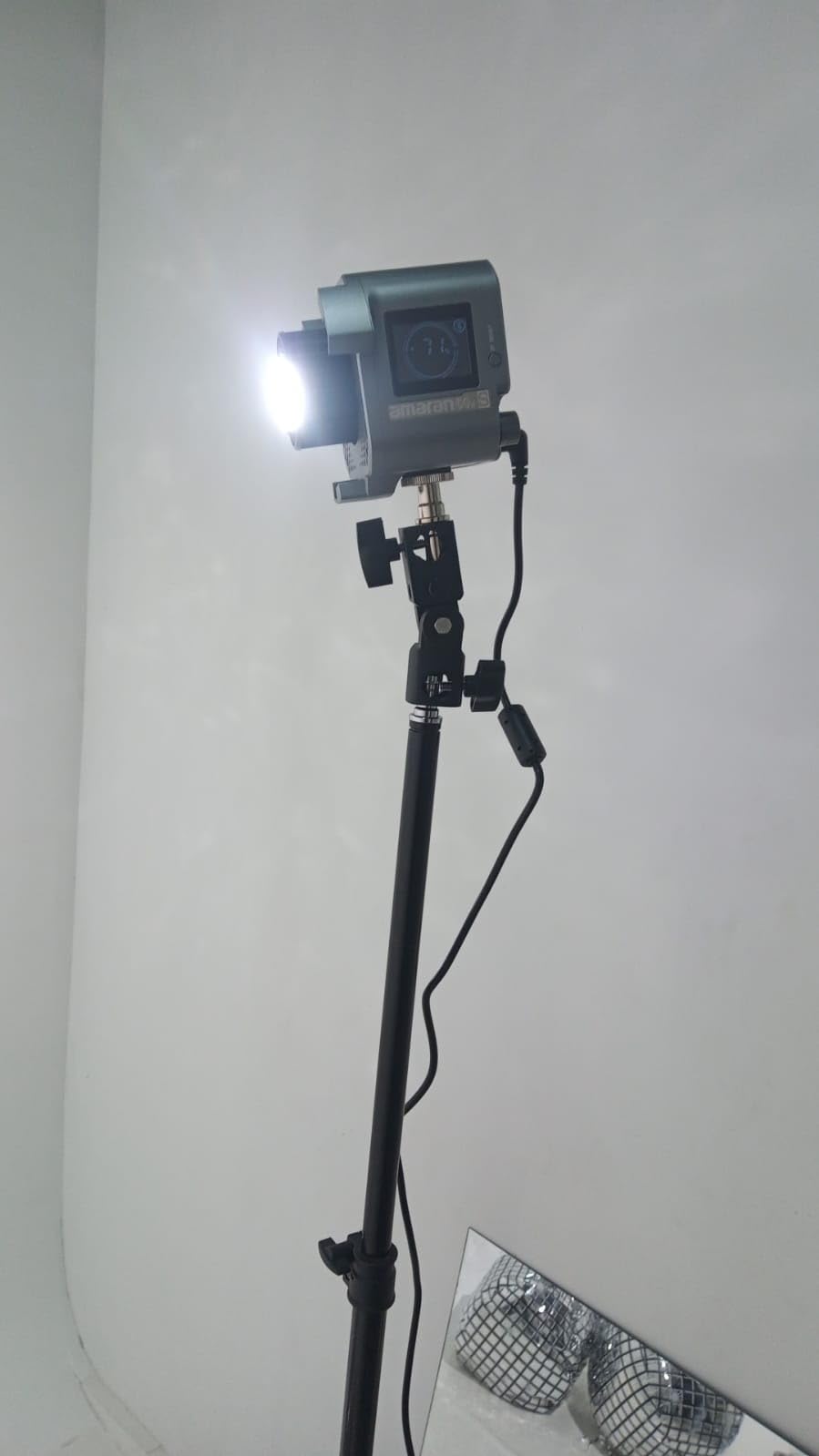
The compact form factor is perfect for small studio spaces. At just 5.3 pounds, it’s easy to reposition during shoots, and the included yoke provides stable mounting without needing heavy-duty stands. I’ve used this for on-location interviews and appreciated how little space it takes in my gear bag.
Battery power support makes this versatile for outdoor shoots. You’ll need a compatible V-mount battery (sold separately), but being able to run AC or DC means one kit handles both studio and location work. The Sidus Link app control is convenient, though I did experience occasional disconnections that required re-pairing.
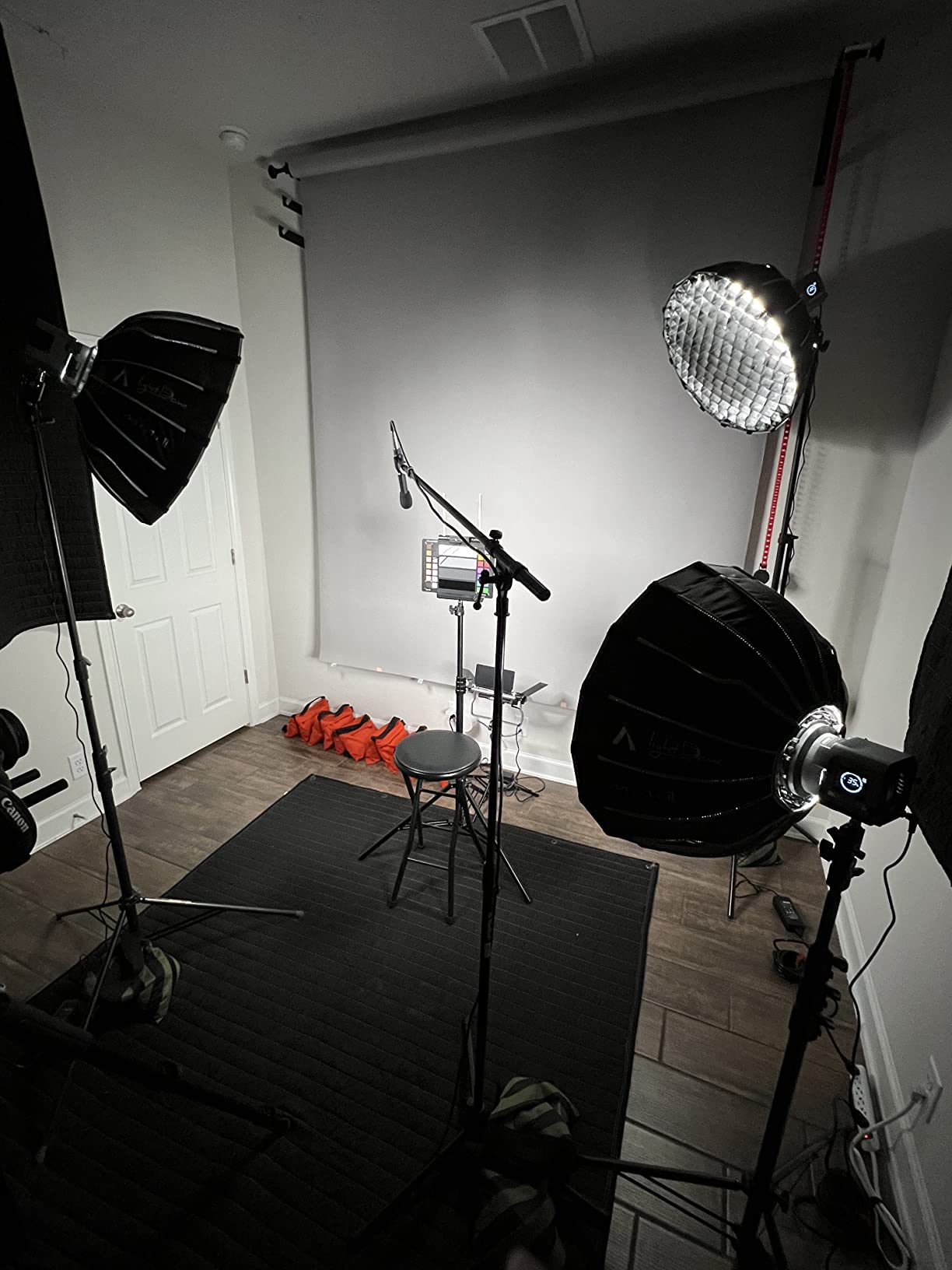
The daylight-only output might seem limiting, but for most YouTube content, 5600K is actually ideal. It matches window light and produces crisp, professional-looking video. If you need adjustable color temperature, Amaran offers a bi-color version, but it costs significantly more.
Ideal For
Value-conscious creators wanting professional color accuracy without the premium price. Perfect for product reviewers, tutorial creators, and anyone shooting near windows. Excellent choice for YouTubers building their first serious lighting setup with room to expand.
Less Ideal For
Creators needing adjustable color temperature for mixed lighting environments. The fixed daylight output can clash with warm indoor lighting. Also not ideal for those wanting bi-color versatility without upgrading to the more expensive 60x series.
6. Neewer 660 LED 2-Pack – Best Value Bi-Color Kit for Beginners
Pros
- Excellent brightness 3300 lux at 1m
- High CRI 96+ color accuracy
- Sturdy aluminum build no fan noise
- Bi-color 3200K-5600K adjustable
- AC or NP-F battery power
- Metal barndoor for light shaping
Cons
- Barn doors collide with bracket when tilted
- No DMX control option
- Tripods can be wobbly at full height
- No carrying bag for stands
Neewer’s 660 LED 2-pack has been my go-to recommendation for beginners since it launched, and after testing countless alternatives, it remains one of the best values in YouTube lighting. With 660 LEDs per panel and 3300 lux of brightness at 1 meter, these lights output enough illumination for professional results without the professional price tag.
The bi-color capability from 3200K to 5600K lets you match any existing light source in your room. I’ve used these kits for interviews where I needed to balance with tungsten practicals, and the adjustable color temperature made achieving consistent white balance straightforward.
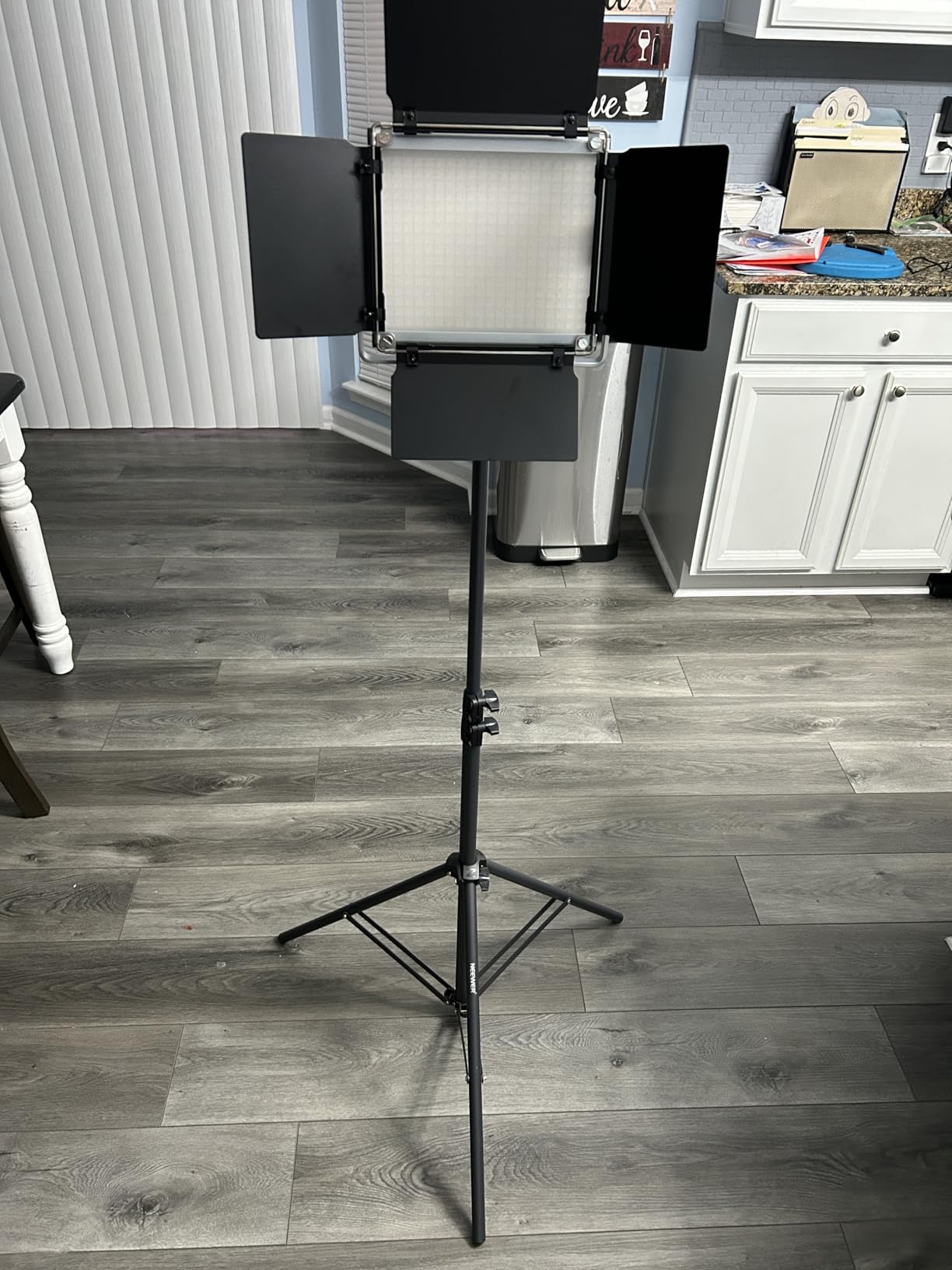
What I appreciate most is the silent operation. Unlike cheaper LED panels with noisy cooling fans, the 660 uses passive cooling that makes zero sound. For audio recording, this is critical—nothing ruins a video faster than fan hum in your microphone. Podcasters and voice-over artists especially appreciate this feature.
The dual power options add versatility. Run off AC power in the studio or switch to NP-F batteries for location shooting. The U-bracket allows 360-degree tilt, though I should mention that the barndoors can contact the bracket at extreme angles—a minor design quirk that doesn’t affect typical use.
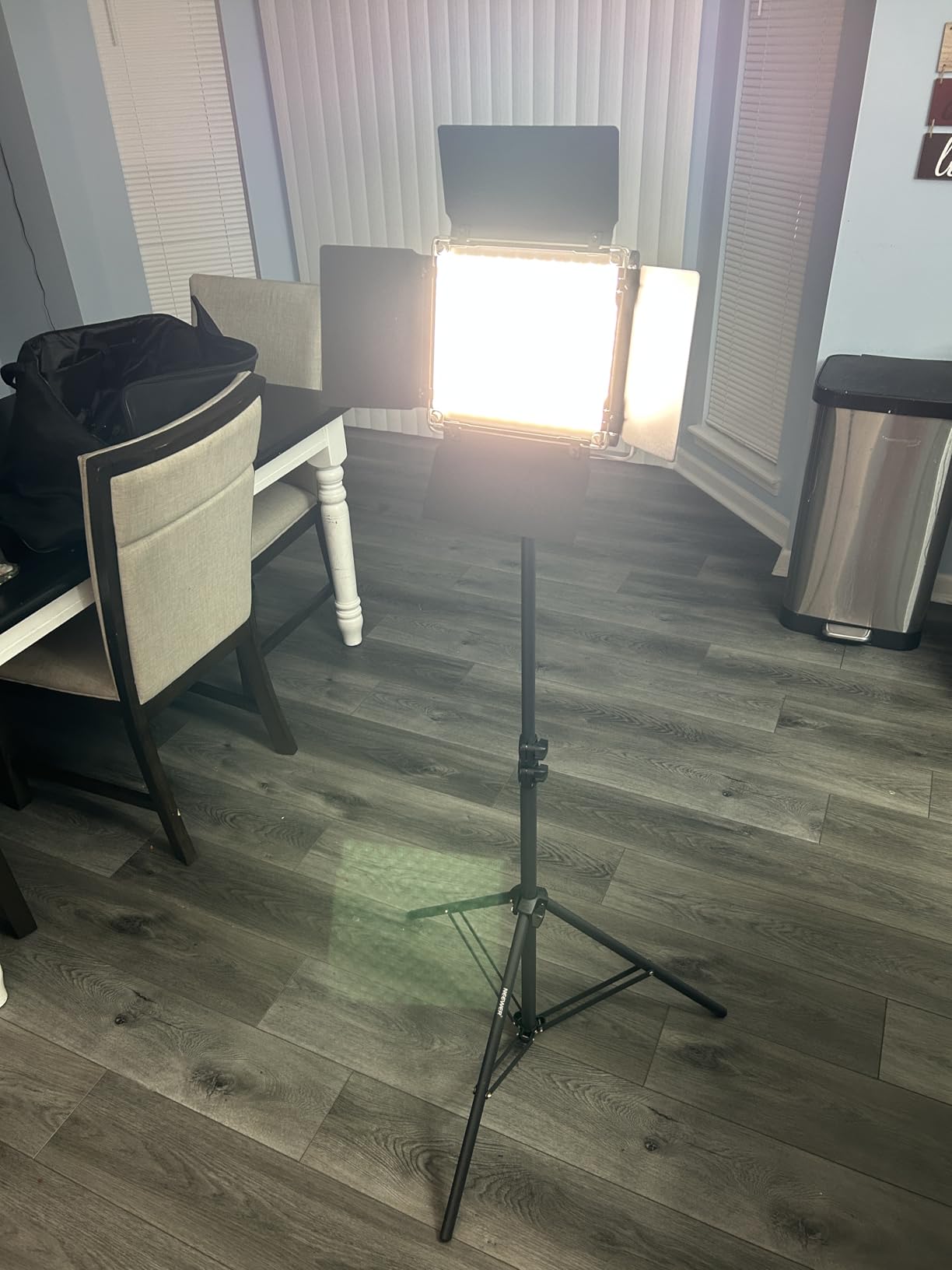
At $192.99 for a complete two-light kit with stands, barndoors, and carrying cases, this is exceptional value. The 75-inch light stands are sturdy enough for most applications, though they can get slightly wobbly at maximum extension. For desktop or seated setups, you’ll rarely need full height anyway.
Ideal For
Beginners building their first serious lighting setup. Also perfect for podcasters, interview creators, and anyone needing clean bi-color illumination without noise. Excellent value for educational channels and tutorial creators.
Less Ideal For
Professionals needing DMX control for complex setups. Also not ideal for windy outdoor conditions where the tripods may need additional weighting. The barndoor design issue may frustrate users needing extreme tilt angles.
7. NiceVeedi 2-Pack LED Kit – Best Ultra-Budget Starter Kit
Pros
- Incredible value under $50
- Solid build for price point
- Natural color rendering CRI 97+
- Wide brightness range
- USB-C power flexibility
- Portable and lightweight
Cons
- Requires high-power wall adapter
- Tripods unstable at full height
- Tripod legs not individually adjustable
- Not powerful for distance lighting
- No power supply included
At under $50 for a complete two-light kit with stands and phone holder, the NiceVeedi 2-Pack represents the absolute floor for usable YouTube lighting. I was skeptical at this price point, but the CRI 97+ color accuracy and wide brightness range produce surprisingly good results for close-up talking head content.
The three color temperature options (2800K, 4800K, 6500K) cover warm indoor, neutral daylight, and cool outdoor matches. I found 4800K worked best for most indoor recordings, providing a neutral look that didn’t clash with typical room lighting.
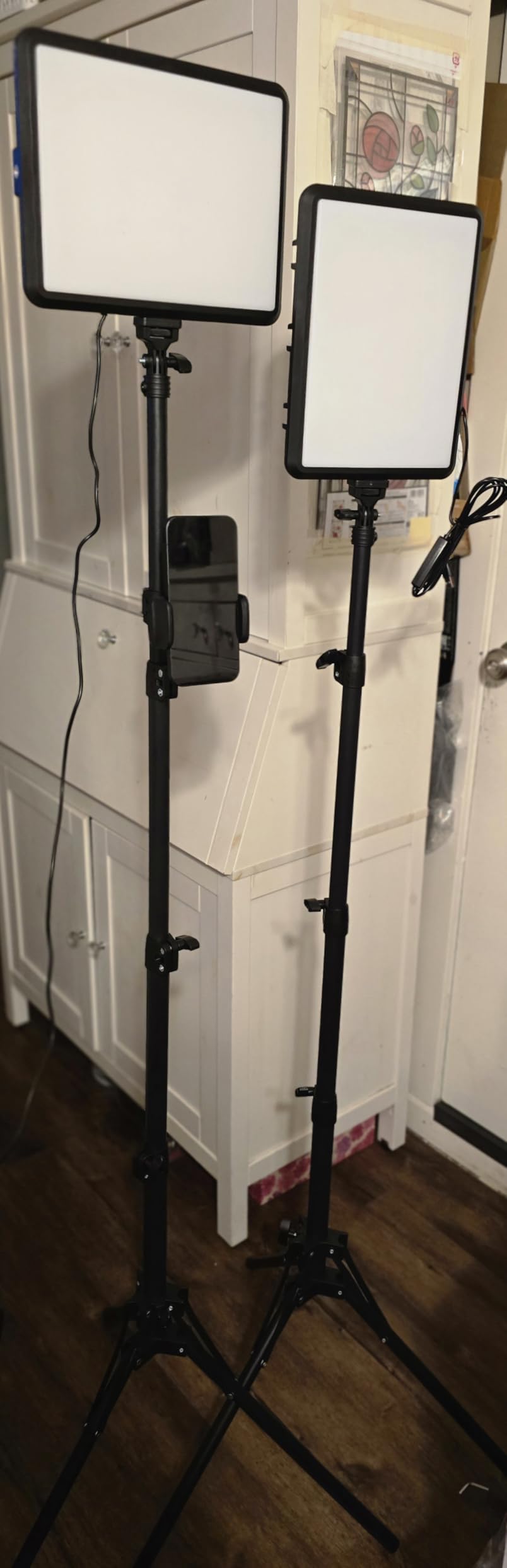
USB-C power is convenient but comes with a catch. These panels require a 5V 2A power source minimum, and many computer USB ports can’t deliver consistent power at that level. For best results, use a quality wall adapter—ideally 30-35W output. The kit doesn’t include one, so factor that into your budget if you don’t have a suitable charger.
The 73-inch tripod height sounds impressive, but I found them unstable when fully extended. For seated desktop recordings, keeping them around 40-50 inches provides much better stability. The lightweight construction that makes these portable also makes them prone to tipping if bumped.
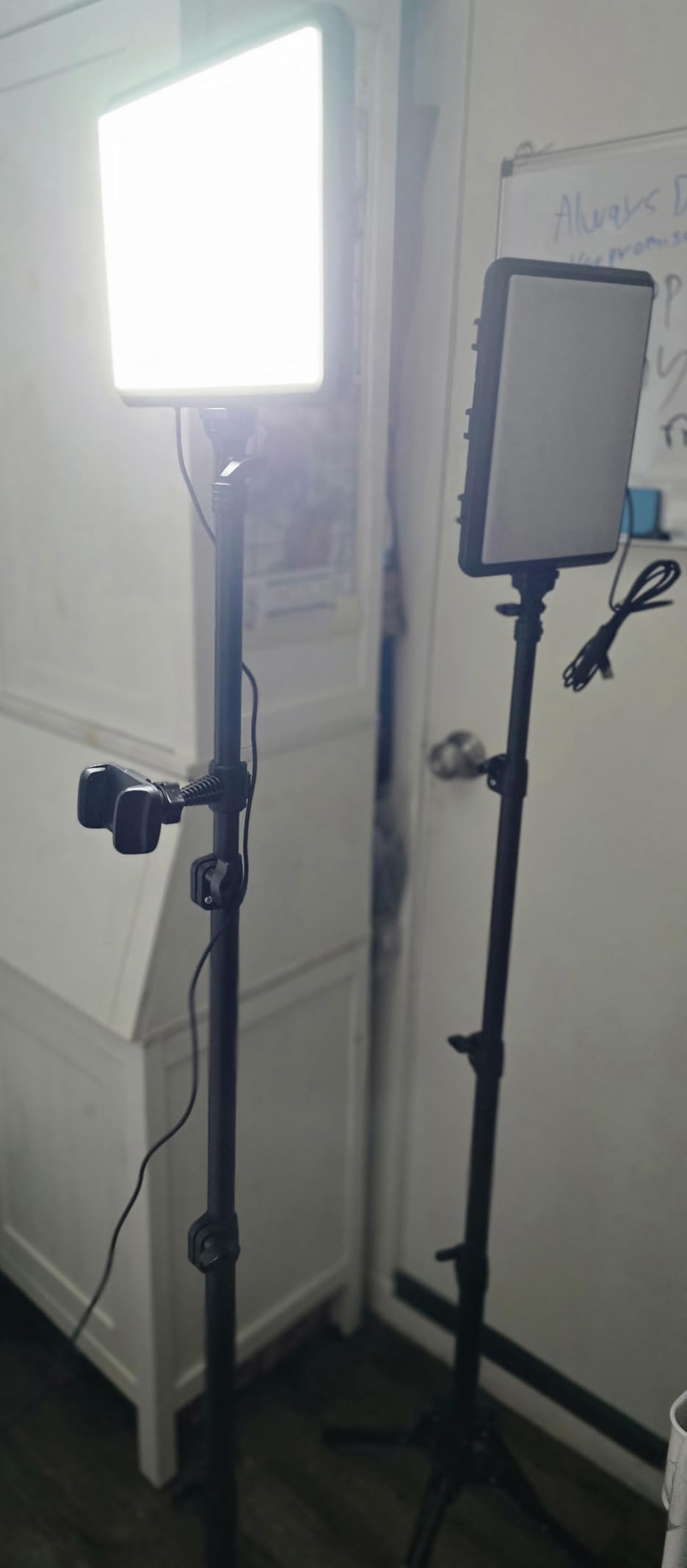
Despite the limitations, I recommend this kit for absolute beginners or creators on the tightest budgets. It provides adequate lighting for basic YouTube videos, and you can always upgrade individual components later as your skills and needs grow. At this price, it’s an accessible entry point that won’t break if you decide video creation isn’t for you.
Ideal For
Complete beginners testing the waters with YouTube creation. Also perfect for kids and teens starting their first channels. Excellent for creators with minimal space who need compact, affordable lighting for occasional videos.
Less Ideal For
Creators needing powerful illumination for anything beyond close-up shots. Not suitable for full-body videos or situations requiring distance lighting. The tripod instability at full height makes it poor for standing recordings.
8. Lume Cube Broadcast Lighting Kit – Best Portable Webcam Light
Pros
- Compact and portable design
- Battery provides 90-180 minutes
- Can be used while charging
- Multiple mounting options
- Good build quality
- Includes silicone diffuser
Cons
- Suction cup can fail over time
- Battery life diminishes after 2-3 years
- Diffuser can warp from heat
- Not powerful for distance lighting
- Too bright even on lowest for some
- Higher price than competitors
Lume Cube’s Broadcast Kit fills a specific niche: portable battery-powered lighting for webcam and video calls. I tested this for remote recording sessions and location shoots where AC power wasn’t available, and the built-in battery providing 90-180 minutes of runtime proved genuinely useful.
The laptop clip mount is clever and secure, attaching firmly to display bezels for ideal webcam positioning. The 30-inch telescoping stand is also included, giving you traditional placement options when needed. Having both mounting methods in one kit provides flexibility that competitors with only stands or only clips lack.
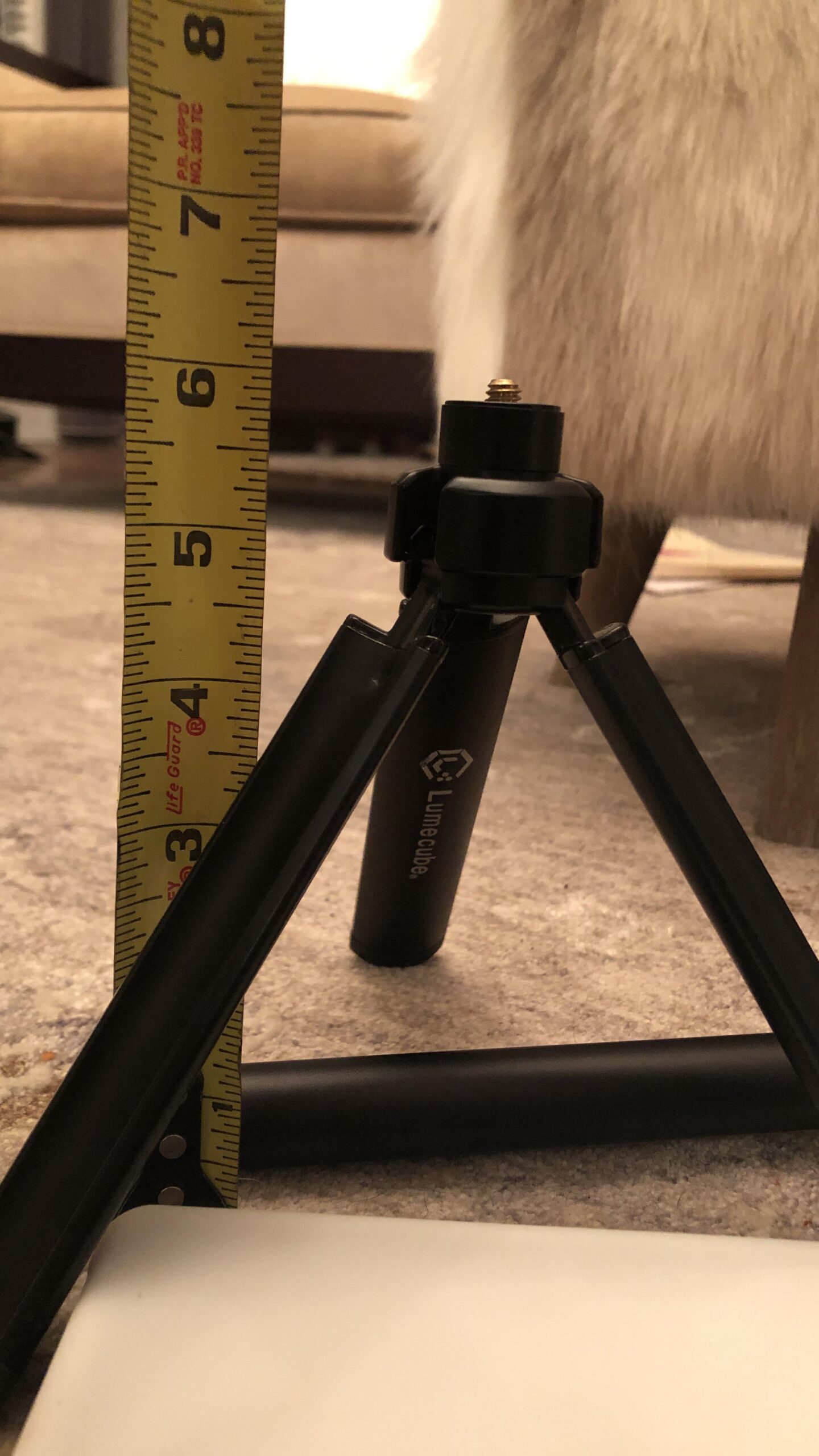
Build quality feels premium with solid construction that justifies the higher price point. The silicone diffuser attaches securely and creates soft, flattering light that eliminates harsh shadows on your face. USB-C charging is modern and convenient, with the 3.3ft cable being adequate for most setups.
I found the brightness range extensive—perhaps too extensive. Even at the lowest setting, some users might find this too bright for close-up webcam use. The adjustable color temperature helps compensate, letting you warm up the output for a less clinical appearance.
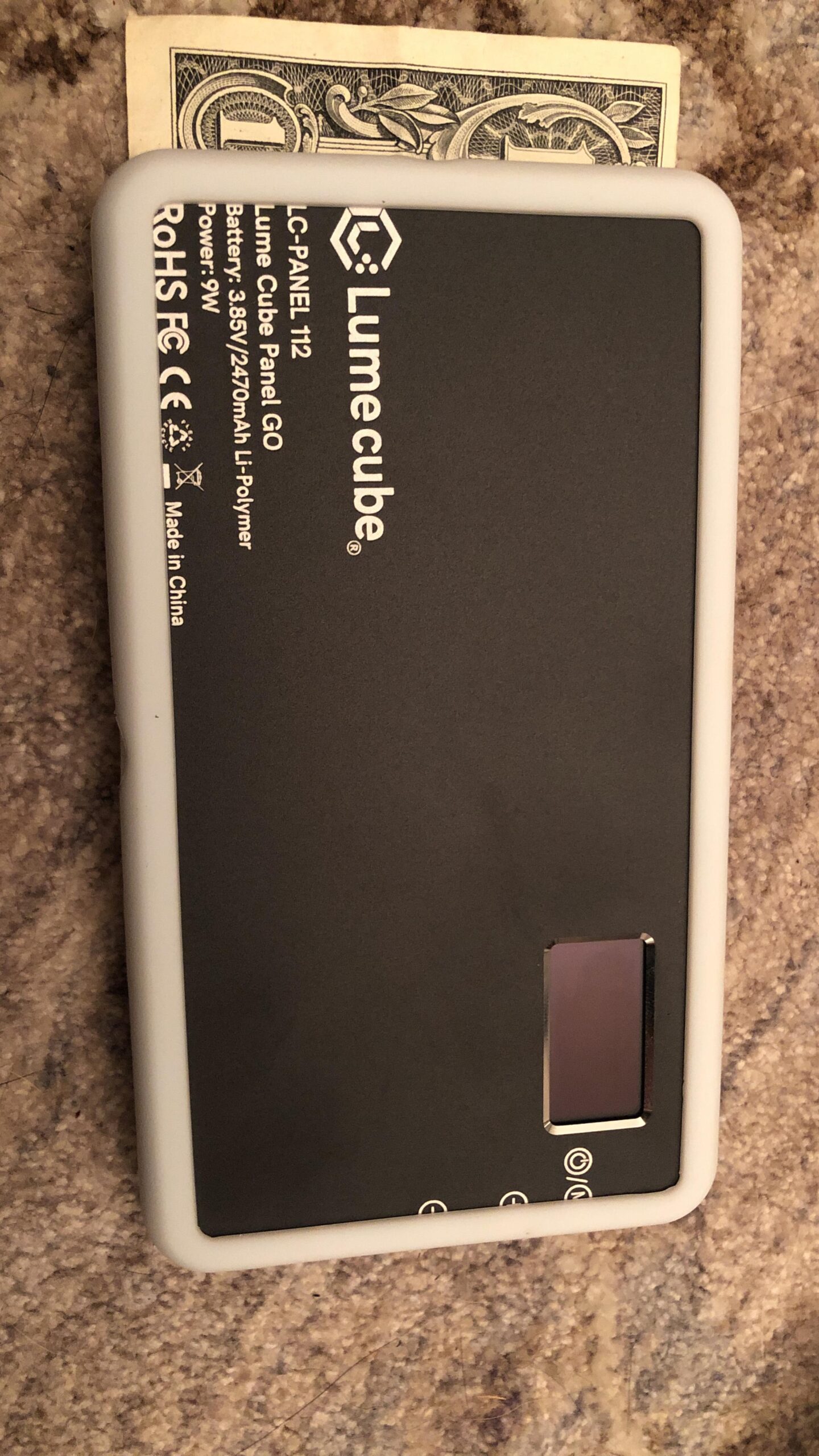
The battery chemistry degrades noticeably after 2-3 years of regular use, something several long-term users confirmed. Plan for battery replacement if you’re buying used or keeping this for the long term. The suction cup mount can also lose grip over time, especially in hot environments.
Ideal For
Remote workers needing portable webcam lighting for video calls and presentations. Perfect for creators who record in various locations without reliable AC power. Great for travel vloggers and business professionals who need professional lighting on the go.
Less Ideal For
Creators needing powerful illumination for anything beyond webcam distances. The battery degradation and suction cup reliability issues make this less ideal for long-term daily use. Also not the best value for budget-conscious buyers.
9. Neewer 13 inch LED Panel 2-Pack – Best Battery-Powered Portable Kit
NEEWER 13″ LED Video Light Panel Kit, 2 Pack Bi Color Dimmable with Tripod Stand, 4000mAh Battery, 3200K-5600K CRI97+, USB, for Studio/Streaming/YouTube, Black, NL-192AI
Pros
- Excellent color accuracy CRI 97+
- Ultra thin lightweight design
- Built-in 4000mAh battery
- Quick 2-hour charge time
- Sturdy aluminum stands
- Can charge while in use
Cons
- Battery life limited 60-90 minutes
- Tripod legs could be wider for stability
- Can fall on uneven ground at full height
- Control knobs need more resistance
- Battery indicators not perfectly accurate
Neewer’s 13-inch panel 2-pack combines portability with performance in a way few other kits manage. The ultra-thin 0.4-inch profile makes these panels easy to pack and transport, yet the 192 LEDs per panel deliver 2400 lux with CRI 97+ that rivals much bulkier equipment.
The built-in 4000mAh battery provides 60-90 minutes of runtime—enough for most recording sessions. What I particularly appreciate is the ability to charge while using. This means you can plug in during longer shoots and never have to interrupt your workflow for battery swaps.
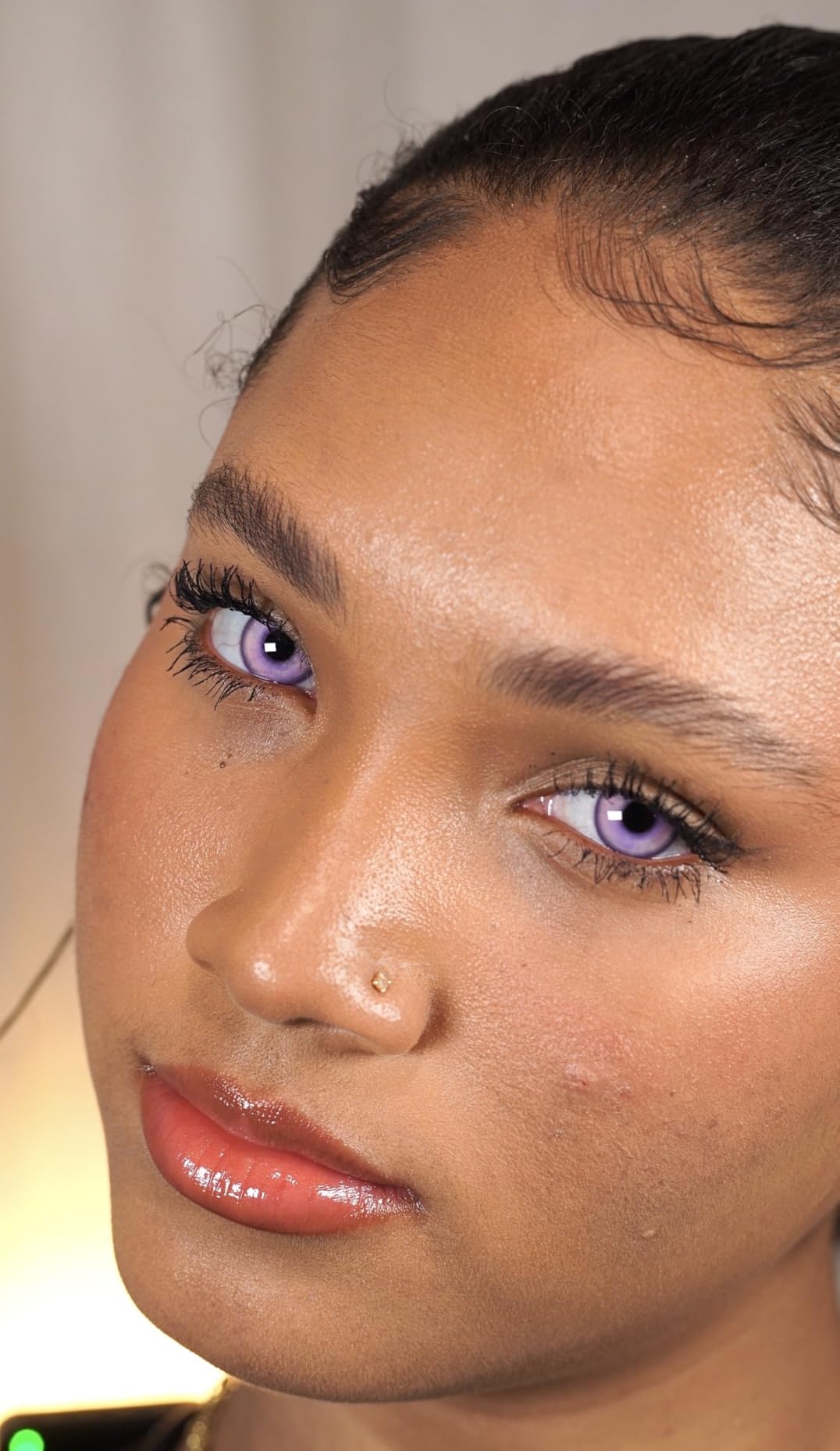
The large LCD screen on the back of each panel shows real-time parameters including brightness, color temperature, and battery level. This visual feedback makes matching settings across both lights straightforward and prevents unpleasant surprises when batteries run low.
At just 1.3 pounds per panel, these are incredibly light. The aluminum stands feel premium compared to the plastic stands included with many competitors, supporting up to 4 pounds each. The 70-inch height is adequate for most standing shots, though I recommend keeping them around 50-55 inches for better stability.
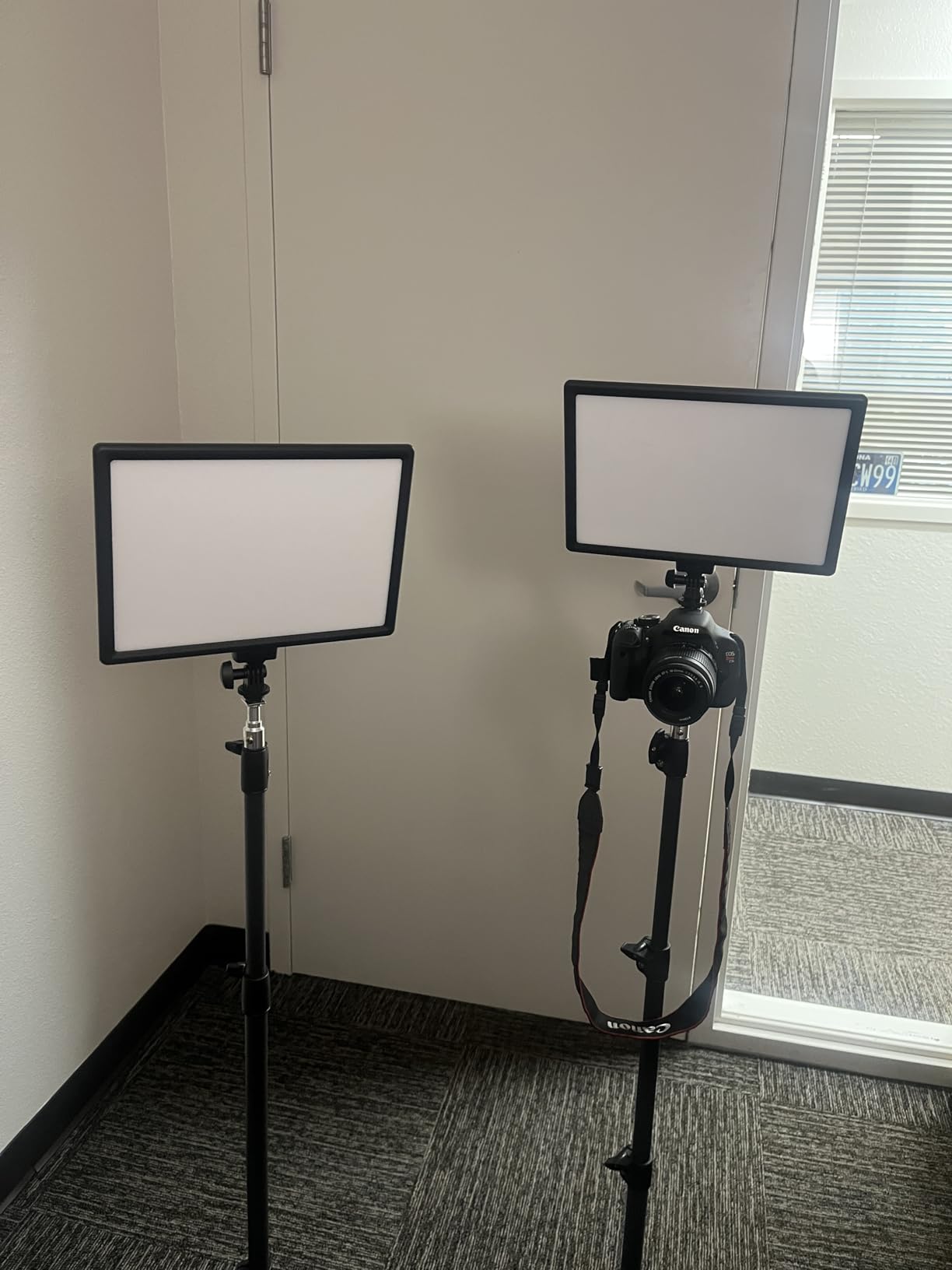
The 2-hour quick charge time is impressive, and the included carrying cases protect the panels during transport. After testing these for outdoor interviews and location shoots, I found the battery life accurate to the specifications, though the on-screen battery indicators aren’t perfectly linear—the last 20% disappears faster than the first 80%.
Ideal For
YouTube creators who shoot on location and need battery-powered lighting. Perfect for travel vloggers, interview creators, and anyone recording outside studio environments. Excellent for outdoor tutorials and field productions where AC power is unavailable.
Less Ideal For
Creators needing longer than 90 minutes of continuous battery power. Also not ideal for windy outdoor conditions without additional stand weighting. The limited battery life makes this less suitable for all-day events or extended recording sessions.
10. Sensyne 10 inch Ring Light – Best Budget Ring Light for Beginners
Pros
- Very affordable at under $30
- Easy touch controls
- Phone holder fits all phones
- Compact and portable
- Wireless remote included
- Great for makeup and close-ups
- #1 bestseller in category
Cons
- Not powerful enough for studio work
- Height limited to 50 inches
- Requires 10W power source
- Must remain plugged during use
- Not suitable for full body shots
- Tripod can collapse without locking
The Sensyne 10-inch ring light holds the #1 bestseller position for good reason. At under $30, it delivers adequate lighting for beauty content, makeup tutorials, and close-up talking head videos without breaking the bank, making it one of the best lighting kits for YouTube for creators who are just starting out. I’ve recommended this to dozens of beginner creators, and the positive feedback has been consistent.
The ring light shape creates the characteristic circular catchlight in eyes that viewers associate with beauty content. This isn’t just aesthetic—the even illumination from all angles eliminates harsh facial shadows that traditional single-source lighting creates, making it particularly flattering for skincare and makeup demonstrations.
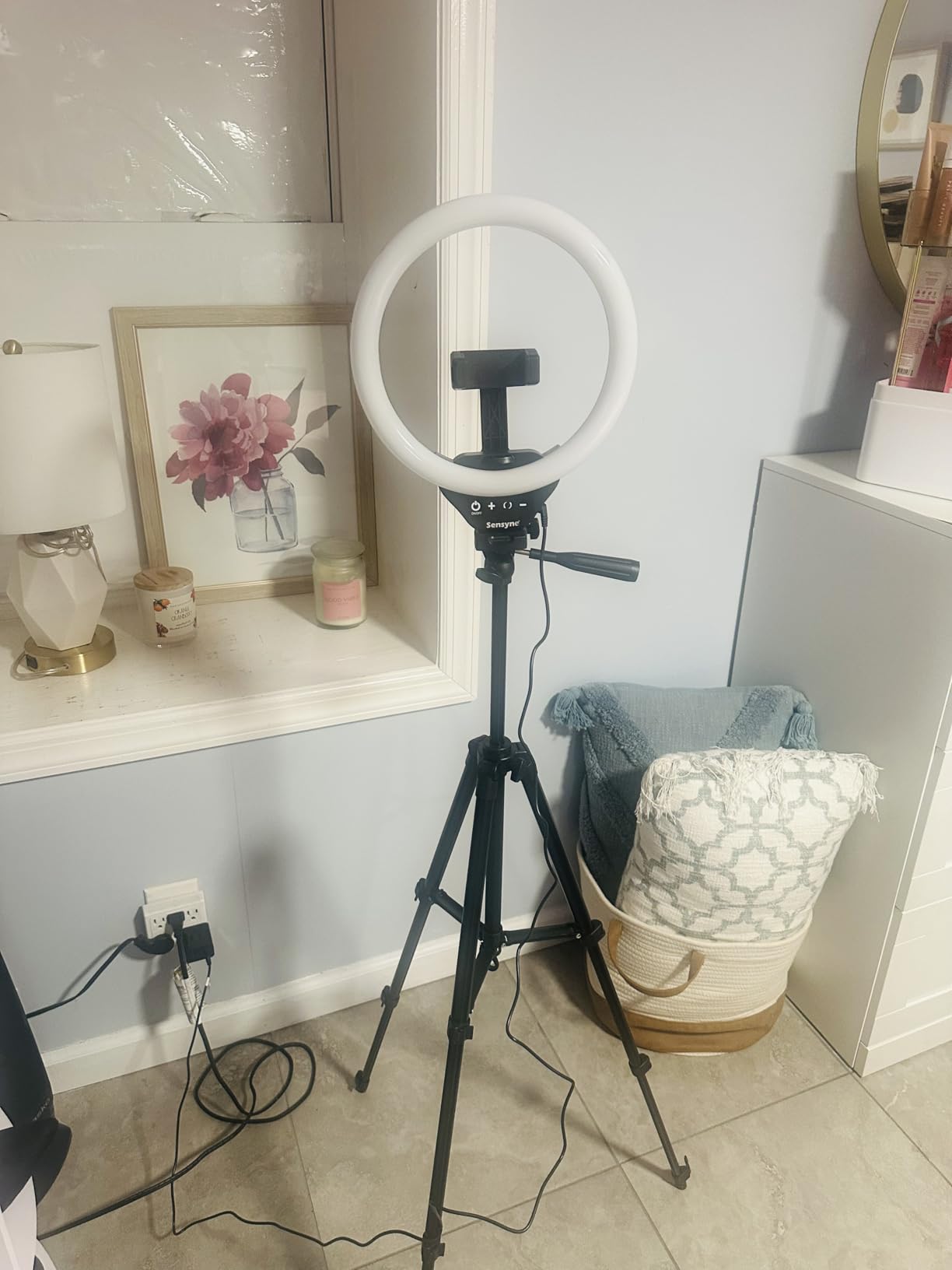
Three color modes (cool white, warm yellow, daylight) combined with 10 brightness levels give you 30 possible combinations. I found daylight mode at 70-80% brightness works best for most indoor recordings, providing a natural look that doesn’t require extensive color correction in post.
The phone holder deserves special mention—it extends up to 5.3 inches and accommodates even the largest smartphones with cases. The wireless remote shutter trigger works from 30 feet away, letting you start recording without reaching for your phone and potentially bumping your carefully positioned setup.
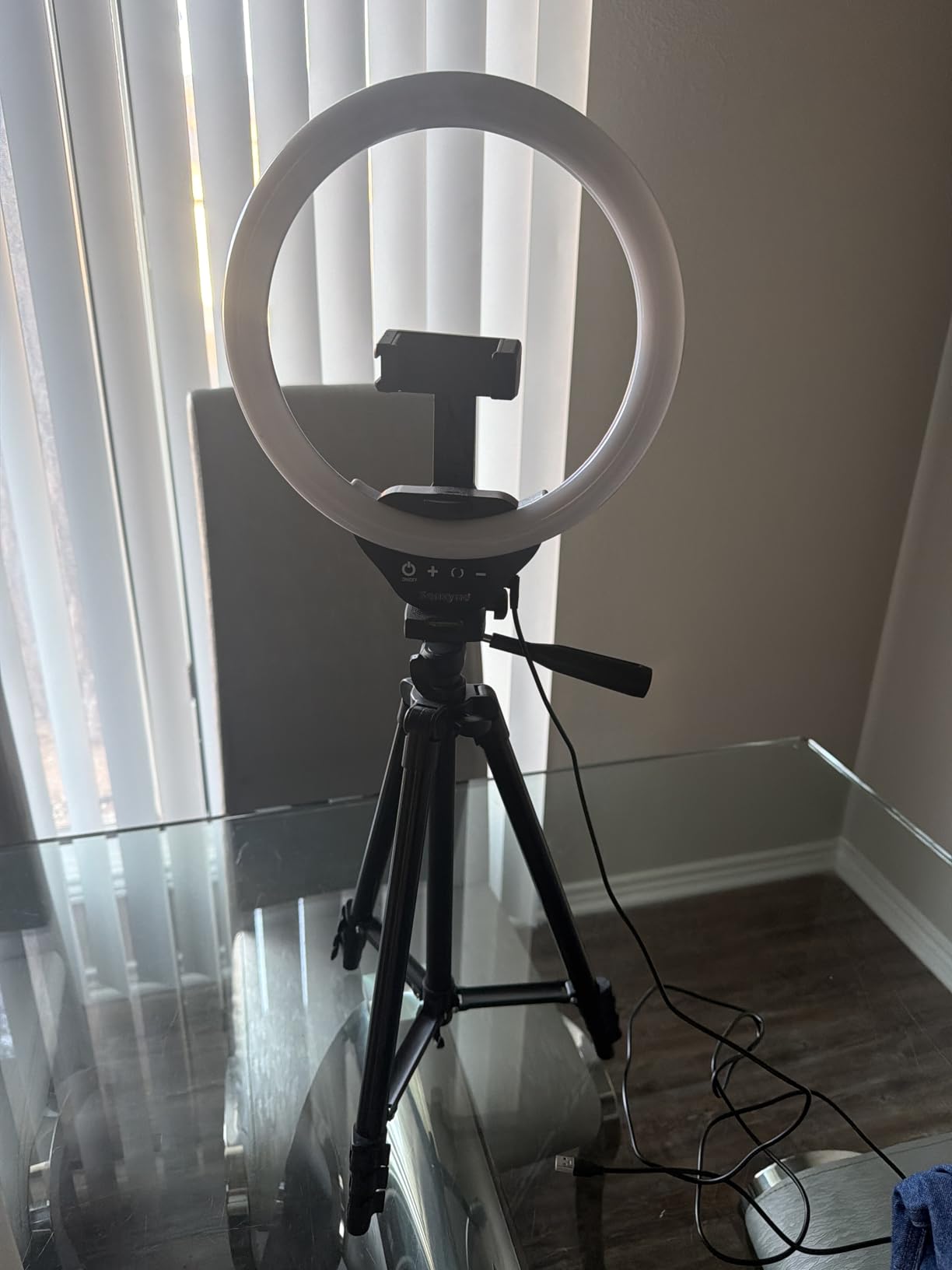
At 50 inches maximum height, this tripod is best suited for seated content. Standing creators might find it too short unless positioned on a raised surface. The tripod legs don’t lock individually, which can lead to accidental collapse if you’re not careful when adjusting height.
Ideal For
Beauty creators, makeup artists, and fashion YouTubers who want the signature ring light look. Perfect for beginners starting their first channel. Excellent for social media content creators making TikToks, Reels, and Shorts.
Less Ideal For
Creators needing powerful illumination for anything beyond close-ups. Not suitable for full-body videos or standing interviews. The 50-inch height limit makes it poor for traditional YouTube talking head formats where the creator stands.
YouTube Lighting Buying Guide (2026)
Understanding 3-Point Lighting for YouTube
Professional YouTube lighting starts with the 3-point lighting technique. This setup uses three lights positioned strategically to create flattering, dimensional illumination. The key light serves as your primary light source, positioned at a 45-degree angle to one side of your face. This creates the main illumination and defines your features.
The fill light goes on the opposite side, also at 45 degrees, but with less power. Its job is to soften the shadows created by the key light without eliminating them entirely. Complete shadow elimination looks flat and unnatural—you want some shadow to add depth and dimension.
The backlight (or rim light) goes behind you, positioned to illuminate the back of your head and shoulders. This separates you from the background, creating depth and preventing that cutout look where subjects blend into their background. For beginners, you can start with just a key light and add fill and backlight as your budget allows.
Color Temperature Explained
Color temperature, measured in Kelvin (K), determines whether your light appears warm (orange) or cool (blue). For YouTube content, 4000K produces neutral white light that matches typical indoor lighting and looks natural for most talking head videos. This is your safe, versatile choice that works in most environments.
6500K creates cool, daylight-balanced light ideal for matching window light or achieving a crisp, professional appearance. This works well for product videos, tutorials, and any content where color accuracy matters. However, in rooms with warm incandescent lighting, 6500K can create an unpleasant mixed-lighting situation.
The key is consistency—mixing color temperatures in one shot looks unprofessional. If you have windows in your recording space, match your lights to daylight (around 5600K). If you’re in a windowless room with warm lamps, aim for 3200K-4000K. Most bi-color lights let you adjust to match any existing light source.
Light Output and Brightness
Lux and lumens measure brightness differently. Lumens indicate total light output, while lux measures illumination at a specific distance. For YouTube, you want 500-1000 lux at your subject position for professional results. Most single-person talking head setups require 1500-3000 lumens total output.
More brightness isn’t always better. Excessive light can cause discomfort and make squinting unavoidable. Dimmable lights let you adjust to the right level for your space. The ability to dim also matters as you add more lights—when you have a full 3-point setup, each individual light needs less power than when working with a single light.
CRI and Color Accuracy
CRI (Color Rendering Index) measures how accurately a light reveals colors compared to natural sunlight. Professional lights boast CRI 96+, while consumer-grade lights typically range from 80-95. For YouTube content featuring people, CRI 90+ is recommended to ensure skin tones look natural and healthy.
Low CRI lights can make skin look sickly or sallow, particularly affecting people with warmer or darker complexions. Product reviewers especially need high CRI lighting—if you’re showcasing items with specific colors, accurate color rendering isn’t optional, it’s essential. Most lights I recommend feature CRI 96+ or 97+, ensuring professional color accuracy.
Power Options and Portability
AC-powered lights provide consistent performance for permanent studio setups but tether you to wall outlets. Battery-powered lights offer location freedom but add weight, cost, and limited runtime. For creators who only record in one location, AC power makes sense and saves money.
If you plan to record outdoors or in various rooms, battery power becomes valuable. Look for lights that support both AC and DC operation for maximum flexibility. Keep in mind that battery life claims are often optimistic—expect 70-80% of stated runtime in real-world use, and factor in reduced performance as batteries age.
Content Type Recommendations
Different YouTube content types have different lighting needs. Gaming streamers benefit from RGB lights that can match game aesthetics or create atmosphere, while beauty creators require high CRI lighting that makes skin tones and makeup colors look accurate. Tutorial creators need even, shadow-free illumination that keeps details visible.
Talking head channels work well with soft, flattering light from large diffused sources. Product reviewers need high-output, color-accurate lighting that reveals true product colors. Interview creators benefit from multiple lights to properly light both interviewer and subject. Match your lighting choice to your primary content type for best results.
Room Size Considerations
Small rooms (under 10×10 feet) require careful positioning to avoid harsh shadows and cramped working conditions. Compact lights with wide beam angles help, and you may need to rely on window light supplementation. Large rooms (15+ feet) need higher-output lights or multiple units to achieve adequate coverage.
Apartment dwellers with limited space should consider panel lights that can be mounted to walls or ceilings, saving floor space. Desktop solutions like monitor-mounted lights work well for small rooms where traditional stands would create tripping hazards. Always consider your available space before purchasing large lighting kits.
Audio Interference Warnings
Cooling fans in LED lights can create audible noise that ruins video audio. Cheap panel lights often have noisy fans that your microphone will pick up, especially if you’re using dynamic microphones like the Shure SM7B that require high gain. Fan noise is difficult to remove in post-production and often forces re-recording.
Look for fanless lights or those specifically advertised as quiet. The Amaran and Neewer lights I recommend use passive cooling that makes zero noise. If you must use lights with fans, position them as far from your microphone as possible and use directional microphones that reject off-axis noise. Always test your lighting setup with your microphone to check for interference before recording important content.
Setup Difficulty Ratings
Beginner-friendly lights like the Logitech Litra Glow and Sensyne Ring Light require minimal setup and work well out of the box. Intermediate options like the Neewer 660 kit require some knowledge of light positioning but include stands and accessories for a complete setup.
Advanced options like the Aputure LS 600d and GVM RGB kits require understanding of color temperature, light modifiers, and multi-light techniques. These offer more control but have a steeper learning curve. Be honest about your experience level—there’s no shame in starting simple and upgrading as your skills develop.
Progressive Upgrade Paths
You don’t need to buy everything at once. Start with a single key light positioned at a 45-degree angle to your face. This simple one-light setup improves your video quality dramatically compared to room lighting alone. Once comfortable, add a fill light at lower power to soften shadows.
The final upgrade is adding a backlight for separation from your background. This three-light progression lets you spread costs over months while building professional skills. Many of the recommended lights are sold individually, so you can buy one, master it, then add matching units as budget allows. This approach also lets you identify your specific needs before committing to expensive multi-light kits.
Frequently Asked Questions
What lighting is best for YouTube videos?
Softbox lighting provides professional, even illumination suitable for most YouTube content. Ring lights are popular for beauty and vlogging content, creating flattering circular catchlights in eyes. LED panels offer versatility with adjustable color temperature and brightness. 3-point lighting setups using key, fill, and backlight create professional results. For beginners, start with a single key light and expand as your skills develop.
What is the 3 lighting rule?
The 3-point lighting rule uses three lights: a key light (main illumination at 45-degree angle), a fill light (opposite side to soften shadows), and a backlight (behind subject to separate from background). This technique creates professional, dimensional lighting for video subjects.
How do YouTubers get good lighting?
YouTubers use professional LED lighting kits with adjustable color temperature. They position the key light at a 45-degree angle, add fill light to reduce shadows, and use backlight for depth. Many use ring lights for beauty content or softboxes for broader, softer illumination. The key is matching color temperature to avoid mixed lighting and positioning lights to create flattering shadows rather than eliminating them completely.
Which is better, 4000K or 6500K?
4000K produces neutral white light suitable for most indoor YouTube content, matching typical room lighting. 6500K creates cool, daylight-balanced light ideal for matching window light or achieving a crisp, professional look. Most YouTube creators prefer 4000K-5000K for natural skin tones. Choose based on your environment and existing light sources to avoid mixed lighting situations.
Do I need a ring light for YouTube?
Ring lights are not necessary for YouTube but work exceptionally well for beauty content, makeup tutorials, and close-up videos. The circular design creates even illumination and the signature catchlight effect in eyes. For talking head, tutorial, or gaming content, traditional LED panels or softboxes often provide more versatile lighting. Start with what suits your content type and upgrade as needed.
Conclusion
Choosing the best lighting kit for your YouTube channel depends on your content type, budget, and space constraints. For most creators starting out, I recommend the Logitech Litra Glow if you’re under $50 or the Elgato Key Light if you can invest around $180. Both offer professional results with minimal complexity, letting you focus on content creation rather than technical setup.
As your channel grows, consider expanding into multi-light setups using the Amaran 60D S for affordable key lights and adding fill or backlight options as budget allows. The progressive upgrade path lets you spread costs over time while building professional skills. Whatever you choose, remember that good lighting transforms your video quality more than any camera upgrade ever could.