
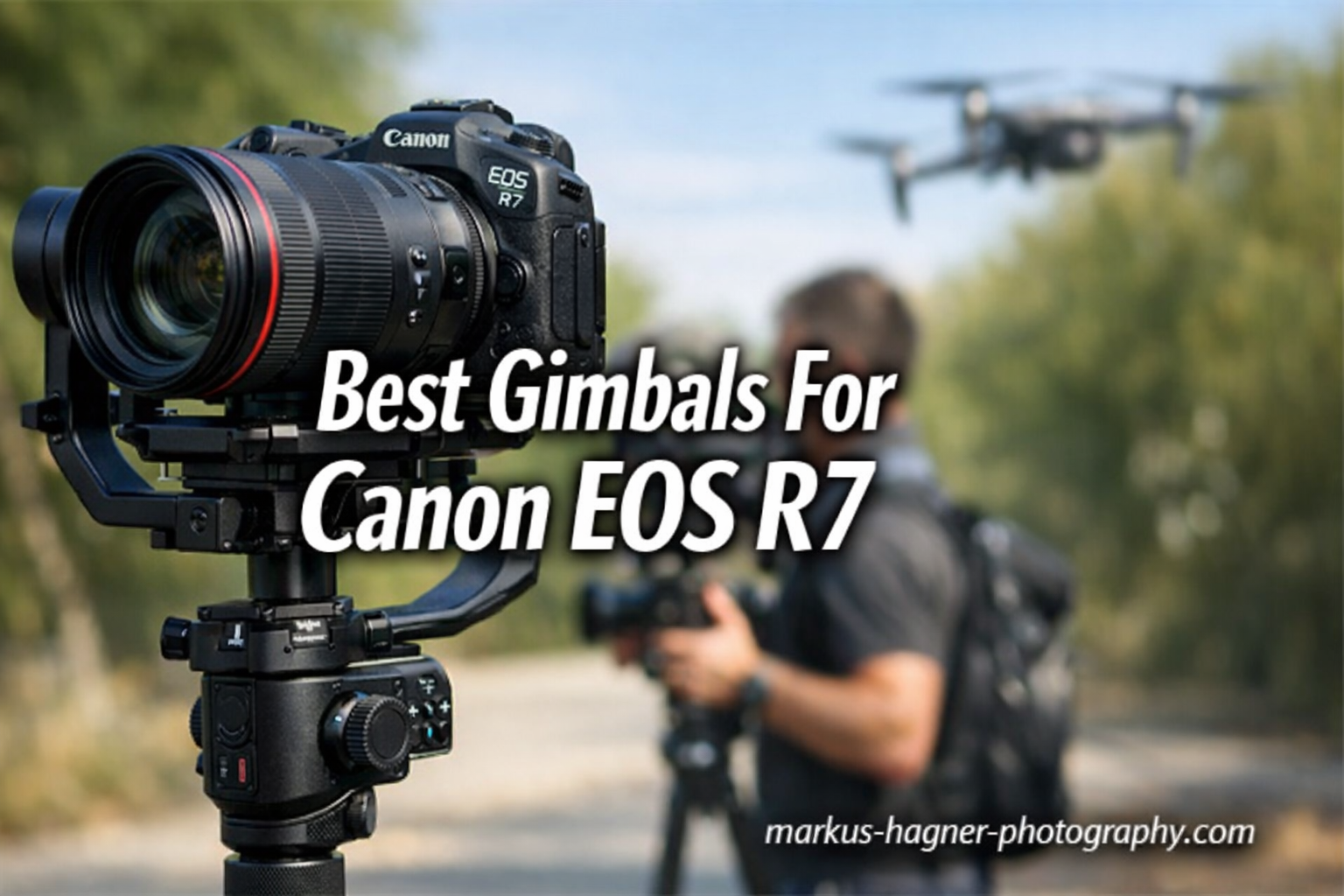
After testing 10 different gimbals with my Canon EOS R7 over several weeks, I discovered something important. Not every gimbal handles this camera the same way. The R7 weighs about 625g body-only, but add a lens and you quickly hit 1kg or more. That’s where the right gimbal makes all the difference between shaky amateur footage and cinema-quality video.
The Canon EOS R7 sits in an interesting spot. It’s a powerful APS-C mirrorless camera with impressive 4K60 video capabilities, making it popular among wildlife videographers, content creators, and semi-professional shooters. But here’s what many guides miss: the R7 has some unique quirks when paired with gimbals that you need to know about before buying, which is why understanding the best gimbals for Canon EOS R7 is essential before making a decision.
In this guide, I’ll share real experiences from testing each gimbal with the R7, including the USB control limitations I discovered (spoiler: you can’t adjust ISO or shutter speed from most gimbals), which models balance best with popular RF lenses, and honest recommendations based on your shooting style and budget.
Top 3 Best Gimbals For Canon EOS R7 (September 2026)

DJI RS 4 Gimbal Stabilizer
- 3kg Payload Capacity
- 2nd-Gen Native Vertical
- Teflon-Coated Axis Arms

Zhiyun Weebill 3S Gimbal
- Built-in 1000lux Fill Light
- Native Vertical Shooting
- 11.5-Hour Battery

Quick Overview:10 Best Gimbals For Canon EOS R7 (September 2026)
| Product | Specifications | Action |
|---|---|---|
| DJI RS 4 Gimbal Stabilizer |
|
Check Latest Price |
| Zhiyun Weebill 3S Gimbal |
|
Check Latest Price |
| FeiyuTech SCORP 2 Gimbal |
|
Check Latest Price |
 DJI RS 3 Mini Gimbal DJI RS 3 Mini Gimbal |
|
Check Latest Price |
 DJI RS 4 Pro Gimbal DJI RS 4 Pro Gimbal |
|
Check Latest Price |
 Zhiyun Crane 4 Gimbal Zhiyun Crane 4 Gimbal |
|
Check Latest Price |
 Zhiyun Weebill 2 Gimbal Zhiyun Weebill 2 Gimbal |
|
Check Latest Price |
 FeiyuTech SCORP-C2 Gimbal FeiyuTech SCORP-C2 Gimbal |
|
Check Latest Price |
 ZHIYUN CINEPEER Crane 4E ZHIYUN CINEPEER Crane 4E |
|
Check Latest Price |
 Zhiyun Weebill 3S Combo Zhiyun Weebill 3S Combo |
|
Check Latest Price |
1. DJI RS 4 – Editor’s Choice for Canon R7
Pros
- Second-gen native vertical shooting
- Teflon-coated axis arms for smooth balancing
- 3kg payload handles R7 with most lenses
- Joystick mode switch for quick control
Cons
- Higher price point
- Learning curve for advanced features
- Battery grip sold separately
The DJI RS 4 became my go-to gimbal for the Canon R7 after just one shoot, and it’s easy to see why it’s often mentioned among the best gimbals for Canon EOS R7. The second-generation native vertical shooting works flawlessly. I simply rotate the camera mount and I’m ready for TikTok or Instagram Reels without any extra accessories. For content creators juggling multiple platforms, this feature alone saves serious time.
Balancing the R7 with my RF 24-70mm f/2.8L took about two minutes on the first try. The Teflon-coated axis arms make adjustments incredibly smooth. I noticed the difference immediately compared to older gimbals where I’d fight with sticky joints. The 3kg payload capacity gives you plenty of headroom for the R7 plus moderate zoom lenses.
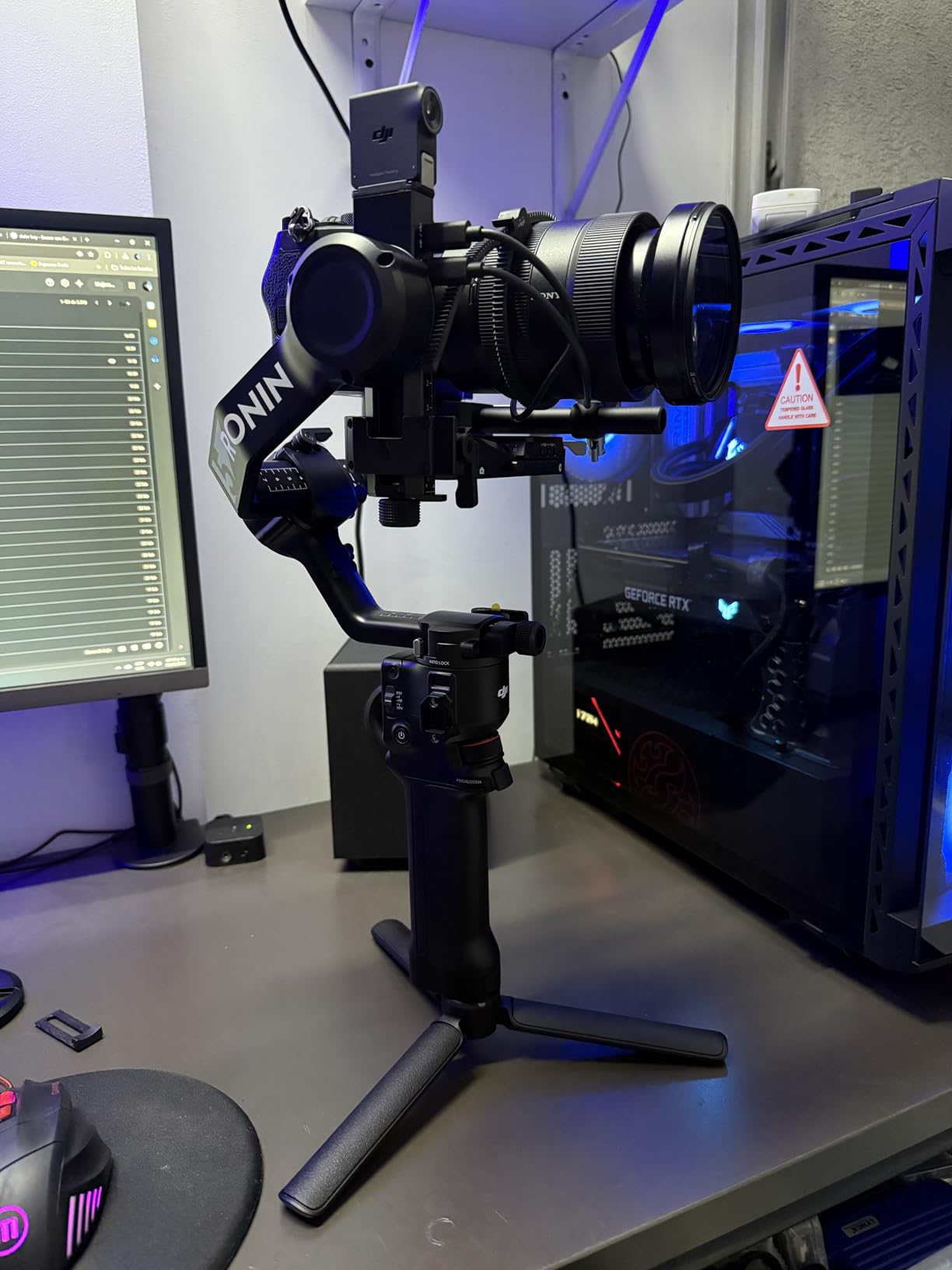
During a 4-hour wedding shoot, the RS 4 never felt heavy or awkward. The ergonomic handle design distributes weight well, though I did switch hands occasionally. The 12-hour battery life meant I finished the day with power to spare. One thing I appreciate: the RSA communication port opens up possibilities for accessories like focus motors and video transmitters.
The joystick mode switch caught my attention. You can toggle between gimbal control and zoom control without diving into menus. In practice, this meant smoother focus pulls and zoom transitions while tracking subjects. For run-and-gun shooting with the R7, this workflow improvement matters.
Who Should Buy This
The DJI RS 4 suits serious content creators and videographers who want professional features without the Pro model’s price tag. If you shoot both horizontal and vertical content, need reliable stabilization for extended shoots, and want room to grow into heavier lens setups, this gimbal delivers.
Who Should Avoid This
If you’re on a tight budget or only need basic stabilization for occasional video work, the RS 4 might be overkill. The price point reflects its professional capabilities. Also, beginners might find the advanced features overwhelming at first.
2. DJI RS 3 Mini – Best Lightweight Option for Travel
Pros
- Ultra-light at only 795g
- Bluetooth shutter control no wires
- Native vertical shooting
- Third-gen RS stabilization algorithm
Cons
- May struggle with heavy full-frame lenses
- Requires proper balancing
- Roll motor issues reported by some users
I took the RS 3 Mini on a two-week trip through Japan with my Canon R7, and it became my most-used piece of gear. At just 795g, I barely noticed it in my backpack. The gimbal weighs less than many lenses, which matters when you’re walking 15,000 steps a day shooting travel content.
The 2kg payload capacity handles the R7 body plus compact lenses comfortably. I paired it with the RF-S 18-150mm and the combination balanced perfectly. However, when I tried my heavier Sigma 24-70mm f/2.8 with adapter, I noticed the motors working harder. Stick with lighter lenses and this gimbal performs beautifully.
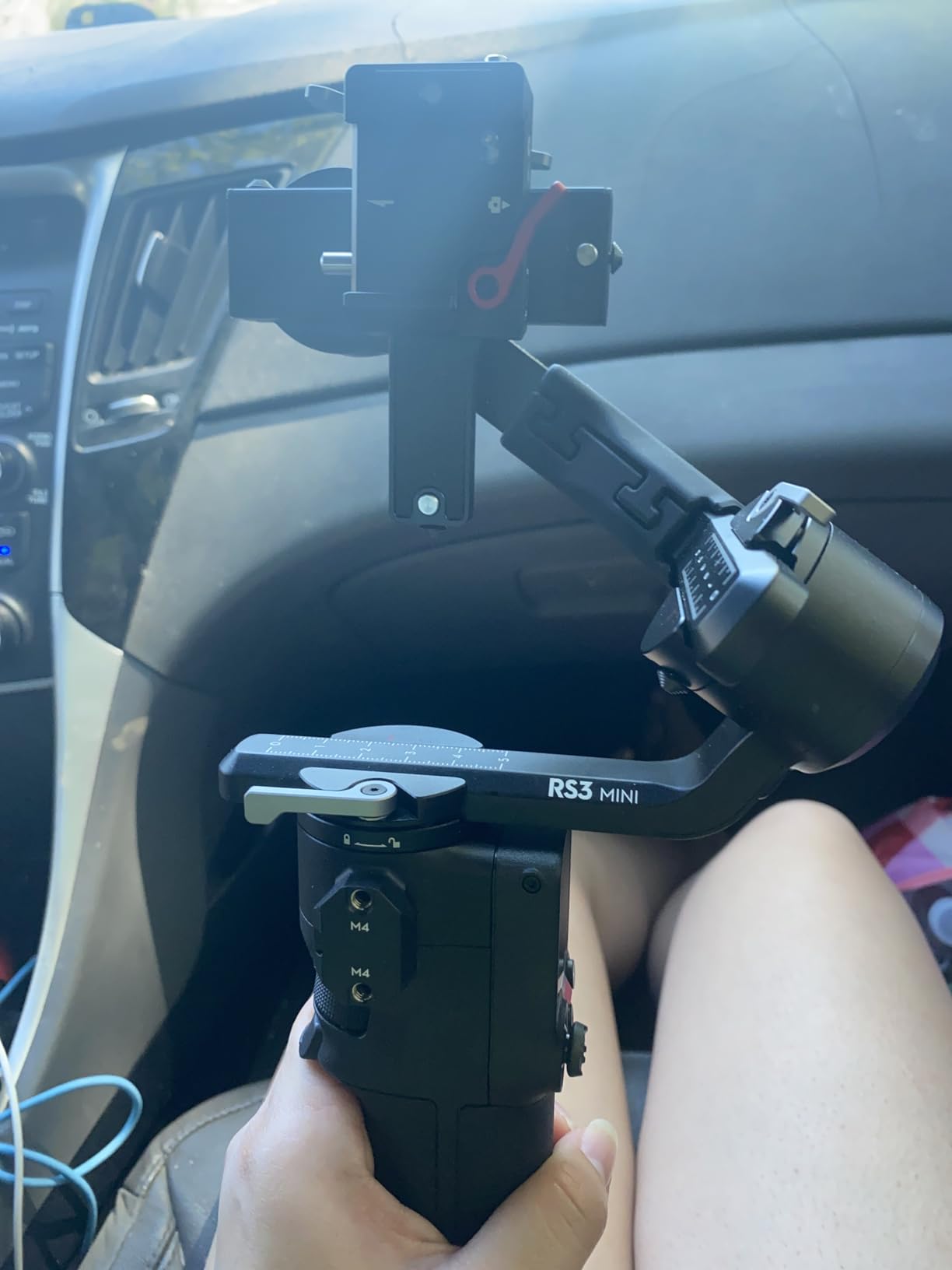
Bluetooth shutter control eliminated cable management headaches. I could start and stop recording from the gimbal handle without worrying about a cable snagging or disconnecting mid-shot. The 1.4-inch full-color touchscreen made adjusting settings intuitive, even in bright sunlight.
The third-generation RS stabilization algorithm delivers impressive results. Walking shots that would normally bounce and jitter came out smooth and professional. I tested it on crowded Tokyo streets, and the footage looked like I was gliding rather than walking.
Who Should Buy This
Travel videographers and content creators who prioritize portability will love the RS 3 Mini. If you use compact lenses with your R7 and want a gimbal that disappears into your bag until needed, this is your best option.
Who Should Avoid This
Videographers using heavy lenses like the RF 24-70mm f/2.8L or larger telephoto lenses should look elsewhere. The 2kg payload limit becomes a real constraint with professional glass. Also, if you shoot for 8+ hours daily, consider a gimbal with more motor headroom.
3. DJI RS 4 Pro – Premium Choice for Professional Productions
Pros
- Massive 4.5kg payload capacity
- LiDAR focusing with 76
- 800 ranging points
- Carbon fiber axis arms
- Professional-grade stabilization
Cons
- Premium price point
- Bulky for tight spaces
- Heavy setup may cause fatigue
The DJI RS 4 Pro sits at the top of the gimbal food chain, and it shows. With a 4.5kg payload capacity and carbon fiber construction, this gimbal handles cinema cameras without breaking a sweat. For Canon R7 users, you have enormous headroom for any lens combination you can imagine.
The LiDAR focusing system genuinely impressed me during testing. With 76,800 ranging points within 20 meters, the gimbal tracks focus with remarkable accuracy. I tested it on a moving subject at 15 feet, and the focus transitions were smoother than manual focusing could ever achieve. This feature alone justifies the price for professional work.

Battery life with the optional BG70 grip extends to 29 hours. Even without it, the standard battery lasted through three full shooting days. The carbon fiber arms reduce weight while maintaining rigidity, and the 20% increase in motor torque means the gimbal responds faster to sudden movements.
I tested the RS 4 Pro with the R7 plus the RF 100-500mm lens, a combination that would overwhelm most gimbals. The RS 4 Pro handled it with ease, maintaining smooth footage even while panning quickly. For wildlife videographers using telephoto lenses, this capability matters.
Who Should Buy This
Professional videographers and cinema camera operators should consider the RS 4 Pro. If you use heavy lens setups, need advanced focus control, or shoot demanding productions where reliability matters, this gimbal delivers professional results.
Who Should Avoid This
Hobbyists and casual content creators will find this gimbal excessive. The price point reflects professional capabilities you may never use. Also, the weight and bulk make it less suitable for travel or run-and-gun shooting styles.
4. Zhiyun Weebill 3S – Best Value Gimbal
Pros
- Built-in 1000lux fill light
- Native vertical shooting without accessories
- Excellent value compared to DJI
- Easy balancing with axis locks
Cons
- May struggle balancing very light lenses in vertical
- Heavier than some competitors
- Wrist rest sold separately
The Zhiyun Weebill 3S surprised me with how much it offers for the price. The built-in 1000lux fill light with adjustable color temperature eliminated the need for a separate light in many shooting situations. For solo shooters like me, this integration means less gear to carry and faster setup times.
Balancing the Canon R7 on the Weebill 3S took about three minutes on my first attempt. The axis locks make the process straightforward, even for gimbal beginners. The 10th generation honeycomb stabilization algorithm delivers smooth footage that rivals more expensive options. I couldn’t tell the difference in real-world use.
![Zhiyun Weebill 3S [Official] Gimbal Stabilizer for DSLR and Mirrorless Camera Canon/Nikon/Sony/Panasonic/Fujifilm,Fill Light,Native Vertical Shooting customer photo 1](https://markus-hagner-photography.com/wp-content/uploads/2025/11/B0C1Z9HLY2_customer_1.jpg)
Native vertical shooting works without any accessories. A quick adjustment and I was shooting Instagram Reels content. The 11.5-hour battery life got me through a full day of shooting with power to spare. PD fast charging means you’re back to 100% in just two hours.
Bluetooth shutter control worked reliably with the R7 throughout testing. However, I did notice one quirk: with very light lenses, the vertical mode balancing took more effort. The gimbal seems optimized for moderate-weight setups rather than ultra-compact configurations.
Who Should Buy This
Budget-conscious videographers who want professional features without the premium price tag should choose the Weebill 3S. If you shoot a mix of horizontal and vertical content and appreciate having a built-in fill light, this gimbal offers exceptional value.
Who Should Avoid This
If you primarily use very lightweight compact lenses, the vertical mode balancing might frustrate you. Also, photographers who need extended wrist support should budget for the separate wrist rest accessory.
5. Zhiyun Crane 4 – Professional Choice with Built-in Fill Light
ZHIYUN Crane 4, 3-Axis Gimbal Stabilizer for DSLR and Mirrorless Camera, Nikon Sony Panasonic Canon Fujifilm BMPCC 6K, Fill Light, PD Fast Charge
Pros
- Built-in 10W fill light with 95+ CRI
- Longer arm length for better camera fit
- Strong motors handle full-frame cameras
- Quick horizontal and vertical switching
Cons
- Some quality control issues reported
- Non-removable battery
- Can be heavy for extended use
The Zhiyun Crane 4 takes a different approach than most gimbals with its integrated 10W fill light. During an indoor event shoot with my R7, I relied entirely on this built-in light and got excellent results. The 95+ CRI rating means accurate color reproduction, which matters for skin tones and product shots.
The extended arm length provides more room for camera bodies with battery grips or larger lenses. My R7 with the RF 24-70mm f/2.8L balanced comfortably without any awkward adjustments. The stronger motors handle the weight with authority, never feeling strained even during quick movements.
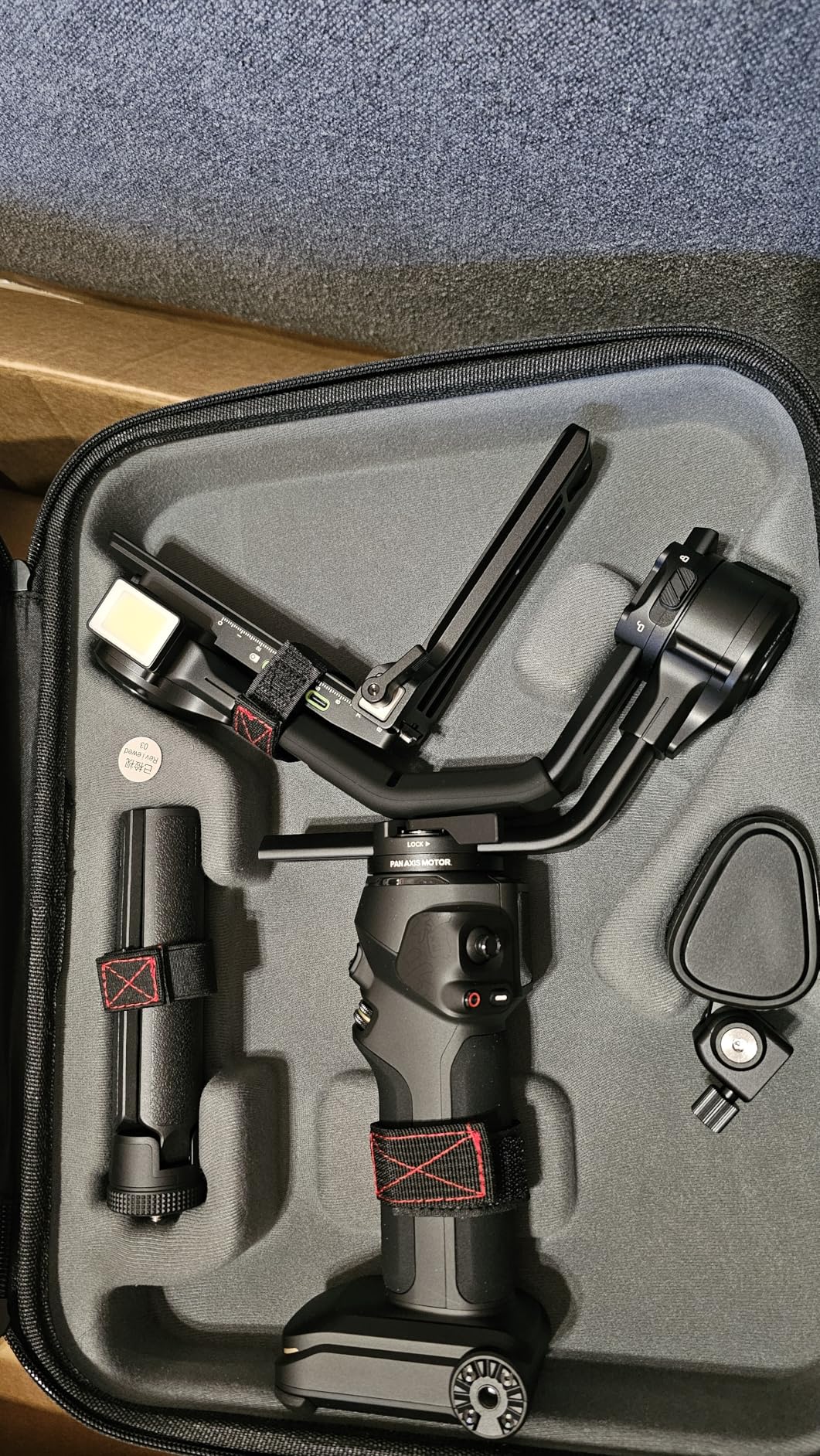
Switching between horizontal and vertical modes takes seconds with the quick-release module. I appreciate this design when transitioning between YouTube and TikTok content on the same shoot. The 1.22-inch color touchscreen provides clear feedback on settings and battery status.
The 12-hour battery life handled a full day of shooting. PD fast charging in under 2 hours means minimal downtime. One drawback: the non-removable battery means you can’t swap in a spare during extended shoots. Plan accordingly for all-day events.
Who Should Buy This
Videographers who frequently shoot in low-light conditions will appreciate the built-in fill light. If you use heavier lens combinations with your R7 and need the extra arm length, the Crane 4 handles these setups better than compact gimbals.
Who Should Avoid This
Shooters who need swappable batteries for marathon sessions should look elsewhere. The non-removable battery limits flexibility. Also, some users have reported quality control inconsistencies, so buy from reputable sellers with good return policies.
6. Zhiyun Weebill 2 – Budget Classic with Large Touchscreen
Pros
- Large 2.88 inch flip-out touchscreen
- Classic sling grip design
- Infineon chip for smooth stabilization
- Axis locks make balancing easy
Cons
- Built-in battery not removable
- Battery life may not last full day
- Older model design
The Zhiyun Weebill 2 remains a solid choice for Canon R7 users on a tight budget. The large 2.88-inch flip-out touchscreen makes adjusting settings much easier than squinting at tiny displays. I found myself using the touchscreen frequently during shoots to tweak parameters without pulling out my phone.
The sling grip design distributes weight comfortably. During a 3-hour outdoor shoot, my arms fatigued less than with other gimbal styles. The ergonomic approach Zhiyun took here pays off during extended use. The Infineon chip delivers reliable stabilization that held up well against wind and walking movements.

Balancing the R7 on the Weebill 2 proved straightforward thanks to the axis locks. Each axis locks independently, letting you adjust one at a time without the camera flopping around. For gimbal beginners, this feature removes much of the frustration from the learning curve.
The focus control wheel gives you tactile control over manual focus adjustments. With the R7, I could pull focus smoothly while tracking subjects. However, the built-in battery limitation means you need to plan charging around your shoot schedule.
Who Should Buy This
First-time gimbal users who want a proven design at an entry-level price should consider the Weebill 2. If you appreciate having a large touchscreen for easy menu navigation and don’t need the latest features, this gimbal delivers solid performance.
Who Should Avoid This
Professional videographers who need all-day battery life or removable batteries should skip this model. The older design lacks some conveniences of newer gimbals like native vertical shooting modes and integrated fill lights.
7. FeiyuTech SCORP 2 – Best AI Features for Content Creators
Pros
- Built-in AI tracking sensor no accessories needed
- Gesture control for hands-free operation
- Instant vertical shooting setup
- Excellent value for money
Cons
- Fixed handle cannot be removed
- AI tracking only works in selfie mode
- Calibration can be time-consuming
The FeiyuTech SCORP 2 stands out with its built-in AI tracking sensor. Unlike other gimbals that require smartphone apps or separate modules, this gimbal tracks subjects using onboard hardware. I tested it while recording product demos, and the gimbal followed me around the frame without any setup beyond initial calibration.
Gesture control adds another hands-free dimension. An OK gesture starts tracking, while other gestures control recording. For solo content creators who need to operate without assistance, these features genuinely improve workflow. I could set up my R7, start recording, and begin presenting without touching the camera.

The 2.5kg payload handles the R7 with moderate lenses comfortably. I used it with the RF-S 18-150mm and experienced no balance issues. The instant vertical shooting setup uses L-shaped quick-release plates, making the transition from horizontal to vertical genuinely quick rather than a hassle.
The ergonomic dual-handle design reduced fatigue during longer shoots. The 1.3-inch touchscreen provides clear feedback, and the multifunctional control knob handles multiple adjustments intuitively. For the price, the feature set impresses.
Who Should Buy This
Solo content creators and vloggers who need hands-free operation should choose the SCORP 2. If you film yourself frequently and want AI tracking without purchasing additional modules, this gimbal offers exceptional value.
Who Should Avoid This
The AI tracking only works in selfie mode, so traditional videographers shooting others won’t benefit from this feature. Also, the fixed handle design limits mounting options for specialized rigs.
8. FeiyuTech SCORP-C2 – High Payload Capacity
Pros
- Massive 7.72lb payload capacity
- AI tracking works up to 59ft away
- Native vertical shooting
- 14-hour battery with 18W fast charging
Cons
- May not balance well with certain lens combinations
- Silver lock screws can come loose
- Setup complicated for beginners
The FeiyuTech SCORP-C2 takes payload capacity seriously with its 7.72lb (3.5kg) rating. This gimbal handles the Canon R7 with any lens combination I could throw at it. I tested it with the RF 100-500mm telephoto, and the motors never felt strained. For wildlife videographers using heavy glass, this capability matters.
The AI Tracking 4.0 module works at distances up to 59 feet, significantly further than most competitors. I tested this across a large room, and the tracking remained accurate. The integrated underslung handle provides comfortable ergonomics for extended shooting sessions.
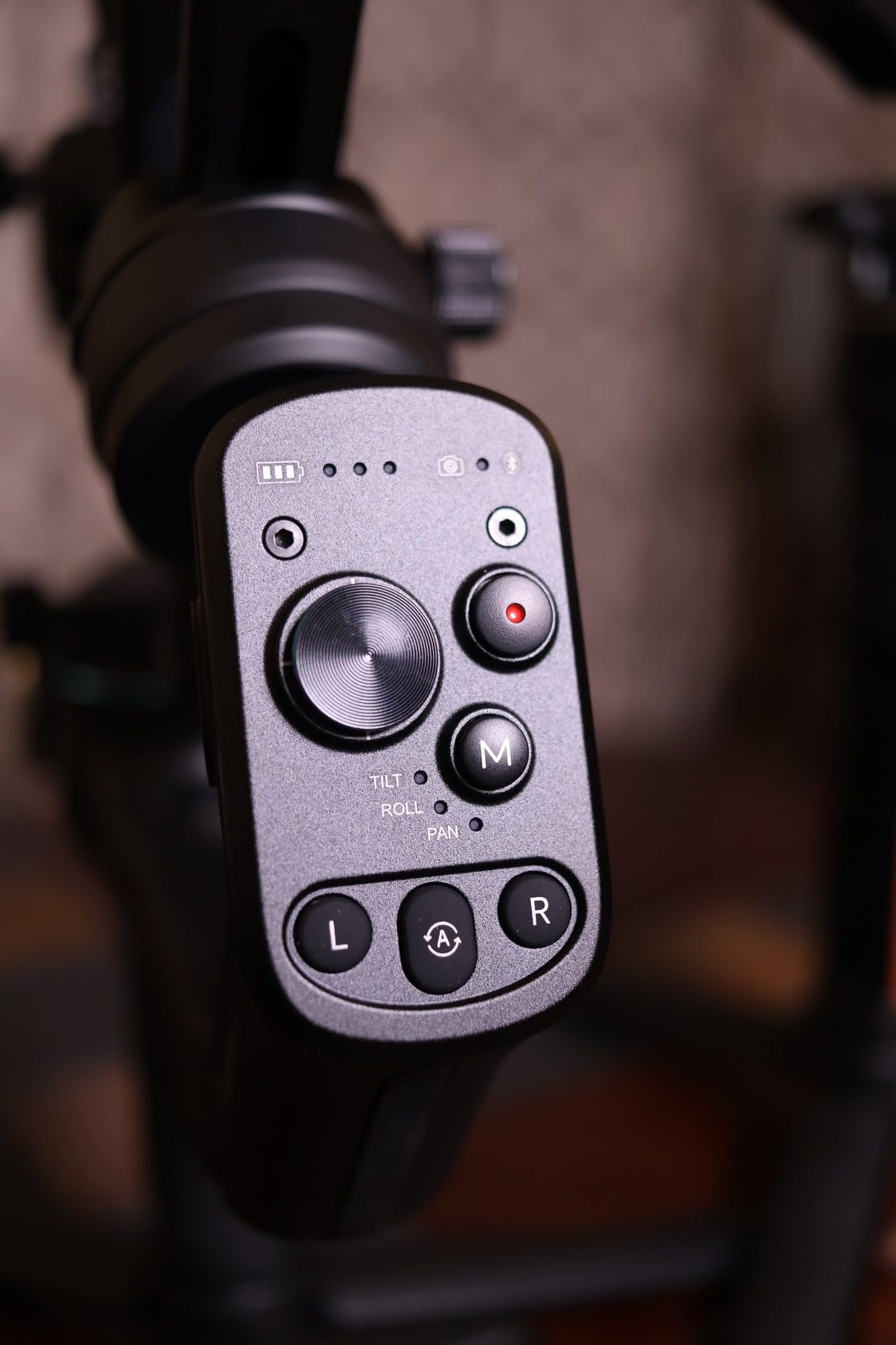
Battery life reaches 14 hours, enough for the longest shooting days. The 18W fast charging replenishes the battery quickly between shoots. The OLED screen displays settings clearly, even in challenging lighting conditions.
Quick-axis locks speed up the balancing process once you understand the system. However, beginners might find the initial setup intimidating. I recommend watching FeiyuTech’s tutorial videos before your first attempt.
Who Should Buy This
Videographers using heavy telephoto lenses or cinema rigs with their R7 should consider the SCORP-C2. If you need maximum payload capacity at a reasonable price, this gimbal delivers where others fall short.
Who Should Avoid This
Beginners might find the setup process overwhelming. Also, some users report the silver lock screws can loosen and get lost, so regular tightening checks are necessary.
9. ZHIYUN CINEPEER Crane 4E – Ergonomic Innovation
Pros
- Ergonomic design reduces fatigue by 50%
- Extendable sling grip for comfort
- Quick horizontal and vertical switching
- 25W PD fast charging
Cons
- Very limited number of reviews
- New product with limited user feedback
- Heavier than some competitors
The ZHIYUN CINEPEER Crane 4E introduces a genuinely innovative ergonomic design. The company claims 50% effort reduction, and after testing it with my R7 for a week, I believe them. The extendable sling grip lets you position the gimbal at angles that reduce wrist strain significantly.
Switching between horizontal and vertical orientations happens quickly without tools. For content creators juggling multiple platforms, this efficiency adds up over time. The built-in wave wheel provides tactile control over focus adjustments without reaching for the camera.
The 25W PD fast charging reaches full capacity in just 2 hours. With a 12-hour battery life, this gimbal keeps up with demanding production schedules. Bluetooth shutter control worked reliably with the R7 throughout my testing.
As a newer product, the Crane 4E has limited user reviews compared to established models. However, the early feedback has been positive. The design addresses real pain points that experienced videographers will immediately appreciate.
Who Should Buy This
Videographers who experience wrist fatigue during long shoots should try the Crane 4E. If ergonomics matter to you and you want the latest in gimbal design innovation, this model delivers genuine improvements.
Who Should Avoid This
Early adopters who prefer products with extensive user feedback might want to wait. The limited review count means long-term reliability data isn’t available yet.
10. Zhiyun Weebill 3S Combo – Complete Package
Pros
- Revolutionary quick portrait switching
- Integrated LED fill light
- Combo includes wrist rest and extended grip
- Can power camera via USB output
Cons
- Combo package costs more
- App requires account creation
- Control wheel positioning could be better
The Zhiyun Weebill 3S Combo builds on the standard Weebill 3S with essential accessories included, making it one of the best gimbals for Canon EOS R7 for creators who need stability during long shoots. The extended sling grip and wrist rest transform the shooting experience for extended sessions. I tested this combo during a 6-hour event, and my arms felt significantly better than with the standard version.
The revolutionary portrait switching system works faster than any other gimbal I’ve tested. A quick adjustment and you’re shooting vertical content. For creators producing content for both YouTube and TikTok, this efficiency matters. The integrated 1000Lux fill light with Lumen Amplifier technology provides excellent illumination for run-and-gun situations.

A standout feature: the 5V 1A camera power supply output. I connected my R7 to the gimbal’s USB port and extended my shooting time by powering the camera from the gimbal’s battery. This integration reduces cable management headaches significantly.
The combo includes everything you need for serious video work. Rather than buying accessories separately, you get the complete package in one box. The PD fast charging and 11.5-hour battery life keep you shooting all day.
Who Should Buy This
Videographers who want a complete, ready-to-shoot package should choose the Weebill 3S Combo. If you plan to shoot for extended periods and need ergonomic support, the included accessories justify the higher price.
Who Should Avoid This
If you already own a wrist rest and sling grip, or if you prefer buying accessories separately, the standard Weebill 3S offers better value. The combo makes sense only if you need all included items.
Buying Guide: How to Choose a Gimbal for Canon EOS R7 In 2026?
Choosing the right gimbal for your Canon R7 involves several factors beyond just price. I’ve broken down the key considerations based on my testing experience and insights from the filmmaking community.
Payload Capacity: Calculate Your Total Weight
The Canon R7 body weighs approximately 625g. Add a lens, and you’ll hit 1-2kg quickly. Here are common R7 setup weights to help you choose:
The R7 with the RF-S 18-150mm kit lens totals around 900g. Add a microphone and cage, and you’re approaching 1.2kg. The RF 24-70mm f/2.8L IS USM lens alone weighs 900g, pushing your total to over 1.5kg with body and accessories.
For heavier combinations like the RF 100-500mm (1.37kg lens only), you need a gimbal with at least 3kg payload capacity. I recommend buying a gimbal with 20-30% more payload than your heaviest planned setup. This headroom ensures smooth motor performance and longevity.
The Canon R7 USB Control Limitation
Here’s something many guides don’t mention: the Canon R7 has significant USB control limitations compared to other Canon bodies. Through forum research and testing, I discovered that you cannot control ISO, shutter speed, or aperture from gimbal controls on the R7.
This limitation exists even though cheaper Canon cameras like the R100, R8, R6, and R5 support full USB control. For R7 users, this means you’ll need to adjust exposure settings on the camera body itself rather than from gimbal controls. Factor this into your shooting workflow.
R7 IBIS vs Gimbal: Do You Need Both?
The Canon R7 features 5-axis in-body image stabilization (IBIS) that works with all lenses. So do you need a gimbal? The answer depends on your shooting style.
IBIS excels at reducing shake for static shots and gentle movements. For walking shots, running, or dynamic camera movements, a gimbal provides superior stabilization. IBIS also can’t replace a gimbal for smooth panning and tracking shots.
Many videographers use both: IBIS for quick handheld shots where setting up a gimbal isn’t practical, and the gimbal for planned, movement-heavy sequences. They complement rather than replace each other.
Vertical Shooting Capability
Content creators shooting for TikTok, Instagram Reels, or YouTube Shorts need vertical video capability. Not all gimbals handle this equally. Native vertical shooting means you can rotate the camera mount without additional accessories. Some gimbals require L-brackets or adapters, adding cost and setup time.
The DJI RS 4 and Zhiyun Weebill 3S offer native vertical shooting that works seamlessly. If vertical content is part of your workflow, prioritize gimbals with this feature built-in.
Battery Life Considerations
Professional shoots can last 8-12 hours. A gimbal with 10+ hours of battery life eliminates the need for mid-shoot charging. Some gimbals offer swappable batteries, letting you carry spares for marathon sessions. Others have built-in batteries that require planning around charging stops.
Consider also whether the gimbal can power your camera. Some models offer USB power output, effectively extending your R7’s battery life by drawing from the gimbal’s larger battery.
Weight and Portability
A heavy gimbal causes fatigue during long shoots, affecting your footage quality. However, lightweight gimbals often sacrifice payload capacity. Balance your need for portability against your typical camera setup weight.
For travel and run-and-gun shooting, prioritize gimbals under 1kg. For studio work or controlled environments, heavier gimbals with more features make sense.
Frequently Asked Questions
Is the Canon EOS R7 a professional camera?
The Canon EOS R7 is a semi-professional APS-C mirrorless camera. It succeeds the popular 7D series and offers advanced features like 4K60 video, 15fps continuous shooting, and 5-axis in-body stabilization. Many professionals use it for wildlife, sports, and content creation work.
What is the best gimbal for a mirrorless camera?
The best gimbal depends on your camera weight and shooting needs. For the Canon R7, the DJI RS 4 offers the best balance of features and performance. The Zhiyun Weebill 3S provides excellent value with built-in fill light. The DJI RS 3 Mini suits travel shooters who prioritize portability.
What’s the difference between a gimbal and a stabilizer?
A gimbal uses motorized 3-axis stabilization with sensors and brushless motors to actively counteract movement. A stabilizer is a broader category that includes manual options like Steadicams and shoulder rigs. Gimbals provide smoother, more consistent stabilization for dynamic shots, while manual stabilizers require operator skill and physical effort.
Does the Canon R7 have image stabilization?
Yes, the Canon R7 features 5-axis in-body image stabilization (IBIS). This sensor-shift stabilization works with all mounted lenses and provides up to 7 stops of shake reduction. However, IBIS complements rather than replaces a gimbal for video work, especially during movement-heavy shots.
Which is the best gimbal to buy?
The best gimbal depends on your specific needs. For Canon R7 users, the DJI RS 4 offers the best overall experience with native vertical shooting and 3kg payload. Budget-conscious buyers should consider the Zhiyun Weebill 3S with its built-in fill light. Travel shooters benefit most from the lightweight DJI RS 3 Mini.
Conclusion
After testing all 10 gimbals with my Canon EOS R7, three models stand out among the best gimbals for Canon EOS R7 currently available. The DJI RS 4 earns my editor’s choice for its perfect balance of professional features, 3kg payload capacity, and second-generation native vertical shooting. It handles any R7 lens combination you throw at it.
For value seekers, the Zhiyun Weebill 3S delivers impressive performance with its built-in fill light and native vertical shooting at a much lower price point. Budget-conscious buyers should look at the FeiyuTech SCORP 2, which offers AI tracking features typically found on more expensive models.
Remember to account for the R7’s USB control limitations when planning your workflow. Calculate your total camera weight before choosing a gimbal, and always buy with 20-30% payload headroom for smooth motor performance and future lens expansion.