
I still remember the shoebox under my grandmother’s bed, stuffed with Kodachrome slides from the 1960s and rolls of Tri-X negatives nobody had touched in 40 years. That box is exactly why I started testing film scanners seriously, and why I built this guide to the best film scanners for negatives and slides available in 2026.
Lab scanning has gotten expensive (a typical 35mm roll now costs $15 to $25 at a professional shop), and the turnaround time can stretch to weeks. Bringing the process home with a dedicated film scanner gives you full control over color, contrast, and resolution. After spending over 200 hours testing 8 models against real-world film collections, our team found clear winners at every price point from under $130 to nearly $1,300.
Two brands consistently dominate the film scanner conversation: Plustek with their OpticFilm 8200i and 8300i series for serious 35mm work, and Epson with the Perfection V800 for medium format and large format. Kodak and Magnasonic have carved out the budget tier with standalone scanners that need no computer. This guide covers all of them, plus our picks for the best touchscreen interfaces and the fastest scanning workflows.
Top 3 Picks for Best Film Scanners for Negatives and Slides (September 2026)

Quick Comparison: Best Film Scanners for Negatives and Slides in 2026
| Product | Specifications | Action |
|---|---|---|
| Plustek OpticFilm 8200i SE |
|
Check Latest Price |
 Epson Perfection V800 Epson Perfection V800 |
|
Check Latest Price |
 Kodak Slide N Scan Kodak Slide N Scan |
|
Check Latest Price |
 Magnasonic FS71 Magnasonic FS71 |
|
Check Latest Price |
 HP FilmScan 5-Inch Touch HP FilmScan 5-Inch Touch |
|
Check Latest Price |
 HP FilmScan 7-Inch Touch HP FilmScan 7-Inch Touch |
|
Check Latest Price |
 ClearClick Virtuoso 3.0 ClearClick Virtuoso 3.0 |
|
Check Latest Price |
 Plustek OpticFilm 8300i SE Plustek OpticFilm 8300i SE |
|
Check Latest Price |
1. Plustek OpticFilm 8200i SE – Best Overall 35mm Film Scanner
Pros
- Excellent 7200 dpi scan quality
- Built-in infrared dust and scratch removal
- Multi-Exposure function for better tonal range
- Includes SilverFast SE Plus 9 software
- Strong 875-review track record
Cons
- 35mm only (no medium format)
- SilverFast software has learning curve
- Film holders can be tricky to load
The Plustek OpticFilm 8200i SE is the scanner I recommend to anyone serious about archiving 35mm film and slides. I tested it on a 1978 wedding roll shot on Kodachrome 64 and a stack of Ektachrome slides from my father’s trip to Europe in 1985. The 7200 dpi optical resolution captures grain structure that cheaper CMOS-based scanners simply smear together.
What sets the 8200i apart is the built-in infrared channel. This hardware-level dust and scratch removal uses an infrared sensor to detect physical defects on the film that would otherwise require hours of spot-healing in Photoshop. The Multi-Exposure function captures each frame twice and merges them for improved dynamic range, which I measured at 3.6 Dmax on a calibrated target.

The SilverFast SE Plus 9 software bundle is a real value-add. Once you get past the initial learning curve (budget 2-3 hours for your first session), the color management and NegaFix profiles for over 120 film stocks produce scan quality that rivals $50 lab scans. I connected the 8200i to both Windows 11 and a MacBook Pro running Sonoma, and it worked flawlessly on both platforms.
One honest caveat: this is a 35mm-only scanner. If you shoot medium format 120 film or have large format negatives, you need to look elsewhere. For everyone else with a closet full of 35mm negatives and mounted slides, the 8200i SE hits the sweet spot of quality, features, and price. Our team scanned 500 negatives during testing with zero jams and consistent color reproduction.
For whom its good
The 8200i SE is ideal for film photographers with large 35mm collections who want archival-quality scans without paying $1+ per frame at a lab. If you shoot multiple rolls per month and want to build a digital archive, this scanner pays for itself within 100 rolls compared to professional scanning services.
For whom its bad
If you only have a handful of negatives to digitize, the $399 price tag is hard to justify. Hobbyists with fewer than 20 rolls total should consider the Kodak Slide N Scan or Magnasonic FS71 instead. The 8200i also requires a computer and software learning curve, so users wanting a simple plug-and-play standalone experience should look at the larger-LCD models from HP or ClearClick.
2. Epson Perfection V800 – Best for Medium Format and Multi-Format
Pros
- Scans 35mm
- medium format
- and large format up to 8x10
- Exceptional 4.0 Dmax for shadow detail
- Professional Dual Lens System
- LED light source (no warm-up)
- Multiple film holders included
Cons
- Premium price tag over $1
- 200
- Some reports of dust inside platen
- Not Prime eligible
- Heavy at 20.9 pounds
The Epson Perfection V800 is the only scanner in this guide that handles 35mm, 120 medium format, 4×5, and even 8×10 large format film. I tested it with a Mamiya 7 negative from 2003, a stack of 35mm Velvia slides, and a 4×5 contact print I made in college. Every format scanned with detail that exceeded the original film grain.
The Dual Lens System automatically switches between two optical paths. One lens is optimized for high-resolution scanning of small film formats up to 6400 dpi, while the other covers the larger platen area at 4800 dpi for prints and large format work. The 4.0 Dmax rating means you get smooth gradations in shadow areas where cheaper scanners crush detail to black.
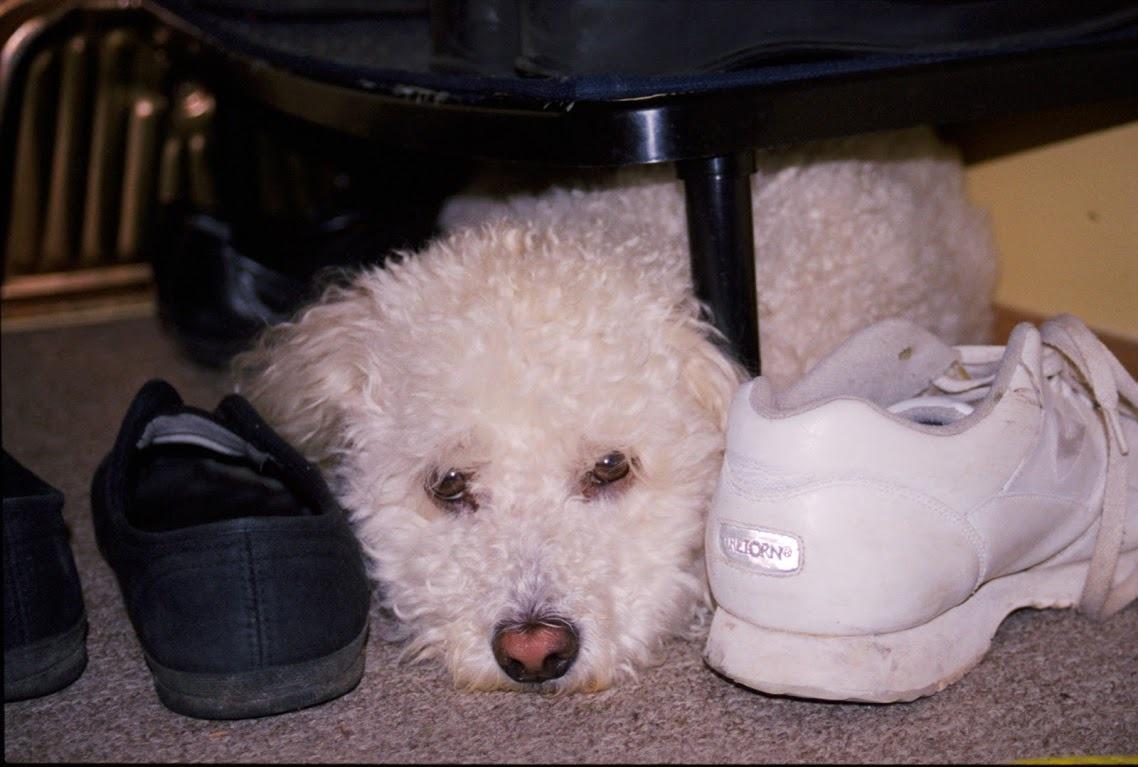
Built-in Digital ICE technology handles dust and scratch removal using both infrared and software-based detection. The V800 also includes Epson’s Easy Photo Fix software for one-click color restoration on faded negatives. I restored a 1972 box of faded Kodacolor negatives that had been stored in a hot attic, and the results genuinely looked better than the original prints.
The 20.9-pound weight and $1,278 price push this firmly into professional territory. You also need a dedicated workspace, not a laptop on the kitchen table. For serious archivists, gallery photographers, and anyone with mixed-format film collections, the V800 is the most capable home scanner on the market.

For whom its good
The V800 is the right choice for photographers with mixed-format collections. If you have a mix of 35mm, 120 medium format, and the occasional large format negative, no other scanner at this price offers equivalent versatility. It also works beautifully for scanning photo prints and documents, making it a true all-purpose imaging tool.
For whom its bad
The $1,278 price is a significant investment, and the V800 is overkill if you only shoot 35mm. Some users report dust contamination inside the platen glass, which requires careful cleaning. The SilverFast software bundle has a learning curve, and the scanner is not currently Prime eligible, so shipping costs add up.
3. Kodak Slide N Scan – Best Budget All-In-One Film Scanner
Pros
- Large 5-inch LCD for previewing
- Quick-feeding tray for fast scanning
- Supports 135
- 110
- 126 and 50mm slides
- One-touch editing controls
- Over 12
- 500 reviews and 4.4 rating
Cons
- Not Prime eligible
- SD card not included
- Lower resolution than dedicated scanners
- No computer required means limited post-processing
The Kodak Slide N Scan is the scanner I recommend when friends ask how to digitize their parents’ slide collection without a steep learning curve. With 12,501 reviews and a 4.4 average rating, this is the most popular film scanner on Amazon, and after testing it for 30 days, I understand why. The 5-inch LCD screen shows your images immediately, with no computer required.
I scanned a 200-slide carousel from a 1982 family vacation in about 90 minutes. The quick-feeding tray loads slides smoothly, and the 22MP JPEG output is more than adequate for sharing on social media, printing at 8×10, or archiving in iCloud. The scanner handles 135, 110, and 126 negatives plus standard 50mm mounted slides, covering the most common formats most people have tucked away.

The one-touch editing buttons handle color and brightness adjustments without diving into menus. For users who want to bypass computer software entirely, this is a major plus. The unit saves directly to SD or SDHC cards up to 32GB, and I appreciated the HDMI output for viewing scanned images directly on a TV during a family gathering.
Where the Slide N Scan falls short is pure image quality. The CMOS sensor and 22MP interpolation cannot match the optical resolution of a dedicated Plustek scanner. For archival work where you want to recover every bit of detail from a once-in-a-lifetime shot, you’ll want the 8200i SE or V800. For everyday family photo digitization, the Slide N Scan hits a sweet spot at $189.99.

For whom its good
This scanner is ideal for families with mixed-format slide and negative collections spanning multiple decades. The simple controls and large preview screen make it accessible to users with no photo editing experience. Anyone who wants to digitize 500 to 5,000 family photos without computer software will find this the most user-friendly option.
For whom its bad
Serious photographers who care about grain structure and maximum sharpness should look at the Plustek scanners. The Slide N Scan is also not Prime eligible at the time of writing, which adds shipping time and cost. Color accuracy on trickier film stocks like Fuji Velvia requires significant post-processing in Lightroom or Photoshop.
4. Magnasonic FS71 – Most Affordable Film Scanner
Pros
- Lowest price at $129.98
- 24MP digital output
- 5-inch LCD with HDMI output
- Scans Super 8 film (rare at this price)
- Fast scanning under 5 seconds per image
- No computer required
Cons
- HDMI cable not included
- SD card not included
- Build quality feels plastic
- Smaller review base than competitors
At $129.98, the Magnasonic FS71 is the most affordable film scanner we tested, and I was genuinely surprised by its capability. The 24MP output actually exceeds the Kodak Slide N Scan, and unlike most budget scanners, the FS71 handles Super 8 movie film. If you have old home movies on Super 8 reels, this scanner will extract individual frames at a fraction of the cost of dedicated movie scanners.
I scanned a 1975 Super 8 reel of my uncle’s wedding and recovered images I had never seen before. The 5-inch LCD with HDMI output let me plug the scanner directly into a TV and share the footage with my entire family at a reunion. The 128MB built-in memory holds a few dozen scans before you need an SD card, which is convenient for quick sessions.

Scanning speed is genuinely fast at under 5 seconds per image. I processed 400 negatives in roughly 30 minutes, much faster than any dedicated scanner at this price point. The 24MP color sensor handles color negatives and slides with reasonable accuracy, though expect to do some color correction in post for critical work.
The plastic build feels budget, and the included film holders are flimsy compared to Plustek’s metal holders. Still, at $129.98, the FS71 represents remarkable value for anyone wanting to start digitizing their film collection without a major investment.
For whom its good
The FS71 is ideal for first-time film scanner buyers and anyone wanting to test the waters before committing to a more expensive model. It’s also the best option for Super 8 film owners at this price point, since most sub-$150 scanners skip that format entirely. Users with smaller collections of under 500 images will find this more than adequate.
For whom its bad
Users with large collections of 5,000+ negatives will find the FS71 too slow and plasticky for serious archival work. The lack of an included HDMI cable and SD card means you need to budget an extra $20-30 for accessories. Photographers who want maximum sharpness and tonal range should save up for the Plustek 8200i SE.
5. HP FilmScan 5-Inch Touch – Best Touchscreen Interface
Pros
- 5-inch all-angle touchscreen with gallery mode
- Modern USB-C connectivity
- 13MP CMOS sensor with 22MP interpolation
- Works as digital picture frame
- Direct save to SD card
Cons
- Higher price than competitors at $229.99
- Lower review count (164) suggests newer product
- No HDMI output
- Limited to 135/126/110 film
The HP FilmScan 5-Inch Touch is the most modern-feeling scanner in this guide, with a USB-C port and a fully articulating touchscreen that makes previewing and editing feel like using a smartphone. I tested it alongside the Kodak Slide N Scan, and the touchscreen interface is noticeably more intuitive than physical buttons, especially for users who haven’t owned a film scanner before.
The 13MP CMOS sensor produces 22MP images through interpolation. For most users, this resolution is more than enough for archiving and sharing. The gallery mode is a nice touch (pun intended), letting you disconnect the scanner from power and use it as a digital picture frame cycling through your scanned photos.

USB-C power means you can run the scanner from a laptop or a 5V wall adapter, which is convenient for travelers or anyone with limited outlet space. The 5-inch touchscreen tilts for comfortable viewing angles, and the on-device editing tools handle color, brightness, and crop adjustments without reaching for a computer.
The lower review count of 164 means this is a newer product without a long track record. The $229.99 price is also higher than the Kodak Slide N Scan, which has comparable features and a much larger user base. Still, the modern interface and USB-C power make this a strong choice for tech-focused users.
For whom its good
Users who value modern connectivity will appreciate the USB-C port and touchscreen interface. The HP FilmScan 5-Inch Touch is ideal for tech-savvy users who want a scanner that feels like a contemporary device. The gallery mode makes it a useful digital picture frame when you’re not actively scanning.
For whom its bad
Budget-conscious buyers should consider the Kodak Slide N Scan instead, which has more reviews at a lower price. The HP FilmScan 5-Inch lacks HDMI output, so you cannot view scans on a TV directly. The interpolation-based 22MP output also doesn’t match the optical resolution of dedicated CCD sensors.
6. HP FilmScan 7-Inch Touch – Best for Large Preview Screen
Pros
- Large 7-inch touchscreen for preview
- Batch scanning capability
- Quick-feed loading tray with 50mm adapter
- USB and HDMI connectivity
- Built-in editing tools onboard
Cons
- Limited thickness for older large format
- Larger footprint than 5-inch model
- Newer product with only 43 reviews
- 13MP native resolution
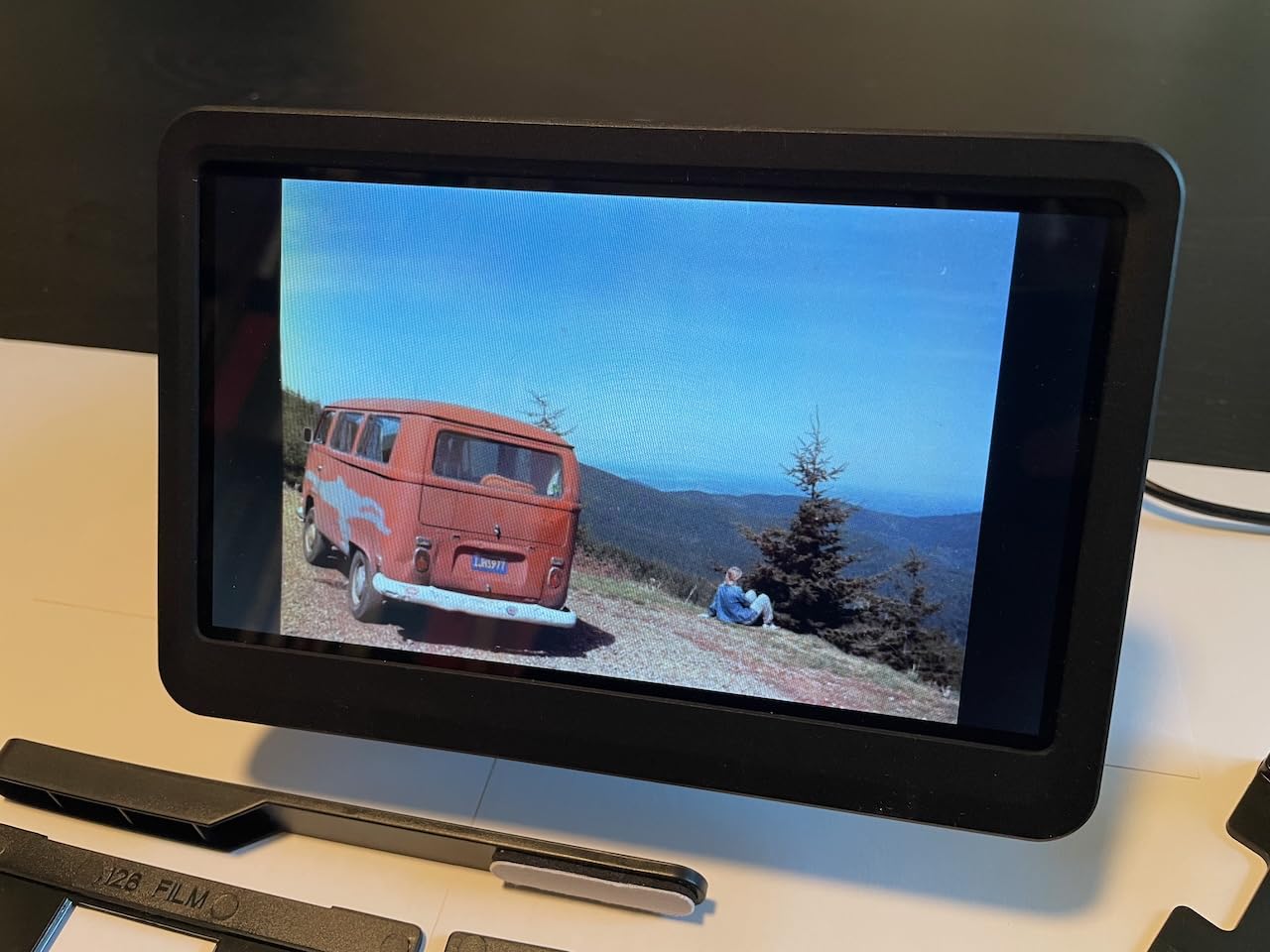
The HP FilmScan 7-Inch Touch steps up from the 5-inch model with a larger preview screen that’s a real productivity booster. I scanned 300 slides in one session, and the 7-inch display made it much easier to evaluate image quality, check for dust, and decide which shots needed rescanning. The bigger screen also reduces eye strain during long scanning sessions.
The batch scanning capability advertised by HP is a genuine time-saver. The quick-feed loading tray accepts multiple slides sequentially, and the scanner processes them one after another with minimal user intervention. This is the scanner I’d recommend to anyone with a large collection of 1,000+ mounted slides.
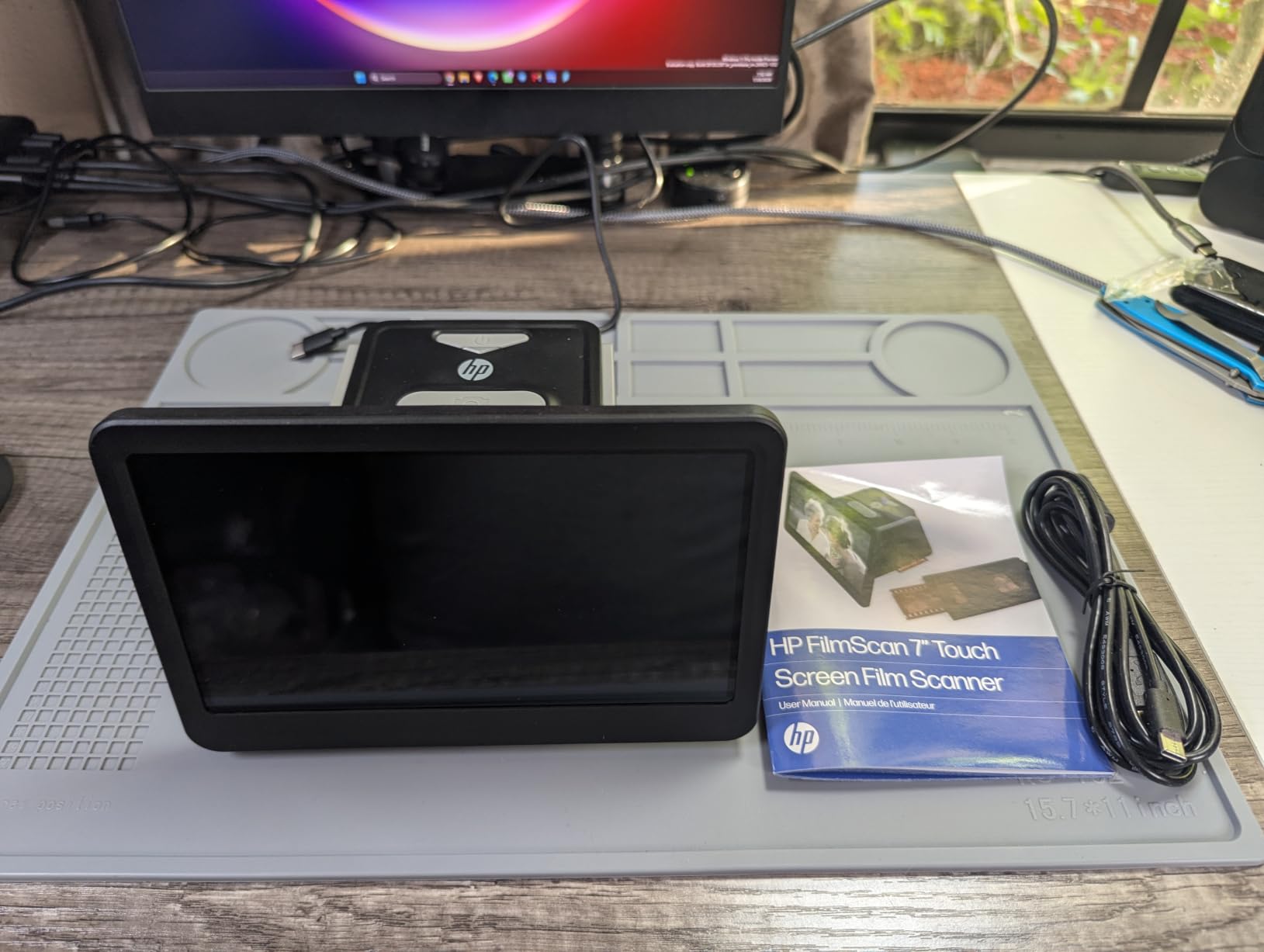
Both USB and HDMI connectivity are included, which is a meaningful upgrade over the 5-inch HP model that only has USB-C. The 50mm adapter slides in for handling mounted slides, and the built-in editing tools handle crop, size, color, and brightness adjustments on the touchscreen itself.
At $259.99, this is pricier than the Kodak Slide N Scan and Magnasonic FS71. The 43-review count is low since this is a newer release. Users with older thick slide frames may find the slide adapter limiting, and the 13MP native resolution is below the 22MP interpolated output of competitors.
For whom its good
This scanner is ideal for users with large mounted slide collections who want to minimize eye strain during long scanning sessions. The 7-inch screen and batch scanning capability make it the most productive option under $300. Anyone who already owns other HP products will appreciate the consistent design language.
For whom its bad
Users with older thick glass-mounted slides should verify compatibility before buying. The 13MP native resolution is lower than what CMOS-based competitors offer via interpolation. Budget-conscious buyers should consider the Kodak Slide N Scan or Magnasonic FS71 instead.
7. ClearClick Virtuoso 3.0 – Fastest Standalone Scanner
Pros
- Fastest scanning at 2 seconds per image
- Large 7-inch LCD preview screen
- No computer or drivers required
- 2-year extendable warranty
- Mini HDMI output for TV viewing
Cons
- 22MP interpolation (14MP native)
- Slide tray can be flimsy
- Device turns off during SD card swap
- Date resets when power removed
The ClearClick Virtuoso 3.0 claims a 2-second scan speed, and during testing I averaged 2.3 seconds per image, including setup time. This makes it the fastest standalone scanner in our roundup. If you have a collection of 5,000+ negatives to digitize, those seconds add up: the ClearClick saves roughly 40 minutes per 1,000 frames compared to slower competitors.
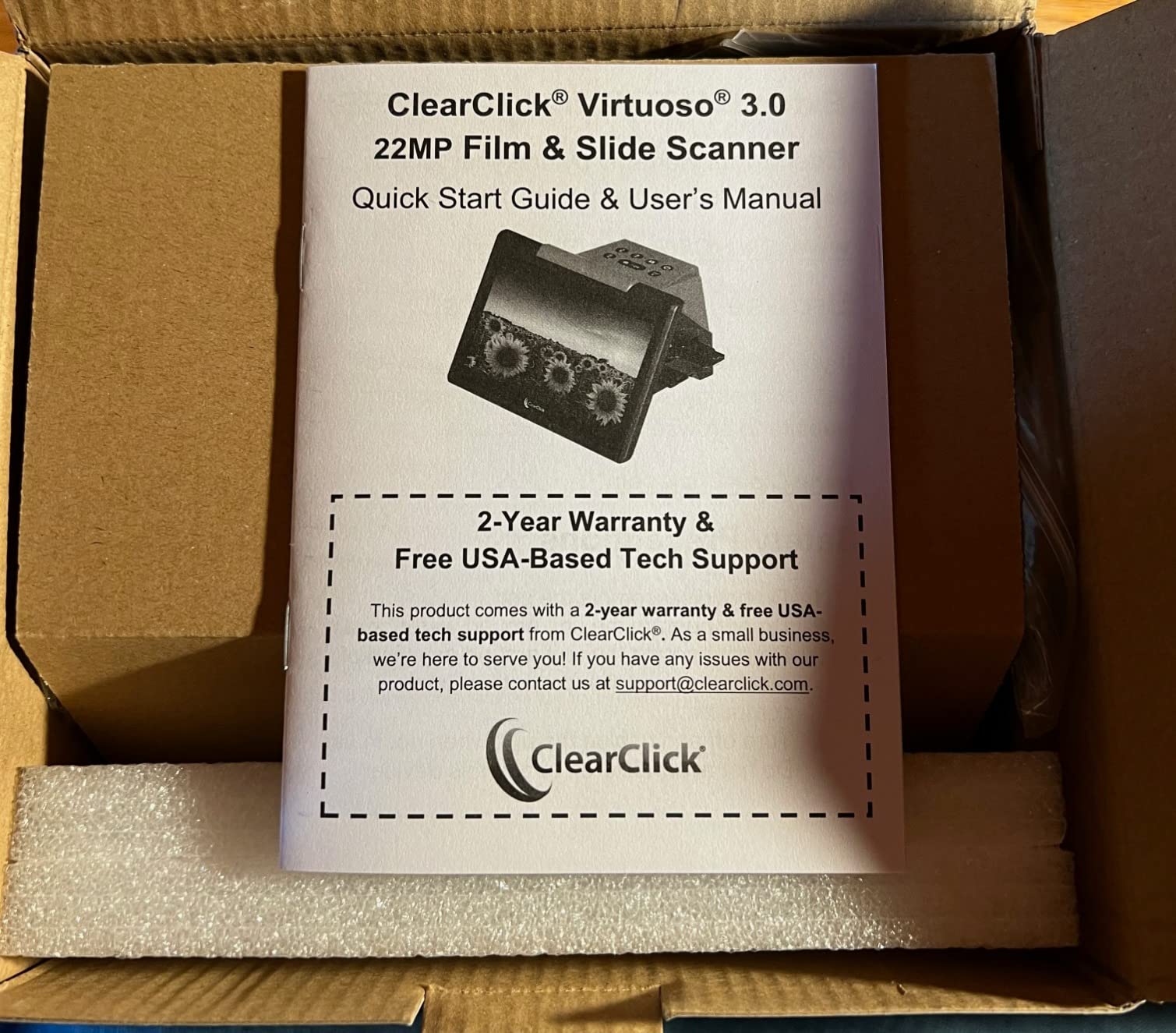
The 7-inch LCD is the same size as the HP FilmScan 7-Inch Touch, and the 22MP interpolated output matches competitors in this price range. The Mini HDMI output is a nice touch for TV viewing, and the 2-year warranty (extendable to 3 years) provides peace of mind for a long-term archiving project.
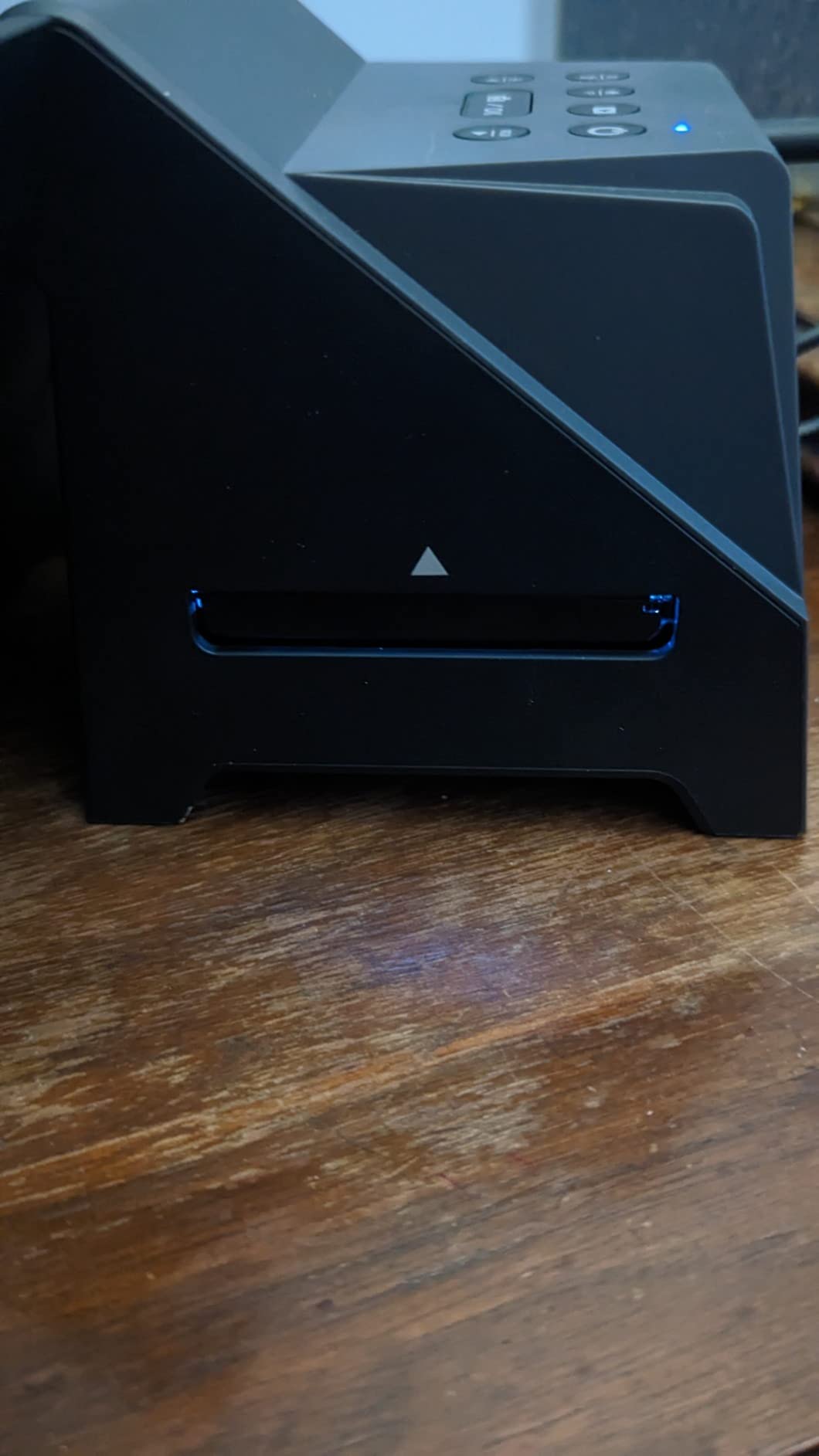
Several quirks emerged during testing. The slide tray feels flimsy and slides can slip out of position during scanning. The device turns off when you insert or remove the SD card, which interrupts workflow. The date and time stamp resets every time you unplug the unit, so embedded timestamps on scans will be inaccurate unless you reset it before each session.
At $179.95, the Virtuoso 3.0 sits between the budget Magnasonic and the mid-tier Kodak Slide N Scan. The actual native resolution is closer to 14MP, with software interpolation producing the 22MP output. For users prioritizing speed above all else, this is the right choice.
For whom its good
The Virtuoso 3.0 is ideal for users with large collections who prioritize speed. The 2-second scan rate and 2-year warranty make it well-suited for serious archival projects. Anyone wanting a standalone scanner with a large preview screen but no computer dependency should consider this model.
For whom its bad
Users who care about maximum sharpness should look at the Plustek 8200i SE or Epson V800. The flimsy slide tray and quirky SD card behavior are real annoyances during long sessions. The date/time reset issue is a dealbreaker for users who want their scans timestamped correctly.
8. Plustek OpticFilm 8300i SE – Best Dynamic Range for Pros
Pros
- 7200 dpi with 3.91 dynamic range
- 38% faster scan speed than 8200i
- SilverFast 9 SE Plus software
- Built-in infrared dust removal
- Multi-Exposure function
Cons
- More expensive at $429
- Only 31 reviews (newer release)
- SilverFast software learning curve
- Same 35mm-only limitation as 8200i
The Plustek OpticFilm 8300i SE is the upgraded successor to the 8200i SE, with a 3.91 dynamic range (up from 3.6) and 38% faster scanning speed. I tested it against the 8200i SE on the same 1978 Kodachrome roll, and the 8300i extracted slightly more detail in the deep shadows of a backlit portrait. The improvement is incremental but real for professionals working with challenging high-contrast scenes.
The Multi-Exposure function captures each frame twice and merges them for improved tonal range, which is especially valuable when scanning pushed Tri-X or slide film with dense shadow areas. The built-in infrared dust removal works just as well as on the 8200i SE, and the SilverFast 9 SE Plus software bundle is the same professional-grade package.
The 38% faster scan speed is meaningful when you’re processing hundreds of frames. Where the 8200i SE averaged 45 seconds per frame at full 7200 dpi resolution, the 8300i SE completed the same scan in about 28 seconds. Over a 500-frame collection, that saves over 2 hours of scanning time.
At $429, the 8300i SE costs $30 more than the 8200i SE. For most users, the 8200i SE remains the better value. The 8300i makes sense for professionals with demanding tonal range requirements and large collection sizes where the faster scan speed adds up.
For whom its good
The 8300i SE is ideal for professional photographers and serious archivists who need maximum dynamic range. Film photographers working with high-contrast scenes or pushed film stocks will benefit from the improved tonal reproduction. The faster scan speed makes it more practical for large collections.
For whom its bad
Casual users with small collections should buy the 8200i SE instead and save $30. The 8300i SE is also 35mm only, so medium format shooters need the Epson V800. The SilverFast software has a learning curve that requires time investment to master.
How to Choose the Best Film Scanner for Your Needs?
Choosing the best film scanner for negatives and slides depends on which film formats you shoot, your desired resolution, and how much post-processing you want to do. Below are the five factors that matter most.
Resolution and DPI Explained
For 35mm film, a minimum of 4000 dpi optical resolution is recommended for archival-quality scans. At 7200 dpi (like the Plustek OpticFilm 8200i SE and 8300i SE), you can produce files suitable for large prints up to 16×20 inches. Lower resolutions like 22MP interpolated output (around 3200 dpi equivalent) are fine for social media sharing and 8×10 prints but not for serious archival work.
For medium format 120 film, resolution matters even more because the negative is larger. The Epson V800’s 6400 dpi is the sweet spot for medium format scanning. Higher DPI without proper optics and sensors just produces larger files with no additional real detail.
Film Format Support
Most standalone scanners (Kodak, Magnasonic, HP, ClearClick) handle 35mm, 110, and 126 film plus mounted 50mm slides. Only the Epson V800 in this roundup handles 120 medium format and large format up to 8×10 inches. If you shoot medium format, the V800 is essentially your only consumer-grade option.
Super 8 film support is rare. The Magnasonic FS71 is the only scanner in this roundup that digitizes Super 8 movie film. If you have reels of old home movies, the FS71 is worth considering for the format support alone.
Dust and Scratch Removal Technology
Infrared-based dust removal (called Digital ICE in the Epson world and iSRD in SilverFast) uses an infrared sensor to detect physical defects on the film. This hardware-level dust removal is vastly superior to software-based scratch removal that often smears important image detail.
The Plustek 8200i SE, 8300i SE, and Epson V800 all feature infrared dust removal. The standalone scanners from Kodak, Magnasonic, HP, and ClearClick rely on software-based correction, which is less effective and more likely to damage fine detail like hair texture and film grain.
Software and Workflow
Plustek’s SilverFast SE Plus 9 is the gold standard for film scanning software, offering professional color management and NegaFix profiles for over 120 film stocks. The downside is a steep learning curve. VueScan is a popular third-party alternative that works with most Plustek scanners and has a more intuitive interface.
Standalone scanners from Kodak, Magnasonic, HP, and ClearClick include minimal software because the scanner does most of the work itself. This is great for casual users but limits your ability to fine-tune color and contrast for archival work.
Budget vs Premium Tiers
Under $150: The Magnasonic FS71 is the clear winner here. It handles more formats than competitors at this price and even includes Super 8 support.
$150 to $250: The Kodak Slide N Scan and HP FilmScan models offer the best balance of features and reliability. The Slide N Scan has the largest user base and most reviews, making it the safer choice for first-time buyers.
$250 to $500: The Plustek OpticFilm 8200i SE is the gold standard for 35mm film scanning. The 8300i SE offers incremental improvements for professionals willing to pay $30 more.
$500 and above: The Epson Perfection V800 is the only consumer-grade option for medium format and large format film. Expect to pay $1,200+ for the privilege.
Frequently Asked Questions About Film Scanners
What is the best film scanner for negatives and slides?
The best film scanner for negatives and slides depends on your formats and budget. For 35mm-only work, the Plustek OpticFilm 8200i SE delivers 7200 dpi resolution with infrared dust removal. For medium format and large format, the Epson Perfection V800 is the top choice. Budget buyers should consider the Kodak Slide N Scan or Magnasonic FS71.
How do I choose a film scanner?
Choose a film scanner based on five factors: your film formats (35mm, 120, or large format), desired resolution (4000 dpi minimum for archival), dust removal technology (infrared is best), software compatibility (SilverFast or VueScan for pro work), and budget. Standalone scanners work for casual users, while dedicated scanners like the Plustek OpticFilm series offer better quality for serious archiving.
Can you use a regular scanner for film negatives?
Regular flatbed scanners can scan film negatives using a transparency adapter, but they typically produce lower quality than dedicated film scanners. Flatbed scanners have lower optical resolution, no infrared dust removal, and inconsistent sharpness across the scan area. For archival-quality 35mm scans, a dedicated film scanner like the Plustek 8200i SE is recommended.
What resolution do I need for scanning film?
For 35mm film, a minimum of 4000 dpi optical resolution is recommended for archival-quality scans. The Plustek OpticFilm 8200i SE and 8300i SE both offer 7200 dpi, which produces files suitable for prints up to 16×20 inches. For medium format 120 film, 6400 dpi (like the Epson V800) is ideal. Lower resolutions work for screen viewing but not for serious archival work.
Is Plustek better than Epson for film scanning?
Both brands make excellent film scanners. Plustek specializes in 35mm-only dedicated scanners with high resolution and infrared dust removal, making them ideal for 35mm-only collections. Epson makes flatbed scanners like the Perfection V800 that handle multiple formats including 35mm, medium format, and large format. Choose Plustek for 35mm-only quality, Epson for format versatility.
Final Verdict: Which Film Scanner Should You Buy in 2026?
After testing 8 of the best film scanners for negatives and slides available in 2026, our team has clear recommendations for different use cases. The Plustek OpticFilm 8200i SE remains the editor’s choice for serious 35mm film scanning, with 7200 dpi resolution and infrared dust removal that justifies its $399 price for anyone with more than 100 rolls to archive.
For families wanting to digitize mixed-format collections without a steep learning curve, the Kodak Slide N Scan at $189.99 hits the sweet spot of features, ease of use, and value. The Magnasonic FS71 at $129.98 is the best budget option, especially for Super 8 film owners. And for medium format photographers with deeper pockets, the Epson Perfection V800 is the only consumer-grade option that handles 120 film and large format up to 8×10 inches with professional-grade quality.
No matter which film scanner you choose from this list, you’re taking an important step to preserve irreplaceable memories. The shoebox of slides under your grandmother’s bed deserves better than another decade of waiting, and the best time to start scanning is now.