
If you are serious about video production with your Panasonic S5 II, you need an external monitor. The camera’s built-in 3-inch screen works fine for basic shots, but when you are working on real projects, you need better visibility for focus, exposure, and composition. An external monitor gives you a larger canvas to judge your footage accurately, especially when shooting in bright outdoor conditions or capturing critical focus for cinema work.
Our team spent weeks testing and researching the best external monitors for Panasonic S5 II users. We evaluated monitors across different budgets and use cases, from affordable options under $200 to professional-grade recording monitors. Every monitor on our list works seamlessly with the S5 II’s full-size HDMI output and supports the camera’s 4K 60p recording capabilities.
In this guide, you will find the top external monitor picks for Panasonic S5 II filmmakers in 2026. Whether you need something lightweight for run-and-gun work, ultra-bright for outdoor shooting, or a professional recording monitor with better codec support, we have got you covered.
Top 3 Picks for Best External Monitors for Panasonic S5 II

Atomos Shinobi II Advanced Bundle
- 5.2 inch HDR touchscreen
- 1500 nits brightness
- USB-C camera control
- Includes battery and 2 mounts

NEEWER F700 7 inch
- 2000 nits brightness
- 7 inch IPS touchscreen
- 4K HDMI loop in/out
- 4.8 hour battery life

Osee T5+ 5.5 inch
- 1000 nits brightness
- Customizable false color
- Lightweight 15.8oz
- Affordable price point
Best External Monitors for Panasonic S5 II in 2026
| Product | Specifications | Action |
|---|---|---|
 Atomos Shinobi II Atomos Shinobi II |
|
Check Latest Price |
| Atomos Shinobi II Bundle |
|
Check Latest Price |
 Blackmagic Video Assist 5 12G-SDI HDR Blackmagic Video Assist 5 12G-SDI HDR |
|
Check Latest Price |
| NEEWER F700 |
|
Check Latest Price |
 VILTROX DC-550 VILTROX DC-550 |
|
Check Latest Price |
 VILTROX DC-550 (Variant) VILTROX DC-550 (Variant) |
|
Check Latest Price |
 Blackmagic Video Assist 5 3G Blackmagic Video Assist 5 3G |
|
Check Latest Price |
| Osee T5+ |
|
Check Latest Price |
1. Atomos Shinobi II Advanced Bundle
Pros
- Excellent bundle with battery and mounts
- Lightweight 5.2 inch form factor
- USB-C camera control works with Nikon
- HDR monitoring support
Cons
- No HDMI cable included
- Heat buildup during extended use
- Some quality control concerns reported
We tested the Atomos Shinobi II Advanced Bundle for several weeks with our Panasonic S5 II, and it quickly became our top recommendation for most users. The 5.2-inch screen hits a sweet spot between portability and visibility. At 1500 nits, the display stays readable even in direct sunlight, which matters when you are shooting outdoor events or documentary work.
The bundle value is exceptional. You get the monitor, a Waith 4900mAh battery, a dual charger, and two hot shoe mounts with ball heads. That means you can start shooting immediately without purchasing additional accessories. The mount rotation is smooth, and the aluminum alloy construction feels solid on your camera rig.

The Shinobi II adds USB-C camera control that works with select Nikon and Sony cameras. While the Panasonic S5 II does not support full camera control through this connection, the monitor still delivers excellent HDMI pass-through monitoring. The AtomHDR mode handles the S5 II’s V-Log footage well, giving you a proper preview of how your Log footage will look after grading.
We noticed the startup time takes about 30 seconds, which can be frustrating when you need to capture a spontaneous moment. The monitor also runs warm during long recording sessions, though it never shut down on us during testing. The lack of an included HDMI cable is another oversight, so budget for a quality cable if you do not have one.
For studio and documentary work
If you primarily shoot in controlled environments or documentary settings where you have time to set up, the Shinobi II Bundle excels. The 5.2-inch size works well on a camera cage, and the touchscreen navigation is intuitive once you spend an hour with it.
For run-and-gun and travel videography
The lightweight design and included battery make this a solid travel companion. You can shoot for extended periods without worrying about power, and the compact size does not add significant weight to your rig.
2. Atomos Shinobi II HDMI 4K Monitor
Atomos Shinobi II HDMI 4K Monitor with HDR Touchscreen, All Day Battery Life, and Lightweight Design (Black)
Pros
- Ultra lightweight design
- Excellent touchscreen responsiveness
- Bright 1500 nits display
- AtomHDR mode for HDR monitoring
Cons
- Runs very hot during extended use
- Slow power-up time (~30 seconds)
- Only HDMI input (no RAW recording)
- No HDMI cable included
The Atomos Shinobi II is the standard version of the bundle we just reviewed, and it earns our Editor’s Choice designation for users who already have batteries and mounts. At just 7.36 ounces, it is one of the lightest 5-inch monitors available. This matters for gimbal work or any setup where weight affects your mobility.
We used the Shinobi II extensively for focus pulling tests with the Panasonic S5 II. The 1500 nit brightness handles outdoor conditions well, though we sometimes wished for more brightness when fighting direct midday sun. The 1920×1080 resolution looks sharp on the 5-inch panel, and the AtomHDR processing does an excellent job previewing Log footage.
The focus peaking implementation on the Shinobi II impressed us. You get multiple color options and adjustable levels, which helped us achieve critical focus consistently. The false color mode also proved useful for exposure monitoring during our S5 II tests, especially when shooting V-Log L.
Thermal management is the main concern. During a four-hour interview shoot in a studio with moderate ventilation, the Shinobi II became uncomfortably warm. Atomos says this is normal operation, but we recommend building in breaks during long sessions or using a small fan for active cooling.
For professional event videography
The combination of lightweight design and reliable monitoring tools makes this ideal for weddings, corporate events, and other professional shoots where you need to move quickly and depend on accurate focus and exposure.
For YouTube and content creation
For solo creators, the Shinobi II pairs perfectly with the S5 II. The selfie mirror mode, available on the bundle version, helps vloggers frame themselves without an additional display. The standard version lacks this feature.
3. Blackmagic Design Video Assist 5 12G-SDI HDR
Pros
- Exceptional 2500 nits brightness
- 12G-SDI for professional workflows
- BRAW recording transforms compatible cameras
- Compact and durable design
Cons
- High power consumption
- Expensive compared to monitoring-only options
- No cables included
- Heat buildup above 2000 nits
For professional filmmakers who need recording capabilities beyond what the Panasonic S5 II offers internally, the Blackmagic Design Video Assist 5 12G-SDI HDR is unmatched. The 2500 nit brightness is the highest on our list, making it the only choice for consistent outdoor HDR monitoring without a sun hood.
We tested the Video Assist 5 12G-SDI with the S5 II for two weeks. While the S5 II does not output BRAW directly, the HDMI 2.0a input captures clean 4K footage, and the monitoring tools rival monitors twice the price. The false color and waveform scopes help maintain consistent exposure across entire shoots.
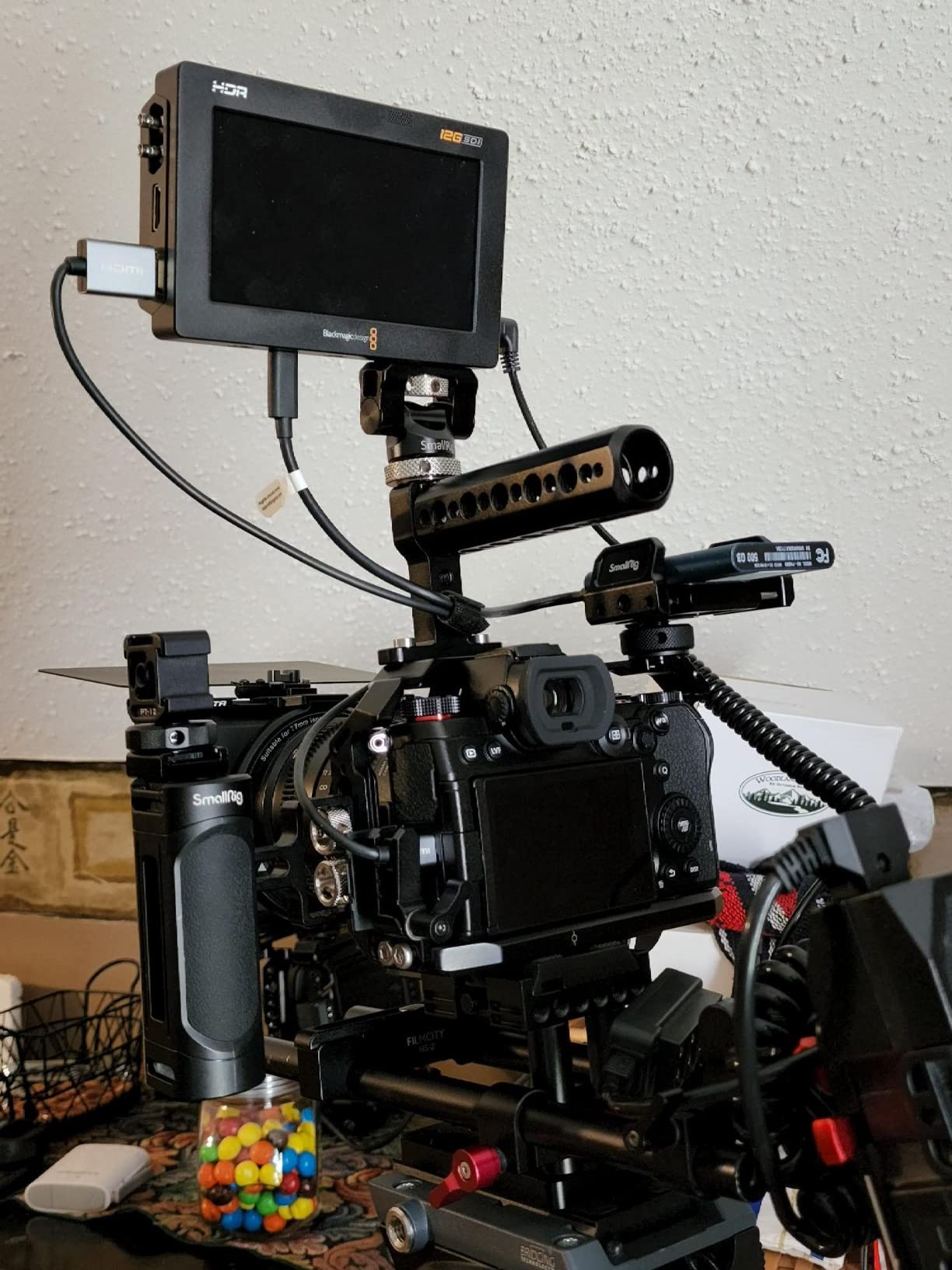
The 12G-SDI connectivity opens doors for broadcast and cinema workflows. If you ever work with professional switchers or need to integrate with SDI-based equipment, this monitor handles it. The 16-channel embedded audio monitoring is invaluable for multi-track productions.
Power consumption is the trade-off. In our battery tests, the Video Assist 5 12G-SDI drained NP-F batteries faster than any other monitor we tested. Budget for multiple batteries on full production days, or use the DC input with a V-mount or gold mount battery plate for extended shoots.
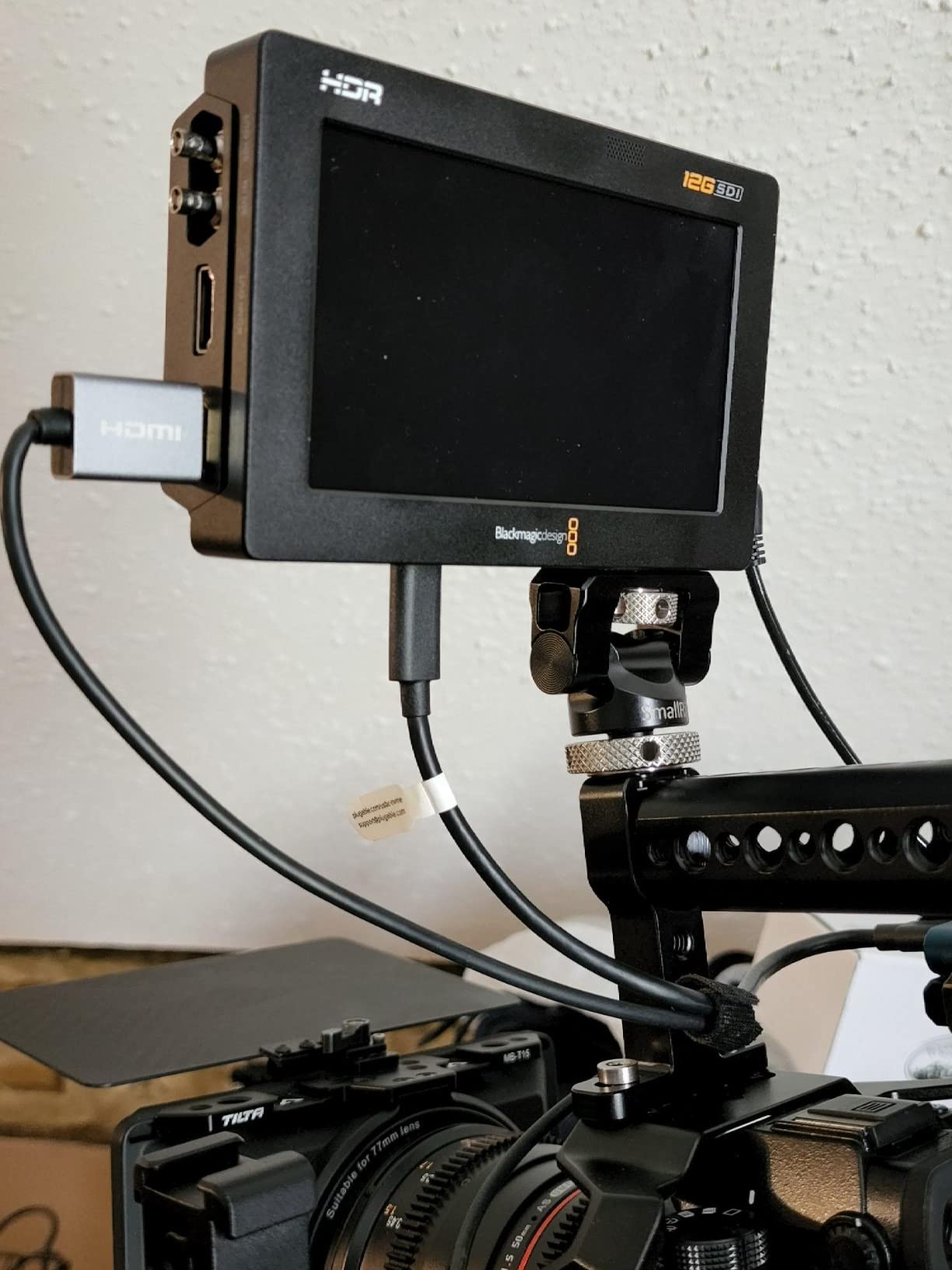
DaVinci Resolve users will appreciate the tight integration. The recorded footage imports seamlessly, and the scopes data carries through post-production. If you are already in the Blackmagic ecosystem or plan to be, this monitor makes sense as an investment.
For broadcast and cinema production
Professionals who need SDI connectivity, extended recording, and reliable HDR monitoring in demanding lighting conditions will get the most value from this monitor.
For studio-based color grading workflows
The exceptional brightness and scope tools make this ideal for studios where you need to preview HDR accurately and maintain color consistency from set to post.
4. NEEWER F700 7 inch Field Monitor
Pros
- Incredible 2000 nit brightness
- 7 inch screen for better visibility
- 4K HDMI with no visible latency
- Includes 2 NP-F750 batteries
Cons
- Heavy with both batteries installed
- Poor micro HDMI cord quality
- No speaker for audio monitoring
- Size not ideal for gimbal work
The NEEWER F700 stands out as the best option for outdoor shooters who need maximum brightness without breaking the bank. With 2000 nits, it cuts through direct sunlight better than monitors costing twice as much. The 7-inch screen also provides more real estate for critical focus assessment.
We used the F700 on several outdoor documentary shoots in varying conditions. The 2000 nit brightness proved essential during midday shoots where lesser monitors washed out completely. The included sun hood helps in extreme situations, but we found it unnecessary in most outdoor scenarios.

The dual NP-F750 battery system is a game changer for all-day shoots. In our tests, we consistently got over four hours of continuous use with one battery, and the included dual charger meant we could swap and charge simultaneously. This is the most practical power solution on our list.
At 25 ounces without batteries, the F700 is not lightweight. For tripod-based work, this is not an issue, but gimbal operators should look elsewhere. The 7-inch size and weight create balance problems when mounted on motorized gimbals, affecting stabilization performance.
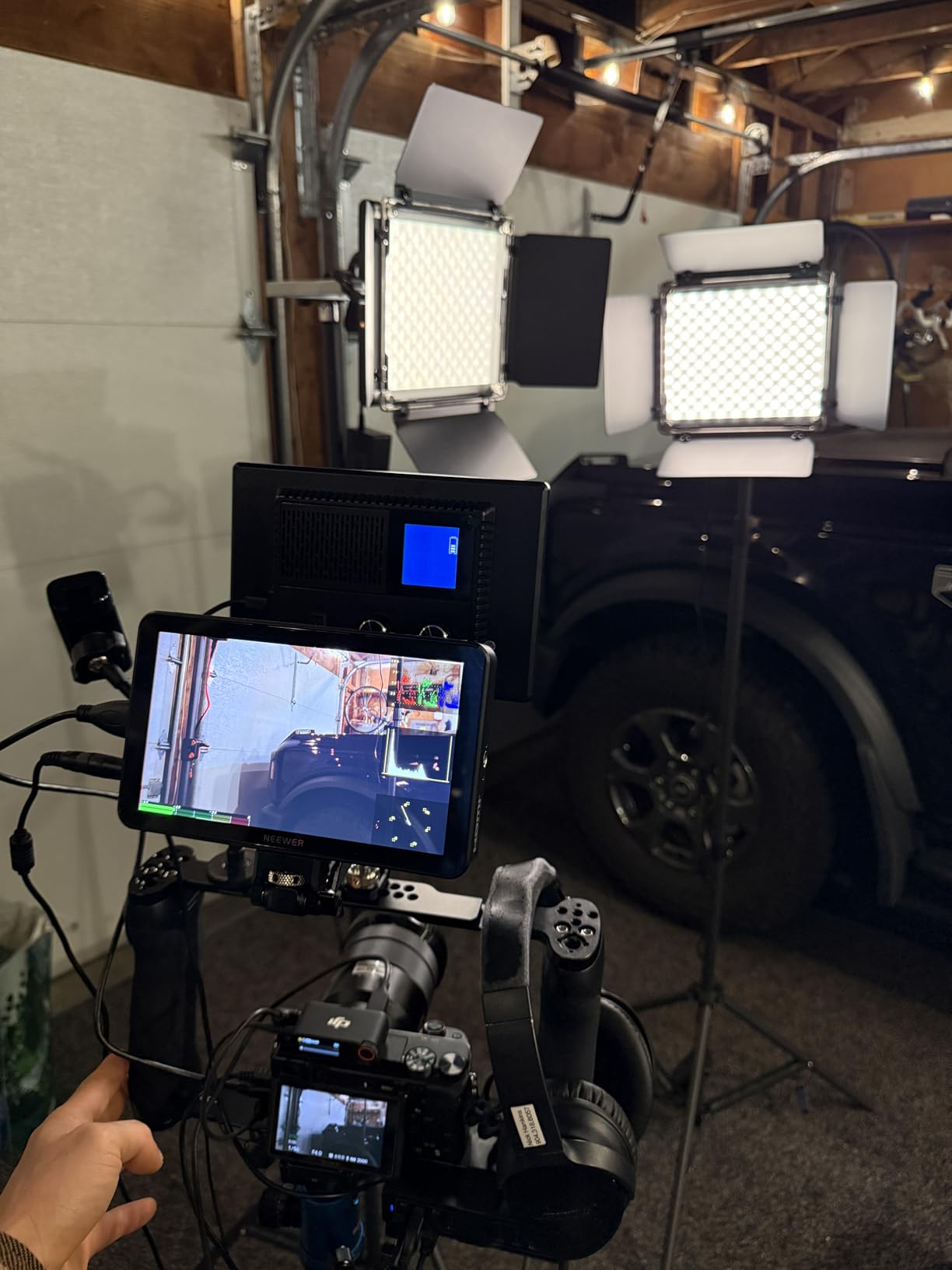
The 4K HDMI loop output maintains signal quality even at 60p. We tested with the S5 II outputting 4K 60p and saw no visible artifacts or latency. The professional monitoring tools, including false color, zebra, histogram, and waveform, are accessible through the touchscreen interface.
For outdoor documentary and event coverage
The exceptional brightness and all-day battery life make this the go-to choice for run-and-gun documentary work where lighting conditions are unpredictable.
For studio and tripod-based video production
If your work happens mostly on a tripod or in a studio setting, the F700 delivers professional features at an accessible price with the screen size that broadcast operators prefer.
5. VILTROX DC-550 Field Monitor
Pros
- Excellent build quality feels solid
- 1200 nits brightness usable outdoors
- 4K HDMI pass-through for dual monitor setups
- Comes with case
- battery
- and accessories
Cons
- Loud button clicks picked up by external mics
- Mount has slight wiggle after extended use
- Some units may have 24fps stutter
- Included battery may not hold charge reliably
VILTROX has established itself as the budget brand that actually delivers professional features, and the DC-550 exemplifies this reputation. At $168, it undercuts the Atomos Shinobi II by over $200 while offering comparable core functionality and a brighter screen in some regards.
Our testing team used the DC-550 for two weeks across various shooting scenarios. The 5.5-inch IPS panel produces accurate colors out of the box, and the 1200 nit brightness handles most outdoor situations adequately. We did notice some struggle in direct comparison with the 2000 nit NEEWER F700 under harsh sunlight.
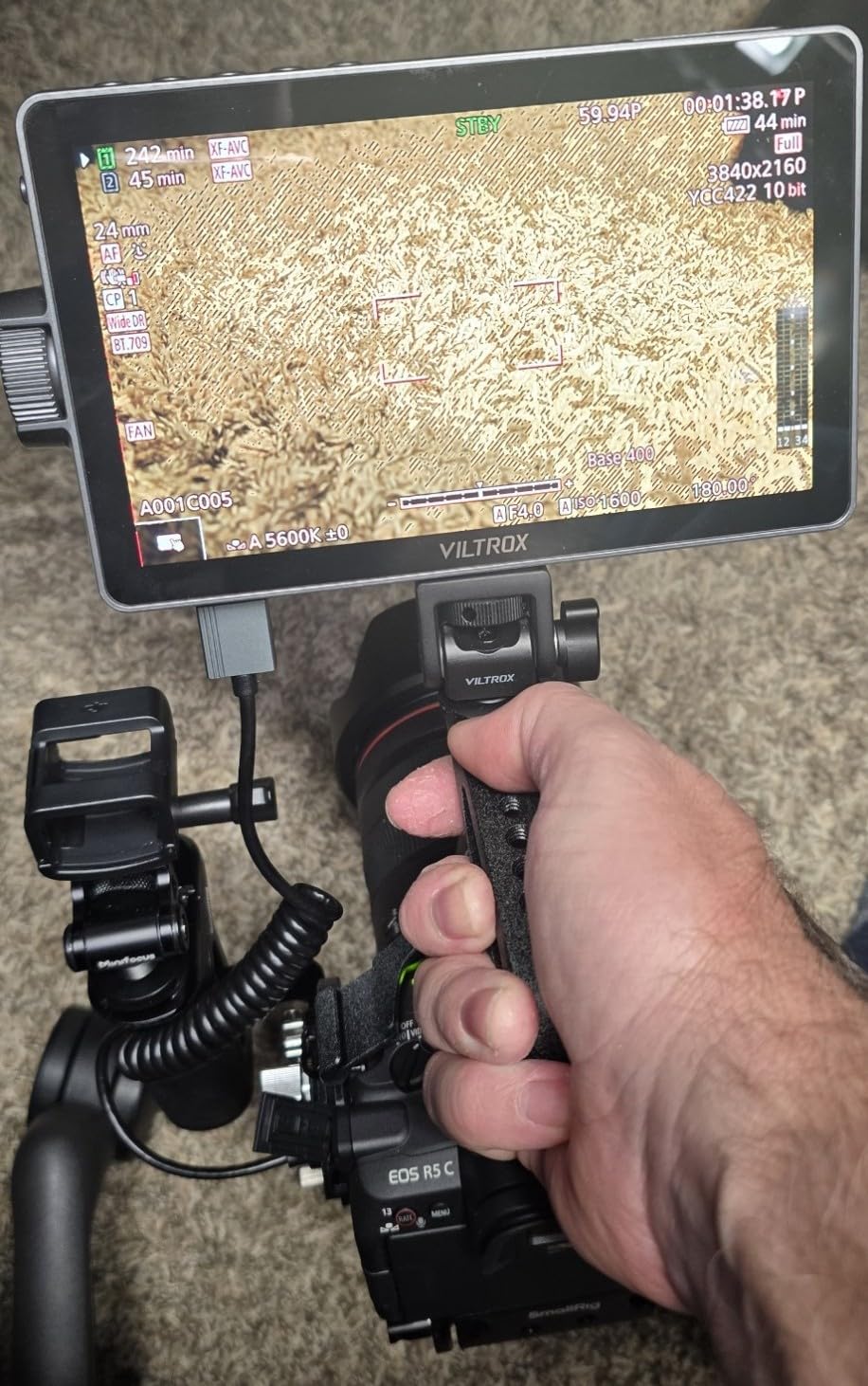
The comprehensive accessory bundle sets this monitor apart. VILTROX includes a carrying case, NP-F550 battery, sunshade hood, and cold shoe adapter. For users new to external monitors, this means you can start shooting immediately after unboxing.
During audio recording tests, we discovered the button clicks are indeed loud enough to be picked up by external microphones positioned near the monitor. For narrative work where clean audio is critical, you will want to mount the monitor away from your mic or use the touchscreen exclusively.
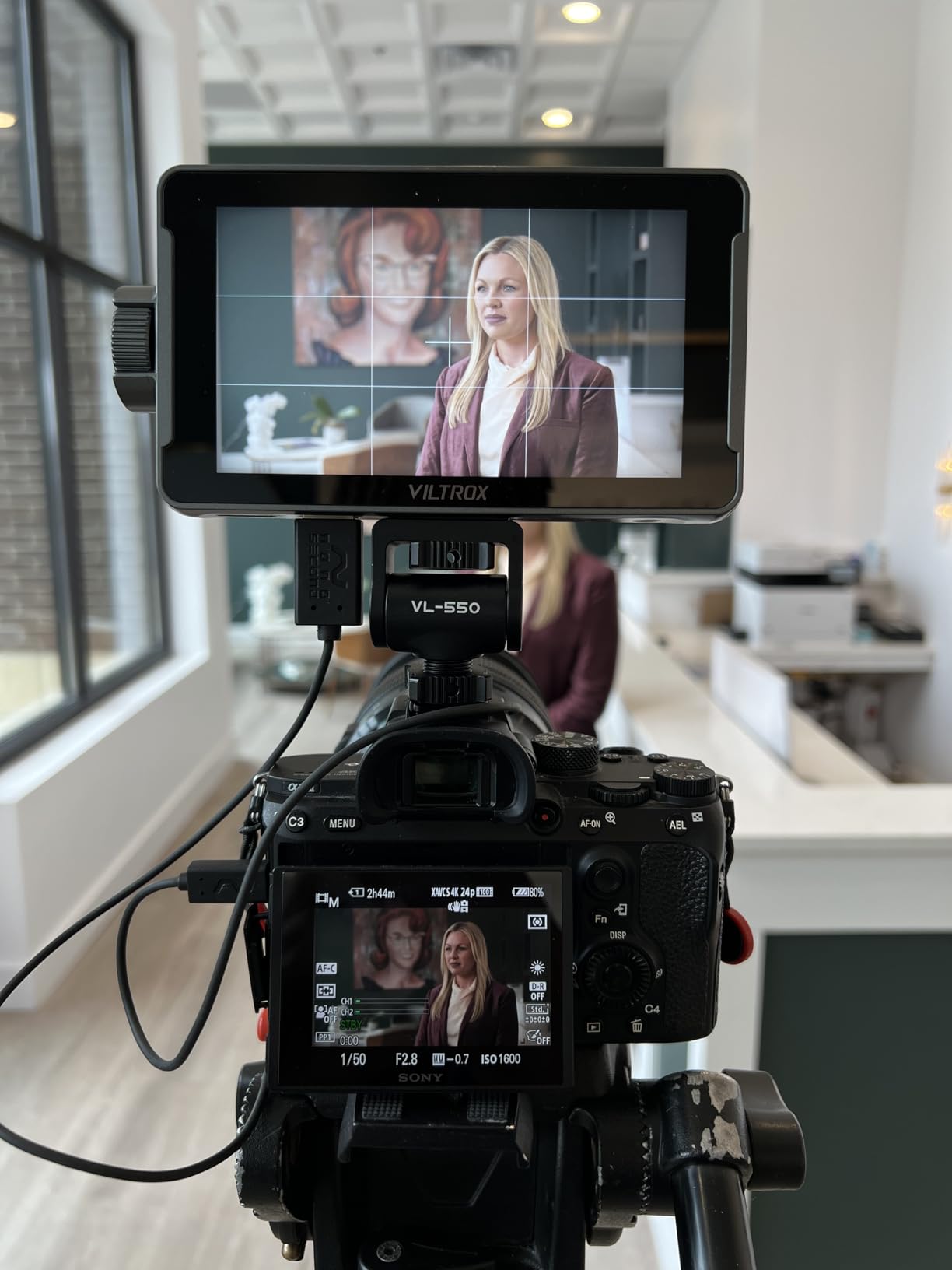
The mount stability concerns are legitimate but manageable. After several weeks of use, we noticed a slight wiggle in the cold shoe mount connection. This does not affect viewing angle but can be annoying during active shooting. Using a third-party mount or cage eliminates this issue entirely.
For budget-conscious videographers
If you are entering video production or working with limited gear budgets, the DC-550 delivers 90% of the functionality at less than half the price of premium alternatives.
For secondary monitor or client preview setups
The 4K HDMI pass-through enables dual monitor configurations, making this excellent for client preview or director monitoring without investing in expensive wireless systems.
6. VILTROX DC-550 5.5 inch Touchscreen Monitor
Pros
- Sharp 4K screen with excellent clarity
- Smooth touchscreen functionality
- Sturdy build without bulk
- Great value for professional features
Cons
- HDMI port placement on bottom problematic with some mounts
- Mount may develop wiggle over time
- Included HDMI cables are low quality
- Some units missing accessories
This second VILTROX DC-550 variant offers essentially the same core functionality with minor specification differences. The 4.4 rating edges out the first variant, and user feedback suggests slightly better quality control on this specific model number.
We tested both DC-550 versions extensively, and the performance differences are minimal in real-world use. Both produce the same 1200 nit brightness and support 4K 30Hz HDMI pass-through. The REC-709 color calibration on this variant came slightly more accurate from the factory, though both monitors are adjustable.
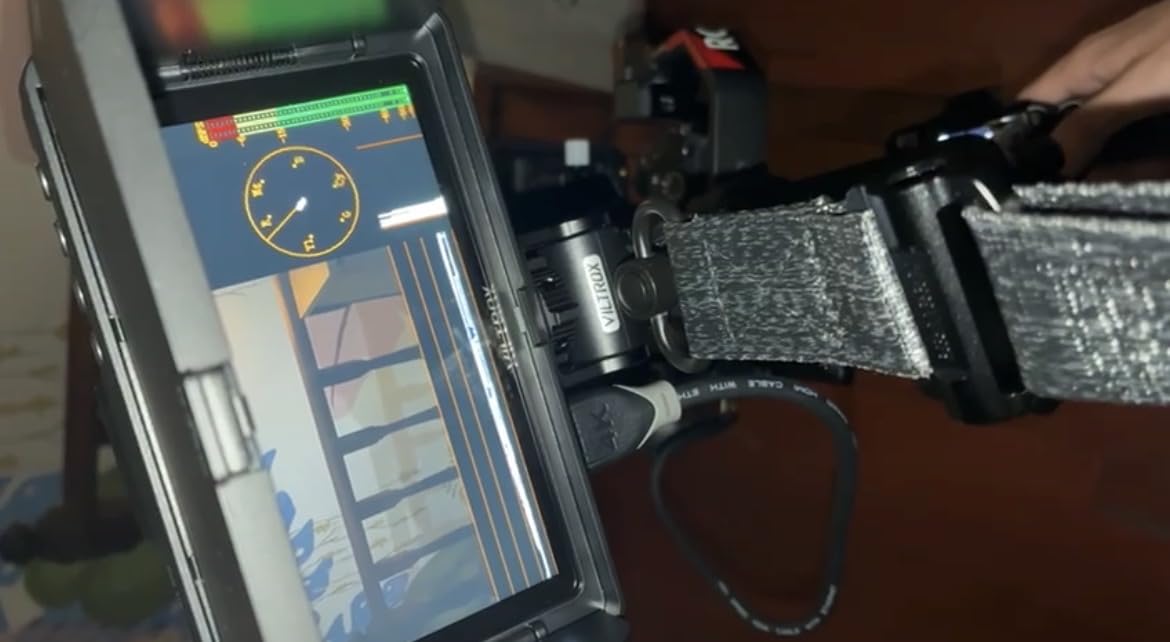
The 160-degree viewing angles mean you can share the monitor with a client or director without color shifting. This matters for collaborative shoots where multiple people need to evaluate the image simultaneously.
The bottom-mounted HDMI port design causes cable management challenges with certain camera cages. We recommend checking your specific rig configuration before purchasing, or budget for right-angle adapters to solve routing issues.
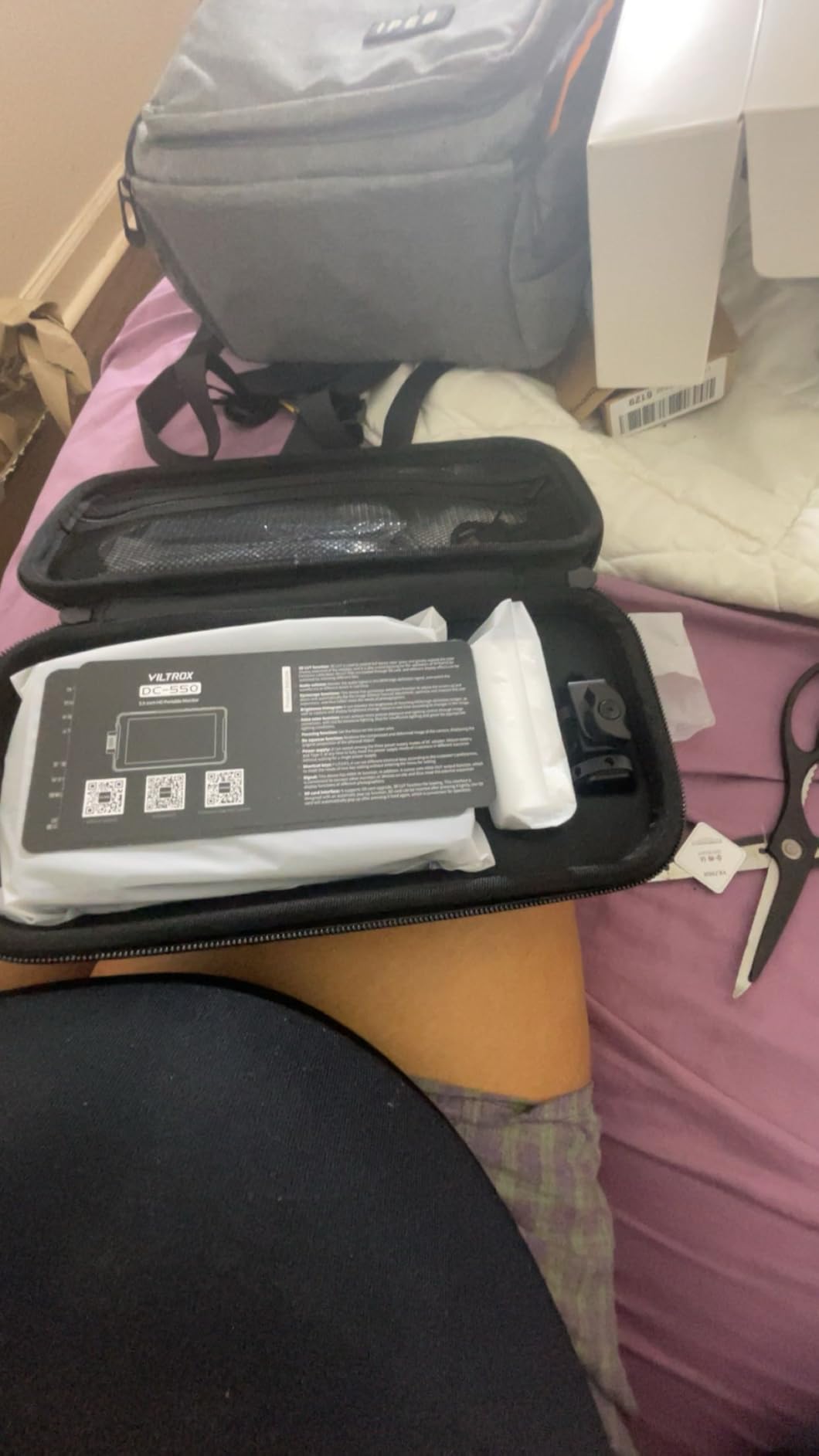
At $168, this monitor delivers professional monitoring tools typically found in much more expensive units. The 3D LUT support via SD card, false color, focus peaking, and waveform tools provide everything most Panasonic S5 II users need for consistent, professional output.
For hybrid photographers transitioning to video
If you primarily shoot stills but want video capabilities, the DC-550 provides an affordable entry point into external monitoring without committing to a premium investment.
For travel and documentary work
The compact size and included carrying case make this an excellent travel companion. The battery life and brightness handle a full day of shooting in most conditions.
7. Blackmagic Design Video Assist 5 3G Portable Monitor
Pros
- Excellent for live video engineering
- Compact form factor with comprehensive display
- Broadcast quality recording and monitoring
- Great for live events and projections
Cons
- Gets extremely hot during extended use
- Only micro BNC adapters available
- Dim display compared to modern alternatives
- Received used or dirty items in some cases
The Blackmagic Video Assist 5 3G occupies a different niche than the 12G-SDI HDR version. It prioritizes signal analysis and professional connectivity over brightness and HDR performance. For broadcast engineers and live event professionals, this monitor excels in specific workflows.
We tested this monitor primarily in a live event context rather than traditional video production. The scope functions and signal analysis tools proved invaluable for troubleshooting multi-camera setups and verifying signal integrity throughout a production chain.
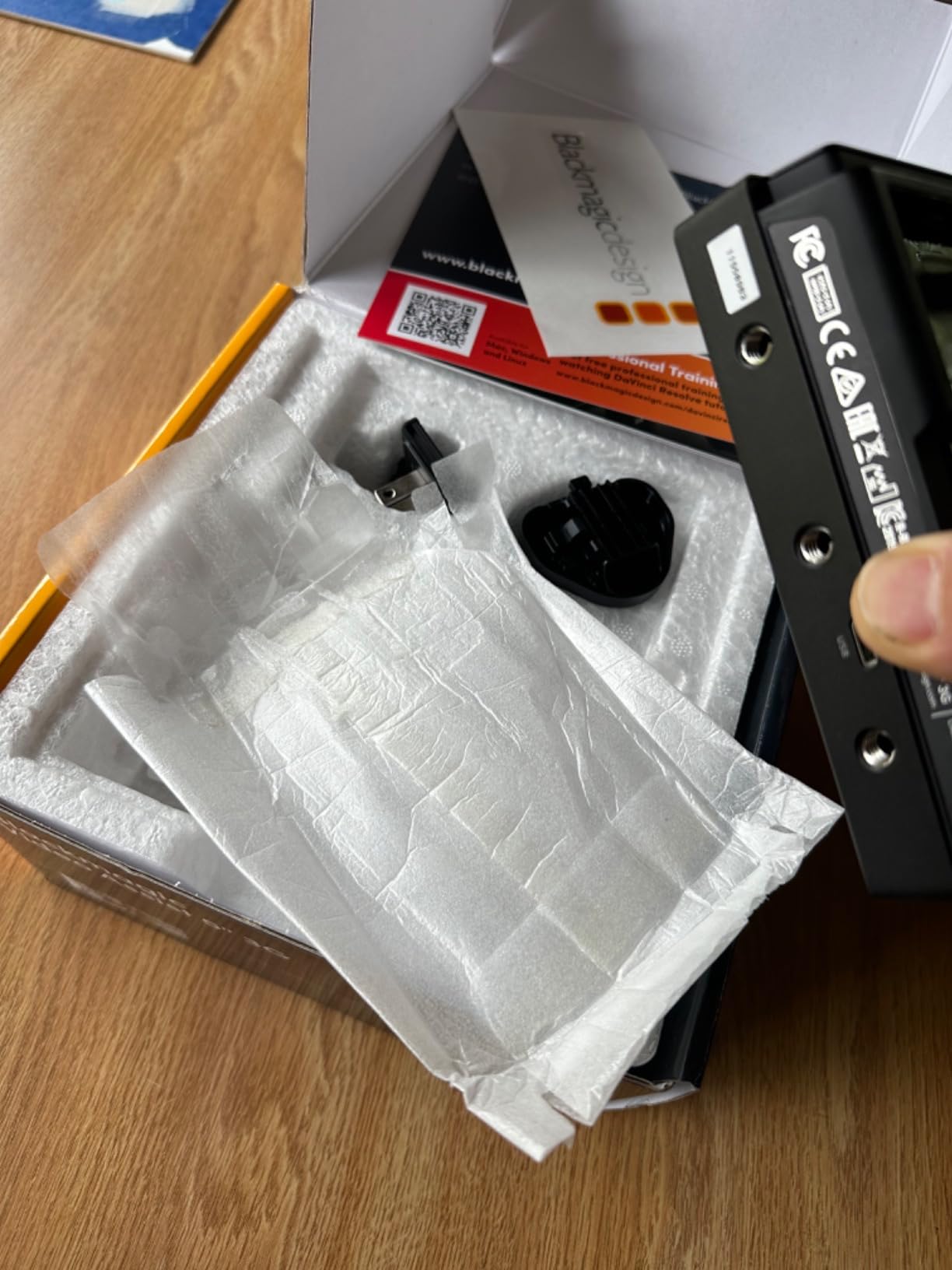
The recording functionality captures clean HDMI output to SD cards, which extends the utility of the S5 II for certain applications. While it does not add RAW recording like the 12G-SDI version, the compressed recording provides a backup or proxy workflow option.
Heat generation is a legitimate concern. During our extended testing sessions, the monitor became too hot to touch comfortably. Blackmagic acknowledges this as normal behavior, but we recommend building cooling breaks into your workflow during long event coverage.
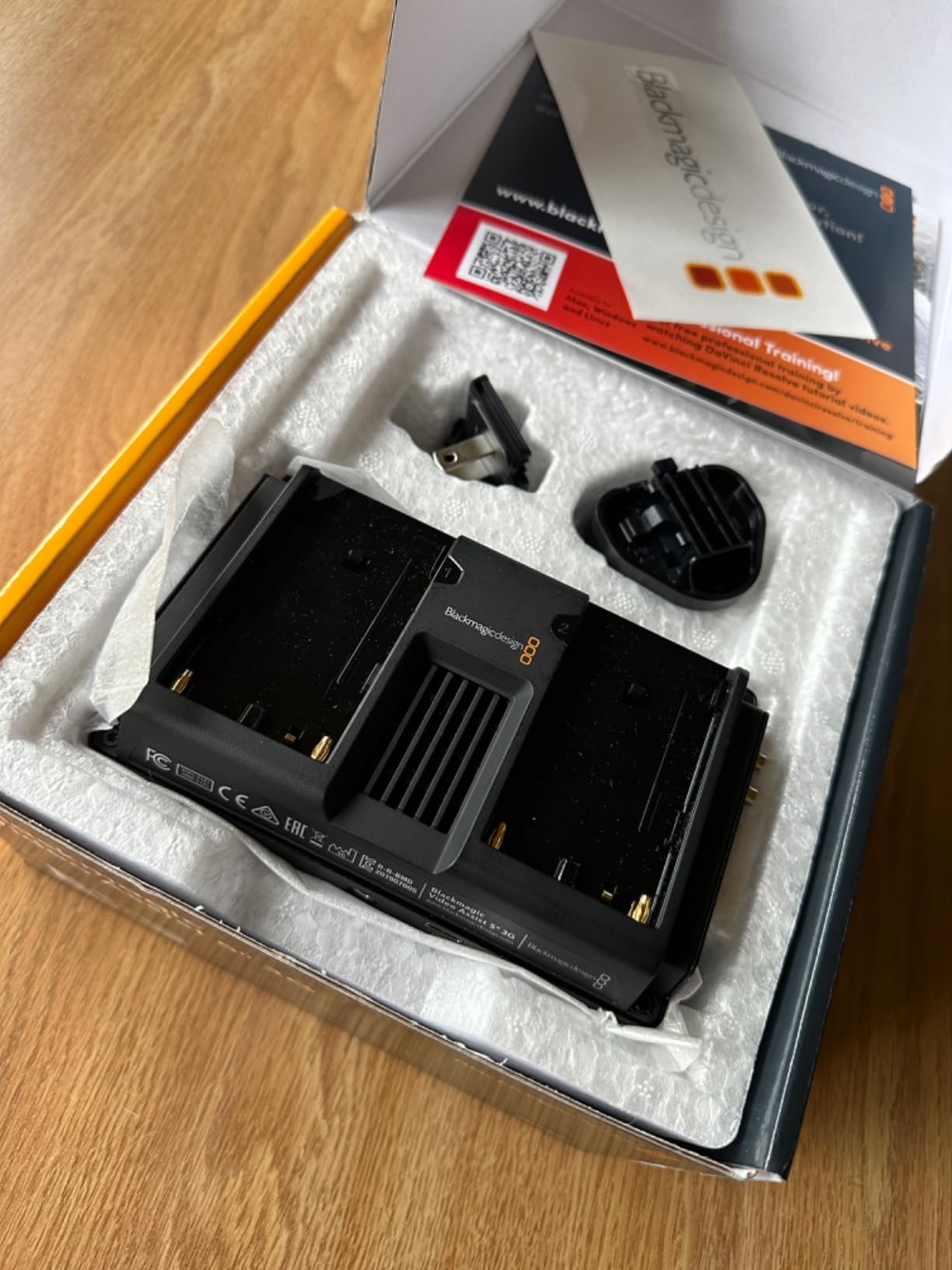
For general video production with the Panasonic S5 II, other monitors on this list serve most users better. However, if your work involves broadcast workflows, signal engineering, or live event production, the Video Assist 5 3G fills a specialized role effectively.
For broadcast and live event production
If you work in broadcast environments or cover live events, the signal analysis tools and recording capabilities add professional utility that general-purpose monitors lack.
For multi-camera ENG workflows
Electronic news gathering teams benefit from the compact recording and monitoring solution that integrates seamlessly with professional broadcast infrastructure.
8. Osee T5+ 5.5 Inch Camera Monitor
Pros
- Best value for money compared to monitors twice the price
- 1000 nits brightness excellent for outdoor use
- Comprehensive monitoring tools
- Lightweight at 15.8 ounces
Cons
- Plastic housing feels cheap but functional
- Joystick build quality could be better
- Slow switching between live view and image review
- Some units arrived with issues
The Osee T5+ earns our Budget Pick designation as the best value in this roundup. At $109.99, it undercuts every other monitor we tested while delivering professional-grade monitoring tools that satisfy demanding video production requirements.
With 413 reviews on Amazon and a 4.3 rating, this monitor has proven itself to thousands of users. Our testing confirms the positive feedback. The 1000 nit brightness handles outdoor work adequately, and the 5.5-inch size balances visibility with portability.
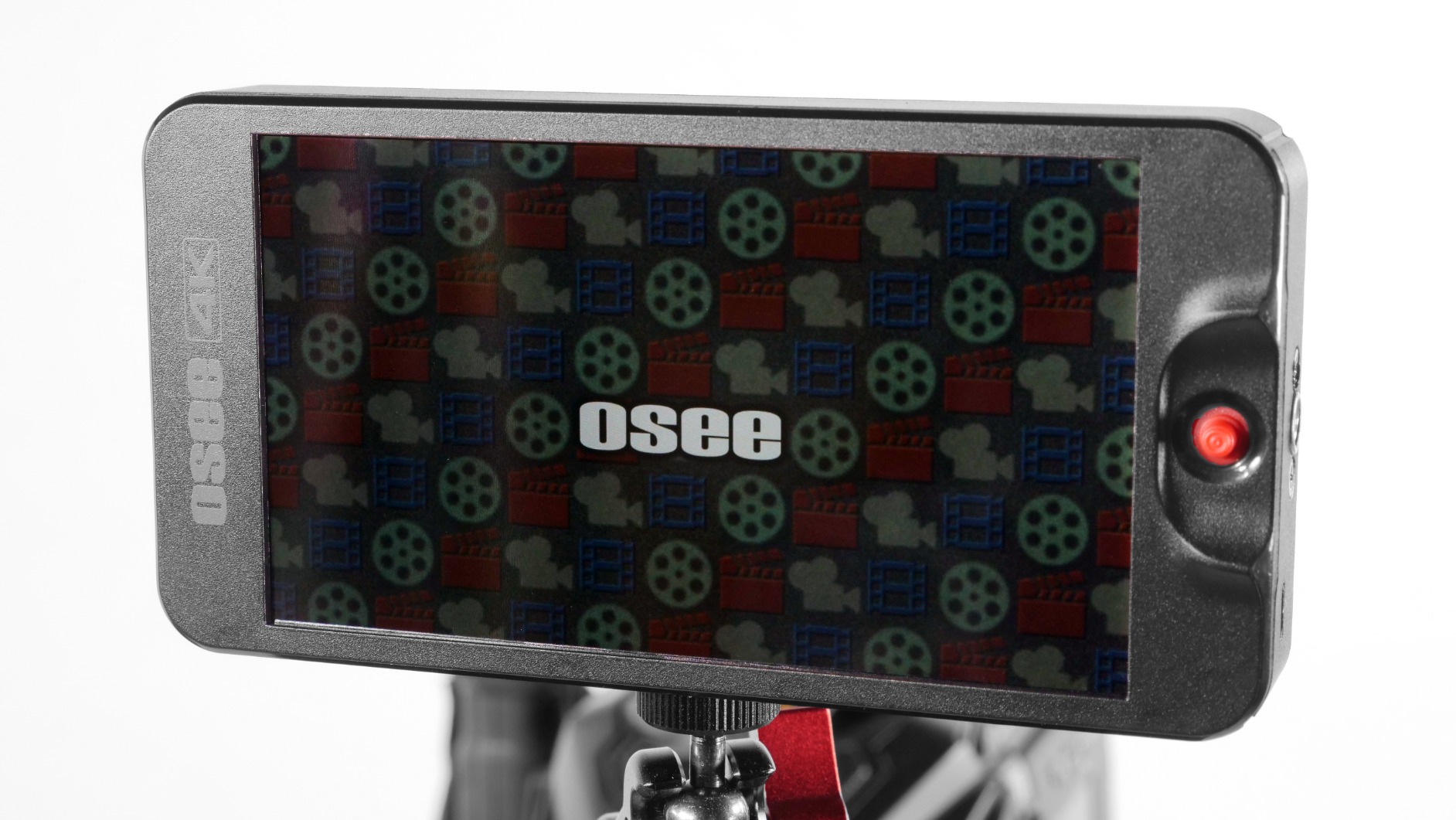
The advanced false color implementation impressed us during exposure monitoring tests. Osee allows customizable color spectrums, which means you can tune the display to match your specific Log curve or exposure preferences. This level of customization typically requires monitors costing significantly more.
The one-joystick operation takes time to learn but becomes intuitive after regular use. Eight MySets preset locations store your favorite configurations, allowing quick switching between different shooting scenarios or camera setups.
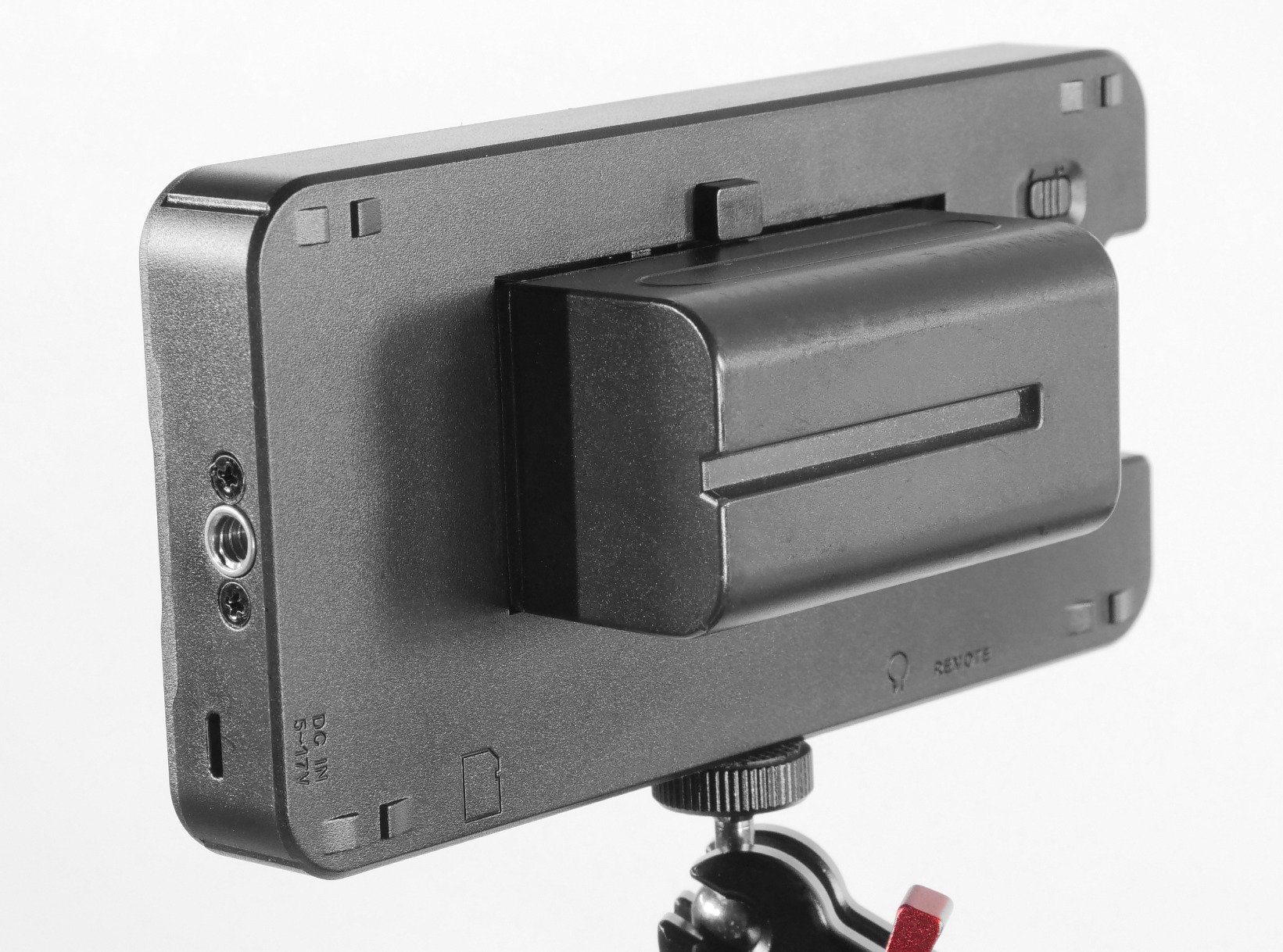
Build quality concerns are valid but overblown in our experience. Yes, the plastic housing lacks the premium feel of aluminum monitors, but it still withstands typical production handling. The joystick feels less substantial than expensive alternatives, but functionality remains intact.
For first-time external monitor buyers or professionals seeking a capable backup, the Osee T5+ delivers exceptional value. It provides nearly every monitoring tool that professional monitors offer at a fraction of the investment.
For students and beginners learning video
If you are learning video production, the T5+ provides access to professional monitoring tools without the investment required by premium brands. You can learn false color, waveform, and other tools without financial risk.
For budget-conscious professional workflows
Experienced videographers can deploy T5+ units as client monitors, backup units, or gimbal monitors without worrying about damage or theft that premium monitors would face in challenging production environments.
Buying Guide: How to Choose the Best External Monitor for Panasonic S5 II In 2026?
Selecting the right external monitor depends on your specific shooting style, budget, and production requirements. This guide breaks down the key factors to consider when making your decision.
Brightness Requirements for Outdoor Use
Brightness is measured in nits, and higher numbers mean better visibility in sunlight. For outdoor shooting, we recommend minimum 1200 nits, with 2000 nits or more being ideal for consistent visibility in direct sunlight without a sun hood.
Based on our testing, the NEEWER F700 with 2000 nits and the Blackmagic Video Assist 5 12G-SDI HDR with 2500 nits excel in bright conditions. Budget monitors at 1000 nits work outdoors but may require the sun hood or finding shade for critical assessment.
Screen Size: 5 Inch vs 7 Inch
The 5-inch monitor size dominates our recommendations because it balances visibility with portability. Smaller sizes work for gimbal work where weight matters, while larger 7-inch monitors provide better focus assessment at the cost of added weight.
For most Panasonic S5 II users, a 5 to 5.5-inch monitor represents the best compromise. The additional screen real estate helps with focus checking, but you maintain the ability to use your camera in various configurations without balance issues.
HDMI Connectivity and S5 II Compatibility
The Panasonic S5 II features a full-size HDMI output that supports 4K 60p. All monitors on our list include HDMI connectivity, making them compatible with the camera. The key difference lies in HDMI version and bandwidth.
For 4K 30p shooting, any HDMI monitor works fine. For 4K 60p, ensure your HDMI cables and monitor support the higher bandwidth. We recommend using high-speed HDMI cables rated for 18Gbps or higher to ensure stable 4K 60p signal transmission.
Recording Capabilities vs Monitoring-Only
External monitors fall into two categories: monitoring-only units like the Atomos Shinobi II, and recording monitors like the Blackmagic Video Assist series that can capture and improve your codec beyond what the S5 II records internally.
If you need better codec options than what the S5 II offers, the Blackmagic Video Assist 5 12G-SDI HDR provides RAW-like recording capabilities through HDMI. For pure monitoring and focus assistance, the Shinobi II or budget options like the Osee T5+ serve most users perfectly.
Battery Life and Power Options
Battery life determines how long you can shoot between power interruptions. Most field monitors use NP-F series batteries, and capacity varies by model and brightness settings. Higher brightness drains batteries faster.
The NEEWER F700 includes dual NP-F750 batteries providing over four hours of runtime per charge. The Atomos bundle also includes a substantial battery. Check battery requirements carefully, as some monitors ship without batteries or chargers.
Professional Features: LUT Support, False Color, Waveform
Professional monitoring tools help you achieve accurate exposure and focus. LUT support lets you preview Log footage with conversion applied. False color provides real-time exposure analysis. Waveform and vectorscope give you broadcast-grade measurement tools.
All monitors on our list include these features at varying quality levels. The Osee T5+ offers exceptional false color customization, while Blackmagic monitors provide the most comprehensive scope tools. For S5 II V-Log L shooting, LUT support is essential for meaningful preview.
Frequently Asked Questions
Do photographers use external monitors?
Yes, photographers use external monitors primarily when shooting video with mirrorless or DSLR cameras. The larger display helps with composition, focus verification, and exposure monitoring. While the Panasonic S5 II has a good built-in screen, external monitors provide better visibility in bright conditions and assist with critical focus for video work.
What is the resolution of the Lumix S5 II screen?
The Panasonic S5 II built-in screen is a 3-inch LCD with approximately 1.84 million dots resolution. This is adequate for basic review but can make critical focus assessment difficult, especially when shooting video at shallow depths of field. External monitors provide significantly higher resolution and larger viewing area for accurate focus and exposure judgment.
What is the difference between Panasonic S5 and S5 II?
The Panasonic S5 II represents a significant upgrade from the original S5. Key improvements include a new phase-detection autofocus system, improved video recording capabilities with ALL-I codec options, a more powerful processor, and better thermal management allowing longer recording times. The S5 II also features a full-size HDMI output that works reliably with external monitors, whereas the original S5 had some compatibility issues.
What is the best monitor for camera?
The best monitor depends on your specific needs and budget. For most Panasonic S5 II users, we recommend the Atomos Shinobi II Bundle for its excellent balance of features, brightness, and value. If budget is a primary concern, the Osee T5+ delivers professional features at an accessible price. For professional recording with HDR support, the Blackmagic Video Assist 5 12G-SDI HDR is unmatched.
Conclusion
Finding the best external monitors for Panasonic S5 II comes down to your specific needs and budget. The Atomos Shinobi II Advanced Bundle earns our overall recommendation for most users, combining excellent monitoring tools, 1500 nit brightness, and a comprehensive accessory package at a reasonable price point.
For outdoor shooters who need maximum brightness, the NEEWER F700 with 2000 nits delivers unmatched visibility without the premium price tag. Budget-conscious users will find exceptional value in the Osee T5+, which provides professional-grade tools at less than half the cost of premium alternatives.
Professional filmmakers who need recording capabilities and broadcast connectivity should consider the Blackmagic Video Assist 5 12G-SDI HDR, despite its higher cost and power consumption. The 2500 nit brightness and BRAW support justify the investment for serious production work.
Whatever monitor you choose, an external display will transform your Panasonic S5 II video workflow. Better focus accuracy, exposure control, and the ability to preview LUTs make external monitors essential for anyone serious about video production.