
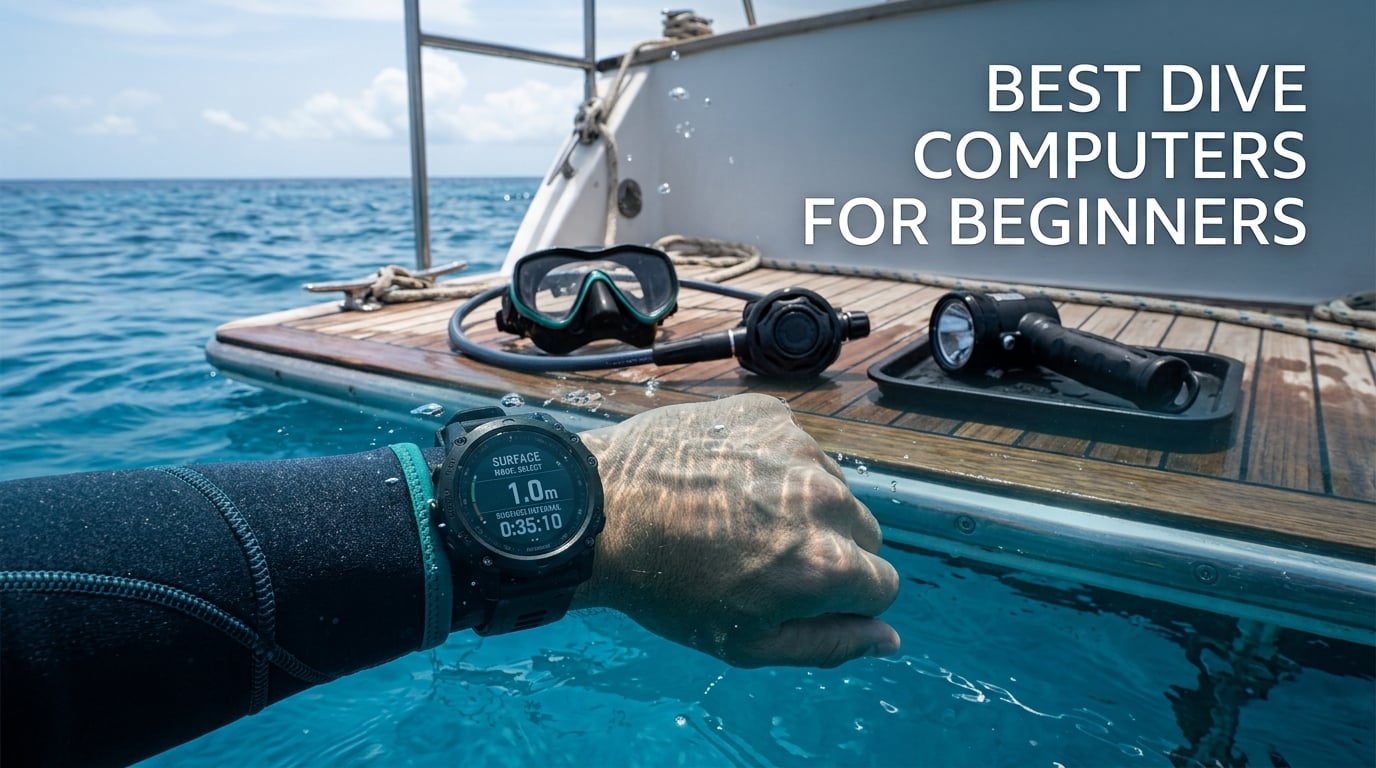
A dive computer is the least glamorous piece of kit a new diver buys, and the one they will stare at on every dive for the rest of their life. I have watched certification students fumble with dials and buttons at the boat ramp, then look up at 12 metres to check a number they should have known before they left the dock. The right unit removes that stress. The wrong one makes a beginner afraid of the water.
That is what this roundup is for. I compared ten of the most widely reviewed entry-level and mid-range computers available now, weighing the things that actually matter on a first dive: how readable the numbers are at depth, whether the buttons work with gloves on, how long the battery lasts between charges, and whether the menu makes sense before an instructor has explained it to you. Updated for 2026, the list covers everything from a simple segmented screen to a full colour GPS watch.
One note before we start. I shoot underwater, so I also carry a strobe, a housing light and a backup rig for every trip. If you are here for the photography side, my picks for dive lights for underwater photography and dive lights for underwater video cover the lighting side. A dive computer is the safety half of that equation, and it is the half you should buy first.
Which Dive Computer Is the Easiest for Beginners to Read?
The easiest dive computer for beginners to read is the Cressi Leonardo 2.0, because its 44 mm high-contrast display shows large numerals, it runs on a single button that works with gloves, and its menu is short enough to learn in a car park. The Shearwater Peregrine is the clearest at depth thanks to its large colour screen, and the Mares Puck Lite is the cheapest way to get a genuinely sharp 800-segment display. For most new recreational divers, display legibility beats every other feature.
Top 3 Picks for the Best Dive Computers for Beginners in 2026
These three cover the three decisions most people are actually making: buy the safe default, buy the best screen, or buy the crossover watch. Each one has enough capability that you will not be replacing it next season.

Cressi Leonardo 2.0
- 44 mm high-contrast LCD
- Air Nitrox and Gauge modes
- User-replaceable battery

Shearwater Peregrine
- 2.2 inch full colour LCD
- Two-button control
- Rechargeable with charging dock

Garmin Descent G2
- 1.2 inch AMOLED screen
- 10 ATM dive rating
- Multi-GNSS entry and exit marking
All 10 Best Dive Computers for Beginners in October
Every computer below is a real dive computer, not a surface GPS watch pretending to be one. Prices shift constantly, so use the buttons to check the current figure, and read the notes under the table before you commit.
| Product | Specifications | Action |
|---|---|---|
| Cressi Leonardo 2.0 |
|
Check Latest Price |
| Shearwater Peregrine |
|
Check Latest Price |
 Cressi Raffaello Cressi Raffaello |
|
Check Latest Price |
| Garmin Descent G2 |
|
Check Latest Price |
 Suunto D5 Suunto D5 |
|
Check Latest Price |
 Mares Puck 4 Mares Puck 4 |
|
Check Latest Price |
 Suunto D4i Novo Suunto D4i Novo |
|
Check Latest Price |
 Mares Puck Lite Mares Puck Lite |
|
Check Latest Price |
 SCUBAPRO Luna 2.0 SCUBAPRO Luna 2.0 |
|
Check Latest Price |
 Mares Quad 2 Mares Quad 2 |
|
Check Latest Price |
1. Cressi Leonardo 2.0 – The Safe Default for a First Course
Pros
- Large high-contrast numerals that read easily underwater
- Single button works with gloves
- User-replaceable battery
- Most-reviewed computer in this group at 3567 ratings
Cons
- Bulky case spins on smaller wrists
- Dim backlight
- No Bluetooth syncing or wireless tank pressure
This is the computer I end up recommending to almost every new diver who asks me to pick one for them. It carries a 4.2 rating across 3,567 reviews, which makes it the most examined budget computer in this list by a wide margin, and the owner reports follow a consistent pattern: clear display, reliable readings, good value, slightly oversized watch.
Readability is the headline. The 44 mm screen is large, the numerals are high-contrast, and the layout puts the three numbers you actually need, depth, dive time and remaining no-decompression time, in the same place every time. For a diver who has never run a decompression algorithm, that consistency matters more than any extra mode.
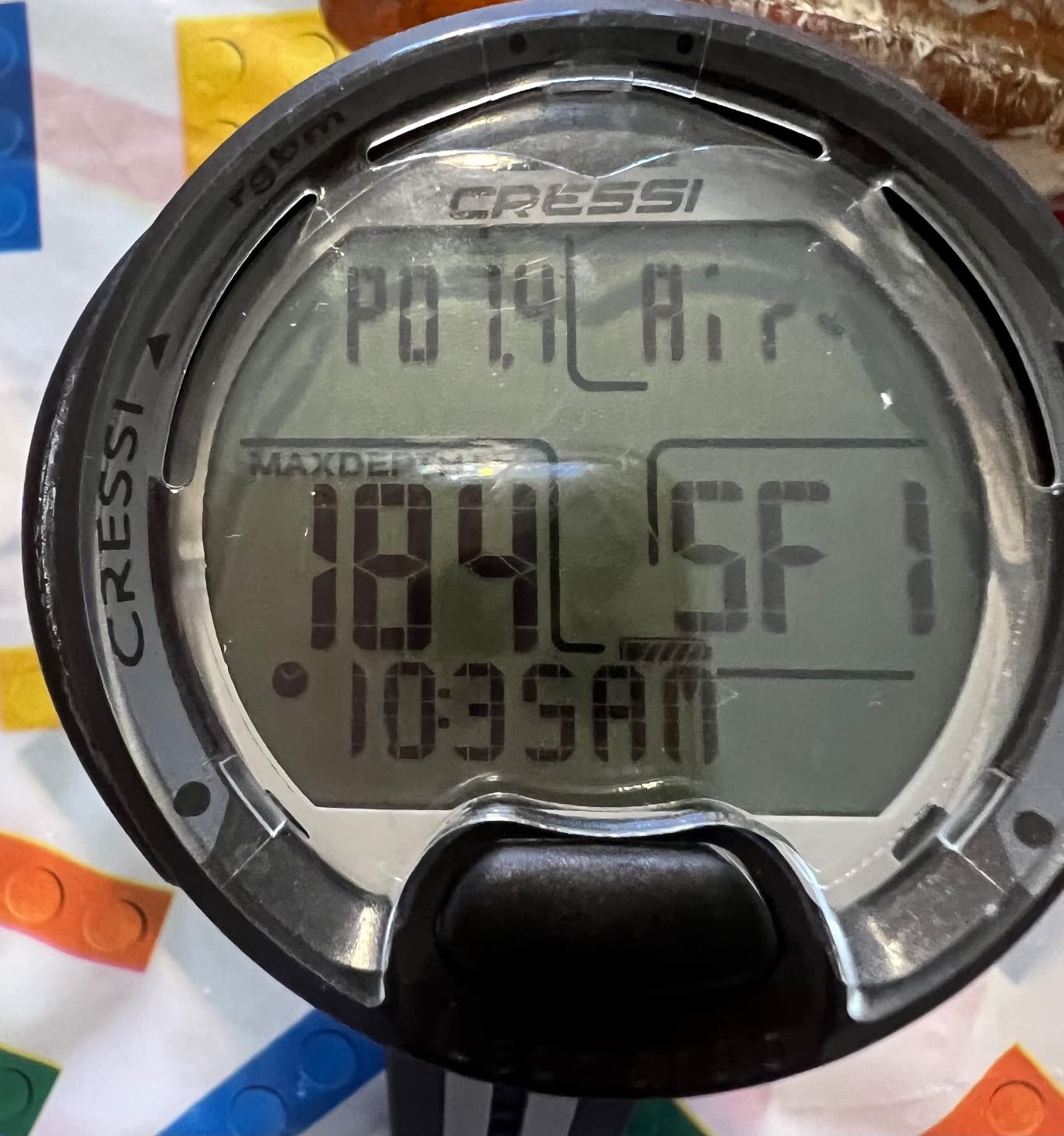
The control is a single button, which sounds like a limitation and turns out to be a kindness. You press and hold to scroll, press to confirm, and hold again to go back. There is no multi-button guessing while you are managing gas at depth. Divers report that it takes a couple of dives to fall into the rhythm, then it becomes automatic.
Battery is a user-replaceable cell rather than a sealed rechargeable pack, which is a real advantage for travel divers. No charger to lose, no downtime while the unit refills, and a spare cell weighs almost nothing. Water resistance is rated to 100 metres, which is well beyond recreational depth.
Why it works on a first certification dive
Open Water courses rarely go past 18 metres and rarely stay shallow for long. The Leonardo tracks your depth, time, ascent rate and safety stop countdown without you touching anything, and the audible alerts on a fast ascent are hard to miss even through a hood.
Nitrox is supported as standard, so if your operator puts you on enriched air you can set the oxygen percentage instead of diving it as plain air. The algorithm is conservative and predictable, which is exactly what you want before you have opinions about gradient factors.
Where it will annoy you
The case is genuinely large, and owners with smaller wrists report that it rotates during a descent unless you tighten the strap or tuck it under your sleeve. It is also a chunky watch to wear to dinner, and the backlight is dim enough that some divers read it in daylight only.
Data transfer is by USB and infrared only, so your logbook ends up on a desktop rather than your phone. If your motivation is a growing dive log you can study after each trip, that matters more than you expect right now.
2. Shearwater Peregrine – The Clearest Screen and the Best Battery
Pros
- Brightest and most legible display in this group
- Two-button operation is quick to learn
- About 30 hours per charge
- Accurate depth and decompression readings
Cons
- No air integration or compass on this model
- Screen scratches if the factory film stays on
- Higher price step than entry models
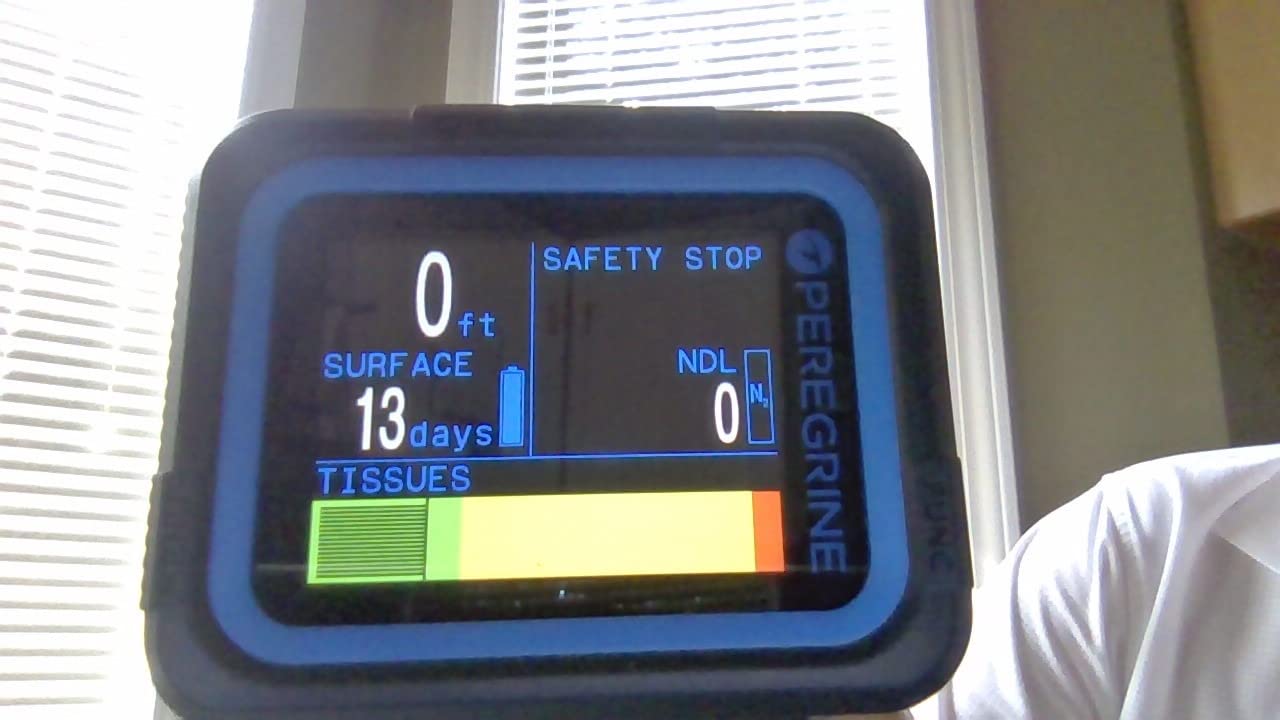
The Peregrine holds the highest rating in this roundup at 4.7 across 483 reviews, and the reason is simple: the screen. A 2.2 inch full colour LCD in a stainless steel case, bright enough to read at depth and in low light, with layouts you can rearrange so the numbers you care about sit at the top.
Controls are two buttons and a state-aware menu. The unit only shows you the options that make sense where you are in a dive, so there is far less to get wrong than a flat list of settings. Divers describe setup as quick and the learning curve as shorter than they expected from a computer this capable.
Battery life is the quiet hero. Shearwater states roughly 30 hours of dive time per charge at medium brightness, and owners report that a ten hour diving day barely moved the indicator. A USB wireless charging dock is included, so the pattern is: dock it on the night before you travel, forget about it.
It is rated to 120 metres, deeper than you will ever need in recreational diving, and Bluetooth syncs your log to the Shearwater Dive app on your phone. The desktop and mobile software is straightforward for reviewing profiles after a trip.
Why it is the one you can grow into
Beyond the recreational basics it offers NDL and decompression planning, customisable layouts and a serious colour screen. That means a diver who later adds deeper dives, more frequent multi-day trips or a planned course progression is not immediately outgrowing the hardware.
ScubaBoard posters repeatedly describe the Peregrine as the sweet spot: usable from day one by a beginner, capable of growing as the diver advances. That is a fair summary of what I found in the owner reviews too.
Where it will annoy you
There is no wireless air integration and no digital compass on this model, so if tank pressure or a compass matters to you, you are looking at a different unit or a different brand. It is also the priciest of the straightforward dive-only computers here.
One practical warning that owners repeat: apply the factory protective film immediately. The display surface scratches easily if it is left bare, and several reviewers only noticed after their first few trips.
3. Cressi Raffaello – A Big Screen and a Compass in One
Pros
- Large colour screen is easy to read at depth
- Built-in compass removes a separate instrument
- Apnea and gauge modes as well as scuba
- Blends well as a freediving watch
Cons
- Touchscreen is awkward with cold or gloved hands
- Menu navigation takes practice for a first-time owner
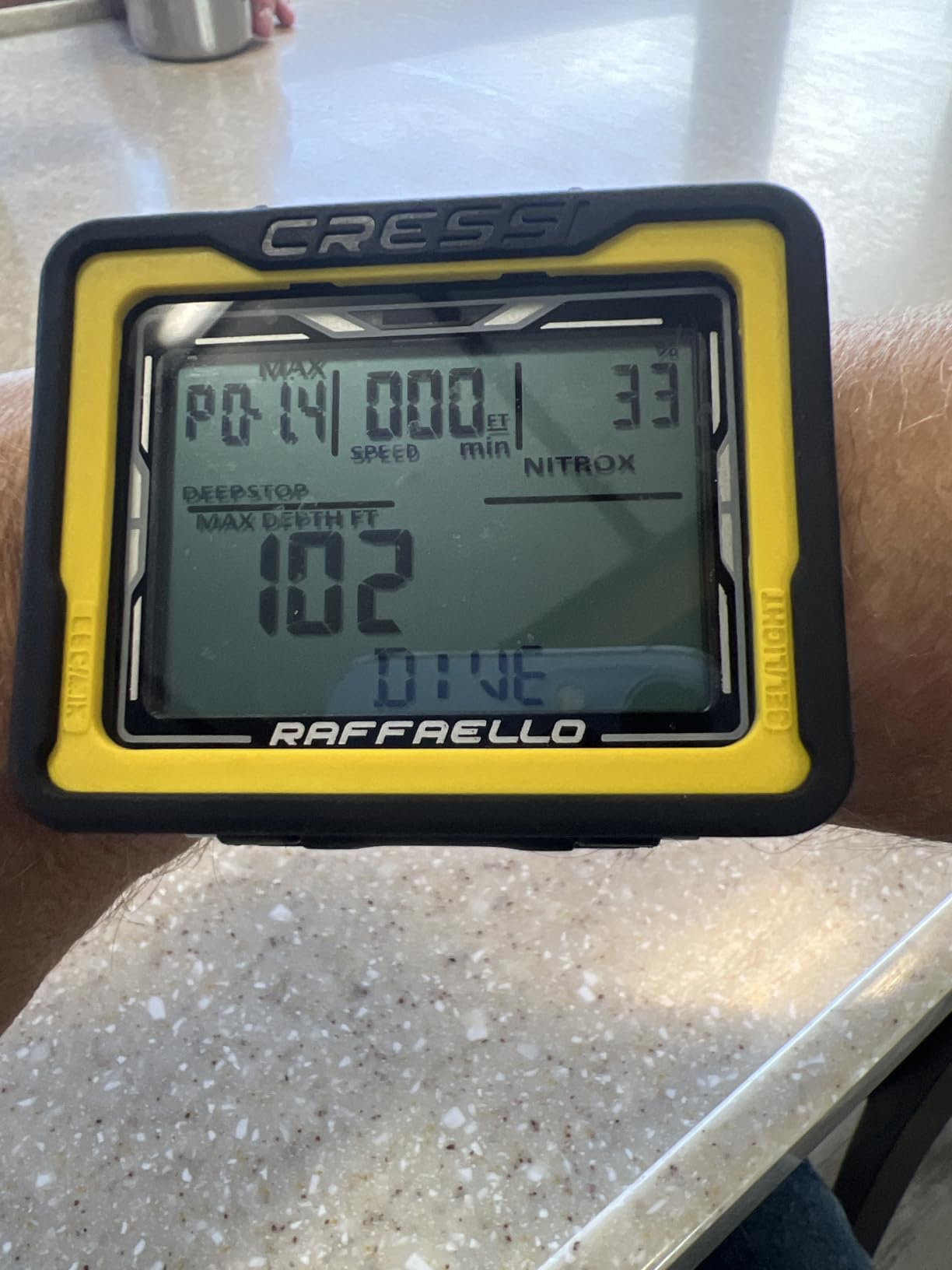
The Raffaello is the Cressi for a diver who wants more than the Leonardo without leaving the brand. It adds a big-screen colour display, a built-in digital compass and RGBM mixed-gas dive planning, and it holds a 4.5 rating from 221 reviews. The appeal is simple: fewer things strapped to your wrist.
For a beginner, having the compass built in is a bigger deal than it sounds. A wrist compass is one more thing to remember to put on, one more thing to lose, and a common item to leave in the rinse station. Reviewers like that the Raffaello removes that step.
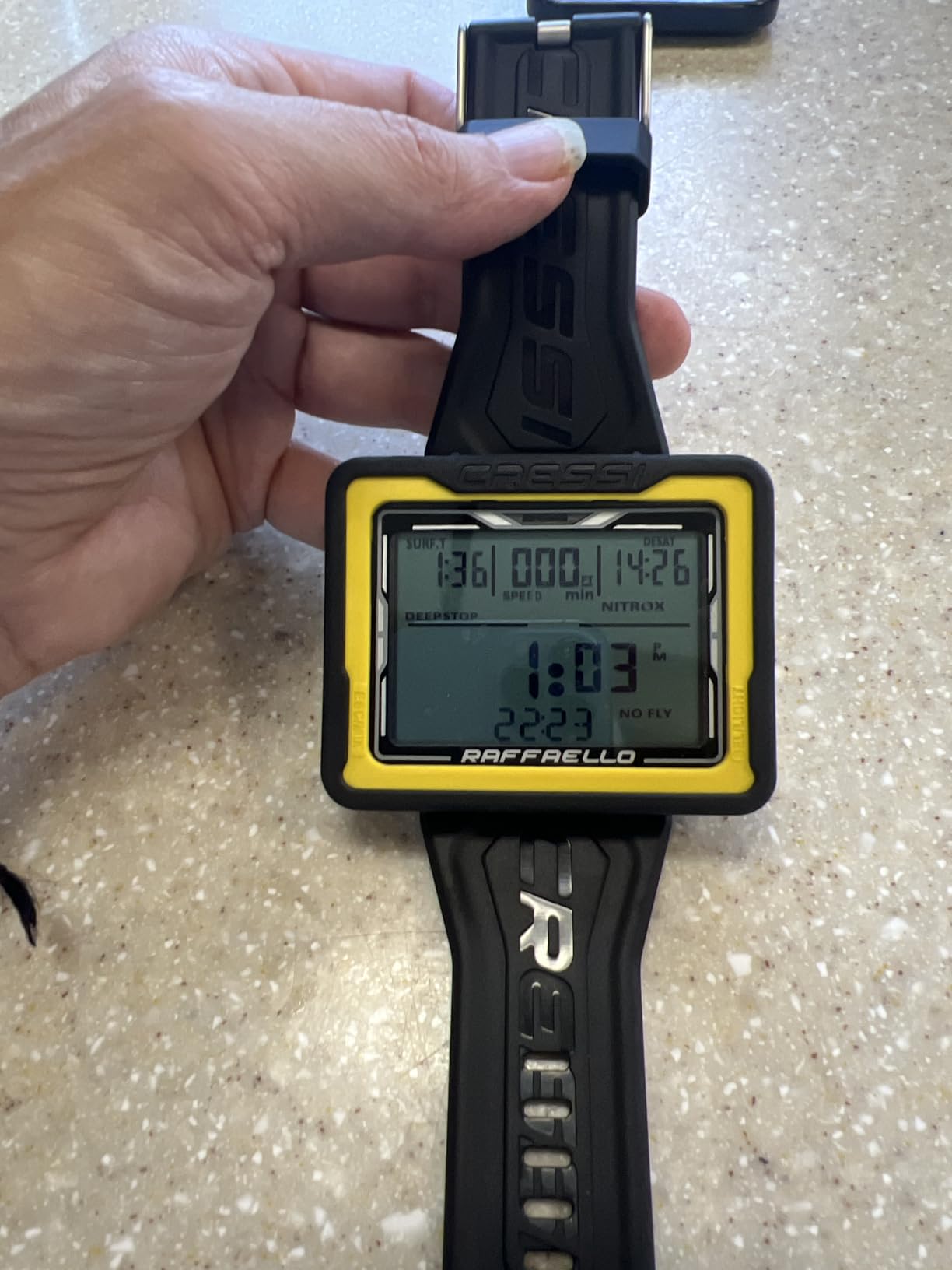
Mixed-gas planning means the computer is not limited to plain air and nitrox, so if you later move toward trimix or technical training the hardware is already there. Air, nitrox, gauge and apnea modes are all supported, and Bluetooth plus USB transfer your log to a phone or computer.
Oxygen indicators and ascent speed alarms are handled on the face, and a 2-year limited warranty covers the electronics. It also works as a freediving watch, which is handy if your buddy is an apnea diver and you are not.
Why it suits divers who like walking
On a dive where you are away from the boat, a working compass with a clear bearing readout is genuinely useful rather than decorative. Combine that with a large screen and you have a computer that supports a whole morning of the survey work many recreational divers do without a guide.
Bluetooth log transfer also means your profiles land on a phone after the dive, which makes it easier to build the habit of reviewing your own numbers early.
Where it will annoy you
The interface is a touchscreen, and reviewers are blunt about the limits of that underwater. Cold hands and thick gloves are exactly the conditions where a touch panel stops responding, so this is not the computer I would take on a northern trip in a full suit.
Menus also take practice. If your instinct is to grab something and start pressing, budget an afternoon with the manual before your first dive rather than working it out at the surface.
4. Garmin Descent G2 – The Crossover for Divers Who Also Run and Cycle
Pros
- Exceptionally bright and readable underwater
- Covers recreational through technical and freediving
- GPS entry and exit marking
- Notifications Garmin Pay and health tracking
Cons
- Most expensive option in this roundup
- Dive menus run deeper than a dive-only computer
If you already own a multisport watch, the Descent G2 is the least disruptive upgrade in diving. It carries a 4.6 rating from 121 reviews, a 1.2 inch AMOLED display under a sapphire lens, and a 10 ATM dive rating. That screen is the brightest thing in this list, and readability is the feature that decides most beginner purchases.
Where other dive computers stop at a logbook, Garmin adds multi-GNSS positioning that marks your entry and exit point at the surface. On a quarry, a lake with a boat ramp, or a shore entry you have never dived before, that is a practical safety feature rather than a gimmick.
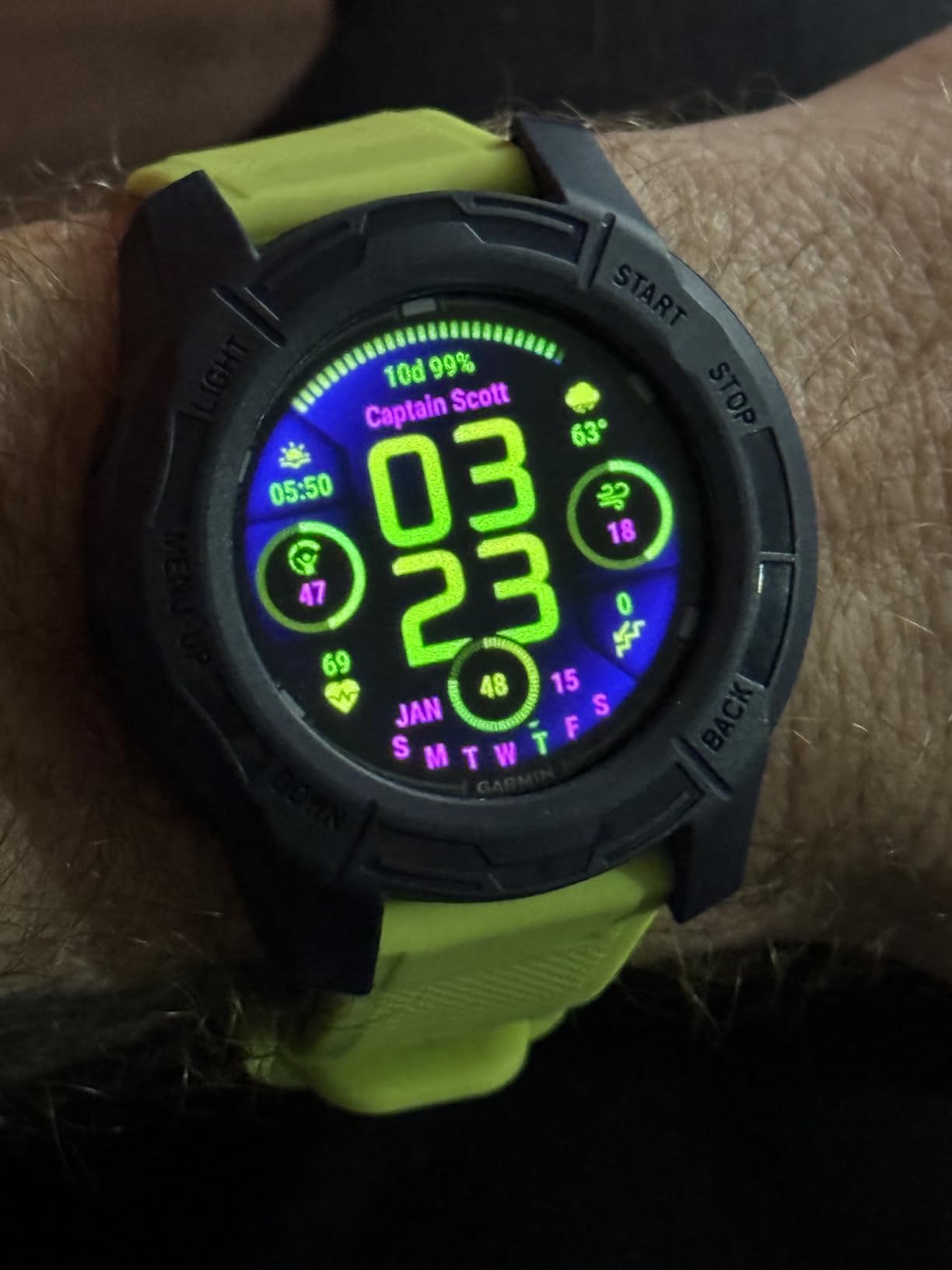
The mode coverage is the real strength. Recreational, advanced, technical, freediving and pool apnea are all supported, so the watch does not need replacing when your course progression or your buddy group changes. Owners also rate the training metrics highly, including dive readiness, VO2 max, stress and sleep data.
Battery is a 27 hour dive mode figure, with up to 10 days as a smartwatch. The 22 mm silicone band is rated to fit 128 to 224 mm wrists, which is a wider range than most dedicated dive watches offer.
Why it earns a place for a first-timer
A beginner who is already a runner, swimmer or cyclist keeps one device instead of two, and the dive function is a mode rather than a separate product. That habit matters: divers who do not wear their computer do not read it.
The sapphire lens is also the tougher option. On a boat deck and in a rinse station, a sapphire-covered screen tolerates a lot more than a bare plastic or glass face.
Where it will annoy you
It is the most expensive computer in this roundup, and the least focused purely on diving. Dive settings sit several menus deep compared with a dedicated dive-only unit, which means more time in a settings tree before your first dive.
Owners on forums also raise battery planning as a discipline problem rather than a hardware one. Charging it the night before a weekend of diving is a habit you have to build, and forgetting is the way to miss the start of a trip.
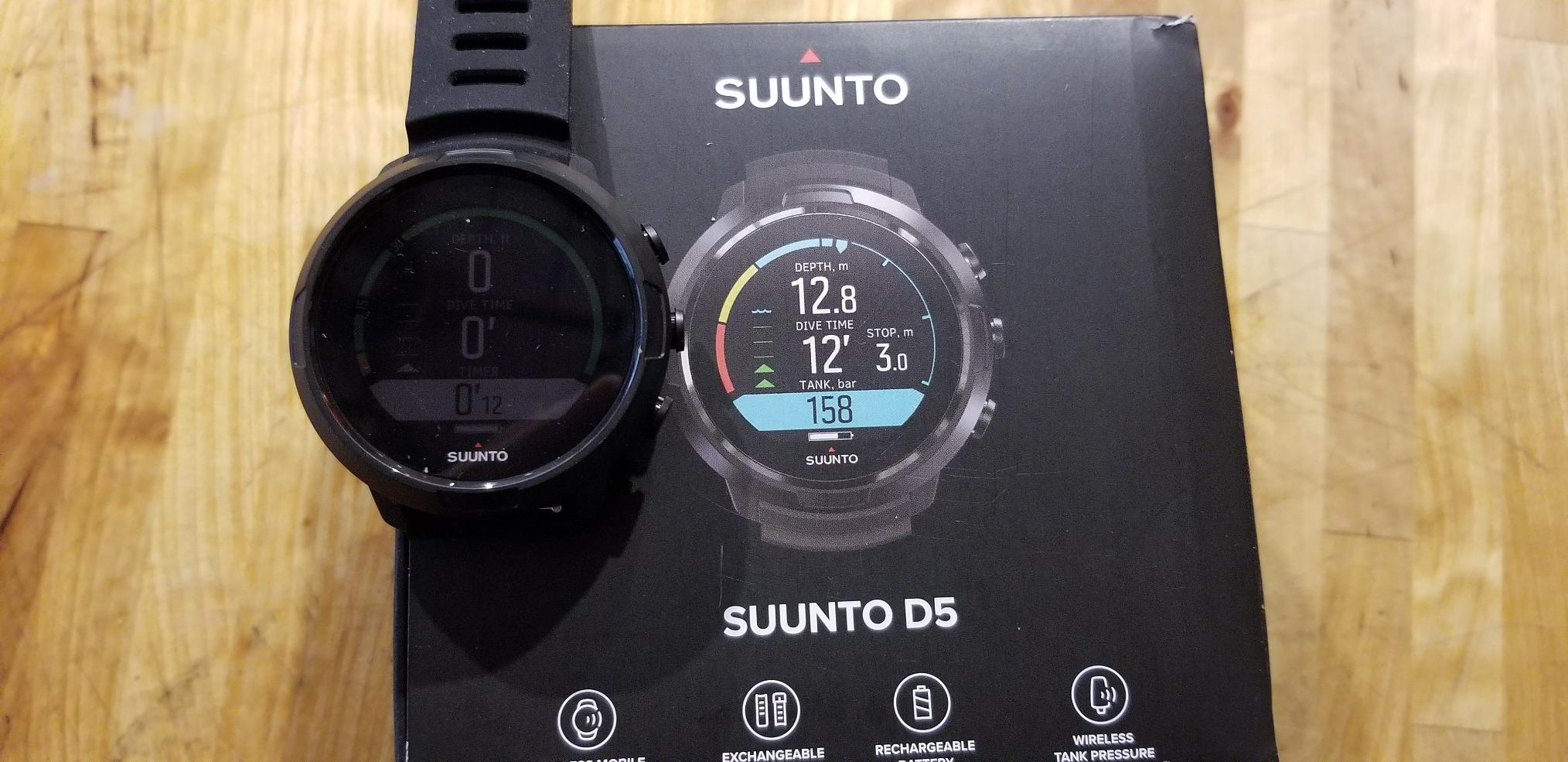
5. Suunto D5 – Best Value Once You Want Tank Pressure
Pros
- Bright colour display reads well on late dives
- Lightweight and comfortable on smaller wrists
- Three-button menu that new users learn fast
- Wireless air integration with remaining gas calculation
Cons
- Rechargeable battery is the weak point
- Only two preloaded display layouts
- Dim brightness at the lowest setting
The D5 is how you get tank pressure on your wrist without moving up a tier. It pairs a bright full colour display with wireless tank pressure support through a separately sold Suunto Smart Sensor, a digital compass and vibration alarms that you feel rather than hear. It holds a 4.2 rating from 119 reviews.
Air integration is the feature that divides beginners and veterans. On a recreational dive inside your no-decompression limit, remaining gas is information you do not strictly need, because you surface with gas in hand. Where it earns its place is a deep dive that pushes your limits, or any dive with a long ascent planned.

The three-button interface and the menu structure come in for consistent praise. Owners describe it as intuitive for a first computer, and the buttons are not buried in layers. Vibration alarms are a genuine benefit when you have a hood on and no way to hear a beeper.
Freedive modes are included alongside scuba, so the same watch works for surface intervals between dives. Wireless mobile connectivity handles log transfer, and the unit is rated to 100 metres.
Why it is worth the step up for a growing diver
The moment you plan a dive that takes you near your no-decompression limit, knowing how much gas is left becomes a planning tool rather than a luxury. Several owners describe the gas calculation as accurate enough to plan a second stage on the same tank.
The compass adds a second reason to keep the watch on. A digital bearing readout and a 100 metre rating cover the common case where a current has moved the boat while you were under.
Where it will annoy you
Battery endurance is the dominant complaint. Several owners report roughly four usable hours of diving before the low-battery banner takes over the display, and Suunto states up to 12 hours of dive time per charge. On a three-dive day that is a charging problem you have to plan for.
The display also needs customising. Only two layouts ship preloaded, so the first thing to do is strip fields off the screen until the essentials are large and clear.
6. Mares Puck 4 – More Computer Than the Price Suggests
Mares Puck 4 Wrist Dive Computer | Entry-Level Watch-Style One Button Control Underwater Scuba Diving Computer, Black/Aqua
Pros
- More capability than most entry models
- Chip-on-glass screen stays readable underwater
- Single button works with gloves
- Bluetooth transfers logs to the Mares app
Cons
- One-button workflow takes a few dives
- Gradient factors capped at 85 percent
- Surface interval entry in plan mode is fiddly
The Puck 4 sits in the awkward middle where budget models used to give up. A 4.2 rating from 67 reviews, a Buhlmann ZH-L16C algorithm with adjustable gradient factors, support for up to three gases, a decompression planner and a 100-dive logbook, all behind a single button. Very little else at this price level does that much.
The chip-on-glass segment display is the surprise. Segment displays are usually the cheap compromise, but bonded glass on this one produces a sharp, readable screen that divers single out as better than expected, particularly in poor conditions where a colour screen often washes out.
Bluetooth integration is included, which is rare at this level, and the strap can be removed to fit a Mares Mission console if you ever move to one. Multigas support means you can carry a back-up bottle without buying new hardware.
Why it suits a diver who plans ahead
Supporting three gases is more than a beginner needs on day one, but it means the computer does not become the reason you buy something else later. A diver who picks up deco or back-up bottle work can switch the Puck 4 into multigas instead of changing computers.
The logbook stores 100 dives with profiles, and the app transfer means your history is viewable on a phone. For divers who want to look at their own tissue loading over time, that is worth having from the start.
Where it will annoy you
One-button operation still takes a few dives to get comfortable with, and it is slower than a two-button unit when you are changing settings at the surface. Plan an unhurried setup session rather than fumbling at the dock.
The gradient factor cap is the honest limitation. Custom factors are limited to a maximum of 85 percent, so this computer cannot be pressed into service as an emergency ascent computer in the way a recreational-only unit cannot either. Leave the settings alone and it is a fine choice.
7. Suunto D4i Novo – Small, Accurate and Easy to Live With
Pros
- Accurate readings for everyday recreational diving
- Much smaller than most wrist dive computers
- Very easy to use once you read the guide
- Works well as a freediving watch too
Cons
- Dim backlight that is hard to activate
- Limited screen contrast at maximum setting
- Battery degrades after a couple of years
The D4i Novo is the Suunto for people who find most dive computers too big. The composite case is noticeably smaller and lighter than a wrist unit with a large case, and owners consistently call it comfortable for all-day wear. It holds a 4.1 rating from 32 reviews, the smallest sample here, so treat the consensus with normal caution.
What you get is well judged for a compact unit: accurate recreational diving, air, nitrox, freedive and gauge modes, graphical dive logs, and support for a separately sold wireless tank pressure transmitter. USB connectivity is included, and activity and sleep tracking work as a watch.
Why it suits cold hands and small wrists
Size is the whole argument. Over a thick wetsuit sleeve, a smaller computer sits closer to the hand where you can read it and reach the buttons, and it does not rotate when you reach for a light or a stage bottle.
Because the watch also functions as an everyday watch, this is one of the easier units to make a habit of. Diver after diver on forums stresses that the computer you actually wear is the one that helps you.
Where it will annoy you
The backlight is the headline weakness. Owners describe a dim backlight that is difficult to activate and limited contrast even at maximum, which is a real drawback on night dives or in a dark inlet.
Second, the rechargeable battery is reported to lose condition after the first couple of years, which is a predictable consequence of a sealed pack in a salt-water environment. Some divers also find it heavier than expected for a compact unit.
8. Mares Puck Lite – The Cheapest Way to Get a Sharp Display
Pros
- Crystal clear 800-segment display
- Buhlmann ZH-L16C with gradient factors
- Single button works with gloves
- Replaceable battery rated for about 100 dives
Cons
- No wireless tank pressure support
- Bluetooth limited to syncing and firmware
- Thin long-term reliability data from owners
The Puck Lite is my pick when the budget is the deciding factor and readability is non-negotiable. An 800-segment chip-on-glass display, a Buhlmann ZH-L16C algorithm, nitrox from 21 to 50 percent and a 100-dive logbook with profiles. It rates 4.3 from 29 reviews, so the sample is small, but the display claim is consistent across them.
Segment displays are usually where manufacturers economise. This one is not the weak point. Owners call it crystal clear and readable in varied conditions, and the single button is glove friendly, which matters more than it sounds on a cold morning.
The battery is user replaceable and rated for roughly 100 dives, so it should carry you through a full season and then some before you need to think about it. Bluetooth handles firmware updates and log syncing through the Mares and SSI apps.
Why it is a genuine first computer, not a token one
There is no feature here that a new recreational diver will never reach: nitrox to 50 percent, a real algorithm, gradient factor control, a logbook with profiles and an app. The price is the reason to buy it, not a lack of substance.
It also suits divers who are certain that diving will stay a once-a-year holiday activity. There is very little to amortise here, and nothing about the model that punishes infrequent use.
Where it will annoy you
There is no wireless tank pressure, and Bluetooth is for firmware and syncing rather than live data. If your plan involves deeper dives where remaining gas becomes a planning tool, look at an air-integrated unit instead.
The honest caveat is evidence. With 29 ratings, we have less long-term reliability data than we would like for something we expect to trust at depth. A Facebook group thread about a budget puck computer failing to corrosion on a honeymoon dive is a reminder to rinse and dry whatever you buy.
9. SCUBAPRO Luna 2.0 – Air Integration in a Thin, Comfortable Case
SCUBAPRO Luna 2.0 Air Integrated (AI) Wrist Scuba Dive Computer with Bluetooth®, Includes Case and Silicone Arm Strap
Pros
- Simple two-button setup and operation
- Large characters easy to read in the water
- Wireless air integration with remaining bottom time
- Thin housing wears comfortably
Cons
- LED backlight is weak for a daytime-readable screen
- Monochrome less legible in the dark
- A few buyers felt the price step was high
The Luna 2.0 is interesting because it puts air integration, a thin profile and two-button simplicity into one package. It rates 4.3 from 21 reviews, a small sample, and it ships with a protective case, a silicone arm strap and a read-first manual. Owners consistently mention how quick setup was.
The housing is a thin, low-profile oil-filled thermoplastic unit, which is the reason it wears comfortably. Thin matters over a wetsuit sleeve and for anyone who plans to keep the computer on between dives rather than tearing it off at the surface.
Wireless air integration gives tank pressure and a true remaining bottom time calculation, and you can pick between Buhlmann ZH-L16 ADT PMG and the gradient factor version of the same algorithm. Bluetooth handles log and firmware, and the warranty runs two years.
Why it is worth a close look at the mid tier
Getting remaining bottom time at this point in the range is unusual. For a diver running deep repetitive profiles, that turns the watch from a passive display into a planning tool, and it is the feature most likely to keep you using it as your skills develop.
A protective case in the box is a small, sensible inclusion for a wrist unit that lives in a rinse tank between dives and gets knocked around on boat decks.
Where it will annoy you
The backlight is the recurring complaint. Owners like the daytime readability of the wide high-contrast screen but describe the LED backlight as weak by comparison, which matters on night dives and in caves or wrecks.
It is a monochrome monitor display, so dark conditions are less forgiving than a colour unit. A small number of buyers also felt the screen quality did not justify the step up in cost.
10. Mares Quad 2 – Four Buttons and Trimix Modes for Long-Term Growth
Mares Quad 2 Smart Wrist Underwater Scuba Dive Computer | Depth, Decompression, Time Display, Aqua
Pros
- Clear display readable in poor conditions
- Well structured four-button menu
- Glove friendly buttons
- Free Bluetooth app syncing with no extra cost
Cons
- Not air integrated
- CR2430 cell to carry as a spare
- Some computers arrived with previous dives in the log
The Quad 2 is the one to buy if you are convinced you will be diving in five years and want something that grows with you. A 4.2 rating from 21 reviews, a Buhlmann ZH-L16C algorithm with personalisable gradient factors, and air, nitrox, trimix and bottom timer modes, which is the widest mode range in this roundup.
Four buttons is a genuine advantage once you are moving quickly. Owners like that the menu is well structured and easy to understand, and that the buttons still work with diving gloves on. A single-button unit asks you to hold and press at the same time; this one does not.
It also adds TTR, meaning time to reserve, plus a decompression planner with adjustable surface intervals, so you can model repetitive multi-day diving before you get on the boat. Bluetooth syncing is integrated at no extra cost, and the logbook holds up to 100 hours of profiles.
Why four buttons matter more than it sounds
Button count is not a status symbol. It is about how reliably you can change a setting in cold water, in gloves, at the surface with a boat engine running. Fewer gestures means fewer mistakes, and a mistap on an ascent-rate or oxygen setting is exactly the kind of error beginners are warned about on forums.
Trimix and bottom timer modes are future-facing. If you are not planning that kind of diving now, they cost you nothing to have and save you a computer later.
Where it will annoy you
It is not air integrated, so tank pressure is not measured. If your dives will approach your limits, factor that into your choice.
It runs on a CR2430 cell, so you carry a spare. That is a small inconvenience, and a fair trade for a sealed-battery-free design. A few buyers also reported computers arriving with previous dives in the log or incomplete packaging, so check the logbook and the box on arrival.
How to Choose a Beginner Dive Computer
Buy once and grow into it, or buy cheap and upgrade later?
This is the live debate on every dive forum, and the honest answer depends on how often you dive. If you expect two or three dives a year, buy something straightforward like the Cressi Leonardo 2.0 or the Mares Puck Lite. You will not amortise anything more expensive, and a simple computer that you fully understand is safer than an advanced one you are afraid of.
If you can already see yourself doing 20 or more dives a year, or you are taking technical or extended course work, buy upwards. The Shearwater Peregrine is the case forum users make most often: perfectly usable by a beginner and capable of growing as you advance. The Mares Quad 2 and Cressi Raffaello do similar jobs with four buttons and a compass.
One more angle worth weighing: resale. Divers consistently note that Shearwater holds its value while entry-level computers have close to none. If there is a chance you will sell, that difference is real money in your pocket later. If you want the wider picture on more capable units, my review of the best dive computers for scuba divers covers the step-up models in more depth.
The five things that actually matter
1. A high-contrast display you can read at depth. Test it if you can. Big numerals beat colour, and a screen that works in daylight without the backlight is worth more than a bright panel you need to squint at.
2. Buttons you can operate with gloves. Single-button models are simpler to learn, four-button models are faster to use. Both work. A touchscreen in cold water is the one to avoid.
3. A battery you can live with. A user-replaceable cell means no charger anxiety. A rechargeable unit is fine if the stated dive hours exceed your longest day, and you charge it before every trip.
4. Nitrox support. Even if you dive air, the ability to set an oxygen percentage removes the most common source of beginner error on a charter boat.
5. A comfortable fit over a wetsuit. Check the wrist size range, and check the case thickness over a sleeve. A computer that spins or that you have to pull your arm out of your gear to read is a computer you will stop wearing.
What can wait until you have earned it
Wireless air integration, multi-gas support, trimix planning, GPS and smartwatch notifications are all real features, and all of them are optional for a recreational diver inside your limits. The forum consensus is blunt that beginners overbuy, and the cheapest computer you will actually use beats the most capable one sitting in a drawer.
The one feature we would leave alone entirely is gradient factors. A Buhlmann ZHL-16C model lets you adjust them, and instructors report beginners changing settings they do not understand. Run the default conservative profile until you have the training to justify anything else.
Dive computer or smartwatch?
A modern smartwatch handles recreational depth and timing well and adds notifications, payments and health data. What a dedicated dive computer adds is redundancy: a second, dive-specific instrument with its own battery and its own algorithm, plus modes such as freediving, bottom timer and mixed gas. If you already wear a watch that is approved for diving, a dedicated computer as a second unit is the safer combination. Many divers carry two computers and use the cheap one as a backup.
Your pre-dive setup checklist
1. Set the date, time and time zone. A wrong clock corrupts every log you keep.
2. Check the battery. On a user-replaceable model, confirm the cell is seated and fresh. On a rechargeable, charge it the night before you travel rather than in the car park.
3. Set the oxygen percentage to match the tank label. If you are diving air, confirm the computer reads 21 percent. This is the single most repeated beginner error on forums, and it matters more than any other setting.
4. Confirm the dive mode. Air, nitrox, gauge and freedive are not interchangeable, and gauge mode will not calculate a no-decompression limit.
5. Adjust the date, time zone and altitude if you are diving at altitude.
6. Check the personal code, and set it to something you will remember, so nobody else surfaces your history.
7. Do a pool or shallow checkout dive. Verify the depth reading against a known gauge, watch the ascent rate alarm, and time a safety stop with your dive computer as the reference.
8. Rinse in fresh water, soak, and let it air dry out of the sun before you pack it away.
A final safety note. A dive computer supplements training, dive tables and your instructor’s judgement. It never replaces them. If a number on the wrist disagrees with your training, stop, sort it out at the surface, and follow the conservative answer.
Frequently Asked Questions
Which dive computer is the easiest for beginners to read?
The Cressi Leonardo 2.0 is the easiest to read for most beginners, thanks to a 44 mm high-contrast display with large numerals and a short, predictable layout. The Shearwater Peregrine is the clearest overall thanks to its 2.2 inch full colour screen, and the Mares Puck Lite is the cheapest option with a genuinely sharp 800-segment display. Whichever you pick, test readability at depth before you rely on it.
What is the best simple dive computer for beginners?
The best simple dive computer for beginners is one with few buttons, a high-contrast display, nitrox support and a battery you can live with. The Cressi Leonardo 2.0, the Mares Puck Lite and the Suunto D4i Novo all fit that brief. Simplicity matters more than feature count in the first season, because a computer you fully understand is a computer you will trust.
Do I need a dive computer as a beginner diver?
Yes. A dive computer tracks depth, dive time, no-decompression limit, ascent rate and required safety stops continuously, which paper tables cannot do on a multi-level dive. Most operators and agencies now expect one on every dive. It supplements your training and your instructor’s judgement, and never replaces either.
Should beginners buy an expensive dive computer?
Usually not, unless you already dive 20 or more times a year. If you dive a handful of times, a simple unit such as the Cressi Leonardo 2.0 or the Mares Puck Lite is the sensible buy. If you can see yourself progressing quickly, the Shearwater Peregrine is the most commonly recommended grow-into-it option, and it also holds its value on the used market better than entry models.
Can I use a smartwatch instead of a dive computer?
A dive-approved smartwatch handles recreational depth, timing and no-decompression limits competently, and adds notifications and health data. A dedicated dive computer offers modes such as freediving, bottom timer and mixed gas, a far longer battery in dive mode, and acts as a second independent instrument. If you already own a dive-rated watch, a dedicated computer as a backup is a safer combination than going without one.
Conclusion: The Best Dive Computers for Beginners in 2026
After working through ten of the most-reviewed computers on the market, the Cressi Leonardo 2.0 remains my default recommendation in the best dive computers for beginners roundup. It has the largest body of owner evidence in the group, a display that new divers can actually read, a single button that works with gloves, nitrox support and a replaceable battery. It is not the most advanced unit here, and that is precisely why it works for a first course.
Buy upwards only if you are already diving often. The Shearwater Peregrine is the best screen and the best battery in this list and the model forum users name most often for growing into. The Garmin Descent G2 is the pick if you want one device for diving, training and everyday wear. Whatever you choose, set the oxygen percentage, verify the depth reading on a checkout dive, and rinse it in fresh water afterwards.
If you are still putting together a kit list, start with the mask, fins, wetsuit and buoyancy compensator, and treat the computer as the piece that turns those into a kit you can safely take underwater. For the lighting half of an underwater photography rig, read our underwater photography dive light guide next.