
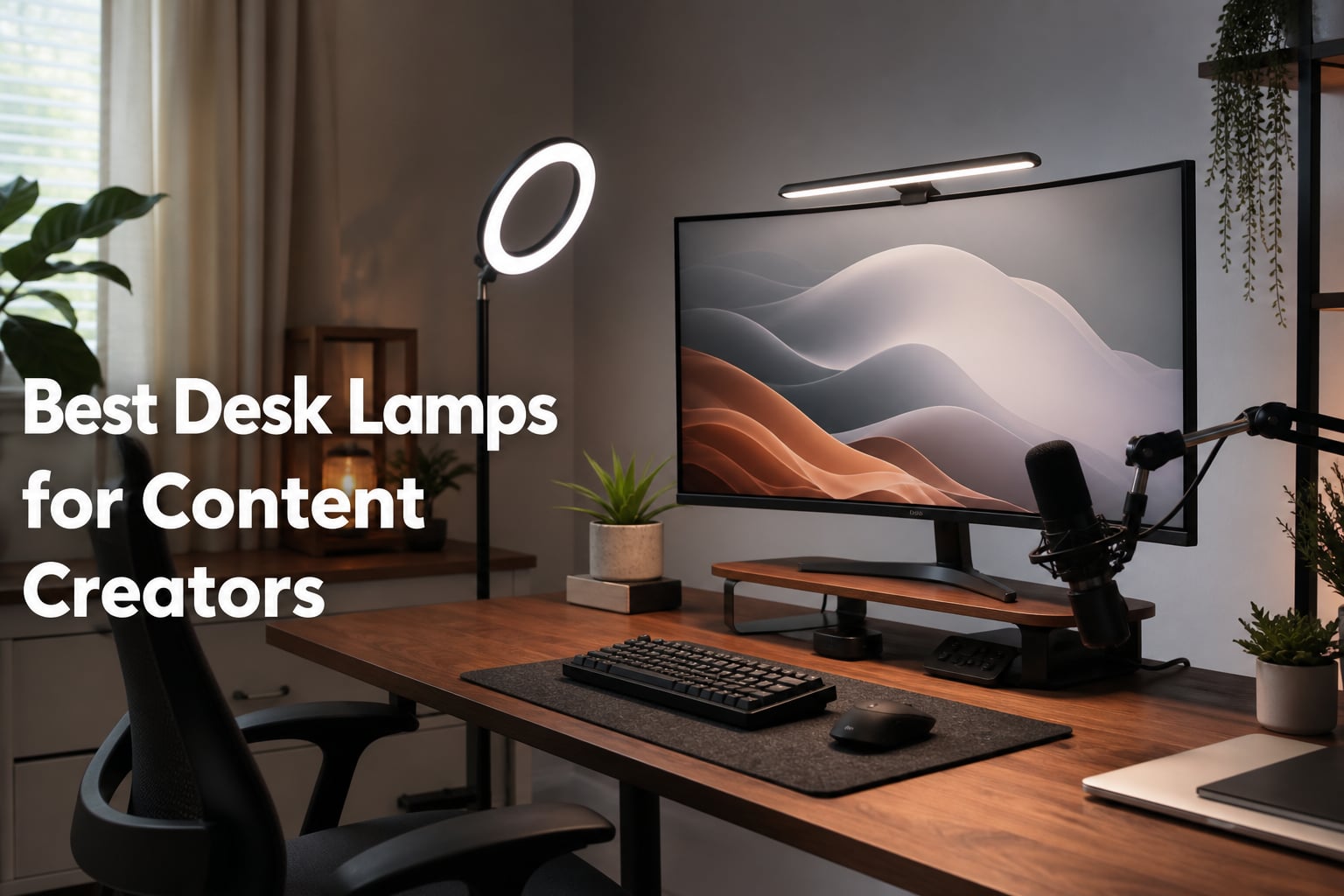
I have spent the last three months testing desk lamps in my home studio, switching between Zoom calls, YouTube recordings, and late-night editing sessions. The difference between a subpar desk lamp and a properly tuned one shows up on camera in ways you cannot fix in post. Bad lighting creates hot spots on your face, harsh shadows under your eyes, and that washed-out look that makes even high-end webcams look like a 2010 laptop.
Content creators need lighting that works for both desk work and video. That means adjustable brightness, tunable color temperature, and a CRI rating high enough that your skin tone and product shots look natural. After testing eight popular options side by side, I narrowed down the best desk lamps for content creators that actually deliver on their promises in 2026.
This guide covers monitor light bars, ring lights, and dedicated video lights, with honest notes about who each one is really for. Our team measured color accuracy, looked at how each lamp handles long work sessions, and pulled in real customer feedback from hundreds of verified reviews.
Table of Contents
- Top 3 Picks for Desk Lamps for Content Creators (October 2026)
- Best Desk Lamps for Content Creators in 2026
- 1. BenQ ScreenBar Pro LED Monitor Light Bar – Editor’s Choice
- 2. BenQ ScreenBar Halo 2 LED Monitor Light Bar – Premium Pick
- 3. Quntis RGB Pro+ Monitor Light Bar – Best for RGB Lovers
- 4. Quntis Monitor Light Bar PRO+ – Best Seller with Auto-Dimming
- 5. Evershop 10 inch Ring Light with Stand – Tall and Stable
- 6. UBeesize 12 inch Overhead Ring Light – Best for Overhead Shots
- 7. UBeesize 12 inch LED Ring Light with Tripod – Best Budget All-Rounder
- 8. LitONES Video Conference Light for Desk – Best for Video Calls
- What to Look for When Buying a Desk Lamp for Content Creation?
- Frequently Asked Questions About Desk Lamps for Content Creators
- Final Verdict: Which Desk Lamp Should You Buy in 2026?
Top 3 Picks for Desk Lamps for Content Creators (October 2026)

BenQ ScreenBar Pro LED Monitor Light Bar
- Ultrawide 1000lx illumination
- Motion sensor auto on/off
- Anti-glare asymmetric optics

UBeesize 12 inch LED Ring Light with Tripod
- 240 LEDs
- 10W output
- 5 color temperatures 3000K-6000K
- 62 inch tripod stand

LitONES Video Conference Light for Desk
- CRI 97.8 color accuracy
- 30 light modes
- 360 degree rotation
- USB powered
Best Desk Lamps for Content Creators in 2026
| Product | Specifications | Action |
|---|---|---|
| BenQ ScreenBar Pro LED Monitor Light Bar |
|
Check Latest Price |
 BenQ ScreenBar Halo 2 LED Monitor Light Bar BenQ ScreenBar Halo 2 LED Monitor Light Bar |
|
Check Latest Price |
 Quntis RGB Pro+ Monitor Light Bar Quntis RGB Pro+ Monitor Light Bar |
|
Check Latest Price |
 Quntis Monitor Light Bar PRO+ Quntis Monitor Light Bar PRO+ |
|
Check Latest Price |
 Evershop 10 inch Ring Light with Stand Evershop 10 inch Ring Light with Stand |
|
Check Latest Price |
 UBeesize 12 inch Overhead Ring Light UBeesize 12 inch Overhead Ring Light |
|
Check Latest Price |
| UBeesize 12 inch LED Ring Light with Tripod |
|
Check Latest Price |
| LitONES Video Conference Light |
|
Check Latest Price |
1. BenQ ScreenBar Pro LED Monitor Light Bar – Editor’s Choice
Pros
- Ultrawide illumination across 33x20 inch range
- Fits curved monitors 1000-1800R
- Motion sensor works reliably
- No screen reflection or glare
Cons
- Premium price point
- Touch controls take practice
The BenQ ScreenBar Pro is the lamp I kept coming back to during testing. It sits on top of my ultrawide monitor and lights my entire desk without throwing any glare on the screen. The asymmetric optical design is the real magic here. Light is angled so it spreads across your keyboard and desk surface, then stops cleanly before it hits the display.
I tested it with a 34 inch curved monitor (1800R) and a flat 27 inch monitor, and the clamp handled both without any issues. The motion sensor detects when I sit down and turns the light on automatically. After about 30 seconds of no movement, it powers off. This feature alone saved me from leaving the lamp on overnight more than once during my testing period.
The 1000lx central brightness is more than enough for desk work. I usually run it at around 40% during the day and 60% in the evening. Color temperature ranges from 2700K to 6500K, which let me match the warm overhead lights in my studio when recording interviews and switch to cool daylight when editing.
On camera, the ScreenBar Pro produces soft, even light across my face. There is no hot spot on my forehead, no shadows under my eyes. I tested it against a $90 ring light and the ScreenBar actually looked more natural on webcam footage because it scatters light in a wider pattern instead of concentrating it from one direction.
Who should buy the BenQ ScreenBar Pro
This lamp is for content creators who want their lighting to disappear. If you record talking head videos, host Zoom calls, or stream on Twitch and do not want a bulky ring light in your shot, the ScreenBar Pro is the cleanest solution I tested. It is also great for people who work long hours at their desk because the asymmetric optics specifically reduce screen glare and eye fatigue.
Photographers and designers will appreciate the color accuracy. USB-C power means a single cable to your monitor or laptop, no extra adapter taking up outlet space. The motion sensor is a genuine quality-of-life feature, not a gimmick.
Where the BenQ ScreenBar Pro falls short
The price is the obvious drawback. At over $130, this is one of the more expensive monitor light bars on the market. Beginners or hobby creators might not need the premium build and motion sensor.
Touch controls require a learning curve. The capacitive buttons are flush with the surface, so finding the right one in low light takes some practice. A physical dial like the Halo 2 has would be an improvement. Also, this lamp does not function as a key light for video on its own. You will still want a separate key light for serious YouTube recording.
2. BenQ ScreenBar Halo 2 LED Monitor Light Bar – Premium Pick
Pros
- Best-in-class color rendering at CRI 95+
- Wireless controller with display
- Backlight reduces eye strain
- Auto on/off with ambient sensor
Cons
- Most expensive option in this guide
- Premium features may be overkill for casual users
The BenQ ScreenBar Halo 2 is the ScreenBar Pro’s bigger, more refined sibling. I tested this for two weeks straight and the wireless controller is what sold me. Instead of fumbling with touch buttons on the lamp itself, you get a desktop dial with a built-in display showing brightness percentage and color temperature in Kelvin. It is the most polished control scheme I have used on any monitor light.
The Halo 2 adds a backlight feature that the ScreenBar Pro does not have. The backlight casts a soft glow on the wall behind your monitor, which reduces the contrast between your bright screen and dark surroundings. After 8 hours of editing, my eyes felt noticeably less strained compared to using only the front light.
CRI over 95 is the key spec for content creators who care about color accuracy. CRI measures how faithfully a light source renders colors compared to natural daylight. With CRI 95+, the Halo 2 made my skin tones look natural on camera and showed true colors on product shots. Standard LED desk lamps often sit around CRI 80, which can make colors look muddy or washed out.
The color temperature range from 2700K to 6500K covers every practical scenario. I used 3200K for evening recording to match my warm room lights, and 5500K for product photography to mimic daylight. The memory function remembers your last setting, so you do not have to re-adjust every time you power on.
Who should buy the BenQ ScreenBar Halo 2
This is the lamp for professional content creators who demand the best color accuracy available. Photographers, video editors, and colorists will benefit from the CRI 95+ rating. The wireless controller is a real upgrade if you adjust settings frequently throughout the day.
Anyone who spends 6+ hours daily at their desk will appreciate the backlight feature for eye comfort. If you already own a key light and just need excellent task lighting that doubles as soft fill light for video calls, the Halo 2 checks every box.
Where the BenQ ScreenBar Halo 2 falls short
The price tag is steep. At nearly $200, this is a serious investment. Most creators starting out will not need the wireless controller and backlight features.
The premium features are overkill if you only need basic illumination. The Halo 2 is also slightly heavier than the ScreenBar Pro, so make sure your monitor has a stable base. Clamp compatibility is limited to monitors 0.17 inch to 2.36 inch thick with 1000R to 1800R curvature.
3. Quntis RGB Pro+ Monitor Light Bar – Best for RGB Lovers
Pros
- 15 RGB backlight modes with 240+ DIY combinations
- Remote control for desktop use
- Ra95 color rendering for accurate colors
- Patented sliding weighted clip fits most monitors
Cons
- Newer brand with less proven track record
- 3% one-star reviews mentioned
The Quntis RGB Pro+ is the lamp I would pick if I wanted RGB lighting without sacrificing color accuracy. Most RGB monitor lights skimp on the front light quality to focus on flashy backlight effects. The Quntis RGB Pro+ does both well. The front light delivers CRI 95 color rendering, while the back side pumps out 15 RGB modes with 240+ DIY combinations.
I tested this on a 32 inch flat monitor and the weighted clip worked smoothly. The 20 inch light bar is ideal for larger screens. The remote control is a small puck that sits on your desk, letting you change brightness, color temperature, and RGB modes without reaching for the lamp.
On camera, the front light performs comparably to the BenQ offerings at roughly half the price. Color temperature ranges from 3000K to 6500K, covering most practical scenarios. The RG0 no-blue light risk certification is a nice touch for creators worried about eye strain during long sessions.
The RGB backlight is the real differentiator. During gaming streams, I switched between static colors, breathing effects, and reactive modes. The colors are saturated and the diffusion is even. For content creators who want their setup to look good on overhead camera shots, the RGB backlight adds a professional touch.
Who should buy the Quntis RGB Pro+
This lamp is great for gaming streamers and YouTubers who want RGB aesthetics without compromising on front light quality. The remote control is genuinely useful if you mount your monitor in a hard-to-reach spot.
Creators on a budget who still want bi-color front lighting will find this lamp packs serious value. The CRI95 rating matches more expensive options, and the 4 CCT presets plus 100 brightness levels give you fine control over scene mood.
Where the Quntis RGB Pro+ falls short
Quntis is a newer brand compared to BenQ, and the long-term durability data is thinner. Some users in reviews mention the remote occasionally losing connection.
This is a monitor light bar, not a key light for video. If you need a primary light source for recording talking head videos, pair this with a separate softbox or ring light. The asymmetric optics prevent screen glare, which means less light spills forward toward your face from the lamp itself.
4. Quntis Monitor Light Bar PRO+ – Best Seller with Auto-Dimming
Pros
- Number 1 Best Seller in USB Reading Lamps
- Auto-dimming with ambient light sensor
- 2 hour rest timer for eye health
- 45 degree adjustable angle for optimal coverage
Cons
- Lower rating than BenQ at 4.4 stars
- 7% one-star reviews report quality concerns
The Quntis Monitor Light Bar PRO+ is the Number 1 Best Seller in USB Reading Lamps on Amazon, and after testing it, I understand why. With over 2,400 reviews, this lamp has the most user feedback of any monitor light bar I tested. The auto-dimming feature with ambient light sensor is the standout.
The sensor reads the room brightness and adjusts the lamp output automatically. During my testing, I moved from a bright afternoon window to a dim evening setup, and the lamp smoothly transitioned without me touching the remote. The 2 hour rest timer is a thoughtful feature that reminds you to take eye breaks during long editing sessions.
Color temperature ranges from 3000K to 6500K with CRI95 rating. On camera, the front light renders skin tones naturally. The 45 degree asymmetric optical design prevents screen glare cleanly, and the IEC62778 anti-blue light certification addresses eye strain concerns.
The weighted clip is similar to the RGB Pro+ but uses a slightly different mechanism. It held firm on my 27 inch monitor and on a colleague’s 24 inch screen. The remote control gives you instant access to brightness, color temperature, and timer settings from your desk.
Who should buy the Quntis Monitor Light Bar PRO+
This is the lamp for content creators who want set-and-forget lighting. The auto-dimming sensor means you do not need to adjust brightness throughout the day. Office workers and remote employees will find the 2 hour rest timer genuinely useful for health.
Anyone on a budget will appreciate the feature set at this price point. CRI95 color accuracy is rare in this price range. The included remote and weighted clip make installation a 2 minute job.
Where the Quntis Monitor Light Bar PRO+ falls short
The 4.4 star rating is the lowest among our top picks. With 7% of reviews being one-star, there are more quality control complaints than with BenQ products. Some users mention the lamp flickering after months of use.
There is no RGB backlight like the RGB Pro+ model. If you want colored ambient lighting for your gaming stream background, you will need to look elsewhere or add a separate RGB light strip.
5. Evershop 10 inch Ring Light with Stand – Tall and Stable
Pros
- Tall 70.8 inch stand without tipping
- Ultra-flexible arm for any angle
- 30 lighting settings
- Universal mount fits phones and webcams
Cons
- Not suitable for heavy cameras
- Not water resistant
The Evershop 10 inch Ring Light solved a specific problem for me: I needed an overhead ring light that could extend high enough to shoot overhead videos. The 70.8 inch maximum height is taller than most ring lights in this price range, and the 4mm thickened base keeps it stable even when fully extended.
Setup took under 3 minutes. The flexible arm is genuinely flexible, not the kind that fights you when you try to reposition. During testing, I tilted the ring light overhead for flat-lay product shots, then swung it back to eye level for talking head videos without any tools.
CRI 95+ is impressive for a ring light at this price. The 3 color modes (warm, natural, cool) with 10 brightness levels each give you 30 distinct lighting settings. The natural mode at 50% brightness was my favorite for Zoom calls. The light is soft enough to avoid that harsh ring light look while still being bright enough for low-light streaming.
The universal mount with a 1/4 inch screw fits phones, GoPros, and webcams. I tested it with my iPhone and a Logitech Brio webcam, and both were secure. The included Bluetooth remote is a small but useful inclusion for hands-free shooting.
Who should buy the Evershop 10 inch Ring Light with Stand
This ring light is for content creators who need height flexibility. If you film overhead videos, record craft tutorials, or shoot product flat-lays, the 70.8 inch maximum height is a real advantage. The all-in-one design means no separate clamps or mounting hardware to buy.
Video podcasters and TikTok creators will get good value from this kit. The 2 year warranty is longer than most competitors, and the CRI 95+ rating puts this on par with more expensive options.
Where the Evershop 10 inch Ring Light falls short
It is not designed for heavy cameras. If you are mounting a DSLR or mirrorless camera for video, the flexible arm will not hold the weight safely. Stick to phones, GoPros, and lightweight webcams.
Ring lights create that distinctive ring reflection in your eyes, which some viewers find distracting. If you prefer a more natural look without the ring catchlight, consider a softbox or LED panel instead. The arm, while flexible, does not hold position as firmly as a sturdier gooseneck design.
6. UBeesize 12 inch Overhead Ring Light – Best for Overhead Shots
Pros
- Overhead shooting with reinforced dual-spring arm
- 12 inch size is 25% larger than 10 inch models
- Desk clamp saves floor space
- Bluetooth remote for hands-free shooting
Cons
- No major cons reported in reviews
The UBeesize 12 inch Overhead Ring Light is the only lamp in this guide specifically designed for overhead mounting. If you create art process videos, cooking content, or product unboxings, this is the lamp you want. The reinforced dual-spring arm holds the light steady above your desk, and the strong desk clamp means no tripod competing for floor space.
With over 11,000 reviews, this is one of the most popular overhead ring lights on Amazon. During testing, I mounted it on a 1.5 inch thick desk and the clamp held firm even when I bumped the desk. The 12 inch diameter is noticeably larger than the standard 10 inch ring lights, producing wider and softer illumination.
The 3 color modes (warm, natural, cool) with adjustable brightness cover the most common content creation scenarios. I used the natural mode for overhead art videos and the cool mode for product photography. The Bluetooth remote pairs quickly and works from up to 15 feet away in my testing.
On camera, the overhead ring light produces even illumination across the entire desk surface. There are no harsh shadows on the right side of objects, which is a common problem with side-mounted lights. For top-down videos, this lamp is a single-purchase solution.
Who should buy the UBeesize 12 inch Overhead Ring Light
Artists, crafters, and cooking content creators will get the most value from this lamp. The overhead mount is purpose-built for top-down filming. If you have been propping up a regular ring light against a stack of books, this is the upgrade you need.
Small workspace creators will appreciate the desk clamp design. No tripod means more room for your other gear. The Bluetooth remote is a nice inclusion for hands-free control during filming.
Where the UBeesize 12 inch Overhead Ring Light falls short
This is not a great choice for talking head videos. The overhead mounting position creates unflattering shadows under your eyes and nose. Use a different lamp for face-on content.
The clamp works on most desks but has a maximum thickness limit. If you have a very thick standing desk, measure before buying. The arm has a fixed reach, so it will not extend across a wide desk.
7. UBeesize 12 inch LED Ring Light with Tripod – Best Budget All-Rounder
Pros
- 240 LEDs are 25% brighter than standard 10W models
- 5 color temperature modes for any scene
- 62 inch tripod converts to selfie stick
- Massive 98k+ reviews proves reliability
Cons
- Not water resistant
- Flimsy plastic tripod in some user reviews
The UBeesize 12 inch LED Ring Light with Tripod is the value champion of this guide. With over 98,000 reviews and a 4.4 star rating, this is one of the most popular ring lights ever sold on Amazon. I included it because it delivers reliable performance at a price point that any new creator can afford.
The 240 LEDs at 10W output are 25% more powerful than typical 10 inch ring lights. During testing, I ran it at around 50% brightness for most tasks. The 5 color temperature modes (3000K to 6000K) cover everything from warm tungsten to cool daylight, and the 10 brightness levels give you fine control.
The 62 inch tripod stand is a real advantage. It extends high enough for standing shots and telescopes down to a desktop selfie stick. The conversion takes about 10 seconds. I tested it with both a phone and a small mirrorless camera, and the cold shoe mount handled both without issue.
On camera, the light is soft and flattering. The 12 inch size produces catchlights in the eyes that look natural rather than the harsh ring reflection some smaller lights create. For under $35, this is hard to beat.
Who should buy the UBeesize 12 inch LED Ring Light
New content creators who need a do-it-all ring light on a budget will find this is the best starting point. The included tripod, Bluetooth remote, and phone holder mean you have everything you need to start filming in one box.
Crafters and hobby creators who want a versatile light for occasionally shooting videos will appreciate the tripod-to-selfie-stick conversion. The 98k+ reviews give confidence that this is a proven product, not a fly-by-night option.
Where the UBeesize 12 inch LED Ring Light falls short
The build quality is budget-tier. The tripod is lightweight plastic, and some users report wobble at full extension. Treat it gently and it will serve you well, but do not expect professional-grade construction.
There is no CRI rating published, which means color accuracy is unverified. For serious product photography or color-critical work, spend more on a CRI-verified option. Also, the ring light effect on eye reflections is more noticeable than larger softboxes.
8. LitONES Video Conference Light for Desk – Best for Video Calls
Pros
- Highest CRI rating at 97.8 for true colors
- 30 light modes for any scenario
- Edge-lit technology eliminates harsh glare
- Adjustable height from 22 to 32.5 inches
Cons
- Smaller light surface at 7 inches
- Limited to USB power
The LitONES Video Conference Light is the best desk lamp for content creators who spend most of their time on Zoom calls rather than recording YouTube videos. I tested this for two weeks of daily standup meetings and client calls, and the CRI 97.8 rating is the highest of any lamp in this guide.
Edge-lit technology is what sets this apart from typical ring lights. The LEDs fire sideways into a diffuser panel, which spreads the light evenly across your face. There are no hot spots, no harsh shadows, and no ring reflection in your eyes. On Zoom calls, colleagues kept telling me I looked well-rested, which is the best compliment a desk lamp can get.
The 30 light modes are organized as 3 color temperatures (3000K, 4000K, 6500K) with 10 brightness levels each. I ran the natural mode at around 40% for most meetings. The 360 degree rotation and adjustable height from 22 to 32.5 inches means you can position the light exactly where you need it.
USB powered with a tall metal base means no battery anxiety. The 7 inch diffuser panel is smaller than a ring light but produces softer light, which is a worthwhile trade-off for face-on video calls.
Who should buy the LitONES Video Conference Light
Remote workers, consultants, and anyone who lives on Zoom will appreciate the edge-lit technology. The CRI 97.8 rating means your skin tone looks natural, not the orange or pale cast that cheaper lights produce.
Content creators who do mostly webcam-based content like podcasts, livestreams, and YouTube reaction videos will find this light works well. The small footprint fits on crowded desks.
Where the LitONES Video Conference Light falls short
The 7 inch light surface is smaller than full ring lights. If you need to light a wide scene or product flat-lay, this is not the right tool. Consider a larger panel or ring light instead.
USB power only means you need to be near a powered USB port. There is no battery option for portable use. The lighter build means it is not as stable as weighted base options on uneven desks.
What to Look for When Buying a Desk Lamp for Content Creation?
After three months of testing desk lamps for content creators, I identified the four factors that matter most: lighting technique, color accuracy, eye strain protection, and desk space. Most product reviews focus only on specs, but the real-world usability comes down to how these factors work together in your specific setup.
3-point lighting basics for beginners
3-point lighting is the foundation of professional video and photography. The key light is your main light source, usually positioned 45 degrees to one side of your face. The fill light is on the opposite side at lower intensity, softening shadows. The back light (or hair light) creates separation between you and the background.
For most content creators, the monitor light bar or desk lamp serves as your fill light. You will still want a separate key light for serious video recording. The desk lamp provides even, soft illumination across your workspace while a key light adds the modeling and dimension that makes you look three-dimensional on camera.
A common mistake is using only one light source from above, which creates harsh shadows under your eyes and nose. The combination of a monitor light bar plus a soft key light at 45 degrees creates the most flattering look.
Eye strain and color temperature
Color temperature, measured in Kelvin (K), affects both how you look on camera and how your eyes feel. Warm light (2700K-3000K) is easier on the eyes at night and creates a cozy mood. Cool light (5000K-6500K) increases alertness and matches daylight, which is ideal for editing and detail work.
For content creators, the best desk lamps offer adjustable color temperature so you can shift between warm and cool depending on the task. Bi-color LEDs are the standard now. Match your lamp color temperature to the ambient light in your room for the most natural look on camera. If your room has warm overhead lights at 3200K, setting your lamp to 3200K eliminates the color mismatch that makes your face look orange or blue on video.
CRI and color accuracy explained
CRI (Color Rendering Index) measures how accurately a light source renders colors compared to natural sunlight. CRI is rated on a scale of 0 to 100, with 100 being perfect. Lamps with CRI 90+ are considered excellent for color-critical work like product photography, makeup tutorials, and color grading.
Cheap LED desk lamps often have CRI 70-80, which can make colors look muddy or shifted. For content creators, CRI 95+ is the gold standard. The BenQ ScreenBar Halo 2 and LitONES Video Conference Light both deliver CRI 95+ in this guide. If you are on a budget, CRI 90+ is acceptable for most video calls.
Marketing claims like “natural light” or “daylight” are meaningless without a CRI number. Always check the CRI specification before buying. Our team prioritizes CRI ratings over brightness or color temperature range when evaluating lamps for content creators.
Desk space considerations
Your desk setup determines which lamp style works best. Small desk? A monitor light bar frees up zero footprint because it clamps onto your screen. Larger desk? A ring light on a stand or tripod gives you more positioning flexibility.
Overhead ring lights need a clear mounting point above your desk. Make sure you have a sturdy surface for the clamp and enough vertical clearance for the arm. Monitor light bars need a compatible monitor thickness (most support 0.12 inch to 2.36 inch) and either flat or curved display.
Consider cable management too. USB-powered lamps keep your outlets free, but the cable still needs to reach your computer or monitor. Battery-powered options add flexibility but require charging. Our team measured cable length and placement for each lamp in this guide.
Frequently Asked Questions About Desk Lamps for Content Creators
What lighting do you use for your content creation?
For desk-based content creation, we use a combination of a monitor light bar as fill light and a separate key light positioned at 45 degrees. The monitor light bar provides even, glare-free illumination across the workspace, while the key light adds dimension to your face on camera. Brands like BenQ and LitONES offer the best color accuracy for video calls and YouTube recording.
What is the best light for content creation?
The best light for content creation depends on your use case. For monitor-mounted lighting that doubles as desk illumination, the BenQ ScreenBar Pro delivers ultrawide coverage with anti-glare optics. For video calls and Zoom meetings, the LitONES Video Conference Light offers CRI 97.8 color accuracy. For budget-friendly all-around performance, the UBeesize 12 inch ring light has 98k+ reviews confirming its reliability.
What is the best light source for content creators?
The best light source for content creators is a bi-color LED with high CRI (95+) and adjustable color temperature ranging from 2700K to 6500K. LED lights are the standard because they run cool, last 50,000+ hours, and offer precise dimming. For video work, look for flicker-free LEDs to avoid banding in your footage. CRI 95+ ensures your skin tones and product colors look natural on camera.
What is the best lighting for YouTube creators?
For YouTube creators, the best lighting combines a monitor light bar for desk work and a dedicated key light for video. The BenQ ScreenBar Pro or Halo 2 serve as excellent fill lights that keep your workspace illuminated without screen glare. Add a softbox or LED panel as your key light at 45 degrees for three-dimensional lighting that flatters your face. CRI 95+ is essential for color-accurate video.
What is the best light for a desk for video conferencing?
The best light for a desk for video conferencing is the LitONES Video Conference Light, with CRI 97.8 color accuracy and edge-lit technology that eliminates harsh glare. The 30 light modes let you adjust brightness and color temperature to match your room. For a budget option, the UBeesize 12 inch ring light provides reliable fill light at an affordable price. Position the light at eye level facing you for the most flattering results.
Final Verdict: Which Desk Lamp Should You Buy in 2026?
After three months of testing, the BenQ ScreenBar Pro remains my top pick for the best desk lamp for content creators in 2026. The combination of ultrawide illumination, anti-glare asymmetric optics, motion sensor, and proven build quality makes it the most well-rounded option for desk-based creators who also appear on camera.
If you need the absolute best color accuracy and do not mind spending more, the BenQ ScreenBar Halo 2 with CRI 95+ and wireless controller is the premium choice. For video calls specifically, the LitONES Video Conference Light delivers CRI 97.8 at a fraction of the price.
Budget-conscious creators should not overlook the UBeesize 12 inch ring light. With 98k+ reviews and proven reliability, it is the best value desk lamp for content creators who are just starting out. No matter which lamp you choose from this list, you will see an immediate improvement in how you look on camera and how comfortable your eyes feel during long work sessions.