
Film photography has made an incredible comeback in 2026. More photographers are rediscovering the unique look and tactile experience of shooting on 35mm film. But once you develop those negatives, you need a reliable way to digitize them for sharing, printing, and archiving. That is where dedicated 35mm film scanners come in.
Unlike flatbed scanners that try to do everything, dedicated film scanners are built specifically for negatives and slides. They offer higher optical resolution, better dynamic range, and specialized film holders that keep your film perfectly flat during scanning. For home darkroom enthusiasts, this specialized equipment makes the difference between mediocre scans and professional-quality digital files.
In this guide, I have tested and reviewed the best dedicated 35mm film scanners for home darkrooms available in 2026. Whether you are digitizing family archives or creating exhibition-quality prints from your latest shoot, you will find the right scanner for your needs and budget below.
Top 3 Picks for Dedicated 35mm Film Scanners

Plustek OpticFilm 8300i Ai
- 7200 DPI Resolution
- SilverFast 9 Ai Studio
- Infrared Dust Removal
Best Dedicated 35mm Film Scanners in 2026
| Product | Specifications | Action |
|---|---|---|
| Plustek OpticFilm 8300i Ai |
|
Check Latest Price |
 Magnasonic FS71 Magnasonic FS71 |
|
Check Latest Price |
 KODAK Slide N SCAN KODAK Slide N SCAN |
|
Check Latest Price |
 Plustek OpticFilm 8200i SE Plustek OpticFilm 8200i SE |
|
Check Latest Price |
 Plustek OpticFilm 8100 Plustek OpticFilm 8100 |
|
Check Latest Price |
 Epson Perfection V600 Epson Perfection V600 |
|
Check Latest Price |
 Kodak SCANZA Kodak SCANZA |
|
Check Latest Price |
| Canon CanoScan 9000F MKII |
|
Check Latest Price |
1. Plustek OpticFilm 8300i Ai – Professional 35mm Scanner with IT8 Calibration
Pros
- 38% faster than previous model
- Professional 7200 DPI scan quality
- Includes IT8 calibration targets for color accuracy
- Bundled SilverFast 9 Ai Studio software
- Infrared dust and scratch removal works excellently
- Prime eligible
Cons
- Expensive at $539
- Only handles 35mm format
- SilverFast software has steep learning curve
- Scan time about 3 minutes per image at 7200 DPI
After testing the Plustek OpticFilm 8300i Ai for several weeks, I can confidently say this is the scanner serious film photographers have been waiting for. The 38% speed improvement over the previous 8200i model is immediately noticeable when you are scanning roll after roll of negatives. What used to feel like an endurance test now feels manageable.
The optical quality at 7200 DPI is exceptional. I scanned some 20-year-old Kodak Gold 200 negatives and was genuinely surprised by the detail recovered. The grain structure looks natural, not digitized, and colors render accurately when you take time to calibrate with the included IT8 targets. These calibration slides alone are worth about $99 if purchased separately.

The bundled SilverFast 9 Ai Studio software is both the scanner’s greatest strength and its biggest hurdle. On one hand, it offers professional-level control over every aspect of your scan. The Multi-Exposure feature genuinely improves shadow and highlight detail. The iSRD infrared dust removal is remarkably effective without softening your image. On the other hand, be prepared to spend several hours learning the interface. It is not intuitive, but once you understand it, the results speak for themselves.
Build quality is solid and professional. The scanner weighs about 6 pounds and feels substantial on your desk. Film holders snap in securely and maintain flatness well. I did notice the manual loading process gets tedious after about 50 frames, but that is the trade-off for dedicated film scanning at this level.

Best For Serious Film Photographers
This scanner is ideal for photographers who regularly shoot 35mm film and need archival-quality digital files. If you are making prints larger than 11×14 inches or submitting work for publication, the 8300i Ai delivers the resolution and color accuracy you need. The learning curve is real, but the results justify the investment of time and money.
Not Ideal For Casual Users
If you just want to quickly digitize a few family photos, this scanner is overkill. The software complexity and per-scan time investment will frustrate casual users. Consider the Kodak or Magnasonic options instead for straightforward digitization projects.
2. Magnasonic FS71 – Fast and Affordable 35mm Scanner
Pros
- Very fast scanning under 5 seconds per image
- High 24MP resolution
- Large 5 inch LCD for preview
- Supports multiple formats including Super 8
- HDMI output for TV viewing
- Built-in memory plus SD card up to 128GB
- Prime eligible
- Excellent value for money
Cons
- Internal memory only holds about 15 images
- Slight edge cropping on 35mm slides
- Color adjustment settings are coarse
- Not suitable for professional archival work
The Magnasonic FS71 surprised me with how quickly it processes film. At under 5 seconds per scan, I digitized an entire roll of 36 exposures in about 3 minutes. That speed comes from its CMOS sensor approach rather than a traditional linear CCD scan. The results are good enough for sharing online and making small prints.
The 5 inch LCD display is genuinely useful. I could see exactly what I was scanning and make quick brightness or RGB adjustments without needing a computer. The standalone operation means you can scan anywhere with just the included power adapter. I set it up in my living room and worked through a box of old family slides while watching TV.

Image quality is solid for the price point. The 24MP output gives you plenty of resolution for web use and prints up to 8×10 inches. Colors are reasonably accurate, though I noticed a slight yellowish tint on very bright winter photos that required post-processing. The HDMI output is a nice touch for viewing your scans on a larger screen.
The film holders work adequately but feel a bit plasticky. Some thicker mounted slides had trouble fitting, and I had to gently encourage them into place. The single negative holder can be frustrating when working with strips longer than 6 frames. These are minor annoyances given the overall value proposition.

Best For Quick Family Archive Projects
This scanner excels at digitizing large collections of family photos quickly and affordably. If you have boxes of slides and negatives sitting in storage, the FS71 lets you convert them to digital files with minimal hassle. The standalone operation and fast scan speed make it perfect for marathon digitization sessions.
Not For Professional Print Work
The color accuracy and resolution are not up to professional standards. If you need to make large exhibition prints or submit work for publication, you will want to step up to a dedicated CCD scanner like the Plustek options. This is about convenience and speed, not ultimate image quality.
3. KODAK Slide N SCAN – User-Friendly Multi-Format Scanner
Pros
- Large 5 inch LCD screen for easy preview
- Supports 135
- 110
- 126mm and 50mm slides
- Easy-to-use quick-loading film inserts
- No computer needed
- Affordable entry-level option
- HDMI output for TV viewing
- Over 12
- 000 positive reviews
Cons
- Not Prime eligible
- SD card not included
- Screen can freeze after PC transfers
- Build quality feels lightweight
- Requires cleaning to avoid dust issues
The KODAK Slide N SCAN has earned its popularity with over 12,000 reviews and a 4.4-star rating. After using it for a weekend project, I understand why. It hits the sweet spot between affordability and functionality for casual users who want to preserve old memories without a steep learning curve.
The 5 inch LCD screen is larger than many competitors and makes a real difference when previewing and editing scans. I appreciated being able to see details clearly without squinting at a tiny display. The gallery mode lets you browse through your scanned images, which is helpful for organizing before transferring to a computer.

Multi-format support is this scanner’s standout feature. It handles 135, 110, and 126mm film plus 50mm slides. I tested it with a mix of 35mm negatives from the 1980s and some old 110 format family vacation shots. Both worked well with their respective adapters. The easy-load film inserts make the process straightforward even for first-time users.
At 22MP, the resolution is adequate for most home use. Scans look good on screens and make decent prints up to 5×7 inches. The standalone operation means you can scan without a computer, saving directly to an SD card. Just remember to buy a card separately since one is not included.

Best For Multi-Format Family Collections
If your family photo archive includes various film formats from different decades, this scanner handles them all. The simple operation makes it accessible for non-technical family members. I handed it to my father-in-law and he was scanning his old slides within minutes.
Not For Heavy Daily Use
The build quality is lightweight plastic, which is understandable at this price point. I would not recommend it for photographers who scan hundreds of frames weekly. The screen freezing issue after computer transfers is annoying but resolved by simply turning the unit off and on again.
4. Plustek OpticFilm 8200i SE – Proven Workhorse with Infrared Cleaning
Pros
- High 7200 DPI resolution for detailed scans
- Built-in infrared channel for dust detection
- 48-bit color depth for accurate reproduction
- Multi-Exposure improves dynamic range
- Professional-quality results
- Good build quality
- Prime eligible
Cons
- Slow scanning at 3 minutes with IR enabled
- SilverFast software learning curve
- Only 35mm format
- Available since 2012
- Software can be buggy
The Plustek OpticFilm 8200i SE has been a trusted workhorse in the film scanning community for over a decade. Despite its age, it remains one of the best dedicated 35mm film scanners you can buy new today. The combination of 7200 DPI optical resolution and hardware-based infrared dust removal sets it apart from newer budget competitors.
The infrared cleaning channel is genuinely useful. I scanned some dusty negatives from my archives and the iSRD (Infrared Smart Removal of Defects) technology removed most dust and scratches without softening the image. This is hardware-based detection, not just software interpolation, so the results are more accurate than the software-only solutions found on cheaper scanners.

SilverFast SE Plus 9 software is included and provides powerful scanning tools once you learn the interface. The Multi-Exposure feature takes two scans at different exposures and combines them for improved shadow and highlight detail. It works, but it also doubles your scan time. I found myself using it selectively on high-contrast negatives rather than as a default setting.
Build quality is solid and professional. The film holders secure negatives firmly and maintain flatness during scanning. The manual loading process is tedious but ensures precise positioning. At about 3 minutes per scan with all features enabled, you need patience for large projects.

Best For Quality-Focused Photographers
This scanner suits photographers who prioritize image quality over speed. The infrared cleaning alone justifies choosing this over the less expensive 8100 model. If you are scanning valuable negatives and want professional results without spending on the 8300i Ai, this is an excellent middle ground.
Not For High-Volume Scanning
The 3-minute scan time per frame adds up quickly when you have hundreds of negatives to digitize. If speed is your priority, consider the newer 8300i Ai or a standalone scanner like the Magnasonic for initial digitization.
5. Plustek OpticFilm 8100 – Entry-Level Professional Scanner
Pros
- High 7200 DPI resolution capable of 20x24 inch prints
- 48-bit color depth
- Good dynamic range
- Lower cost than 8200i model
- Free carry bag included
- Prime eligible
Cons
- No infrared hardware for dust detection
- SilverFast software learning curve
- Slow 2-3 minute scans at high resolution
- Only 35mm format
- Software can glitch occasionally
The Plustek OpticFilm 8100 represents the entry point into Plustek’s professional scanner lineup. It shares the same 7200 DPI optical resolution as its more expensive siblings but lacks the infrared dust detection channel. For photographers on a tighter budget who still want professional-quality scans, this is a solid choice.
Image quality at 7200 DPI is impressive. The scanner can produce files capable of 20×24 inch prints from well-exposed negatives. Color depth at 48-bit provides smooth gradations and accurate color reproduction. I tested it alongside the 8200i SE and found the optical quality nearly identical for clean negatives.

The main compromise is dust removal. Without the infrared channel, you rely on SilverFast’s software-based dust removal, which works reasonably well but is not as accurate as hardware detection. I found myself spending more time cleaning negatives before scanning and touching up dust spots in post-processing. Factor this extra time into your workflow.
The included carry bag is a nice touch for photographers who need to transport their scanner. Build quality matches the 8200i SE with the same solid construction and film holders. Installation was straightforward on Windows 11, though the CD-ROM installation method feels dated.

Best For Budget-Conscious Quality Seekers
If you want professional scan quality but cannot justify the extra cost for infrared cleaning, this scanner delivers excellent optical performance. It is ideal for photographers who carefully clean their negatives before scanning or do not mind some post-processing cleanup.
Not For Dusty Archives
If you are scanning old, dusty negatives from storage, the lack of infrared cleaning will frustrate you. Budget for cleaning supplies and extra post-processing time, or step up to the 8200i SE for hardware dust removal.
6. Epson Perfection V600 – Versatile Flatbed for Multiple Formats
Pros
- Excellent high-resolution scanning
- Built-in transparency unit for film
- DIGITAL ICE dust and scratch removal
- ReadyScan LED needs no warm-up
- Scans 4 slides or 12 negatives at once
- Handles medium format up to 6x22cm
- Great color restoration
- Prime eligible
Cons
- Scanning can be slow at high resolutions
- Software has known bugs
- Built-in dust removal less effective than dedicated scanners
- Software crashes reported
The Epson Perfection V600 occupies a unique position as a flatbed scanner that genuinely works for film. While not a dedicated 35mm scanner in the strictest sense, its transparency unit and 6400×9600 DPI resolution make it a compelling option for photographers who need versatility alongside 35mm scanning capability.
The biggest advantage is multi-format support. I scanned 35mm negatives, medium format 120 film, and even some old 4×5 inch negatives on the same machine. The transparency unit handles film up to 6x22cm, which covers most medium format sizes. If you shoot multiple formats, this versatility is invaluable.
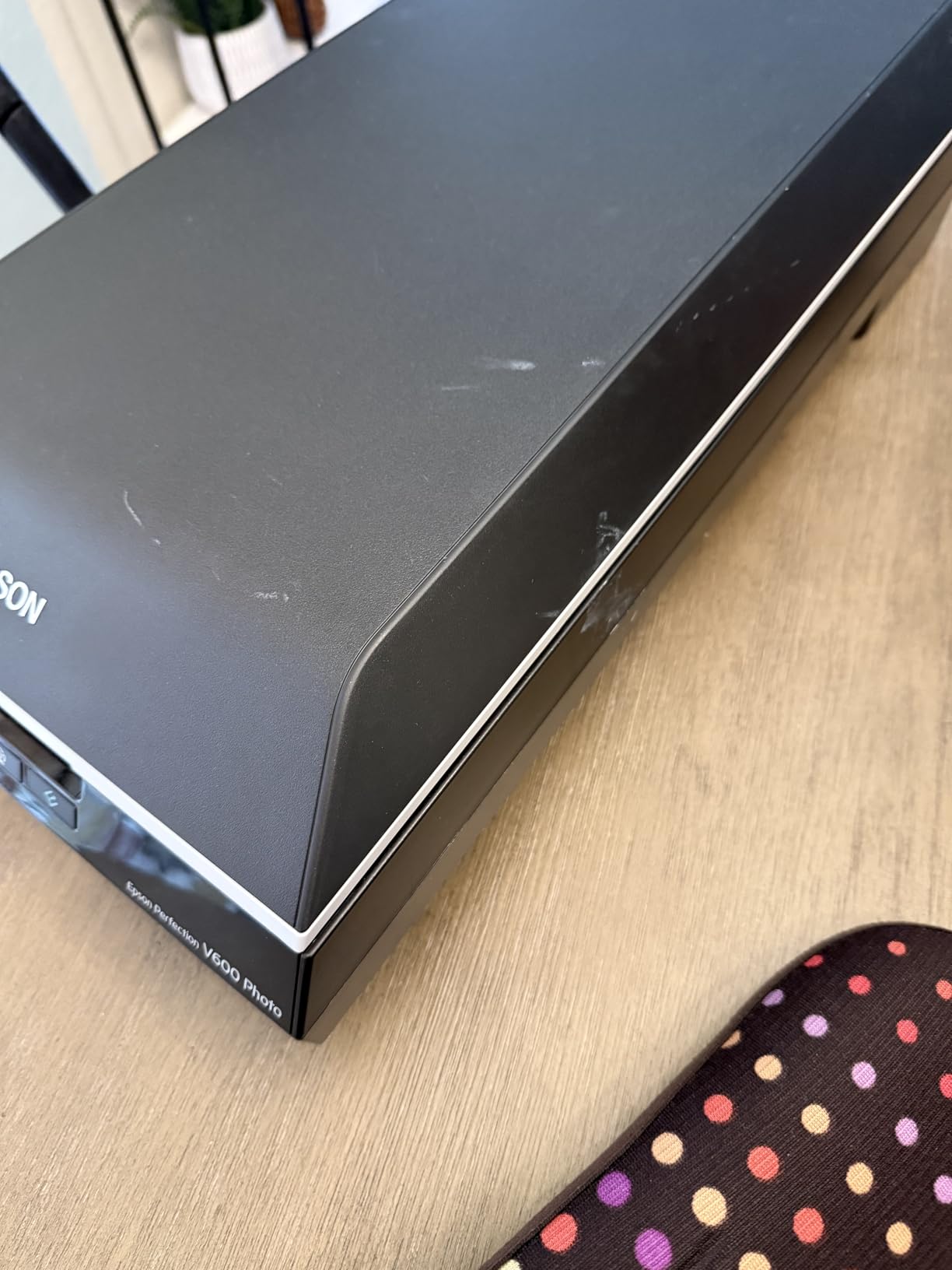
DIGITAL ICE technology provides dust and scratch removal similar to what dedicated film scanners offer. It works through infrared detection and is reasonably effective, though I found it slightly less accurate than the hardware-based systems in Plustek’s dedicated scanners. The ReadyScan LED light source means no warm-up time, which is appreciated when you are scanning intermittently.
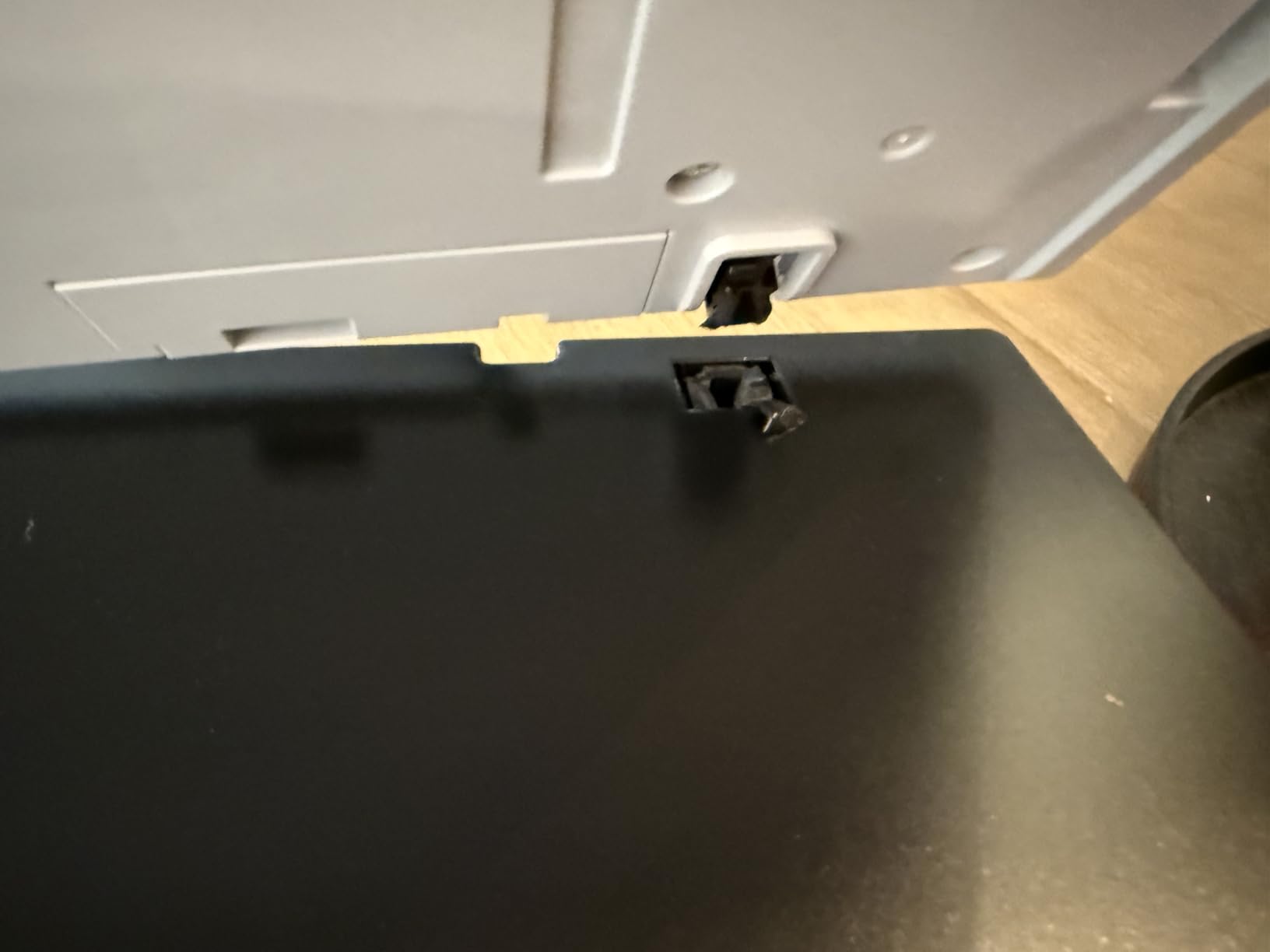
The ability to batch scan 4 mounted slides or 12 negatives at once speeds up workflow considerably. However, the actual scanning time at high resolutions with ICE enabled can exceed 10 minutes per batch. Plan your projects accordingly. Software quirks include occasional crashes after scans, which requires saving frequently.
Best For Multi-Format Photographers
If you shoot both 35mm and medium format, or need to scan documents and photos alongside film, this flatbed scanner handles everything. The versatility justifies its premium price for photographers with diverse scanning needs.
Not For Pure 35mm Enthusiasts
If you only shoot 35mm film, a dedicated scanner like the Plustek 8300i Ai will deliver sharper results at similar resolution. The flatbed design means slightly softer scans for 35mm specifically compared to dedicated film scanners.
7. Kodak SCANZA – Compact Standalone Scanner
Pros
- Quick and easy slide conversion
- Large 3.5 inch LCD display
- Supports 35mm
- 126
- 110
- Super 8 and 8mm formats
- No computer required
- Affordable price point
- HDMI output for TV
- Compact and portable
- Prime eligible
Cons
- Color accuracy issues with washed out colors
- Takes photos of slides rather than true scanning
- Requires SD card not included
- Not suitable for professional archival quality
- USB cable only for power
The Kodak SCANZA takes a different approach to film digitization. Rather than a traditional scanner, it is essentially a digital camera with a lightbox and film holder. This design makes it incredibly simple to operate but introduces some quality compromises compared to true scanners.
Speed is the SCANZA’s primary strength. You can digitize slides almost as fast as you can feed them through the machine. The 3.5 inch LCD lets you see what you are capturing and make basic adjustments. For someone with hundreds of family slides to convert, this speed matters more than ultimate image quality.

Image quality is acceptable for casual use but shows the limitations of the camera-based approach. Colors sometimes appear washed out compared to the original slides. The 22MP setting offers minimal improvement over 14MP in actual resolution. Think of this as digitization rather than archival scanning. The files are fine for sharing online and making small prints, but photographers seeking maximum quality should look elsewhere.
The variety of included adapters is impressive. 35mm, 126, 110, Super 8, and 8mm formats all work with their respective inserts. I tested it with some Super 8 movie film and got usable frame captures. The HDMI output lets you view scans on a TV, which is nice for sharing with family.

Best For Casual Family Digitization
If your goal is quickly converting family memories to digital format without technical complexity, the SCANZA delivers. It is accessible for non-technical users and handles multiple film formats commonly found in family archives.
Not For Serious Photographers
The camera-based design does not produce archival-quality files. Photographers who care about color accuracy and maximum resolution should choose a true scanner like the Plustek options. This is about convenience, not quality.
8. Canon CanoScan 9000F MKII – Professional Flatbed Scanner
Pros
- Excellent 9600 DPI maximum resolution
- CCD sensor produces high-quality scans
- Supports 35mm and 120mm formats
- TIFF uncompressed format support
- Fast scanning performance
- Excellent auto cropping
- Great color restoration
- Includes film holders
Cons
- Software is bloated and intrusive
- Cannot scan full 120mm at highest resolution
- Software quirks and confusing interface
- Film holder feels flimsy
- Driver support for newer operating systems unclear
The Canon CanoScan 9000F MKII is a professional flatbed scanner that handles film competently alongside its document scanning duties. With 9600 DPI maximum resolution and a CCD sensor, it produces high-quality scans that rival dedicated film scanners for many purposes.
The optical quality is genuinely impressive. I scanned some 35mm negatives at 4800 DPI and the results were sharp with natural grain structure. The 48-bit color depth provides smooth tonal transitions. Canon’s FARE Level 3 technology handles dust and scratch removal through infrared detection, similar to Epson’s DIGITAL ICE.
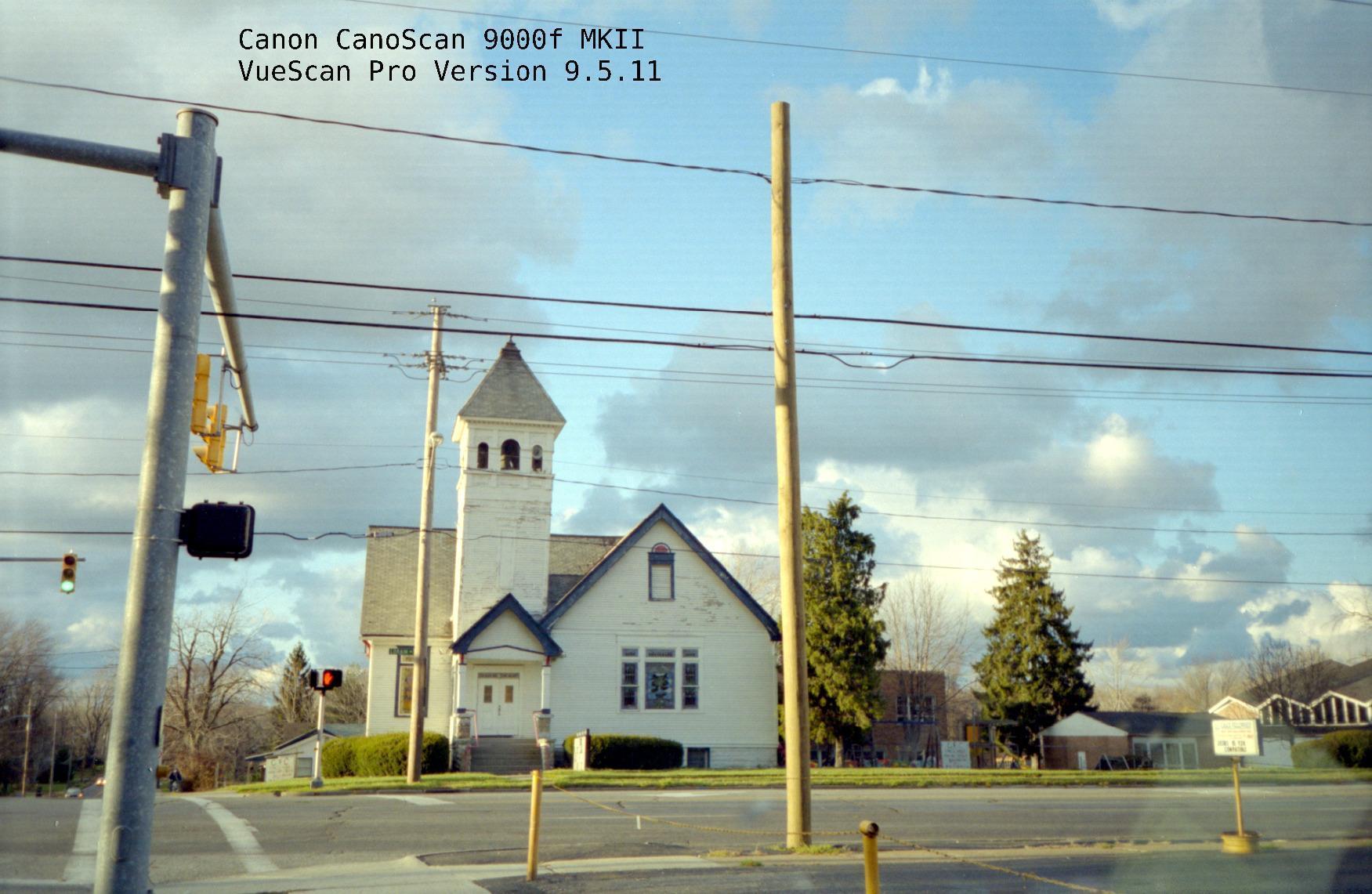
Where this scanner struggles is medium format. While it supports 120mm film, you cannot scan a full frame at maximum resolution. The software limits you to 2400 DPI for full 120mm frames, which is disappointing given the 9600 DPI headline specification. For 35mm work, this limitation does not apply.
Canon’s software is the weak link. The interface feels dated and sometimes behaves unexpectedly. Error messages about resolution limits are confusing. Many users recommend third-party software like SilverFast or VueScan for better control and reliability. Factor that additional cost into your decision.
Best For Dual-Purpose Use
If you need a document scanner that can also handle film scanning competently, this Canon offers excellent value. The resolution and color quality meet professional standards for most applications. Pair it with VueScan software for the best experience.
Not For Large Medium Format Work
The resolution limitation for 120mm film makes this a poor choice if medium format is your primary format. Dedicated medium format scanners or the Epson V600 handle larger negatives more effectively at full resolution.
Buying Guide: How to Choose a Dedicated 35mm Film Scanner
Choosing the right film scanner depends on your specific needs, budget, and technical comfort level. Here are the key factors to consider when evaluating your options.
DPI and Optical Resolution
DPI (dots per inch) determines the maximum resolution of your scans. For 35mm film, 3600 DPI produces roughly a 17-megapixel image, while 7200 DPI doubles that to about 69 megapixels. Higher DPI means larger files and more detail, but also longer scan times. Consider what you plan to do with your scans. Web sharing needs only 2000-3000 DPI, while large prints benefit from 4000 DPI or higher.
Dmax and Dynamic Range
Dmax measures a scanner’s ability to capture the full tonal range of film, from deepest shadows to brightest highlights. A Dmax of 3.4 captures most color negative film adequately, while slide film with its higher contrast benefits from Dmax 4.0 or higher. Budget scanners often do not publish this specification, which tells you something about their performance. For critical work, look for Dmax specifications of 3.6 or higher.
Color Depth and Bit Depth
Color depth, measured in bits, determines how many distinct colors your scanner can capture. Most quality scanners offer 48-bit color (16 bits per RGB channel). This provides smoother gradations and more editing flexibility than 24-bit scanners. If you plan extensive post-processing, prioritize higher bit depth.
Dust and Scratch Removal Technologies
Hardware-based infrared cleaning (Canon’s FARE, Epson’s DIGITAL ICE, Plustek’s iSRD) detects dust and scratches through a separate infrared scan pass. This is more accurate than software-only solutions. If you are scanning older negatives with inevitable dust, this feature saves considerable post-processing time. Budget scanners often rely on software interpolation, which can soften images.
Dedicated vs Flatbed Scanners for 35mm
Dedicated film scanners like the Plustek OpticFilm series use a linear CCD sensor that moves precisely along the film plane. This design produces sharper scans for 35mm specifically. Flatbed scanners with transparency units are more versatile but can produce slightly softer 35mm results due to their design. If you only scan 35mm, dedicated scanners offer better quality per dollar. If you scan multiple formats, a flatbed like the Epson V600 provides necessary versatility.
Software Considerations
Bundled software ranges from basic to professional. SilverFast is widely regarded as the best scanning software but has a steep learning curve. VueScan offers a more accessible interface with good features. Manufacturer software varies in quality. Consider whether you are comfortable learning complex software or prefer simpler operation. Third-party software adds cost but often improves the scanning experience significantly.
What is the best scanner for 35mm film?
The Plustek OpticFilm 8300i Ai is currently the best dedicated 35mm film scanner available new. It offers 7200 DPI resolution, infrared dust removal, professional SilverFast 9 software, and IT8 calibration for color accuracy. For budget-conscious users, the Magnasonic FS71 provides excellent value with fast scanning and good image quality.
What is the best way to scan film at home?
The best way to scan film at home depends on your needs. For archival quality, use a dedicated 35mm film scanner like the Plustek OpticFilm series at 3600-7200 DPI with infrared cleaning enabled. For quick digitization of family photos, standalone scanners like the KODAK Slide N SCAN offer simplicity and speed. Always clean your negatives before scanning to minimize post-processing work.
Is a flatbed or dedicated scanner better for film?
Dedicated film scanners produce sharper results for 35mm specifically because their linear CCD sensors are optimized for film scanning. Flatbed scanners like the Epson V600 offer more versatility for multiple formats but can produce slightly softer 35mm scans. Choose dedicated for 35mm-only work, flatbed if you scan multiple film formats or documents.
What DPI should I scan 35mm film?
For web sharing and small prints, 2000-3000 DPI is sufficient. For prints up to 8×10 inches, scan at 3000-4000 DPI. For large prints or archival purposes, use 4800-7200 DPI. Higher DPI means larger files and longer scan times. Start with 3600 DPI as a good balance between quality and file size for most purposes.
Can I use a flatbed scanner for 35mm film?
Yes, flatbed scanners with built-in transparency units can scan 35mm film. Models like the Epson Perfection V600 and Canon CanoScan 9000F MKII include film holders and light sources for negative and slide scanning. However, dedicated 35mm scanners produce sharper results due to their specialized design. Flatbeds work well if you need multi-format capability or also scan documents.
Conclusion
Finding the best dedicated 35mm film scanners for home darkrooms comes down to balancing quality, speed, and budget. For serious photographers who need archival-quality scans, the Plustek OpticFilm 8300i Ai delivers professional results with its 7200 DPI resolution and infrared dust removal. The Magnasonic FS71 offers excellent value for quick family archive projects, while the KODAK Slide N SCAN provides an affordable entry point for multi-format digitization.
Consider how you will use your scans. If you are making large prints or submitting work for publication, invest in a dedicated CCD scanner like the Plustek 8200i SE or 8300i Ai. If you simply want to digitize family memories for sharing, standalone scanners like the Magnasonic or KODAK options get the job done with minimal complexity. The best scanner is the one that matches your specific needs and workflow.