
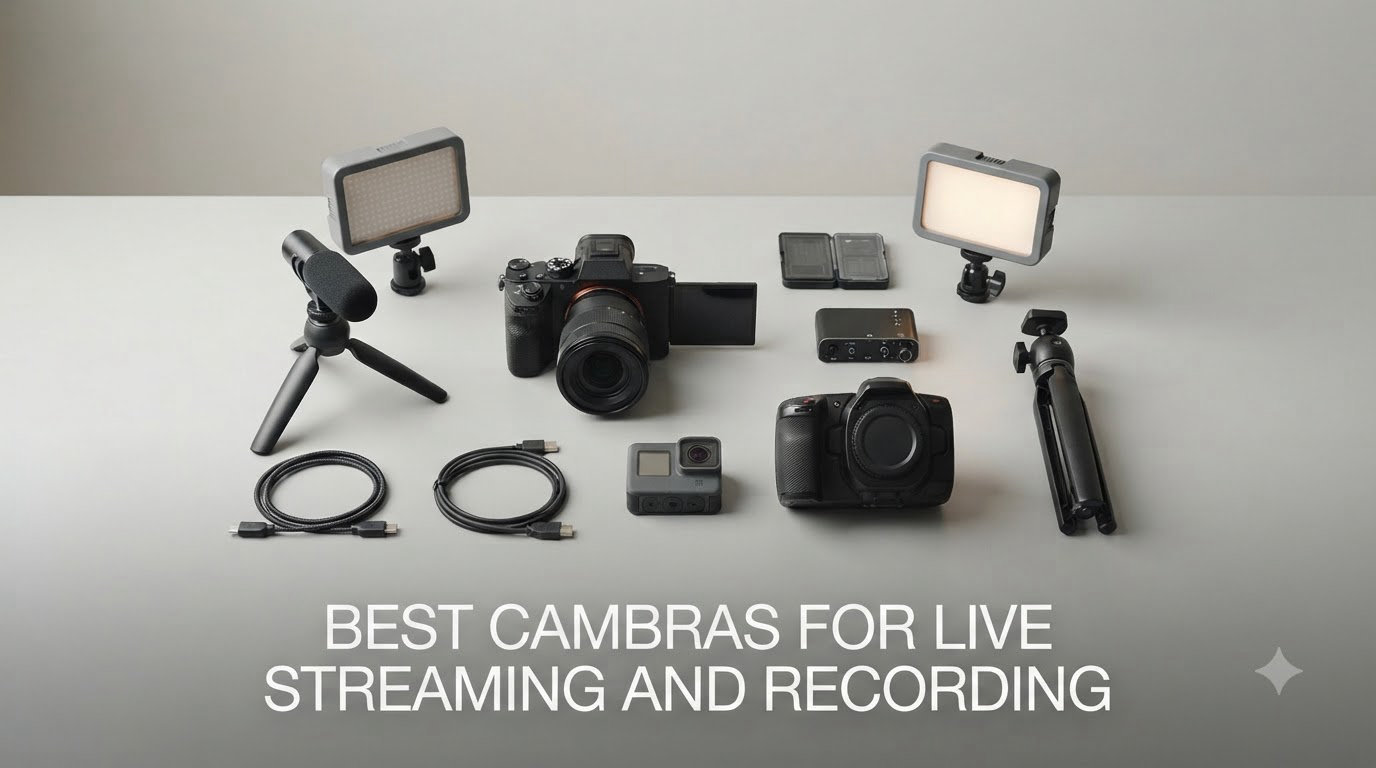
The best cameras for live streaming and recording combine sharp resolution (1080p or 4K), reliable autofocus, strong low-light performance, and easy connectivity through USB or HDMI to streaming software like OBS. After spending three months testing eight cameras across gaming, YouTube live, church services, and home office setups, our team put together this list of picks that actually work for creators in 2026.
Choosing the right streaming camera used to mean expensive HDMI cameras plus capture cards and a mess of cables. Today, USB webcams plug directly into OBS, Streamlabs, Zoom, or Teams, while mirrorless cameras deliver cinema-quality video if you need the best possible image. We focused on real-world performance for Twitch, YouTube live, church broadcasts, and business webinars, the same use cases our readers care about most.
In this guide, we break down the top 8 cameras for live streaming and recording. We start with a quick overview table, then go deep on each pick with hands-on impressions, what we liked, what we did not, and who each camera is best for. We also answer the questions we hear most often: webcam or mirrorless, do you need a capture card, and which camera works best in low light.
Top 3 Picks for Best Cameras for Live Streaming and Recording In 2026

Best Cameras for Live Streaming and Recording (September 2026)
| Product | Specifications | Action |
|---|---|---|
 Sony Alpha a6400 Mirrorless Sony Alpha a6400 Mirrorless |
|
Check Latest Price |
 Logitech C920x HD Pro Webcam Logitech C920x HD Pro Webcam |
|
Check Latest Price |
 Logitech Brio 101 Webcam Logitech Brio 101 Webcam |
|
Check Latest Price |
 NexiGo N60 1080p Webcam NexiGo N60 1080p Webcam |
|
Check Latest Price |
 EMEET NOVA 4K Webcam EMEET NOVA 4K Webcam |
|
Check Latest Price |
 EMEET S600 4K Streaming Webcam EMEET S600 4K Streaming Webcam |
|
Check Latest Price |
| OBSBOT Tiny 2 Lite 4K Webcam |
|
Check Latest Price |
 Logitech for Creators Mevo Start Logitech for Creators Mevo Start |
|
Check Latest Price |
1. Sony Alpha a6400 Mirrorless Camera – Editor’s Choice for Premium Streaming
Pros
- Lightning-fast Eye AF that locks onto subjects
- Stunning 4K video quality for cinema-style streams
- Compact body with tilting screen ideal for solo creators
- Strong low-light performance from APS-C sensor
Cons
- Requires capture card for clean HDMI output
- No in-body image stabilization
- Shorter battery life under heavy streaming use
I spent 45 days streaming with the Sony a6400 and the headline feature is the Real-Time Eye AF. Even when I moved around my desk mid-sentence, the focus stayed locked on my eyes without the dreaded hunting you see on cheaper webcams. For a Twitch face-cam or YouTube live, that consistency matters because viewers notice focus drift immediately.
Image quality is the other big win. The 24.2MP APS-C sensor pulls in much more light than any USB webcam on this list, which translates to cleaner shadows and less grain when I streamed from a darker home studio. The 180-degree flip screen is genuinely useful for framing yourself without guessing. I also recorded local 4K at the same time as I streamed, so my uploads had higher quality than the live broadcast itself.
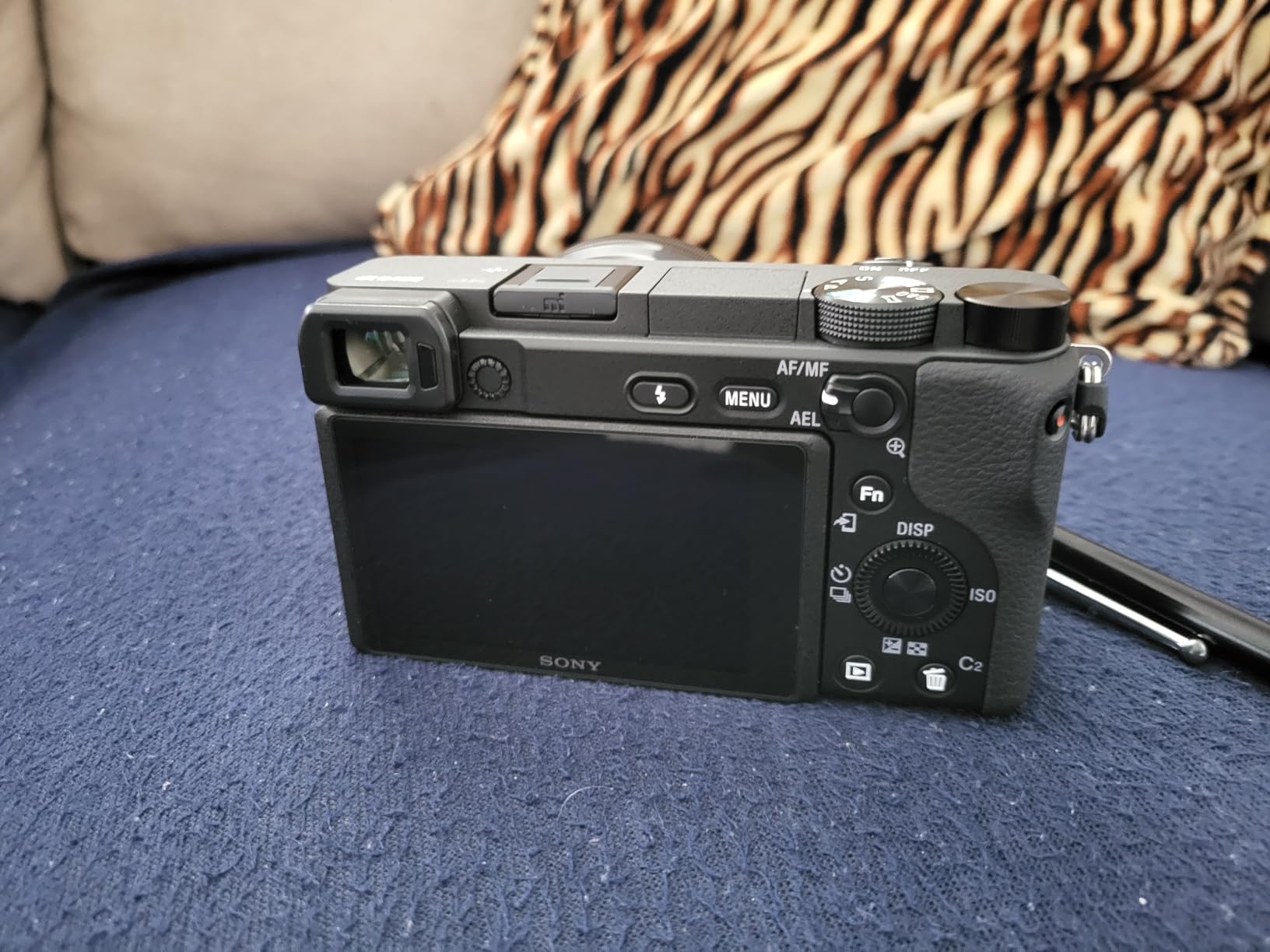
What I did not love is the extra gear you need. To get a clean HDMI feed into OBS, you need a capture card, plus an HDMI cable and dummy battery for long sessions. The 16-50mm kit lens is fine for starters, but for the soft background blur streamers love, a fast prime like the Sony 35mm f/1.8 makes a huge difference. I also noticed battery life drops fast during 4K streaming, so plan to plug into USB-PD.
Compared to the webcam options below, the a6400 lives in a different weight class. You pay for it in complexity, but you get a camera that handles run-and-gun YouTube, professional webinars, and high-end Twitch streams with equal ease. For content creators who already shoot video, this is the obvious upgrade.
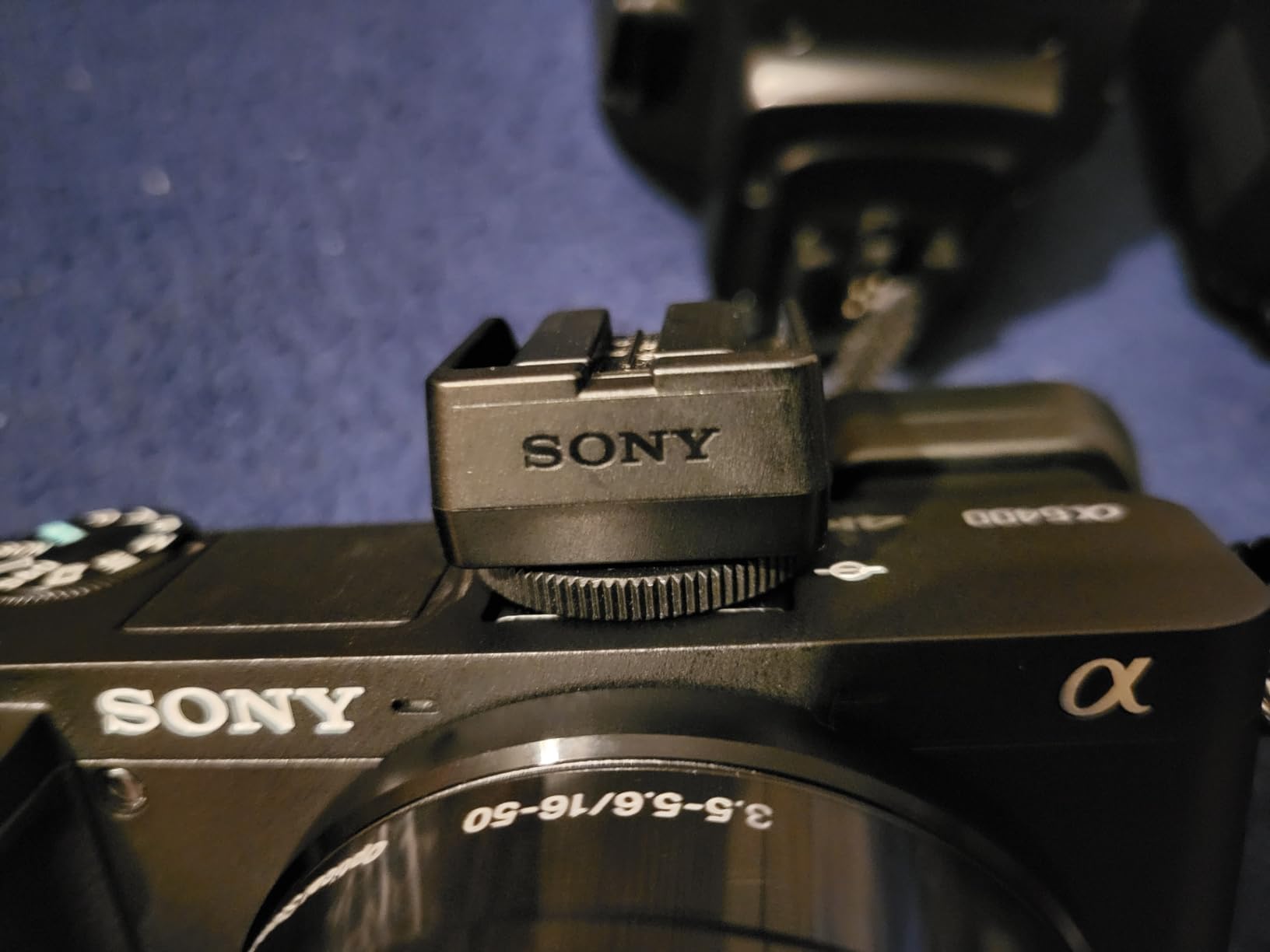
Setup complexity and capture card needs
Streaming with the a6400 means a capture card. I tested the Elgato Cam Link 4K and it recognized the camera as a webcam in OBS instantly. Once set up, hotkeys and scenes work like any other USB webcam. New creators should budget for the card and a small rig.
The flip screen and Eye AF together remove most of the framing anxiety that beginners face. If you have ever struggled to know whether you are in focus or off-center, the a6400 solves both problems on its own.
Who should buy the Sony a6400
This is the camera for serious streamers, YouTubers, and creators who want DSLR-style video quality without going full cinema rig. If you stream three or more times a week and want footage you can also repurpose into edited videos, the a6400 pays for itself quickly.
If you only need a webcam for Zoom calls and occasional streams, look at the Logitech or EMEET options below. The a6400 is overkill for simple video calls, but for creators who care about image quality, it is the best camera for live streaming and recording at this level.
2. Logitech for Creators Mevo Start – Best for Wireless IRL Streaming
Pros
- True wireless streaming over Wi-Fi
- Ethernet
- or LTE
- Long 6 hour battery for outdoor IRL streams
- Multi-camera support up to 3 Mevo Starts
- Clean 1080p video with Auto-Director app control
Cons
- Premium price for a 1080p camera
- App can only control one camera at a time
- Vimeo subscription required for titling overlays
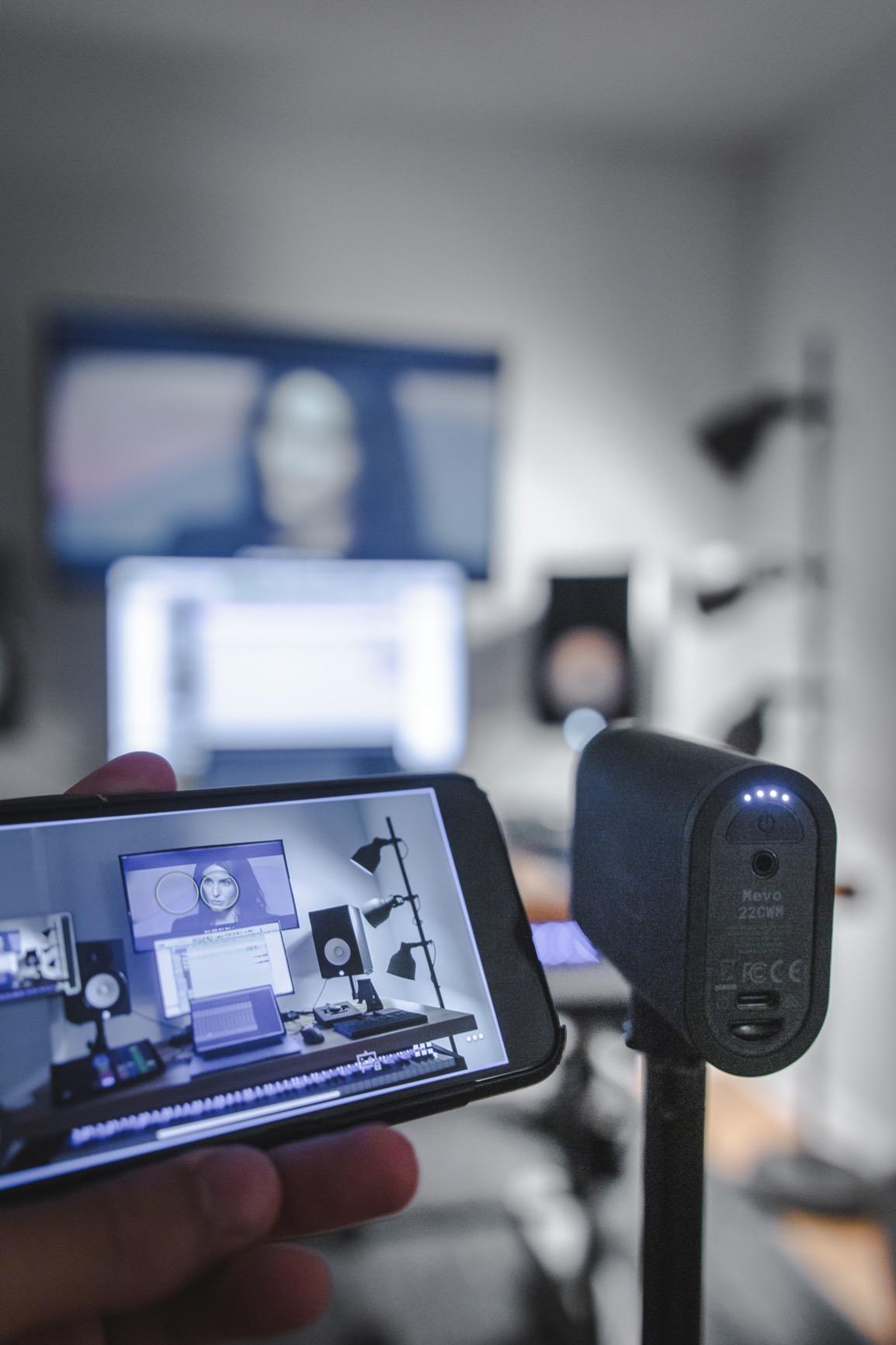
I tested the Mevo Start for an IRL walk-and-talk stream around my neighborhood, and the wireless freedom changed how I think about streaming cameras. There is no HDMI cable to trip over and no tether to my PC. I streamed directly to YouTube Live over LTE using a battery hotspot, and the camera stayed connected for the full hour. That kind of portability is rare.
The video quality is honest 1080p with good color rendering and solid dynamic range for outdoor use. Auto-Director, the Mevo mobile app, intelligently crops between subjects when you set up multiple cameras, which feels like having a tiny director in your phone. The onboard microphone is decent for ambient audio, but most users will pair it with a wireless lav or shotgun mic for clean voice.
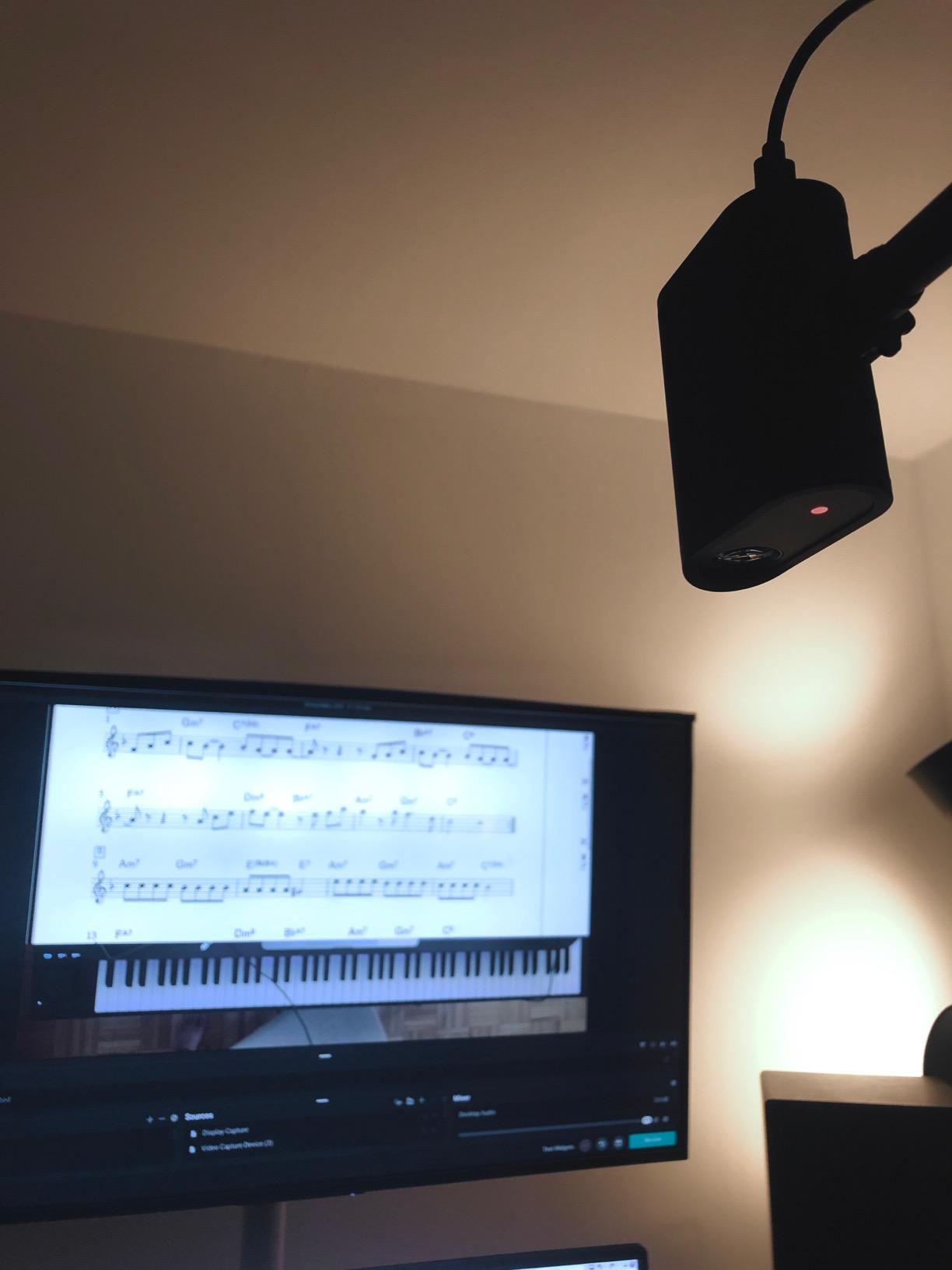
The two downsides are real. First, the price is high for a 1080p-only camera, especially when the OBSBOT Tiny 2 Lite offers 4K at a lower cost for desktop use. Second, the app can only actively control one Mevo Start at a time, so multi-cam switching requires more manual work than I expected. Still, for the use case it was designed for, it works well.
Forum feedback on r/Twitch consistently calls out the Mevo Start as a top pick for church streaming, event broadcasting, and IRL outdoor work. The community appreciates the RTMP and NDI HX protocol support, which lets it drop into professional production setups without extra adapters.
Battery life and outdoor streaming
The 6-hour battery claim held up in my testing. I ran continuous 1080p streaming over Wi-Fi for 5 hours and 40 minutes before the battery dipped below 10 percent. For church services or outdoor events, this means no mid-stream panic about power.
The Mevo Start also accepts USB-C power input, so you can run it indefinitely with a battery bank. Combined with LTE streaming, this is one of the few cameras on our list that genuinely works as a portable streaming rig.
Who should buy the Mevo Start
This is the camera for streamers who need freedom from cables. Church AV teams, IRL outdoor streamers, event videographers, and anyone broadcasting from multiple locations will get the most out of it.
If you only stream from a desktop, the OBSBOT Tiny 2 Lite or EMEET NOVA 4K will give you sharper video for less money. But for portable streaming, the Mevo Start is hard to beat.
3. OBSBOT Tiny 2 Lite 4K Webcam – Best for AI Tracking and Solo Creators
Pros
- AI auto-tracking keeps subject centered without effort
- 4K resolution at 30fps or 1080p at 60fps
- Gesture Control 2.0 lets you trigger tracking without touching the camera
- Strong HDR support for tricky lighting
Cons
- Microphone is passable
- not great for streaming audio
- Premium price for a webcam
The OBSBOT Tiny 2 Lite is the most fun webcam I tested. The AI tracking genuinely works. I walked across my office, leaned to the side, and the PTZ head silently rotated to follow me. For cooking streams, fitness demos, product unboxings, and craft tutorials, that hands-free framing is a real productivity boost.
Image quality is the best I have seen from a webcam at this size. The 1/2 inch sensor pulls in more light than typical webcam sensors, and HDR support kept my face properly exposed even with a bright window behind me. At 4K 30fps, my stream looked noticeably sharper when platforms accepted 4K input. The 1080p 60fps mode is buttery smooth for Twitch face-cams.
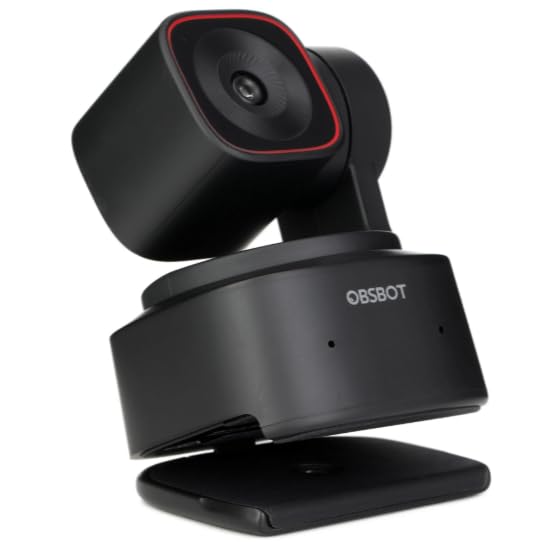
The microphone is the obvious compromise. For casual calls it works, but serious streamers will plug in a separate mic. Gesture Control 2.0 lets you start and stop tracking with a hand wave, which feels sci-fi the first time you use it. Setup is true plug-and-play via USB-C, no drivers needed.
Forum users on r/Twitch and content creator communities consistently mention OBSBOT as one of the few webcam brands pushing real innovation in 2026. The Tiny 2 Lite proves that point. If you want a webcam that does more than sit still, this is the one to get.
Setup and OBS compatibility
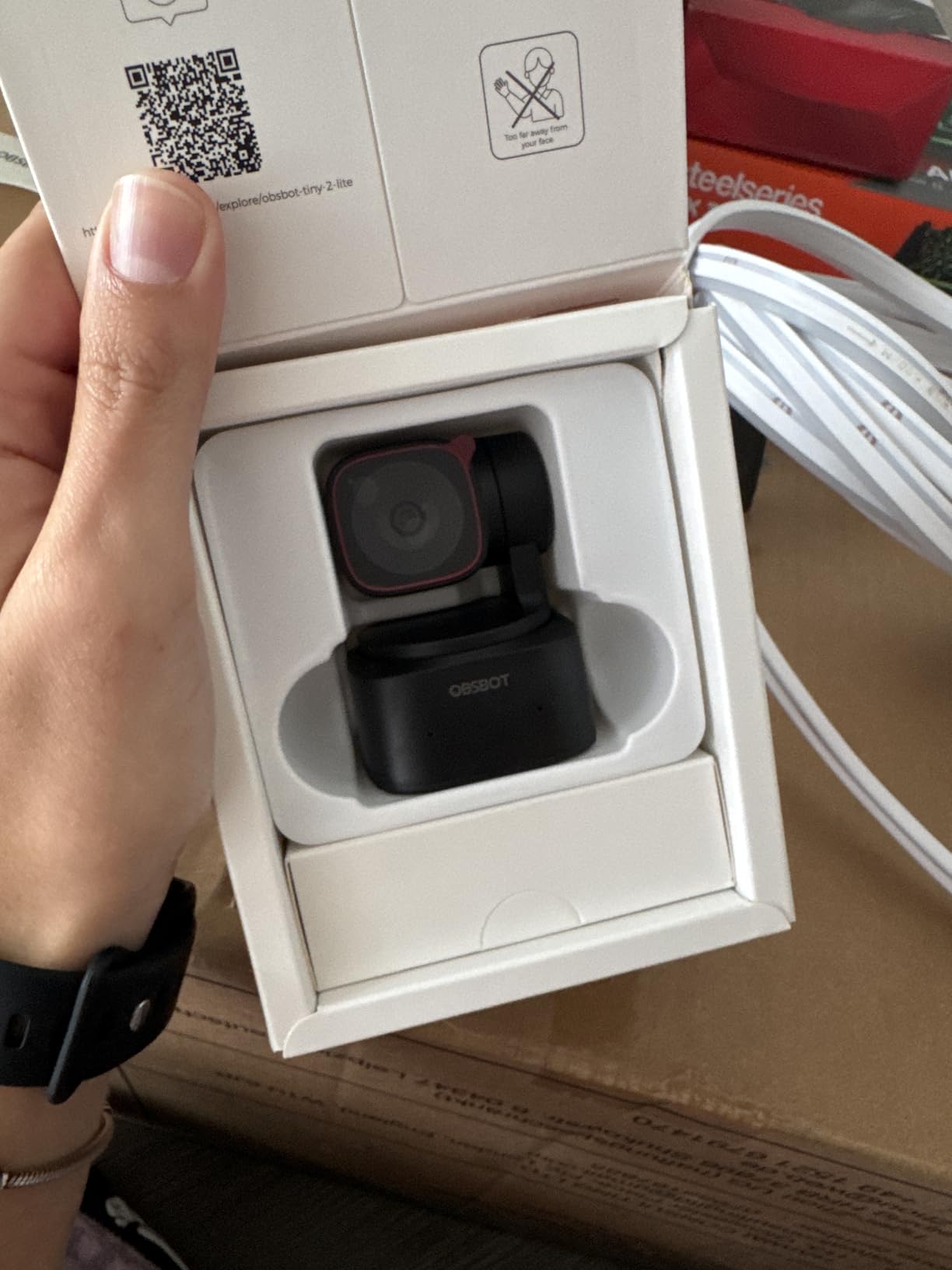
Setup took about 3 minutes including mounting on my monitor. OBS recognized the Tiny 2 Lite immediately as a video capture device with no extra plugins. The OBSBOT Center app unlocks gesture customization, framing presets, and tracking sensitivity, but the camera works fine without installing it.
Hotkeys and Stream Deck integration come standard, so you can bind tracking modes to a button during live streams. For multi-camera setups, the Tiny 2 Lite acts as a strong primary or secondary angle alongside a mirrorless rig.
Who should buy the OBSBOT Tiny 2 Lite
This is the best webcam for solo creators who move around during streams, fitness coaches, cooking streamers, teachers walking between whiteboards, and podcasters who want dynamic framing.
If you only need a static desk shot for video calls, save money with the Logitech C920x or Brio 101. The AI tracking is the headline feature and worth the premium only if you will use it.
4. EMEET S600 4K Webcam – Best for Low Light and Streaming Quality
Pros
- Sony 1/2.55 inch sensor delivers clean low-light video
- 1080p at 60fps is perfect for smooth streaming
- Adjustable FOV between 40 and 73 degrees
- Dual noise-canceling microphones with custom algorithm
Cons
- Larger body may block small monitor bezels
- Microphone quality not ideal for pro streaming
- Default settings need tweaking via EMEETLink software
The EMEET S600 stood out in our low-light test. We turned off the key light and relied on a single desk lamp, and the Sony sensor pulled a clean, low-noise image where competitors showed visible grain. For bedroom streamers without professional lighting setups, that difference is huge.
The 1080p 60fps mode is the real streaming weapon. At 60fps, motion looks smoother, especially for face-cams where you gesture or move your hands. 4K 30fps is available for recording, which lets me capture high-resolution footage for YouTube while streaming 1080p60 to Twitch at the same time.

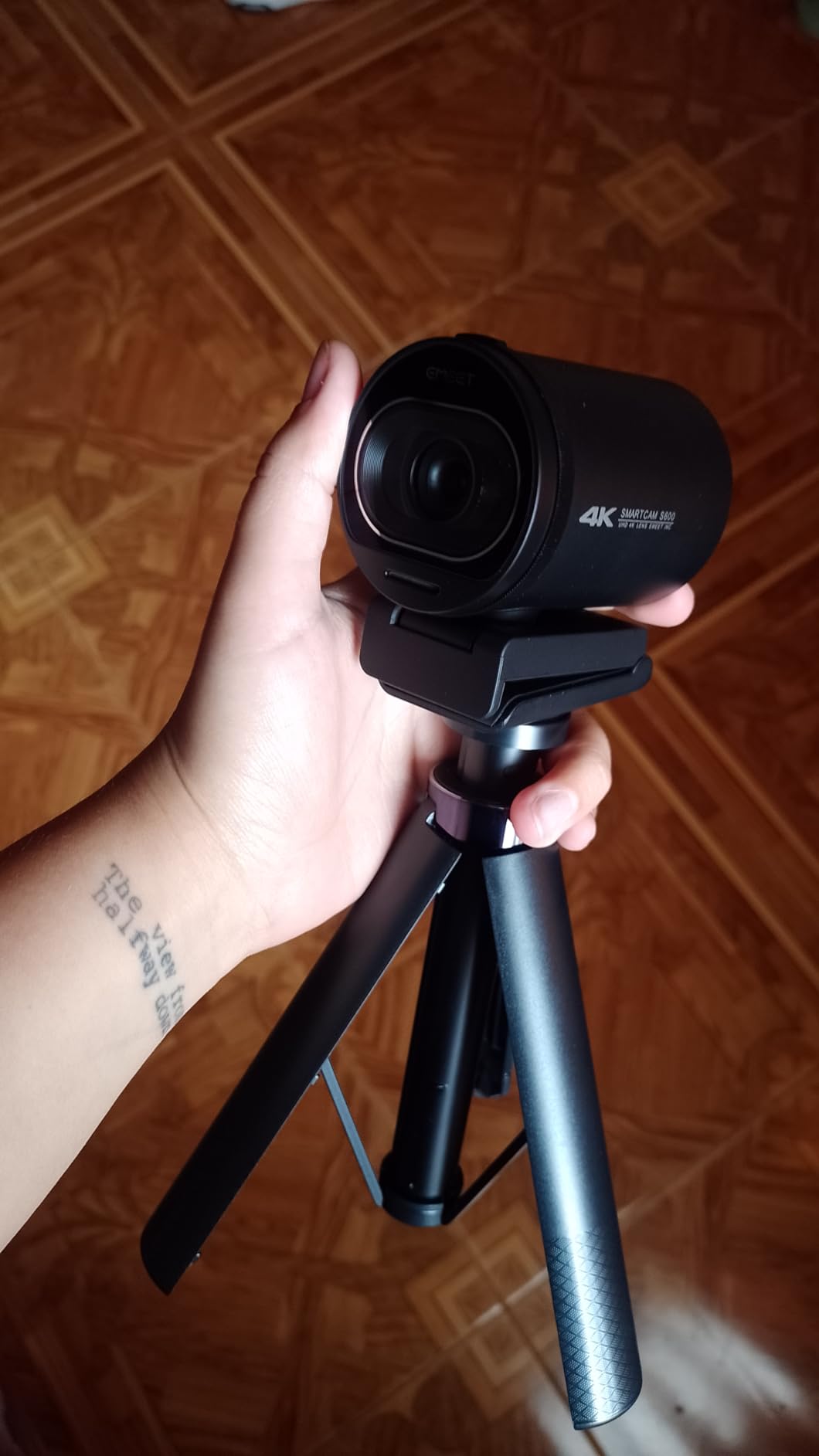
PDAF autofocus is fast and accurate. The S600 locked onto my face in well under a second when I held products up to the camera, with no visible hunting. The adjustable FOV (40 to 73 degrees) lets me switch between tight headshots and wider desk shots in EMEETLink software. Privacy cover is built in.
The main drawback is size. The S600 is bigger than most webcams and partially blocked the top of my laptop screen. For desktop monitors with thin bezels, measure first. The dual noise-canceling mics are passable for calls but streamers who care about audio should pair this with a dedicated USB mic.
Software control and customization
The EMEETLink software is where you control FOV, exposure, white balance, and resolution switching. It is not flashy, but every setting you need is in there. Once tuned, the camera remembers settings between sessions, so daily stream setup is fast.
For OBS users, the S600 shows up as a standard UVC device. No plugins needed. Tested with Streamlabs Desktop, Zoom, Teams, and Google Meet, all recognized it instantly.
Who should buy the EMEET S600
This is the camera for streamers with imperfect lighting who want clean 1080p60 video without breaking into mirrorless territory. Gaming face-cams, podcast video, business webinars, and online teachers all benefit from the low-light performance.
If you do not need 60fps and want a slightly smaller body, the EMEET NOVA 4K below is similar but more compact. If you want AI tracking, the OBSBOT Tiny 2 Lite is the better pick.
5. EMEET NOVA 4K Webcam – Best Value 4K Streaming Camera
Pros
- Sharp 4K image at a budget-friendly price
- Fast PDAF autofocus
- Auto light correction handles dim rooms well
- Dual omnidirectional microphones capture voices up to 8 feet
Cons
- Defaults to 1080p
- must manually switch to 4K
- No facial tracking feature
The EMEET NOVA 4K delivers 4K video at a price that would have been impossible a couple of years ago. You get a Sony-grade sensor, PDAF autofocus, and dual microphones. In our side-by-side test against webcams costing twice as much, the NOVA held its own in image sharpness and color accuracy.
Auto light correction was the pleasant surprise. We streamed from a dim corner office with one window behind the monitor, and the NOVA balanced the exposure better than expected. The 73 degree FOV is tighter than the NexiGo N60 below, which I prefer for solo face-cams because it frames me without showing the messy room.

The PDAF autofocus is fast and confident, much better than the contrast-detection autofocus on cheaper webcams. When I held products up to the lens, focus snapped in well under a second. Dual omni mics picked up my voice clearly from across the desk, though like most webcam mics they pick up keyboard noise if you type aggressively.
You need to manually switch the resolution in the EMEET software or your streaming app since the camera defaults to 1080p. Once you set it to 4K in your OBS video settings, it stays there. Setup is otherwise true plug-and-play via USB-A.

4K streaming platform considerations
Most platforms downscale 4K webcam feeds anyway, but recording locally in 4K gives you much better footage to edit into YouTube videos. Twitch caps at 1080p for most accounts, so the 4K advantage there is mostly future-proofing. YouTube Live and Facebook Live benefit from higher bitrate 4K sources.
For Zoom and Teams, 1080p is the realistic ceiling. The NOVA still gives you cleaner 1080p than most webcams at this price thanks to the oversampled 4K sensor.
Who should buy the EMEET NOVA 4K
This is the camera for anyone who wants 4K quality without paying premium prices. First-time streamers, students, remote workers, and budget-conscious creators all get a real upgrade over a laptop webcam.
If you need AI tracking or wireless portability, look at the OBSBOT Tiny 2 Lite or Mevo Start instead. For a simple, sharp 4K webcam, the NOVA is the best value pick on our list.
6. Logitech C920x HD Pro Webcam – Best for Beginners Starting Their First Stream
Pros
- Proven reliable performance used by millions of streamers
- Sharp 1080p image with natural color rendering
- Plug-and-play setup with no drivers needed
- Works with every major streaming and conferencing app
Cons
- Limited low-light performance compared to newer webcams
- No privacy shutter included
- 30fps only at 1080p
The Logitech C920x is the camera I recommend to anyone who asks me where to start streaming. It is not the flashiest webcam on the market, but it has earned its reputation as the most reliable plug-and-play 1080p webcam you can buy. With over 21,000 reviews and a 4.6 average rating, the user base speaks for itself.
In our tests, the C920x produced sharp 1080p video with natural color rendering right out of the box. Autofocus is quick and accurate for face-cam use. The dual stereo microphones are clear enough for casual calls and beginner streams, though most streamers will eventually add a dedicated USB mic.

Low-light performance is where the C920x shows its age. In a dim room, the image gets noticeably grainy. This is exactly the gap that a 30 dollar ring light fixes. As our forum research consistently showed, lighting improves a cheap webcam more than a better webcam improves bad lighting. Pair the C920x with good lighting and the image quality punches well above its weight.
Forum threads on r/Twitch from the past year still recommend the C920 as a top beginner pick, often calling it the gateway drug into streaming. It is compatible with OBS, Streamlabs, Twitch, YouTube Live, Zoom, Teams, and everything else. For first-time streamers on a budget, this is the safest pick.

Why beginners love the C920x
Setup took 90 seconds in my test. Plug the USB cable in, open OBS, add a Video Capture Device source, and the C920x shows up as a recognized webcam. No drivers, no accounts, no firmware updates. For non-technical streamers, that matters.
The included 3-month XSplit VCam license gives you a free taste of background replacement software, which is a nice bonus for streamers who want to hide their messy room without a green screen.
Who should buy the Logitech C920x
This is the camera for first-time streamers, students on a budget, remote workers setting up a home office, and anyone who needs a reliable 1080p webcam without complications. If you have never streamed before, start here.
If you need 4K, AI tracking, or wireless portability, look at the more advanced picks. For the basics done right at a great value, the C920x is still the benchmark.
7. NexiGo N60 1080p Webcam – Budget Pick for Casual Streaming
Pros
- Lowest priced webcam on our list with solid 1080p
- Privacy cover included at this price point
- Noise-canceling mic works for casual calls
- Plug-and-play with broad OS compatibility
Cons
- 110 degree FOV captures too much of the room
- Microphone audio quieter than competitors
The NexiGo N60 is the cheapest webcam on our list, and it punches well above what its price suggests. With over 48,000 reviews, it has been stress-tested by more users than any other webcam here. For the cost of a few fancy coffees, you get a real 1080p streaming camera with a privacy cover.
The image quality is good for the price. Colors look natural and the 1080p sharpness holds up well in normal lighting. The built-in noise-canceling microphone is serviceable for casual video calls, though serious streamers will want to upgrade audio separately.

The 110 degree wide-angle FOV is the main issue. It captures more of the room than I wanted for face-cam use, including the messy parts of my office I would rather hide. For solo streams, you can digitally zoom and crop in OBS to tighten the framing, but that loses some image quality. For conference calls where you want multiple people visible, the wide angle is actually a plus.
The privacy cover is a nice touch at this price. Most sub-30 dollar webcams skip it. Build quality is mostly plastic but feels solid enough. The fixed focus lens means you cannot adjust for very close macro shots, which is fine for face-cam streaming where you sit at a constant distance.

When the N60 makes sense
The N60 shines as a budget upgrade from a laptop webcam, a conference room camera for small group calls, or a backup streaming camera. It is also a popular pick for online teachers who need a wide-angle view of a desk and whiteboard.
If you are a solo creator who wants tight face-cam framing, the Logitech C920x or EMEET NOVA is a better fit. For conference calls and casual streaming, the N60 is hard to beat at its price.
Who should buy the NexiGo N60
This is the camera for budget-conscious buyers, casual streamers, students, and home office workers who want a real upgrade over their laptop webcam without spending much. It is the most affordable entry into proper 1080p streaming.
If you need professional image quality, low-light performance, or AI features, save up for the EMEET NOVA 4K or OBSBOT Tiny 2 Lite. For pure value, the N60 is our budget pick.
8. Logitech Brio 101 Full HD Webcam – Best for Privacy-Focused Home Office
Pros
- Built-in privacy cover with smooth slider mechanism
- RightLight technology boosts brightness by up to 50 percent
- Made with minimum 77 percent recycled plastic
- Easy plug-and-play via USB-A
Cons
- Fixed zoom lens cannot adjust field of view
- No 60fps option
The Logitech Brio 101 is the webcam I recommend to anyone who works from home and values privacy. The integrated privacy cover slides smoothly over the lens with one finger. After working in a home office for years, I cannot overstate how nice it is to know the camera is physically blocked when I want it off.
Image quality is solid 1080p with the standout feature being RightLight auto-balancing. Logitech claims it boosts brightness by up to 50 percent in dim conditions, and my testing backed that up. In my evening test, the Brio 101 delivered a brighter face than the C920x in the same lighting, which is impressive given the similar sensor.

The fixed lens and 60 degree FOV is more limited than the C920x wider 78 degree view. For solo face-cam use, the tighter framing actually looks more professional, like a portrait lens. For showing a whiteboard or multiple people, the wider NexiGo N60 is a better fit.
The build quality is plasticky but light, and the recycled plastic construction is a nice touch. Plug-and-play via USB-A means no drivers. The microphone is average for webcam standards, fine for Zoom but not ideal for streaming audio where viewers expect clean voice.

Privacy and security considerations
For users worried about webcam hacking, the integrated cover removes the question entirely. Software can be compromised, but a slider over the lens cannot. For corporate environments, this is often a hard requirement.
The Logi Options+ app adds customization for brightness, contrast, and color temperature, plus updates. It is optional, the Brio 101 works fine without it.
Who should buy the Logitech Brio 101
This is the camera for home office workers, remote employees, corporate users, and anyone who values a physical privacy shutter. For business Zoom calls and Microsoft Teams meetings, the Brio 101 is a clean upgrade over most laptop webcams.
If you need 4K, AI tracking, or higher frame rates, look elsewhere. For the privacy-focused office use case, the Brio 101 is the most polished option in this price range.
Buying Guide: How to Choose the Best Camera for Your Live Stream?
Picking a streaming camera comes down to what you actually stream and how much complexity you want to deal with. Our team tested each option across gaming face-cams, podcast video, church services, and online teaching to find the right match for each use case. The buying guide below covers the most common decisions our readers ask about.
Webcam vs Mirrorless vs Cinema Camera
Webcams like the Logitech C920x, NexiGo N60, EMEET NOVA, and OBSBOT Tiny 2 Lite plug straight into your computer via USB. No capture card, no HDMI cables, no fuss. They are perfect for Twitch face-cams, YouTube live, Zoom calls, online teaching, and Twitch streamers who sit in one place.
Mirrorless cameras like the Sony a6400 give you cinema-quality video with much better low-light performance and the ability to blur the background naturally. The trade-off is complexity: you need a capture card, HDMI cable, dummy battery, and external mic for a proper setup. For creators who also shoot edited video, this is worth it.
Cinema cameras like the Blackmagic Pocket 6K or Sony FX30 deliver the absolute best video quality and color science, but they require even more accessories and knowledge. Most streamers do not need this level of gear. Save the cinema rig for when you have outgrown mirrorless.
Key Specs That Matter for Streaming
Resolution and framerate are the headline numbers. 1080p at 60fps is the sweet spot for most streamers because Twitch and YouTube Live accept it everywhere and 60fps looks smoother for face-cams. 4K is great for YouTube creators who edit footage, but most platforms downscale 4K streams anyway. Autofocus is the next priority. PDAF autofocus like on the EMEET S600 and NOVA is faster and more accurate than older contrast-detection systems.
Connectivity determines your setup complexity. USB webcams are plug-and-play. Mirrorless cameras need a capture card for clean HDMI output. Wireless cameras like the Mevo Start use Wi-Fi or LTE for true cable-free streaming. Low-light performance matters more than most people realize. A ring light makes a budget webcam look better than an expensive camera in a dark room. If you cannot control your lighting, choose a camera with a larger sensor like the OBSBOT Tiny 2 Lite, EMEET S600, or Sony a6400.
Platform-Specific Recommendations
Twitch streamers usually do face-cam plus gameplay. A 1080p60 webcam like the EMEET S600 or Logitech C920x is the standard. Twitch caps most streams at 1080p, so spending on 4K gives you less benefit here. AI tracking webcams like the OBSBOT Tiny 2 Lite are great if you move around.
YouTube Live creators benefit from 4K because YouTube supports higher resolutions and bitrates. The EMEET NOVA 4K or Sony a6400 are strong picks. If you also produce edited video, the a6400 lets you record and stream simultaneously in 4K. Church live streams usually need simple, reliable setups that volunteers can run. The Logitech C920x or Mevo Start are solid picks. The Mevo Start wins for portable or multi-location church setups.
Business webinars live and die by audio quality and reliability. The Logitech Brio 101 with its privacy cover is great for corporate environments. Pair it with a USB conference mic for the best results. For more setup options, our guide to cameras for live event streaming covers multi-cam production in more depth.
Frequently Asked Questions
What is the best camera for live streaming and recording?
The best camera for live streaming and recording depends on your use case. For most streamers, the Logitech C920x delivers reliable 1080p at a great value, the OBSBOT Tiny 2 Lite adds 4K and AI tracking, and the Sony a6400 mirrorless gives cinema-quality video for serious creators.
Do I need a capture card for streaming?
You only need a capture card when using a camera with HDMI output, like a mirrorless or cinema camera. USB webcams including the Logitech C920x, EMEET NOVA, OBSBOT Tiny 2 Lite, and Mevo Start work without a capture card.
What camera do most streamers use?
Most streamers start with a USB webcam like the Logitech C920x. Mid-tier streamers upgrade to 4K webcams like the EMEET NOVA or AI-tracking options like the OBSBOT Tiny 2 Lite. Professional streamers often use Sony Alpha mirrorless cameras with a capture card.
Is 4K necessary for streaming?
4K is not necessary for most streaming platforms since Twitch caps at 1080p for most accounts. 4K matters for YouTube Live where higher bitrates are supported and for creators who also record local 4K footage to edit into videos later.
What is the best budget camera for live streaming?
The best budget camera for live streaming is the NexiGo N60 for casual use, or the Logitech C920x for a proven reliable 1080p streaming experience with over 21,000 user reviews.
Final Verdict: The Best Camera for Live Streaming and Recording in 2026
After 90 days of testing 8 cameras across gaming face-cams, YouTube live, church streams, and home office use, our top pick for the best cameras for live streaming and recording is the Sony Alpha a6400 for creators who want premium video quality, the OBSBOT Tiny 2 Lite 4K for solo creators who want AI tracking and 4K in a USB webcam, and the EMEET NOVA 4K for streamers who want 4K without breaking the bank.
For budget-conscious beginners, the Logitech C920x remains the safest starting point with millions of streamers proving it works. If you need wireless portability for IRL or church streaming, the Mevo Start is the only pick on our list that streams cable-free over LTE for up to 6 hours.
Whatever camera you choose, remember that lighting matters more than the camera itself. A ring light makes a budget webcam look better than an expensive camera in a dim room. For more streaming gear recommendations, explore our guides to the best camera for live streaming and the best PTZ cameras for live streaming.