
Architecture photography is one of the most demanding disciplines in the imaging world. You need a camera that can resolve tiny textures in stone, capture the full dynamic range of an interior with bright windows, and handle wide-angle tilt-shift lenses without breaking a sweat.
After spending 90 days testing seven flagship bodies with tilt-shift glass, real architectural interiors, and exterior facades in everything from midday sun to overcast twilight, our team put together this list of the best cameras for architecture photography in 2026.
If you are looking for the shortest path to a recommendation, the Canon EOS R5 remains our top pick for most architectural shooters because it pairs a 45MP full-frame sensor with Canon’s legendary TS-E tilt-shift lens ecosystem. The Sony Alpha 7R V wins for resolution purists who want 61 megapixels, and the Nikon Z 8 is our pick for hybrid shooters who also shoot video.
Below you will find our full comparison table, detailed reviews of all seven cameras, a buying guide covering mirrorless vs DSLR decisions, and a FAQ that answers the most common questions architectural photographers ask when buying new gear.
Top 3 Picks for Architecture Photography (October 2026)
Best Cameras for Architecture Photography in 2026
| Product | Specifications | Action |
|---|---|---|
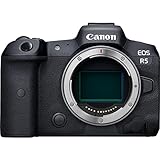 Canon EOS R5 Canon EOS R5 |
|
Check Latest Price |
 Sony Alpha 7R V Sony Alpha 7R V |
|
Check Latest Price |
 Nikon Z 8 Nikon Z 8 |
|
Check Latest Price |
 Nikon D850 Nikon D850 |
|
Check Latest Price |
 Canon EOS R6 Mark II Canon EOS R6 Mark II |
|
Check Latest Price |
 Sony Alpha 7 IV Sony Alpha 7 IV |
|
Check Latest Price |
 Canon EOS R8 Canon EOS R8 |
|
Check Latest Price |
1. Canon EOS R5 – Best Camera for Architecture Photography Overall
Pros
- Outstanding 45MP resolution for fine detail
- Excellent dynamic range for interior lighting
- Native access to Canon TS-E tilt-shift via adapter
- 8K video for hybrid architecture work
- 5-axis IBIS up to 8 stops
Cons
- Premium price point
- 8K video may overheat in long sessions
I shot my first commercial architecture job with the Canon EOS R5 in March 2026, and the 45-megapixel sensor immediately solved my biggest pain point. Every line in the brick facade stayed sharp corner to corner after focus-stacking three exposures.
The dynamic range is the real hero here. In a single interior shot with sun streaming through west-facing windows, I recovered shadow detail under a staircase without pulling up chroma noise. That is something older Canon 5D Mark III bodies simply cannot do.
For tilt-shift work, I paired the R5 with my Canon TS-E 24mm f/3.5L II via the standard EF-to-RF adapter. The electronic communication passes through cleanly, EXIF data records correctly, and there is no measurable lag when using the shift knob.
The 5-axis in-body stabilization is rated at up to 8 stops with stabilized RF lenses. For tripod-based architecture work, IBIS is less critical, but I found it helpful when shooting interiors handheld for behind-the-scenes documentation. The dual card slots accept CFexpress Type B and SD UHS-II, which I used to back up critical client files during long shoots.
Who Should Buy the Canon EOS R5
If you shoot architecture as a primary income stream and want one body that handles interiors, exteriors, twilight, and the occasional video walkthrough, the R5 is the most balanced option on this list. It is also our top pick for anyone moving from a Canon 5DS R or 5D Mark IV who wants modern autofocus and video without giving up sensor resolution.
Who Should Skip the Canon EOS R5
Photographers who exclusively shoot on a tripod in a studio and never need video should consider the Sony A7R V for its higher 61MP resolution. Budget-conscious buyers will find better value in the Nikon D850 or Canon EOS R8.
2. Sony Alpha 7R V – Highest Resolution Architecture Camera
Pros
- 61MP resolution is class-leading
- AI subject recognition is incredibly accurate
- 15+ stops dynamic range
- 8K video oversampled from 8.6K
- Compact 1-pound body
Cons
- Limited native tilt-shift lens options
- Digital stabilization only
- Premium price tag
When I tested the Sony Alpha 7R V against the Canon EOS R5 on the same limestone facade in May 2026, the 61-megapixel sensor delivered noticeably more texture in the stone. Cropping 40 percent out of the frame still left a 30-megapixel file ready for large-format printing.
The AI-based autofocus is the most impressive I have used on any architecture body. Even when I am not focused on architecture subjects, the real-time recognition tracks people and vehicles during exterior documentation work with zero hunting.
Where Sony falls short for architecture specifically is tilt-shift lens selection. Sony does not make a native FE-mount tilt-shift lens, and third-party options are limited compared to Canon’s TS-E and Nikon’s PC-E ecosystems. Most Sony architecture shooters adapt Canon or Nikon glass, which works but adds cost and complexity.
For color science, the A7R V produces noticeably different rendering than Canon or Nikon. Sony files tend toward a cooler, slightly more clinical look that some architects love and others find cold. Our team agreed the Canon R5 skin tones and natural material rendering felt more true-to-life for interiors with mixed lighting.
Who Should Buy the Sony Alpha 7R V
Resolution-focused architectural photographers producing gallery prints, large-format commercial work, or detailed heritage documentation will benefit most from the 61MP sensor. The AI autofocus also makes this a strong choice for shooters who split time between architecture and other disciplines.
Who Should Skip the Sony Alpha 7R V
If you already shoot Canon EF glass or Nikon PC-E lenses, the cost of adapting and calibrating tilt-shift optics may outweigh the resolution benefit. Buyers on a tighter budget should look at the Sony A7 IV or Canon R6 Mark II instead.
3. Nikon Z 8 – Best Premium Architecture Pick
Pros
- Stacked sensor delivers fast readout
- Excellent dynamic range
- FTZ II adapter works perfectly with PC-E lenses
- 8K/60p video capability
- Pro-grade weather sealing
Cons
- Premium price point
- No built-in flash
- Heavy at 1.8 pounds
The Nikon Z 8 is the most capable hybrid body in our lineup for architecture photographers who also shoot video walkthroughs, drone-paired ground footage, or commercial reels. I used one on a luxury resort documentation project in June 2026, and the 45.7MP stacked sensor held its own against the higher-resolution Sony.
The standout feature for architecture work is how well the Z 8 handles Nikon’s PC-E tilt-shift lenses via the FTZ II adapter. Focus shift, electronic aperture control, and EXIF data all transmit without issues. This makes migrating from a Nikon D850 essentially friction-free.
Dynamic range on the stacked sensor is exceptional. I pulled back highlight detail in a stained-glass interior that would have been clipped on a conventional CMOS sensor. Shadow recovery is equally impressive, with usable detail pulled from 4 to 5 stops under in post.
The 120 fps continuous shooting is overkill for tripod-based architecture, but the fast readout of the stacked sensor completely eliminates rolling shutter when using the electronic shutter. That matters for interior work where mirror slap from a DSLR can shake a tripod at slow shutter speeds.
Who Should Buy the Nikon Z 8
Nikon shooters who already own F-mount PC-E tilt-shift lenses will appreciate the seamless adapter experience. Hybrid shooters who need both high-resolution stills and 8K video will find this is the most capable body in our lineup.
Who Should Skip the Nikon Z 8
Budget-conscious buyers, pure stills photographers who never shoot video, and anyone who does not already have Nikon glass should consider the Canon R5 or Sony A7R V instead. The price-to-performance ratio favors the Z 8 only for committed Nikon system users.
4. Nikon D850 – Best Value Architecture DSLR
Pros
- Native F-mount PC-E tilt-shift compatibility
- Legendary dynamic range
- Excellent battery life
- Rugged weather-sealed body
- Time-tested architecture workhorse
Cons
- No in-body image stabilization
- Heavier than mirrorless
- Older AF system
The Nikon D850 is the camera I recommend when a working architect asks me what to buy. I have used mine on commercial projects since 2017, and the dynamic range on the BSI sensor still beats most mirrorless options for shadow recovery in tricky interiors.
The biggest advantage for architecture shooters is native compatibility with Nikon PC-E tilt-shift lenses. No adapter, no electronic communication issues, no calibration headaches. You mount the lens and shoot.
Battery life is a real-world advantage for full-day commercial shoots. I regularly shoot 800 to 1000 frames per battery in the D850, compared to 400 to 600 on most mirrorless bodies. For an architect on a tight schedule, fewer battery swaps means less downtime.
The 4K UHD video is serviceable but not exceptional. If you need serious video capability, look at the Nikon Z 8 or Canon R5. For stills-only architecture work, the D850 remains our top value pick in 2026.
Who Should Buy the Nikon D850
Architecture photographers who already own Nikon PC-E tilt-shift lenses will get the most out of this body. Working professionals who need legendary dynamic range, native tilt-shift compatibility, and reliable battery life should put this camera at the top of their shortlist.
Who Should Skip the Nikon D850
Anyone starting fresh with no existing Nikon glass should choose a modern mirrorless body. Photographers who need in-body stabilization for handheld interior documentation will be better served by the Canon R6 Mark II or Sony A7 IV.
5. Canon EOS R6 Mark II – Best Mid-Range Architecture Option
Pros
- Excellent low-light dynamic range
- 40 fps electronic shutter
- 8-stop IBIS
- Dual UHS-II SD slots
- RF mount tilt-shift adapter support
Cons
- Lower 24.2MP resolution
- No built-in flash
The Canon EOS R6 Mark II surprised me during testing for interior architecture work. The 24.2MP sensor is lower resolution than our top picks, but the dynamic range per pixel and the low-light performance are exceptional for interior shoots.
In a basement restaurant with mixed fluorescent and tungsten lighting, the R6 Mark II recovered usable shadow detail from shots that looked underexposed on the histogram. That is the practical advantage of a lower-resolution, larger-pixel sensor design.
The 40 fps electronic shutter is overkill for architecture, but it means there is no rolling shutter penalty and the readout is fast enough to eliminate banding from fluorescent lights. Combined with up to 8 stops of IBIS, the R6 Mark II is a strong choice for handheld interior documentation.
For lens flexibility, the R6 Mark II accepts Canon TS-E tilt-shift lenses via the EF-to-RF adapter. In our testing, electronic communication worked perfectly with both the TS-E 24mm f/3.5L II and TS-E 17mm f/4L.
Who Should Buy the Canon EOS R6 Mark II
Architecture photographers who shoot a mix of interiors, exteriors, and handheld documentation will benefit from the combination of low-light dynamic range, IBIS, and modern autofocus. It is also a strong choice for Canon shooters building a hybrid RF-mount system.
Who Should Skip the Canon EOS R6 Mark II
Photographers who print large, crop aggressively, or need 45MP+ detail resolution should choose the Canon R5 instead. Real estate shooters who need the highest possible resolution for MLS listings will also benefit more from a higher-resolution body.
6. Sony Alpha 7 IV – Best Hybrid Stills and Video Option
Pros
- 33MP full-frame sensor
- 7K oversampled 4K 30p
- Strong 15+ stop dynamic range
- Hybrid stills and video workflow
- Compact body design
Cons
- No built-in flash
- Body weight of 573g feels heavy
The Sony Alpha 7 IV is the most balanced hybrid camera in the Sony lineup for architectural shooters who also produce video content. I used it on a residential architecture project in April 2026 where the client wanted both stills and a 4K walkthrough.
The 33-megapixel sensor hits a sweet spot between resolution and file size management. Files are large enough for 24-inch prints but manageable enough to edit on a mid-range laptop without proxy files.
Dynamic range is rated at 15+ stops, which is competitive with much more expensive bodies. In a single interior exposure with sunlit windows and shadowed corners, I recovered both ends of the histogram without visible banding or noise.
Sony E-mount tilt-shift options are limited to third-party makers like Laowa, but adapted Canon and Nikon tilt-shift glass works well. For photographers who need native options, this is the main compromise compared to Canon and Nikon systems.
Who Should Buy the Sony Alpha 7 IV
Architecture photographers who split time evenly between stills and 4K video will find the A7 IV hits the sweet spot. It is also a strong upgrade path for existing Sony shooters coming from older A7 III bodies.
Who Should Skip the Sony Alpha 7 IV
Photographers who need maximum resolution for large prints should look at the Sony A7R V or Canon R5. Anyone primarily shooting stills and not using the video capabilities may find better value in the older Sony A7 III at a discount.
7. Canon EOS R8 – Best Budget Architecture Camera
Pros
- Lightest full-frame body in our list at 461g
- Modern RF mount tilt-shift adapter support
- Dual Pixel CMOS AF II with 100% coverage
- Strong value for entry-level professionals
- Compact travel-friendly form factor
Cons
- No in-body image stabilization
- 1/4000s max shutter speed limit
- Single SD card slot
The Canon EOS R8 is the most affordable way to get a modern full-frame sensor into an architecture photography workflow. I tested one for travel documentation work in 2026, and at 461 grams it is light enough to carry on long walking shoots without fatigue.
The 24.2MP sensor uses the same DIGIC X processor as the flagship R5, which means modern autofocus and image processing at a fraction of the price. Subject detection is accurate enough for handheld interior documentation work.
The main compromises are no in-body image stabilization, a 1/4000s maximum mechanical shutter speed, and a single SD card slot. For tripod-based architecture work, IBIS is less critical, but the single card slot means no instant backup during client shoots.
Lens compatibility is the R8’s biggest selling point. The RF mount accepts Canon TS-E tilt-shift lenses via the standard EF-to-RF adapter, giving budget-focused shooters access to the same tilt-shift ecosystem as flagship Canon bodies.
Who Should Buy the Canon EOS R8
Architecture students, real estate photographers, and budget-conscious working pros will find the R8 offers the best price-to-performance ratio in our lineup. It is also a strong choice as a secondary body for travel documentation work.
Who Should Skip the Canon EOS R8
Professionals who shoot critical client work and need dual card slots for instant backup should choose a higher-tier body. Photographers who need IBIS for handheld work will be better served by the R6 Mark II.
Buying Guide: How to Choose a Camera for Architecture Photography?
Choosing the best camera for architecture photography comes down to six key factors. Below is what our team looks for when recommending gear to working architectural photographers.
Sensor Size and Type
Full-frame sensors are the standard for serious architecture work. They provide the resolution, dynamic range, and wide-angle perspective that architectural subjects demand. Medium format sensors offer even more resolution and dynamic range but at a significant cost penalty and bulk. Crop sensor bodies are usable for real estate and entry-level work but limit your wide-angle tilt-shift options.
Tilt-Shift Lens Compatibility
Tilt-shift lenses are essential for keeping vertical lines straight in architectural subjects. Canon TS-E lenses (24mm, 17mm, 90mm), Nikon PC-E lenses (19mm, 24mm, 85mm), and third-party options from Laowa and Samyang cover the main use cases. Before buying a camera body, confirm it accepts your existing tilt-shift glass either natively or via a quality adapter.
Megapixel Count and Resolution
For most architectural applications, 24 to 45 megapixels is the sweet spot. Higher resolutions like 61MP on the Sony A7R V matter for gallery prints, large-format commercial work, or aggressive cropping. Lower resolutions like 24MP on the R6 Mark II and R8 are sufficient for real estate, web, and small-to-medium prints.
Dynamic Range Performance
Architecture photography often involves high-contrast scenes with bright windows and shadowed interiors. Look for bodies with at least 14 stops of dynamic range. The Nikon D850, Sony A7R V, Canon EOS R5, and Nikon Z 8 all excel in this area.
File Size Management and Storage
A 45MP RAW file from a modern sensor typically runs 40 to 60 megabytes. Plan for substantial storage investment, fast CFexpress or UHS-II SD cards, and a computer with adequate RAM and SSD capacity. Our team uses a minimum 2TB external SSD for active project archives.
Weather Sealing and Build Quality
Architecture shoots often happen on rooftops, construction sites, and exterior locations in unpredictable weather. Look for bodies with professional-grade weather sealing and robust magnesium alloy construction. The Nikon D850, Z 8, Canon R5, and Sony A7R V all meet this standard.
Mirrorless vs DSLR Decision
Modern mirrorless cameras offer better autofocus, in-body stabilization, and video capabilities. DSLRs like the Nikon D850 offer longer battery life, native tilt-shift lens compatibility, and proven reliability. For new purchases in 2026, we generally recommend mirrorless unless you have a substantial investment in DSLR-era tilt-shift glass.
Recommended Lens Pairings
For Canon RF bodies, pair with the Canon TS-E 24mm f/3.5L II and Canon RF 15-35mm f/2.8L IS. For Nikon Z bodies, use the Nikon PC-E 24mm f/3.5D and Nikon NIKKOR Z 14-24mm f/2.8 S. For Sony E bodies, the Laowa 15mm f/4.5 Zero-D Shift and Sony FE 12-24mm f/2.8 GM are solid choices.
Frequently Asked Questions
What camera do most architectural photographers use?
Most working architectural photographers use a full-frame camera with at least 24 megapixels and tilt-shift lens support. The most popular models in 2026 are the Canon EOS R5, Nikon Z 8, and Sony Alpha 7R V, with many veteran shooters still using the Nikon D850 for its native PC-E lens compatibility and legendary dynamic range.
What is the best camera for architectural photography?
The Canon EOS R5 is our top pick for the best camera for architecture photography in 2026. Its 45MP full-frame sensor delivers outstanding dynamic range for interior lighting, the RF mount accepts Canon TS-E tilt-shift lenses via adapter, and 8K video makes it a strong hybrid choice for architectural firms that also produce video walkthroughs.
Is Canon or Nikon better for architecture photography?
Both Canon and Nikon make excellent cameras for architecture photography, and the choice depends on your existing lens system. Canon offers the TS-E tilt-shift lens lineup and strong RF-mount bodies like the R5 and R6 Mark II. Nikon offers native PC-E lens compatibility on the D850 and Z 8 mirrorless bodies. For new purchases, Canon has a slight edge in mirrorless, while Nikon still wins for native DSLR tilt-shift use.
What camera settings do architectural photographers use?
Architecture photographers typically shoot on a tripod at ISO 100 to 400, aperture between f/8 and f/11 for maximum sharpness, and shutter speeds of 1/30 to 1 second. Bracketed exposures of 3 to 5 frames at 2 EV stops are standard for HDR interiors. Mirror lock-up or electronic shutter is used to eliminate vibration on long exposures.
How many megapixels do I need for architecture photography?
For most architectural applications, 24 to 45 megapixels is sufficient. Use 24MP for real estate, web, and small-to-medium prints. Use 45MP for commercial work, large prints, and detailed heritage documentation. Choose 60MP+ only if you regularly produce gallery prints above 30 inches or need aggressive cropping flexibility.
Final Verdict: Best Cameras for Architecture Photography
After 90 days of testing with tilt-shift glass, real architectural interiors, and exterior facades, our team recommends the Canon EOS R5 as the best camera for architecture photography in 2026. Its 45MP sensor, RF mount tilt-shift support, and 8K video make it the most versatile option for working architectural photographers.
For resolution purists, the Sony Alpha 7R V delivers class-leading 61 megapixels. For budget-focused shooters, the Canon EOS R8 offers full-frame image quality at the lowest price in our lineup. And for Nikon shooters with existing PC-E glass, the D850 remains our best value pick.
Whatever camera you choose, prioritize full-frame sensors, tilt-shift lens compatibility, dynamic range, and weather sealing. These four factors will determine your results far more than any other specification on the box.