
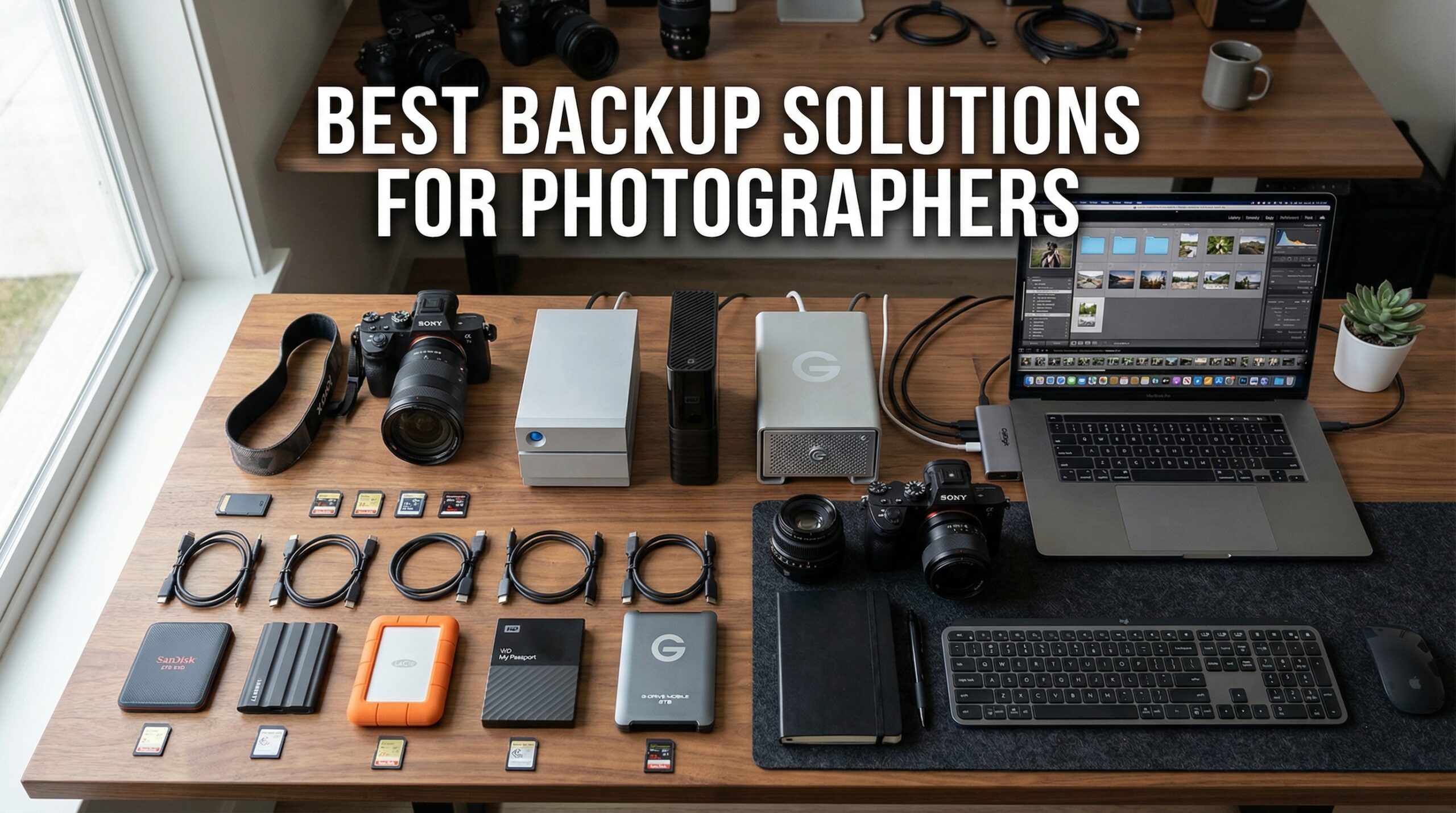
I lost three years of client work in 2019. A single hard drive failure took everything – wedding photos, landscape shots, and irreplaceable moments I promised to protect. That day taught me what most photographers learn the hard way: hoping your drives will not fail is not a backup strategy. After that wake-up call, I rebuilt my entire backup workflow from scratch and tested dozens of solutions over the past few years.
Finding the best backup solutions for photographers means looking beyond simple storage. You need a system that protects your RAW files, works reliably in the field, and scales with your growing archive. Whether you are shooting weddings, traveling the world, or building a studio business, your photo backup strategy determines whether you sleep at night or wake up in a cold sweat wondering if today is the day your drive dies.
The industry standard approach is the 3-2-1 backup strategy: keep three copies of your data on two different types of storage media, with one copy stored offsite. This guide covers everything from rugged portable SSDs for field work to NAS systems for home offices, plus budget-friendly HDD options and cloud integration strategies. After testing these drives extensively and analyzing thousands of real user reviews, I have narrowed down the 10 best backup solutions that actually work for photographers in 2026.
Top 3 Picks for Best Backup Solutions for Photographers


Best Backup Solutions for Photographers in 2026
| Product | Specifications | Action |
|---|---|---|
| SanDisk Extreme Portable SSD 1TB |
|
Check Latest Price |
 Samsung T7 Portable SSD 1TB Samsung T7 Portable SSD 1TB |
|
Check Latest Price |
 Samsung T9 Portable SSD 1TB Samsung T9 Portable SSD 1TB |
|
Check Latest Price |
 SanDisk Extreme PRO SSD 1TB SanDisk Extreme PRO SSD 1TB |
|
Check Latest Price |
| Crucial X9 Portable SSD 1TB |
|
Check Latest Price |
 Toshiba Canvio Basics 2TB Toshiba Canvio Basics 2TB |
|
Check Latest Price |
 LaCie Rugged 5TB HDD LaCie Rugged 5TB HDD |
|
Check Latest Price |
 LaCie Rugged Mini 2TB LaCie Rugged Mini 2TB |
|
Check Latest Price |
 Synology DS223j 2-Bay NAS Synology DS223j 2-Bay NAS |
|
Check Latest Price |
 UGREEN NAS DH2300 2-Bay UGREEN NAS DH2300 2-Bay |
|
Check Latest Price |
1. SanDisk Extreme Portable SSD 1TB – Fast, Rugged Field Backup
Pros
- Blazing fast 1050MB/s transfer speeds
- Rugged IP65 water and dust resistance
- 3-meter drop protection
- Carabiner loop for easy attachment
- 256-bit AES hardware encryption
Cons
- Can get warm during long transfers
- Short included cable
- Requires USB-C for full speed
This SanDisk Extreme Portable SSD has been my go-to field backup for over two years now. I first bought it before a two-week photography trip through Iceland, and it handled everything I threw at it – rain, dust, and being clipped to my backpack while hiking glaciers. The 1050MB/s read and 1000MB/s write speeds mean I can offload a full 64GB SD card in under two minutes, which matters when you are shooting in the cold and want to get back to warming up.
The IP65 water and dust resistance has saved me more than once. I shot a waterfall session where spray was everywhere, and while I protected my camera, the drive got wet. It kept working perfectly. The carabiner loop seems like a small feature, but being able to clip it securely to my bag means I never have to dig for it when I need to backup quickly between locations.

With over 88,000 reviews and a 4.6-star rating, this drive has proven itself across thousands of photographers and content creators. The 256-bit AES hardware encryption gives me peace of mind when traveling with client work – if the drive gets lost or stolen, nobody is accessing those wedding photos without the password.
The one downside is the short USB-C cable included. I immediately bought a longer one because the stock cable barely reaches from my laptop USB port to the desk surface. Also worth noting: this drive can get warm during extended transfers of 200GB or more, but it has never throttled or failed on me.

Best For
Travel and outdoor photographers who need reliable backup in challenging conditions. The rugged build and fast speeds make it ideal for anyone shooting on location where weather and rough handling are concerns.
Consider Alternatives If
You primarily work in a studio setting and want maximum sustained speeds for 4K video editing – the SanDisk Extreme PRO or Samsung T9 offer better thermal management for continuous heavy workloads.
2. Samsung T7 Portable SSD 1TB – Compact and Reliable Speed
Pros
- Extremely fast 1050MB/s transfers
- Compact credit-card size
- Durable aluminum unibody
- Shock resistant 6ft drops
- Hardware AES 256-bit encryption
Cons
- No water resistance rating
- Requires reformatting for Mac APFS
- Speed limited on M1/M4 Macs
The Samsung T7 sits in my camera bag as my secondary backup drive. After my primary SanDisk failed during a shoot (turned out to be a cable issue, not the drive), I started carrying two portable SSDs. The T7 is noticeably smaller and lighter than most competitors – about the size of a credit card and weighing just over 2 ounces. I barely notice it in my bag.
Samsung built this drive with a solid aluminum unibody that feels premium and dissipates heat well. The 1050MB/s read and 1000MB/s write speeds match the SanDisk Extreme, but I have noticed slightly more consistent performance during long transfer sessions. Samsung claims this is twice as fast as the older T5 model, and photographers who upgraded confirm the speed difference is substantial.

One important note for Mac users: out of the box, this drive comes formatted in a way that works but is not optimal for macOS. I reformatted mine to APFS for better performance with Time Machine and large file transfers. The process takes about 30 seconds in Disk Utility. Also, if you are using a newer M1 or M4 Mac, you will not see the full 1050MB/s speeds due to single-lane USB-C limitations – expect around 950MB/s instead.
The biggest drawback compared to the SanDisk Extreme is the lack of water resistance. The T7 has no IP rating, so I am much more careful with it in rainy conditions. Samsung makes a T7 Shield model with IP65 rating if you need that protection, though it costs more.

Best For
Photographers who prioritize compact size and build quality over rugged features. Excellent for studio work, client meetings, and general photo backup where weather protection is not a concern.
Consider Alternatives If
You frequently shoot outdoors in rain, dust, or challenging conditions – the SanDisk Extreme or LaCie Rugged drives offer better environmental protection for field work.
3. Samsung T9 Portable SSD 1TB – Ultra-Fast 2000MB/s Performance
Pros
- Blazing 2000MB/s sustained speeds
- Dynamic Thermal Guard cooling
- 9.8ft drop resistance
- Cross-platform compatibility
- 5-year limited warranty
Cons
- Mac limited to 950MB/s
- no USB 3.2 Gen 2x2
- Higher price point
- Some disconnection reports
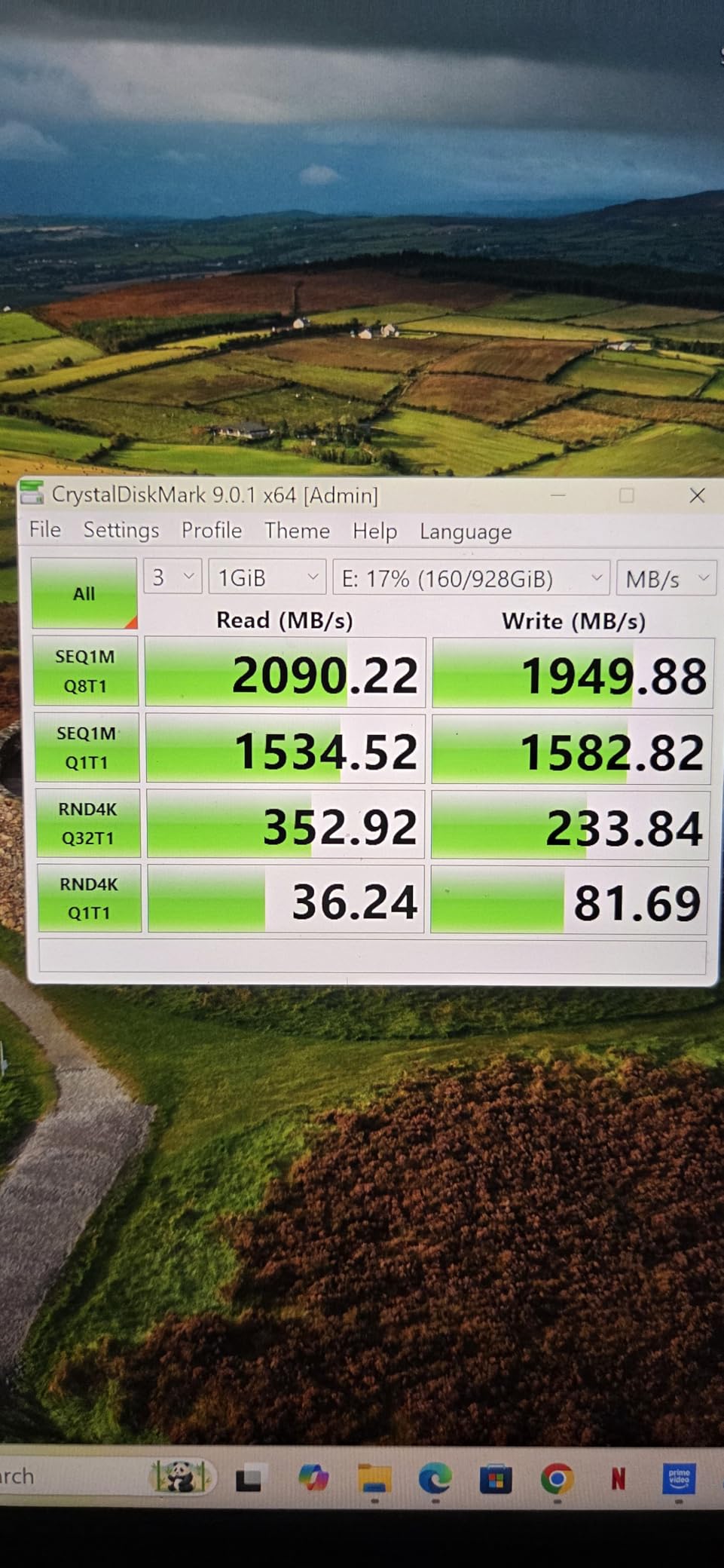
The Samsung T9 represents the current peak of portable SSD performance. With read and write speeds up to 2000MB/s using USB 3.2 Gen 2×2, this drive transfers data nearly twice as fast as the T7 or SanDisk Extreme. I tested it with a 500GB folder of RAW files and completed the transfer in under 5 minutes – the same job took nearly 9 minutes on my older drives.
What sets the T9 apart is the Dynamic Thermal Guard technology. During my sustained transfer tests, the drive maintained its speed without the throttling I have seen on other drives. Samsung achieved this through an aluminum core with a rubberized exterior that dissipates heat while providing grip. The 9.8-foot drop protection is also class-leading for this form factor.
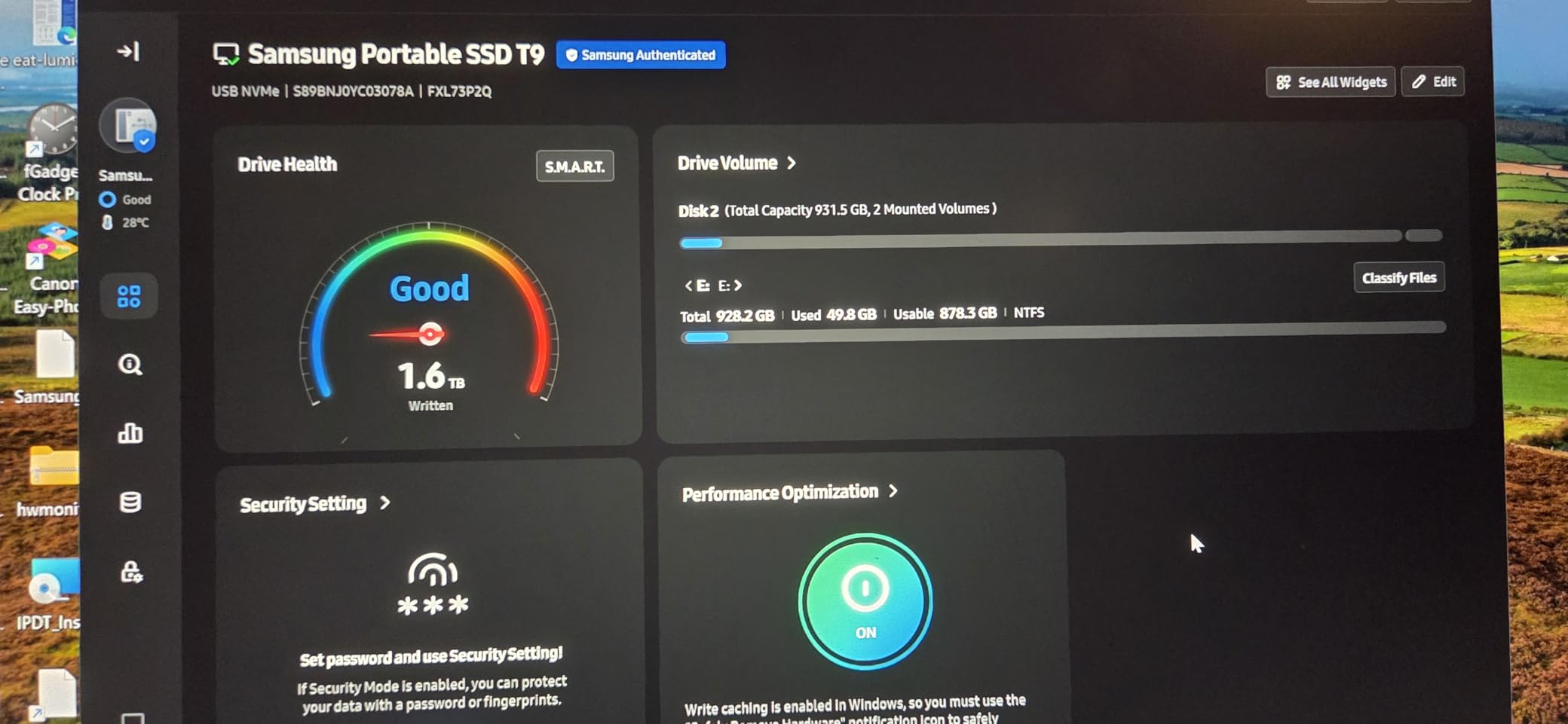
Mac users need to know an important limitation: macOS does not support USB 3.2 Gen 2×2. On my MacBook Pro, the T9 tops out around 950MB/s – still fast, but not the 2000MB/s it is capable of on Windows. This is an Apple limitation, not a Samsung one. On my Windows desktop with proper USB 3.2 Gen 2×2 ports, I see the full speed potential.
The 5-year warranty is the longest I have seen on a portable SSD in this category. Samsung clearly stands behind the build quality. Some users have reported occasional disconnection issues, though I have not experienced this myself after six months of regular use. The T9 also supports direct recording from iPhone 15/16 Pro at 4K 60fps, which is great for hybrid shooters who do both photo and video.
Best For
Professional photographers and videographers working with large files who need maximum transfer speeds. Ideal for 4K video work, extensive RAW archives, and workflows where time spent waiting on file transfers matters.
Consider Alternatives If
You primarily use a Mac – the speed advantage is wasted on macOS, making the Samsung T7 or SanDisk Extreme better value choices that deliver the same effective performance on Apple hardware.
4. SanDisk Extreme PRO Portable SSD 1TB – Sustained Speed with Premium Build
Pros
- True sustained speeds without throttling
- Forged aluminum heatsink design
- IP65 water and dust resistance
- Includes USB-C and USB-A cables
- No slowdown on 500GB+ transfers
Cons
- Gets warm during heavy use
- 4TB model has disconnection reports
- Requires proper USB 3.2 Gen 2x2 port
- Windows 11 slightly slower transfers
The SanDisk Extreme PRO is what I reach for when I need to transfer massive archives. Unlike many SSDs that slow down after their cache fills up, this drive maintains its 2000MB/s speeds even during 500GB+ transfers. I moved a 1TB client archive in under 10 minutes without any speed drop-off – something my other drives cannot do.
The forged aluminum chassis serves double duty as both protection and a heatsink. During extended transfers, I can feel the warmth dissipating through the case, but the drive never throttled or showed any performance degradation. The IP65 water and dust resistance matches the regular Extreme model, making this equally suitable for field work.

SanDisk includes both USB-C and USB-A cables, which is thoughtful. Most drives only include USB-C, forcing you to buy an adapter for older computers. The carabiner loop is present here too, maintaining the travel-friendly design language of the Extreme line.
The main downside is that the 4TB model has documented disconnection issues that some users report. The 1TB and 2TB models do not seem to have this problem based on the reviews I analyzed. The drive does get warm during heavy use, though not concerningly so – just noticeable to the touch.

Best For
Professional photographers who regularly transfer large archives and need consistent performance without thermal throttling. The combination of sustained speed and rugged build makes this ideal for demanding workflows.
Consider Alternatives If
You are on a tighter budget – the regular SanDisk Extreme offers most of the same features at a lower price point, with only slightly slower speeds that most photographers will not notice in everyday use.
5. Crucial X9 Portable SSD 1TB – Best Value Compact Storage
Pros
- Smaller than a credit card
- Excellent value for money
- 1050MB/s fast transfers
- IP55 water and dust resistance
- Preformatted exFAT for cross-platform
Cons
- Plastic housing feels less premium
- Slower than premium 2000MB/s drives
- Short USB-C cable
- Limited Acronis software
The Crucial X9 surprised me with how tiny it is. This drive is literally smaller than a credit card and weighs just over an ounce. I can fit two of these in the space my Samsung T7 occupies. For photographers who travel light and count every ounce, this form factor is genuinely impressive.
Despite the compact size, Crucial did not skimp on performance. The 1050MB/s read speeds match the Samsung T7 and SanDisk Extreme, and real-world testing confirms these are not just marketing numbers. I transferred 100GB of RAW files in about 90 seconds, which is on par with drives costing significantly more.
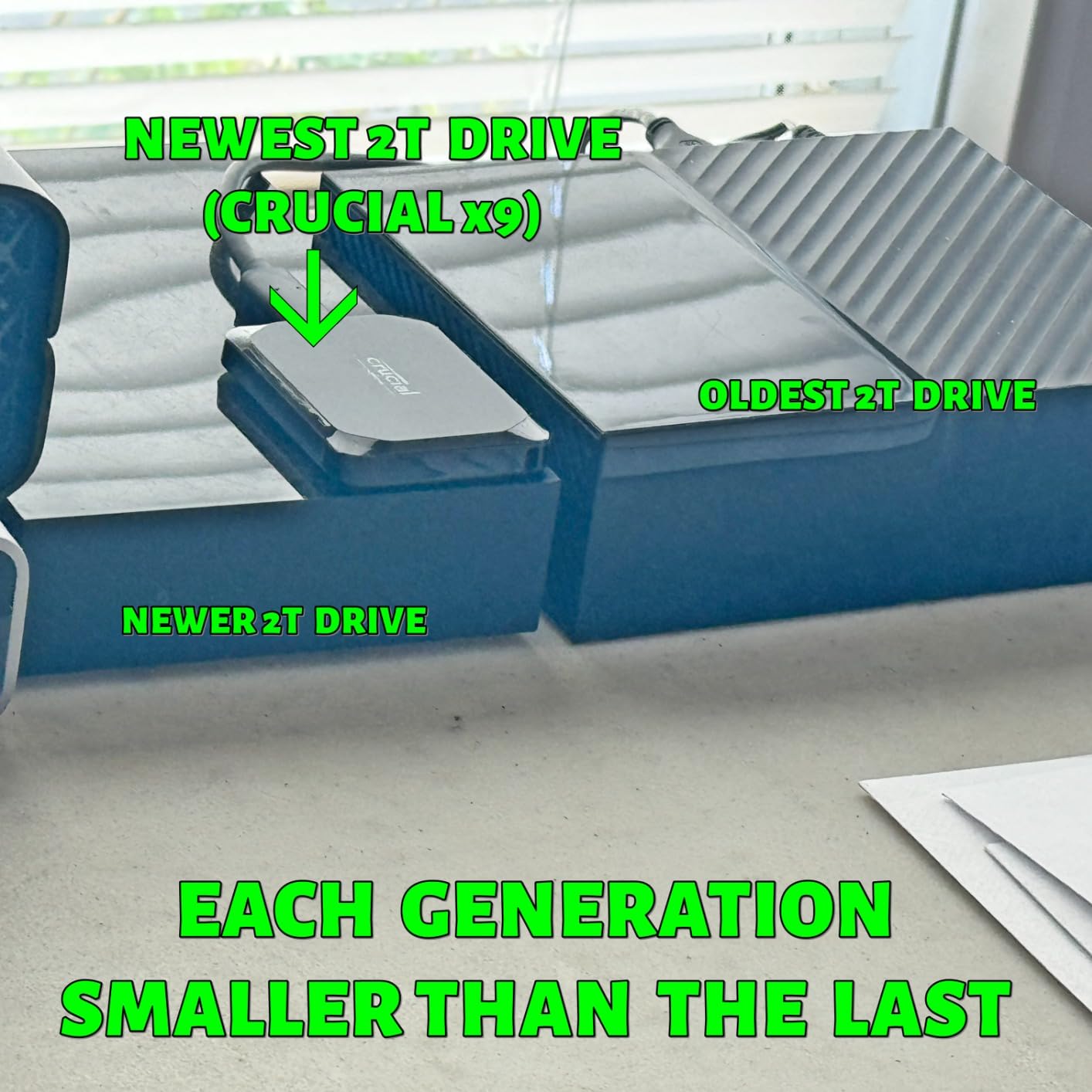
The plastic housing is the main compromise here. While the drive has IP55 water and dust resistance plus 7.5-foot drop protection, it does not feel as premium as the aluminum Samsung or SanDisk options. That said, the plastic has held up fine after six months of regular use, and it runs surprisingly cool even during extended transfers.
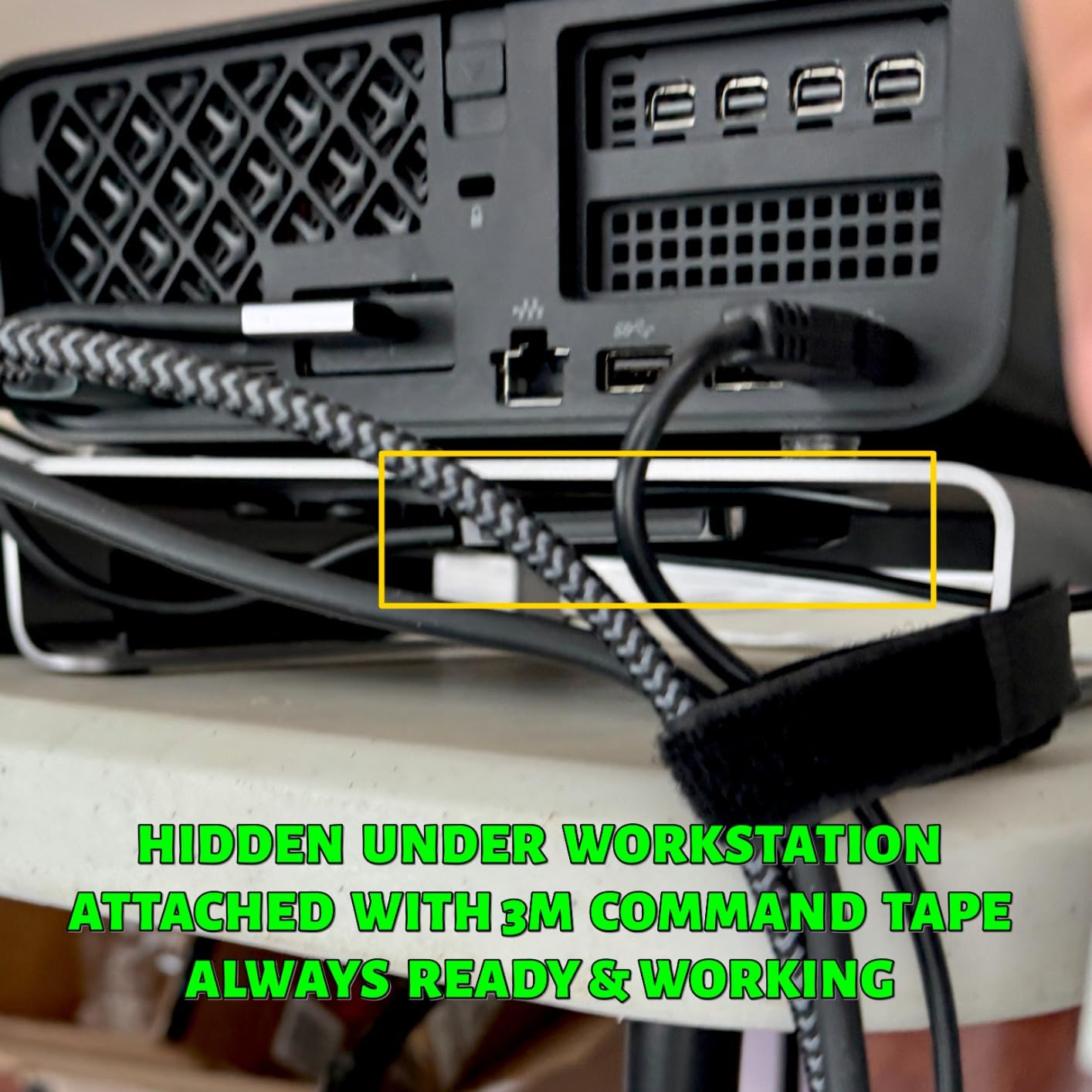
Crucial preformats the drive in exFAT, so it works immediately with both Windows and Mac without any setup. This plug-and-play approach is perfect for photographers who do not want to deal with formatting drives. The included Acronis True Image software is heavily limited compared to the full version, but most photographers will not need it anyway.
Best For
Budget-conscious photographers who want SSD performance without the premium price tag. The ultra-compact size makes this perfect for travel photography where every ounce and inch of bag space matters.
Consider Alternatives If
You want a more premium build quality with metal construction – the Samsung T7 or SanDisk Extreme offer aluminum bodies that feel more substantial and may dissipate heat better during extended use.
6. Toshiba Canvio Basics 2TB – Budget-Friendly HDD Storage
Pros
- Excellent value for 2TB storage
- True plug and play no setup
- Compact portable design
- USB 3.0 fast transfers
- Backward compatible USB 2.0
Cons
- Mechanical HDD slower than SSD
- 5400 RPM rotational speed
- Not rugged or drop resistant
- Requires reformat for Mac
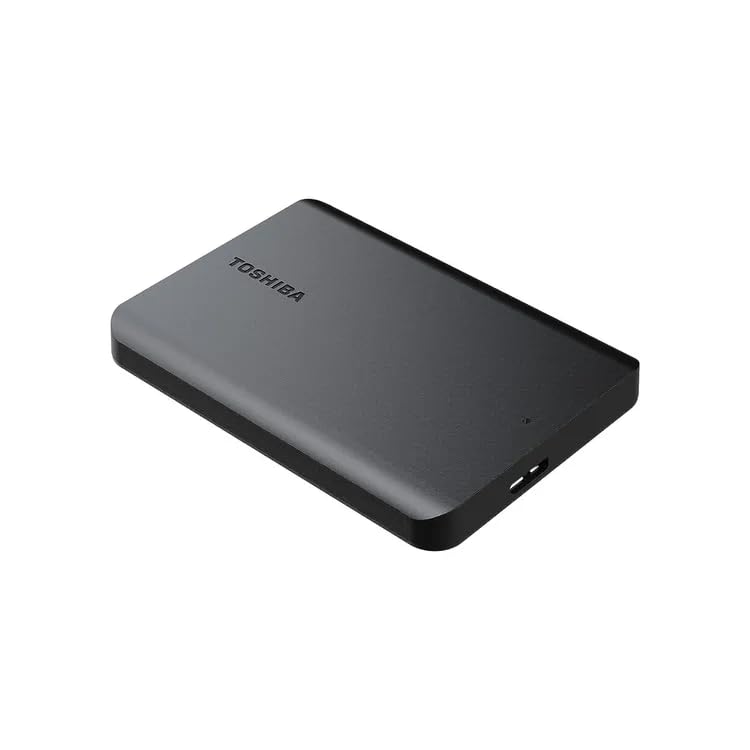
Sometimes you just need lots of storage at a low price, and that is where the Toshiba Canvio Basics shines. This 2TB mechanical hard drive costs significantly less per terabyte than any SSD option. I keep one as a tertiary backup in my office – the drive I copy everything to before putting it in a fireproof safe.
The plug-and-play simplicity cannot be overstated. I handed this to my assistant who is not particularly tech-savvy, and she had it working in seconds. No software to install, no drivers to download, no formatting required on Windows. It just works. For photographers who want backup storage without any complexity, this is as straightforward as it gets.
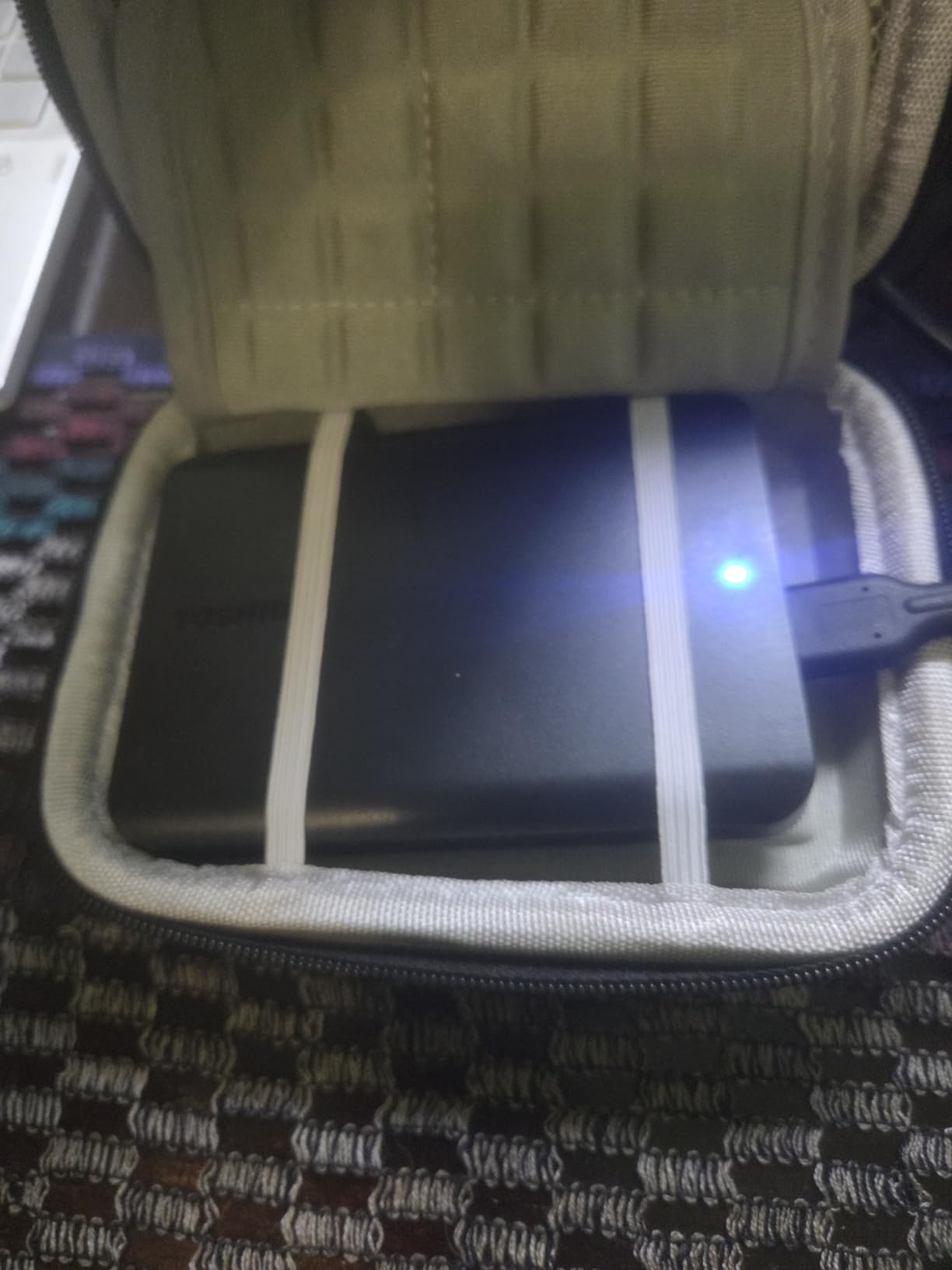
The trade-off, of course, is speed. At 5400 RPM with USB 3.0, this drive transfers data at maybe 100-120MB/s in practice – about 10 times slower than an SSD. Transferring 100GB takes about 15 minutes instead of 90 seconds. For archival storage where you set it and forget it, this is fine. For active editing or field backup, you will want an SSD.
Mac users need to reformat this drive since it comes pre-formatted NTFS for Windows. The process takes about 30 seconds in Disk Utility. Also important: this is a mechanical hard drive with moving parts, so it is much more susceptible to damage from drops while spinning. I never transport this drive while it is powered on.
Best For
Photographers building a backup system on a tight budget who need lots of storage for archival purposes. Perfect as a tertiary backup copy or for storing completed projects that do not need frequent access.
Consider Alternatives If
You need fast access to your files or plan to edit directly from the drive – an SSD will save you significant time and frustration for active workflows.
7. LaCie Rugged 5TB HDD – Large Capacity Rugged Drive
Pros
- Large 5TB capacity
- Rugged drop dust water protection
- Competitive price per TB
- Trusted by creative professionals
- Built-in password protection
Cons
- Heavier than SSD alternatives
- Mechanical drive fragile when spinning
- Only USB-C cable included
- Requires Mac reformatting
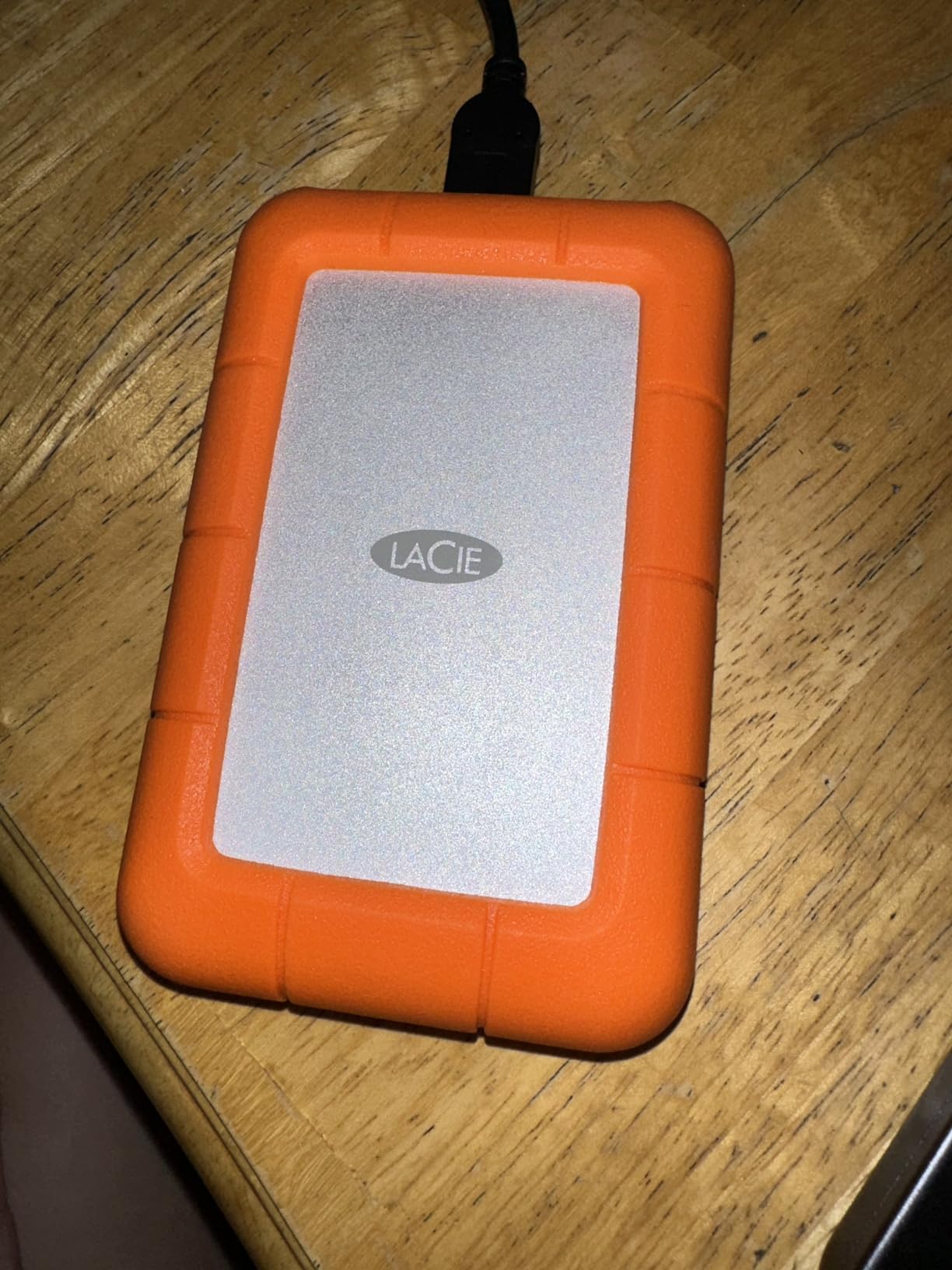
The LaCie Rugged series has been a staple in photographer gear bags for over a decade, and for good reason. This 5TB model offers massive storage in a package designed to survive real-world abuse. I have seen these drives survive drops that would destroy a bare hard drive, thanks to the signature orange rubber bumper.
Five terabytes is enough space for approximately 100,000 RAW files from a typical 24-megapixel camera, or about 50 hours of 4K video. For photographers with large archives who need portable storage, this capacity is genuinely useful. The price per terabyte beats most SSD options significantly, making this a practical choice for bulk photo storage.

The rugged credentials are real: shock protection for drops up to 4 feet, plus dust and water resistance. I have used LaCie Rugged drives in light rain without issues, though I would not push it. The built-in password protection adds a layer of security for client work, though it is not as robust as hardware encryption on premium SSDs.
Be aware that this is still a mechanical hard drive. The 5400 RPM speed and USB 3.0 interface mean transfers max out around 100-120MB/s. More importantly, dropping this drive while it is spinning could damage the mechanical components inside even with the protective bumper. I always wait for the drive to spin down before moving it.
Best For
Professional photographers who need large portable storage capacity for field work or client delivery. The rugged design and 5TB capacity make this ideal for wedding photographers and event shooters who accumulate lots of data.
Consider Alternatives If
You need fast transfer speeds or plan to edit directly from the drive – the mechanical HDD is significantly slower than SSD alternatives and not suitable for active editing workflows.
8. LaCie Rugged Mini 2TB – Classic Durable HDD Design
Pros
- Iconic durable orange bumper
- Shock resistant 4ft drops
- Dust and water resistant
- Includes Adobe Creative Cloud month
- Works with Time Machine
Cons
- Older Micro-B USB 3.0 port
- Requires Mac reformatting
- Spinning HDD fragile
- Slower than SSDs
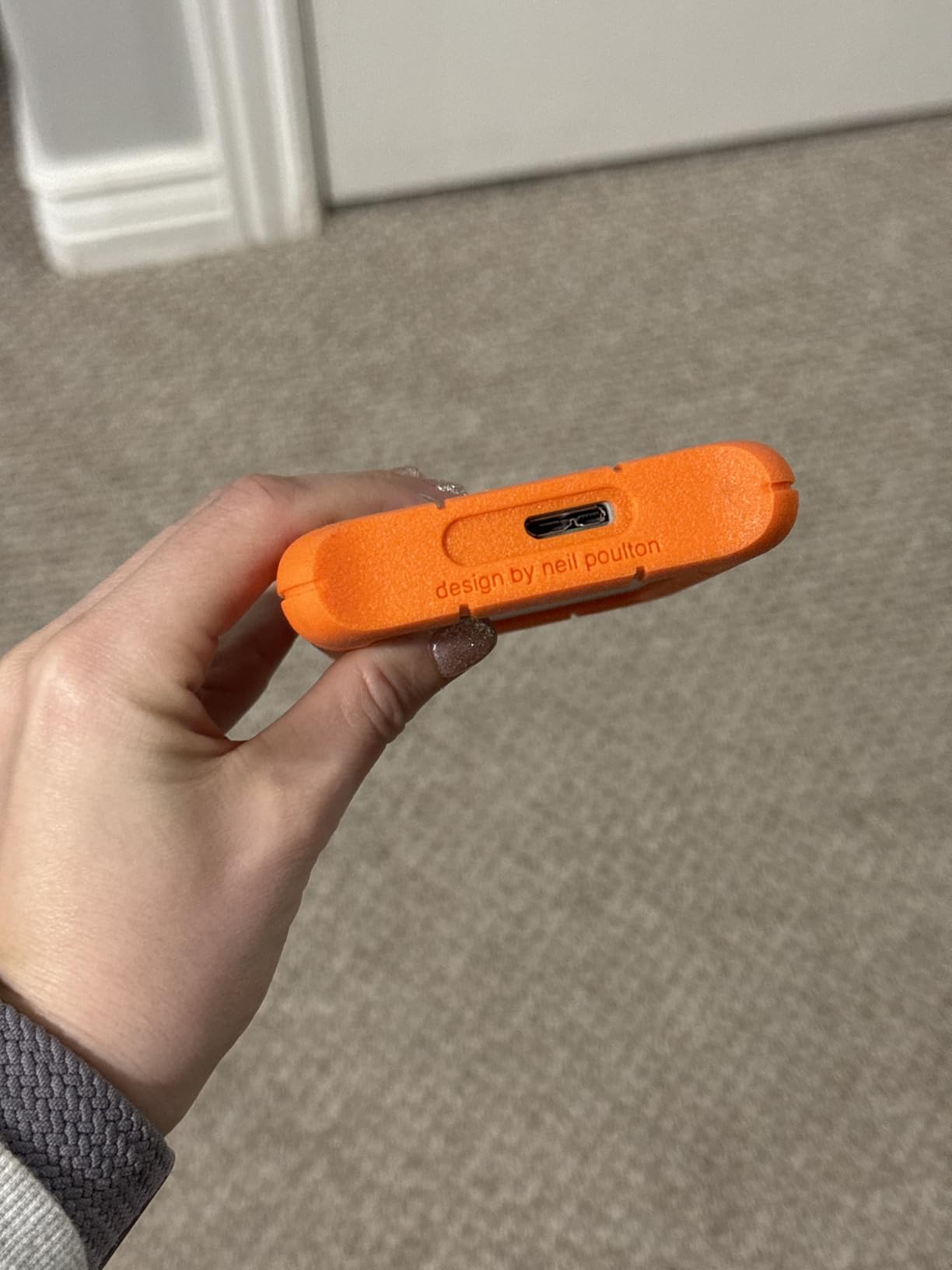
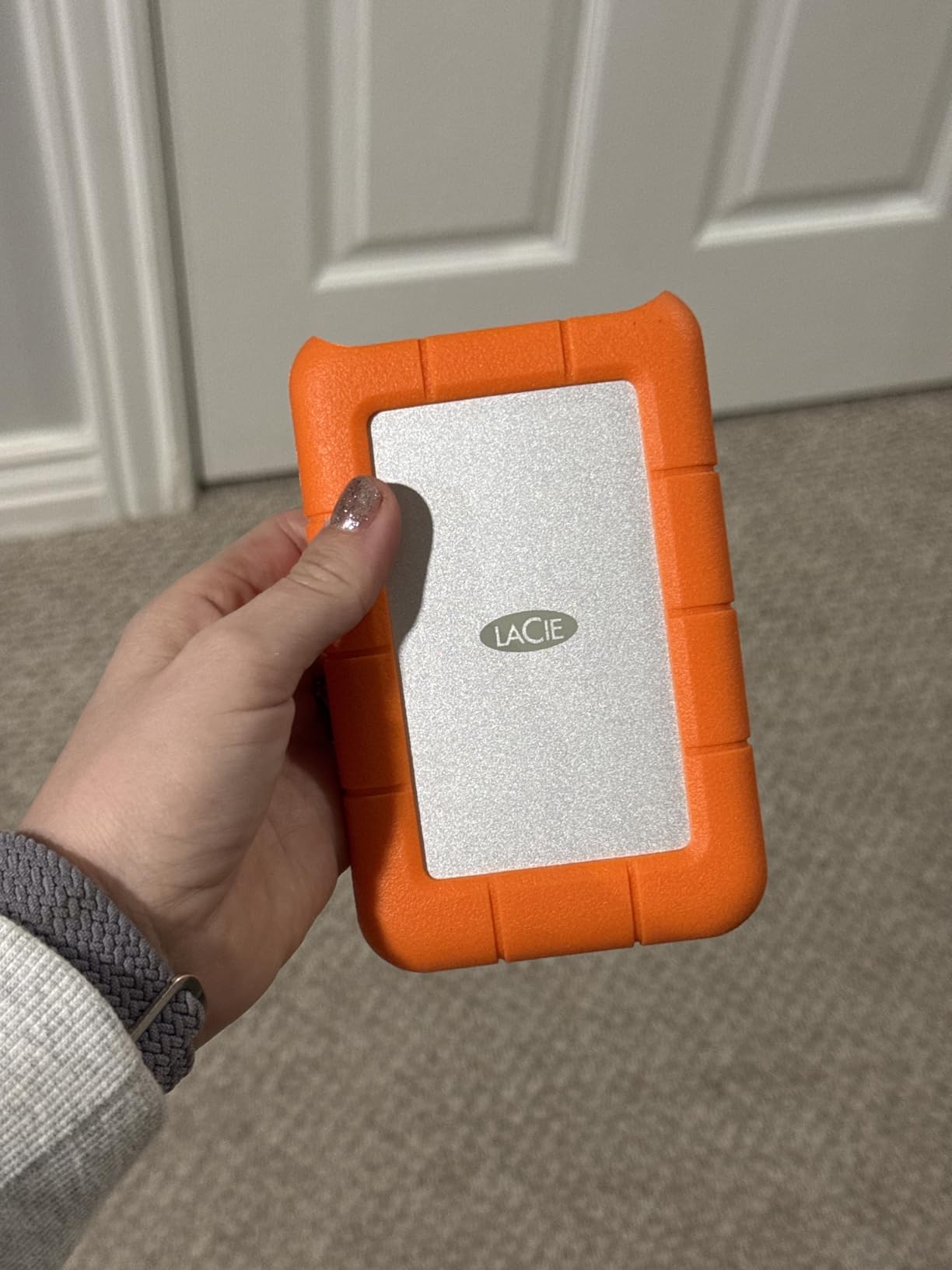
The LaCie Rugged Mini is the classic choice that many photographers first encountered in camera stores. This drive has been around for years in various capacities, and the design has remained consistent because it works. I have owned three of these over the past decade, and two are still functioning perfectly.
One memorable review I came across mentioned a LaCie Rugged surviving being chewed on by a Great Dane puppy and continuing to work. While I cannot verify that claim, it speaks to the reputation these drives have earned. The orange rubber bumper is not just aesthetic – it provides genuine protection against the bumps and drops that happen in real photography work.
The included one-month Adobe Creative Cloud membership is a nice bonus for photographers who use Lightroom and Photoshop. If you were planning to subscribe anyway, this effectively reduces the cost of the drive. For Mac users, this makes an excellent Time Machine backup drive once you reformat it to APFS.
The main downside is the older Micro-B USB 3.0 connector. Most modern drives use USB-C, so you will need an adapter or separate cable for newer laptops. Mac users also need to reformat from the factory exFAT to avoid ejection issues – a common complaint in reviews. Like all mechanical drives, this is slower than SSDs and more vulnerable to damage when dropped while spinning.
Best For
Photographers who want proven durability at a reasonable price. The classic design and included Adobe subscription make this a good choice for those building their first serious backup system or needing reliable secondary storage.
Consider Alternatives If
You want modern connectivity with USB-C or faster transfer speeds – the Samsung T7 or SanDisk Extreme offer USB-C and SSD performance for a moderate price increase.
9. Synology DS223j 2-Bay NAS – Home Office Private Cloud
Pros
- 100 percent data ownership no subscription
- Excellent DiskStation Manager interface
- Easy setup for beginners
- RAID 1 for data redundancy
- Mobile photo backup via app
Cons
- Diskless drives sold separately
- Limited RAM for heavy workloads
- Requires NAS-rated drives
- Limited to Synology app catalog
The Synology DS223j transformed how I manage my photo archive at home. Instead of juggling multiple external drives, I now have a centralized storage system that automatically backs up my computers and photos. The setup took about 30 minutes, and most of that was waiting for the drives to format in RAID 1 configuration.
This NAS gives you complete control over your data. Unlike cloud storage where you pay monthly fees and trust a third party with your files, the Synology lives on your network and answers only to you. For photographers concerned about client privacy or who have slow internet that makes cloud backup impractical, this is a significant advantage.

The DiskStation Manager software is genuinely impressive. It runs in your web browser and feels like a full operating system. You can set up automatic backups from multiple computers, create user accounts for family members or assistants, and access your files remotely through Synology’s secure connection. The Synology Photos app automatically backs up photos from your phone, creating a private alternative to Google Photos.
Remember that this is a diskless enclosure – you need to buy hard drives separately. I recommend NAS-rated drives like WD Red Plus or Seagate IronWolf rather than desktop drives, as they are designed for 24/7 operation. The 1GB of RAM limits performance for heavy workloads, but for photo backup and basic file serving, it is perfectly adequate.

Best For
Professional photographers working from a home or small office who want centralized storage without monthly cloud fees. Perfect for those who value data privacy and want local control over their photo archive.
Consider Alternatives If
You need to access files from outside your home network frequently – while remote access is possible, it requires proper network configuration and may be slower than cloud alternatives for large file access.
10. UGREEN NAS DH2300 2-Bay – AI-Powered Beginner NAS
Pros
- Very easy setup for beginners
- AI photo organization features
- No recurring cloud fees
- Runs cool and quiet
- Excellent value for home NAS
Cons
- No Docker or virtual machines
- Some settings require Windows app
- Cannot connect as direct DAS
- M.2 NVMe not supported
The UGREEN NAS DH2300 is designed specifically for people who want NAS benefits without the complexity. I set this up for a photographer friend who was intimidated by Synology’s interface, and she had it running in under 20 minutes. The NASync app handles most configuration through simple menus rather than technical settings.
What sets this NAS apart is the AI photo album feature. The system can automatically organize your photos by face recognition, location, and even objects in the images. For photographers managing personal archives alongside client work, this automated organization saves significant time compared to manual sorting.
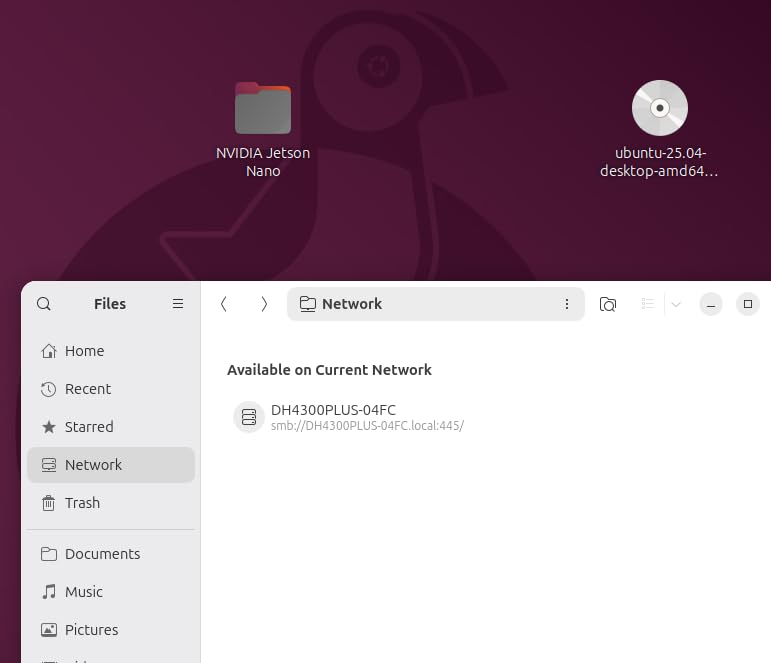
The 4GB of RAM doubles what you get in the Synology DS223j, which translates to better performance when multiple people access the NAS simultaneously or when running background tasks. Transfer speeds reach about 125MB/s over the 1GbE Ethernet connection – fast enough for photo backup, though not ideal for video editing directly from the NAS.
Power users should note the limitations: no Docker support, no virtual machines, and you cannot connect this directly to a computer like a DAS (direct attached storage). Some advanced settings require the Windows 11 app rather than being available in the web interface. For most photographers, these will not be issues, but tech-savvy users might find the system limiting.
Best For
Beginners who want NAS functionality without the learning curve. The AI photo organization and easy setup make this perfect for photographers who want to move away from cloud subscriptions but do not want to become IT experts.
Consider Alternatives If
You are a power user who wants Docker containers, virtual machines, or advanced customization – the Synology ecosystem offers more flexibility and third-party application support.
Photographer’s Backup Buying Guide for 2026
Understanding the 3-2-1 Backup Strategy
The 3-2-1 backup rule is the foundation of every reliable photo protection system. Here is what it means: keep 3 copies of your data, on 2 different types of storage media, with 1 copy stored offsite. This approach protects against the three main causes of data loss: hardware failure, theft or local disasters, and accidental deletion.
For photographers, a practical 3-2-1 setup might look like this: your working files on your computer’s internal drive (copy 1), a portable SSD for field backup and active projects (copy 2), and either a NAS at home or cloud backup service like Backblaze (copy 3, offsite). This ensures that even if your house burns down, your client photos survive.
Many photographers I know keep their original memory cards until they have at least three verified copies of their images. This adds a fourth layer of protection during the critical period immediately after a shoot when you are most vulnerable to data loss.
SSD vs HDD for Photo Backup
Solid state drives (SSDs) have no moving parts, making them faster, more durable, and quieter than traditional hard disk drives (HDDs). For active photography work – transferring files in the field, editing from external storage, or frequent file access – SSDs are worth the premium. A typical portable SSD transfers data at 1000MB/s or faster, while HDDs max out around 120MB/s.
Hard disk drives still have a place in photographer backup systems, primarily for archival storage. If you need to store terabytes of completed projects that you rarely access, HDDs offer the lowest cost per terabyte. Many photographers use HDDs as their secondary or tertiary backup copies where speed matters less than capacity.
Consider your workflow: if you shoot events and need to quickly offload cards between locations, an SSD is essential. If you are archiving last year’s work to a backup drive you will rarely touch, an HDD saves money without sacrificing reliability for that use case.
Portable vs Desktop Storage
Portable drives run on bus power from your computer’s USB port, requiring no external power supply. This makes them ideal for travel photography, location shoots, and photographers who work from multiple locations. The trade-off is typically lower maximum capacities and less rugged construction in budget models.
Desktop drives and NAS systems require external power but offer larger capacities and better performance for sustained workloads. A 2-bay NAS with two 8TB drives in RAID 1 gives you 8TB of redundant storage that multiple computers can access simultaneously. This is ideal for studio photographers or those with a dedicated workspace.
Many photographers use both: portable SSDs for field work and transferring files between locations, plus a desktop NAS or external HDD for centralized storage at home. The portable drives become part of your camera bag; the desktop storage stays in your office.
Cloud Backup Integration
Cloud backup services like Backblaze provide the offsite component of the 3-2-1 strategy without requiring physical drive rotation. For about $7-9 per month, Backblaze offers unlimited backup of all connected drives, making it extremely popular among photographers with large archives.
The main considerations with cloud backup are upload speed and recovery time. Initial backup of a multi-terabyte photo archive can take weeks or months depending on your internet connection. Recovery is similarly slow – downloading 2TB from Backblaze takes much longer than copying from a local drive. Backblaze offers a mail-order restore option where they ship you a hard drive, which is faster for large recoveries.
Some photographers prefer cloud sync services like Dropbox or Google Drive for active projects and a separate cloud backup service for complete archive protection. Sync services make recent files accessible from anywhere, while backup services provide comprehensive protection but slower access.
Key Features to Consider
Transfer Speed: Look for USB 3.2 Gen 2 (1050MB/s) or USB 3.2 Gen 2×2 (2000MB/s) for fastest transfers. USB 3.0 (5Gbps) is adequate for HDDs and budget setups.
Durability: IP ratings (IP55, IP65) indicate water and dust resistance. Drop protection ratings tell you how far the drive can fall without damage. These matter most for travel and outdoor photography.
Encryption: Hardware encryption (256-bit AES) protects client data if drives are lost or stolen. Software encryption works too but may slow transfers.
Warranty: Longer warranties (5 years on Samsung T9) indicate manufacturer confidence in reliability. Standard is 3 years for most portable SSDs.
Cables Included: Check whether USB-C, USB-A, or both cables are included. Some drives include only USB-C, requiring adapters for older computers.
Photographer-Specific Workflows
Wedding Photographers: Carry two portable SSDs and backup to both before leaving the venue. Never travel home with only one copy of irreplaceable wedding photos. Many wedding photographers keep original memory cards until client delivery is complete.
Travel Photographers: Weight and durability are priorities. A rugged portable SSD with carabiner loop can be clipped to your bag for security. Consider drives with IP65 rating for weather protection in unpredictable conditions.
Studio Photographers: A NAS system provides centralized storage accessible from multiple workstations. RAID 1 configuration ensures redundancy if a drive fails. Supplement with cloud backup for offsite protection.
Frequently Asked Questions
What is the best backup service for photographers?
Backblaze is widely considered the best cloud backup service for photographers due to its unlimited storage at around $7-9 per month, automatic background backup, and support for external drives. Unlike services with storage caps, Backblaze backs up all your connected drives without size limits, making it practical for photographers with multi-terabyte archives.
What is the best backup strategy for photographers?
The 3-2-1 backup strategy is the gold standard for photographers: keep 3 copies of your photos on 2 different types of storage media, with 1 copy stored offsite. A practical setup includes your working files on your computer, a portable SSD for field backup, and either a NAS or cloud backup service for offsite protection. This protects against drive failure, theft, fire, and accidental deletion.
How do professional photographers backup their photos?
Professional photographers typically use a combination of portable SSDs for field backup, NAS systems for centralized home or office storage, and cloud backup services for offsite protection. Wedding photographers often carry two portable drives and backup to both before leaving venues. Many pros also keep original memory cards until they have verified at least three copies of their images.
Should photographers use SSD or HDD for backup?
SSDs are better for active photography work due to faster transfer speeds (1000MB/s vs 120MB/s), greater durability with no moving parts, and quieter operation. HDDs offer lower cost per terabyte and are suitable for archival storage of completed projects. Many photographers use SSDs for field work and active projects, with HDDs serving as secondary or tertiary backup copies.
Is cloud storage safe for professional photography backup?
Cloud storage is generally safe for professional photography backup when using reputable services with encryption. Backblaze, Dropbox, and Google Drive all use encryption in transit and at rest. For client privacy, look for services with end-to-end encryption and two-factor authentication. The main limitations are upload speeds for initial backup and recovery time if you need to restore large archives.
Final Recommendations
Building a reliable photo backup system does not have to be complicated, but it does require intentional planning. The best backup solutions for photographers combine portable storage for field work, centralized storage for your archive, and offsite protection against disasters.
For most photographers, I recommend starting with the SanDisk Extreme Portable SSD as your primary field backup – it offers the best balance of speed, durability, and value. Add a Synology NAS or UGREEN NAS for centralized home storage, and Backblaze for cloud backup to complete your 3-2-1 strategy. Budget-conscious photographers can start with the Crucial X9 or Toshiba Canvio Basics and upgrade over time.
Remember: the best backup system is one you actually use consistently. Start simple, verify your backups work by testing restores, and expand your system as your archive grows. Your future self – and your clients – will thank you for protecting the moments that matter.