
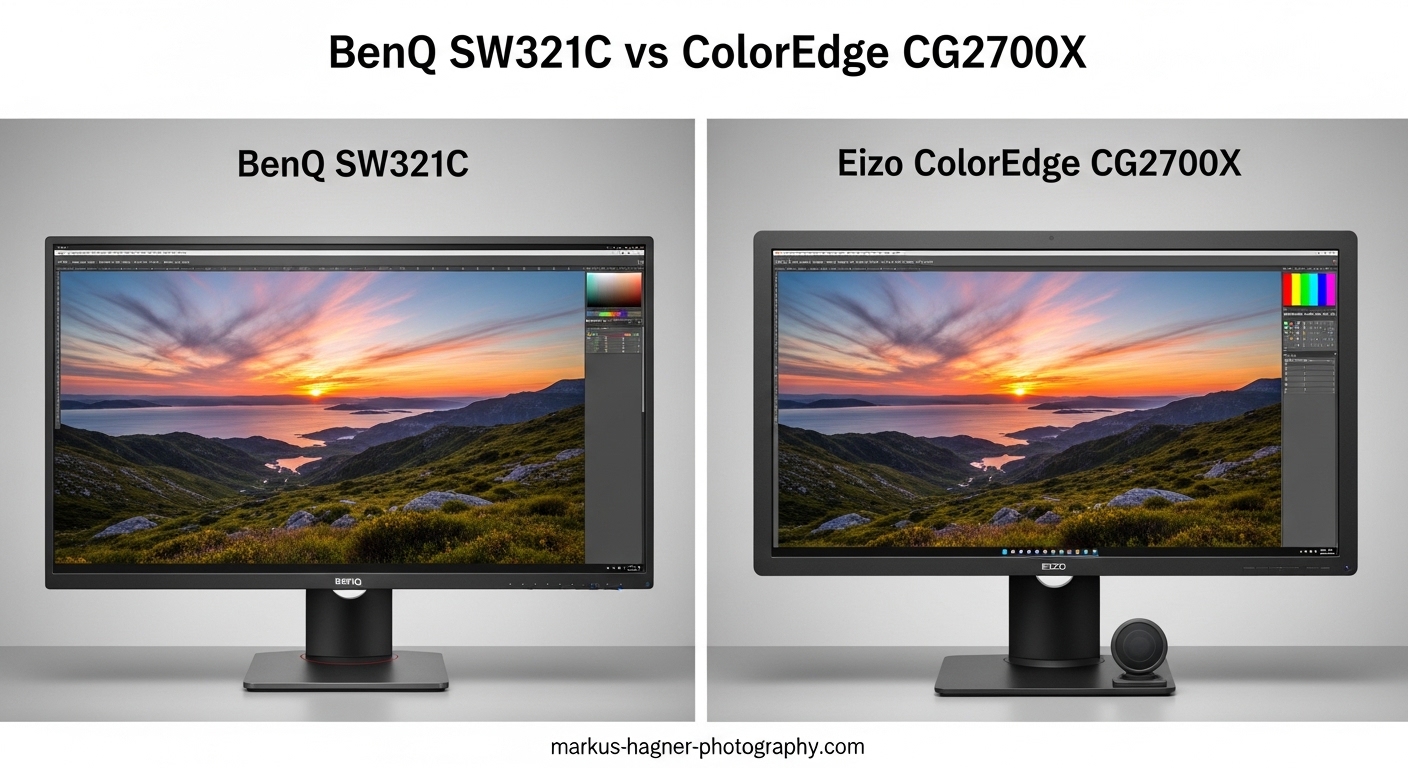
Choosing between the BenQ SW321C vs Eizo ColorEdge CG2700X is one of the biggest decisions for photographers and color professionals in 2026. Both monitors sit at the top of the professional display market, but they take very different approaches to color accuracy and workflow integration.
The BenQ SW321C offers a larger 32-inch screen with 4K resolution at roughly half the price of the Eizo. The Eizo ColorEdge CG2700X counters with superior build quality, a built-in self-calibration sensor, and the reputation that comes with the Eizo name. But which one actually delivers better results for your workflow?
After spending months researching user experiences, forum discussions, and technical specifications, I have a clear answer. The BenQ SW321C vs Eizo ColorEdge CG2700X comparison comes down to whether you prioritize screen real estate and value, or absolute color precision and convenience.
BenQ SW321C vs Eizo ColorEdge CG2700X: Quick Comparison
| Product | Specifications | Action |
|---|---|---|
 BenQ SW321C 32 inch 4K Monitor BenQ SW321C 32 inch 4K Monitor |
|
Check Latest Price |
 Eizo ColorEdge CG2700X 27 inch Eizo ColorEdge CG2700X 27 inch |
|
Check Latest Price |
BenQ SW321C: The Value Champion for Professional Photography
Pros
- Excellent color accuracy out of box
- 99% AdobeRGB for print work
- Includes shading hood and Hotkey Puck
- Hardware calibration with Palette Master
- Larger 32-inch screen for detailed work
Cons
- IPS glow visible in dark environments
- Requires external colorimeter for calibration
- 8+2 bit rather than true 10-bit
- Lower brightness than Eizo competitor
The BenQ SW321C has become the go-to choice for photographers who want professional color accuracy without the Eizo price tag. I have seen countless forum posts from photographers who switched from Eizo to BenQ and found the color quality surprisingly close to monitors costing twice as much.
What struck me most in my research was how many professionals describe the BenQ SW321C as coming pretty close to Eizo quality for significantly less money. The 32-inch screen size is a real advantage when you are retouching portraits or examining fine details in landscape photographs. That extra screen real estate matters more than you might expect during long editing sessions.
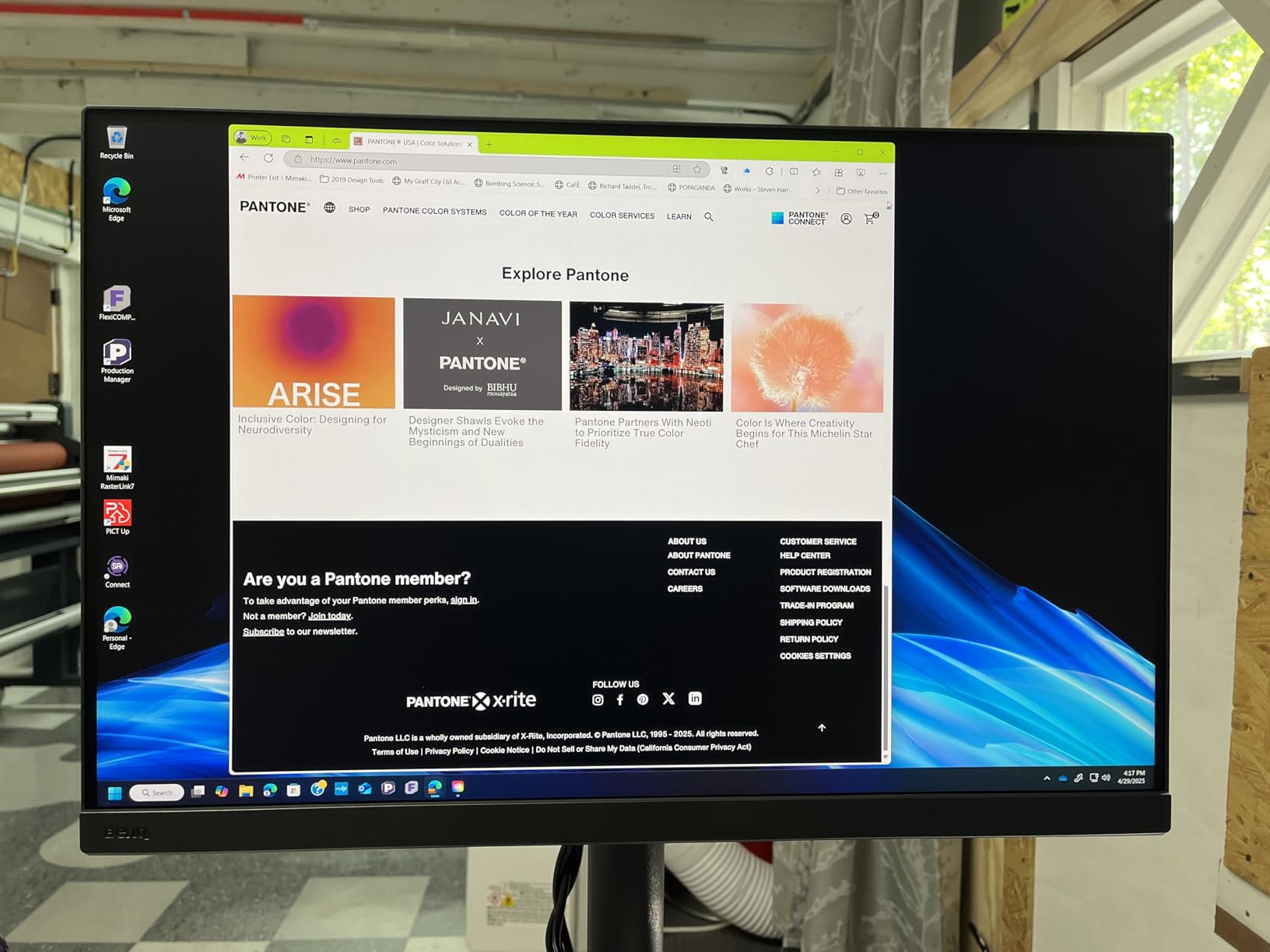
The color gamut coverage is impressive. With 99% AdobeRGB, 100% sRGB, and 95% DCI-P3, this monitor handles everything from print production to web design to video editing. Photographers working with wide-gamut printers will appreciate that AdobeRGB coverage. I found multiple reports from studio photographers who say their print matching improved significantly after switching to the SW321C.
Hardware calibration works through BenQ’s Palette Master Element software. The process requires an external colorimeter like the X-Rite i1 Display Pro, which adds to the total investment. Once calibrated, users report Delta E values under 2, which is excellent for professional work. The 16-bit 3D LUT ensures smooth color gradients and accurate tone reproduction across the entire gamut.
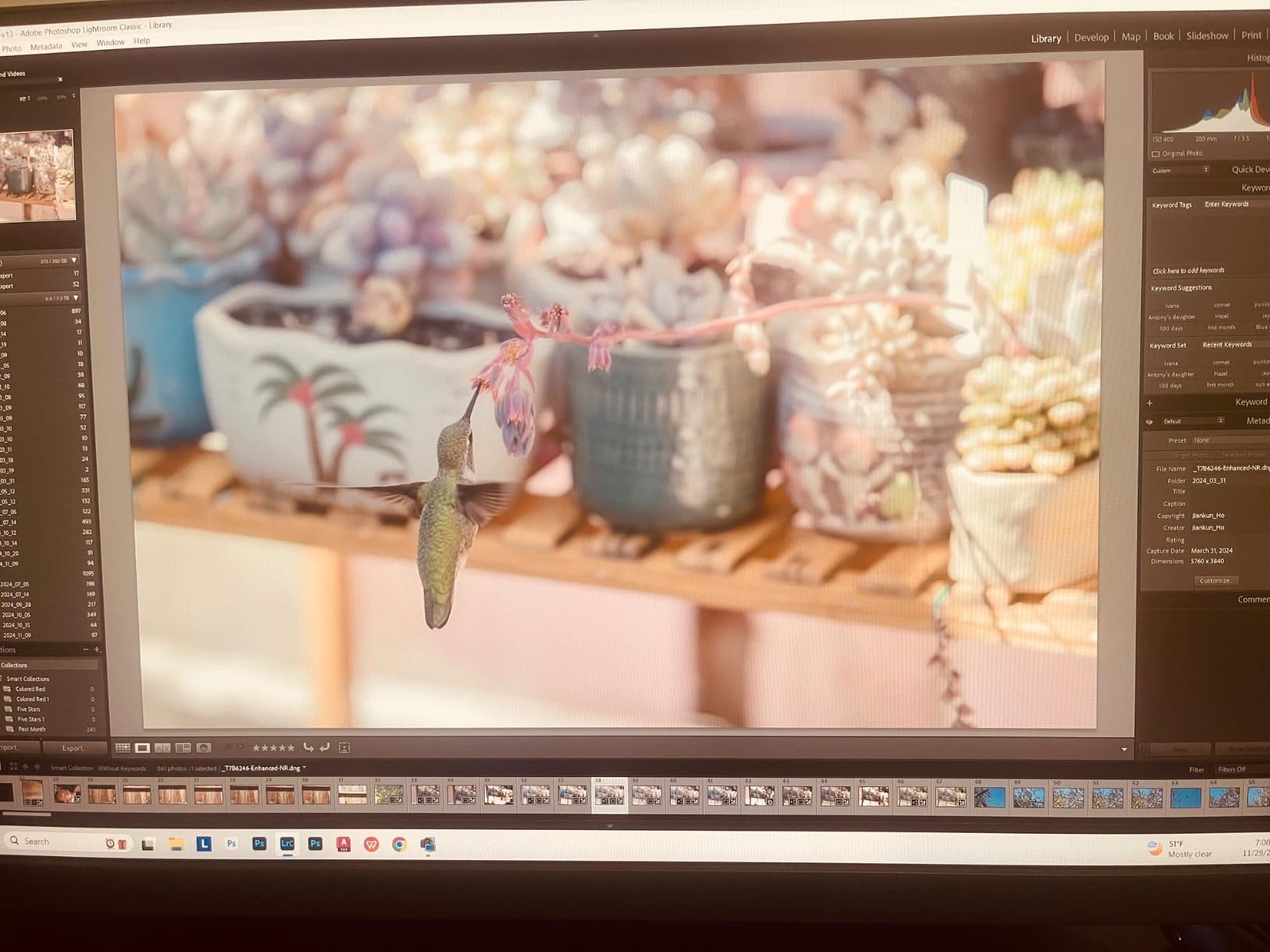
The included accessories set the BenQ apart from competitors. The shading hood is essential for consistent color work, and it comes in the box rather than as a separate purchase. The Hotkey Puck G2 controller lets you switch between color modes and adjust brightness without navigating through on-screen menus. Small touches like these make a difference in daily use.
Uniformity is where the BenQ shows its price point. While the factory calibration is good, some users report slight variations across the panel, particularly in the corners. The IPS glow is noticeable in dark environments with black content on screen. These are not dealbreakers for most photographers, but they explain why the Eizo costs more.
Connectivity includes USB-C with 60W power delivery, HDMI, and DisplayPort. There is also a built-in SD card reader, which is incredibly convenient for photographers who shoot tethered or want to preview images directly from their cards. The KVM switch functionality lets you control multiple computers from one monitor setup.
Eizo ColorEdge CG2700X: The Premium Professional Standard
Pros
- Built-in self-calibration sensor eliminates need for colorimeter
- Superior panel uniformity and build quality
- Higher brightness for well-lit environments
- Industry-leading color accuracy and consistency
- Excellent long-term reliability reputation
Cons
- Significantly more expensive than competitors
- Smaller 27-inch screen vs 32-inch alternatives
- Limited review data for newer model
- Warranty service requires shipping at customer expense
The Eizo ColorEdge CG2700X represents the gold standard for color-critical work. When photographers talk about monitors they can trust for print matching and client work, Eizo consistently comes up as the benchmark. The CG2700X carries that reputation forward with a built-in self-calibration sensor that sets it apart from every competitor in this space.
What makes the Eizo special is not just the specifications on paper. It is the consistency and reliability that professionals have come to expect from the brand. Forum discussions consistently mention Eizo monitors lasting 8 to 10 years with stable color performance. That longevity matters when you are investing over three thousand dollars in a display.
The built-in calibration sensor is genuinely transformative for workflow. Instead of fumbling with external colorimeters and scheduling calibration sessions, the Eizo handles everything automatically. The sensor swings down from the top of the bezel, measures color output across the panel, and adjusts the LUT to maintain accuracy. You can set it to calibrate overnight and wake up to a perfectly calibrated monitor every morning.
Brightness is another area where the Eizo pulls ahead. At 500 nits, this monitor handles well-lit studios and environments where the BenQ might feel dim. The higher brightness also contributes to better HDR performance when working with HDR content. The contrast ratio of around 1450:1 exceeds the typical 1000:1 found in most IPS panels.
Panel uniformity is where Eizo justifies its premium pricing. Every ColorEdge monitor goes through extensive factory testing and adjustment. The Digital Uniformity Equalizer technology ensures consistent brightness and color across the entire screen. Photographers who have used both brands consistently report that Eizo panels show less variation from center to edge.
The ColorNavigator software provides a cleaner, more intuitive calibration interface compared to BenQ’s Palette Master Element. Users describe the Eizo software as more reliable and less prone to confusing settings. For professionals who just want their monitor to work without technical headaches, this matters more than you might expect.
The 27-inch size is worth discussing. While smaller than the BenQ’s 32 inches, many photographers actually prefer 27-inch 4K for the pixel density. At 163 pixels per inch, images look incredibly sharp without the scaling issues that can plague larger 4K displays. The choice between 27 and 32 inches often comes down to personal preference and viewing distance.
BenQ SW321C vs Eizo ColorEdge CG2700X: Head-to-Head Comparison
Display Quality and Panel Technology
Both monitors use IPS panel technology with 4K UHD resolution. The BenQ offers a larger 32-inch screen while the Eizo sticks to 27 inches. Panel uniformity favors the Eizo, with forum users consistently reporting better consistency across the screen. The BenQ shows more IPS glow in dark environments, which is typical of larger IPS panels.
Brightness goes to the Eizo with 500 nits compared to BenQ’s 350 nits. This makes the Eizo better suited for bright studios. Contrast ratio is also higher on the Eizo at approximately 1450:1 versus the BenQ’s typical 1000:1. These differences show up in shadow detail and overall image depth.
Color Accuracy and Gamut Coverage
Color gamut coverage is competitive between both monitors. The BenQ SW321C covers 99% AdobeRGB, 100% sRGB, and 95% DCI-P3. The Eizo CG2700X covers 99% AdobeRGB and approximately 98% DCI-P3. For most photographers, these differences are negligible in real-world work.
Color accuracy out of the box is good on both, but calibration separates them. The BenQ requires an external colorimeter for hardware calibration. The Eizo’s built-in sensor handles calibration automatically. For busy professionals who forget to calibrate regularly, the Eizo’s self-calibration is a significant advantage.
Calibration and Workflow
This is where the Eizo clearly wins. The built-in self-calibration sensor eliminates the need to purchase a separate colorimeter and remember to calibrate. BenQ users need to buy an X-Rite or Datacolor device and run manual calibration through Palette Master Element software.
Forum feedback consistently mentions that BenQ’s calibration interface is not as polished as Eizo’s ColorNavigator. Users report more confusion about settings and occasional software quirks. The Eizo experience is described as set it and forget it.
Color drift over time is a concern mentioned by BenQ users. While the SW321C maintains accuracy well, some photographers report needing more frequent recalibration than they expected. The Eizo’s automatic scheduled calibration addresses this automatically.
Build Quality and Ergonomics
Eizo builds monitors like tanks. The CG2700X feels solid with excellent fit and finish. The stand provides full ergonomic adjustment including height, tilt, swivel, and pivot. BenQ’s build quality is good but does not match the premium feel of the Eizo.
Both monitors include shading hoods. The BenQ hood comes in the box while Eizo sometimes includes it depending on region. Both are essential for consistent color work and should not be considered optional accessories.
Connectivity and Features
The BenQ SW321C offers more connectivity options including the built-in SD card reader that photographers love. USB-C power delivery is 60W on the BenQ versus 92W on the Eizo. Both support daisy-chaining multiple displays through USB-C.
The Hotkey Puck G2 on the BenQ is genuinely useful for switching between color modes and adjusting settings quickly. Eizo offers similar functionality through different controls. Both approaches work well in practice.
Value and Long-Term Ownership
At roughly $2,000, the BenQ SW321C costs about 40% less than the Eizo CG2700X at $3,400. For photographers on a budget, the BenQ delivers most of the Eizo’s performance at a much lower price point.
Long-term reliability favors Eizo based on user reports. Many photographers describe Eizo monitors lasting a decade with consistent performance. BenQ monitors are reliable but do not have the same track record of extreme longevity.
Customer support experiences vary. Eizo has a reputation for excellent support, though warranty service may require shipping the monitor at your expense. BenQ support is adequate but not exceptional according to forum discussions.
FAQ
What is the main difference between BenQ SW321C and Eizo ColorEdge CG2700X?
The main difference is the built-in self-calibration sensor on the Eizo CG2700X, which automatically calibrates the monitor without external hardware. The BenQ SW321C requires a separate colorimeter for hardware calibration. Additionally, the Eizo costs approximately $1,400 more but offers better panel uniformity and build quality.
Is the BenQ SW321C good enough for professional photo editing?
Yes, the BenQ SW321C is excellent for professional photo editing. With 99% AdobeRGB coverage, hardware calibration capability, and Delta E under 2 after calibration, it meets professional standards for print and digital work. Many working photographers use it as their primary editing monitor with excellent results.
Does the Eizo ColorEdge CG2700X have a built-in calibration sensor?
Yes, the Eizo ColorEdge CG2700X features a built-in self-calibration sensor that swings down from the top bezel to automatically measure and adjust color accuracy. This eliminates the need for external colorimeters and allows scheduled automatic calibration, typically overnight.
Which monitor has better color accuracy, BenQ or Eizo?
Both monitors achieve excellent color accuracy with Delta E values under 2 after calibration. The Eizo CG2700X generally offers better panel uniformity and more consistent results across the entire screen. However, the practical difference in color accuracy is minimal for most professional work, which is why many photographers choose the BenQ for its better value.
What colorimeter works with the BenQ SW321C?
The BenQ SW321C works with the X-Rite i1 Display Pro, X-Rite i1 Pro 2, and Datacolor SpyderX colorimeters for hardware calibration through Palette Master Element software. The X-Rite i1 Display Pro is the most commonly recommended option among professional photographers.
BenQ SW321C vs Eizo ColorEdge CG2700X: Final Verdict
The BenQ SW321C vs Eizo ColorEdge CG2700X comparison ultimately depends on your budget and how much you value convenience. Both are excellent professional monitors that will serve photographers and color professionals well.
Buy the BenQ SW321C if: You want the best value in professional color monitors. The 32-inch screen size, excellent AdobeRGB coverage, and included accessories make it a fantastic choice for photographers who want professional results without spending over three thousand dollars. It is ideal for studio photographers, retouchers, and designers who work primarily with still images.
Buy the Eizo ColorEdge CG2700X if: You want the absolute best in color accuracy and convenience, and budget is not a primary concern. The built-in self-calibration sensor alone may justify the premium for busy professionals who would otherwise forget to calibrate. It is ideal for print studios, high-end retouching work, and any environment where color consistency is absolutely critical.
For most photographers, the BenQ SW321C offers the better value proposition. It delivers professional-grade color accuracy at roughly half the price of the Eizo. But if you bill enough hours that the self-calibration feature saves you significant time, or if your clients demand absolute color precision, the Eizo CG2700X is worth the investment.