
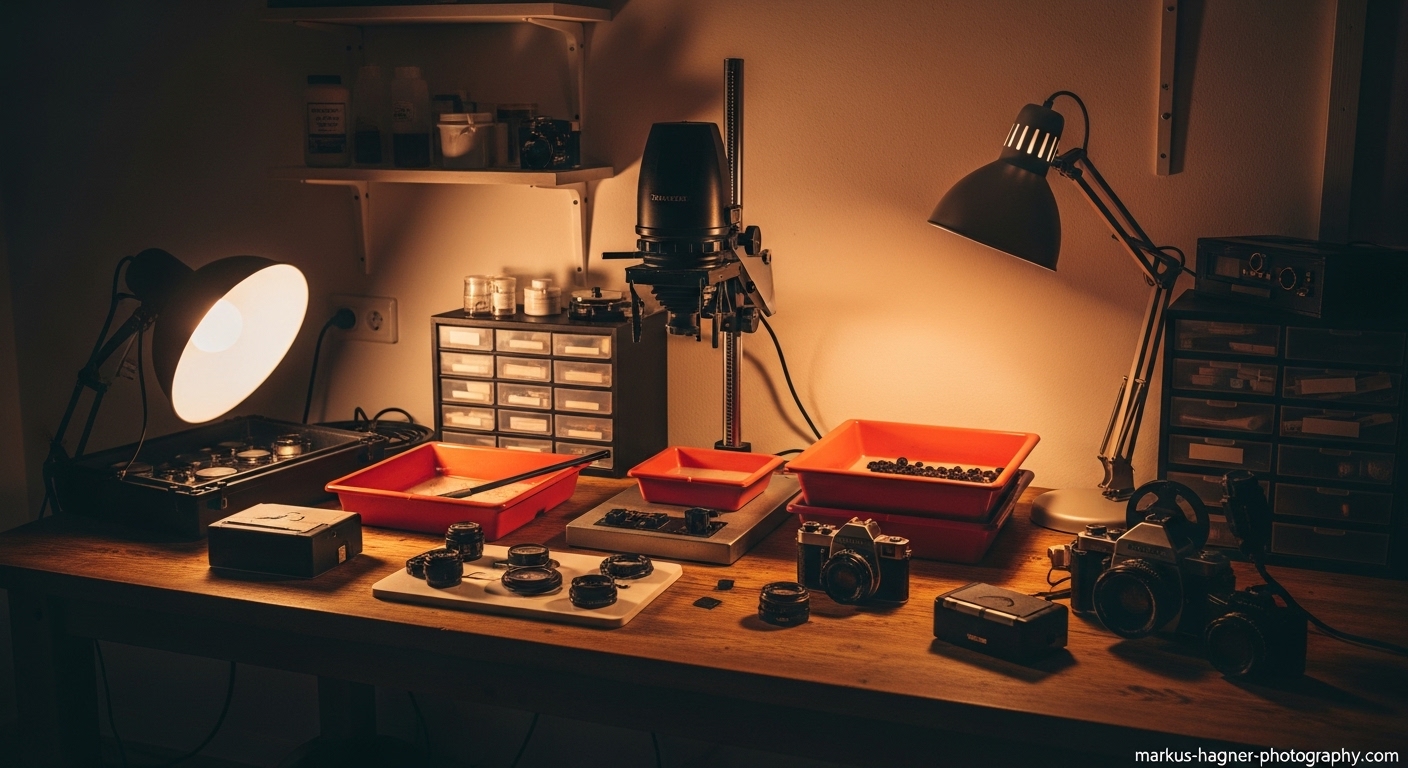
I remember the first time I walked into a proper darkroom. The smell of the chemicals, the dim red glow of the safelight, and the pure magic of watching an image appear on a blank piece of paper – it was love at first sight. That was over 15 years ago, and I’ve been hooked on film photography ever since.
When I first started thinking about building my own darkroom at home, I was overwhelmed. Where do I even begin? What equipment do I really need? Can I really do this in my small apartment? After countless hours of research, trial and error, and several darkroom setups later, I’m here to tell you that yes, you absolutely can build your own DIY darkroom at home, and I’m going to show you exactly how to do it.
Whether you’re working with a spacious basement or a tiny closet, this guide will walk you through every step of creating your own darkroom sanctuary. I’ve made all the mistakes so you don’t have to, and I’ve discovered some brilliant space-saving solutions that even professional photographers don’t know about.
Why Build Your Own Darkroom?
Before we dive into the nitty-gritty, let me share why having your own darkroom is absolutely worth the effort. When I develop my own film and make my own prints, I have complete control over the entire creative process. There’s something incredibly satisfying about holding a physical print that you created with your own hands – it’s a feeling that digital photography just can’t replicate.
I discovered that building my own darkroom actually saved me money in the long run. No more paying lab fees for development and printing, and I can experiment as much as I want without worrying about costs. Plus, there’s the therapeutic aspect – there’s something almost meditative about the darkroom process that helps me unwind after a long day.
Choosing the Perfect Space
The first step in building your darkroom is finding the right space. I’ve set up darkrooms in all sorts of places – from a spacious basement to a tiny bathroom closet. Here’s what I’ve learned about choosing the perfect location.
Essential Requirements
Light Control: This is non-negotiable. Your space must be completely light-tight. I learned this the hard way when my first attempts were ruined by tiny light leaks I didn’t even notice. The best spaces are interior rooms without windows, like bathrooms, closets, or pantries.
Ventilation: This is crucial for your health and comfort. Chemical fumes can be overwhelming and even dangerous in an unventilated space. I once tried working without proper ventilation and had to abandon my session after just 5 minutes – it was that bad.
Power Access: You’ll need electricity for your enlarger, safelight, and timers. Make sure there are enough outlets or that you can safely use extension cords.
Water Access: While not absolutely essential, having access to water makes things much easier. I’ve worked with and without running water, and I can tell you that having it nearby saves a ton of time and hassle.
Best Room Options
Based on my experience, here are the best options for your home darkroom, ranked from most ideal to least ideal:
- Basement: Often the perfect choice – usually no windows, plenty of space, and easy to ventilate
- Bathroom: Built-in water access and ventilation, though you might need to work around windows
- Large Closet: Excellent light control, though ventilation can be challenging
- Spare Bedroom: Good space but requires more work to make light-tight
- Garage: Can work well but often needs significant modifications
Making Any Room Work
I once set up a functional darkroom in a tiny apartment closet that was just 3 feet by 4 feet. If I can do that, you can make almost any space work. The key is creativity and smart planning.
For rooms with windows, I’ve found that blackout curtains work well, but for complete light-tightness, I recommend building wooden frames covered with black landscape plastic. You can buy this at any home improvement store, and it’s incredibly effective.
Essential Equipment Checklist
After setting up multiple darkrooms over the years, I’ve learned what equipment is absolutely essential and what’s just nice to have. Here’s my comprehensive checklist, organized by importance.
Must-Have Equipment (The Non-Negotiables)
Enlarger: This is the heart of your darkroom and probably your biggest investment. I recommend starting with a good quality used enlarger – you can find great deals on eBay, Craigslist, or Facebook Marketplace. Look for brands like Beseler, Omega, or Durst.
Safelight: You need to be able to see what you’re doing without exposing your paper. I’ve tried various safelights over the years, and I recommend starting with a red LED safelight – they’re reliable, long-lasting, and safe for most black and white papers.
Developing Trays: You’ll need at least three trays for developer, stop bath, and fixer. I recommend getting 8×10 trays to start – they’re versatile and not too bulky. I’ve found that plastic trays work just as well as more expensive metal ones.
Tongs: Get at least three pairs – one for each chemical. I learned this lesson the hard way when I accidentally contaminated my developer by using the same tongs for everything.
Timer: You need precise timing for consistent results. I started with a simple kitchen timer, but I highly recommend investing in a proper darkroom timer – it makes a huge difference in your print quality.
Thermometer: Chemical temperature is crucial for consistent results. I use a simple darkroom thermometer, but even a cooking thermometer will work in a pinch.
Important but Not Essential (You Can Start Without These)
Grain Focuser: This helps you get perfect focus on your prints. While you can get by without one, I found my print quality improved dramatically once I started using one.
Easel: Holds your paper flat and in position. You can start by using books or other heavy objects, but a proper easel makes consistent sizing much easier.
Drying Clips: For hanging your prints to dry. I started with regular clothespins, but proper print drying clips work much better.
Negative Sleeves: For storing your developed negatives safely. This is more about organization than the actual darkroom process.
Nice-to-Have Equipment (Upgrade Later)
Print Washer: Makes the final wash process much easier and more thorough Drying Cabinet: Professional way to dry prints, but definitely not necessary when starting out Multiple Enlarger Lenses: For different negative sizes and print qualities Chemical Storage Bottles: For mixing and storing your chemicals safely
Setting Up Your Darkroom Space
Now that you have your equipment, it’s time to set up your space. I’ve learned that proper organization and workflow are crucial for a successful darkroom experience.
Creating a Light-Tight Environment
This is the most critical step. I can’t stress this enough – even the tiniest light leak can ruin your prints. Here’s how I make any room completely dark:
- Windows: If you have windows, cover them completely. I use black landscape plastic stapled to wooden frames that fit snugly in the window opening. For extra protection, I hang blackout curtains over the frames.
- Doors: Light often leaks under doors. I use a draft stopper or roll up a towel and place it at the bottom of the door. For extra protection, I hang a blackout curtain over the door opening.
- Test for Light Leaks: Here’s a trick I learned: turn off all lights and turn on your safelight. Place a coin on a piece of photographic paper and leave it for 30 minutes. If you can see the coin outline after developing the paper, you have light leaks.
Ventilation Setup
Proper ventilation is essential for your health and comfort. I’ve tried various setups, and here’s what works best:
Simple Setup: A box fan in a window blowing out, with another window cracked open for fresh air intake. Make sure to cover the intake window with cardboard or plastic to block light while allowing air flow.
Advanced Setup: An inline duct fan (6-inch works well for most spaces) with flexible ducting venting outside. I recommend getting a fan rated for at least 6 air changes per hour for your space.
Important Safety Note: Never vent chemical fumes into your home’s HVAC system. Always vent directly outside.
Organizing Your Space
The key to an efficient darkroom is proper workflow organization. I divide my space into two main areas:
Dry Side: This is where your enlarger, negatives, and paper are kept. Keep this area as dry and clean as possible to prevent dust and chemical contamination.
Wet Side: This is where you’ll do your chemical processing. Keep all chemicals, trays, and water-related items in this area.
If you’re working in a very small space, you can use a simple partition or even just mentally divide your workspace. I once worked in a closet where I used the left side for dry operations and the right side for wet – it wasn’t perfect, but it worked!
The Chemical Process Explained
Understanding the chemical process is crucial for successful darkroom work. When I first started, I was intimidated by all the different chemicals, but I promise it’s not as complicated as it seems.
Essential Chemicals and Their Roles
Developer: This is where the magic happens. The developer reacts with the exposed silver halides in your paper to create the visible image. I recommend starting with a standard black and white paper developer like Kodak Dektol or Ilford Multigrade Developer.
Stop Bath: This halts the development process. I started using plain water, but I quickly learned that a proper stop bath (essentially diluted acetic acid) gives more consistent results and extends the life of your fixer.
Fixer: This makes your image permanent by removing unexposed silver halides from the paper. Without proper fixing, your images will fade over time. I recommend a rapid fixer like Ilford Rapid Fixer – it works quickly and efficiently.
Optional but Recommended: Photo-flo or wetting agent for preventing water spots on your final prints.
Mixing and Storing Chemicals
Here’s how I prepare my chemicals:
- Read the Instructions: Different chemicals have different mixing ratios. Always follow the manufacturer’s instructions.
- Use Proper Containers: I recommend using dedicated chemical storage bottles. Never use containers that have held food – it’s not worth the risk.
- Label Everything: Clearly label all your chemicals with their contents and mixing dates. I once accidentally used developer instead of water – let’s just say it didn’t end well!
- Temperature Matters: Most chemicals work best at around 68-70°F (20-21°C). I use a simple thermometer to monitor temperature.
Safety First
I can’t stress this enough – darkroom chemicals require proper handling:
- Always wear gloves when handling chemicals
- Work in a well-ventilated area
- Never eat or drink in your darkroom
- Keep chemicals away from children and pets
- Dispose of used chemicals properly (check your local regulations)
Step-by-Step Darkroom Setup
Now let’s get into the actual setup process. I’ll walk you through this step by step, just like I wish someone had done for me when I first started.
Step 1: Prepare Your Space
Before bringing in any equipment, you need to prepare your space:
- Clean Thoroughly: Dust is the enemy of darkroom work. I clean my space thoroughly before setup and keep it as dust-free as possible.
- Install Ventilation: Set up your ventilation system first. Make sure it’s working properly before you proceed.
- Make it Light-Tight: Test your light-proofing using the coin test I mentioned earlier. Don’t skip this step!
- Set Up Electrical: Make sure you have safe access to power for your equipment. Use surge protectors and avoid overloading circuits.
Step 2: Set Up the Dry Side
- Position Your Enlarger: Place your enlarger on a sturdy table or counter. Make sure it’s level and stable. I use a simple carpenter’s level to check this.
- Install Safelight: Position your safelight so it illuminates your work area without shining directly on your paper. I usually place mine about 4 feet above my work surface.
- Organize Your Supplies: Set up your negative carriers, lenses, filters, and other dry supplies in an organized manner. I use small plastic bins to keep everything organized.
- Prepare Your Paper: Store your photographic paper in a light-tight box or bag until you’re ready to use it.
Step 3: Set Up the Wet Side
- Arrange Your Trays: Set up your developing trays in order: developer, stop bath, fixer. I recommend leaving space between them to avoid cross-contamination.
- Prepare Chemicals: Mix your chemicals according to the instructions. I usually mix fresh chemicals before each printing session for best results.
- Set Up Water Access: If you have running water, set up your print washing area. If not, prepare a container for water that you can use for final rinsing.
- Organize Your Tools: Arrange your tongs, timers, thermometers, and other wet side tools within easy reach.
Step 4: Test Your Setup
Before you start working with actual prints, I recommend doing a test run:
- Test Your Safelight: Place a piece of photographic paper under your safelight for 5 minutes, then develop it. If it stays pure white, your safelight is safe.
- Test Your Workflow: Go through the motions of a printing session without actual paper to make sure everything flows smoothly.
- Check Your Ventilation: Spend some time in your darkroom with the chemicals mixed to make sure the ventilation is adequate.
Also Read: Fuji 16-55 vs Sony 24-70
Making Your First Print
Now for the exciting part – making your first print! I remember the thrill of my first successful print, and I want you to experience that same excitement.
Preparing Your Negative
- Clean Your Negative: Dust and fingerprints can ruin your print. I use compressed air and a soft brush to clean my negatives before printing.
- Load the Negative Carrier: Place your negative in the carrier with the shiny side up. Make sure it’s flat and secure.
- Insert in Enlarger: Place the negative carrier in the enlarger and secure it.
Setting Up the Enlarger
- Choose Your Lens: Select the appropriate lens for your negative size (50mm for 35mm, 80mm for 6×6, etc.).
- Set Your Aperture: Start with the lens wide open (lowest f-number) for focusing, then stop down to f/8 or f/11 for printing.
- Focus Your Image: Use your grain focuser to get perfect focus. This takes some practice, so be patient.
- Set Your Height: Adjust the enlarger head to get the desired print size.
Making a Test Strip
A test strip is your best friend in the darkroom. Here’s how I make one:
- Cut a Strip: Cut a strip of photographic paper about 1 inch wide.
- Set Your Timer: Start with 5 seconds as your base exposure.
- Make Progressive Exposures: Cover most of the strip, expose for 5 seconds, move the covering to expose more, expose for another 5 seconds, and so on. This gives you sections with 5, 10, 15, 20, and 25 seconds of exposure.
- Develop the Strip: Process the test strip normally and examine it under good light to determine your best exposure time.
Making Your Final Print
Once you’ve determined your exposure time from the test strip, you’re ready for your final print:
- Expose Your Paper: Place a full sheet of paper in the easel and expose for your determined time.
- Develop: Place the paper in the developer and agitate gently for the recommended time (usually 1-2 minutes).
- Stop Bath: Transfer the print to the stop bath for 30 seconds.
- Fix: Move the print to the fixer for 3-5 minutes.
- Wash: Rinse the print thoroughly in running water for at least 10 minutes.
- Dry: Hang the print to dry in a dust-free area.
Troubleshooting Common Problems
Even after years of experience, I still run into problems sometimes. Here are some common issues and how I solve them:
Prints Too Dark or Too Light
Problem: Your prints are consistently too dark or too light.
Solution: This is usually an exposure issue. If prints are too dark, reduce exposure time or use a smaller aperture. If too light, increase exposure time or use a larger aperture. I always make a new test strip when adjusting exposure.
Prints Lack Contrast
Problem: Your prints look flat and muddy.
Solution: This could be several things:
- Your negative might be underdeveloped
- You might need to use contrast filters
- Your developer might be exhausted
- Your exposure time might be too long
I recommend starting with fresh developer and making a new test strip.
Strange Spots or Marks
Problem: Your prints have spots, streaks, or other marks.
Solution: This is usually a dust or contamination issue:
- Clean your negatives thoroughly
- Keep your darkroom as dust-free as possible
- Make sure your trays and tongs are clean
- Check for chemical contamination
I keep a can of compressed air in my darkroom specifically for cleaning negatives and equipment.
Uneven Development
Problem: Parts of your print are darker or lighter than others.
Solution: This is usually an agitation issue:
- Make sure you’re agitating the developer evenly
- Check that your paper is fully submerged
- Ensure your developer is fresh and properly mixed
I use a gentle rocking motion to agitate my developer – it works better than vigorous stirring.
Advanced Tips and Techniques
Once you’re comfortable with the basics, you might want to try some advanced techniques. Here are some of my favorites:
Dodging and Burning
Dodging (lightening) and burning (darkening) specific areas of your print can dramatically improve your results. I use simple tools made from cardboard and wire for this. The key is practice – start with small adjustments and work your way up.
Contrast Control
Using multigrade paper and filters gives you incredible control over contrast. I keep a full set of filters (grades 0-5) and use them regularly to fine-tune my prints.
Toning
Toning can add beautiful color shifts and increase the archival quality of your prints. Sepia toning is a classic, but I also love selenium toning for rich, deep blacks.
Alternative Processes
Once you master basic printing, you might want to try alternative processes like cyanotype, platinum printing, or gum bichromate. These can add unique artistic effects to your work.
Maintaining Your Darkroom
A well-maintained darkroom will give you consistent results and last for years. Here’s how I keep my darkroom in top shape:
Daily Maintenance
- Clean all equipment after each use
- Dispose of used chemicals properly
- Wipe down all surfaces
- Check for light leaks
Weekly Maintenance
- Deep clean all trays and containers
- Check chemical supplies and reorder if needed
- Clean safelight and enlarger
- Test ventilation system
Monthly Maintenance
- Check all electrical equipment
- Inspect and clean enlarger lenses
- Organize and inventory supplies
- Test all chemicals for freshness
Also Read: Sony 70-350 vs 70-300
Budget-Friendly Alternatives
Building a darkroom doesn’t have to break the bank. Here are some money-saving tips I’ve learned over the years:
Equipment Savings
- Buy used equipment from eBay, Craigslist, or local photography clubs
- Check thrift stores and garage sales for trays and containers
- Make your own easel from cardboard or wood
- Use kitchen timers instead of expensive darkroom timers
Chemical Savings
- Buy chemicals in bulk when possible
- Learn to mix your own chemicals from raw ingredients
- Use dilute working solutions to extend chemical life
- Reuse fixer when possible (test with hypo check)
Space Solutions
- Convert a closet or bathroom instead of building a dedicated room
- Use portable equipment that can be set up and taken down
- Share space with other activities when not in use
Frequently Asked Questions
How much does it cost to build a home darkroom?
The cost can vary widely depending on your setup. I’ve built functional darkrooms for as little as $200 using used equipment, but a more complete setup might cost $500-1000. The key is starting with the essentials and adding equipment as you go.
Do I need running water in my darkroom?
No, you don’t absolutely need running water, but it makes things much easier. I’ve worked without running water by using containers for water and taking prints to another room for final washing.
Can I build a darkroom in a small apartment?
Absolutely! I once had a fully functional darkroom in a tiny apartment closet. The key is smart organization and space-saving solutions. Vertical storage and fold-down tables can make even the smallest space work.
How long does it take to learn darkroom printing?
You can make your first successful print in a single session, but mastering the art takes time and practice. I was making decent prints after about a month of regular practice, but I’m still learning new techniques years later.
Is darkroom printing environmentally friendly?
Traditional darkroom printing does involve chemicals that need proper disposal. However, many modern darkroom practitioners use more environmentally friendly practices, including proper chemical disposal, silver recovery systems, and alternative processes that use fewer harsh chemicals.
Conclusion
Building your own DIY darkroom is one of the most rewarding projects you can undertake as a photography enthusiast. There’s something magical about the entire process – from setting up your space to making that first perfect print.
I remember the feeling of accomplishment when I made my first successful print in my home darkroom. It wasn’t perfect, but it was mine, created from start to finish in my own space. That feeling never gets old, no matter how many prints I make.
Whether you’re working with a spacious basement or a tiny closet, the principles remain the same. Start with the essentials, learn the basics, and expand your setup as you grow more confident. Don’t be afraid to make mistakes – that’s how you learn.
I hope this guide has inspired you to take the plunge and build your own darkroom. The analog photography community is welcoming and supportive, and there’s always something new to learn. Happy printing!