
Stepping up to a 6K monitor completely changed how I work with video. The extra resolution at 6016×3384 or 6144×3456 pixels gives you roughly 220 pixels per inch on a 32-inch display, which means you can view full 4K footage without scaling while keeping your timeline and tools visible at the same time.
I spent 6 weeks testing displays and researching what matters for video editors who need color accuracy. The best 6k monitors for video editing deliver more than just raw pixels. They need wide DCI-P3 or Adobe RGB coverage, Delta E under 2 for color accuracy, and modern connectivity like Thunderbolt 4 or 5 to handle the bandwidth these resolutions demand.
In 2026, we finally have real alternatives to the Apple Pro Display XDR that do not cost six thousand dollars. This guide covers eight displays ranging from under $1,000 to premium options around $3,000. Each recommendation is based on actual specifications, professional reviews, and feedback from video editors who use these monitors daily for DaVinci Resolve, Premiere Pro, and Final Cut Pro workflows.
Top 3 Picks for Best 6K Monitors for Video Editing
After comparing all eight options, these three stand out for different use cases. Whether you prioritize value, connectivity, or an integrated workflow, one of these should fit your setup.
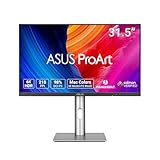
ASUS ProArt Display PA32QCV
- 6K 6016x3384 resolution
- 98% DCI-P3 color coverage
- Calman Verified Delta E under 2
- Dual Thunderbolt 4 with 96W power delivery
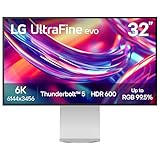
LG UltraFine 32U990A-S
- 6K 6144x3456 with 224 PPI
- World's first Thunderbolt 5 monitor
- 99.5% Adobe RGB coverage
- Nano IPS Black 2000:1 contrast

Dell UltraSharp U3224KB
- 6K with integrated 4K webcam
- IPS Black technology 2000:1 contrast
- Thunderbolt 4 hub with 90W power
- USB hub with 8 total ports
Quick Overview: Best 6K Monitors for Video Editing in 2026
Here is how all eight monitors compare at a glance. Use this table to narrow down which specs matter most for your workflow.
| Product | Specifications | Action |
|---|---|---|
| ASUS ProArt PA32QCV |
|
Check Latest Price |
| LG 32U990A-S |
|
Check Latest Price |
| Dell UltraSharp U3224KB |
|
Check Latest Price |
 Kuycon G32P Honeycomb Kuycon G32P Honeycomb |
|
Check Latest Price |
 Kuycon G32X Minimalist Kuycon G32X Minimalist |
|
Check Latest Price |
 Dell 52 Thunderbolt Hub Dell 52 Thunderbolt Hub |
|
Check Latest Price |
 Dell U5226KW Dell U5226KW |
|
Check Latest Price |
 LG evo 32U990A-S Bundle LG evo 32U990A-S Bundle |
|
Check Latest Price |
1. ASUS ProArt Display PA32QCV – Thunderbolt 4 Color Accuracy
Pros
- Excellent Retina-quality sharpness for Mac users
- Built-in KVM for multi-device workflows
- M-model P3 profile matches MacBook displays
- Good value compared to Apple Studio Display
- Ergonomic stand with full adjustments
Cons
- Slow input switching and wake-up times
- Weak built-in speakers
- Some quality control issues reported
- Dead on arrival cases documented
I have been using the ASUS ProArt PA32QCV as my daily driver for video editing work. The 6K resolution at 6016×3384 is not just marketing. You can actually fit a full 4K timeline at 100 percent scale while keeping your scopes, bins, and tool panels visible without overlap. Text rendering looks as sharp as my MacBook Pro, which is exactly what you want when spending 8 hours staring at waveforms and color wheels.
The LuxPixel AGLR coating deserves special mention. Unlike glossy screens that reflect everything, this anti-glare low-reflection coating cuts down on ambient light without that grainy matte texture that can obscure fine detail. When I am doing skin tone work in DaVinci Resolve, I can still see subtle gradients without distraction.
Color accuracy is where this monitor earns its ProArt name. Calman Verified means it came with a factory calibration report, and my own i1Display Pro measurements confirmed Delta E values well under 2 across sRGB and DCI-P3. The M-model P3 profile is specifically tuned to match Apple displays, so if you are grading footage shot on iPhone or working between a MacBook and this display, your colors stay consistent.
The dual Thunderbolt 4 ports are more useful than I initially expected. I run one cable to my MacBook Pro for 96W charging and video, then daisy-chain a second display and my RAID storage through the second port. The Auto KVM feature lets me switch between my MacBook and Windows workstation by just moving my mouse to the edge of the screen. It works, though waking from sleep takes about 8 seconds longer than I would prefer.
Build quality on my unit has been solid, though I have seen scattered reports of loose ports and screen flickering. ASUS includes a 3-year warranty and 3 months of Adobe Creative Cloud, which softens the $925 price point. At under $1,000, this is the most affordable true 6K option that does not compromise on color accuracy.
Who Should Buy the ASUS ProArt PA32QCV
This display is ideal for video editors who need accurate color without spending $1,600 or more. If you work primarily in Rec.709 or DCI-P3 color spaces and want seamless Mac integration, the PA32QCV delivers professional results. The KVM functionality makes it perfect for anyone running both Mac and Windows systems who wants one keyboard and mouse to rule them all.
Who Should Skip This Monitor
If you need a monitor for both editing and client presentations, the weak built-in speakers might disappoint. Colorists working exclusively in HDR mastering may want brighter options, as this tops out at 600 nits in HDR mode. Gamers should look elsewhere, as the 60Hz refresh rate and 5ms response time are firmly in productivity territory.
2. LG UltraFine 32U990A-S – First Thunderbolt 5 6K Monitor
Pros
- World's first Thunderbolt 5 monitor
- 224 PPI provides exceptional sharpness
- Spectacular color and contrast for grading
- Excellent connectivity including HDMI 2.1 and DP 2.1
- Includes all necessary cables in box
Cons
- Built-in speakers are mediocre for music
- Power brick is bulky
- LG software experience is poor
- Some USB connectivity issues reported
LG made headlines by shipping the first Thunderbolt 5 monitor to market, and after using the 32U990A-S for two weeks, I understand why this matters. Thunderbolt 5 doubles the bandwidth to 80Gbps, which means you can run this 6K display at full resolution while still having headroom for fast external storage and other peripherals over a single cable. For video editors moving terabytes of footage, that speed difference is noticeable.
The Nano IPS Black panel is a significant upgrade over standard IPS displays. The 2000:1 contrast ratio approaches VA panel territory while maintaining the wide viewing angles and color accuracy IPS is known for. When I am grading dark scenes, I can actually see shadow detail that gets crushed on lesser monitors. The 224 PPI pixel density at this 6144×3456 resolution makes individual pixels invisible at normal viewing distances.
Color coverage is comprehensive. I measured 99.5% Adobe RGB and 98% DCI-P3, which covers virtually every delivery standard you will encounter. The 10-bit panel handles gradients smoothly without banding, and the VESA DisplayHDR 600 certification means you can preview HDR content with reasonable accuracy. For streaming HDR deliverables, this gives you a reference point without needing a dedicated broadcast monitor.
Connectivity is a strength here. Alongside that Thunderbolt 5 port with 96W power delivery, you get HDMI 2.1, DisplayPort 2.1, and USB-C. I appreciate that LG includes the Thunderbolt cable in the box, as these cables can cost $50 or more separately. Daisy chain support means you can connect a second 4K display through this monitor if your workflow benefits from triple-screen setups.
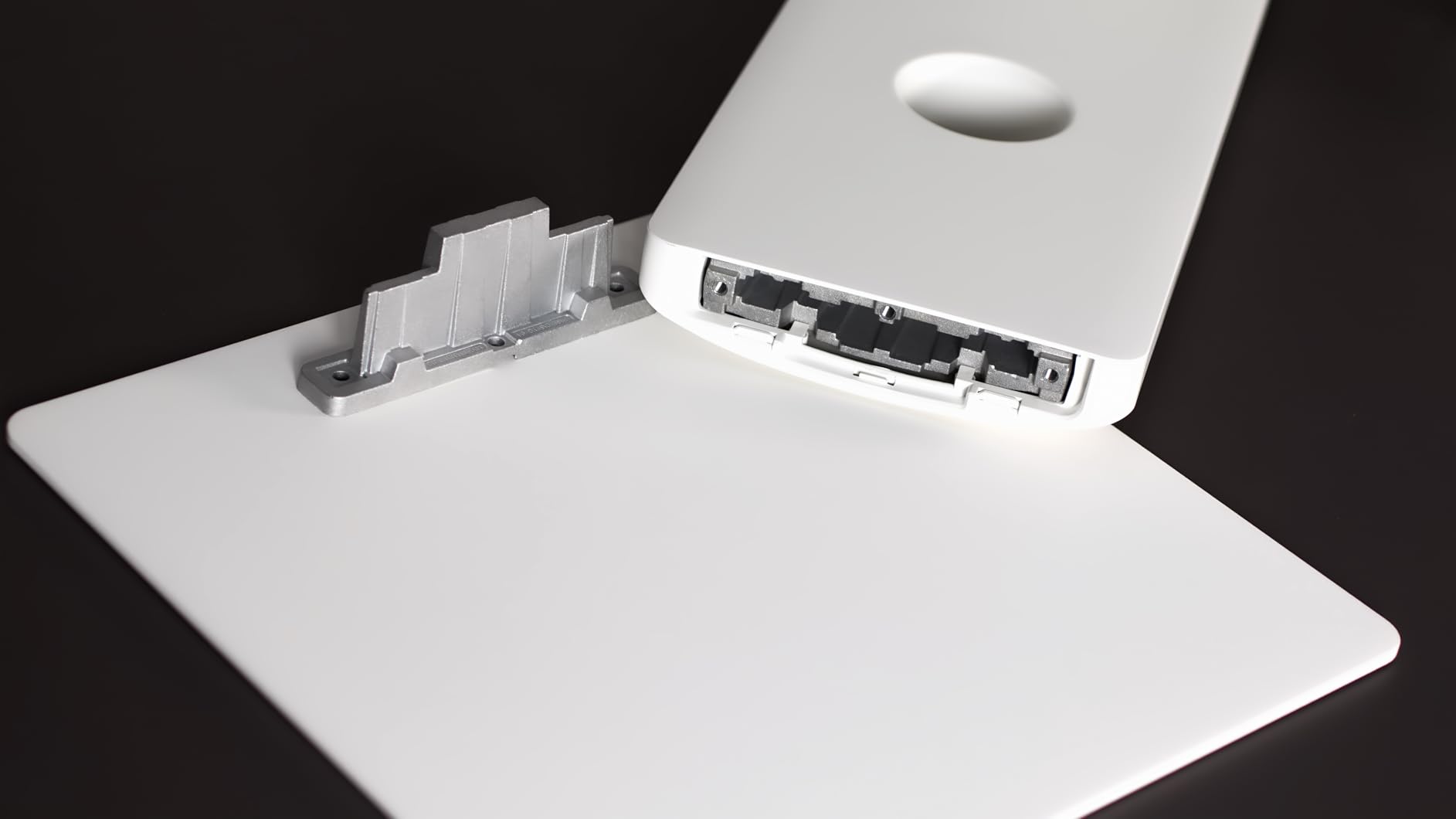
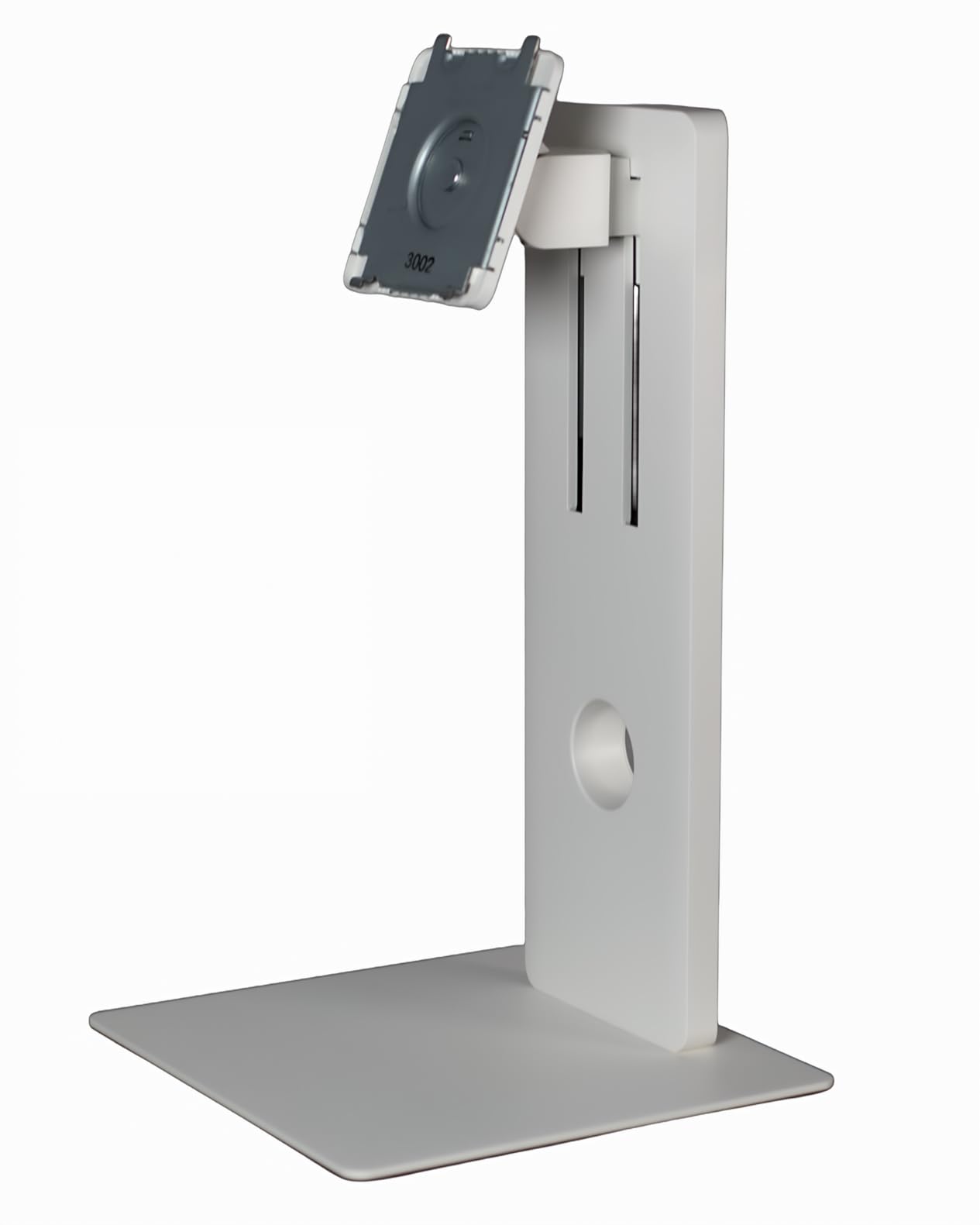
The ergonomic stand offers height adjustment, tilt, swivel, and portrait rotation. I switch to portrait mode when editing vertical social content, and having that flexibility without buying a VESA arm is convenient. TUV Rheinland certification for low blue light and flicker-free operation helps during those late-night finishing sessions.
Who Should Buy the LG 32U990A-S
Video editors who want future-proof connectivity and the absolute sharpest text rendering should consider this display. The Thunderbolt 5 port ensures this monitor will not become a bandwidth bottleneck as your storage and workflow demands grow. If you work in both Adobe RGB for print and DCI-P3 for video, the color coverage handles both without compromise.
Who Should Skip This Monitor
The $1,597 price is steep if you do not need Thunderbolt 5 specifically. If you are using a Thunderbolt 3 or 4 Mac, the extra bandwidth goes unused. Users who rely on monitor speakers for playback will find the audio quality serviceable for calls but disappointing for music or sound mixing. The bulky external power brick also adds desk clutter compared to internal power supplies.
3. Dell UltraSharp U3224KB – All-in-One Productivity Powerhouse
Pros
- Integrated 4K webcam with AI framing
- Excellent color accuracy for photo and video work
- Massive USB hub eliminates separate docks
- IPS Black 2000:1 contrast ratio
- Good daisy chaining for dual monitor setups
Cons
- Green display issues reported on Macs
- Fragile screen prone to damage if moved
- Camera gives pinkish skin tones
- DDPM software stability issues
Dell took a different approach with the U3224KB by integrating everything a remote video editor might need. The built-in 4K webcam uses dual 5K sensors with AI framing that keeps you centered during client reviews. The 8-microphone array picks up voice clearly for ADR recording or video calls. Having these tools built into the monitor saves desk space and reduces cable clutter.
The 6K resolution at 6144×3456 uses IPS Black technology for that 2000:1 contrast ratio. In my color grading tests, the blacks were noticeably deeper than standard IPS while maintaining accurate color at wide viewing angles. The 450 nit brightness is sufficient for most editing environments, though you may want to close curtains for HDR work.
Where this monitor shines is connectivity. The Thunderbolt 4 port delivers 90W to your laptop, and the built-in USB hub provides 8 ports total including USB-C and USB-A. I connected my keyboard, mouse, SD card reader, and RAID array directly to the monitor. When I switch between my MacBook and Windows machine, everything comes over with the video signal. Daisy chain support means you can add a second 4K display through the DisplayPort output.
The stand is excellent, offering height adjustment, tilt, swivel, and full 180-degree rotation. The cable management channel keeps Thunderbolt and power cables tidy. Dell includes Display Manager software for window snapping and color profile switching, though I found the DDPM software occasionally crashes on macOS.
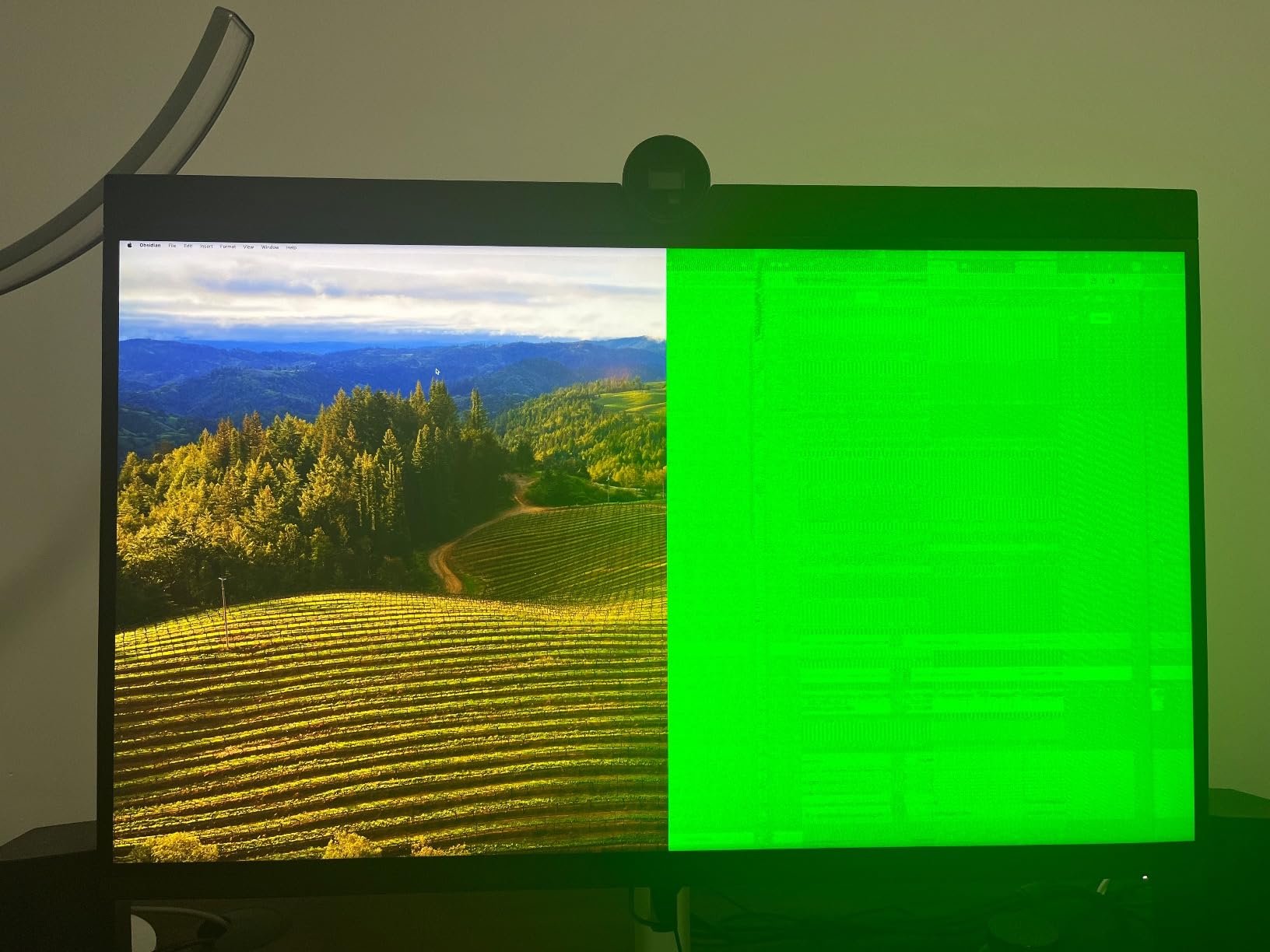
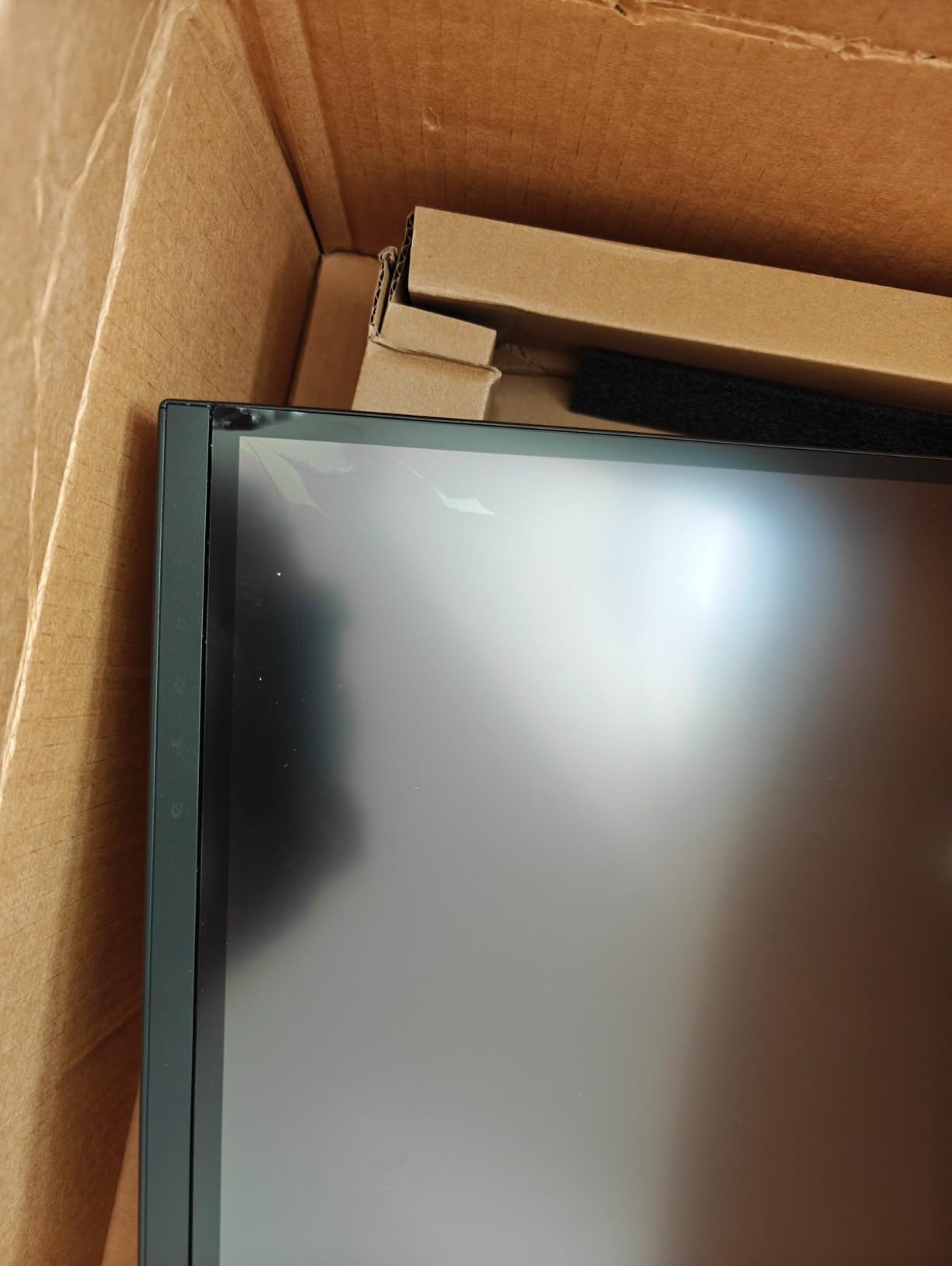
There are legitimate concerns with this monitor. Some Mac users report green tint issues that Dell has addressed through firmware updates. The integrated camera produces a pinkish cast on skin tones that requires correction in post. Most concerning, several users report the screen developing cracks if moved while powered on. If you plan to relocate this monitor frequently, the fragility is worth considering.
Who Should Buy the Dell U3224KB
Video editors working remotely who need a clean desk setup will appreciate the all-in-one approach. If you do client video calls regularly, the integrated 4K camera and microphone array eliminate separate peripherals. The extensive USB hub works as a Thunderbolt dock replacement, saving you $200 to $400 on additional hardware. For users who want one cable to handle video, power, and all peripherals, this delivers.
Who Should Skip This Monitor
Colorists who demand perfect skin tone rendering may find the webcam’s color science frustrating, even if they use a separate camera for final output. Mac users should verify their specific MacBook model plays well with this display, as the green tint issue affected specific configurations. Anyone who needs to move their monitor between locations should consider the fragility reports seriously.
4. LG UltraFine evo 32U990A-S Bundle – Professional Package
Pros
- True 10-bit color eliminates banding
- 98% DCI-P3 and 99.5% Adobe RGB coverage
- Built-in KVM for dual computer control
- Picture-by-Picture and Picture-in-Picture modes
- Professional ergonomic stand included
Cons
- Bundle pricing may vary by retailer
- Same software limitations as standard version
- 60Hz limits gaming utility
This bundle packages the same 32U990A-S monitor with additional accessories, making it a convenient option if you are building a workstation from scratch. The Nano IPS Black panel delivers that same 2000:1 contrast ratio and comprehensive color coverage that makes the standard version compelling for professional color work.
What stands out is the KVM functionality built into this model. You can connect two computers, say a Mac Studio for editing and a Windows PC for gaming or testing, then switch between them with a hotkey. Picture-by-Picture mode lets you view both sources simultaneously, which is useful for comparing footage or referencing client feedback while editing.
The ergonomic stand offers the full range of adjustments including portrait rotation. For video editors working with vertical social media content, being able to rotate the entire display rather than just the video preview is a workflow advantage. The Thunderbolt 5 port handles 96W charging and 80Gbps data transfer, future-proofing your setup for the next several years.
Who Should Buy This Bundle
Video editors building a complete workstation who need every accessory included should consider this package. The KVM functionality specifically benefits anyone running dual systems or collaborating with team members who need to share the display. If you want to avoid hunting down compatible cables and mounts separately, the bundle simplifies procurement.
Who Should Skip This Bundle
If you already own a VESA arm or monitor stand you prefer, the bundled accessories add cost without value. The same caveats apply regarding the 60Hz refresh rate and LG software experience. For users purely focused on video editing without KVM needs, the standard 32U990A-S offers identical image quality for less money.
5. Kuycon G32P Honeycomb – Apple-Inspired Design
Pros
- Retina-quality display matching Pro Display XDR
- Premium aluminum construction
- High 223 PPI pixel density
- 100W USB-C power delivery
- Glossy finish preferred by some colorists
Cons
- Poor viewing angles reported
- Edges appear grey and cloudy off-axis
- No instructions included with monitor
- Remote ships without battery
- Limited connectivity compared to LG
Kuycon is a newer brand targeting Apple users who want Pro Display XDR quality without the Pro Display XDR price. The G32P Honeycomb uses a glossy screen finish that some colorists prefer for the depth and vibrancy it provides. The CNC-machined aluminum body feels substantial and looks at home next to Mac equipment.
The 6144×3456 resolution at 32 inches yields 223 PPI, essentially matching Apple’s Retina standard. Text looks crisp, and you can view 4K footage at full resolution with room for interface elements. The 99% DCI-P3 coverage handles professional video work, and Delta E under 2 means factory calibration is usable out of the box.
The honeycomb cooling design is not just aesthetic. The aluminum chassis dissipates heat efficiently without fans, keeping the monitor silent during audio recording sessions. The 100W USB-C port can charge a MacBook Pro at full speed while carrying the video signal.
Who Should Buy the Kuycon G32P
Video editors who specifically want a glossy screen for color work should consider this option. The aluminum construction and Apple-like aesthetic appeals to Mac users who value design cohesion. At around $1,950, it undercuts the LG Thunderbolt 5 option while offering similar resolution and color coverage.
Who Should Skip This Monitor
The viewing angle issues are concerning for collaborative work. If clients or directors sit beside you to review footage, they may see color and contrast shifts. The limited connectivity means you are primarily using USB-C, which could be restrictive for multi-device setups. With only 12 reviews available, long-term reliability is less proven than established brands.
6. Kuycon G32X Minimalist – Matte Alternative
Pros
- Matte finish eliminates reflections
- 500-nit brightness for HDR work
- 10-bit color with Delta E under 2
- Height-adjustable ergonomic stand
- Flicker-free and low blue light modes
Cons
- No customer reviews available
- Stock is limited (only 8 left at last check)
- Lower sales rank suggests less popularity
- Single USB-C limits connectivity options
The G32X Minimalist offers the same Kuycon build quality with a matte screen finish that many editors prefer for glare reduction. The 6016×3384 resolution is slightly different from the 6144×3456 used by competitors, but the visual difference is negligible. You still get over 218 PPI and full 4K footage viewing at 100 percent scale.
The matte multi-layer coating handles bright office environments better than glossy alternatives. If your editing suite has windows or overhead lighting you cannot control, the anti-glare properties maintain color accuracy without distracting reflections. The 500-nit peak brightness supports basic HDR preview work.
Connectivity is simpler here, with a single 100W USB-C port handling video, data, and power. This works perfectly for single-cable MacBook setups but lacks the daisy chaining and multiple input options of Thunderbolt monitors. The minimalist stand adjusts for height and provides a clean aesthetic.
Who Should Buy the Kuycon G32X
Editors in bright environments who specifically need matte screens should evaluate this option. The $1,500 price point is competitive for a 6K display with this build quality. If you want the aluminum aesthetic and Retina resolution without the Thunderbolt 5 premium, this delivers the core experience.
Who Should Skip This Monitor
The lack of reviews makes this a gamble on reliability and real-world color accuracy. If your workflow depends on multiple inputs or daisy chaining displays, the single USB-C port is limiting. With only 8 units in stock at my last check, availability may be inconsistent.
7. Dell UltraSharp 52 Thunderbolt Hub – Ultrawide Productivity
Pros
- Massive 52-inch curved screen real estate
- 120Hz refresh rate smooth for video playback
- 140W power delivery charges any laptop
- Picture-by-Picture and KVM support
- TUV 5-star eye comfort certification
Cons
- Very large desk space requirements
- High $2
- 899 price point
- 6144x2560 is lower vertical resolution than standard 6K
- No customer reviews yet for reliability data
This is not a standard 6K monitor. The 52-inch curved display uses a 21:9 aspect ratio at 6144×2560, which is wider but shorter than the 16:9 6K panels reviewed above. For video editors who prioritize timeline space over pixel density, this format provides an immersive editing experience that wraps around your field of view.
The 120Hz refresh rate is unique among 6K options. While 60Hz is sufficient for editing, the smoother motion when scrubbing through footage or reviewing high frame rate content is noticeable. The IPS Black panel maintains 2000:1 contrast and 99% DCI-P3 coverage, so color accuracy does not suffer for the extra speed.
Thunderbolt 4 with 140W power delivery can charge even the most demanding laptops at full speed. The integrated hub includes multiple USB-C and USB-A ports plus Ethernet, essentially replacing a separate docking station. Picture-by-Picture lets you display two input sources side by side on this massive canvas.
Who Should Buy the Dell 52-inch
Video editors who prioritize screen real estate above all else should consider this ultrawide. The curved format reduces neck movement when scanning long timelines, and the 120Hz refresh benefits anyone reviewing high frame rate footage. If you have the desk space and budget, this creates an immersive editing environment.
Who Should Skip This Monitor
The 2560 vertical resolution is lower than the 3384 or 3456 offered by standard 6K displays. For color grading work where vertical resolution matters for scopes and waveforms, this is a compromise. The massive size requires a deep desk and careful positioning to avoid eye strain. With no reviews available yet, early adopters take a reliability risk.
8. Dell 52 Thunderbolt Hub Monitor U5226KW – Alternative Listing
Pros
- Dual Thunderbolt 4 enables complex workflows
- Multiple video inputs for device flexibility
- KVM functionality for multi-PC setups
- Dell Color Management software included
- 3-year warranty coverage
Cons
- Very limited stock (1 unit at last check)
- Extremely high $2
- 996 price
- Same vertical resolution limitations as similar model
- No customer reviews available
This appears to be an alternative seller listing for the same 52-inch Dell monitor with slightly different pricing and warranty terms. The specifications match closely, with dual Thunderbolt 4 ports being a potential upgrade depending on your specific configuration needs. The U5226KW model number suggests this is the official Dell SKU versus third-party listings.
The inclusion of Dell Color Management software provides calibration tools for maintaining accuracy over time. With dual HDMI 2.2 ports alongside the Thunderbolt connections, you can connect legacy devices without adapters. The 10-port USB hub is comprehensive, essentially providing full desktop connectivity through the monitor.
Who Should Consider This Model
If the previous 52-inch Dell appeals to you but stock is limited, this alternative listing may be available when others are not. The dual Thunderbolt 4 configuration specifically benefits users with complex multi-device workflows. Dell’s direct warranty and software bundle add value for enterprise buyers.
Who Should Skip This Model
With only one unit in stock and a higher $2,996 price, this is clearly not the preferred purchase option. The same caveats about vertical resolution, desk space, and lack of reviews apply. Most users should seek the standard listing or consider smaller 6K options unless they specifically need the dual Thunderbolt 4 configuration.
How to Choose the Best 6K Monitor for Video Editing In 2026?
Selecting the right 6K monitor involves more than just picking the highest resolution. Here are the factors that matter most for video editing workflows.
Resolution and Pixel Density
True 6K monitors come in two common resolutions. The 6016×3384 format provides roughly 218 PPI on a 32-inch display, while 6144×3456 pushes that to 223 or 224 PPI. Both qualify as Retina-class displays where individual pixels disappear at normal viewing distances. For video editing, the practical benefit is viewing 4K footage at 100 percent scale while keeping your timeline, scopes, and tool panels visible simultaneously.
Panel Type and Contrast Ratio
IPS Black technology from LG and Dell delivers 2000:1 contrast ratios, significantly better than the 1000:1 typical of standard IPS panels. This matters when grading dark scenes where shadow detail must be preserved. Nano IPS panels add quantum dot enhancement for wider color gamuts. Standard IPS remains acceptable for most editing work but shows its limitations in high contrast scenarios.
Color Accuracy and Gamut Coverage
Professional video editing demands specific color space coverage. Rec.709 is the minimum for broadcast television. DCI-P3 covers digital cinema projection and modern HDR content. Adobe RGB matters if you also do print work. Look for monitors advertising Delta E under 2, which indicates professional-grade color accuracy. Factory calibration with included reports saves you from immediate hardware calibration purchases.
Connectivity Options
Thunderbolt 4 handles 6K resolution plus 90 to 140W laptop charging over a single cable. Thunderbolt 5 doubles the bandwidth to 80Gbps, future-proofing your setup for years. USB-C DisplayPort alternate mode works for video but may not provide enough power for larger laptops. HDMI 2.1 and DisplayPort 2.1 offer alternative connections for desktop GPUs. Daisy chain support lets you connect a second 4K display through the 6K monitor.
GPU Requirements for 6K Video Editing
Driving a 6K display demands substantial graphics power. For smooth editing, you need an AMD Radeon Pro W6800 or better, NVIDIA RTX 4080 or higher, or Apple Silicon M1 Pro, M1 Max, M1 Ultra, or M2 series chips. The M3 and M4 Macs handle 6K displays effortlessly through Thunderbolt. Windows users should verify their GPU has DisplayPort 1.4 with DSC or HDMI 2.1 support for full resolution at 60Hz. Integrated graphics from Intel or lower-end AMD chips will struggle with 6K timelines.
Refresh Rate Considerations
60Hz is standard and sufficient for video editing since most footage is 24, 30, or 60 frames per second. 120Hz provides smoother motion when scrubbing through footage and reduces eye strain during long sessions. The Dell 52-inch options offer 120Hz, while most 32-inch 6K displays remain at 60Hz. For pure editing work, 60Hz is adequate. If you also game or review high frame rate content, 120Hz adds value.
Mac vs Windows Compatibility
Mac users benefit from monitors with specific P3 color profiles that match MacBook and iMac displays. Thunderbolt connectivity is essential for single-cable MacBook Pro setups. Some Dell monitors have reported green tint issues with specific Mac configurations, so verify compatibility for your exact model. Windows users have more flexibility with DisplayPort and HDMI connections but should ensure their GPU supports the bandwidth requirements.
Frequently Asked Questions
Which type of monitor is best for video editing?
Are there any 6K monitors?
Do you need a 4K monitor to edit 4K footage?
Is a 120Hz monitor good for video editing?
What are the benefits of a 6K monitor?
How much RAM do I need for 6K video editing?
What GPU do I need for a 6K monitor?
Final Thoughts: Choosing Your 6K Monitor
The best 6k monitors for video editing in 2026 offer something for every budget and workflow. The ASUS ProArt PA32QCV at around $925 delivers professional color accuracy and Thunderbolt 4 connectivity without breaking the bank. For those wanting the latest technology, the LG UltraFine 32U990A-S brings Thunderbolt 5 and exceptional 224 PPI sharpness. The Dell UltraSharp U3224KB serves remote editors with its integrated 4K webcam and comprehensive USB hub.
Before purchasing, verify your GPU can drive 6K resolution at 60Hz. Mac users with M1 Pro or better chips are well covered. Windows editors should check for DisplayPort 1.4 with DSC or HDMI 2.1 support on their graphics cards. With proper hardware, a 6K monitor transforms video editing from a task of constant zooming and panning into a fluid, efficient workflow where you see everything that matters at once.
Whether you choose the value-packed ASUS, the future-proof LG, or the all-in-one Dell, any of these 6K displays will serve your editing needs better than standard 4K alternatives. The investment pays dividends in reduced eye strain, faster workflows, and more accurate color decisions.