
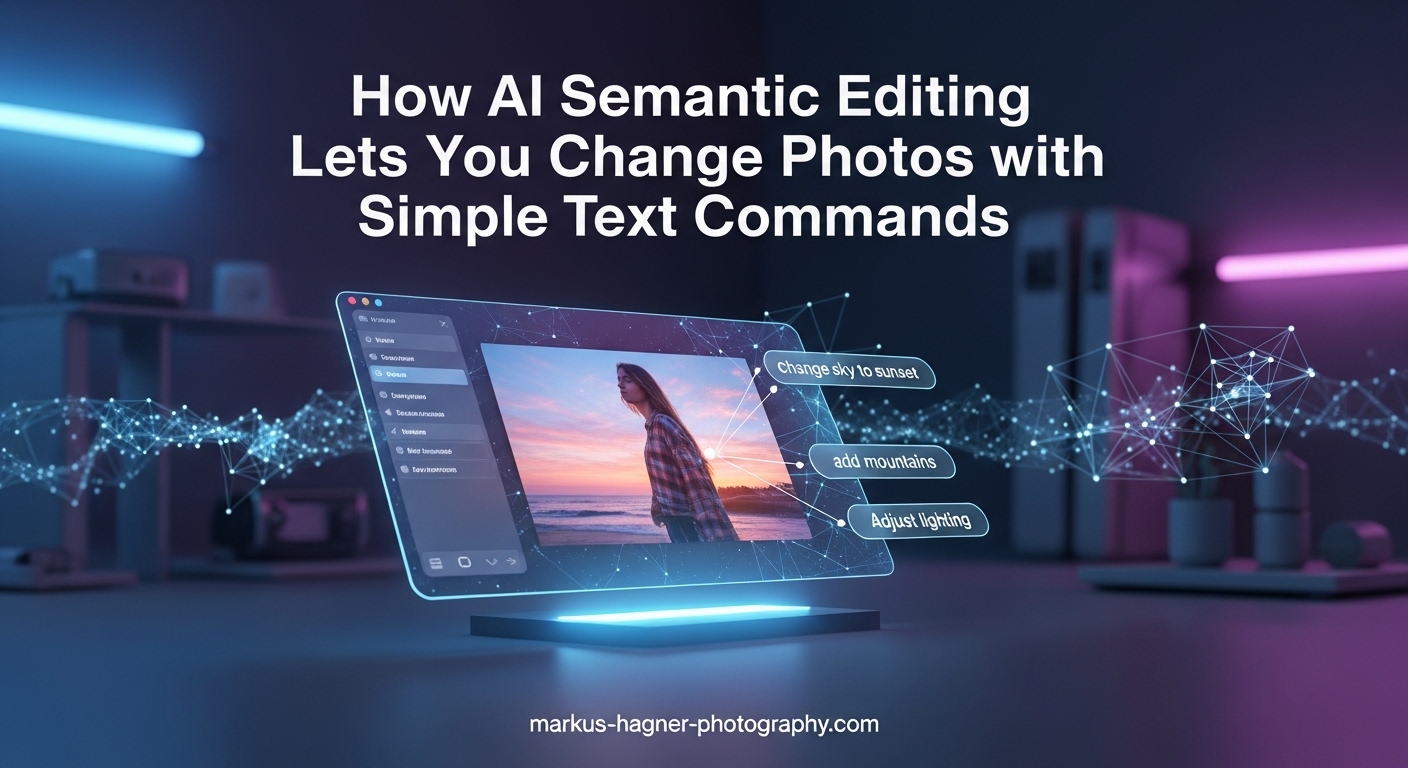
Remember when editing a photo meant spending hours learning complex software? You would hunt through endless menus, adjust dozens of sliders, and still wonder if that background looked natural. Traditional photo editing has always demanded both technical skill and patience. But that reality is changing fast.
AI semantic editing represents a fundamental shift in how we approach photo manipulation. Instead of manually selecting tools and adjusting parameters, you simply describe what you want in plain language. Type “remove the person on the left” or “make the sky more dramatic” and watch the changes happen within seconds.
For photographers, this technology offers something remarkable: the ability to focus on creative vision rather than technical execution. Whether you are a professional managing hundreds of images or an enthusiast wanting quick improvements, AI semantic editing can transform your workflow in 2026.
In this guide, I will explain exactly what AI semantic editing is, how the technology works, which platforms offer these capabilities, and how you can start using text commands to edit your photos today. I will also share practical examples and considerations specifically for photographers who want to integrate this into their work.
What Is AI Semantic Editing?
AI semantic editing is a photo editing approach that uses artificial intelligence to understand and execute text-based commands. Rather than selecting tools from menus or adjusting individual parameters, you describe the changes you want in natural language. The AI interprets your request and applies the appropriate edits automatically.
The “semantic” part refers to how these systems understand meaning. Traditional editing software treats your image as a collection of pixels that you manipulate through tools. AI semantic editing goes deeper. It recognizes objects, understands context, and grasps the relationships between different elements in your photo.
When you type “brighten the shadows on the subject’s face,” the AI does not simply apply a global exposure adjustment. It identifies where the face is, which areas are in shadow, and applies targeted brightening while preserving the overall mood and avoiding unnatural results.
This technology combines several AI disciplines. Computer vision allows the system to analyze and understand image content. Natural language processing interprets your text commands. Machine learning models, trained on millions of images, predict which edits will produce the results you described. Generative AI can even create new content when needed, such as filling in areas after object removal.
The result feels almost conversational. You can refine your requests, ask for variations, or combine multiple changes in a single prompt. Some platforms even support voice commands, letting you speak your edits while reviewing images.
How AI Semantic Editing Works In 2026?
Understanding what happens behind the scenes helps you write better prompts and set realistic expectations. The process involves three main phases, all happening in just a few seconds.
Phase 1: Image Analysis
When you upload or select a photo, the AI immediately begins analyzing its content. Computer vision algorithms identify objects, people, buildings, skies, and other elements. The system creates a semantic map of your image, essentially understanding what each region contains.
This analysis goes beyond simple object recognition. The AI identifies depth relationships, lighting conditions, color temperatures, and compositional elements. It might recognize that your photo shows a portrait taken during golden hour with the subject backlit against a landscape.
Phase 2: Language Understanding
When you enter a text command, natural language processing breaks down your request. The AI identifies the action you want (remove, change, enhance, add), the target element (background, person, sky, colors), and any modifiers or specific requirements you mentioned.
This is where semantic understanding becomes crucial. If you say “make the person look more professional,” the AI draws on training data to understand what that means: perhaps cleaner background, better lighting, sharper focus, or more confident posture. The system connects your words to specific editing operations.
Phase 3: Edit Application
The AI determines which combination of traditional editing tools and generative techniques will achieve your goal. For simple adjustments like “increase contrast,” it might apply standard processing. For complex requests like “replace the background with a sunset beach,” it combines object detection, background removal, and generative fill.
Generative AI capabilities allow these systems to create content that was not in the original image. When you remove a large object, the AI generates realistic pixels to fill the empty space. When you change a daytime scene to night, it creates appropriate lighting, shadows, and color shifts.
Modern systems like Google’s Gemini and Meta AI have become remarkably good at maintaining consistency. They preserve textures, match lighting directions, and ensure edited areas blend naturally with untouched regions.
Key Tools and Platforms for AI Semantic Editing
Several major platforms now offer AI semantic editing capabilities. Each takes a slightly different approach, and understanding their strengths helps you choose the right tool for your needs.
Google Photos with Gemini AI
Google Photos introduced conversational editing powered by their Gemini AI model. You can type or speak commands like “make the water bluer” or “remove the people in the background.” The system handles everything from simple enhancements to complex object removal.
The integration feels seamless if you already use Google Photos for storage. Your images are already there, and the AI works directly on your library. Google has also emphasized transparency, adding Content Credentials metadata that indicates when AI editing was used.
At launch, some advanced features were exclusive to Pixel devices, but Google has been expanding availability. The tool excels at natural-looking results and handles portrait enhancements particularly well.
Meta AI Photo Editing
Meta offers AI photo editing through their chat-based interface. You can upload images and request changes through conversation. Meta AI supports style transformations, object modifications, and even animation of static images.
Where Meta shines is creative transformation. You can request style changes like “make this look like a watercolor painting” or “give it a film noir aesthetic.” The system handles dramatic creative changes with impressive results. It also offers GIF creation from still images, adding subtle motion effects.
Meta AI works through Messenger, Instagram, and WhatsApp, making it easily accessible if you already use these platforms. The conversational format encourages experimentation and refinement.
Canva Magic Edit
Canva’s Magic Edit brings AI semantic editing to a design platform. You select an area of your image and describe what you want instead. “Replace this coffee cup with a flower arrangement” becomes a simple text prompt.
Canva positions this feature for users without traditional editing experience. The interface is approachable, and results appear in seconds. Magic Edit works alongside other AI tools like Magic Eraser and Background Remover, giving you multiple options within one platform.
The platform targets content creators and social media managers who need quick, polished results. Canva’s strength lies in combining edited images with design elements for finished graphics.
Adobe Photoshop with Firefly
Adobe has integrated their Firefly AI into Photoshop, bringing semantic editing capabilities to professional workflows. Generative Fill lets you select areas and describe what should appear there. The feature respects layer structures and integrates with traditional editing tools.
For photographers already working in Photoshop, this offers the best of both worlds. You can use AI semantic editing for quick changes while retaining access to precise manual controls. The professional-grade results maintain the quality standards Adobe users expect.
Adobe emphasizes responsible AI use, training Firefly on licensed content and stock images. This addresses copyright concerns that some photographers have about AI training data.
Comparing Your Options
Choosing the right platform depends on your needs. Google Photos works well for casual editing and integrates with photo storage. Meta AI excels at creative transformations and style changes. Canva suits content creators who combine photos with design. Photoshop with Firefly offers professional photographers the most control and quality.
Several platforms offer free tiers with limitations. Google Photos includes basic AI editing with storage. Canva offers limited Magic Edit uses on free accounts. Meta AI remains free through their messaging platforms. Professional tools like Photoshop require subscriptions but provide the most comprehensive capabilities.
Practical Examples: What Can You Do with AI Semantic Editing
Seeing concrete examples helps you understand the possibilities. Here are common editing scenarios and how AI semantic editing handles each one.
Removing Unwanted Objects
Photographers constantly deal with distractions in otherwise good shots. Power lines cutting through landscapes, strangers walking into frame, or cluttered backgrounds all plague otherwise solid images.
With AI semantic editing, you simply describe what to remove. “Remove the trash can on the right” or “erase the power lines” works as a direct command. The AI identifies the object, removes it, and generates appropriate content to fill the space.
The results have improved dramatically in 2026. Modern systems handle complex backgrounds well, matching textures and lighting naturally. Large object removal works best when the surrounding area has predictable patterns like grass, sky, or pavement.
Replacing Backgrounds
Background replacement transforms images entirely. Product photographers need clean studio backgrounds. Portrait photographers might want environmental changes. Travel photos sometimes suffer from unappealing surroundings.
Text commands like “replace the background with a gradient” or “change the background to a sunset beach” execute complex operations. The AI separates your subject from the original background and either generates a new background or applies your specified change.
For photographers, this opens creative possibilities that once required studio work or extensive compositing. You can photograph subjects anywhere and refine the environment later through text prompts.
Adjusting Lighting and Atmosphere
Lighting changes affect an image’s entire mood. You might want warmer tones, more dramatic shadows, or softer highlights. Traditional editing requires understanding curves, levels, and color grading.
AI semantic editing simplifies this considerably. Commands like “make it look like golden hour” or “add dramatic shadows” produce sophisticated lighting adjustments. The AI understands how light behaves and applies changes that look natural.
More specific requests work too. “Brighten the subject’s face” targets that area specifically. “Reduce the harsh shadows on the left” makes localized adjustments. The semantic understanding prevents the flat, over-processed look that global adjustments sometimes create.
Enhancing Portraits
Portrait photography involves many subtle adjustments. Skin smoothing, eye brightening, teeth whitening, and blemish removal traditionally require careful masking and adjustment layers.
Text-based portrait editing handles these tasks efficiently. “Smooth the skin naturally” applies retouching that preserves texture. “Brighten the eyes” targets that specific feature. “Remove the blemish on the chin” makes precise corrections.
The key advantage is consistency. When editing a batch of portraits from the same session, you can apply similar text commands across multiple images, maintaining a cohesive look without manually repeating adjustments.
Changing Colors and Styles
Color grading defines the emotional tone of photographs. Warm tones feel inviting and nostalgic. Cool tones suggest calm or melancholy. Specific color palettes create visual coherence across a series.
AI semantic editing makes color experimentation fast. “Make the colors more vibrant” or “give this a vintage film look” produces immediate results. You can request specific color shifts: “make the greens more teal” or “warm up the skin tones.”
Style transfers go further, applying aesthetic treatments that once required specialized techniques or presets. “Make this look like an oil painting” or “give it a cyberpunk aesthetic” transforms the entire visual treatment.
Adding or Modifying Elements
Sometimes you need to add content that was not in the original frame. Extending backgrounds, adding props, or including environmental elements all fall into this category.
Generative fill capabilities let you describe additions. “Add clouds to the sky” or “put a coffee cup on the table” creates new content that matches your image’s perspective and lighting. The AI generates these elements to fit naturally within the existing scene.
This capability proves particularly useful for product photography and conceptual work. You can photograph basic setups and enhance them through text commands rather than elaborate staging.
AI Semantic Editing from a Photographer’s Perspective
As someone who has spent years developing traditional editing skills, I approach AI semantic editing with both excitement and healthy skepticism. Understanding where it excels and where it falls short helps you use it effectively.
Where AI Semantic Editing Shines
Speed becomes the most obvious advantage. Tasks that once took twenty minutes of careful masking and adjustment now happen in seconds. For high-volume work like event photography or real estate shoots, this efficiency transforms your workflow.
The technology also democratizes quality results. Photographers without extensive editing experience can achieve professional-looking outcomes. This levels the playing field and lets creativity rather than technical skill determine the final image.
Exploration becomes painless. When you can test different looks by typing variations, you experiment more freely. “Try it with a blue sky” costs nothing in time, so you explore options you might have skipped with traditional editing.
Limitations to Understand
Control remains the primary limitation. While text commands handle broad changes well, they cannot match the precision of manual editing for fine details. When you need to adjust specific curves or target exact color ranges, traditional tools still win.
Consistency across images presents another challenge. If you need a series of photos to match exactly, AI semantic editing can produce slight variations between images processed with identical prompts. Batch processing with traditional tools offers more predictable consistency.
Quality varies by request complexity. Simple adjustments like “increase saturation” produce reliable results. Complex requests like “make this look like it was taken at night with street lighting” can produce uneven outcomes depending on the source image.
Integrating AI into Professional Workflows
The most effective approach combines AI semantic editing with traditional techniques. Use text commands for initial processing and exploration. Switch to manual tools for final refinement and precise adjustments.
For client work, AI semantic editing accelerates the selection process. You can quickly present different treatment options without investing hours in each version. Clients see possibilities faster, and you spend less time on directions they ultimately reject.
Quality control remains essential. AI results should be reviewed critically, especially for professional deliverables. The technology handles most requests well, but checking for artifacts, unnatural transitions, and color consistency protects your reputation.
When to Choose Traditional Editing
Complex composites requiring precise alignment still benefit from traditional methods. When you need exact color matching across multiple elements, manual tools offer better control. Fine art work where every pixel matters may also require the precision only traditional editing provides.
High-end retouching for beauty and fashion photography still demands manual attention. While AI can smooth skin and enhance features, the subtle decisions that define luxury retouching remain human territory for now.
Frequently Asked Questions
What AI can edit photos with prompts?
How do I use AI to modify existing photos?
Which AI photo editor can change text in images?
Is AI semantic editing good for professional photography?
Are there free AI semantic editing tools?
Conclusion
AI semantic editing represents a genuine shift in how photographers can approach their work. The ability to describe changes in natural language removes technical barriers while accelerating creative exploration. Whether you are a professional managing large volumes or an enthusiast wanting better results, these tools offer practical value right now.
The technology continues improving rapidly. What seemed impossible just a few years ago now happens in seconds. As AI models become more sophisticated and training data expands, expect results to become even more natural and capabilities to grow.
Start experimenting with the free options available through Google Photos, Meta AI, or Canva. See how text commands handle your typical editing needs. You will quickly discover which tasks AI handles well and where traditional editing still serves you better. The future of photo editing is conversational, and understanding AI semantic editing today prepares you for what comes next.