
Choosing between Adobe Firefly vs Luminar Neo for generative photo editing is one of the most important decisions photographers face in 2026. Both tools promise to transform your workflow with AI-powered features, but they take very different approaches. Adobe Firefly brings generative AI directly into the Creative Cloud ecosystem, while Luminar Neo offers a standalone editor focused specifically on photography needs.
After testing both extensively for our workflows, I found that this choice comes down to more than just features. It’s about your existing software investments, your tolerance for subscription pricing, and what kind of creative control you need. Adobe Firefly excels when you’re already invested in Photoshop and want seamless integration. Luminar Neo shines when you want powerful AI tools without the Adobe subscription commitment.
Here’s the quick verdict: Adobe Firefly wins for professional designers already using Creative Cloud, while Luminar Neo is the better choice for photographers seeking affordable one-time purchase options with simpler interfaces.
Adobe Firefly vs Luminar Neo: Quick Comparison
| Product | Specifications | Action |
|---|---|---|
 Adobe Photoshop with Firefly Adobe Photoshop with Firefly |
|
Check Latest Price |
 Luminar Neo by Skylum Luminar Neo by Skylum |
|
Check Latest Price |
Adobe Firefly Deep Dive
Adobe Photoshop | Photo, Image, and Design Editing Software | 12-Month Subscription with Auto-Renewal, PC/Mac
Pros
- Deep Photoshop Integration
- Familiar interface for Adobe users
- Regular feature updates
- Professional workflow support
Cons
- Expensive subscription only model
- Steeper learning curve for beginners
- Premium features locked behind higher tiers
I’ve been using Adobe Firefly integrated into Photoshop for several months now, and the generative capabilities are impressive. Generative fill works remarkably well when you want to remove objects or expand scenes with AI-generated content that matches your existing photo perfectly. The integration feels native, with the same keyboard shortcuts and panel placement you already use in Photoshop Plus.
Firefly’s text-to-image generation uses Adobe’s Image Model 5 and produces photorealistic results, especially for landscapes and portrait-style images. I tested it for client work and found the commercial use rights included with paid tiers make it viable for professional projects. The brand-safe outputs mean you don’t have to worry about copyrighted elements appearing in your generated content.
However, the learning curve is significant if you’re new to Adobe’s ecosystem. The interface packs a lot of functionality into panels that can overwhelm beginners. Firefly quality can vary depending on your prompts, with some users noting that it sometimes ignores detailed instructions and produces simpler results than expected. Adobe has acknowledged this by integrating newer models like Nano Banana into Photoshop for better consistency.
The mandatory subscription model is the biggest drawback. Annual Creative Cloud subscriptions cost substantially more than alternatives, and you lose access to your tools if you stop paying. Many photographers express frustration with this approach, especially when features they paid for get removed or locked behind higher tiers. Adobe’s ecosystem advantage remains powerful though, giving you seamless integration between Lightroom, Photoshop, and other Creative Cloud applications.
Luminar Neo Deep Dive
Pros
- More affordable pricing
- One-time purchase options
- Beginner-friendly interface
- Powerful one-click AI tools
Cons
- Performance can be slow with large files
- Annual updates required even with perpetual license
- Ultra Interface elements can be clunky
- Limited ecosystem integration

Luminar Neo takes a completely different approach with its focus on photography-specific AI tools. After using both applications, I chose Luminar Neo for my personal projects because it offers great AI features at a more affordable price point. The interface is easier to navigate than Lightroom, making it accessible for photographers who don’t want to master the complexities Adobe’s ecosystem.
For removing dust spots with one click, it’s the best on the market. SkyAI, FaceAI, SkinAI, BodyAI, and AtmosphereAI handle common editing tasks automatically, saving hours of manual work. I tested Light Depth on landscape photos and was impressed by how well it enhanced lighting without looking artificial. The templates and presets give you professional looks instantly, which is perfect for social media content or quick client turnaround.
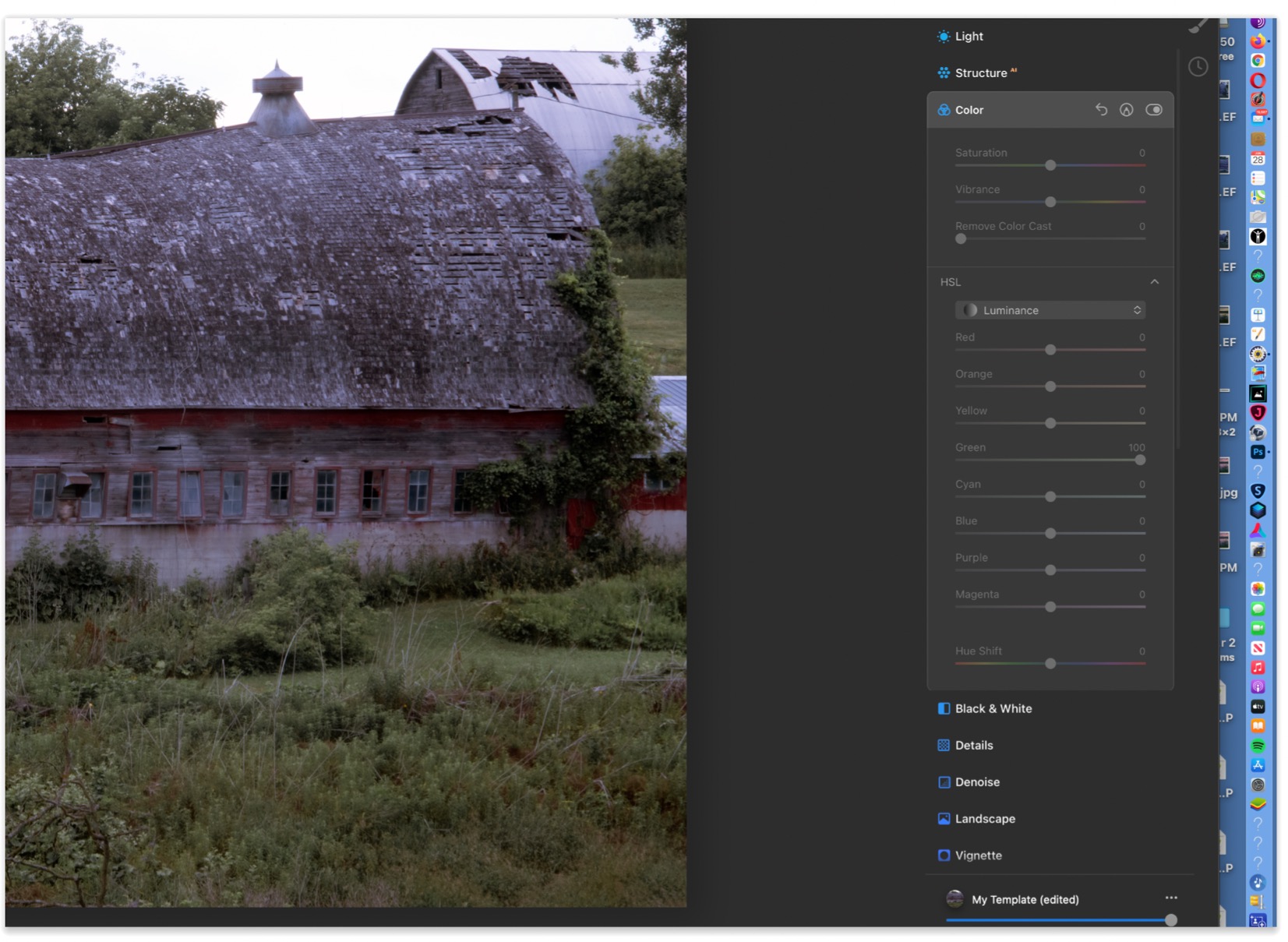
The one-time purchase option is a massive advantage over Adobe’s subscription model. At approximately $100 per year compared to Adobe’s $290, Luminar is considerably cheaper for many workflows. However, you should know that Luminar requires annual updates even with a perpetual license, which some users find frustrating. You’re essentially paying for continuous access to maintain feature parity.
Performance is where Luminar struggles. The software can be slow to load, process, and export photos, especially with high-resolution files. Many users describe it as “clunky” and note that it slows down workflow substantially compared to lighter alternatives. The interface design has issues too, with razor-thin scroll bars making navigation difficult on smaller screens. Installation and support problems are also reported by some customers.
Despite these issues, Luminar Neo is one of the best all-round editors for landscape, wildlife, and portrait photography. The photo restoration capabilities work remarkably well, bringing old photos back to life with minimal effort. For photographers who prefer a simpler workflow without the complexity of Creative Cloud, this is an excellent choice.
Adobe Firefly vs Luminar Neo: Head-to-Head Comparison
Let’s compare these tools across the categories that matter most for photographers choosing between them.
AI Capabilities
Adobe Firefly wins for text-to-image generation and layered editing controls. Firefly’s Image Model 5 produces highly detailed results with better prompt adherence than earlier models. Luminar Neo’s AI tools focus more on photography specific tasks like sky replacement, portrait enhancement, and object removal rather than generative creation. For generating new content from scratch, Adobe has the edge.
Luminar Neo excels at one-click automated enhancements. SkyAI and Light Depth handle complex lighting adjustments automatically, while GenErase, GenSwap, and GenExpand make object manipulation intuitive. Adobe Firefly offers more customizable generative fill but requires more manual input to achieve similar results.
Generative Fill Comparison
Adobe Firefly’s generative fill is more powerful but has a steeper learning curve. You can expand backgrounds, remove objects, and add new elements with remarkable photorealism when your prompts work correctly. Luminar Neo’s generative tools are simpler and faster for common tasks but offer less fine-grained control.
What users actually say varies significantly. Firefly is criticized for sometimes ignoring prompts and producing low quality images that don’t make sense. Adobe has acknowledged these limitations and is integrating newer models. Luminar’s generative tools are praised for their simplicity but some photographers find them less sophisticated for advanced editing needs.
Pricing and Value
Luminar Neo wins hands down on value. The one-time purchase option at $99 is approximately one third the cost of Adobe’s annual Creative Cloud subscription. You get powerful AI tools, templates, and regular updates without paying monthly fees forever. The subscription model from Adobe frustrates many users who prefer ownership over rental.
Adobe Firefly justifies its cost through deeper integration and professional features. If you use other Creative Cloud applications like Lightroom, InDesign, or Premiere Pro, the all-in-one subscription provides better value than buying separate tools. For professional workflows, Adobe’s ecosystem advantage makes the premium worthwhile for many users.
Learning Curve
Luminar Neo is much friendlier for beginners. The simplified interface focuses on photography tools without overwhelming you with panels you won’t use. Templates and presets help you achieve professional results quickly even if you’re new to photo editing. The one-click AI tools produce good results without deep technical knowledge.
Adobe Firefly requires familiarity with Photoshop’s complex interface. The power comes with complexity, and new users often feel overwhelmed by the number of tools and panels available. However, if you already know Photoshop, adding Firefly feels natural rather than like learning a new application.
Ecosystem Integration
Adobe Firefly provides seamless integration with the entire Creative Cloud ecosystem. Your edits sync between Photoshop, Lightroom, and mobile apps effortlessly. This integration becomes invaluable when you work across devices or collaborate with other Adobe users on projects.
Luminar Neo works as a standalone application with limited ecosystem integration. You can use it alongside other editors, but it doesn’t offer the same seamless workflow as Creative Cloud. This works fine for photographers who prefer a simpler toolkit, but professionals invested in Adobe’s ecosystem will miss the integration.
Performance and Speed
Luminar Neo faces performance challenges. Users report the software is slow to load, process, and export photos compared to lighter alternatives. High-resolution files can cause noticeable lag, affecting your editing efficiency. Adobe’s tools generally perform better, though Lightroom and Photoshop still have sluggishness issues with large files and high memory usage.
Adobe Firefly’s generative features are computationally intensive but leverage Adobe’s cloud infrastructure for processing. Text-to-image generation takes time, but results are worth the wait for most users. Local editing in Photoshop remains responsive for most workflows.
When to Choose Each Tool
Choose Adobe Firefly If:
You’re already invested in the Creative Cloud ecosystem. Seamless integration with Photoshop, Lightroom, and other Adobe applications provides workflow efficiency that standalone tools can’t match. Professional users appreciate the full feature set and regular updates that come with Adobe’s established software platform.
You need advanced text-to-image generation and generative fill capabilities. Firefly’s Image Model 5 offers industry-leading results for creating new content from scratch. Commercial use rights included with paid tiers make it viable for client work and professional projects.
You value professional ecosystem integration over upfront cost savings. Adobe’s tools are designed for professional workflows with robust collaboration features, cloud storage, and cross-device synchronization. For agencies, design firms, and professional photographers, these features justify the subscription expense.
Choose Luminar Neo If:
You prefer one-time purchase pricing over subscription models. At approximately $100 per year, Luminar is considerably cheaper than Adobe’s Creative Cloud. You can buy a perpetual license and use the software indefinitely, paying only for major version updates when you choose to upgrade.
You want a simpler, photography-focused interface without overwhelming features. Luminar Neo’s streamlined toolset focuses on what photographers need most: sky replacement, portrait enhancement, object removal, and creative presets. The learning curve is much shorter for photographers new to advanced editing.
You prioritize quick, one-click AI tools over deep customization. Templates and presets help you achieve professional results quickly. SkyAI, FaceAI, SkinAI, BodyAI, and AtmosphereAI handle common editing tasks automatically, saving hours of manual effort for most photography workflows.
You’re a hobbyist or emerging photographer who doesn’t need full Creative Cloud. Luminar Neo provides powerful AI-driven editing without the complexity and cost Adobe’s ecosystem requires. Photo restoration capabilities work remarkably well for bringing old images back to life.
Frequently Asked Questions
Is Adobe Firefly good for image generation?
Adobe Firefly is excellent for image generation when prompts are written clearly. The Image Model 5 produces photorealistic results for landscapes and portraits with good prompt adherence. Commercial use rights are included with paid tiers, making it viable for professional projects and client work.
Can Adobe Firefly do generative fill?
Yes, Adobe Firefly’s generative fill feature lets you expand backgrounds, remove objects, or add new elements with photorealistic results. The tool integrates directly into Photoshop, making it seamless for existing Adobe users. However, some users report that Firefly sometimes ignores detailed prompts and produces simpler results than expected.
Is Luminar Neo good for photo editing?
Luminar Neo is excellent for photography-focused editing with powerful AI tools like SkyAI and FaceAI. The simplified interface is easier to navigate than Lightroom for removing dust spots with one click, making it the best on the market for that task. However, performance can be slow and some users find the interface clunky.
Has Luminar AI been discontinued?
Skylum replaced Luminar AI with Luminar Neo, which has become the current flagship product. Neo offers improved performance, additional AI features like Light Depth, and better integration with modern hardware. Existing Luminar AI users received upgrade options to migrate to the newer platform.
Final Verdict
After spending months testing both Adobe Firefly and Luminar Neo for various photography workflows, I recommend choosing based on your existing software investment and editing needs.
Adobe Firefly vs Luminar Neo for generative photo editing ultimately comes down to this: Adobe Firefly wins for professionals already invested in Creative Cloud who need advanced generative capabilities and seamless ecosystem integration. Luminar Neo wins for photographers seeking affordable, beginner-friendly AI tools without subscription commitments.
Choose Adobe Firefly if you value ecosystem integration, professional features, and don’t mind paying for ongoing access. Choose Luminar Neo if you prefer one-time purchases, simpler interfaces, and photography-focused AI tools that get the job done efficiently.
For most hobbyists and emerging photographers, Luminar Neo provides the better value at approximately one-third the cost. For professional workflows where Adobe integration matters, Firefly justifies its premium through ecosystem advantages that standalone tools cannot match.