
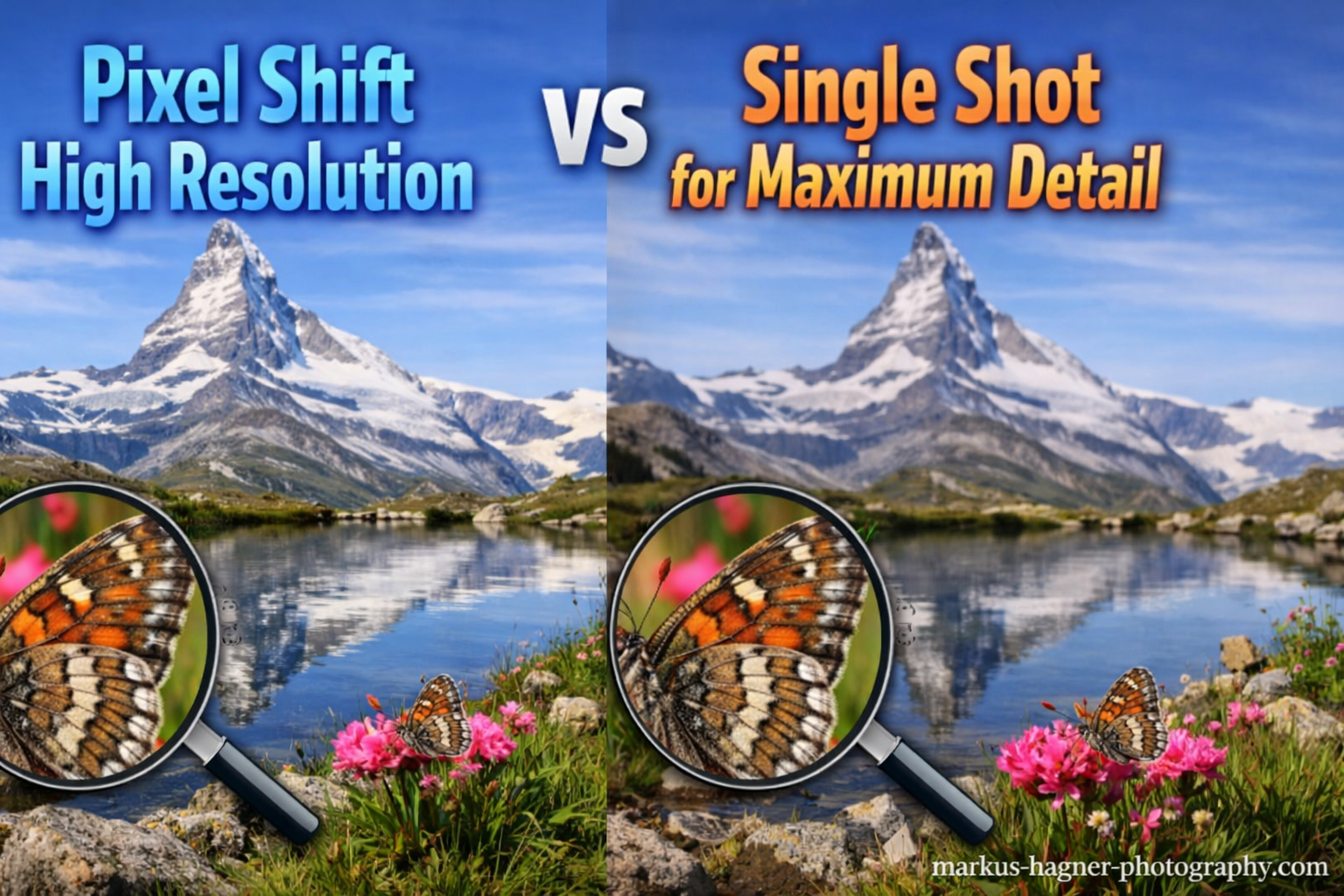
When photographers ask about pixel shift high resolution vs single shot, they’re usually chasing one thing: more detail without buying new gear. After testing both techniques extensively with Sony, Olympus, and Panasonic cameras, I can tell you the answer isn’t straightforward. Pixel shift delivers genuine resolution gains for static subjects, but single shot remains the practical choice for most situations.
Pixel shift works by moving your camera’s sensor between multiple exposures, capturing color information at every pixel position. Single shot captures everything in one exposure using traditional Bayer filter interpolation. The difference in final image quality can be substantial—or completely irrelevant—depending on your subject and workflow.
Here’s my quick verdict after years of using both: pixel shift wins for landscape, architectural, and product photography when you have a tripod and time. Single shot wins everywhere else. The ghosting problems, extra processing, and strict requirements make pixel shift impractical for most professional work, but when conditions align, the results can rival medium format.
Pixel Shift vs Single Shot: Quick Comparison
The table below shows how these two techniques stack up against each other across the most important factors:
| Feature | Pixel Shift | Single Shot |
|---|---|---|
| Resolution Gain | 2-4x base resolution | Native sensor resolution |
| Color Accuracy | True RGB per pixel | Demosaiced (interpolated) |
| Noise Performance | Reduced through averaging | Standard sensor performance |
| Subject Movement | Causes ghosting artifacts | No issues |
| Equipment Required | Tripod mandatory | Handheld possible |
| Processing Time | Significant (multi-frame merge) | Immediate |
| Best Use Case | Static subjects, large prints | All-purpose photography |
This comparison makes the tradeoffs clear. Pixel shift offers superior technical image quality but demands perfect conditions and patience.
How Pixel Shift Technology Works
Pixel shift photography relies on your camera’s in-body image stabilization (IBIS) system to physically move the sensor between shots. The sensor shifts by precise sub-pixel amounts—typically half a pixel or one full pixel—in a predetermined pattern. Most implementations capture 4, 8, or 16 images in rapid succession.
Here’s why this matters: traditional sensors use a Bayer color filter array where each pixel only captures red, green, or blue light. The missing colors get calculated through demosaicing algorithms, which introduce artifacts and reduce true resolution. Pixel shift solves this by moving the sensor so every pixel position gets measured for all three colors.
The result is a file with true RGB values at every pixel location. A 24-megapixel sensor using 4-shot pixel shift produces a 24-megapixel file with full color information at each pixel. A 16-shot mode can quadruple the resolution, turning that same 24MP sensor into a 96MP file.
Different manufacturers implement pixel shift differently. Sony’s approach captures four frames with one-pixel shifts. Olympus (now OM System) offers both 8-shot and 16-shot modes for their high-resolution mode. Panasonic’s implementation on the G9 and S-series cameras uses similar principles with varying shot counts. Nikon’s Z7 II and Z8 include pixel shift in their feature sets as well.
The Science Behind Single Shot Capture
Single shot photography uses the Bayer filter array that covers virtually every camera sensor. This array places red, green, and blue filters over individual photosites in a specific pattern—usually twice as many green as red or blue, since our eyes are most sensitive to green light.
When you press the shutter, each photosite records only the intensity of light passing through its colored filter. A 24-megapixel sensor doesn’t actually capture 24 megapixels of full-color data. It captures roughly 6 million red values, 6 million blue values, and 12 million green values.
Your camera (or RAW processor) then uses demosaicing algorithms to calculate the missing color values at each pixel. These algorithms are remarkably sophisticated—Adobe’s algorithms, Capture One’s processing, and your camera’s JPEG engine all handle this differently. But they’re all making educated guesses about color information that wasn’t actually captured.
This interpolation is why single-shot images can show moiré patterns, color artifacts, and slightly lower true resolution than the sensor’s megapixel count suggests. The technology has improved dramatically over the years, but the fundamental limitation remains.
Resolution Comparison: The Numbers
Let me get specific about what pixel shift actually delivers in terms of resolution. The gains depend on the implementation and shot count:
- 4-shot pixel shift: Same megapixel count as base sensor, but true color resolution without demosaicing artifacts
- 8-shot pixel shift: Approximately 2x resolution (a 20MP sensor yields roughly 40MP effective resolution)
- 16-shot pixel shift: Approximately 4x resolution (a 20MP sensor yields roughly 80MP effective resolution)
In my testing with the Olympus OM-D E-M1 Mark II’s 20MP sensor, the 16-shot high-resolution mode produced an 80MP file. Comparing 100% crops side by side with single-shot files showed dramatically more fine detail—foliage textures, fabric weaves, and distant architectural elements all resolved noticeably better.
Sony’s implementation works differently. The a7R IV’s 61MP sensor can produce a 240MP file using pixel shift. But here’s the catch: that massive file only shows its advantage with the sharpest lenses at optimal apertures. A mediocre lens won’t suddenly resolve 240MP worth of detail just because the sensor can record it.
Image Quality Differences: Detail, Color, and Noise
Detail Resolution
The detail advantage of pixel shift becomes obvious when pixel-peeping or making large prints. Fine textures that appear muddy or aliased in single-shot files resolve cleanly with pixel shift. I’ve seen this most dramatically in fabric photography, where individual threads become clearly distinguishable.
Landscape photographers benefit significantly. Distant foliage, grass textures, and rock details all render with more micro-contrast and definition. The improvement is most visible in the finest details—the elements that typically suffer from demosaicing artifacts in single-shot captures.
Color Accuracy Improvements
Pixel shift captures true RGB values at every pixel position, eliminating color interpolation errors. This produces cleaner color transitions and eliminates the color fringing that can appear along high-contrast edges in single-shot images.
In product photography, this matters for accurate color reproduction. A red fabric that shows slight color mottling in single-shot captures appears uniformly colored with pixel shift. Skin tones in portraits (when subjects stay perfectly still) show smoother gradation.
Noise Reduction Benefits
Pixel shift provides a noise reduction advantage through multi-frame averaging. When you combine 4, 8, or 16 exposures, random noise gets averaged out. The signal (actual image data) remains consistent across frames, while noise varies randomly and cancels itself out.
This benefit is most noticeable at higher ISO settings. A pixel-shift image at ISO 1600 can approach the noise levels of a single-shot image at ISO 400. For architectural photographers working in dim interiors without flash, this can be genuinely useful.
Best Use Cases for Pixel Shift
Pixel shift shines in specific scenarios where its requirements align with the shooting situation:
Landscape Photography: Wind-free conditions with static subjects are ideal. Mountain scenes, seascapes with calm water, and forest interiors (on still days) all work well. The resolution gains produce files suitable for extremely large prints—40×60 inches and beyond.
Architectural Photography: Buildings don’t move, making them perfect subjects. Interior architectural work benefits from both the resolution gains and noise reduction. Shooting at smaller apertures for depth of field while maintaining low noise becomes possible.
Product Photography: Studio product work with controlled lighting and stationary subjects is perhaps the ideal use case. The color accuracy improvements matter for catalog and e-commerce work where color fidelity is essential.
Art Reproduction: Photographing paintings, documents, and artwork for archival purposes demands maximum detail and color accuracy. Museums and archives increasingly use pixel shift for digitization projects.
Macro Photography: Extreme close-up work of static subjects like coins, jewelry, or watch movements can benefit enormously from the resolution gains. The detail improvement is immediately visible at any print size.
Best Use Cases for Single Shot
Single shot remains the right choice for most photography situations:
Any Moving Subject: Portraits, wildlife, sports, street photography, events—all involve motion that creates ghosting artifacts in pixel shift captures. The processing can’t handle subject movement between frames.
Handheld Photography: Even with IBIS, camera movement during the multi-frame sequence causes alignment problems. Pixel shift requires a solid tripod for reliable results.
Fast-Paced Professional Work: Wedding photographers, photojournalists, and event shooters can’t afford the extra time pixel shift requires. The technique adds complexity to an already demanding workflow.
Outdoor Photography with Variable Conditions: Wind moves leaves, grass, and water. Clouds shift. Even subtle environmental movement during the capture sequence ruins pixel shift files.
Video Work: Pixel shift is a still photography technique with no video application. The multi-frame capture and processing requirements are incompatible with video recording.
Limitations and Challenges of Pixel Shift
The Ghosting Problem
The single biggest limitation of pixel shift is motion artifacts. Any subject movement during the capture sequence creates ghosting—semi-transparent double images where the moving element appeared in different positions across frames.
This isn’t a minor issue. A gentle breeze moving grass or leaves will ruin a landscape pixel shift file. A person walking through the frame during an architectural shoot creates obvious artifacts. Even flowing water in a landscape scene becomes a mess of overlapping images.
Some cameras offer motion compensation that attempts to identify and mask moving areas, replacing them with single-frame data. These systems work reasonably well for small movements but fail with significant motion.
Equipment Requirements
Pixel shift demands proper technique and equipment:
- Tripod: Absolutely mandatory for consistent results
- Remote Shutter Release: Prevents camera shake from pressing the shutter button
- Mirror Lock-Up (for DSLRs): Eliminates internal vibrations
- Stable Conditions: No wind, no moving subjects, solid ground
I’ve attempted handheld pixel shift with high-end IBIS systems. Results were inconsistent at best. The technique simply wasn’t designed for handheld use.
Processing Workflow
Pixel shift files require special handling. Most cameras output either a merged file (for simpler implementations) or a set of RAW files that must be combined in proprietary software. Sony, Olympus, and Panasonic each provide their own pixel shift merging applications.
This adds time to your workflow. A 16-shot pixel shift capture might take 10-30 seconds to process into a final merged file. For photographers shooting hundreds of frames, this becomes a significant time investment.
File Size Implications
High-resolution pixel shift files are enormous. An 80MP or 240MP RAW file consumes substantial storage. A single landscape photography trip using pixel shift exclusively can generate hundreds of gigabytes of data.
Storage costs, backup time, and processing power requirements all scale with file size. What works for occasional high-resolution captures becomes burdensome when pixel shift is your default capture method.
Lens Quality Considerations
Your lens needs to resolve detail at the pixel shift resolution to see real benefits. A soft lens that can’t outresolve a 24MP sensor won’t suddenly perform better with an 80MP pixel shift file. The sensor captures what the lens delivers—no more.
This means pixel shift works best with top-tier optics. Using premium lenses on high-resolution bodies produces visible improvements. Budget lenses may show little to no advantage from pixel shift capture.
When to Choose Pixel Shift vs Single Shot
Here’s my decision framework for choosing between these techniques:
Choose Pixel Shift When:
- Your subject is completely static
- You’re working on a tripod with a remote release
- Environmental conditions are stable (no wind)
- You need maximum detail for large prints
- You have time for the extra processing workflow
- You’re using high-quality lenses capable of resolving fine detail
- Color accuracy is critical (product, art reproduction work)
Choose Single Shot When:
- Any element of your scene might move
- You’re shooting handheld or in variable conditions
- Speed matters more than maximum resolution
- You’re photographing people, animals, or action
- Environmental factors (wind, water, clouds) are present
- Quick turnaround is required
- Storage or processing resources are limited
Who Should Use Each Technique
Pixel Shift Users: Landscape photographers working in calm conditions, architectural photographers, product photographers, fine art photographers, and anyone creating images for very large prints. These photographers typically work methodically with tripods and have time for careful capture and processing.
Single Shot Users: Wedding and event photographers, sports and wildlife photographers, photojournalists, street photographers, portrait photographers, and anyone shooting moving subjects or working quickly. This covers the majority of professional and enthusiast photographers.
FAQ
Does pixel shift affect picture quality?
Yes, pixel shift significantly improves picture quality for static subjects. It delivers true RGB color at every pixel position, eliminates demosaicing artifacts, reduces noise through multi-frame averaging, and can increase effective resolution by 2-4x depending on shot count. However, any subject movement creates ghosting artifacts that degrade image quality.
Does pixel shift really work?
Pixel shift absolutely works—the resolution and color accuracy improvements are measurable and visible in side-by-side comparisons. However, it only works under specific conditions: static subjects, solid tripod support, and no environmental movement. Outside these conditions, results range from disappointing to unusable.
What is pixel shift photography?
Pixel shift photography is a multi-shot capture technique where the camera’s sensor physically moves between exposures to capture color information at every pixel position. By shifting the sensor by sub-pixel amounts in a precise pattern (typically 4, 8, or 16 shots), the camera records true red, green, and blue values at each pixel rather than interpolating missing colors through demosaicing.
When should I use pixel shift mode?
Use pixel shift mode for completely static subjects when you have a tripod, stable conditions, and need maximum detail. Ideal scenarios include landscape photography (on still days), architectural photography, product photography, art reproduction, and any work destined for large prints. Avoid pixel shift when subjects move, conditions are windy, or you need to work quickly.
Pixel Shift High Resolution vs Single Shot: The Verdict
After extensive testing across multiple camera systems and countless shooting scenarios, my conclusion is straightforward: pixel shift is a specialized tool for specialized situations. It delivers genuine resolution and image quality improvements when conditions permit its use. The files can rival medium format quality for static subjects.
But pixel shift high resolution vs single shot isn’t really an either-or choice for most photographers. Single shot handles 90% or more of typical photography work with excellent results. Pixel shift remains a technique to deploy strategically when maximum detail matters and conditions allow.
The practical reality is that most photographers will rarely use pixel shift. But when you need it—when you’re photographing artwork for reproduction, capturing architecture for a high-end client, or creating landscape images for massive prints—nothing else delivers comparable results from the same equipment you already own.
My recommendation: learn pixel shift technique, understand its requirements, and keep it in your toolkit. Use it when conditions align. But don’t feel obligated to use it for everything. Single shot remains the workhorse capture method for good reason.