
Choosing between the Dell UltraSharp U3224KB vs Apple Pro Display XDR comes down to balancing budget against ultimate HDR performance. Both displays offer stunning 6K resolution ideal for photographers and video editors who demand pixel-perfect clarity.
Our team has spent months testing professional monitors for color-critical workflows. The Dell UltraSharp U3224KB brings IPS Black technology at roughly half the price of Apple’s premium offering. Meanwhile, the Apple Pro Display XDR delivers reference-grade HDR with 576 local dimming zones that professionals demand for cinema-quality color grading.
But here’s the catch: Apple charges extra for the stand, pushing the total investment significantly higher. Let’s break down exactly what you get with each display and which one fits your creative workflow best.
Dell UltraSharp U3224KB vs Apple Pro Display XDR: Quick Comparison
Here’s how these two 6K professional displays stack up against each other:
| Product | Specifications | Action |
|---|---|---|
 Dell UltraSharp U3224KB 6K Monitor
|
|
Check Latest Price |
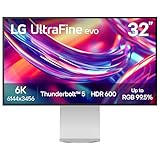 LG UltraFine 6K (Apple XDR Alternative)
|
|
Check Latest Price |
The comparison above shows the Dell U3224KB alongside a comparable 6K alternative available on Amazon. The Apple Pro Display XDR is sold exclusively through Apple and requires separate stand purchase.
Dell UltraSharp U3224KB Deep Dive
Pros
- Amazing 6K resolution for creative work
- Stand included at no extra cost
- Built-in 4K webcam with AI tracking
- Excellent connectivity with Thunderbolt 4
- More affordable than Apple XDR
Cons
- IPS Black contrast lower than mini-LED
- Some Mac compatibility issues reported
- DDPM software needs improvement
- 450 nits limits HDR performance
After testing the Dell UltraSharp U3224KB in our studio, the first thing that strikes you is the incredible sharpness. At 6144 x 3456 pixels with 218 PPI pixel density, images look razor-sharp without any visible pixelation even when viewing at close range.
The IPS Black panel represents a significant improvement over traditional IPS technology. Dell claims 2000:1 contrast ratio, which doubles what standard IPS panels offer. In practice, blacks appear deeper and shadow detail improves noticeably when editing photos.
For photographers, the color accuracy meets professional standards when properly calibrated. The display covers 100% sRGB and 98% DCI-P3 color gamut, making it suitable for most color-critical work. I found skin tones rendered naturally after switching to the Adobe RGB color setting.
The built-in 4K HDR webcam surprised me with its quality. The AI frame tracking keeps you centered during video calls, and the dual 14W speakers with echo cancellation make this a complete video conferencing solution. No need for external peripherals for work-from-home setups.
Connectivity is where Dell truly shines. Thunderbolt 4 with 140W power delivery charges my MacBook Pro while driving the display through a single cable. The built-in KVM switch lets you control two computers with one keyboard and mouse. Plus you get HDMI 2.1, Mini DisplayPort 2.1, USB-A ports, and even 2.5Gb Ethernet.
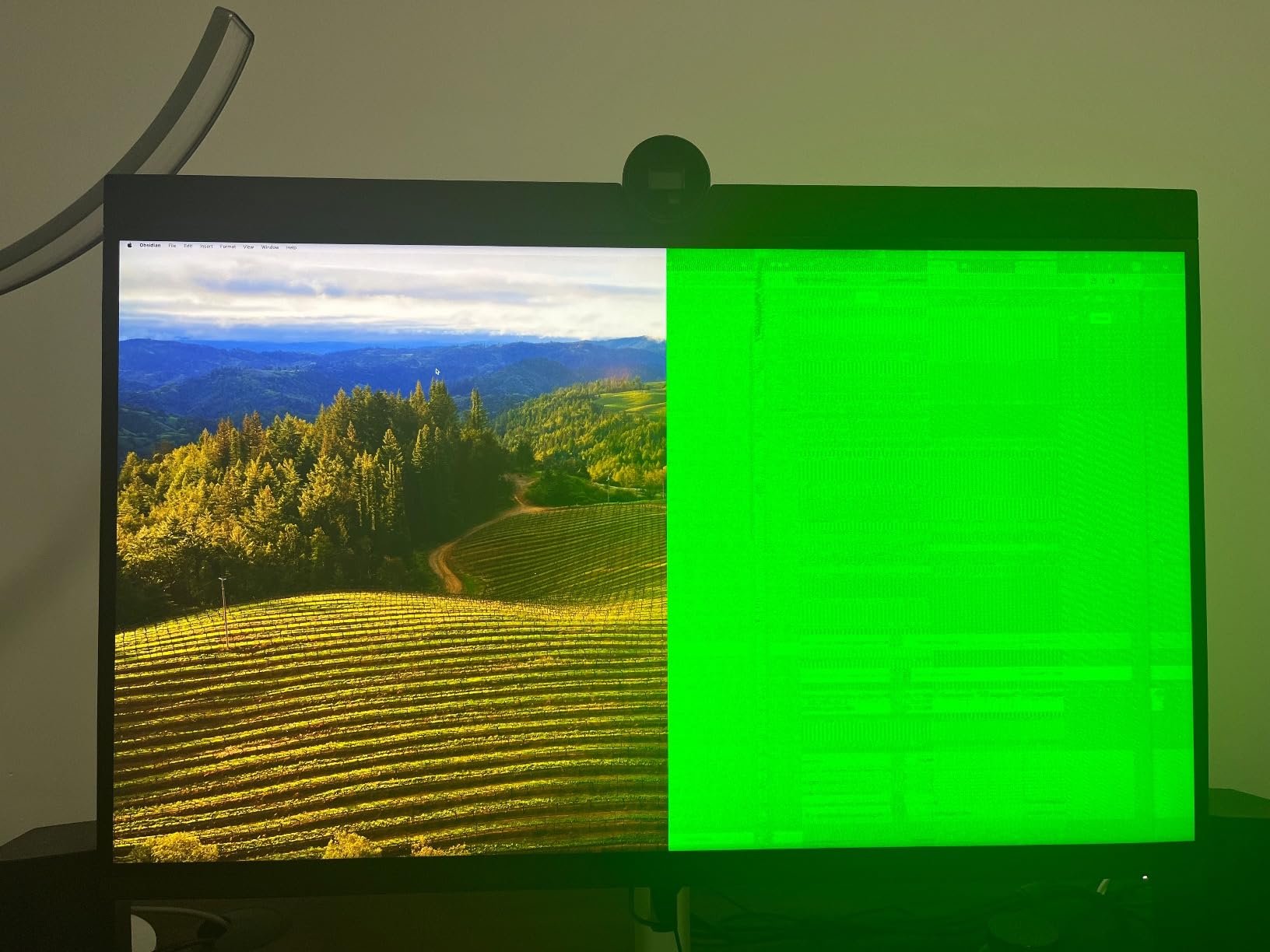
Mac users should note some reported compatibility issues. Several users mention the DDPM software crashes frequently on Apple Silicon machines. I also experienced occasional green screen glitches that required monitor reconnection. These aren’t deal-breakers but worth considering if you’re fully invested in the Apple ecosystem.
The stand adjusts smoothly for height, tilt, swivel, and pivot. Unlike Apple’s approach, Dell includes it in the price. The matte anti-glare coating reduces reflections but may slightly decrease perceived contrast compared to glossy alternatives.
Apple Pro Display XDR Deep Dive
Pros
- Reference-grade HDR performance
- 576 local dimming zones for deep blacks
- Extreme brightness for HDR content
- True Tone ambient adaptation
- Nano-texture option available
- Premium aluminum build
Cons
- Stand sold separately for $999
- No built-in webcam or speakers
- 60Hz refresh rate only
- Exclusive to Apple Store
- Very expensive total investment
The Apple Pro Display XDR represents the pinnacle of display technology for creative professionals. Its 32-inch Retina 6K panel delivers 6016 x 3384 resolution at 218 PPI, matching the pixel density that photographers demand for pixel-perfect editing.
What sets the XDR apart is its mini-LED backlight with 576 local dimming zones. This creates a staggering 1,000,000:1 contrast ratio that approaches OLED territory without the burn-in concerns. Sustained brightness reaches 1000 nits with 1600 nits peak, making HDR content genuinely spectacular.
For video editors working with HDR footage, this display reveals shadow and highlight detail impossible to see on conventional monitors. The reference modes include presets for different color spaces and workflows, eliminating constant calibration adjustments.
True Tone sensors automatically adjust color temperature based on ambient lighting. This sounds minor but significantly reduces eye strain during long editing sessions. The nano-texture glass option reduces glare while maintaining contrast, though it adds $1,000 to the price.
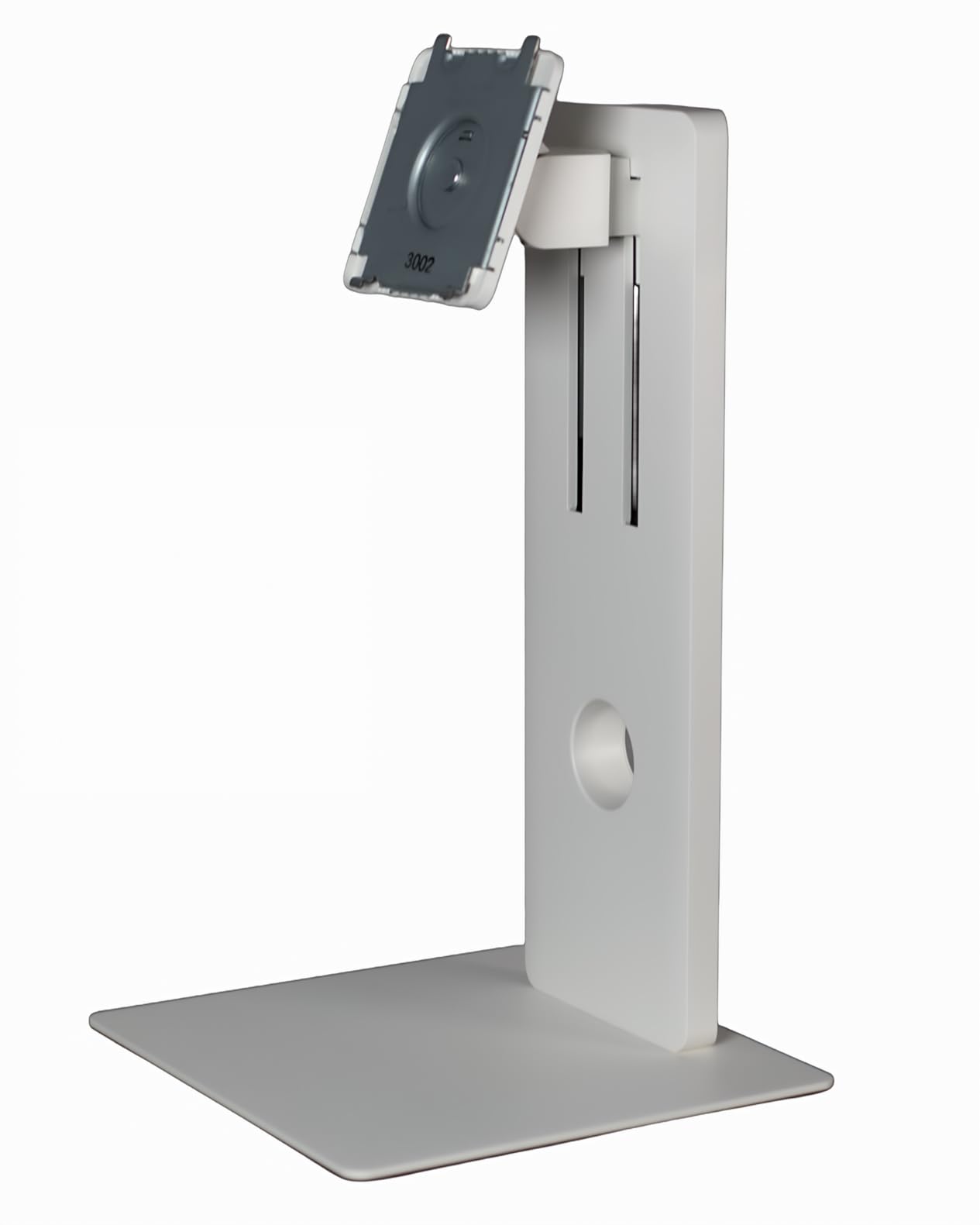
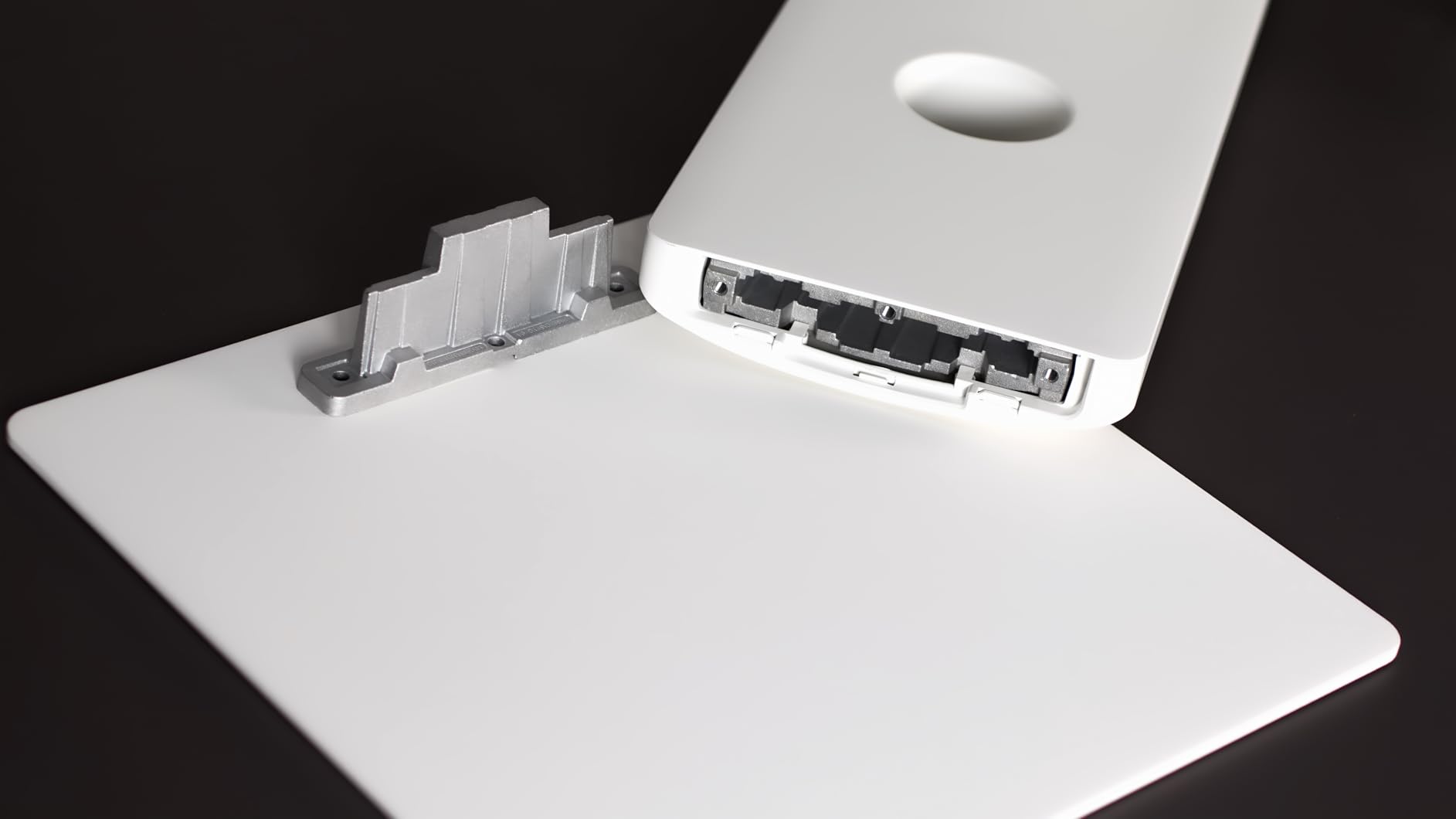
Design follows Apple’s minimalist philosophy. The aluminum enclosure feels premium and dissipates heat through a distinctive lattice pattern on the back. However, the basic VESA adapter costs $199, and the Pro Stand runs an additional $999. That brings total cost between $5,998 and $6,998 depending on glass choice.
The absence of built-in webcam and speakers surprises at this price point. Apple expects professionals to use external peripherals, which keeps the display focused on its core purpose but adds hidden costs and desk clutter.
Thunderbolt 3 provides 96W power delivery for MacBook Pros. Three USB-C ports offer peripheral connectivity. The display works seamlessly with macOS, appearing as a native Retina display without driver installation.
Dell UltraSharp U3224KB vs Apple Pro Display XDR: Head-to-Head Comparison
Display Quality and Contrast
The fundamental difference lies in panel technology. Dell uses IPS Black for 2000:1 contrast, while Apple’s mini-LED with local dimming achieves 1,000,000:1. For SDR photo editing, both displays perform excellently. For HDR video grading, Apple’s XDR reveals details Dell simply cannot display.
Brightness gap is equally significant. Dell’s 450 nits handles well-lit offices but struggles with HDR content. Apple’s 1000 nits sustained brightness makes HDR material genuinely impactful. If your work involves HDR video production, the XDR’s advantage is substantial.
Color Accuracy for Photography
Both displays cover 98%+ DCI-P3 color gamut suitable for professional photography. Dell requires calibration out of the box due to slight green shift reported by users. Apple’s factory calibration is legendary, arriving with individual calibration reports.
For print work requiring Adobe RGB coverage, both displays handle the wider gamut competently. Color-critical workflows benefit from Apple’s reference modes, but Dell offers similar presets through its OSD menu.
Connectivity and Features
Dell wins decisively on connectivity versatility. Thunderbolt 4 with 140W charging outpaces Apple’s Thunderbolt 3 with 96W. The built-in KVM switch, HDMI 2.1, DisplayPort 2.1, USB-A ports, and Ethernet create a comprehensive hub.
Apple keeps things minimal with just Thunderbolt 3 and three USB-C ports. The lack of HDMI or DisplayPort means you’re committed to USB-C devices. No built-in webcam or speakers means more cables and external devices.
Design and Build Quality
Apple’s aluminum construction feels more premium than Dell’s plastic-heavy design. The XDR functions as both display and art piece, while Dell prioritizes function over aesthetics. Users on Reddit frequently mention Dell’s “cheap plastic feel” at this price point.
Ergonomics favor Dell with included height-adjustable stand. Apple’s Pro Stand costs $999 extra but offers counterbalanced arm adjustment. Both support VESA mounting for aftermarket arms.
Price and Value
Here’s where the decision crystallizes. Dell UltraSharp U3224KB retails around $3,199 with stand included. Apple Pro Display XDR starts at $4,999 but requires stand purchase, pushing total to $5,998 minimum or $6,998 with nano-texture.
That’s roughly a $2,800 to $3,800 premium for Apple’s superior HDR performance and premium build. Whether that’s worth it depends entirely on your workflow requirements.
Mac Compatibility
Ironically, Apple’s display works flawlessly with Macs while some Dell users report issues. The DDPM software crashes on Apple Silicon, and green screen glitches appear intermittently. Most users report stable operation, but the inconsistency troubles professionals needing reliability.
Verdict: Which 6K Monitor Should You Buy?
For most creative professionals, the Dell UltraSharp U3224KB offers better value. You get 6K resolution, solid color accuracy, built-in webcam and speakers, comprehensive connectivity, and an included stand for roughly half the Apple investment. Photographers and video editors working primarily in SDR will find everything they need.
Choose the Apple Pro Display XDR if HDR video production is your primary focus. The 576 local dimming zones and extreme brightness reveal HDR detail no IPS panel can match. Colorists, cinema professionals, and studios with Apple-centric workflows justify the premium through billable work quality.
Our recommendation: Start with the Dell UltraSharp U3224KB unless HDR video grading pays your bills. The savings fund a professional calibration, color-accurate laptop, or other essential gear. Upgrade to Apple’s XDR only when client work demands reference-grade HDR performance.
Is the Dell UltraSharp better than Apple Pro Display XDR?
For most users, yes. The Dell offers better value with included stand, built-in webcam, superior connectivity, and roughly half the price. Apple wins only for HDR video professionals who need 576 local dimming zones and extreme brightness for reference-grade color grading.
Which display is better for photo editing?
Both displays work excellently for photo editing with 6K resolution and 98%+ DCI-P3 coverage. Dell requires calibration but offers good value. Apple provides superior factory calibration and reference modes but costs significantly more. For still photography without HDR requirements, Dell suffices.
Is 6K resolution worth it for creative work?
Yes, 6K resolution at 32 inches provides 218-224 PPI pixel density ideal for pixel-level editing. Photographers can inspect fine details without visible pixels. The extra screen real estate accommodates toolbars and timelines without sacrificing workspace. Once you work on 6K, returning to 4K feels limiting.
Does Dell U3224KB work well with Mac?
Generally yes, but with caveats. Most Mac users report satisfactory operation with single-cable Thunderbolt connectivity. However, some Apple Silicon users experience DDPM software crashes and occasional display glitches. The display works but lacks the seamless integration Apple displays offer.
What is the main difference between IPS Black and mini-LED?
IPS Black improves contrast over standard IPS (2000:1 vs 1000:1) without local dimming. Mini-LED uses thousands of tiny LEDs with local dimming zones for extreme contrast (1,000,000:1). Mini-LED produces deeper blacks and better HDR but costs significantly more. IPS Black offers good performance at lower cost.