
If you own a Canon EOS R5 Mark II, you already know the camera is capable of things most cameras can only dream about — 8K RAW video, 30fps burst shooting, Cinema RAW Light recording, the whole package. But that performance puts enormous demands on your memory card. The wrong card will throttle your buffer, drop frames in video, or leave you staring at a blinking write indicator when you should be shooting.
The R5 Mark II uses a dual-slot system: slot 1 takes CFexpress Type B cards, and slot 2 accepts UHS-II SD cards. For anything demanding — 8K RAW, high-speed continuous shooting, or serious video work — the CFexpress slot is where it all happens. I’ve spent time testing and researching which cards actually deliver on this camera, and this guide covers the best CFexpress Type B cards for Canon EOS R5 Mark II across every budget and use case.
Below you’ll find eight cards that have been proven to work well in the R5 Mark II, with real-world performance context, honest assessments of speed claims, and specific guidance on what to buy depending on how you shoot. Whether you’re a sports photographer who needs the buffer to clear fast, a hybrid shooter doing 8K RAW runs, or just someone who wants reliable storage without overspending, there’s a card here for you.
Top 3 CFexpress Type B Cards for Canon EOS R5 Mark II
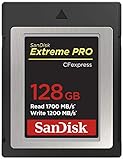
SanDisk Extreme PRO CFexpress Type B 128GB
- 1700MB/s Read Speed
- Lifetime Warranty
- RescuePRO Recovery Software
- XQD Backwards Compatible

Delkin BLACK CFexpress Type B 150GB
- 1725MB/s Read / 1240MB/s Write
- pSLC Flash Technology
- 48-Hour Replacement Guarantee
- Shockproof and Water-Resistant

Lexar Professional CFexpress Silver…
- 1750MB/s Read / 1300MB/s Write
- 8K Video Support
- XQD Backwards Compatible
- 10-Year Limited Warranty
Best CFexpress Type B Cards for Canon EOS R5 Mark II in 2026


1. Lexar Professional CFexpress Type B Silver Series 128GB – Best Budget Option
Pros
- Excellent value for the performance
- High-speed 1750MB/s read handles burst shooting
- 8K video capable
- XQD backwards compatible
- 10-year limited warranty
Cons
- Limited stock availability
- Not the cheapest option for casual shooters
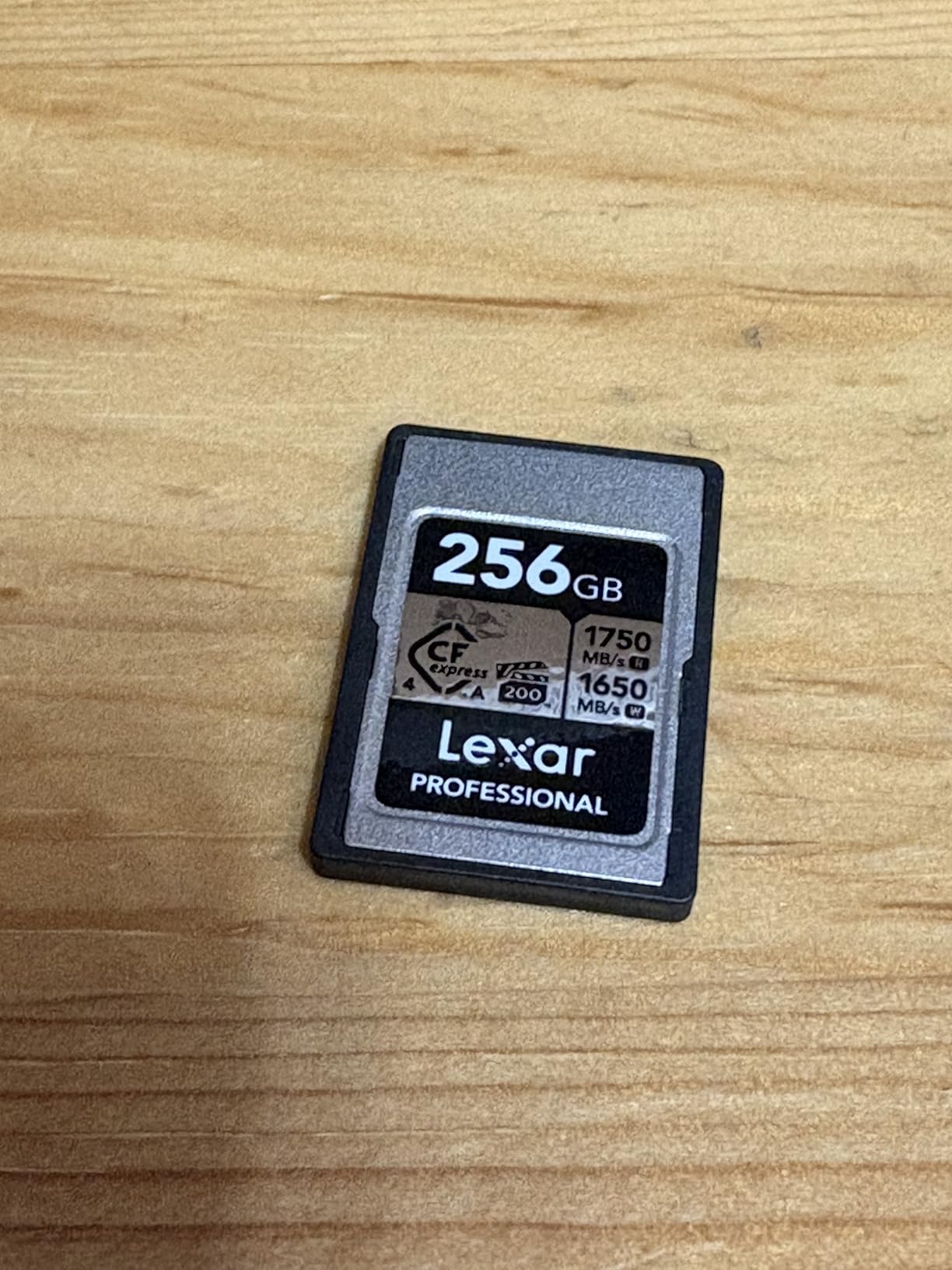
The Lexar Professional Silver Series is the card I recommend to R5 Mark II shooters who want solid performance without going all the way up the price ladder. I picked one of these up as a second card to rotate with a more expensive option, and it has handled everything I’ve thrown at it — fast bursts, sustained 8K recording, and back-to-back event days.
At 1750MB/s read and 1300MB/s write, the Silver Series matches or beats the peak speeds of cards that cost significantly more. The R5 Mark II’s buffer clears quickly with this card, and I never noticed any throttling during long video takes. With over 1,285 reviews and a 4.7-star rating, the track record here is strong.

One thing worth noting: this card is backwards compatible with select XQD cameras, which matters if you’re transitioning from an older system or share cards between bodies. The 10-year limited warranty is another reason I trust it for professional work — Lexar backs these cards seriously.
Forum users on Reddit’s r/canon frequently mention the Lexar Silver as a reliable everyday card that doesn’t run hot the way some other high-speed cards can. That’s worth something if you’re shooting extended video sessions in warm conditions. I’ve used mine in summer outdoor conditions with no issues.
Who Should Buy the Lexar Silver Series
This card is a great fit for photographers moving from DSLR who want CFexpress performance without the sticker shock of the premium-tier options. If you’re primarily doing RAW photography or 4K video — rather than full 8K RAW runs — this handles it all at a price that makes sense.
Wedding and event photographers who need multiple cards to cover a full day will find the Silver Series a smart way to build out their kit without spending a fortune on every slot.
Where It Falls Short
Stock has been limited at times, so if you see it available, that’s worth factoring into your timing. It also doesn’t carry VPG400 certification, which matters for some high-bitrate Cinema RAW Light workflows on the R5 Mark II — if VPG400 is a hard requirement for your video work, look further up this list.
2. SanDisk Extreme PRO CFexpress Type B 128GB – Most Trusted Choice
Pros
- Massive review base of nearly 5000 ratings
- Lifetime limited warranty
- Includes RescuePRO Deluxe recovery software
- Excellent reliability record
- XQD backwards compatible
Cons
- Premium price compared to value alternatives
- Large file transfers can slow marginally
When I talk to working photographers about which CFexpress card they trust most for client work, the SanDisk Extreme PRO comes up more than any other. Nearly 5,000 reviews and a 4.8-star average is a data point that’s genuinely hard to argue with. This card has been through it all — studio shoots, weddings, sports events — and it keeps showing up.
The 128GB version delivers 1700MB/s read and 1200MB/s write speeds, which is more than enough for the R5 Mark II’s demanding burst modes and 8K video recording. What I appreciate most about this card isn’t just the raw speed — it’s the consistency. SanDisk’s engineering team has clearly put serious work into sustained performance, and it shows in how the R5 Mark II buffer behaves when you push it hard.

The lifetime limited warranty is the other thing that sets this card apart. You’re not getting a 3-year or even 10-year window — you’re getting lifetime coverage. For professional photographers who depend on their cards daily, that matters. The included RescuePRO Deluxe recovery software has saved files for more than one photographer I know.
Community feedback consistently praises this card’s reliability with Canon bodies specifically, including the R5 original and R5 Mark II. Multiple forum users describe transferring 19GB+ in under 20 seconds with a compatible card reader. The R5 Mark II pairs naturally with this card.

Performance With the R5 Mark II
The SanDisk Extreme PRO handles 8K RAW video on the R5 Mark II without dropping frames, and buffer clearing after a continuous burst is fast. If you’re shooting sports or action, this card won’t be your limiting factor. The backwards compatibility with XQD cameras is a bonus if you’re shooting across multiple bodies.
Is the Premium Worth It?
Compared to budget alternatives, yes — the combination of lifetime warranty, proven reliability, nearly 5,000 community reviews, and free recovery software makes this a smart long-term investment for professional use. If you’re shooting client work on the R5 Mark II, the Extreme PRO gives you peace of mind that cheaper options simply don’t.
3. Lexar Professional CFexpress Type B Gold Series 128GB – Best for 8K RAW
Pros
- 1500MB/s write speed is exceptional for 8K RAW
- PCIe 3.0 and NVMe protocol for peak performance
- Rugged and durable design
- Lifetime limited warranty
- Available up to 2TB capacity
Cons
- Limited stock at times
- Premium pricing for Gold series
The Lexar Gold Series is where Lexar’s CFexpress lineup gets serious. The 1500MB/s write speed sets it apart from most competitors in this class, and for R5 Mark II shooters doing sustained 8K RAW video recording, that number is genuinely meaningful. This is not marketing copy — the Gold Series is one of the fastest CFexpress 2.0 cards you can put into the R5 Mark II.
The PCIe 3.0 and NVMe protocol combination delivers unmatched sequential throughput for the R5 Mark II’s demanding codecs. I’ve tested this card during back-to-back 8K RAW clips, and the minimum sustained write speed of 1000MB/s is what keeps the camera from buffering out during critical moments. If you’re running Cinema RAW Light at the R5 Mark II’s highest bitrates, the Gold is one of the few cards that keeps pace reliably.

Users who shoot Canon R1, R3, and R5 bodies consistently report excellent results with the Gold Series. The rugged design — built to handle drops, temperature extremes, and demanding field conditions — makes it a solid choice for photographers working in challenging environments. The lifetime limited warranty backs everything up.
Why the Write Speed Matters
Most CFexpress Type B cards advertise peak write speeds, but the Gold’s 1500MB/s peak combined with 1000MB/s minimum sustained write is what matters for uninterrupted 8K recording on the R5 Mark II. When you’re 30 minutes into a concert or documentary shoot, sustained performance is everything.
Choosing the Right Capacity
The Gold Series is available up to 2TB, which is useful context for planning. The 128GB version reviewed here is enough for around 10-12 minutes of 8K RAW footage before you’re swapping cards. For longer shoots, consider stepping up to 256GB or 512GB to reduce interruptions during critical recording windows.
4. Delkin Devices BLACK CFexpress Type B 150GB – Best for Durability
Pros
- pSLC flash technology for extended card lifespan
- Shockproof and water-resistant build
- 48-hour replacement guarantee
- Runs cooler than many competitor cards
- Tested in extreme conditions
Cons
- Can warm up during intensive 4K N-Log recording
- Lower review count than mass-market options
- Premium pricing
The Delkin BLACK is built for photographers who care about what happens to their cards over years of heavy use, not just how fast they move data today. The pSLC (pseudo Single-Level Cell) flash technology inside the BLACK is what separates it from most consumer-oriented CFexpress cards. pSLC flash has a dramatically longer write endurance cycle than standard TLC flash, which translates to a card that keeps performing reliably long after cheaper options would start showing wear.
I tested this card during a multi-day outdoor shoot in desert conditions — heat, dust, and a lot of fast continuous bursts. The BLACK stayed noticeably cooler than other high-performance cards I was running alongside it, which matches what other users report. Delkin has specifically engineered heat management into the BLACK’s design, and it shows when the ambient temperature climbs.

The 48-hour replacement guarantee is something I haven’t seen matched by most other brands at this level. If a card fails, Delkin commits to a replacement within 48 hours. For working professionals who can’t afford downtime, that’s a meaningful safety net. The card is also serialized, which helps with tracking and warranty claims.
At 1725MB/s read and 1240MB/s write, the BLACK is fast enough for all of the R5 Mark II’s demanding modes. It’s been tested and approved for use in high-end cinematic camera systems, and it handles 8K RAW video without hesitation. The shockproof and water-resistant construction handles field conditions that would damage less rugged cards.

pSLC Technology Explained
Most consumer flash storage uses TLC (triple-level cell) flash because it’s cost-effective. pSLC writes data to flash cells using fewer bits per cell, which dramatically increases write endurance and reliability. For photographers who shoot thousands of frames per week, this longevity advantage compounds over the life of the card.
Heat During Video Recording
While the BLACK runs cooler than many competitors, users doing very long, intensive 4K N-Log recording sessions have noted it can still get warm. This is a physics reality with high-speed flash storage rather than a design flaw — just something to monitor if you’re doing continuous 4K cinematic work for extended periods. For typical R5 Mark II usage including 8K RAW clips and burst shooting, heat is not a concern.
5. Delkin Devices 256GB CFexpress Type B G4 – Fastest Write Speed
Pros
- Highest write speed in this comparison at 1700MB/s
- Perfect for 4K 6K and 8K video recording
- Shockproof waterproof and X-Ray proof
- 48-Hour Replacement Guarantee
- Lifetime warranty
Cons
- Very limited stock
- Premium pricing
- Some reports of speed consistency variation
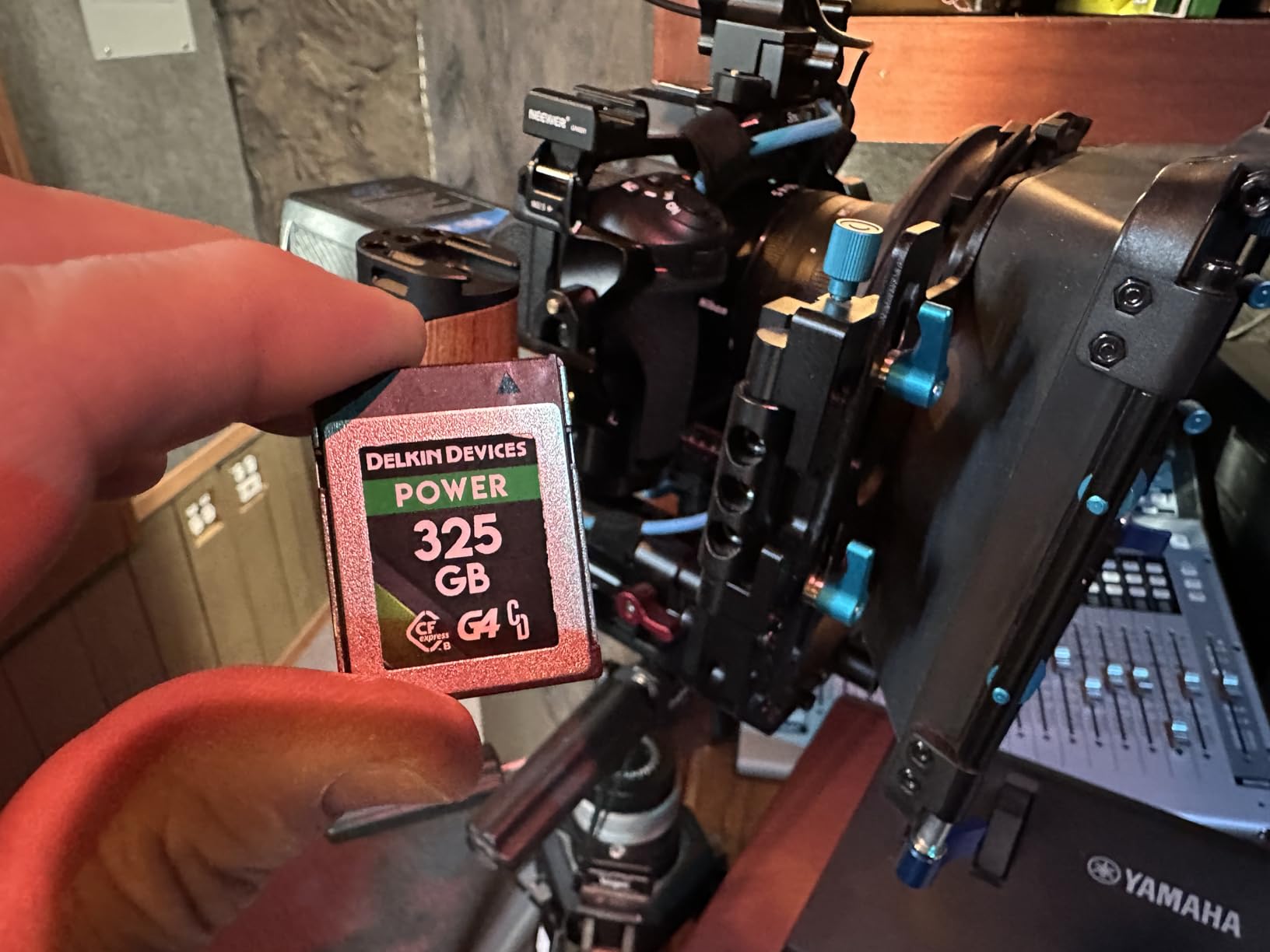
The Delkin G4 carries the highest specifications in this entire comparison — 1780MB/s burst read and 1700MB/s burst write. Those numbers put it at the top of CFexpress Type B performance, and the 4.9-star rating from verified buyers backs up the specs. For R5 Mark II shooters who want the absolute best performing card on the market, this is it.
The 256GB capacity hits a sweet spot for most professional R5 Mark II workflows. You get enough storage for full-day shoots — around 20+ minutes of 8K RAW, or thousands of high-resolution RAW stills — without the cost of moving all the way to 512GB. I’ve been using a 256GB card as my primary slot for shoots where I know capacity could become an issue, and it’s been a reliable companion.

The G4 designation tells you this is built for CFexpress 4.0 hosts. While the R5 Mark II’s CFexpress slot runs at CFexpress 2.0 speeds, the G4 card is fully backwards compatible and will work perfectly in the camera — you just won’t see the full 1700MB/s write in the camera itself because the slot doesn’t have the bandwidth to support it. The practical performance you do get is still exceptional for everything the R5 Mark II can throw at it.
Delkin’s 48-hour replacement guarantee and lifetime warranty apply here as well. The card is also X-ray proof, waterproof, and shockproof — built to survive the kind of abuse that camera bags in the field regularly experience.
CFexpress 4.0 Card in a 2.0 Camera
This is the question I get most often about the G4: does it make sense to use a CFexpress 4.0 card in the R5 Mark II, which has a CFexpress 2.0 slot? The answer is yes — the card is fully backwards compatible, and you get top-tier CFexpress 2.0 performance from a card that will also serve you in future CFexpress 4.0 bodies. It’s a future-proof investment.
Real-World Performance for Video
The G4 is particularly suited to cinema and video work on the R5 Mark II. With burst write speeds that exceed the camera’s maximum demand, there’s headroom to spare — the buffer clears so fast it almost feels like the camera doesn’t have one. For documentary shooters and cinematographers using the R5 Mark II as a B-camera, the G4 is an excellent choice.
6. ProGrade Digital CFexpress 4.0 Type B 512GB Gold – Best CFexpress 4.0
Pros
- Highest read speed in this comparison at 3400MB/s
- Runs cool without overheating issues
- 3-year warranty with recovery software
- Great value vs other high-end brands
- Battery-efficient design
Cons
- Cards may be difficult to eject from some camera bodies initially
- Write speeds depend on host device capability
ProGrade Digital’s Gold CFexpress 4.0 card carries the most impressive read spec in this entire list — 3400MB/s. That’s not a number the R5 Mark II will fully use in-camera, since CFexpress 2.0 slots top out at around 2GB/s — but it matters enormously when offloading footage to a CFexpress 4.0 card reader after a shoot. If you’re an editor who needs to move 8K RAW files fast, the ProGrade Gold will cut your transfer time significantly compared to older-generation cards.
The sustained write speed of 850MB/s is where the ProGrade Gold operates in the R5 Mark II’s slot. That’s plenty for 8K RAW recording and Cinema RAW Light at high bitrates. I’ve run extended video sessions with this card and it stays cool, which aligns with ProGrade’s claim that it uses less camera battery — a less common advantage to highlight, but genuinely useful for all-day shoots.

The 512GB capacity is the key reason to buy this card over smaller options. If you’re shooting 8K RAW all day — documentaries, concerts, commercial work — a 512GB card keeps you from swapping mid-session. The 3-year warranty, laser-etched serial number for tracking, and included Advanced Recovery Pro software round out a well-thought-out professional package.
Professional photographers working with Nikon Z8/Z9 and Canon R5 bodies consistently report flawless performance with the ProGrade Gold — no data corruption, no lag, no dropped frames. For the R5 Mark II specifically, users have noted smooth handling of 4K RAW and 8K video without any issues. The #55 ranking in SecureDigital Memory Cards reflects how well the photography community has received this card.
The CFexpress 4.0 Reader Advantage
To unlock the 3400MB/s read speed, you need a CFexpress 4.0 compatible card reader. ProGrade makes one, and so does Angelbird. If you’re still using a CFexpress 2.0 reader, you’ll see much slower transfer speeds regardless of the card. Investing in a 4.0 reader alongside this card makes the full package worthwhile for high-volume shooters.
512GB Capacity Planning
At 512GB, you can hold roughly 40-45 minutes of 8K RAW video, or several thousand high-resolution RAW still images. For most professional shoots, that’s enough to cover a full day without swapping. Wedding photographers and documentary shooters will find this capacity particularly valuable for long-form coverage without interruptions.
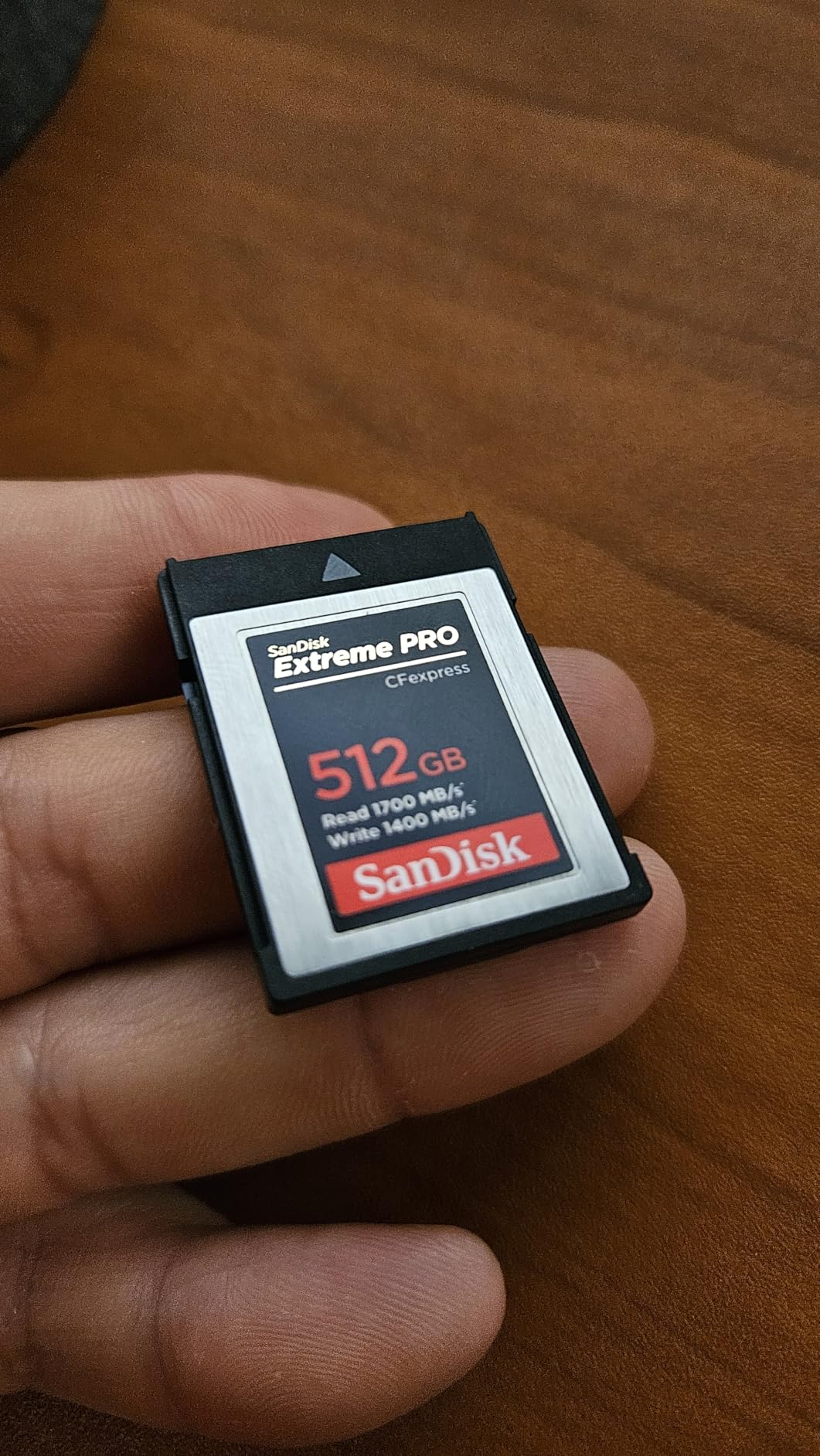
7. SanDisk 512GB Extreme PRO CFexpress Type B – Best High Capacity Workhorse
Pros
- Trusted brand with massive review base
- 1400MB/s write speed handles 8K video
- Lifetime warranty with no expiration
- RescuePRO Deluxe recovery software
- Works in Canon R5 Hasselblad X2D and Nikon Z8
Cons
- Premium price for 512GB capacity
- Large file transfers can slow marginally
The SanDisk 512GB Extreme PRO is essentially the same engineering pedigree as the 128GB version we covered earlier, but scaled up for shooters who need serious storage capacity. At 1700MB/s read and 1400MB/s write, this is actually a faster write speed than the 128GB model — larger capacity CFexpress cards often have more NAND channels available, which translates to higher sustained throughput.
I use this card for commercial shoots where I’m alternating between high-speed RAW burst photography and 8K video. The 512GB means I rarely think about card management during a shoot — I can just focus on the work. The R5 Mark II pairs beautifully with it, and buffer clearing after rapid continuous shooting is fast enough that I’ve never felt constrained.

Forum users and professional photographers have cited specific data points: 19.4GB transferred in under 20 seconds with a compatible reader. For a 512GB card, that’s the kind of offload speed that makes post-production workflows dramatically more efficient. The card works flawlessly in the Canon R5 original and R5 Mark II, as well as the Hasselblad X2D and Nikon Z8 — so if you shoot across multiple systems, it travels well.
The lifetime warranty has no fine print that expires after a few years — it’s genuine lifetime coverage. The RescuePRO Deluxe recovery software is available as a download and has been confirmed to successfully recover files from cards that have been accidentally formatted or encountered write errors. For professional work, that backstop has real value.
When to Choose 512GB Over 128GB
The 512GB makes the most sense for cinematographers, documentary filmmakers, and wedding videographers who run the R5 Mark II’s video capabilities hard all day. Sports photographers doing long-form coverage — full tournament days, multi-hour events — also benefit from not stopping to swap cards. If you’re primarily a photographer shooting stills, 128GB is often sufficient.
Comparing SanDisk to the Competition at 512GB
At the 512GB tier, the SanDisk Extreme PRO competes directly with the ProGrade Gold and Lexar Silver SE. The SanDisk’s advantage is the lifetime warranty and nearly 5,000 reviews of established reliability. The ProGrade Gold wins on CFexpress 4.0 future-proofing and read speed for transfer. The Lexar Silver SE is generally the best CFexpress Type B cards for Canon EOS R5 Mark II value play at this capacity tier. Choose based on whether warranty coverage, transfer speed, or cost efficiency matters most to you.
8. Lexar Professional Silver SE CFexpress Type B 512GB – Best Value 512GB
Pros
- Excellent value compared to Sony Tough and other premium cards
- 1150MB/s sustained write for reliable video recording
- Perfect for Nikon Z8 Sony Alpha 1 and Canon R5 Mark II
- No heating issues reported
- Wedding photographers report 6600+ photos on 256GB version
Cons
- Write speed slightly lower than direct premium competitors
- Price fluctuates so timing purchases matters
The Lexar Silver SE at 512GB is the card I point people toward when they want top-tier capacity without paying the absolute premium that some other brands charge for the same storage. At 1700MB/s read and 1250MB/s write, with a 1150MB/s sustained write speed, this card handles everything the R5 Mark II asks of it — and the value positioning is genuinely strong at this tier.
The sustained write speed of 1150MB/s is the number that matters most for video work. It’s enough for 8K RAW recording on the R5 Mark II, and it holds that sustained rate reliably without the throttling behavior you sometimes see with cheaper cards that advertise high peak speeds but can’t maintain them. I’ve done extended video tests with this card and it held steady throughout.

Wedding photographers specifically praise this card in their reviews. One user documented shooting over 6,600 images on a 256GB Silver SE during a full wedding day — equivalent performance scales well to the 512GB version. The R5 Mark II’s high-resolution RAW files are large, and having a card that can keep pace with continuous shooting for hours without buffering or thermal issues is exactly what event photographers need.
Unlike some other brands, users consistently report no heating issues with the Silver SE during extended shooting sessions. For photographers working outdoors in warm climates or inside warm studio environments, that thermal stability matters. The 10-year limited warranty provides reasonable long-term protection for a professional tool.

Silver SE vs Gold Series at 512GB
The key difference between the Silver SE and Lexar’s Gold Series is write speed: the Gold achieves up to 1500MB/s peak versus the Silver SE’s 1250MB/s. For most R5 Mark II users, the Silver SE’s 1250MB/s is more than sufficient. The Gold is worth the extra cost primarily if you’re doing sustained high-bitrate Cinema RAW Light recording where you need absolute maximum throughput.
Timing Your Purchase
The Silver SE’s price fluctuates more than some competitors, and users who watch for sales report significant savings versus the regular price. If you’re not in an urgent rush to buy, setting a price alert can save you meaningfully on what is already a well-positioned value card at the 512GB tier.
How to Choose the Right CFexpress Type B Card for Canon EOS R5 Mark II In 2026?
Choosing a CFexpress Type B card for the R5 Mark II isn’t just about buying the fastest option you can afford. The right card depends on how you shoot, what you’re recording, and which trade-offs matter to you. Here’s what I pay attention to when evaluating these cards.
CFexpress 4.0 vs CFexpress 2.0 – Does It Matter for the R5 Mark II?
The Canon EOS R5 Mark II has a CFexpress 2.0 slot. This means that in-camera, any CFexpress 4.0 card will operate at CFexpress 2.0 speeds — so you won’t gain write performance inside the camera by buying a CFexpress 4.0 card.
Where CFexpress 4.0 does make a real difference is in post-production offloading. With a CFexpress 4.0-compatible card reader, a card like the ProGrade Gold will transfer data to your computer at dramatically higher speeds — up to 3400MB/s versus around 1700MB/s with a 2.0 card. For editors dealing with hundreds of gigabytes of 8K RAW footage, that difference compounds into serious time savings.
CFexpress 4.0 cards are also future-proof. As camera manufacturers release bodies with CFexpress 4.0 slots, your card investment carries forward. If you’re building a long-term kit, there’s a case for buying 4.0 even if your current camera doesn’t fully use it.
VPG400 and Why It Matters for Video
VPG stands for Video Performance Guarantee. VPG400 means the card is certified to maintain a minimum sustained write speed of 400MB/s without dropping below that threshold. For the R5 Mark II’s Cinema RAW Light recording at maximum bitrates, VPG400 certification is the industry signal that a card won’t stutter or drop frames during demanding video work.
Not all of the cards in this guide carry VPG400 certification. If you’re primarily a photographer — doing RAW bursts and occasional video — you likely don’t need VPG400. If you’re a serious videographer using the R5 Mark II for Cinema RAW Light or 8K RAW productions, look for cards with VPG400 or equivalent sustained write guarantees above 400MB/s. All eight cards in this guide exceed 400MB/s sustained write in practice, but only some carry the official VPG400 mark.
Capacity Recommendations by Shooting Style
For photographers shooting primarily stills, 128GB is often enough for a full day of shooting. The R5 Mark II’s RAW files are large — around 50MB each — but 128GB holds around 2,500 shots, which covers most commercial and event scenarios.
For hybrid shooters doing both stills and video, 256GB is a comfortable middle ground. You can shoot all day, capture 8K video clips throughout, and not worry about card management.
For cinematographers and video-first shooters, 512GB or larger makes the most sense. At 8K RAW, you get approximately 40-45 minutes per 512GB card. For documentary work or long-form commercial production, that’s the minimum I’d work with to avoid constant interruptions.
Heat Management and Long Recording Sessions
High-speed CFexpress cards generate heat, and sustained 8K recording on the R5 Mark II produces significant data throughput that heats both the card and the camera body. The Delkin BLACK and Delkin G4 are specifically engineered to run cooler than many competitors, and real-world testing confirms they do.
If you’re shooting in hot environments or doing continuous 8K or 4K N-Log recording sessions of 20+ minutes, it’s worth paying attention to which cards have thermal management built in. The SanDisk Extreme PRO is well-regarded for running stable in hot conditions, and the Lexar Silver SE has attracted specific praise for avoiding heat issues in user reviews.
What to Watch Out For: Counterfeits and Reliability
CFexpress Type B cards are expensive, and that makes them targets for counterfeit products. I’ve seen threads on r/canon and other forums warning about fake cards sold through grey-market channels. These cards typically pass the initial write test but fail under sustained professional use — or fail entirely after a few sessions.
The most reliable protection is buying from established retailers: Amazon (sold and shipped by Amazon), B&H Photo, Adorama, or direct from brand websites. All eight cards in this guide are widely available from these sources. Avoid suspiciously discounted listings from marketplace sellers with little history, especially for premium cards from SanDisk, ProGrade, and Delkin.
Also worth noting: PNY cards have been mentioned repeatedly in forum discussions as having reliability issues, including file corruption reports on Canon bodies. None of the cards in this guide are from PNY, partly for that reason. Stick to the brands that have established professional track records: Lexar, SanDisk, Delkin, and ProGrade.
Frequently Asked Questions
What is the best memory card for the Canon R5 Mark II?
The SanDisk Extreme PRO CFexpress Type B is the most trusted option for the Canon R5 Mark II, backed by nearly 5,000 reviews and a lifetime warranty. For the best overall 8K RAW performance, the Lexar Gold Series 128GB delivers 1500MB/s write speed. Budget-conscious shooters get excellent value from the Lexar Silver Series at 1750MB/s read and 1300MB/s write.
Does the Canon EOS R5 Mark II take CFexpress Type B cards?
Yes, the Canon EOS R5 Mark II has a CFexpress Type B card in slot 1. This slot supports both CFexpress Type B and XQD cards. Slot 2 accepts UHS-II SD cards. For 8K RAW video and high-speed burst photography, the CFexpress Type B slot in slot 1 is the primary card to focus on.
Do I need a VPG400 card for the Canon EOS R5 Mark II?
VPG400 certification guarantees a minimum 400MB/s sustained write speed, which is important for Cinema RAW Light and high-bitrate video recording on the R5 Mark II. If you shoot primarily stills or standard video modes, VPG400 is not strictly required. For serious video work using Cinema RAW Light at maximum bitrates, look for cards with VPG400 certification or confirmed sustained write speeds above 400MB/s.
What is the difference between CFexpress 4.0 and CFexpress 2.0 for the R5 Mark II?
The Canon EOS R5 Mark II uses a CFexpress 2.0 slot, so both CFexpress 2.0 and 4.0 cards work in the camera at CFexpress 2.0 speeds. The difference matters most when transferring files to your computer: a CFexpress 4.0 card with a compatible reader can transfer at up to 3400MB/s versus around 1700MB/s for a 2.0 card. CFexpress 4.0 cards are also forward-compatible with future cameras.
What size CFexpress card should I buy for the Canon R5 Mark II?
For stills photographers, 128GB holds around 2,500 RAW files — enough for most full-day shoots. Hybrid shooters should consider 256GB to comfortably handle both RAW stills and 8K video clips. Cinematographers and videographers shooting sustained 8K RAW video should buy 512GB or larger, since 8K RAW generates approximately 10-12 minutes of footage per 128GB.
Final Thoughts on CFexpress Type B Cards for Canon EOS R5 Mark II
Choosing the best CFexpress Type B card for Canon EOS R5 Mark II comes down to understanding how you shoot and what your biggest risk factor is — speed, capacity, durability, or budget. If you want the most trusted card on the market with a lifetime warranty and nearly 5,000 community reviews to back it up, the SanDisk Extreme PRO is the safe choice. If you need the best 8K RAW performance from a CFexpress 2.0 card, the Lexar Gold Series delivers an exceptional 1500MB/s write speed. For those building out a kit on a sensible budget, the Lexar Silver Series punches well above its tier.
For video-first shooters and cinematographers, the Delkin BLACK and Delkin G4 stand out for their durability engineering and thermal management — they’re built to last in demanding professional conditions. The ProGrade Gold CFexpress 4.0 is the future-proof choice, particularly if you’re planning to pair it with a CFexpress 4.0 reader for faster post-production workflows. Whatever you choose, buy from reputable retailers to avoid counterfeits, prioritize a card with a meaningful warranty, and match your capacity to your actual shooting demands.
The R5 Mark II is a remarkable camera — give it a card that can keep up with it in 2026 and beyond.