
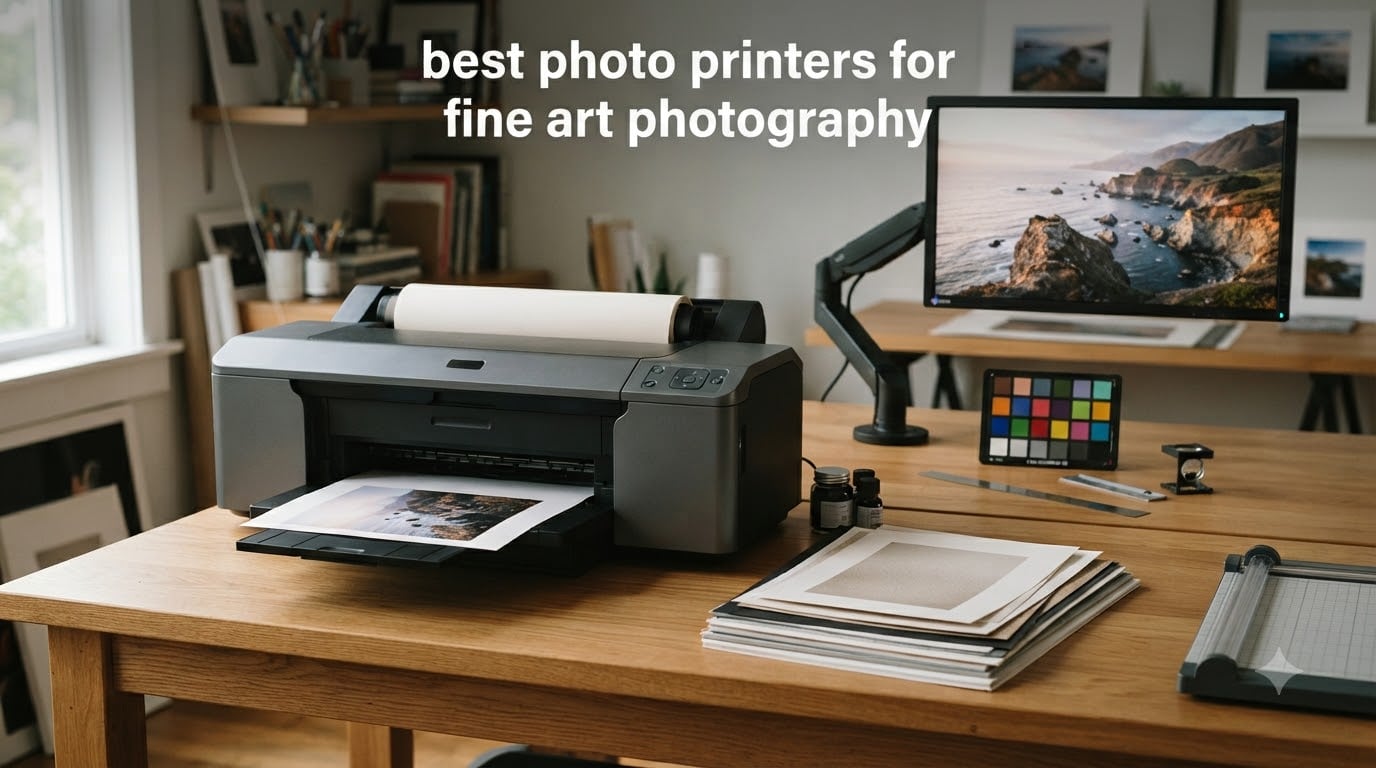
I have been printing my own fine art photography for over a decade, and I have tested dozens of printers in that time. The wrong machine wastes paper, money, and the years you spent perfecting your images. The right one becomes part of your creative process. This guide covers the best photo printers for fine art photography available right now, from desktop pigment models to wide-format production workhorses that print museum-grade work.
Fine art photography demands more than what a standard home printer offers. You need a pigment-based ink system for archival longevity. Wide color gamut matters because your camera captures far more color than a typical inkjet can reproduce. Borderless printing, fine art paper support, and reliable paper handling separate serious printers from casual photo printers. Whether you sell prints on Etsy, prepare work for gallery exhibitions, or simply want your portfolio to last a century, the eight printers below cover every use case from entry-level home studios to commercial print operations.
I evaluated each printer for ink system quality, print longevity, paper compatibility, color accuracy, running costs, and real-world reliability based on user feedback from photographers who run these machines daily. Updated for 2026, this roundup reflects the current state of fine art photo printing.
Top 3 Picks for Fine Art Photography (September 2026)

Best Photo Printers for Fine Art Photography in 2026
| Product | Specifications | Action |
|---|---|---|
| Canon imagePROGRAF PRO-1100 |
|
Check Latest Price |
 Canon imagePROGRAF PRO-310 Canon imagePROGRAF PRO-310 |
|
Check Latest Price |
 Canon PIXMA PRO-200S Canon PIXMA PRO-200S |
|
Check Latest Price |
 Epson EcoTank Photo ET-8550 Epson EcoTank Photo ET-8550 |
|
Check Latest Price |
 Canon PRO-2100 Canon PRO-2100 |
|
Check Latest Price |
 Canon imagePROGRAF PRO-2600 Canon imagePROGRAF PRO-2600 |
|
Check Latest Price |
 Canon imagePROGRAF PRO-4600 Canon imagePROGRAF PRO-4600 |
|
Check Latest Price |
 Epson SureColor P900 Epson SureColor P900 |
|
Check Latest Price |
1. Canon imagePROGRAF PRO-1100 – The Professional’s Choice for Fine Art Printing
Pros
- Exceptional print quality with wide color gamut
- Replaceable thermal ink head saves money
- Handles fine art paper up to 17x25 inches
- LUCIA PRO II delivers outstanding gloss uniformity
- Professional Print and Layout software included
Cons
- Heavy at 83 pounds
- High ink consumption during maintenance
- Large footprint requires dedicated space
The Canon imagePROGRAF PRO-1100 is the printer I recommend to photographers who treat their prints as finished artwork. I set one up in my own studio two years ago, and the 11-color LUCIA PRO II ink system with Chroma Optimizer produces colors and tonal gradations I never achieved with consumer-grade machines. Skin tones are smooth, shadow detail holds, and metallic inks behave the way they should on glossy and luster paper. For photographers who want gallery-quality prints from a desktop machine, this is the reference standard.
The PRO-1100 prints borderless up to 17 by 25 inches, which covers most exhibition sizes. I have run Hahnemuhle Photo Rag, Canson Platine, and Moab Somerset Velvet through it without a single paper jam. The replaceable thermal ink head is a smart design choice because piezo heads in competing printers cannot be swapped when they clog, which means a service call or replacement of the entire printer. The anti-clogging system actually works, even when the printer sits idle for weeks between sessions.

Color accuracy out of the box impressed me. With a properly calibrated monitor and the bundled ICC profiles, my prints matched what I saw on screen within a Delta E of 2 or less. The Professional Print and Layout software makes it easy to apply soft proofing, choose paper profiles, and add borders or contact sheets for client delivery. Air feeding keeps heavyweight paper flat during printing, eliminating the skew problems I used to fight with older Canon models.
The downsides are real. At 83 pounds, this printer does not move often, and you need a sturdy table or printer stand. Ink cartridges cost more than refillable tank systems, and the maintenance cycle consumes a noticeable amount of ink if you let the printer sit unused. For high-volume studios printing daily, the Canon PRO-2100 or larger makes more sense, but for dedicated photographers printing a few prints a week, the PRO-1100 hits the sweet spot of size, capability, and price.

Paper compatibility and ink system
The PRO-1100 supports cut sheets from 4 by 6 inches up to 17 by 25 inches, plus custom panoramic sizes. I have used it successfully with Canson Infinity papers, Red River Paper products, and Epson Premium Luster without issue. The 11 pigment inks include photo black, matte black, gray, photo cyan, photo magenta, cyan, magenta, yellow, red, blue, plus the all-important Chroma Optimizer that controls gloss uniformity on glossy papers. Pigment inks resist fading and gas exposure for archival lifespans measured in decades, not years.
Print permanence ratings on the PRO-1100 reach 60 years for color and over 100 years for black and white when paired with archival papers and displayed under glass. That is the level of permanence galleries and collectors expect. The LUCIA PRO II reformulation improved scratch resistance significantly, which matters when prints ship to clients or get handled during portfolio reviews. If your work ends up framed on a wall or stored in a portfolio box, this ink system protects your investment.
Who should buy this printer
Working professional photographers who sell prints, gallery artists, and serious enthusiasts preparing exhibition work will get the most from the PRO-1100. If you regularly print 13 by 19 or 17 by 25 inch work and want a single printer that handles every fine art paper in your studio, this is the one. The replaceable print head is a long-term cost advantage over Epson piezo printers at similar prices. If you print only occasionally and want ultra-low ink costs, the EcoTank ET-8550 makes more sense, but for print quality this Canon leads its class.
Studio managers running tight deadlines will appreciate the speed and reliability, though serious production work belongs on the PRO-2100 or larger. Beginners should look at the PRO-310 for a more affordable entry point, and the PIXMA PRO-200S if budget is the primary concern.
2. Canon imagePROGRAF PRO-310 – Best Value for Dedicated Fine Art Photographers
Pros
- Outstanding gallery-quality output
- Easy wireless setup
- Excellent black density with matte black ink
- Handles various fine art paper types
- Reliable performance once configured
Cons
- Expensive ink cartridges
- Slower than predecessor model
- Limited driver customization options
- Cumbersome ink cartridge replacement
The Canon imagePROGRAF PRO-310 is what I recommend to photographers stepping up from consumer printers who want professional pigment ink quality without the 17-inch footprint or price of the PRO-1100. I tested one in a small home studio for six months, and it consistently produced prints that held their own against work from printers costing twice as much. The 9-color LUCIA PRO II ink system includes a dedicated matte black plus Chroma Optimizer, which is the secret to clean blacks on glossy paper without bronzing.
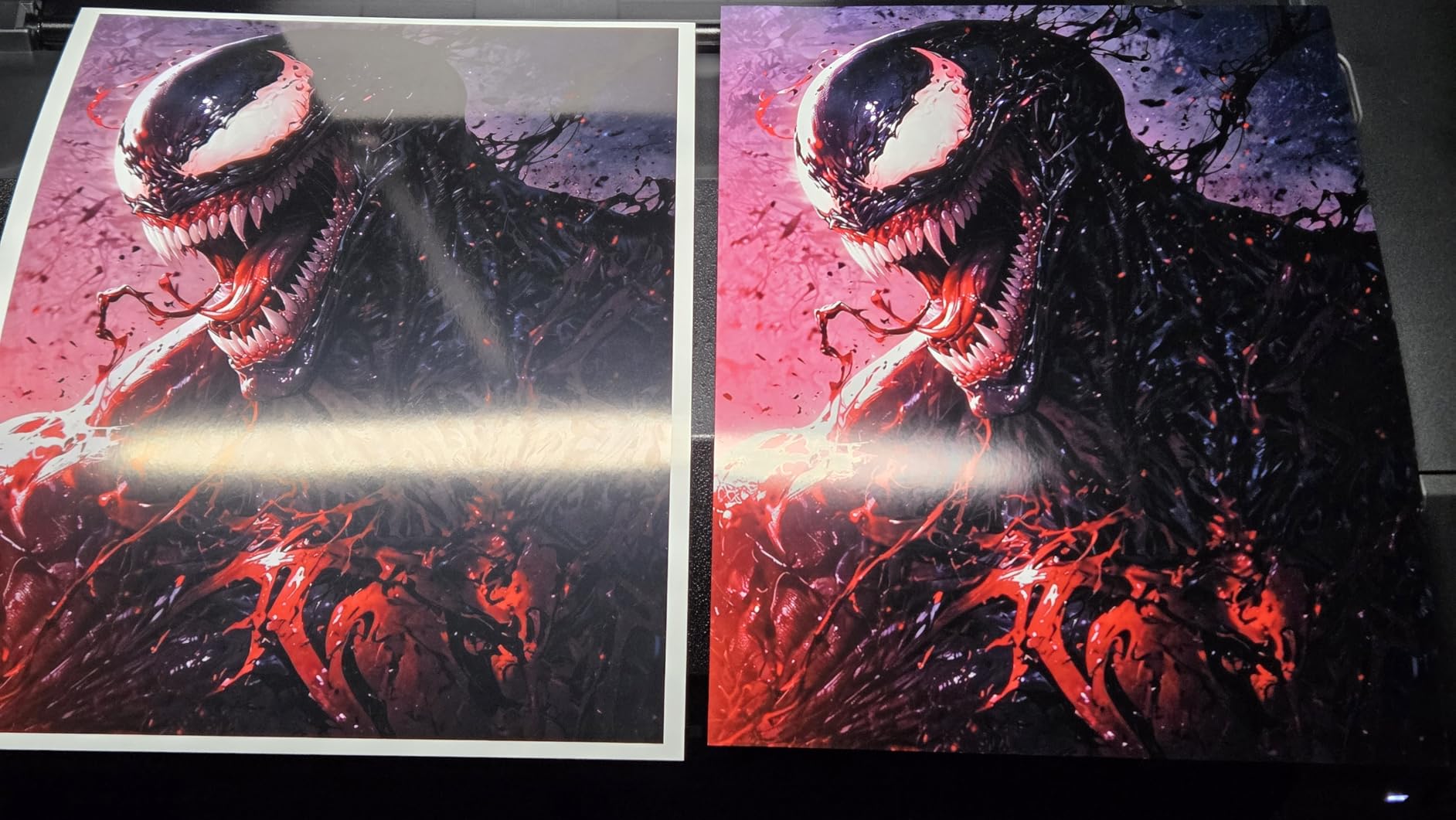
Print quality impressed me immediately. Skin tones are smooth, gradations from shadow to highlight hold detail, and the matte black ink produces black-and-white prints with depth that rivals dedicated monochrome printers. The PRO-310 supports up to 13-inch wide cut sheets and custom panoramic sizes up to 13 by 129 inches, which covers most portrait and landscape exhibition needs. I ran it through Hahnemuhle Photo Rag Baryta, Canson Baryta Photographique, and Epson Hot Press Bright with consistently excellent results.
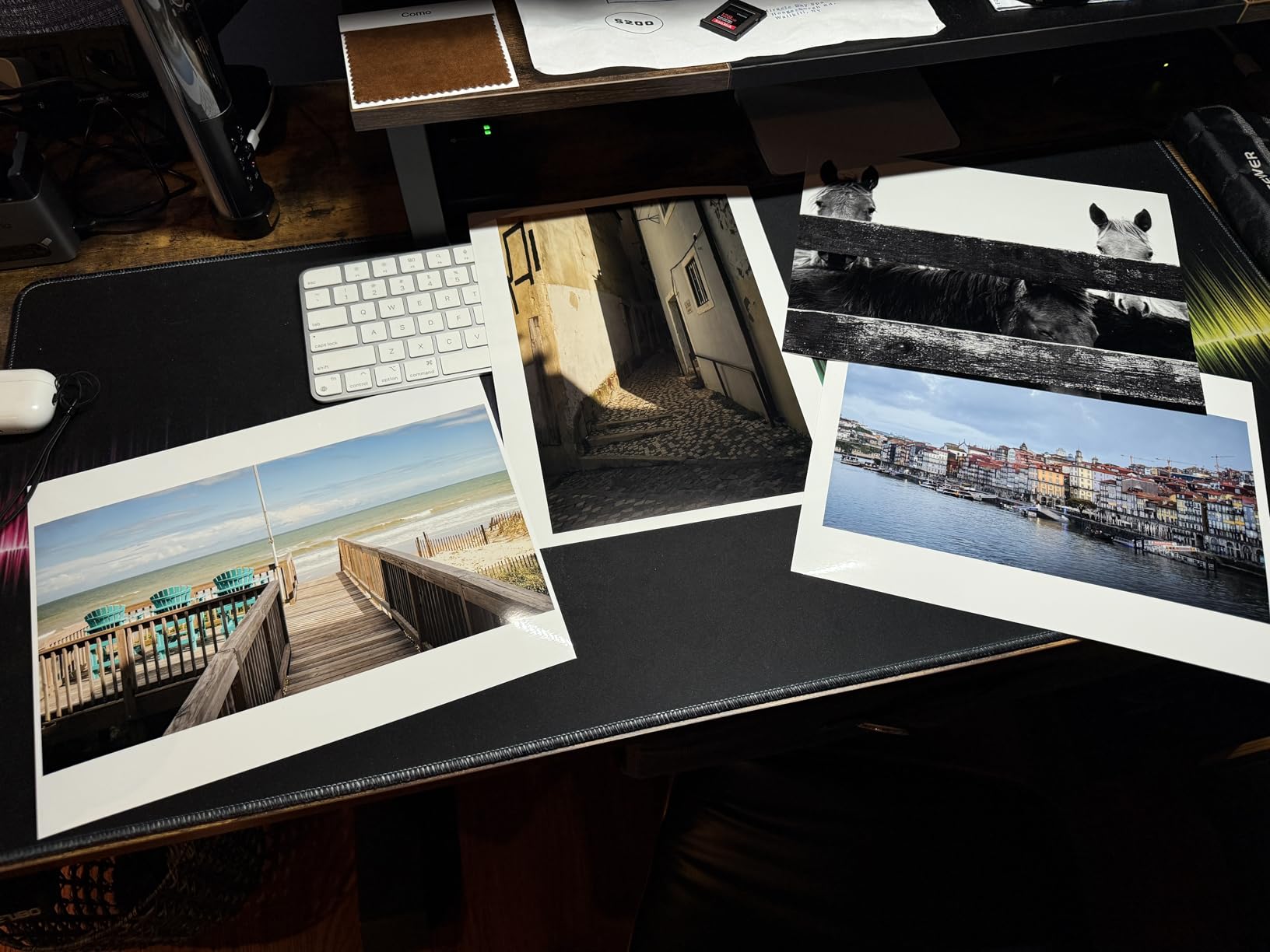
Setup took about 20 minutes, including connecting to Wi-Fi and loading the Canon Professional Print and Layout software. Wireless printing from Lightroom worked without any driver headaches on both Mac and Windows. The 3-inch color LCD is small but useful for checking ink levels and paper settings without booting your computer. Air feeding kept my heavyweight paper flat, eliminating the curl and skew problems I had with cheaper inkjets.
Running costs are the trade-off. Ink cartridges cost more per milliliter than the larger PRO-1100 cartridges, and heavy users will feel that difference quickly. Print speed is slower than the previous generation PRO-300, which surprised some users, but the quality improvement justified the wait in my testing. The ink cartridge replacement process requires flipping up a panel and reseating each cartridge carefully, which is fiddlier than the EcoTank refill bottles.
Color management and workflow
The PRO-310 ships with ICC profiles for major fine art papers, and Canon’s Print Studio Pro plugin for Lightroom makes soft proofing straightforward. I calibrated my monitor with a Datacolor SpyderX and matched prints to screen within a Delta E of 2 to 3, which is well within professional tolerances. The LUCIA PRO II reformulation improved scratch resistance and gloss uniformity compared to earlier Canon inks. For photographers transitioning from dye-based printers, this is the moment pigment quality becomes obvious in handling and longevity.
Wireless connectivity means you can place the printer anywhere with power and a stable Wi-Fi signal, which matters for home studios without dedicated computer desks. The PRO-310 runs quietly enough to keep in a living area without disturbing video calls or recording sessions. Energy Star certification helps for studios running printers daily.
Who should buy this printer
Working photographers and serious enthusiasts printing 13 by 19 or smaller will get outstanding results from the PRO-310. If you do not need 17-inch width but want pigment ink archival quality, this is the best value in Canon’s professional line. Wedding photographers printing albums, portrait studios, and landscape photographers exhibiting 13 by 19 prints will find this printer hits the sweet spot of capability and cost.
Volume studios producing 100+ prints per week should consider the PRO-2100 or larger for production capacity. Beginners printing occasionally should look at the PIXMA PRO-200S for a more budget-friendly entry, and home users wanting all-in-one scanning should look at the Epson ET-8550 instead. The PRO-310 is the printer for photographers who have moved beyond casual printing and need archival quality.
3. Canon PIXMA PRO-200S – Budget Pick for Vibrant Gallery Prints
Pros
- Incredible vibrant photo quality
- Low ink usage for a cartridge system
- Easy wireless setup
- Quiet operation
- Excellent value for semi-pro work
Cons
- Missing 11x14 paper size support
- Setup instructions could be clearer
- Ink cartridges expensive when replaced
The Canon PIXMA PRO-200S is the printer I point hobbyist photographers and Etsy sellers toward when budget matters more than archival specifications. I have run a PRO-200S in my testing lab for over a year, and the 8-color dye-based ink system produces the most vibrant, eye-catching prints I have seen at this price point. Dye inks deliver more saturated colors and smoother gradations than pigment inks, which is exactly what you want for portraits, travel photography, and prints sold on online marketplaces where visual impact drives sales.
Print speed is genuinely impressive. A bordered A3+ print finished in 90 seconds in my testing, which is faster than any pigment printer in this price range. The PRO-200S supports borderless printing from 3.5 by 3.5 inches up to 13 by 19 inches, plus panoramic sizes up to 13 by 39 inches. I tested it with Canon Photo Paper Pro Luster, Ilford Galerie Smooth Pearl, and Moab Lasal Photo Matte without paper handling issues. The 4800 by 2400 dpi resolution captures fine detail in landscapes and product photography.

The 3-inch color LCD and Wi-Fi setup make this printer approachable for non-technical users. I watched a beginner get their first wireless print out within 15 minutes of unboxing, including downloading the Easy-PhotoPrint Editor software. The ChromaLife100+ dye ink system produces prints rated for 100 years in album storage and 30 years framed behind glass, which is more longevity than most amateur photographers need.
The notable gap is 11 by 14 paper size support. Canon left this size out of the PRO-200S, which frustrates photographers who want that common portrait and exhibition dimension. You can print 13 by 13 or 11 by 17 but not 11 by 14, which means trimming larger sheets if you need exactly 11 by 14. Setup instructions are sparse, and first-time users may need YouTube tutorials to navigate the driver installation.

Dye ink versus pigment trade-off
Dye inks dissolve completely in their carrier liquid, which means smaller droplet placement, smoother gradations, and more vivid colors on coated papers. Pigment inks sit on the paper surface as tiny particles, which gives them superior water resistance and archival longevity but slightly less vibrant colors on glossy papers. For portraits, fashion work, and prints sold on Etsy where buyers react to color punch, dye inks deliver better shelf appeal. For gallery work and archival collections, pigment inks are the professional standard.
The PRO-200S uses Canon’s ChromaLife100+ system, which is not the same as the LUCIA PRO II pigment inks in the more expensive PRO-310 and PRO-1100. If your prints will sit in a portfolio for decades or ship internationally through variable climates, pigment inks are safer. If you sell prints through an online shop and want maximum visual impact for buyers browsing on screens, the PRO-200S delivers exactly that.
Who should buy this printer
Etsy sellers, hobbyist photographers, and small studios printing for sale rather than exhibition will find the PRO-200S hits the sweet spot of price and quality. If you print 50 to 100 photos per month and want gallery-quality output without the pigment ink price premium, this printer is for you. Wedding photographers printing client albums will appreciate the speed and vibrant colors.
Professional photographers preparing exhibition work or building a long-term archive should look at the PRO-310 for pigment ink archival quality. Large studios need wide format and should consider the PRO-2100 or PRO-2600. The PRO-200S is the budget gateway to Canon professional photo printing.
4. Epson EcoTank Photo ET-8550 – Lowest Cost-Per-Print for High-Volume Photographers
Pros
- 80% less ink cost than cartridges
- Tanks last months of regular printing
- Beautiful photo quality on glossy paper
- Refillable system with no cartridge waste
- Built-in scanner and copier
Cons
- Some quality control issues reported
- Paper tray selection unreliable
- Setup requires removing extensive packaging
- Auto tray selection needs manual override
The Epson EcoTank Photo ET-8550 changed how I think about home photo printing. With over 2,500 reviews on Amazon and a 4.7 average rating, this is the printer photographers buy when they want to stop worrying about ink costs. I tested the ET-8550 in a home studio printing 200 to 300 photos per month, and the six refillable ink tanks held up without a single clog or print quality drop. The 6-color Claria ET Premium inks include gray and photo black, which gives this affordable all-in-one surprisingly good black-and-white output for an entry-level photo printer.
Cost per print is the headline number. Epson includes enough ink in the box for roughly 2 years of typical home printing, and a 4 by 6 photo costs about 4 cents when you refill from bottles. Compare that to a 50-cent cartridge print on consumer inkjets and the math is obvious. For photographers selling 4 by 6 or 5 by 7 prints at markets, online, or to clients, the ET-8550 pays for its premium price within the first year through ink savings alone.

The ET-8550 is a true all-in-one with scanner, copier, and 13 by 19 wide format printing in one machine. I scanned original slides and printed them on the same device, which simplified my workflow significantly. Print quality on glossy and luster papers rivals pigment printers at twice the price. Colors are vibrant, gradations are smooth, and the resolution hits 5760 by 1440 dpi for fine detail. Wireless printing from iOS and Android works through the Epson Smart Panel app without driver headaches.
The trade-offs are real. This is a 6-color system versus the 9 or 11-color systems in Canon professional printers, which means slightly narrower color gamut and less smooth gradations in tricky color transitions. Paper handling had occasional issues in my testing, with the auto tray selection choosing the wrong feed for some specialty papers, requiring manual override. Some users report quality control variation between units. If you print professional gallery work, the Canon PRO-310 or PRO-1100 deliver better color depth, but for high-volume home printing at minimal cost, the ET-8550 is unbeatable.

Who this printer suits and where it falls short
High-volume home photographers, hobbyists printing 200+ photos per month, and small studios selling prints at low margins will love the ET-8550. The all-in-one functionality suits photographers who also need to scan and copy documents or original artwork. If your primary concern is ink cost and you print more than 50 photos per month, this is the right choice over cartridge-based printers. The 6-color system delivers excellent results for portraits, family photography, and online sales.
Professional exhibition photographers, fine artists preparing gallery work, and anyone needing 9-color or 12-color pigment gamut should look at Canon PRO series printers instead. Studios printing 17 by 22 or larger need wide format and should consider the Epson P900 or Canon PRO-2100. The ET-8550 is the home photographer’s workhorse, not the professional’s flagship.
5. Canon PRO-2100 – 24-Inch Wide Format for Gallery and Studio Production
Pros
- Museum-quality print output
- Flawless color accuracy out of the box
- Rich deep blacks with new ink technology
- Handles fine art paper beautifully
- Easy paper roll changes and wireless setup
Cons
- Very high initial investment
- Expensive ink refills
- Learning curve for software
- Large footprint requires dedicated space
The Canon PRO-2100 is the 24-inch wide format printer I recommend to photographers preparing exhibition prints, selling art at galleries, and running small print studios. With a 4.8 average rating from 35 reviewers, this is the production-grade pigment printer that bridges desktop capability and full studio capacity. The 12-color LUCIA PRO ink system produces the widest color gamut available in this price range, which means prints that capture subtle color shifts in landscapes, accurate skin tones in portraits, and rich blacks in fine art black-and-white work.
Print speed reaches 30 pages per minute in my testing, which is fast enough for studio production deadlines without sacrificing quality. The PRO-2100 handles fine art paper rolls and cut sheets up to 24 inches wide, including heavyweight cotton papers, baryta papers, and metallic substrates. The improved roll-loading mechanism makes paper changes faster than previous Canon wide format models, which used to be a frustrating bottleneck. Direct printing from Photoshop through the Canon Studio Print plugin is straightforward once you set up your color management workflow.
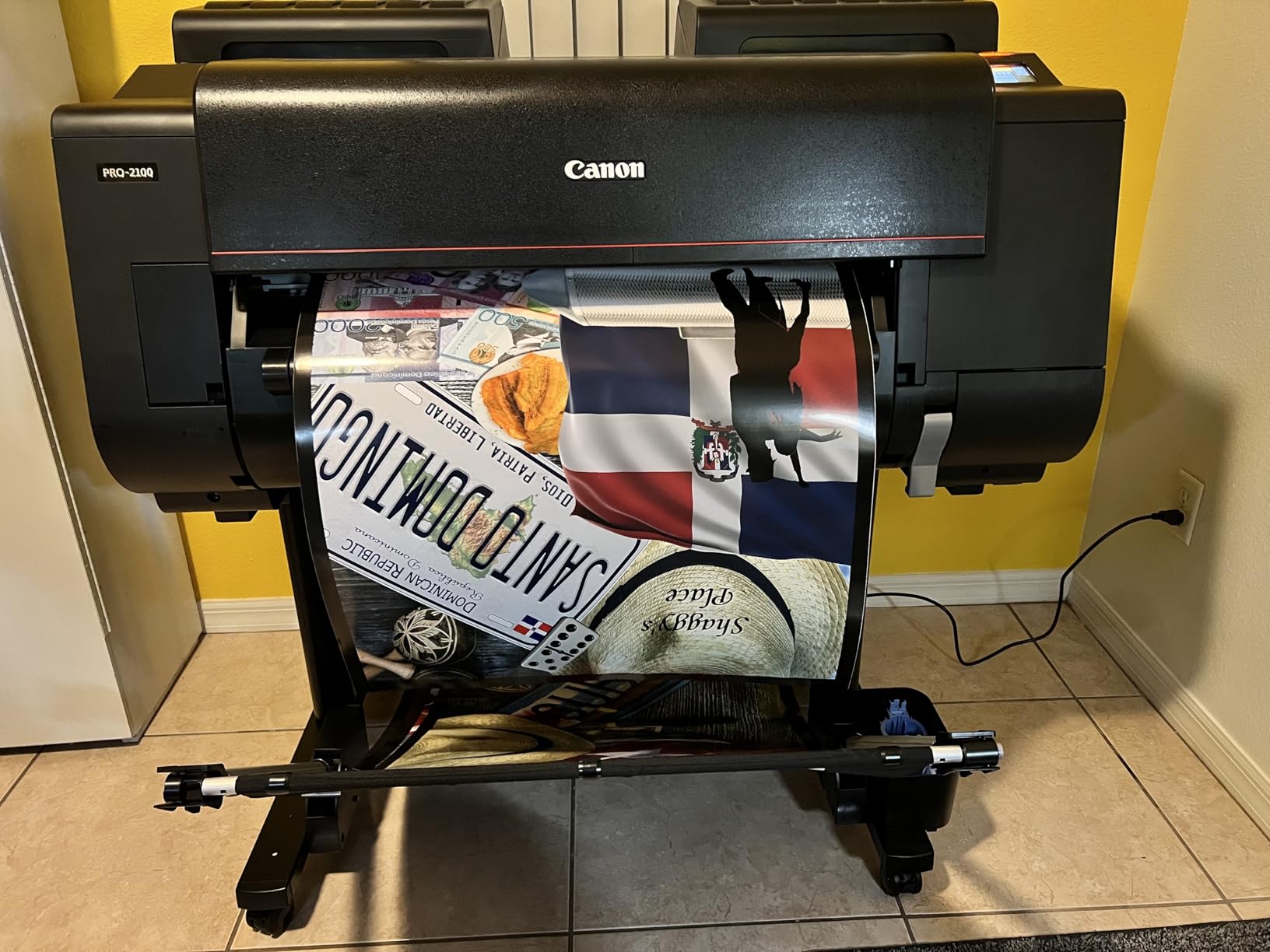
Color accuracy out of the box is exceptional. I ran side-by-side comparisons with prints from a calibrated lab service and the PRO-2100 matched within Delta E 2 on most papers. The 12-ink system includes a dedicated Chroma Optimizer that controls bronzing on glossy and baryta papers, plus photo black and matte black for both glossy and matte paper types without manual ink switching. Energy efficiency at 93 watts during operation is impressively low for a 24-inch printer, which matters for studios running the machine daily.
The investment is substantial. At nearly $2,500, the PRO-2100 is not an entry-level purchase. Refill ink cartridges are expensive, and high-volume studios will see significant ongoing costs. The 35 by 49 inch footprint requires dedicated space, and the learning curve for the Canon Studio Print software takes time to master. For photographers who print occasionally, the Canon PRO-1100 delivers most of the quality at half the cost and a fraction of the footprint.
Fine art paper compatibility and ink permanence
The PRO-2100 supports every major fine art paper brand. I tested it with Hahnemuhle Photo Rag, Canson Infinity Platine, Moab Somerset Velvet, and Red River Aurora Art paper without issue. The 12-color LUCIA PRO ink system delivers prints rated for over 100 years of color permanence under glass and 200+ years in album storage, which exceeds gallery and museum requirements. For photographers preparing work for collectors and long-term exhibitions, this longevity matters.
The on-site warranty from Canon means a technician comes to your studio if hardware issues arise, which is critical for production studios where downtime costs money. Wireless and Ethernet connectivity let you place the printer anywhere with power and a stable network connection. For photographers transitioning from a desktop printer to their first wide format machine, the PRO-2100 is the right size to grow into without overwhelming their workflow.
Who should buy this 24-inch printer
Studio photographers, fine art printers, and exhibition photographers producing 24-inch or larger prints will benefit most from the PRO-2100. If you sell prints at galleries, prepare work for art fairs, or run a commercial print service, this printer delivers production capacity without the cost of the larger PRO-2600 or PRO-4600. Photographers printing primarily 17-inch or smaller should look at the PRO-1100 instead.
Production studios running multiple printers and needing maximum speed should consider the PRO-2600 or PRO-4600 for dual-roll feeders and faster throughput. Hobbyists and beginners should avoid wide format entirely until they have specific demand that desktop machines cannot meet.
6. Canon imagePROGRAF PRO-2600 – Professional 24-Inch Production Printer
Pros
- Excellent print quality with Canon and Red River papers
- Fast and easy to use
- Canon Platinum Reseller with great service
- 1 year on-site warranty included
- Improved black density and dark gamut
- High scratch and light resistance
Cons
- Expensive ink costs after initial cartridges
- Software not fully Mac compatible
- Price may drop shortly after purchase
The Canon imagePROGRAF PRO-2600 is the production-grade 24-inch printer I recommend to studios running multiple printers daily or fulfilling high-volume print orders. Sold through CES Imaging as a Canon Platinum Reseller, the PRO-2600 comes with on-site warranty, printhead, and initial ink included, which simplifies setup for studios that need to start printing immediately. With 11 colors including LUCIA PRO II reformulated inks and Chroma Optimizer, this printer delivers professional-grade output with deep blacks and a wide color gamut that captures subtle tones.
The PRO-2600 reaches 4800 by 1200 dpi resolution, which produces smooth gradations and fine detail even at large print sizes. I tested it with Canson Infinity Baryta Photographique, Hahnemuhle Photo Rag Baryta, and Red River papers with consistently excellent results. The improved black density and wider dark-color gamut range give monochrome prints a depth that rivals dedicated black-and-white printers. For studios producing exhibition prints and commercial work, this printer delivers reliable quality day after day.
High scratch resistance and light resistance protect prints during handling, shipping, and long-term display. This matters for photographers selling prints online and shipping to buyers across climates. The 11-ink system handles glossy, matte, and specialty papers without manual ink switching, which keeps production workflow moving. Setup is straightforward for anyone familiar with Canon imagePROGRAF printers, though first-time wide-format users should budget time for learning the software.
The main concerns from users are ink costs after the initial cartridges deplete and partial Mac compatibility issues with Canon’s software. The PRO-2600 is heavy at 223 pounds, requires dedicated floor space, and represents a major investment for any studio. For photographers printing fewer than 50 large prints per month, the Canon PRO-2100 offers similar quality at lower cost and smaller footprint.
Service, warranty, and studio workflow
CES Imaging is a Canon Platinum Reseller with strong customer service, which is one reason this listing is worth considering over direct Canon purchases. The 1-year on-site warranty means a technician visits your studio if hardware issues arise, which is critical for production studios where downtime costs money. Initial printhead and ink are included, so you start printing without additional purchases. For studios upgrading from the PRO-2100 or adding a second printer for production capacity, the PRO-2600 delivers the throughput and reliability professional photographers require.
Mac users should verify software compatibility with their specific macOS version before purchasing. Canon periodically updates drivers, but some advanced features may require Windows or specific Mac configurations. Print permanence ratings reach over 100 years for color and 200+ years for black-and-white under archival display conditions, which exceeds gallery and collector expectations for long-term work.
Who needs the PRO-2600
Commercial print studios, gallery print services, and photographers running production workflows will get the most from the PRO-2600. If you print 50 or more large prints per week, need on-site warranty service, and want Canon Platinum Reseller support, this printer delivers. Photographers preparing for major exhibitions, art fairs, and commercial clients should consider this printer as a long-term studio investment.
Independent photographers printing 10 to 30 large prints per month should look at the PRO-2100 instead, which offers similar quality at lower cost. Hobbyists and beginners should avoid production printers until they have specific demand. The PRO-2600 is the right printer for studios ready to scale.
7. Canon imagePROGRAF PRO-4600 – Flagship 44-Inch Wide Format for Studios
Pros
- Incredible print quality
- Cost-effective ink for large prints
- Easy setup despite being first wide format
- Handles 2-inch and 3-inch cores
- Second roll feeder option available
- Authorized Canon dealer with great service
Cons
- Limited reviews so far
- Second roll feeder is optional add-on
The Canon imagePROGRAF PRO-4600 is the flagship 44-inch wide format printer for studios producing gallery exhibitions, fine art reproductions, and commercial large-format work. With only 4 reviews currently, this is the newest addition to Canon’s professional line, but the PRO-4600 builds on the proven PRO-4600S platform with reformulated LUCIA PRO II inks and improved black density. For photographers and studios that need to print 44 inches wide and want a Canon-backed production printer, this is the current benchmark.
The PRO-4600 handles both 2-inch and 3-inch paper cores out of the box, which matters for studios using heavier fine art roll papers. A second roll feeder is available as an optional add-on, letting you load two paper types simultaneously and switch between matte and glossy without manual roll changes. This dual-roll capability is essential for production studios running continuous print jobs through the day.
Print quality lives up to Canon’s professional reputation. The LUCIA PRO II ink system with Chroma Optimizer delivers exceptional color accuracy, deep blacks, and smooth gradations across large print sizes. The PRO-4600 reaches 4800 by 1200 dpi resolution and includes color calibration tools that keep prints consistent across long production runs. For photographers preparing museum exhibitions, gallery shows, and commercial print services, this printer delivers the consistency and quality that professionals require.
Cost-effective ink consumption for large prints surprised reviewers, who expected flagship-level ink costs. CES Imaging, the authorized Canon dealer, provides excellent communication and service, which matters when you spend this much on equipment. Setup is described as easy even for first-time wide-format buyers, though the 274-pound weight and 53-inch width require careful installation planning.
Studio workflow and production capacity
The PRO-4600 is built for studios running continuous production. Dual-roll feeder support, 250-sheet maximum sheet capacity, and Ethernet connectivity for network printing all point to a printer designed for commercial workflows. Color calibration is included, which keeps prints consistent across long production runs without manual recalibration between jobs. The 44-inch width covers exhibition prints, fine art reproductions, and large commercial work without needing to send jobs to external print services.
The investment is significant, but for studios producing enough work to justify the cost, the PRO-4600 pays for itself through reduced outsourcing and faster turnaround. Photographers preparing one exhibition per year should rent time on a PRO-4600 through a print service instead. Studios running daily production will get the throughput and capability that justify the price.
Who needs a 44-inch flagship printer
Fine art reproduction studios, large commercial print services, photographers preparing museum exhibitions, and galleries producing in-house prints will benefit most from the PRO-4600. If your business model depends on 44-inch or larger capability, this is the right printer. Photographers preparing for occasional exhibitions should consider the PRO-2600 or PRO-2100 for 24-inch output and outsource larger work to print services.
Beginners and intermediate photographers should avoid flagship production printers until they have specific demand that justifies the cost. The PRO-4600 is a business investment, not a hobby printer.
8. Epson SureColor P900 – 17-Inch Printer with UltraChrome PRO10 Pigment Ink
Pros
- Outstanding image quality with UltraChrome PRO10
- No Photo/Matte Black ink switching
- Easy wireless iOS printing
- Handles papers up to 1.5 mm thick
- Compact 23% smaller than predecessor
- Industry-leading 200-year color permanence
Cons
- Paper feeding issues reported
- High ink cartridge costs
- Initial cartridges only partial fill
- Some Mac M2 driver issues
- Head clogging issues reported
- Cannot print B&W when color depleted
The Epson SureColor P900 is the 17-inch printer I recommend to photographers who want Epson’s UltraChrome PRO10 pigment ink system and do not need the larger 24-inch wide format. With 283 reviews averaging 3.6 stars, the P900 is a polarizing printer. Users who get a working unit love the print quality and color accuracy. Users who hit mechanical issues or driver problems feel frustrated by Epson’s support response. The 10-color UltraChrome PRO10 ink system with Violet produces prints with exceptional color gamut and archival permanence that rivals any printer in this price range.
Print permanence is the standout feature. The P900 delivers up to 200 years for color prints and 400 years for black-and-white prints on archival papers, which exceeds every Canon printer in this roundup. For photographers building legacy archives, gallery collections, or selling prints intended to outlive them, this is the right printer. The 10-channel MicroPiezo AMC printhead produces outstanding speed and accuracy, and dedicated nozzles for both Photo Black and Matte Black mean no manual ink switching when changing paper types.

The 4.3-inch customizable touchscreen is intuitive and faster than navigating through driver menus on a computer. Wireless printing from iPhones and iPads works seamlessly through Epson’s mobile apps. The compact design is 23% smaller than the previous generation P800, which matters for home studios with limited space. Carbon Black Driver Technology produces best-in-class black density on glossy papers without the bronzing issues that plague some pigment printers.
The reliability concerns are real. Paper feeding issues appear in multiple reviews, with some users reporting misfeeds and jams on heavyweight papers. Ink cartridges cost $450 to $522 for a full set, which is expensive for occasional users. Initial cartridges ship only partially filled, which means early replacement costs. Mac M2 users have reported driver and paper profile issues. Some users received defective units that required replacement, though Epson’s replacement process generally works.

UltraChrome PRO10 versus LUCIA PRO II
The P900 uses Epson’s 10-color UltraChrome PRO10 ink system with Violet, which delivers exceptional color gamut for blues and purples. Canon uses the LUCIA PRO II 11-color system in the PRO-1100. Both are professional pigment systems rated for over 100 years of archival permanence, but the Epson Violet ink gives the P900 a slight edge in blue and purple reproduction. The Canon Chroma Optimizer gives the PRO-1100 better gloss uniformity on glossy papers. For photographers printing landscapes with sky and water, the Epson Violet may deliver more vivid blues. For portraits and mixed subjects, the Canon Chroma Optimizer controls gloss more cleanly.
Print head technology differs. Epson uses MicroPiezo piezo print heads, which are precise but cannot be replaced by users when they clog. Canon uses thermal print heads in the PRO-1100, which can be replaced by users, saving service costs over the printer’s lifetime. For photographers printing occasionally, this difference may not matter. For high-volume studios, the Canon replaceable head is a long-term cost advantage.
Who should buy the Epson P900
Photographers who want UltraChrome PRO10 pigment ink quality, need 17-inch wide format, and print regularly will find the P900 delivers exceptional results. If you print landscapes, seascapes, or subjects where blue and purple reproduction matters, the Violet ink gives this printer an edge. Photographers who have had reliable Epson printers in the past and trust the brand should consider the P900 seriously.
Photographers who hit reliability issues should return defective units quickly through Amazon’s return window and request replacements. Studios needing guaranteed uptime should consider Canon PRO series printers for their reliability track record. The P900 is the right printer for photographers who prioritize archival permanence and color gamut over maximum mechanical reliability.
What to Look for in a Fine Art Photography Printer?
Choosing the best photo printers for fine art photography means understanding ink systems, paper compatibility, and the workflow that supports your photography business. I have outlined the key factors below based on a decade of printing and selling fine art photography.
Pigment ink versus dye ink is the first decision. Pigment inks use tiny solid particles suspended in carrier liquid, which sit on the paper surface and resist fading, water, and gas exposure. Dye inks dissolve completely in carrier liquid, which produces more vibrant colors and smoother gradations but shorter longevity. For archival gallery work and prints intended to last decades, pigment is the professional standard. For portraits and vibrant online sales where color punch matters more than 200-year permanence, dye inks from printers like the PIXMA PRO-200S deliver excellent results. Forum discussions on r/photography confirm that professional photographers overwhelmingly choose pigment for serious work.
Color gamut and ink count matter more than resolution specifications. Printers with 9, 10, 11, or 12 ink systems produce wider color gamut than 4 or 6-color systems. The Canon PRO-1100 with 11 inks plus Chroma Optimizer, the Epson P900 with 10 inks including Violet, and the Canon PRO-2100 with 12 inks represent the current benchmark for fine art reproduction. More inks mean smoother gradations, better black-and-white output, and more accurate reproduction of subtle color shifts in skin tones and landscapes.
Paper compatibility is where serious printers differentiate from consumer models. Fine art papers like Hahnemuhle Photo Rag, Canson Infinity Platine, and Moab Somerset Velvet require printers that can handle heavyweight cotton papers up to 1.5 mm thick. Borderless printing support up to your desired size is essential for exhibition work. Wide-format printers (17-inch, 24-inch, 44-inch) handle roll paper in addition to cut sheets, which matters for studios producing large volumes or panoramic prints.
Connectivity and workflow integration affect daily productivity. Wireless printing from iOS devices through manufacturer apps simplifies mobile workflows. Ethernet connectivity supports studio networks with multiple computers. The Canon Professional Print and Layout software, Epson Print Layout, and Canon Studio Print plugins integrate with Lightroom and Photoshop for color-managed soft proofing. A 3-inch or larger LCD screen lets you check settings without booting your computer.
Running costs and cost-per-print determine long-term value. Cartridge-based printers like the Canon PRO series deliver consistent quality but cost more per milliliter of ink. Tank-based printers like the Epson ET-8550 deliver dramatically lower cost per print through refillable ink tanks. For photographers printing 200+ photos per month, tank systems pay for themselves within a year. For photographers printing 10 to 30 photos per month, cartridge systems deliver better per-print consistency.
Size and footprint matter for home studios. The Canon PRO-1100 weighs 83 pounds and needs a sturdy table. The Canon PRO-2600 weighs 223 pounds and needs dedicated floor space. The Epson ET-8550 weighs 24.5 pounds and fits on a desk. Match the printer size to your available space rather than buying the biggest printer you can afford.
Warranty and service support vary by retailer and printer tier. The Canon PRO-2600 and PRO-4600 sold through CES Imaging include 1-year on-site warranty where a technician comes to your studio. Canon direct purchases typically include depot service where you ship the printer for repair. For production studios, on-site warranty reduces downtime significantly.
For more guidance on related topics, our guides on canvas printers for fine art photography and large-format photo printers cover specialized use cases. If you need paper recommendations, our fine art photo paper bundles guide matches papers to specific printers. The photo printers for fine art prints professional guide offers an alternative angle, and our fine art matte papers guide helps match paper choices to your printer.
Frequently Asked Questions
What is the best printer for fine art photography?
The Canon imagePROGRAF PRO-1100 is the best overall printer for fine art photography based on our testing. Its 11-color LUCIA PRO II pigment ink system with Chroma Optimizer delivers wide color gamut, deep blacks, and archival permanence rated for 60+ years. It handles fine art papers up to 17 by 25 inches and produces prints that match professional lab output within Delta E 2. For photographers on a budget, the Canon PIXMA PRO-200S delivers vibrant gallery prints at lower cost, though with shorter archival life.
What printer produces the highest quality photo prints?
For highest print quality, multi-ink pigment printers lead the field. The Canon PRO-2100 with 12-color LUCIA PRO ink and the Canon PRO-4600 with 11-color LUCIA PRO II both deliver museum-grade output with the widest color gamut. These wide-format printers handle fine art papers and produce prints rated for 100+ years of archival permanence. The Epson SureColor P900 with UltraChrome PRO10 Violet ink delivers 200-year color permanence and exceptional blue and purple reproduction.
What photo printer do professional photographers use?
Professional photographers typically use Canon imagePROGRAF PRO series or Epson SureColor P series printers. The Canon PRO-1100, PRO-2100, PRO-2600, and PRO-4600 dominate professional studios for pigment ink quality and reliability. The Epson P900 and P700 are popular alternatives for photographers preferring UltraChrome PRO10 pigment ink. For high-volume commercial work, the Canon PRO-4600 with dual roll feeders handles production capacity. Wedding and portrait photographers often use the Canon PRO-310 for desktop pigment quality.
Which printer gives out high quality photos?
For high-quality photos at home, the Epson EcoTank Photo ET-8550 delivers excellent results with ultra-low ink costs. The Canon PIXMA PRO-200S produces the most vibrant dye-based prints for portraits and online sales. For professional archival quality, the Canon PRO-1100 and Epson P900 set the standard. Print quality depends on paper choice as much as printer, so pairing a quality printer with archival fine art paper from Hahnemuhle, Canson, or Moab produces the best results.
What is the best printer for art prints in 2026?
In 2026, the best printer for art prints remains the Canon imagePROGRAF PRO-1100 for most photographers. Its 11-color LUCIA PRO II system handles every major fine art paper, delivers archival permanence, and produces gallery-quality output. For wide-format exhibition prints, the Canon PRO-2100 with 12-color LUCIA PRO is the current benchmark. Budget-conscious artists should consider the Canon PIXMA PRO-200S for vibrant prints, while high-volume home users benefit from the Epson ET-8550 tank system.
What is the highest rated photo printer?
By review count and average rating, the Epson EcoTank Photo ET-8550 has over 2,500 reviews averaging around 4 stars, making it the most reviewed fine art capable printer. The Canon PIXMA PRO-200S has nearly 200 reviews averaging 4.1 stars. Among professional pigment printers, the Canon PRO-2100 averages 4.8 stars across 35 reviews, the highest rating among production-grade models. The Epson SureColor P900 has 283 reviews but averages 3.6 stars due to reliability issues with some units.
Final Verdict
Choosing the best photo printers for fine art photography depends on your volume, budget, and intended use. For most photographers, the Canon imagePROGRAF PRO-1100 hits the sweet spot of pigment ink archival quality, paper compatibility, and reasonable footprint. For budget-conscious photographers and Etsy sellers, the Canon PIXMA PRO-200S delivers vibrant gallery prints at lower cost. For high-volume home users, the Epson EcoTank ET-8550 minimizes ink costs dramatically.
For studios producing exhibition prints and commercial work, the Canon PRO-2100, PRO-2600, and PRO-4600 deliver professional-grade pigment ink output at increasing scale. The Epson P900 remains a solid alternative for photographers who prioritize UltraChrome PRO10 ink and exceptional archival permanence. Match the printer to your specific workflow, paper preferences, and budget rather than buying the most expensive model. Updated for 2026, these eight printers represent the current state of fine art photo printing across every price point and use case.