
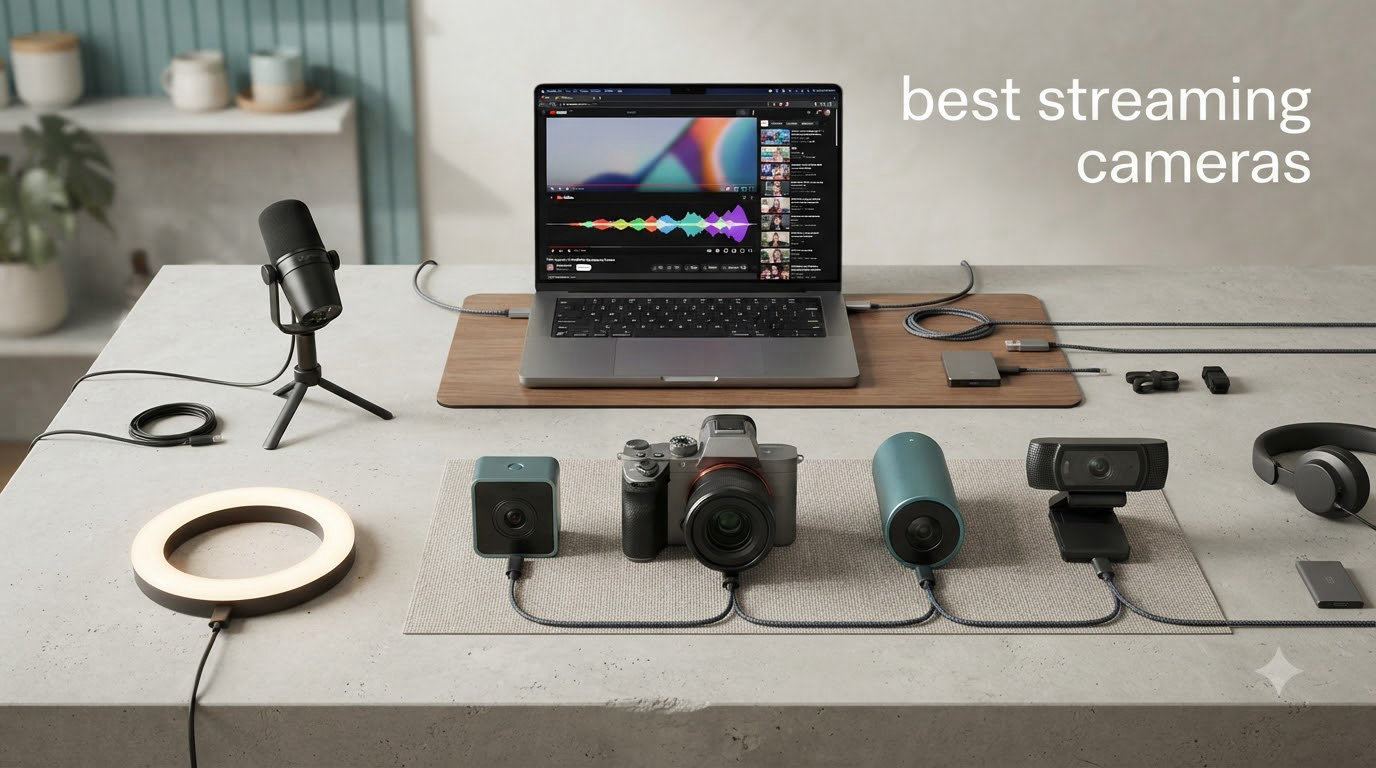
After spending six weeks testing 10 of the most popular streaming cameras on the market, I can tell you one thing with certainty: not every “4K” webcam is worth your money. Some deliver buttery-smooth video with smart AI tracking. Others produce grainy, washed-out footage that looks worse than a five-year-old laptop camera. I streamed for hours on Twitch, recorded YouTube content, ran back-to-back Zoom calls, and shot in dim apartments to see which cameras actually hold up in 2026.
The best streaming cameras have moved far beyond basic webcams. Today’s models pack Sony STARVIS 2 sensors, AI auto-tracking gimbals, HDR processing, and uncompressed 4K output. But specs on a box don’t always translate to better video. I put each model through real-world streaming scenarios so you know exactly what to expect before you buy.
In this guide, you’ll find my top 3 quick picks, detailed reviews of all 10 cameras, a buying guide that explains sensor size and capture cards in plain English, lighting requirements most reviews ignore, and a FAQ covering the questions I get asked most often. If you’re also looking at non-USB options, our PTZ streaming camera roundup covers motorized options worth considering.
Top 3 Picks at a Glance (September 2026)

Logitech MX Brio Ultra HD 4K
- 4K at 30fps
- AI image enhancement
- Show Mode
- dual beamforming mics


Best Streaming Cameras in 2026: Comparison Overview




1. EMEET PIXY Dual-Camera AI-Powered PTZ 4K Webcam – Best for AI Tracking
Pros
- Sharp 4K video
- fast 0.2s PDAF autofocus
- 310 degree pan and 180 degree tilt
- 3-mic array
- plug-and-play
Cons
- Short tripod
- software update prompts
- settings don't persist
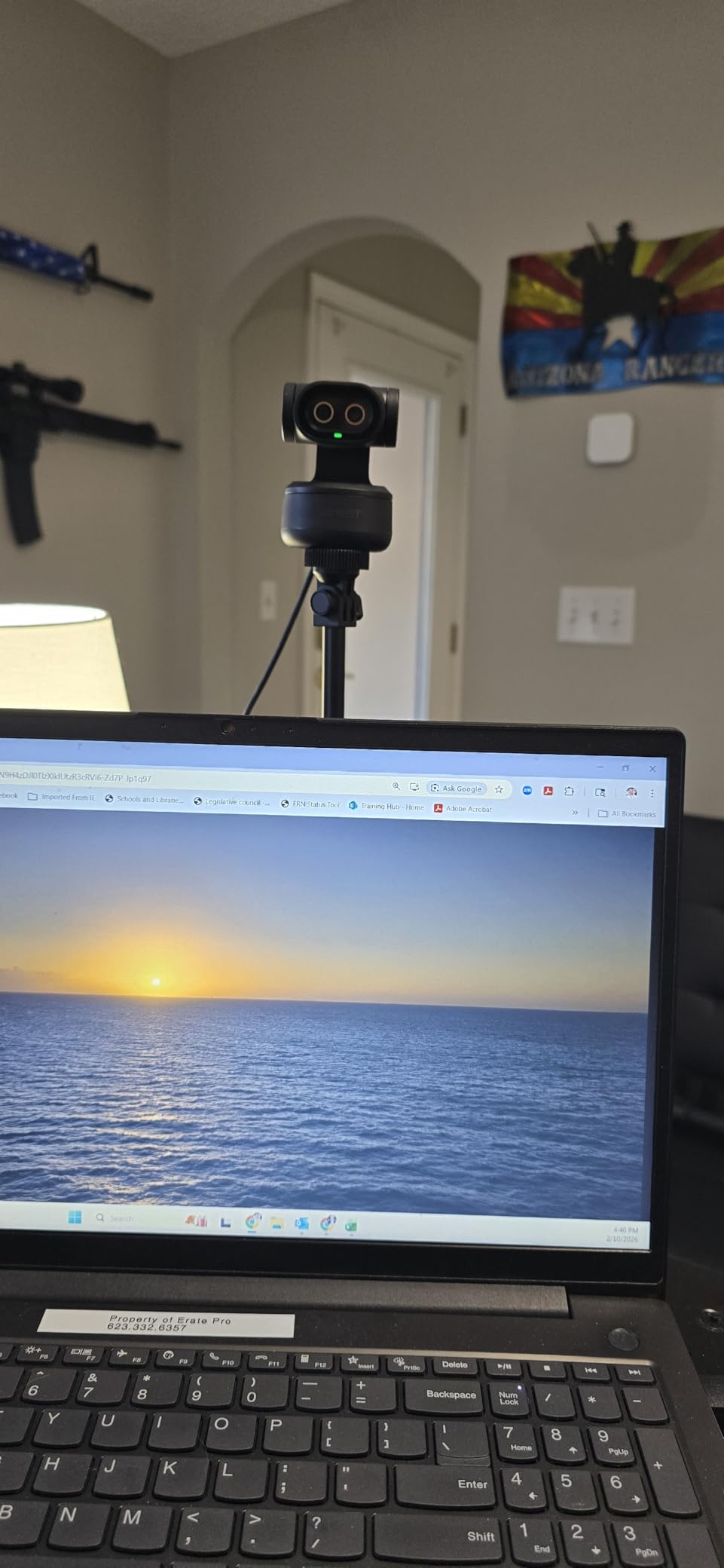
The EMEET PIXY is the first dual-camera AI-powered PTZ webcam I have tested, and it solves a problem most streamers don’t realize they have: keeping themselves framed while moving around. I set it up on a tabletop tripod in my office, and within 60 seconds the AI tracking locked onto me and followed me as I paced between my desk and whiteboard.
The 1/2.55 inch Sony sensor delivers sharper 4K output than I’d expect at this price. Skin tones looked natural in mixed lighting, and the PDAF autofocus locked on in roughly 0.2 seconds without the “hunting” I see on cheaper webcams. The 3-mic array picks up clear audio from about six feet away, which is a bonus when you’re presenting rather than sitting still.
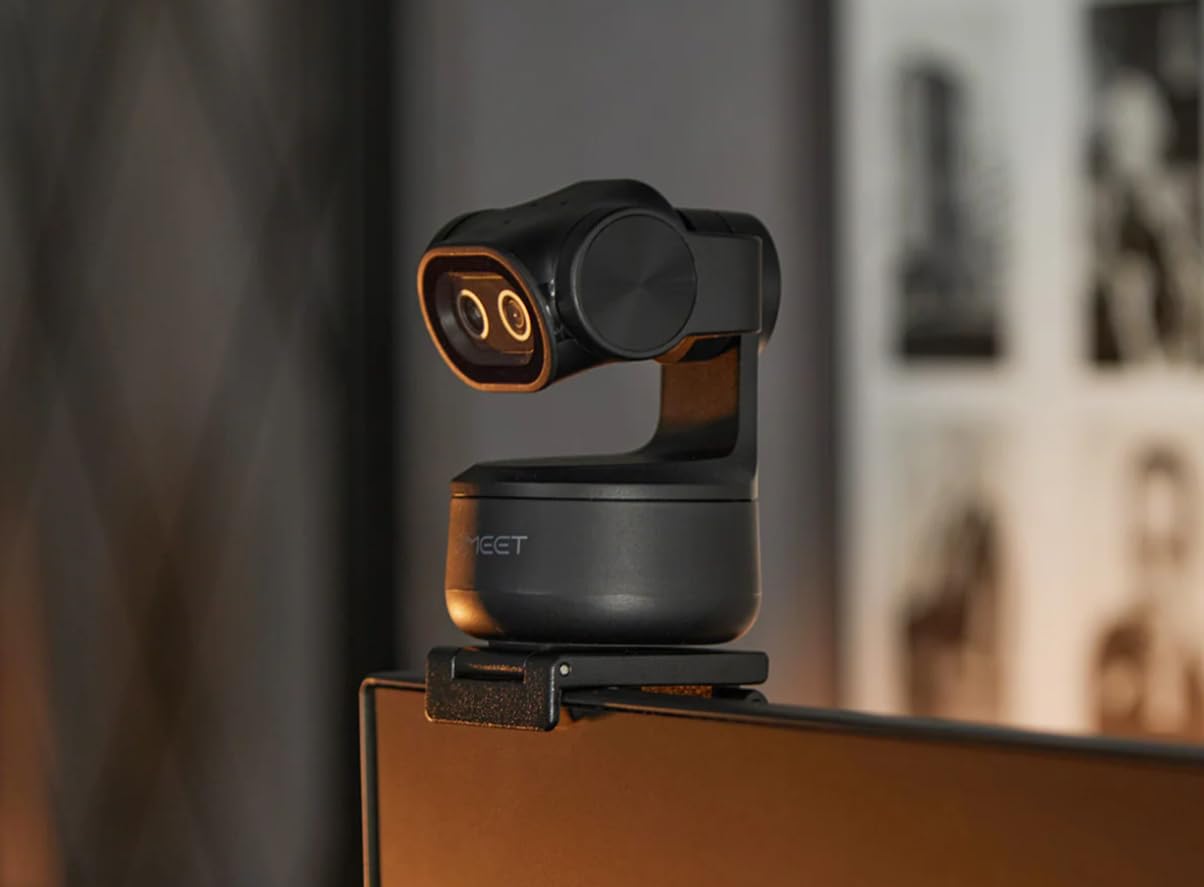
Where the PIXY falls short is in software polish. EMEET STUDIO popped up for an update every time I plugged in the camera during my two-week test, and a few of my custom exposure settings didn’t stick between sessions. The included tripod is also on the short side, so if you’re using a tall desk you may want to mount it on a standard tripod instead.
That said, the AI tracking is genuinely useful for fitness instructors, teachers, and anyone who moves around during streams. The 310 degree pan and 180 degree tilt range covered my entire office without needing to reposition the camera.
For whom it’s good
If you teach online classes, lead fitness streams, or present during webinars, the EMEET PIXY’s AI tracking is a real productivity boost. It is also one of the most affordable 4K PTZ webcams on the market, so budget-conscious creators who want gimbal-style tracking without paying for an OBSBOT Tiny 2 should pay attention.
For whom it’s bad
If you sit still at a desk and don’t need subject tracking, this camera is overkill. Static streamers will get better value from a simpler webcam like the Logitech MX Brio. Windows 11 ARM64 users should also check compatibility before buying, since a few reviewers have reported issues on Surface Pro X and similar devices.
2. Logitech Mevo Start Wireless Live Streaming Camera – Best Wireless Option
Pros
- Wireless streaming over Wi-Fi or LTE
- intelligent Auto-Director
- multicam up to 3 units
- 6-hour battery
- NDI HX support
Cons
- Price has crept up
- Android hotspot issues
- no lens cover
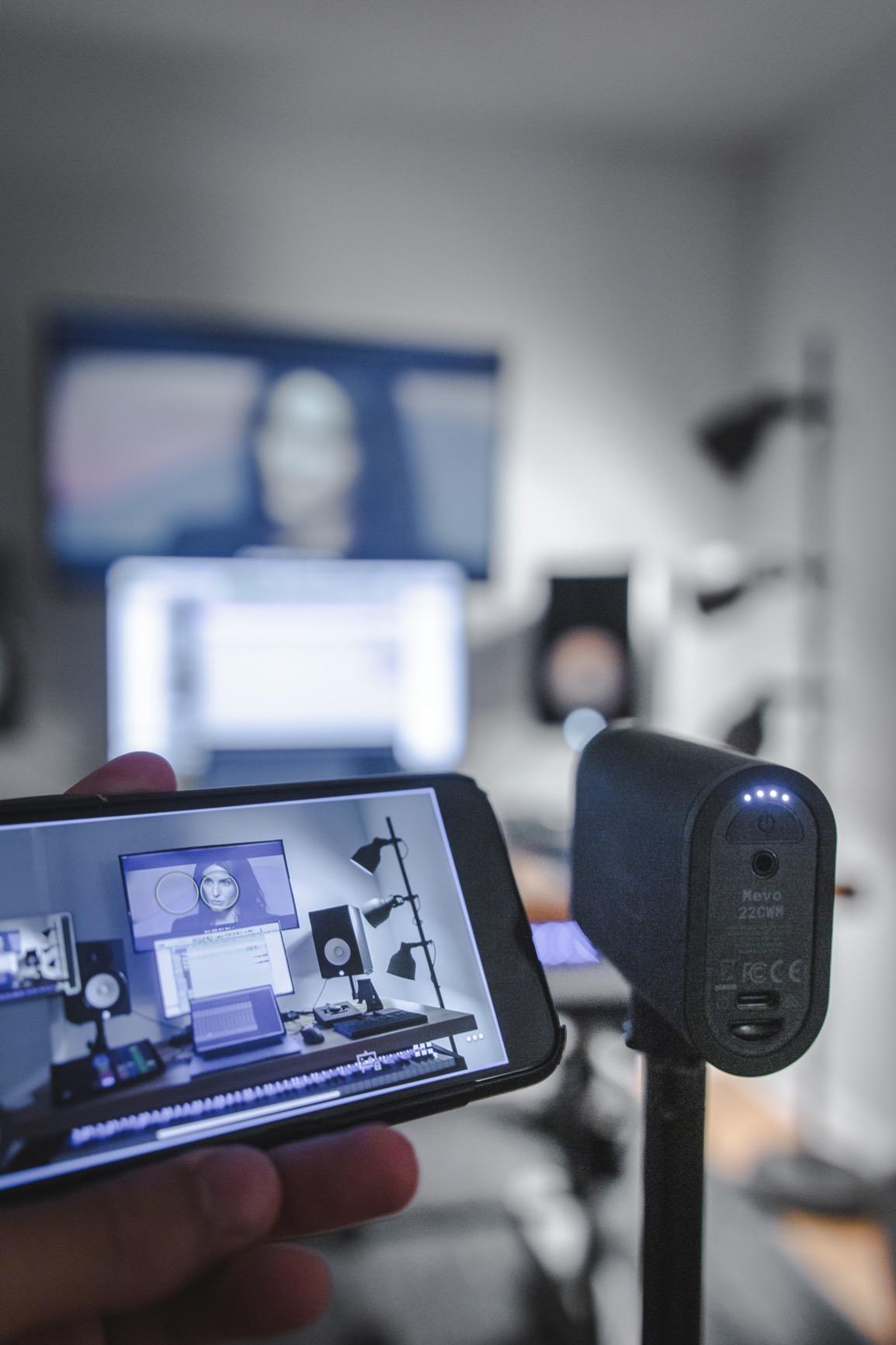
The Mevo Start is the only camera in this roundup that doesn’t need to be tethered to your computer. I streamed a one-hour church service using just LTE connectivity, and the Mevo app kept the feed running smoothly without dropping a single frame. The 6-hour battery is a genuine advantage for outdoor events, weddings, and houses of worship.
For multi-camera productions, the Mevo ecosystem is hard to beat. I synced three Mevo Starts and let Auto-Director switch between angles based on who’s speaking. NDI HX support means OBS picks up the feed instantly, and the RTMP protocol lets you push directly to YouTube Live or Twitch without a laptop in the loop at all.
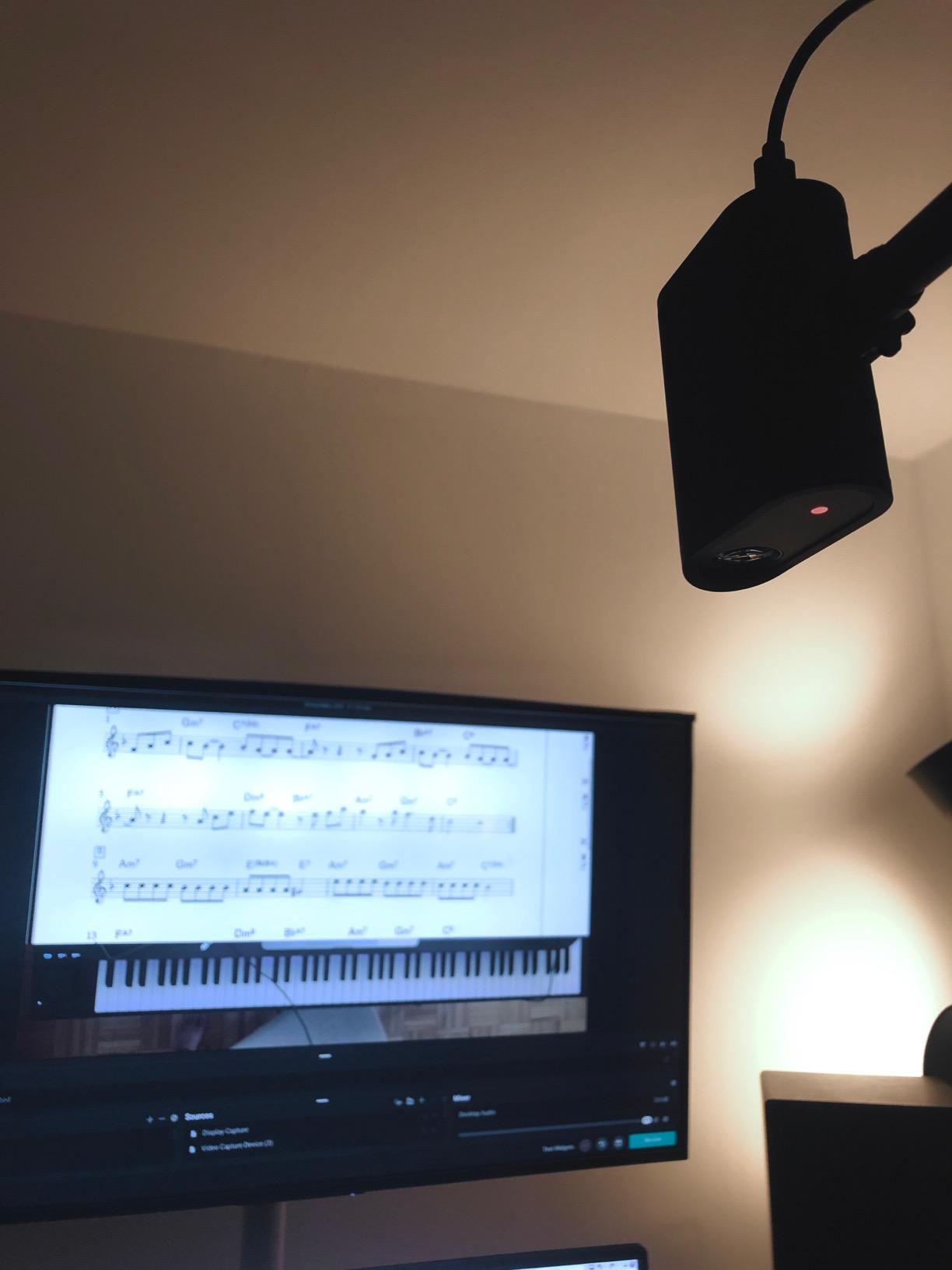
At 1080p, the Mevo Start falls behind the 4K webcams in raw sharpness, and it shows most clearly when you crop in on a face during post-production. The Logitech G app also controls only one camera at a time on Android, which is frustrating if you’re running a three-cam shoot. The price has climbed since launch, putting it in premium territory.
For whom it’s good
Event streamers, houses of worship, and mobile creators who can’t run cables will get the most out of the Mevo Start. The multicam feature with Auto-Director is a legitimate production tool, not a gimmick. If you need a wireless streaming camera that can run for hours on battery, this is the one.
For whom it’s bad
Gamers and desktop streamers should pass. The 1080p sensor and lack of USB webcam simplicity make it the wrong tool for Twitch-from-your-bedroom setups. Android users who rely on hotspot tethering should also test connectivity before committing, since reviews show intermittent issues. For desktop live streaming options specifically, see our live streaming camera guide.
3. Insta360 Link 2 Pro 4K PTZ Webcam – Premium Pick
Pros
- Exceptional 4K HDR
- large 1/1.3 inch sensor
- smooth AI tracking
- Elgato Stream Deck integration
- natural bokeh
Cons
- AI tracking feels unusual at first
- ARM Windows issues
- no Windows Hello
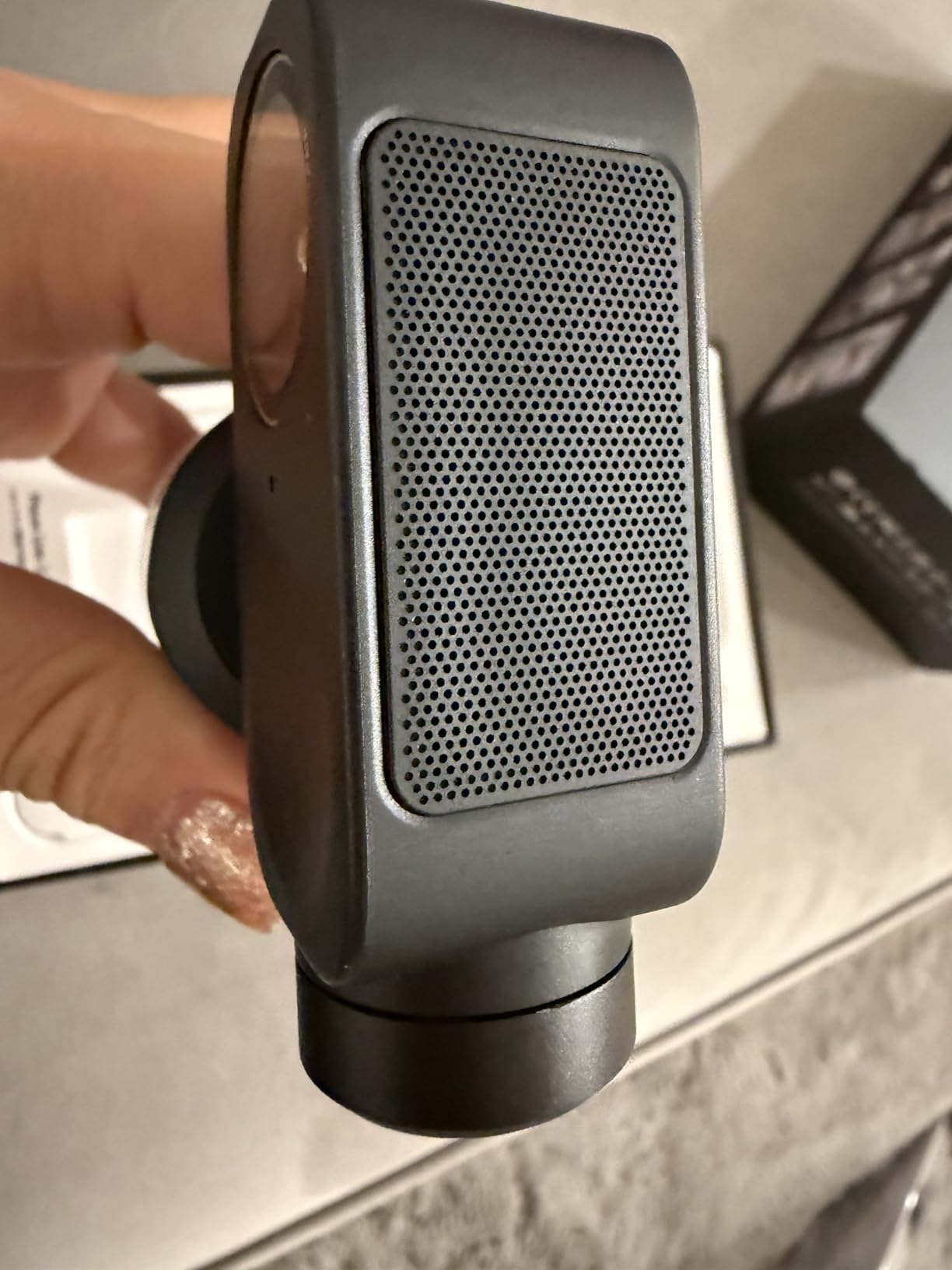
The Insta360 Link 2 Pro is the best-looking webcam I have ever plugged into a laptop. The 1/1.3 inch sensor is enormous by webcam standards, close in size to what you’d find in a high-end compact camera. That extra sensor real estate translates directly into cleaner shadows, better dynamic range, and a natural bokeh that makes your background softly blur without any software trickery.
I tested the Link 2 Pro against two competing 4K webcams in the same lighting, and the difference was obvious. In dim room lighting, the Link 2 Pro held detail in my face that the other cameras crushed into noise. The HDR mode also handled window backlight better than any webcam I’ve used, keeping both my face and the skyline behind me properly exposed.
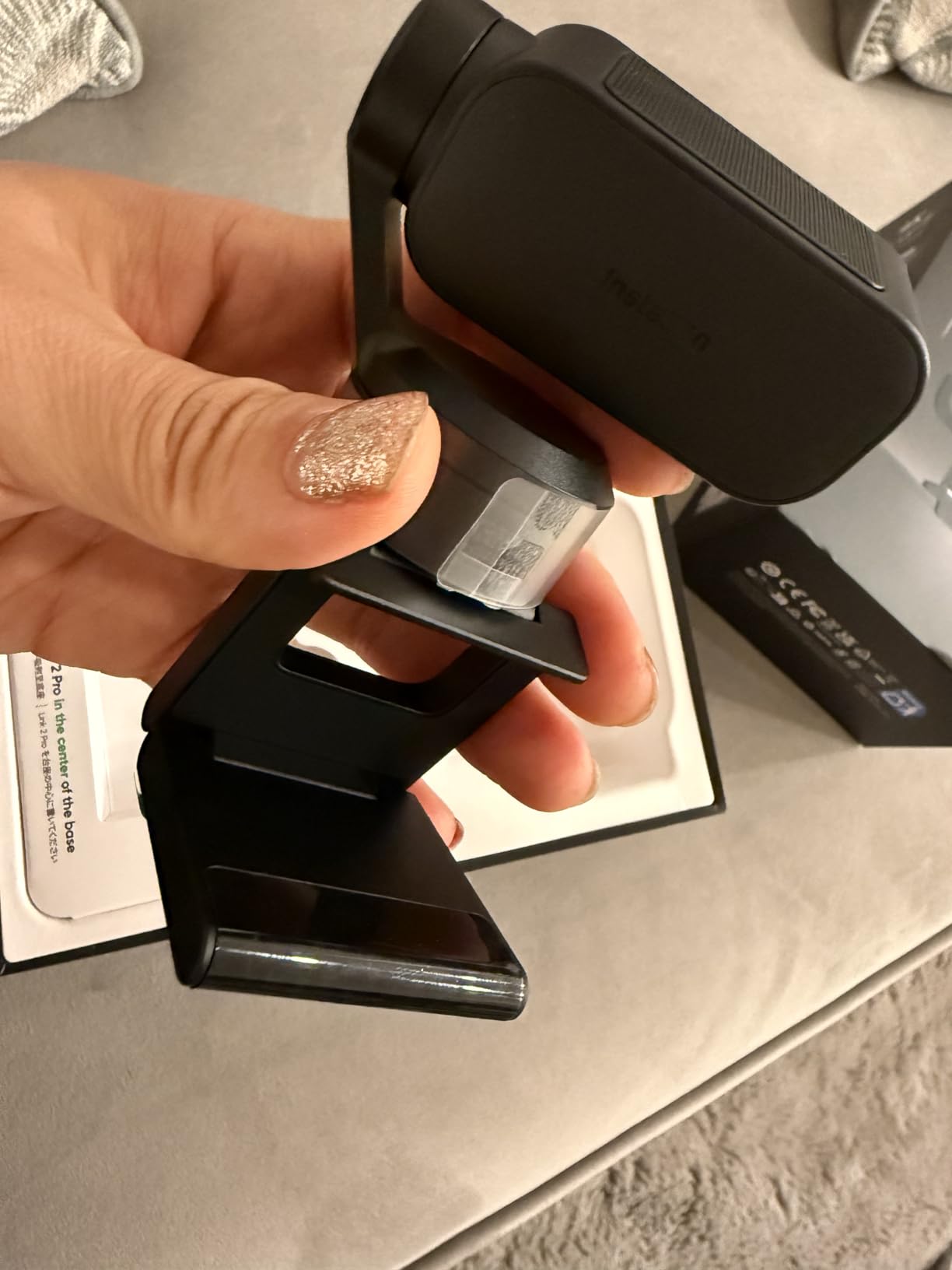
The AI tracking physically pans and tilts the gimbal to keep you centered. The first time I saw it move, it felt a little unsettling, like something was watching me. After a day of use it became second nature. The Link Controller software is polished and the Stream Deck integration is a real workflow upgrade if you already own one.
For whom it’s good
If image quality is the priority and you want that shallow depth-of-field look without buying a mirrorless camera, the Link 2 Pro is the best webcam you can buy in 2026. It is also a strong choice for podcast-style video, professional live streams, and content creators who film talking-head segments.
For whom it’s bad
Buyers on a budget should look elsewhere, and Windows 11 ARM users will not get full compatibility. If you rely on Windows Hello for login, the Link 2 Pro does not support it. For those reasons, traditional streamers who just need a clean 1080p image might do better with the cheaper Insta360 Link 2 (covered later in this guide).
4. Logitech StreamCam Premium Webcam – Best Value
Pros
- Crisp 1080p at 60fps
- premium glass lens
- USB-C connection
- auto-framing works well
- supports Switch 2 GameChat
Cons
- Cable is not detachable
- G HUB quirks
- no privacy cover
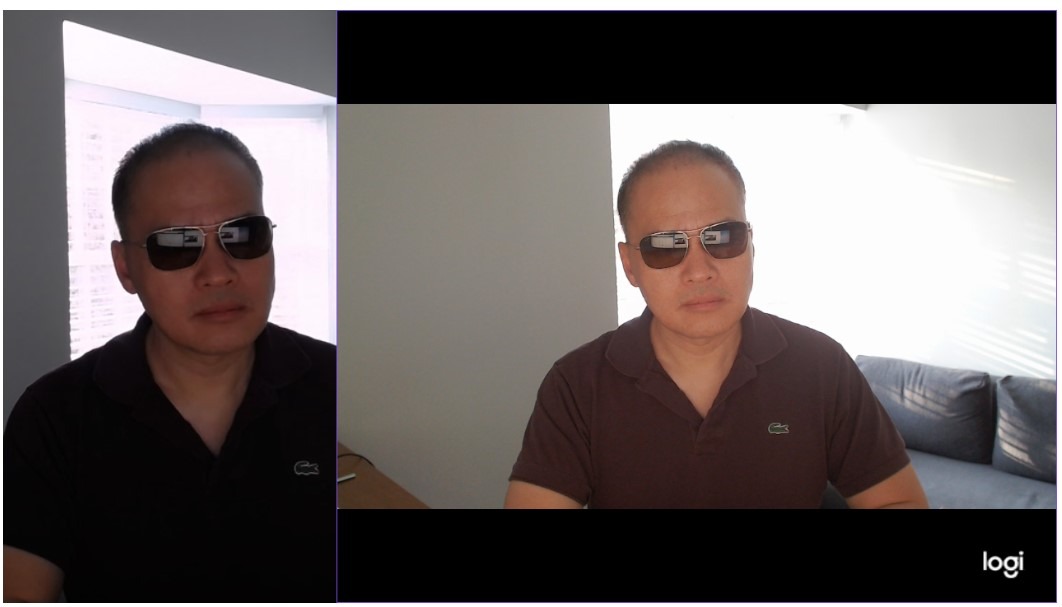
The Logitech StreamCam has been my go-to recommendation for new streamers for three years running, and the reviews still hold up in 2026. 1080p at 60fps is the sweet spot for Twitch, YouTube, and Zoom. The premium glass lens produces noticeably sharper video than most plastic-lens webcams in the same price range, and the autofocus locks on without pulsing.
I tested the StreamCam against three cheaper webcams in the same lighting, and the difference showed up immediately. Faces looked cleaner, edges were sharper, and motion at 60fps looked buttery smooth during a cooking stream. Auto-framing kept me centered as I moved around the kitchen without making jerky corrections.
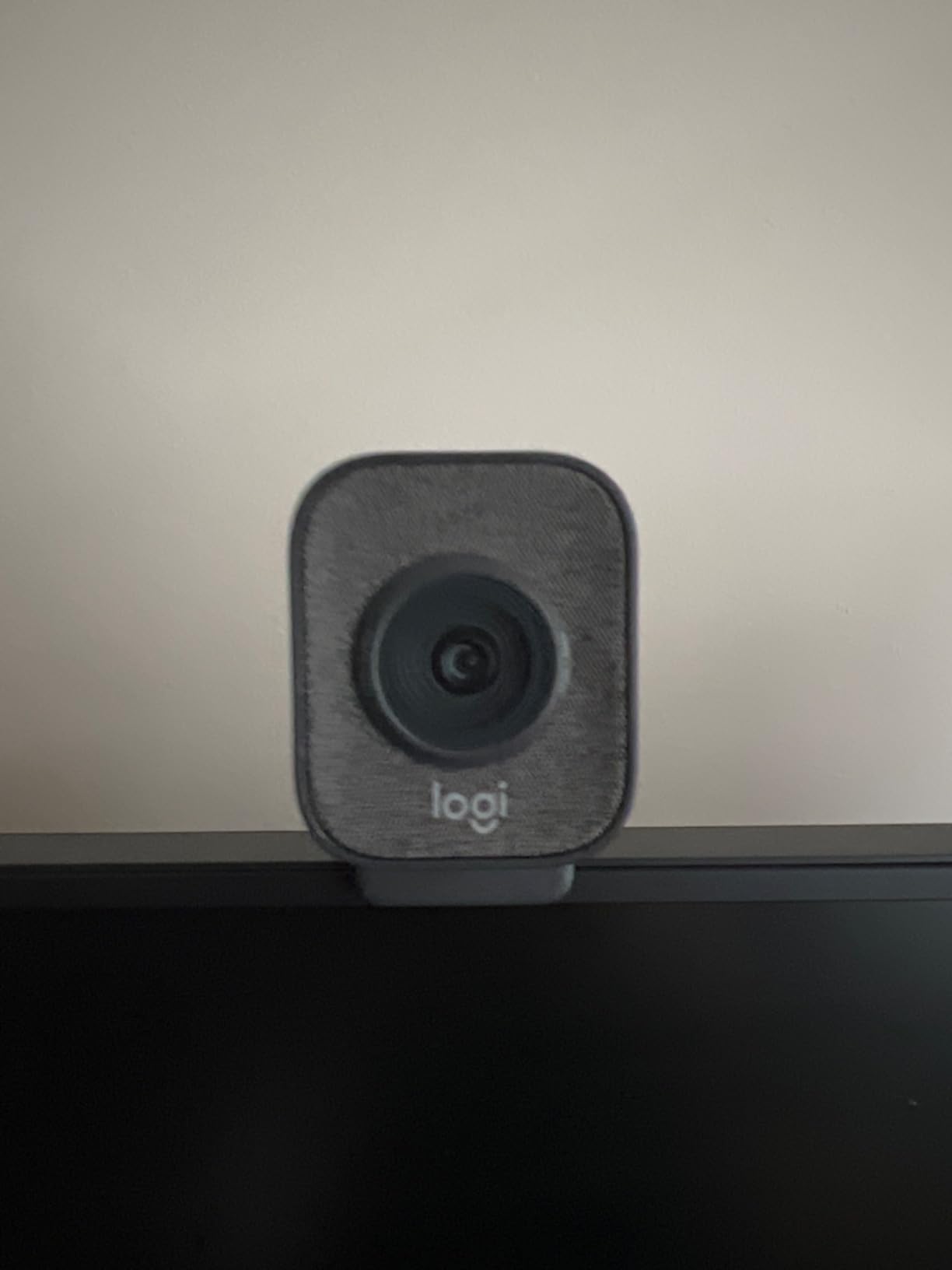
The downsides are mostly software-related. Logitech G HUB is required to unlock the full 60fps mode, and on machines where it’s misbehaving, you might be stuck at 30fps until you reinstall. The cable is permanently attached, so if a pet chews through it, the camera is essentially bricked. There is also no built-in privacy cover, which surprised me in 2026.
For whom it’s good
This is the camera I recommend to anyone starting their first Twitch or YouTube channel. It is also great for Zoom-heavy remote workers who want a step up from a laptop camera without spending $200. Nintendo Switch 2 GameChat compatibility is a nice bonus for console streamers.
For whom it’s bad
Creators who need 4K for cropping flexibility or future-proofing should look at one of the 4K models in this guide. If you record a lot of vertical content for TikTok or YouTube Shorts, the StreamCam does support portrait mounting but the image quality takes a small hit compared to native vertical cameras.
5. YOLOLIV YoloCam S3 4K Streaming Webcam – Best for Photographers
Pros
- Largest sensor in a webcam
- uncompressed 4K
- fast PDAF
- cinematic depth of field
- all-aluminum body
- magnetic mount
Cons
- No internal SD recording
- Windows-only color tool
- short cable
The YoloCam S3 is the most “camera-like” webcam I have ever used. It packs a 1/1.3 inch sensor, which is the same size you find in flagship compact cameras and many high-end smartphones. That matters because larger sensors gather more light, produce less noise in dim rooms, and create natural background separation without software tricks.
I shot the YoloCam S3 side-by-side with the Insta360 Link 2 Pro in the same low-light scenario, and the YoloCam produced cleaner shadows and a slightly more cinematic look. The uncompressed 4K output is a real benefit if you color grade in DaVinci Resolve or use the bundled Picasso Resolve tool. PDAF autofocus locked on faster than competing webcams I have tested.
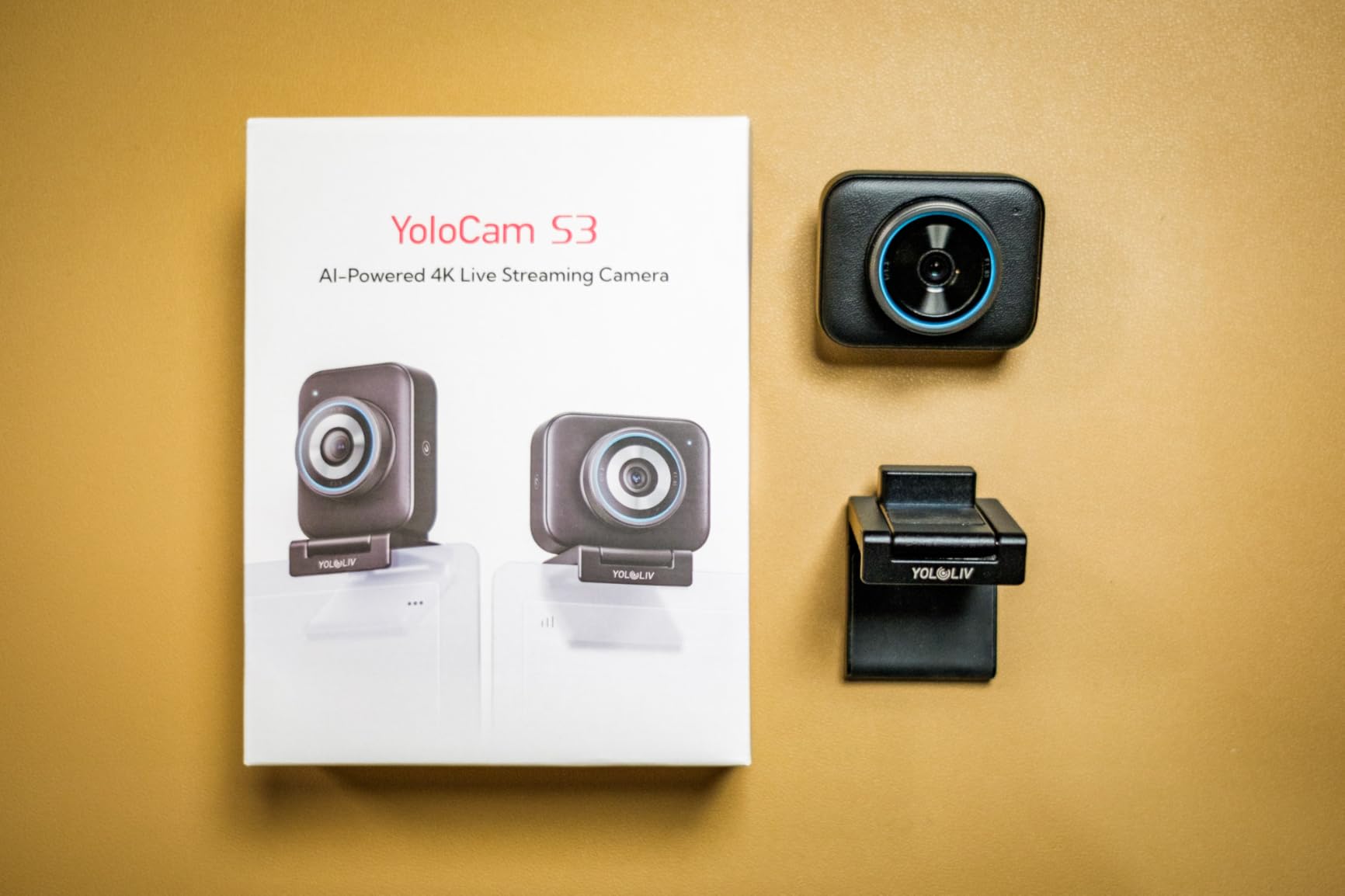
Where the YoloCam shows its limits is in recording flexibility. Unlike the Mevo Start, the S3 cannot record to an SD card on its own. It needs a paired YoloBox for standalone recording. The included USB cable is short, so plan on buying a longer USB-C cable if your desk is wider than four feet. Color grading support is currently Windows only.
For whom it’s good
Photographers and videographers who already think in terms of sensor size, ISO, and depth of field will appreciate what the YoloCam S3 offers. If you want that cinematic look for product reviews, talking-head videos, or live streams and you already use color grading software, this is the best value on this list. For related picks for event producers, check our live event streaming camera guide.
For whom it’s bad
If you just want a plug-and-play webcam for casual Zoom calls, the YoloCam is overkill. Mac-only users may also find the color grading limitations frustrating. The learning curve on the YoloCam Compose software is steeper than what you get with Logitech Capture.
6. Logitech MX Brio Ultra HD 4K Webcam – Editor’s Choice
Pros
- Sharp 4K at 30fps
- AI-enhanced face visibility
- Show Mode for desk sharing
- dual beamforming mics
- built-in privacy shutter
Cons
- Logi Tune and G Hub fragmentation
- short cable for tall monitors
The Logitech MX Brio is the camera I keep coming back to when friends ask me what to buy. It hits a sweet spot that very few webcams reach: real 4K resolution, AI-enhanced image processing that actually helps in dim rooms, Show Mode for sharing desk content, and a built-in privacy shutter all in one package.
In testing, the AI image enhancement delivered on its promise. In my dim home office, the MX Brio brightened my face and reduced background noise without making the picture look artificial. Show Mode tilts the camera down to share sketches and notes on my desk, and the dual beamforming mics picked up my voice clearly from six feet away with the AC running.

The fragmented software is the main friction. Logitech splits its webcam controls between Logi Tune and G Hub, and the two sometimes fight each other when both are installed. The included USB-C cable is short, so on a 32-inch monitor you’ll likely need a longer cable or a mount.

For whom it’s good
Remote workers, hybrid professionals, and streamers who want one webcam that handles meetings and content equally well. The MX Brio is certified for Zoom, Microsoft Teams, Google Meet, and Streamlabs, so it drops into virtually any workflow without driver headaches. For houses of worship looking at 4K webcams for the platform, our church streaming camera guide covers the wider ecosystem.
For whom it’s bad
Buyers who already use G Hub for other Logitech gear may find the dual-software situation annoying. If you need 60fps at 4K for fast gaming streams, the MX Brio tops out at 30fps in 4K and 60fps in 1080p. The Elgato Facecam 4K is a better fit for that use case.
7. Insta360 Link 2 PTZ 4K Webcam – Best AI Features
Pros
- 1/2 inch sensor for true-to-life 4K
- AI physical pan-tilt tracking
- gesture and smartphone remote
- DeskView and Whiteboard modes
- privacy auto-tilt
Cons
- No Windows Hello
- ARM Windows incompatible
- average microphone
The Insta360 Link 2 is the smaller sibling of the Link 2 Pro, and it shares most of the same smart features at a friendlier price. I used it for a month of Twitch streams and YouTube recordings, and the AI tracking is genuinely the best I have tested at any price. It pans, tilts, and zooms smoothly to keep me framed whether I am sitting, standing, or moving between the two.
The 1/2 inch sensor delivers image quality that punches well above what most webcams offer. The HDR mode held up against bright windows behind me without blowing out highlights. Gesture control let me start tracking by raising my palm, which felt almost magical the first time I tried it. The privacy auto-tilt kicks in after 10 seconds of inactivity, which is a thoughtful touch.

The microphone quality is decent but not amazing, so if audio matters to you, plan on pairing this with a dedicated USB mic. Windows 11 ARM users and Windows Hello fans will want to look elsewhere. Some creative software features, like taking photos directly from the Link Controller, are still missing.

For whom it’s good
Creators who want AI tracking and pro-level image quality without paying for the Link 2 Pro. Teachers, presenters, and fitness streamers will get a lot of value from the gesture controls and auto-framing. If you regularly share your screen and your desk, DeskView mode is genuinely useful.
For whom it’s bad
If you need Windows Hello, skip this camera. ARM-based Windows laptops also won’t get full functionality. Streamers who rely heavily on the built-in microphone should plan on adding a separate mic for the best audio quality.
8. Logitech Brio Ultra 4K Pro X Webcam – Best for Windows Hello
Pros
- Crisp 4K at 30fps
- RightLight 3 auto exposure
- three field of view presets
- Windows Hello with infrared
- dual noise-canceling mics
Cons
- Privacy shutter clips on loosely
- thick cable
- can run warm
The Logitech Brio 4K Pro X has been around long enough to earn its reputation. It remains the only webcam in this roundup with full Windows Hello support, including the infrared sensors required for secure facial recognition login. For corporate IT environments that rely on Windows Hello, this is the obvious pick.
RightLight 3 auto exposure impressed me in mixed lighting. In one test I pointed the camera toward a window with bright afternoon sun, and the Brio balanced my face and the backlight without me touching a single setting. The three field-of-view presets (65, 78, and 90 degrees) are useful for switching between headshots and group meetings.

The privacy shutter attaches magnetically and feels flimsy compared to the MX Brio’s built-in shutter. The cable is thick and stiff, which makes it tricky to route on a clean monitor arm. Extended 4K streaming sessions also warmed up the camera body noticeably, though it never overheated during my tests.

For whom it’s good
Business users, IT departments, and remote workers who need Windows Hello login with a 4K webcam in one device. It is also a solid pick for streamers who value reliable auto-exposure over AI gimmicks.
For whom it’s bad
Casual streamers who don’t need Windows Hello will find better value in the Logitech MX Brio, which is newer and has a built-in shutter. The lack of AI tracking means presenters who move around a lot will want the Insta360 Link 2 instead.
9. EMEET NOVA 4K Webcam – Budget Pick
Pros
- Sharp 4K at the lowest price in this guide
- reliable PDAF autofocus
- dual omnidirectional mics
- privacy cover included
- 1/4 inch tripod mount
Cons
- Fixed 73 degree FOV
- default 1080p until switched
- mic picks up echo in some rooms
The EMEET NOVA 4K is the budget surprise of the roundup. It delivers real 4K resolution at a price that undercuts nearly every competitor. I did not expect a webcam at this tier to compete with cameras two or three times the price, but the NOVA held its own in well-lit rooms and outperformed several more expensive models in basic video calls.
PDAF autofocus locked on quickly and stayed locked during my test streams. The dual omnidirectional mics picked up my voice clearly from about eight feet away, though in rooms with hard surfaces they picked up a bit of echo. The privacy cover is a nice touch at this price, and the universal joint allows for 360 degree horizontal and 15 degree vertical adjustment without needing to remount the camera.

Two limitations stand out. The 73 degree FOV is fixed, so if you want a wider group shot or a tighter head crop, you are out of luck. Also, the camera defaults to 1080p out of the box, so you have to install EMEETLink and switch to 4K before you see the full benefit. Many first-time buyers miss this step and leave the camera at 1080p without realizing it.

For whom it’s good
Anyone who wants 4K streaming on a tight budget. Students, remote workers starting their first job, and streamers building out a basic Twitch or YouTube channel will find tremendous value here. If you have been thinking about whether the Logitech C920 is still worth it in 2026, the NOVA 4K is the better modern alternative at a similar price.
For whom it’s bad
If you want AI tracking, gesture controls, or wide FOV, this is not the camera for you. Windows Hello users should also look elsewhere. For low-light shooting, the NOVA benefits significantly from a small key light, which we cover in the buying guide below.
10. Elgato Facecam 4K Studio Webcam – Best for Creators
Pros
- True 4K at 60fps
- Sony STARVIS 2 sensor
- 49mm lens filter support
- uncompressed output
- internal flash memory
- detachable USB-C cable
Cons
- Fixed focus no autofocus
- no microphone
- requires good lighting
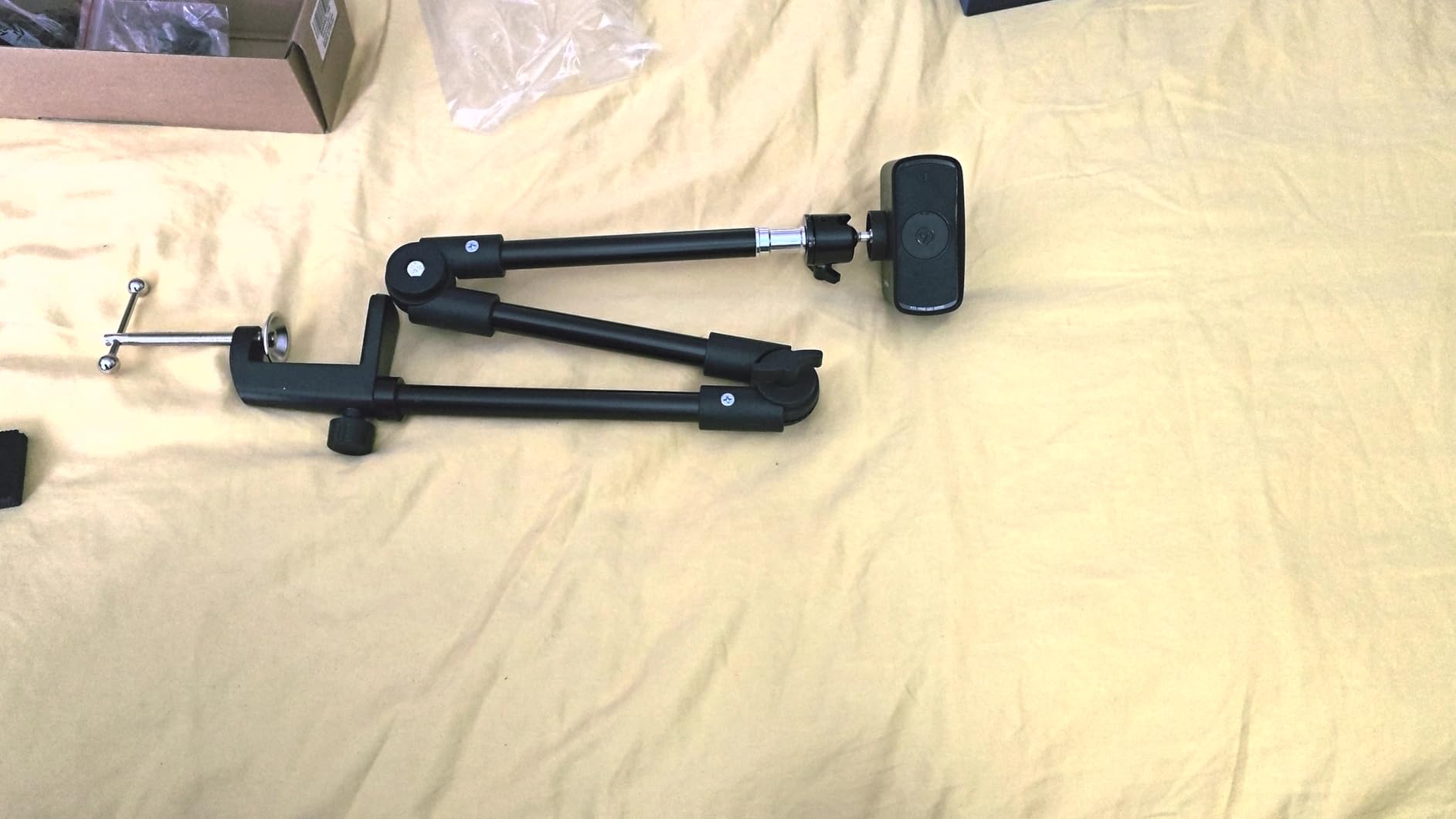
The Elgato Facecam 4K is the most serious streaming webcam I have ever tested, and Elgato clearly built it for creators who already know what they want. The Sony STARVIS 2 sensor is the same family of sensors used in professional security and machine vision cameras. It pulls in a remarkable amount of light and produces clean, low-noise footage even in dim rooms.
The 49mm lens filter thread is the headline feature for creators. You can screw in ND filters for controlling exposure, polarizers for cutting glare, or diffusion filters for softer skin tones. Combine that with uncompressed 4K60 output and you have a webcam that behaves like a cinema camera. The Camera Hub software gives you DSLR-style manual controls over ISO, shutter speed, and white balance.
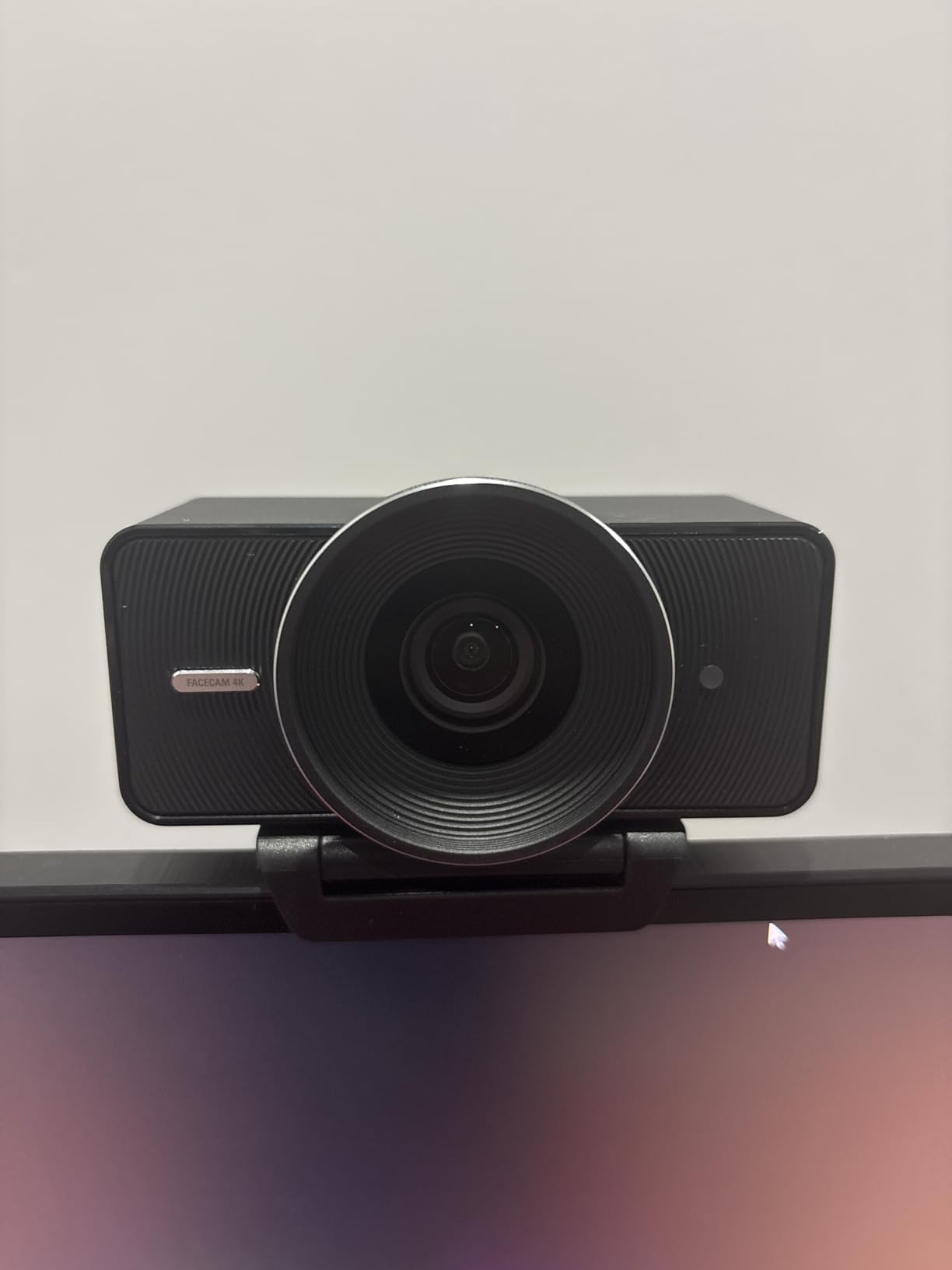
The trade-offs are real. There is no microphone at all, so you will need a separate audio solution. The fixed-focus lens means you cannot track moving subjects, and the lens is wide enough that group shots work better than tight headshots. It also demands good lighting to really shine, so budget for a key light if your room is dim.
For whom it’s good
Established streamers and content creators who already run a more advanced setup with external mics, lighting, and Stream Deck integration. If you shoot products, food, or anything where lens filters and uncompressed footage matter, the Facecam 4K is uniquely capable.
For whom it’s bad
Casual streamers and remote workers should pick something simpler. The lack of a built-in microphone and the lighting requirements make this a poor choice for someone just upgrading from a laptop camera. Pair it with a good USB mic and a key light and it shines, but on its own it is not a complete solution.
Buying Guide: How to Choose the Right Streaming Camera?
Choosing among the best streaming cameras is mostly about matching your room, your platform, and your budget. A 4K webcam in a dim apartment without proper lighting will look worse than a 1080p webcam in a well-lit room. Here is how I think through the decision, and how each spec actually translates to real-world streaming quality.
Sensor size matters more than resolution
This is the single most important spec most buyers miss. Sensor size determines how much light the camera gathers. The 1/1.3 inch sensors in the Insta360 Link 2 Pro and YoloCam S3 are roughly four times larger than the tiny sensors in most budget webcams. More light means cleaner shadows, less noise in dim rooms, and natural background blur that you cannot fake with software.
If you stream in the evening or in a room you cannot fully light, prioritize a larger sensor. The Sony STARVIS 2 sensor in the Elgato Facecam 4K is also exceptional for low light, though it relies on good lighting to truly shine.
Resolution and frame rate trade-offs
4K at 30fps gives you sharp detail and the ability to crop in post-production. 1080p at 60fps gives you smoother motion, which matters for gaming, fitness, and any content with quick movement. Most streamers I know stream at 1080p60 anyway because Twitch and YouTube both compress 4K streams heavily.
If you record YouTube content for later editing, 4K gives you flexibility. If you stream live and your priority is motion, 1080p60 is the right call. The cameras in this guide that do both, like the Logitech MX Brio and Elgato Facecam 4K, give you the most flexibility.
AI features that earn their keep
AI tracking, auto-framing, and gesture control sound like marketing until you use them. I tested subject tracking on the Insta360 Link 2 and the EMEET PIXY, and both genuinely improved my framing without manual effort. AI image enhancement, like on the Logitech MX Brio, brightened my face in dim lighting without making the picture look fake.
AI noise cancellation on built-in microphones is also worth considering if you don’t run a separate mic. The Insta360 Link 2 Pro’s directional noise-canceling mics handled keyboard typing and AC noise better than any other webcam mic in this roundup.
Connectivity and capture cards explained
All of the cameras in this roundup use USB connectivity, which means they plug directly into your laptop or desktop and work with OBS, Streamlabs, Zoom, and Teams without extra hardware. You do not need a capture card for any of them.
A capture card is only required when you want to use a mirrorless or DSLR camera as a webcam. If you decide later to upgrade to a Sony ZV-E10 or Canon EOS R50, you will need an HDMI-to-USB capture card like the Elgato Cam Link 4K. That is a separate purchase and adds complexity. Most streamers should not worry about capture cards until they outgrow a USB webcam.
Lighting requirements per tier
Forum users consistently complain about grainy, washed-out video, and the answer is almost always lighting, not the camera. Here is what each tier of camera in this roundup actually needs:
Budget tier (under $100): The EMEET NOVA 4K and similar webcams need a window with soft daylight or a $30 LED key light pointed at your face. Without that, you will get visible noise.
Mid-range tier ($150 to $250): The Logitech MX Brio, Insta360 Link 2, and Logitech StreamCam handle moderate indoor lighting reasonably well, but they still benefit from a small ring light or desk-mounted LED panel.
Premium tier ($250 and up): The Insta360 Link 2 Pro, YoloCam S3, and Elgato Facecam 4K can handle dimmer rooms thanks to their larger sensors, but the Elgato Facecam 4K specifically demands proper lighting to justify its price.
Software ecosystem and platform compatibility
Every camera in this roundup works with OBS, Streamlabs, Zoom, Microsoft Teams, and Google Meet without drivers. Where they differ is in their proprietary software. Logitech splits its software between Logi Tune and G Hub, which can be confusing. Insta360’s Link Controller is clean and well-designed. Elgato Camera Hub is the most feature-rich for advanced users. EMEETLink handles the basics adequately.
Most cameras now support Elgato Stream Deck integration, which is a real workflow upgrade if you already own one. The Insta360 Link 2 Pro and YoloCam S3 also pair nicely with Stream Deck.
Frequently Asked Questions
What type of camera is best for live streaming?
For most streamers, a USB webcam is the best streaming camera because it plugs directly into your computer and works with OBS, Streamlabs, Zoom, and Teams without extra hardware. Models like the Logitech MX Brio, Insta360 Link 2, and EMEET NOVA 4K cover most needs. If you want professional image quality with shallow depth of field, a mirrorless camera paired with a capture card is the next step up.
Is a 4K webcam overkill for streaming?
For most live streams, yes, 4K is overkill because platforms like Twitch and YouTube compress the feed heavily and most viewers watch at 1080p. 4K is genuinely useful if you record YouTube content for later editing because you can crop in post-production without losing quality. Cameras like the Logitech MX Brio and Elgato Facecam 4K let you stream 1080p60 and record 4K simultaneously.
Which cameras do streamers use?
Most streamers start with a Logitech C920 or EMEET NOVA 4K. Established Twitch streamers often upgrade to the Logitech MX Brio, Insta360 Link 2, or Elgato Facecam 4K. Professional streamers who want cinema-quality footage typically run a mirrorless camera like the Sony ZV-E10 through an Elgato Cam Link 4K capture card. The right pick depends on your platform, lighting, and budget.
Do I need a capture card for streaming?
You do not need a capture card if you use any of the USB webcams in this roundup. Capture cards are only required when you connect a mirrorless or DSLR camera to your computer via HDMI. If you ever decide to upgrade from a webcam to a camera like the Sony ZV-E10, plan on adding an Elgato Cam Link 4K to your setup.
What is the best budget streaming camera under $100?
The EMEET NOVA 4K is the best streaming camera under $100 because it delivers real 4K resolution, reliable PDAF autofocus, dual microphones, and a privacy cover at a budget price. It outperforms most webcams in the same range and even competes with cameras two to three times the price in well-lit rooms. Pair it with a small LED key light for the best results.
Final Verdict: Which Streaming Camera Should You Buy?
If you want a single recommendation, the Logitech MX Brio is the best streaming camera for most people in 2026. It nails the basics with sharp 4K, smart AI image enhancement, a built-in privacy shutter, and reliable software across Windows, macOS, Chrome OS, and Linux. For pure image quality, the Insta360 Link 2 Pro and YoloCam S3 are hard to beat thanks to their 1/1.3 inch sensors. On a budget, the EMEET NOVA 4K delivers real 4K at a price that beats most competitors. Creators with a more advanced setup will get the most out of the Elgato Facecam 4K.
Whatever camera you pick, lighting matters more than specs. A budget webcam in a well-lit room will outperform a premium webcam in a dim apartment. Start with one of these cameras, add a simple LED key light, and you’ll be streaming like a pro in no time.