
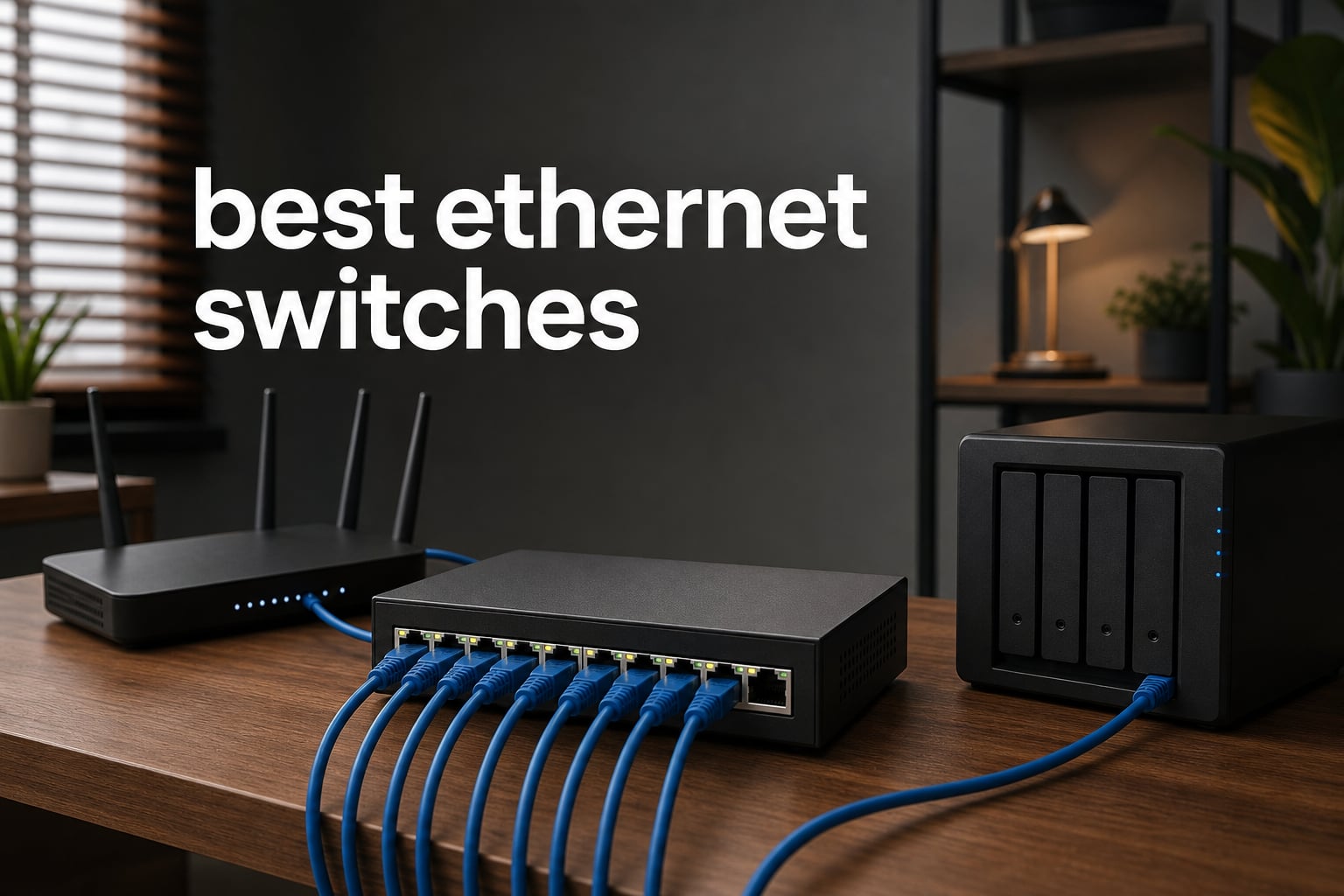
The best ethernet switches turn the single wired connection from a router into enough dependable ports for a desk, TV cabinet, gaming setup, or small office. They are a practical answer when WiFi is inconsistent, a router’s four LAN ports are full, or a NAS and modern PCs need more local-network bandwidth.
A switch does not replace a router. Connect one switch port to a LAN port on the router, then connect wired devices to the remaining ports; the switch forwards local traffic to the right device by its MAC address.
For this 2026 guide, I compared eight real switches across three needs: basic Gigabit expansion, faster 2.5G connections, and Power over Ethernet for cameras or access points. The short answer is that most homes need an unmanaged Gigabit model, while multi-gig speed and management controls only make sense when the connected devices can use them.
Top 3 picks answer the most common home-network needs (August 2026)
These three cover the broadest range of setups. Pick the TP-Link TL-SG108S-M2 for an all-2.5G wired network, the NETGEAR GS308E when VLAN and QoS controls matter, or the TP-Link LS108GP when the same cable must carry data and power.
Best for a fast home network: TP-Link TL-SG108S-M2 gives every one of its eight ports a 2.5G link.
Best for control: NETGEAR GS308E adds VLAN, QoS, and port monitoring without moving beyond an eight-port desktop format.
Best for powered devices: TP-Link LS108GP supplies PoE+ from all eight ports and has a 65W total power budget.
The best ethernet switches in 2026 cover eight real use cases
The quick comparison below includes every switch reviewed here. Check the port speed first, then decide whether you need management features or PoE; those two choices rule out more models than brand name does.
| Product | Specs | Action |
|---|---|---|
 TP-Link TL-SG108S-M2 TP-Link TL-SG108S-M2 |
|
Check Latest Price |
 NETGEAR GS308E NETGEAR GS308E |
|
Check Latest Price |
 TP-Link LS108GP TP-Link LS108GP |
|
Check Latest Price |
 TP-Link TL-SG105S-M2 TP-Link TL-SG105S-M2 |
|
Check Latest Price |
 NETGEAR MS308 NETGEAR MS308 |
|
Check Latest Price |
 D-Link DMS-108 D-Link DMS-108 |
|
Check Latest Price |
 NETGEAR GS108E NETGEAR GS108E |
|
Check Latest Price |
 Tenda SG108 Tenda SG108 |
|
Check Latest Price |
All eight are desktop or wall-mountable options with silent fanless operation listed in their product details. That is particularly useful if the switch will live beside a work desk, television, or bedroom rather than in a utility closet.
1. TP-Link TL-SG108S-M2 is the best all-2.5G switch for a busy home
TP-Link TL-SG108S-M2, 8-Port Multi-Gigabit 2.5G Unmanaged Ethernet Switch
8 2.5G ports
40 Gbps capacity
Fanless
Pros
- Eight 2.5G ports
- Silent fanless design
- Plug-and-play
- 40 Gbps capacity
Cons
- Plastic case
- Regional availability varies
The TL-SG108S-M2 is my lead recommendation because it avoids a common 2.5G compromise: mixing just one or two fast ports with a group of Gigabit ports. It has eight 2.5-Gigabit RJ45 ports, so a compatible router, NAS, desktop, and WiFi access point can all link at the faster rate.
Its listed 40 Gbps switching capacity fits the eight-port design. Auto-negotiation supports 100Mb, 1G, and 2.5G links, so older devices still connect normally instead of forcing an all-at-once network upgrade.
TP-Link lists a fanless design, desktop or wall mounting, and a three-year warranty. The 4.8 rating from 398 reviews is strong supporting feedback, although the plastic enclosure will not suit readers who specifically want a metal chassis.
It is right for homes with several multi-gig devices
I would choose this model when a 2.5G router or a 2.5G network card is already in the plan and more than five fast ports are needed. It is especially sensible for local NAS transfers, LAN parties, home entertainment gear, and small home offices where more than one machine moves large files.
Its manufacturer states that there is no need to replace wiring with Cat6. In practice, link speed still depends on cable condition and length, but that backward-speed negotiation makes an existing cable run a reasonable first thing to try.
It is less suitable when powered ports or controls are required
This is an unmanaged switch, so it has no VLAN configuration, dashboard, or traffic rules. A household that needs to isolate cameras, guest devices, or work equipment should pick one of the managed NETGEAR models instead.
It also does not provide PoE. A ceiling access point or IP camera would need its own power supply or a separate PoE switch or injector.
2. NETGEAR GS308E is the best Gigabit switch for simple management
NETGEAR 8-Port Gigabit Ethernet Easy Smart Managed Network Switch (GS308E)
8 Gigabit ports
VLAN and QoS
Fanless
Pros
- VLAN and QoS controls
- Port monitoring
- Cat5e and Cat6 support
- Silent operation
Cons
- Gigabit only
- US and Canada compatibility
The NETGEAR GS308E puts an eight-port Gigabit switch and Easy Smart Managed features in one compact unit. It is a practical middle ground for someone who has outgrown a fully unmanaged box but does not want to learn enterprise switching software.
Its feature list includes VLAN support, QoS traffic prioritization, and port monitoring. These functions let an owner separate device groups and give selected traffic a priority rule, but they must be configured deliberately rather than treated as a one-click fix for an internet connection.
NETGEAR lists 1Gbps auto-negotiating ports, Cat5e and Cat6 cable compatibility, IEEE 802.3az energy efficiency, and a three-year hardware warranty. The 4.7 rating is based on more than 4k reviews, giving this model the deepest review sample in this group.
It is right for users who need VLANs without multi-gig hardware
I would choose the GS308E for a home office that needs a basic work-device segment or for a small network where QoS and port visibility matter. Eight Gigabit ports remain plenty for streaming, consoles, printers, and ordinary desktop connections.
Community discussion repeatedly favors plug-and-play models for normal home setups, and that advice still applies here if management is not needed. The GS308E is the step up when you can name a reason for VLANs or traffic priorities.
It is less suitable for a fast NAS workflow
Every port tops out at Gigabit Ethernet. A 2.5G NAS and computer would connect, but their transfer path through this switch would negotiate down to 1G.
There is also a learning curve that the simple unmanaged options do not have. Buy it for its Easy Smart controls, not merely because it has the word managed on the box.
3. TP-Link LS108GP is the best PoE switch for cameras and access points
TP-Link LS108GP, 8 Port PoE Gigabit Ethernet Switch
8 PoE+ ports
65W budget
820 ft Extend Mode
Pros
- Eight PoE+ ports
- PoE Auto Recovery
- Extend Mode
- Metal case
Cons
- 65W total budget
- 30W maximum per port
The TP-Link LS108GP answers a different question from the multi-gig models: how do you power network devices without adding a nearby outlet? Its eight Gigabit RJ45 ports support PoE+ under 802.3at/af, with up to 30W on one port and a 65W total PoE budget.
That shared budget is the key number. Add the actual expected draw of every camera, access point, or other PoE device, then leave headroom rather than assuming eight ports can each deliver the per-port maximum at once.
TP-Link also lists Extend Mode for PoE transmission up to 820 ft and PoE Auto Recovery that reboots an unresponsive powered device. Its metal case and fanless operation make it a sensible candidate for an equipment shelf that is near living space.
It is right for an all-in-one PoE camera or access-point setup
I would select this switch when several IP cameras or access points require power and data over the same Ethernet cable. It keeps a camera installation tidier and can make placement easier where a power outlet is inconvenient.
The switch is unmanaged and plug-and-play, which reduces setup friction. That suits a straightforward camera or WiFi deployment that does not need VLAN rules at the switch.
It is less suitable for high-power PoE planning or 2.5G links
Devices with high peak power can consume the 65W shared budget faster than expected. Check each device’s PoE class and published draw before committing to a full eight-device installation.
It is also a Gigabit switch rather than a multi-gigabit switch. A WiFi 6 or WiFi 7 access point may work perfectly, but its wired uplink will remain limited to 1Gbps.
4. TP-Link TL-SG105S-M2 is the best compact five-port 2.5G switch
TP-Link TL-SG105S-M2, 5 Port Multi-Gigabit 2.5G Unmanaged Ethernet Switch
5 2.5G ports
25 Gbps capacity
Metal fanless case
Pros
- Five 2.5G ports
- Metal case
- Silent fanless operation
- Plug-and-play
Cons
- Only five ports
- Regional availability varies
The TL-SG105S-M2 is the smaller sibling to TP-Link’s eight-port selection, with five 2.5G ports and up to 25 Gbps switching capacity. It is the better fit when only a router, NAS, desktop, access point, and one extra wired device need faster local links.
It auto-negotiates among 100Mb, 1G, and 2.5G speeds, so it can live on a mixed network. Its metal case, fanless design, wall-mount option, and three-year warranty give this compact model a solid practical feature set.
The product has a 4.7 rating from 535 reviews. I like that it does not make a smaller network pay in complexity; it remains a plug-and-play unmanaged switch.
It is right for one desk or a small multi-gig cluster
Choose this five-port model when the fast devices are concentrated in one place. A desk with a 2.5G workstation and NAS, or a media cabinet with a compatible router and access point, is a natural use case.
The shorter port count can also simplify cable management. There is no reason to fill a cabinet with an eight-port model if five connections cover the expected devices and one spare remains.
It is less suitable for a network that will expand soon
Five ports disappear quickly because one is normally the uplink to the router. That leaves four downstream connections, and an additional switch later adds another box and cable to manage.
This is not a managed switch and it has no PoE output. Pick it for compact 2.5G expansion, not for camera power or network segmentation.
5. NETGEAR MS308 is the best metal-cased 2.5G plug-and-play option
NETGEAR 8-Port 2.5G Multi-Gigabit Ethernet Unmanaged Network Switch (MS308)
8 2.5G ports
Metal case
Cat5e and Cat6 support
Pros
- Eight 2.5G ports
- Metal chassis
- Energy efficient
- No software required
Cons
- No management controls
- US and Canada compatibility
The NETGEAR MS308 is an eight-port 2.5G unmanaged switch for readers who want a metal enclosure and straightforward setup. Each port auto-negotiates, allowing a mix of 100Mb, 1G, and 2.5G equipment without manual port settings.
NETGEAR states that it works with existing Cat5e or Cat6 Ethernet cables, has IEEE 802.3az Energy Efficient Ethernet, and runs fanlessly. The box includes wall-installation hardware, so it can move off a desk if the network lives in a cabinet or utility area.
Its 4.7 rating comes from 404 reviews. The core appeal is not an advanced control panel; it is eight equal-speed ports with a metal case and no software installation.
It is right for users who want eight fast ports with no setup
I would pick the MS308 for a household that wants to connect several 2.5G-capable PCs, a NAS, and a multi-gig router without learning switch configuration. The identical 2.5G ports make it easy to plan because any device can use any port.
Fanless operation matters here. Network gear does not need to announce itself in a quiet office, and a metal housing is reassuring for a device that may run continuously.
It is less suitable for VLAN-based network separation
The MS308 is unmanaged, so it cannot create VLANs, define QoS rules, or provide port monitoring. A separate managed switch is more appropriate for a network that needs those policies.
It also has no PoE. If the future plan includes several powered cameras or access points, the TP-Link LS108GP has the directly relevant capability.
6. D-Link DMS-108 is the best 2.5G switch with QoS and multicast help
D-Link 8-Port 2.5GB Unmanaged Gaming Switch with 8 x 2.5G – Multi-Gig, Desktop or Wall Mount, Silent Operation, Plug & Play, Follows NDAA/TAA, (DMS-108), Ethernet Splitter, Multi-Gigabit Network
8 2.5G ports
QoS priority levels
IGMP snooping
Pros
- Eight 2.5G ports
- QoS support
- IGMP snooping
- Fanless metal housing
Cons
- No 10G ports
- Limited warranty
The D-Link DMS-108 combines eight 2.5G Ethernet ports with a few useful traffic features while staying plug-and-play. Its stated 40 Gbps switching capacity matches the eight-port multi-gig layout, and auto-negotiation accepts 100Mb, 1G, or 2.5G devices.
Two details distinguish it from the simplest unmanaged models: QoS with eight priority levels and IGMP Snooping for multicast data streams. These are relevant to a network with streaming and gaming traffic, but they do not replace sufficient internet bandwidth or fix a poor WiFi signal.
D-Link lists a fanless metal housing, IEEE 802.3az energy efficiency, and backward compatibility with Cat5e and Cat6 cables. It holds a 4.7 rating across 157 reviews, which is useful context but a smaller sample than the NETGEAR managed choices.
It is right for a 2.5G entertainment and gaming network
I would consider the DMS-108 where several wired devices compete at once: a gaming PC, console, NAS, streaming box, and a fast access point. QoS and IGMP Snooping are welcome additions for that kind of mixed traffic.
It is also compact enough for a media cabinet or desk. The metal fanless form is a better match for a shared living space than a switch with active cooling.
It is less suitable for 10GbE or deep configuration needs
Every port is limited to 2.5G, so this is not the path to a 10GbE workstation or server connection. That is still plenty for many home networks, especially when internet service and endpoint adapters do not exceed 2.5G.
QoS features should not be confused with full managed-switch control. If VLAN setup, security management, and detailed port monitoring are requirements, the GS108E provides the more fitting toolset at Gigabit speed.
7. NETGEAR GS108E is the best Gigabit switch for long-term management
NETGEAR 8-Port Gigabit Ethernet Easy Smart Managed Network Switch (GS108E)
8 Gigabit ports
VLAN and QoS
Limited lifetime warranty
Pros
- VLAN configuration
- Port monitoring
- Limited lifetime warranty
- Fanless metal design
Cons
- Gigabit speed only
- Configuration required
The NETGEAR GS108E is another eight-port Easy Smart Managed model, but its limited lifetime hardware warranty is the standout difference in the supplied data. It brings VLAN configuration, QoS traffic prioritization, port monitoring, and network security management to a 1Gbps desktop switch.
All ports use auto-negotiation, while the compact metal body can sit on a desk or mount to a wall. The fanless design and IEEE 802.3az support are welcome for a switch that may stay powered on for years.
Its 4.6 rating comes from more than 1k reviews. That rating is slightly below the other NETGEAR model here, but it is still well supported by a large review base and has the stronger stated warranty.
It is right for a stable Gigabit network that needs policy controls
I would choose the GS108E for a small office or advanced home network where segmenting devices and checking port activity matter more than multi-gig speed. It is a sensible place to put smart-home devices or work machines into separate VLANs when the rest of the network supports that plan.
Gigabit remains sufficient for many real workloads. A single 4K stream needs far less than 1Gbps, so several ordinary wired clients can be served comfortably when the switch is not being asked to move huge local files all day.
It is less suitable when simple connection is the only goal
The configuration interface is valuable only if you will use it. For a router, television, game console, and two computers, an unmanaged Tenda or a faster unmanaged TP-Link may be less work.
It has no PoE and no 2.5G ports. Select it for management and warranty coverage rather than for powered devices or high-speed NAS access.
8. Tenda SG108 is the best basic Gigabit switch for uncomplicated expansion
Tenda 8 Port Gigabit Ethernet Switch, Desktop Ethernet Splitter
8 Gigabit ports
Wire-speed forwarding
Fanless metal housing
Pros
- Eight Gigabit ports
- Compact profile
- Plug-and-play
- Wall mountable
Cons
- Lower 4.4 rating
- No management controls
The Tenda SG108 is the uncomplicated choice in this group: eight auto-negotiating 10/100/1000 Mbps RJ45 ports, wire-speed forwarding, and no configuration process. It handles the common job of adding reliable wired connections where a router has run out of LAN ports.
Tenda lists auto MDIX line detection, a fanless metal housing, wall mounting, a compact mini profile, and a three-year warranty. The maximum listed power is 3W, which is a useful consideration for an always-on basic switch.
Its 4.4 rating from 214 reviews is lower than the other choices in this guide, and its review data reports some durability concerns. I would treat it as a simple home-network expansion tool rather than a switch for a critical or heavily managed installation.
It is right for adding ordinary wired ports with almost no effort
This is the model I would consider for a smart TV, printer, console, desktop PC, and router arrangement that only needs Gigabit access. Connect the uplink, attach the devices, and let the ports negotiate their connection speed automatically.
It is also compact and silent, two qualities that forum users consistently value for a switch placed in a home office or entertainment center. The metal housing and wall-mount option help keep the small box out of the way.
It is less suitable for high-speed transfers or high-stakes uptime
It does not offer 2.5G, PoE, VLANs, QoS, or monitoring. A fast NAS, power-hungry camera group, or segmented small-office network needs a more specialized product from this list.
The lower rating and reported durability concerns are reasons to look at the other Gigabit choices if the switch will support work equipment or needs management controls. Its strengths are simplicity, size, and ordinary Gigabit expansion.
The right ethernet switch comes down to five buying decisions
Start with the connection that needs the most bandwidth, not the number printed on an internet plan. A network switch can only pass the lower speed supported by the cable, its own port, and the device at the other end.
Port count should include the uplink and room for growth
Count every wired endpoint, then add the router uplink and at least one open port. A five-port switch normally leaves four downstream device ports after the router connection, while an eight-port switch normally leaves seven.
For a desk, five ports can be enough for a computer, dock, NAS, access point, and router. For a media cabinet or small office, eight ports leave healthier room for a television, console, printer, work computer, and future device.
Speed should match the slowest link you care about
Gigabit Ethernet is the sensible default for most home gear. It easily handles normal streaming, online gaming, and internet service up to 1Gbps when the router and device ports are also Gigabit.
A 2.5G switch pays off for local transfers between a compatible NAS and PC, a multi-gig router, or a capable access point. 10GbE is faster still, but none of the selected switches offers it; do not buy multi-gig hardware just because the label sounds faster than the network actually needs.
Managed switches are for rules, while unmanaged switches are for simplicity
An unmanaged switch works automatically after cabling and is the best fit for the vast majority of basic home networks. Forum feedback repeatedly describes unmanaged equipment as enough for most people, and the simple setup is a real advantage.
A managed or Easy Smart Managed switch adds controls such as VLANs, QoS, and port monitoring. Choose one when you can state the task, such as separating work devices or observing a troubled port; otherwise, those controls add setup work without improving everyday browsing.
PoE needs a total-power calculation before purchase
Power over Ethernet sends both data and power through one Ethernet cable. It is useful for IP cameras and access points because it avoids separate power adapters at each device location.
Do not only look at the number of PoE ports. The TP-Link LS108GP has eight PoE+ ports, but its 65W total budget is shared; verify the total expected device draw, including peak demand, before connecting a full set of powered equipment.
Cables and placement still affect the finished network
Cat5e and Cat6 are specifically listed as compatible with several choices here, including the NETGEAR MS308, NETGEAR GS308E, and D-Link DMS-108. A cable that is old, damaged, or too long for its intended link can still negotiate at a lower speed, so check the link indicator and device status rather than guessing.
Place the switch where the cable paths are short and accessible, with airflow around it. Fanless models are especially well suited to quiet rooms, while a wall mount can keep a desk or television cabinet from becoming a loose-cable pile.
Setup is simple when the router remains in charge
Connect one switch port to a LAN port on the router, not the router’s internet or WAN port. Then attach computers, consoles, TVs, cameras, or access points to the remaining switch ports.
Do not connect two cables between an unmanaged switch and the same network unless the equipment and configuration are designed for it. A loop can interrupt traffic; one uplink is the normal home setup.
Frequently asked questions give the short answers
Which Ethernet switch is best for home?
The TP-Link TL-SG108S-M2 is the best choice here for a home with several 2.5G devices because it provides eight 2.5G ports and fanless operation. For an ordinary Gigabit home network, choose an unmanaged eight-port model unless you need VLAN or QoS controls.
Are Ethernet switches worth it?
Ethernet switches are worth it when a router has too few LAN ports or when wired devices need a more dependable connection than WiFi. They add ports without replacing the router and let each connected device communicate at the speed supported by its own link.
What are the fastest Ethernet switches?
The fastest products in this guide are the 2.5G models: TP-Link TL-SG108S-M2, TP-Link TL-SG105S-M2, NETGEAR MS308, and D-Link DMS-108. Their speed benefit requires compatible ports and suitable cabling at both ends of the connection.
Does it matter what Ethernet switch I get?
Yes. Choose port count, speed, managed features, and PoE based on the connected equipment. A basic Gigabit unmanaged switch is enough for many homes, while NAS transfers, device segmentation, or powered cameras call for 2.5G, managed, or PoE models.
Do Ethernet switches degrade speed?
A working Ethernet switch does not inherently degrade speed. Each connection negotiates at the highest speed shared by the switch port, device port, and cable. A Gigabit switch limits a 2.5G device to Gigabit on that link, while a damaged cable can also cause a slower negotiated connection.
The best choice is the switch that fits the devices you already own
The TP-Link TL-SG108S-M2 is the strongest all-round pick for a growing 2.5G home network, while the NETGEAR GS308E and GS108E are better when VLANs, QoS, and monitoring are more important than multi-gig speed. Choose the TP-Link LS108GP for PoE cameras or access points, and keep the Tenda SG108 for uncomplicated Gigabit expansion.
The best ethernet switches in 2026 are not necessarily the ones with the biggest specification list. Count the ports, confirm the speeds your devices support, check whether PoE or management is truly needed, and select the model that makes your wired network easier to live with.