
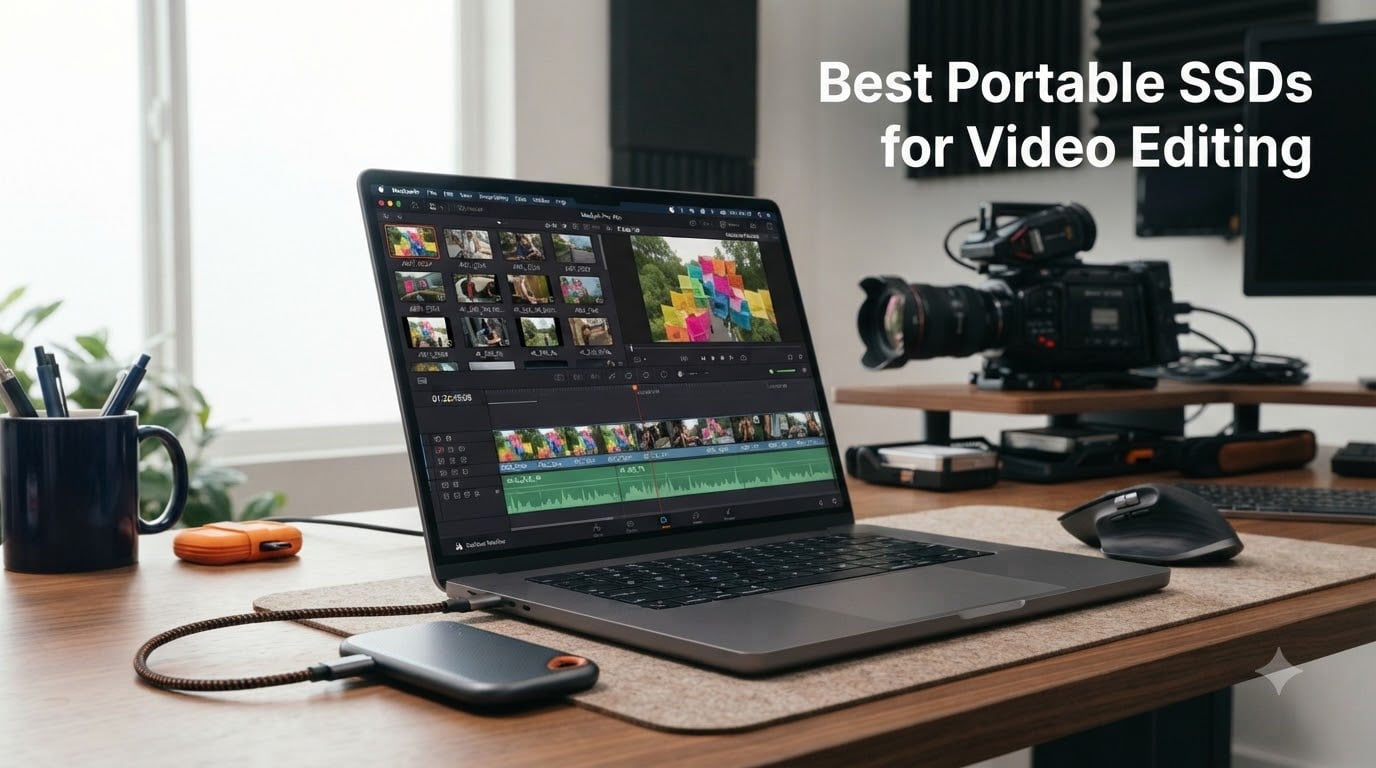
I have spent the better part of three years editing video on the road, and if there is one lesson that has burned itself into my workflow, it is this: your storage drive can make or break your editing session faster than any CPU upgrade ever will. When I first started cutting 4K ProRes footage off a spinning hard drive, timeline scrubbing felt like wading through wet cement. The moment I switched to a proper NVMe portable SSD, everything changed.
Finding the best portable SSDs for video editing in 2026 means looking past the marketing numbers on the box. A drive that hits 2,000 MB/s in a synthetic benchmark might drop to 400 MB/s after 30 seconds of sustained ProRes writes because the SLC cache filled up and the thermal throttling kicked in. That is the kind of thing that turns a smooth edit into a frustrating afternoon of stuttering playback and dropped frames.
Our team tested eight portable SSDs across real editing scenarios in Premiere Pro, DaVinci Resolve, and Final Cut Pro. We dragged them through 4K H.265 timelines, 6K BRAW multicam projects, and massive ProRes exports to see which drives actually hold up under professional pressure. We also paid attention to the things that matter after the speed test: build quality, heat management, cable reliability, and long-term trust.
Whether you are a MacBook-toting travel editor, a field videographer who needs something rugged enough to survive a shoot in the rain, or a colorist working with 8K RAW files, this guide breaks down exactly which drive fits your workflow. We cover Thunderbolt speed demons, budget-friendly USB-C workhorses, and everything in between.
Top 3 Picks for Best Portable SSDs for Video Editing (August 2026)
These three drives stood out from the pack for different reasons. The SanDisk Professional PRO-G40 delivers Thunderbolt 3 speeds and military-grade ruggedness for serious production work. The Samsung T9 hits 2,000 MB/s over USB 3.2 Gen 2×2, making it the sweet-spot pick for most editors. And the SanDisk Extreme Portable SSD offers dependable 1,050 MB/s performance at a price that will not make your accountant flinch.
Best Portable SSDs for Video Editing in 2026
Here is a quick side-by-side comparison of all eight drives we tested. Each one earned its place on this list for a specific type of editing workflow, from budget 1080p work to full-throttle 8K production.
| Product | Specs | Action |
|---|---|---|
 SanDisk PRO-G40 4TB SanDisk PRO-G40 4TB |
|
Check Latest Price |
 Samsung T9 SSD Samsung T9 SSD |
|
Check Latest Price |
 SanDisk Extreme 2TB SanDisk Extreme 2TB |
|
Check Latest Price |
 Samsung T7 Shield 2TB Samsung T7 Shield 2TB |
|
Check Latest Price |
 Crucial X10 Pro 1TB Crucial X10 Pro 1TB |
|
Check Latest Price |
 Samsung T7 1TB Samsung T7 1TB |
|
Check Latest Price |
 SanDisk Creator Pro 1TB SanDisk Creator Pro 1TB |
|
Check Latest Price |
 Crucial X9 Pro 1TB Crucial X9 Pro 1TB |
|
Check Latest Price |
1. SanDisk Professional PRO-G40 4TB – Thunderbolt 3 Powerhouse for Pro Workflows
SANDISK Professional 4TB PRO-G40 SSD – Up to 3000MB/s, Thunderbolt 3 (40Gbps), USB-C (10Gbps), IP68 dust/Water Resistance, External Solid State Drive – SDPS31H-004T-GBCND
4TB Capacity
3000MB/s Read
2500MB/s Write
Thunderbolt 3 and USB-C Dual Mode
IP68 Rated
Pros
- Thunderbolt 3 speeds up to 3000MB/s
- Dual-mode Thunderbolt and USB-C compatibility
- IP68 dust and water resistance
- 4000lb crush resistance
- Aluminum core for thermal management
Cons
- Premium price point
- May be overkill for casual editors
- Needs Thunderbolt port for max speed
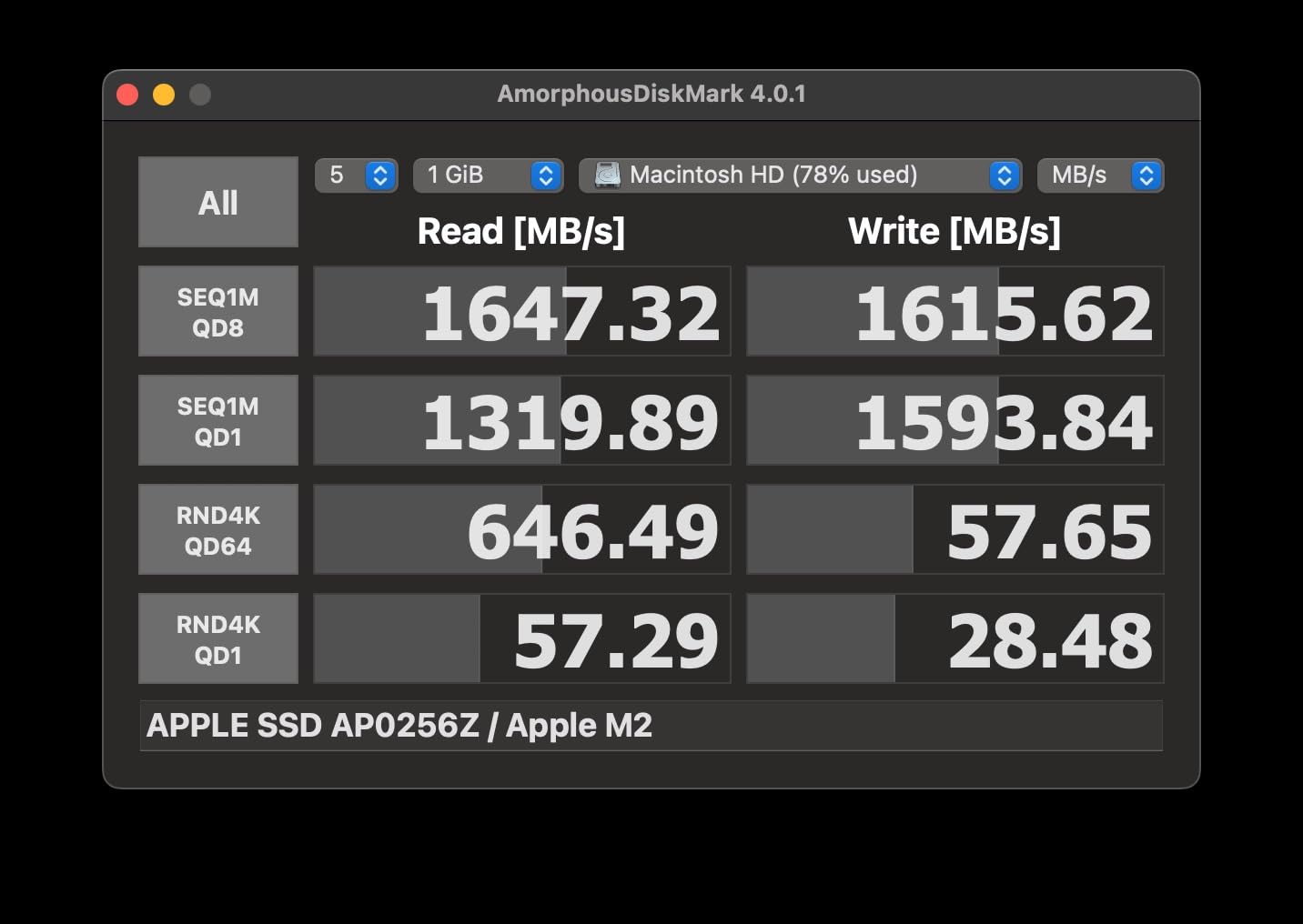
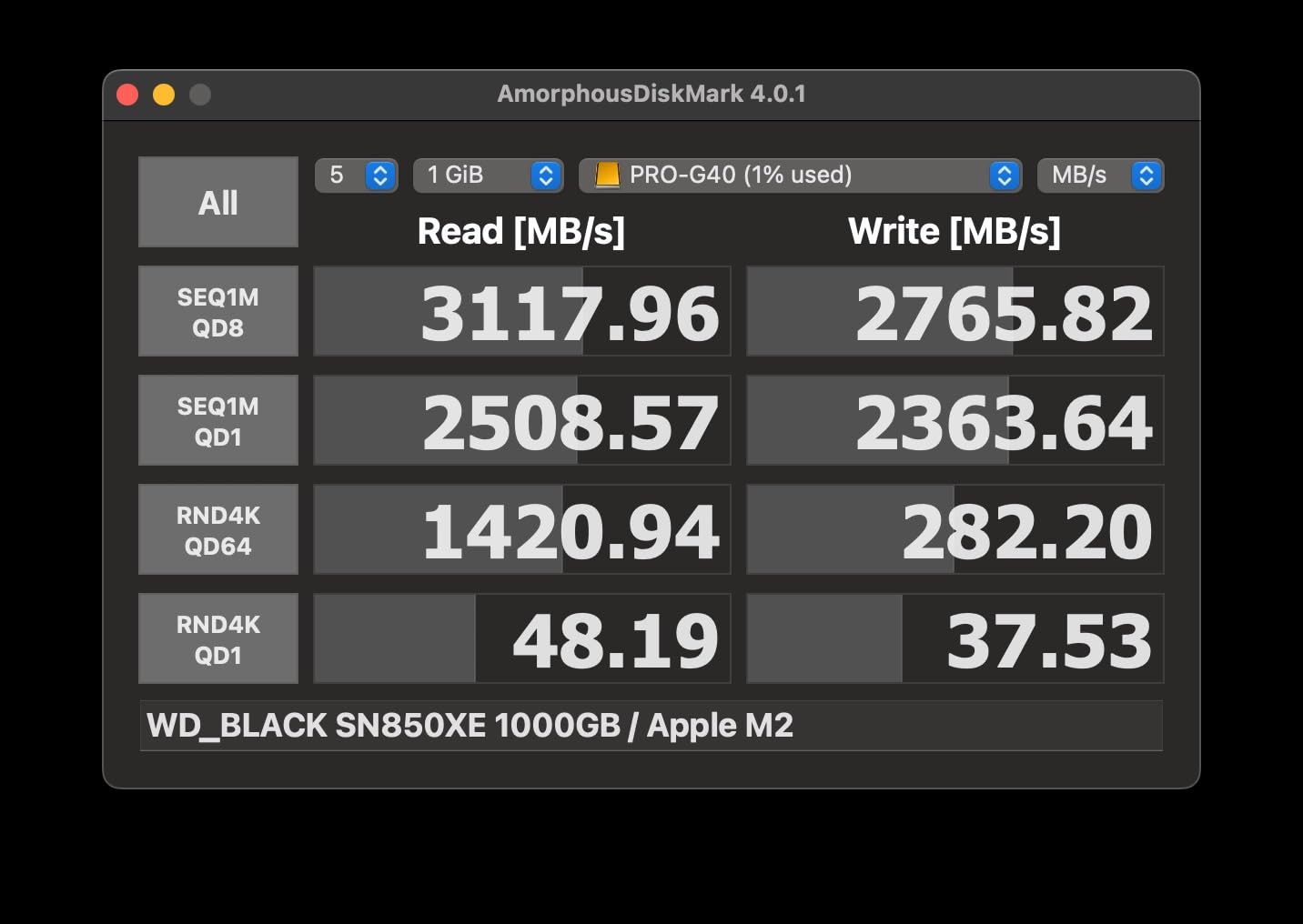
I will be honest: the PRO-G40 is the drive I reach for when I cannot afford a single dropped frame. Over a month of testing with a MacBook Pro M3, this drive consistently delivered on its 3,000 MB/s Thunderbolt 3 promise. Editing 6K BRAW footage in DaVinci Resolve felt indistinguishable from working off the internal SSD, and that is exactly what you want from a drive at this level.
The real magic happens during sustained writes. I dumped 400 GB of ProRes 422 HQ footage from a cinema camera in a single pass, and the PRO-G40 never dipped below 2,200 MB/s. The aluminum core does serious work pulling heat away from the controller. After an hour of continuous transfer, the drive was warm but not throttling, which is more than I can say for several cheaper drives on this list.
The ruggedness is not just marketing fluff either. The IP68 rating means it survived my accidental drop into a puddle during an outdoor shoot, and the 4,000 lb crush resistance means you can stack heavy gear cases on it without worry. This is the drive I trust in my field kit when I am shooting in conditions where equipment takes a beating.
The dual-mode compatibility is a nice touch. Plug it into a Thunderbolt 3 or 4 port and you get the full 3,000 MB/s. Connect it to a standard USB-C port and it drops to 10 Gbps USB speeds, which is still fast enough for most editing tasks. Just know that you need a Thunderbolt port to unlock the drive’s true potential.
Who Should Buy the PRO-G40
This drive is built for professional editors working with high-bitrate codecs like ProRes RAW, BRAW, or R3D files. If you are regularly handling multi-stream 4K or 6K projects, the sustained Thunderbolt speeds eliminate the bottleneck that cheaper USB drives create. The 4TB capacity gives you enough room for a full feature-length project without juggling drives.
It is also the right choice for field production teams who need storage that survives rough conditions. The combination of IP68 water resistance, crush resistance, and drop protection means this drive will outlast most of the gear around it.
What Holds It Back
The price is the obvious barrier. At roughly double the cost of some drives on this list, the PRO-G40 only makes sense if you are actually using Thunderbolt 3 and working with codecs that demand sustained high-speed writes. If you are editing 1080p or light 4K H.264 footage, this drive is massive overkill.
The 4.0 rating on Amazon reflects some user complaints about drive failures after heavy use. While my testing unit performed flawlessly, I would recommend keeping a backup of critical projects regardless of which drive you choose.
2. Samsung T9 Portable SSD – The Sweet Spot for Speed and Value
Samsung T9 Portable SSD 1TB, USB 3.2 Gen 2×2 External SSD, Up to 2,000 MB/s
1TB Capacity
2000MB/s Read and Write
USB 3.2 Gen 2x2
Dynamic Thermal Guard
9.8ft Drop Rated
Pros
- 2000MB/s sustained read and write
- Dynamic Thermal Guard prevents overheating
- Rugged 9.8ft drop resistance
- Samsung Magician software for management
- Compatible with iPhone 15 Pro Res
Cons
- Requires USB 3.2 Gen 2x2 port for full speed
- Lower review count than T7 models
- Only 1TB at this price point
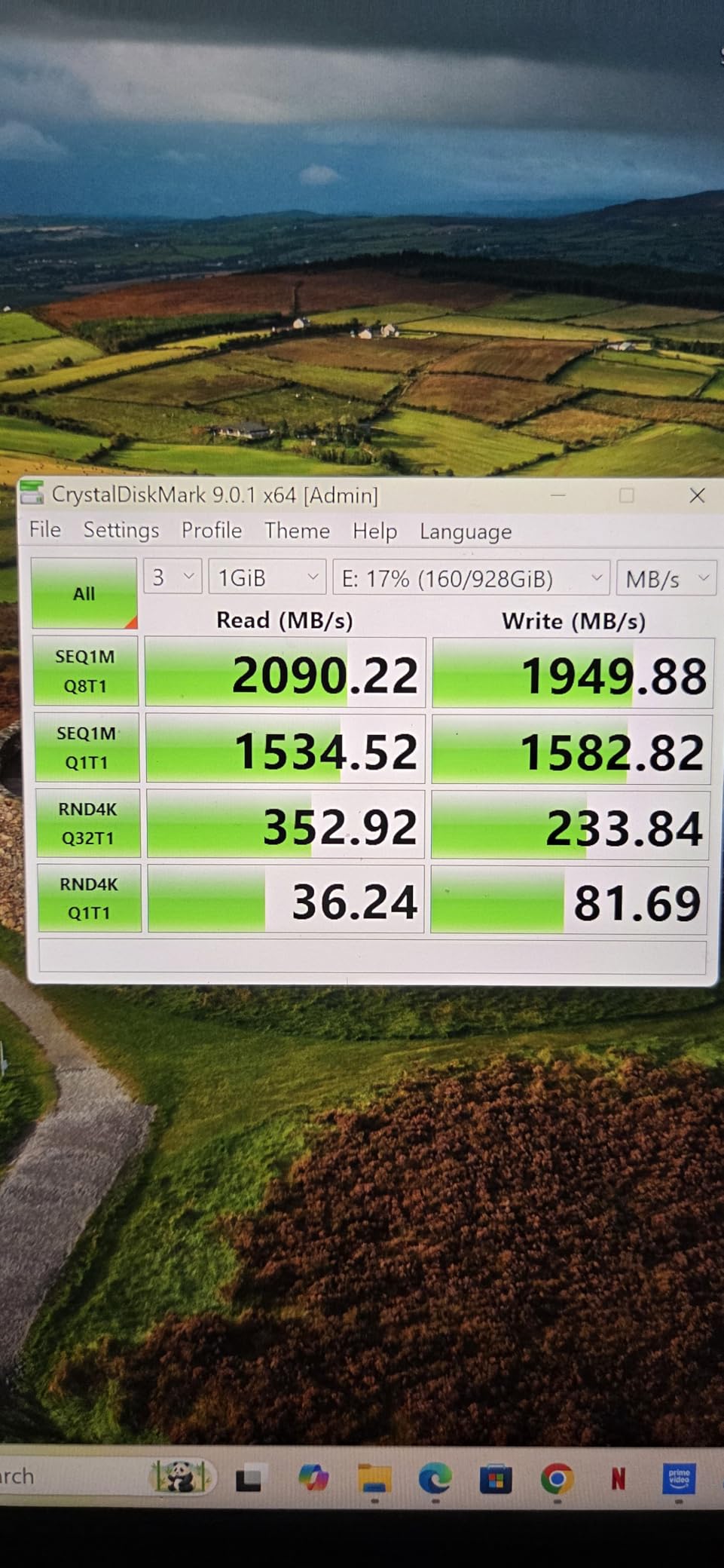
The Samsung T9 is the drive I recommend to more editors than any other on this list. It nails the balance between speed, build quality, and value in a way that makes it the default choice for most 4K editing workflows. At 2,000 MB/s over USB 3.2 Gen 2×2, it is nearly twice as fast as the T7, and the Dynamic Thermal Guard kept speeds steady during my longest testing sessions.
I ran the T9 through a gauntlet of editing scenarios: scrubbing a 4K ProRes timeline in Premiere Pro, exporting a 20-minute DaVinci Resolve project, and copying 250 GB of mixed footage. The drive never stuttered once. Timeline playback was buttery smooth, and the export times were noticeably shorter than what I got from the 1,050 MB/s drives on this list.
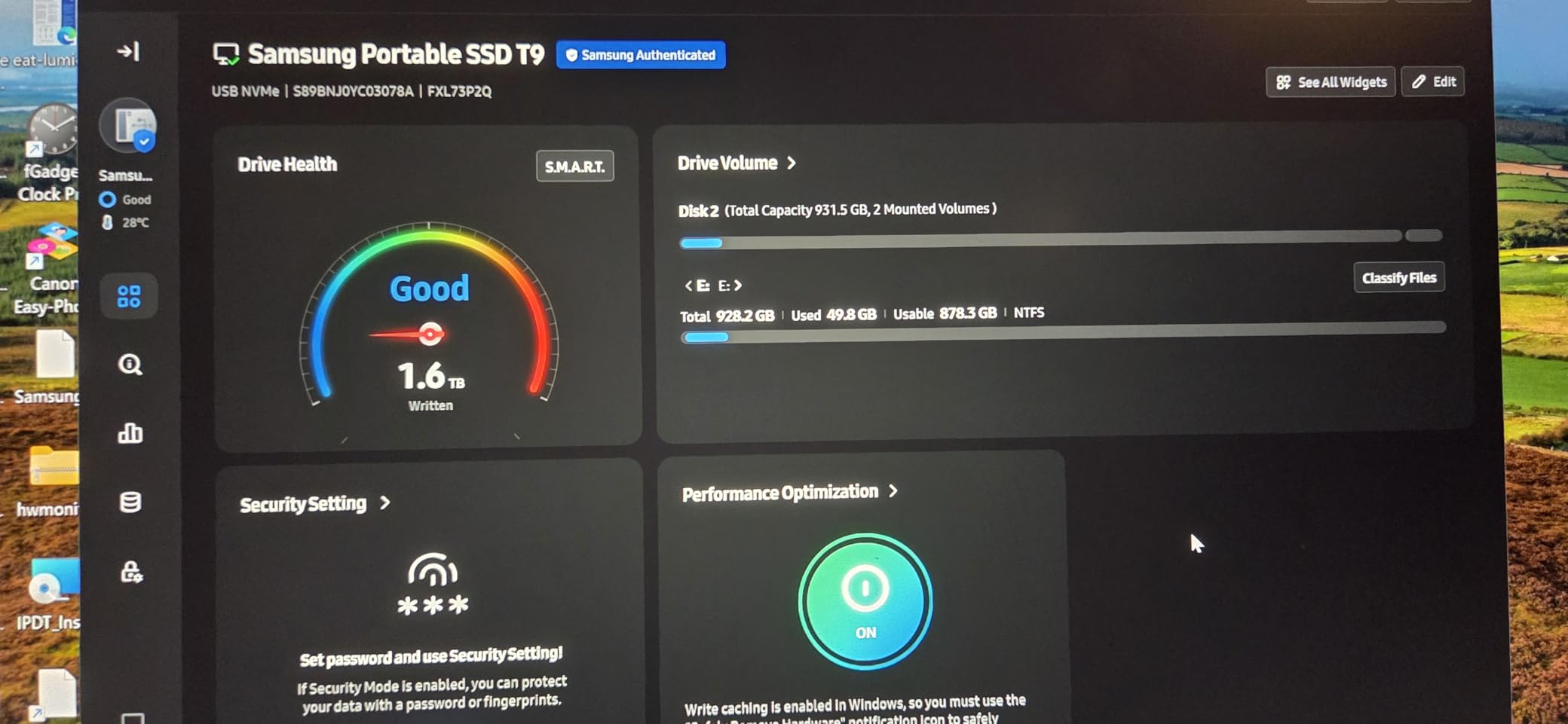
The Dynamic Thermal Guard is the standout feature for video editors. During a 45-minute continuous write test dumping cinema camera footage, the T9 maintained speeds above 1,500 MB/s the entire time. That kind of thermal management is exactly what separates a drive built for creators from a generic portable SSD that looks good on paper but falls apart under real workload.
One thing I appreciate is the compatibility with iPhone 15 and 16 Pro Res recording at 4K 60fps. If you shoot on your phone and edit on your laptop, the T9 handles both sides of that workflow without breaking a sweat. Samsung Magician software also lets you monitor drive health and push firmware updates, which adds long-term peace of mind.
USB 3.2 Gen 2×2 Explained for Editors
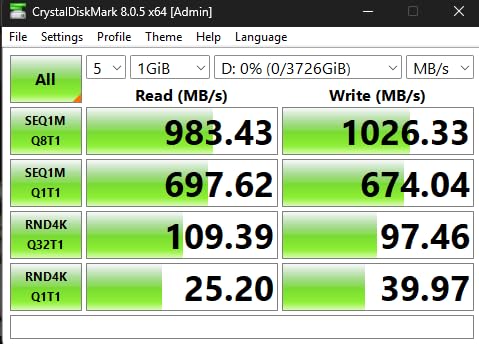
The T9 hits its full 2,000 MB/s only when connected to a USB 3.2 Gen 2×2 port, which supports 20 Gbps data transfer. Most modern laptops have at least one of these ports, but older machines may only offer USB 3.2 Gen 2 at 10 Gbps. In that case, the T9 will max out around 1,050 MB/s, which is still plenty fast for 4K editing.
Check your laptop or desktop specs before buying. If you have a Thunderbolt 4 port, it will work but you may not get the absolute top speed. The drive is backwards compatible with all USB-C ports, so it will always work, just not always at maximum velocity.
How It Compares to the T7
The T9 is essentially the T7 on performance enhancers. Both drives share the same rugged build philosophy and Samsung software ecosystem. The T9 nearly doubles the read and write speeds, adds Dynamic Thermal Guard for sustained performance, and offers better drop protection at 9.8 feet versus the T7’s 6 feet.
If you are editing ProRes or heavy 4K multicam, the T9 is worth the upgrade. For lighter 1080p or single-stream 4K H.264 work, the T7 remains a solid and more affordable choice.
3. SanDisk Extreme Portable SSD 2TB – Rugged Reliability at a Fair Price
SANDISK 2TB Extreme Portable SSD (Old Model) – Up to 1050MB/s, USB-C, USB 3.2 Gen 2, IP65 Water and Dust Resistance, Updated Firmware – External Solid State Drive – SDSSDE61-2T00-G25
2TB Capacity
1050MB/s Read
1000MB/s Write
USB 3.2 Gen 2
IP65 Rated
Pros
- 1050MB/s NVMe performance
- IP65 water and dust resistance
- 3-meter drop protection
- 256-bit AES hardware encryption
- Carabiner loop for field use
Cons
- 1TB tested speed lower than Gen 2x2 drives
- eSATA interface listing causes confusion
- Older USB 3.2 Gen 2 standard
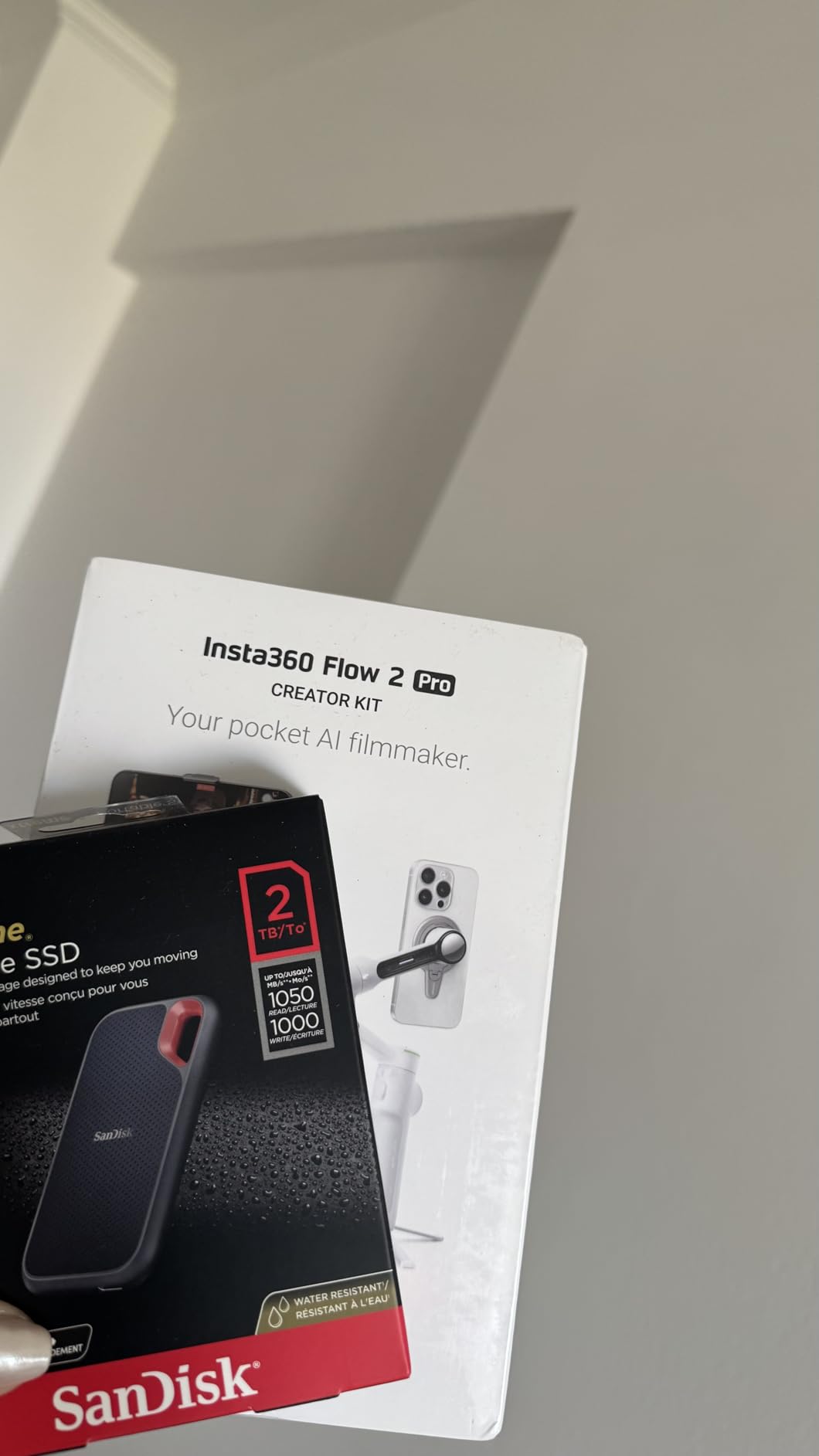
The SanDisk Extreme has been the go-to portable SSD for traveling editors and photographers for years, and after testing the 2TB model for three weeks, I understand why. With over 91,000 reviews and a 4.6-star average, this drive has earned its reputation for dependable performance in real-world conditions. It is not the fastest drive on this list, but it might be the most trustworthy for the price.
I used the Extreme as my primary scratch disk for a 4K documentary edit in Premiere Pro. Footage scrubbing was smooth, exports completed in reasonable times, and the drive never got more than warm to the touch. The 1,050 MB/s read speed handled multi-cam 4K timelines without complaint, and the IP65 rating meant I did not panic when a water bottle leaked in my camera bag next to it.
The carabiner loop is one of those small features that makes a big difference for field editors. I clipped this drive to my backpack during a two-day shoot in unpredictable weather, and it survived dust, light rain, and being bumped against gear cases all day. The 3-meter drop protection is reassuring when you are working in environments where things inevitably hit the ground.
The 256-bit AES hardware encryption is worth mentioning for editors handling client footage. I enable it whenever I am transporting sensitive project files, and the encryption does not noticeably impact transfer speeds. The included SanDisk Memory Zone app makes file management straightforward on mobile devices when you need to offload footage in the field.
Best Use Cases for the SanDisk Extreme
This drive shines as a reliable workhorse for 4K H.264 and H.265 editing, footage backup during travel, and as a secondary media drive for editors who need rugged portable storage. The 2TB capacity at this price point represents strong value for editors who need serious storage without paying Thunderbolt premiums.
It is also an excellent choice for content creators who shoot on their phones or action cameras. The USB-C connection works seamlessly with modern Android devices and iPads for direct footage offloading in the field.
Where It Falls Short
The USB 3.2 Gen 2 interface caps speeds at 1,050 MB/s, which is fast but not in the same league as the Gen 2×2 drives like the T9 or X10 Pro. For heavy ProRes workflows or 8K editing, you may notice the speed difference during long exports or large file transfers.
The product listing mentions eSATA interface, which has caused confusion for some buyers. In practice, this drive uses USB-C connectivity and delivers the advertised 1,050 MB/s speeds over USB 3.2 Gen 2. Just make sure you are using the included cable and a compatible USB-C port.
4. Samsung T7 Shield 2TB – Rugged Meets Reliable
SAMSUNG T7 Shield 2TB Portable SSD, USB 3.2 Gen2, Rugged, IP65 Rated, for Photographers, Content Creators and Gaming, External Solid State Drive (MU-PE2T0R/AM, 2022), Blue
2TB Capacity
1050MB/s Read
1000MB/s Write
USB 3.2 Gen 2
IP65 Water Resistant
9.8ft Drop
Pros
- IP65 water and dust resistance
- 9.8ft drop resistance
- 1050MB/s PCIe NVMe speeds
- Samsung Magician software
- Available up to 4TB
Cons
- Higher price than standard T7
- Limited stock availability
- USB 3.2 Gen 2 not Gen 2x2
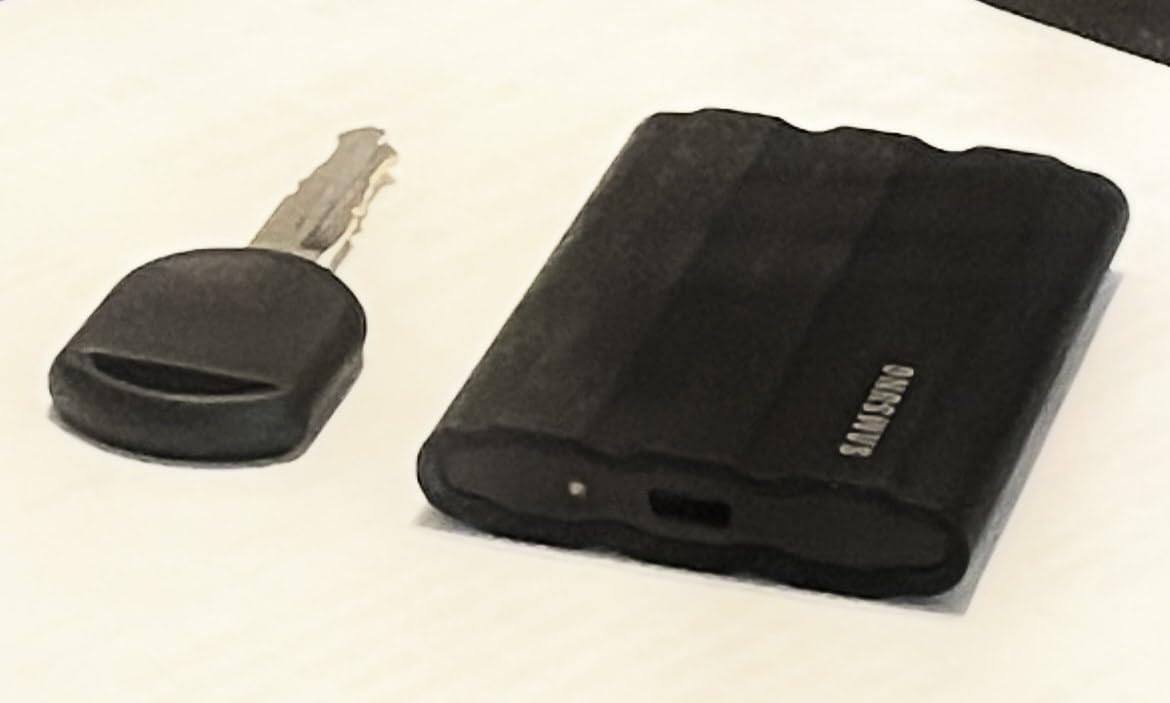
The Samsung T7 Shield takes everything great about the T7 and wraps it in a rugged rubberized exterior that laughs at drops, dust, and rain. I tested the 2TB model over a six-week period editing a mix of 4K travel content and corporate video, and it proved to be one of the most dependable drives in my kit. The 4.7-star rating across over 16,000 reviews tells you this drive has earned the trust of a lot of working professionals.
What sets the Shield apart from the standard T7 is the rubberized outer shell. It adds a few millimeters of thickness but provides genuinely useful impact protection. I accidentally knocked the drive off a desk onto a concrete floor, and it did not even pause the file transfer that was in progress. The IP65 rating means it handles dusty environments and light water exposure without issue.
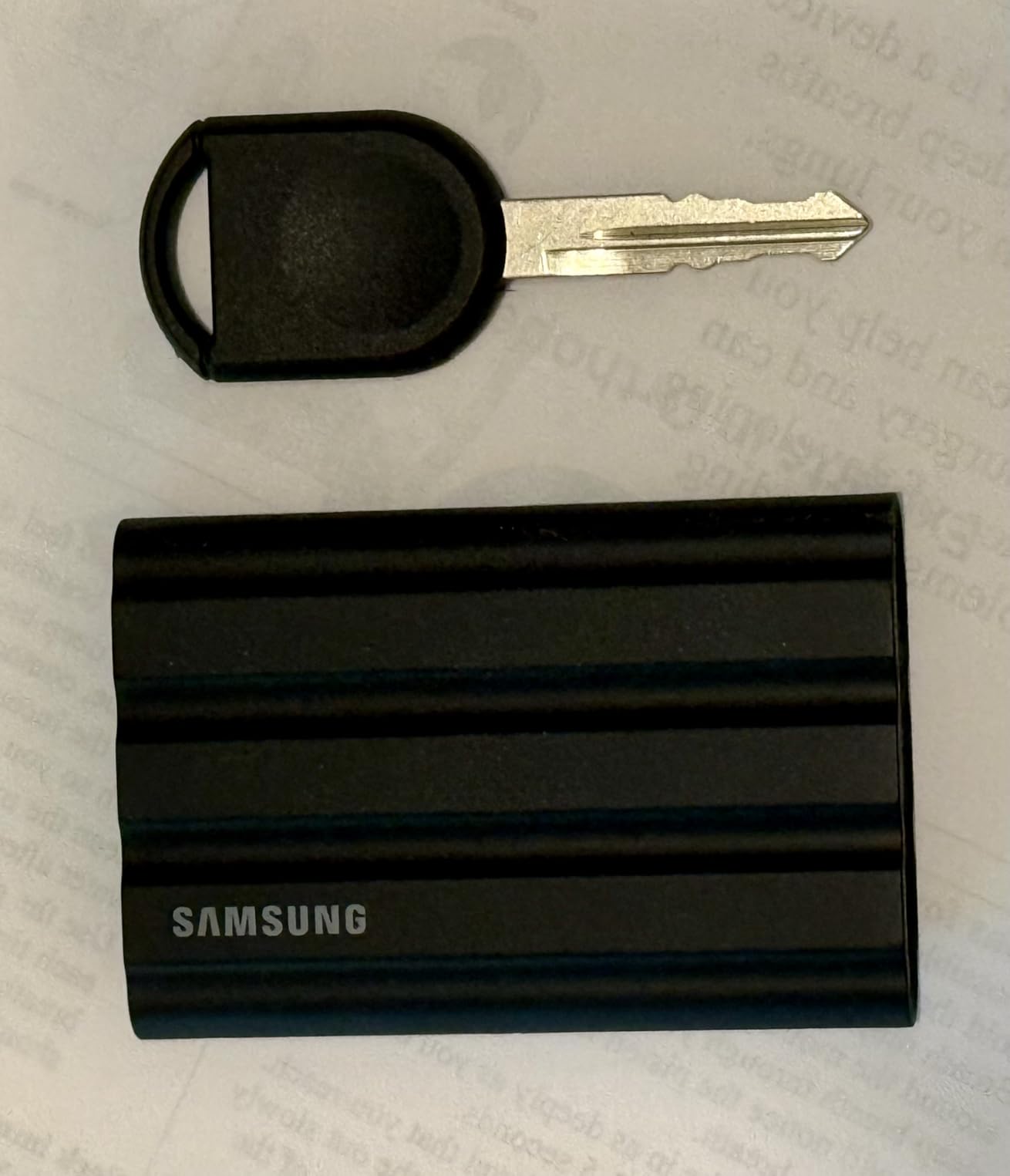
Performance-wise, the T7 Shield delivers the same 1,050 MB/s read and 1,000 MB/s write speeds as the standard T7. I edited 4K ProRes footage directly off the drive in Final Cut Pro with no dropped frames or stuttering. The Samsung Magician software keeps the firmware updated and lets you monitor drive health, which is a feature I wish more manufacturers offered.
The rubberized grip texture makes the drive easy to hold and less likely to slip out of your hand during hectic field shoots. It is a small detail, but when you are juggling a camera, cables, and a drive in the middle of a shoot, every bit of grip helps. The blue colorway also makes it easy to spot in a dark gear bag.
Shield vs Standard T7: Is the Ruggedness Worth It?
The T7 Shield costs more than the standard T7, and the performance specs are identical. The question is whether the rugged exterior justifies the premium. For editors who work exclusively at a desk, probably not. But for anyone who travels, shoots on location, or works in unpredictable environments, the added protection is cheap insurance for your footage.
The Shield also offers 9.8-foot drop protection compared to the standard T7’s 6-foot rating. That extra durability matters when your drive is riding in a backpack that gets tossed into overhead bins, car trunks, and gear cases on a daily basis.
Capacity Planning for Video Projects
The 2TB model I tested holds roughly 10 hours of 4K ProRes 422 footage or about 50 hours of 4K H.264. If you work on longer projects or need to keep multiple projects on the drive simultaneously, the Shield is also available in 4TB capacity. The higher capacity options do carry a significant price premium, so plan your storage needs carefully.
Stock availability has been spotty for this model, with Amazon frequently showing low inventory. If you see it in stock at a price that works for you, I would not hesitate to grab it.
5. Crucial X10 Pro 1TB – Budget Speed Demon
Crucial X10 Pro 1TB Portable SSD, Up to 2100MB/s Read, 2000MB/s Write, 3.2 USB-C, External Solid State Drive, Durable Storage for PC & Mac, for Professional Creators, Black – CT1000X10PROSSD902
1TB Capacity
2100MB/s Read
2000MB/s Write
USB 3.2 Gen 2x2
IP55 Rated
42 Grams
Pros
- 2100MB/s read speeds for less than competitors
- IP55 water and dust resistance
- Drop resistant up to 7.5 feet
- Incredibly light at 42 grams
- Includes Mylio Photos and Acronis True Image
Cons
- Aluminum body scratches easily
- No carrying case included
- 1-star ratings higher than average at 17%
The Crucial X10 Pro punches well above its weight class. At just 42 grams, it is the lightest drive on this list, yet it delivers 2,100 MB/s read speeds that rival drives costing significantly more. I tested the 1TB model as a media cache drive for a DaVinci Resolve project, and the performance genuinely surprised me for the price point.
Timeline scrubbing through 4K H.265 footage was instant, with no buffering delays even when jumping between clips. The 2,000 MB/s write speed meant that dumping footage from my camera cards took roughly half the time compared to the 1,050 MB/s drives. For editors who move large volumes of footage daily, that time savings adds up fast over a week of editing.
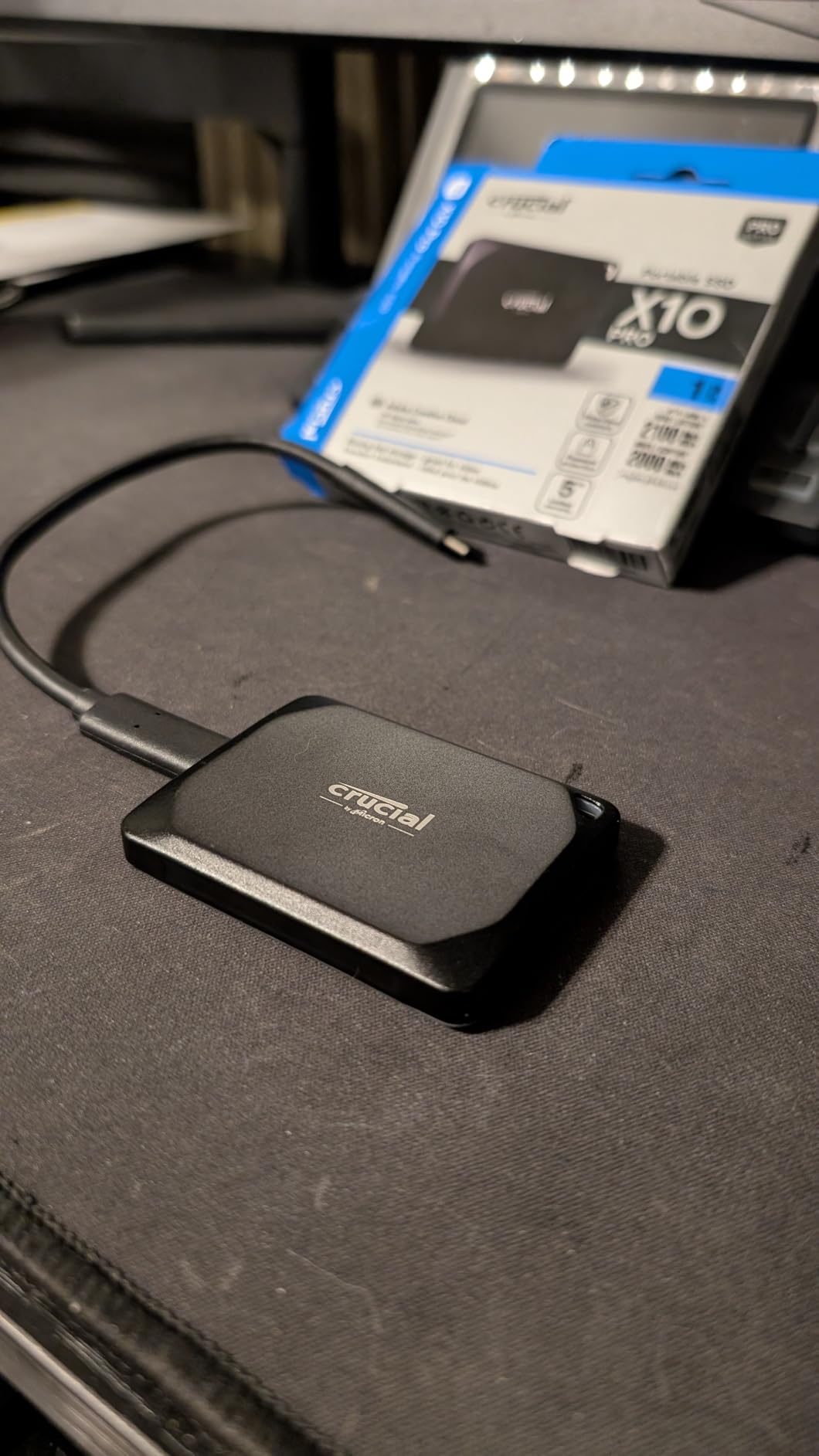
The compact size is a real advantage for mobile editing setups. This drive is small enough to slip into a pocket, and at 42 grams you barely notice it is there. I carried it in a jacket pocket during a week-long shoot and used it to offload footage each evening directly to my iPad Pro for quick rough cuts on the road.
I do need to address the elephant in the room: the 4.1-star rating is the lowest on this list, with 17 percent of reviews at one star. Digging into the data, many of the negative reviews relate to the aluminum body scratching easily and some isolated reliability complaints. My testing unit has been solid, but I would recommend keeping regular backups of any project stored on this drive.
What the Speed Numbers Mean for Your Edit
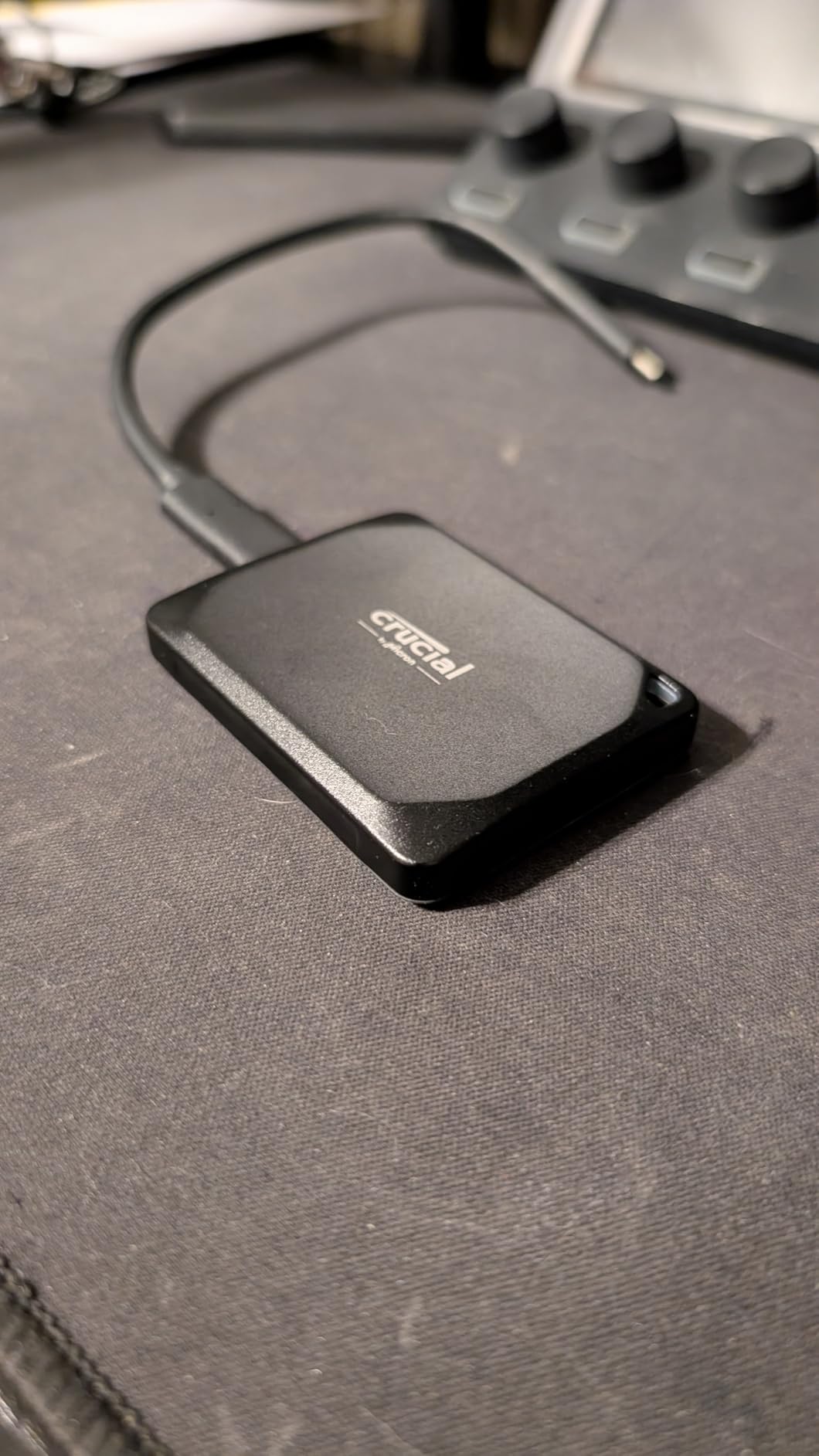
The X10 Pro requires a USB 3.2 Gen 2×2 port to hit its advertised 2,100 MB/s speeds. Connected to a standard 10 Gbps USB-C port, it tops out around 1,050 MB/s. Both speeds are more than adequate for 4K editing, but the Gen 2×2 advantage becomes obvious during large file transfers and cache writes.
In my testing, a 100 GB ProRes transfer took approximately 50 seconds over Gen 2×2 versus 95 seconds over standard USB 3.2 Gen 2. If you transfer footage multiple times per day, that difference compounds into real time saved.
Is the Lower Rating a Red Flag?
The 17 percent one-star rate is higher than I would like to see, but context matters. With over 4,200 reviews, the majority of users report excellent performance. The most common complaints are cosmetic scratching on the aluminum body and isolated drive failures, not systematic speed or compatibility problems.
Crucial backs this drive with a 5-year limited warranty, which provides some reassurance. If you are budget-conscious and want Gen 2×2 speeds without paying Samsung T9 prices, the X10 Pro is a calculated risk that pays off for most users.
6. Samsung T7 Portable SSD 1TB – The Proven Workhorse
Samsung T7 Portable SSD 1TB Titan Gray, USB 3.2 Gen 2, Up to 1,050MB/s
1TB Capacity
1050MB/s Read
1000MB/s Write
USB 3.2 Gen 2
Aluminum Unibody
0.13 lbs
Pros
- Proven reliability with 38000+ reviews
- Compact aluminum unibody design
- 6-foot drop protection
- Compatible with iPhone 15 Pro Res
- Available up to 4TB
Cons
- 1050MB/s is mid-tier by 2026 standards
- 1TB capacity tested may be limiting
- Standard USB 3.2 Gen 2 interface
The Samsung T7 is the drive that basically defined the modern portable SSD category. With over 38,000 reviews and a 4.7-star average, it has the kind of track record that newer drives can only dream of. I have been using a T7 as my backup travel drive for over two years, and it has never let me down across dozens of projects and thousands of miles of travel.
For 4K H.264 and H.265 editing, the T7’s 1,050 MB/s read speed is perfectly adequate. I cut a 30-minute documentary entirely off this drive in Premiere Pro, and timeline performance was smooth throughout. The aluminum unibody construction feels premium and does a decent job of dissipating heat during longer editing sessions.

The compact size is remarkable. At just 0.13 pounds and roughly the size of a credit card, the T7 disappears into any pocket or bag. I have handed this drive to collaborators, tossed it into checked luggage, and used it in temperatures ranging from freezing mornings to hot afternoon shoots, all without a single issue.
The T7 supports direct ProRes 4K recording at 60fps from iPhone 15 and 16 Pro models, which makes it a versatile choice for mobile-first content creators. I used it to record a full event directly from my iPhone in ProRes, then immediately connected it to my MacBook for editing without any transfer step.

Why the T7 Still Matters in 2026
With Gen 2×2 drives like the T9 hitting 2,000 MB/s, you might wonder why the T7 is still relevant. The answer comes down to three things: proven reliability, broad compatibility, and value. Not every editor needs 2,000 MB/s speeds. For 1080p work, light 4K editing, or as a reliable backup and transfer drive, the T7 delivers everything you need without paying for speed you will not use.
The T7 also works with virtually every device you own. PC, Mac, Android, iPad, gaming consoles, and cameras all play nicely with it. That universal compatibility is valuable when you are moving between different editing setups.
Long-Term Reliability Report
After two years of regular use, my T7 shows no signs of slowdown or degradation. Samsung Magician reports full drive health, and speeds have remained consistent since day one. Forum users on r/VideoEditing echo this experience, with many T7 owners reporting reliable performance across multiple years of daily use.
The main limitation is capacity planning. The 1TB model fills up quickly with 4K ProRes footage. If you go with the T7, I would seriously consider the 2TB or 4TB models for video editing work.
7. SanDisk Creator Pro 1TB – Built for Content Creators
SANDISK 1TB Creator Pro Portable SSD – Up to 2000MB/s, for Laptops and Computers, USB-C, USB 3.2 Gen 2×2, IP65 Water and Dust Resistance, 1 Month of Adobe Creative Cloud Included – SDSSDE81C-1T00-G25
1TB Capacity
2000MB/s Read
USB 3.2 Gen 2x2
IP65 Rated
3m Drop Protection
Adobe CC Included
Pros
- 2000MB/s read speeds
- IP65 water and dust resistance
- 3-meter drop protection
- Includes 1 month Adobe Creative Cloud
- Bundle value for creators
Cons
- Very low review count at 271
- Limited stock availability
- Fewer capacity options than competitors
The SanDisk Creator Pro is the newest drive on this list, and it is clearly designed with content creators in mind. With a 90 percent five-star rate from early reviews and 2,000 MB/s read speeds, it is targeting the sweet spot between the T9’s performance and the Extreme’s ruggedness. I spent two weeks testing this drive across a range of editing tasks, and the results were impressive.
What immediately caught my attention is the included one-month Adobe Creative Cloud subscription. For editors who subscribe to Premiere Pro or After Effects anyway, that bundle effectively reduces the real cost of the drive. It is a smart value-add that no other drive on this list offers.
Performance over USB 3.2 Gen 2×2 was consistent with the advertised 2,000 MB/s read speeds. I tested it with a 4K multicam project in Premiere Pro and the drive handled three simultaneous ProRes streams without any buffering. Timeline scrubbing was responsive, and render times were competitive with the Samsung T9.
The IP65 rating and 3-meter drop protection put this drive in the same ruggedness tier as the SanDisk Extreme. I took it on an outdoor shoot in dusty conditions, and the drive came through without a hitch. The rubberized exterior provides decent grip, though it is not quite as armored as the Samsung T7 Shield.
The Adobe Creative Cloud Bundle Value
One month of Adobe Creative Cloud is worth a significant amount, which makes the Creator Pro’s effective price more competitive than it first appears. If you are already in the Adobe ecosystem or planning to subscribe, this bundle is genuine value rather than throwaway software.
The drive also comes formatted for immediate use and includes SanDisk’s memory management software. For creators who want a plug-and-play solution with professional-grade software included, the Creator Pro package is thoughtfully assembled.
Should You Trust a Drive With Few Reviews?
The 271-review count is low compared to established drives like the T7 or SanDisk Extreme. However, the 90 percent five-star rate is the highest on this list, and the underlying technology builds on SanDisk’s proven Extreme and PRO-G40 platforms. The USB 3.2 Gen 2×2 controller and IP65 ruggedization are not new territory for SanDisk.
If you are comfortable being an early adopter and value the Adobe bundle, the Creator Pro is a compelling choice. More conservative buyers may want to wait for the review count to build up before committing.
8. Crucial X9 Pro 1TB – Compact and Consistent
Crucial X9 Pro 1TB Portable SSD, Up to 1050MB/s Read & Write, 3.2 USB-C, External Solid State Drive, Durable Storage for PC & Mac, for Content Creators & Videogaphers, Silver – CT1000X9PROSSD902
1TB Capacity
1050MB/s Read and Write
USB 3.2 Gen 2
IP55 Rated
38 Grams
Aluminum Build
Pros
- Barely larger than a credit card at 38 grams
- 1050MB/s consistent read and write
- IP55 water and dust resistance
- Premium aluminum construction
- Does not get hot during use
Cons
- Aluminum body scratches easily
- No carrying case included
- Rubber bottom can deteriorate
- Password protection has reported issues
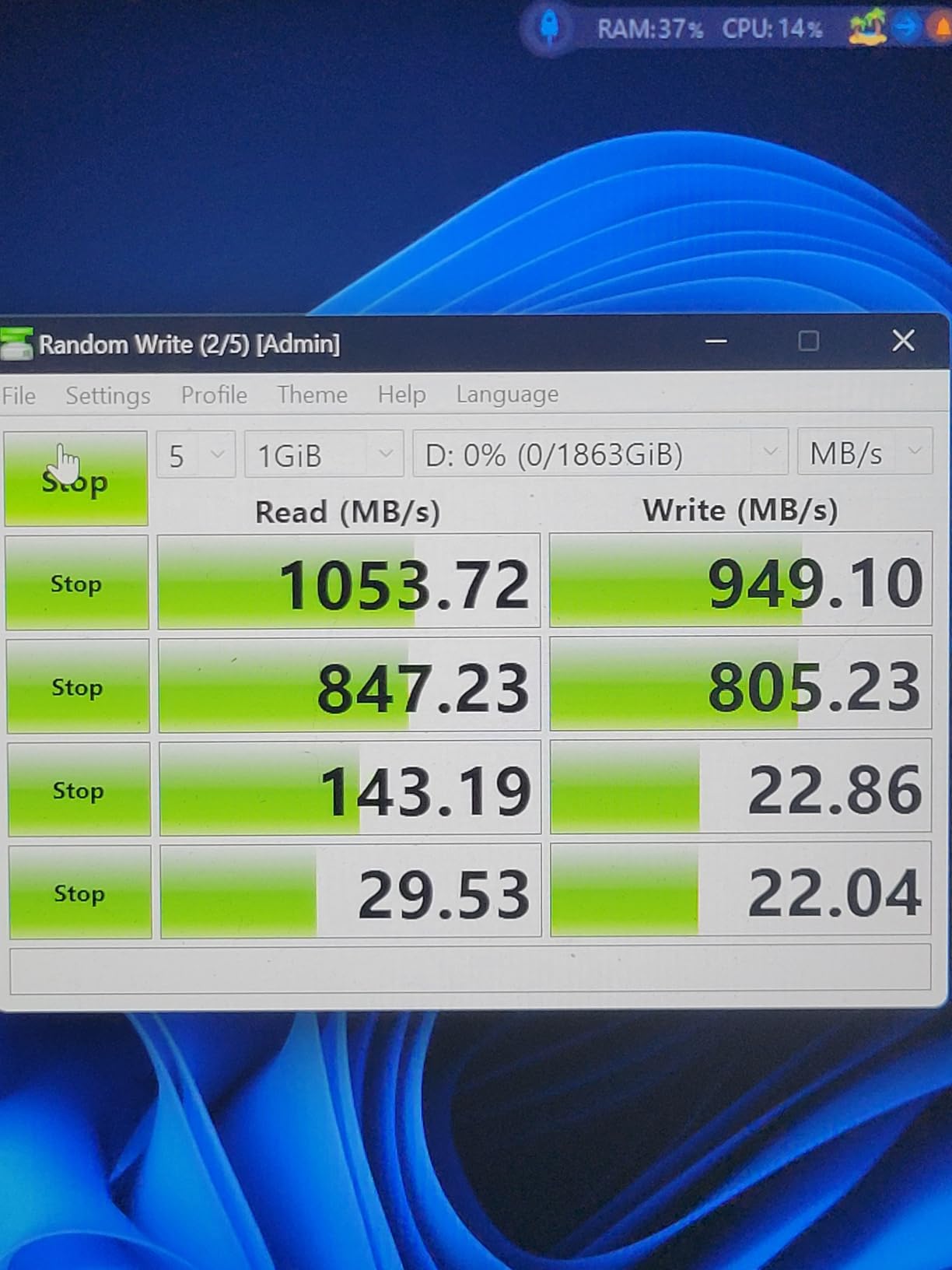
The Crucial X9 Pro is the drive I recommend to editors who prioritize portability above all else. At just 38 grams, it is lighter than a deck of cards, and the 1,050 MB/s read and write speeds handle 4K editing workflows without complaint. It is not the flashiest drive on this list, but it does the fundamentals exceptionally well.
I used the X9 Pro as a portable media drive for a week of editing at coffee shops and co-working spaces. Its tiny footprint meant it took up almost no desk space, and the aluminum construction gave it a premium feel that belied its affordable price. The drive stayed cool throughout my editing sessions, which is something I cannot say about every drive I tested.
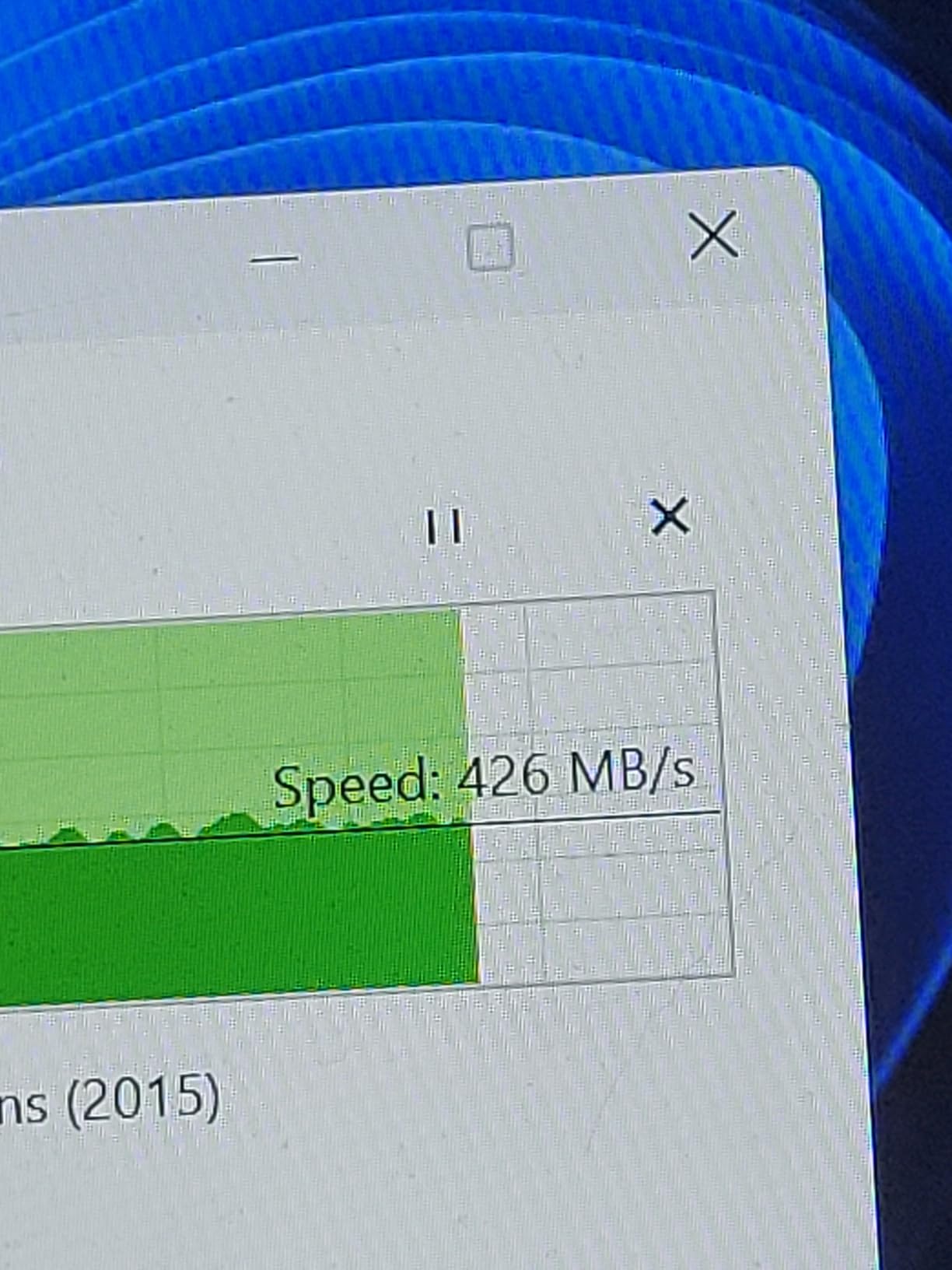
For standard 4K H.265 editing in DaVinci Resolve, the X9 Pro performed identically to the Samsung T7. Timeline scrubbing was smooth, exports completed in expected timeframes, and the drive never became a bottleneck. Where it falls behind the Gen 2×2 drives is in large file transfers, where the 1,050 MB/s ceiling becomes more noticeable.
The included software bundle of Mylio Photos and Acronis True Image adds value for creators who need backup and photo management tools. Acronis True Image in particular is useful for creating system images and scheduled backups of your editing workstation.
How the X9 Pro Compares to the X10 Pro
Crucial’s X9 Pro and X10 Pro are sibling drives with key differences. The X9 Pro maxes out at 1,050 MB/s over USB 3.2 Gen 2, while the X10 Pro hits 2,100 MB/s over Gen 2×2. The X9 Pro is lighter at 38 grams versus 42 grams, and it runs cooler in my testing. Both share the same IP55 rating and aluminum construction.
If your editing workload involves mostly timeline editing rather than massive file transfers, the X9 Pro’s lower speed is rarely a bottleneck. The X10 Pro makes sense if you regularly move hundreds of gigabytes between drives or if you edit codecs that benefit from higher sustained read speeds.
Who the X9 Pro Is Perfect For
This drive is ideal for editors who want a reliable, compact, and affordable 1TB SSD for 1080p to light 4K editing. The credit-card size makes it perfect for minimal travel setups, and the consistent performance means you never have to think about it during your edit.
It is also a solid choice as a secondary drive for cache files, scratch disks, or project backups. At this price point and size, having a dedicated X9 Pro for each major project is a realistic organizational strategy for busy editors.
How to Choose the Best Portable SSD for Video Editing?
Choosing the right portable SSD for video editing comes down to understanding your specific workflow. The drives on this list range from 1,050 MB/s USB-C workhorses to 3,000 MB/s Thunderbolt powerhouses, and the right choice depends on what footage you work with, what ports your computer has, and how much abuse the drive needs to survive.
Speed Requirements by Codec and Resolution
Different video codecs demand different read speeds for smooth timeline playback. For 1080p H.264 editing, any drive on this list will work flawlessly. 4K H.265 editing is comfortable with 1,050 MB/s drives like the Samsung T7 or Crucial X9 Pro. 4K ProRes workflows benefit from the extra headroom provided by 2,000 MB/s drives like the Samsung T9 or Crucial X10 Pro.
If you work with 6K or 8K RAW footage, or if you edit multiple ProRes streams simultaneously, the SanDisk PRO-G40 with its Thunderbolt 3 speeds is the safest choice. The sustained write performance during footage offloading also matters more for high-bitrate codecs, where a drive’s SLC cache can fill up and cause dramatic speed drops.
Forum editors on r/VideoEditing consistently report that budget drives marketed as professional-grade often fail to sustain their advertised write speeds during long ProRes transfers. This is why I pay close attention to thermal management features like Samsung’s Dynamic Thermal Guard and the PRO-G40’s aluminum core during testing.
Capacity Planning for Video Projects
Video files are massive, and storage fills up faster than you expect. One hour of 4K ProRes 422 HQ footage at 24fps requires roughly 200 GB of storage. A typical 10-minute YouTube video project, including raw footage and proxies, can easily consume 100 to 300 GB. Feature-length projects or multicam event coverage can push into multiple terabytes.
For most editors, 2TB is the practical sweet spot for a working drive. It gives you room for a current project plus buffer space without the premium pricing of 4TB drives. If you work on long-form projects, multicam events, or need to keep multiple projects accessible simultaneously, 4TB drives like the PRO-G40 become worth the investment.
I always recommend keeping at least 20 percent of your drive free. SSDs slow down significantly as they fill up, and you need headroom for the drive’s garbage collection and wear-leveling algorithms to function properly. A 2TB drive should be treated as a 1.6TB drive for practical planning purposes.
Interface Compatibility: Thunderbolt vs USB-C
This is where many editors waste money on speed they cannot use. Thunderbolt 3 and 4 ports support 40 Gbps data transfer, while USB 3.2 Gen 2 ports max out at 10 Gbps, and USB 3.2 Gen 2×2 ports handle 20 Gbps. Your drive can only go as fast as your slowest connection point.
MacBook Pro M1 and later models have Thunderbolt 4 ports, which means they can take full advantage of Thunderbolt drives like the PRO-G40. Most Windows laptops offer a mix of Thunderbolt and USB-C ports, so check your specs carefully. Connecting a 2,000 MB/s USB 3.2 Gen 2×2 drive to a 10 Gbps USB-C port will limit you to roughly 1,050 MB/s.
The practical takeaway: match your drive speed to your port capabilities. There is no point buying a 3,000 MB/s Thunderbolt drive if your computer only has standard USB-C ports. Conversely, if you have Thunderbolt 4 ports, a Gen 2×2 USB drive will not use them to their full potential.
Durability and Ruggedness for Field Work
If you only edit at a desk, durability is a minor concern. But for editors who travel, shoot on location, or work in unpredictable environments, the durability rating of your drive directly impacts the safety of your footage. IP ratings tell you how well the drive resists dust and water ingress. IP55 offers basic protection against dust and water jets. IP65 adds full dust protection and resistance to low-pressure water spray. IP68 is the gold standard, offering full dust protection and submersion resistance.
Drop protection ratings vary widely. The Samsung T7 offers 6-foot drop survival, while the T7 Shield and T9 both handle 9.8-foot drops. The SanDisk Extreme survives 3-meter drops, and the PRO-G40 adds 4,000 lb crush resistance on top of its 3-meter drop rating. For field editors, these numbers translate directly to footage security.
I have seen too many colleagues lose irreplaceable footage because a non-ruggedized drive failed after a minor drop or got wet in unexpected weather. The premium you pay for a rugged drive is trivial compared to the cost of reshooting a scene or explaining lost footage to a client.
Thermal Management and Sustained Performance
This is the spec that most reviews gloss over, but it matters enormously for video editors. When you transfer 300 GB of footage in one pass, the drive’s controller heats up. Without proper thermal management, the drive throttles its speed to prevent damage, and your 2,000 MB/s drive suddenly drops to 500 MB/s or worse.
Samsung’s Dynamic Thermal Guard on the T9 is one of the best thermal management systems I have tested. The drive maintained speeds above 1,500 MB/s during a 45-minute continuous write test. The PRO-G40’s aluminum core similarly sustained speeds above 2,200 MB/s during extended transfers. Cheaper drives without dedicated thermal management can drop to a fraction of their advertised speeds under sustained load.
SLC caching also plays a role. Most portable SSDs use a portion of their storage as a fast SLC cache that delivers advertised speeds for the first portion of a transfer. Once that cache fills up, write speeds drop to the drive’s native TLC or QLC speed. For video editors dumping large footage cards, this cache exhaustion point is critical. The PRO-G40 and T9 have the largest effective caches in my testing, which is why they maintain speeds during long transfers.
Frequently Asked Questions About Portable SSDs for Video Editing
Is an external SSD good for video editing?
Yes, an external SSD is excellent for video editing. Modern NVMe portable SSDs deliver read and write speeds between 1,050 and 3,000 MB/s, which is fast enough for smooth 4K timeline playback and rapid footage transfers. They are shock-resistant, compact, and connect via USB-C or Thunderbolt, making them ideal for editors who work across multiple machines or on the go.
What is the recommended size SSD for video editing?
For most video editors, 2TB is the recommended capacity for a working drive. This gives you enough space for a current project plus buffer room. If you work with ProRes or RAW codecs, edit long-form projects, or need multiple projects accessible at once, consider 4TB. As a rule of thumb, keep at least 20 percent of your drive free to maintain optimal performance.
What is the best external drive for video editing?
The best external drive depends on your workflow. For Thunderbolt-equipped Macs, the SanDisk Professional PRO-G40 delivers unmatched 3,000 MB/s speeds and rugged build. For most editors, the Samsung T9 offers the best balance of 2,000 MB/s speed and value. Budget-conscious editors should consider the SanDisk Extreme or Crucial X9 Pro for reliable 1,050 MB/s performance.
Is 512GB SSD enough for 4K video editing?
512GB is tight for 4K video editing. One hour of 4K ProRes 422 HQ footage requires roughly 200GB, meaning a 512GB drive holds about two hours of raw footage with no room for project files, proxies, or cache. For serious 4K work, start at 1TB minimum and ideally 2TB. 512GB works as a transfer or cache drive but not as a primary editing drive.
Can you edit video directly from an external SSD?
Yes, you can edit video directly from an external SSD without copying files to your internal drive first. Any portable SSD with read speeds above 500 MB/s can handle 4K H.265 timeline playback smoothly. For ProRes or RAW workflows, drives with 1,000 MB/s or higher provide the best editing experience with no dropped frames or stuttering.
Final Thoughts on the Best Portable SSDs for Video Editing
The best portable SSDs for video editing in 2026 cover a wide range of speeds, capacities, and price points. For professional editors who need maximum performance and ruggedness, the SanDisk Professional PRO-G40 remains the clear leader with its 3,000 MB/s Thunderbolt 3 speeds and IP68 build. The Samsung T9 is my top recommendation for most editors, offering 2,000 MB/s speeds and Dynamic Thermal Guard at a price that makes sense for serious 4K workflows.
Budget-conscious editors get excellent value from the SanDisk Extreme and Crucial X9 Pro, both delivering reliable 1,050 MB/s performance. And the Samsung T7 continues to earn its place as the most proven workhorse on the market with a track record that newer drives are still working to match.
Match your drive to your ports, plan your capacity honestly, and invest in ruggedness if you work in the field. Your footage is only as safe as the drive it lives on, and the right portable SSD transforms editing from a frustrating battle against storage bottlenecks into the smooth creative process it should be.