
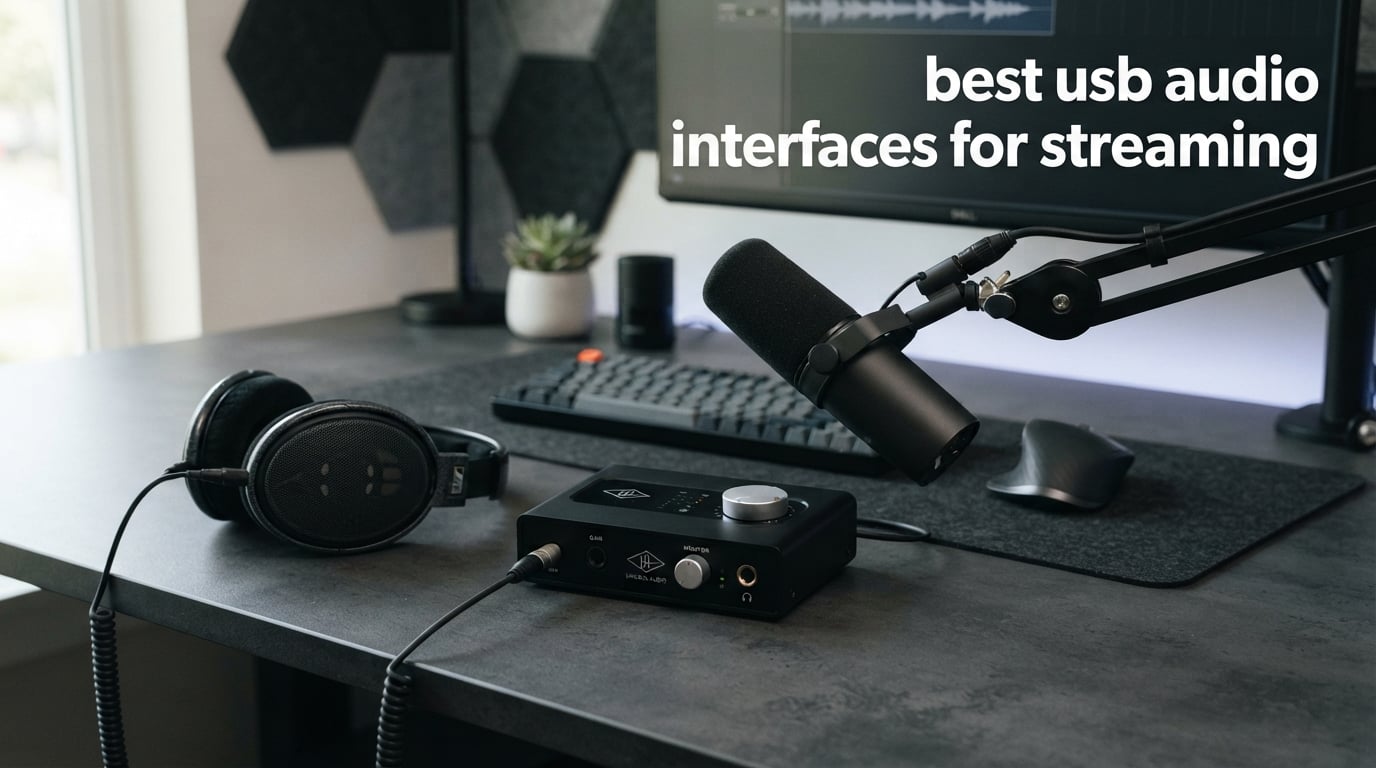
The best USB audio interfaces for streaming give an XLR microphone a clean path into your computer, give you a usable headphone feed, and make level control less of a guessing exercise. I would start with the microphone and the stream you want to run, not a long feature checklist: one host and one mic need something very different from a two-person show, a guitar stream, or a board feed.
An audio interface converts an analog signal from a microphone or instrument into digital audio for the computer, then converts computer audio back for headphones or speakers. Its preamp raises the very quiet microphone signal, while direct monitoring lets you hear yourself without waiting for the computer and streaming software to process the sound.
You do not need an interface if a USB microphone already produces the sound and controls you need. You do need one when you want an XLR microphone, 48V phantom power for a condenser mic, lower-latency monitoring, an instrument input, or a more deliberate route into OBS Studio; this guide compares eight verified options for 2026.
These are the top 3 picks for USB audio streaming In 2026

Focusrite Scarlett 2i2 4th Gen
- Two mic preamps
- 120dB dynamic range
- Auto Gain and Clip Safe
The Focusrite Scarlett 2i2 4th Gen is my broad recommendation because its two low-noise preamps, Auto Gain, Clip Safe, Air mode, and loopback cover the common live-streaming and recording jobs in one unit. The MAONO P2 Hybrid is the more specialized choice when a computer and phone or iPad must connect at once, while the MAONO PS22 Lite makes sense for a first XLR setup that needs routing software and direct monitoring.
These are the best USB audio interfaces for streaming (September 2026)
| Product | Specifications | Action |
|---|---|---|
 blueAVS blueCaster TWO blueAVS blueCaster TWO |
|
Check Availability |
 MAONO P2 Hybrid MAONO P2 Hybrid |
|
Check Availability |
| Focusrite Scarlett 2i2 4th Gen |
|
Check Availability |
 Focusrite Scarlett Solo 4th Gen Focusrite Scarlett Solo 4th Gen |
|
Check Availability |
 FIFINE AmpliGame SC3 FIFINE AmpliGame SC3 |
|
Check Availability |
 MAONO PS22 Lite MAONO PS22 Lite |
|
Check Availability |
 PreSonus Quantum ES 2 PreSonus Quantum ES 2 |
|
Check Availability |
 Elgato Wave XLR MK.2 Elgato Wave XLR MK.2 |
|
Check Availability |
Here is the short answer for readers comparing a streaming audio interface in a hurry. Each line identifies a verified differentiator rather than claiming that one interface sounds identical to another.
Focusrite Scarlett 2i2 4th Gen: Two preamps, 120dB dynamic range, automatic level tools, and loopback make it the flexible all-rounder.
MAONO P2 Hybrid: Dual USB connections and 56dB gain fit creators who switch between a desktop device and a phone or iPad.
Elgato Wave XLR MK.2: An 80dB gain range, onboard voice effects, and Stream Deck integration focus on a single XLR host.
PreSonus Quantum ES 2: Its MAX-HD preamps provide up to 75dB of gain, with loopback and visible LED metering.
blueAVS blueCaster TWO: Two combo inputs, 48V phantom power, and four direct-monitoring modes support a compact desk setup.
Focusrite Scarlett Solo 4th Gen: One mic preamp, Air mode, Auto Gain, Clip Safe, and loopback suit a one-person recording station.
MAONO PS22 Lite: A 56dB preamp, 48V phantom power, direct monitoring, and virtual routing cover core XLR tasks.
FIFINE AmpliGame SC3: Physical level controls, an XLR input, 48V phantom power, and sound pads put live controls at hand.
1. blueAVS blueCaster TWO is a compact two-input streaming interface
Pros
- Two combo inputs
- 48V phantom power
- 103dB dynamic range
- Four monitoring modes
- Mac and Windows plug-and-play
Cons
- Two-channel limit
- Limited stock shown
The blueAVS blueCaster TWO is a sensible starting point for a host who wants two physical inputs without a crowded control surface. The listing specifies two XLR and 1/4-inch TRS combo inputs, so I would consider it for a host and guest, a microphone plus a guitar, or a microphone plus a line-level source.
Its 24-bit/192kHz capability, stated 103dB dynamic range, and THD+N specification below 0.003% describe a conventional studio-interface foundation rather than a streamer-effects device. The product data also lists 48V phantom power with PAD protection on both inputs, which is relevant if either source is a condenser microphone.
The direct-monitoring selector is unusually specific for this group: OFF, MONO, Crossfeed, and STEREO are listed modes. For a live host, that gives a straightforward way to hear the microphone immediately and decide whether one or both inputs belong in the headphone feed.
Two physical inputs make this interface useful for a small shared stream
Two combo inputs are the important decision point here, not the maximum sample-rate headline. A solo host can leave room for an occasional guest microphone, while a creator who records guitar can keep the instrument on its own input.
The balanced TRS outputs can feed compatible studio monitors, and the stated device support includes headphones, microphones, instruments, and a personal computer. Supported software named in the product data includes Streamlabs, Zoom, and OBS Studio, alongside common recording programs.
Two channels and a simple front end set the boundary for larger productions
This is still a two-channel interface, so it is not the right tool for a roundtable with several XLR hosts or an event with multiple microphones. I would also plan around the stock status shown in the analyzed listing rather than treating availability as permanent.
Creators who need software-controlled virtual buses or built-in voice processing should compare the routing-focused MAONO and Elgato options below. The blueCaster TWO instead puts its emphasis on physical inputs, phantom power, monitoring choices, and standard USB recording duties.
2. MAONO P2 Hybrid is the dual-device pick for desktop and mobile creators
Pros
- Computer and mobile connections
- 56dB gain
- Loopback
- Independent mute controls
- ProStudio 2 routing
Cons
- Dynamic-range figure not published
- Only a 1-year warranty listed
The MAONO P2 Hybrid addresses a problem that normal desktop interfaces often leave to adapters: it has dual USB ports for simultaneous computer and phone or iPad connection. I would put it at the top of the list for a creator who broadcasts from a computer but also needs a mobile device in the workflow.
The product data lists dual XLR input, 56dB gain, 24-bit/192kHz recording, and a -130dB EIN figure. Those are useful published facts for someone comparing preamp capability, especially when choosing between a condenser microphone and a dynamic microphone that asks for more gain.
It also provides built-in loopback, independent mute controls for microphone, monitor, and headphones, plus a Stream Mode intended for balanced dual-channel output. That combination reads as more streaming-centered than a basic record-only interface, and the 15-degree control angle is a practical desk detail.
Dual USB links make the P2 Hybrid the clear fit for phone and tablet workflows
The MFi-certified connection is the standout specification for iOS users. A creator can keep a computer as the streaming endpoint while bringing in a compatible phone or iPad without making the mobile device an afterthought.
The supported-software list includes OBS, Twitch, Discord, YouTube, and TikTok as well as music applications. Android, ChromeOS, Windows, iOS, and macOS appear in the stated operating-system support, which is broad compared with the computer-only options here.
Published figures leave some comparison details to the buyer
The analyzed listing does not publish a dynamic-range number, so I would not try to rank it numerically against interfaces that do. Its listed one-year manufacturer warranty is also shorter than the multi-year coverage named for the two Focusrite models.
Its 56dB gain is described as suitable for most condenser and dynamic microphones, but microphone sensitivity still matters. Before choosing any interface for a quiet, low-output dynamic mic, check the mic’s own output specification and leave enough gain range for normal speech peaks.
3. Focusrite Scarlett 2i2 4th Gen is the flexible two-host streaming choice
Pros
- Two low-noise preamps
- 120dB dynamic range
- Auto Gain
- Clip Safe
- Air mode
Cons
- Two-input maximum
- Android support not listed
The Focusrite Scarlett 2i2 4th Gen is the strongest general-purpose pick in this group when two people may speak on stream or when one host alternates between a microphone and instrument. Its two ultra-low-noise mic preamps and two instrument or line inputs give the setup room to change without replacing the interface.
Focusrite lists a 120dB dynamic range using converters from its flagship interfaces, plus 24-bit/192kHz resolution. The reported 4.6 rating across 2,542 reviews gives it a much larger review base than most of the newer entries here, though a rating is not a substitute for matching inputs to your own workflow.
For live use, Auto Gain can set input level automatically and Clip Safe can prevent digital clipping during recording. I especially like the logic of those features for a streamer who does not want to stare at a meter while also hosting, gaming, or watching chat.
Automatic level tools reduce the risk of a stream ruined by a sudden peak
Air mode is the other relevant voice feature: Focusrite describes it as adding musical presence and harmonic drive to vocals and guitars. It is not a replacement for microphone placement or sensible gain staging, but it gives a host a documented alternate voicing to evaluate.
The unit also has loopback, which can bring selected computer audio into a recording or stream mix. That matters for a browser source, a remote guest, or approved playback; it also means you should make a deliberate routing plan to avoid sending the stream’s own return audio back into OBS.
Two inputs are enough for a host and guest but not a multi-mic panel
The 2i2 has a two-input ceiling. I would choose it for one or two sources, not for a four-person podcast, a full event setup, or a channel plan that already needs several microphones.
The listed operating systems are Mac OS, Windows OS, and iOS, and it includes a USB-A-to-C cable. An Android-only setup should therefore look at a model whose analyzed data explicitly lists Android support instead of assuming every USB-C device will behave the same way.
4. Focusrite Scarlett Solo 4th Gen is the studio-quality single-host choice
Pros
- 120dB dynamic range
- Air mode
- Auto Gain
- USB-C bus power
- Loopback
Cons
- One mic preamp
- One instrument input
The Focusrite Scarlett Solo 4th Gen is for the streamer whose show has one primary voice and who wants the same core conversion and level tools as the larger 2i2. Its single ultra-low-noise microphone preamp, single Hi-Z instrument input, 120dB dynamic range, and 24-bit/192kHz resolution are clear, focused specifications.
I would select it for a one-person stream with an XLR microphone, particularly if the same desk also records vocal or guitar material. The USB-C bus-powered design keeps the physical setup simple, and the included software bundle covers Pro Tools Intro+, Ableton Live Lite, Cubase LE, and Hitmaker Expansion.
The live-streaming features remain substantial rather than stripped down: it has improved Air mode, Auto Gain, Clip Safe, and loopback. That makes the Solo a real audio interface for podcasting and streaming, not just an instrument adapter with a headphone jack.
One primary XLR voice is exactly what the Scarlett Solo is built around
A single microphone path encourages a simple gain structure: microphone into the Solo, the Solo selected as the input device, and the monitoring level set at the interface. For a solo creator, that is often easier to manage than a mixer with unused controls.
The same instrument input can handle guitar or bass when the stream includes live playing. I would still keep a second microphone plan outside the Solo, because the product data identifies only one mic preamp.
One mic preamp creates a firm expansion limit for co-hosted streams
This model does not turn into a two-mic interface through software. A regular guest on a separate XLR microphone calls for a two-preamp model such as the Scarlett 2i2, blueCaster TWO, MAONO P2 Hybrid, or Quantum ES 2.
Its compatibility list names Mac OS and Windows OS, while iOS also appears in the technical details. As with the 2i2, I would not assume Android support because it is not listed in the analyzed product data.
5. FIFINE AmpliGame SC3 is the hands-on control option for gaming streams
Pros
- Physical channel controls
- 48V phantom power
- Front mute button
- Custom sound pads
- OBS support
Cons
- XLR cable not included
- USB microphones are incompatible
The FIFINE AmpliGame SC3 is different from the studio-style interfaces above because it places streaming controls at the center of the desk. It has an XLR microphone input with 48V phantom power, four independently controlled channels, front-panel mute and monitor controls, plus customizable sound-effect buttons.
I would look at this unit when instant physical control matters more than a published 24-bit/192kHz specification. A gaming host can adjust microphone, line input, headphone, and line-output levels through dedicated controls rather than opening menus during a broadcast.
The product information also lists six voice-changing modes, 12 auto-tune settings, controllable RGB lighting, and USB-C power. Those tools make the SC3 a live presentation device as much as an audio-input device, so it is a better match for an interactive gaming stream than for a bare recording chain.
Physical faders and buttons are useful when stream controls must stay visible
A front mute button is simple but meaningful when a host needs to silence the microphone quickly. The monitor control and separate channel controls can help a streamer make an adjustment without placing a software window over the game or broadcast controls.
Its supported-use description specifically includes OBS, Twitch, YouTube, and TikTok streaming. I would keep expectations aligned with the hardware: this is a mixer-style XLR front end with streaming functions, not a two-preamp studio interface for several microphone sources.
An XLR-only mic input and missing cable affect the first setup
The SC3 is not compatible with USB microphones, according to the analyzed listing. A USB mic already contains its own interface, so it should connect directly to the computer rather than to this unit’s XLR microphone input.
An XLR cable is not included. A buyer moving from no microphone hardware should account for the required mic cable and choose a condenser microphone only if 48V phantom power is appropriate for that specific model.
6. MAONO PS22 Lite is the straightforward XLR and software-routing starter
Pros
- 56dB preamp
- 48V phantom power
- 106dB dynamic range
- Direct monitoring
- Mobile OS support
Cons
- Driver selection may be needed
- Two-channel limit
The MAONO PS22 Lite is a compact USB audio interface for a newcomer who wants the basic XLR path without giving up loopback and monitoring. Its published 56dB preamp, 48V phantom power, 24-bit/192kHz capability, and 106dB dynamic range cover the core technical questions I would ask first.
Unlike a basic single-input converter, it includes ProStudio Routing Software with virtual channels and loopbacks. That is useful for the streamer who needs to separate a microphone from computer sound before choosing what OBS receives.
The PS22 Lite also has an ASIO driver for low-latency output and a direct-monitoring switch for immediate playback. Its dynamic light ring shows input status, which can give a quick visual indication of activity when you are setting a source level.
Routing software makes the PS22 Lite more useful than a microphone adapter
Virtual channels let a creator think in sources rather than one undifferentiated computer mix. I would use that flexibility for a simple stream mix only after setting the microphone level first, then adding desktop or application audio one source at a time.
The analyzed data names compatibility with Mac, Windows, iPads, Android, and ChromeOS. That range is a useful advantage for creators who may change computers or add a compatible mobile device to their setup.
Driver selection and two channels require a little setup planning
The listing notes that driver selection may be required in DAW software. That is not unusual for an ASIO-capable interface, but it means a beginner should budget a few quiet minutes to select the PS22 Lite as the input and output device before going live.
It is limited to two channels, which is enough for a compact one- or two-source setup but not a replacement for a larger mixer. Keep the stream design simple, and use direct monitoring to separate your headphone experience from the return path in software.
7. PreSonus Quantum ES 2 is the high-gain choice for dynamic microphones
Pros
- 75dB preamp gain
- Low-latency USB driver
- Auto Gain
- LED metering
- High-power headphone output
Cons
- Windows and macOS only
- Two-channel limit
The PreSonus Quantum ES 2 stands out because its MAX-HD microphone preamps provide up to 75dB of gain. I would examine this interface first when the planned microphone is a quiet dynamic model and the recurring question is whether the preamp has enough clean gain for normal spoken delivery.
It combines those preamps with a custom low-latency USB driver, Auto Gain, input and output LED metering, two balanced TRS main outputs, and a high-power headphone output. These are practical details for a host who wants visible level feedback and an immediate monitoring path at the desk.
Loopback audio is included for streaming mixes, and the Universal Control App provides remote preamp control. The package also includes a Studio One Pro perpetual license, while the instrument input was co-developed with Fender for guitar and bass use.
Seventy-five decibels of stated gain directly addresses quiet dynamic-mic concerns
Forum discussions repeatedly raise the problem of low-output dynamic microphones needing more gain than an entry-level preamp can provide. The Quantum ES 2 publishes a 75dB figure, so it offers a concrete starting point rather than leaving that decision to guesswork.
Gain alone does not fix poor microphone placement, room noise, or an overly loud headphone feed. I would place the microphone correctly, speak at normal volume, watch the LED meter, and use Auto Gain as a starting setting rather than treating any automatic tool as a substitute for listening.
Computer-only support and two channels define this interface’s limits
The operating-system data lists Windows and macOS, not iOS, Android, or ChromeOS. A mobile-first creator should select an interface with explicit mobile support rather than depend on a connection that is not documented for this model.
There are two channels, which fits a host-and-guest arrangement or microphone-and-instrument setup. A panel discussion, a church stage feed with many independent sources, or several room microphones needs a mixer or interface with more inputs upstream of the stream computer.
8. Elgato Wave XLR MK.2 is the streamer-first single-XLR DSP choice
Pros
- 80dB gain
- Onboard compressor EQ and enhancer
- Touch mute
- Wave Link routing
- Stream Deck integration
Cons
- Windows 11 or macOS 14.2 minimum
- Single XLR input
- 24-bit 48kHz maximum
The Elgato Wave XLR MK.2 is the most streaming-specific design in this list for a solo host with one XLR microphone. Its published 80dB gain figure, onboard voice enhancer, compressor, EQ, touch mute, LED feedback, and Wave Link software make it less like a conventional recording box and more like a one-person broadcast control center.
I would choose this model when Stream Deck control and software audio routing are already part of the desk plan. Native Stream Deck integration allows compatible controls to stay close to the other streaming actions, while the Wave FX Processor combines onboard DSP effects with VST plugin support.
The interface provides ultra-low-latency monitoring and a powerful headphone amp, with 24-bit/48kHz audio resolution. That resolution is lower than the 192kHz maximum advertised by several other models here, but it is still the stated operating format for this streamer-oriented XLR interface.
Onboard voice processing and Wave Link routing simplify a solo broadcast chain
The built-in enhancer, compressor, and EQ can form a starting voice chain before adding optional VST effects. I would begin with modest processing, monitor the result on headphones, and avoid stacking filters simply because they are available.
Wave Link gives the host routing and mixing controls that align with a streaming workflow. This matters when microphone audio, chat, browser sources, and game sound need different destinations, though every source should be added one at a time to prevent duplicated audio in OBS.
One XLR input and newer operating-system requirements narrow the audience
The Wave XLR MK.2 is limited to one XLR input, so it is not a co-host interface without other hardware. A regular second microphone belongs on a two-preamp interface or a mixer with enough physical inputs.
Elgato lists Windows 11 or later and macOS 14.2 or later as the supported operating systems. Confirm the computer’s operating-system version before building a workflow around Wave Link, Stream Deck integration, or the onboard DSP controls.
Choose a streaming audio interface by inputs, gain, routing, and monitoring
The right USB audio interface is the one that accepts every source you will actually use and gives you a dependable way to hear it. I would decide in this order: count microphone sources, identify the microphone type, check computer compatibility, then decide how much live routing and physical control the stream really needs.
One XLR input is enough when one host is the entire live sound plan
A single-host stream with one XLR microphone can work very well with the Focusrite Scarlett Solo 4th Gen or Elgato Wave XLR MK.2. The Solo favors conventional studio recording tools, while the Wave XLR MK.2 favors onboard voice effects and Wave Link routing.
Two XLR microphone sources call for two preamps or two combo inputs. The blueCaster TWO, MAONO P2 Hybrid, Focusrite Scarlett 2i2 4th Gen, and PreSonus Quantum ES 2 are the appropriate group to compare for that situation.
More gain matters when a dynamic microphone has a low output level
A preamp’s gain figure tells you how much it can raise a microphone signal, not whether it can make every room sound quiet or professional. In the analyzed specifications, the MAONO P2 Hybrid and PS22 Lite list 56dB, the Quantum ES 2 lists 75dB, and the Wave XLR MK.2 lists 80dB.
Condenser microphones typically need 48V phantom power, while many dynamic microphones do not. Never turn on phantom power solely because an interface has the switch; confirm what the particular microphone manufacturer calls for, then connect it with a balanced XLR cable.
Direct monitoring is the answer when your own voice sounds delayed in headphones
Direct monitoring sends the microphone signal to your headphones at the interface instead of waiting for the computer, plugins, and streaming software. The blueCaster TWO lists four direct-monitoring modes, and the MAONO PS22 Lite has a direct-monitoring switch; several other models describe low-latency monitoring or a dedicated headphone output.
Set your headphone level at the interface, then decide whether you need a blend of microphone and computer audio. If you hear an echo, look for two active monitoring paths: direct monitoring plus a software input monitor is the usual cause.
Loopback is useful when OBS needs selected computer sound alongside the microphone
Loopback routes computer playback into an interface channel or stream mix. The MAONO P2 Hybrid, Focusrite Scarlett 2i2 4th Gen, Focusrite Scarlett Solo 4th Gen, MAONO PS22 Lite, and PreSonus Quantum ES 2 all list loopback, while the Elgato model uses Wave Link routing for a broader software-mixing approach.
Do not activate every available computer source at once. Start with the microphone, add one approved desktop source, verify that OBS receives both exactly once, and keep the stream-monitor return out of the loopback destination.
USB microphones are simpler, but XLR interfaces leave more room to change the setup
A USB microphone has its own conversion hardware inside and connects directly to a computer, which is often the cleanest first setup. An XLR microphone needs an interface or mixer, but that separation lets you change the microphone, preamp, monitoring, or routing device independently.
I would not buy an interface merely to place a USB microphone through another box; the FIFINE SC3 explicitly says USB microphones are incompatible with its XLR input. Buy an interface when its XLR support, preamp gain, monitoring, multiple inputs, or routing options solve a real limitation in the current setup.
OBS setup works best when the audio path is built one source at a time
Connect the interface to the computer by USB and connect the microphone to the correct XLR or combo input.
Choose the interface as the input device in the operating system or in the intended audio application, then set an initial gain level while speaking normally.
Use direct monitoring or the interface headphone output to hear the microphone without software delay.
In OBS, add the interface microphone as an audio source and watch the meter while speaking.
Add computer audio through loopback or the maker’s routing software only if the stream needs it, then listen for duplicated sound or echo.
Make a short local recording and check speech, desktop sound, and mute behavior before the live broadcast.
This order separates hardware setup from streaming-software routing, which makes troubleshooting much easier. If a source is missing, check the cable, input selection, phantom-power requirement, operating-system permission, and OBS source choice before changing several settings at once.
A board feed needs one controlled source before it enters the stream computer
For a church livestream, event stream, or venue board feed, treat the mixing board’s selected auxiliary output as one line-level source. Feed it into an appropriate line or combo input, keep the source level conservative, and monitor it on headphones before sending it to OBS.
A separate room microphone can add audience or room sound, but it should be mixed intentionally because it can introduce echo and background noise. The best audio interface for this job is not automatically the one with the most effects; it is the unit with enough documented inputs and a workflow the operator can manage during the event.
These FAQs answer the main streaming audio-interface questions
Do I need an audio interface for streaming?
You need an audio interface when you use an XLR microphone, need 48V phantom power for a compatible condenser microphone, want direct headphone monitoring, or need inputs and routing beyond a USB microphone. A USB microphone can be enough for a simple one-person stream because its conversion hardware is built in.
What is the difference between a USB microphone and an audio interface?
A USB microphone contains its own preamp and analog-to-digital conversion and connects directly to a computer. An audio interface is a separate device that accepts microphones, instruments, or line sources, converts them for the computer, and typically adds XLR inputs, monitoring, headphone control, and routing options.
How do I set up an audio interface for streaming?
Connect the interface by USB, connect the microphone to the correct input, select the interface as the audio device, and set gain while speaking at normal volume. Add the microphone as a source in OBS, use direct monitoring for headphones, then add loopback or software-routed computer audio one source at a time.
Can you use an audio interface for live streaming?
Yes. An audio interface can send microphone or line-level sound to a computer for OBS, Twitch, YouTube Live, or similar software. Features such as direct monitoring, loopback, a low-latency driver, and physical mute controls can make the live workflow easier to manage.
How many inputs do I need for streaming?
One microphone input is enough for a solo host using one XLR microphone. Two inputs fit a host and guest or a microphone plus an instrument, while a panel, event feed, or several room microphones needs more inputs or a mixer upstream of the interface.
The Focusrite Scarlett 2i2 4th Gen is the best all-round choice for most streamers
The Focusrite Scarlett 2i2 4th Gen is my all-round recommendation because it has two microphone paths, documented 120dB dynamic range, automatic level protection, Air mode, and loopback. Pick the MAONO P2 Hybrid if a simultaneous computer and phone or iPad workflow matters most, the PreSonus Quantum ES 2 or Elgato Wave XLR MK.2 if published high gain is the priority, and the FIFINE SC3 if front-panel stream controls are the point.
The best USB audio interfaces for streaming in 2026 are not interchangeable, and that is good news: count your sources, check your microphone’s needs, and select the unit whose documented routing and monitoring functions match your actual broadcast. Once the signal path is simple and the OBS meter receives every source once, you can spend your attention on the stream rather than audio repairs.