
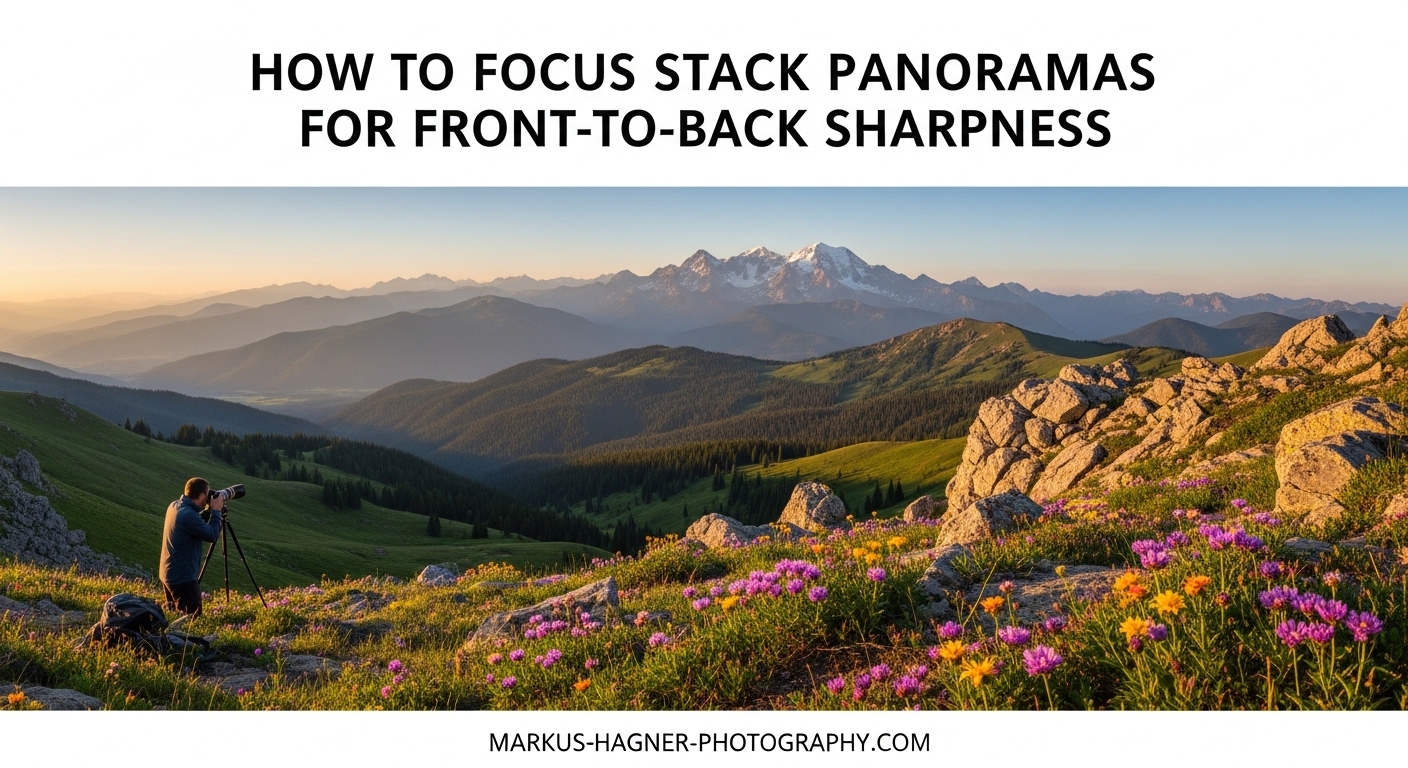
Getting front-to-back sharpness in landscape photography has been one of my biggest challenges over the years. When I first started shooting ultra-wide-angle landscapes with foreground elements just a few feet from my lens, I quickly realized that even stopping down to f/16 or f/22 did not deliver the tack-sharp results I wanted. That is when I discovered focus stacking, and later, how to combine it with panoramic photography for truly razor-sharp images from the nearest rock to the most distant mountain peak.
In this guide, I will walk you through exactly how to focus stack panoramic images for front-to-back sharpness in landscapes. I have spent countless hours in the field refining this technique, dealing with wind, changing light, and the organizational nightmare of managing dozens of images for a single final photograph. By the end, you will understand both the field technique and the post-processing workflow needed to create stunningly sharp panoramic landscape images.
What Is Focus Stacking for Landscape Photography?
Focus stacking is an advanced photography technique that combines multiple images focused at different points into a single photograph with sharp focus from the nearest foreground element to the most distant background. Instead of relying on one exposure with a small aperture to achieve depth of field, you capture several shots of the exact same scene with different focus points and blend them together in post-processing.
The reason this technique exists is simple: optical physics. Even the best lenses have limitations. When you stop down to very small apertures like f/16 or f/22 to increase depth of field, you introduce diffraction. Diffraction softens the entire image, negating much of the sharpness gain from the increased depth of field. I have seen this countless times in my own work where an image shot at f/22 looks softer overall than one shot at f/8 but focus stacked.
At its core, focus stacking works by photographing the same scene multiple times. You start with focus on the closest foreground element, then gradually move the focus point further into the scene with each subsequent shot. The software then analyzes each image, identifies the sharpest areas in each frame, and blends only those sharp portions into the final result. This creates a single image that would be optically impossible to capture in one exposure.
For landscape photographers, focus stacking becomes essential when using ultra-wide-angle lenses with foreground elements very close to the camera. The closer your foreground, the more challenging it becomes to keep both foreground and background sharp. A rock two feet from your lens and a mountain two miles away exist in vastly different focus planes, and no single aperture setting can bridge that gap while maintaining maximum sharpness.
Why and When to Focus Stack Panoramic Images
Not every landscape photograph requires focus stacking. I have wasted plenty of time focus stacking scenes that would have been perfectly sharp with a single exposure at f/11. Understanding when this technique is actually necessary will save you significant time both in the field and at your computer.
You should consider focus stacking panoramic images in these specific situations:
- You are using an ultra-wide-angle lens (14mm to 24mm) with foreground elements within 3 to 5 feet of the camera
- You are creating large-format prints where any softness will be visible at close viewing distances
- Your composition includes both very close foreground interest and distant background elements
- You are shooting at apertures wider than f/11 due to low light or creative reasons
- You want maximum corner-to-corner sharpness for professional publications or competitions
The panoramic aspect adds another layer of complexity. When you combine focus stacking with panorama stitching, you are essentially multiplying the number of images needed. A simple 3-shot panorama with 3 focus layers per frame requires 9 images. A more ambitious 5-shot panorama with 4 focus layers needs 20 images. Understanding this multiplication factor is critical for planning your captures.
Hyperfocal distance focusing, the traditional method for achieving front-to-back sharpness, often falls short in demanding situations. While it can produce acceptable sharpness for web display or small prints, it rarely delivers the razor-sharp results needed for large format printing or critical evaluation. I have compared hyperfocal distance images to focus stacked versions of the same scene countless times, and the difference is always visible, particularly in the foreground details.
Field Technique: How to Capture Focus Stacked Panoramas
The field technique for focus stacking panoramic images requires careful attention to detail and a systematic approach. I have developed a workflow over years of shooting that minimizes errors and maximizes efficiency, which becomes crucial when light is changing or conditions are challenging.
Essential Equipment
Before heading into the field, make sure you have the right gear. A sturdy tripod is absolutely non-negotiable. Any movement between shots will cause alignment issues in post-processing. I use a carbon fiber tripod with a ball head that locks down securely. A remote shutter release or cable release prevents camera shake when triggering the shutter. If your camera supports it, electronic front curtain shutter or fully electronic shutter eliminates mechanical vibration entirely.
A tripod head with precise rotation capability helps when shooting panoramas. Panoramic heads or nodal slide rails allow you to rotate around the entrance pupil, also called the no-parallax point, which prevents foreground elements from shifting position between frames. This becomes even more critical when focus stacking because any parallax error compounds the alignment challenges.
Camera Settings for Focus Stacking
Aperture selection is critical for focus stacking. I recommend shooting at your lens’s optimal aperture, typically between f/5.6 and f/8 for most modern wide-angle lenses. This range provides the sharpest results while still giving you some depth of field in each individual frame. Shooting at wider apertures like f/4 means each image has shallower depth of field, requiring more focus layers to cover the scene. Shooting at smaller apertures introduces diffraction and defeats the purpose of focus stacking.
Use your camera’s base ISO whenever possible for maximum image quality. In most cases, this means ISO 100 or ISO 64. Set your shutter speed based on the available light and your aperture choice. If wind is present, you may need faster shutter speeds to freeze foreground movement, which could require higher ISO settings.
Shoot in RAW format to preserve maximum flexibility in post-processing. Focus stacked panoramas often require significant adjustments to exposure, white balance, and color grading, and RAW files give you the latitude to make these changes without degrading image quality.
Step-by-Step Capture Process
Here is my systematic approach to capturing focus stacked panoramas in the field:
Step 1: Compose your panorama. Determine how many frames you need to cover your scene. Most panoramas I shoot consist of 3 to 5 horizontal frames with about 30 to 40 percent overlap between each frame. More overlap gives the stitching software more data to work with but increases total image count.
Step 2: Lock in your exposure. Take a meter reading across the entire panorama and set your exposure manually. Do not use automatic exposure modes because the varying brightness across different parts of the scene will cause inconsistent exposures between frames. I typically meter for the brightest part of the scene where I want to retain detail.
Step 3: Determine focus points. Identify how many focus layers you need. For most landscape scenes, 2 to 4 focus layers are sufficient. Focus on the nearest foreground element for your first layer, then on the middle ground, and finally on the background or infinity for your last layer.
Step 4: Capture systematically. This is where organization becomes critical. I use variable focus sequencing, which I will explain in detail shortly. The key is maintaining a consistent pattern so you can easily identify and organize images later.
Step 5: Verify your captures. Before moving on, quickly review your images on the camera’s LCD. Check that each focus layer is actually focused where you intended and that no frames were missed due to technical issues.
Variable Focus Sequencing Technique
Variable focus sequencing is a technique that saves time and helps maintain consistent light across your captures. Instead of capturing all frames at one focus point before moving to the next, you alternate focus points as you pan across the scene. Here is how it works:
For a 3-frame panorama with 3 focus layers, traditional sequencing would capture: Frame 1 foreground, Frame 1 middle, Frame 1 background, then Frame 2 foreground, Frame 2 middle, Frame 2 background, and so on. This takes longer and increases the chance of light changing between focus layers.
With variable focus sequencing, you capture: Frame 1 foreground, Frame 2 foreground, Frame 3 foreground, then Frame 3 middle, Frame 2 middle, Frame 1 middle, then Frame 1 background, Frame 2 background, Frame 3 background. By alternating direction as you change focus, you reduce the time between capturing the same part of the scene at different focus points. This helps maintain consistent lighting across your focus stack for each panorama section.
This technique becomes especially valuable when shooting in changing conditions like sunrise or sunset when light can shift dramatically over just a few minutes.
Dealing with Wind and Moving Elements
Wind is the biggest challenge when focus stacking outdoors. Even slight movement of grass, flowers, or leaves between shots can cause ghosting artifacts that are difficult or impossible to fix in post-processing. I have had many promising captures ruined by unexpected gusts of wind.
When wind is present, work as quickly as possible to minimize the time between frames. Consider waiting for lulls in the wind between captures. In some cases, you may need to accept that certain scenes simply cannot be focus stacked in windy conditions and opt for a single exposure at a smaller aperture instead.
Moving clouds and water present similar challenges but are often more forgiving. Cloud movement between frames typically blends smoothly in the stitching process, and water can often be smoothed during blending. Foreground elements with defined edges are much more problematic when they move.
Two Workflow Methods: Stitch and Stack vs Stack and Stitch
When combining focus stacking with panorama stitching, you have two fundamental workflow options: Stitch and Stack, or Stack and Stitch. Each method has distinct advantages and disadvantages, and choosing the right one depends on your specific scene and software capabilities.
The Stitch and Stack Method
In the Stitch and Stack method, you first stitch your panorama sections for each focus layer separately, then focus stack the resulting panoramas together. Here is how it works:
First, organize your images by focus layer. Group all foreground frames together, all middle ground frames together, and all background frames together. Stitch each group into a separate panorama. This gives you three panoramic images: one focused on the foreground, one on the middle ground, and one on the background. Finally, load these three panoramas into your focus stacking software to blend them into the final image.
The main advantage of this method is that panorama stitching software like Lightroom or PTGui often does an excellent job of handling the geometric transformations needed to create seamless panoramas. By stitching first, you let specialized software handle what it does best before moving to focus stacking.
The disadvantage is that any errors in the panorama stitching will propagate through to the focus stacking step. If the foreground panorama stitches slightly differently than the background panorama, the focus stacking software may struggle to align them properly.
The Stack and Stitch Method
In the Stack and Stitch method, you first focus stack each panorama section separately, then stitch the resulting focus stacked frames together. Here is the process:
Organize your images by panorama position. For each position in your panorama, group all focus layers together. Focus stack each group to create a single sharp image for that panorama section. You end up with the same number of images as your panorama frame count, but each one is already sharp from foreground to background. Finally, stitch these focus stacked frames together into your final panorama.
This method works well when your panorama stitching software can handle the resulting images consistently. The advantage is that each panorama section is already fully sharp, so you only need one stitching operation. The disadvantage is that focus stacking each section separately takes more processing time if you have many panorama positions.
Which Method Should You Choose?
The choice between these methods depends on several factors:
Choose Stitch and Stack when:
- Your panorama has relatively few frames (3 or fewer)
- You have more focus layers than panorama frames
- Your panorama stitching software handles the scene type well
- You want to use specialized panorama software like PTGui
Choose Stack and Stitch when:
- Your panorama has many frames (5 or more)
- You have fewer focus layers than panorama frames
- Your focus stacking software is faster or more reliable than your panorama software
- You want to use Photoshop for the entire workflow
Image Count Calculation Examples
Understanding the mathematics behind these techniques helps you plan your captures. Here are some common scenarios:
A simple 3-shot panorama with 2 focus layers requires 6 total images (3 x 2 = 6). A moderate 4-shot panorama with 3 focus layers needs 12 images (4 x 3 = 12). A complex 6-shot panorama with 4 focus layers demands 24 images (6 x 4 = 24).
When you start adding HDR bracketing to the mix, the numbers grow even larger. A 3-shot panorama with 3 focus layers and 3 exposure brackets requires 27 images (3 x 3 x 3 = 27). Managing this many files in the field requires careful organization and clear naming conventions.
Post-Processing Your Focus Stacked Panoramas
The post-processing phase is where your careful field work comes together into the final image. I will walk you through workflows using both Photoshop and dedicated focus stacking software.
Photoshop Workflow: Auto-Align and Auto-Blend
Photoshop offers a straightforward workflow for focus stacking that works well for most landscape images. Here is my step-by-step process:
Step 1: Prepare your images in Lightroom or Camera RAW. Apply the same basic adjustments to all images in your focus stack. This includes exposure, white balance, lens corrections, and chromatic aberration removal. Synchronize these settings across all images to ensure consistency. Do not apply heavy local adjustments at this stage.
Step 2: Load images into Photoshop as layers. In Lightroom, select all the images for one focus stack, right-click, and choose Edit In then Open as Layers in Photoshop. This loads all selected images into a single Photoshop document with each image on its own layer.
Step 3: Auto-Align the layers. Select all layers in the Layers panel, then go to Edit then Auto-Align Layers. Choose Auto for the projection method. Photoshop will analyze the images and align them precisely. This step is critical because even on a tripod, there can be microscopic shifts between frames.
Step 4: Auto-Blend the layers. With all layers still selected, go to Edit then Auto-Blend Layers. Choose Stack Images as the blend method and check Seamless Tones and Colors. Photoshop will analyze each layer, identify the sharpest areas, and create layer masks to blend them together.
Step 5: Review and correct. Examine the resulting image at 100 percent magnification, paying particular attention to the transition areas between focus layers. If you see any blending errors, you can manually paint on the layer masks to correct them.
Manual Masking Corrections
Sometimes Photoshop’s Auto-Blend makes mistakes, particularly in areas with complex textures or moving elements. When this happens, manual masking becomes necessary. I use a technique called the Stamp Visible Layer method.
Create a new layer at the top of your stack by pressing Ctrl+Alt+Shift+E on Windows or Cmd+Option+Shift+E on Mac. This creates a flattened version of your current blend. Then selectively reveal underlying layers by adding layer masks and painting with a soft brush at low opacity. This gives you precise control over which areas come from which focus layer.
Common issues that require manual correction include ghosting around moving elements, halos along high-contrast edges, and texture inconsistencies in areas where the auto-blend made poor choices.
Helicon Focus Workflow
Helicon Focus is dedicated focus stacking software that offers more sophisticated algorithms than Photoshop. Many landscape photographers prefer it for challenging stacks. Here is the basic workflow:
Export your images from Lightroom or Capture One as TIFF or JPEG files. Load them into Helicon Focus using the Add Images button. Choose your rendering method: Method A works well for most landscapes, Method B handles complex textures better, and Method C is designed for macro photography but can help with difficult landscape stacks.
Click Render and wait for the software to process. Helicon Focus will display the resulting image along with a depth map showing which source image contributed to each area. Review the result and retouch if necessary using the built-in retouching tools that let you paint in areas from specific source images.
The main advantage of Helicon Focus over Photoshop is its specialized algorithms that often produce cleaner results with fewer artifacts. It also handles large image sets more efficiently and provides better tools for correcting blending errors.
Panorama Stitching Considerations
When stitching panoramas that will be focus stacked, or stitching already focus stacked frames, several considerations come into play. Lens corrections should be applied consistently across all frames before stitching. Vignette removal is particularly important because inconsistent vignetting across frames will create visible seams in the final panorama.
For complex panoramas, especially 360-degree or multi-row panoramas, dedicated stitching software like PTGui often produces better results than Photoshop or Lightroom. PTGui offers more control over control points, projection methods, and blending algorithms. It also handles large files more efficiently.
Focus Stacking Software Comparison
Several software options exist for focus stacking, each with strengths and weaknesses. Here is a comparison to help you choose the right tool for your workflow.
Adobe Photoshop is the most accessible option for most photographers since it is likely already part of your workflow. The Auto-Align and Auto-Blend functions work well for straightforward focus stacks. The main limitations are occasional blending errors that require manual correction and slower performance with large image sets.
Helicon Focus is purpose-built for focus stacking and offers more sophisticated algorithms. It provides three different rendering methods optimized for different subject types. The retouching tools are excellent for correcting blending errors. The software handles RAW files directly and can output DNG files, preserving the RAW workflow. The main drawback is the additional cost beyond your Creative Cloud subscription.
Zerene Stacker is another dedicated option that excels at handling difficult stacks with overlapping depth of field. It offers two main algorithms: PMax for preserving fine detail and DMap for smooth transitions. Many macro photographers prefer Zerene Stacker, and it works well for landscapes too.
PTGui is primarily panorama stitching software but worth mentioning for its excellent handling of complex panoramic projections. When using the Stitch and Stack method, PTGui often produces cleaner panorama results than Lightroom, especially for multi-row or 360-degree panoramas.
For most landscape photographers, I recommend starting with Photoshop since it is likely already available. If you find yourself frequently correcting blending errors or working with challenging stacks, consider adding Helicon Focus to your toolkit.
Troubleshooting Common Issues
Even with careful technique, problems can arise when focus stacking panoramic images. Here are the most common issues and how to address them.
Ghosting and halos appear when elements move between frames or when the blending algorithm makes poor choices. Prevention is the best solution: shoot quickly, wait for lulls in the wind, and avoid scenes with moving foreground elements. When ghosting occurs, manual masking is usually the only fix.
Parallax errors happen when your camera rotates around a point other than the entrance pupil. This causes foreground elements to shift position relative to the background between frames. Using a panoramic head or nodal slide eliminates this problem. If parallax errors appear in your images, focus stacking software may struggle to align the frames properly.
Color inconsistencies across panorama sections can result from changing light during capture or from the stitching software applying different color adjustments to different sections. Applying consistent RAW processing before stitching helps minimize this issue.
Stitching failures occur when the panorama software cannot find enough matching points between frames. This happens most often with scenes that lack distinct features, such as smooth water or clear skies. Including more overlap between frames and manually adding control points in software like PTGui can help.
Blending errors in focus stacking show up as soft patches or texture discontinuities. These usually result from insufficient depth of field overlap between focus layers. When each frame is too shallow, the blending algorithm struggles to find clean transitions. Using slightly smaller apertures or more focus layers helps prevent this issue.
FAQ
How to focus stack landscape photos?
To focus stack landscape photos, mount your camera on a tripod and set your aperture to f/5.6 to f/8. Capture multiple images of the same scene with different focus points, starting from the nearest foreground and moving to the background. Use 2 to 4 focus layers for most scenes. In post-processing, load the images as layers in Photoshop, use Auto-Align Layers, then Auto-Blend Layers with Stack Images selected.
When should you use focus stacking for landscape photography?
Use focus stacking when shooting ultra-wide-angle lenses with foreground elements within 3 to 5 feet of the camera, when creating large-format prints requiring maximum sharpness, or when your composition includes both very close foreground and distant background elements. Focus stacking is also useful when shooting at wider apertures due to low light conditions.
How many images do you need for focus stacking panoramas?
Multiply your panorama frame count by your focus layer count. A 3-shot panorama with 3 focus layers requires 9 images. A 5-shot panorama with 4 focus layers needs 20 images. Most landscape panoramas need 2 to 4 focus layers, and most panoramas consist of 3 to 5 frames, resulting in 6 to 20 total images.
What aperture is best for focus stacking landscapes?
The best aperture for focus stacking landscapes is typically f/5.6 to f/8, which provides optimal lens sharpness while giving adequate depth of field in each frame. Avoid apertures smaller than f/11 because diffraction will soften your images, defeating the purpose of focus stacking.
Should I stack first or stitch first for panoramic focus stacking?
Choose Stitch and Stack when you have few panorama frames and more focus layers. Choose Stack and Stitch when you have many panorama frames and fewer focus layers. Stitch and Stack lets specialized panorama software handle geometric transformations first, while Stack and Stitch creates fully sharp panorama sections before stitching.
Final Thoughts on Focus Stacking Panoramic Images
Learning to focus stack panoramic images for front-to-back sharpness in landscapes takes time and practice. The technique adds significant complexity to both your field work and post-processing, but the results speak for themselves. When you print a large format panoramic landscape that is razor-sharp from the closest foreground rock to the most distant mountain peak, you will understand why so many landscape photographers consider this technique essential.
Start simple with 2 or 3 focus layers on basic panoramas before attempting complex multi-row panoramas with many focus points. Master the Photoshop workflow before investing in dedicated focus stacking software. Most importantly, get out in the field and practice. The more you shoot, the better you will become at reading scenes, predicting challenges, and adapting your technique to conditions.
Remember that not every landscape needs focus stacking. Use this technique when it genuinely serves your creative vision and when the extra effort will be visible in the final image. For many situations, a well-executed single exposure at f/11 or f/16 is perfectly adequate. But for those special compositions with close foregrounds and distant backgrounds where maximum sharpness matters, focus stacking panoramic images is the technique that will deliver the results you are after.