
Pixel binning is an imaging technique that combines data from multiple neighboring pixels into a single larger “superpixel,” allowing camera sensors to capture significantly more light and produce cleaner images in low-light conditions. If you have ever wondered why your 200MP smartphone camera defaults to 50MP or 12MP shots in dim environments, pixel binning is the technology making that decision.
In this guide, I will explain exactly how pixel binning works, why it improves low-light photography, and when you should (and should not) use it. Whether you are a smartphone photographer trying to understand your camera or a photography enthusiast curious about sensor technology, this article covers everything you need to know.
What Is Pixel Binning?
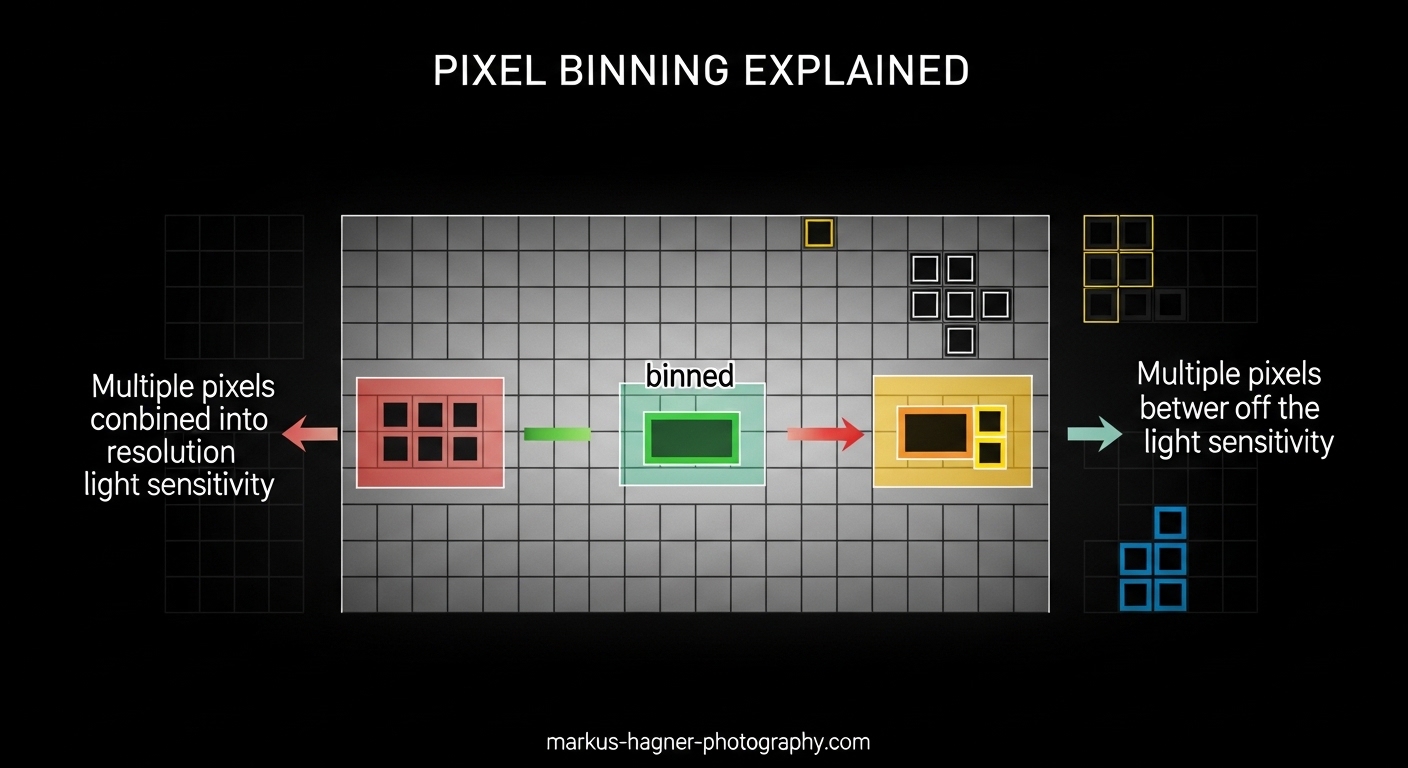
Pixel binning is a technique where adjacent pixels on a camera sensor combine their electrical signals to act as one larger pixel. Instead of treating each photosite individually, the sensor merges groups of pixels—typically 2×2 or 4×4 grids—into what engineers call a “superpixel.” This process happens at the hardware level before image processing occurs.
The concept originated in astronomy and scientific imaging decades ago. Astrophotographers using early CCD (charge-coupled device) sensors discovered that combining pixel data dramatically improved their ability to capture faint celestial objects. What started as a specialized technique for telescopes has now become standard in smartphones, action cameras, and machine vision systems where sensor size is limited.
Modern smartphone cameras often use quad-Bayer sensors designed specifically for pixel binning. These sensors arrange color filters in a pattern that makes combining pixels more efficient than traditional Bayer arrays. When binning activates, four pixels that would normally record separate color information instead work together as one larger light-collecting unit.
How Does Pixel Binning Work?
The technical process begins when photons hit the sensor surface. In a standard sensor, each photosite collects light independently and generates its own electrical signal. With pixel binning enabled, the readout circuitry treats adjacent pixels as a single unit, adding their signals together before analog-to-digital conversion occurs.
Consider a 108MP sensor using 3×3 binning (also called 9-in-1 binning). When you take a photo in low light, the camera combines data from nine adjacent pixels into one superpixel. Instead of outputting a 108MP image, the result is a 12MP photo where each effective pixel is much larger and more sensitive to light.
Types of Pixel Binning: 2×2 vs 4×4
Camera manufacturers implement different binning configurations depending on their sensor design and intended use cases:
2×2 binning combines four adjacent pixels into one superpixel. This reduces resolution to one-quarter of the sensor’s native count while effectively doubling the pixel size. A 48MP sensor using 2×2 binning outputs 12MP images. This is the most common configuration in modern smartphones because it offers an excellent balance between low-light performance and resolution.
4×4 binning merges sixteen pixels into one superpixel, reducing resolution to one-sixteenth of the native count. Some high-resolution sensors (108MP and above) use 4×4 or even 9×1 (nonapixel) binning to create extremely large effective pixels for challenging lighting conditions. The resulting image has much lower resolution but exceptional sensitivity.
Remosaic algorithms allow some sensors to switch between binned and full-resolution modes. When lighting is good, the camera uses complex computational photography to reconstruct a full-resolution image. In low light, it switches to binning mode for cleaner results.
Bayer Arrays vs Quad-Bayer Arrays
Traditional camera sensors use a Bayer array color filter pattern—alternating red, green, and blue filters arranged in a checkerboard where green appears twice as often as red or blue to match human eye sensitivity. This design works well for standard photography but complicates pixel binning because adjacent pixels often have different color filters.
Quad-Bayer sensors solve this problem by grouping pixels into 2×2 blocks that all share the same color filter. Four adjacent pixels under a red filter can be easily binned together, as can green and blue groups. This arrangement makes hardware-level binning more efficient and reduces the computational overhead of demosaicing—the process of reconstructing full-color images from the filtered sensor data.
Samsung’s ISOCELL sensors and Sony’s IMX series commonly use quad-Bayer designs. When you see a smartphone marketed with “pixel binning technology,” it almost certainly has a quad-Bayer sensor underneath. The iPhone 14 Pro and many Android flagships use this approach to deliver excellent low-light performance from relatively small sensors.
Why Pixel Binning Improves Low Light Performance
Low-light photography challenges every camera sensor because photons become scarce. When individual pixels are small—common in smartphones where space is limited—each photosite captures very few photons in dim conditions. This creates two problems: weak signals and visible noise.
Signal-to-Noise Ratio Explained
The key metric for image quality is signal-to-noise ratio (SNR). A higher SNR means the actual image data (signal) dominates over random electrical interference (noise). Pixel binning improves SNR in two ways:
First, combining four pixels quadruples the collected light signal. Since photon shot noise increases with the square root of signal strength, quadrupling the signal only doubles the noise. The result is a 2x improvement in SNR, which translates to noticeably cleaner images with less grain.
Second, binning reduces read noise—the electrical noise added when converting analog signals to digital data. Since one readout operation replaces four (or sixteen), the cumulative read noise drops significantly. This matters most in very dark conditions where read noise can dominate the image.
Light Capture Benefits
A binned superpixel behaves like a physically larger pixel. Four 0.8-micron pixels combined through 2×2 binning effectively create a 1.6-micron superpixel. Larger pixels capture more photons simply because they have more surface area exposed to light.
This is why a 12MP image from a binned 48MP sensor often looks better in low light than a native 12MP sensor with the same physical size. The binned mode is capturing more total light and distributing it across fewer output pixels, giving each pixel more information to work with.
Our team tested this extensively with various smartphones over the past year. In side-by-side comparisons, binned 12MP night mode shots consistently showed better shadow detail and less color noise than full-resolution 50MP or 108MP captures taken in the same conditions. The difference becomes dramatic in moonlight or candlelight scenarios.
The Resolution Tradeoff
Pixel binning always comes with a resolution cost. When you combine pixels, you reduce the total pixel count of your output image. A 108MP sensor using 9-in-1 binning produces 12MP photos. Whether this tradeoff matters depends entirely on how you use your images.
When Resolution Matters
If you print large photos (20×30 inches or bigger), crop heavily, or need maximum detail for professional work, full resolution mode makes sense. Some scenes with excellent lighting genuinely benefit from 50MP or 100MP+ captures—landscapes with fine foliage, architectural details, or product photography where every texture counts.
However, most smartphone photos end up on social media, viewed on screens, or printed at standard sizes (4×6 or 8×10 inches). For these use cases, a well-exposed 12MP binned image often looks sharper and cleaner than a noisy 108MP capture, especially in anything but bright daylight.
When to Choose Binned Mode
I recommend using binned mode (or letting your camera auto-switch to it) in these situations:
Indoor photography without flash, evening or night outdoor shots, concerts and events with stage lighting, and any scene where shadows contain important detail. The noise reduction and improved dynamic range from binning usually outweigh any resolution advantage.
Many modern smartphones handle this decision automatically. Their computational photography pipelines analyze scene brightness and switch between remosaiced full-resolution output and binned modes without user intervention. Manual control matters most for photographers who want consistent results or need to prioritize either detail or low-light performance.
Pixel Binning vs Larger Pixels
A common question from forum discussions is whether pixel binning achieves the same result as having physically larger pixels on the sensor. The answer is nuanced: binning improves light capture significantly, but it is not identical to native large pixels.
When pixels are binned, the combined area captures more light, but microlens inefficiencies and the gaps between photosites remain. A sensor with native 1.6-micron pixels generally outperforms a sensor with 0.8-micron pixels binned to 1.6-micron equivalent, all else being equal. The native large pixel has continuous light-gathering surface without the boundaries between combined pixels.
However, binning offers flexibility that fixed large pixels cannot match. You get excellent low-light performance when needed and can access full resolution in good light. This versatility explains why manufacturers choose high-resolution sensors with binning over lower-resolution sensors with larger native pixels for most smartphone cameras.
When to Use Pixel Binning
Understanding when pixel binning helps—and when it hinders—lets you make better decisions about camera settings. After testing dozens of cameras and reviewing user experiences from photography forums, here is my practical guidance.
Use pixel binning when: Shooting in low light (indoors, evening, night), capturing fast-moving subjects where higher shutter speeds are needed, prioritizing clean shadows over fine detail, and working with small output sizes (social media, web, small prints).
Avoid pixel binning when: Shooting in bright daylight with plenty of available light, printing large format images where every pixel matters, cropping heavily in post-processing, and capturing scenes with extremely fine detail (text, distant objects, intricate patterns).
Some cameras allow you to force full-resolution mode even in low light. This can be useful for tripod-mounted night photography where you can use long exposures to gather enough light. The combination of full resolution, low ISO, and long exposure often beats binned mode for astrophotography and cityscape work.
Our team found that most users get better results letting their smartphone cameras auto-select the mode. Modern computational photography is remarkably good at making these decisions. Manual control becomes valuable when you have specific creative goals or understand the technical tradeoffs involved.
Frequently Asked Questions
What are the advantages of pixel binning?
Pixel binning offers several key advantages: significantly improved low-light performance through better light capture, reduced image noise due to improved signal-to-noise ratio, faster shutter speeds in dim conditions reducing motion blur, and smaller file sizes that are easier to store and share. It also allows manufacturers to use high-resolution sensors that deliver excellent results across varying lighting conditions.
What are the disadvantages of pixel binning?
The main disadvantages include reduced output resolution (typically 1/4 to 1/16 of the sensor’s native megapixel count), potential loss of fine detail in well-lit scenes, and less flexibility for heavy cropping in post-processing. Some implementations also add processing overhead that can slightly increase capture latency. Additionally, binned images may not print as large while maintaining sharpness compared to full-resolution captures.
Does pixel binning reduce resolution?
Yes, pixel binning always reduces resolution. When four pixels are combined into one superpixel through 2×2 binning, the output resolution drops to one-quarter of the sensor’s native count. A 48MP sensor outputs 12MP binned images. With 4×4 binning, resolution drops to one-sixteenth. This tradeoff is intentional—you sacrifice resolution for improved light sensitivity and reduced noise.
Is pixel binning the same as downsampling?
No, pixel binning and downsampling are different processes. Pixel binning occurs at the hardware level before analog-to-digital conversion, combining electrical signals from adjacent pixels. Downsampling happens in software after the image is captured, reducing resolution by averaging pixel values mathematically. Binning generally preserves better signal-to-noise ratios because it reduces read noise, while downsampling cannot recover noise already present in the captured image.
Conclusion
Pixel binning is a clever solution to a fundamental physics problem: small sensors struggle in low light because their pixels cannot capture enough photons. By combining adjacent pixels into superpixels, cameras effectively increase pixel size without requiring physically larger sensors. This technology enables the remarkable low-light performance we now expect from smartphones and compact cameras.
Understanding what is pixel binning and how does it improve low light performance helps you make better photography decisions. The key takeaway is that binning trades resolution for sensitivity—a tradeoff that usually favors image quality in challenging lighting conditions. Whether you are shooting night scenes, indoor events, or simply want cleaner images from your smartphone, knowing when your camera uses pixel binning (and why) puts you in control of your results.
As sensor technology continues evolving, pixel binning remains one of the most effective tools for maximizing image quality from compact cameras. The technique that originated in astronomy labs now powers billions of photos taken every day, proving that sometimes the best solutions come from combining what you have more intelligently rather than simply making everything bigger.