
I remember the frustration vividly. I was shooting a once-in-a-lifetime eagle encounter at Yellowstone, my Canon R5 refused to lock focus, and I missed the shot entirely. The bird flew away while my lens hunted back and forth, whirring helplessly. That experience taught me that understanding your camera’s autofocus system isn’t just technical knowledge, it is the difference between capturing the moment and missing it forever.
If your camera won’t focus, you are not alone. Autofocus problems are among the most common issues photographers face, from beginners with their first DSLR to professionals shooting with flagship mirrorless bodies. The good news? Most autofocus failures have simple fixes that take just minutes to resolve.
In this comprehensive guide, I will walk you through why your camera autofocus problems occur and exactly how to fix them. I have spent over 15 years testing cameras across brands, and I have encountered nearly every autofocus issue imaginable. By the end, you will have a systematic approach to diagnosing and solving focus issues, saving you from the heartbreak of missed shots.
Quick Troubleshooting Checklist
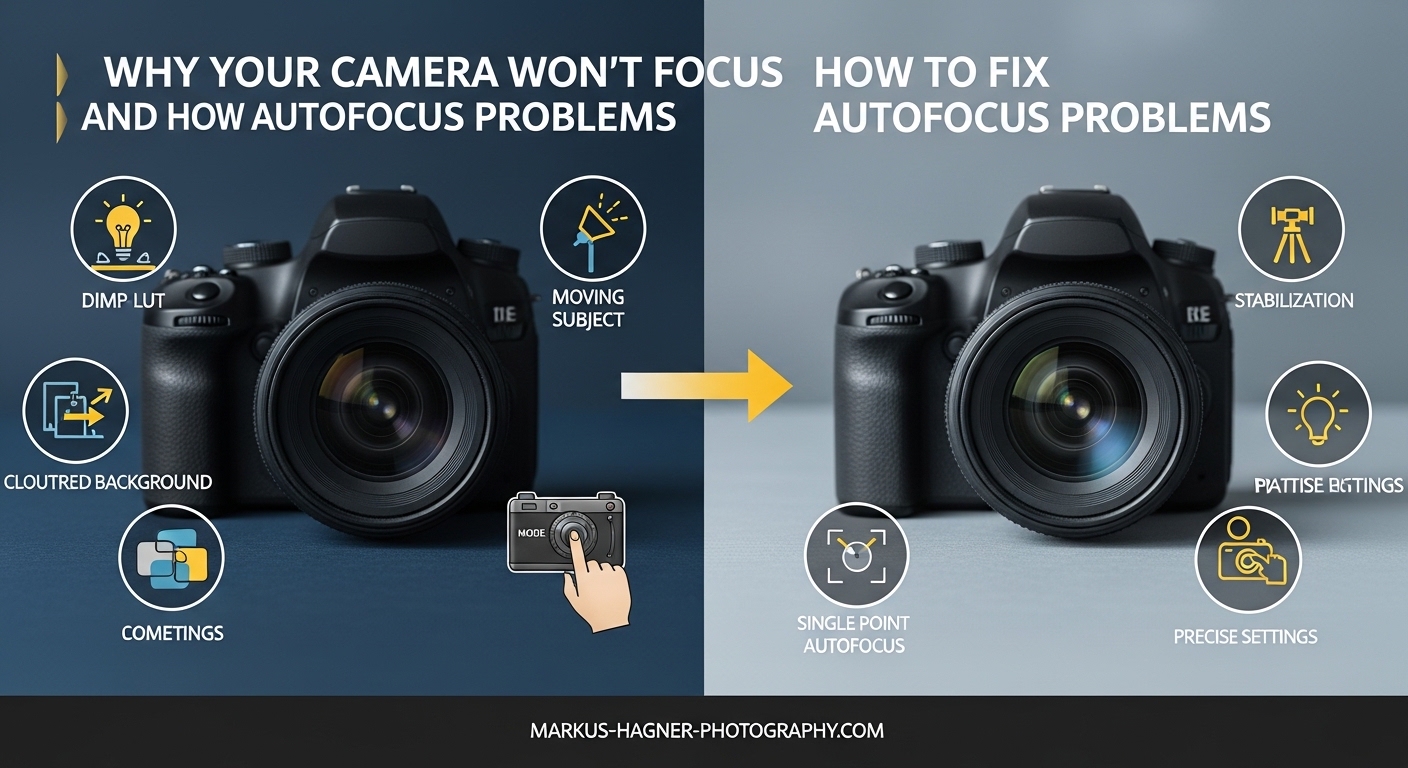
Before diving into detailed explanations, run through this quick checklist. Most autofocus issues resolve with these five simple checks.
Check 1: AF/MF Switch Position – Verify your lens is set to AF (Autofocus), not MF (Manual Focus). This switch sits on the side of most lenses and is easy to bump accidentally.
Check 2: Minimum Focus Distance – Every lens has a closest focusing distance. If you are too close to your subject, the autofocus will hunt indefinitely. Step back or check your lens markings.
Check 3: Focus Point Selection – Ensure your active focus point actually covers your subject. Many cameras default to auto point selection, which may pick the wrong area.
Check 4: Lighting Conditions – Autofocus needs light and contrast. In dim environments or scenes with little contrast (like a white wall), your camera may struggle to find focus.
Check 5: Lens Contacts – Dirty electrical contacts between your lens and camera body can interrupt communication. A quick cleaning often solves mysterious focus failures.
Why Your Camera Won’t Focus: Common Causes and Solutions
When your camera autofocus problems persist beyond the quick fixes, it is time to dig deeper. Here are the most common causes of autofocus failure and exactly how to solve each one.
The AF/MF Switch is in Manual Focus Mode
This is the single most common cause of autofocus not working, and it is embarrassingly easy to miss. Virtually every autofocus lens has a switch labeled AF/MF or A/M on its barrel.
When this switch is set to MF (Manual Focus), your camera’s autofocus system is completely disabled. The lens will not respond to your shutter button half-press, and no focus confirmation will appear.
How to fix it: Slide the switch to AF (or A) position. On some lenses, particularly third-party options from Sigma or Tamron, the switch might be labeled differently, but the function remains the same. After switching, test by half-pressing your shutter button. You should hear the focus motor engage and see focus confirmation in your viewfinder or on your screen.
Dirty Lens Contacts Causing Communication Failure
Your camera and lens communicate through metal contacts, typically gold-colored pins on the camera body and matching pads on the lens mount. When these contacts get dirty, corroded, or obstructed, the autofocus system cannot function properly.
Symptoms of dirty contacts include intermittent autofocus operation, focus hunting that never locks, or complete autofocus failure that occurs randomly.
How to clean lens contacts: Remove the lens from your camera body. Using a clean microfiber cloth or lens cleaning tissue slightly dampened with isopropyl alcohol (90% or higher), gently wipe the gold contacts on both the camera body and the lens mount. Let them dry completely before reattaching the lens. Avoid using excessive pressure, these contacts are delicate.
I clean my contacts every few months as preventive maintenance, especially after shooting in dusty or humid conditions. It takes two minutes and prevents countless headaches.
Incorrect Focus Point Selection
Modern cameras offer dozens, sometimes hundreds, of focus points. But if the active point is not on your subject, your camera will focus on whatever falls under that point, often the background.
This is particularly frustrating when shooting portraits. You compose a beautiful shot of someone’s face, but the camera focuses on the tree behind them, leaving your subject soft and blurry.
How to fix it: Switch to single-point autofocus mode. On Canon, look for Single-point AF or 1-point AF. On Nikon, select Single-point AF. On Sony, choose Zone or Flexible Spot. Then use your camera’s directional pad or touchscreen to move the active focus point directly over your subject’s eye or most important feature.
For stationary subjects like landscapes or posed portraits, single-point AF gives you precise control. Only use automatic point selection when shooting fast action where you cannot track the subject manually.
Subject Too Close: Minimum Focus Distance Issues
Every lens has a minimum focus distance, the closest point at which it can achieve sharp focus. This varies dramatically by lens type. A 50mm prime might focus at 18 inches, while a telephoto zoom might require 5 feet or more.
When you try to focus closer than this minimum distance, the autofocus motor will hunt back and forth endlessly, never achieving lock. This is especially common with macro photography attempts using non-macro lenses.
How to fix it: Check your lens specifications for the minimum focus distance. Step back until you are beyond this distance. If you need to shoot closer, consider extension tubes, close-up filters, or a dedicated macro lens designed for close focusing.
Many lenses have a focus limiter switch that restricts the focusing range. If your lens has one and it is set to limit mode, verify it includes the distance you are trying to focus at.
Low Light and Low Contrast Scenarios
Autofocus systems need two things to work: light and contrast. In dark environments or when photographing low-contrast subjects (white walls, clear skies, smooth surfaces), your camera may struggle or fail to find focus entirely.
Phase detection AF systems, found in DSLRs and some mirrorless cameras, work best in good light. Contrast detection systems, used in live view and most mirrorless cameras, are more accurate but slower and less effective in dim conditions.
How to fix it: First, add light if possible. Turn on lights, use a flashlight to illuminate your subject temporarily for focusing, or increase ISO to let the AF system see better. Second, look for contrast. If photographing a white wall, find the edge where it meets the ceiling, or place your hand in the frame to give the AF system something to grab onto.
Many cameras have an AF-assist light or can use the flash to emit a focusing pattern. Enable this feature in your camera menu for low-light situations. On Nikon, look for AF-Assist Illuminator. On Canon, it is AF-assist Beam. On Sony, check your AF Illuminator settings.
Foreground Obstructions Blocking Focus
Your camera’s autofocus system is literal. It focuses on whatever is under the active focus point, even if that is a fence, grass, or window screen between you and your intended subject.
This is a common issue when shooting through obstacles. Wildlife photographers shooting through grass, zoo visitors photographing through glass, and sports photographers shooting through fences all encounter this problem.
How to fix it: Move your focus point to a clear area of your subject that is not obstructed. If possible, change your angle to eliminate the obstruction entirely. When shooting through glass, get the lens as close to the surface as possible to minimize reflections and obstructions.
Alternatively, switch to manual focus and focus on your subject by eye. This is often the only solution when obstructions completely cover your autofocus points.
Understanding Autofocus Modes: Single vs Continuous
One of the most common sources of camera autofocus problems stems from using the wrong AF mode for your subject. Understanding the difference between single and continuous autofocus is essential.
Single-Servo AF (AF-S on Nikon, One-Shot on Canon, S on Sony)
Single-servo autofocus is designed for stationary subjects. When you half-press the shutter button, the camera acquires focus once and then locks. The focus will not change until you release the button and half-press again.
This mode is perfect for landscapes, architecture, posed portraits, and still life photography. It conserves battery, prevents focus hunting, and ensures your focus point stays exactly where you placed it.
When it causes problems: If you use single-servo AF for moving subjects, your subject may move after focus is locked, resulting in blurry photos. The camera will not refocus automatically.
Continuous AF (AF-C on Nikon, AI Servo on Canon, C on Sony)
Continuous autofocus constantly adjusts focus as long as you hold the shutter button half-pressed. It tracks moving subjects, predicting their motion and adjusting the lens accordingly.
This mode is essential for sports, wildlife, action, and any photography where your subject moves. Modern continuous AF systems can track subjects across the frame, maintaining focus even as composition changes.
When it causes problems: Continuous AF can be overly aggressive, constantly micro-adjusting even when your subject is stationary. This can cause focus hunting and drain battery faster.
Auto AF Mode (AF-A on Nikon, AI Focus on Canon, A on Sony)
Auto mode attempts to intelligently switch between single and continuous AF based on subject movement. It starts in single-servo mode but switches to continuous if it detects motion.
While convenient for casual shooting, I generally avoid this mode for serious work. The switching is not always predictable, and you may miss critical moments while the camera decides which mode to use.
My recommendation: Choose single-servo for still subjects, continuous for moving subjects. Manual control gives you consistent, predictable results.
Advanced Features That Affect Focus Performance
Beyond basic settings, several advanced features can dramatically impact your autofocus performance. Understanding these can solve persistent focus issues.
Focus Limiter Switch on Telephoto Lenses
Many telephoto and macro lenses include a focus limiter switch. This feature restricts the focusing range to either close distances, far distances, or the full range.
When shooting distant wildlife with a 100-400mm lens, setting the limiter to exclude close focusing (often marked with an infinity symbol or distance range) prevents the lens from hunting through its entire range. This dramatically speeds up focus acquisition.
How to use it: Check your lens barrel for a switch labeled LIMIT or with distance ranges. If your subject is far away, set it to exclude close focusing. If shooting macro, set it to exclude distant focusing. For general use, leave it on full range.
Back Button Focus for Better Control
Back button focus separates the focusing function from the shutter button. Instead of focusing when you half-press the shutter, you assign focus to a button on the back of your camera, typically the AF-ON button.
This technique gives you precise control over when the camera focuses and when it takes the shot. You can focus once, recompose, and shoot multiple frames without the camera refocusing.
How to set it up: On Canon, go to Custom Controls and set the Shutter Button to Metering Start (removing AF) and set AF-ON to Metering and AF Start. On Nikon, go to Custom Setting Menu, Autofocus, and set AF Activation to AF-ON only. On Sony, find the AF w/ Shutter setting and set it to Off, then use the AF-ON button.
I switched to back button focus five years ago and never looked back. It solved my focus-recompose problems and gave me far more control over the focusing process.
Diopter Adjustment for Viewfinder Clarity
Sometimes what appears to be an autofocus problem is actually a viewfinder clarity issue. The diopter adjustment dial, located next to your viewfinder, controls the optical correction for your eyesight.
If the diopter is adjusted incorrectly, the viewfinder image looks blurry even when the camera is focusing correctly. This leads photographers to believe their autofocus is broken when it is actually working fine.
How to fix it: Look through your viewfinder and adjust the diopter dial until the focus points and information displays appear sharp. Use the focus points themselves as your reference, not your subject. Once the overlay is sharp, your viewfinder is correctly adjusted.
If you wear glasses while shooting, adjust the diopter with your glasses on. If you shoot without glasses, adjust it without them. The setting is personal to your vision.
Mirrorless vs DSLR: Autofocus Differences
The troubleshooting approach differs slightly between mirrorless and DSLR cameras due to their fundamentally different focusing systems.
DSLRs use a dedicated phase detection sensor that works through the optical viewfinder. This system is fast but can suffer from misalignment issues where the viewfinder shows focus but the actual image is slightly off. This is called front-focus or back-focus and requires calibration.
Mirrorless cameras use the image sensor itself for focusing, either through phase detection pixels or contrast detection. What you see on the screen or EVF is exactly what the sensor sees, eliminating alignment issues. However, mirrorless cameras can struggle more in very low light or with certain lens adapters.
For DSLR users: If you consistently get soft images despite focus confirmation, your lens may need microadjustment. Most modern DSLRs include an AF Microadjustment or AF Fine Tune feature in their menu. You will need a focus calibration chart or ruler setup to dial in the correction.
For mirrorless users: Take advantage of focus peaking and magnification for critical focus. If autofocus fails, switching to manual focus with peaking highlights often gives better results than fighting the AF system. Also, ensure your firmware is up to date, manufacturers frequently improve AF algorithms through updates.
Brand-Specific Autofocus Tips
Each camera manufacturer approaches autofocus differently. Here are specific tips for the major brands.
Canon Autofocus Tips
Canon’s autofocus system is generally reliable but has some quirks. If your Canon camera won’t focus, check the AF mode switch on the front of pro bodies. Many Canon DSLRs have a dedicated switch for single vs servo AF.
Canon’s Eye AF on mirrorless bodies (R5, R6, R3) is excellent but requires the correct subject detection setting. Make sure Face/Eye Detection is enabled in your menu and set to the appropriate subject type (human or animal).
For Canon DSLR users, the AF Microadjustment feature is found in the Custom Functions menu. You can set different adjustments for up to 40 lenses, and the camera remembers each one.
Nikon Autofocus Tips
Nikon cameras offer extensive autofocus customization. If your Nikon autofocus is inconsistent, check the AF-C Priority Selection setting. Set it to Focus for sharpest results, though Release may be necessary for tracking fast action.
Nikon’s 3D tracking is powerful for moving subjects but can get confused by similar colors or patterns. For predictable subjects, Dynamic Area AF often works better.
Nikon Z mirrorless cameras have Subject Detection modes for people, animals, vehicles, and airplanes. Enable the appropriate mode for your subject type for best results.
Sony Autofocus Tips
Sony’s Real-time Tracking is among the best in the industry, but it needs to be activated. If your Sony camera is not tracking subjects, ensure you are in AF-C mode and have selected the appropriate subject detection.
Sony cameras can be particular about lens compatibility. If using adapted lenses or third-party options, check for firmware updates for both the camera and lens. Sigma and Tamron frequently release updates that improve Sony AF performance.
Sony’s Focus Area settings are extensive. For most situations, Zone or Flexible Spot gives the best balance of control and coverage. Wide Area can be unpredictable with complex scenes.
When to Seek Professional Repair
Some autofocus problems indicate hardware failure requiring professional service. Here are the warning signs.
Lens motor grinding or clicking: Unusual noises from the lens focus motor suggest mechanical failure. Stop using the lens immediately to avoid further damage.
Consistent front or back focus across multiple lenses: If every lens focuses slightly in front of or behind your subject, the camera’s phase detection sensor may need calibration. This requires professional service.
Autofocus works on one camera body but not another: This isolates the problem to either the lens or camera. Test your gear systematically to identify which component needs repair.
Physical damage: Dropped lenses or cameras may have shifted internal elements or damaged AF motors. Even if the lens still mounts and communicates, internal misalignment can prevent proper focusing.
Professional repair typically costs $150-400 depending on the issue and your location. For expensive professional lenses, this is usually worth it. For older consumer lenses, replacement may be more economical.
Frequently Asked Questions
Why is my autofocus not focusing?
The most common reasons include the AF/MF switch set to manual focus, dirty lens contacts interrupting communication, incorrect focus point selection, shooting too close to your subject, or insufficient light and contrast. Check these basics first before assuming hardware failure.
How to fix a camera that doesn’t focus?
Start with the quick checklist: verify the AF/MF switch is on AF, clean the lens contacts with isopropyl alcohol, ensure your focus point covers the subject, step back if you are closer than the lens minimum focus distance, and add light or find contrast if shooting in dim conditions. For persistent issues, check your autofocus mode settings and consider back button focus.
How to clean an autofocus sensor?
You do not actually clean the autofocus sensor directly. Instead, clean the electrical contacts on both the camera body and lens mount using a microfiber cloth lightly dampened with 90% or higher isopropyl alcohol. Gently wipe the gold contacts and let them dry completely before reattaching. For the AF sensor inside the camera, use a blower bulb to remove dust, never touch it directly.
Why is my camera blurry and not focusing?
Blurry photos despite focus confirmation often indicate camera shake, incorrect diopter adjustment, or using too slow a shutter speed. Check that your viewfinder diopter is adjusted for your eyesight. Ensure your shutter speed is at least 1/focal length (or faster for telephoto). If the camera consistently focuses in front of or behind subjects, your lens may need microadjustment calibration.
Conclusion
Camera autofocus problems can be frustrating, but they are rarely permanent. In my experience, ninety percent of focusing issues resolve with the simple checks covered in this guide. The AF/MF switch, dirty contacts, and incorrect settings are the usual culprits.
Why Your Camera Won’t Focus and How to Fix Autofocus Problems is a skill every photographer needs. Understanding your camera’s focusing system transforms you from someone who hopes the camera gets it right into someone who controls the outcome.
Take the time to practice these techniques. Switch between AF modes and see how they behave. Try back button focus for a day. Clean your lens contacts before your next shoot. These small habits compound into significantly better photography. Now go capture some sharp images.