
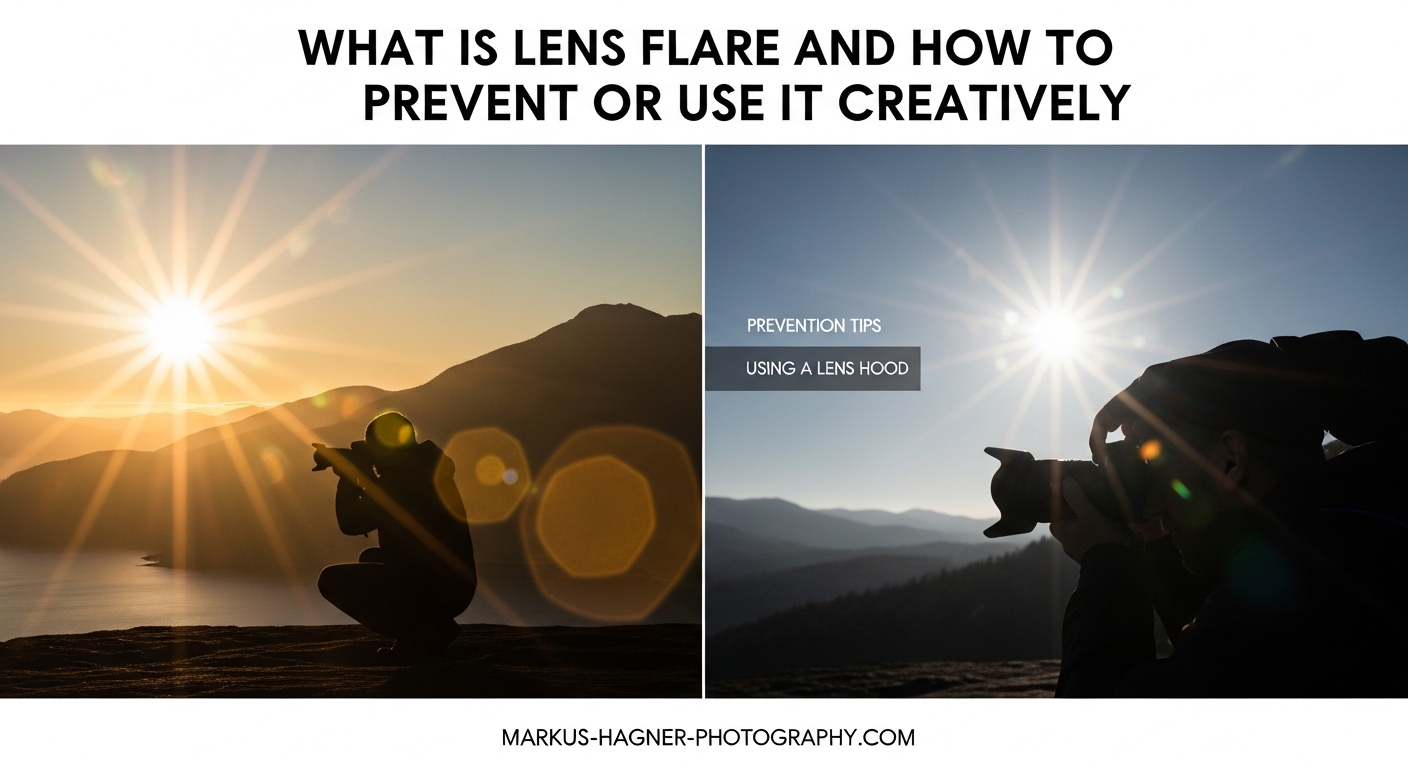
Lens flare shows up in your photos and you either love it or you’re frustrated by it. I’ve been on both sides of that fence. Early in my photography, I’d pack up and move position the moment I noticed that hazy glow creeping into my frame. These days, I sometimes chase it deliberately — tilting my lens toward the sun to get a streak of light that makes an ordinary golden-hour portrait feel cinematic.
Whether you’re here because flare keeps ruining your shots or because you want to learn how to use it as a creative tool, this guide covers everything you need to know.
We’ll go through what lens flare actually is at an optical level, the different types you’ll encounter, what causes it, how to eliminate it when you don’t want it, and how to harness it deliberately when you do.
Table of Contents
- What Is Lens Flare and How to Prevent or Use It Creatively
- The Main Types of Lens Flare You Need to Know
- What Causes Lens Flare
- How to Prevent Lens Flare: 7 Proven Techniques
- How to Use Lens Flare Creatively in Your Photos
- Lens Flare on Smartphones: What You Should Know
- Removing Lens Flare in Post-Processing
- Frequently Asked Questions
- Is lens flare bad for photography?
- What causes the different shapes of lens flare?
- How do you stop lens flare at night?
- Should I use a lens hood at night to avoid lens flare?
- What are the artistic uses of lens flare?
- How do you remove lens flare in post-processing?
- Does aperture affect lens flare?
- Do more expensive lenses have less flare?
- Final Thoughts
What Is Lens Flare and How to Prevent or Use It Creatively
Lens flare is an optical effect that occurs when non-image-forming light enters your camera lens and scatters internally, hitting the sensor or film plane and creating visible artifacts in your image. These artifacts can appear as a diffuse haze that reduces overall contrast, as colorful ghost images floating across the frame, or as bright streaks and orbs scattered through the image.
The key phrase there is “non-image-forming light.” When you point your camera at a scene, the light you want to capture travels directly from subjects to your sensor in a controlled way. Lens flare happens when additional light — usually from a bright source like the sun, a street lamp, or a studio strobe — enters the lens at an angle and bounces around between the internal lens elements.
Every glass-to-air surface inside your lens reflects a small percentage of the light that hits it. A modern 24-70mm zoom lens might contain 15 to 20 individual glass elements. Each one creates a tiny reflection. Most of the time those reflections are so small they’re invisible, but when a powerful light source hits the front element at a challenging angle, the cumulative effect of all those small reflections adds up to visible flare.
Lens flare isn’t unique to photography — you’ll see it every time a camera appears on screen in a film or TV show, and it has become one of the most recognizable visual signatures in cinema. Directors like J.J. Abrams have used it so extensively that it’s now considered a defining stylistic choice. But in everyday photography, it often appears as an unwanted accident rather than a deliberate decision.
The important thing to understand is that flare is not inherently good or bad. It’s a physical phenomenon that can work for you or against you depending on the situation, and knowing how to control it puts you in charge.
The Main Types of Lens Flare You Need to Know
Not all lens flare looks the same. There are three distinct categories, and each behaves differently, has different causes, and requires different approaches to manage.
Veiling Flare
Veiling flare is the most common type and the most subtle. It shows up as a diffuse, milky haze spread across part or all of the image. You might not immediately recognize it as flare — instead, you just notice that your image looks flat, that the blacks look gray instead of deep, or that shadows have lost their depth.
This is caused by scattered light bouncing around inside the lens barrel and hitting the sensor in a non-directional way. Rather than forming a specific shape, it just washes out the entire image or large portions of it. Veiling flare is the reason that old lenses without modern multi-coating can look so soft and low-contrast — they’re not actually less sharp, they just produce more veiling flare that reduces the apparent contrast.
In practical terms, veiling flare is most noticeable when you’re shooting toward a bright sky, especially in backlit scenes. Your subject might be correctly exposed but the overall image looks hazy and washed out. A lens hood often eliminates this entirely by blocking the stray light before it even enters the front element.
Ghosting Flare
Ghosting flare is what most people picture when they think of lens flare. These are the distinct shapes — circles, hexagons, pentagons, or other polygons — that appear floating across your frame, often in a line that passes through the bright light source.
Each ghost is a reflection of the light source bouncing between specific glass elements inside the lens. The number of ghost images typically corresponds to the number of elements in the lens, though not every reflection produces a visible ghost. The shape of each ghost is determined by the shape of the aperture diaphragm — a lens set to f/8 with an 8-bladed diaphragm will produce octagonal ghosts, while a lens at f/16 might produce 16-pointed starburst patterns.
The color of ghosting artifacts often differs from the original light source. You might get green, purple, yellow, or cyan circles from a white light source. This happens because the anti-reflective coatings on each lens element are tuned to specific wavelengths, so the reflected light that slips through tends to be dominated by whatever wavelengths the coating handles least efficiently.
Many photographers on Reddit have asked about why they get green flare specifically when shooting backlit — this is almost always ghosting flare, and the green color comes from the wavelengths that a particular lens element’s coating doesn’t fully suppress.
Sensor Flare (Red Dot Flare)
This third type is specific to digital cameras and is particularly common with mirrorless systems. Sensor flare, sometimes called “red dot flare,” appears as a distinct red or orange-red dot or blob in the image.
It happens because the image sensor itself is slightly reflective. When a very bright light source hits the sensor at a specific angle, the light reflects off the sensor, bounces back up through the rear element of the lens, reflects off that rear element, and then hits the sensor again — this time landing in a slightly different position. The result is a distinct red-tinged artifact that looks nothing like typical ghosting or veiling flare.
Mirrorless cameras are more susceptible than DSLRs because they lack the mirror box that would otherwise block this secondary reflection pathway. If you shoot with a Sony, Fujifilm, Canon R-series, or Nikon Z-series camera, you’ve probably seen this artifact at some point. Stopping down to a smaller aperture (higher f-number) can often reduce sensor flare, and repositioning the bright light source slightly out of frame usually eliminates it entirely.
What Causes Lens Flare
Lens flare is caused by bright light entering the lens at angles that allow it to scatter off internal elements rather than travel directly to the sensor. Several specific factors influence how severe that flare will be in any given situation.
The Angle and Position of the Light Source
The most significant factor is where the light source sits relative to your frame. Light entering the lens from directly in front of you — meaning the light source is in your shot — almost always causes some degree of flare. But light just outside the frame edge can be equally problematic, sometimes more so, because the light strikes the front element at a steep angle that sends it bouncing through the lens barrel in unpredictable ways.
This is why you can sometimes be shooting with the sun in frame and have minimal flare, but the moment you move so the sun just disappears behind a tree trunk, severe ghosting suddenly appears. The geometry of internal reflections is counterintuitive.
Aperture Setting
Aperture affects flare in two ways. At wide apertures (f/1.4 to f/2.8), the larger opening allows more stray light in, which can increase veiling flare and make ghosts larger and softer. At small apertures (f/11 to f/22), the reduced opening creates a more defined diaphragm shape, which makes ghosting artifacts more distinct and geometric. Many photographers find that flare looks most “cinematic” and appealing at mid-range apertures like f/5.6 to f/8, where ghosts have some definition without being harsh.
Lens Design and Number of Elements
Every additional glass element inside a lens creates two more glass-to-air surfaces where reflections can occur. Simpler lens designs with fewer elements produce less flare. A 50mm f/1.8 prime lens with 7 elements will generally flare less than a 24-70mm f/2.8 zoom with 18 elements, all else being equal.
Vintage lenses from the 1960s and 70s often flare heavily because they were designed before modern multi-coating technology. Contemporary lenses use sophisticated anti-reflective coatings (Nikon’s Nano Crystal Coat, Canon’s Air Sphere Coating, Sony’s T* coating, Fujifilm’s HT-EBC coating) that dramatically reduce internal reflections. These coatings use microscopic surface structures to absorb or redirect light that would otherwise reflect back through the lens.
Lens Hood Usage
A missing or wrong-sized lens hood dramatically increases flare susceptibility. The lens hood blocks light that would strike the front element from angles outside the intended field of view. Without it, any bright light source anywhere in a roughly 180-degree arc around the front of your lens can potentially cause flare.
Lens Cleanliness
Dust, fingerprints, and smudges on the front or rear element scatter light dramatically. A single visible fingerprint on a front element can turn mild veiling flare into severe haze across the entire image. I’ve seen photographers struggle with flare for an entire shoot only to discover their front element had a smudge they hadn’t noticed.
How to Prevent Lens Flare: 7 Proven Techniques
Preventing lens flare is almost always preferable to fixing it in post, and most prevention happens in the field before you shoot. Here are the techniques that actually work.
1. Use Your Lens Hood
This is the single most effective thing you can do. Always mount the correct hood for your specific lens — not a universal hood, and not a hood designed for a different focal length. Petal-shaped hoods (also called tulip hoods) are designed for specific zoom ranges and maximize light blocking without vignetting at the wide end. Keep the hood mounted even when you think you don’t need it.
At night, a lens hood is equally important. Street lights and oncoming car headlights can cause severe veiling flare and ghosting, and the hood blocks them when they’re outside your frame.
2. Reposition Yourself or Your Camera
Moving even a few centimeters can change the angle of a light source relative to your lens enough to eliminate flare. If you’re shooting toward the sun, try positioning yourself so a tree, building, or other element partially blocks the sun while keeping it just outside the frame. This dramatically reduces the intensity of light hitting your front element.
3. Use Your Hand as a Flag
Hold your hand or a piece of black card above and slightly in front of the lens to cast a shadow on the front element without entering the frame. Watch through the viewfinder as you position it — you’ll see the flare disappear the moment your hand blocks the stray light. This technique, called “flagging,” is used constantly on professional film sets.
4. Clean Your Front and Rear Elements
Wipe down your front element before any shoot where you expect challenging light. Use a clean microfiber cloth or lens cleaning solution. Even light haze from skin oil (from handling the lens without touching the glass directly) can scatter enough light to worsen flare significantly.
5. Shoot at Optimal Apertures
If you’re getting severe ghosting flare, try changing your aperture. Often moving from f/16 to f/8 or f/11 will reduce the intensity of ghost images while keeping your depth of field workable. If you’re getting veiling flare, stopping down slightly from wide open can also help because it reduces the amount of off-axis light entering the lens.
6. Choose Quality Lenses with Good Coatings
When buying lenses, pay attention to how manufacturers describe their anti-reflective coating technologies. Lenses with advanced multi-coating (Nano Crystal Coat, SWC, T*) are measurably more flare-resistant. Prime lenses with fewer elements tend to flare less than zooms. Budget kit lenses and older uncoated lenses will flare in situations where modern glass handles cleanly.
7. Shade the Front Element in Post When Needed
If prevention failed and you’ve already captured an image with flare, Lightroom’s radial filter and clone/heal tools in Photoshop can reduce or eliminate moderate flare. We’ll cover post-processing techniques in more detail below.
Stopping Lens Flare at Night
Night photography creates specific flare challenges. Street lights, car headlights, neon signs, and lit windows are all bright point sources of light that can generate both veiling flare and ghosting artifacts.
The most effective night flare prevention steps are:
- Keep your lens hood mounted — it blocks off-frame light sources that you might not even see in the dark
- Shoot at f/5.6 to f/8 rather than very wide or very narrow apertures to minimize ghost artifacts while maintaining a reasonable shutter speed
- Clean your front element before shooting — even minor smudges cause dramatic flare with bright point sources at night
- Watch for headlights and street lights just outside your frame edge — these are the most common cause of sudden mysterious flare in night shots
- Use a lens with good multi-coating if you shoot night photography regularly
How to Use Lens Flare Creatively in Your Photos
Once you understand how flare works and how to prevent it, using it deliberately becomes straightforward. The goal shifts from eliminating it to controlling it — choosing when it appears, what it looks like, and how it serves your image.
Why Flare Works as a Creative Tool
Flare communicates something specific to viewers: warmth, nostalgia, the feeling of a bright summer day, or the drama of a powerful light source. These associations come partly from how our own eyes perceive bright light (the human eye produces its own version of veiling flare in high-contrast situations) and partly from decades of cinema and photography using it as a visual shorthand for emotion and atmosphere.
When used well, flare can make an ordinary scene feel alive. It creates a sense of presence — that the photographer was there in that specific light at that specific moment. It’s one of the few optical “flaws” that has been thoroughly absorbed into visual culture as an aesthetic choice rather than a technical mistake.
Golden Hour Portraits
The most popular application for deliberate flare is backlit portraiture during the golden hour — the first and last hour of sunlight in a day. Position your subject between you and the sun, with the sun partially obscured behind them. The sun’s disk peeking just past your subject’s hair or shoulder creates a natural lens flare that halos the subject in warm light.
Remove your lens hood for this technique and experiment with your positioning. Tilting the camera slightly up or down changes the flare character completely. At f/4 to f/5.6, you’ll get soft, romantic-looking flare. At f/11 to f/16, the sun itself will form a starburst shape while the subject remains sharp.
Portrait photographers who shoot outdoors report that golden hour flare shots are consistently among the most requested images by clients. The warm glow adds an emotional quality that’s very hard to achieve in any other way.
Landscape Photography
In landscape work, deliberate starburst effects from the sun are a classic technique. Stop down to f/16 or f/22 with the sun positioned within or at the edge of the frame, and the aperture blades create a crisp starburst pattern radiating from the light source. The number of points on the starburst matches the number of aperture blades (or twice the number if there’s an even blade count).
Veiling flare can also add a cinematic, atmospheric quality to landscape shots — particularly in misty or hazy conditions where it blends naturally with the ambient haze in the scene. Rather than fighting it, allow it to contribute to the overall mood.
Cinematic and Storytelling Shots
Film productions use lens flare to communicate narrative information. Flare when a character steps into sunlight signals freedom, hope, or a turning point. Flare on an industrial or sci-fi setting can add energy and movement. This visual grammar is now deeply embedded in how audiences read images.
For video work especially, allowing natural flare as the camera pans across a light source adds kinetic energy and dynamism to what would otherwise be a static shot. Many filmmakers deliberately use older or more flare-prone lenses (vintage glass adapted to modern camera bodies) specifically to get this quality of light.
Moody and Emotional Shots in Any Genre
Veiling flare reduces contrast and creates a soft, dreamy look that works well for certain types of portrait work, fashion photography, and fine art images. If you want that “Instagram vintage filter” look in-camera rather than in post, shooting a backlit subject with the sun just off frame and deliberately removing your lens hood will give you natural, organic veiling flare.
The key difference between deliberate creative flare and accidental flare is control. When you choose it, you position it in a way that serves the composition. When it happens by accident, it lands wherever it wants — which is usually across your subject’s face or cutting across the most important part of the scene.
Lens Flare on Smartphones: What You Should Know
Smartphone cameras behave differently from dedicated camera lenses when it comes to flare, and the solutions are somewhat different too.
Most smartphone cameras use computational photography to reduce flare — the camera’s processor identifies flare artifacts and attempts to remove them in real time before saving the image. This works reasonably well but isn’t perfect, and strong light sources still cause visible artifacts in many situations.
The much smaller physical lenses in smartphones have fewer elements than camera lenses, which reduces some flare. But the proximity of the lens to the processor and sensor means heat haze and other digital artifacts can combine with optical flare to create complex unwanted effects.
To reduce lens flare on a smartphone:
- Use a phone case with a slight camera ring protrusion — it acts like a tiny lens hood
- Block the light source with your finger just outside the frame, then tap to expose correctly
- Clean the camera lens with a microfiber cloth — phone lenses pick up more smudges than camera lenses because they’re flush with the phone body
- Avoid shooting directly into the sun unless you specifically want the effect
- If you want creative flare on a smartphone, position a strong light source at the edge of the frame and tap to lock exposure — this usually produces visible and controllable results
iPhones and many Android flagships also offer lens flare simulation in their portrait mode computational effects — useful if you want the look without the variable results of real-world flare.
Removing Lens Flare in Post-Processing
Sometimes prevention isn’t possible, or you’ve already shot images with unwanted flare. Post-processing can help, though results depend heavily on the severity of the flare.
Veiling flare (the milky haze type) is the easiest to partially correct. In Lightroom, adding Blacks and Contrast using the HSL and Tone Curve panels can restore some of the lost contrast. The Radial Filter or Graduated Filter can darken areas that appear washed out by veiling flare. You won’t fully recover the detail that flare has obscured, but you can significantly improve the look of the image.
Ghosting flare artifacts are harder to remove because they’re physically overlaid on top of your subject and scene. In Photoshop, the Clone Stamp and Healing Brush tools work for small ghost artifacts in areas of uniform color. For larger or more complex artifacts, Content-Aware Fill is useful. If you shot in RAW with bracketed exposures (one with flare, one without by quickly shielding the lens), you can blend the two frames in post to remove the ghosts entirely.
Adobe Lightroom’s AI-powered Healing Brush (introduced in recent versions) can handle small flare artifacts quickly and automatically. For more severe cases, Photoshop’s Generative Fill — powered by Adobe Firefly — can replace flare-affected areas convincingly if you have a clean background for it to reference.
One thing post-processing cannot fix: contrast and detail that was completely destroyed by heavy veiling flare. If your image looks severely hazy and flat, the original information simply isn’t there in the file. This is why prevention is always the better strategy.
Frequently Asked Questions
Is lens flare bad for photography?
Lens flare isn’t inherently bad — it depends entirely on whether it serves your image or detracts from it. Unexpected flare that hides important detail or reduces contrast in a way you didn’t intend is a problem. Deliberate flare used to add warmth, mood, or cinematic quality is a creative tool. The goal is control: understanding when to prevent it and when to invite it.
What causes the different shapes of lens flare?
The shapes of ghosting flare artifacts are determined by the aperture diaphragm inside the lens. A lens with 7 aperture blades will produce heptagonal ghosts. A lens stopped down to f/16 or f/22 will produce a starburst effect from the same light source, with the number of starburst points matching the aperture blade count (or doubling it with even-numbered blades). The colors of ghosts come from wavelengths not fully suppressed by the lens element coatings.
How do you stop lens flare at night?
To stop lens flare at night, keep your lens hood mounted at all times since it blocks off-frame street lights and headlights. Shoot at mid-range apertures like f/5.6 to f/8 to minimize ghost artifacts. Keep your front element clean since smudges cause dramatic flare with bright point sources. Also watch for bright light sources just outside your frame — these are the most common cause of mystery flare in night shots.
Should I use a lens hood at night to avoid lens flare?
Yes, absolutely. A lens hood is arguably even more important at night than during the day. Street lights, neon signs, shop windows, and car headlights all sit outside your intended frame but can still hit your front element and cause severe veiling flare and ghosting. The hood blocks these off-axis light sources before they can enter the lens.
What are the artistic uses of lens flare?
Lens flare can be used artistically in several ways: to add warmth and a sun-drenched quality to golden hour portraits, to create starburst effects in landscape photography at narrow apertures, to communicate emotion and nostalgia in cinematic shots, to produce a dreamy low-contrast look in fashion or fine art photography, and to add dynamic energy to video work as the camera pans across light sources.
How do you remove lens flare in post-processing?
Veiling flare can be partially corrected by adding Blacks and increasing Contrast in Lightroom. Ghosting artifacts can be removed using the Clone Stamp or Healing Brush in Photoshop, or Content-Aware Fill for larger affected areas. Adobe’s AI-powered Generative Fill can also replace flare-affected regions. However, severe veiling flare that destroys underlying detail cannot be fully recovered — prevention is always more effective than removal.
Does aperture affect lens flare?
Yes, aperture significantly affects both the severity and character of lens flare. Wide apertures allow more off-axis light in, increasing veiling flare and producing soft, large ghost images. Small apertures (f/11 to f/22) produce sharper, more geometrically defined ghosts and sharp starburst effects from point light sources. Mid-range apertures around f/5.6 to f/8 often produce the most visually appealing deliberate flare while minimizing unwanted artifacts.
Do more expensive lenses have less flare?
Generally yes, though it’s specifically about coating technology rather than price alone. High-end lenses use advanced multi-coating systems (like Nikon’s Nano Crystal Coat, Canon’s Air Sphere Coating, or Sony’s T* coating) that dramatically reduce internal reflections. These coatings are expensive to apply, which is partly why better lenses cost more. That said, even budget lenses with good modern coatings outperform vintage uncoated lenses regardless of their original price.
Final Thoughts
Lens flare is one of those photographic phenomena that rewards understanding. Once you know that it comes from light scattering off internal lens elements, that it behaves predictably based on aperture and light source position, and that the different types (veiling, ghosting, and sensor flare) each have their own character and causes — you stop being at its mercy.
In 2026, preventing lens flare is simple: keep your hood on, keep your glass clean, and reposition when you need to. Using it creatively is just as simple: take the hood off, shoot toward the light during golden hour, and experiment with where you place that light source relative to your frame.
The photographers who get the most out of understanding lens flare are the ones who stop thinking of it as a flaw to be avoided at all costs and start thinking of it as a variable they can choose to dial up or down. Most of the time you’ll want to prevent it. But those moments when you deliberately let it in — and it lands exactly where you wanted it — produce some of the most memorable images you’ll ever make.