
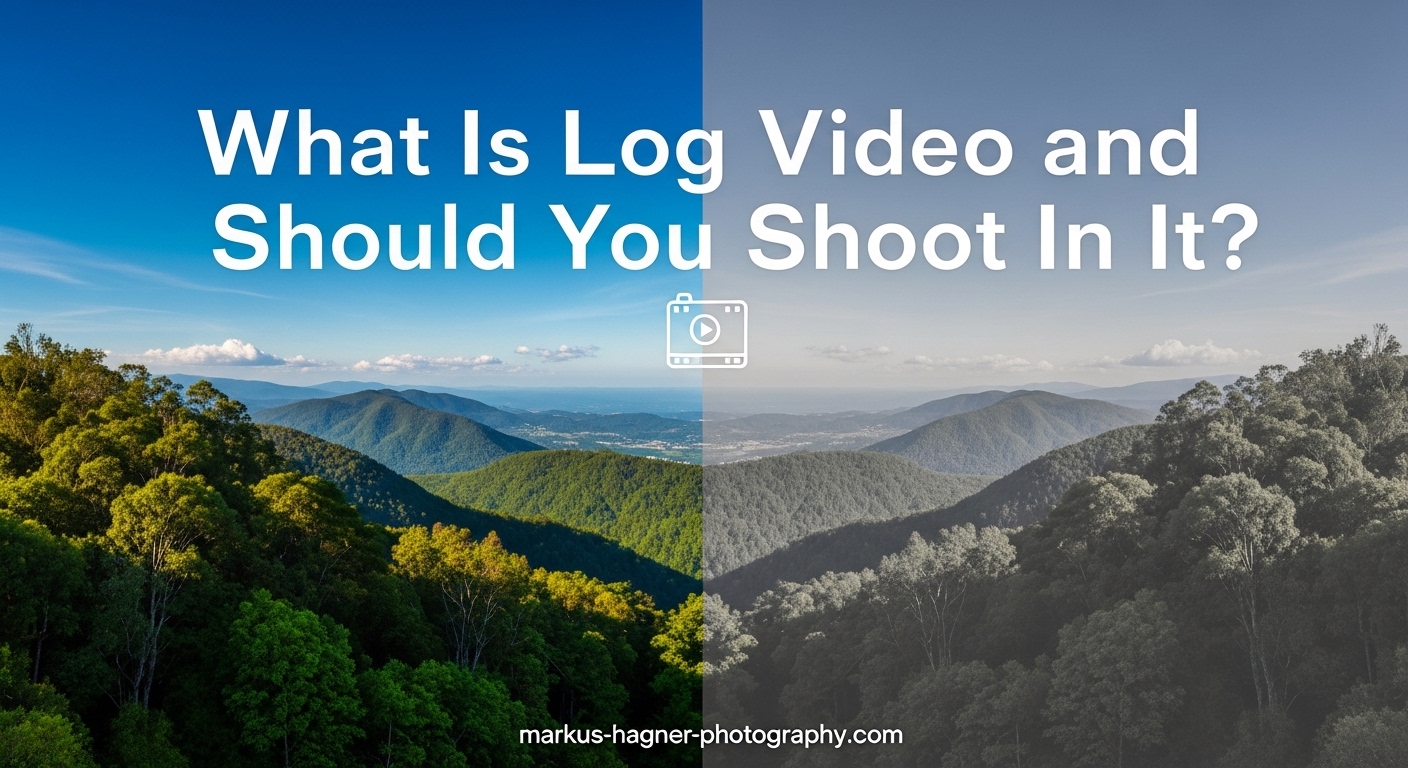
If you have ever opened your camera settings and seen options like S-Log, C-Log, or V-Log, you might have wondered what they actually do. Log video is a recording format that uses a logarithmic gamma curve to capture significantly more dynamic range and color information from your camera sensor. This gives you much greater flexibility when color grading in post-production, allowing you to recover details in highlights and shadows that would otherwise be lost.
When you shoot in log, your footage initially looks flat, washed out, and desaturated on your camera screen. Do not panic. That is exactly how it should look. This flat appearance preserves the maximum amount of data, which you then shape into your final look during editing. Think of log video as a digital negative that you develop later, rather than a finished image straight from the camera.
In this guide, I will explain exactly what log video is, how it works, and help you decide whether you should be using it for your projects. I will also cover the common mistakes that trip up beginners, the tools you need to expose log properly, and when log is simply not worth the extra effort.
What Is Log Video on Your Camera
Log video is a specialized recording profile that captures footage using a logarithmic gamma curve instead of the standard linear or Rec.709 curve most cameras use by default. The term “log” comes from logarithmic, which describes how the camera maps the brightness values from your sensor to the recorded video file.
Here is what makes log video different from standard recording. When you shoot normally, your camera processes the raw sensor data and bakes in a specific look with defined contrast, saturation, and brightness. It essentially makes creative decisions for you. Log recording takes a different approach. It captures a much flatter, lower-contrast image that preserves far more of the original sensor data.
This flat footage contains more information in the highlights and shadows. You can think of it like this: standard recording throws away data to give you a finished look immediately. Log recording keeps as much data as possible so you can decide how it looks later.
Most major camera manufacturers have their own log profiles with different names:
- Sony: S-Log2 and S-Log3
- Canon: C-Log, C-Log2, and C-Log3
- Panasonic: V-Log
- Nikon: N-Log
- Fujifilm: F-Log
- Blackmagic: Blackmagic Film
- Apple (iPhone): Apple Log
Each of these log profiles is designed specifically for that manufacturer’s sensor and color science. They all serve the same fundamental purpose: capturing more dynamic range and color information for greater flexibility in post-production.
How Log Video Works: The Technical Explanation
To understand log video, you need to understand what your camera sensor actually captures. Your sensor sees light in a linear fashion. Each time you double the amount of light, you double the signal. But video files have limited space to store this data, especially with the bit depths most cameras use.
This is where the gamma curve comes in. A gamma curve determines how the camera maps the brightness values from the sensor to the values stored in your video file. Standard recording uses a curve that looks good immediately but discards significant amounts of data, particularly in highlights and shadows.
Log video uses a logarithmic curve that redistributes these values differently. Instead of throwing away data, it compresses the full dynamic range of your sensor into the available bit depth more efficiently. Shadow and midtone detail gets shifted into the upper portion of the bit range where more data values are available.
The result is footage that looks flat and gray on your screen. But that flatness is actually data. You have captured more information about the scene, and you can access that information during color grading.
Why Bit Depth Matters for Log Video
Bit depth is crucial for log recording. Your video file stores color and brightness information as numbers. An 8-bit file has 256 possible values per color channel. A 10-bit file has 1,024 values per channel. That is four times more data.
When you compress a wide dynamic range into a log profile, you need enough bit depth to maintain smooth gradations. With 8-bit recording, you have limited values to work with. Push the footage too far in grading and you will see banding, posterization, and noise, especially in shadows and skies.
10-bit recording gives you significantly more headroom. The extra data values mean smoother gradients and more latitude for color grading without artifacts. This is why many experienced videographers recommend shooting log only if your camera records at least 10-bit video.
You can technically shoot log in 8-bit, and many people do. But the results will not be as clean, and you have less room for error in exposure and grading. I have seen 8-bit log footage fall apart quickly when pushed too hard.
Benefits of Shooting in Log Video
Shooting in log offers several significant advantages for videographers who understand the workflow. Here are the main benefits that make log video worth the extra effort.
Greater Dynamic Range
The primary benefit of log video is capturing more dynamic range from your scene. Dynamic range is the difference between the brightest and darkest parts of your image. In high-contrast situations like bright outdoor scenes or interiors with windows, standard recording often blows out highlights or crushes shadows.
Log profiles are designed to preserve detail in both extremes. You can recover highlight information that would be completely clipped in standard recording. Shadow detail that would be crushed to black remains accessible. This gives you much more latitude when dealing with challenging lighting.
More Flexibility in Post-Production
Because log footage contains more data, you have significantly more control over the final image during color grading. You can push and pull exposure, adjust white balance more aggressively, and fine-tune contrast without degrading the image as quickly.
This flexibility is invaluable when you need to match footage from different cameras or shooting conditions. Log profiles from different manufacturers are designed to be graded, which means you can apply similar grading approaches across mixed footage and achieve consistent results.
Better Highlight Recovery
One of the most practical benefits of log video is highlight recovery. We have all shot footage where the sky blew out to pure white or a window turned into a bright rectangle. Log recording often preserves enough information in those areas to recover actual detail during grading.
This does not mean you can be careless with exposure. But it does give you a safety buffer for unpredictable lighting situations. Wedding videographers particularly value this benefit because they often cannot control or predict lighting changes during events.
Professional Color Grading Control
Log video puts you in control of the final look rather than your camera. Instead of accepting whatever color processing your camera applies automatically, you make the creative decisions. This is essential for achieving specific visual styles or matching a particular color palette across a project.
Professional colorists almost always prefer working with log footage because it responds predictably to grading tools. The flat starting point gives them a neutral canvas to build their look from.
When Should You Use Log Video
Not every project benefits from shooting in log. Understanding when to use it and when to skip it will save you time and frustration. Here is a practical framework for making that decision.
Situations Where Log Video Shines
Log video is ideal for high-contrast scenes where you need to preserve both highlights and shadows. Think outdoor weddings in bright sun, interior shots with windows, or events where lighting changes constantly. The extra dynamic range gives you options you simply do not have with standard recording.
Cinematic projects benefit significantly from log shooting. When you want to create a specific look through color grading, starting with log footage gives you the control to achieve it. Short films, music videos, and commercial work often fall into this category.
Multi-camera shoots are another good use case. When you need to match footage from different cameras, log profiles make this process much more manageable. Each camera captures a neutral starting point that you can grade consistently.
Projects with time for proper post-production also suit log video well. If your deadline is measured in weeks rather than hours, you have the luxury of grading log footage properly.
When to Skip Log Video
Quick turnaround projects are often poor candidates for log shooting. If you need to deliver footage the same day or within 24 hours, the time required for proper color grading may not be available. Standard recording gives you usable footage immediately.
Social media content and vlogging typically do not need log. Platforms like Instagram, TikTok, and YouTube compress your video heavily anyway. The subtle improvements from log grading often get lost in that compression, making the extra effort difficult to justify.
If your camera only records 8-bit video, think carefully about whether log is worth it. You can get acceptable results, but you have much less margin for error. Many videographers find standard profiles produce better results with 8-bit recording because the camera does the heavy lifting.
Beginners without color grading experience should also approach log cautiously. Without the skills to properly grade log footage, you may end up with worse results than standard recording. Practice with non-critical projects first.
The 10-Bit Factor
I mentioned this earlier, but it bears repeating: 10-bit recording capability makes a significant difference for log video. If your camera offers 10-bit internal recording or you use an external recorder, log becomes much more viable.
With 10-bit footage, you have four times the color information compared to 8-bit. This translates to smoother gradients, less banding in skies, cleaner shadow recovery, and more latitude for aggressive grading. The difference is particularly visible in subtle gradations like skin tones and landscape horizons.
Many mid-range and professional mirrorless cameras now offer 10-bit internal recording. If yours does, log video becomes a much more practical option for a wider range of projects.
Getting Started with Log Video: Practical Tips
If you have decided to try shooting in log, here is what you need to know to get started successfully. These tips will help you avoid the common pitfalls that frustrate beginners.
Exposure Techniques for Log Footage
Exposing log footage correctly is critical. The old rule of exposing for the shadows does not apply the same way. Because log profiles push shadow information into the upper portion of the bit range, underexposing log footage can introduce significant noise.
Most experienced log shooters recommend exposing to the right, often called ETTR. This means exposing as bright as possible without clipping highlights. The goal is to maximize the signal-to-noise ratio in your footage.
Sony S-Log shooters often use a specific approach: expose S-Log3 at approximately 1 to 2 stops over the meter reading for middle gray. This places skin tones in the optimal part of the curve and minimizes shadow noise. Different log profiles have different optimal exposure strategies, so research the specific recommendations for your camera.
Using Monitoring Tools
Your camera screen lies to you when shooting log. The flat, washed-out image makes it nearly impossible to judge exposure by eye. You need proper monitoring tools.
A waveform monitor is the most reliable tool for judging exposure. It shows you the actual brightness values in your scene across the frame. You can see exactly where your highlights and shadows fall and make precise exposure adjustments.
False color displays assign different colors to different exposure levels. Skin tones might appear in one color, highlights in another. This gives you a quick visual reference for keeping important elements properly exposed.
Zebras are another common tool. They overlay diagonal stripes on areas of your image that exceed a certain brightness level. Setting zebras to 100 percent shows you exactly which highlights are clipping.
Histograms can help but are less precise for log shooting. They show overall brightness distribution but do not tell you which specific parts of your frame are over or under exposed.
Understanding LUTs
LUT stands for Look-Up Table. A LUT is essentially a preset that transforms the colors and brightness values in your footage. When shooting log, you will encounter two types of LUTs.
Monitoring LUTs or viewing LUTs are applied in-camera or on an external monitor to show you what your graded footage might look like. This helps you compose and expose without staring at a flat, desaturated image. Many cameras can load custom LUTs for monitoring while still recording the flat log footage.
Transform LUTs or correction LUTs are designed to convert your specific log profile to a standard color space like Rec.709. Camera manufacturers often provide these for free. They give you a starting point for grading that looks closer to a finished image.
Creative LUTs are designed to apply a specific look or style to footage that has already been corrected. These are what many people sell online. They work best when applied after a transform LUT or manual correction.
Basic Color Grading Workflow
Color grading log footage follows a general workflow. First, apply color correction to get your footage to a neutral, properly exposed starting point. This involves adjusting exposure, white balance, and contrast to create a natural-looking image.
Second, apply your creative grade. This is where you create the specific look you want for your project. You might add warmth, adjust saturation, create a particular contrast curve, or apply a creative LUT.
Third, match your shots. If you have footage from multiple cameras or different lighting conditions, you need to ensure consistency across your project. This often involves subtle adjustments to make everything feel cohesive.
Popular software for color grading includes DaVinci Resolve, which offers a powerful free version. Adobe Premiere Pro and Final Cut Pro also have capable grading tools built in. DaVinci Resolve is widely considered the industry standard for serious color work.
Common Mistakes to Avoid
I have seen these mistakes trip up many photographers transitioning to video with log profiles.
Shooting log without understanding the grading workflow is the most common mistake. Log footage must be graded to look good. If you deliver ungraded log footage, your clients will wonder why everything looks so flat and gray.
Mixing log and standard footage in the same project creates headaches. The different starting points make matching shots extremely difficult. Pick one approach and stick with it for each project.
Underexposing log footage creates noisy, muddy shadows that are difficult to fix. Remember that log profiles handle exposure differently than standard recording. Learn the proper exposure technique for your specific log profile.
Shooting log in 8-bit without careful exposure and minimal grading expectations leads to disappointment. The limited bit depth cannot handle aggressive color work without artifacts.
Skipping monitoring tools and judging exposure by eye on the camera LCD results in poorly exposed footage. Use waveforms, false color, or zebras to get accurate exposure information.
Log Video vs RAW Video
People often confuse log video with RAW video, but they are fundamentally different things. Log is a gamma curve applied to video that has already been processed by your camera. RAW is unprocessed sensor data that you develop yourself.
RAW video gives you even more flexibility than log because you have access to the original sensor data. You can change white balance, ISO, and even exposure to some degree after shooting. RAW also typically has higher bit depth, often 12-bit or more.
However, RAW files are much larger and require more processing power to edit. Not all cameras offer RAW video, and those that do often require external recorders. Log video provides much of the benefit of RAW with smaller file sizes and broader camera support.
For most videographers, log video strikes the right balance between flexibility and practicality. RAW is worth considering for high-end productions where maximum quality justifies the additional workflow complexity.
Frequently Asked Questions
Is it better to shoot in log?
Shooting in log is better when you need maximum dynamic range, plan to color grade your footage, and have the time and skills for post-production work. It is not universally better. For quick turnaround projects, social media content, or situations without grading capability, standard recording often produces more practical results.
What is the point of log video?
The point of log video is to capture more dynamic range and color information from your camera sensor than standard recording allows. This gives you greater flexibility during color grading, the ability to recover highlights and shadows, and more control over your final image. Log footage serves as a digital negative that you develop in post-production.
Is log video worth it?
Log video is worth it if you shoot with a 10-bit camera, have time for proper color grading, work on projects that benefit from maximum quality, and have developed color grading skills. It is not worth it for quick turnaround content, 8-bit cameras without careful technique, or videographers without grading experience. Evaluate your specific needs rather than assuming log is always better.
What are the disadvantages of shooting in log?
The disadvantages of shooting in log include the requirement for color grading skills and time, larger file sizes in some cases, difficult exposure monitoring without proper tools, potential noise issues if underexposed, poor results with 8-bit recording, and the need to explain the flat appearance to clients viewing raw footage.
Why is it better to shoot in log?
Shooting in log is better because it captures more dynamic range from your scene, preserves highlight and shadow detail that would be lost in standard recording, gives you greater flexibility in post-production, allows for better footage matching between cameras, and provides professional-grade control over your final image through color grading.
Should I shoot in log as a beginner?
Beginners should approach log shooting cautiously. Start by learning proper exposure and basic color grading with non-critical projects. Many beginners produce worse results with log than standard recording because they lack grading skills. Consider mastering standard recording first, then transition to log once you understand the workflow and have practiced grading.
Conclusion
Log video is a powerful tool for videographers who understand when and how to use it. By capturing more dynamic range and color information, log profiles give you significantly more control over your final image through color grading. The flat, desaturated appearance of log footage is not a flaw. It is the raw material you shape into your creative vision.
However, log video is not automatically better for every situation. Quick turnaround projects, social media content, and work from 8-bit cameras often benefit more from standard recording. The extra flexibility of log comes with real costs in time, skill requirements, and workflow complexity.
My recommendation is to start experimenting with log on personal projects where you can learn without pressure. Develop your color grading skills in DaVinci Resolve or your preferred editing software. Once you are comfortable with the workflow, you can make informed decisions about when log video serves your projects best. The investment in learning will pay off when you encounter those challenging lighting situations where log truly shines.