
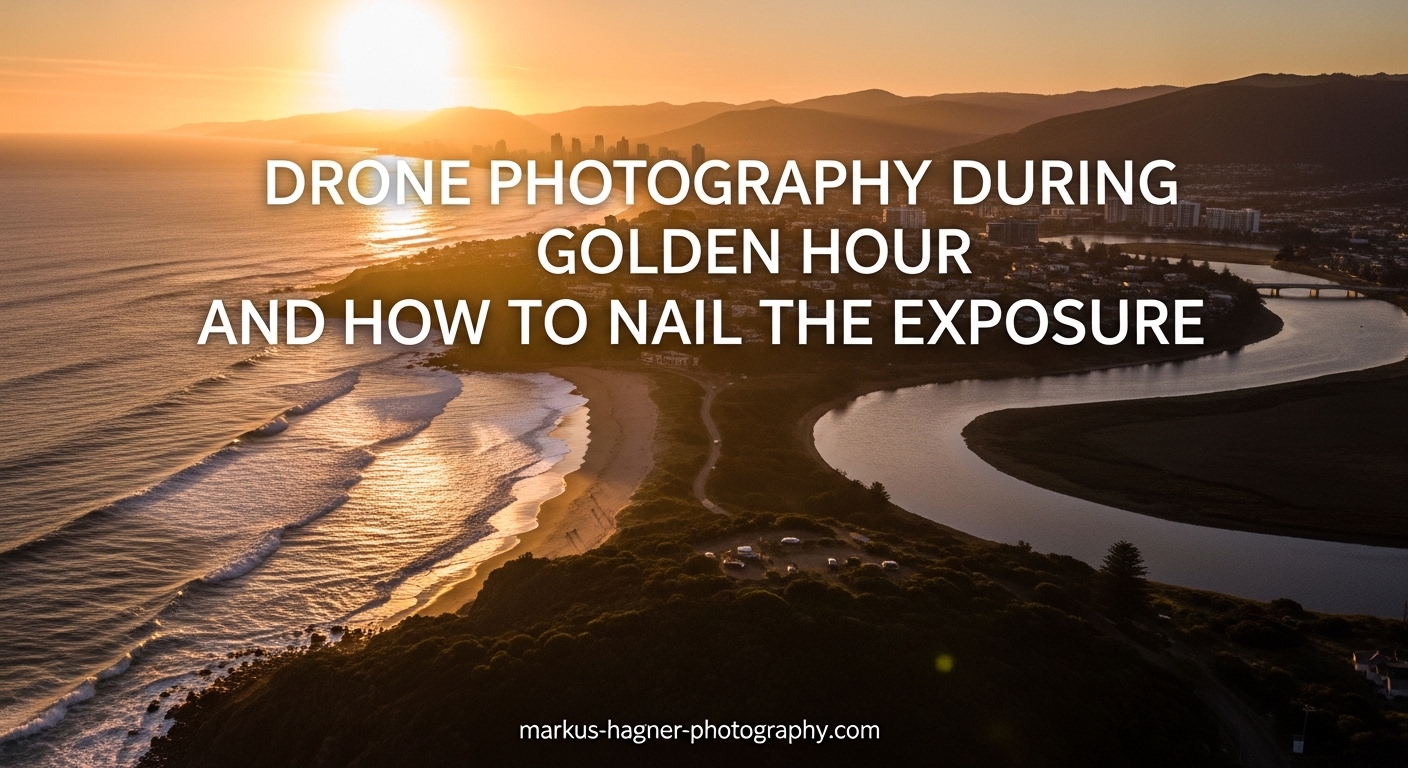
There is a reason professional photographers set their alarms for ungodly hours. The most stunning drone images on Instagram are rarely captured in harsh midday sun. Instead, they emerge during that magical window when sunlight transforms everything it touches. In this guide on drone photography during golden hour and how to nail the exposure, I will walk you through everything you need to capture breathtaking aerial shots with perfectly balanced exposure.
You will learn exactly what golden hour means for aerial photography, how to master the exposure triangle on your drone, specific camera settings that work, and a step-by-step workflow to nail your exposure every single time. Whether you are shooting real estate from above or capturing dramatic landscapes, these techniques will transform your golden hour drone photography.
What Is Golden Hour for Drone Photography?
Golden hour refers to the period shortly after sunrise and shortly before sunset when the sun sits low on the horizon. During this time, sunlight travels through more atmosphere, scattering blue light and allowing warmer reds and oranges to dominate your images. The result is soft, diffused light with a distinctive golden glow that gives this time its name.
For drone photography, golden hour typically lasts about 45 to 60 minutes after sunrise and before sunset. The exact timing depends on your location, season, and local topography. During summer months, golden hour lasts longer because the sun takes a more gradual path across the horizon. In winter, the window shrinks considerably.
What makes golden hour so special for aerial photography is the combination of warm color temperature, soft diffused lighting, and dramatic long shadows. When you photograph from above, those extended shadows create texture and depth that simply do not exist during midday flights. Buildings cast dramatic lines across streets. Hills and valleys reveal their contours. Trees paint striped patterns across open fields.
The quality of light also changes throughout the golden hour window. Early golden hour (closer to sunrise or sunset) produces warmer, more saturated colors. Late golden hour (further from the sun event) offers slightly cooler tones with more balanced contrast. Understanding these phases helps you plan your shots and adjust your exposure settings accordingly.
Understanding the Exposure Triangle for Drone Photography
Before diving into specific settings, you need to understand how ISO, shutter speed, and aperture work together. These three elements form the exposure triangle, and mastering them is essential for nailing drone photography golden hour exposure.
ISO: Managing Sensor Sensitivity
ISO controls how sensitive your drone’s camera sensor is to light. Lower ISO values (100-200) produce the cleanest images with minimal noise. Higher ISO values (400-800) allow you to shoot in darker conditions but introduce digital noise that can degrade image quality.
For golden hour drone photography, I recommend keeping ISO between 100 and 400. Most drone sensors perform best at their base ISO, which is typically ISO 100. As golden hour progresses and light fades, you can gradually increase to ISO 400 before considering other adjustments. Avoid going above ISO 800 unless absolutely necessary, as drone cameras typically struggle with noise at higher sensitivities compared to full-frame DSLRs or mirrorless cameras.
Shutter Speed: Freezing Motion and Controlling Light
Shutter speed determines how long your camera’s shutter remains open, measured in fractions of a second. Faster shutter speeds (1/500, 1/1000) freeze motion but let in less light. Slower shutter speeds (1/60, 1/30) allow more light but risk motion blur from drone movement or vibration.
During golden hour, you are working with less available light than midday. This means you need slower shutter speeds to maintain proper exposure. However, you still need speeds fast enough to prevent blur from drone movement. I recommend staying between 1/60 and 1/500 second for still photography. If your shutter drops below 1/60, you risk introducing blur from even subtle drone vibrations or wind gusts.
Aperture: Controlling Depth of Field and Light
Aperture refers to the opening in your lens that controls how much light reaches the sensor. It is measured in f-stops, with lower numbers (f/2.8) representing wider openings and higher numbers (f/11) representing narrower openings.
Many consumer drones have fixed apertures, typically around f/2.8. If your drone has a fixed aperture, you cannot adjust this setting and must rely on ISO and shutter speed for exposure control. Higher-end drones like the DJI Mavic 3 Pro offer adjustable apertures, giving you more creative control.
For golden hour landscape photography from a drone, depth of field is rarely a concern since everything is relatively far from the camera. I recommend using the widest aperture available (lowest f-number) to maximize light intake, then adjusting ISO and shutter speed to achieve proper exposure.
Recommended Camera Settings for Golden Hour Drone Photography
Now that you understand the exposure triangle, here are the specific settings I recommend for drone photography golden hour exposure. These values serve as starting points that you can adjust based on your specific conditions and creative goals.
ISO Settings
Start at ISO 100 during the brightest part of golden hour. As the sun gets lower and light diminishes, gradually increase to ISO 200, then ISO 400 if needed. If you are shooting closer to sunrise when light is building rather than fading, work in reverse: start at ISO 400 and decrease as light increases.
Shutter Speed Guidelines
Aim for shutter speeds between 1/125 and 1/500 second during early golden hour when light is abundant. As conditions darken, you can drop to 1/60 second, but be cautious about going slower. If you need shutter speeds slower than 1/60, increase ISO instead of risking motion blur.
White Balance Settings
White balance controls how your camera interprets color temperature. Auto white balance often fails during golden hour because the warm light confuses the camera’s algorithms. Instead, set white balance manually between 5000K and 6500K. Lower values (5000-5500K) enhance the warm golden tones. Higher values (6000-6500K) produce more neutral colors while still capturing the golden hour atmosphere.
File Format
Always shoot in RAW format for golden hour photography. RAW files capture significantly more dynamic range than JPEGs, giving you flexibility to recover details from shadows and highlights during post-processing. Golden hour scenes often contain extreme contrast between bright skies and darker ground, making RAW essential for balanced results.
Quick Settings Reference
Here is a quick reference for your golden hour drone photography settings:
- ISO: 100-400 (start at 100, increase as needed)
- Shutter Speed: 1/60 to 1/500 second
- Aperture: Widest available (f/2.8 typically)
- White Balance: 5000-6500K manual setting
- File Format: RAW
- Flight Altitude: 30-60 meters (100-200 feet) for optimal shadows
Drone Photography During Golden Hour: Step-by-Step Exposure Workflow
Having a consistent workflow helps you nail exposure quickly, which is crucial during golden hour when you have limited time. Here is the step-by-step process I use for every golden hour flight.
Step 1: Pre-Flight Preparation
Before you even launch, set your camera to manual mode. If your drone defaults to auto, the changing light conditions during golden hour will cause the camera to constantly adjust, resulting in inconsistent exposures across your shots. Set your initial ISO to 100 and white balance to 5500K while still on the ground.
Step 2: Launch and Initial Test Shot
After launching, position your drone at your planned shooting altitude and compose a test shot. Take a photo using your initial settings and immediately check the histogram. Do not rely solely on the preview screen, as it can be misleading, especially in bright outdoor conditions.
Step 3: Adjust ISO First
If your test shot is underexposed, increase ISO before slowing your shutter speed. Going from ISO 100 to 200 doubles your sensor’s light sensitivity without introducing motion blur concerns. Only increase ISO beyond 400 if shutter speed drops below 1/60 second.
Step 4: Fine-Tune Shutter Speed
If ISO adjustments are not sufficient, gradually slow your shutter speed. Monitor for any signs of motion blur by zooming in on your test shots. If you notice blur, speed up the shutter and accept slightly higher ISO instead.
Step 5: Monitor the Histogram
Throughout your flight, regularly check the histogram on your controller display. A well-exposed golden hour image should show data distributed across the histogram without clipping at either end. Slight clipping in the highlights (right side) is sometimes acceptable when shooting directly toward the sun, but avoid significant clipping in the shadows (left side).
Step 6: Revisit Settings as Light Changes
Golden hour light changes rapidly. Every 10-15 minutes, reassess your settings and make adjustments. As a general rule, you will need to increase ISO or slow shutter speed as the sun gets lower during evening golden hour. During morning golden hour, you will do the opposite as light builds.
When and How to Use ND Filters for Golden Hour?
Neutral density (ND) filters act like sunglasses for your drone camera, reducing the amount of light that reaches the sensor without affecting color. They are essential tools for drone photography golden hour exposure in certain situations.
Why ND Filters Matter
The primary reason to use ND filters during golden hour is to achieve slower shutter speeds while maintaining proper exposure. This is particularly important for video, where a 180-degree shutter rule suggests your shutter speed should be roughly twice your frame rate. For 30fps video, this means shooting at 1/60 second. Without an ND filter, achieving 1/60 second during golden hour might require stopping down aperture or increasing ISO, both of which have drawbacks.
Recommended ND Filter Strengths
For golden hour photography, ND8 to ND32 filters typically work best. An ND8 reduces light by 3 stops, while an ND32 reduces light by 5 stops. Start with ND8 during early golden hour when light is stronger, then switch to ND16 or ND32 as the sun gets lower.
Graduated ND Filters for Balanced Exposure
A graduated ND filter transitions from dark to clear across the filter, making it ideal for balancing bright skies against darker ground. During golden hour, the sky is often significantly brighter than the landscape below. A graduated ND filter darkens the sky portion of your image while leaving the ground unaffected, helping you capture detail in both areas without bracketing.
When to Skip ND Filters
If you are shooting stills and your shutter speed is already between 1/60 and 1/500 without an ND filter, you may not need one. ND filters are more critical for video work or when you specifically want motion blur effects. For standard golden hour still photography, you can often achieve excellent results without them.
AEB and HDR Techniques for Golden Hour Drone Photography
Auto Exposure Bracketing (AEB) and High Dynamic Range (HDR) techniques solve one of the biggest challenges in drone photography golden hour exposure: capturing detail in both bright skies and dark ground simultaneously.
What Is AEB
AEB captures multiple shots at different exposures with a single shutter press. Most DJI drones offer 3 or 5-shot AEB options. A typical 3-shot bracket captures one image at normal exposure, one underexposed by 0.7 or 1 stop, and one overexposed by the same amount. This gives you three different exposures to work with during post-processing.
How to Enable AEB on DJI Drones
On most DJI drones, access AEB through the camera settings menu. Look for the photo mode options and select AEB. Choose between 3 or 5 shots depending on your drone model and the dynamic range of your scene. For golden hour, 3-shot AEB at +/- 0.7 EV usually provides sufficient coverage.
When to Use AEB
Use AEB when your scene contains extreme contrast between bright and dark areas. Golden hour shots that include the sun in frame or feature bright clouds against shadowed landscapes are perfect candidates. AEB gives you options to merge exposures or select the best single exposure from your bracket.
Merging Bracketed Shots in Post-Processing
After your flight, import your bracketed images into software like Adobe Lightroom, Luminar, or Photomatix. These programs can merge your exposures into a single HDR image with detail preserved across the entire dynamic range. Alternatively, you can manually blend exposures using luminosity masks for more control over the final result.
Common Exposure Mistakes and How to Fix Them?
Even experienced drone photographers struggle with exposure during golden hour. Here are the most common mistakes I see and how to fix them.
Mistake 1: Overexposed Skies
The Problem: You expose for the ground, leaving bright skies completely blown out with no recoverable detail.
The Fix: Use your histogram to check for highlight clipping. If the right side of your histogram shows a spike against the edge, your highlights are blown. Underexpose slightly (use exposure compensation or manually reduce exposure) to protect sky detail. You can recover shadow detail from RAW files, but clipped highlights are gone forever.
Mistake 2: Underexposed Ground
The Problem: You expose for bright skies, leaving the ground too dark and noisy.
The Fix: This is where AEB shines. Shoot brackets and merge in post, or use a graduated ND filter to darken the sky. If shooting single exposures, expose for the mid-tones and accept that you may need to recover both highlights and shadows in post-processing.
Mistake 3: Relying on Auto Mode
The Problem: Auto exposure constantly changes as you pan the drone, creating inconsistent results across your shoot.
The Fix: Switch to manual mode. Auto mode works fine for casual shots, but for serious golden hour work, manual control is essential. The rapidly changing light during golden hour confuses auto exposure algorithms, leading to erratic results.
Mistake 4: Wrong White Balance
The Problem: Auto white balance neutralizes the warm golden tones you are trying to capture.
The Fix: Set white balance manually to 5000-5500K. This preserves the warm character of golden hour light. If you want even warmer results in-camera, try 4800-5000K. Just remember that shooting RAW gives you complete flexibility to adjust white balance in post.
Mistake 5: Ignoring the Histogram
The Problem: You judge exposure by the preview screen, which is misleading in bright outdoor conditions.
The Fix: Learn to read your histogram. A well-exposed image shows data distributed across the graph without significant clipping at either end. The preview screen can appear washed out in sunlight or artificially boosted in shadows, leading to incorrect exposure decisions.
Post-Processing Tips for Golden Hour Drone Images
Post-processing is where good golden hour shots become great ones. Here is how to enhance your drone photography golden hour exposure results in editing software.
Start with RAW Processing
If you followed my advice and shot in RAW, you have tremendous flexibility in post. Start by recovering any clipped highlights using the highlight recovery slider. Then lift shadows to reveal ground detail. The goal is to compress the extreme dynamic range of golden hour scenes into a viewable image.
Enhance Warm Tones
Golden hour images benefit from subtle warmth enhancement. Use the temperature slider to push the image slightly warmer if needed. Be careful not to overdo it. The goal is to enhance what was there naturally, not to create an artificial orange cast. Split toning can add warm highlights and cool shadows for a sophisticated look.
Boost Vibrance, Not Saturation
Use vibrance rather than saturation to enhance colors. Vibrance intelligently boosts less saturated colors while protecting skin tones and already-saturated areas. This gives your golden hour images rich, warm colors without the artificial look that excessive saturation creates.
Add Clarity and Texture
Golden hour light naturally enhances texture through side-lighting and long shadows. Emphasize this by adding moderate clarity and texture adjustments. Be cautious with these sliders, as too much creates an unnatural, over-processed appearance. Start with +10 to +20 and adjust to taste.
Frequently Asked Questions
What ISO should I use for golden hour drone photography?
Use ISO 100-400 for golden hour drone photography to minimize noise. Start at ISO 100 in bright conditions and increase to ISO 400 as light fades. Avoid going above ISO 800 as drone sensors typically produce noticeable noise at higher sensitivities.
What should my camera settings be for golden hour?
For golden hour drone photography, use ISO 100-400, shutter speed 1/60 to 1/500, and the widest available aperture (typically f/2.8). Set white balance between 5000-6500K to capture warm tones accurately. Always shoot in RAW for maximum post-processing flexibility.
What is the 400 foot rule for drones?
The 400 foot rule requires drone pilots in the United States to fly below 400 feet above ground level to avoid conflicts with manned aircraft. This FAA regulation applies to all recreational and commercial drone operations unless specific authorization is obtained.
How high should I fly my drone during golden hour?
Fly between 30-60 meters (100-200 feet) during golden hour for optimal shadow definition and texture visibility. Lower altitudes capture more dramatic long shadows and better ground detail, while higher altitudes work well for expansive landscape shots.
Conclusion
Mastering drone photography during golden hour and how to nail the exposure takes practice, but the results are worth every early morning and late evening flight. Remember the fundamentals: keep ISO low (100-400), maintain workable shutter speeds (1/60 to 1/500), shoot in RAW, and use your histogram to judge exposure. Whether you use AEB bracketing, ND filters, or straightforward manual settings, the key is consistent practice and willingness to adjust as light changes.
The golden hour window is short, but with these techniques in your toolkit, you will be ready to capture stunning aerial images that showcase the magical quality of light that makes this time so special. Get out there, fly safely, and bring back images that make people wonder how you achieved such perfect exposure.