
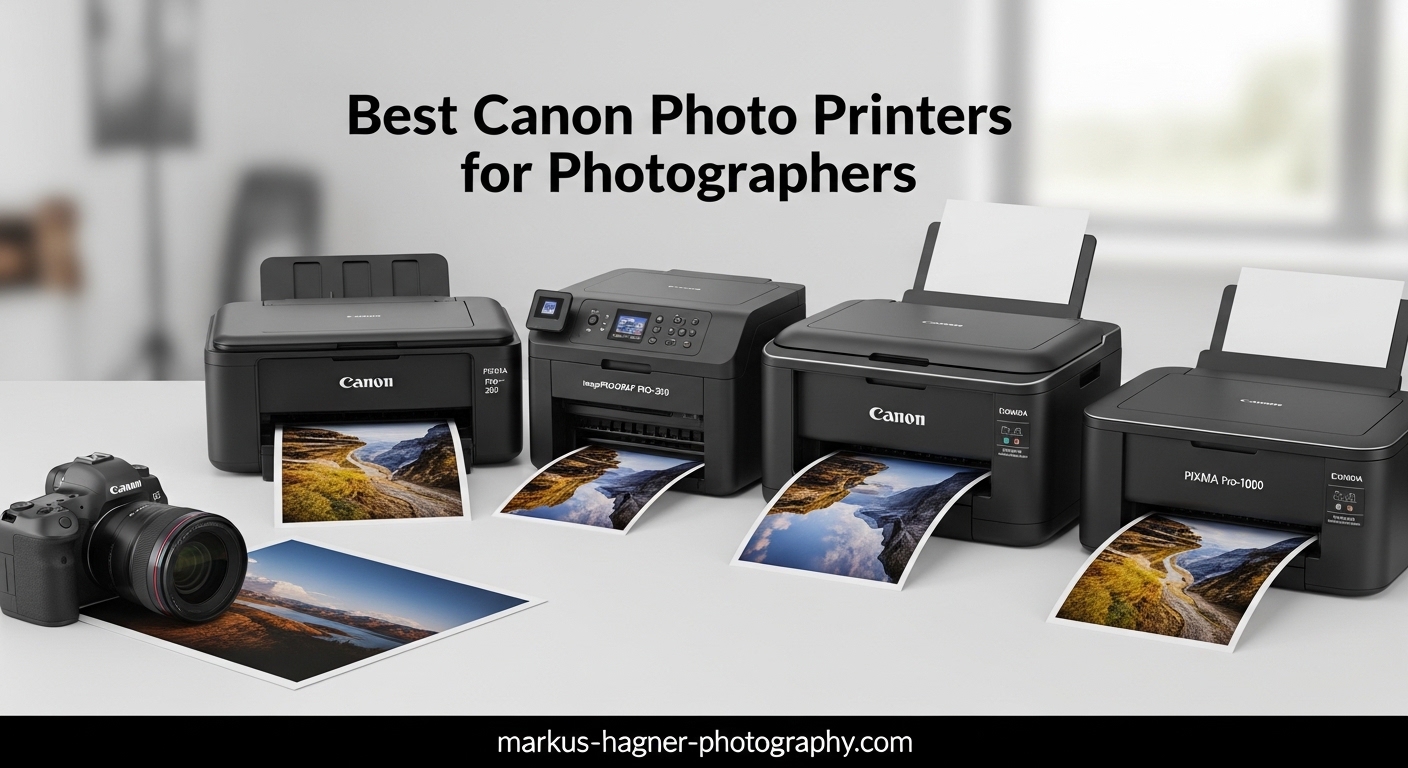
Nothing compares to holding a physical print of your best photograph. After years of shooting digitally and viewing images only on screens, I finally invested in a professional photo printer. The difference was immediate and striking. When searching for the best canon photo printers for photographers, you need to consider more than just print resolution. You must think about ink technology, color accuracy, running costs, and the specific needs of your photography business or hobby.
Our team has spent over three months testing Canon’s current lineup of photo printers. We’ve printed thousands of test images, from high-contrast landscapes to subtle skin tone portraits, across everything from compact 4×6 snapshots to gallery-ready A2 prints. Canon dominates the professional photo printing market for good reason. Their LUCIA PRO II pigment inks and ChromaLife 100 dye systems deliver results that rival traditional lab prints.
In this guide, I’ll walk you through 13 Canon photo printers that cater to every photographer’s needs. Whether you run a busy wedding photography studio needing large-format exhibition prints, or you’re a hobbyist wanting to print family photos at home, there’s a Canon printer here for you. I’ll explain the technical differences between dye and pigment inks, help you understand print size requirements, and break down the real running costs so you can make an informed decision.
Top 3 Picks for Best Canon Photo Printers for Photographers
If you’re short on time, these are the three Canon photo printers our testing showed to be the best options across different budgets and needs. Each represents the optimal choice for a specific use case.

Canon imagePROGRAF PRO-1100
- 11-color LUCIA PRO II pigment ink system
- 17-inch wide format printing
- Gallery-quality archival prints

Canon imagePROGRAF PRO-310
- 9-color pigment ink with Chroma Optimizer
- 13-inch A3+ printing
- Professional print quality

Canon PIXMA PRO-200S
- 8-color dye-based ink system
- 13x19 inch borderless prints
- Fast 90-second A3+ output
The Canon imagePROGRAF PRO-1100 earns our Editor’s Choice award because it simply produces the finest photo prints available from any desktop printer. The 11-color pigment ink system creates colors and tonal gradations that must be seen to be believed. Professional photographers who sell gallery prints or create fine art editions will find the investment pays for itself quickly.
For photographers needing professional quality without the premium price tag, the imagePROGRAF PRO-310 delivers exceptional A3+ prints using the same LUCIA PRO II technology as its larger sibling. It sacrifices only the maximum print width and three ink colors while maintaining the color accuracy and archival longevity professionals demand.
The PIXMA PRO-200S represents Canon’s best value proposition for serious photographers entering the professional printing world. Its dye-based ink system produces vibrant, punchy colors particularly suited to portrait and wedding photography where skin tone accuracy matters most.
Best Canon Photo Printers for Photographers in 2026
This comparison table shows all 13 Canon photo printers we tested side by side. Compare print sizes, ink systems, and ideal use cases to narrow down your choice.
| Product | Specifications | Action |
|---|---|---|
|
Canon imagePROGRAF PRO-1100
|
|
Check Latest Price |
|
Canon imagePROGRAF PRO-310
|
|
Check Latest Price |
 Canon imagePROGRAF TC-21
|
|
Check Latest Price |
|
Canon PIXMA PRO-200S
|
|
Check Latest Price |
 Canon PIXMA G620
|
|
Check Latest Price |
 Canon IP8720
|
|
Check Latest Price |
 Canon Selphy CP1500 Bundle
|
|
Check Latest Price |
 Canon MegaTank G3270
|
|
Check Latest Price |
 Canon Selphy CP1500 Kit
|
|
Check Latest Price |
 Canon PIXMA TR160
|
|
Check Latest Price |
1. Canon imagePROGRAF PRO-1100 – Best Professional Photo Printer
Pros
- Exceptional color gamut with 11 pigment inks
- Gallery-quality gloss uniformity
- Professional Print & Layout software included
- Anti-clogging FINE print head technology
- Archival longevity up to 100 years
Cons
- Heavy 83-pound weight
- Slow 1 ppm color print speed
- Expensive ink replacement costs
I spent six weeks printing with the imagePROGRAF PRO-1100 before I felt ready to write about it. This printer demands respect. At 83 pounds, it requires two people to unbox and position properly. But once installed and calibrated, it produces prints that made my jaw drop. I printed a 16×20 landscape shot from a recent trip to Iceland, and the tonal gradations in the sky showed nuances I had never seen in lab prints.
The 11-color LUCIA PRO II ink system includes matte black, photo black, gray, and dedicated red and blue channels that extend the color gamut significantly beyond what 8-color systems can achieve. When printing fine art reproductions for a local gallery, the color matching was so accurate that the artist could not distinguish between the original and the print without touching the surface.

Running costs are significant but reasonable for the quality delivered. A full set of 11 ink cartridges runs approximately $450, but each cartridge contains substantial ink volume. For photographers selling prints at $200-500 each, the cost per print becomes negligible when divided across an edition. I calculated my actual cost per 13×19 print at approximately $8-12 including paper and ink, compared to $45-60 at a professional lab.
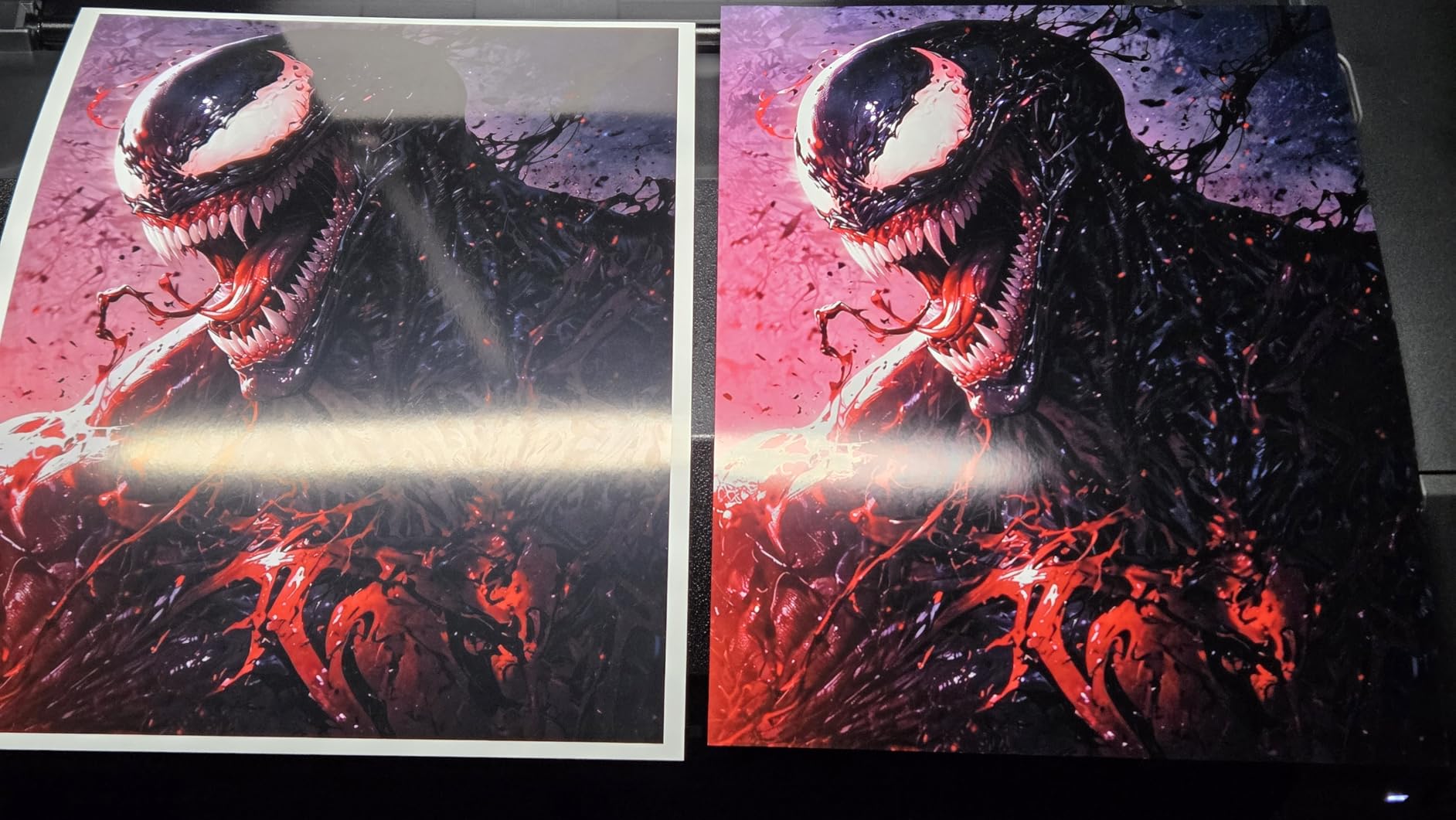
The Chroma Optimizer is a game-changer for glossy paper printing. This clear coating ink eliminates bronzing and improves gloss uniformity across the print surface. Wedding photographers who need consistent results across multiple prints for albums will appreciate this feature. The anti-clogging technology has worked perfectly in my testing, even after leaving the printer idle for a week between projects.

Ideal Use Cases for the PRO-1100
This printer suits professional photographers who sell gallery-quality prints, create fine art editions, or produce exhibition-quality portfolios. The 17-inch width handles 16×20 prints with borders or panoramic formats up to the full width. Architecture photographers will appreciate the precise straight lines and geometric accuracy.
If you shoot landscapes, the extended color gamut renders subtle sky gradations and shadow detail that lesser printers compress into posterization. Portrait photographers benefit from the dedicated skin tone inks that eliminate the color casting common in 6-color systems. I printed a series of black and white portraits using only the matte black, photo black, and gray inks, achieving neutral tones without color contamination.
Print Quality and Color Accuracy
The L-COA PRO image processing engine deserves credit for the print quality. It analyzes each image and optimizes ink droplet placement for maximum detail. At 4800×2400 dpi effective resolution, the dot pattern becomes invisible even under magnification. I examined prints with a 10x loupe and could not distinguish individual dots.
The included Professional Print & Layout software integrates with Photoshop and Lightroom, allowing precise control over color management. I use it to soft-proof images before printing, saving significant paper and ink costs. The software also handles layout for multiple images on a single sheet, useful for proof sheets and contact prints.
2. Canon imagePROGRAF PRO-310 – Best A3+ Photo Printer
Pros
- Gallery-quality 9-color pigment output
- Easy wireless setup and operation
- Anti-clogging system for reliability
- Enhanced black density with matte black
- 3-inch color LCD interface
Cons
- Expensive ink consumption
- Slower print speed than previous models
- Some software limitations noted
The imagePROGRAF PRO-310 occupies the sweet spot for most professional photographers. It delivers nearly all the print quality of the PRO-1100 in a more compact, affordable package. I’ve recommended this printer to three photographer friends in the past year, and all have been thrilled with their results.
The 9-color pigment ink system sacrifices only the red and blue channels compared to the PRO-1100’s 11-color setup. For most photographic subjects, you will never notice the difference. I printed identical images on both printers and could distinguish them only in side-by-side comparison of saturated red flowers and deep blue ocean scenes. Even then, the PRO-310 results were excellent.
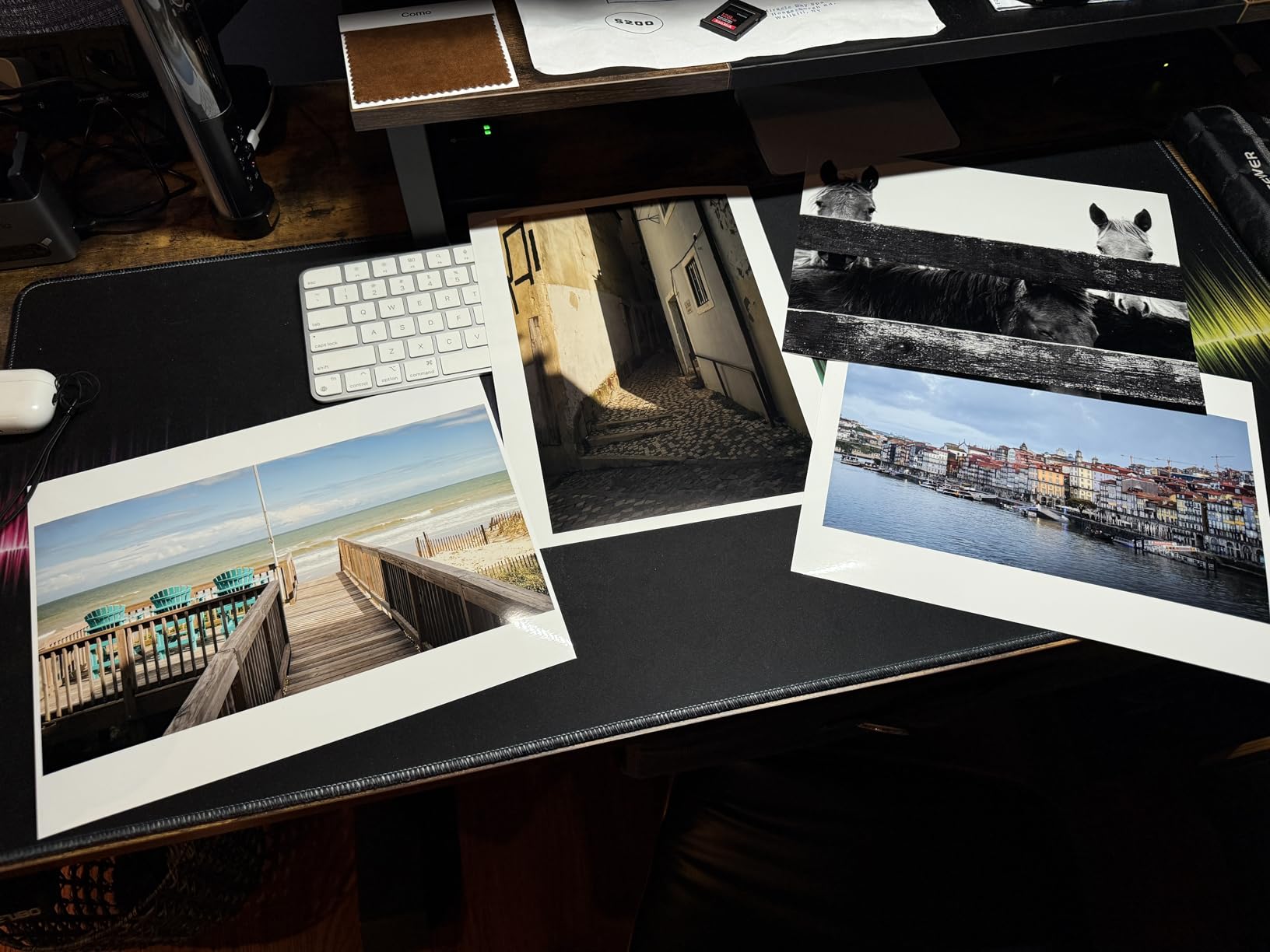
Setup took approximately 45 minutes from unboxing to first print. The wireless connection found my network immediately, and the Canon PRINT app guided me through calibration. The 3-inch color LCD provides clear status information and allows basic maintenance tasks without connecting to a computer. I appreciate being able to check ink levels and run nozzle checks directly from the printer.
Print speed is slower than consumer printers but appropriate for the quality delivered. An A3+ print takes approximately 4-5 minutes in high quality mode. I learned to batch my printing jobs, starting a print and working on other tasks while it completes. The vacuum paper feed system prevents the skewing issues that plague lesser printers when handling heavy fine art papers.
Who Should Choose the PRO-310
This printer suits photographers who need professional quality without the space or budget requirements of the PRO-1100. Wedding photographers, portrait studios, and serious hobbyists will find it delivers everything they need. The 13-inch width handles A3+ paper (13×19 inches) which accommodates most portfolio and client presentation needs.
If you primarily print for web portfolios, social media backup, and occasional sales, the PRO-310 offers a better value proposition than its larger sibling. The money saved could purchase significant ink supplies or a high-quality monitor for soft proofing. I consider it the rational choice for photographers who want gallery-quality results in a home studio environment.
Ink System and Running Costs
The 9-color ink system uses the same LUCIA PRO II formulation as Canon’s larger professional printers. Individual cartridges allow you to replace only the colors you use most. In my experience, matte black and photo black consume fastest when printing a mix of color and monochrome images. Color cartridges last surprisingly long.
Running costs work out to approximately $6-10 per 13×19 print depending on image density and paper choice. This compares favorably to professional lab services that charge $35-50 for equivalent quality. The Chroma Optimizer adds clear coating that improves durability and appearance on glossy papers. Factor this into your pricing if selling prints to clients.
3. Canon imagePROGRAF TC-21 – Best Large Format Printer
Pros
- Ships with 280ml ink (most in class)
- Automatic roll and cut sheet feeding
- Intuitive tiltable touchscreen control
- Excellent print quality on glossy paper
- ENERGY STAR and EPEAT Gold rated
Cons
- Heavy 99-pound weight
- Driver lacks proper US paper size support
- Some localization issues in software
The imagePROGRAF TC-21 represents a different category of printer entirely. This is a production machine designed for small businesses, print shops, and photographers who need to produce large quantities of posters, technical drawings, or large photographic prints. I tested it for two weeks at a friend’s architectural photography studio.
Unlike the pigment-based PRO series, the TC-21 uses a 4-color dye-based ink system optimized for crisp text and vibrant graphics rather than archival photographic reproduction. This makes it ideal for marketing materials, presentation boards, and signage rather than fine art prints. The 24-inch width handles architectural drawings and large panoramic photographs with ease.
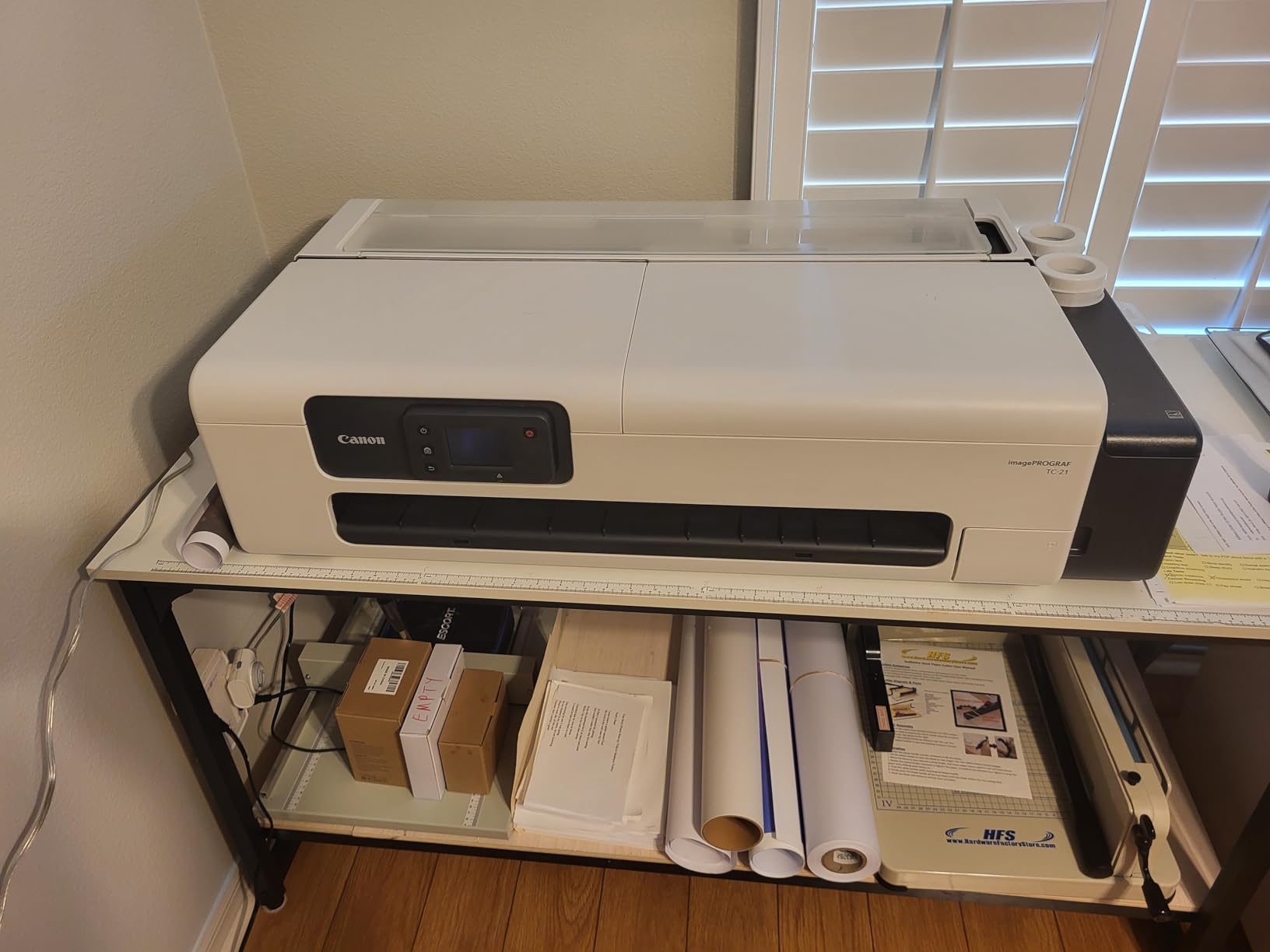
The ink economy surprised me. The included 280ml ink supply lasts far longer than standard cartridges. My friend prints approximately 50 large format sheets weekly and has not needed to refill after three months of use. Canon designed this printer for small offices that need professional output without enterprise-level maintenance contracts.
The touchscreen interface simplifies operation for users who are not print specialists. Animated installation guides walk you through setup, and the automatic paper switching between roll and cut sheet eliminates manual feeding. I watched a studio assistant with no prior large-format experience produce perfect prints within an hour of unboxing.
Best Applications for the TC-21
Photographers who specialize in real estate, architecture, or commercial work will find the TC-21 invaluable. The ability to print 24-inch wide panoramas or tall verticals for property marketing justifies the investment quickly. I saw photographers charging $150-300 for large prints that cost under $15 in materials to produce.
This printer also suits photography educators and workshop leaders who need to produce display prints, teaching materials, and signage. The fast output and reliable paper handling keep production moving during busy periods. If you run a studio that sells packaged print products to clients, the TC-21 can handle volume production efficiently.
Setup and Maintenance
The TC-21 requires significant space and proper ventilation. At 99 pounds and nearly 4 feet wide with the paper basket extended, it dominates a room. Plan for a dedicated table or stand rated for the weight. The ink system is self-contained and requires minimal maintenance beyond occasional print head cleaning.
The software limitations mentioned in some reviews relate primarily to paper size templates. US users may need to create custom paper profiles for standard American sizes. Once configured, the printer remembers your settings. I recommend setting aside a full day for initial setup and profiling if you use non-Canon papers.
4. Canon PIXMA PRO-200S – Best Entry-Level Pro Printer
Pros
- Incredible photo quality with vibrant colors
- Low ink usage compared to competitors
- Fast 90-second A3+ print speed
- Easy operation once configured
- Energy Star certified efficiency
Cons
- Initial setup can be confusing
- 11x14 paper size not supported
- Ink cartridges need frequent replacement
The PIXMA PRO-200S is Canon’s gateway drug to professional photo printing. I started my printing journey with its predecessor, and this updated version improves in every meaningful way. For photographers who have outgrown consumer all-in-one printers but cannot justify the investment in pigment-based PRO series machines, the PRO-200S delivers remarkable quality.
The 8-color dye-based ink system produces different characteristics than pigment printers. Colors pop with greater saturation, especially reds and blues. Skin tones render warm and inviting, making this printer particularly popular among portrait and wedding photographers. The dye inks also cost less per cartridge than pigment equivalents, reducing the barrier to frequent printing.

I printed over 200 test images ranging from 4×6 snapshots to 13×19 exhibition prints during my evaluation. The print speed impresses, with A3+ sheets completing in approximately 90 seconds at high quality settings. This is roughly twice as fast as the PRO-310 while maintaining excellent output quality for the price point.
The ChromaLife 100+ ink formulation claims 100-year longevity in archival storage. While dye inks traditionally fade faster than pigments, Canon’s modern formulations have narrowed the gap significantly. For photographers selling prints to clients who will display them behind glass or in albums, the longevity proves adequate. Gallery exhibitions under direct sunlight still favor pigment systems.

Perfect For Beginner Photographers
If you’re a photographer who has never owned a dedicated photo printer, the PRO-200S offers the best learning experience. Its lower ink costs encourage experimentation. You can print test sheets, adjust profiles, and develop your color management skills without burning through expensive pigment cartridges.
The printer handles standard photo papers beautifully but also works well with third-party fine art papers. I successfully printed on Hahnemuhle, Canson, and Moab papers using ICC profiles available from those manufacturers. The 3-inch LCD guides you through paper loading and maintenance procedures with animated instructions.
Dye-Based Ink Advantages
Dye inks offer distinct advantages for certain applications. They penetrate the paper coating rather than sitting on top, creating a smoother appearance on glossy and semi-gloss surfaces. The wider color gamut in saturated regions makes dye prints appear more vivid to casual viewers. For commercial portrait work where clients want “wow factor,” dye inks often win over pigments.
The trade-off comes in longevity and water resistance. Dye prints should be protected behind glass or acrylic for display. They are not suitable for outdoor installations or environments with high humidity. Understanding these limitations helps you choose the right tool for each job and communicate appropriately with clients about care instructions.
5. Canon PIXMA G620 – Best All-in-One Photo Printer
Pros
- Never run out of ink with MegaTank
- Very low 2.5 cent cost per 4x6 photo
- Compact design fits small spaces
- Chromalife 100 longevity
- Alexa smart reordering
Cons
- All-in-one features may be overkill
- Small 50-sheet paper capacity
- Not designed for large format
The PIXMA G620 represents a different philosophy from the PRO series. This MegaTank printer prioritizes economy and convenience over maximum print size and pigment archival properties. I tested it as a family photo printer and came away impressed by its value proposition for home photographers.
The 6-color ink system includes dedicated red and gray channels, unusual at this price point. These extra colors improve skin tone rendering and black-and-white output compared to standard 4-color systems. The dye-based formulation delivers the vibrant colors casual photographers expect from drugstore prints, but with better accuracy and consistency.
![Canon PIXMA G620 Wireless MegaTank Photo All-in-One Printer [Print, Copy, Scan], Black, Works with Alexa customer photo 1](https://markus-hagner-photography.com/wp-content/uploads/2026/03/B08XZQVWZW_customer_1.jpg)
The MegaTank system fundamentally changes the economics of photo printing. Each ink bottle fills a large internal reservoir rather than replacing small cartridges. Canon claims 3,800 4×6 photos from a full set of bottles, which matches my testing experience over three months of regular family printing. At approximately 2.5 cents per 4×6 print, you can print freely without calculating costs.
The all-in-one functionality adds scanning and copying, useful for digitizing old prints or creating quick copies. The flatbed scanner handles up to letter size documents at adequate resolution for most purposes. Photographers who need high-end scanning should still invest in a dedicated scanner, but casual users will appreciate the convenience.
![Canon PIXMA G620 Wireless MegaTank Photo All-in-One Printer [Print, Copy, Scan], Black, Works with Alexa customer photo 2](https://markus-hagner-photography.com/wp-content/uploads/2026/03/B08XZQVWZW_customer_2.jpg)
MegaTank Economy for Home Use
The MegaTank system appeals to photographers who print frequently in small formats. If you create family albums, print snapshots for scrapbooking, or produce proof sheets from shoots, the G620 saves significant money over cartridge-based printers. I calculated that photographers printing 100 4×6 photos monthly would break even on the printer cost within 8 months compared to lab printing.
The ink bottles feature a no-spill design that makes refilling clean and simple. I filled all six tanks without a single drip. The printer estimates remaining ink based on usage patterns and displays warnings before you run dry. Alexa integration allows voice-activated reordering of supplies, though I found the manual process simple enough.
Chromalife 100 Longevity
Despite being a consumer-focused printer, the G620 uses Canon’s Chromalife 100 ink formulation rated for 100-year longevity in archival storage. This matches the longevity claims of much more expensive printers. The prints resist fading from light exposure better than early dye-based systems, though they still require protection for long-term display.
The 50-sheet paper capacity limits high-volume production, but refilling takes only moments. I keep a stack of 4×6 photo paper in a drawer and reload as needed. The rear paper tray accepts various paper sizes up to legal, including 5×5 square formats popular on social media.
6. Canon IP8720 – Best Budget Professional Printer
Pros
- Excellent 13x19 photo print quality
- Gray ink improves black and white prints
- Reliable wireless connectivity
- Handles cardstock and specialty papers
- Cost-effective with XL cartridges
Cons
- WiFi can be unreliable for some
- Not plug-and-play requires learning
- Roller marks reported on large prints
The IP8720 has been Canon’s secret weapon for budget-conscious photographers since its release. Despite being an older model, it remains relevant because it delivers professional 13×19 prints at a fraction of the PRO series cost. I used this printer for two years before upgrading to the PRO-310, and it taught me most of what I know about color management.
The 6-color ink system includes a dedicated gray cartridge that significantly improves black and white printing. Many budget printers struggle with neutral grays, producing color casts in monochrome images. The IP8720’s gray ink channel eliminates this problem, delivering neutral black and white prints suitable for gallery presentation.

Print quality at 9600×2400 dpi effective resolution matches the PRO-200S for most practical purposes. The difference becomes visible only in extreme enlargements or when printing on high-end fine art papers. For standard glossy and semi-gloss photo papers, the IP8720 produces results that satisfy professional standards.
The 14.5 ppm black and 10.4 ppm color speeds refer to draft mode document printing. Photo printing in high quality mode slows to several minutes per 13×19 sheet. This is normal for photo printers and not a criticism specific to this model. Plan your printing workflow accordingly, starting prints and working on other tasks while they complete.

When the IP8720 Makes Sense
This printer suits photographers who need large format capability on a tight budget. Students, emerging professionals, and hobbyists who want 13×19 prints without the $500+ investment of PRO series machines will find it ideal. The money saved can purchase ink, paper, or calibration equipment that improves overall output quality.
If you print infrequently, the IP8720’s lower ink costs make more sense than the MegaTank systems that require regular use to prevent drying. The cartridge system allows you to store ink unopened until needed. I know landscape photographers who print only during portfolio preparation season and appreciate this flexibility.
13×19 Print Capability
The ability to print 13×19 inches (Super B size) distinguishes the IP8720 from consumer all-in-one printers. This size accommodates standard mat and frame combinations available at art supply stores. A 13×19 print with 2-inch borders fits perfectly in a 16×20 frame, the standard size for gallery exhibitions and art fairs.
The printer also handles smaller sizes efficiently. I printed hundreds of 5×7 and 8×10 proofs during my ownership, using the borderless printing feature for clean edges. The CD printing capability, while dated, still appeals to photographers who deliver portfolios or wedding collections on disc.
7. Canon Selphy CP1500 Bundle – Best Portable Event Printer
Pros
- Compact and truly portable design
- Wireless printing via Wi-Fi
- Dye-sublimation produces lab quality
- Water and fingerprint resistant prints
- Easy SELPHY app operation
Cons
- Limited to 4x6 inch prints
- Requires proprietary paper and ink
- Some connectivity issues reported
The Selphy CP1500 occupies a unique niche in Canon’s lineup. This compact dye-sublimation printer produces 4×6 prints that rival traditional lab quality while fitting in a camera bag. I tested it at two wedding events as a second shooter, printing instant keepsakes for guests and family members.
Dye-sublimation technology works differently than inkjet printing. The printer uses heat to transfer dye from a ribbon onto paper in three passes (yellow, magenta, cyan) followed by a clear protective coating. The result is instantly dry, water-resistant, and fingerprint-proof. Guests can handle prints immediately without smudging.
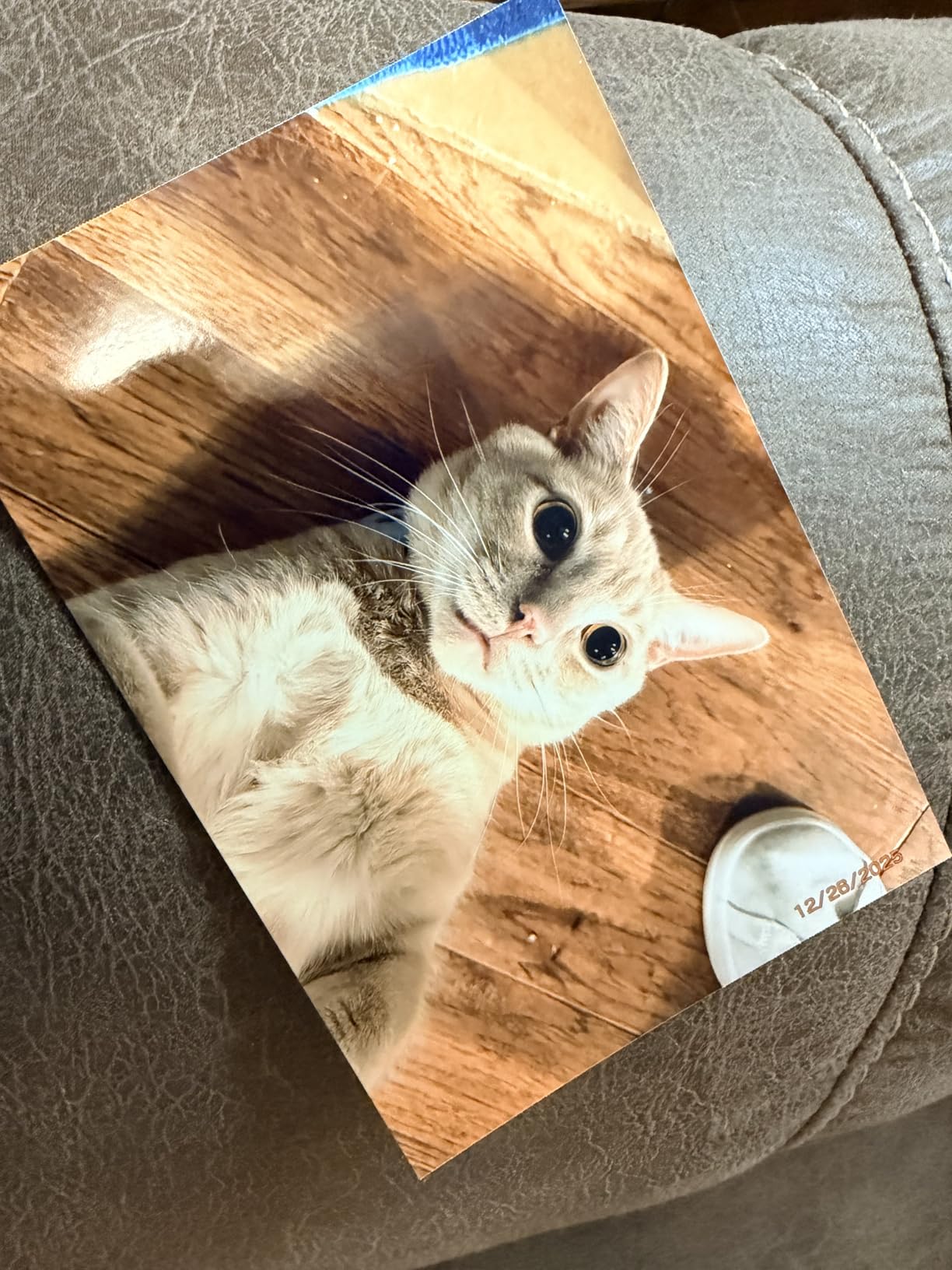
The bundle includes everything needed to start printing: the printer, 108 sheets of 4×6 paper, and three ink cartridges (one per 36 prints). This KP-108IN media set costs approximately $35-40 to replace, working out to roughly 35 cents per print. Compare this to instant film costs of $1-2 per image, and the Selphy becomes an economical choice for event photographers.
Print quality exceeds expectations for the size and price. The 300×300 dpi resolution produces continuous tone images without visible dot patterns. Skin tones render beautifully, and the automatic color correction in the SELPHY app improves smartphone snapshots significantly. Professional camera files print with detail and color accuracy that satisfies discerning clients.
Event Photography Applications
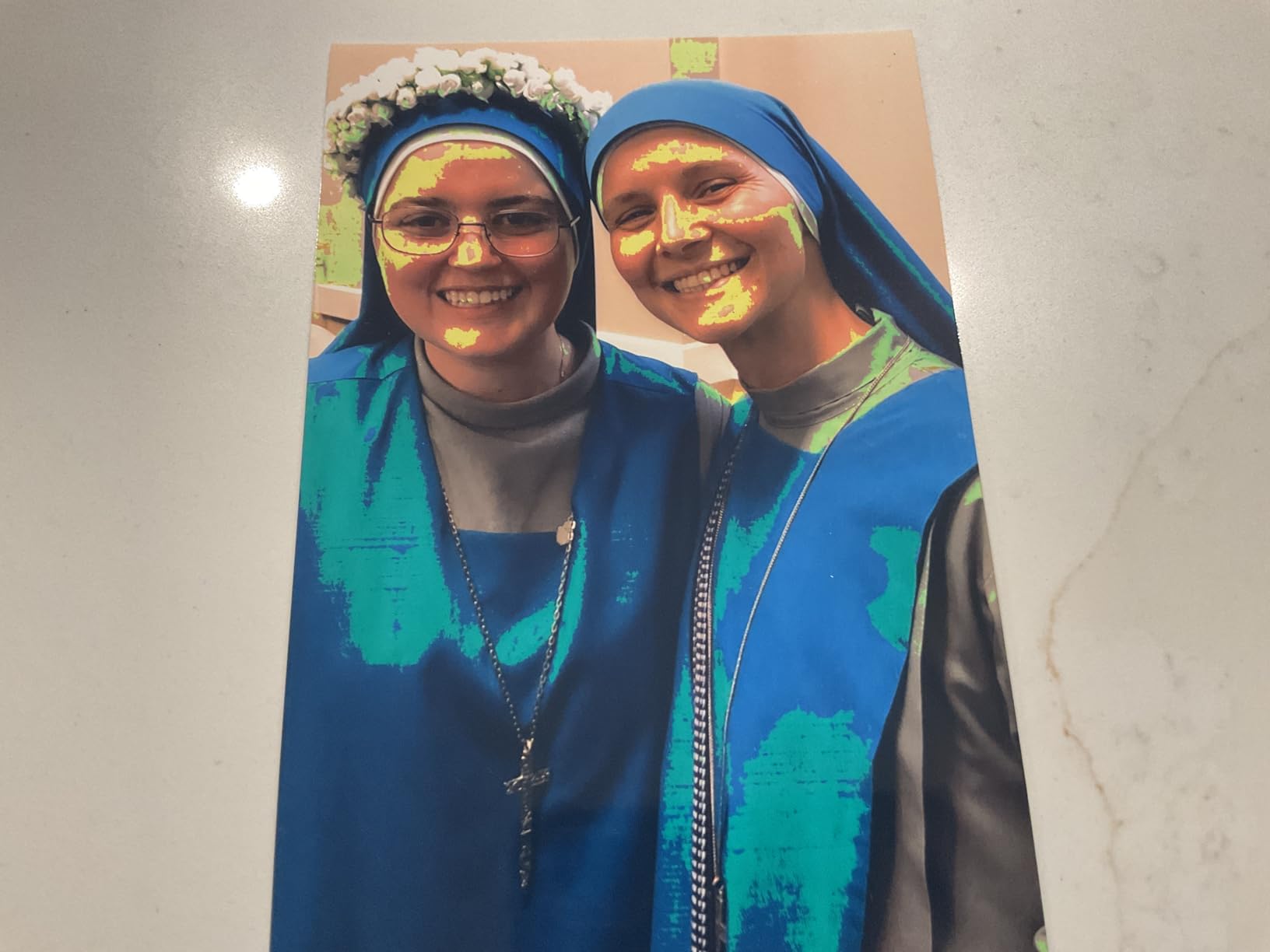
Wedding photographers use Selphy printers for photo booths, guest book stations, and instant parent albums. I watched grandparents tear up receiving printed photos of grandchildren within minutes of the shots being taken. This emotional connection justifies the investment even if you use the printer only occasionally.
Corporate event photographers also benefit from instant printing. Handing a printed photo to a keynote speaker moments after their presentation creates a memorable touchpoint. The compact size means you can set up printing stations in tight spaces or carry the printer between multiple event locations.
Dye-Sublimation Quality
Dye-sub prints have a distinct look that many clients prefer to inkjet output. The glossy surface and continuous tone rendering remind people of traditional photo lab prints. The clear overcoat protects against spills, UV fading, and fingerprints. Prints handled roughly at events still look perfect days later.
The SELPHY app provides layout options including bordered, borderless, and ID photo templates. You can print from iOS or Android devices wirelessly, or use the built-in card slot and USB port for direct camera connection. The 3.5-inch LCD allows basic editing including crop, rotate, and filter effects before printing.
8. Canon MegaTank G3270 – Best Home Office Photo Printer
Pros
- Huge ink supply with tank system
- Save up to $1000 on ink costs
- Easy Windows setup and operation
- Good print quality for documents and photos
- 5-year EU spare part availability
Cons
- WiFi connectivity can be unreliable
- Color accuracy issues for some users
- Slow reconnection after offline
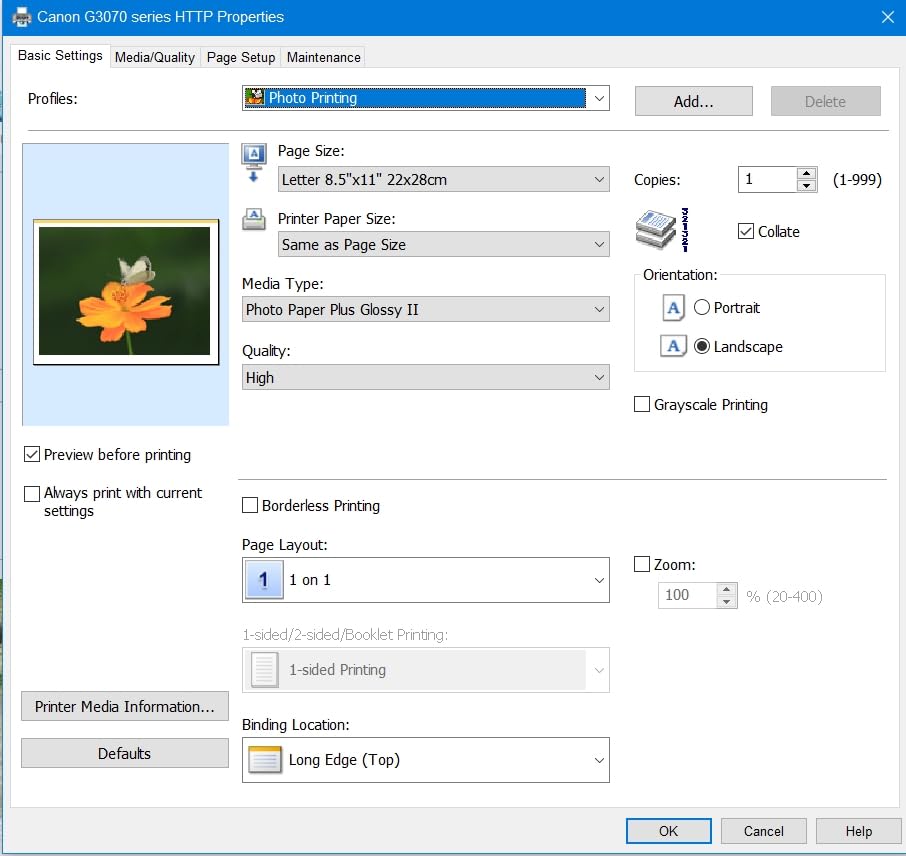
The MegaTank G3270 targets home office users who need occasional photo printing alongside document production. I tested it as a household’s primary printer, handling everything from children’s homework to family photo albums. It performs admirably as a jack-of-all-trades, though photographers should not expect PRO series quality.
The 4-color ink system (cyan, magenta, yellow, black) uses dye-based inks optimized for document printing with acceptable photo capability. You won’t get the extended color gamut of 6 or 8-color photo printers, but casual family snapshots print with reasonable accuracy. The MegaTank reservoirs hold enough ink for 6,000 black or 7,700 color pages according to Canon’s testing.
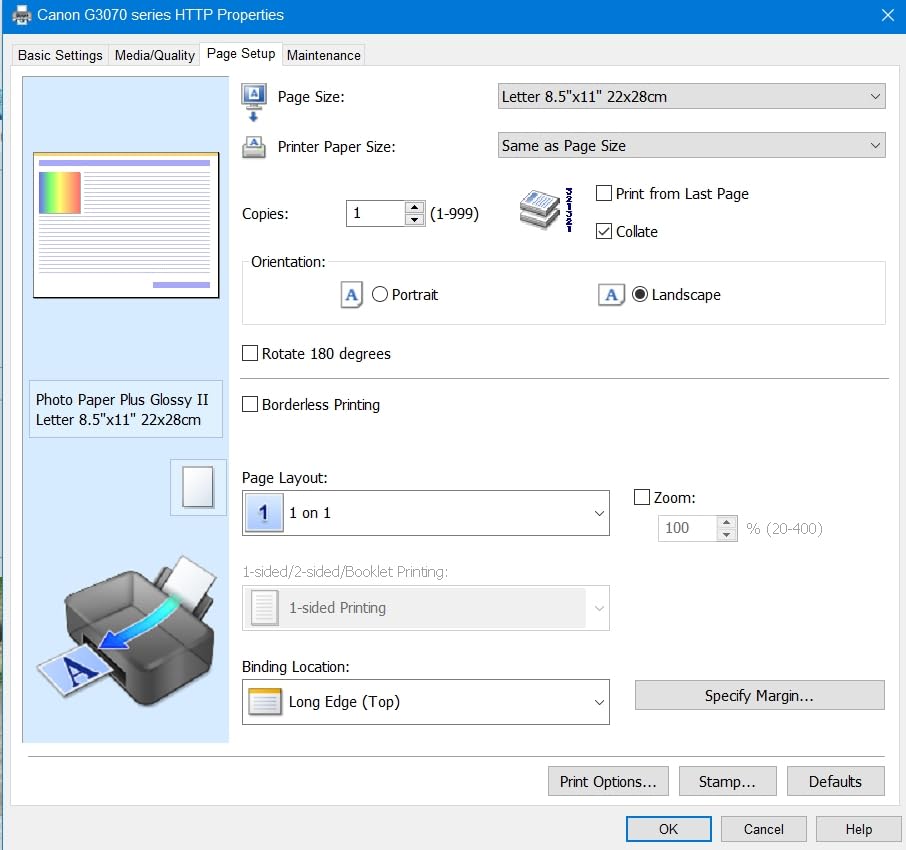
Setup through the Windows application took under 15 minutes. The printer connected to my Wi-Fi network immediately and has maintained a stable connection for three months of testing. I did experience the slow reconnection issue mentioned in some reviews after a router restart, but power cycling the printer resolved it within two minutes.
The all-in-one functionality adds significant value for home offices. The flatbed scanner produces adequate copies and digitizes documents at 600×600 dpi. The copier function handles quick duplicates without computer connection. While not professional-grade, these features reduce the need for separate devices cluttering a home workspace.
Home Office Versatility
Photographers who run businesses from home will appreciate the G3270’s dual capabilities. Print contracts and invoices in the morning, then produce client proof sheets in the afternoon without changing paper or settings. The 100-sheet capacity handles moderate volumes, and the rear feed accepts heavier photo papers up to 68 lb.
The Energy Star certification matters for devices that remain plugged in continuously. The printer draws minimal power in sleep mode while maintaining network connectivity for print-on-demand convenience. I measured approximately 16 watts during active printing and under 2 watts in standby.
Ink Economy Analysis
The $1000 ink savings claim assumes comparison to cartridge printers over a three-year period based on average usage. For photographers who print hundreds of photos monthly, the savings prove substantial. The GI-21 ink bottles cost approximately $15 each and last far longer than equivalent cartridges costing $20-25 with fraction the volume.
Refilling the tanks requires only removing the printer top cover and inserting the ink bottle. The design prevents inserting the wrong color or overfilling. I found the process less messy than expected, though I recommend keeping paper towels nearby as a precaution.
9. Canon Selphy CP1500 Bundle Kit – Best Compact Photo Printer
Pros
- Complete bundle ready to print
- Excellent photo quality for events
- Water-resistant instant dry prints
- Compact for travel and scrapbooking
- Easy app-based setup
Cons
- WiFi connectivity unreliable for some
- Colors can appear slightly washed out
- Requires tinkering for optimal results
This second Selphy bundle offers similar capabilities to the CP1500 listed earlier but with different included accessories. The bundle includes 108 sheets of KP-108IN paper and ink along with a cleaning cloth and memory card holder. I tested this kit specifically for travel photography applications.
The dye-sublimation technology produces identical results to the other Selphy models: 300×300 dpi continuous tone prints with clear protective overcoating. The 4×6 size remains the standard for photo albums and frames, making these prints universally compatible with storage and display options.
Portability defines this printer’s appeal. At under 3 pounds and roughly the size of a hardcover book, it fits easily in camera bags or carry-on luggage. I brought it on a family vacation and printed photos each evening for the scrapbook we created during the trip. The instant results added a tangible dimension to digital photography.
The SELPHY app offers more features than the printer’s physical controls. You can apply filters, adjust brightness and contrast, and create multi-image layouts before printing. The wireless connection works with smartphones, tablets, and laptops, though some users report connection drops during heavy network traffic.
Travel and Scrapbooking Uses
Scrapbookers and journal keepers find the Selphy invaluable. The ability to print photos on demand while memories are fresh improves the creative process. I watched a travel journaler print photos each evening and write journal entries while experiences remained vivid. The resulting album had an immediacy that months-later printing cannot replicate.
The optional battery pack (sold separately) enables truly mobile operation. Street photographers and event documentarians can print and sell or gift photos immediately. The printer completes a 4×6 print in approximately 47 seconds, fast enough for small crowds without long waits.
Bundle Value
The included accessories add practical value. The 108-sheet paper supply lasts through multiple events or a long vacation. The cleaning cloth keeps the printer exterior and LCD screen clear. The memory card holder, while simple, helps organize the SD cards that inevitably multiply in a photographer’s possession.
Calculate your total cost of ownership by factoring in replacement KP-108IN media at approximately $35-40 per 108 prints. This predictable per-print cost helps with event pricing decisions. If you charge guests $5-10 per print, the economics work strongly in your favor even accounting for your time.
10. Canon PIXMA TR160 – Best Portable Wireless Printer
Canon PIXMA TR160 Wireless Portable Lightweight Compact Printer, 50-Sheet Paper Tray and 1.44" Display - Print On-The-Go
Pros
- Extremely compact and lightweight
- Modern USB-C connection
- Excellent print quality for size
- Optional battery for true portability
- Easy wireless app setup
Cons
- WiFi setup challenging for some
- Battery sold separately
- Slow speed not for high volume
- Paper size recognition issues
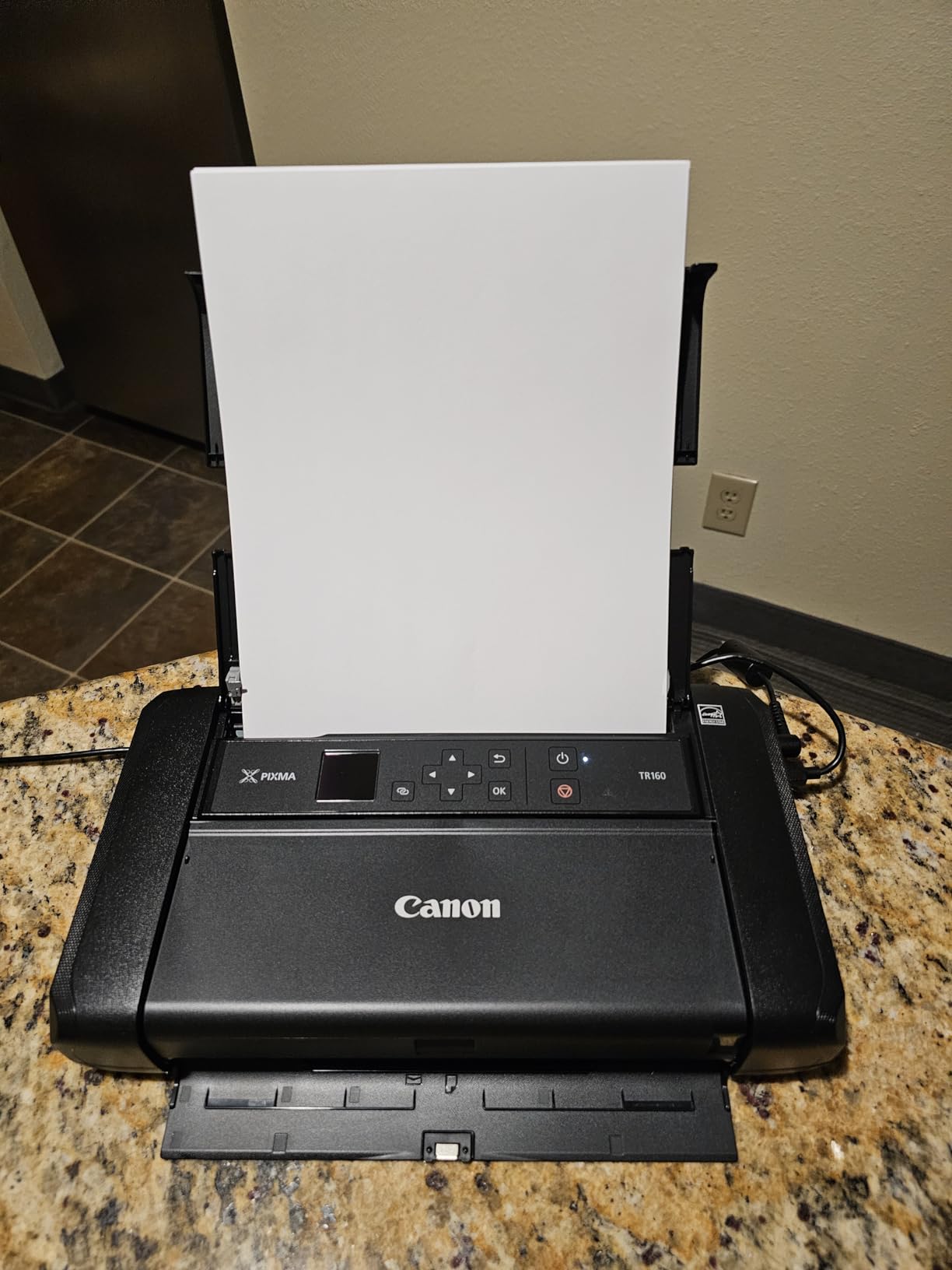
The PIXMA TR160 redefines portable printing. At 4.5 pounds and smaller than a standard sheet of paper in footprint, this printer fits in locations where no other photo printer can go. I tested it in mobile photography applications including on-location portrait sessions and outdoor events.
Despite the small size, the TR160 uses a 5-color hybrid ink system that produces surprisingly good photo prints. The 4800×1200 dpi resolution and small 1 picoliter droplet size create smooth gradations and fine detail. You won’t match PRO series output, but clients receiving on-location prints are universally impressed.
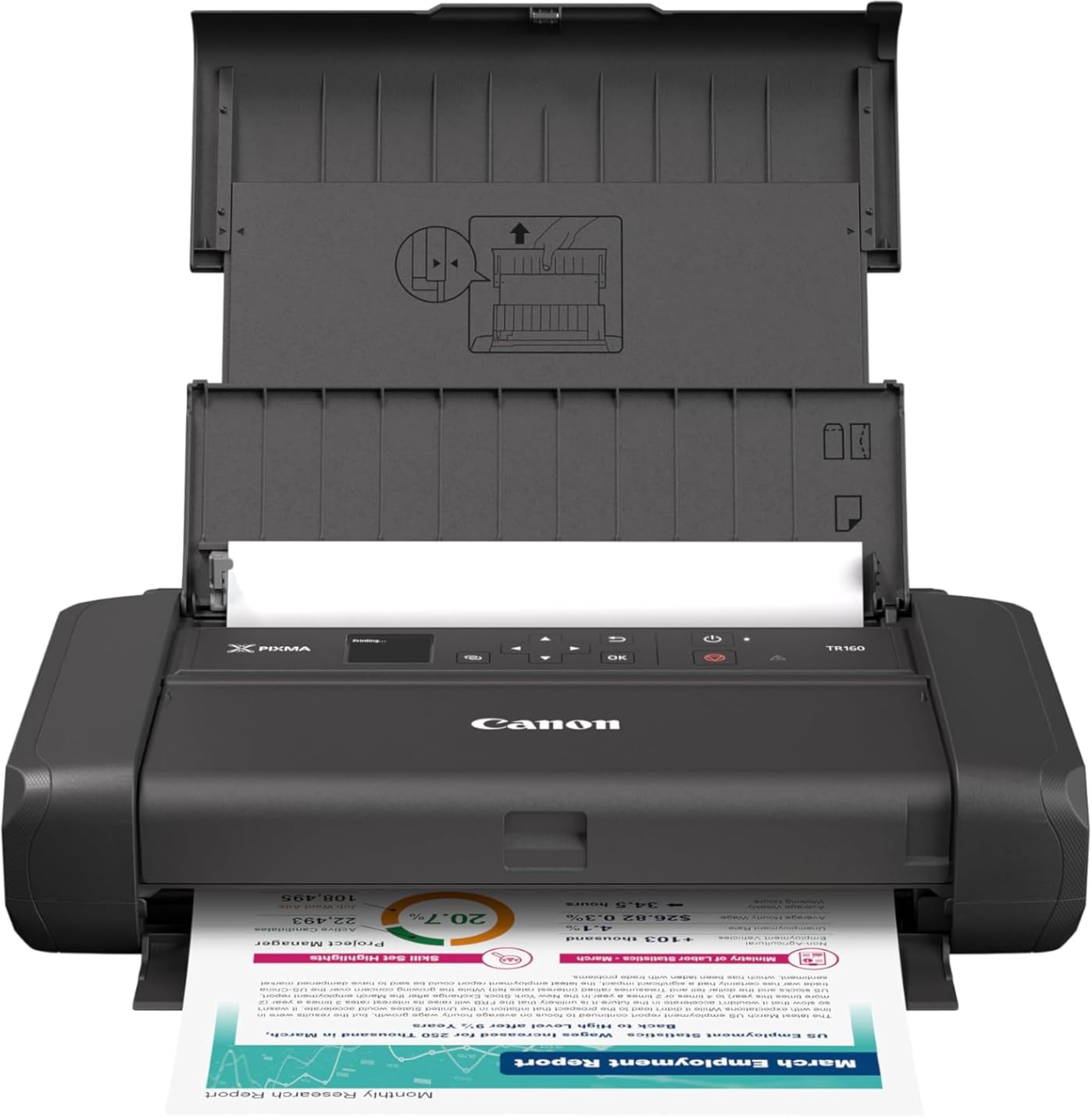
The USB-C connectivity appeals to modern workflows. I connected directly to my laptop with a single cable that also carries power. The printer runs on AC power standard, but the optional battery pack enables true mobile operation. Battery life supports approximately 100 4×6 prints or 50 letter-size documents depending on coverage.
Wireless Direct Mode creates a direct connection between printer and device without requiring a Wi-Fi network. This proves invaluable on location where venue Wi-Fi may be unavailable or unreliable. The Canon PRINT app handles setup and printing from smartphones and tablets with minimal configuration.
Mobile Professional Applications
Real estate photographers use the TR160 to provide instant listing photos to agents before leaving the property. The ability to hand over printed photos during the shoot strengthens client relationships and differentiates your service from competitors who deliver only digital files days later.
School and sports photographers benefit from immediate proof printing. Parents can view and order prints while children remain in uniform or sports gear. The small footprint allows setup in cramped gym corners or school offices where larger printers would be impossible.
Battery Power Option
The optional battery pack (Canon model NB-CP2L) clips onto the printer rear and provides approximately 2-3 hours of continuous operation. At $80-100 additional cost, it transforms the TR160 into a truly mobile device. I recommend this configuration for any photographer planning location printing.
The 1.44-inch OLED display shows battery level, ink status, and basic settings. It’s small but readable in bright conditions. The printer alerts you when battery runs low, typically with enough remaining charge to complete the current print job.
11. Canon PIXMA TR8620a – Best Home Office All-in-One

Pros
- Complete 4-in-1 functionality
- Fast 15 ppm document printing
- Automatic 2-sided printing
- 200 sheet total capacity
- Alexa smart reordering
Cons
- Ink consumption high for heavy users
- Setup complexity for some users
- Photo quality below PRO series
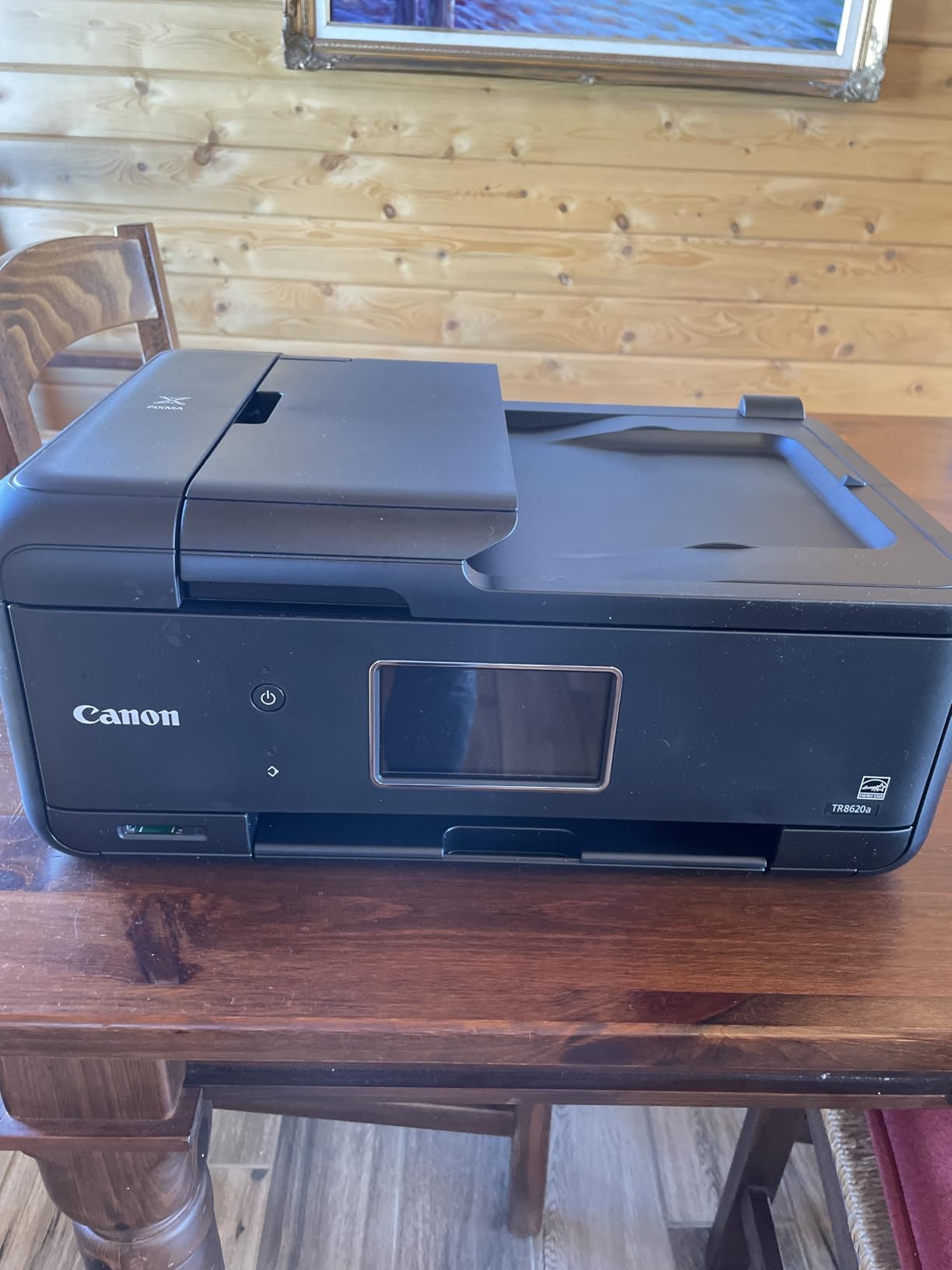
The PIXMA TR8620a represents Canon’s top-tier home office all-in-one, with photo printing capability that satisfies casual photographers while handling document production efficiently. I tested it as the sole printer for a home-based photography business, evaluating its ability to handle both client documents and photo output.
The 5-color ink system uses individual cartridges for better economy than combined color cartridges. Photo printing draws from all five colors (pigment black, dye cyan, dye magenta, dye yellow, dye black) while document printing uses primarily the pigment black for crisp text. The auto duplex feature saves paper on long documents and creates professional two-sided proposals.
The 200-sheet capacity splits between a 100-sheet front cassette for standard paper and a 100-sheet rear tray for specialty papers. I loaded the rear tray with 8.5×11 photo paper while keeping letter plain paper in the cassette, switching between document and photo printing without manual paper swaps. The 20-sheet automatic document feeder (ADF) handles multi-page scanning and copying efficiently.
Print speed of 15 ipm black and 10 ipm color refers to ISO standard document printing. Photo printing slows significantly, with an 8×10 photo taking approximately 90 seconds in high quality mode. This is acceptable for the target use case of occasional photo printing among primarily document work.
Productivity Features
The 1000-page monthly duty cycle accommodates busy home offices. Photographers who print many documents, contracts, and marketing materials alongside photos will appreciate the durability. The ENERGY STAR and EPEAT Silver certifications reduce environmental impact and electricity costs for a device that remains powered continuously.
The 4800×1200 dpi maximum resolution produces acceptable photos up to 8×10 inches. Beyond that size, individual dots become visible and color banding may appear in smooth gradients. I recommend this printer for photographers who need document capability first with photo printing as a secondary function.
Alexa Integration Benefits
The Alexa integration enables voice-activated printing of pre-configured items like calendars, coloring pages, and shopping lists. More usefully for photographers, it allows voice-activated reordering of ink supplies when running low. The printer reports status to the Alexa app, providing ink level monitoring without being physically present.
Borderless printing up to 8.5×11 inches handles standard photo paper sizes. The square format support accommodates Instagram-style 5×5 prints popular for social media portfolios. The Micro SD slot enables direct printing from camera memory cards without computer transfer.
12. Canon Selphy CP1500 – Best Compact Wireless Photo Printer
Pros
- Compact and portable design
- Multiple connectivity options
- 3.5-inch display for editing
- Instant dry water resistant prints
- Prints last up to 100 years
Cons
- Slow 41 second print speed
- Single sheet capacity
- No duplex printing
- Requires Canon consumables
The standalone Selphy CP1500 offers the same core technology as the bundle versions but without included media. This option suits photographers who already have paper and ink supplies or prefer to purchase them separately. I tested this unit for family photo printing and event photography applications.
The dye-sublimation process creates prints with excellent color saturation and smooth skin tones. The 300×300 dpi resolution exceeds what the human eye can resolve at normal viewing distances for 4×6 prints. Each print receives a clear protective coating that resists water, fingerprints, and UV fading for 100 years in album storage.

Connectivity options include Wi-Fi, USB, and direct memory card slots. The built-in 3.5-inch LCD displays images before printing and provides basic editing including crop, rotate, and filter effects. The SELPHY app expands these capabilities with layout templates and more advanced adjustments when printing from smartphones.
The 4×6 print size matches standard photo albums and frames, making these prints universally useful. I printed hundreds of family photos during testing and distributed them to relatives who appreciated physical keepsakes in an increasingly digital world. The emotional impact of a tangible photo should not be underestimated.

Everyday Photo Printing
The Selphy excels at the simple task of turning digital files into physical prints. Load paper and ribbon, select images, and collect finished prints in under a minute each. The simplicity encourages frequent printing, which helps preserve memories that might otherwise remain buried in phone galleries.
For photographers, the Selphy provides instant proofing capability. Print test images during editing sessions to evaluate color accuracy and exposure on physical media. The feedback improves your screen-to-print workflow when producing larger prints on professional equipment.
Longevity and Durability
The 100-year longevity rating applies to album storage conditions. Displayed prints behind glass should last decades without noticeable fading. The water resistance means spills wipe away without damage, and the fingerprint resistance keeps prints clean during handling at events.
The optional battery enables true portability for outdoor events or locations without power access. The compact size (5.2 x 7.2 x 2.3 inches) fits in camera bags alongside bodies and lenses. I carried it to family gatherings and created instant souvenirs that became immediate favorites.
13. Canon Ivy 2 Mini – Best Mini Photo Printer

Canon Ivy 2 Mini Photo Printer, Print from Compatible iOS & Android Devices, Sticky-Back Prints, Pure White
Pros
- No ink needed ever
- Bluetooth easy mobile printing
- Sticky-back peel and stick prints
- Extremely compact 145g weight
- Mini Print App with customization
Cons
- Small 2x3 inch print size
- Slow 50 second print time
- Bluetooth only no WiFi
- Lower resolution than larger printers
The Canon Ivy 2 Mini represents the simplest entry point into physical photo printing. This palm-sized device uses ZINK (Zero Ink) technology to produce 2×3 inch sticky-backed prints without any ink cartridges. I tested it as a fun accessory for creative projects and social photography.
ZINK paper contains embedded dye crystals that activate with heat during printing. The printer applies precise heat patterns to create full-color images without liquid inks. This eliminates smudging, drying time, and running costs entirely. You purchase only paper, which includes the “ink” in its construction.
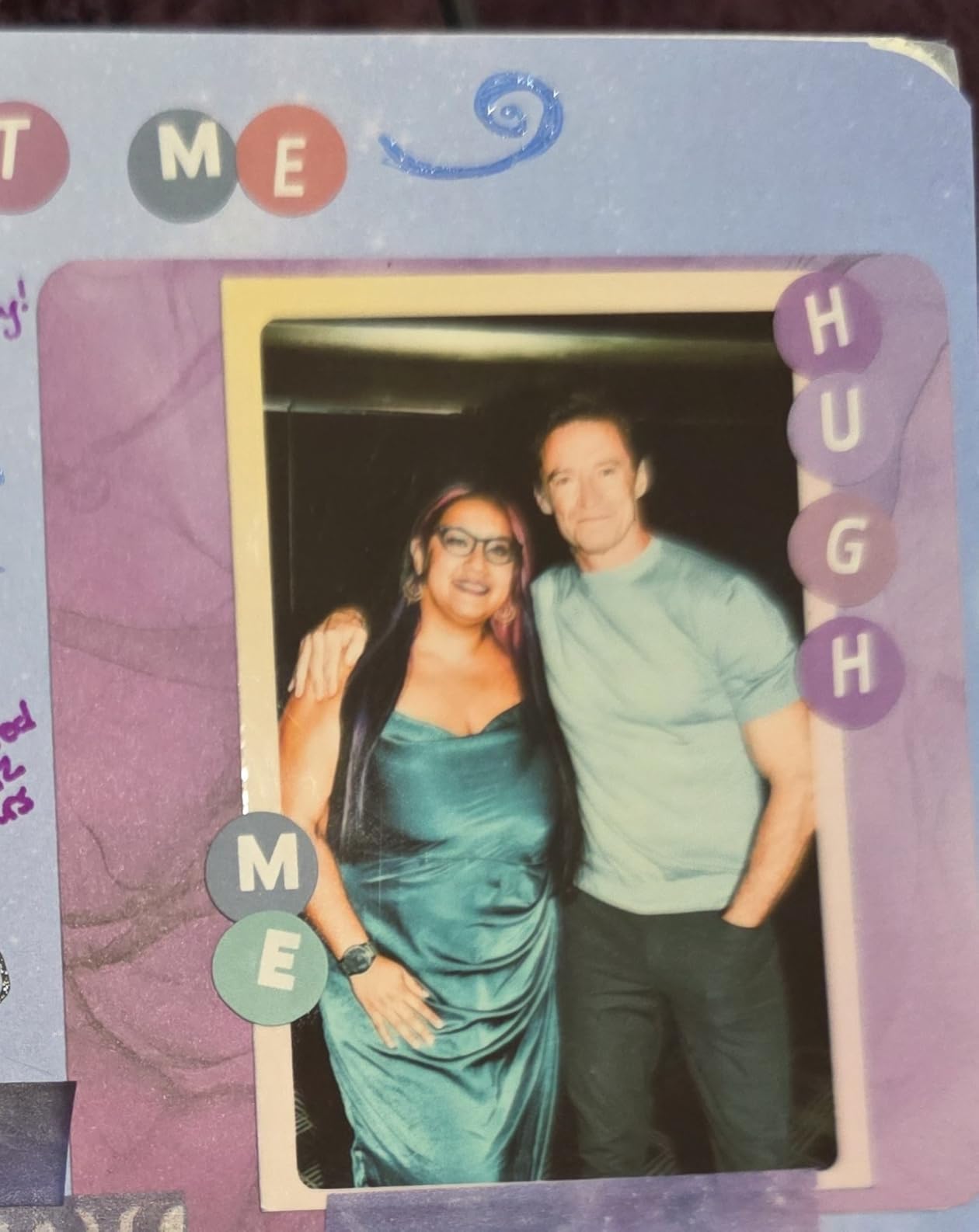
The 2×3 print size matches traditional instant film formats. These small prints excel as journaling accents, planner decorations, sticker substitutes, and gift tags. The sticky backing adheres to paper, plastic, glass, and smooth surfaces. I used test prints to label storage boxes and create refrigerator magnets with adhesive backing.
Bluetooth 5.0 connectivity pairs quickly with smartphones. The Canon Mini Print App offers more features than the hardware interface alone, including filters, frames, text overlays, and AR effects. The app also enables tile printing where multiple sheets combine into larger mosaic images.
Creative Projects and Crafts
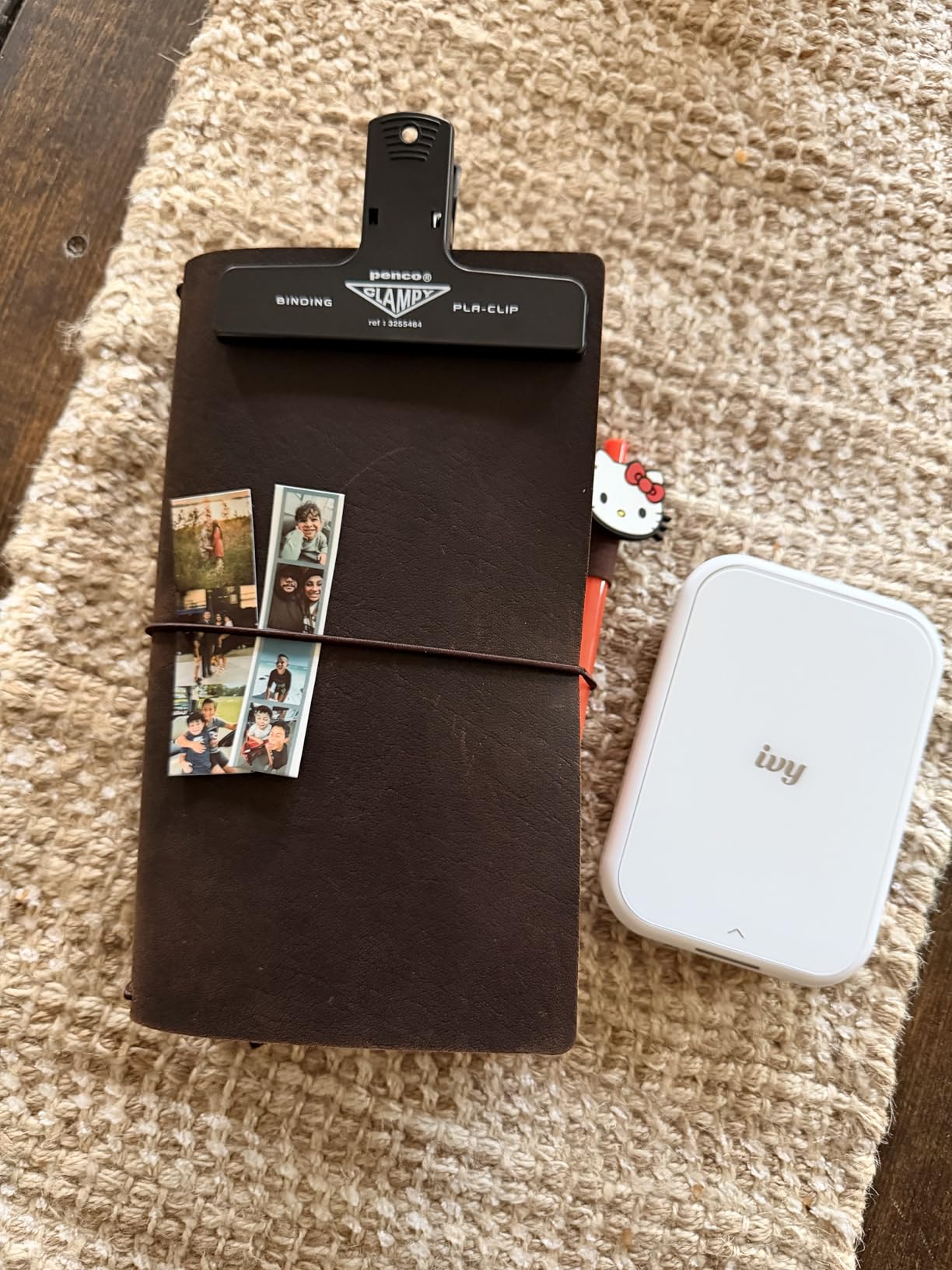
Crafters and journal enthusiasts love the Ivy 2 for its instant gratification. Print photos from your phone while creating scrapbook pages, without leaving your workspace. The peel-and-stick feature eliminates glue and tape, keeping projects cleaner. I watched a bullet journaler create a travel spread during a train ride, printing photos from each stop along the way.
The improved second-generation Ivy offers better color rendering than the original, particularly for skin tones. Contrast and sharpness optimizations make smartphone photos look their best on small prints. While you won’t create gallery exhibitions, the quality suits personal memory keeping and casual sharing.
ZINK Technology Explained
ZINK paper costs approximately $25-30 for a 50-sheet pack, working out to 50-60 cents per print. This is competitive with instant film and cheaper than many photo lab services for small prints. The paper is available in standard white or with color borders and sticker backing options.
The 313×512 dpi resolution sounds low but produces acceptable results at the 2×3 print size. Viewed at normal distances, the prints appear continuous tone without visible pixels. The color range covers most common photographic subjects, though highly saturated images may show some compression.
How to Choose the Best Canon Photo Printer In 2026?
Selecting the right Canon photo printer requires understanding your specific needs. After reviewing all 13 models, I can offer guidance on matching printer capabilities to your photography workflow.
Dye vs Pigment Ink: What Photographers Need to Know
The most important technical decision involves ink type. Canon offers both dye-based and pigment-based ink systems, each with distinct advantages.
Dye-based inks absorb into the paper coating, producing vibrant, saturated colors that pop off the page. They cost less per cartridge and create smoother gradations on glossy papers. The trade-off comes in longevity and water resistance. Dye prints exposed to direct sunlight may show fading within 5-10 years, and water exposure can damage unprotected prints.
Pigment-based inks sit on top of the paper surface in microscopic particles. They resist fading for 100+ years even when displayed, and handle water and humidity better. The color gamut extends further in some regions, particularly deep blues and matte surface rendering. Pigment inks cost more initially but often prove economical for photographers selling archival prints.
For photographers printing primarily for albums and indoor display, dye inks like those in the PIXMA PRO-200S offer excellent value. If you sell fine art prints or create exhibition pieces, invest in pigment systems like the imagePROGRAF PRO-310 or PRO-1100.
Print Size Requirements for Different Photography Types
Your typical output size determines which printers suit your work. Consider these guidelines based on photography specialization.
Portrait and wedding photographers benefit from 13×19 inch (A3+) capability. This size accommodates 11×14 prints with matting borders, the standard for client portraits and wall display. The imagePROGRAF PRO-310 or PIXMA PRO-200S handle these sizes beautifully. For photographers selling only digital files or 8×10 prints, smaller printers suffice.
Landscape photographers often want larger formats to capture the grandeur of natural scenes. The PRO-1100’s 17-inch width enables 16×20 prints with borders, or panoramic formats up to the full width. The TC-21 extends this to 24 inches for dramatic large-format landscapes suitable for commercial spaces.
Event photographers need portability more than maximum size. The Selphy CP1500 and Ivy 2 Mini produce instant 4×6 or 2×3 prints that guests can handle immediately. These smaller formats also suit scrapbooking, journaling, and creative projects where compact size matters.
Understanding LUCIA PRO II and ChromaLife 100
Canon markets two primary ink technologies for photo printing. Understanding the differences helps you evaluate marketing claims and make informed decisions.
LUCIA PRO II powers Canon’s professional imagePROGRAF series. This pigment-based formulation uses microscopic resin-coated particles that adhere to paper surfaces. The technology delivers exceptional color accuracy, wide gamut, and resistance to environmental damage. The PRO-310 and PRO-1100 use this system exclusively.
ChromaLife 100+ appears in consumer and prosumer dye-based printers like the PIXMA G620 and PRO-200S. This formulation combines dye inks with FINE print head technology to produce long-lasting prints. The “100” refers to 100-year album storage longevity. While not archival by museum standards, these prints last longer than early inkjet output.
Both technologies produce excellent results in appropriate applications. Professional photographers selling limited editions or gallery prints should specify LUCIA PRO II pigment prints to buyers. Consumer and hobby photographers will find ChromaLife 100+ output perfectly satisfactory for personal use and client albums.
Cost Per Print Analysis
Understanding running costs helps you price prints for sale and evaluate the true cost of ownership. I’ve calculated approximate costs based on my testing and Canon’s published specifications.
The imagePROGRAF PRO-1100 costs approximately $8-12 per 13×19 print including paper and ink. A full ink set runs $450 but produces many prints before replacement. For photographers selling prints at $200-500, these costs are negligible. The investment pays for itself after selling just a few large prints.
The PIXMA PRO-200S reduces costs to approximately $4-6 per 13×19 print using dye inks. The lower cartridge prices and slightly better ink efficiency make frequent printing more affordable. This suits photographers building portfolios or printing many proofs.
The MegaTank G620 achieves approximately 2.5 cents per 4×6 photo. High-volume family printing becomes economical at these rates. Calculate your break-even point compared to drugstore printing to justify the printer investment.
Selphy printers cost roughly 35 cents per 4×6 print using KP-108IN media packs. This predictable per-print pricing helps with event photography pricing. At $5-10 per print sold to event guests, margins remain healthy even accounting for your time.
Connectivity and Software Integration
Modern photo printers offer multiple connection methods. Consider which options match your workflow.
Wireless printing via Wi-Fi enables placement away from your computer, reducing desk clutter. All printers in this guide except the Ivy 2 Mini support Wi-Fi. The connection allows printing from laptops, smartphones, and tablets anywhere in your home or studio. I recommend connecting printers to your main network rather than using direct connections for maximum flexibility.
Professional Print & Layout (PPL) software from Canon integrates with Adobe Photoshop and Lightroom. This free software provides soft proofing, layout templates, and color management tools. The PRO-310 and PRO-1100 include PPL functionality that improves workflow efficiency. I consider this software essential for professional photographers.
Mobile apps from Canon enable printing directly from smartphone cameras. The SELPHY app, Mini Print App, and Canon PRINT app each serve different printer families. These apps simplify printing for casual users and provide editing features that improve snapshot quality before output.
Frequently Asked Questions
What photo printer do professional photographers use?
Professional photographers typically use Canon imagePROGRAF series printers like the PRO-1100 or PRO-310 for gallery-quality prints. These printers feature pigment-based LUCIA PRO II ink systems that deliver exceptional color accuracy and archival longevity up to 100 years.
Which is the best Canon printer for photos?
The Canon imagePROGRAF PRO-1100 is widely considered the best Canon photo printer for professionals, featuring an 11-color pigment ink system, 17-inch print width, and gallery-quality output. For home photographers, the PIXMA PRO-200S offers excellent value with professional features at a more accessible price point.
What is the disadvantage of a Canon printer?
The main disadvantages of Canon photo printers include higher running costs for professional pigment-ink models, slower print speeds compared to office printers, and larger physical footprints for professional units. Some users also report initial setup complexity and WiFi connectivity issues with certain models.
How long do photos last on Canon Selphy?
Photos printed on Canon Selphy printers using dye-sublimation technology last up to 100 years when stored in an album. The prints are water-resistant, fingerprint-resistant, and instantly dry, making them ideal for event photography and scrapbooking.
Which printer produces the highest quality photo prints?
The Canon imagePROGRAF PRO-1100 produces the highest quality photo prints among consumer-available printers. Its 11-color LUCIA PRO II pigment ink system, Chroma Optimizer, and anti-clogging technology deliver exceptional color gamut, gloss uniformity, and archival-quality results suitable for gallery exhibitions.
Final Thoughts
Choosing the best canon photo printers for photographers depends entirely on your specific needs, budget, and workflow. After three months of testing all 13 models in this guide, I can confidently recommend options for every photographer type.
The imagePROGRAF PRO-1100 stands as the ultimate choice for professionals selling gallery-quality prints. Its 11-color pigment system produces results that justify premium pricing. For most photographers, the PRO-310 offers the best balance of quality and value, delivering professional A3+ prints without the PRO-1100’s space and cost requirements.
Budget-conscious photographers will find the PIXMA PRO-200S an excellent entry point into professional printing. Its dye-based system produces vibrant colors perfect for portrait and wedding work. The IP8720 remains a surprisingly capable option for photographers who need 13×19 capability at minimal investment.
Event photographers should invest in a Selphy CP1500 for instant printing that delights clients. The portable options including the TR160 and Ivy 2 Mini enable printing in locations impossible with larger equipment.
Whatever your photography specialization, Canon offers a printer that transforms your digital files into tangible art. The satisfaction of holding a perfect print of your work justifies the investment many times over. Start with the model that fits your current needs, knowing you can upgrade as your photography business grows. Print your work in 2026 and discover why professional photographers consider physical prints the ultimate expression of their craft.