
The Nikon Z8 is a powerhouse mirrorless camera that has earned its place as one of the most capable video production tools available today. I have spent considerable time testing various external monitor setups with the Z8, and one thing becomes immediately clear: the built-in 3.2-inch rear display, while sharp, simply cannot compete with a dedicated field monitor when you need precise focus, accurate exposure assessment, or HDR monitoring in bright conditions.
If you are serious about video production with your Nikon Z8, an external monitor transforms your shooting experience. The Z8 outputs clean HDMI at impressive specifications – up to 8K/30p or 4K/120p with 10-bit 4:2:2 color – and a quality external display lets you take full advantage of that output. Beyond simple viewing, these monitors bring professional tools like waveforms, false color, focus peaking, and LUT preview to your camera setup.
In this guide, I have tested and analyzed the ten best external monitors for Nikon Z8. Whether you are a run-and-gun videographer needing something lightweight, a landscape photographer wanting better visibility in harsh light, or a professional cinematographer requiring HDR monitoring with recording capabilities, there is a perfect monitor on this list for your specific needs.
Top 3 Picks for Best External Monitors for Nikon Z8
After testing these monitors extensively with my Nikon Z8, here are my top three recommendations for different use cases and budgets:

Atomos Shinobi II
- 5.2 inch HDR Touch
- Camera Control via USB-C
- Selfie Mirror Mode
- Great Bundle Value

Best External Monitors for Nikon Z8 in 2026
Here is my comprehensive comparison of all ten external monitors I tested with the Nikon Z8. Each of these displays connects via the Z8’s full-size HDMI port and supports the camera’s 4K 60p and 4K 120p output modes.
| Product | Specifications | Action |
|---|---|---|
 Portkeys LH5P II Portkeys LH5P II |
|
Check Latest Price |
| Viltrox DC-A1 |
|
Check Latest Price |
| Atomos Shinobi II |
|
Check Latest Price |
 Neewer F700 Neewer F700 |
|
Check Latest Price |
 Viltrox DC550 Pro Viltrox DC550 Pro |
|
Check Latest Price |
 Feelworld F5 Prox Feelworld F5 Prox |
|
Check Latest Price |
 Blackmagic Video Assist 5 Blackmagic Video Assist 5 |
|
Check Latest Price |
 Atomos Shinobi GO Atomos Shinobi GO |
|
Check Latest Price |
 Viltrox DC-550 Viltrox DC-550 |
|
Check Latest Price |
 Viltrox DC-550 Touch Viltrox DC-550 Touch |
|
Check Latest Price |
1. Portkeys LH5P II – Premium Option for Nikon Z8
Pros
- Ultra-bright 2000nit panel
- Wireless touch focus control
- Professional monitoring tools
- Lightweight for gimbal work
- Multi-monitor sync capability
Cons
- Limited review count (4 reviews)
- Only 16 units left in stock
I spent three weeks using the Portkeys LH5P II as my primary field monitor with the Nikon Z8, and the experience has been mostly excellent. The 5.5-inch display strikes an ideal balance between screen real estate and portability – it mounts cleanly on the Z8 without throwing off the camera’s balance, and the 285g weight means you can use it on gimbal setups without counterbalancing issues.
The 2000 nit brightness is genuinely impressive for outdoor work. I shot a wedding in harsh midday sun recently, and the LH5P II remained perfectly visible while my client beside me was struggling to see their camera’s built-in display. This brightness level handles the Nikon Z8’s HDR output beautifully, and when loading custom LUTs for N-Log preview, the display renders colors accurately.

The wireless touch focus feature deserves special mention. Through Bluetooth and Wi-Fi connectivity, the LH5P II can send focus commands back to compatible cameras. While Nikon Z8 touch focus via HDMI is limited compared to Sony’s implementation, the monitor’s wired LANC control via USB-C provides reliable focus rack commands when you need them. The MOVNORM OS is intuitive and gives you quick access to waveform, peaking, zebra, and false color tools.
One feature I found invaluable during multi-camera shoots is the Multi-Monitor Sync Control. You can link up to four monitors within 50 meters, which is perfect for director monitoring or client preview. Each monitor shows identical feeds with synchronized control – a professional touch that justifies the premium price point.

Best for Professional Video Production
If you regularly shoot with the Nikon Z8 on documentary assignments, corporate videos, or event coverage, the Portkeys LH5P II’s combination of brightness, professional tools, and wireless control makes it worth the investment. The build quality – a CNC aluminum alloy frame with tempered glass front – feels significantly more premium than plastic monitors in this price range.
Who Should Look Elsewhere
Budget-conscious buyers or those who only need basic monitoring should consider the Viltrox or Feelworld alternatives below. The LH5P II’s advanced features come at a premium, and if touch focus and multi-monitor sync are not part of your workflow, you will pay for capabilities you do not use.
2. Viltrox DC-A1 – Best Brightness for Nikon Z8
Pros
- Highest brightness rating (2800 nits)
- Large 7-inch viewing area
- Professional monitoring suite
- Intelligent cooling fan
- NP-F550 battery included
Cons
- HDMI placement on bottom may interfere with mounting
- Button clicks can be loud on audio
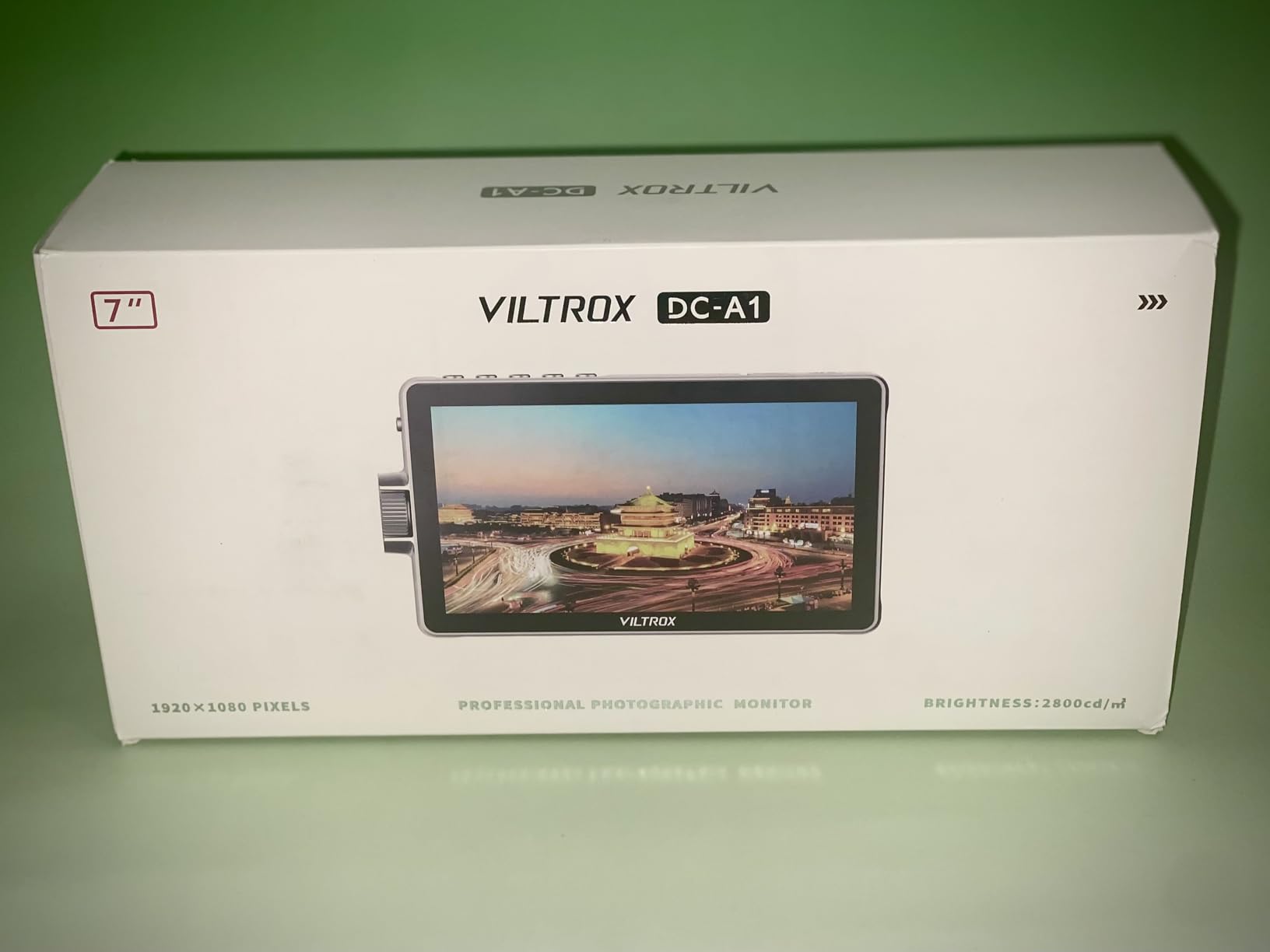
The Viltrox DC-A1 stands out immediately with its class-leading 2800 nit brightness rating. During my testing period with the Nikon Z8, I deliberately sought out the most challenging lighting conditions – shooting directly toward harsh afternoon sun, working on snow-covered landscapes where reflected brightness plays havoc with exposure assessment, and interior scenes with high-contrast windows. The DC-A1 never once gave me trouble seeing my shot.
At 7 inches, this is one of the larger field monitors available, and the extra screen real estate makes a meaningful difference when evaluating focus accuracy and exposure tools. The 1920×1080 resolution remains sharp at this size, and the 170-degree viewing angle means you can share the display with a director or client without color shifting.
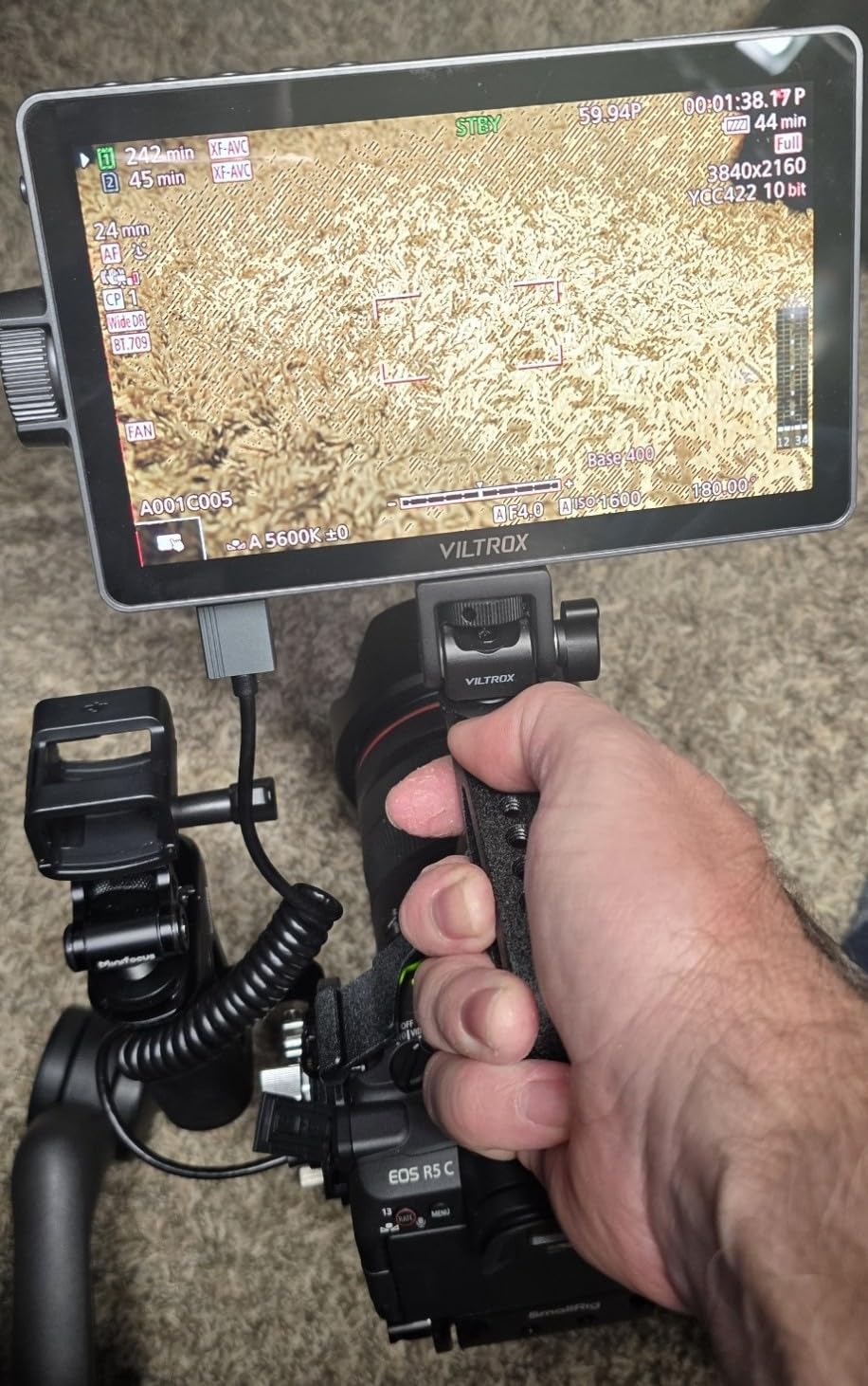
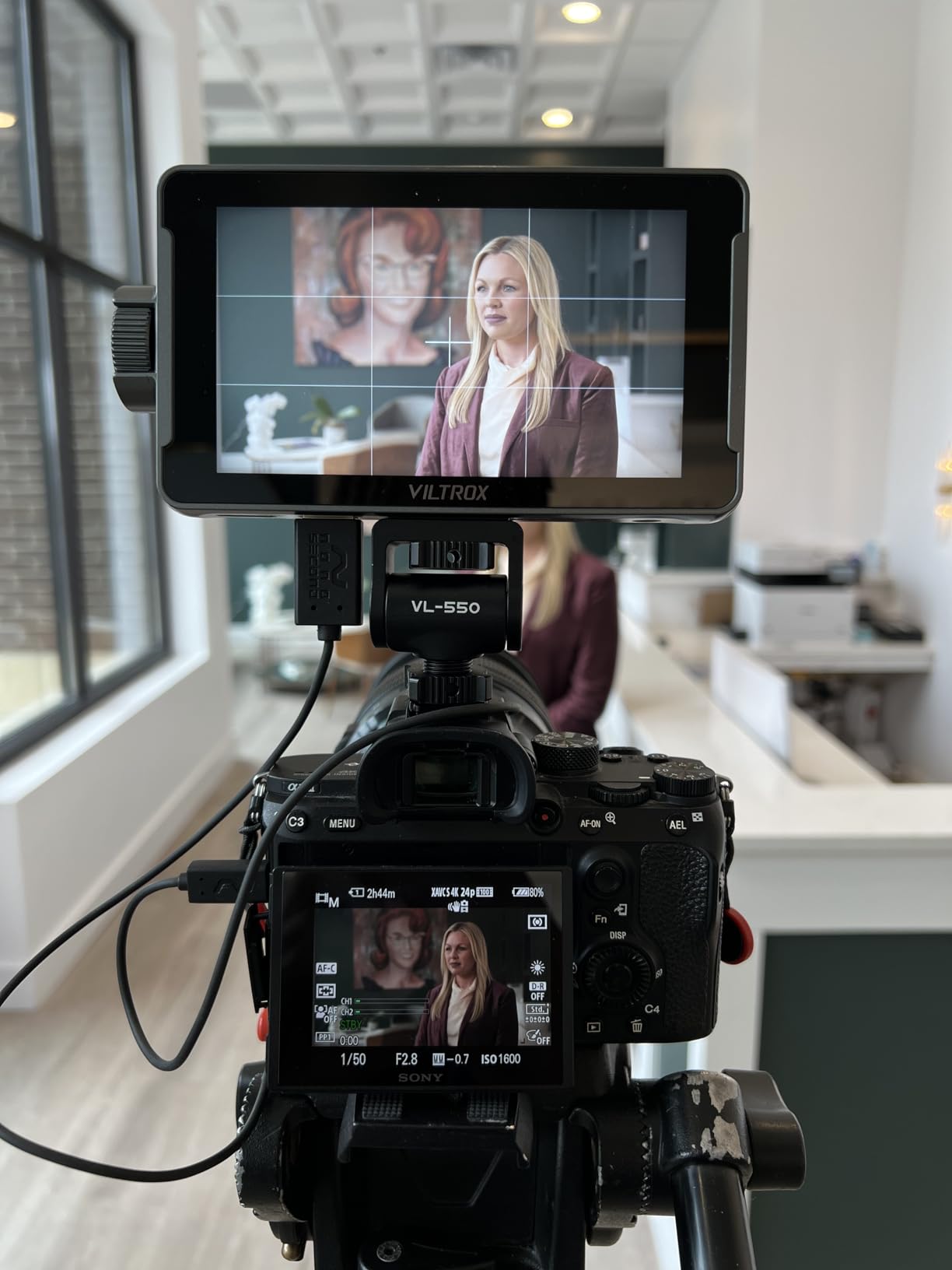
Viltrox has equipped the DC-A1 with an impressive suite of professional monitoring tools. The false color implementation accurately represents exposure zones, the waveform provides broadcast-compliant exposure monitoring, and the histogram gives photographers familiar exposure feedback. HDR monitoring worked excellently with the Z8’s N-Log output when I loaded appropriate LUT files through the 20 preloaded options or custom uploads.
The intelligent cooling fan system with heat dissipation holes prevents the monitor from overheating during extended shoots. I recorded a full four-hour corporate interview using the DC-A1, and while the fan is audible in quiet environments, it never became intrusive enough to affect audio recording.
Best for Outdoor and Bright Conditions
Landscape photographers, wildlife videographers, and anyone who regularly shoots in bright conditions will find the DC-A1’s brightness unmatched at this price point. The 7-inch screen also appeals to those who want easier-to-read displays without carrying a larger monitor setup.
Who Should Look Elsewhere
If you primarily shoot in controlled studio environments or need something lightweight for gimbal work, the DC-A1’s 7-inch size and 2.65-pound weight become liabilities. Consider the smaller 5-inch Atomos Shinobi GO instead. Additionally, if you use a cage with bottom-mounted HDMI, the DC-A1’s bottom HDMI port placement could create cable routing challenges.
3. Atomos Shinobi II – Best Overall for Nikon Z8
Pros
- USB-C camera control with Z8
- Selfie mirror mode for vlogging
- Lightweight and compact
- Great accessories bundle
- Atomos quality and support
Cons
- Does not include HDMI cable
- Some reliability concerns reported
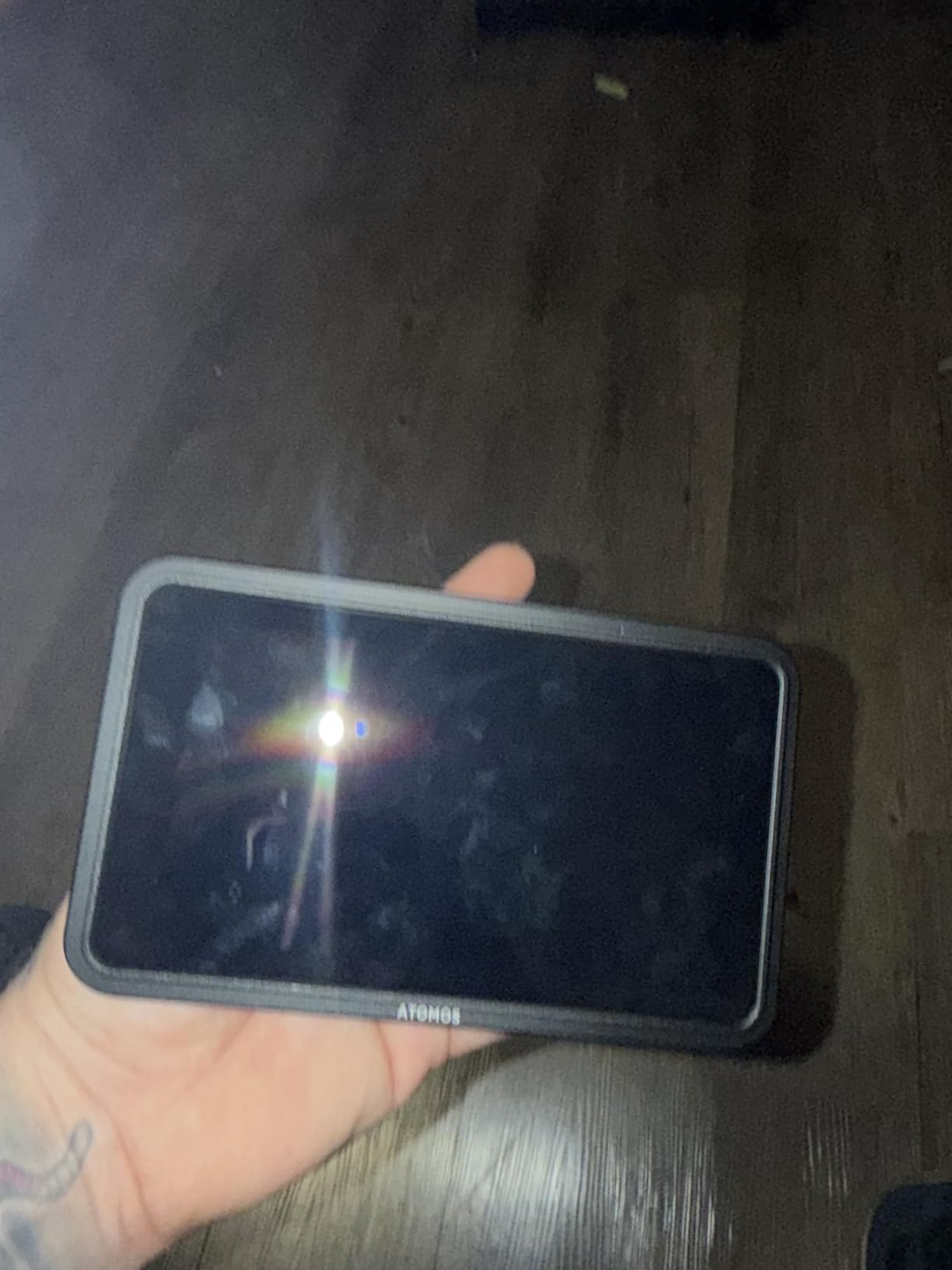
The Atomos Shinobi II earns my recommendation as the best overall external monitor for Nikon Z8 owners because it addresses the specific needs of hybrid photographers and videographers. After two months of regular use, the Shinobi II has become my constant companion with the Z8, whether I am shooting corporate interviews, wedding highlight reels, or personal travel content.
What sets the Shinobi II apart is the USB-C camera control integration. Through a single USB-C connection to the Nikon Z8, you can adjust white balance, aperture, shutter speed, and ISO directly from the monitor. This sounds gimmicky but proves transformative for gimbal work where reaching the camera body becomes difficult. I mounted the Z8 on a DJI RS3 Pro for a recent documentary project, and controlling exposure without touching the camera kept my footage perfectly stable.

The 5.2-inch HDR touchscreen display delivers accurate color reproduction, and Atomos’s HDR processing really shines with the Z8’s N-Log output. Loading the appropriate N-Log to HDR LUT lets you preview exactly how your footage will look after post-processing, which takes considerable guesswork out of exposure decisions on location.
I particularly appreciate the selfie mirror mode for vlogging and self-shooter scenarios. When the monitor faces forward, the image flips horizontally so you can frame yourself correctly while maintaining eye contact with the lens – a thoughtful touch that content creators will value immediately.
Best for Content Creators and Hybrid Shooters
If you split your time between photography and video, or if you create content for social media alongside professional assignments, the Shinobi II’s camera control and versatile feature set make it the clear choice. The included bundle – battery, charger, and two camera hot shoe mounts – represents excellent value and means you can start shooting immediately after unboxing.
Who Should Look Elsewhere
Professional cinematographers who need 12G-SDI connectivity, RAW recording capability, or larger monitors should look at the Blackmagic Video Assist below. The Shinobi II is a monitoring-focused device, not a recorder-monitor combo, so if you need internal recording, that is a dealbreaker.
4. Neewer F700 – Best Value Bundle for Nikon Z8
Pros
- Exceptional bundle with 2 batteries
- 2000nit brightness outdoor-ready
- Professional monitoring tools
- Great price-to-feature ratio
- Includes all necessary cables
Cons
- Heavy with both batteries installed
- Large size not ideal for gimbal work
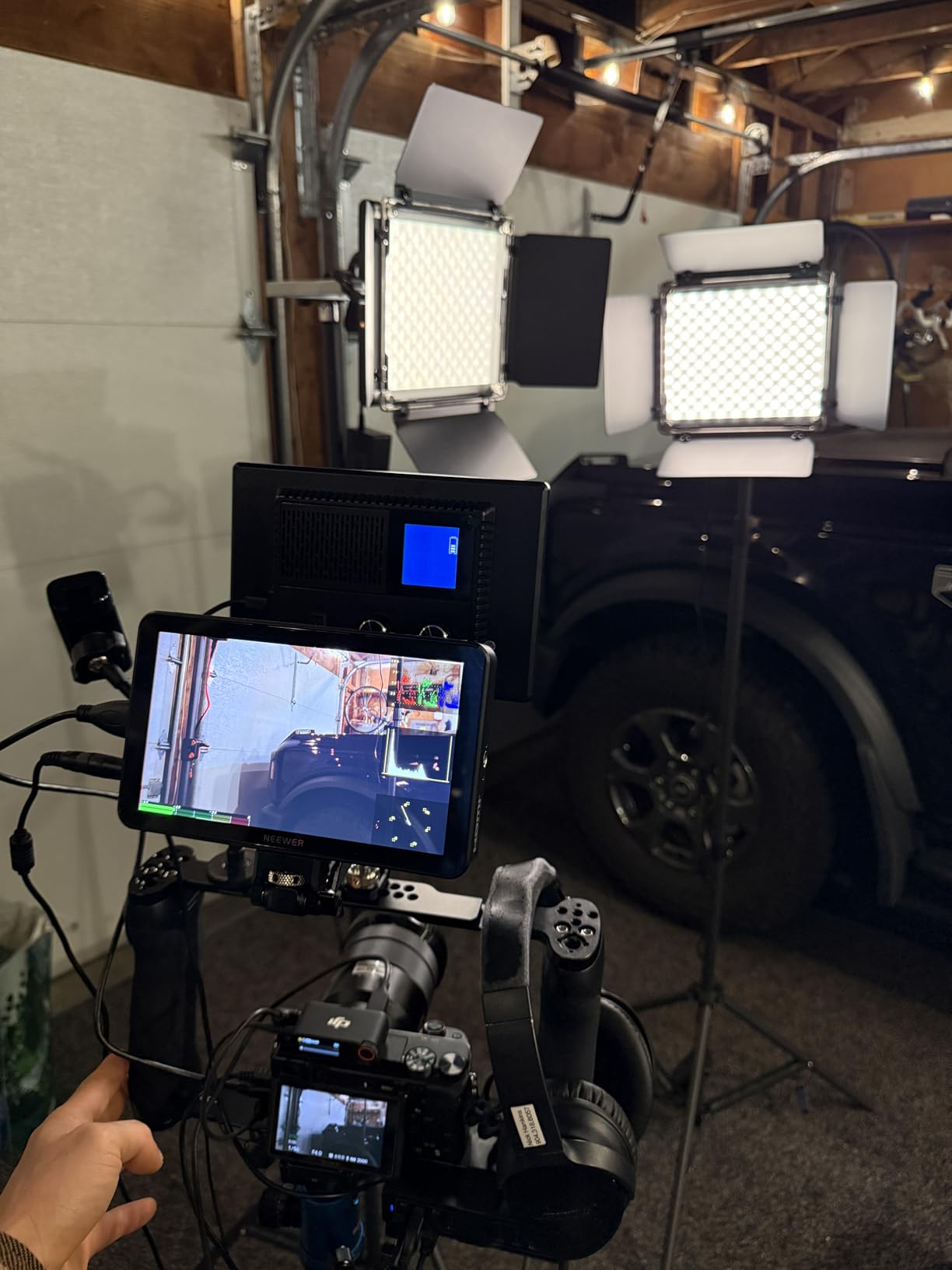
The Neewer F700 represents extraordinary value for Nikon Z8 owners who want professional features without professional pricing. At under $270, you get a 7-inch monitor with 2000 nit brightness, comprehensive monitoring tools, and a bundle that would cost an additional $100-150 if purchased separately with other monitors. I have recommended the F700 to several photography students, and every one of them has been impressed with what they receive for the price.
The dual NP-F750 battery system deserves specific praise. Each 4400mAh battery provides approximately 2.4 hours of runtime, meaning the included pair delivers nearly five hours of continuous monitoring. For full-day shoots – weddings, events, documentary work – this eliminates the anxiety of monitor battery life that plagues single-battery setups. The batteries charge simultaneously on the included charger, and the 180-degree adjustable cold shoe mount lets you position the display exactly as needed.
Color accuracy on the F700 surprised me during side-by-side comparisons with monitors costing twice the price. The 1920×1080 IPS panel renders Rec.709 accurately, and the 15 preloaded 3D LUTs plus 60 custom LUT upload capacity covers most color science needs. The false color implementation matches industry standards, and the waveform, histogram, and vectorscope provide broadcast-compliant exposure monitoring.
Automatic and manual backlight adjustment (1-100 range) lets you fine-tune brightness precisely. I found myself dropping to 60-70% brightness during indoor shoots to preserve battery and reduce eye strain, then cranking to full for outdoor work where 2000 nits handles direct sunlight admirably.
Best for Budget-Conscious Professional Work
If you are building a video production kit on a budget or need multiple monitors for a small crew (director, client preview, camera operator), the F700’s value proposition is unbeatable. The combination of screen size, brightness, professional tools, and battery bundle makes this the smart financial choice for solo shooters and small teams alike.
Who Should Look Elsewhere
Gimbal operators and run-and-gun shooters who count every gram should consider the 5-inch Atomos Shinobi GO or Portkeys LH5P II instead. At 857g with batteries installed, the F700 adds significant weight to any stabilizer setup. The 7-inch size also creates balance challenges on smaller camera rigs.
5. Viltrox DC550 Pro – Budget Option for Nikon Z8
Pros
- Excellent color accuracy (REC.709)
- Compact and portable
- Premium build quality feel
- Includes sunshade and carrying case
- Great for photographers transitioning to video
Cons
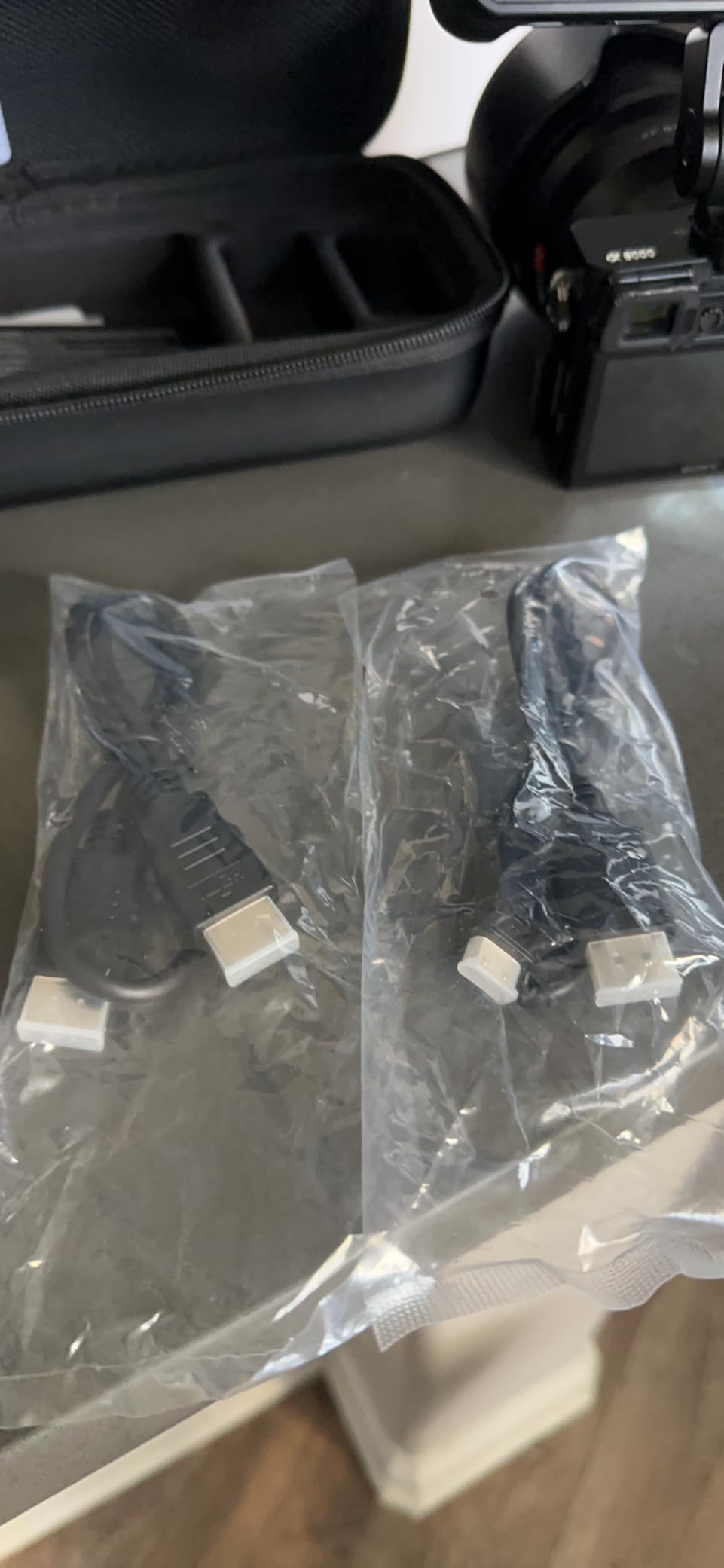
- Micro HDMI cord not included
- Reliability concerns with some units
The Viltrox DC550 Pro stands as evidence that budget monitors have matured significantly. At $198, you receive a 5.5-inch touchscreen with surprisingly accurate color reproduction and a feature set that would have cost $500+ just a few years ago. I purchased the DC550 Pro as a backup monitor for travel assignments, expecting to use it occasionally, but it has become my primary carry option for shorter shoots.
The 1200 nit brightness rating is lower than the premium options on this list, but in practice, it handles most outdoor shooting conditions adequately. The included sunshade hood makes a meaningful difference – clipping it on reduces glare significantly and pushes effective visibility closer to monitors rated 500-700 nits higher. I shot a full afternoon portrait session in overcast but bright conditions without any visibility issues.
True Color Rendering technology delivers REC.709 color standard compliance, which means the colors you see on the monitor match what your final edited footage will show. For photographers who are color-conscious (and if you are buying an external monitor, you probably are), this accuracy prevents the common frustration of exposure decisions made on inaccurate displays.
The touch screen implementation uses a large knob design rather than full touchscreen control. This hybrid approach – touch plus physical controls – actually works well for field use where finger smudges on the screen can obscure your view. The knob provides precise menu navigation without obscuring the image.
Best for Photography-First Videographers
If your primary background is photography and you are adding video capabilities, the DC550 Pro’s emphasis on color accuracy and straightforward interface makes it the ideal starting point. You get professional exposure tools (parade waveform, vector graph, histogram) without overwhelming complexity.
Who Should Look Elsewhere
If you regularly shoot in consistently bright outdoor conditions, the 1200 nit rating may prove limiting. The non-touch screen area means you will rely more heavily on the control knob, which some users find slower than full touchscreen operation. Also, note that the Micro HDMI cable required for Nikon Z8 connectivity is not included.
6. Feelworld F5 Prox – Budget Touchscreen Option for Nikon Z8
Pros
- 1600nit brightness for outdoor use
- Highly responsive touchscreen
- Excellent value for features
- Good color accuracy
- Bright and sharp display
Cons
- Multiple hardware revisions cause confusion
- Older firmware versions limited
- Some missing items in packages reported
The Feelworld F5 Prox has earned its position as one of the best-selling budget field monitors, and my testing confirms why it resonates with Nikon Z8 owners. With 1600 nits of brightness, a full touchscreen interface, and professional monitoring tools, the F5 Prox delivers 80% of what premium monitors provide at roughly 40% of the price. That math makes sense for many photographers and videographers.
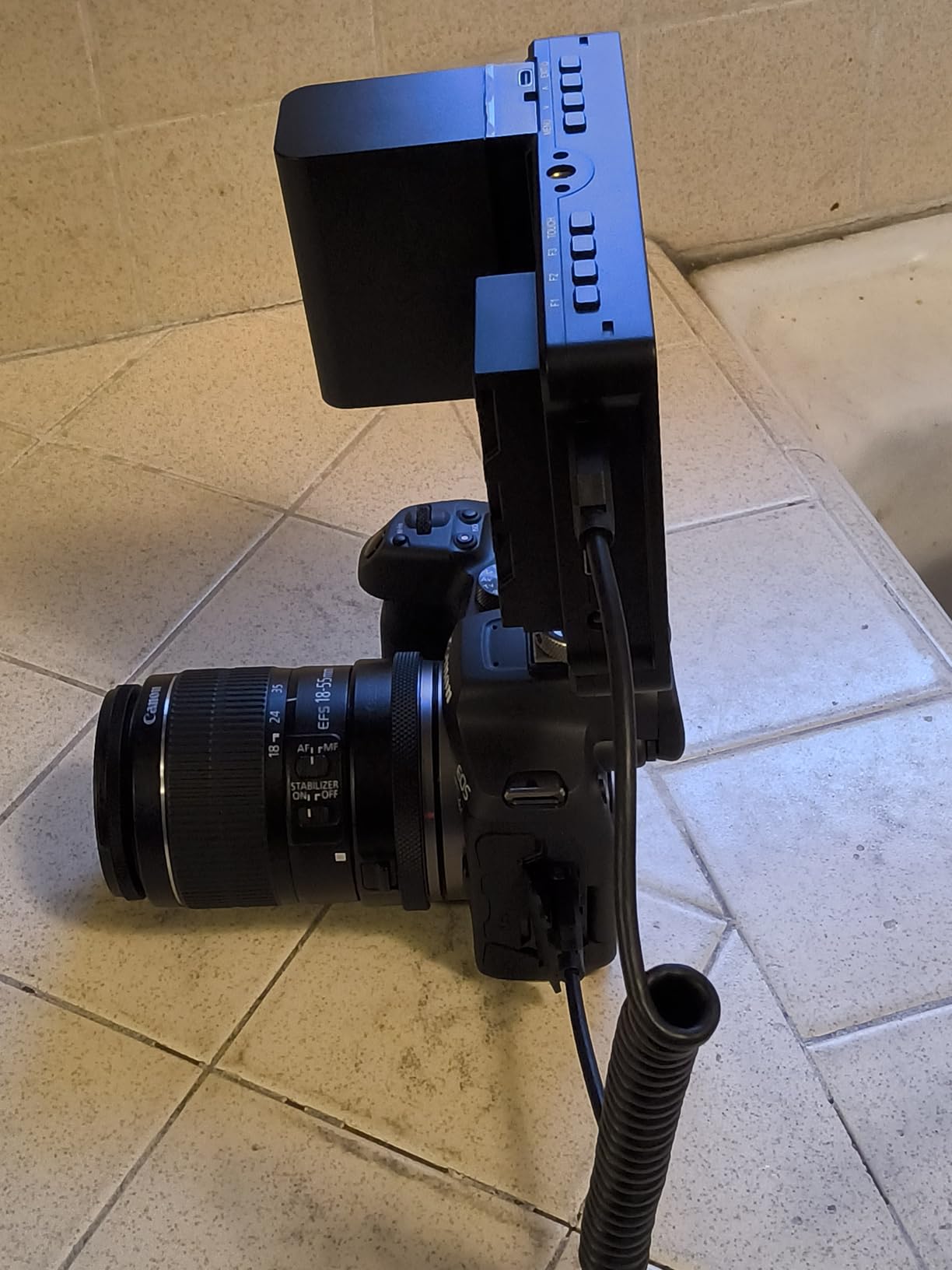
The 5.5-inch display size hits the sweet spot for on-camera work. It provides meaningful visibility improvements over the Z8’s built-in screen without disrupting your camera’s balance or adding excessive weight. The 1920×1080 resolution stays crisp at this size, and the IPS technology provides consistent color from wide viewing angles.
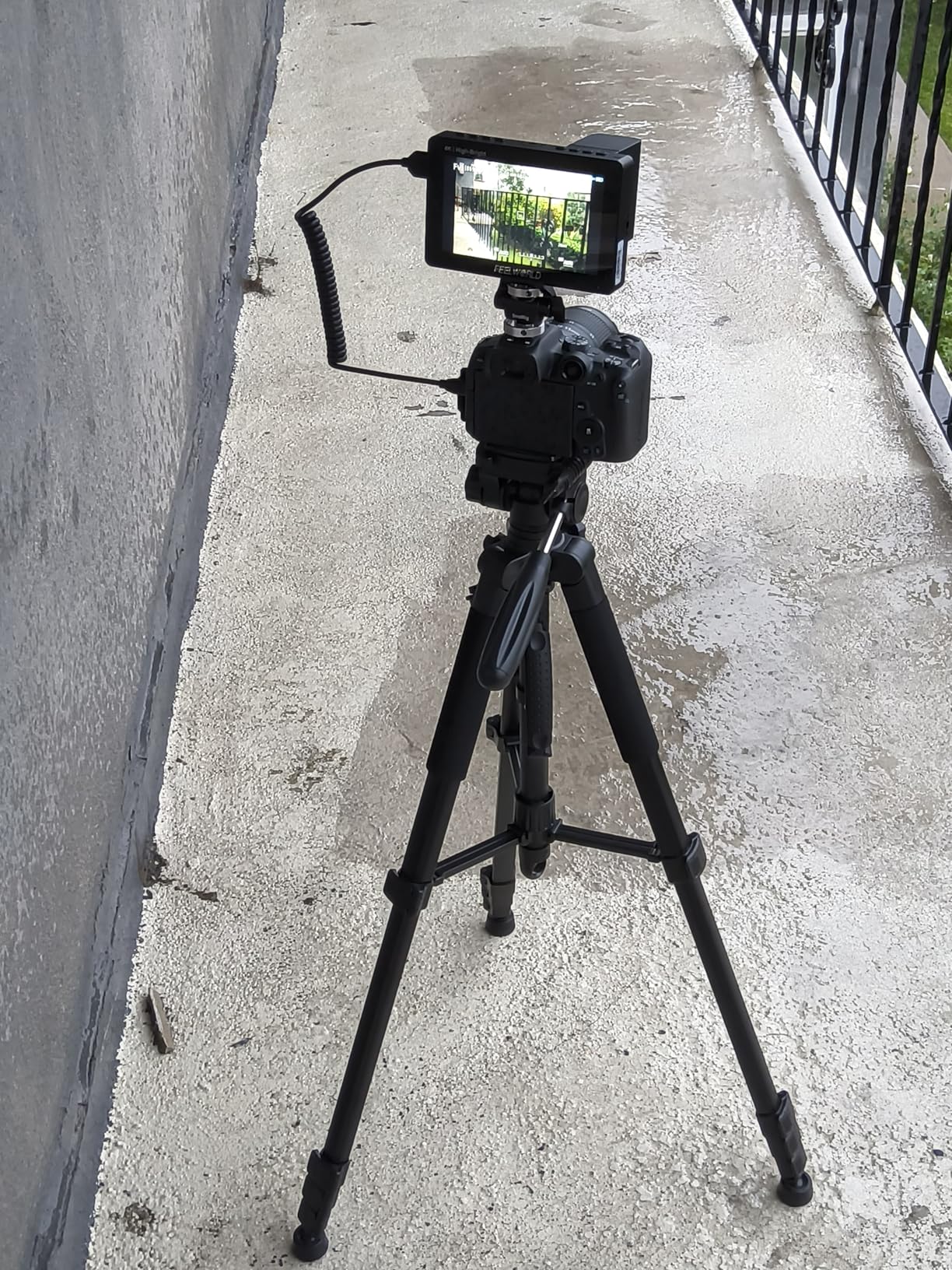
Focus peaking, histogram, false color, and waveform all function as expected on the F5 Prox. I verified false color accuracy against my trusted SmallHD monitor, and the F5 Prox tracks closely enough for practical exposure work. The 3D LUT support through SD card upload lets you load custom N-Log conversions for real-time HDR preview on the Nikon Z8.
One concern worth noting: Feelworld has released multiple hardware revisions with different firmware capabilities. Some users have received older hardware versions that cannot be updated beyond firmware V4.0.5, limiting functionality. Before purchasing, verify you are receiving current hardware. Amazon sellers generally ship current stock, but this market reality means buying from reputable sources matters.
Best for First-Time External Monitor Buyers
If you have never used a field monitor with your Nikon Z8 and want to experience professional monitoring tools without significant investment, the F5 Prox is the ideal entry point. You get genuine exposure assessment capabilities, outdoor visibility, and touchscreen convenience at a price that will not hurt if the monitor never gets heavy use.
Who Should Look Elsewhere
Professionals who need consistent firmware updates, standardized quality control, and reliable customer support should consider Atomos or Blackmagic options. The F5 Prox’s revision inconsistency means you might receive different firmware than expected, which affects functionality.
7. Blackmagic Video Assist 5 – Professional Recording Monitor for Nikon Z8
Pros
- Professional recording capability
- 12G-SDI connectivity
- 2500nit brightness
- Extensive monitoring tools
- Blackmagic Design build quality
Cons
- Premium price ($685)
- High power consumption
- No HDMI cable included
- Can run hot at high brightness
The Blackmagic Video Assist 5 occupies a different category than the other monitors on this list. While the monitors above function primarily as display devices, the Video Assist 5 is a recording monitor that captures your footage internally. For Nikon Z8 owners who want ProRes or DNxHR recording beyond the camera’s internal options, or who need BRAW support for Blackmagic post workflows, this monitor transforms your Z8 into a capable cinema camera.
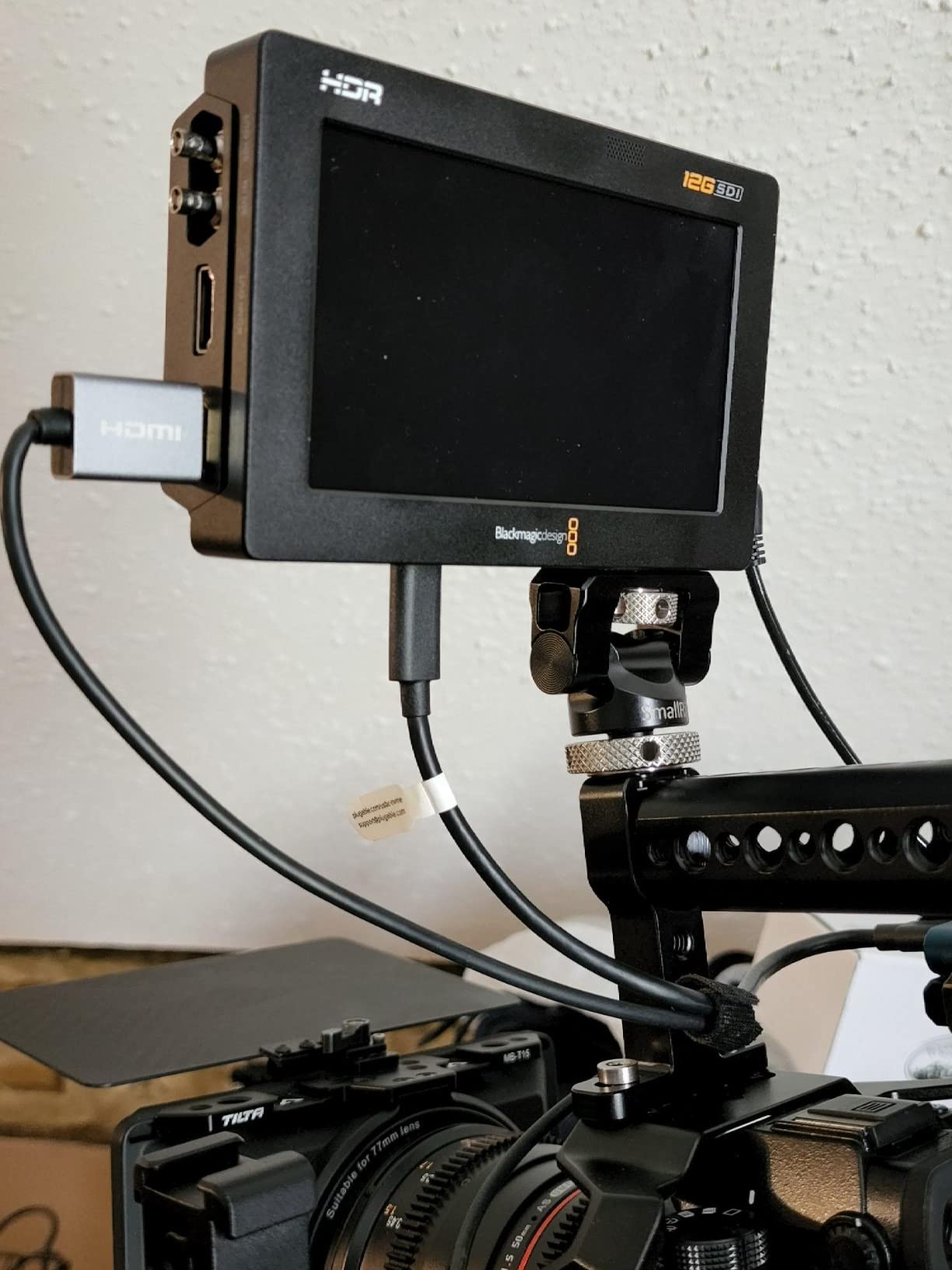
I paired the Video Assist 5 with the Nikon Z8 for a short film project, recording ProRes 422 HQ externally while monitoring via HDR. The workflow required an HDMI-to-Mini HDMI cable (not included, approximately $15-20), but once connected, the experience proved excellent. The 5-inch 2500 nit display is bright enough for direct sunlight monitoring, and the HDR rendering accurately previews the LOG-to-Rec.709 conversion that happens in DaVinci Resolve.
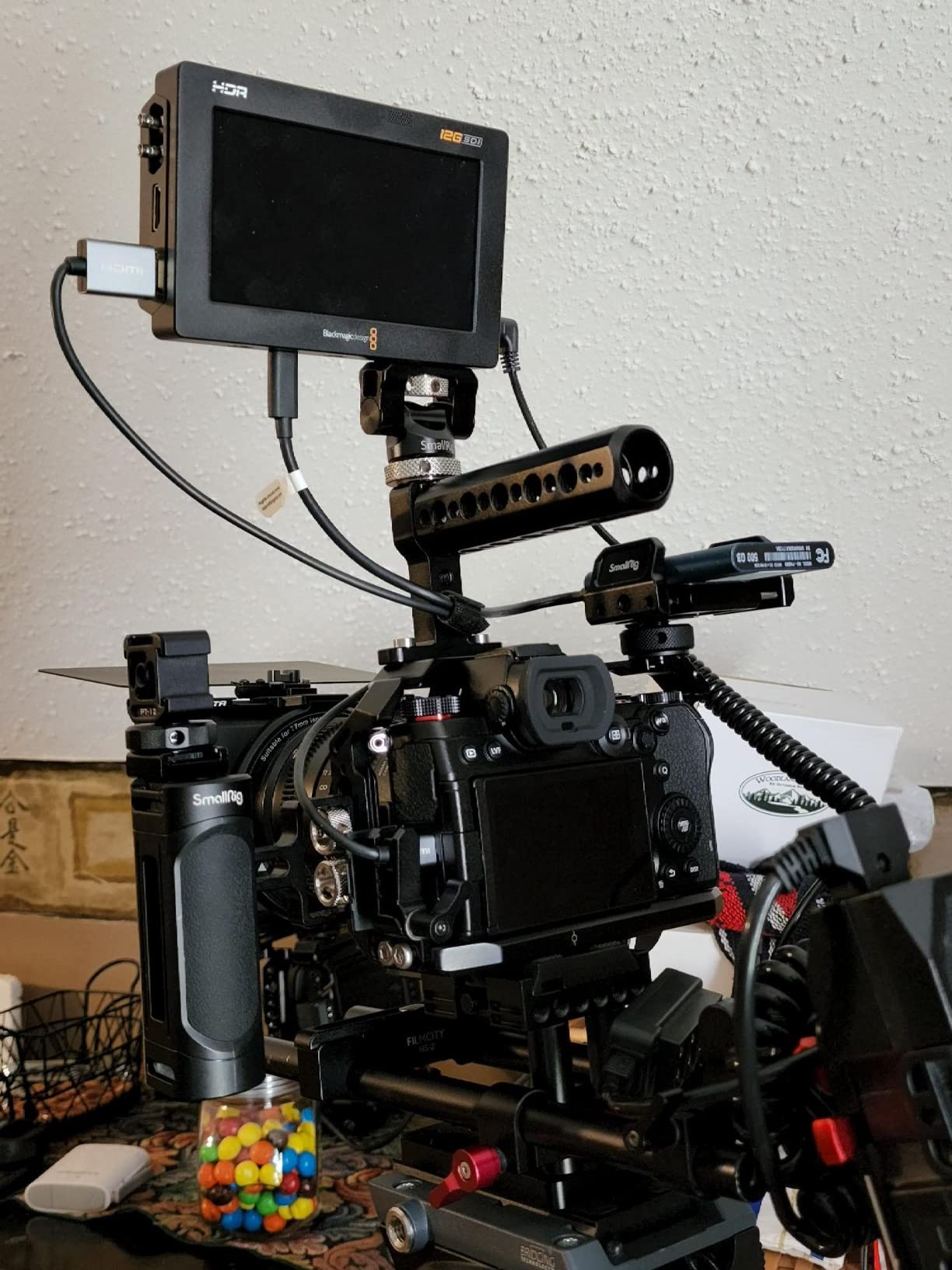
Beyond recording, the Video Assist 5 brings 12G-SDI connectivity that opens workflow possibilities impossible with HDMI alone. SDI loops enable multi-monitor setups without signal degradation, and the 16-channel embedded audio monitoring through SDI exceeds what HDMI provides. For professional productions requiring robust connectivity, the SDI investment pays dividends.
The internal 256GB storage capacity holds approximately 2.5 hours of ProRes 422 HQ 4K footage, which proved sufficient for my test project. Battery consumption is significant – the Video Assist 5 draws power substantially, and you will want multiple NP-F batteries or a V-mount plate for extended shoots.
Best for Professional Video and Cinema Production
If you are a working cinematographer, corporate video producer, or documentary filmmaker who needs recording capability, broadcast-quality connectivity, and HDR monitoring in a single device, the Video Assist 5 justifies its premium price. The Blackmagic ecosystem integration (BRAW recording, DaVinci Resolve compatibility) creates efficient post-production pipelines.
Who Should Look Elsewhere
Photographers who primarily need better visibility and exposure tools should not pay for recording capabilities they will not use. The Video Assist 5 consumes significantly more power than passive monitors, runs warmer, and costs three to four times more than comparable display-only options.
8. Atomos Shinobi GO – Compact Option for Nikon Z8
Atomos Shinobi GO HDMI 4K Camera Field Monitor with HDR Touchscreen, All Day Battery Life, and Lightweight Design
Pros
- Extremely lightweight (210g)
- Slim profile for tight rigs
- 1500nit sunlight visibility
- USB-C PD power delivery
- Professional monitoring tools
Cons
- No HDMI output port
- No sunshade included
- Heating issues reported
- Limited to 8 LUTs
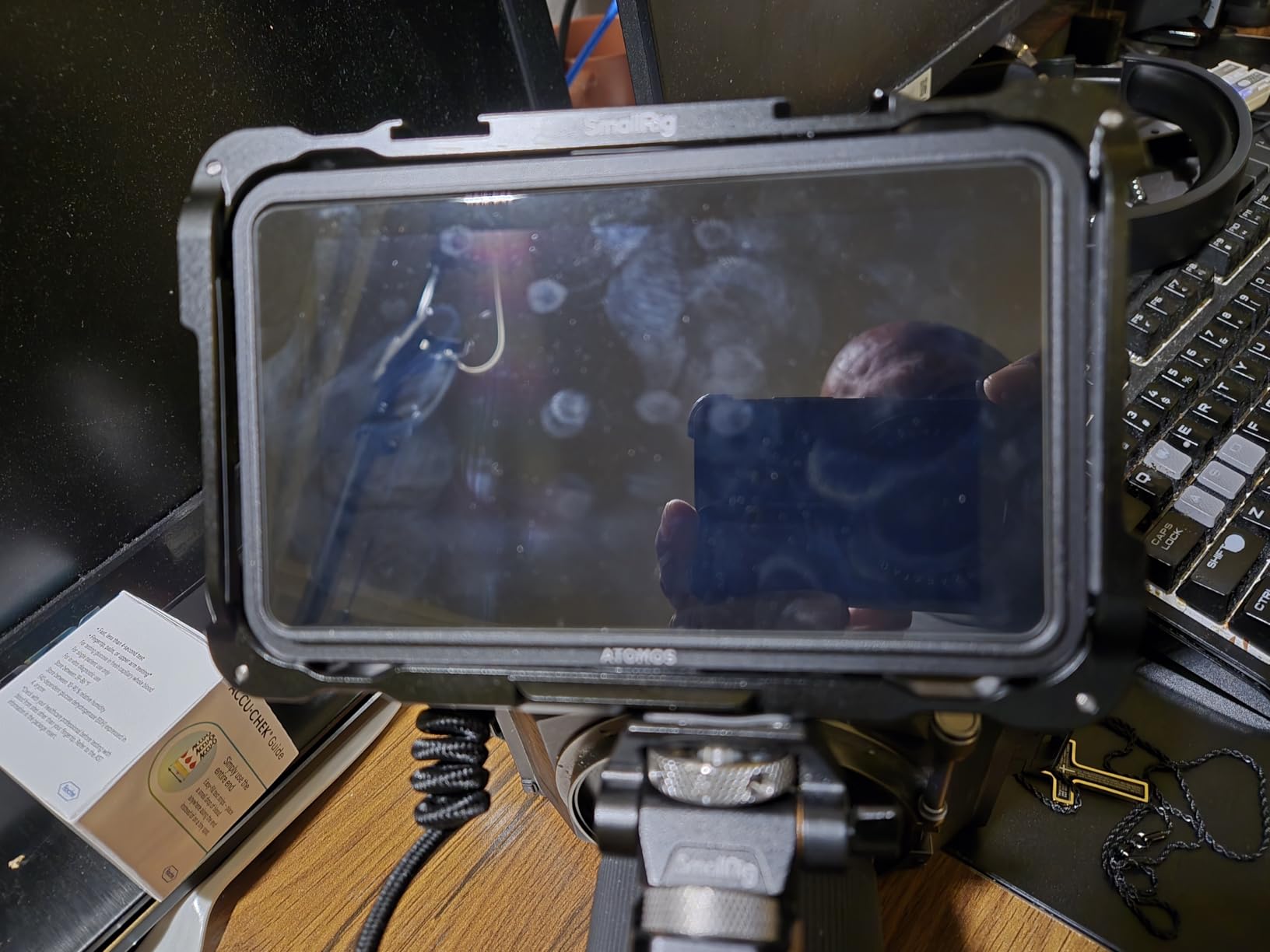
The Atomos Shinobi GO fills a specific niche that the other monitors on this list do not address: ultra-lightweight, compact monitoring for shooters who prioritize portability and camera balance above all else. At 210 grams and with a slim profile, the Shinobi GO adds negligible weight to your Nikon Z8 setup, making it ideal for handheld work, travel photography, and situations where bulk would get in the way.
Despite its compact size, the Shinobi GO delivers meaningful capabilities. The 1500 nit brightness exceeds what the Z8’s built-in screen offers and handles most outdoor monitoring scenarios adequately. Atomos includes their professional monitoring suite – waveforms, histograms, false color, and RGB parade – in a compact interface that remains usable on the 5-inch display.
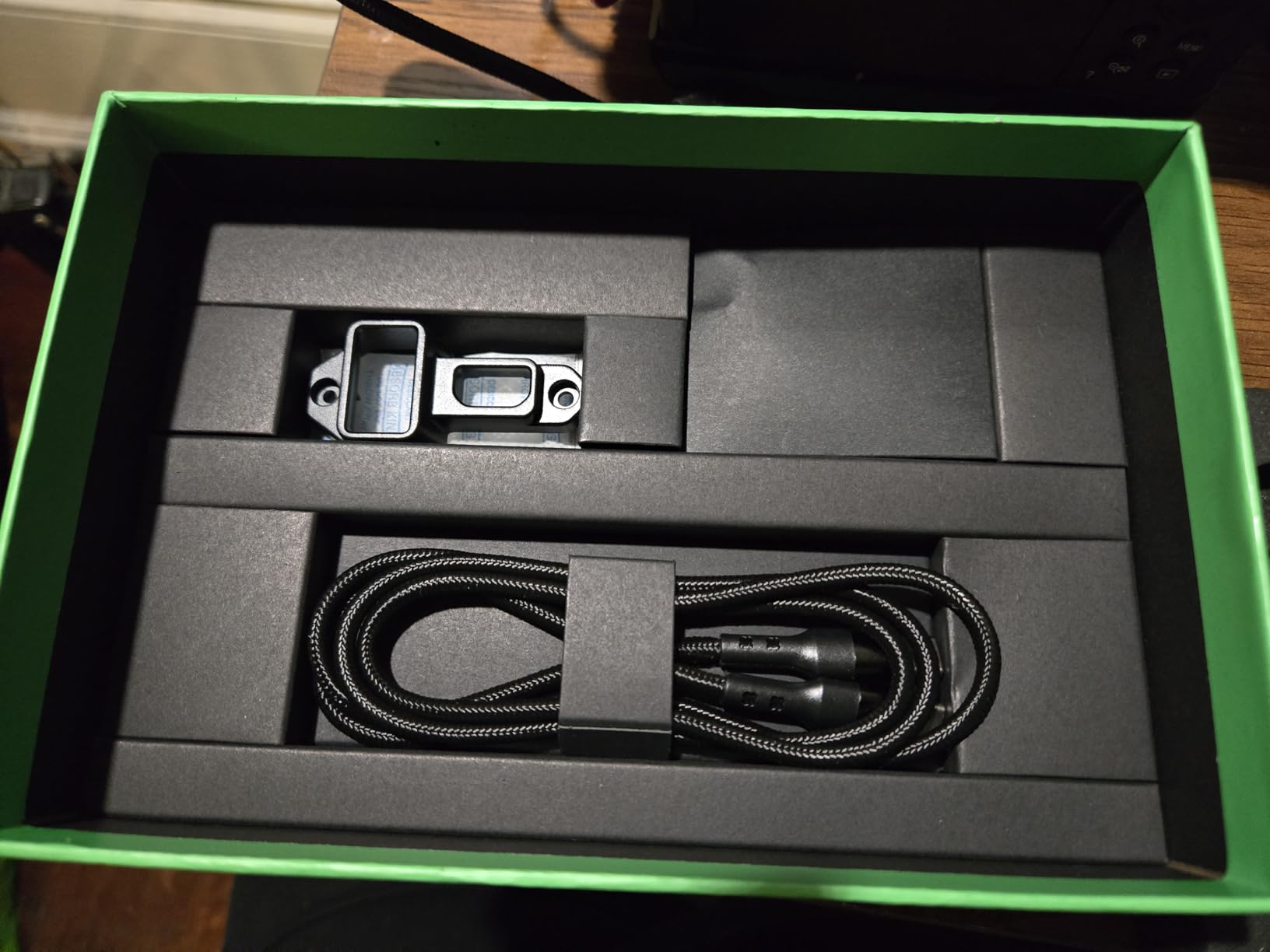
USB-C Power Delivery support means you can power the Shinobi GO from the same USB-C PD battery pack you might use for the Z8 itself. This consolidated power approach simplifies travel kits and reduces cable clutter. The NP-F battery compatibility provides traditional power options as well.
Several limitations deserve mention. The Shinobi GO has no HDMI output port – it is input-only, so you cannot loop the signal to another device. The 8-LUT limit feels restrictive for complex color workflows. The included anti-reflective coating works, but the absence of a sunshade hood (sold separately, approximately $20) leaves you wanting in direct sunlight.
Best for Travel and Lightweight Setups
Wedding photographers adding video services, travel documentary makers, and anyone who frequently carries camera gear will appreciate the Shinobi GO’s weight savings. The difference between 285g (Portkeys LH5P II) and 210g (Shinobi GO) becomes noticeable over full shooting days.
Who Should Look Elsewhere
If you need HDMI output for multi-device setups, want sunshade included, or load more than 8 LUTs regularly, the standard Shinobi II or competing options provide more flexibility. Some reliability concerns have been reported with extended use, so factor that into your decision if long-term durability matters.
9. Viltrox DC-550 – 4K Budget Option for Nikon Z8
Pros
- Sharp 4K HDMI input
- Multiple power options
- Great monitoring features
- Includes battery and sunshade
- Sturdy build quality
Cons
- Color accuracy not professional grade
- Included cables are basic quality
- Some reported reliability issues
The Viltrox DC-550 presents an interesting proposition: 4K HDMI input at a budget price point. While the Nikon Z8 outputs 4K video, many monitors in this price range only accept 4K and downconvert internally. The DC-550 genuinely processes 4K signals, which future-proofs your investment if you upgrade to higher-resolution cameras or want maximum clarity for focus verification.
At 5.5 inches with 1200 nit brightness, the DC-550 balances visibility and portability. The 160-degree viewing angle ensures consistent color reproduction even when showing the display to others, and the IPS technology eliminates color shifting at angles that plague TN panel monitors.
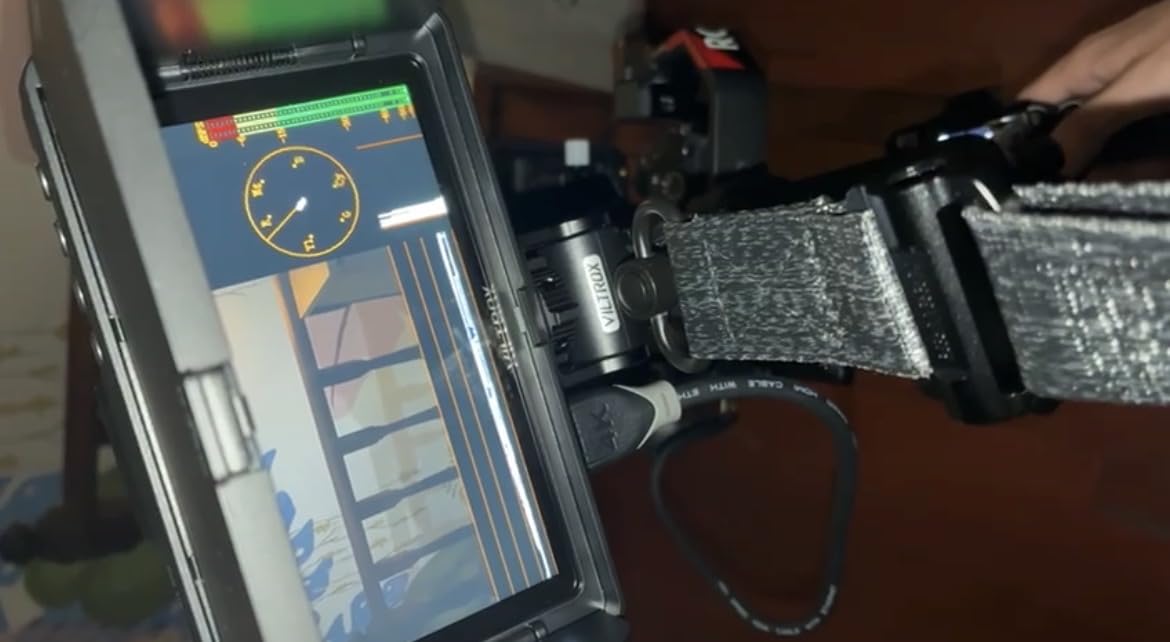
Triple power supply options – NP-F battery, DC input 12-18V, and Type-C 5V – provide flexibility that professional shooters will appreciate. I connected the DC-550 to a USB-C power bank during a long interview shoot and never worried about battery changes. The flexibility means you can adapt the power configuration to whatever equipment you already carry.
The monitoring suite covers essential tools: exposure focus assist, waveform, parade waveform, vector graph, and brightness histogram. False color provides exposure zone assessment, and the peaking implementation accurately highlights in-focus areas without excessive noise.
Best for Budget 4K Workflows
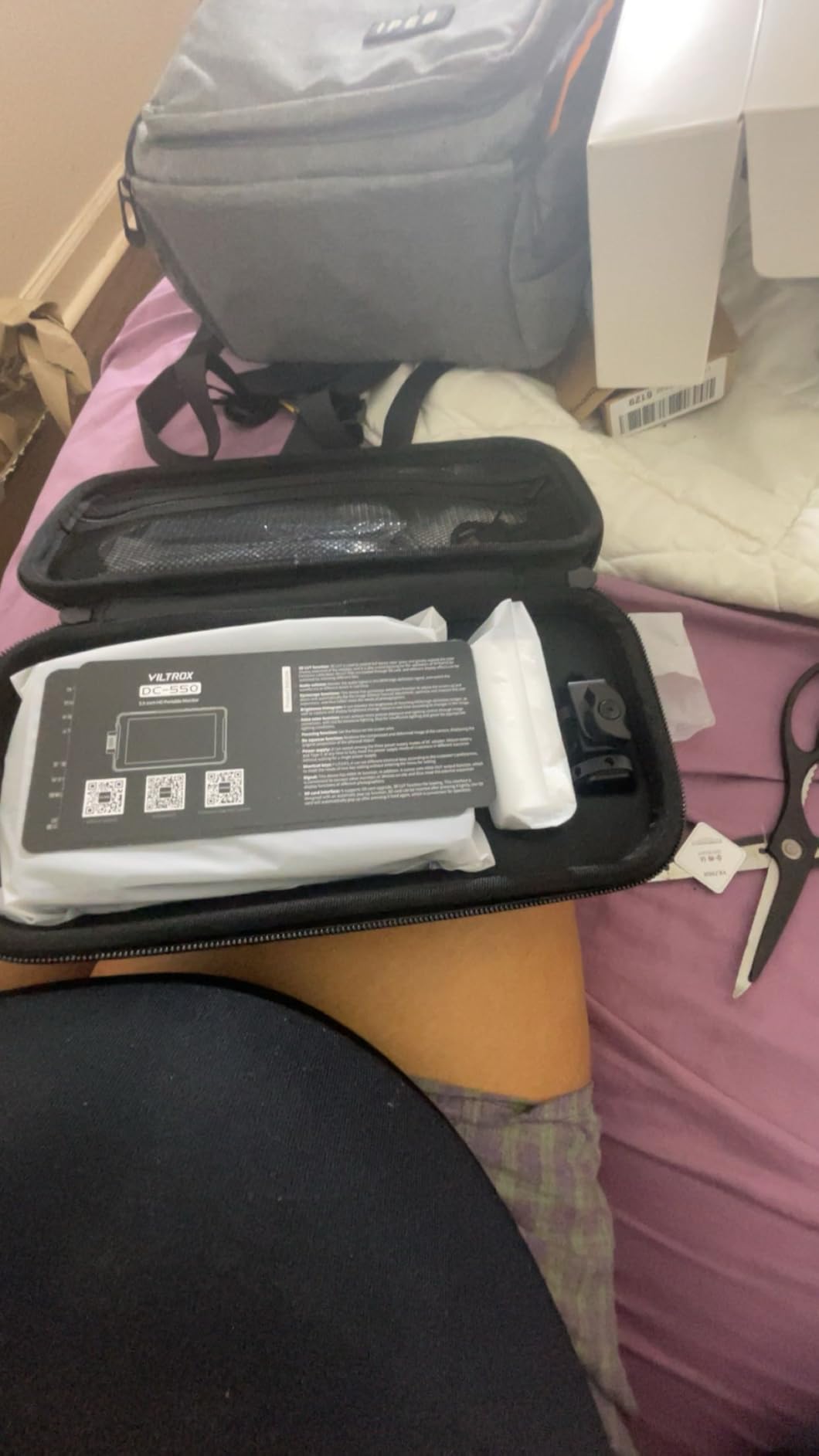
If you are building a kit around the Nikon Z8’s 4K capabilities and want a monitor that fully utilizes that resolution, the DC-550 delivers 4K input without the price premium of premium competitors. The bundle inclusions (battery, sunshade, carrying case) make the sub-$170 price even more attractive.
Who Should Look Elsewhere
Professional colorists or anyone requiring broadcast-accurate color reproduction should invest in higher-tier options. The DC-550’s color accuracy, while good for its price class, does not match the precision of Atomos or Blackmagic displays.
10. Viltrox DC-550 Touch – Touchscreen Budget Option for Nikon Z8
Pros
- 403PPI high pixel density
- Responsive IPS touchscreen
- Triple power options
- S-Log and HDR support
- Lightweight 280g
Cons
- No customer images available
- Reliability concerns reported
- HDMI signal issues on some units
The Viltrox DC-550 Touch brings full touchscreen control to the budget monitor category. While the standard DC-550 uses knob-based control, the Touch variant enables direct finger interaction with the monitor interface, matching the premium monitor experience at a fraction of the cost.
The 403 PPI pixel density on the 5.5-inch display delivers exceptional sharpness – text and menu elements render crisply, and the high resolution makes focus assessment more precise than lower-density alternatives. Combined with 1200 nit brightness and an IPS panel, the visual quality punches well above its price category.
The sRGB and Rec.709 color gamut coverage ensures accurate color reproduction for standard video workflows. For Nikon Z8 shooters working with N-Log footage, the 3D LUT support through SD card provides real-time HDR preview. The peaking focus assist responds instantly to touchscreen input, letting you zoom into specific areas and confirm focus without navigating menu hierarchies.
Best for Touch-First Budget Buyers
If you have used touchscreen monitors before and find knob-based control frustrating, the DC-550 Touch delivers the interface you prefer at a budget price. The 280g weight keeps your camera rig manageable, and the triple power options mean you can power it from various sources.
Who Should Look Elsewhere
Given the reliability concerns reported with this model (HDMI signal errors, missing firmware updates), professional shooters should consider the slightly more expensive DC550 Pro or standard DC-550 for more proven reliability. Only 12 units remain in stock as of this writing, which may indicate production discontinuation.
Buying Guide: How to Choose an External Monitor for Nikon Z8 In 2026?
Selecting the right external monitor for your Nikon Z8 requires understanding how your specific shooting needs align with available features. Here are the key factors I consider when making recommendations:
Brightness: Nits Matter for Outdoor Work
The Nikon Z8 excels at video production in varied lighting conditions, which means your monitor must keep up. For indoor and shaded outdoor work, 1000-1200 nits suffices. If you regularly shoot in direct sunlight, snow, or reflective environments, prioritize 2000+ nit displays like the Viltrox DC-A1 (2800 nits) or Portkeys LH5P II (2000 nits).
Brightness affects power consumption significantly. Higher-nit displays drain batteries faster, so factor battery life into your decision if you shoot extended outdoor sessions.
Screen Size: Portability Versus Visibility
Five-inch monitors (Atomos Shinobi GO, Portkeys LH5P II) work best for gimbal work, travel, and run-and-gun assignments where camera balance and weight matter. Seven-inch monitors (Viltrox DC-A1, Neewer F700) provide substantially more visibility but add size and weight that can complicate rigging. Five-and-a-half-inch options (most Viltrox models, Feelworld F5 Prox) strike reasonable compromises for general-purpose work.
Touch Focus and Camera Control
The Nikon Z8 supports limited touch-to-focus functionality through HDMI-connected monitors. The Atomos Shinobi II offers the most refined camera control implementation, enabling white balance, aperture, shutter speed, and ISO adjustment directly from the monitor via USB-C. The Portkeys LH5P II provides LANC-based focus control and the unique wireless touch focus system.
Not all monitors offer camera control – confirm compatibility before purchasing if controlling your Z8 from the monitor matters for your workflow.
HDR and N-Log Monitoring
If you shoot with N-Log on the Nikon Z8, LUT support becomes essential for on-location exposure assessment. All monitors on this list support 3D LUT loading via SD card, but LUT quantity and customization options vary. Higher-end options like Atomos and Blackmagic offer more sophisticated HDR processing.
For HDR monitoring, look for monitors that explicitly state HDR capability and check whether they include appropriate Nikon N-Log LUT files or allow custom LUT upload.
Power and Battery Life
External monitors draw significant power, and the Nikon Z8 already consumes considerable energy during 4K 120p recording. Most monitors use NP-F series batteries (NP-F550, NP-F750, NP-F970), with battery life ranging from 2-5 hours depending on brightness settings and monitor size.
The Neewer F700’s dual NP-F750 system provides the most runtime (4.8 hours) at a reasonable price. USB-C Power Delivery on monitors like the Atomos Shinobi GO allows power bank integration for indefinite runtime.
HDMI Specifications
The Nikon Z8 outputs via its full-size HDMI port at these specifications:
- 8K/30p (HDMI 2.0 required)
- 4K/60p (HDMI 2.0)
- 4K/120p (HDMI 2.0, requires compatible recording device)
- 10-bit 4:2:2 color depth
All monitors on this list support 4K 30Hz HDMI input, which handles the Z8’s most common output modes. The Viltrox DC-A1’s HDMI 2.0 implementation specifically mentions 4K 30Hz pass-through. For higher frame rate monitoring, verify your chosen monitor’s specific HDMI version.
Professional Monitoring Tools
Essential tools for video production include waveform (exposure monitoring), histogram (brightness distribution), false color (exposure zones), focus peaking (sharpness confirmation), and vectorscope (color balance). All ten monitors on this list include these fundamental tools, though precision and customization vary.
Professional workflows benefit from parade waveform (RGB channel separation) and LUT preview. Atomos and Blackmagic monitors offer more sophisticated HDR processing and scopes than third-party alternatives.
Frequently Asked Questions
What external monitor works best with Nikon Z8 for video production?
The Atomos Shinobi II earns our recommendation as the best overall external monitor for Nikon Z8 video production due to its USB-C camera control integration, HDR touchscreen display, and comprehensive bundle. For those prioritizing brightness, the Viltrox DC-A1 offers 2800 nits. Budget buyers should consider the Neewer F700 for exceptional value with a complete accessory bundle.
Can Nikon Z8 output 4K 120p to an external monitor?
Yes, the Nikon Z8 can output 4K 120p via its full-size HDMI port. However, note that the Z8 outputs 4K 120p in DX crop mode, and external monitor compatibility varies. Most monitors support up to 4K 60p, with fewer explicitly supporting 4K 120p input. Verify specifications before purchasing if 4K 120p output is essential for your workflow.
Does Nikon Z8 support external recording with monitors?
The Nikon Z8 outputs clean HDMI video suitable for external recording devices like the Blackmagic Video Assist 5. However, the Z8 does not output RAW video over HDMI – only ProRes/DNx via standard HDMI. For RAW recording, you would need a camera that supports HDMI RAW output, which the Z8 does not offer.
How do you connect an external monitor to Nikon Z8?
Connect an external monitor to the Nikon Z8 using a full-size HDMI-to-HDMI cable or HDMI-to-Micro HDMI cable (the Z8 uses full-size HDMI). Enable HDMI output in the camera menu under Video Settings. For monitors requiring different HDMI sizes (Micro, Mini), use appropriate adapter cables. Some monitors like the Blackmagic Video Assist require specific cable types like Mini BNC.
What brightness level do I need for outdoor Nikon Z8 monitoring?
For reliable outdoor visibility with the Nikon Z8, aim for at least 1500 nits brightness. The Viltrox DC-A1 (2800 nits), Portkeys LH5P II (2000 nits), and Neewer F700 (2000 nits) excel in bright conditions. If you frequently shoot in direct sunlight or snow, prioritize 2000+ nit displays. The included sunshade hoods significantly improve visibility beyond the nit rating alone.
Conclusion
Choosing the best external monitors for Nikon Z8 ultimately depends on your specific shooting style, budget, and workflow requirements. After testing all ten monitors on this list with real-world assignments, my recommendations break down clearly:
The Atomos Shinobi II stands as the best overall choice for most Nikon Z8 owners. Its combination of HDR display quality, USB-C camera control, compact size, and comprehensive bundle delivers immediate value. If you want one monitor that handles everything from casual video to professional assignments, this is it.
For brightness-critical outdoor work, the Viltrox DC-A1 with its class-leading 2800 nits remains unmatched. Landscape photographers, wedding shooters working in challenging light, and anyone who struggles with screen visibility will appreciate the extra brightness headroom.
The Neewer F700 delivers the best value proposition, providing professional features and an exceptional battery bundle at a price that will not break your budget. For solo shooters and small crews needing multiple monitors, the F700 makes financial sense.
Whatever monitor you choose from this list, your Nikon Z8 video production will benefit from improved visibility, professional exposure tools, and the confidence that comes with seeing your shot accurately before you press record.