
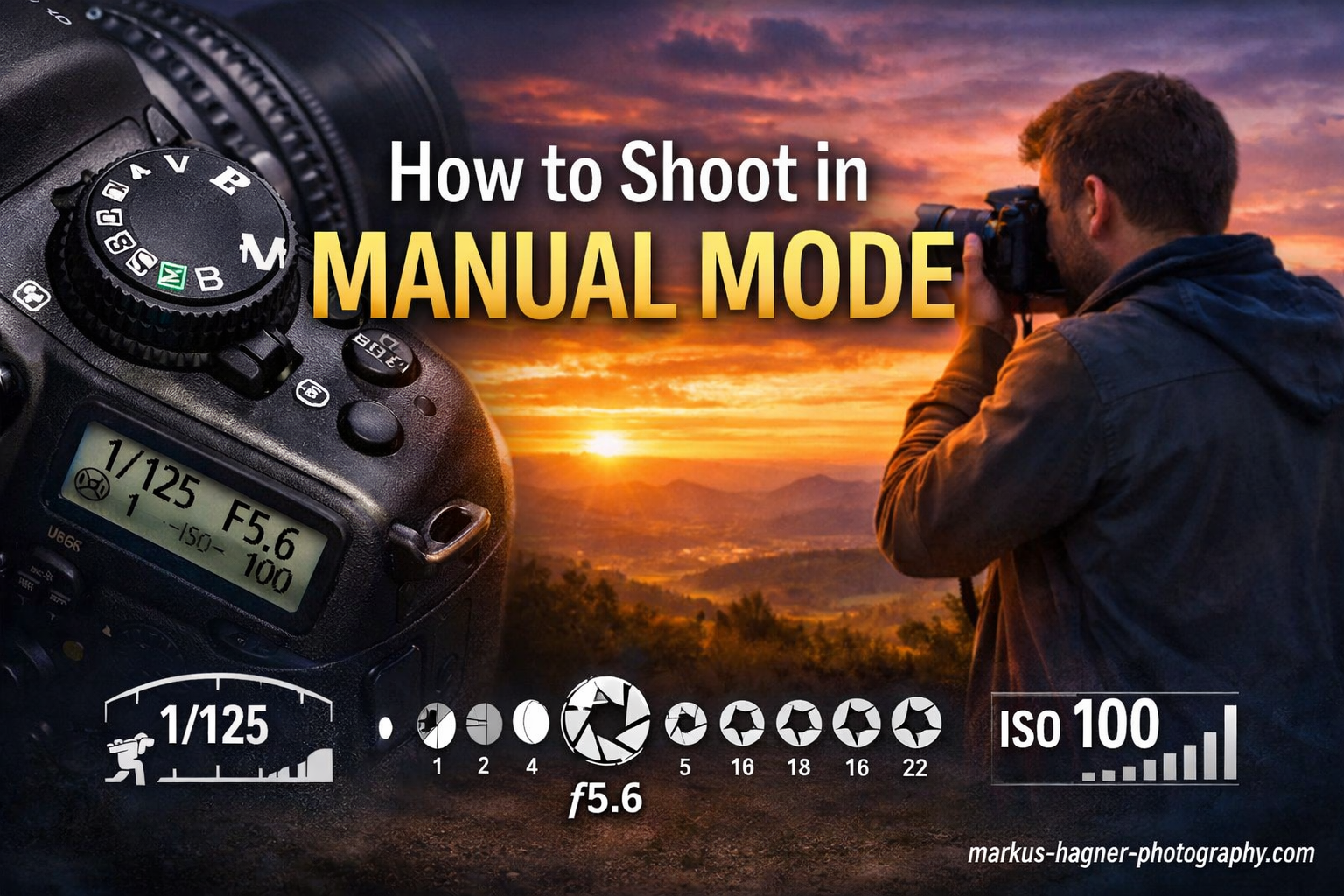
When I first picked up a DSLR camera, I shot everything in auto mode for months. My photos looked fine, but they never matched the creative vision I had in my head. The backgrounds were always too sharp. The motion was frozen when I wanted blur. And night shots? A blurry mess. Everything changed when I finally learned how to shoot in manual mode step by step. It felt intimidating at first, but once I understood the basics, my photography transformed completely. This guide walks you through the exact process I wish I had when starting out. No jargon. No overwhelming theory. Just practical steps to get you shooting in manual mode today.
What Is Manual Mode on a Camera?
Manual mode gives you complete control over every exposure setting on your camera. Instead of letting your camera make decisions about brightness, depth of field, and motion, you take the wheel. The camera still helps you by showing a light meter, but you choose the final settings.
Think of it like driving a car with an automatic transmission versus a manual one. Auto mode is convenient, but manual mode lets you decide exactly how much power to deliver and when. In photography, this creative control means you can capture images exactly as you envision them.
How to Switch Your Camera to Manual Mode
The process varies slightly by brand, but here’s how to find manual mode on most cameras:
Nikon: Look for the mode dial on top of your camera. Rotate it until “M” aligns with the indicator line. On some models, you may need to hold a button while rotating.
Canon: Find the mode dial (usually on the top left when holding the camera). Turn it to “M.” Some Canon models have this dial on the top right.
Sony: Press the Mode button or rotate the mode dial to “M.” Many Sony mirrorless cameras also let you access this through the function menu.
Fujifilm: Set the shutter speed dial to a specific number (not A for auto), set the aperture ring to a specific f-stop (not A), and set ISO to a specific value. This mechanical approach is unique to Fuji’s design.
Once you’re in manual mode, you’ll notice that your camera no longer automatically adjusts settings when light changes. That’s now your job, and it’s more fun than it sounds.
Understanding the Exposure Triangle: ISO, Aperture, and Shutter Speed
Three settings work together to control how bright or dark your image appears. Photographers call this the exposure triangle. Each setting affects exposure but also changes how your image looks creatively. Understanding this relationship is the foundation of manual mode photography.
ISO: Your Camera’s Sensitivity to Light
ISO controls how sensitive your camera’s sensor is to light. A lower ISO number means less sensitivity, requiring more light for a proper exposure. A higher ISO means more sensitivity, letting you shoot in darker conditions.
The ISO scale: Most cameras start at ISO 100 or 200 (base ISO) and go up to 25,600 or higher. Each doubling of ISO (100 to 200, 200 to 400) doubles the sensor’s sensitivity.
The trade-off: Higher ISO settings introduce digital noise, those grainy speckles you see in low-light photos. Modern cameras handle high ISO better than older models, but the principle remains. Keep ISO as low as possible for the cleanest images.
When to use each ISO range:
ISO 100-200: Bright outdoor sunlight, studio lighting with strobes. Best image quality.
ISO 400-800: Overcast days, indoor shots near windows, early morning or late afternoon outdoor light.
ISO 1600-3200: Indoor events, dimly lit rooms, evening outdoor shots. Noticeable but acceptable noise.
ISO 6400+: Dark venues, night photography, concerts. Significant noise, use only when necessary.
Aperture: Controlling Depth of Field
Aperture refers to the opening in your lens that lets light pass through. It’s measured in f-stops, and here’s where beginners often get confused: a smaller f-number means a larger opening. f/1.8 is a wide aperture. f/16 is a narrow aperture.
Why this matters: Aperture controls two things simultaneously. First, it affects how much light reaches your sensor. Second, and more importantly for creative control, it determines depth of field, how much of your scene appears sharp from front to back.
Shallow depth of field (f/1.4 – f/2.8): Only your subject is sharp while the background melts into blur. Perfect for portraits, product photography, and isolating subjects from busy backgrounds. This blur is called bokeh, and it’s one of the most popular creative effects.
Medium depth of field (f/4 – f/8): More of your scene stays in focus while still showing some background separation. Great for environmental portraits and everyday photography.
Deep depth of field (f/11 – f/22): Everything from foreground to background appears sharp. Essential for landscape photography and architectural shots where you want maximum detail throughout.
A practical tip: Most lenses are sharpest around f/5.6 to f/8. Shooting wide open (lowest f-number) or stopped down all the way (highest f-number) can introduce slight softness due to optical physics.
Shutter Speed: Freezing or Blurring Motion
Shutter speed determines how long your camera’s sensor is exposed to light. It’s measured in seconds or fractions of seconds. A fast shutter speed freezes motion. A slow shutter speed blurs moving subjects.
The scale: Shutter speeds range from 1/8000 of a second (extremely fast) to 30 seconds or longer (bulb mode lets you keep the shutter open indefinitely). Most everyday photography happens between 1/60 and 1/1000 of a second.
Fast shutter speeds (1/500 and faster): Freeze sports action, running pets, flying birds, and any quickly moving subject. 1/1000 is a good starting point for sports. 1/2000 or faster for birds in flight.
Medium shutter speeds (1/60 to 1/250): General purpose for stationary or slowly moving subjects. 1/125 is a safe bet for posed portraits.
Slow shutter speeds (slower than 1/60): Create intentional motion blur for creative effects like silky waterfalls, light trails from cars, or panning shots where the subject stays sharp but the background blurs.
The reciprocal rule: To avoid camera shake blur when hand-holding, use a shutter speed at least as fast as the reciprocal of your focal length. Shooting with a 50mm lens? Stay at 1/50 or faster. Using a 200mm telephoto? Go 1/200 or faster. Image stabilization helps, but this rule is a solid baseline.
Camera shake vs motion blur: These are different problems. Camera shake comes from your hands moving during exposure, making everything blurry. Motion blur comes from your subject moving, which can be intentional or unwanted.
How to Shoot in Manual Mode: A Step-by-Step Process
Now that you understand the three pillars of exposure, here’s the exact process I use every time I shoot in manual mode. Follow these steps in order, and you’ll get properly exposed shots every time.
Step 1: Assess Your Scene and Lighting
Before touching any settings, look at your scene. Is it bright or dim? Is your subject moving or still? What depth of field do you want? These questions determine your starting point.
Bright outdoor sunlight gives you flexibility. You can use low ISO, fast shutter speeds, and almost any aperture. Indoor or evening light limits your options, forcing compromises between ISO, shutter speed, and aperture.
Ask yourself: What matters most for this shot? If depth of field is critical (portraits with blurry backgrounds), start with aperture. If freezing motion matters (sports, pets), start with shutter speed. If image quality matters most (landscapes, products), keep ISO low.
Step 2: Set Your Aperture Based on Creative Intent
I usually set aperture first because it defines the creative look of my image. Here are starting points for common scenarios:
Portrait with blurry background: f/1.8 to f/2.8
Group photo where everyone needs to be sharp: f/5.6 to f/8
Landscape with front-to-back sharpness: f/8 to f/11
Street photography for flexibility: f/5.6 to f/8
Indoor event where depth of field matters less: f/2.8 to f/4
Set your aperture, then don’t change it unless your creative vision changes. This becomes your anchor point.
Step 3: Set Your Shutter Speed for Sharpness
Next, choose a shutter speed that prevents blur. Two factors matter here: camera shake and subject motion.
For stationary subjects, follow the reciprocal rule. If you’re using a 50mm lens, set at least 1/60. For 85mm, use 1/100 or faster. If your camera or lens has image stabilization, you can go a bit slower.
For moving subjects, you need faster speeds. Walking people: 1/125 minimum. Running or playing: 1/250 to 1/500. Sports action: 1/500 to 1/1000. Fast birds or vehicles: 1/1000 to 1/2000.
For intentional motion blur (waterfalls, light trails), ignore the reciprocal rule and use a tripod. Start at 1/15 for waterfalls and go slower (1/4, 1 second) for more blur.
Step 4: Adjust ISO for Proper Exposure
With aperture and shutter speed set, your image might be too dark or too bright. ISO is your final adjustment to balance the exposure triangle.
Look at your camera’s light meter (more on reading it in the next section). If the meter shows underexposure (negative side), raise your ISO. If it shows overexposure (positive side), lower your ISO if possible.
Start at your camera’s base ISO (usually 100 or 200) in bright conditions. In lower light, raise ISO only as much as needed. Modern cameras produce clean images up to ISO 1600 or 3200, so don’t fear raising it when necessary.
Here’s the reality: a slightly grainy photo is better than a blurry photo. If your shutter speed drops below what you can hand-hold, raise the ISO.
Step 5: Read Your Camera’s Exposure Meter
Your camera has a built-in light meter that shows whether your current settings will produce a proper exposure. It usually appears as a bar with markings from -3 to +3, with 0 in the center.
When the indicator sits at 0, your exposure is “correct” according to the meter. Negative numbers mean underexposure (too dark). Positive numbers mean overexposure (too bright).
In most situations, aim for the indicator at or near 0. But this is a guideline, not a rule. Bright scenes like snow or sand might need +0.7 to +1 compensation. Dark scenes might need -0.7 to -1.
The meter evaluates light differently depending on your metering mode. Matrix or evaluative metering considers the whole frame. Spot metering measures a tiny area. Center-weighted prioritizes the middle of the frame. For beginners, matrix metering works well for most situations.
Step 6: Take a Test Shot and Adjust
Fire off a test shot and check the LCD. Don’t just glance at it. Use your camera’s histogram display if available. A histogram shows the distribution of tones from dark (left) to bright (right).
A properly exposed image has a histogram that spans the graph without hitting the edges. If the graph is bunched on the left, your image is too dark. Bunched on the right means too bright. Clipping against either edge means lost detail in shadows or highlights.
Make small adjustments to your settings based on what you see. Changed ISO by a stop? Check the meter again. Adjusted shutter speed? Take another test shot. This feedback loop is how you learn.
After a few weeks of practice, you’ll start setting ISO, aperture, and shutter speed almost automatically based on the scene. That’s when manual mode becomes second nature.
Reading Your Camera’s Exposure Meter
The exposure meter in your viewfinder is your most important tool in manual mode. It looks like a horizontal bar with tick marks, usually showing -2, -1, 0, +1, +2. Some cameras show this on the top LCD or rear screen as well.
Here’s how to read it:
The center mark (0) represents what your camera considers “correct” exposure based on its metering calculations. When the indicator line sits at 0, your settings should produce an image with balanced brightness.
Lines to the left (negative) mean underexposure. Each mark typically represents one stop of light. At -1, your image will be one stop darker than “correct.” At -2, two stops darker.
Lines to the right (positive) mean overexposure. At +1, your image will be one stop brighter. At +2, two stops brighter.
The indicator moves in real-time as you change settings. Raise ISO, and it shifts right. Use a faster shutter speed, and it shifts left. This instant feedback helps you dial in exposure before taking the shot.
A pro tip: In tricky lighting, the meter can be fooled. Snow scenes meter at 0 will look gray, not white. Backlit subjects may meter correctly but appear silhouetted. Learn to recognize when the meter lies and adjust accordingly.
When to Use Manual Mode vs Other Shooting Modes?
Manual mode isn’t always the best choice. Understanding when to use it versus aperture priority, shutter priority, or even auto mode makes you a more versatile photographer.
Use manual mode when:
Lighting is consistent and you want complete control (studio work, controlled environments). You need consistent exposure across multiple shots (panoramas, focus stacking). The camera’s meter gets fooled easily (backlighting, stage lighting, snow). You want to learn and truly understand exposure.
Use aperture priority (A or Av) when:
Light is changing rapidly (outdoor events, walking around a city). Depth of field is your primary concern but light varies. You need to work quickly without thinking about shutter speed. This is an excellent stepping stone from auto to manual.
Use shutter priority (S or Tv) when:
Motion is your primary concern (sports, wildlife, moving vehicles). You need a minimum shutter speed to freeze action. You’re panning with moving subjects and want consistent blur.
Use auto mode when:
You’re handing your camera to someone else to take your photo. The moment matters more than the settings (once-in-a-lifetime events). You’re still learning your camera’s controls and aren’t ready for manual.
There’s no shame in using other modes. Professional photographers use aperture priority constantly. Manual mode is a tool, not a badge of honor.
Common Troubleshooting Tips for Manual Mode Beginners (2026)
Every beginner encounters the same problems when learning manual mode. Here’s how to fix them quickly.
Problem: Photos are too dark
Solutions: Raise your ISO (try doubling it). Open your aperture (lower f-number). Slow your shutter speed (but watch for shake). Check your meter, you might be aiming for -1 or -2 without realizing.
Problem: Photos are too bright/washed out
Solutions: Lower your ISO to base (100 or 200). Stop down your aperture (higher f-number). Use a faster shutter speed. In bright sun, you might need all three adjustments.
Problem: Photos are blurry
Solutions: Check your shutter speed against the reciprocal rule. Raise ISO if needed to get a faster shutter. Hold your camera properly, elbows tucked against your body. Consider image stabilization or a tripod for slower speeds.
Problem: Photos are grainy/noisy
Solutions: Your ISO is too high. In bright conditions, keep ISO at base (100-200). In moderate light, try to stay under ISO 1600. If noise is unavoidable, embrace it or reduce it in post-processing.
Problem: Can’t get aperture wide enough
Solutions: In bright sun, even ISO 100 and f/1.8 might overexpose at 1/4000. Use ND filters to reduce light. Some cameras have electronic shutters that go to 1/16,000 or faster.
Problem: Background is too sharp in portraits
Solutions: Use a wider aperture (lower f-number). Move closer to your subject. Move your subject farther from the background. Use a longer focal length lens (85mm instead of 50mm).
Practice Exercises for Manual Mode Mastery
Reading about manual mode is one thing. Actually doing it builds the muscle memory you need to shoot confidently. Here are specific exercises I used when learning, and I still use them when teaching others.
Exercise 1: The Aperture Comparison
Find a subject with a background at least 10 feet behind it. A person standing in front of trees works perfectly. Take the same shot at f/2.8, f/5.6, and f/11. Adjust shutter speed and ISO to keep exposure consistent. Compare the images side by side. This exercise teaches you exactly how aperture affects background blur.
Exercise 2: The Shutter Speed Test
Find a moving subject: a pet, a running family member, or even cars on a street. Start at 1/30 and take a shot. Then 1/60, 1/125, 1/250, 1/500, and 1/1000. Keep aperture and ISO constant. Review the images. You’ll see exactly when motion becomes frozen versus when blur appears.
Exercise 3: The ISO Noise Test
In a dimly lit room, photograph the same subject at ISO 100, 400, 800, 1600, 3200, and 6400. Use the same aperture and adjust shutter speed to maintain exposure. Zoom in on each image to 100% and compare the noise levels. This teaches you your camera’s ISO limits.
Exercise 4: The Light Meter Walk
Set your camera to manual with any settings. Walk from a bright room to a dark room while watching the exposure meter. Notice how quickly it changes. Now walk toward a window and away. This exercise trains you to anticipate light changes.
Exercise 5: The 10-Shoot Challenge
Go outside and take 10 photos in manual mode without deleting any. Your goal: nail the exposure using only the meter before taking each shot. Check them later. How many were properly exposed? This reveals how well you’re reading the meter.
Exercise 6: The Black and White Test
Set your camera to black and white JPEG mode. This removes color as a distraction and forces you to focus on exposure and contrast. Shoot for an hour in manual mode. You’ll develop a better eye for light.
Spend at least one week on these exercises. Even 15 minutes a day builds the familiarity you need to shoot confidently in manual mode.
Frequently Asked Questions
Is manual mode hard to learn?
No, manual mode is not hard to learn. Most photographers get comfortable with the basics within two to four weeks of regular practice. The key is understanding the exposure triangle first, then practicing with specific exercises. Start with stationary subjects in consistent lighting, and you’ll build confidence quickly.
What should I set first in manual mode: ISO, aperture, or shutter speed?
Set aperture first if depth of field is your priority (portraits with blurry backgrounds or landscapes with everything sharp). Set shutter speed first if motion matters (freezing sports or creating blur). Set ISO first only if you’re maximizing image quality in changing light. Most photographers set aperture first because it defines the creative look.
Why are my photos too dark in manual mode?
Your photos are too dark because your settings aren’t letting in enough light. Raise your ISO, open your aperture (lower f-number), or slow your shutter speed. Check your exposure meter, if it shows negative numbers, you’re underexposing. Adjust until the meter reads 0 or slightly positive.
How long does it take to get comfortable shooting in manual mode?
Most photographers feel comfortable with manual mode after two to four weeks of daily practice. Basic competency comes in about 10-20 hours of shooting. True fluency, where settings become automatic, takes several months. The learning curve is steep at first but levels off quickly once the exposure triangle clicks.
Should I use manual mode for every shot?
No, you should not use manual mode for every shot. Professional photographers use aperture priority, shutter priority, and even auto mode when appropriate. Use manual mode when lighting is consistent, when you need complete control, or when the camera’s meter gets fooled. For rapidly changing light or quick candid moments, aperture priority often works better.
Conclusion: Your Manual Mode Journey Starts Now
Learning how to shoot in manual mode step by step transforms your photography from snapshots to intentional images. You now understand the exposure triangle, how to read your meter, and exactly which settings to adjust first. The practice exercises will build your muscle memory faster than any tutorial alone. Start today. Pick one exercise and spend 15 minutes with your camera. Tomorrow, try another. Within weeks, manual mode will feel natural, and you’ll wonder why it ever seemed intimidating. Your creative vision is waiting.