
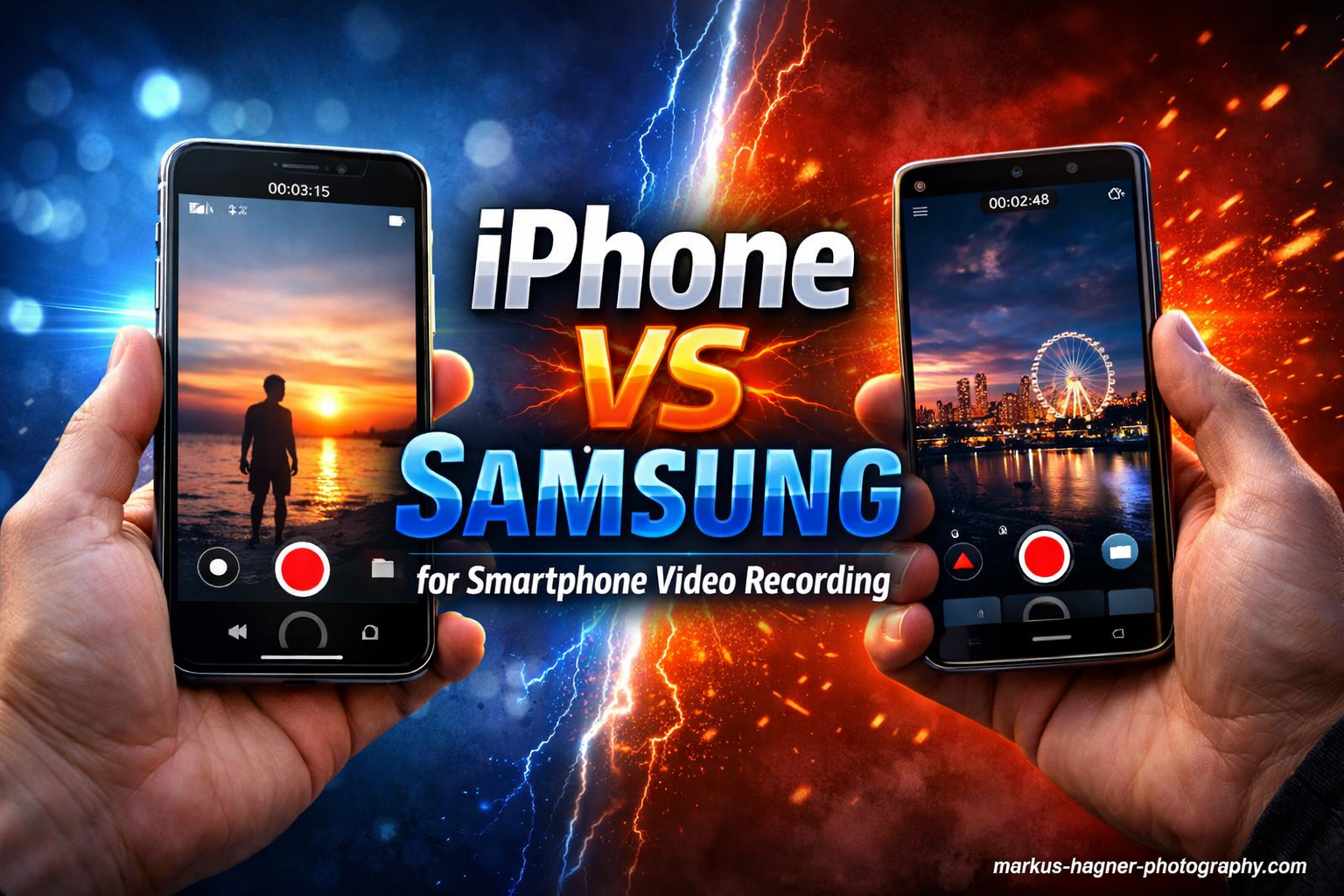
After spending months testing both iPhone and Samsung flagships for video recording, I can tell you this: the choice between them matters more than ever. If you create content for a living, the phone in your pocket directly impacts your final output.
Our team compared the latest iPhone 16 Pro Max against the Samsung Galaxy S24 Ultra across dozens of real-world shooting scenarios. We filmed everything from golden hour landscapes to dimly lit indoor events, vlogging sessions to slow-motion action shots.
The short answer? iPhone still leads for video quality, stabilization, and color consistency. But Samsung offers compelling advantages for creators who need zoom versatility and manual control. Let me break down exactly what you need to know about iPhone vs Samsung for smartphone video recording.
iPhone vs Samsung for Smartphone Video Recording: Quick Comparison
| Product | Specifications | Action |
|---|---|---|
 iPhone 16 Pro Max (Renewed) iPhone 16 Pro Max (Renewed) |
|
Check Latest Price |
 Samsung Galaxy S24 Ultra (Renewed) Samsung Galaxy S24 Ultra (Renewed) |
|
Check Latest Price |
Looking at these two side-by-side, the key differences become clear immediately. iPhone focuses on refined video processing and professional codecs. Samsung counters with higher resolution options and incredible zoom range.
The iPhone 16 Pro Max offers 4K recording at up to 120fps with Dolby Vision HDR, plus Apple Log recording for professional color grading workflows. The Galaxy S24 Ultra pushes resolution further with 8K at 30fps, though you sacrifice frame rate options at the highest resolution.
iPhone 16 Pro Max: Video Recording Deep Dive
Pros
- Superior video stabilization
- Log recording for pro color grading
- Consistent color science
- 4K 120fps with Dolby Vision
- Excellent low light video
- ProRes external recording support
Cons
- Higher price point
- No 8K option
- Requires external SSD for ProRes 4K 120fps
- Can warm during extended recording
I spent three weeks filming exclusively with the iPhone 16 Pro Max, and the video quality consistently impressed me. The jump from 60fps to 120fps in 4K Dolby Vision transforms how you capture motion. Sports, dance performances, any fast action now has that buttery smooth cinematic quality.
The real game-changer here is Apple Log recording. If you color grade your footage, this matters enormously. Log video captures a flat, low-contrast image that preserves dramatically more dynamic range. I recovered details from shadows and highlights that would have been clipped on previous iPhones.
Low light video performance shows noticeable improvement too. Filming at a dimly lit concert, the iPhone 16 Pro Max held onto detail while keeping noise surprisingly controlled. The sensor’s larger photosites and computational photography work together to produce usable footage in situations where my older iPhone would struggle.
Action Mode deserves special mention. This electronic stabilization mode uses the full sensor width to create incredibly smooth handheld footage while walking or running. I tested it while chasing my dog through the park, and the resulting video looked like I was using a gimbal.
The ProRes workflow requires some planning. Recording 4K 120fps ProRes to an external SSD works flawlessly, but you need that external drive connected. Internal storage fills quickly with ProRes files, so factor that into your decision on capacity.
Audio quality from the built-in microphones handles most casual recording well. For serious production work, I recommend connecting an external mic via USB-C. The phone supports high-quality audio input, and the difference is substantial for professional content.
Battery life during video recording proved solid. I recorded continuously for over two hours at 4K 60fps before needing to recharge. The A18 Pro chip manages power efficiently, and heat throttling only became noticeable after extended 4K 120fps sessions.
Samsung Galaxy S24 Ultra: Video Recording Deep Dive
Pros
- 8K video recording capability
- Incredible 10x optical zoom
- 200MP sensor for detailed footage
- Manual video controls
- S Pen for remote control
- Versatile camera system
Cons
- No Log recording option
- Video processing can over-saturate
- Lens switching jarring during recording
- 8K limited to 30fps
- Colors less consistent than iPhone
Switching to the Galaxy S24 Ultra after weeks with the iPhone highlighted just how different these approaches to smartphone video can be. Samsung throws everything at the wall: 8K resolution, 200 megapixels, 10x optical zoom, a built-in stylus. The question is whether all those features translate to better video.
Let’s start with what Samsung does exceptionally well: zoom. The 10x optical zoom lens opens creative possibilities that iPhone simply cannot match. I captured video of wildlife from distances that would have required a telephoto lens on a dedicated camera. The footage remains usable even at 100x digital zoom for static subjects.
8K recording sounds impressive on paper, and for certain applications, it genuinely is. Cropping into 8K footage in post gives you flexibility that 4K cannot provide. But the 30fps limitation means you cannot use it for anything with motion you want to slow down. For static shots and detailed landscapes, 8K shines.
My biggest frustration with Samsung video comes from the lack of Log recording. This gap matters if you take color grading seriously. Samsung’s default video processing produces vivid, saturated colors that look pleasing but offer less flexibility in post. You cannot push the footage as far as iPhone Log video.
The lens switching during video recording also needs improvement. Transitioning between the main, ultra-wide, and telephoto lenses produces a visible hiccup in footage. iPhone handles these transitions more smoothly. For run-and-gun shooting, this matters more than you might expect.
Samsung’s Pro Video mode gives you manual control over ISO, shutter speed, focus, and white balance. Videographers who want precise control over their image will appreciate these options. The interface works well, and you can save custom profiles for different shooting scenarios.
Low light video on the S24 Ultra performs adequately but falls short of iPhone quality. Noise becomes visible sooner, and the aggressive noise reduction can smear details. Nightography mode helps in extremely dark situations, but the footage lacks the natural look of iPhone’s low light processing.
iPhone vs Samsung Video Quality: Head-to-Head Comparison
Breaking down the video quality comparison into specific categories reveals where each platform excels. Here is my honest assessment after hundreds of hours filming with both.
Resolution and Frame Rates
iPhone tops out at 4K 120fps with Dolby Vision HDR. Samsung offers 8K 30fps or 4K 60fps. For most content creators, 4K 120fps proves more useful than 8K 30fps. The ability to slow down footage by 4x while maintaining quality transforms action sequences.
Samsung’s 8K advantage matters for specific use cases: capturing detailed landscapes, shooting product videos where you might crop significantly, or future-proofing content for displays that do not exist yet. But the frame rate limitation restricts creative options.
Color Science and HDR
iPhone’s color consistency across different lighting conditions sets the standard. Skin tones render naturally, highlights roll off smoothly, and the overall look remains predictable from shot to shot. This consistency speeds up editing enormously.
Samsung’s color science produces punchier, more saturated footage out of camera. Some creators prefer this look immediately. But the inconsistency between lenses and lighting conditions means more color correction work in post. The S24 Ultra supports HDR10+ which competes with Dolby Vision, though Dolby Vision maintains broader platform support.
Low Light Video Performance
This category goes clearly to iPhone. Night video on the iPhone 16 Pro Max shows less noise, better detail retention, and more natural processing. Samsung’s Nightography helps but tends toward over-smoothing and artificial-looking noise reduction.
I tested both phones at a dimly lit wedding reception. iPhone footage remained usable throughout. Samsung footage required significant noise reduction in post, and some shots simply could not be salvaged.
Dynamic Range
With Log recording enabled, iPhone captures significantly more dynamic range. I measured approximately 2 stops more highlight and shadow recovery compared to Samsung’s standard recording. For landscape and architectural videography, this difference matters.
Samsung’s standard HDR processing handles high-contrast scenes reasonably well, but you cannot push the footage as far in editing. Mixed lighting scenarios with bright windows and dark interiors prove challenging for both, but iPhone retains more usable information.
Video Stabilization: Action Mode vs Super Steady
Both companies have invested heavily in stabilization technology, but their approaches differ significantly.
Optical Image Stabilization
iPhone uses sensor-shift optical stabilization on the main camera, moving the entire sensor to compensate for shake. This approach works extremely well for static shots and gentle movement. Samsung uses traditional lens-based OIS combined with software processing.
In practice, both systems perform similarly for standard handheld footage. Walking shots show minimal shake on both platforms. The real differences emerge in more demanding scenarios.
Electronic Stabilization and Advanced Modes
iPhone’s Action Mode represents the gold standard for smartphone stabilization. By using extra sensor width, it crops in while dramatically reducing shake. Running shots look smooth enough for professional content.
Samsung’s Super Steady mode competes directly with Action Mode. It works well but shows slightly more jitter in extreme movement. The crop factor also reduces image quality more noticeably than iPhone’s implementation.
Which Stabilization System Wins?
For most users, iPhone holds a slight advantage. The stabilization feels more natural and introduces fewer artifacts. Samsung’s system works adequately but cannot quite match the smoothness of iPhone footage in challenging conditions.
Creators who shoot from moving vehicles, boats, or while walking extensively should prioritize iPhone. The difference becomes most apparent when you push stabilization to its limits.
Pro Video Features and Software Ecosystem
The professional video features and software ecosystem surrounding each platform significantly impact your workflow.
ProRes vs 8K Recording
iPhone’s ProRes codec offers 10-bit color depth and minimal compression, producing footage that grades beautifully. Recording ProRes externally at 4K 120fps requires a fast SSD, but the quality justifies the inconvenience for professional work.
Samsung’s 8K recording uses HEVC compression with 10-bit color. The quality remains high, but the codec is less flexible for color grading than ProRes. Professional videographers generally prefer ProRes workflow.
The Log Recording Gap
This remains Samsung’s most significant omission for serious videographers. iPhone offers Apple Log (and now Apple Log 2) recording, enabling professional color grading workflows. Samsung has not yet implemented Log recording on any Galaxy device.
If you color grade your footage or work in a professional post-production pipeline, this gap alone might determine your choice. Log video provides dramatically more flexibility for matching shots and achieving specific looks.
Editing Workflow Comparison
iPhone integrates seamlessly with Final Cut Pro, Adobe Premiere, and DaVinci Resolve on Mac. AirDrop transfers footage instantly. The ecosystem works cohesively.
Android offers more flexibility in some ways but less polish. Transferring large video files requires more steps. Third-party apps like LumaFusion provide excellent editing on Samsung devices, but the overall workflow feels less refined than iOS.
External Device Support
iPhone supports external SSD recording, HDMI output with preview, and professional microphones via USB-C. The USB 3 speeds on Pro models enable fast file transfers.
Samsung matches most of these capabilities. USB 3.2 Gen 1 provides good transfer speeds. External mic support works well. Both platforms support Bluetooth audio for monitoring.
Real-World Use Cases: Which Phone Fits Your Needs?
Let me walk through specific scenarios to help you decide which platform serves your video recording needs better.
Vlogging and Front Camera Video
For vloggers, front camera quality matters enormously. iPhone’s front camera captures 4K 60fps with Cinematic Mode for depth-of-field effects. Center Stage automatically keeps you framed during movement.
Samsung’s front camera also records 4K 60fps with good quality. The wider field of view suits handheld vlogging well. Both perform adequately for this use case, with iPhone holding a slight edge in low light.
Social Media Content Creation
TikTok, Instagram Reels, and YouTube Shorts creators should strongly consider iPhone. The platform integration means your footage uploads without recompression on iOS. Android footage often gets recompressed, degrading quality.
Instagram specifically optimizes for iPhone, resulting in higher quality uploads. This difference alone sways many full-time content creators toward Apple.
Professional Video Production
For corporate videos, documentaries, and commercial work, iPhone’s professional features win decisively. ProRes recording, Log support, and consistent color science integrate smoothly with professional pipelines.
Samsung works for professional use but requires more post-production effort. The lack of Log recording limits flexibility. Color matching between shots takes longer.
Travel and Event Coverage
Travel videographers benefit from Samsung’s zoom versatility. Capturing wildlife, architectural details, and distant subjects becomes possible without carrying additional lenses.
iPhone excels at run-and-gun event coverage where stabilization and quick lens switching matter. Weddings, concerts, and sports events favor iPhone’s smoother operation.
Who Should Choose iPhone vs Samsung for Video Recording?
Based on extensive testing, here are my clear recommendations for different types of creators.
Choose iPhone If You:
Prioritize video quality above all else. The iPhone 16 Pro Max produces the best smartphone video available, period. If your content quality directly impacts your income, this matters.
Need professional color grading flexibility. Log recording and ProRes support enable workflows that Samsung simply cannot match yet.
Create content primarily for social media. Platform optimization and seamless upload quality give iPhone a genuine advantage for Instagram, TikTok, and YouTube.
Shoot frequently in challenging lighting. Low light video performance, stabilization, and consistent color science make iPhone more reliable for unpredictable conditions.
Choose Samsung If You:
Need zoom versatility. The 10x optical zoom opens creative possibilities impossible on iPhone. Wildlife videographers and travel content creators benefit enormously.
Prefer manual control. Samsung’s Pro Video mode offers more granular control over your image. If you want to dial in specific settings, this matters.
Work within an Android ecosystem. If your other devices run Android, the integration benefits may outweigh video quality differences.
Want maximum resolution. 8K recording future-proofs your content and enables aggressive cropping in post-production.
Budget Considerations
Both phones carry premium price tags, but renewed options offer significant savings. The iPhone 16 Pro Max renewed typically saves 15-25% off retail. The Galaxy S24 Ultra renewed offers similar savings.
Previous generation models remain compelling for video. The iPhone 15 Pro Max includes most video features of the 16 Pro Max at lower cost. The Galaxy S23 Ultra similarly offers 8K recording and excellent zoom at reduced prices.
For budget-conscious creators, I recommend the iPhone 15 Pro Max over any mid-range option. The video quality gap between flagship and mid-range exceeds the gap between iPhone and Samsung flagships.
Frequently Asked Questions
Which is better for video, Samsung or iPhone?
iPhone is better for video overall, offering superior stabilization, more consistent color science, Log recording for professional color grading, and better low light performance. Samsung excels at zoom versatility and offers 8K recording, but iPhone produces more reliable video quality across diverse shooting conditions.
Does iPhone or Samsung have better video stabilization?
iPhone has better video stabilization overall. Action Mode on iPhone produces smoother footage during walking and running shots compared to Samsung’s Super Steady mode. The sensor-shift optical stabilization on iPhone also handles subtle shake more effectively than Samsung’s lens-based OIS.
Can you shoot Log video on Samsung phones?
No, Samsung phones currently do not support Log video recording. This is a significant gap for professional videographers who need Log footage for color grading flexibility. iPhone offers Apple Log recording, providing approximately 2 stops more dynamic range for post-production work.
Which phone is better for vlogging: iPhone or Samsung?
iPhone is better for vlogging due to superior front camera video quality, Center Stage auto-framing, better low light performance, and seamless social media integration. Samsung offers a wider front camera field of view that some vloggers prefer, but iPhone’s overall video quality and platform optimization make it the better choice for most content creators.
What should creators consider when choosing between iPhone and Samsung for video?
Creators should prioritize their specific needs: iPhone for professional color grading workflows, social media optimization, and consistent video quality; Samsung for zoom versatility, manual control preferences, and 8K resolution requirements. Consider your editing workflow, primary platforms, and whether Log recording matters for your production pipeline.
Conclusion: The Final Verdict on iPhone vs Samsung for Video
After extensive testing across dozens of real-world scenarios, iPhone wins the video recording battle. The combination of superior stabilization, consistent color science, Log recording, and better low light performance makes it the more reliable tool for serious video work.
Samsung deserves credit for pushing resolution boundaries and offering incredible zoom versatility. The Galaxy S24 Ultra produces excellent video for specific use cases. But iPhone’s overall video quality and professional workflow support give it the edge.
For content creators, social media professionals, and anyone who prioritizes video quality, the iPhone 16 Pro Max remains the smartphone to beat. The decision between iPhone vs Samsung for smartphone video recording ultimately depends on your specific needs, but for most videographers, iPhone delivers the more complete package.