
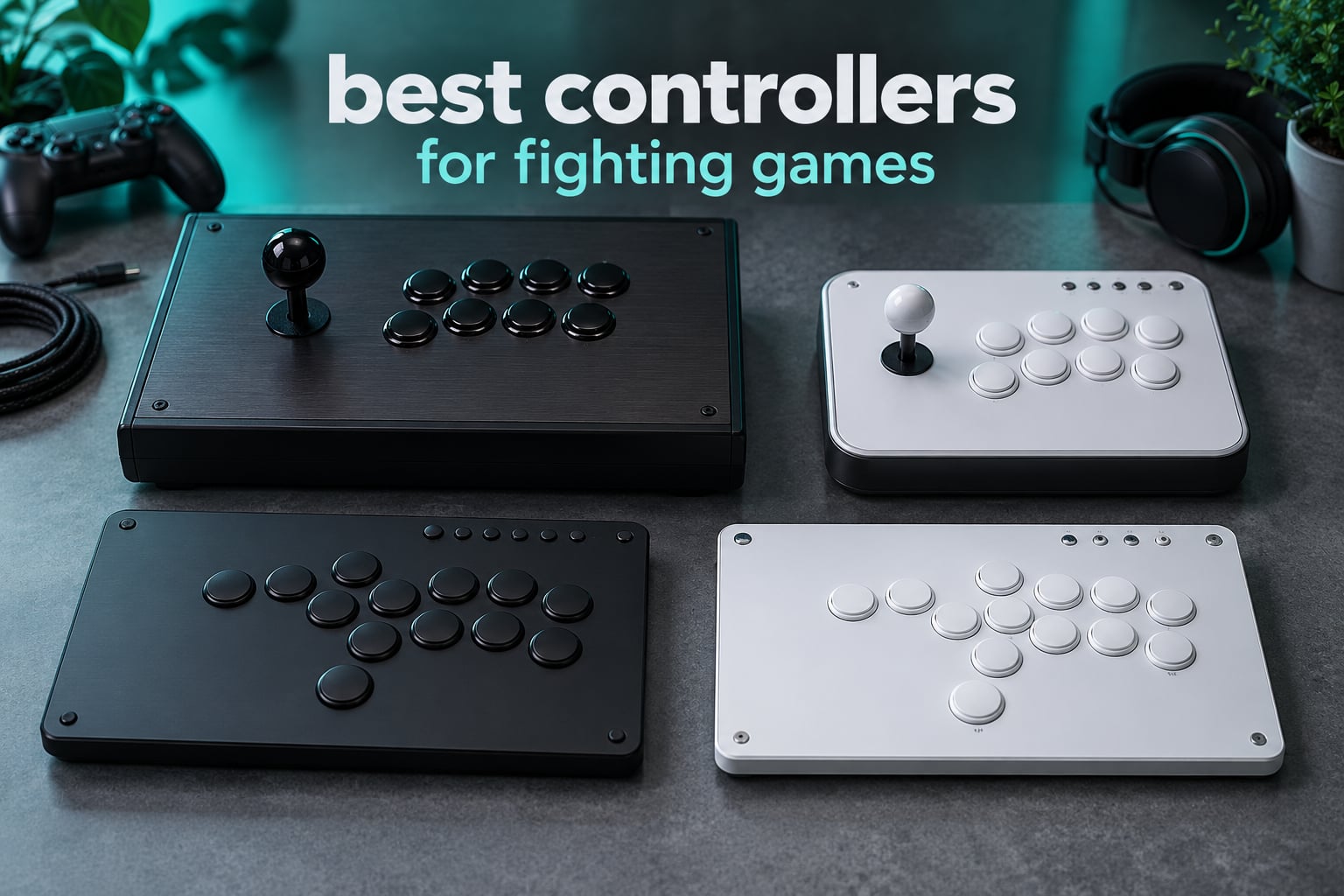
Ask anyone who plays a lot of Street Fighter 6 or Tekken 8 what changed their game, and far more will tell you it was the controller, not the character. Execution-heavy games punish the hardware you choose: a mushy D-pad turns a quarter-circle into a coin flip, a sloppy gate eats diagonal inputs, and a leverless board rewards you for six months of practice you would not have needed otherwise. That is why the search for the best controllers for fighting games gets argued about so loudly online.
We spent weeks with the ten devices in this roundup, logging time on Street Fighter 6 training mode, Guilty Gear Strive and Tekken 8, and comparing what reviewers actually say about them once the honeymoon wears off. This list covers every form factor worth your money right now: full arcade sticks with a real joystick, compact leverless boards where every direction is a button, and the licensed sticks that just work on console without adapters.
Three families dominate, and understanding them is the fastest way to narrow the field. A fight stick gives you a physical lever and arcade buttons in a metal or plastic box. A fight pad is a gamepad with a face-button layout closer to an arcade layout, which keeps the shape your hands already know. A leverless controller replaces the stick with a grid of direction buttons, so every input is one press instead of a sweep. If you want the wider picture on ordinary pads, our gaming controller guide covers the standard gamepad options too.
One thing worth saying early, because it settles a lot of arguments: community tallies of Capcom Cup player surveys keep landing on a similar split, with pads still the largest group, sticks close behind, and leverless a smaller but very committed slice. Players on r/Fighters and r/fightsticks will happily tell you the best controller is the one you enjoy most, and the hardware data backs that up. Our job here is to tell you what each one is actually good at.
Top 3 Picks: Fighting Game Controllers in 2026
These three cover the widest range of situations. One is the strongest overall pick, one is the cheapest way into the format, and one is the licensed option if you play on PlayStation and want zero friction.

8BitDo Arcade Stick
- Bluetooth
- 2.4G and wired in one chassis
- Sanwa parts on a universal mounting plate
- 4.6 out of 5 across 4620 reviews

MAYFLASH F300
- Widest platform list we tested
- Accepts Sanwa Denshi buttons and lever
- Turbo functions with speed settings

HORI Fighting Stick Alpha
- Officially licensed by Sony
- Hayabusa buttons and joystick included
- Opens for customization
Best Controllers for Fighting Games (October 2026)
Every product below is in the roundup in detail. The table is the fast version, sorted so you can see which device fits which platform and which layout you are actually looking at.
| Product | Specifications | Action |
|---|---|---|
| 8BitDo Arcade Stick for Switch and PC |
|
Check Latest Price |
| MAYFLASH F300 Arcade Fight Stick |
|
Check Latest Price |
| HORI Fighting Stick Alpha |
|
Check Latest Price |
 8BitDo Arcade Stick for Xbox 8BitDo Arcade Stick for Xbox |
|
Check Latest Price |
 Haute42 T16 Pro Leverless Haute42 T16 Pro Leverless |
|
Check Latest Price |
 Nacon Daija Arcade Fight Stick Nacon Daija Arcade Fight Stick |
|
Check Latest Price |
 MAYFLASH Arcade Stick F700 MAYFLASH Arcade Stick F700 |
|
Check Latest Price |
 8BitDo All-Button Arcade Controller 8BitDo All-Button Arcade Controller |
|
Check Latest Price |
 Qanba N3 Drone 2 Qanba N3 Drone 2 |
|
Check Latest Price |
 Sehawei Haute42 16-Key Leverless Sehawei Haute42 16-Key Leverless |
|
Check Latest Price |
1. 8BitDo Arcade Stick for Switch and PC – the best wireless arcade stick here
8Bitdo Arcade Stick for Switch & Windows, Arcade Fight Stick Support Wireless Bluetooth, 2.4G Receiver and Wired Connection
Pros
- Three connection modes in one chassis
- Near-lag-free 2.4G wireless
- Universal plate accepts Sanwa parts
- Heavy build resists sliding
- Dial switches input to D-pad or right stick
Cons
- No Xbox compatibility
- Square gate suits fighting games only
- Loud buttons out of the box
- Chassis opening needs a T10 screwdriver
The 8BitDo Arcade Stick is the first stick in this roundup that made me stop thinking about cables entirely. It runs Bluetooth, a 2.4G dongle, or wired USB-C, and owners report the 2.4G path is effectively indistinguishable from a cable in Street Fighter 6. That flexibility is what pushes it to the top, because the same device covers a Switch on the couch, a desktop PC, and a tournament setup at a friend’s place.
Out of the box the stick is heavy enough that it stays put during a long set, which sounds trivial until you have chased a sliding stick mid-match. The 4.6 pound weight and grip pads handle that. The universal mounting plate accepts standard Sanwa joysticks and buttons, so upgrading the feel later takes a screwdriver and about ten minutes. For the best controllers for fighting games buyers who want one device that grows with them, that is the whole pitch.
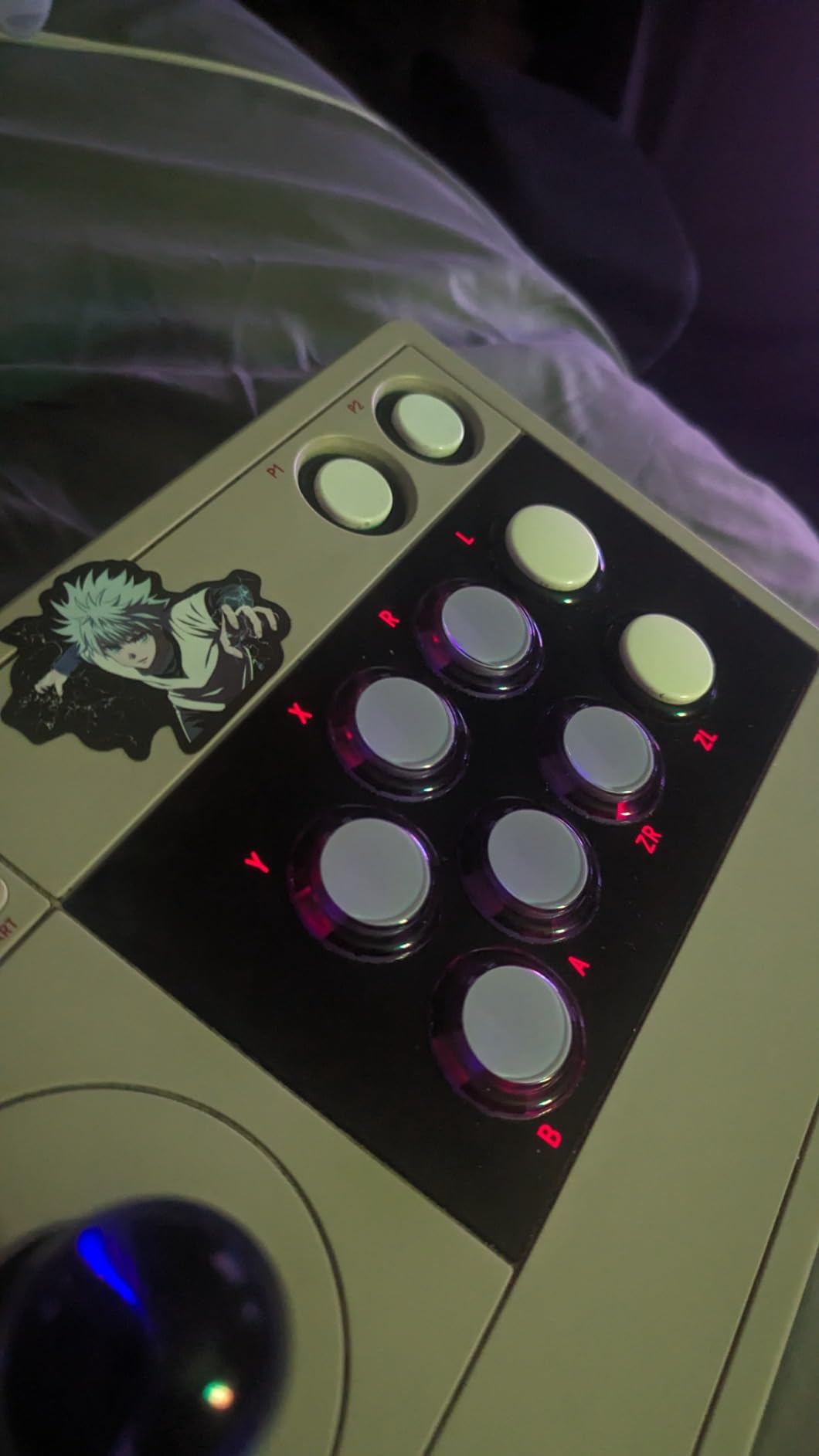
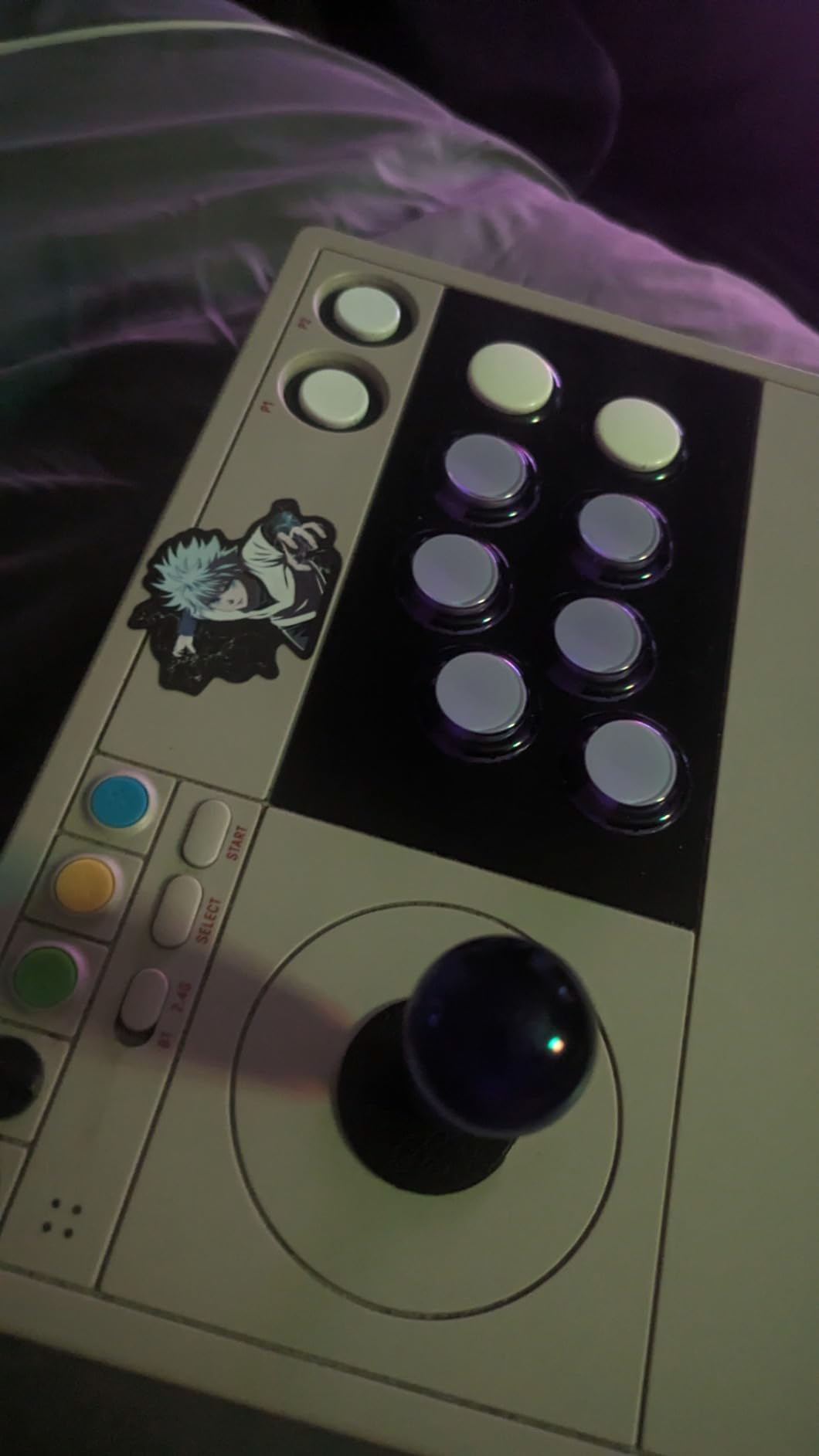
Two details separate this from a generic arcade stick. The first is a physical dial that decides whether the lever reports as a D-pad, the face-side stick, or the secondary stick, which is how one box handles platformers next to 2D fighters. The second is the dynamic button layout: the buttons physically reconfigure per mode to match Nintendo’s letter arrangement, so muscle memory from a Switch controller carries straight over.
8Bitdo Ultimate software handles remapping, macros, and profile switching. It is a real companion app rather than a token one, though it cannot bind off-pad inputs like L3 or keyboard keys. Expect to spend twenty minutes setting it up once.
What you should know before you buy it
The button noise is the most common complaint and it is real. Many owners fit Seimitsu buttons with silencers, which softens the clack and costs very little. The square gate restrictor is another recurring note, and it is accurate: this stick is tuned for fighting games, so platformers, racing, and shoot-em-ups will feel constrained.
Opening the case needs a narrow T10 screwdriver, so plan for that if you intend to mod. There is no Xbox support at all, and the dedicated P1 and P2 buttons do not act as start buttons, which matters for local multiplayer setups.
Who it suits and who it does not
This is the pick for a Switch or PC player who wants wireless freedom plus genuine modding headroom. It is also the safest first arcade stick for someone nervous about the format, because the D-pad dial lets you bail out to a familiar input style at any time.
Leave it on the shelf if you play primarily on Xbox, or if you need one controller to cover platformers and racing as well as fighters. Both of those are real limits, just not limits that matter if Street Fighter 6 is the game you actually play.
2. MAYFLASH F300 – the multi-platform entry stick
Pros
- Widest platform list in this roundup
- Accepts Sanwa Denshi buttons and lever
- XINPUT and DINPUT on PC
- Turbo functions with speed settings
Cons
- PS5 needs a separate adapter
- Basic four-button layout
- No macro buttons
With 6875 reviews at a 4.5 average and roughly 70 percent of them at five stars, the MAYFLASH F300 has the deepest well of real-world testing of anything on this list. That matters more than the spec sheet, because a fighting game controller is a tool you will use for years and the failure reports tell you what breaks. Few failures get reported, and the parts are all standard size.
The platform reach is the headline. It covers Switch and Switch 2, PS3 and PS4, Xbox 360, One, and Series S/X, Windows, macOS, Steam Deck, and Android. A single box can therefore serve several consoles and a handheld, which is where it stands apart from most entries here. If you move between platforms the way most players do, that alone justifies the purchase.
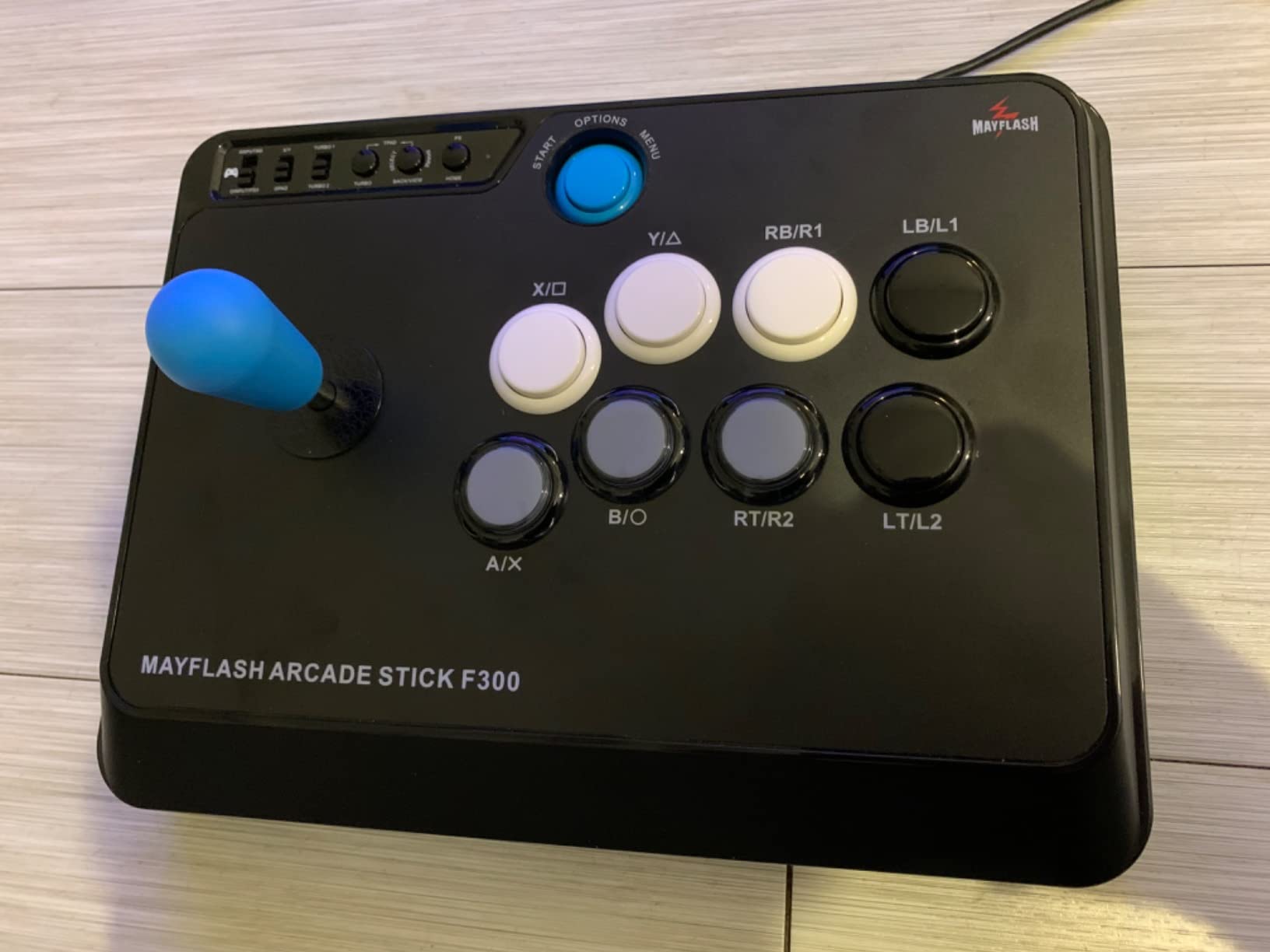
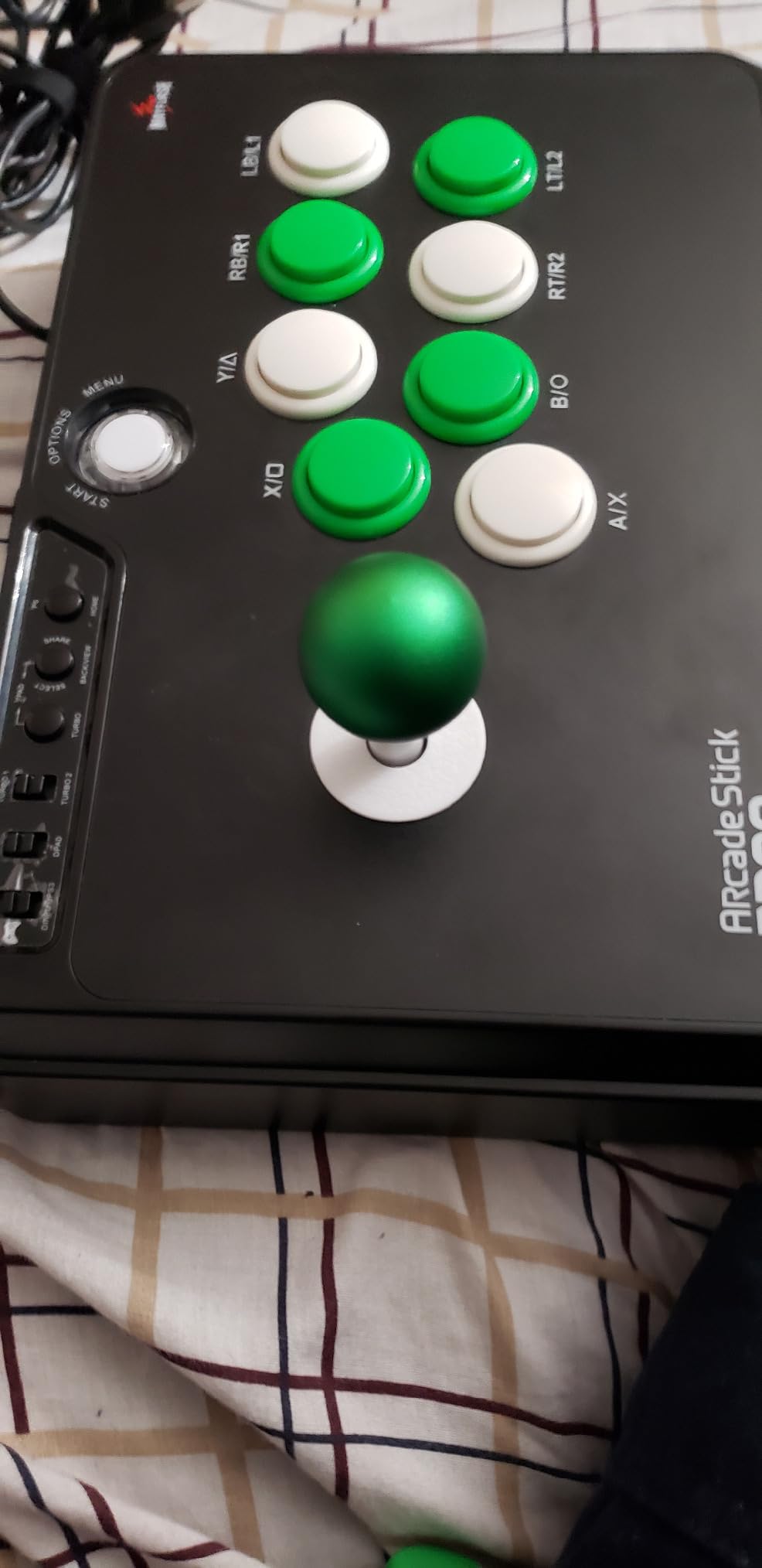
It accepts standard Sanwa Denshi buttons and a standard lever, so you are not locked into proprietary parts. Turbo functions with adjustable speed settings are included, which is useful for training drills and for older arcade conversions. On PC it handles both XINPUT and DINPUT, covering everything from modern titles to retro platforms.
The catch is PS5. Support there requires a separate MAYFLASH adapter, which adds a step and a small extra cost. PS5 owners should look at the F700 further down, which handles it natively.
What you should know before you buy it
The face layout is a plain four buttons with no macro buttons and no auxiliary controls. That is exactly what a two-dimensional fighter wants, and it is a downgrade if you also want the stick to handle a platformer or a modern action game with shoulder inputs.
The stick is also a fairly large 2 kg box measuring 22 by 13 by 11 inches, so it is not a travel device. Warranty coverage is 90 days, the shortest in this roundup, which is a small but real difference when you are buying a tool that will take abuse.
Who it suits and who it does not
Choose the F300 if you want one affordable stick that follows you across every console you own and you plan to swap in better Sanwa parts later. It is a low-stakes way to try the format, because getting it wrong costs less than it would elsewhere.
Skip it if you play PS5 and want zero adapters, or if you need a stick that travels to tournaments. This is a desktop and living-room device, and it behaves like one.
3. HORI Fighting Stick Alpha – the licensed PS5 stick with Hayabusa parts
HORI PlayStation 5 Fighting Stick Alpha – Tournament Grade Fightstick for PS5, PS4, PC – Officially Licensed by Sony
Pros
- Officially licensed with native PS5 support
- Hayabusa buttons and joystick included
- Opens up for customization
- Replaceable top panel
- Touchpad support
Cons
- Most expensive licensed stick here
- Wired only
- Bulkier footprint than compact designs
The Fighting Stick Alpha is the PlayStation answer, and the reason is the licensing. It is an officially licensed Sony peripheral with native PS5, PS4, and PC support, so there is no adapter, no switching dance, and no risk of an input dropping because a converter software decided to update.
The bigger draw is what is included in the box: genuine Hayabusa buttons and a Hayabusa joystick. Those are the components most competitive players specify by name, and starting with them removes the single most common first upgrade. Reviews describe the feel as crisp and the buttons as responsive without any softness in the travel.
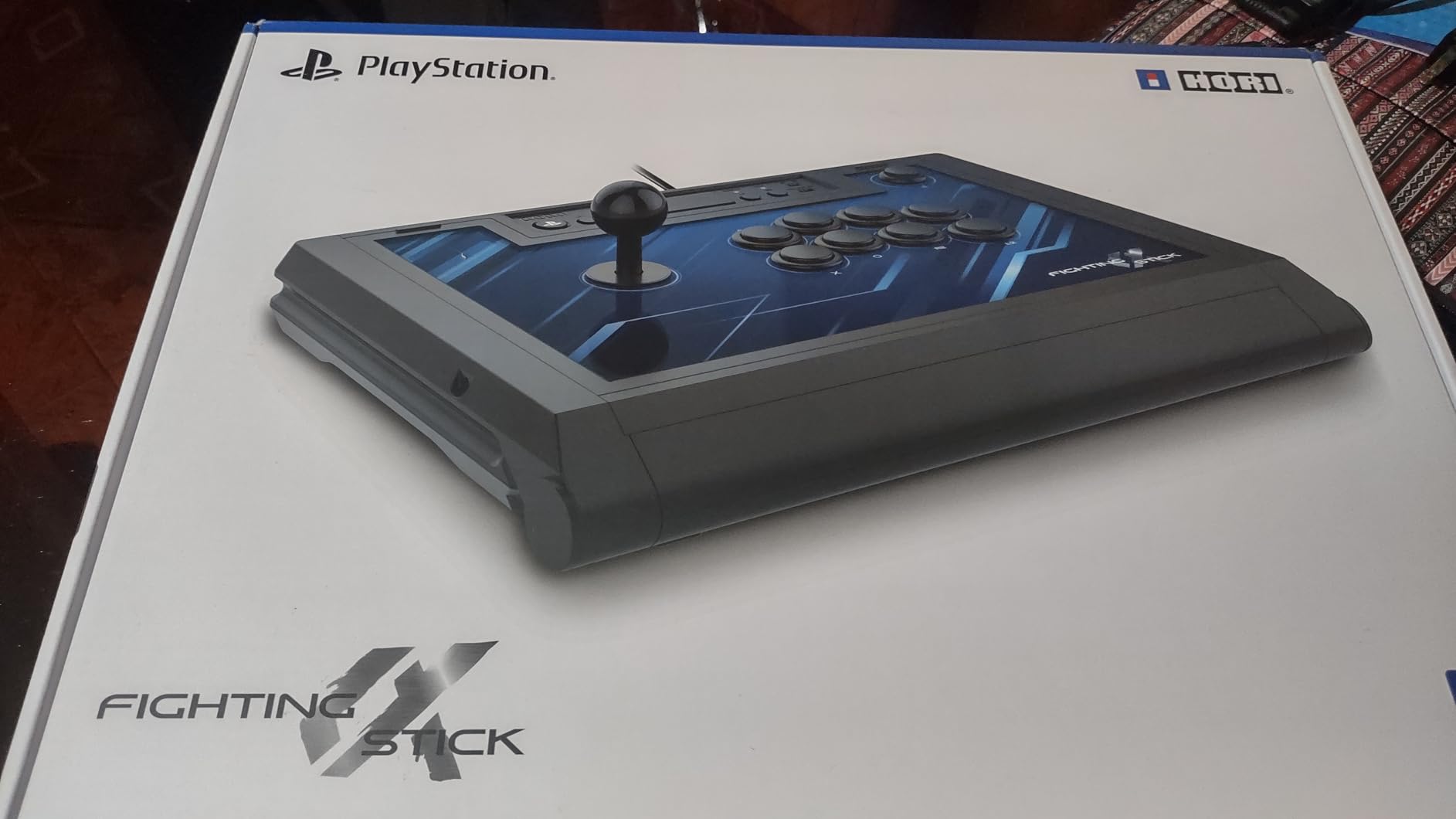
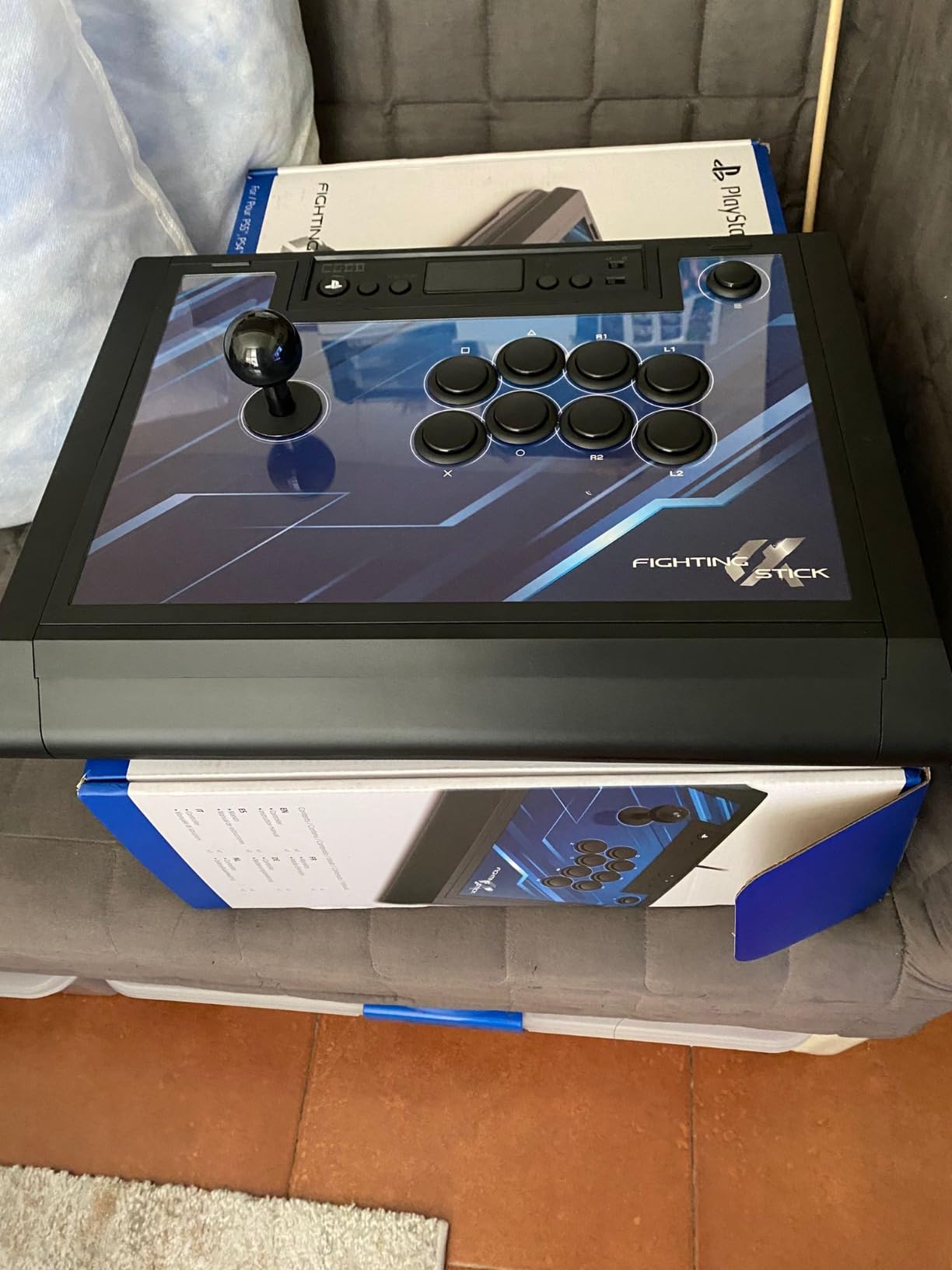
Mechanically it is friendly to future work. The top opens for customization and maintenance, and the top panel artwork is replaceable, so the stick can follow whatever you are maining. Seventeen buttons and touchpad support cover the platform-specific extras rather than just the fighting essentials.
The warranty is a full year from the manufacturer, which is better coverage than most of the cheaper sticks here. The trade is that it costs more than the alternatives and gives up wireless entirely.
What you should know before you buy it
It is wired only, so there is no 2.4G or Bluetooth option if you wanted one. At 1500 grams with an 18.9 by 14.37 inch footprint, it is also bulkier than the compact sticks on this list, so think about where it will live rather than just whether you like it.
It sits at the upper end of the licensed sticks in the group. Buyers tend to frame it as a buy-it-once option for PS5 rather than a value purchase, and the 867 reviews at 4.6 suggest most of them feel the premium was justified.
Who it suits and who it does not
This is the right call for a PlayStation player who wants tournament-grade parts out of the box and never wants to think about adapters. It is also a strong gift, because the parts and the licence both signal quality.
It is the wrong call if you need wireless, play on Xbox, or want to spend the money on a cheaper chassis and add Hayabusa parts yourself. The premium buys convenience, not a fundamentally different experience.
4. 8BitDo Arcade Stick for Xbox – the licensed wireless option Xbox never had
Pros
- First officially Xbox-licensed wireless arcade stick
- Works on Xbox and PC without adapters
- 3.5mm jack with volume control
- Fast mapping and profile buttons
- Around 3.5ms measured wireless delay
Cons
- No Bluetooth support
- Software lacks macro and turbo features
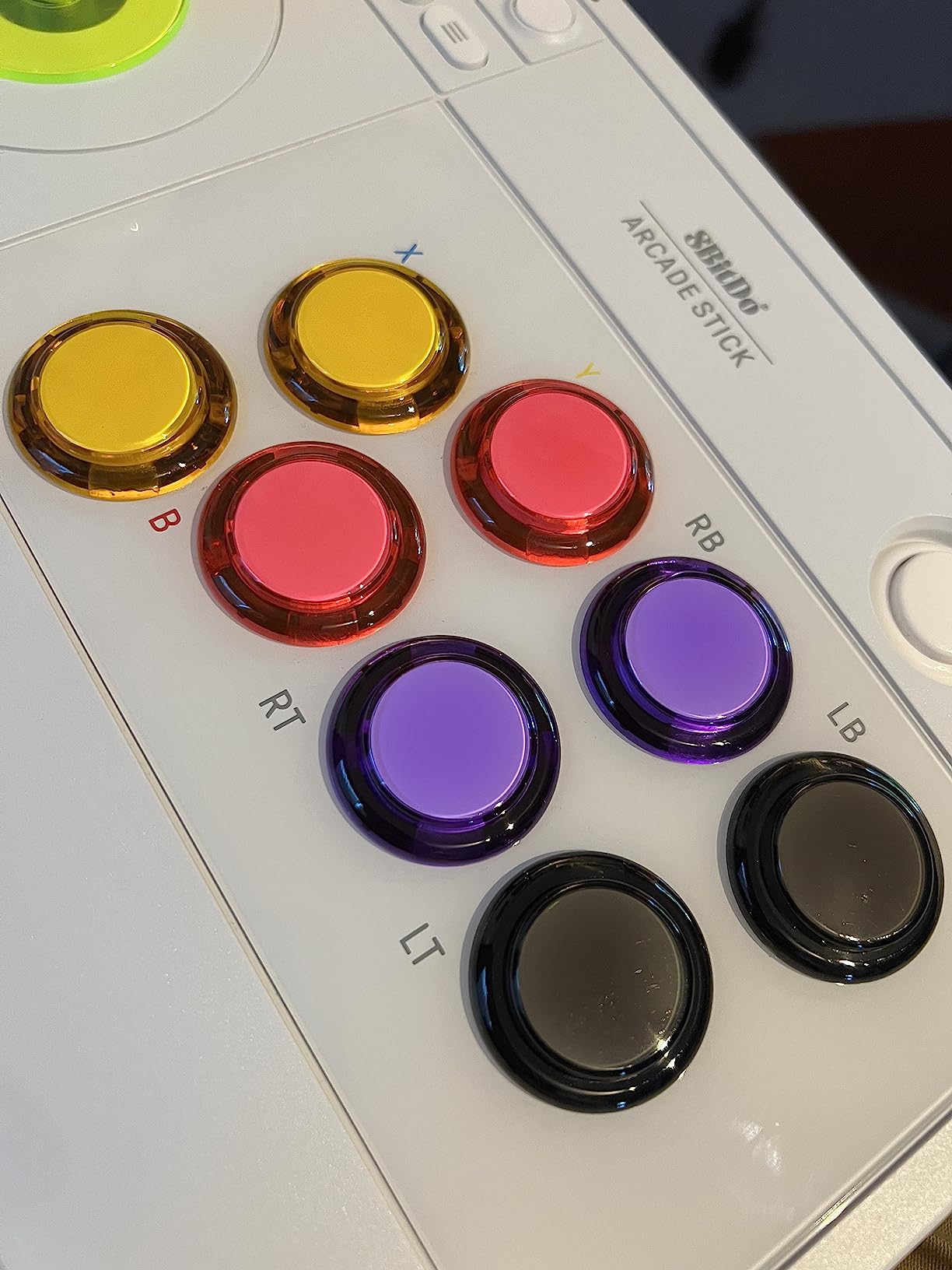
- Black buttons with small labels
Until this stick appeared, the Xbox arcade stick market was thin and overpriced. Reviewers consistently describe it as a step change rather than an incremental improvement, and at 4.6 across 842 reviews with roughly 80 percent five-star, that is not marketing talk. If you play Street Fighter 6 or Mortal Kombat 1 on Series X|S, this is the obvious place to start.
It works on Xbox Series X|S, Xbox One, and Windows with no adapters, and the 2.4G wireless delay has been measured at roughly 3.5 milliseconds, which owners report is not perceptible in play. The battery runs about 30 hours, with a stated four-hour charge time, and it supports wired USB when you want to remove the question entirely.
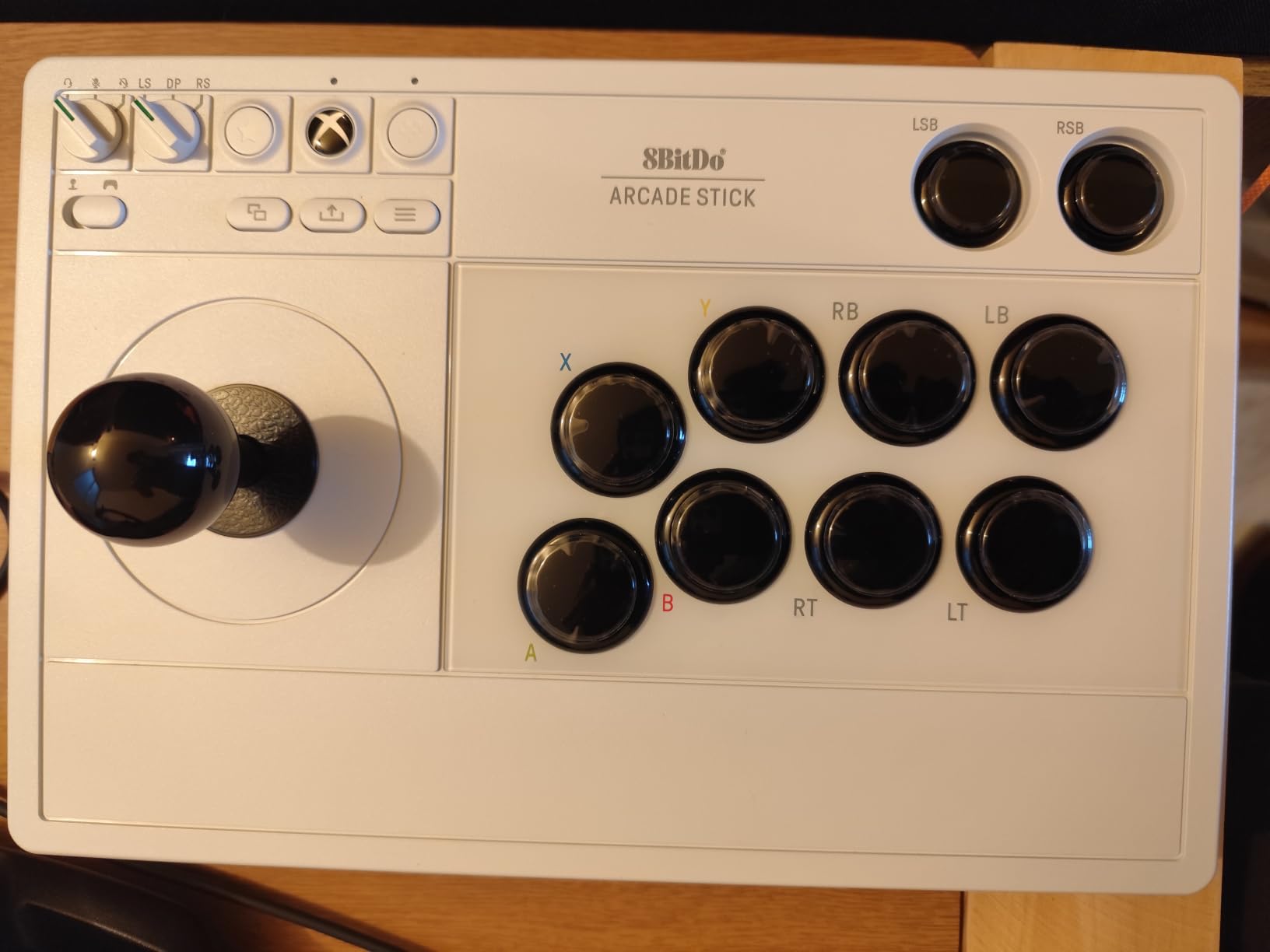
Small details show that someone who plays fighting games designed this. A 3.5mm headphone jack with volume control sits on the chassis, along with microphone mute and deafen options, so you can run a headset without a second device on the desk. Fast-mapping and profile buttons on the front let you switch setups without opening a menu.
Internally, the buttons snap into notches so they hold position during swaps, which is the kind of detail that only matters to people who have fought with a loose button. Owners also report it working on Android and Linux beyond the listed platforms.
What you should know before you buy it
There is no Bluetooth, only the 2.4G dongle or a cable. If you alternate between a Switch and an Xbox, that is a meaningful gap. The software is also thinner than its Switch counterpart, with no macro or turbo features at launch and only basic button remapping.
The included buttons are all black with small printed labels, which some players find hard to identify in a dark room. The joystick uses a non-standard connector, though solder pads inside let you wire a standard JLF or JLX stick if you want to upgrade later.
Who it suits and who it does not
Pick this if your main screen is an Xbox and you want wireless plus the safety of official licensing. It is a genuinely good first stick for a console player who has been avoiding arcade sticks because of compatibility anxiety.
Pass if you need Bluetooth, or if you want macro-driven setups such as SOCD cleaning for tournament play. For that, look at a leverless board in this roundup instead.
5. Haute42 T16 Pro – the full 16-key leverless board
Pros
- True 16-button leverless layout
- Every switch hot-swappable
- Sub-1ms latency and SOCD cleaning
- Per-key RGB and programmable turbo
- Works with PC
- Steam Deck
- PS3
- PS4 and Switch
Cons
- PS5 needs a Booter5 adapter
- Wired only
- Large footprint for laptop use
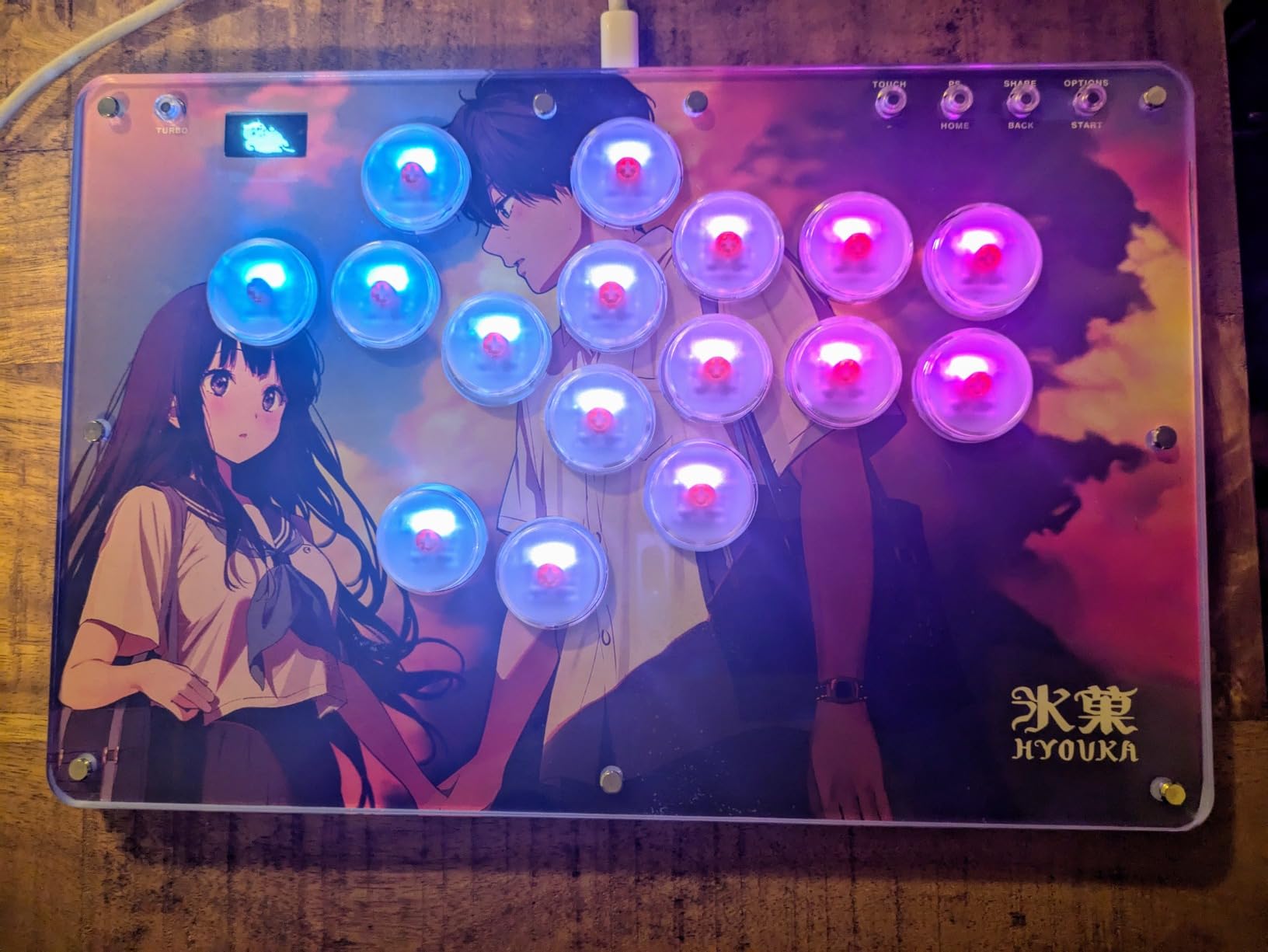
The T16 Pro is a full-size all-button board: sixteen keys covering four directions on two faces, four attacks, and the auxiliary row. Players who have used compact 12- and 13-key leverless layouts often end up here, because the extra keys remove the input compromises that come from cramming a full layout into a small footprint.
Every switch is hot-swappable, so you can mix linear, tactile, and silent switches without a soldering iron. That matters more than it sounds, because switch feel is the main reason to move to a leverless board, and swapping them in minutes means you can experiment rather than guess.
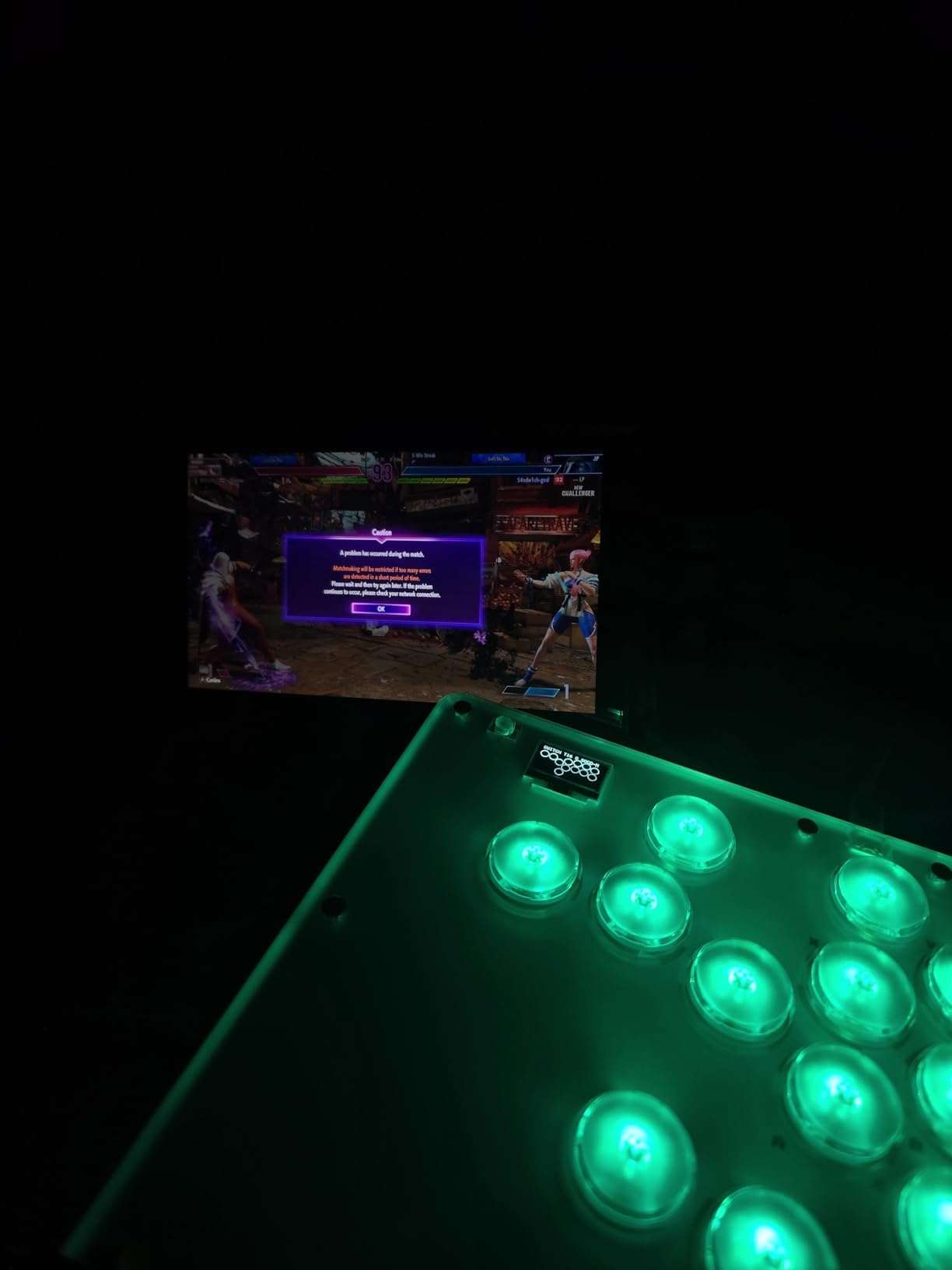
Latency is specified below one millisecond, and SOCD cleaning is supported in full. If you have not met the term before: when you press down and right together on some controllers, the stick may report only one of them, and a half-circle input comes out as the wrong direction. SOCD cleaning makes the board remember which of the two you pressed last, which removes that failure mode entirely. It is a legitimate accessibility and precision option that some tournament rulesets treat differently, so check the rules of any event you plan to enter.
Per-key RGB lighting and programmable turbo functions are included, and there is a setup guide in the box. Support is responsive when you need it.
What you should know before you buy it
PS5 support requires a separately sold Booter5 adapter and extra configuration, which is the main reason this board sits below the licensed sticks for PlayStation players. It is wired only, with no wireless option.
The 16-key footprint is wide. On a lap it is workable, but it is not the board to buy if you intend to play on a laptop in a coffee shop, which is exactly the use case the thinner all-button design later in this list was built for.
Who it suits and who it does not
This suits an all-button player moving up from a smaller leverless board, or anyone who wants a tournament feature set with total control over switch feel. It is also a good fit for players who travel between PC, Switch, and older PlayStation systems and want one board for all of them.
Skip it if you are on PS5 and want zero setup, or if your game library needs a physical lever for anything. Nothing here helps a 3D fighter, and a stick or pad does that job better.
6. Nacon Daija – the premium licensed PlayStation stick with Sanwa parts
Pros
- Genuine Sanwa joystick and action buttons
- Developed with competitive players
- Button lock stops stray presses
- Two joystick heads included
- Custom front plate options
Cons
- Heaviest stick here at 7.7 lb
- Mapping software limited to PC and Mac
- Lowest average rating in this group
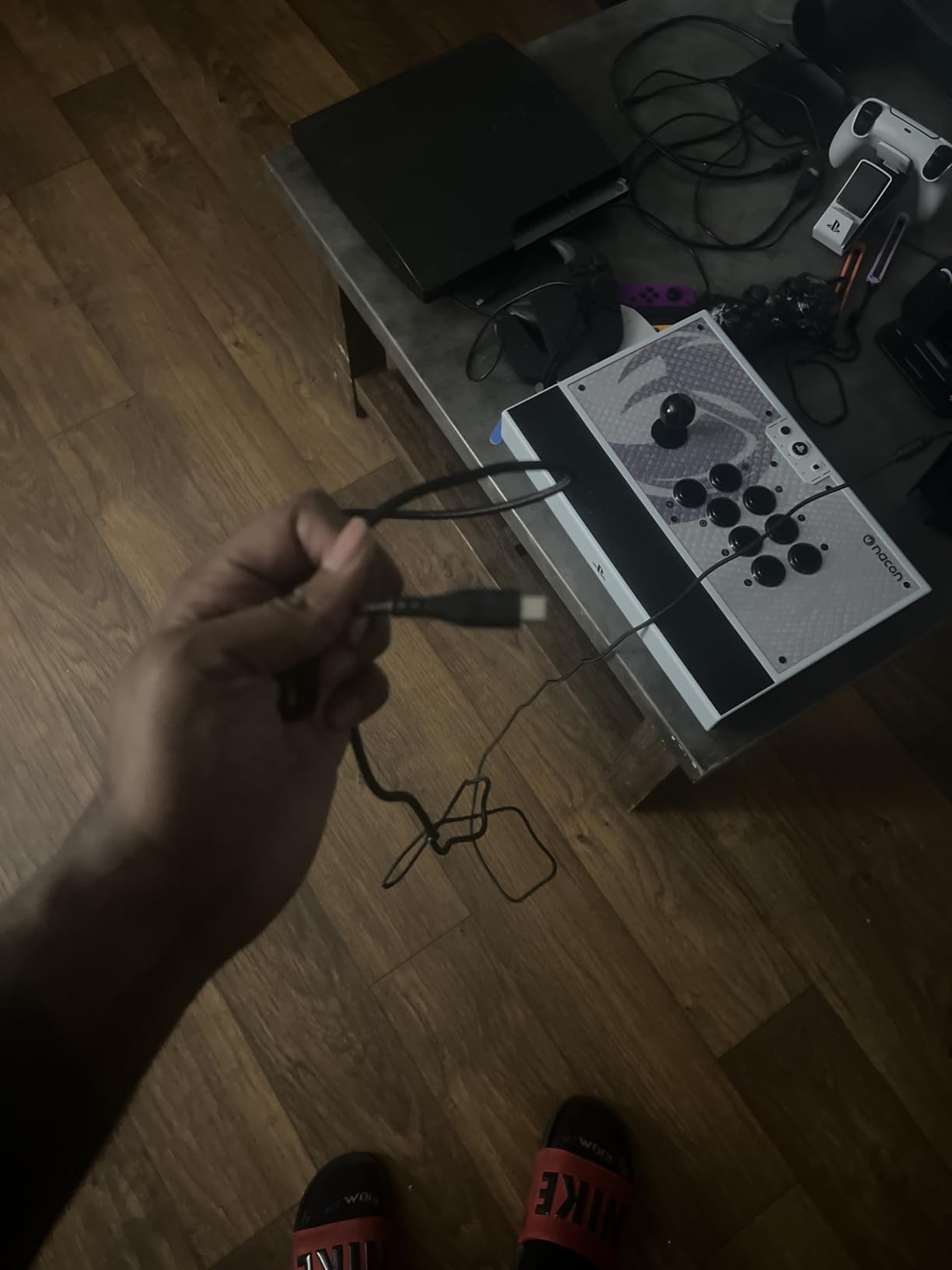
The Daija is the most thoroughly finished stick here, and also the one with the most polarised reviews. At 4.2 across 281 ratings it has the lowest average in this roundup, and around 11 percent of reviews are one star. That is worth taking seriously rather than skimming past, because the complaints are consistent and they are all about physical weight and cost.
What it gets right is real. It comes with a genuine Sanwa joystick and genuine Sanwa action buttons, the parts most pro players name when they list their setup. Nacon says it was developed with competitive players for titles including Street Fighter, Tekken, Guilty Gear Strive, and Mortal Kombat, and the feature list reads like someone who has actually held one.
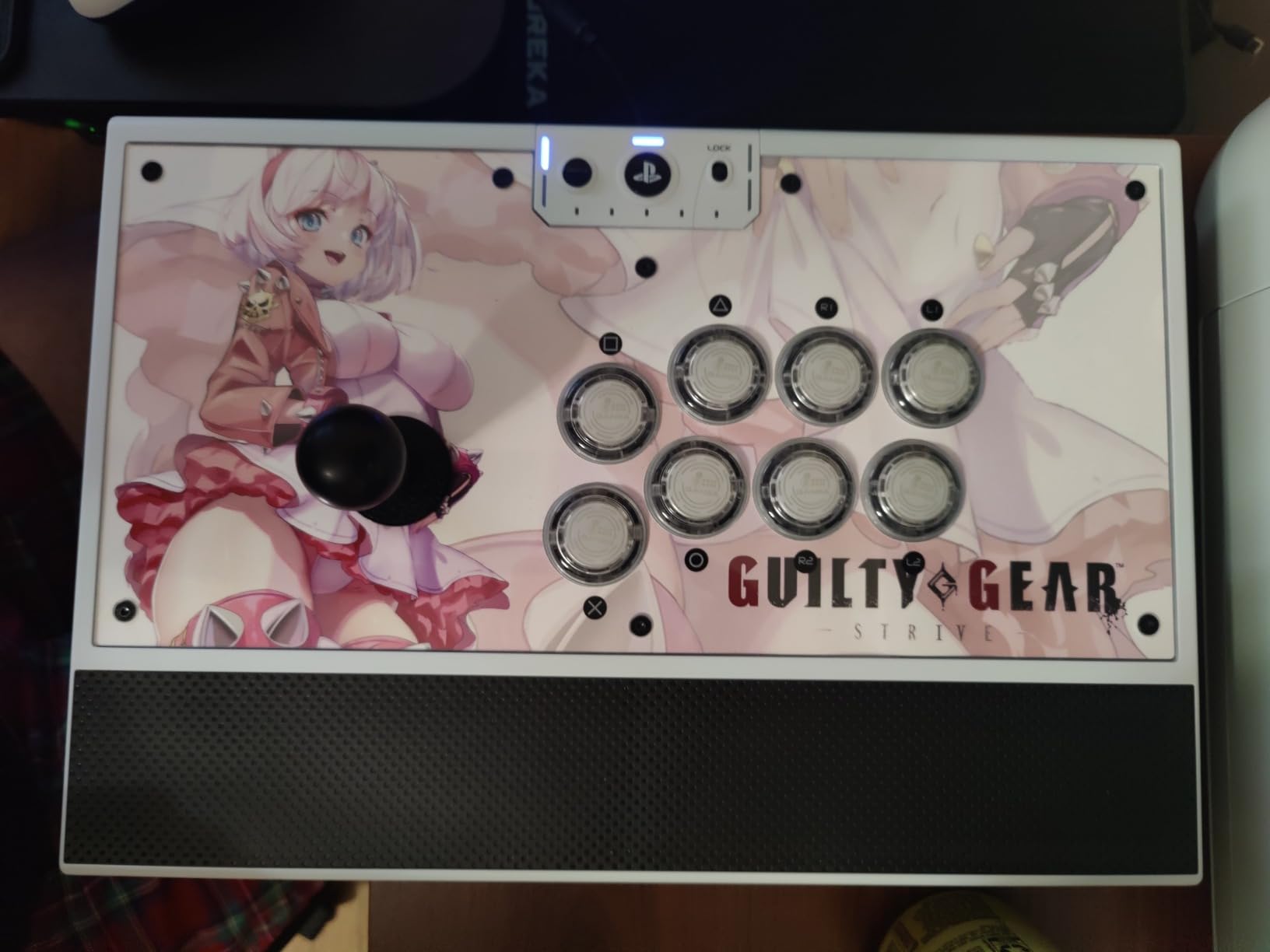
The button lock function prevents accidental presses mid-match, which sounds minor until a misfire costs you a round. Two joystick heads are included so you can tune the feel, and the textured palm rest is built for long sessions rather than photo shoots. A three-meter detachable USB-A to USB-C cable is in the box along with tools, and there is a 3.5mm jack for a headset.
On PC and Mac, Nacon software handles full button mapping with per-game profiles. On the PlayStation side, mapping is more limited. Front plate options are the flourish: three are included and a template lets you print a design of your own.
What you should know before you buy it
At 7.7 pounds this is the heaviest stick in the roundup by a wide margin, and it is the first thing reviewers mention. It is a desk device, and a permanent desk device. It is also the most expensive option here, which is a hard combination to justify for a first arcade stick.
It is wired only. And the software asymmetry is worth noting before you buy on the strength of the PC features, because PlayStation players get much less of what the marketing emphasises.
Who it suits and who it does not
Buy it if you have a fixed setup, care about Sanwa parts arriving from the factory, and like the idea of customising the look of your setup. The lock function alone makes it attractive for tournament practice.
Do not buy it as a first arcade stick, a travel device, or a value purchase. The parts justify the quality, but the weight and cost mean it suits a specific kind of buyer rather than a general one.
7. MAYFLASH Arcade Stick F700 – the wireless stick with native PS5
MAYFLASH Arcade Stick F700 for PS5, PS4, Switch, Switch 2, Windows, Apple, Android and more. Fight Stick Support Wireless Bluetooth, 2.4G Receiver and Wired Connection
Pros
- Native PS5 support for fighting games
- Three connection modes in one chassis
- Accepts Sanwa Denshi parts
- Lifetime warranty
- Hidden compartment for the 2.4G receiver
Cons
- Fighting games only by design
- No Xbox compatibility
- Bluetooth carries the highest latency
The F700 is the wireless counterpart to the F300, and it fixes the F300’s two biggest gaps. It supports PS5 natively with no adapter, and it adds Bluetooth and 2.4G alongside wired USB. For a PlayStation player who wants to move between a console and a PC, that combination is genuinely rare at this level.
The platform list is long: PS5, PS4, PS3, Switch, Switch 2, Windows, Apple devices, Android, Raspberry Pi, Steam Deck, and retro mini consoles including the SEGA Mega Drive Genesis mini, Astro City mini, and NEOGEO mini. It also supports wired headsets for background music and online chat on PS5, PS4, and PC Xinput, which matters more than it sounds during a long online session.
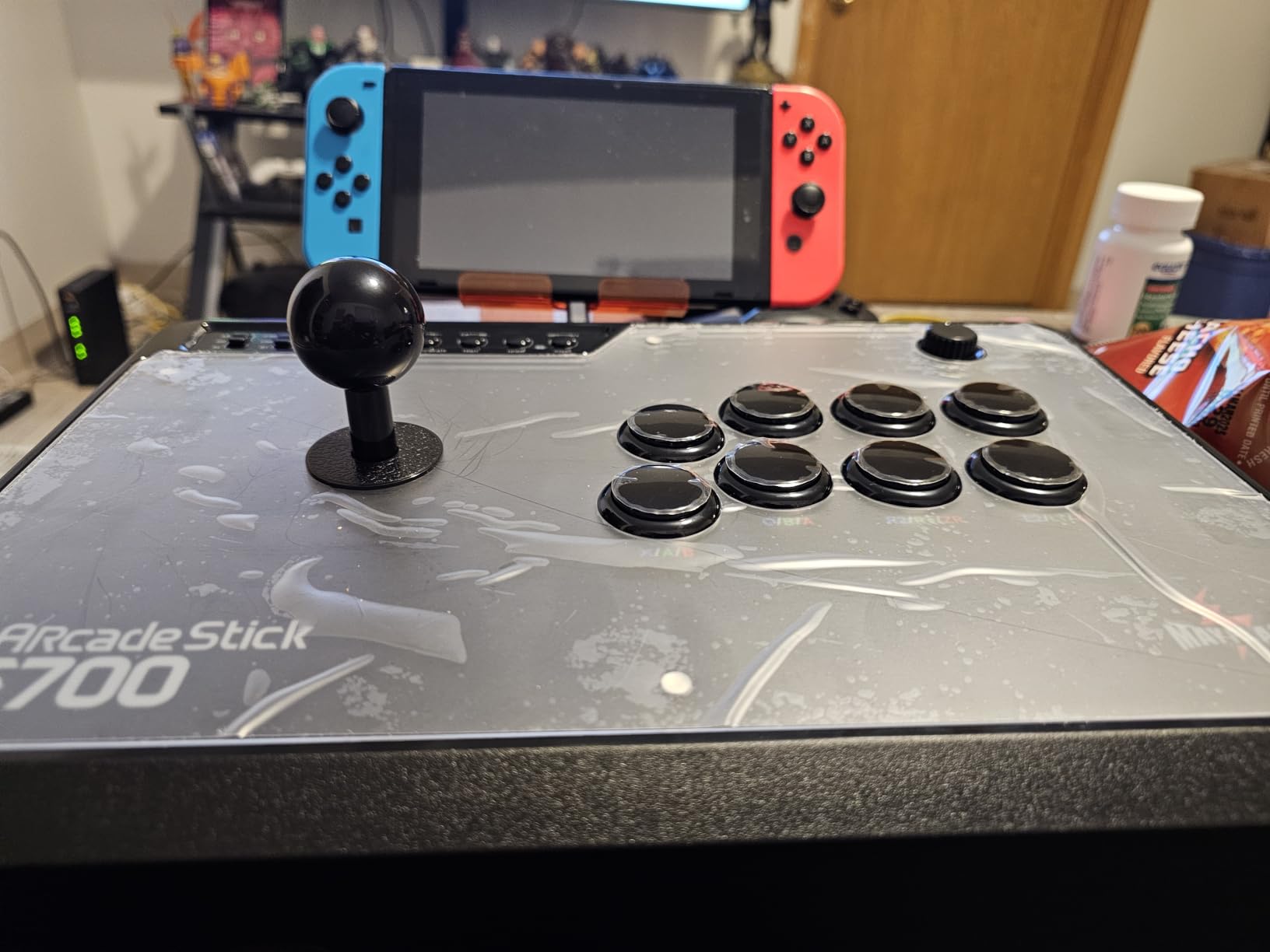
Sanwa Denshi buttons and a Sanwa-compatible lever are supported for customization, and turbo functions have adjustable speed settings. The warranty is listed as lifetime, which is unusual in this category and removes one of the usual worries about a first stick. The 2.4G receiver stows in a hidden compartment inside the chassis, so the dongle does not go missing, which is a common complaint about dongle-based wireless controllers.
At 3.3 kg and 14.72 by 9.69 inches, it is a full-size desktop stick rather than a portable one.
What you should know before you buy it
It does not work with Xbox consoles at all. MAYFLASH makes a separate F700X for that, so if Xbox is a target platform this is the wrong branch of the range. It is also designed specifically for fighting games, which reviewers note as both a strength and a limitation depending on what else you play.
Between the three connection modes, Bluetooth has the highest latency. Use the 2.4G receiver or a cable when input timing matters. Switch 2 Bluetooth use also needs the latest firmware, so update before you judge it.
Who it suits and who it does not
This is the pick for a PlayStation or PC player who wants native PS5, wireless freedom, and a lifetime warranty on a first serious stick. Retro platform support is a genuine bonus for anyone who grew up on arcade games.
It is the wrong choice for Xbox players, for anyone who wants Bluetooth-free, cable-only simplicity, or for players who need one device to cover a 3D library. It does one job and does it well.
8. 8BitDo All-Button Arcade Controller – the leverless pad that fits in a bag
Pros
- A4 sized and only 1.6 cm thick
- Quad movement all-button layout
- Hot-swappable PCB with 16 Kailh switches
- Three connection modes
- Four programmable buttons
Cons
- Not suited to games needing a joystick
- Switch 2 needs a firmware update
- Switch and Windows only
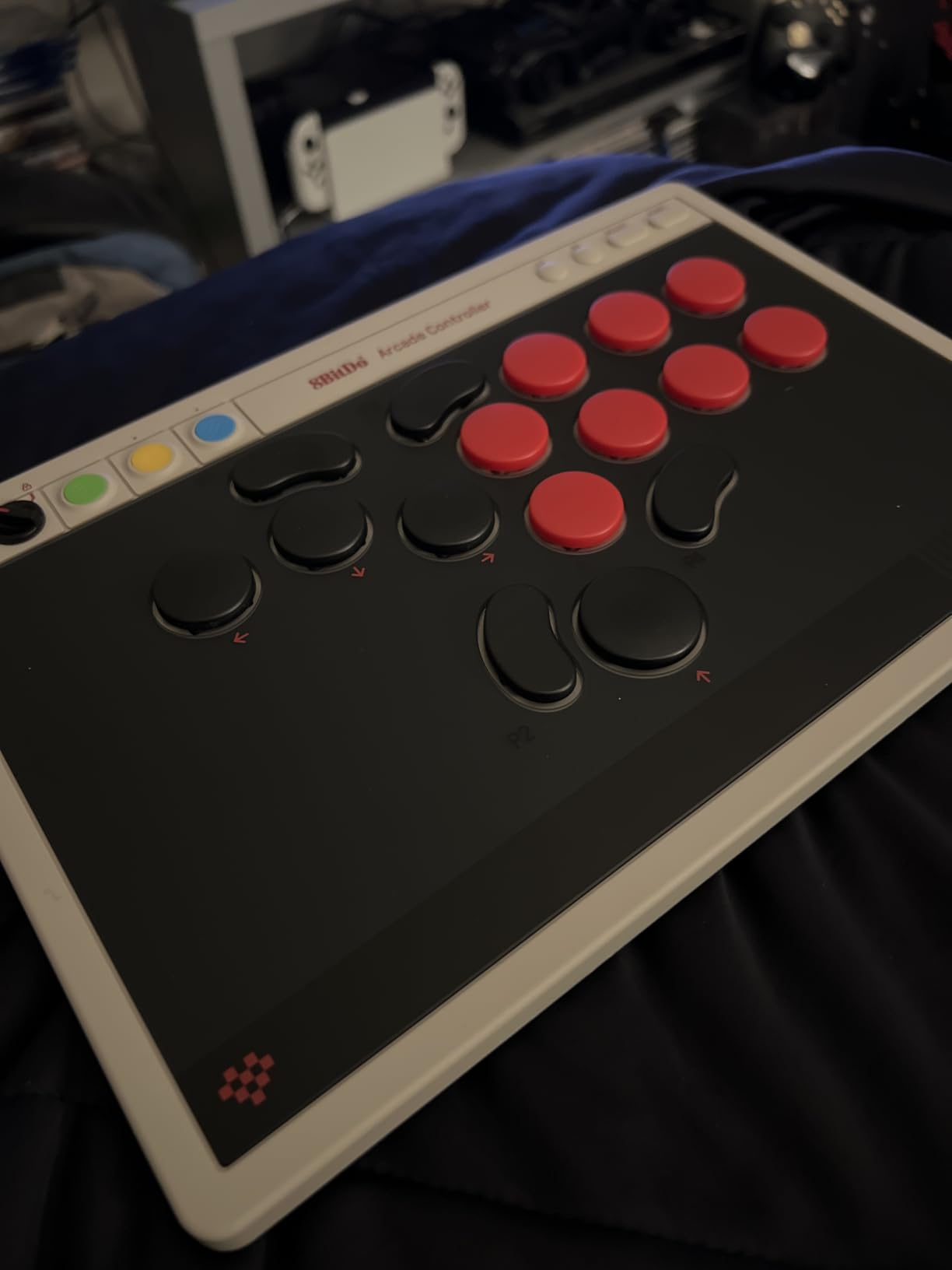
The other full-size leverless board here is built around a keycap-and-switch plate rather than a slab, which is what changes what you can do with this one. This is roughly A4 sized and about 1.6 centimetres thick. It fits in a laptop bag, sits comfortably on a lap, and can be carried to a locals night without a separate case. That portability is the reason it earns a place here.
The layout is a twelve-key quad-movement all-button design tuned for fast, accurate inputs and long combos. The PCB is hot-swappable and ships with sixteen Kailh Wizard low-profile mechanical switches, so you can change the feel of every key without tools. Four programmable buttons labelled P1 to P4 sit apart from the action row, which is where you put anything that would otherwise need a modifier.
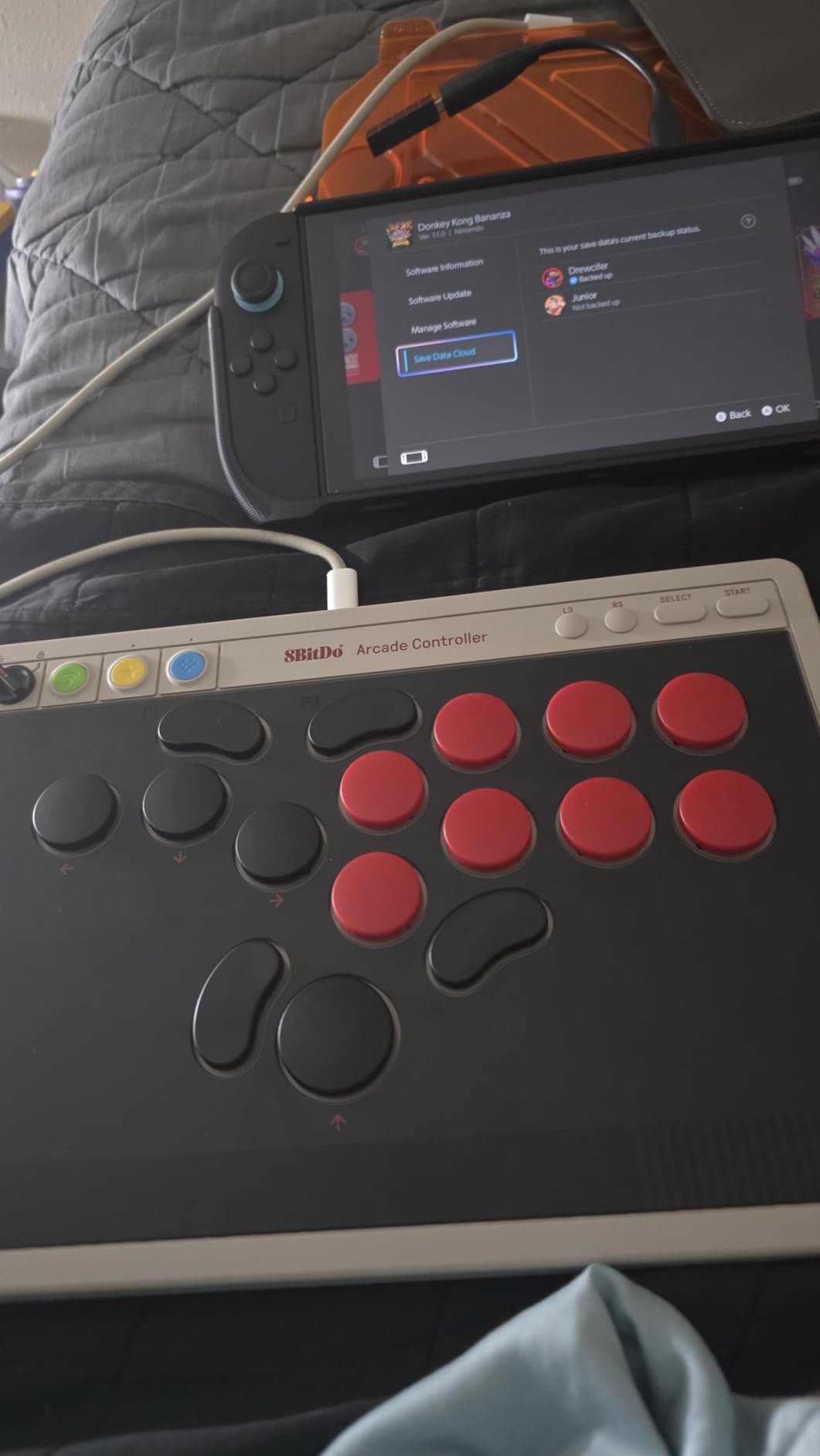
Connection covers Bluetooth to Switch, 2.4G to Windows, and wired to either, plus replaceable lock caps and a separate control panel for the options. Switch 2 support works after a firmware update, which is a minor annoyance rather than a blocker.
Its 4.3 average is the lowest of the 8Bitdo products here, with about 9 percent one-star reviews. The pattern behind those is consistent: people expected a general controller and got a fighting-game-specific one.
What you should know before you buy it
There is no lever, so any game that needs a stick to sweep or tilt does not work. If your library includes anything beyond 2D fighters, this is a specialist purchase. There is also no Xbox support, which is the same limitation as the Switch version of the 8BitDo arcade stick.
Expect to run a firmware update for Switch 2 before anything else. And if you are used to heavy tactile arcade buttons, low-profile linear switches are a different feel, not simply a thinner version of the same thing.
Who it suits and who it does not
It is built for the person who plays fighting games on a Switch or laptop and travels. A locals tournament, a hotel desk, and a train table all become viable play spots with something this thin.
It is the wrong pick as a single controller for a whole console library, and it is not where you should start if you have never used a leverless board. The layout has a learning curve, and the 16-key leverless board earlier in this list is a better first all-button option.
9. Qanba N3 Drone 2 – the licensed PS5 stick that travels
Qanba N3 Drone 2 Wired Joystick for PlayStation 5/4 and PC (Fighting Stick) Officially Licensed Sony Product
Pros
- Licensed Sony with a hardware platform switch
- Light at four pounds
- Clicky OMRON switch lever
- Full control panel and touchpad
- Swappable buttons and lever
Cons
- Buttons and lever are loud out of the box
- Non-detachable short cable
- Limited padding and some sliding
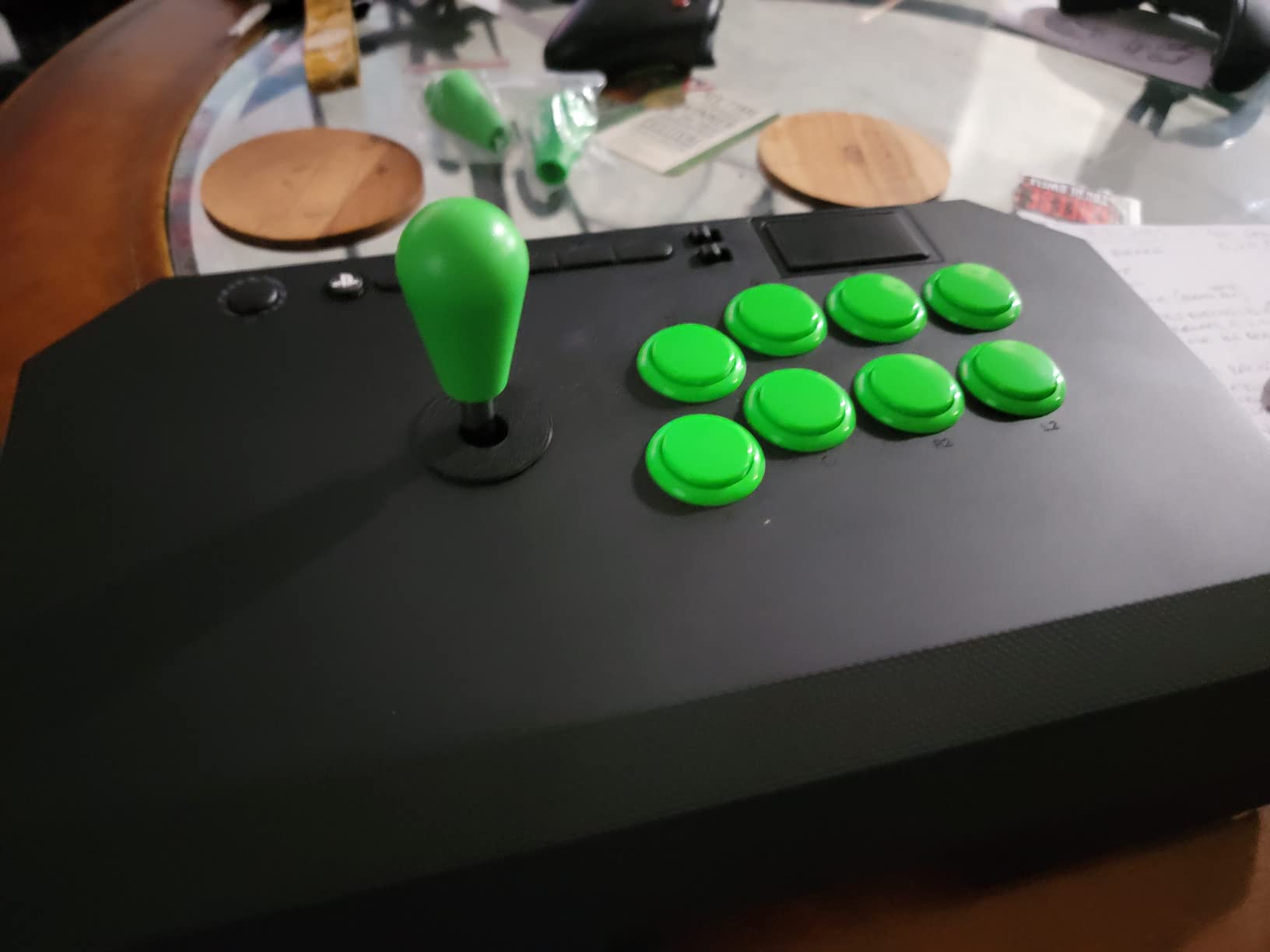
The N3 Drone 2 solves the complaint we heard most about licensed sticks: they are heavy. At four pounds it is the lightest lever stick in this group, and reviewers single that out as the reason it is easy to move between rooms, take to a friend’s place, or carry to a small weekly tournament.
The joystick is the Qanba OV7 with an OMRON switch mechanism, and owners describe its clicky feedback as a genuine aid to learning motions rather than a gimmick. A pronounced click gives your thumb a physical confirmation that the input registered, which speeds up the early grind in training mode when you are still building confidence with quarter-circles.
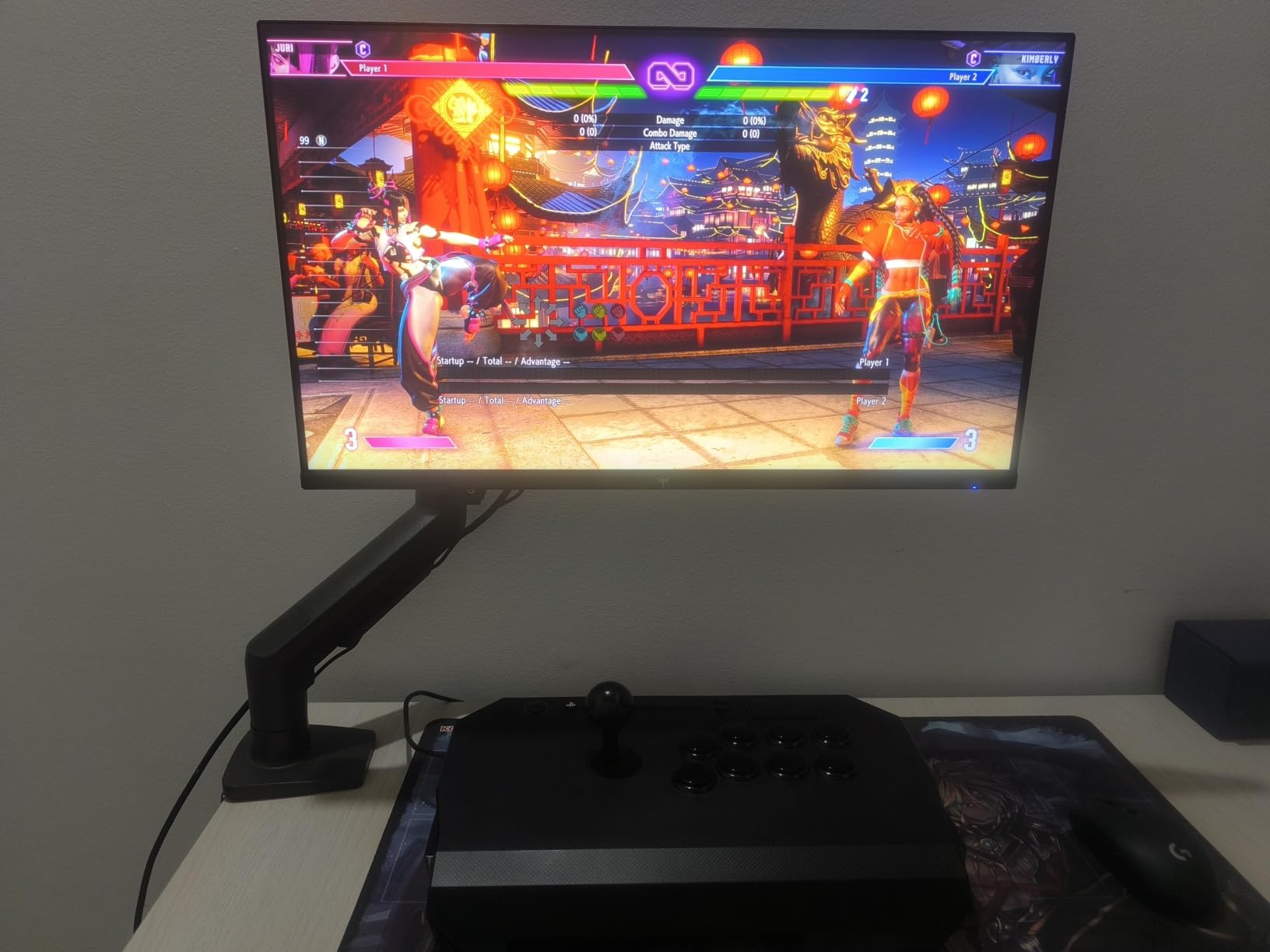
It is an officially licensed Sony product with native PS5, PS4, and PC support, selected with a hardware switch on the chassis rather than a software toggle. The layout is a full control panel with a PS touchpad button and Qanba B30 thirty-millimetre buttons, plus a 3.5mm microphone input with a mute button. A one-year warranty is included.
Both the buttons and the lever are easy to swap for Sanwa parts, and a quick-release screw on the stick makes that swap fast. The top panel has a grippy surface rather than glossy plastic, and there is a cubby hole to stow the cable.
What you should know before you buy it
The buttons and the lever are noticeably loud out of the box, which is the most common remark in the reviews. A set of silencer rings is a cheap and effective fix if noise matters in your setup.
The cable is non-detachable and short for living-room distance, so plan your seating accordingly. The mute button also does not appear to mute the PS5 itself. Padding is limited, and players who lean hard on the stick report some sliding; several have added internal weights to solve it.
Who it suits and who it does not
Buy it if you are on PlayStation, want official licensing without adapters, and want a stick you can actually carry around. The clicky lever is a good match for players still building execution fundamentals.
It is not the pick if you need a detachable cable, a silent stick, or full platform coverage across Xbox and Switch. For pure first-stick value, the F300 earlier in this list covers more systems for less.
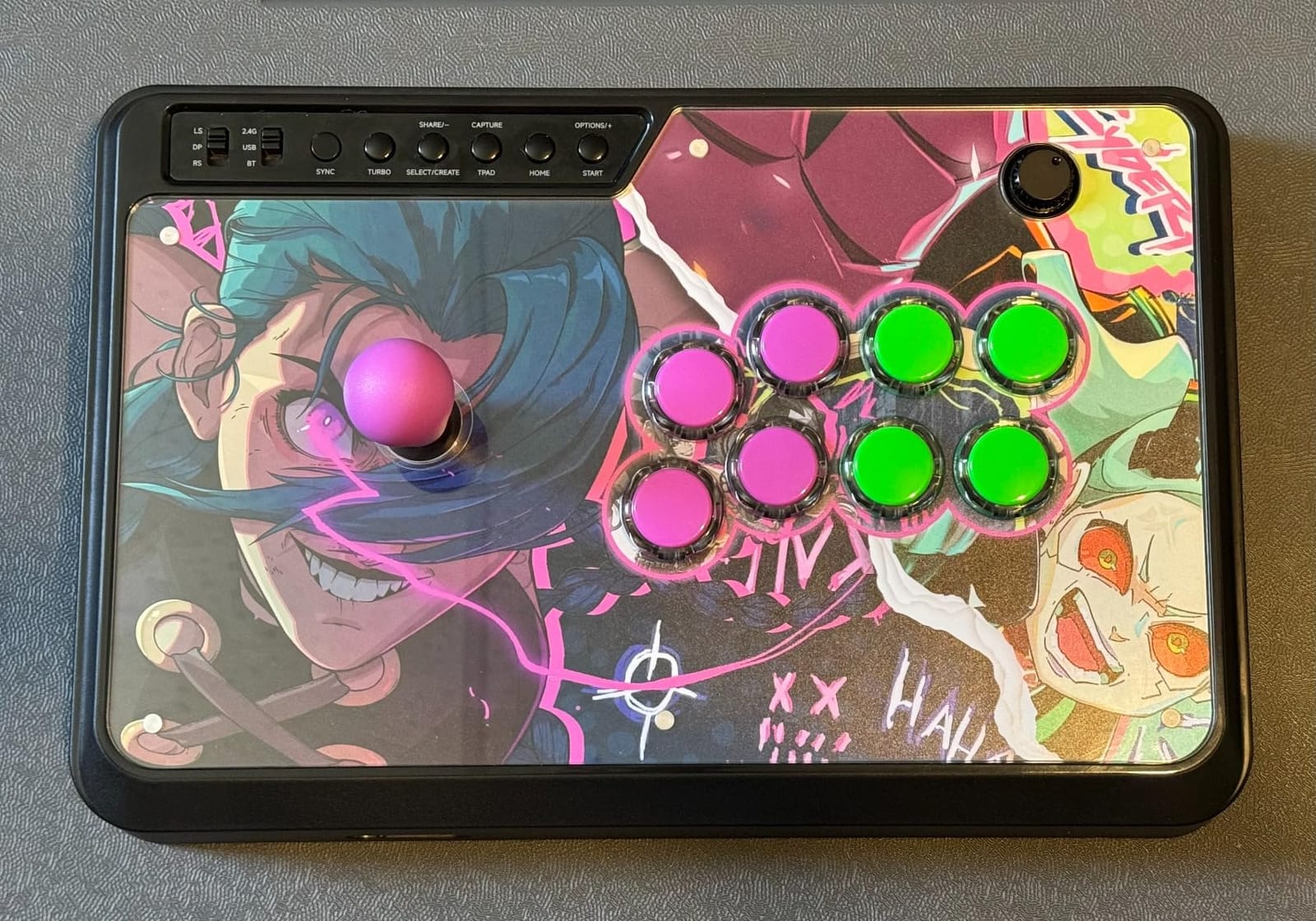
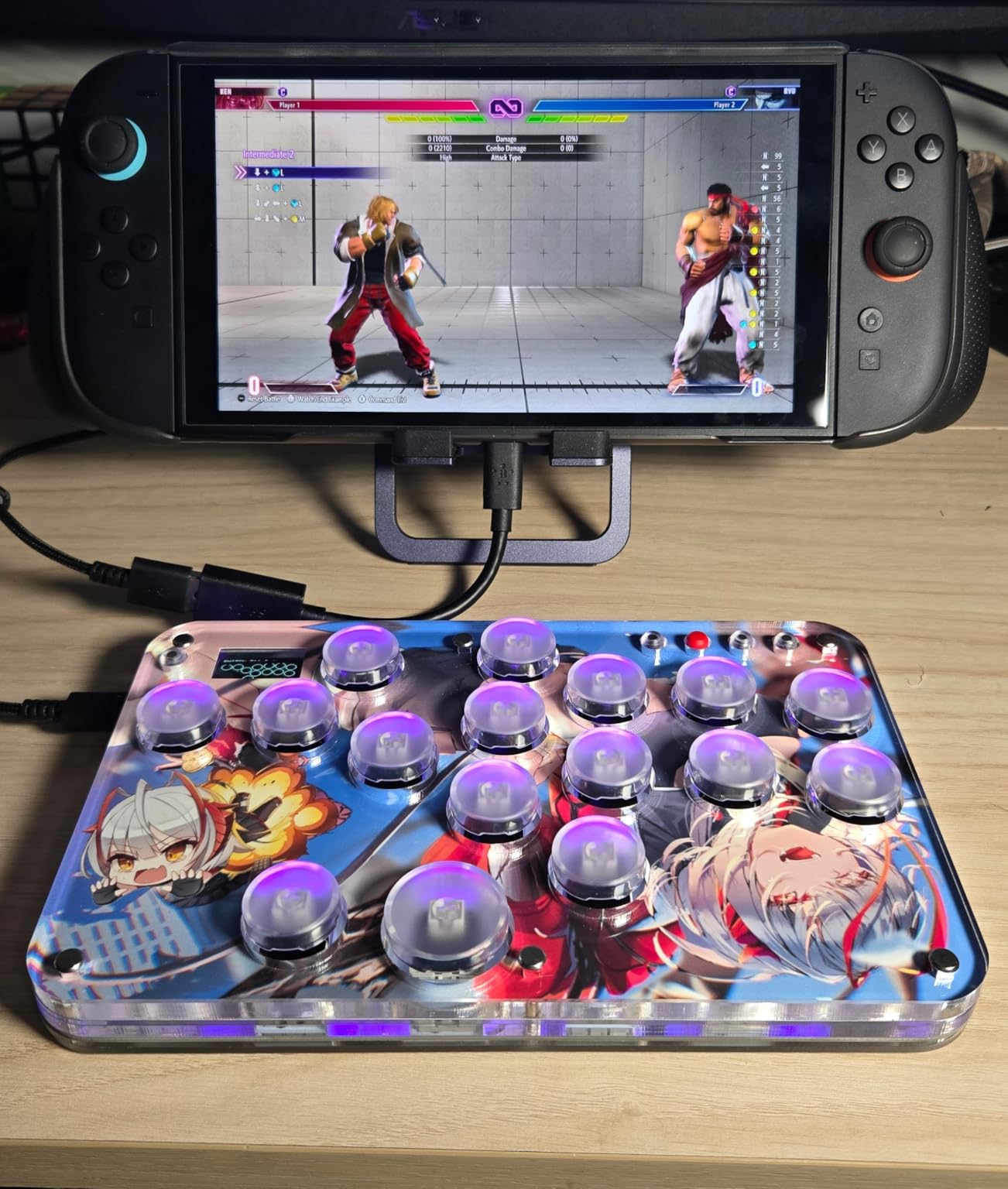
10. Sehawei Haute42 G16 – the leverless board with the most built-in features
Pros
- OLED display shows SOCD mode and inputs
- Hot-swappable switches with custom artwork
- Five controller modes
- Dimmable RGB lighting
- Light at 0.58 kg
Cons
- Key caps pop off easily
- No padding under exposed screws
- No out-of-the-box PS5 support
The Haute42 G16 is the most configurable board here, and the OLED display is the reason. It shows your current SOCD mode, turbo assignments, input type, and registered inputs on the surface of the controller. When you are running drills with a specific setup, being able to confirm the state of the board without plugging in is genuinely useful rather than decorative.
Build quality is the other strength. The heavy acrylic construction with Gateron and Greywood V3 switches produces a deep sound reviewers describe with enthusiasm, and it is dramatically quieter than a lever-based arcade stick. Switches are hot-swappable, and you can place custom artwork under the acrylic panel. RGB runs across all sixteen buttons, and it is bright, dimmable, animatable, or off.
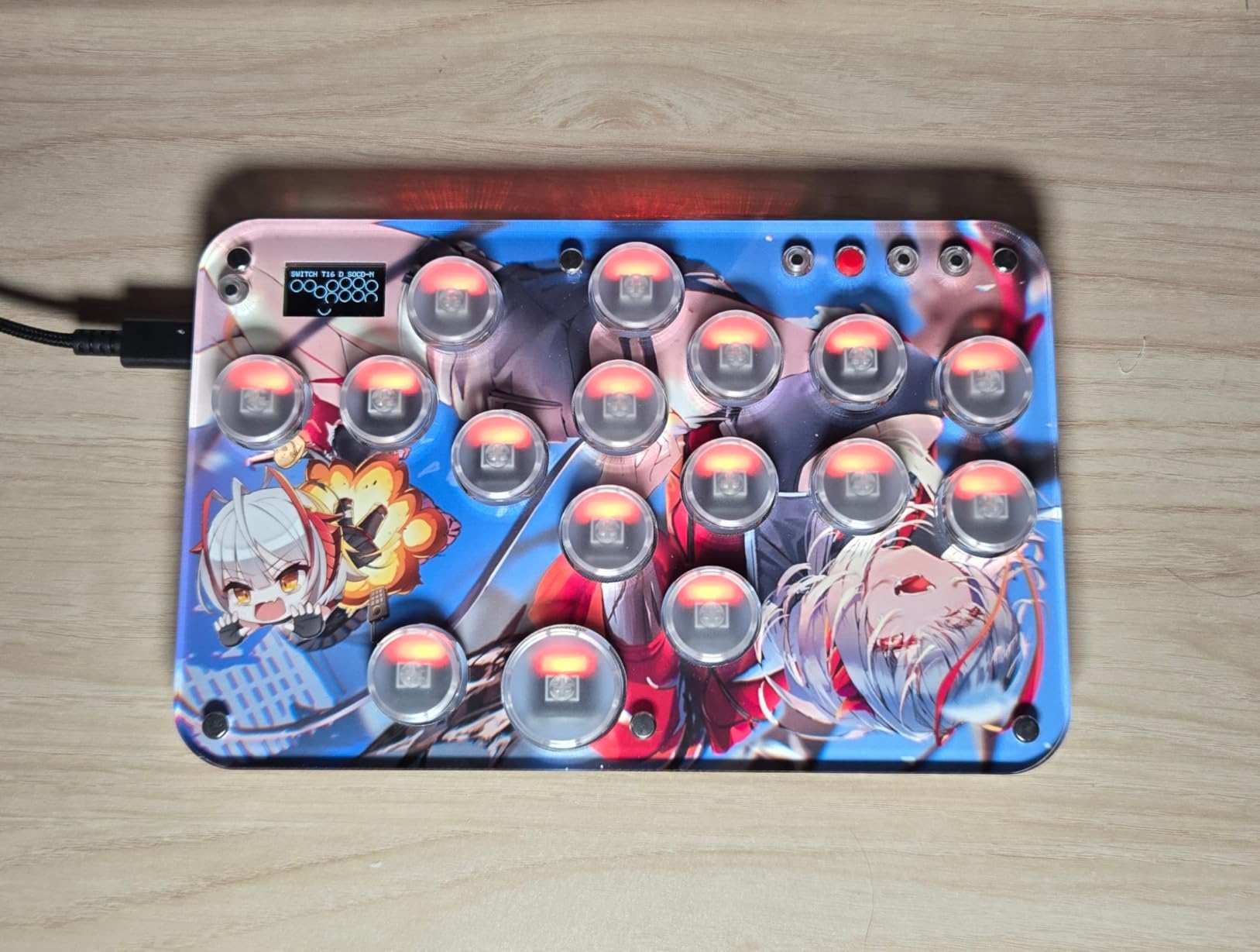
Five controller modes cover Windows, Steam Deck, PS3, PS4, Switch, Raspberry Pi, MiSTer, Android, Linux, iPadOS, and macOS in keyboard mode, alongside an embedded web configurator, M1 and M2 custom keys, and turbo functions. Latency is stated at one millisecond with no frame leakage above 95 percent.
At 0.58 kg it is one of the lighter devices in the roundup, and owners with large hands report no cramping over long sessions. It is short enough to rest on a lap.
What you should know before you buy it
The key caps feel cheap and pop off easily, and sliding-style techniques can flip them out. You also have to use the supplied caps, because only those fit the acrylic cutout, so the loose-fit problem has no premium workaround.
There is no padding underneath and the metal screws are exposed, which reviewers say feel cold on bare thighs and can scratch a desk. PS5 does not work out of the box; it needs GP2040 configuration or an adapter. The compact size can also dig into larger palms over very long sessions. Some buyers have reported that the included USB cable feels cheap, and on PS4 the stick can disconnect after about ten minutes unless drivers are flashed first.
Who it suits and who it does not
It suits a player who wants every leverless feature in one device, likes tinkering with setups, and wants the quietest option for late-night practice. The OLED and the web configurator reward experimentation.
Skip it if you are on PS5 and want zero configuration, or if you are sensitive to keycap feel. It has the widest spread of ratings in this roundup, with 67 percent five-star and 22 percent four-star, so read a few reviews before committing.
How to Choose a Controller for Fighting Games
Start with the game, not the hardware. Street Fighter 6, Guilty Gear Strive, and Mortal Kombat 1 are 2D games built around a face-button layout, and they reward a stick or a leverless board. Tekken 8 is a 3D game where movement is stick-driven, so a stick-based approach still works but a leverless board is about movement, not attacks. If your library is mixed, a fight pad is the compromise that keeps a familiar shape while giving you arcade-style buttons.
Next, confirm the platform. Licensing matters more than any other compatibility question. A Sony-licensed stick works on PS5 and PS4 out of the box, while general USB sticks often need an adapter for PS5, as the F300 shows. Xbox sticks are scarcer, which is why the licensed 8BitDo Xbox unit stands out. PC is the easiest target, and any stick with both XINPUT and DINPUT handles current and retro titles. For Switch, check whether the stick supports Switch 2 and whether a firmware update is required, as the all-button controller requires.
Then decide wired or wireless. Wireless is convenient and, with current 2.4G implementations, the latency gap is small enough that most players cannot feel it. If you plan to compete, the community consensus is still to check the rules of the event, because some tournaments restrict wireless devices, and to carry a cable regardless. Battery anxiety during a long set is a real complaint among players, so a stick that charges fully overnight matters more than it sounds.
Now think about the parts inside. Sanwa and Hayabusa are the two names worth recognising, because they are the components competitive players specify and because a stick built around standard Sanwa dimensions can be upgraded later. The HORI Alpha ships with Hayabusa, the Nacon Daija with Sanwa, and the F300 and F700 accept standard Sanwa parts. Buying an open, moddable chassis is a long-term investment; buying a sealed one is a fixed experience.
Hand size matters more than most reviews admit. A stick with a large top panel and a tall lever suits bigger hands, while compact leverless boards can press into larger palms over long sessions, as G16 owners report. The 16-key leverless board is physically large, so it is less comfortable on a lap. If you can, hold the device in a shop before buying, and pay attention to where your ring finger lands during a quarter-circle.
Finally, weigh durability and long-term cost. Fighting game controllers wear out from use, not neglect, and lever springs and microswitches are consumable parts on an open stick. A moddable chassis with standard parts costs less to keep running over five years than a sealed unit you replace. Budget for a spare lever and a set of buttons if you go that route, and consider the used market for a first stick, where a well-worn open-chassis model with fresh parts is often a better long-term buy than a new sealed one.
Our broader controller roundups cover general gamepads if you want one device for more than fighters, including the current generation of elite Xbox controllers worth knowing about.
Frequently Asked Questions
Which controller do competitive fighting game players actually use?
Community tallies of Capcom Cup player surveys keep landing on a similar split: pads remain the largest group, sticks sit close behind, and leverless controllers make up a smaller but very committed share. The reason is practical rather than fashionable. Pads require no adjustment, sticks give the most direct motion control, and leverless boards trade a learning curve for the fastest possible input execution. All three win tournaments.
Is it better to play fighting games with a D-pad or a joystick?
It depends on the game. A D-pad is excellent for 2D fighters because every direction is a discrete, reliable press, and it is the easiest way to learn motion inputs. A joystick gives you faster access to eight directions and larger travel, which helps in games with 3D movement such as Tekken 8, and it lets you use SOCD cleaning. Players who already have thousands of hours on a D-pad usually convert to stick faster than the other way around.
Which fight stick is the best for PS5?
The HORI Fighting Stick Alpha is the strongest PS5 pick in this roundup because it is officially licensed by Sony, supports PS5, PS4, and PC natively with no adapter, and ships with Hayabusa buttons and a Hayabusa joystick. The Qanba N3 Drone 2 is the lighter alternative with a clicky OMRON lever switch, and the MAYFLASH F700 adds wireless and a lifetime warranty if you want to move between console and PC.
Is a leverless controller worth the learning curve?
Worth it if you are willing to spend two to four weeks drilling motions instead of playing ranked. Leverless boards give you one input per press, so there is no gate to catch diagonals and no stick to over-rotate, and features like SOCD cleaning make edge cases more forgiving. The Haute42 T16 Pro is the best first board here because every switch is hot-swappable, so you can tune the feel as you learn.
What is the best budget leverless controller for fighting games?
The Sehawei Haute42 G16 and the Haute42 T16 Pro are the strongest leverless value picks. The T16 Pro offers a true 16-key layout with sub-1ms latency and full SOCD cleaning, while the G16 adds an OLED status display, five controller modes, and acrylic construction. Both sit well below the licensed sticks in this roundup and both support Windows, Steam Deck, Switch, and older PlayStation systems.
The Best Controllers for Fighting Games: Final Word
If you take one recommendation from this roundup, make it the 8BitDo Arcade Stick for Switch and PC. Three connection modes, an open chassis that accepts Sanwa parts, and a build heavy enough to stay put give it a long useful life, and the D-pad dial means you can switch styles rather than commit blindly.
Buy the HORI Fighting Stick Alpha if you are on PlayStation and want Hayabusa parts with no adapters. Buy the MAYFLASH F300 if you want one affordable stick across every console you own. For all-button players, the Haute42 T16 Pro is the best first board, and the Sehawei G16 is the one to buy when you want every setting visible on the controller itself. Our full breakdown of the best controllers for fighting games is designed to be read twice, once to shortlist and once to check the details you care about.
Whichever you choose, give it a solid week in training mode before judging it. Every one of these devices feels wrong for the first few sessions, and the difference between a controller you dislike and a controller you have not learned yet is the difference between giving up and improving.