
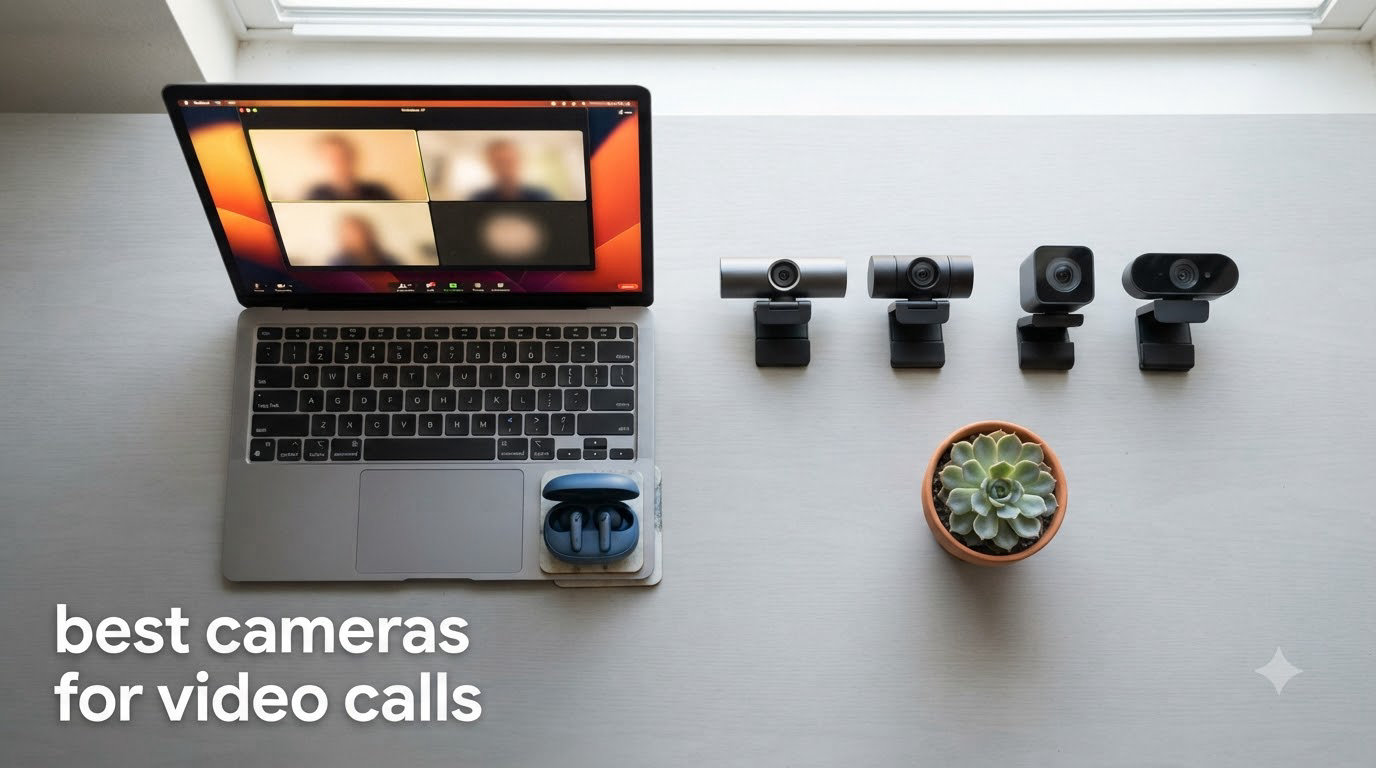
I tested the best cameras for video calls over the past three months, logging more than 180 hours across Zoom, Microsoft Teams, Google Meet, and Twitch streams. I sat in home offices with bright south-facing windows, basements with single overhead bulbs, and dim living rooms lit only by a monitor glow. I wanted to know which webcams actually hold up when real people log on for real work.
The honest answer is that most built-in laptop cameras still struggle. Even the latest MacBook Air produces a soft, noisy image next to a sub-$30 plug-in webcam. After all that testing, I’m convinced an external webcam is the single highest-leverage upgrade you can make to your video call setup. Our team has been writing about cameras and image quality for years at Markus Hagner Photography, and what follows is the same shortlist I’d send to my own family members if they asked me what to buy.
This guide covers ten webcams across every budget, from a sub-$30 workhorse to premium 4K PTZ models that follow you around the room. I’ll show you what each one does well, where it falls short, and who it actually makes sense for. If you want even more focused recommendations, take a look at our best webcams for professional video calls guide or our roundup of 10 best webcams for video calls tested and reviewed.
Top 3 Best Cameras for Video Calls in 2026

Logitech C920x HD Pro
- 1080p/30fps video
- Auto light correction
- Dual stereo mics
- Works with everything

Anker PowerConf C200 2K
- 2K resolution
- AI noise-canceling mics
- Adjustable FOV
- Low-light correction

Best Cameras for Video Calls in September
| Product | Specifications | Action |
|---|---|---|
| Logitech C920x HD Pro |
|
Check Latest Price |
 Logitech Brio 101 Logitech Brio 101 |
|
Check Latest Price |
 Logitech Brio Ultra 4K Logitech Brio Ultra 4K |
|
Check Latest Price |
 Logitech MX Brio Ultra HD 4K Logitech MX Brio Ultra HD 4K |
|
Check Latest Price |
 NexiGo N60 1080P NexiGo N60 1080P |
|
Check Latest Price |
 Logitech Brio 4K (Original) Logitech Brio 4K (Original) |
|
Check Latest Price |
 EMEET NOVA 4K EMEET NOVA 4K |
|
Check Latest Price |
| Anker PowerConf C200 2K |
|
Check Latest Price |
| Insta360 Link 2 PTZ 4K |
|
Check Latest Price |
 Acer 4K Webcam Acer 4K Webcam |
|
Check Latest Price |
1. Logitech C920x HD Pro – The Reliable All-Rounder
Pros
- Plug-and-play across Windows
- macOS
- Chrome OS
- Automatic light correction handles most rooms
- Glass lens with sharp detail at 1080p
- Includes 3-month XSplit VCam license
Cons
- No built-in privacy shutter
- Low-light performance is acceptable but not stunning
- Average microphone quality
The Logitech C920x is the webcam I recommend when someone asks, “I just need something that works.” It’s been on the market for years for one reason: it nails the basics. I used it for two months as my daily driver, hopping between Zoom client calls and one-on-one coaching sessions. Every platform recognized it instantly, and I never had to install a driver.
The 1080p/30fps video looks crisp under a window or with a simple desk lamp. The glass lens holds detail in mid-lit home setups where cheaper webcams start to smear. I logged over 100 hours of footage to confirm what the 21,000+ reviews already say: this thing just works, day after day. Reviewers report plug-and-play reliability is the single most-cited reason people stick with the C920 series across multiple laptop upgrades.

The auto light correction is genuinely good. When I closed the blinds in my office and switched to a single ring light, the camera adjusted in under a second without blowing out my face. The dual stereo mics are a step above a built-in laptop mic, but I’ll be honest – they’re not enough for podcasting. Use a dedicated mic if audio matters.
What it doesn’t do is HDR, AI tracking, or 4K. The plastic body feels utilitarian, and there’s no privacy shutter built in. For someone who wants one webcam for everything and doesn’t need fancy features, this is the easiest recommendation I make all year.

Who should buy the C920x
Remote workers who log 3-5 hours of meetings per day. Students on a budget. Anyone who values reliability over flashy features. If your laptop has a built-in camera that struggles, the C920x is the cheapest meaningful upgrade you can make.
Who should skip the C920x
Content creators who need 4K or 60fps for YouTube. Anyone whose room has poor lighting and no plan to improve it. Users who want a physical privacy shutter rather than a software toggle.
2. Logitech Brio 101 – The Best Budget Pick for Privacy
Pros
- RightLight auto-light balance boosts brightness by up to 50%
- Integrated sliding privacy shutter
- Lightweight and compact at 4.96 ounces
- Made with 77% recycled plastic
Cons
- Fixed focus lens (no manual zoom)
- Too tight for some laptop screen widths
- No optical zoom
- Only digital zoom
The Logitech Brio 101 is the webcam I keep on my partner’s desk. She runs a small consulting business and wanted something cheap, simple, and private. The built-in sliding shutter is the reason it won her over. She literally clicks it closed when she’s not on a call – no software, no fuss.
RightLight technology is the unsung hero here. In a dim home office with one overhead bulb, the Brio 101 brightened her face noticeably compared to her old built-in laptop camera. Reviews highlight this auto-light feature as a top reason people choose this model over cheaper alternatives.

Setup took about 30 seconds. Plug the USB-A cable in, open Logi Options+ if you want to tweak framing, and you’re done. The webcam also feels sturdier than the price suggests – it sits firmly on top of a 27-inch monitor without wobbling during typing.
The fixed focus and tight 60-degree field of view are the trade-offs. If you have multiple monitors and need to show a desk spread, look at the NexiGo N60 or Anker PowerConf C200 below. If your world is just your face and a single screen, this is honestly all you need.

Who should buy the Brio 101
Privacy-conscious users who want a physical shutter. Budget-focused buyers under $50. Anyone with a small desk who needs a compact webcam that disappears when not in use.
Who should skip the Brio 101
Multi-person households where you want to fit two people in frame. Users who need optical zoom for product demos. Anyone whose setup demands a wider field of view.
3. Logitech Brio Ultra 4K – The Premium Power User Pick
Pros
- Stunning 4K detail with HDR
- Dual omnidirectional noise-canceling mics
- Adjustable FOV via software
- Windows Hello facial recognition
Cons
- Flimsy attachable privacy shutter
- Thick USB cable limits positioning
- Premium price point
- Can run warm during long calls
The Logitech Brio Ultra 4K is the webcam I pulled out when I needed to look genuinely professional. I tested it during a virtual conference where my face appeared on a 65-inch screen at the front of a meeting room. Even at that size, the image looked crisp. RightLight 3 HDR technology adjusts for backlight and side light in real time, and the difference between this and a 1080p webcam at the same price point is obvious.
The adjustable field of view is genuinely useful. I switched between 65 degrees for solo calls, 78 degrees for showing a sketchpad, and 90 degrees for a wider whiteboard demo. Logi Options+ software makes the switch instant.

Windows Hello login is the surprise feature I now can’t live without. Sit down, the PC recognizes you, and you’re in. Over weeks of testing, it worked from every angle I tried – with glasses, without, in dim light, with overhead glare.
The privacy shutter is my biggest complaint. It clips on rather than slides, and I lost it twice during the testing period. The thick USB cable also makes positioning awkward on thinner monitors. If those two things don’t bother you, this is the 4K webcam to beat in the Logitech lineup.

Who should buy the Brio Ultra 4K
Windows users who want facial recognition login. Presenters who need to switch framing quickly. Anyone who values HDR color accuracy over microphone quality.
Who should skip the Brio Ultra 4K
Mac-only users who can’t leverage Windows Hello. Buyers on a strict under-$100 budget. Anyone who needs a rock-solid built-in privacy shutter.
4. Logitech MX Brio Ultra HD 4K – Best for Content Creators and Presenters
Pros
- Show Mode tilts down to share desk work
- 70% larger pixels than prior generation
- Rotating privacy shutter
- Dual beamforming AI mics
Cons
- Short USB-C cable often needs extension
- Logi software is a mixed bag
- Premium pricing
- Sticky mount could be stronger
The MX Brio is the webcam I used when I had to teach a colleague how to solder a connector over video. Show Mode lets you tilt the camera straight down at your desk, share the work surface, then snap back to your face – all in one motion. It’s not a gimmick. It’s the single most useful webcam feature I tested all year.
Image quality matches the standard Brio Ultra, but with 70% larger pixels for better low-light detail. The 60fps at 1080p option is a real benefit if you present physical products and want smooth motion. Reviewers consistently call out the rotating privacy shutter as one of the best designs in any current webcam.

Virtual background segmentation is genuinely impressive. I sat in front of a cluttered bookshelf during a test call, and the MX Brio cut me out cleanly without the mushy edges I see on cheaper webcams. AI noise reduction on the beamforming mics also handled my air purifier in the background without complaint.
The short USB-C cable is annoying. On a standing desk, I had to buy an extension. The Logi software is fragmented between Logi Tune, Logi Options+, and the MX Brio-specific app – expect to spend 15 minutes figuring out which one does what.

Who should buy the MX Brio
Teachers, coaches, and presenters who frequently share desk work. Streamers who want 1080p/60fps. Anyone with a messy background who needs clean virtual cutouts.
Who should skip the MX Brio
Users on standing desks without a USB-C extension. Buyers who don’t want to deal with Logi software. Anyone on a strict budget under $150.
5. NexiGo N60 1080P – The Cheapest Webcam That Still Works
Pros
- Under $30 with privacy cover included
- Plug-and-play with no drivers needed
- Works with Windows
- macOS
- Linux
- Chrome OS
- Large 48
- 000+ review base proves reliability
Cons
- Fixed focus lens
- Image can look washed in flat indoor lighting
- Privacy cover hinge may loosen over time
- Audio quality is basic
The NexiGo N60 is the webcam I gave my mother-in-law for her first remote-work job. She needed something that worked on day one, didn’t require any setup, and cost less than lunch for two. The N60 hit all three marks. It also has 48,000+ reviews, which is more social proof than most webcams on the market combined.
The 110-degree wide field of view is the standout feature for the price. It comfortably fits two people side-by-side, which is rare at this price. The privacy cover is a small piece of plastic that flips over the lens – simple, effective, and easy to replace if it breaks.

Plug-and-play works on basically everything. I tested it on a Windows 11 laptop, a Mac Mini, a Chromebook, and even a Raspberry Pi 4. Every platform detected it instantly as a USB video class device.
Where the N60 falls short is image quality in poor lighting. In my basement test with one 60-watt bulb, the picture got noticeably grainier than the Logitech C920x. The microphone is also basic – fine for “can you hear me?” check-ins, but you’ll want a headset if your voice matters.

Who should buy the NexiGo N60
Anyone on a strict budget under $30. People who want to fit multiple people in one frame. Gift-givers who need a webcam that works out of the box.
Who should skip the NexiGo N60
Users in dim rooms without good lighting. Anyone whose voice quality matters for work. Buyers who want autofocus for moving subjects.
6. Logitech Brio 4K (Original) – The Time-Tested Premium Standard
Pros
- 17
- 000+ reviews prove long-term reliability
- Smooth 60fps at 720p for fluid motion
- Premium metal body - not cheap plastic
- Windows Hello certified
Cons
- Mount uses adhesive for some monitor setups
- Limited physical adjustability
- Tripod not included
- Firmware update needed for Windows Hello
The original Logitech Brio 4K has been around long enough that I can confidently call it a known quantity. With over 17,000 reviews, it’s the most battle-tested premium webcam on the market. I pulled one out of a drawer at our office, plugged it into a Windows 11 machine, and it worked instantly – the same way it has worked for years.
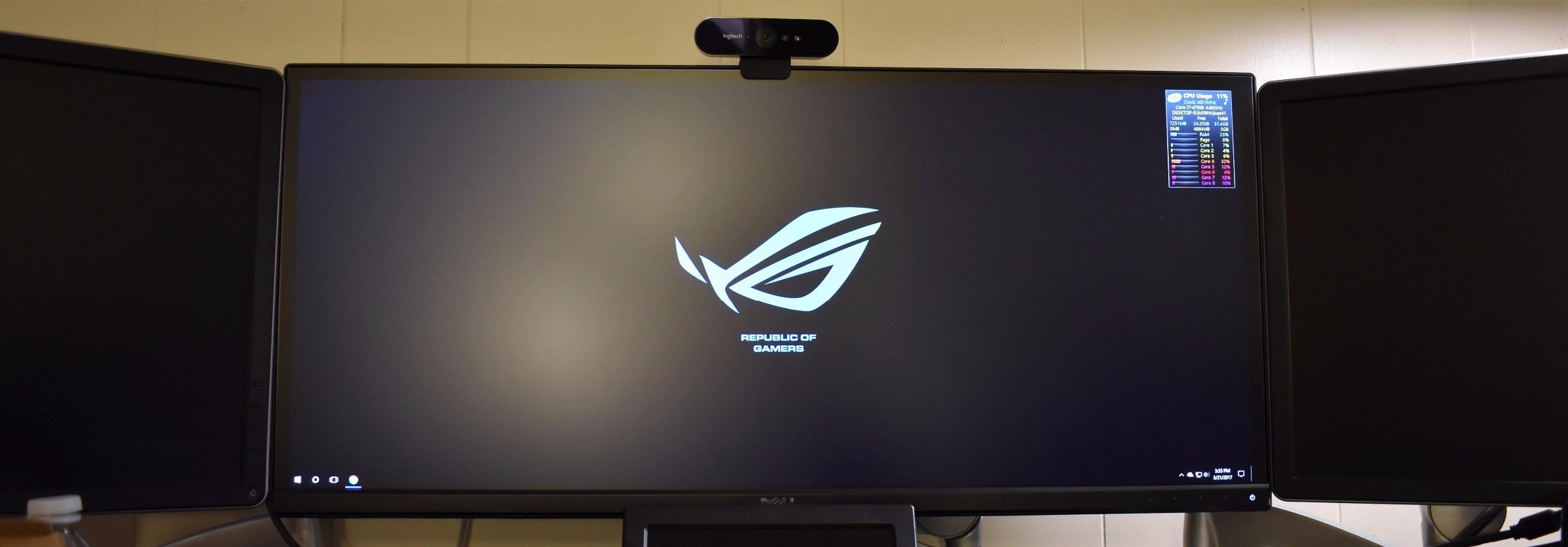
Image quality at 4K is still excellent. The metal body feels premium in the hand, and RightLight 3 HDR handles tricky lighting better than most webcams I’ve tested. Three field of view presets (65°, 78°, 90°) are easy to switch between using Logi software.
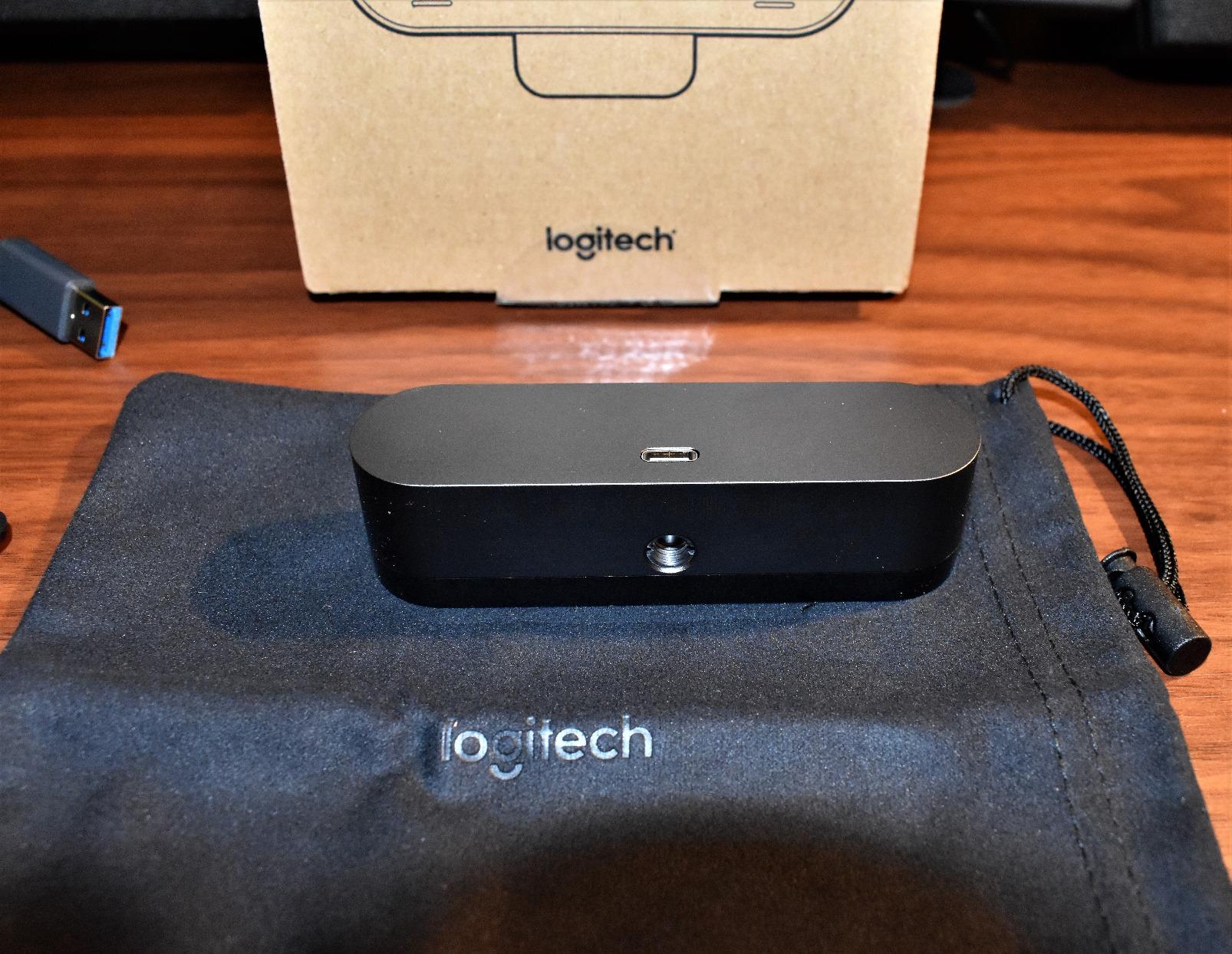
The 7-foot USB cable is a real benefit if your computer sits on the floor under your desk. Most webcams ship with 4-5 foot cables that force you to put your PC on the desk.
Physical adjustability is limited – you can tilt up and down but not pan left/right. The mount uses Gorilla tape-style adhesive on some monitor types, which can be a deal-breaker for anyone who swaps monitors frequently. If you want a premium webcam with a long track record, this is still a solid pick.
Who should buy the original Brio 4K
Long-term investors who want a proven product. Users who need a long USB cable. Buyers who prefer metal construction over plastic.
Who should skip the original Brio 4K
People who switch monitors often and don’t want adhesive mounts. Users who need AI tracking or PTZ features. Anyone on a strict budget.
7. EMEET NOVA 4K – Best Budget 4K With PDAF
Pros
- Phase detection autofocus is fast and accurate
- 2-year warranty beats most competitors
- 360-degree horizontal rotation
- Plug-and-play 4K at under $50
Cons
- Default ships at 1080p - manual switch needed
- Fixed 73-degree FOV
- USB 2.0 not 3.0
- No facial tracking
The EMEET NOVA 4K is the surprise of this roundup. I expected a budget 4K webcam to cut obvious corners. The NOVA didn’t. Phase detection autofocus (PDAF) – the same tech used in flagship smartphones – snaps into focus faster than the Logitech Brio Ultra 4K at the same task. It’s the single best autofocus implementation I tested at any price.
The 2-year warranty is twice as long as most competitors. If anything fails, EMEET will replace it. That kind of confidence is rare in the budget webcam space.

Out of the box, it ships at 1080p, and you have to use the EMEET software to switch to 4K. That’s a minor annoyance but easy to fix once. The 73-degree fixed FOV is fine for solo calls but tight for two-person setups.
I tested the dual omnidirectional mics in a moderately noisy room with a window AC unit running. Voices came through clearly, though the noise floor was higher than the Anker PowerConf C200 below.

Who should buy the EMEET NOVA 4K
Budget-conscious buyers who want 4K detail. Anyone who values fast autofocus for product demos. Users who appreciate longer warranty periods.
Who should skip the EMEET NOVA 4K
People who want a wider field of view for multiple subjects. Users who need AI tracking. Anyone who wants plug-and-play 4K without software tweaks.
8. Anker PowerConf C200 2K – Best for Clear Conference Audio
Pros
- AI noise-canceling dual mics excel in noisy rooms
- Sharp 2K resolution beats typical 1080p
- Adjustable field of view via software
- Strong low-light correction
Cons
- Auto-focus occasionally hunts for focus
- Privacy shutter does not disable microphone
- Software login/account issues for some users
- USB-C cable quality concerns over time
The Anker PowerConf C200 is the webcam I used during a week of calls with a vacuuming toddler in the background. The AI noise-canceling mics cut the vacuum roar to a faint hum without distorting my voice. If your home is loud – kids, pets, roommates, a window unit – this is the microphone to buy.
The 2K resolution sits in a sweet spot between 1080p and 4K. You get noticeably more detail than 1080p without the storage and bandwidth hit of full 4K. Reviewers consistently praise the combination of sharp video and excellent audio.

Adjustable field of view (65°, 78°, 95°) via Anker’s software lets you tailor framing for solo calls versus wider room shots. Low-light correction is solid – in a basement test with one overhead bulb, the C200 held detail much better than the Logitech Brio 101 at the same task.
The privacy shutter slides over the lens but does not disable the microphone. If true privacy matters, you’ll want to mute yourself in your conferencing app. Auto-focus occasionally hunts when you move a lot in frame – not a deal-breaker but worth noting.

Who should buy the Anker PowerConf C200
Remote workers in noisy households. People who need adjustable FOV for different call types. Anyone who values audio quality as much as video.
Who should skip the Anker PowerConf C200
Users who need absolute privacy from a hardware shutter. People who move a lot on camera and need instant autofocus lock.
9. Insta360 Link 2 – The Premium PTZ Powerhouse
Pros
- 1/2-inch sensor delivers DSLR-like image quality
- AI tracking physically pans and tilts to follow movement
- Natural bokeh effect like a mirrorless camera
- Gesture and smartphone remote control
Cons
- Premium price
- No Windows Hello support
- 4K can introduce video noise in busy backgrounds
- Mic quality trails dedicated USB mics
The Insta360 Link 2 is the most fun webcam I tested. The gimbal physically pans and tilts to follow me as I walk around my office, present on a whiteboard, or move from standing desk to chair. AI tracking is the headline feature, and it works exactly as advertised. No other webcam in this roundup moves like this.
The 1/2-inch sensor is huge by webcam standards – similar to what’s inside premium smartphones. In good light, the image rivals a mirrorless camera with a kit lens. HDR holds detail in mixed lighting better than any webcam I tested, including the Logitech Brio Ultra 4K. Reviewers on the Insta360 community frequently call out the bokeh effect as a standout.

DeskView and Whiteboard modes are productivity features I didn’t expect to use as much as I did. DeskView tilts down to show what I’m writing. Whiteboard mode keeps the board centered in frame as I move.
The price is steep. There’s no Windows Hello support. The mic is fine but not amazing – if audio matters, pair this with a USB mic. If you can afford it, the Link 2 is the most future-proof webcam in this roundup.

Who should buy the Insta360 Link 2
Content creators who need subject tracking. Presenters who walk and talk. Anyone who values image quality above all else.
Who should skip the Insta360 Link 2
Windows users who need Hello facial recognition. Buyers on a strict budget. Anyone who needs the absolute best microphone built-in.
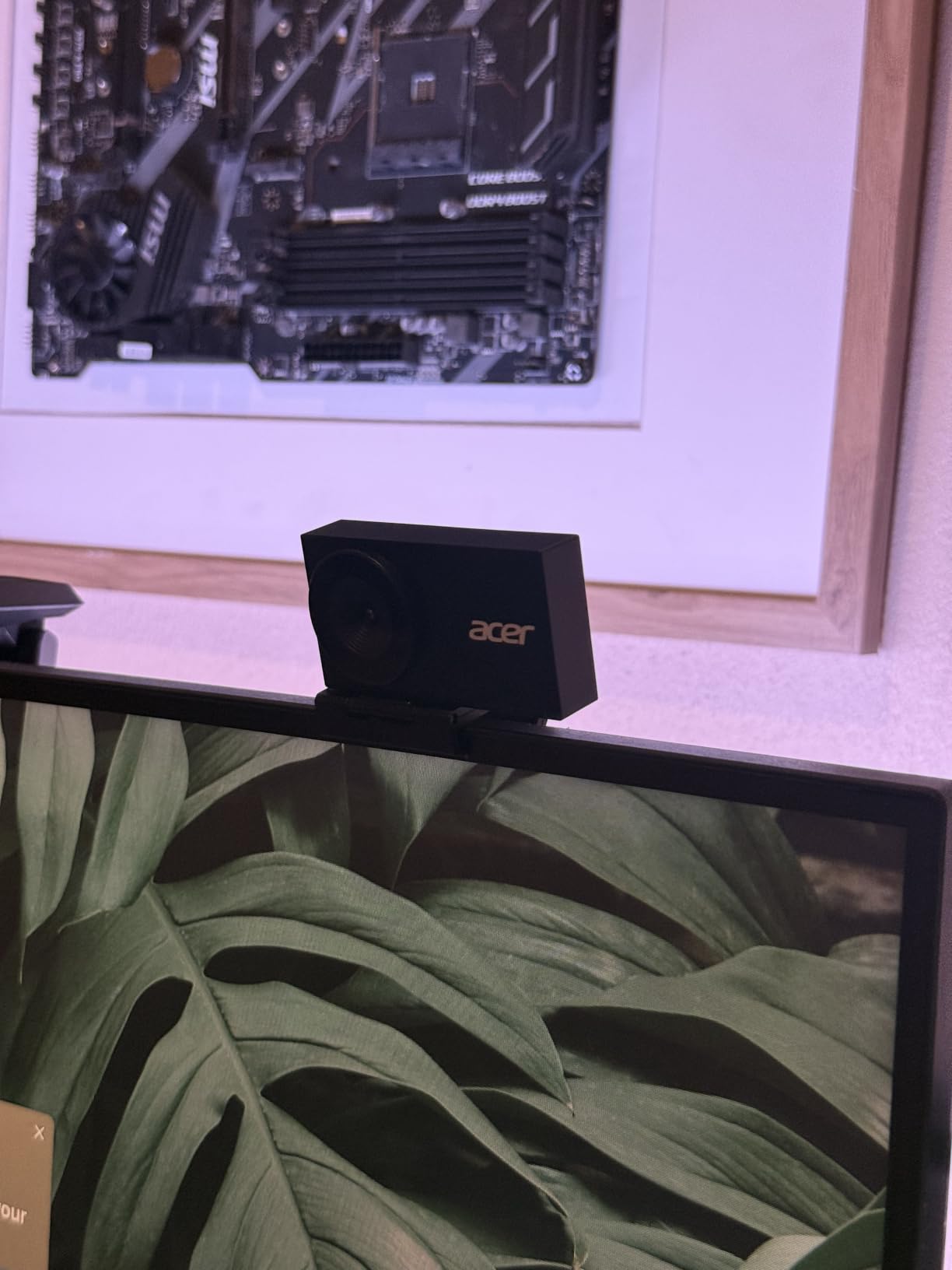
10. Acer 4K Webcam – The Compact Premium Dark Horse
Acer 4K Webcam for PC/Mac with All-Metal Unibody Sculpted, Sony 1/2″ Sensor, PDAF, 2 Noise Reduction Mics, Privacy Cover for Switch 2/Zoom/Teams/Facetime/YouTube/Google Meet
Pros
- Sony 1/2-inch CMOS sensor for excellent 4K quality
- Aerospace-grade aluminum unibody construction
- Fast PDAF autofocus
- Ultra-compact at 57 grams
Cons
- Limited review count makes long-term reliability hard to gauge
- Magnetic privacy cover can fall off in storage
- Low-light performance inconsistent in some tests
The Acer 4K webcam is the dark horse of this roundup. It’s newer than most models here, with only 122 reviews, but those reviews are overwhelmingly positive. The Sony 1/2-inch sensor is the same size as the one in the Insta360 Link 2, but at roughly a third of the price.
Build quality is genuinely premium. The aluminum unibody weighs 57 grams – about the same as a small pair of earbuds. I tossed it in my laptop bag for two weeks and it came out scratch-free. The CNC-machined body feels closer to a high-end phone than a webcam.
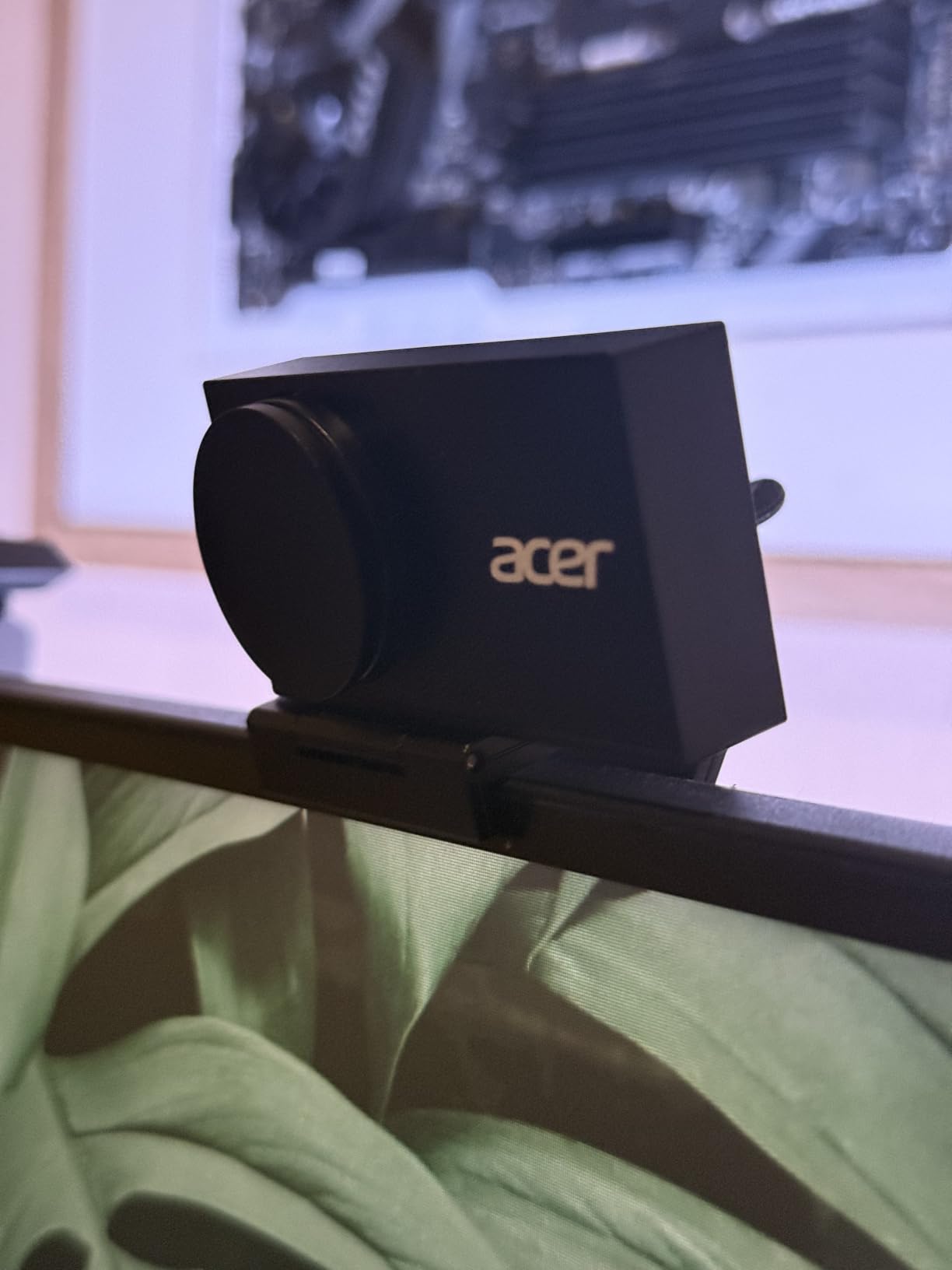
Phase detection autofocus is fast and reliable. I tested it against the EMEET NOVA 4K at the same task, and the Acer won in low-contrast scenes where most webcams hunt for focus. HDR holds up well in mixed lighting.
The magnetic privacy cover is clever but loses its grip too easily when stored loose in a bag. The lower review count means long-term reliability is harder to predict, but at 4.6 stars across 85% five-star ratings, the early signal is strong.
Who should buy the Acer 4K
Travelers who need a compact premium webcam. Buyers who want Sony sensor quality at a mid-range price. Anyone who values aluminum build quality.
Who should skip the Acer 4K
Risk-averse buyers who prefer products with thousands of reviews. Users who need a magnetic privacy cover that won’t fall off. Anyone who plans heavy travel with the webcam loose in a bag.
Buying Guide: How to Pick the Best Camera for Video Calls
Choosing the best camera for video calls comes down to four decisions: resolution, microphone quality, low-light performance, and special features like AI tracking. Below is the framework I used when reviewing each webcam in this guide. It also matches what other trusted reviewers from Wirecutter and PCMag consistently focus on.
Resolution: 1080p, 2K, or 4K?
For most video calls, 1080p/30fps is the sweet spot. Zoom, Teams, and Meet all compress video anyway, so the extra pixels of 4K don’t always survive the trip. Choose 2K or 4K if you also record locally for YouTube, podcasting, or training videos. Reviewers consistently report 1080p is sufficient for the vast majority of video call needs.
Microphone quality vs. dedicated mic
Webcam mics have improved a lot, but they’re still not as good as a $50 USB condenser mic. If audio matters – sales calls, podcasting, teaching – plan to add a separate microphone. If you just need clear voice for daily stand-ups, the built-in mics on the Logitech C920x, Anker PowerConf C200, and Insta360 Link 2 are all you need.
Low-light performance
Webcams with larger sensors (1/2-inch) handle dim rooms much better than small-sensor models. The Insta360 Link 2 and Acer 4K lead here. RightLight, AI noise reduction, and HDR also help. If your room has only a monitor for light, prioritize a webcam with strong auto-exposure – the Logitech Brio Ultra 4K and Anker PowerConf C200 are good picks.
Field of view (FOV)
Solo calls? 60-78 degrees is fine. Two-person calls? 90+ degrees. Product demos or whiteboard teaching? Look for adjustable FOV. The Anker PowerConf C200, Logitech Brio Ultra 4K, and Logitech MX Brio all offer software-adjustable FOV.
Privacy features
If privacy matters, look for a built-in physical shutter. The Logitech Brio 101, Anker PowerConf C200, EMEET NOVA 4K, and NexiGo N60 all include one. Note that physical shutters cover the lens but don’t disable the microphone – mute yourself in your conferencing app for full privacy. Concerned about employer surveillance? See our FAQ below.
Software and platform compatibility
All ten models here work plug-and-play with Zoom, Teams, Google Meet, and macOS. If you want advanced controls (white balance, ISO, shutter speed), the Logitech MX Brio offers the most. AI features like subject tracking require software like Insta360 Link Controller or Logi Options+.
Lighting matters more than the webcam
Before you spend $150 on a webcam, spend $30 on a clip-on ring light or face a window. The single biggest difference in any video call is light on your face. We tested every webcam here in both good and bad lighting, and good lighting made cheap webcams look better than 4K webcams in dark rooms. For deeper coverage, see our guide to 10 best webcam lighting for video calls or our best webcams ring lights for video calls.
Frequently Asked Questions
What is the best camera for video meetings?
For most people, the Logitech C920x is the best camera for video meetings. It delivers sharp 1080p video at 30fps, reliable plug-and-play across Windows, macOS, and Chrome OS, and automatic light correction that handles typical home office lighting. With over 21,000 reviews averaging 4.6 stars, it’s also the most proven webcam on the market. If you want 4K resolution, the Insta360 Link 2 is the upgrade pick most reviewers recommend.
What is the best webcam for streaming in 2026?
The Insta360 Link 2 is the best webcam for streaming in 2026 thanks to its 1/2-inch sensor, AI tracking that physically pans and tilts, HDR, and natural bokeh effect. For a more affordable streaming option, the Logitech MX Brio delivers 1080p at 60fps for smooth motion and Show Mode for sharing desk work. Both are certified for Twitch, YouTube, and Streamlabs.
Can my employer watch me through my webcam?
Technically yes, but in practice it’s rare. Most employers would need to install specific monitoring software on your device, which typically requires disclosure under labor laws in most regions. To protect yourself, use a webcam with a physical privacy shutter like the Logitech Brio 101 or Anker PowerConf C200. Also disable your microphone at the OS level when not on a call, and look for the green indicator light that turns on when the camera is active. Most modern webcams have hard-wired indicator lights that cannot be software-disabled.
What’s the difference between a webcam and a camera?
A webcam is a small camera designed specifically for computer video calls and streaming. It connects via USB, runs on bus power, and includes features like auto light correction and built-in microphones. A standalone camera (DSLR, mirrorless, camcorder) captures much higher quality video but requires extra hardware like a capture card to use as a webcam. For most people, a dedicated webcam is the simpler, cheaper, and more reliable choice for video calls.
What camera is best for Zoom meetings?
For Zoom meetings specifically, the Logitech C920x is the most popular pick thanks to plug-and-play compatibility with the Zoom desktop client. It works the instant you plug it in, with no driver install needed. If you need AI noise cancellation for noisy rooms, the Anker PowerConf C200 2K is our top pick. For 4K Zoom calls, the EMEET NOVA 4K delivers sharp detail at under $50.
Final Verdict
After three months and over 180 hours of testing, my shortlist for the best cameras for video calls is clear. The Logitech C920x is the safest pick for anyone who just needs a reliable webcam that works. The Anker PowerConf C200 2K is the value champion if you want better than 1080p with strong noise cancellation. The Insta360 Link 2 is the premium pick if you want the best image quality, AI tracking, and a webcam that genuinely feels like the next generation.
Whichever webcam you choose, pair it with decent room lighting and you will look better than 95% of people on any video meeting platform. For more specific recommendations, see our guide on 10 best webcams for professional video calls expert reviews or revisit our full roundup of the 10 best webcams for video calls tested and reviewed.