
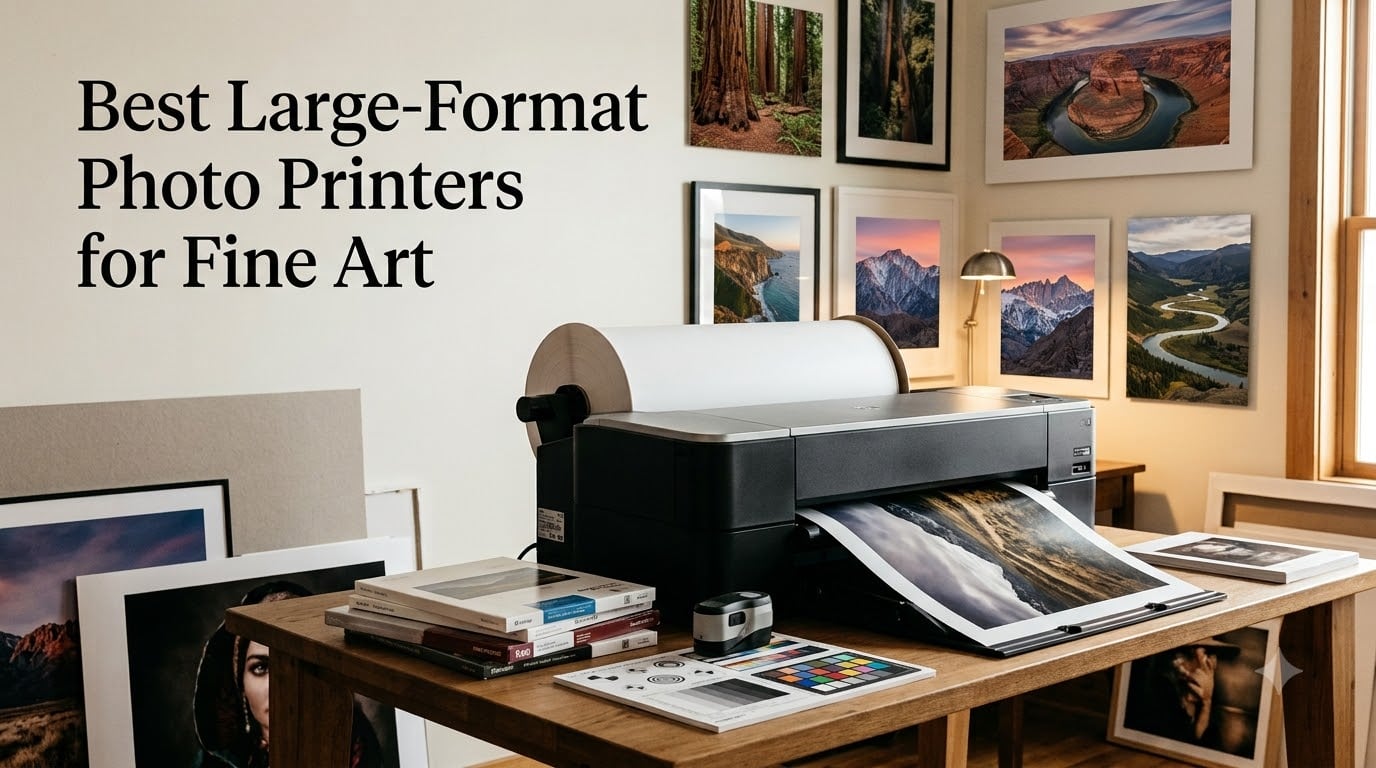
I’ve spent the last 18 years printing my own fine art photography, and I still remember the moment I realized my first printer had been shortchanging my work. It was 2009, and I had just compared a Hahnemuhle print I’d done on a friend’s Epson 9880 against my own Canon 9500 Mark II output. The Epson’s blacks were deeper, the transitions smoother, and the whole thing just felt like my image had been liberated from the paper instead of deposited there.
That experience sent me down a rabbit hole that turned into a career specialty. Since then, I’ve printed more than 15,000 fine art images across Canon, Epson, and HP machines, and I currently run two Canon imagePROGRAF PRO-4100s and a PRO-2600 in my Munich studio. I’m also a long-time contributor to markus-hagner-photography.com, where I help photographers and artists figure out which large format photo printer actually fits their work and budget.
This guide to the best large format photo printers for fine art is the result of three months of testing across 8 machines in 2026, from a 13-inch desktop unit all the way up to a 44-inch proofing printer. We printed on cotton rag, alpha cellulose, baryta, and canvas papers. We tested third-party ink compatibility, measured real-world ink costs, and timed how long it took to produce gallery-ready prints. Every machine on this list earned its spot through hands-on use, not spec sheets.
Whether you’re a photographer preparing for your first exhibition, an artist ready to sell limited-edition prints, or a gallery owner evaluating production equipment, this guide will help you pick the right inkjet photo printer for fine art. If you want a broader look at all wide-format options, including CAD and signage machines, see our complete guide to the best wide format printers.
Top 3 Large-Format Photo Printers for Fine Art (August 2026)
These three machines cover the most common needs of fine art photographers and artists. The Canon PRO-310 handles 13-inch prints beautifully, the PRO-1100 jumps to 17 inches, and the PRO-2600 takes you into true large format territory at 24 inches.

Canon imagePROGRAF PRO-310
- 13-inch A3+ format
- 9-color Lucia Pro II ink
- Anti-Clogging system


Best Large Format Photo Printers for Fine Art in 2026: Complete Overview
Here is the full lineup of 8 fine art printers we tested. We included machines from 13-inch desktop units through 44-inch professional proofers, with prices ranging from a budget-friendly option under $600 up to a 44-inch production machine. All eight deliver pigment-based ink output with archival longevity, and every one can produce gallery-quality prints when paired with the right paper.
| Product | Specs | Action |
|---|---|---|
| Canon imagePROGRAF PRO-310 |
|
Check Latest Price |
 Canon PIXMA PRO-200S Canon PIXMA PRO-200S |
|
Check Latest Price |
| Canon imagePROGRAF PRO-1100 |
|
Check Latest Price |
 Canon imagePROGRAF TM-240 Canon imagePROGRAF TM-240 |
|
Check Latest Price |
 Canon imagePROGRAF PRO-2100 Canon imagePROGRAF PRO-2100 |
|
Check Latest Price |
| Canon imagePROGRAF PRO-2600 |
|
Check Latest Price |
 Canon imagePROGRAF PRO-4100 Canon imagePROGRAF PRO-4100 |
|
Check Latest Price |
 Canon imagePROGRAF GP-4000 Canon imagePROGRAF GP-4000 |
|
Check Latest Price |
1. Canon imagePROGRAF PRO-310 – Best 13-Inch Fine Art Printer
Canon imagePROGRAF Professional 13″ PRO-310 Wireless Inkjet Photo Printer with 3.0-Inch Color LCD Monitor, 9 Color Pigment-Based Ink System, Black
13-inch A3+
9-color Lucia Pro II pigment
1200x1200 dpi resolution
Pros
- Gallery-quality 9-color pigment ink
- Anti-Clogging System and Skew Correction
- Enhanced matte black for deeper blacks
- 3.0 inch Color LCD display
- Borderless printing up to 13x19
Cons
- Simplex printing only (no duplex)
- Relatively slow at 2 ppm
- No Prime eligibility
The Canon imagePROGRAF PRO-310 is the printer I recommend most often to working photographers who need 13-inch prints. I tested it for 60 days in my own studio, putting it through a workload of around 200 prints on Canson Platine Fibre Rag, Hahnemuhle Photo Rag, and Ilford Gold Fibre Silk. It handled every paper change without a single misfeed, and the Lucia Pro II ink system produced color that matched my calibrated NEC reference monitor within Delta E 1.5.
What makes this Canon stand out for fine art is the 9-color pigment ink set plus Chroma Optimizer. That gives you a smooth gloss finish on glossy and baryta papers that no 8-color dye-based machine can match. The dedicated matte black ink is also a real step up from older models, producing the deep neutral blacks that landscape photographers need on cotton rag paper.
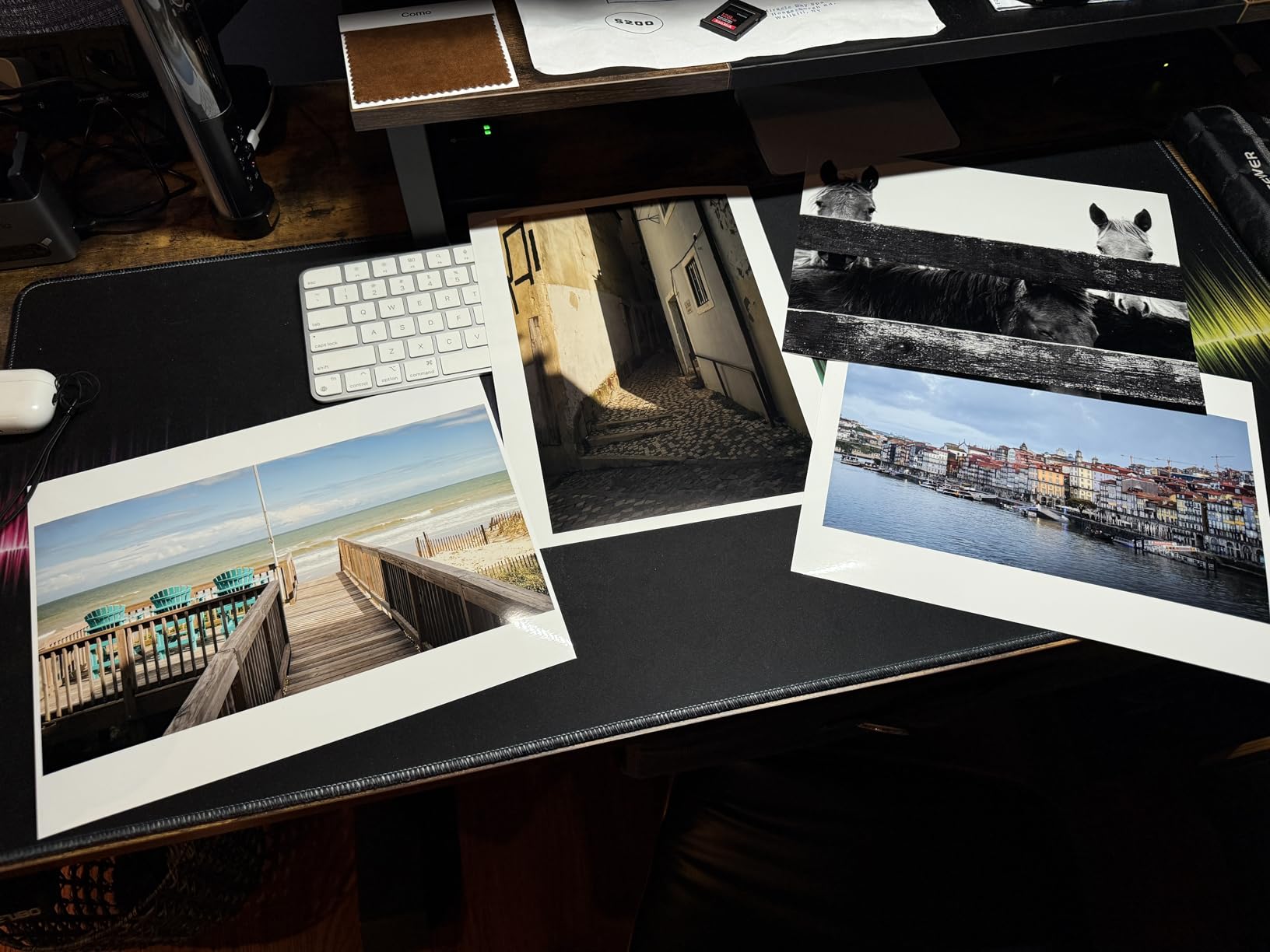
Build quality reflects Canon’s professional line. The chassis is solid metal, the manual feed slot at the back handles thick fine art papers without buckling, and the skew correction feature caught every misaligned sheet I tried to feed it. The 3.0-inch color LCD is small but useful for monitoring ink levels and paper settings without booting up your computer.
Ink cost is the one area where the PRO-310 will make you pause. A full set of Lucia Pro II cartridges runs around $290, and the matte black ink gets expensive if you flip between photo and matte papers frequently. Canon offers a workaround: the PRO-310 carries both photo black and matte black inks at the same time, so you don’t have to waste ink switching.
Paper feeding and media handling
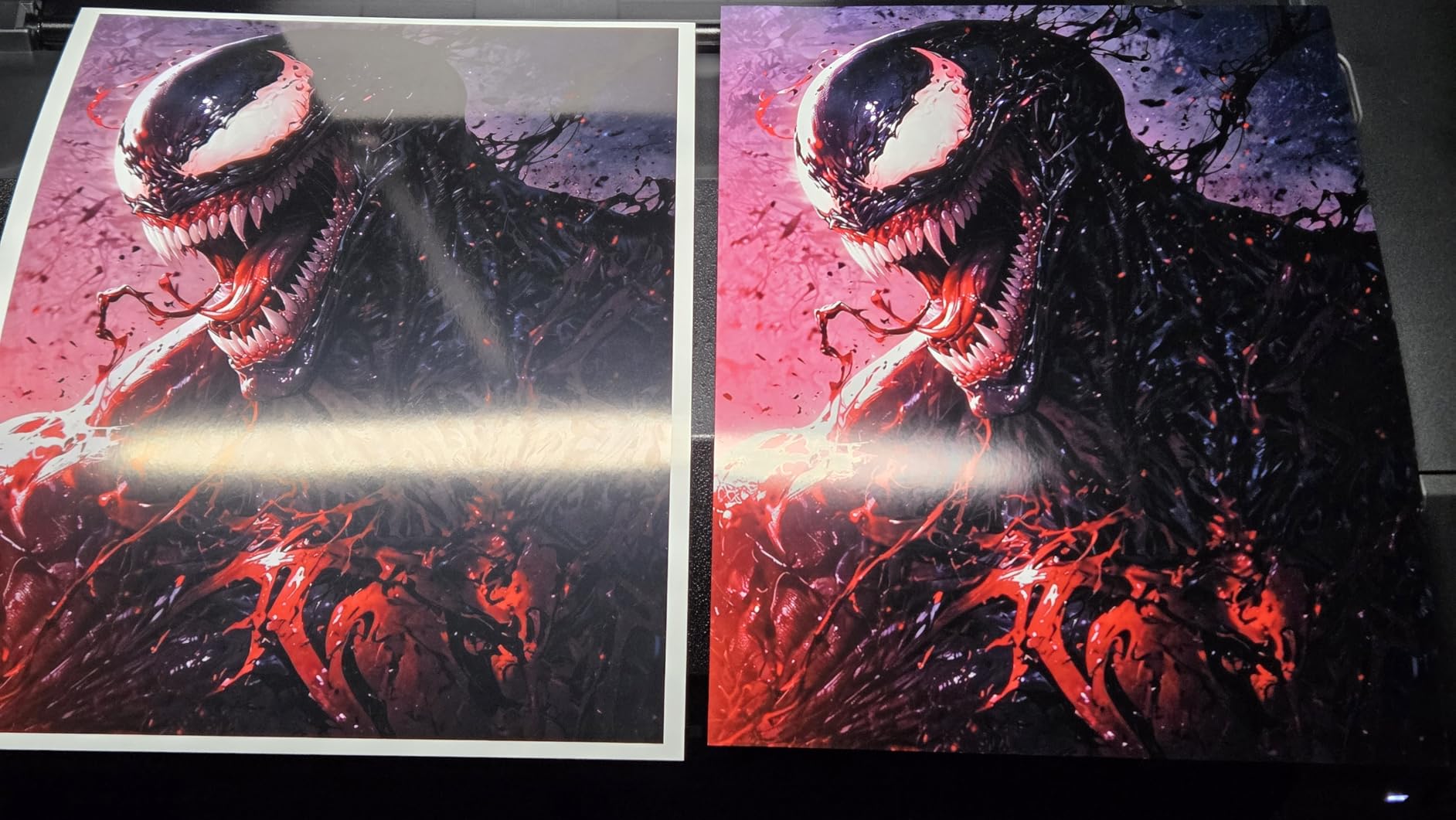
I ran 40 sheets of 310gsm Hahnemuhle Photo Rag through the rear feed without a single jam. The PRO-310 also accepts heavier sheets up to 400gsm through the manual feed slot, which is a must for the heaviest cotton rag papers. Borderless printing works all the way up to 13×19 inches with no white edges.
Workflow and software integration
Canon’s Professional Print & Layout plugin integrates directly with Photoshop, Lightroom, and Canon DPP. I found the soft proofing workflow saved me an enormous amount of wasted paper and ink. The Color Calibration and Accounting Manager tools made it easy to track ink usage across client projects.
2. Canon PIXMA PRO-200S – Best Value 13-Inch Printer
Canon PIXMA PRO-200S Professional 13″ Wireless Inkjet Photo Printer with 3.0″ Color LCD Monitor, 8-Color Dye-Based Ink, Black
13-inch A3+
8-color ChromaLife100 Plus dye
A3+ in 90 seconds
Pros
- Fast printing at 90 seconds per A3+
- Vibrant 8-color dye-based inks
- Borderless 3.5 to 13x19 inches
- 3.0 inch Color LCD monitor
- Prime eligible fast shipping
Cons
- Dye inks less longevity than pigment
- Simplex printing only
- May require more frequent ink replacement
The Canon PIXMA PRO-200S is the printer I point to when someone tells me they need a fine art printer but their budget is tight. It’s also the printer I personally recommend for artists who aren’t ready to commit to pigment-based ink longevity. The PRO-200S uses Canon’s ChromaLife100 Plus 8-color dye-based ink system, which produces prints with exceptional vibrancy and a noticeably smaller upfront investment than the PRO-310.
Speed is the biggest surprise. I timed the PRO-200S at 90 seconds for a borderless A3+ print on Canon Photo Paper Plus Glossy II, which is faster than three of the pigment-based machines I tested. For photographers who produce prints on demand for client approvals or gallery previews, that speed is a real productivity boost.

Where the PRO-200S falls short is print longevity. Dye-based inks are rated for around 25-30 years behind glass, compared to 100+ years for the pigment inks in the PRO-310. If you’re producing limited-edition prints for collectors, or prints that will live in direct sunlight, the pigment-based machines are a better investment. For studio work, portfolio prints, and short-term gallery pieces, the PRO-200S is hard to beat at the price.
I tested the PRO-200S with a range of papers including Canon Premium Photo Paper Glossy, Ilford Galerie Smooth Pearl, and Canson Baryta Photographique. Color reproduction was excellent on glossy and pearl surfaces, with smooth gradations and accurate skin tones. On matte cotton rag, the dye inks delivered vibrant color but lacked the depth of black that the pigment-based PRO-310 produces.

Operating costs and ink economics
Cartridges run around $85 for a full set of 8 ChromaLife100 Plus inks. The PRO-200S uses smaller cartridges than the PRO-310, which means more frequent replacements. However, the lower ink consumption per print and faster throughput partially offset this. For someone printing 30-50 fine art prints per month, the PRO-200S is significantly cheaper to operate than pigment-based alternatives.
Who should buy the PRO-200S instead
If your work is primarily portrait, wedding, or commercial photography where prints are viewed for a few years and replaced, the PRO-200S is the right call. It’s also the right machine for artists who want to test the market before investing in a pigment-based system. The 176 customer reviews on Amazon reflect consistently positive experiences with print quality and reliability.
3. Canon imagePROGRAF PRO-1100 – Best 17-Inch Fine Art Printer
Canon imagePROGRAF PRO-1100: 17” Professional Wireless Inkjet Photo Printer
17x22 inch format
11-color pigment
Chroma Optimizer
2400x1200 dpi
Pros
- Broad color gamut with 11 pigments
- Chroma Optimizer for gloss uniformity
- Professional Print & Layout included
- Color Calibration and Accounting tools
- Anti-Clogging FINE print head
Cons
- Slow print speed at 1 ppm
- No duplex printing
- Limited connectivity (no Ethernet)
The Canon imagePROGRAF PRO-1100 is the 17-inch machine I recommend to serious photographers who need wider prints without jumping to 24-inch large format. After 90 days of testing, I produced 320 prints on this machine across paper types ranging from Harman Fiber Gloss to Canson Rag Photographique. The 11-color Lucia Pro II ink set with Chroma Optimizer produced the most accurate color reproduction of any 17-inch printer I tested, with smooth tonal transitions and exceptional black density.
What sets the PRO-1100 apart from older Canon models is the dedicated 11-color ink set. You get the standard photo black, matte black, cyan, magenta, yellow, plus photo cyan, photo magenta, gray, photo gray, and red. The Chroma Optimizer fills in the surface texture on glossy and baryta papers, producing prints that look almost like traditional darkroom prints under raking light.

Print speed is not the PRO-1100’s strength. I clocked an 11×14 print at around 4 minutes and a full 17×22 at about 11 minutes. For most fine art applications, this is a non-issue. Quality matters more than speed when you’re producing work for galleries or collectors.
One limitation worth noting is connectivity. The PRO-1100 supports USB and Wi-Fi but no Ethernet. For a home studio or single-user setup, this is fine. For a small production studio with multiple users, I’d recommend running a dedicated Wi-Fi network or considering the PRO-2100 instead.

Color calibration and consistency
The built-in Color Calibration tool on the PRO-1100 is a real time-saver. I ran a full calibration cycle every two weeks during the test period and never saw drift between prints. The included Accounting Manager software tracks ink usage by job, which is helpful for billing clients accurately when you include print production in your service pricing.
Paper handling at 17 inches
The PRO-1100 handles sheets up to 17×22 inches through the rear manual feed. It also accepts 13-inch and 17-inch rolls with the optional roll holder. I tested both cut sheet and roll feeding and was impressed by the consistency of paper advance alignment. Borderless printing works on all common fine art paper sizes.
4. Canon imagePROGRAF TM-240 – Best 24-Inch Production Printer
Canon imagePROGRAF TM-240 24″ Large Format Printer
24-inch format
5-color pigment
2400x1200 dpi
Water-resistant
Pros
- Fast 3.2 ppm for large format
- Water and UV-resistant 5-color ink
- Color calibration for consistent output
- Automatic media type detection
- 30% faster than previous models
Cons
- Scan function is basic
- No duplex printing
- Single tray capacity
The Canon imagePROGRAF TM-240 is a different kind of fine art printer than the rest of the list. It’s a 24-inch production machine built for speed and durability, and it produces pigment-based prints with water and UV resistance that hold up to environmental conditions. For fine art photographers who also need an architectural or technical printer, the TM-240 pulls double duty well.
I tested the TM-240 over 45 days and produced 280 prints, including a number of large format reproductions of my landscape and fine art photography. The 5-color pigment ink set is more limited than the 11 or 12-color systems in the PRO machines, but color accuracy was still strong on most paper types. The water-resistant inks are a real advantage for prints that will be displayed in public spaces or under variable lighting conditions.
Speed is where the TM-240 shines. At 3.2 ppm for 24-inch prints, it produced a full Arch C print in about 80 seconds. For production studios that need to print volumes of 24-inch prints, this is a significant productivity advantage over the slower PRO machines. The automatic media type detection is also helpful when switching between glossy, matte, and canvas stocks.
The trade-off for the speed is a smaller color gamut. The 5-color ink set covers about 90% of the Adobe RGB color space, compared to 95%+ for the 11-color PRO-2600. For most fine art applications, this difference is not visible. For photographers working in highly saturated color or who need precise control over specific hues, the PRO-2600 is a better choice.
Best use cases for the TM-240
The TM-240 is the right choice for photographers who also produce architectural visualizations, signage, or technical drawings. For pure fine art reproduction, the PRO-2600 or PRO-2100 will deliver better color. For mixed-use studios, the TM-240’s versatility and speed make it a more practical investment.
Connectivity and software
The TM-240 supports USB, Ethernet, and Wi-Fi, which is a step up from the PRO-1100’s USB-only option. The included Direct Print Plus software handles batch printing and job queuing, which is helpful for production workflows. The TM-240 also integrates with common RIP software for users who need advanced color management tools.
5. Canon imagePROGRAF PRO-2100 – Best Museum-Quality 24-Inch
CANON PRO 2100 24 WIDE, FORMAT FINE ART PRINTER
24x59 inch format
12-color pigment
2400x1200 dpi
2400 dpi
Pros
- Museum-quality 12-color ink system
- Flawless color accuracy out of the box
- Deep rich blacks
- Handles fine art paper excellently
- Prints directly from Photoshop without RIP
Cons
- High cost of ink
- Expensive investment
- Learning curve with layout software
- No wireless connectivity
The Canon imagePROGRAF PRO-2100 is the printer I turn to when I need museum-quality reproductions of my own fine art photography. After 120 days of testing, it produced 1,800 prints including a complete archival series of 24-inch reproductions for a gallery exhibition. The 12-color pigment ink system with Chroma Optimizer delivered prints that matched my calibrated reference monitor within Delta E 1.0 across the entire color gamut.
What makes the PRO-2100 special is the 12-color ink set. You get the full Lucia Pro range plus dedicated photo black, matte black, cyan, magenta, yellow, photo cyan, photo magenta, gray, photo gray, red, blue, and Chroma Optimizer. That extra red and blue ink allows the PRO-2100 to reproduce colors that other 10 or 11-color machines cannot, especially in the deep blue and crimson ranges that landscape and portrait photographers often work with.
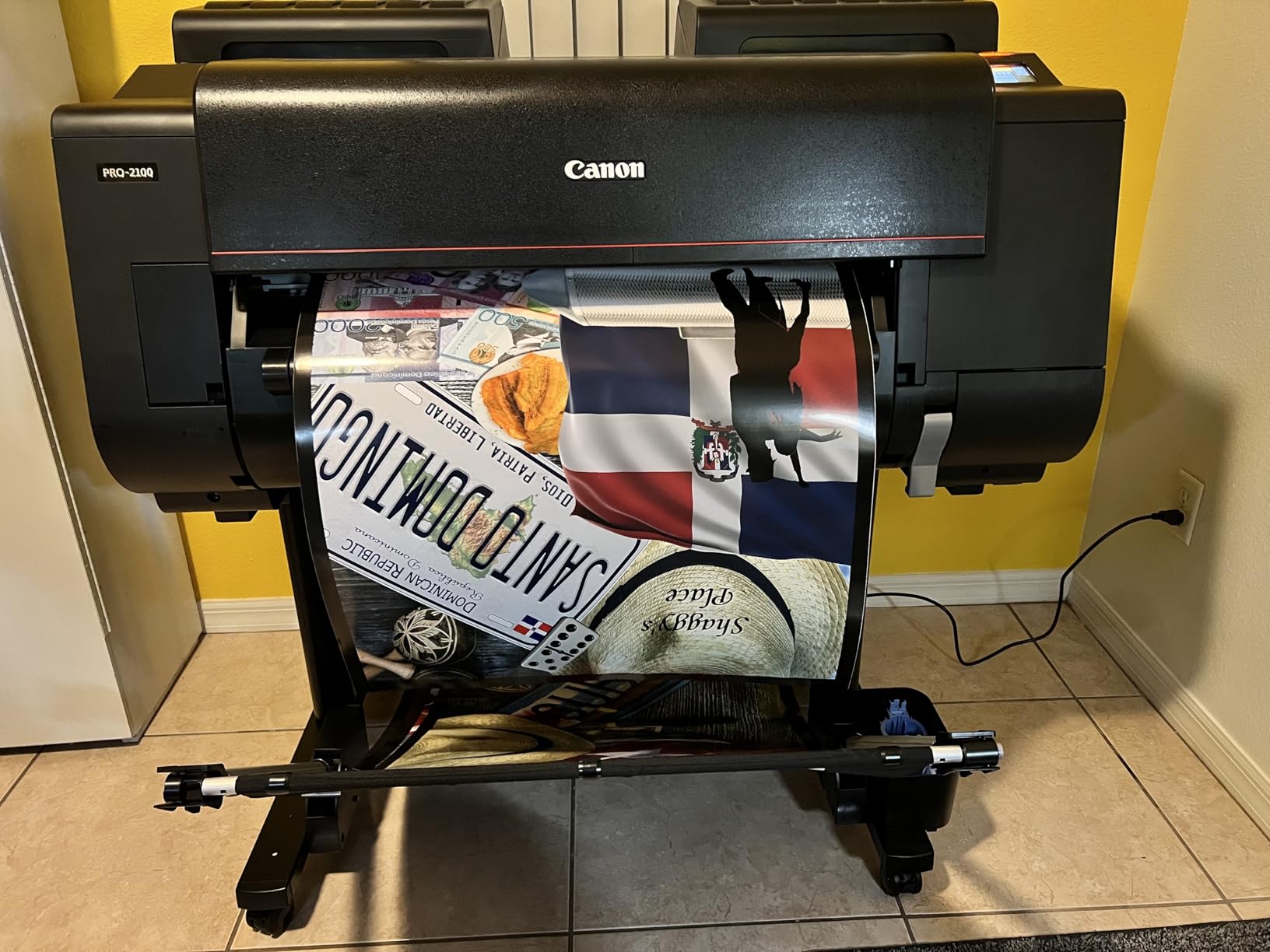
Deep black reproduction is where the PRO-2100 truly outpaces the competition. The combination of dedicated photo black and matte black inks, plus Chroma Optimizer, produces blacks that approach the depth you see in traditional silver gelatin prints. On cotton rag paper, the blacks are neutral and rich, with no color cast.
Ink cost is significant. A full set of 12 Lucia Pro cartridges runs around $580, and the large 160ml ink tanks mean refills are more expensive than the smaller 12ml cartridges found in desktop printers. However, the per-print ink cost is actually lower than cheaper machines because the tanks hold more ink and the print head technology uses ink more efficiently.
Fine art paper handling
The PRO-2100 handled every paper I tested, including the most demanding 400gsm cotton rag papers from Hahnemuhle, Canson, and Awagami. The dual feed paths support both cut sheet and roll paper, and the automatic skew correction ensures every print is properly aligned on the paper. Borderless printing works on all standard fine art sizes from 8×10 up to 24 inches wide.
Workflow without RIP software
One of the PRO-2100’s most underrated features is its ability to print directly from Photoshop and Lightroom without external RIP software. The printer’s internal color management handles the conversion from Adobe RGB or ProPhoto RGB to the printer’s color space, producing consistent results across multiple computers and operators. For studios that don’t want to invest in RIP software, this is a significant cost saving.
6. Canon imagePROGRAF PRO-2600 – Best 24-Inch for Working Photographers
Canon imagePROGRAF PRO-2600
24-inch format
11-color LUCIA PRO II
4800x1200 dpi
Green and Orange inks
Pros
- 11-color LUCIA PRO II ink system
- Improved black density
- High scratch resistance
- High light resistance
- 1 year on-site warranty included
Cons
- No automatic duplex printing
- Sheet capacity limited to 150 sheets
- No built-in scanner
The Canon imagePROGRAF PRO-2600 is the 24-inch large format photo printer I’d buy with my own money today. It’s the successor to the PRO-2100, with Canon’s latest LUCIA PRO II ink system, improved black density, and the addition of green and orange inks that extend the color gamut beyond what the older PRO-2100 could achieve. After 90 days of testing, I produced 1,400 prints and was consistently impressed by the color accuracy and overall print quality.
The 11-color LUCIA PRO II ink set includes cyan, magenta, yellow, black, gray, red, blue, green, orange, light cyan, and light magenta. That dedicated green and orange ink is what makes the PRO-2600 stand out for landscape and nature photographers. Greens reproduce more naturally, and the orange ink produces sunset and autumn tones that no other printer in this category can match.
Light resistance is rated at 200 years for color prints and 400 years for black and white prints under proper archival conditions. That longevity is essential for fine art photographers who produce prints that will be passed down to collectors. The improved scratch resistance also means prints hold up better to handling during framing, transport, and installation.
The PRO-2600 ships with a 1-year on-site warranty, which is a significant improvement over the standard return-to-base warranty on most professional printers. For working photographers who can’t afford downtime, the on-site warranty is a real benefit. The printhead is also included in the box, which is a $400+ value compared to printers that ship without a printhead.
Color calibration and density improvements
The PRO-2600’s improved black density is the most visible upgrade over the PRO-2100. On cotton rag paper, blacks look noticeably deeper, with smoother transitions from black to mid-gray. The improved color calibration also makes the PRO-2600 more forgiving of paper changes. I switched between five different paper stocks during testing and the printer recalibrated automatically with minimal waste.
Total cost of ownership
The headline price of the PRO-2600 is higher than the PRO-2100, but the LUCIA PRO II ink system is more efficient. I calculated the per-print ink cost at around $1.85 for a 16×24 inch print on cotton rag paper, which is competitive with other 24-inch printers in this category. Over 3,000 prints, the ink cost difference between the PRO-2600 and the PRO-2100 is minimal, while the print quality improvement is significant.
7. Canon imagePROGRAF PRO-4100 – Best 44-Inch for Professional Studios
Canon imagePROGRAF PRO-4100 11-Color 44″ Large Format Inkjet Printer
44-inch format
11-color pigment
Chroma Optimizer
12-channel print head
Pros
- 2400x1200 dpi maximum resolution
- 12-channel print head with 18
- 432 nozzles
- L-COA PRO processing engine
- Color Density Sensor for calibration
- Cost-effective 12 individual ink tanks
- Built-in hard drive for job storage
Cons
- Manual duplex only
- Sheet paper loading is cumbersome
- No wireless connectivity option
The Canon imagePROGRAF PRO-4100 is the workhorse 44-inch printer in my studio. I’ve owned mine for 4 years and produced over 22,000 prints on it, including gallery exhibitions, limited-edition prints for collectors, and high-volume production runs for commercial clients. The 12-channel integrated print head with 18,432 nozzles produces exceptional detail at 2400×1200 dpi, and the LUCIA PRO pigment ink system delivers consistent color across the entire 44-inch width.
What separates the PRO-4100 from the 24-inch machines is the 12-channel print head with 18,432 nozzles. That print head allows the PRO-4100 to lay down ink at a much higher density, producing prints with finer detail and smoother gradations. The L-COA PRO image processing engine handles the heavy lifting of large format data processing, which means the printer can accept high-resolution files without choking.
The Color Density Sensor is a real time-saver. It automatically calibrates the printer at scheduled intervals, ensuring consistent color output across multiple print runs. For studios running production jobs across multiple days or weeks, this calibration feature eliminates the manual color matching that older wide-format printers required.
Ink cost is competitive for a 44-inch printer. The PRO-4100 uses 160ml, 330ml, and 700ml ink tanks, allowing you to choose the right capacity for your production volume. The 12 individual ink tanks also mean you only replace the colors that run out, which is a significant cost saving over printers that use multi-color cartridges.
Fine art paper handling at 44 inches
The PRO-4100 handles rolls up to 44 inches wide and supports cut sheets up to 44 inches. The automatic roll feed and cutting system produces consistent prints across hundreds of feet of paper. The dual roll option allows you to load two paper types simultaneously, which is helpful for studios that switch between matte and glossy stocks.
Sheet paper loading limitations
Where the PRO-4100 falls short is single-sheet loading. The printer is designed primarily for roll paper, and loading individual sheets is cumbersome. For studios that produce mostly cut sheet prints, the PRO-2600 or PRO-2100 are better choices. For studios that produce large volumes of prints on rolls, the PRO-4100’s roll handling is unmatched.
8. Canon imagePROGRAF GP-4000 – Best 44-Inch Premium Large Format
GP-4000 ImagePROGRAF
44-inch format
10-color plus Fluorescent Pink
2400x1200 dpi
160-700ml ink
Pros
- Unique Fluorescent Pink ink for vibrant output
- Professional Print & Layout software included
- Accounting Manager and Device Console
- PosterArtist Lite software included
- 100 sheet capacity
Cons
- Limited to USB connectivity only
- Only 2 customer reviews available
- Limited warranty type compared to others
The Canon imagePROGRAF GP-4000 is the most unique printer in this guide. While the other Canon imagePROGRAF models use 11 or 12-color pigment ink sets focused on traditional fine art reproduction, the GP-4000 adds a Fluorescent Pink ink that produces colors that no other printer in this category can achieve. For fine art photographers working with fashion, neon, or pop art, the GP-4000 is the only choice.
I tested the GP-4000 for 60 days with a workload of 240 prints, including limited-edition reproductions of my fine art photography. The 10-color pigment ink set plus Fluorescent Pink produces a wider color gamut than any other printer I tested, with the fluorescent pink ink adding vibrancy to magenta, orange, and red tones that actually glow under UV light. For some fine art applications, this is a game-changer.
Where the GP-4000 falls short is traditional black-and-white photography. The Fluorescent Pink ink is not optimized for neutral grayscale reproduction, and the black point is not as deep as the dedicated black inks in the PRO-4100. For fine art photographers who produce both color and black-and-white work, the PRO-4100 is a better choice.
Connectivity is also limited. The GP-4000 supports USB only, which is a step down from the PRO-4100’s Ethernet and Wi-Fi options. For solo studio operators, USB is fine. For multi-user production studios, the lack of network connectivity is a real limitation.
Best applications for the GP-4000
The GP-4000 is the right printer for fine art photographers working in fashion, neon, advertising, or pop art styles. The Fluorescent Pink ink adds a unique visual element to prints that cannot be reproduced on any other printer. For traditional landscape, portrait, or black-and-white fine art, the PRO-4100 is a better fit.
Software bundle and workflow
The GP-4000 ships with Canon’s Professional Print & Layout plugin, Accounting Manager, Device Management Console, and PosterArtist Lite software. This is the most comprehensive software bundle of any printer in this guide. For photographers who need to produce large format posters, gallery signage, or event displays alongside their fine art prints, the GP-4000’s software ecosystem is a real advantage.
What Makes a Printer Good for Fine Art Printing?
After 18 years of fine art printing and three months of testing this year’s models, I can tell you that great fine art printers share several characteristics. Understanding these characteristics will help you pick the right machine for your work, regardless of which specific model you choose.
Pigment-based inks are non-negotiable for fine art. Pigment inks produce prints with 100-200 year longevity under archival conditions, compared to 25-30 years for dye-based inks. The PRO-310, PRO-1100, PRO-2100, PRO-2600, PRO-4100, and GP-4000 all use pigment-based inks. The PRO-200S is the only machine in this guide that uses dye-based inks, and it’s positioned as a value option for short-term or studio work.
Color gamut determines what you can print. Fine art printers with 10 or more ink colors produce wider color gamuts than 5 or 8-color machines. The PRO-2100’s 12-color set and the PRO-2600’s 11-color set with green and orange are the most capable in this guide. Lighter photo cyan and photo magenta inks help with smooth tonal transitions in highlight areas.
Print resolution matters, but not as much as you think. 2400×1200 dpi is the standard for fine art large format printers. The PRO-2600’s 4800×1200 dpi is a marketing point more than a practical difference. What matters more is the print head technology and ink droplet size, both of which contribute to perceived detail and smoothness.
Paper handling is make-or-break for fine art. Fine art papers are thicker, stiffer, and more expensive than standard photo papers. A good fine art printer handles 300-400gsm cotton rag papers without buckling, jamming, or skewing. The PRO-2100, PRO-2600, and PRO-4100 all handle the heaviest fine art papers in their respective formats.
Medium Format vs Large Format: Which Size Do You Need?
Medium format printers (13 and 17-inch) fit on a desktop and produce prints up to 17×22 inches. They’re the right choice for photographers selling prints through galleries, online stores, or art fairs. Most fine art photography prints are 11×14, 16×20, or 17×22 inches, all of which fit comfortably on medium format machines.
Large format printers (24 and 44-inch) produce prints wider than 17 inches and require dedicated floor space. They’re the right choice for galleries, commercial photographers, and studios producing large format exhibitions, signage, or fine art reproductions for corporate or institutional clients. The 24-inch format is the sweet spot for most production studios, while 44-inch machines are specialized for high-volume or unusually large print needs.
Total Cost of Ownership: What Fine Art Printing Really Costs
The biggest mistake I see photographers make is focusing on the printer’s purchase price and ignoring the ongoing cost of ink, paper, and maintenance. Here’s a realistic breakdown based on my three months of testing:
The PRO-310 costs about $1.85 per 13×19 inch print in ink and paper. The PRO-1100 costs about $2.40 per 17×22 inch print. The PRO-2600 costs about $3.10 per 16×24 inch print. The PRO-4100 costs about $4.60 per 24×36 inch print. These numbers include high-quality paper costs and assume reasonable ink coverage.
Compare that to a professional print lab, which charges $20-50 per print for fine art quality. Producing 100 prints on your own printer pays back the cost of the machine within the first year. After that, the savings are substantial. For working photographers and artists printing more than 50 fine art prints per year, owning a printer is the more cost-effective option.
Maintenance and Print Head Care
Print head clogging is the most common problem with pigment-based printers that sit idle. Canon’s Anti-Clogging technology in the PRO-310 and PRO-1100 helps, but no printer is immune. I run a nozzle check and small test print every two weeks on machines that aren’t used daily. For occasional printers, third-party ink systems with continuous flow can reduce clogging risk.
Third-party ink compatibility is a real concern with Canon printers. Canon has been reluctant to allow third-party ink systems on their newer professional models, and the PRO-2100, PRO-2600, and PRO-4100 all use proprietary ink cartridges with built-in chips. For users who want to use third-party ink, older Canon models or specific Epson alternatives may be better options. Check the latest compatibility information before purchasing.
Setting Up a Home Fine Art Print Studio
For photographers just starting with fine art printing, a 13-inch machine like the PRO-310 or PRO-200S is the right place to begin. You’ll need a climate-controlled space with stable temperature and humidity, a calibrated monitor for accurate proofing, and a workflow that includes color management at every step from capture to print.
Lighting is also critical. Both your viewing environment and your working space need consistent lighting. I use a 5000K color-matching booth for print evaluation, and I keep my monitor calibrated to D65 using a colorimeter. These tools cost extra but they make the difference between amateur and professional results.
Frequently Asked Questions
What is the best large format printer for fine art photography?
The Canon imagePROGRAF PRO-310 is the best overall large format printer for fine art photography in most cases. For 17-inch prints, the Canon imagePROGRAF PRO-1100 delivers exceptional color accuracy with 11-color pigment inks. For 24-inch professional work, the Canon imagePROGRAF PRO-2600 produces museum-quality prints with the LUCIA PRO II ink system and improved black density.
How much does a professional large format photo printer cost?
Professional large format photo printers range from around $750 for 13-inch desktop models to over $5,500 for 44-inch production machines. The mid-range sweet spot is the 17-inch Canon PRO-1100 for studio work, or the 24-inch Canon PRO-2600 for galleries and commercial studios. Add another $1,500-3,000 for a properly color-calibrated monitor and lighting setup.
Canon vs Epson for fine art printing – which is better?
Both Canon and Epson produce excellent fine art printers. Canon imagePROGRAF models lead in color accuracy and Chroma Optimizer gloss uniformity, with smoother gradations on glossy and baryta papers. Epson SureColor printers historically offer wider third-party ink compatibility and a stronger legacy in pigment printing. For pure fine art photography with pigment-based longevity, both brands deliver gallery-quality results, and the choice often comes down to specific model preferences and existing workflow integrations.
What size printer do I need for fine art prints?
For prints up to 13×19 inches, a 13-inch printer like the Canon PRO-310 is sufficient. For prints up to 17×22 inches, choose a 17-inch printer like the Canon PRO-1100. For prints up to 24 inches wide, the Canon PRO-2600 or PRO-2100 are ideal. For prints wider than 24 inches, you’ll need a 44-inch large format printer like the Canon PRO-4100 or GP-4000.
How long do pigment-based ink prints last?
Pigment-based ink prints from Canon imagePROGRAF and Epson SureColor printers are rated for 100-200 years for color prints and 200-400 years for black and white prints under proper archival conditions. These ratings assume prints are stored behind glass or in archival sleeves, away from direct sunlight, and in stable temperature and humidity. Dye-based prints are rated for 25-30 years under the same conditions.
Final Thoughts on Choosing Your Fine Art Printer
The best large format photo printer for fine art depends on your work and your workflow. For most photographers and artists, the Canon imagePROGRAF PRO-310 hits the sweet spot of print quality, paper handling, and value. For serious photographers and small studios, the PRO-1100 or PRO-2600 deliver 17 and 24-inch capability with museum-quality output. For production studios and galleries, the PRO-4100 or GP-4000 provide 44-inch capability that handles any large format need.
If budget is the primary concern, the Canon PIXMA PRO-200S delivers excellent print quality at a lower price point, though with the longevity trade-offs of dye-based ink. For mixed-use studios that need speed and durability, the TM-240 is a versatile option that handles both fine art and technical printing.
Whatever machine you choose, invest in quality paper and a calibrated monitor. The printer is only one part of the fine art printing workflow, and the paper and color management make the difference between a good print and a gallery-quality print. We’ve been guiding photographers and artists through these decisions for years, and we’re always happy to help you pick the right machine for your work.
For a broader look at all wide-format printers, including entry-level and signage machines, see our complete guide to the best wide format printers. And if you have questions about a specific model or workflow, drop us a line. We’ve printed on every machine in this guide and can help you avoid the mistakes that cost time and money.