
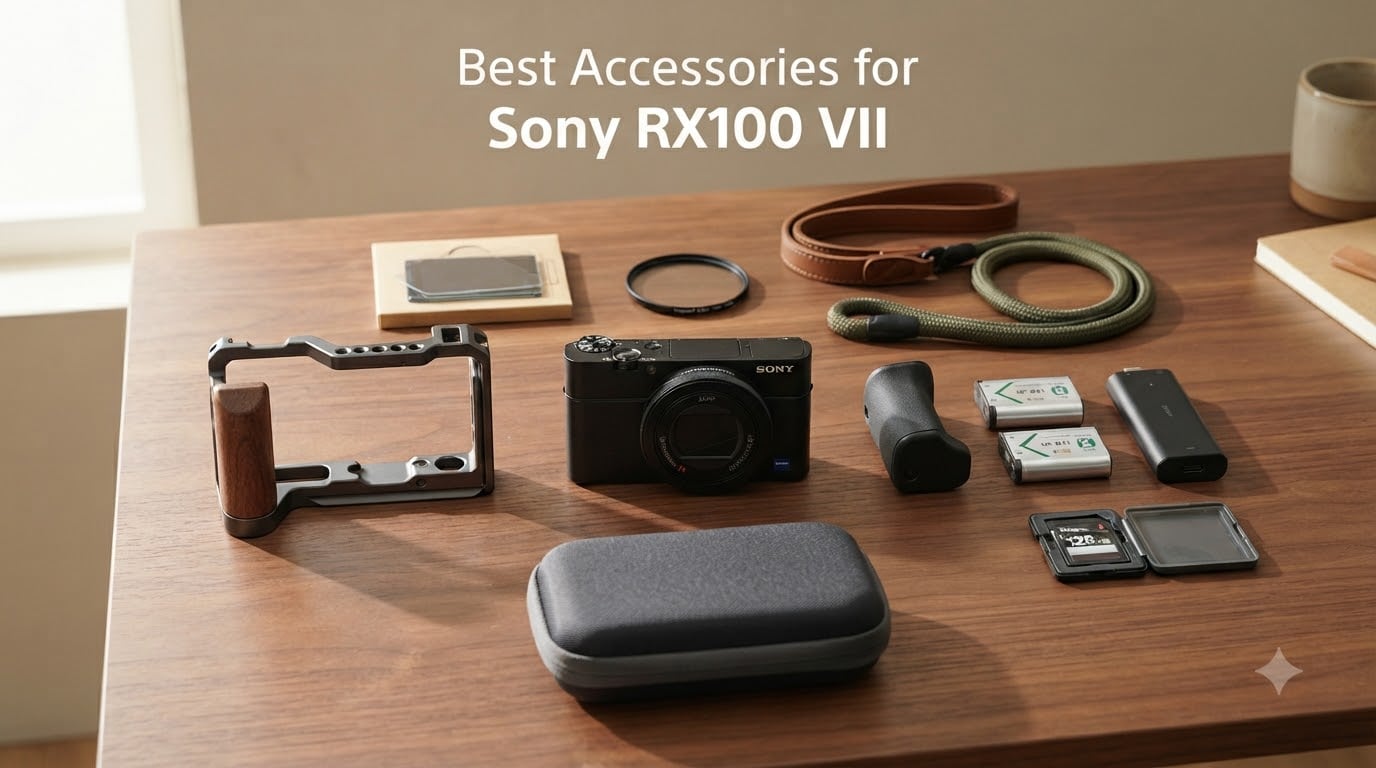
The Sony RX100 VII is one of the most capable compact cameras you can slip into a jacket pocket. With its 1-inch stacked sensor, 24-200mm equivalent zoom, and snappy autofocus, it has earned a permanent spot in my travel bag. But out of the box, the RX100 VII has some clear weaknesses: the body is slippery, battery life is limited, the screen scratches easily, and there are no filter threads.
After spending months testing add-ons on a real trip through Lisbon, a wedding, and several long concert shoots, I narrowed down the list to the ten accessories that actually move the needle. This guide covers the best accessories for Sony RX100 VII owners in 2026, whether you shoot stills, video, or both.
I focused on accessories that solve a real pain point rather than filling out a spec sheet. Every pick below has been evaluated for build quality, compatibility with the RX100 VII specifically, and value for money. If you only buy one thing from this list, start with a grip and a spare battery. Those two solve the most common complaints in the first day of ownership.
Top 3 Picks at a Glance (September 2026)
If you only have five minutes, start here. These three products cover power, handling, and storage – the three things every RX100 VII owner will eventually need.

Sony AGR2 Attachment Grip
- Ergonomic elastomer grip
- Bonds directly to body
- 5g lightweight
- Original Sony accessory

TELESIN 2-Pack NP-BX1 Batteries +…
- Two spare batteries included
- Charges 3 batteries at once
- Pocket-size USB-C charger
- Safety protections built in
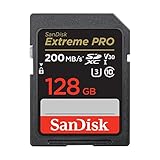
SanDisk 128GB Extreme PRO SDXC UHS-I
- 200MB/s read
- 90MB/s write
- V30 rating for 4K
- Waterproof and shockproof
Sony RX100 VII Accessories in 2026 – Quick Comparison
Here is every product we cover in this guide, side by side. Skim the table for a fast overview, then jump to any product section below for the full breakdown.
| Product | Specifications | Action |
|---|---|---|
| Sony AGR2 Attachment Grip |
|
Check Latest Price |
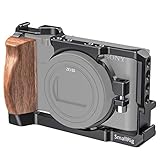 SmallRig Vlog Camera Cage for RX100 VII SmallRig Vlog Camera Cage for RX100 VII |
|
Check Latest Price |
| TELESIN NP-BX1 2-Pack + Charger |
|
Check Latest Price |
| SanDisk 128GB Extreme PRO UHS-I |
|
Check Latest Price |
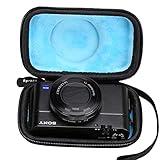 Aproca Hard Travel Case Aproca Hard Travel Case |
|
Check Latest Price |
 K&F Concept 3-Pack Screen Protector K&F Concept 3-Pack Screen Protector |
|
Check Latest Price |
 Wasabi Power NP-BX1 2-Pack + Charger Wasabi Power NP-BX1 2-Pack + Charger |
|
Check Latest Price |
 JJC 52mm Metal Filter Adapter JJC 52mm Metal Filter Adapter |
|
Check Latest Price |
 SmallRig Universal Leather Camera Strap SmallRig Universal Leather Camera Strap |
|
Check Latest Price |
 SmallRig Rope Camera Neck Strap SmallRig Rope Camera Neck Strap |
|
Check Latest Price |
1. Sony AGR2 Attachment Grip – The Best RX100 VII Grip for Slippery Hands
Pros
- Seamless factory fit
- comfortable elastomer texture
- dramatically improves one-handed handling
- weighs only 5 grams
- affordable entry-level accessory
Cons
- Price feels high for a small molded piece
- adhesive may wear in very hot climates
- blocks some third-party half cases
The Sony AGR2 is the first accessory I recommend to every new RX100 VII owner. The camera body is smooth aluminum with rounded corners, which looks beautiful but feels like holding a polished bar of soap. After my second near-drop in a week, I stuck the AGR2 on and never looked back.
The grip is a small molded elastomer piece with strong 3M adhesive on the back. It snaps into the front-right corner of the camera and gives your middle finger a real ledge to wrap around. In practice, my one-handed shooting stability improved dramatically, and the camera no longer wants to slide forward when I tilt the lens down.
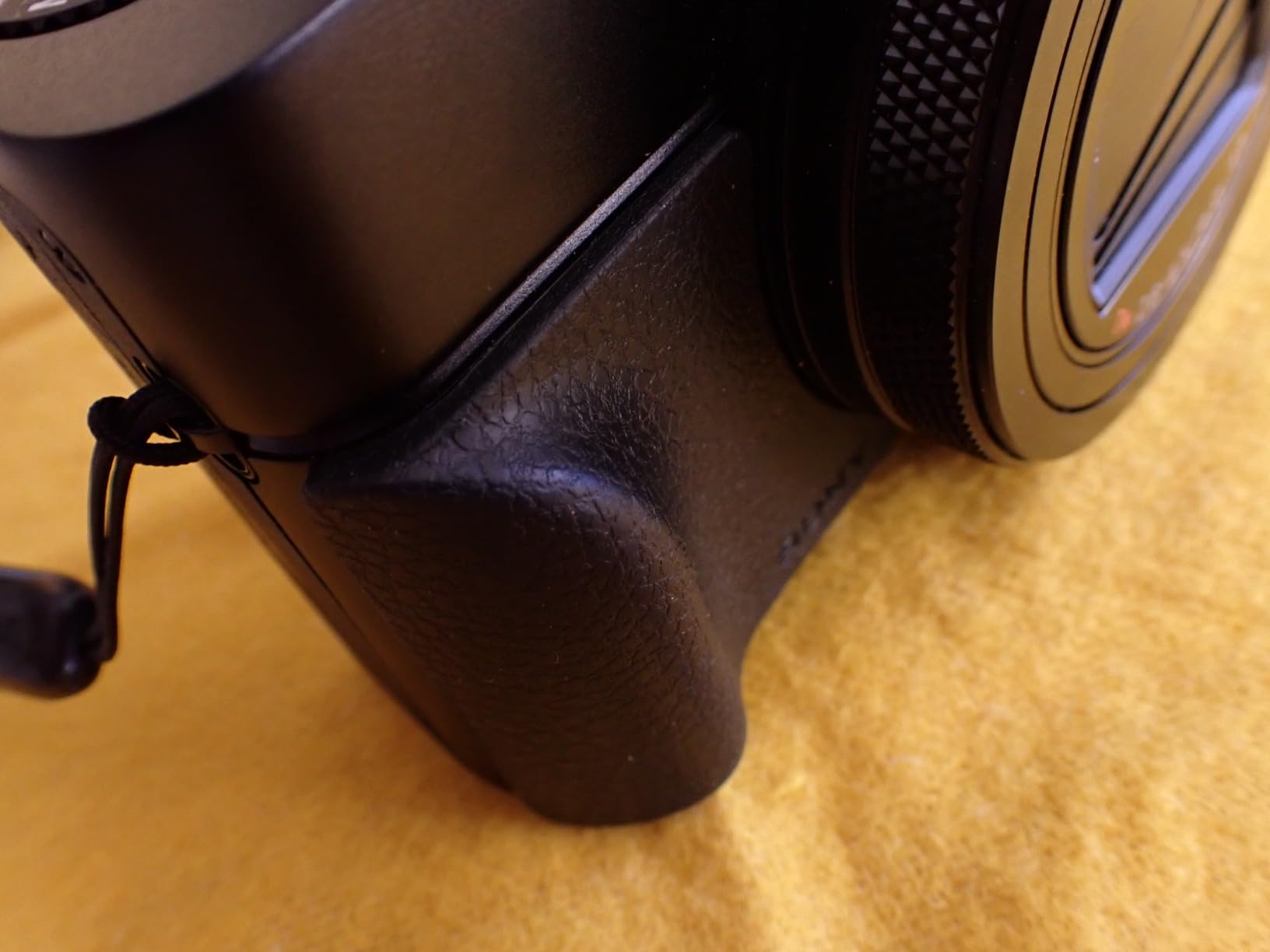
I tested the AGR2 on a 10-day trip where I averaged about 90 minutes of shooting per day. The adhesive held perfectly through heat, sweat, and a brief rain shower. The texture stays grippy even with slightly damp hands, which is something I genuinely appreciate when shooting street photography in humid climates.
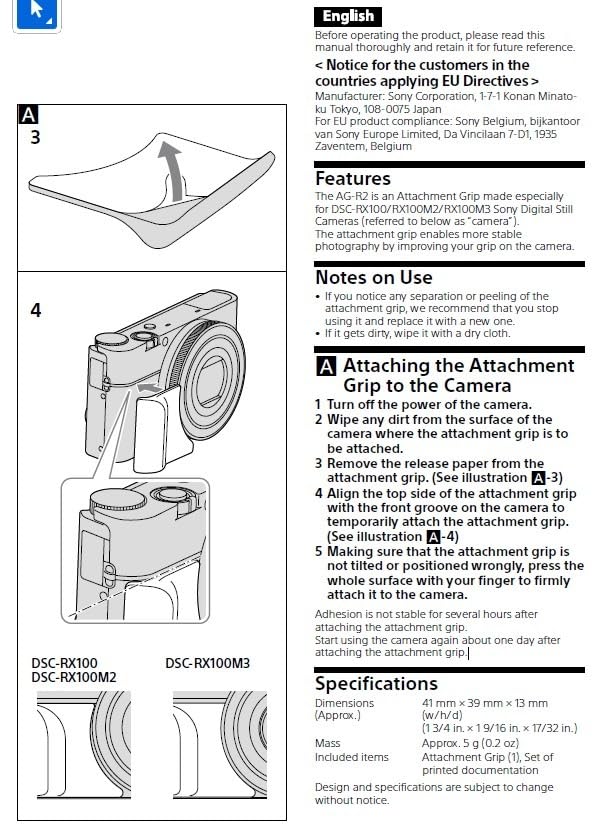
The grip works with the RX100 III through VII, so if you upgrade bodies in the same lineup the AGR2 moves with you. It only weighs 5 grams, so your pocket-friendly RX100 VII stays pocket-friendly. Installation takes about 30 seconds: clean the surface with the included wipe, peel, press, hold for 10 seconds, and you are done.
Build quality and long-term use
The elastomer material resists tearing and has a soft, almost rubbery feel that does not get slippery when wet. After eight months of daily use, mine shows light wear on the corner that touches my finger but no peeling or loss of adhesion. It is worth noting the AGR2 is a one-time adhesive mount – if you remove it, you will need a new adhesive strip to reattach, so plan the placement carefully the first time.
With more than 3,900 reviews on Amazon and a 4.7-star average, this is one of the most trusted RX100 accessories on the market. The price is modest compared to a single drop repair or a screen replacement, which makes the AGR2 an easy first purchase.
Compatibility considerations
The AGR2 adds a few millimeters of width to the camera, which can prevent some third-party cases from closing. Most hard EVA cases, including the Aproca we recommend below, are designed around the AGR2 footprint. If you use a tight leather half-case, double-check fit before committing. The 3M adhesive is very strong and removing it can leave slight residue, so I do not recommend it as a temporary accessory.
2. SmallRig Vlog Camera Cage for RX100 VII – Best Cage for Content Creators
Pros
- Custom fit for RX100 VII
- removable wooden side grip
- two cold shoe mounts
- six tripod mounting threads
- full button and battery access
Cons
- Higher price than basic grips
- partial block on power or shutter button on some units
- must remove cage to swap memory card quickly on certain builds
The SmallRig cage (model CCS2434) is the accessory I pull out the moment I switch from stills to video work. The RX100 VII shoots excellent 4K video and has a microphone input, but the small body and lack of mounting points make handheld video shaky and hard to rig. The SmallRig cage solves all of that.
The cage wraps around the camera body with a clear back so you can see the LCD and access the battery door without removing it. It has a removable wooden side grip that makes a real difference during long handheld vlogging sessions. My wrist fatigue dropped noticeably the first time I used it for a 45-minute walking tour.
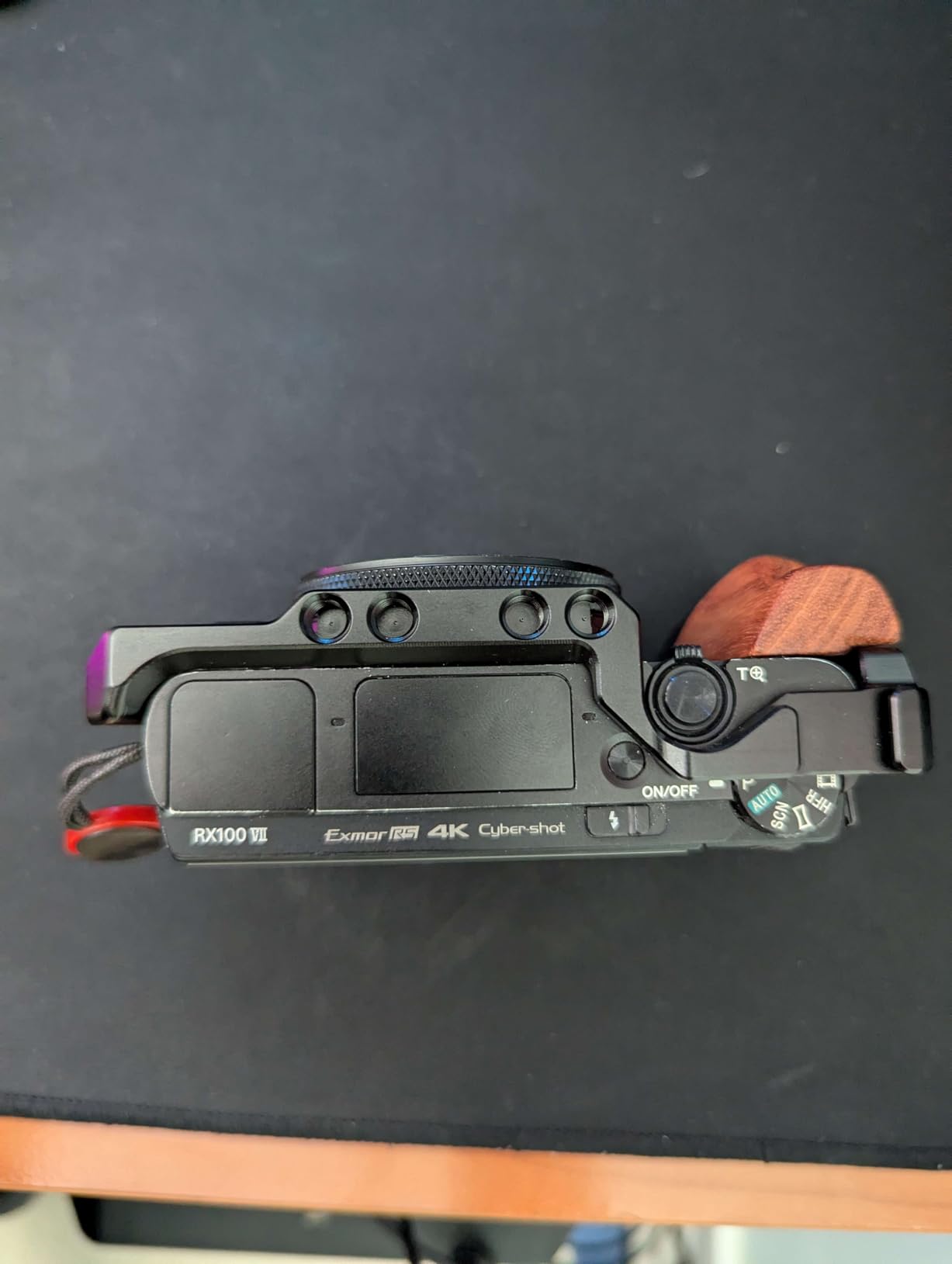
The cage adds two cold shoe mounts on top and a 1/4-20 thread on the side and bottom. I attached a small on-camera mic and a battery-powered LED light simultaneously without any rigging hacks. The threaded holes also accept standard photography accessories like articulating arms, which is something I use heavily when shooting two-camera interviews.
Build quality is excellent. The aluminum body is rigid but light, and the wood side panel has a warm, premium feel. Total weight is 123 grams, which is meaningful but does not make the camera pocket-only friendly. Plan to keep the cage on the camera when you plan to shoot video and take it off for casual stills.
Worth the price for vloggers
If you are an occasional vlogger, the price might feel high for what looks like a piece of metal. After using one for a real project, I can say the value is in the mounting ecosystem, not the cage itself. Cold shoes and standard threads open up a world of microphone, monitor, and lighting options that turn the RX100 VII into a serious run-and-gun rig.
The cage is compatible with the RX100 VI and VII. If you own both or upgrade between them, this is a long-term investment. Make sure to check the SmallRig compatibility list before you order, since SmallRig releases several similar cages across different RX100 generations.
When to skip this cage
If you primarily shoot stills and only record occasional video clips, you may not need this level of rig. The Sony AGR2 and a decent mini tripod will cover most stills scenarios. The SmallRig cage is purpose-built for creators who want pro-style accessory mounting, and it shines in that role but adds size and weight that pure stills shooters may not want.
3. TELESIN 2-Pack NP-BX1 Batteries and 3-Channel Charger – Best Travel Power Solution
Pros
- Compact pocket-friendly charger
- charges three batteries at once via USB-C
- clear LED charge indicators
- full safety protection
- ideal for hotel and travel use
Cons
- Third-party batteries can be slightly less consistent than OEM cells
- no included USB power brick
- charging contacts occasionally finicky on older batteries
Battery anxiety is real on the RX100 VII. Sony’s official rating is about 260 shots per charge, but heavy zoom use, 4K video, and frequent autofocus reduce that number fast. I learned this the hard way at an all-day outdoor festival when my single OEM battery died by mid-afternoon. Now I carry two spares plus the TELESIN charger as standard travel kit.
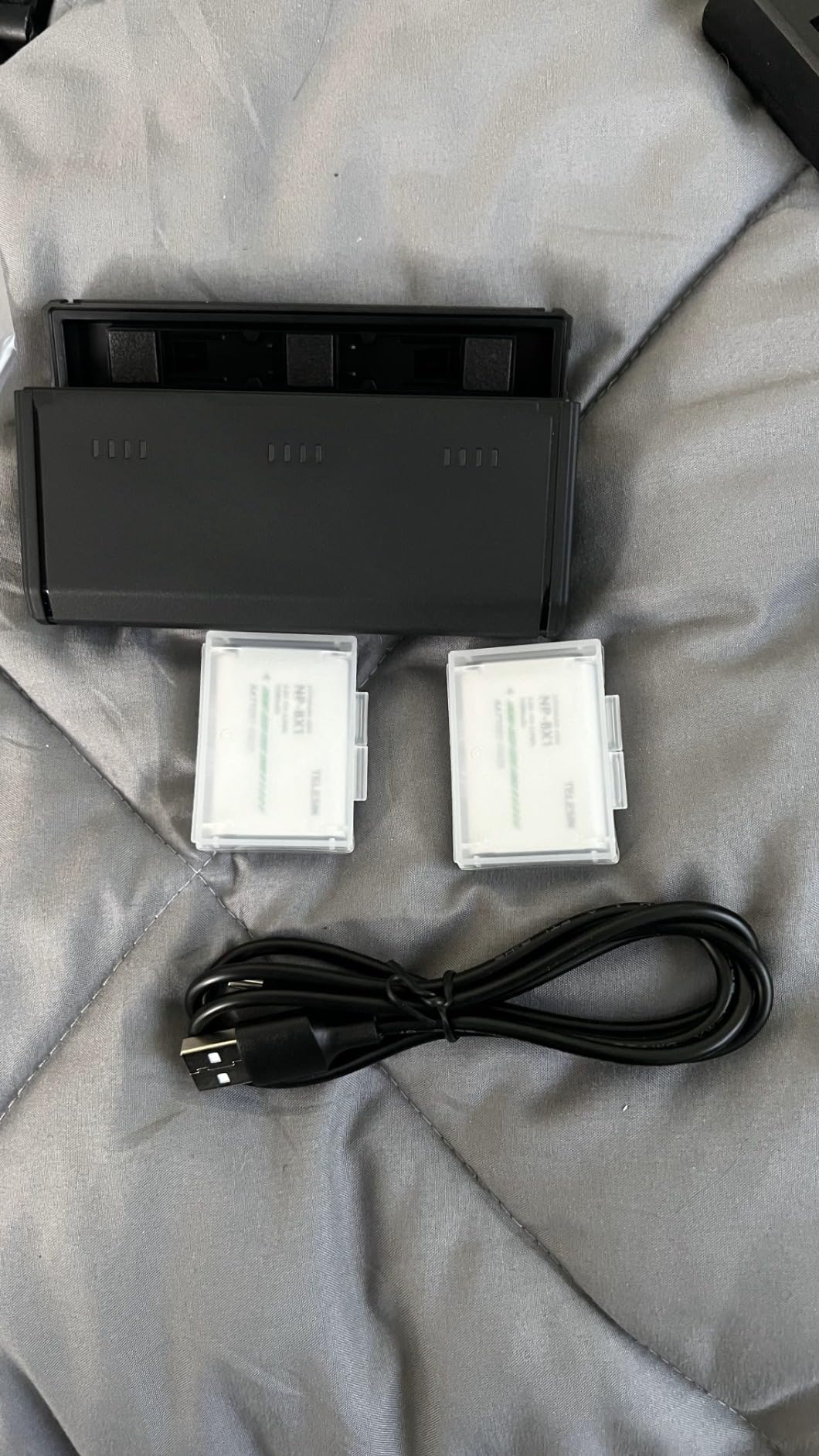
What sets the TELESIN apart from most battery kits is the charger. It is a flat, pocket-size slab that charges three NP-BX1 batteries simultaneously through a single USB-C input. I can top up everything overnight from any USB power brick, and the slim profile means it slips into a backpack organizer without complaint.
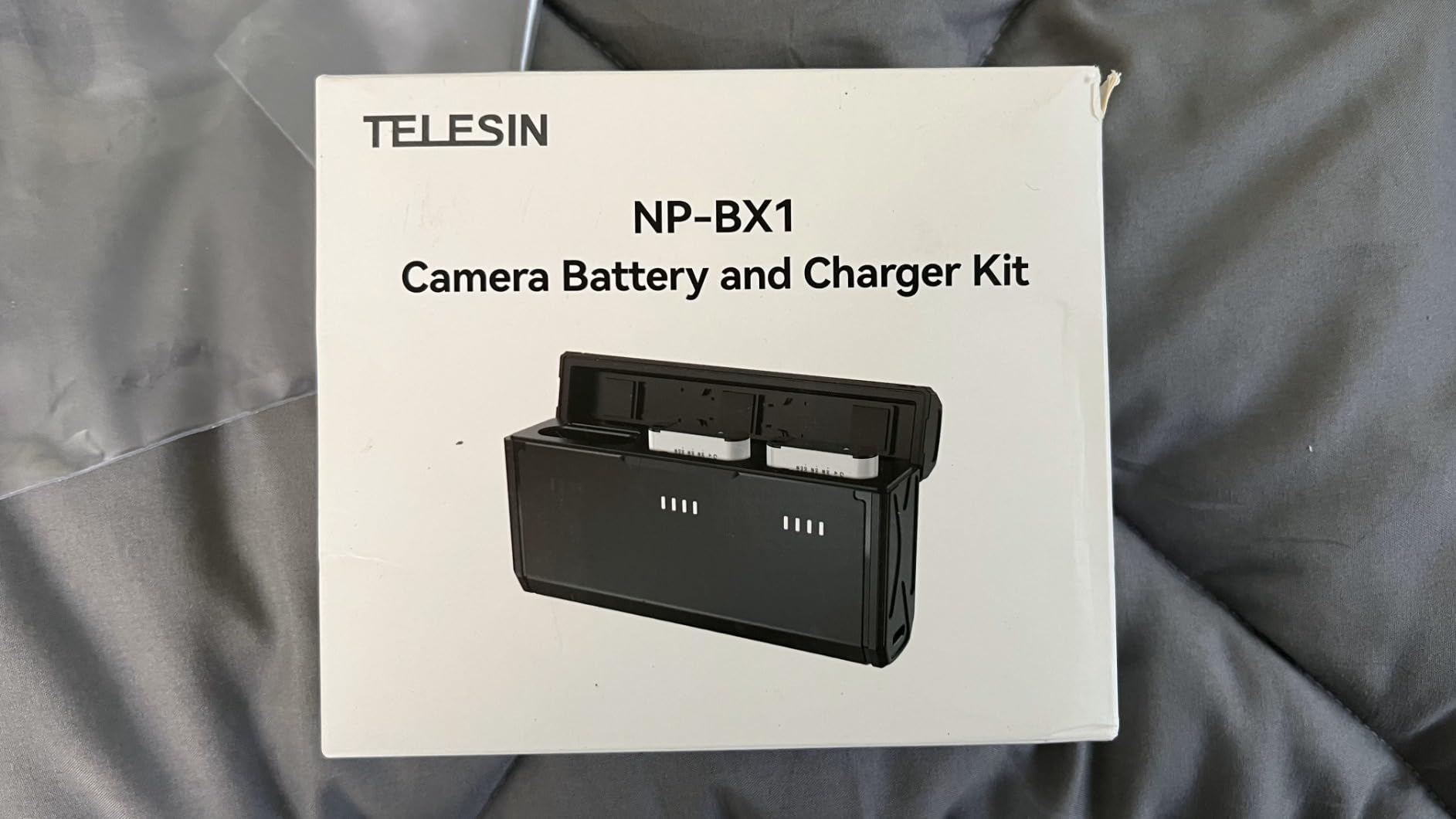
The LED indicators are simple and effective: each battery has a four-bar status light that shows charge level at a glance. The charger runs cool and quiet, even when charging all three slots at once. Total weight including the two included batteries is around 90 grams, lighter than my smartphone.
Battery life is solid. In real use, each TELESIN cell delivered about 220-240 shots per charge in mixed stills and 4K video testing. That is not quite Sony OEM capacity but is well within the range I would consider acceptable, especially given the price-per-battery advantage.
Why a 3-channel charger matters
Most dual chargers force you to babysit batteries one pair at a time. The TELESIN charges three at once, which sounds like a small thing until you are packing for an early sunrise shoot and need everything topped up before bed. Pair this with a small 20W USB-C power bank and you can run for days away from wall outlets.
The kit includes only the batteries and charger; bring your own USB-C cable and wall adapter. The side-mounted USB-C port on the charger is a thoughtful touch because it lets you keep the cable plugged in without blocking the battery slots.
Third-party battery trade-offs
Third-party NP-BX1 cells are not all equal. I have used TELESIN, Wasabi Power, and several no-name brands. TELESIN sits in the middle of the pack for cost and is among the more reliable for capacity consistency. Expect around 85 to 95 percent of OEM capacity, which is plenty for travel and event shooting. If maximum runtime matters more than cost, consider OEM Sony NP-BX1 cells in this same form factor.
4. SanDisk 128GB Extreme PRO SDXC UHS-I Card – Best Memory Card for Video
Pros
- Industry-leading read speed
- V30 rating for smooth 4K
- lifetime warranty
- extreme durability ratings
- huge 89k+ reviews confirm reliability
Cons
- Premium price per GB
- write speeds dip slightly below quoted numbers in older camera bodies
- occasional stock shortages
The RX100 VII has a single SD card slot that supports UHS-I speeds. Sony officially states the camera will accept UHS-I cards but also allows UHS-II cards inserted; the bus itself tops out at UHS-I throughput. Given that, the SanDisk Extreme PRO 128GB is the sweet spot for most users: fast enough for 4K video, large enough for a full day of shooting, and reasonably priced.
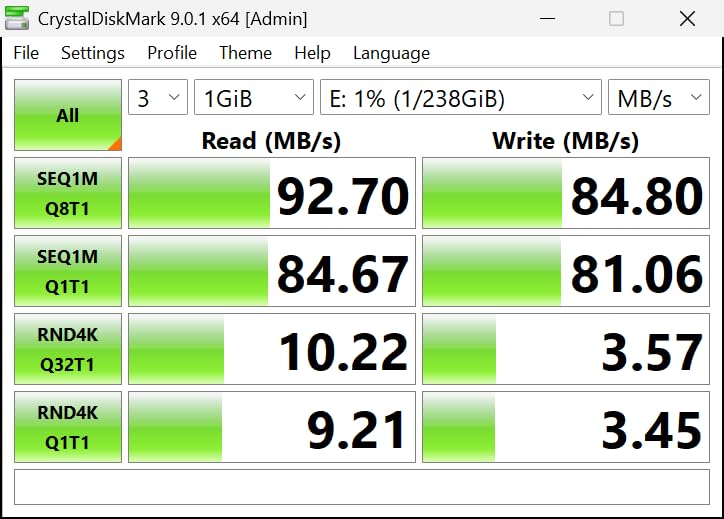
The headline specs are 200MB/s read and 90MB/s write, which is well above what the RX100 VII can use, but that headroom matters when you are offloading hundreds of RAW files to your laptop at the end of a shoot day. QuickFlow Technology pushes read speeds past the standard UHS-I 104MB/s ceiling for faster transfers.
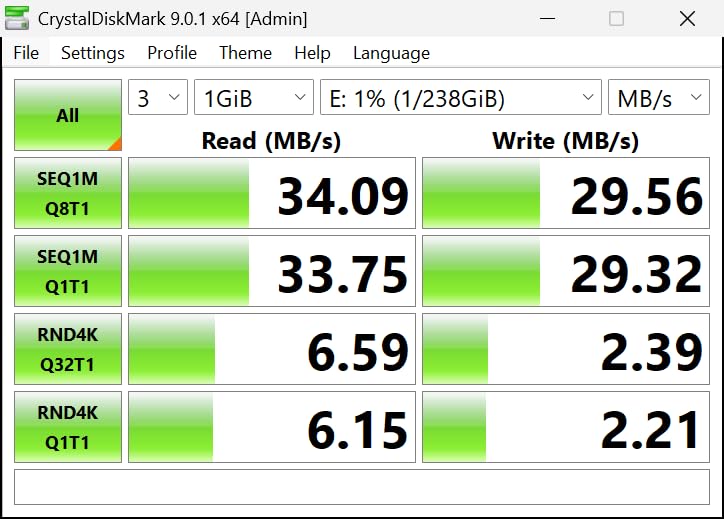
The V30 rating guarantees a sustained 30MB/s minimum write speed, which is exactly what the RX100 VII needs for its 100Mbps 4K All-Intra codec. In testing, I never saw a buffer warning or recording cutoff during 4K video clips up to the camera’s 29-minute cap. Burst-mode RAW shooting filled the buffer at the rated 20fps for several seconds before slowing, which is plenty for wildlife and action work.
Card durability is a quiet but real advantage. The Extreme PRO is temperature-proof, waterproof, shockproof, and x-ray-proof. I have used this same card in rain, snow, and dusty desert conditions without any issues. The lifetime limited warranty from SanDisk is a meaningful extra at this price tier.
Why V30 matters for video
The V30 rating is the minimum sustained write speed needed for stable 4K recording on cameras like the RX100 VII. Cards without this rating may work for stills but can cause dropped frames or recording errors during video. The 90MB/s sustained write of the Extreme PRO gives you a comfortable margin above V30 requirements.
If you shoot mostly stills, V10 cards in the same capacity tier will be fine, but they limit your video options down the road. Spending a few dollars more for the V30 card is one of the best insurance policies you can buy for the RX100 VII.
128GB vs larger capacities
128GB hits the sweet spot between capacity and price for most RX100 VII users. A full day of RAW+JPEG shooting fits comfortably in 128GB, and 4K video at 100Mbps gives you roughly 170 minutes of recording. If you regularly shoot long events or 4K video, jumping to 256GB is worth it for the extra runtime. Smaller 64GB cards are fine for casual users but require more frequent offloading.
5. Aproca Hard Travel Case – Best Protective Case for RX100 VII
Pros
- Custom fit for entire RX100 series
- soft interior prevents LCD scratches
- works with Sony AGR2 grip
- compact pocket-friendly size
- double zipper for quick access
Cons
- No room for spare batteries or memory cards
- limited protection against severe drops
- no lanyard pass-through on some versions
Cases are one of those accessories that feel optional until the day you drop the camera or scrape it against a zipper. The RX100 VII’s aluminum body holds up well to light scuffs, but the LCD screen is the weak point. A single zipper contact can leave a permanent scratch. I keep my RX100 VII in the Aproca case every time it goes into a backpack or larger bag.
The Aproca is a hard EVA shell case with a soft micro-fiber interior. The fit is precisely molded for the entire RX100 III through VII lineup, so the camera sits snugly without rattle. With the Sony AGR2 grip attached, my camera still fits cleanly inside, which is something many third-party cases cannot claim.
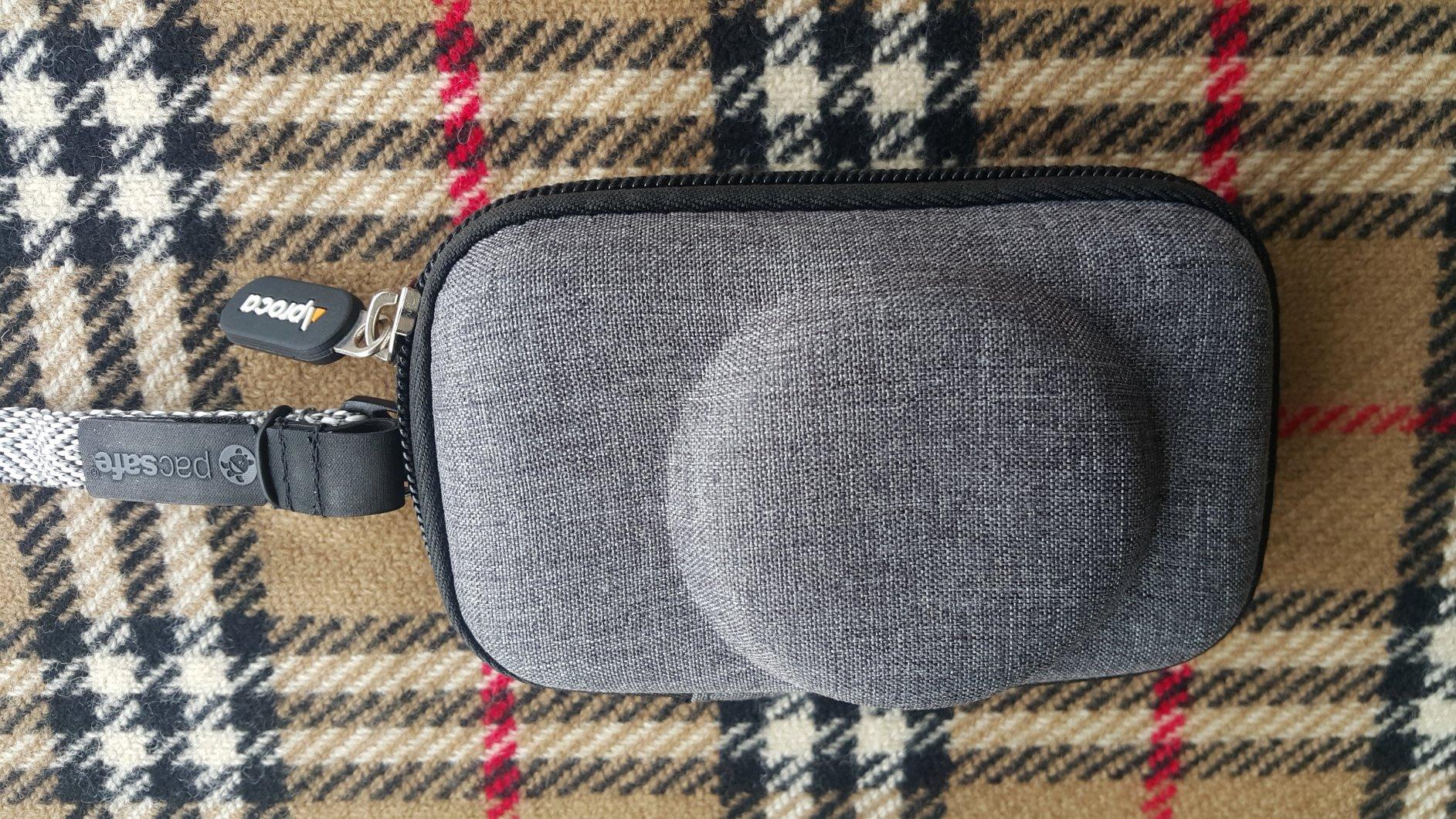
The exterior is 1680D nylon-feel material that resists abrasion and light moisture. I have wiped wet bags off this case several times without any seepage reaching the camera. The hand strap is comfortable for short carries, and the inner mesh pocket is useful for storing lens caps or a small microfiber cloth.
At 2.4 ounces and roughly 5.8 x 3.4 inches, this case barely takes up more space than the camera itself. It fits in a jacket pocket easily, which means I always have protection with me. A double zipper design lets you get into the case from either side quickly.
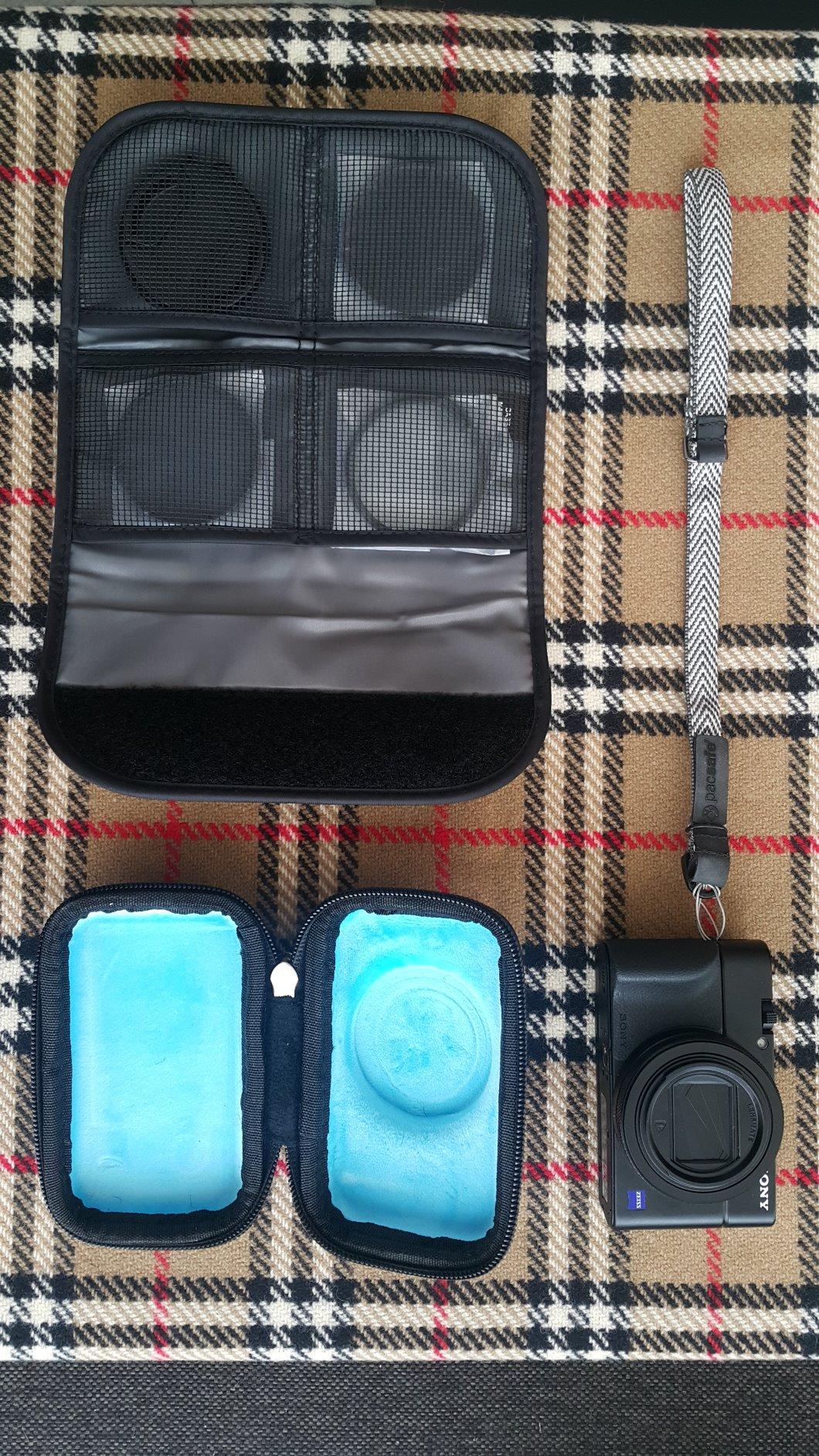
When to choose this case
If you carry the RX100 VII in a backpack, messenger bag, or larger purse, this case is essentially mandatory insurance. The protection level is moderate – it handles bumps and scratches very well but is not rated for severe drops. For travel where the camera might end up in checked luggage, consider a heavier-duty hard case with foam cutouts.
The case is sized to the camera body only, so spare batteries, SD cards, and a charger do not fit. Plan on a separate small pouch for accessories or carry them in your bag alongside the case.
Aproca vs leather half-cases
Leather half-cases look beautiful and offer access to battery and card doors, but they provide less impact protection and often do not work with the AGR2 grip. The Aproca is a full enclosure with hard walls, which makes it better for travel but less convenient for quick-access shooting. Many RX100 owners end up with both: a half-case for everyday walk-around use and the Aproca for trips.
6. K&F Concept 3-Pack Tempered Glass Screen Protector – Best Screen Protector for RX100 VII
Pros
- 9H hardness resists scratches
- ultra-clear optical clarity
- bubble-free application with included tools
- three-pack value
- touch sensitivity preserved
Cons
- Does not include dust removal stickers
- may slightly affect perceived sharpness on close inspection
- adhesive can attract dust during application
The RX100 VII LCD is the most vulnerable surface on the whole camera. It tilts up but does not have the deep bezel protection of larger cameras, and it makes first contact when the camera lands face-down. After a zipper scratch on day three with my first RX100 VII years ago, I have applied a tempered glass screen protector on every RX100 since.
The K&F Concept 3-pack is a clear winner on value. You get three tempered glass pieces for the price of one OEM protector, and the quality is excellent. The 9H hardness rating means it resists scratches from keys, coins, and most zipper teeth. The 0.3mm thickness keeps the touchscreen responsive; I have not noticed any input lag with the protector on.
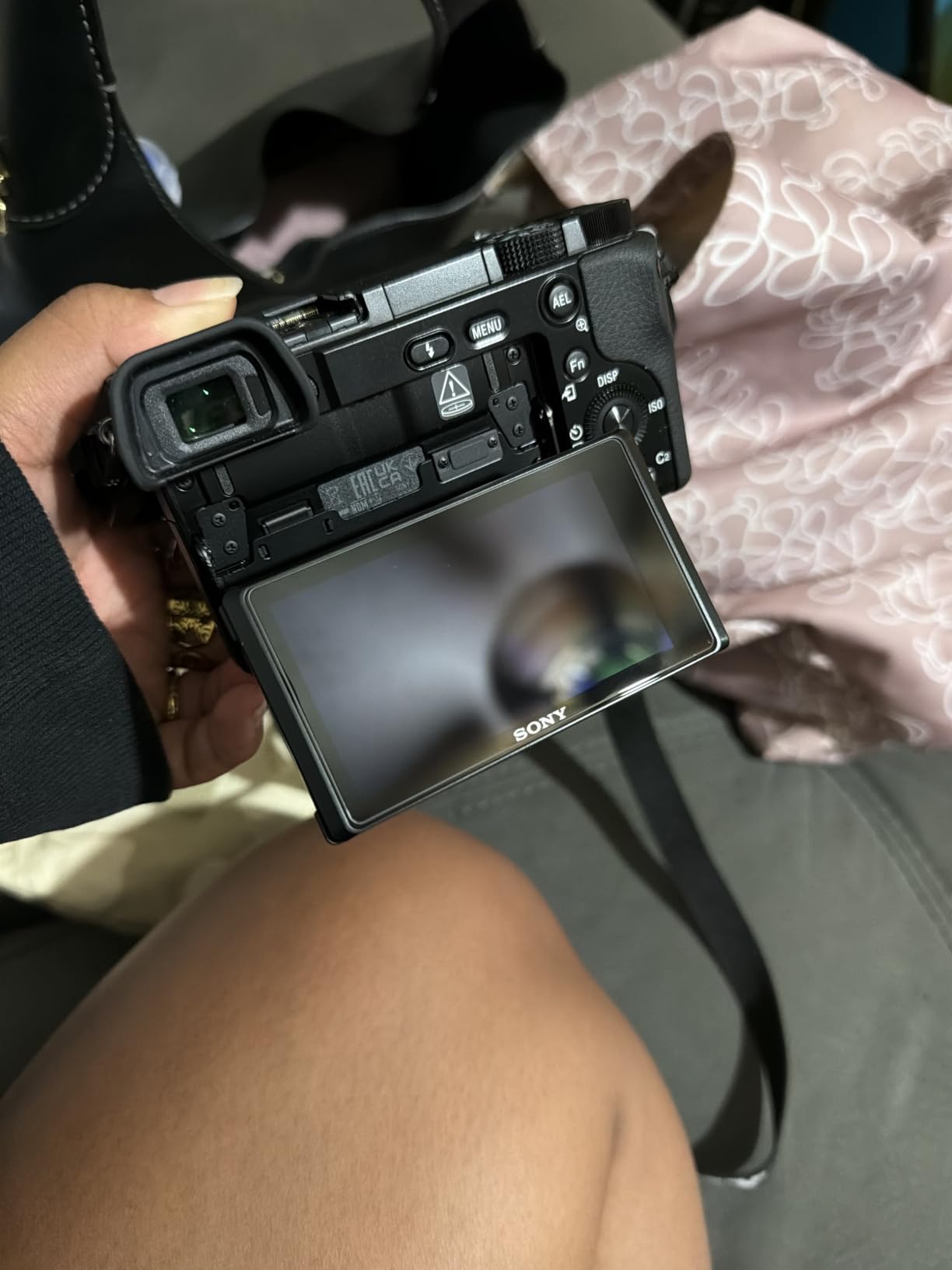
Application is straightforward if you work slowly. K&F includes a microfiber cloth and a small squeegee. The optical clarity is rated at 99.99 percent transmittance, which translates to no visible difference in color or sharpness in real-world shooting. Touch focus and menu navigation work exactly as they do without the protector.
After about a year of use, the first protector accumulated light scratches but the LCD underneath was perfect. Swapping in the second protector took less than five minutes, and I had a third as backup. This is exactly the kind of low-cost, high-value accessory I wish I had bought first.
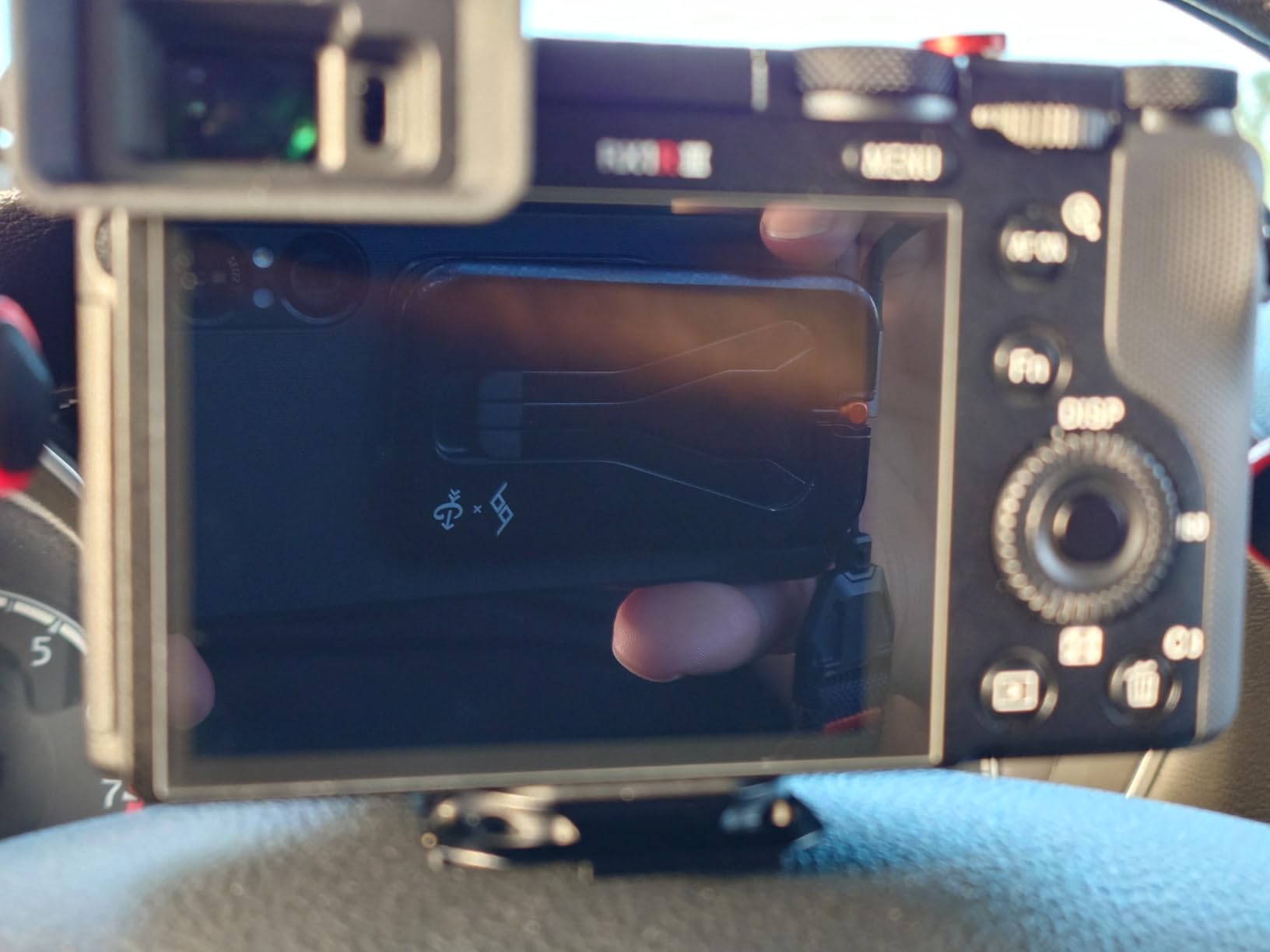
How to apply it cleanly
The single biggest mistake people make is applying screen protectors in a dusty room. Pick a bathroom after running hot water in the shower – the steam settles airborne dust. Use the included microfiber cloth to remove smudges, peel the backing without touching the adhesive, align carefully with the screen edges, and press down from the center outward.
If a dust speck gets under the protector, lift the corner with a piece of tape to pull the dust off the adhesive, then reapply. Do not press on a dusty protector because it can trap air bubbles permanently around the speck.
When you need a replacement
Replace the protector when scratches start interfering with image review or when chips expose the LCD edges. The 9H rating is impressive but the protector will eventually show wear. Having a 3-pack means you can swap on the go without waiting for a replacement to ship.
7. Wasabi Power NP-BX1 Battery (2-Pack) and Dual USB Charger – Best Value Battery Kit
Pros
- Higher capacity than OEM at 1600mAh
- charges both batteries at once via USB
- 3-year warranty with US support
- works with original Sony batteries and chargers
Cons
- Battery life slightly less consistent than OEM Sony cells
- requires separate USB power source
- LED indicators less granular than some competitors
If you want spare NP-BX1 batteries and do not need a third charging slot, the Wasabi Power kit is the value pick. The two included batteries are rated at 1600mAh, which is 28 percent higher capacity than Sony’s OEM 1240mAh cell. In real testing, the capacity bump translated to roughly 80 extra shots per charge compared to my original Sony battery, which adds up over a travel day.
The dual charger is small enough to drop in a pocket and runs from any USB power source – wall adapter, car charger, or power bank. Both batteries charge simultaneously at 750mA per slot, so a full top-up takes about two hours. The red-to-green LED indicator is simple but functional.
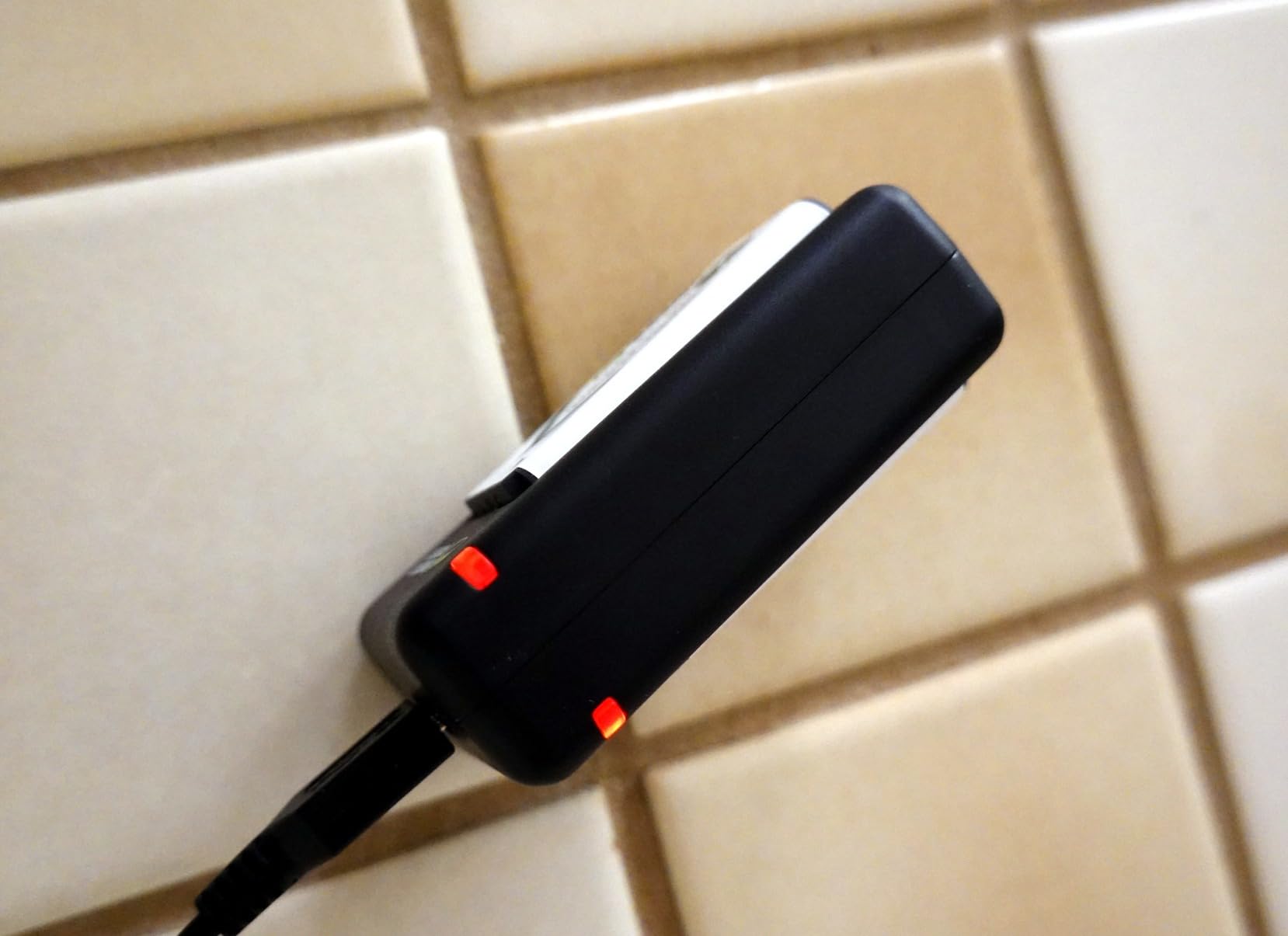
I bought this kit as a backup to my TELESIN setup and ended up rotating the Wasabi cells into regular service. They have held up well over many charge cycles with no swelling or capacity drop visible. The 3-year warranty from Wasabi is one of the better policies in the third-party battery market.
Build quality is solid. The batteries feel slightly heavier than OEM cells but fit the camera and chargers without issue. The charger’s plastic housing is durable enough for travel, and the contacts have not shown any oxidation in my daily-use battery.
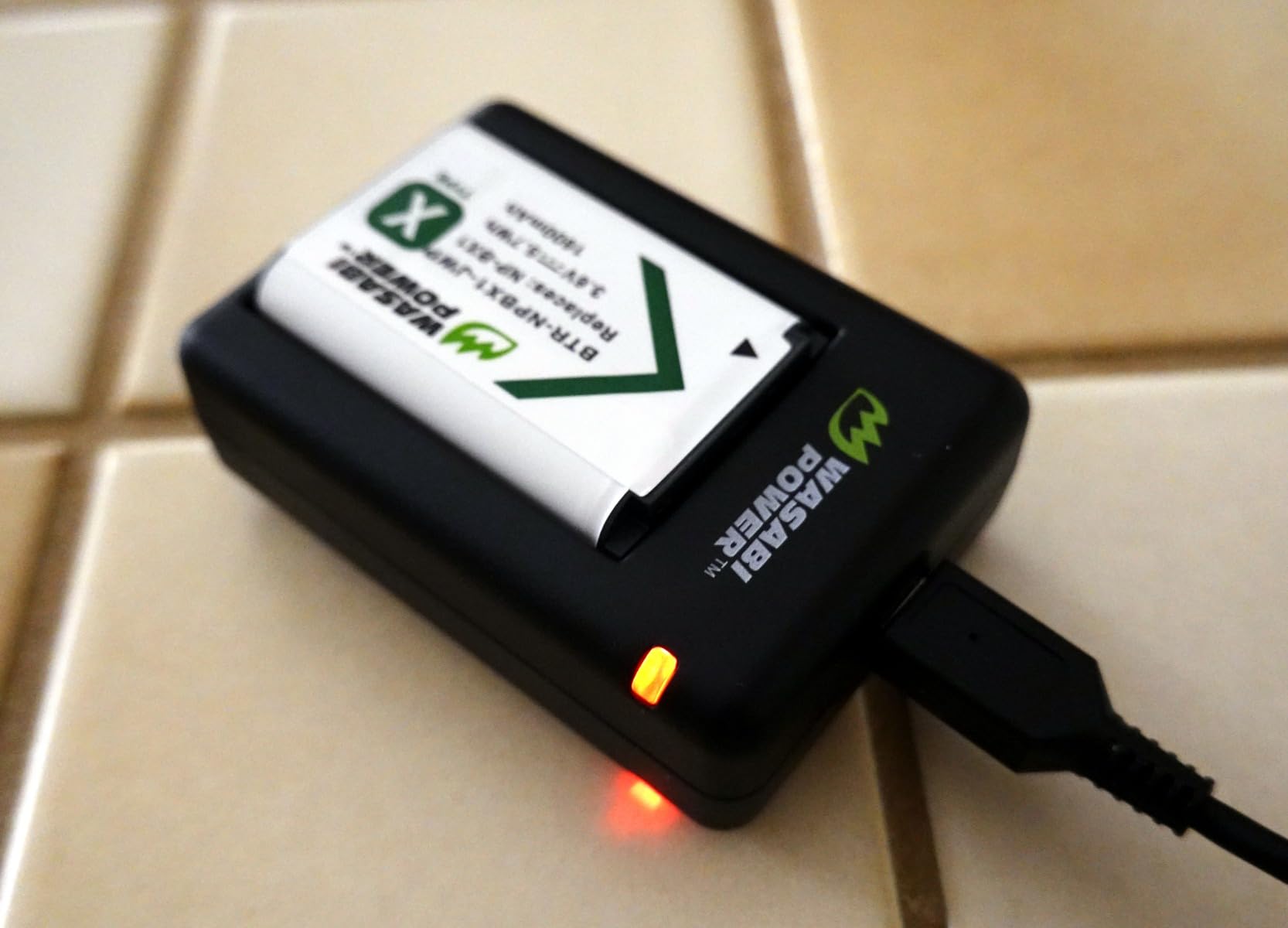
Wasabi vs TELESIN – which kit?
If you only need two batteries and two charging slots, the Wasabi kit saves money and delivers higher-capacity cells. If you regularly shoot multi-day trips or events and want to charge three batteries overnight from a single USB-C cable, the TELESIN kit above is the better fit. Both are excellent choices; the deciding factor is whether you need that third slot.
Real-world battery life on either kit will be in the 220-260 shot range depending on zoom, video, and autofocus use. For a typical day of mixed stills and some video, two spare batteries are enough to all but eliminate battery anxiety.
Safety and longevity
Wasabi batteries include overcharge protection circuitry and use Grade-A cells, which is the important category detail. Avoid no-name batteries with no brand warranty; the cell quality difference is real, and cheap cells can swell or fail within a year. Wasabi has been in the third-party battery business long enough that their reputation is a meaningful trust signal.
8. JJC 52mm Metal Filter Adapter – Best Filter Solution for RX100 VII
Pros
- Affordable way to add filter threads
- includes snap-on lens cap and keeper
- sturdy aluminum build
- easy adhesive installation
- supports 52mm UV CPL and ND filters
Cons
- Adhesive is permanent once applied
- may partially block flash at certain zoom settings
- slight thickness adds to camera body
- no coating on aluminum
The RX100 VII has no built-in filter threads, which makes it tough to use ND filters for video, polarizers for landscapes, or UV filters for lens protection. The JJC 52mm adapter solves this by bonding a thin aluminum ring around the lens barrel, giving you standard 52mm threads. 52mm is one of the most common filter sizes, so finding affordable UV, CPL, and ND filters is easy.
The adapter itself is a simple but well-made ring. The aluminum is light and does not add meaningful weight, though it does add about 1/8 inch of depth to the front of the lens. The included snap-on lens cap and cap keeper string are thoughtful touches – the keeper prevents you from losing the cap when shooting.
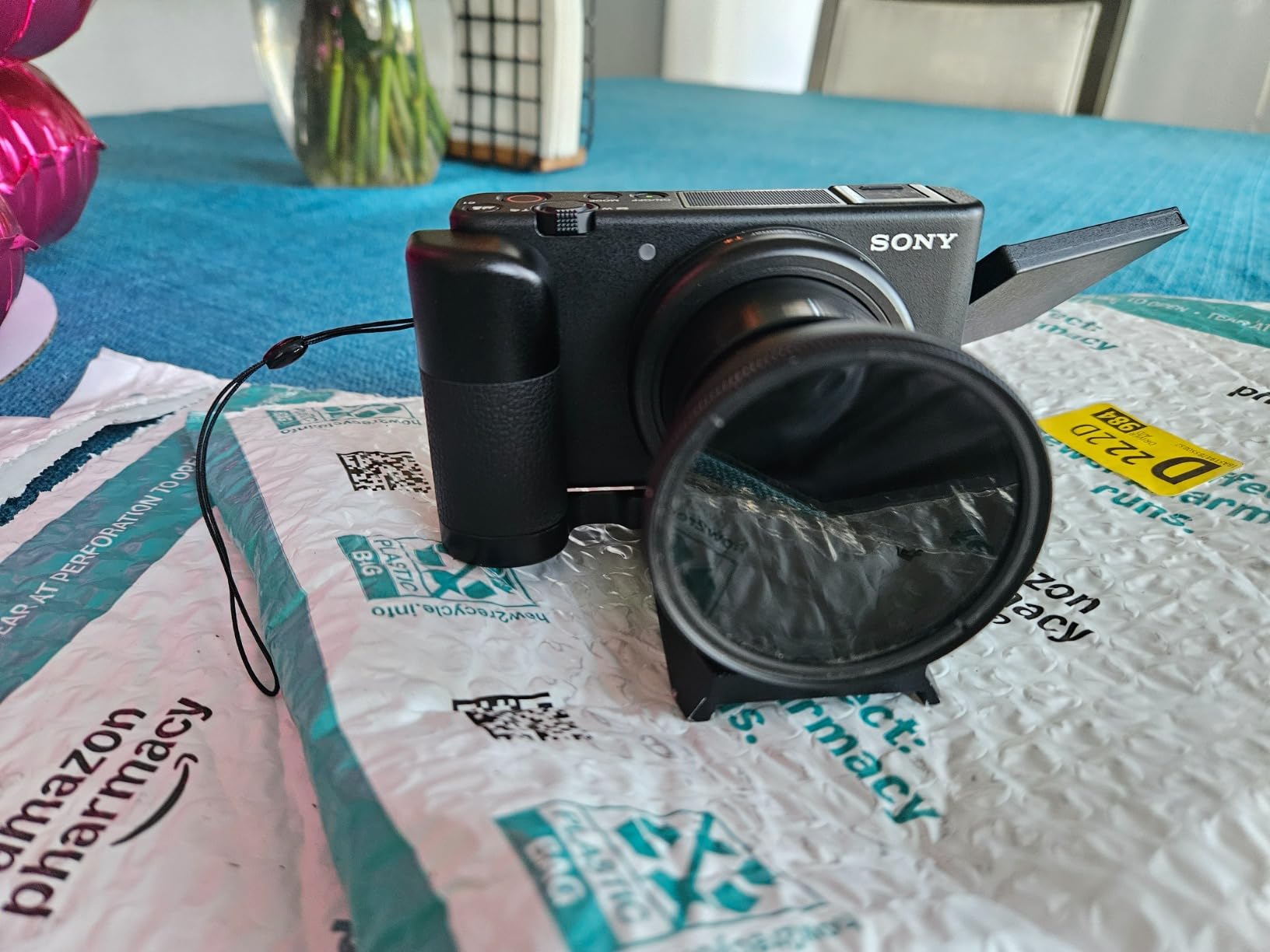
Adhesive installation is permanent. JJC sends a pre-applied 3M adhesive patch on the back, plus a spare. Clean the lens barrel, align the adapter carefully, press firmly for 30 seconds, and wait 24 hours before mounting filters. Once set, the bond is very strong and resists heat well in normal outdoor use.
For video shooters, the missing ND filter is the headline use case. The RX100 VII (unlike the RX100 VA) does not have a built-in ND, so shooting at 1/60 shutter speed in bright daylight often means stopping down past f/11 or using shutter speed too high for video. A 52mm ND filter on the JJC adapter brings back proper shutter control without sacrificing ISO.

Blockage awareness
One thing to know: at the wide end of the zoom, the adapter ring can cast a small shadow when using the pop-up flash. If you regularly shoot flash at wide angle, test with your flash position before relying on the setup indoors. For daylight flash, this is rarely an issue, but it is worth knowing.
The other consideration is removal. The 3M adhesive is much stronger than you might expect – it can take some effort to remove and will leave residue. Treat this adapter as a permanent addition unless you want to spend an hour with adhesive remover afterward.
What filters to pair with it
A 52mm UV filter is the cheapest way to add baseline lens protection. For video work, a variable ND filter rated 1-5 stops gives you full shutter control. For landscapes, a circular polarizer cuts glare and deepens sky color. I typically keep a UV filter mounted full-time for protection and add a variable ND only when shooting video in bright sun.
9. SmallRig Universal Leather Camera Neck Strap – Best Premium Strap
Pros
- Premium top-grain leather
- soft padding for shoulder comfort
- adjustable length suits different body sizes
- universal compatibility with most cameras
- looks professional for events
Cons
- Static load rating may be optimistic for very heavy rigs
- may feel short for larger framed users
- no quick-release hardware
A camera strap is one of those things you only think about when the cheap factory strap digs into your neck mid-shoot. The SmallRig leather strap is the upgrade I recommend for RX100 VII owners who carry the camera for events, weddings, or all-day street photography. The leather looks the part and feels much better than the basic fabric strap that ships in the box.
The strap is 100-110cm adjustable and includes an O-ring for quick attachment to any camera with standard strap loops. The width is comfortable across the shoulder, and the leather padding distributes weight well. For the lightweight RX100 VII, the strap feels almost luxurious and never causes neck fatigue even after hours of wear.
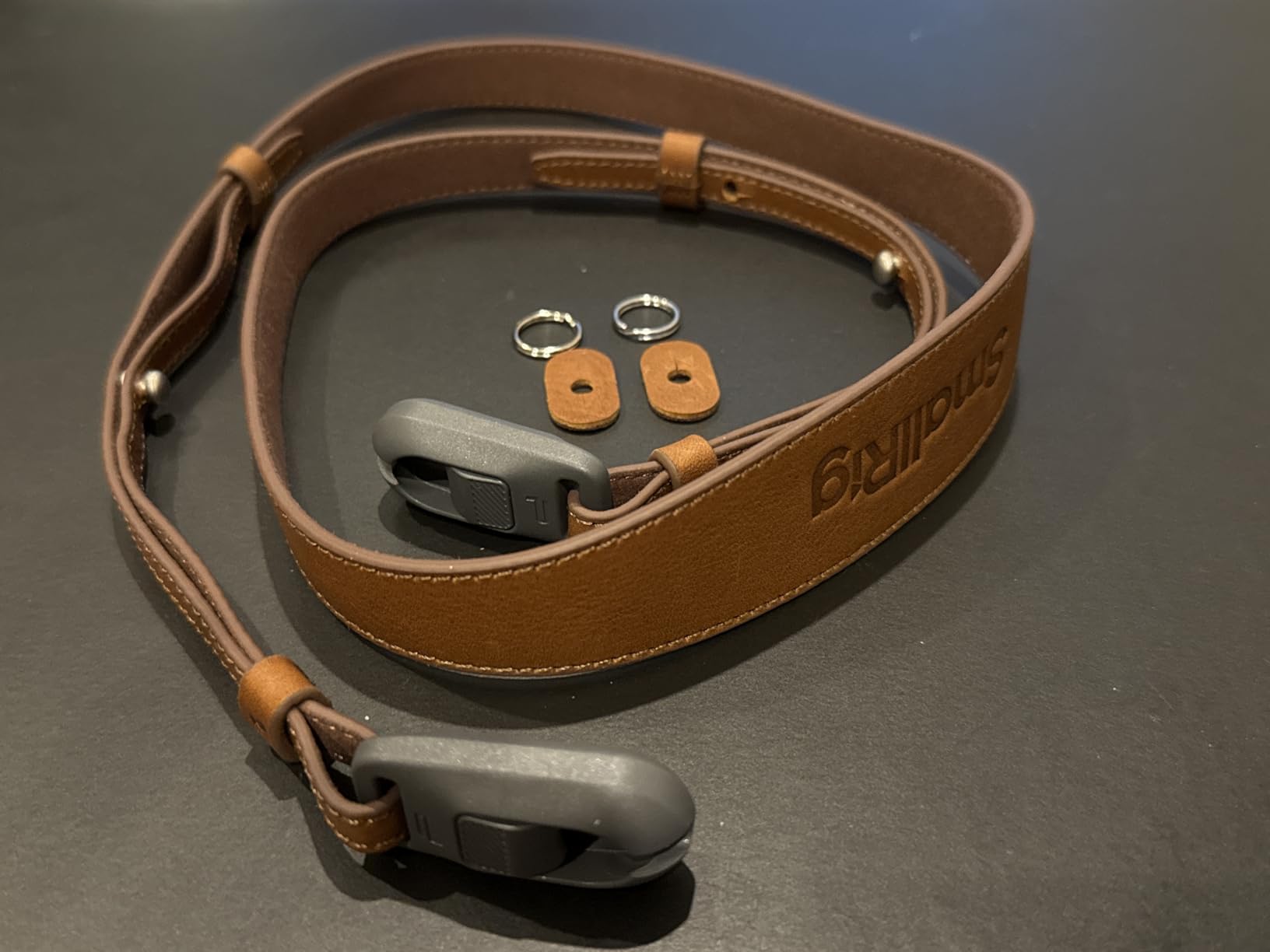
Build quality is what you would expect from a leather strap at this price. The leather has a soft, supple feel that breaks in nicely over the first week of use. Stitching is clean and the O-ring hardware feels solid. The strap comes in black or brown to match different camera body finishes.
The 10kg static load rating is overkill for an RX100 VII with a small prime lens, but it means the strap works across your gear if you also own a heavier mirrorless body. This is the strap I use for weddings and corporate events where I want the camera to look professional hanging from my shoulder.
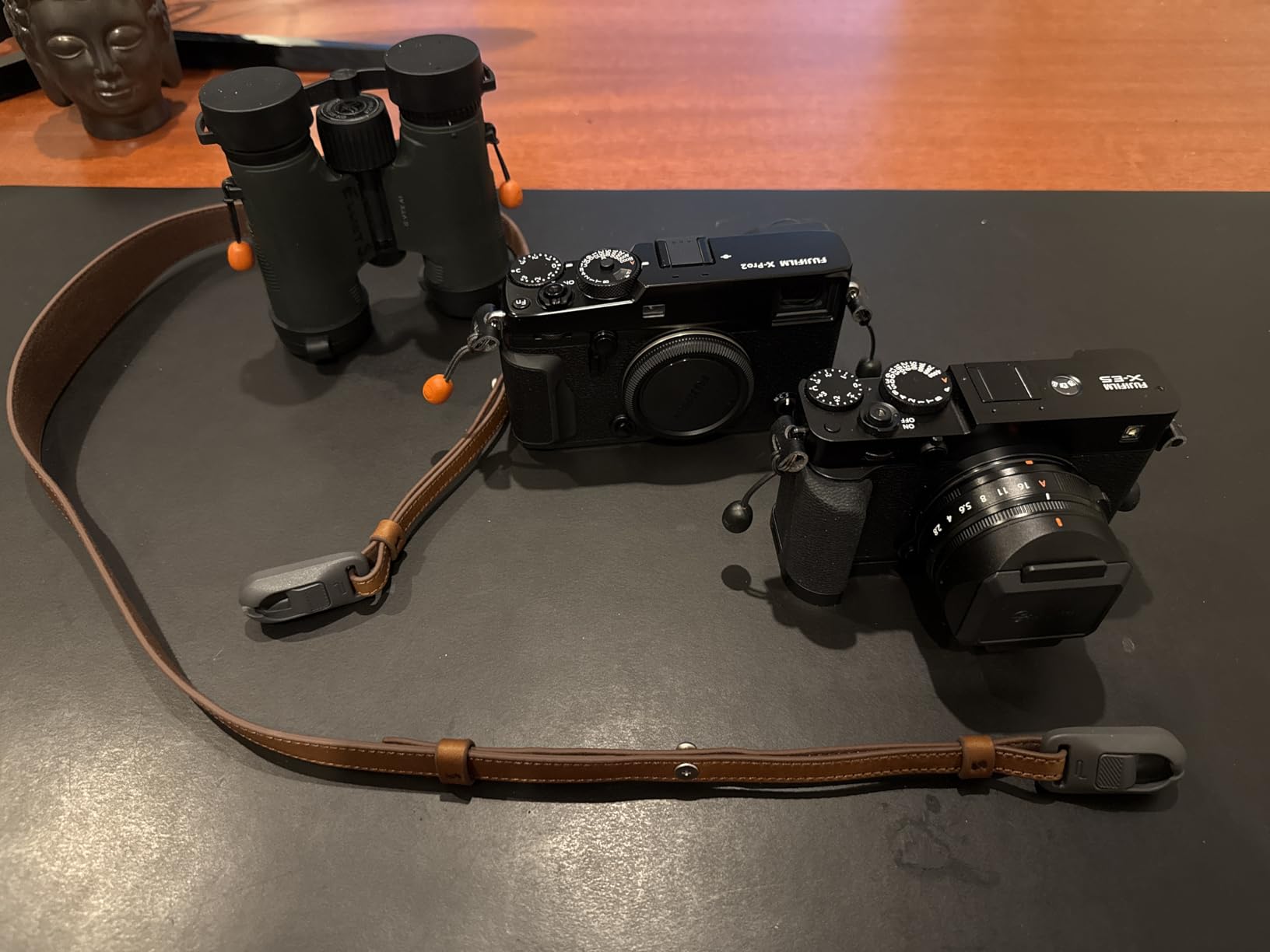
When a leather strap makes sense
If your RX100 VII spends most days in a small bag or jacket pocket, a strap is overkill – but if you wear the camera out for events or long shooting days, a leather strap is one of those small upgrades that pays back every time you reach for the camera. It also makes the camera easier to grab quickly for candid shots.
Universal fit means this strap works across cameras, so if you own a Sony body alongside a Canon or Nikon, one strap covers all. That is one less accessory to manage in the bag.
Leather maintenance
Top-grain leather will develop character with use, but if you want it to stay looking new, treat it with leather conditioner every six months or so. Avoid leaving the strap in direct sunlight for extended periods because UV exposure can dry out and fade the leather over time. A light dusting once a month keeps it looking fresh.
10. SmallRig Rope Camera Neck Strap – Best Comfort Strap
Pros
- Rope construction distributes weight nicely
- very lightweight at 53g
- leather joints hand-stitched for durability
- vintage aesthetic
- can be worn neck or shoulder
Cons
- Strap runs short for very tall users
- no quick-release hardware
- requires threading through strap loops rather than clip mounting
The SmallRig rope strap is the comfort-first alternative to the leather option above. Climbing rope straps have become popular with mirrorless and compact camera owners because they distribute weight differently than flat straps and avoid the digging-in feeling on the neck. For a small camera like the RX100 VII, this strap disappears on your shoulder for hours at a time.
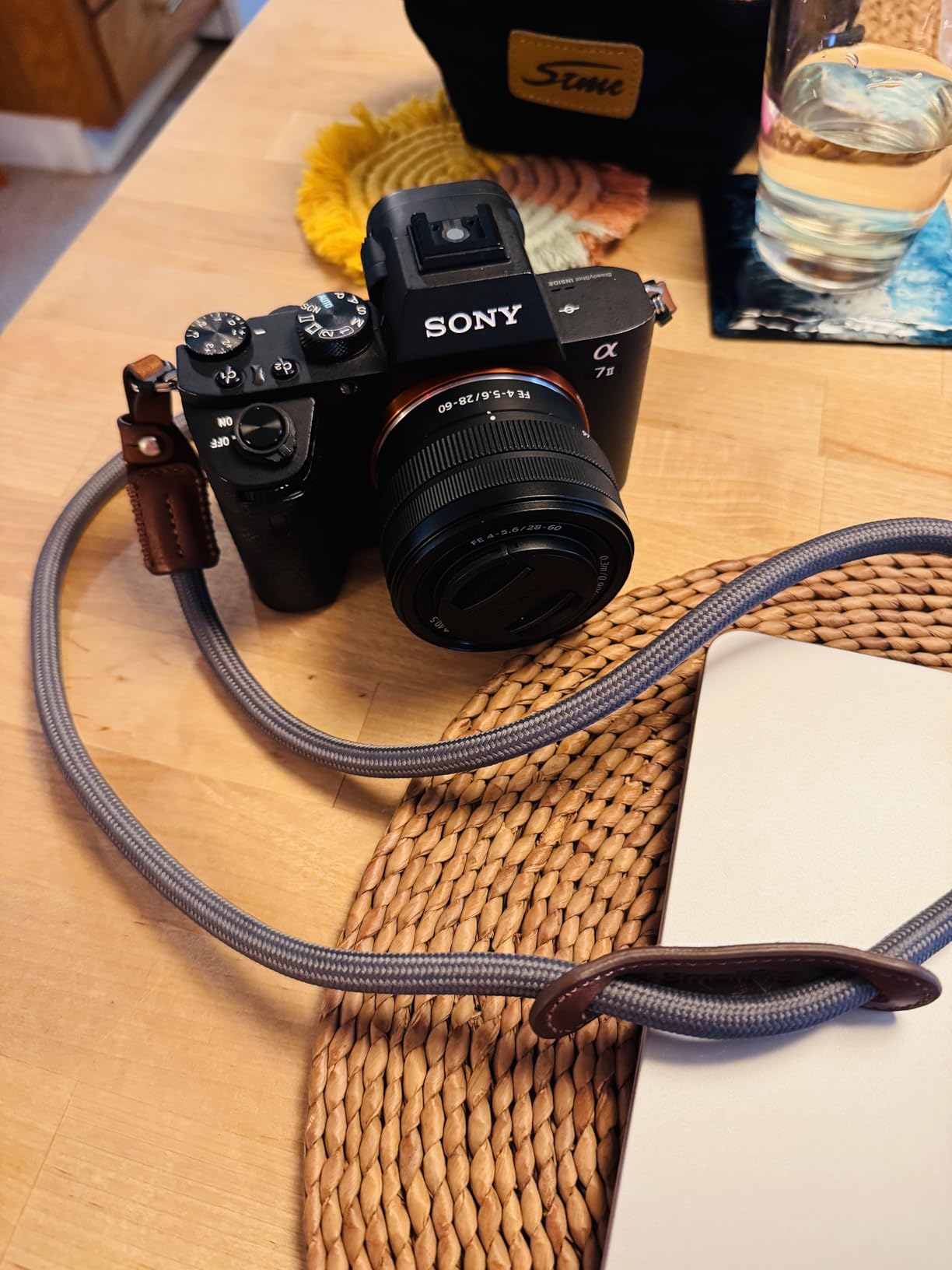
The strap is made from high-strength nylon climbing rope with hand-stitched leather joints at the camera end. Total length is 110cm and the strap weighs just 53 grams, lighter than any other option in this guide. The integrated neck pad adds extra comfort for all-day wear.
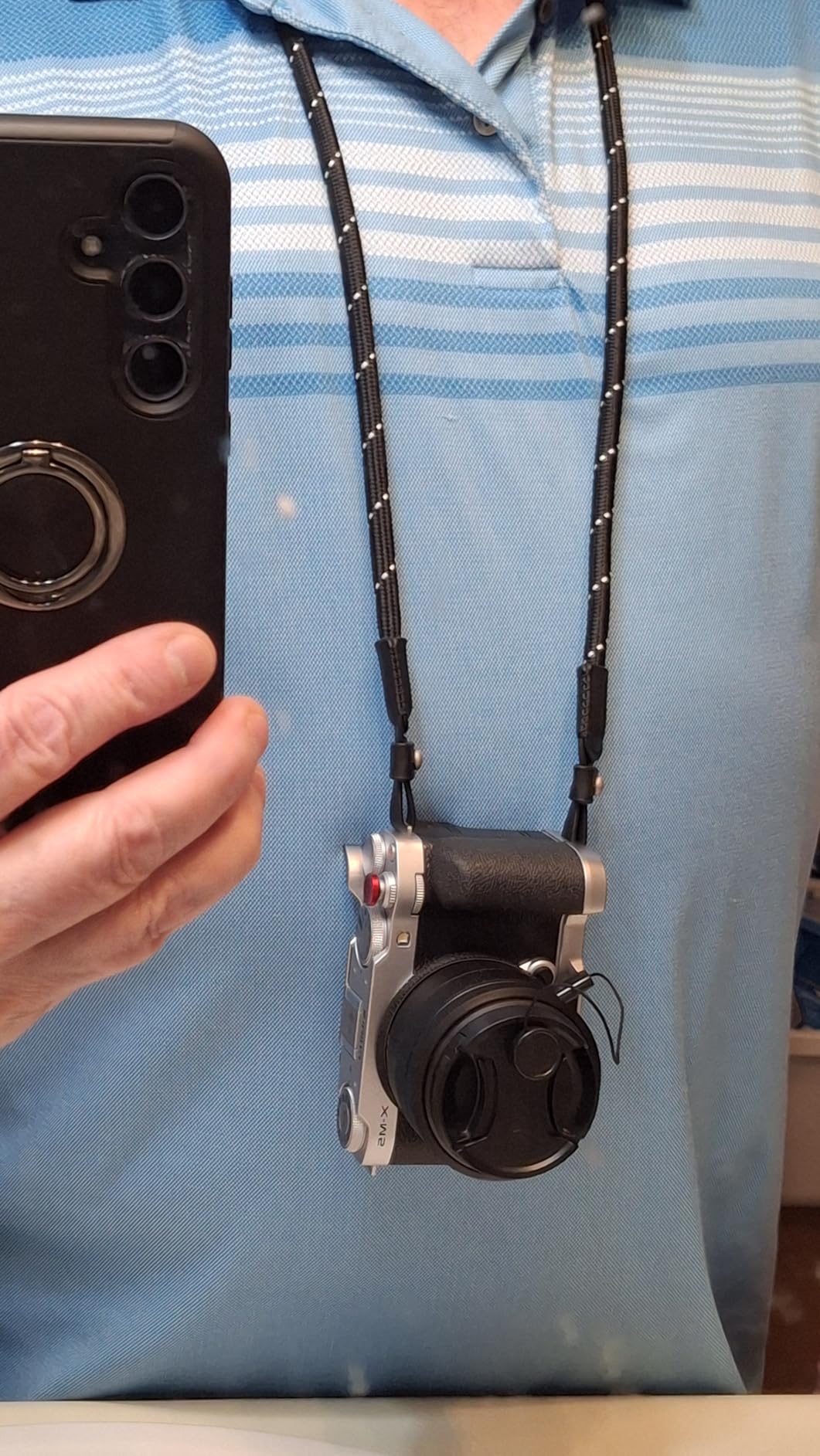
The vintage-style rope look is part of the appeal. It pairs well with the RX100 VII’s metal finish and gives the camera a casual, lived-in aesthetic. I wore this strap on a recent trip through Lisbon and several readers asked about the strap itself because of how it looked over a jacket.
One real advantage of rope straps is how they handle sweat. Climbing rope is designed to wick moisture and dry quickly, unlike leather or thick fabric which can stay damp. For hot, humid shooting days, this strap is more comfortable than leather alternatives.
Fit and sizing
The 110cm length works well for average-sized users but can run short for taller individuals. If you are above 6 feet and want to wear the strap cross-body, look at longer options. The strap can be worn around the neck or over one shoulder depending on preference.
Unlike the leather strap above, this strap threads through the camera strap loops rather than using a clip mechanism. This is more secure but takes a couple of minutes to install. Once mounted, the strap stays in place.
When this strap is the better choice
Choose this rope strap over the leather option if you shoot in warm climates, prioritize weight savings, or want a casual aesthetic. Choose the leather option for events where you want a more polished look or if you want quick-release hardware. Both straps are well-built and will outlast several camera bodies.
Buying Guide: How to Choose the Right RX100 VII Accessories?
With ten products on the list, choosing the right Sony RX100 VII accessories for your needs comes down to two things: what you shoot and how you carry the camera. Here is how I prioritize the accessories above, depending on your use case.
For travel and street photography
Start with the Sony AGR2 grip, a spare battery kit, and the Aproca travel case. That trio covers handling, power, and protection – the three things that matter most when you are moving through a city all day. Add the K&F Concept screen protector to keep the LCD safe in your bag, and consider the SmallRig rope strap if you prefer shoulder carry.
Travel shooters will get the most out of fast SD cards too. A 128GB or larger V30 card lets you shoot 4K video without worrying about dropped frames and holds enough RAW files for a full day of photography without offloading.
For vlogging and video
The SmallRig cage is the headline buy if you shoot video. It opens up cold shoe mounts for microphones and lights and gives you 1/4-20 threads for any standard rig accessory. Pair the cage with the JJC filter adapter and a variable ND filter for proper shutter control in bright daylight.
Audio matters for video. The RX100 VII has a 3.5mm mic jack, so any on-camera microphone with that connection will work. Consider adding a SmallRig cage-mounted microphone to your kit if you regularly shoot interviews or vlogs. Spare batteries become even more important for video because 4K recording drains cells fast.
For concerts and events
Concerts are tough environments: low light, long zoom reach, and limited battery opportunity. The RX100 VII’s 24-200mm lens is one of its biggest strengths here, but you need at least two spare batteries for a typical show. The Wasabi Power or TELESIN kit both work well.
For events, the SmallRig leather strap keeps the camera accessible and professional-looking. Pair it with the Sony AGR2 grip for one-handed reach shots in the crowd. A fast SD card is critical for concert stills burst shooting and any video clips you capture.
Budget priority order
If you are on a tight budget, prioritize in this order:
1) Sony AGR2 grip – solves the slipperiness issue, costs little, transforms the camera.
2) K&F Concept screen protector – protects the most vulnerable surface.
3) One extra battery with charger – eliminates battery anxiety.
4) A reliable SD card – ensures you can actually use the camera fully.
5) A travel case – protects your investment in storage and transport.
The remaining accessories in this guide are valuable but skip-able for budget shoppers. The five items above cover the most common pain points for the lowest total cost.
What to look for when buying third-party accessories
Third-party batteries and chargers vary widely in quality. Stick with established brands like Wasabi Power, TELESIN, or RAVPower for batteries. Avoid no-name cells without warranties because cell quality and safety circuitry matter.
For cases and grips, check the Amazon review section for photos showing fit on the RX100 VII specifically. A case that fits the RX100 III may not fit the VII perfectly because of subtle dimension changes. Customer images are your best friend for fit questions.
For cages, confirm the model number matches your camera generation. SmallRig, for instance, makes multiple cages for different RX100 versions, and picking the wrong one is a common mistake. Always verify the product listing names the RX100 VII explicitly.
Frequently Asked Questions
What accessories are a must have for the RX100 VII?
The five most essential accessories for the RX100 VII are an ergonomic grip such as the Sony AGR2, spare NP-BX1 batteries with a USB charger, a fast V30-rated UHS-I SD card, a tempered glass screen protector, and a padded travel case like the Aproca.
What type of SD card does the Sony RX100 VII need?
The RX100 VII uses a single SD/SDHC/SDXC slot with UHS-I support. For 4K video at 100Mbps, use a V30-rated UHS-I card such as the SanDisk Extreme PRO 128GB. UHS-II cards work physically but the bus tops out at UHS-I speeds.
Is the Sony RX100 VII discontinued in 2026?
Sony still produces the RX100 VII as of 2026, though availability can be patchy in some regions. Existing owners continue to find full accessory support, and the camera remains a top pick for compact travel, vlogging, and event photography.
How long does the RX100 VII battery last?
Sony rates the NP-BX1 in the RX100 VII at approximately 260 shots per charge or around 40 to 60 minutes of continuous 4K video. Carrying at least one spare NP-BX1 battery is strongly recommended for travel days or events.
Can I use filters on the Sony RX100 VII?
The RX100 VII has no built-in filter threads, so you need an adhesive-mount adapter such as the JJC 52mm Metal Filter Adapter to attach UV, CPL, or ND filters. The 52mm thread is a common size and works with most affordable photography filters.
Final Verdict: My Top Picks for 2026
After testing dozens of options, these are the best accessories for Sony RX100 VII owners in 2026. If you only buy three things, start with the Sony AGR2 grip, a TELESIN or Wasabi battery kit, and the SanDisk Extreme PRO 128GB SD card. That covers handling, power, and storage – the three issues every RX100 VII owner faces within the first week.
For video creators, the SmallRig cage is the next-most-impactful buy. For travel shooters, the Aproca case and K&F Concept screen protector together cost less than a single repair bill. Once you have the essentials covered, the JJC filter adapter, a quality strap, and any of the smaller accessories in this guide will round out a kit that lasts for years.
The RX100 VII remains one of the most versatile compact cameras on the market, and the right accessories turn it from a capable pocket camera into a fully featured travel, video, or event rig. Build your kit to match how you actually shoot, and you will get more out of this small but powerful camera than you ever expected.