
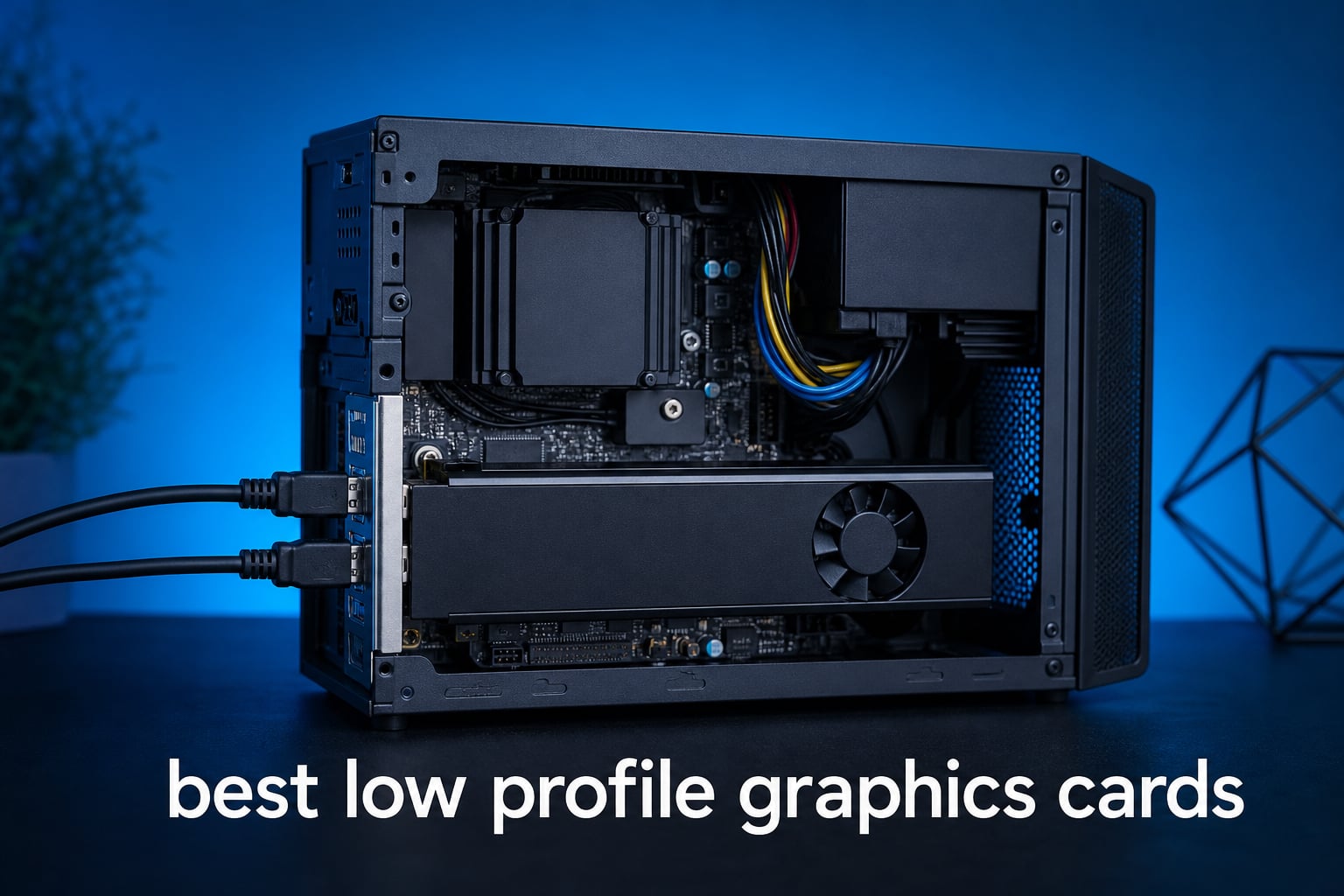
The best low profile graphics cards solve a problem that a standard GPU cannot: they bring dedicated graphics to a half-height desktop where every millimeter and every watt matters. A slim Dell OptiPlex, an HTPC, or a small form factor PC may have a short expansion opening, limited power from the PCIe slot, and room for only one or two slots of cooler thickness.
I ranked the eight cards here by the specifications and buyer feedback supplied for each listing, not by a vague performance label. For this category, VRAM, the cooling layout, the physical profile, display ports, known power figures, and whether a card needs external power can matter as much as the GPU name.
My first choice is the MSI GeForce RTX 3050 LP 6G OC because it combines 6GB of GDDR6, two fans, and modern HDMI 2.1 and DisplayPort output in a low-profile design. The Yeston RTX 3050 is the pick to inspect first when a very slim, no-external-power RTX option is the goal, while the Sparkle Arc A310 ECO makes sense when a single-slot, 50W card and compact port layout lead the decision.
A low profile GPU is a compact graphics card made for short expansion brackets and slim cases. It works like a full-height card, but the PCB and cooler are built around the tight clearances found in SFF systems, so readers should confirm case clearance and bracket support before ordering any low profile graphics card.
There is no one correct performance target here. The RTX 3050 options are the strongest fit of this group for current 1080p-oriented gaming features such as DLSS, while the GT 1030, GT 740, RX 560, and RX 550 are better viewed as display, media, and light-workload upgrades rather than answers to demanding new games.
The top three picks are the MSI RTX 3050 for balanced compact gaming, the Yeston RTX 3050 for thin no-cable builds, and the Sparkle Arc A310 for a single-slot 50W setup.


The MSI brings the most reassuring cooling arrangement in this selection: two fans and a large heatsink are specified, and supplied feedback repeatedly calls out quiet operation and easy installation. It is the straightforward pick when a slim case has room for its cooler and you want an NVIDIA RTX card without moving to a full-height design.
The Yeston is a more specialized answer. Its listed 20mm thickness, included half-height adapter, approximately 70W board power, and lack of an external power connector speak directly to the common old-office-PC constraint, though its smaller feedback sample deserves more caution than the MSI’s.
The Sparkle does a different job well. Its 50W TBP, single-slot shape, included short bracket, HDMI output, and two Mini DisplayPort connections make it compelling for display-focused SFF projects where a dual-slot card would block another expansion option.
The best low profile graphics cards in 2026 cover eight distinct small-PC needs.
| Product | Specifications | Action |
|---|---|---|
|
MSI GeForce RTX 3050 LP 6G OC
|
|
View on Amazon |
 Sparkle Intel Arc A310 ECO
|
|
View on Amazon |
 MSI GeForce GT 1030 4GD4 LP OC
|
|
View on Amazon |
 maxsun GeForce RTX 3050 6GB
|
|
View on Amazon |
 SOYO GeForce GT 740 4GB LP
|
|
View on Amazon |
|
Yeston GeForce RTX 3050 6GB LP
|
|
View on Amazon |
 VisionTek Radeon RX 560 4GB
|
|
View on Amazon |
 51RISC Radeon RX 550 LP 4GB
|
|
View on Amazon |
This overview is a compatibility shortcut, not a substitute for measuring your PC. The table shows why it is risky to call every low profile GPU interchangeable: the group ranges from 35W and 50W slot-powered cards to RTX models with 6GB GDDR6, and output choices range from legacy VGA to Mini DisplayPort.
The best low profile graphics cards should be matched to a defined job first. Write down your case height, free slot width, monitor connectors, PCIe slot generation, and power-supply limits; that five-line check can eliminate the wrong card before performance becomes a concern.
1. The MSI GeForce RTX 3050 LP 6G OC is the best balanced choice for a modern low-profile RTX build.
MSI GeForce RTX 3050 LP 6G OC Gaming Graphics Card - 6GB GDDR6, 1492 MHz, PCI Express Gen 4, 96-bit, 1x DP (v1.4a), 2X HDMI 2.1 (Supports 4K)
Pros
- Low-profile form
- Two fans and large heatsink
- 6GB GDDR6
- 4K output support
- Monitoring software
Cons
- PCIe x8 interface
- 96-bit memory bus
I put this MSI card first because its specifications make the fewest compromises for a compact RTX build. It pairs the GeForce RTX 3050 with 6GB GDDR6, a 1,492 MHz GPU clock, PCI Express Gen 4 connectivity, one DisplayPort 1.4a connection, and two HDMI 2.1 outputs.
The cooling design is the standout. MSI specifies two fans and a large heatsink, and the provided buyer feedback frequently praises cool, quiet operation and straightforward installation, which is meaningful in a slim case that has little room to absorb extra heat.
The output arrangement is unusually handy for a small workstation or media PC. One DisplayPort and two HDMI ports can support different monitor or television setups without needing an adapter plan from the outset, and the listing specifies support up to 3840 by 2160.
There are limits to acknowledge. This is a PCIe x8 card with a 96-bit memory bus, so it is not a full-size performance card squeezed into a shorter bracket; it is a purpose-built compact GPU with an RTX feature set and 6GB of memory.
The MSI fits builders who need modern ports and more cooling headroom.
I would favor this card for a slim desktop with room for a two-fan low-profile cooler, especially if the PC feeds multiple HDMI displays or a mix of HDMI and DisplayPort. Its supplied 4.7 rating across 866 reviews is also the broadest feedback pool among the RTX 3050 listings here.
It is a strong starting point for the low profile GPU for gaming shopper who wants NVIDIA software support and compact hardware rather than an older display-only card. Confirm the chassis accepts the card’s low-profile form and confirm the installed power supply meets the card maker’s requirements before making the swap.
The MSI is less suited to a strictly single-slot or legacy-output build.
A single-slot-only machine needs a card such as the Sparkle Arc A310 ECO or VisionTek RX 560 instead. Anyone who depends on VGA or DVI should also choose a card with those native outputs, since MSI lists only HDMI and DisplayPort here.
The 6GB GDDR6 configuration is the practical reason to choose this over the 4GB display cards, but readers should still set expectations around a compact RTX 3050 design. It belongs in a measured small form factor build, not in a purchase made from the GPU name alone.
2. The Sparkle Intel Arc A310 ECO is the best single-slot option for a 50W compact display build.
Pros
- 50W TBP
- Single-slot design
- Short bracket included
- Two Mini DisplayPort ports
- XeSS support
Cons
- 1920x1080 listed maximum
- Driver maturity concerns
The Sparkle Arc A310 ECO earns its place because its physical and power details are unusually clear: it is a low-profile, single-fan, single-slot card with a stated 50W TBP. For an SFF chassis that cannot spare a second slot, that narrow profile can decide the whole build.
Intel pairs the Arc A310 with 4GB GDDR6 running at 15.5 Gbps and lists a PCIe x16 interface. Its three-display arrangement consists of one HDMI 2.0 port and two Mini DisplayPort outputs, so I would plan cables carefully before assuming it is a direct fit for an existing monitor set.
There are modern platform features here, including Xe HPG architecture, real-time ray tracing support, DirectX 12 Ultimate, Vulkan 1.3, and Intel XeSS. Those labels do not turn a 4GB compact card into a high-end gaming solution, but they distinguish it from the much older basic GPUs below.
Supplied feedback gives it a 4.5 rating from 479 reviews and calls out the small footprint and low power draw. That feedback also flags driver support as a potential concern, so I would update the system and install the current Intel driver before judging behavior in a new setup.
The Sparkle fits systems where a second occupied slot is not an option.
This is the one I would inspect for a small case with a restrictive rear slot layout, a display-oriented workload, or a PC where conserving expansion space is as important as adding graphics. The included short bracket removes one common SFF accessory question from the package.
It also works for readers who need Mini DisplayPort rather than treating that connector as an inconvenience. Two such ports can be useful in a compact professional display arrangement, provided the monitors or adapters match them.
The Sparkle is less suited to larger-resolution demands or simple HDMI-only wiring.
The listing states a 1920 by 1080 maximum resolution, which makes this a poor match for someone shopping specifically around higher-resolution display output. Its one HDMI connection and two Mini DisplayPort connections can also mean extra adapters in a television-centered setup.
I would not dismiss the card because it uses an Intel GPU, but I would give software setup extra attention. A clean driver installation and a quick check of the intended application can save time in a compact PC that is otherwise difficult to reopen.
3. The MSI GeForce GT 1030 4GD4 LP OC is the best basic MSI option for 4K media and everyday display output.
Pros
- Low-profile layout
- DisplayPort and HDMI
- 4K UHD listed support
- Single-fan cooling
- Three-year warranty
Cons
- DDR4 memory
- Basic performance tier
This GT 1030 is a clear step down in graphics class from the RTX cards, and that clarity is helpful. It has 4GB DDR4 memory on a 64-bit interface, a listed 1,430 MHz GPU clock, a single fan, and DisplayPort plus HDMI output.
I would treat it as an integrated-graphics replacement for office work, media playback, and a simple compact desktop rather than frame-rate hardware for current demanding games. The listing supports that reading: its buyer feedback calls performance appropriate for basic computing, light gaming, and video streaming.
The 4K UHD display specification makes it relevant for a TV or monitor upgrade where the main goal is getting proper ports and dedicated display hardware into a half-height chassis. A single-fan cooler also keeps the physical layout straightforward for a cramped small case.
The tradeoff is memory type. DDR4 is slower than the GDDR5 and GDDR6 found elsewhere in this comparison, and the supplied listing specifically identifies that limitation, so it is not the card I would select when gaming capability is the central requirement.
The GT 1030 fits simple media, office, and display-refresh projects.
I would consider this MSI for a small desktop that needs DisplayPort and HDMI, 4K UHD output support, or a modest move beyond older integrated graphics. The three-year warranty is another practical point for a PC that will be left running as a basic home or work machine.
Its 4.5 rating across 464 reviews gives it a larger feedback base than many low-profile legacy cards. That does not alter the performance tier, but it is useful corroboration for its intended, uncomplicated role.
The GT 1030 is not the right answer for modern graphics-heavy games.
The 4GB DDR4 setup and 64-bit interface make this a basic card by current standards. Readers who want DLSS, ray-tracing capability, or more headroom for game textures should instead start with one of the 6GB RTX 3050 models.
I would also avoid confusing 4K display support with 4K gaming ability. Displaying a high-resolution desktop and rendering demanding games at that resolution are entirely different jobs.
4. The maxsun GeForce RTX 3050 6GB is the best slim RTX alternative for DLSS and high-resolution outputs.
Pros
- RTX 3050 and DLSS
- 6GB GDDR6
- 8K-capable outputs
- Slim SFF design
- Three-year warranty
Cons
- Single-fan cooling
- PCIe x8 lanes
The maxsun is another compact RTX 3050 with 6GB GDDR6, but its appeal is more specific than the MSI’s. It lists a 1,042 MHz base clock, a 1,470 MHz boost clock, PCIe 4.0 x8 operation, NVIDIA DLSS support, HDMI 2.1, and DisplayPort 1.4a.
For a narrow card, the stated dimensions of 6.65 by 2.71 inches are valuable information. I still recommend measuring your own chassis rather than treating a product dimension as a universal fit, but this is the kind of specification a mini-ITX or SFF builder needs before opening the case.
Its output hardware supports a listed maximum resolution of 7680 by 4320. That supports flexible high-resolution display connectivity, yet it should not be read as a promise that every workload will run smoothly at that resolution on this compact RTX 3050.
The main physical compromise is the single-fan cooler. Supplied buyer notes describe good 1080p capability and DLSS help in compatible games, but they also flag that a one-fan design may have a harder job under sustained load than a wider cooler with two fans.
The maxsun fits SFF builders who prioritize DLSS and a short listed length.
I would shortlist this card when the case needs a slim design, NVIDIA DLSS matters, and HDMI 2.1 plus DisplayPort 1.4a matches the planned screen arrangement. It is a credible alternative for an RTX-focused compact system when its measured dimensions agree with the available space.
Its supplied 4.5 rating from 166 reviews provides a useful but smaller base of feedback than the MSI. I would read the product dimensions and cooling layout more closely than any broad ranking when deciding between the two.
The maxsun is less suited to a build that needs the broadest cooling margin.
A one-fan design is not automatically a problem, but it gives less thermal surface and airflow flexibility than the MSI’s listed dual-fan, large-heatsink arrangement. Continuous heavy work calls for particular attention to the case’s intake and exhaust path.
The PCIe x8 configuration is another specification to understand rather than ignore. It is designed around a compact RTX 3050 implementation, so buyers seeking a full-size x16 arrangement should not expect this short card to behave like a larger desktop board.
5. The SOYO GeForce GT 740 is the best legacy-monitor choice for a basic half-height desktop.
Pros
- Three display outputs
- No external power
- 128-bit bus
- Low-noise fan
- Windows 7 through 11 support
Cons
- Older DDR3 memory
- Modest clock
- Not for demanding games
The SOYO GT 740 is the practical outlier in this guide because it preserves old-school connectivity. It carries 4GB DDR3 memory on a 128-bit bus and provides HDMI, DVI, and VGA, a combination that can simplify an older monitor installation without a chain of adapters.
The card uses a 993 MHz GPU clock and lists 384 CUDA cores. Those are modest figures, so I would frame it as a basic desktop, HTPC, or legacy-system upgrade, not as a compact GPU for modern graphics-heavy games.
Its supplied details state that it draws from the PCIe slot and does not require an external power connector. That is a welcome match for an aging slim office tower where the internal power supply has no spare graphics cable.
The buyer summary gives it a 4.5 rating from 88 reviews and emphasizes multi-monitor workstation and integrated-graphics replacement roles. That is exactly where the unusual port selection has its strongest argument.
The GT 740 fits legacy monitors and straightforward office refreshes.
I would choose this card when VGA or DVI is still part of the setup, or when a basic three-output layout matters more than current game features. It can make a small old desktop more convenient without changing the monitor fleet at the same time.
The half-height design and low-noise fan make it relevant to slim desktop cases. Verify the bracket supplied with the specific listing matches your rear opening, because the word low-profile does not override a chassis with a proprietary retention system.
The GT 740 is not a replacement for the newer RTX or Arc cards.
DDR3 memory and the modest GPU clock place this card well behind the GDDR6-based choices for modern game workloads. Its DirectX 12 listing is also qualified as feature level 11_0, which should not be confused with the capability level of newer GPUs.
I would call this a connection-first decision, not a performance-first one. If every monitor already uses HDMI or DisplayPort, a newer compact card will usually make more sense.
6. The Yeston GeForce RTX 3050 LP is the best very-slim RTX pick that lists no external power connector.
Pros
- No external power connector
- Half-height adapter
- 6GB GDDR6
- 20mm listed thickness
- HDMI 2.1 plus DP
Cons
- 96-bit bus
- Small review sample
The Yeston RTX 3050 answers one of the most common small-PC questions directly: can a slim graphics card offer an RTX 3050 without an external power cable? Its supplied technical details say no external power supply is needed, list approximately 70W graphics-card power, and recommend a 400W or higher power supply.
Its dimensions are unusually specific at 158 by 68 by 20mm including the blocking piece. The 20mm figure is especially useful because it suggests a very thin format, but a buyer still needs to compare the entire card, latch area, and cable bend space with the actual chassis.
Specifications include 6GB GDDR6 on a 96-bit bus, PCIe 4.0 x8, a 1,470 MHz boost frequency, HDMI 2.1, DisplayPort 1.4a, and a maximum listed resolution of 7680 by 4320. It also ships with a half-height adapter, reducing a frequent compatibility question for thin systems.
The adjustable four-pin fan provides a measurable cooling control point, rather than leaving the card entirely passive. Supplied customer feedback is generally positive about its compact design and basic gaming or multimedia performance, but the 23-review sample is small and the 4.3 rating is lower than the larger-review RTX listings.
The Yeston fits cable-limited slim PCs that need an RTX feature set.
This is the low profile GPU I would examine first for a Dell OptiPlex-style small form factor machine with no spare GPU power lead, assuming the power supply, BIOS, and physical clearance all check out. The included half-height adapter and stated 20mm thickness are unusually aligned with that mission.
DLSS is not explicitly listed in this product’s feature bullets, so I would keep claims tied to the supplied RTX 3050 specification and the listed ray-tracing support rather than assuming every software setting. Its ports provide one HDMI and one DisplayPort, which suits a simple modern monitor arrangement.
The Yeston needs extra scrutiny when confidence depends on large-scale buyer feedback.
The 23-review count gives less evidence than the MSI’s 866 reviews or Sparkle’s 479 reviews. That does not disqualify the card, but it means dimensions, support terms, and return conditions deserve closer review before a difficult-to-access slim-PC installation.
The listing also says a 400W or higher power supply is recommended even though no external power connector is needed. Slot power and total system capacity are different questions, so do not treat the cable-free design as permission to skip a power-supply check.
7. The VisionTek Radeon RX 560 is the best single-slot dual-HDMI card for compact productivity.
Pros
- Two HDMI outputs
- 50W bus powered
- Single-slot build
- Low-profile form
- Full-height bracket included
Cons
- 4GB memory
- Small review sample
The VisionTek RX 560 is a purpose-built productivity card with two HDMI outputs, 4GB GDDR5 memory, a 1,175 MHz GPU clock, and a single-slot low-profile layout. Those two native HDMI ports are its defining practical advantage for a compact two-monitor desk.
The supplied specification gives it a 50W, bus-powered design with no external power connector. That keeps the installation plan simple in a small office desktop where the power supply is limited and HDMI monitors are already in place.
I also like that a full-height bracket is included. That makes the card more flexible if a compact-PC project changes into a standard tower project later, while the low-profile SFF form serves the slim desktop use case now.
Buyer information is positive but limited: the card has a 4.3 rating across 10 reviews. I would therefore make the decision primarily from the clearly stated ports, single-slot form, bus-powered design, and 4GB GDDR5 configuration rather than trying to draw broad conclusions from the feedback volume.
The VisionTek fits two-HDMI workstations that cannot give up a second slot.
This card is a good match for document work, remote desktops, dashboards, and media playback on a pair of HDMI displays. Its single-slot shape can leave an adjacent expansion slot available in a compact chassis, which is a practical advantage that specification lists often hide.
The 3840 by 2160 maximum display specification adds flexibility for a high-resolution desktop. As with every card in this guide, display resolution support is not the same thing as a promise of strong game rendering at that resolution.
The VisionTek is less suited to buyers who need more memory or varied ports.
There is no DisplayPort, DVI, VGA, or Mini DisplayPort listed, so its usefulness depends on an HDMI-centered monitor plan. It also has 4GB GDDR5 rather than the 6GB GDDR6 found in the compact RTX choices.
The RX 560 is not presented as a card for demanding gaming in the supplied material. I would select it for its tidy dual-HDMI, 50W, single-slot formula and not for features associated with newer gaming architectures.
8. The 51RISC Radeon RX 550 LP is the best 35W quiet choice for a very low-demand small PC.
Pros
- 35W TDP
- No external power
- Quiet single fan
- 4K display support
- DP and HDMI
Cons
- 4GB memory
- Not for demanding games
The 51RISC RX 550 LP has the lowest stated TDP in this group at 35W, which makes it a sensible card to investigate for a compact desktop where heat and power draw are the primary limits. It is a low-profile, single-fan Radeon RX 550 with 4GB GDDR5 on a 128-bit interface.
The supplied technical details list PCIe 3.0 x16, DisplayPort plus HDMI, no external power connector, and a 6.61 by 2.71 inch footprint. It is designed to run from PCIe slot power, a major convenience for systems with no graphics power lead.
The listing describes the single fan and heatsink as almost silent. That is attractive for an HTPC, quiet office corner, or basic media machine, although actual noise still depends on the case, ambient temperature, and how hard the GPU is asked to work.
Feedback is generally positive about compact size, quiet operation, and low consumption, with a 4.2 rating across 61 reviews. The same source makes the performance boundary clear: it is for basic gaming and 4K display tasks, not demanding games.
The RX 550 fits quiet, low-power display and light-computing builds.
I would start here when the main aim is a modest dedicated GPU for a mini PC, slim desktop, or media setup that needs both DisplayPort and HDMI. A 35W TDP is a real differentiator beside the 50W and approximately 70W options in this roundup.
The 4GB GDDR5 configuration is more current than DDR3 or DDR4 basic alternatives, even though it remains a limited memory amount. That makes it a reasonable match for normal desktop acceleration, streaming, and simple graphics work.
The RX 550 is less suited to demanding game libraries and high memory needs.
Four gigabytes of memory and an entry-level RX 550 GPU put a firm ceiling on game ambition. Readers looking for current 1080p-focused gaming features should concentrate on the 6GB RTX 3050 cards rather than treating the 35W rating as a performance signal.
The card still needs a measured fit check. The short PCB helps, but a low-profile graphics card can be blocked by a drive cage, proprietary riser, or shallow rear expansion opening even when the slot itself looks open.
Choose a low profile graphics card by verifying the case, power, slot width, memory, cooling, and display connections first.
The fastest way to choose among the best low profile graphics cards is to start with constraints rather than rankings. A compact GPU is only useful if it physically enters the chassis, clears nearby components, connects to the intended monitor, and stays within the power capacity of the complete PC.
A correct fit starts with the bracket height, card length, and slot thickness.
Low profile normally means the card is intended for a half-height expansion opening, but the included bracket matters. Sparkle explicitly includes a short bracket, Yeston lists a half-height adapter, and VisionTek includes a full-height bracket alongside its low-profile form; other cards should be checked against the package details before installation day.
Measure from the rear bracket to the first obstruction, often a drive cage, front fan, or wiring bundle. Then check vertical clearance above the PCIe slot and note whether the cooler needs one slot or two; a card may be short enough yet still fail because its cooler blocks the neighboring slot.
Single-slot cards such as the Sparkle Arc A310 ECO and VisionTek RX 560 are logical options when an adjacent slot must remain open. A dual-fan design such as the MSI RTX 3050 LP can offer more cooling hardware, but it requires the case to accept its installed width.
A safe power plan checks both external cables and total system capacity.
Many people searching for a low profile GPU without external power are upgrading old office PCs with limited supplies. The RX 550 lists a 35W TDP, the Arc A310 ECO and RX 560 list 50W figures, and the Yeston RTX 3050 lists approximately 70W with no external power connector.
No external connector means the card is designed to receive its power through the PCIe slot. It does not mean the whole PC can ignore capacity: the processor, drives, fans, USB devices, and aging power supply still share the system’s available output.
The Yeston listing is a useful example of the distinction because it says no external power is needed while also recommending a 400W or higher power supply. Check the system maker’s documentation, inspect the power-supply label, and avoid adding a card to a machine with signs of instability or an unverified replacement supply.
Gaming expectations should follow GPU class, VRAM, and supported features.
The 6GB GDDR6 RTX 3050 cards are the group to consider for modern 1080p-oriented gaming. MSI, maxsun, and Yeston provide that 6GB capacity, while maxsun explicitly lists DLSS support and Yeston lists RTX 3050 ray-tracing features.
Four-gigabyte cards can still be sensible, but their role is narrower. The Arc A310 brings newer Intel architecture and XeSS in a 50W single-slot body, while the GT 1030, GT 740, RX 560, and RX 550 are more sensible for media playback, everyday graphics, and light game workloads.
Do not choose based only on output resolution. A card may list 4K or 7680 by 4320 display support and still be inappropriate for rendering a demanding game at that resolution; desktop output capability, video playback, and game rendering impose different loads.
Cooling choices should reflect the case airflow and the hours the card will be busy.
A fanless option is not included in this eight-card set, so silent-build shoppers should not assume one exists here. Every listed product has active cooling, though the fan count, heatsink size, and stated power levels differ meaningfully.
The MSI has two fans and a large heatsink, while maxsun, Sparkle, GT 1030, GT 740, VisionTek, and RX 550 list a single fan. Yeston lists an adjustable four-pin fan, which can be useful for tuning behavior, but a small case still needs a clear route for intake and exhaust air.
Before choosing a compact GPU for a home theater PC, consider the sound of the entire machine rather than the graphics card alone. A low-watt card can reduce heat, yet a dusty CPU cooler or restricted front intake can still make the system noisy.
A Dell OptiPlex upgrade needs chassis and firmware checks beyond the PCIe slot.
Community discussion repeatedly points to limited power supplies, slim chassis space, and BIOS compatibility as the friction points in Dell OptiPlex upgrades. The community also frequently identifies a 6GB RTX 3050 low-profile card as a strong weak-PSU option when it does not need extra power cables, with the RX 6400 mentioned for light esports; this guide only ranks the supplied product set, so the relevant choices here are the listed no-cable RTX 3050, Arc, RX 560, RX 550, and GT 740 models.
First identify whether the desktop is a Small Form Factor model, a Desktop model, or a Mini Tower. A Mini Tower may accept a full-height bracket, while an SFF version typically needs half-height hardware and can have tighter length or width limits.
Then update the system BIOS from the manufacturer’s support page before changing hardware, check that the PCIe slot is physically open, and keep the original integrated video output available during first boot if possible. That makes troubleshooting easier if a display handshake or firmware setting needs attention.
A port plan prevents adapters from becoming the hidden compatibility problem.
List each monitor and television connection before choosing. The MSI RTX 3050 has one DisplayPort and two HDMI ports; Sparkle has one HDMI and two Mini DisplayPort ports; maxsun and Yeston have HDMI plus DisplayPort; VisionTek has two HDMI ports; the SOYO adds DVI and VGA.
Native connections are usually the cleanest route. An adapter can be appropriate, but it adds another item whose active or passive design, signal direction, and resolution support must match the intended setup.
This check is especially important for multi-monitor workstations. A card with the right GPU class but the wrong ports can be less convenient than a modest card that connects directly to every display.
These answers cover the low-profile GPU compatibility questions readers ask most often.
What is the best low profile GPU without external power?
The Yeston GeForce RTX 3050 LP is the strongest fit in this list when you want an RTX 3050 that explicitly lists no external power connector. Its supplied details list approximately 70W graphics-card power and a 400W or higher recommended system supply. For lower-demand display work, the 35W 51RISC RX 550 and 50W Sparkle Arc A310 ECO also list slot-powered designs.
What is the best low profile GPU for gaming?
The MSI GeForce RTX 3050 LP 6G OC is the best all-around gaming-oriented choice in this group because it combines 6GB GDDR6, dual fans, and HDMI plus DisplayPort output in a low-profile design. The maxsun and Yeston RTX 3050 cards are alternatives when their size, cooling, or no-cable specification fits the PC better.
What is the best low profile GPU for Dell OptiPlex?
The best choice depends on the exact OptiPlex chassis and power supply. For an SFF system with a compatible half-height opening, start by checking the Yeston RTX 3050 LP because it lists a half-height adapter and no external power connector. The 50W Sparkle Arc A310 ECO, VisionTek RX 560, and 35W RX 550 are other options when slot width, ports, or lower power draw matter more.
What is the best single slot low profile GPU?
The Sparkle Intel Arc A310 ECO is the clearest single-slot recommendation because it specifically lists a low-profile, single-slot design, 50W TBP, and an included short bracket. The VisionTek RX 560 is another single-slot choice when two native HDMI outputs are the priority. Always measure the case and check the rear bracket before ordering.
How do you choose a low profile GPU for a small form factor PC?
Measure the half-height bracket opening, available card length, and slot thickness first. Then check the power supply, whether the card requires an external cable, the monitor ports, and the performance class. A 6GB RTX 3050 suits more demanding graphics work, while 35W or 50W cards make more sense for basic displays, media, and quiet compact systems.
The MSI RTX 3050 LP is the best overall choice when a compact PC needs modern NVIDIA features and broad display flexibility.
For most readers, I would start with the MSI GeForce RTX 3050 LP 6G OC because its 6GB GDDR6, dual-fan cooling, and one-DisplayPort/two-HDMI layout form the most rounded package. Choose the Yeston instead when its thin listed dimensions, half-height adapter, and no-external-power design solve a specific slim-PC limitation.
The Sparkle Arc A310 ECO is the single-slot answer, VisionTek is the neat two-HDMI productivity answer, and the RX 550 makes sense when the stated 35W TDP is the deciding factor. The best low profile graphics cards in 2026 are not the largest-numbered models; they are the cards that fit your measured case, available power, screen connections, and actual workload.
Before choosing, open the side panel, measure twice, read the power-supply label, and write down every monitor connector. That short preparation turns a compact GPU upgrade from a hopeful purchase into a compatible one.