
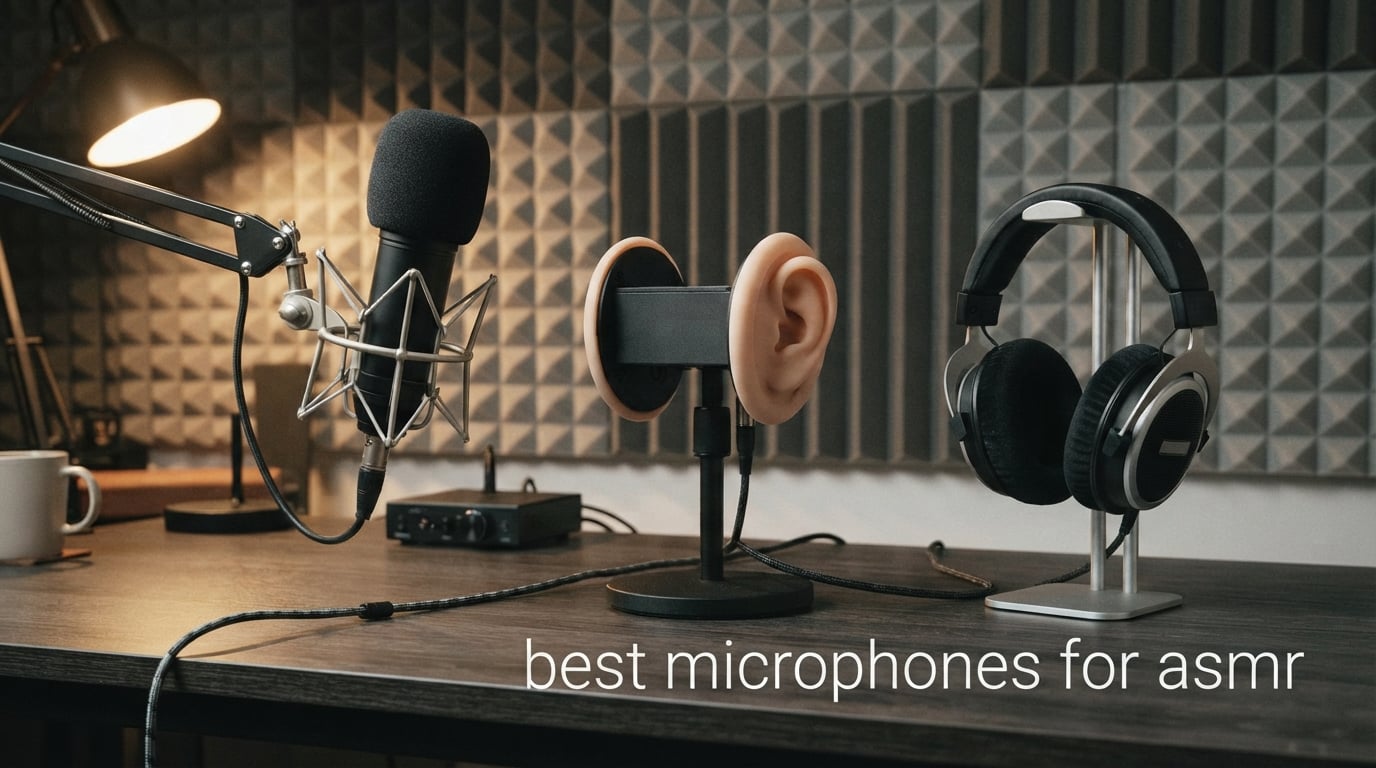
The best microphones for ASMR make quiet sounds audible without making a room’s hiss, computer fan, or desk bumps the star of the recording. A sensitive condenser mic is often the natural starting point for whispers, brushing, tapping, and mouth sounds, while a binaural model is the specialist choice for left-to-right, ear-to-ear recordings.
I narrowed this list to eight microphones with supplied product specifications that matter for close work: pickup pattern, connection type, monitoring controls, vibration control, included accessories, and stated recording features. That matters more than a vague “studio” label when the sound you want to capture may be softer than normal speech.
For most new creators in 2026, I would start with a USB condenser in a quiet room and learn placement before adding an interface. Creators who want a long-term studio path should look closely at dual USB/XLR models, while anyone making immersive ear-to-ear triggers should begin with the dedicated binaural option below.
One practical warning comes up repeatedly in creator discussions: a highly sensitive mic also hears the room. Before changing microphones, turn off nearby fans where possible, place soft furnishings around the recording spot, and listen on headphones for desk vibration and plosive bursts.
These top 3 picks answer the main ASMR recording needs In 2026
The RØDE NT1 5th Gen is my all-round pick because it gives one microphone both USB and XLR outputs, a large-diaphragm condenser capsule, a stated 4 dB audible-noise figure, and the core accessories needed to start close vocal recording. Elgato’s Wave:3 MK.2 is the easier USB-first alternative when level management and direct monitoring are the priority, while the Bit Trade One BIMIMI is the focused pick for binaural stereo work.
These are not identical tools. Choose the NT1 for a path from direct computer recording to an interface, the Elgato for hands-on USB controls and ClipGuard 2.0, or BIMIMI when the artificial-ear format is central to the triggers you plan to make.

This ASMR microphone overview makes the eight choices easier to sort (September 2026)
Use this overview as a fast filter. Condenser microphones on this list are best suited to detailed close capture, while the FIFINE is the lone dynamic alternative for creators who need a directional option that is designed to deal with background noise; the BIMIMI is the only dedicated binaural stereo model.
Ratings and review totals shown in the cards reflect the supplied product data. They are useful context, but your connection method, room noise, and intended trigger style should decide the purchase.
| Product | Specifications | Action |
|---|---|---|
 Elgato Wave:3 MK.2 Elgato Wave:3 MK.2 |
|
Check Latest Price |
| RØDE NT1 5th Gen |
|
Check Latest Price |
 HyperX SoloCast 2 HyperX SoloCast 2 |
|
Check Latest Price |
 FIFINE AmpliTank K688 FIFINE AmpliTank K688 |
|
Check Latest Price |
 Razer Seiren V3 Mini Razer Seiren V3 Mini |
|
Check Latest Price |
 SteelSeries Alias SteelSeries Alias |
|
Check Latest Price |
 Sennheiser Profile Sennheiser Profile |
|
Check Latest Price |
 Bit Trade One BIMIMI Bit Trade One BIMIMI |
|
Check Latest Price |
1. RØDE NT1 5th Gen is the complete USB and XLR choice for quiet detail
Pros
- Dual USB and XLR outputs
- Stated 4 dB audible noise
- 192kHz conversion
- Shock mount and pop filter included
Cons
- XLR setup needs extra gear
- Data lists a 12V battery requirement for XLR
The NT1 5th Gen is the most flexible microphone here because it can connect directly to a computer over USB or run through an audio interface using XLR. That gives a beginner a simple first session and leaves room to change the rest of the signal chain later without replacing the mic.
Its supplied specification lists a 4 dB audible-noise figure, a large-diaphragm cardioid condenser design, and frequency coverage from 20 Hz to 20 kHz. Those are useful traits for a whisper microphone, where the difference between a breathy detail and a distracting noise floor can be obvious in headphones.
I would keep the supplied shock mount and pop filter in the first setup rather than treating them as extras. The mount separates the mic from some stand-borne movement, and the filter gives close whisper work a more forgiving starting position when consonants hit hard.
The microphone also supports up to 192 kHz analog-to-digital conversion through its USB path, according to the supplied technical details. That does not replace careful gain setting, but it makes the NT1 a serious studio microphone ASMR option for someone recording directly into a computer.
USB recording is the simplest way to begin with the NT1
Connect by USB when the goal is a direct computer workflow. The supplied USB-C cable lets the microphone act as the front end without an interface, which removes one setup decision for a new creator.
Place the cardioid side toward the sound source, monitor a test whisper, and move the mic rather than pushing the input level aggressively. A short test with silence at the beginning will tell you more about room noise than a spoken demo will.
XLR recording is the better fit when an interface is already part of the setup
Choose XLR if you already use an interface or mixer and want that control over gain and routing. The product information says the XLR connection can be used with an audio interface or mixer, but it also lists a 12V battery requirement for XLR operation, so check the included documentation before planning a session around that path.
This is a cardioid microphone, not a binaural microphone. It can make beautifully intimate mono recordings, but an ear-to-ear movement will not automatically become a 3D binaural effect without a two-channel or artificial-ear approach.
2. Elgato Wave:3 MK.2 is the polished USB pick for control at the desk
Pros
- USB-C setup
- ClipGuard 2.0 protection
- Auto Gain calibration
- Headphone jack and LED feedback
Cons
- USB-C port required
- USB only connection
The Wave:3 MK.2 gives creators a USB-C route with unusually direct control over levels. Its multifunction dial, tap-to-mute control, LED feedback, and integrated headphone jack make it easy to check the signal without reaching into recording software every time something changes.
For ASMR, the standout feature is not a promise that the mic will fix a noisy room; it is ClipGuard 2.0, which the supplied data describes as a multi-stage anti-distortion system. This can be helpful when a soft recording suddenly includes a louder tap, scratch, or object drop.
The mic uses a supercardioid polar pattern, so it focuses more tightly forward than a broad omnidirectional pattern. I would use that focus to aim away from a computer or room-noise source, then keep the mouth or trigger object consistently in front of the capsule.
Elgato also lists Auto Gain, a voice enhancer, compressor, EQ, and Wave Link software integration. Those tools are convenient, but I would capture a clean, gentle source first and add processing only after comparing a short raw take with a processed one.
Direct monitoring is the feature that helps placement decisions
The integrated headphone jack gives direct monitoring, so you can listen for cable rub, typing, and table knocks while moving an object around the mic. That is a practical benefit for tapping or brushing triggers because the sound can change sharply over a few inches.
Run the loudest trigger you expect during the sound check, not only a whisper. ClipGuard 2.0 is intended to help prevent clipping, yet sensible source distance still gives the recording more breathing room.
USB-only recording is best for creators who do not plan an interface setup
The Wave:3 MK.2 connects by USB-C and is described for PC or Mac use. It is a straightforward fit for a desk setup where a computer is the recorder and convenience is more important than adding an XLR interface.
If you know you want to route analog microphones through a mixer later, choose a dual-connection model instead. This microphone’s strength is a controlled single-cable workflow rather than expanding an analog signal chain.
3. Bit Trade One BIMIMI is the dedicated choice for ear-to-ear binaural sound
Pros
- Purpose-built binaural stereo
- Artificial-ear recording
- Compact 178 g body
- Three-cable setup
Cons
- Only 11 supplied reviews
- 3.5 mm connection needs compatible recorder
The BIMIMI is different from every other microphone in this roundup because it is built for binaural stereo recording with an artificial ear. For ASMR creators whose signature trigger is a sound travelling from one ear to the other, that physical format is more relevant than a conventional single cardioid capsule.
Its supplied details list a 3.5 mm jack connection, omnidirectional pattern, a stated 70 dB signal-to-noise ratio, and a 178 g weight. The product is described as suitable for PC, laptop, camcorder, and voice-recorder use, so connection compatibility deserves attention before you plan a workflow.
I would choose this only when spatial experience is the actual goal. A carefully placed mono mic can make a close whisper sound intimate, but it cannot copy the same artificial-ear cues that make brushing, object movement, and personal-attention triggers appear to travel around the listener.
The review sample is much smaller than the other selections, with 11 supplied reviews. That does not change the specialized feature set, but it is a sensible reason to read the product documentation closely and confirm the recorder, adapter, and headphones you will pair with it.
Binaural recording works when listeners use headphones
Binaural recording uses two channels and ear-shaped spacing to preserve direction cues. The listener gets the intended left-right movement most clearly on headphones, where each channel is isolated to one ear.
Keep movements slow and deliberate around the artificial ear. Fast movement can still be interesting, but a measured pass from one side to the other makes it easier for the listener to locate the sound.
The 3.5 mm workflow needs a compatible recording device
This model uses a 3.5 mm jack rather than USB or XLR, according to the supplied data. Check the input type on a computer, recorder, or camcorder before choosing it, as a device with only USB ports may need an appropriate audio interface or adapter.
Do a left-right channel check before recording a full session. Speak or tap near one artificial ear at a time and confirm that the matching side reaches the correct headphone channel in the recording software.
4. HyperX SoloCast 2 is the compact beginner condenser with useful built-ins
Pros
- Pop filter and internal shock mount
- 24-bit 96kHz capture
- Tiltable weighted stand
- Tap-to-mute
Cons
- Plastic enclosure
- Listed for PC and laptop use
The SoloCast 2 makes a strong starter option because the useful physical extras are built in: a foam pop filter, internal suspension system, tiltable weighted stand, and threads for common mic arms. That means fewer separate parts between opening the box and making a clean practice recording.
The supplied specifications list a condenser capsule with a cardioid polar pattern and 24-bit/96 kHz recording. Cardioid capture favors the sound in front of the microphone while reducing pickup from the sides and rear, which is useful when the recording desk faces an untreated room.
I would place it close enough to record low-level whispers without filling the frame with it, then test soft “p” and “b” sounds before starting. The built-in foam filter helps, but a slight off-axis angle remains a simple way to soften direct bursts of air.
Its USB-C to USB-A connection and plug-and-play description keep the initial workflow simple on a compatible PC or laptop. HyperX NGENUITY also offers high-pass, low-pass, and voice-enhancement filters, though a light touch is better than filtering every bit of natural texture out of an ASMR track.
The included vibration control reduces the number of accessories needed at first
The internal suspension system is designed to reduce vibrations coming from outside the microphone. Pair it with the weighted desk stand on a stable surface, and avoid brushing the cable against the desk during close recordings.
The supplied stand also tilts, so use the angle to aim the capsule toward the mouth or prop without forcing your posture. Small placement changes are often more useful than large changes to software settings.
The PC-focused USB connection is the main compatibility limit
HyperX lists compatible devices as laptop and its hardware platform as PC. It is a sensible match for creators recording to a computer, but it is not presented in the supplied data as a direct mobile microphone.
A phone or tablet setup may need a compatible interface, adapter, and recording app, none of which is specified with this product. Treat mobile compatibility as a separate setup problem rather than assuming any USB mic will work as soon as it is plugged in.
5. FIFINE AmpliTank K688 is the dual-output dynamic alternative for noisy spaces
Pros
- USB and XLR connectivity
- Metal body
- Headphone monitoring
- Included windscreen and shock mount
Cons
- Boom arm not included
- XLR cable not included
The AmpliTank K688 is the only dynamic microphone in this selection, so it answers a different problem from the sensitive condenser models. FIFINE describes its directional cardioid pattern as a way to deal with background noise, which makes it worth considering for a creator who cannot make a recording space completely quiet.
It has both USB and XLR connections, a metal body, tap-to-mute control, adjustable input volume, and a 3.5 mm jack for real-time monitoring. That is a practical combination for someone who wants a direct computer setup now but may add an interface later.
There is a trade-off. Dynamic microphones often ask the creator to work closer and with more deliberate gain than a condenser for delicate whispers; this product’s supplied frequency range is 50 Hz to 16 kHz. I would record a short sample with the quietest trigger you plan to use before committing to it for a whisper-heavy channel.
The package details list a windscreen and shock mount, both helpful for close voice work and low-frequency vibration. A boom arm, mic stand, and XLR cable are not included, so an XLR-based arrangement needs those separate pieces.
Background-noise control is the reason to choose this dynamic design
Use the directional cardioid pattern to point the least sensitive side toward a repeat noise source. That can reduce unwanted room pickup, but it cannot remove a loud fan, traffic, or mechanical keyboard in the same room.
For close whisper content, work a consistent distance from the windscreen and monitor the result. The goal is a steady intimate level, not a gain setting so high that room noise is pulled back into the track.
USB and XLR give the K688 two sensible recording paths
USB is the direct path for Windows or Mac use with the included USB-C to USB-A cable. The front controls and monitoring jack keep that workflow self-contained for a desktop recording session.
XLR is the upgrade path when you have a mixer or interface. FIFINE says XLR reduces circuit-noise interference and improves the sense of audio space, but it also says XLR functions are more limited than USB, so confirm which controls you need before switching paths.
6. Razer Seiren V3 Mini is the small supercardioid option for a tight desk
Pros
- Focused supercardioid pattern
- Compact form
- Tiltable shock-absorbing stand
- Plug-and-play operation
Cons
- USB Type-A only
- No stated headphone monitoring
The Seiren V3 Mini is the small-footprint choice for a desk that already holds a keyboard, camera, lights, and trigger props. Razer lists a custom condenser capsule and a supercardioid pickup pattern, a tighter forward focus intended to reduce unwanted side and rear sounds.
Its supplied dimensions are 3.59 by 3.59 by 6.38 inches, and it weighs 8.32 ounces. That compact body can make it easier to position a microphone near hands or a small prop without blocking a filming area.
The included stand tilts and has a built-in shock absorber that is meant to dampen noise from bumps. I would still set the mic on a stable surface, as a sensitive condenser can hear cable movement and a desk strike even when the stand absorbs part of the impact.
It connects through USB Type-A and is described as plug-and-play for PC, with no drivers required. Razer Synapse offers additional customization, but it is wise to keep a first ASMR test simple: one consistent position, one trigger, and headphones for playback.
The supercardioid pattern is useful when the room is not perfectly quiet
Point the front of this mic at the performer or trigger and keep noisy objects out of the tighter pickup area when possible. Supercardioid does not mean silent surroundings; it is a positioning advantage, not acoustic treatment.
A desk fan behind the microphone may still be audible depending on distance and reflections. The most reliable improvement is moving the fan away or recording when it is off, then using the focused pattern as a second layer of control.
The compact stand works best for close desktop sessions
The tiltable stand is ready for a straightforward desktop recording position and can detach for a boom arm setup. Place it so your hands can move naturally around the capsule without striking the stand.
There is no supplied feature listing for headphone monitoring, so plan to monitor through the computer if you need to judge minute sound details live. That is less immediate than a mic-side jack, but it is still workable with a short test-recording routine.
7. SteelSeries Alias is the software-led USB condenser for controlled streaming setups
Pros
- Large capsule
- Sonar mixing and routing
- LED level monitoring
- Integrated shock mount
Cons
- Boom arm sold separately
- PC-focused compatibility
The SteelSeries Alias is aimed at gaming, broadcasting, and podcasting, but its large capsule, cardioid pattern, and built-in shock mount are also relevant to spoken ASMR. The supplied product data says the capsule is three times bigger for wide vocal-range capture, which makes it a candidate for voice-forward recordings rather than binaural effects.
It uses USB-C and includes LED monitoring for levels and mute status. I like that kind of at-a-glance feedback for a quiet recording because it makes it easier to spot an accidental mute or a level that is sitting too low before a long take begins.
SteelSeries Sonar software includes mixing, routing, and AI noise cancellation according to the supplied features. Noise cancellation may be useful for spoken material, but ASMR creators should audition it carefully: an aggressive setting can alter faint brushing or room texture that was meant to stay in the performance.
The microphone body is listed as metal and weighs 750 g, while the boom arm is sold separately. Start on the included stand if the placement works, then add an arm only if you need the capsule to float away from keyboard vibrations and toward hands-on triggers.
Level LEDs make a quiet-recording check faster
Use the LED indicator as a quick check, then trust headphones and a recorded sample for the final judgment. Very soft ASMR material can look modest on a level display while still revealing a hum or rustle that needs fixing.
Record a few seconds of room tone before speaking. This gives you a reference for the room and lets you decide whether the gain is exposing noise before you build a whole session around it.
Software noise cancellation should be tested before preserving delicate triggers
Sonar’s AI noise cancellation is a stated feature, and it can be useful when an unwanted steady sound competes with a voice. For tapping, brushing, or crinkling, compare a processed copy against the untouched signal before publishing.
The right result depends on the trigger. A filter that makes a spoken whisper clearer may also flatten the fine transient detail that made a prop sound satisfying in the first place.
8. Sennheiser Profile is the warm USB condenser with tactile front controls
Pros
- Plug-and-play USB
- Natural warm voice character
- Gain mix and volume controls
- Headphone jack and table stand
Cons
- USB-only connection
- No XLR path listed
The Sennheiser Profile is a USB cardioid condenser designed around a simple desk workflow. The supplied technical details call out natural, warm voice character, a built-in headphone jack, and a dial controlling gain, mix, and volume, all useful for creators who want controls within reach.
This model is a good fit for a soft-spoken channel that values a straightforward voice sound over a complicated multi-device chain. Its table stand is included, so a creator can establish a consistent placement before deciding whether a boom arm would improve the filming angle.
I would use the gain control carefully with whisper recording. Turn it up only until the quietest intended voice is clear, then listen for room tone; raising gain further is just as likely to make an untreated room more obvious as it is to add useful detail.
The hardware platform is listed as PC and tablet, and the connection is USB. It is an uncomplicated route for computer recording, but there is no XLR connection listed, so it is not the one to choose for an interface-centered upgrade plan.
Onboard gain and mix controls help headphone monitoring stay practical
A gain, mix, and volume dial lets you alter the monitoring balance without breaking concentration to open a software menu. That is useful when a whisper needs to remain soft and the creator is listening for breath noise or a hidden hum.
The headphone jack provides a direct place to check the sound. Use closed-back headphones during setup if possible, because open headphones can feed room sound back into your judgment of the microphone.
The included table stand favors a repeatable voice-recording position
Repeatability is more important than an elaborate desk arrangement. Mark a comfortable chair and stand position, keep the mic angle the same, and new recordings will be easier to match to older videos.
If you make object triggers around the microphone, leave enough space that hands do not brush the table stand. A small shift away from the base can prevent a solid contact sound from reaching the recording.
The right ASMR microphone choice starts with the sound you need to capture
A good ASMR microphone is usually a sensitive condenser with low self-noise, a controlled pickup pattern, and a connection that matches the recording setup. A dynamic microphone can be the better answer in a noisier space, and a binaural model is the proper tool when a headphone-based 3D effect is the point of the content.
Use the following checks before choosing. They are based on the common creator problems behind disappointing recordings: room noise, unclear connection needs, plosives, vibration, and the mismatch between a microphone’s pattern and the intended trigger.
A condenser is usually better for faint ASMR details
Condenser microphones are sensitive and are commonly chosen for breathy speech, brushing, light tapping, and other low-level texture. The RØDE NT1 5th Gen, Elgato Wave:3 MK.2, HyperX SoloCast 2, Razer Seiren V3 Mini, SteelSeries Alias, and Sennheiser Profile are all condenser choices in this group.
That sensitivity is not a free benefit. It can hear the room more readily, so a condenser works best when the creator can control fans, computer noise, traffic-facing windows, and reflective hard surfaces.
Dynamic microphones are generally less sensitive and often suit louder vocals or rooms where background noise needs more control. The FIFINE K688 is the dynamic choice here, with a directional cardioid pattern and supplied windscreen and shock mount.
Low self-noise matters because a whisper leaves little room for hiss
Self-noise is the microphone’s own electronic noise floor. When the performer speaks loudly, it may be masked; when the performance is a near-silent whisper, it can become obvious in the gaps between words.
Only use a self-noise number when the product source actually identifies it. The supplied NT1 5th Gen data lists audible noise at 4 dB, while the forum research specifically shows ASMR creators paying close attention to this specification.
Room tone and self-noise are different problems. A quiet mic cannot stop a refrigerator cycling on, and a silent room cannot remove every bit of noise from an overdriven input chain, so record a silent test to identify which problem you are hearing.
A cardioid or supercardioid pattern is the practical default for one creator
Cardioid microphones prioritize the front and reduce sound from the sides and rear. For a person whispering toward one capsule, that makes them easy to position and more forgiving than omnidirectional capture in a typical home room.
Supercardioid patterns, as listed for the Elgato and Razer models, are tighter. Aim them precisely and turn the microphone so the unwanted side of the room is less exposed, but do not expect the polar pattern to work like noise-removal software.
Omnidirectional capsules capture broadly. The BIMIMI’s omnidirectional binaural arrangement makes sense because its artificial-ear construction is trying to capture spatial cues rather than isolate one voice directly in front of a capsule.
USB is easier to start with, while XLR supports a separate audio chain
USB microphones contain the conversion needed to reach a computer and are usually the simplest way to record. The Elgato, HyperX, Razer, SteelSeries, and Sennheiser options are USB-based, and the RØDE NT1 and FIFINE K688 also provide USB routes.
XLR sends an analog microphone signal to an interface or mixer. It gives you a separate preamp and can fit a larger recording setup, but it means another device, cables, and gain staging to understand.
Choose the connection that makes you likely to make several practice recordings this week. A simple USB microphone that is placed well in a quiet space will often give a newer creator better results than an elaborate XLR chain that is never calibrated.
Binaural recording creates direction, while a stereo pair creates two channels differently
Binaural recording places two channels around an artificial head or ear shape so headphones reproduce direction cues. The BIMIMI is the specialty pick here because it includes an artificial ear and is explicitly intended for binaural stereo recording.
A conventional stereo pair can also give left-right width, but it does not automatically recreate the same head-and-ear filtering. If ear-to-ear personal attention is the channel’s central experience, choose a real binaural approach rather than assuming two ordinary mics will sound identical.
Always monitor binaural work on headphones. Speaker playback blends the two channels in the air and makes it much harder to judge the intended location of a brush or whisper.
A quiet recording corner improves any microphone more than a random accessory
Start with what is already in the room: curtains, a rug, a couch, bedding, or a clothes rack with thick garments can reduce hard reflections compared with bare walls and floors. The aim is not to make a professional booth; it is to make the close sound more prominent than the room around it.
Keep the microphone away from a corner and away from the desk’s center if tapping causes a hollow resonance. A folded towel or dense pad under a stand can help reduce contact vibration, provided it does not make the stand unstable.
Turn off predictable noise sources for a short recording window. The forum concerns about background noise are justified because a sensitive microphone will faithfully capture a nearby fan even if the creator’s voice is soft and controlled.
Off-axis placement controls plosives and proximity effect without removing intimacy
Plosives are bursts of air from sounds such as “p” and “b.” Use a pop filter or windscreen, and point the mouth just to the side of the capsule rather than directly into it to keep close speech gentler.
Proximity effect can add bass when a directional microphone is close to a source. It may make a whisper feel warm, but too much can become boomy, so move back a little or angle off-axis before reaching for EQ.
For mouth sounds and quiet consonants, make small distance changes and record them. A few centimeters can change the balance between detail, plosives, and room noise more clearly than a large software adjustment.
Phone recording needs a compatible signal path rather than a loose USB connection
A phone or tablet can record ASMR, but compatibility depends on the device port, operating system, adapter or audio interface, and recording app. The supplied data explicitly lists PC or laptop use for several USB microphones, so do not assume direct phone support when it is not named.
For a mobile session, test the entire chain before filming: microphone, adapter, app input selection, headphones, and a short exported clip. This avoids the common mistake of recording on the phone’s internal mic while assuming the external mic was active.
Mobile recording also makes vibration control harder because the device may sit near the microphone. Put the phone on a separate soft surface and keep notifications silenced to prevent handling noise or alerts from appearing in the take.
These FAQ answers clarify the main ASMR microphone questions
What kind of mic is best for ASMR?
A sensitive condenser microphone with low self-noise and a cardioid pattern is usually the best starting point for whispers, brushing, and tapping. Choose a binaural model when headphone-based left-right spatial effects are the main goal, and consider a dynamic mic if room noise is difficult to control.
Is a condenser or dynamic mic better for ASMR?
A condenser is usually better for very quiet ASMR details because it is more sensitive. A dynamic mic can be the better fit in a noisy room or for a close voice setup; compare a short whisper sample in your room before deciding.
Is Blue Yeti a good mic for ASMR?
Blue Yeti is often discussed by beginners, but it is not one of the eight products supported by the supplied product data for this guide. A USB condenser with direct monitoring and a controlled pickup pattern can be a practical alternative for an ASMR starter setup.
How much does an ASMR mic cost?
ASMR microphones span entry-level USB models, more full-featured dual-output condensers, and specialized binaural systems. Rather than choosing by cost alone, prioritize a quiet recording space, the right connection type, and the ability to capture your intended triggers cleanly.
The best choice is the microphone that matches your room and recording plan
For most creators, the RØDE NT1 5th Gen is the most complete recommendation because USB and XLR outputs let it move from an easy computer setup to an interface-based workflow. The Elgato Wave:3 MK.2 is a compelling USB-first pick with strong desk controls, while the BIMIMI is the clear specialist for artificial-ear binaural recording.
The best microphones for ASMR in 2026 are only part of the result. Give each microphone a quiet corner, a stable stand, a headphone check, and a short test of your exact whisper or trigger before you record the full session.